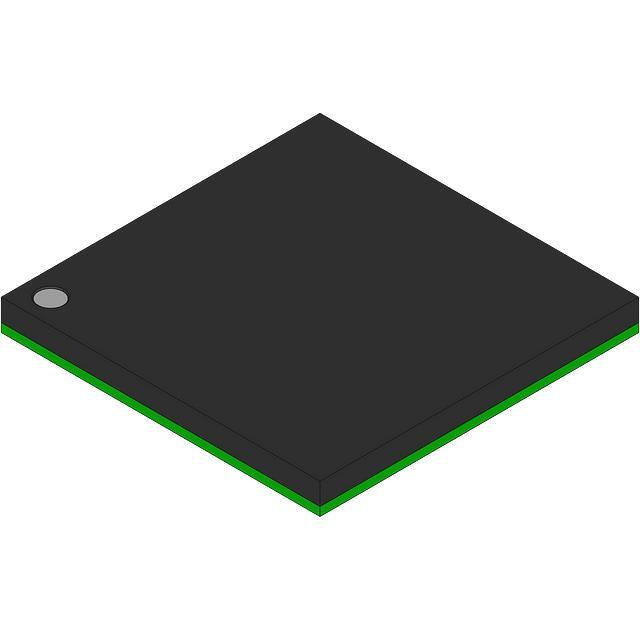
AT91SAM ARM-based Flash MCU
SAM7L128/SAM7L64
DATASHEET
Description
The AT91SAM7L128/64 are low power members of Atmel’s Smart ARM Microcontroller family based on the 32bit ARM7™ RISC processor and high-speed Flash memory.
• AT91SAM7L128 features a 128 Kbyte high-speed Flash and a total of 6 Kbytes SRAM.
• AT91SAM7L64 features a 64 Kbyte high-speed Flash and a total of 6 Kbytes SRAM.
They also embed a large set of peripherals, including a Segment LCD Controller and a complete set of system
functions minimizing the number of external components.
These devices provide an ideal migration path for 8-bit microcontroller users looking for additional performance,
extended memory and higher levels of system integration with strong constraints on power consumption.
Featuring innovative power reduction modes and ultra-low-power operation, the AT91SAM7L128/64 is tailored
for battery operated applications such as calculators, toys, remote controls, medical devices, mobile phone
accessories and wireless sensors.
The embedded Flash memory can be programmed in-system via the JTAG-ICE interface or via a parallel interface on a production programmer prior to mounting. Built-in lock bits and a security bit protect the firmware from
accidental overwrite and preserve its confidentiality.
The AT91SAM7L128/64 system controller includes a reset controller capable of managing the power-on
sequence of the microcontroller and the complete system. Correct device operation can be monitored by a builtin brownout detector and a watchdog running off an integrated oscillator.
By combining the ARM7TDMI processor with on-chip Flash and SRAM, and a wide range of peripheral functions, including USART, SPI, External Bus Timer Counter, RTC and Analog-to-Digital Converters on a
monolithic chip, the AT91SAM7L128/64 microcontroller is a powerful device that provides a flexible, cost-effective solution to many embedded control applications.
6257B–ATARM–01-Feb-13
�1. Features
• Incorporates the ARM7TDMI® ARM® Thumb® Processor
•
•
•
•
•
•
•
•
•
•
•
•
– High-performance 32-bit RISC Architecture
– High-density 16-bit Instruction Set
– Leader in MIPS/Watt
– EmbeddedICE™ In-circuit Emulation, Debug Communication Channel Support
Internal High-speed Flash
– 128 Kbytes (AT91SAM7L128), Organized in 512 Pages of 256 Bytes Single Plane
– 64 Kbytes (AT91SAM7L64), Organized In 256 Pages of 256 Bytes Single Plane
– Single Cycle Access at Up to 15 MHz in Worst Case Conditions
– 128-bit Read Access
– Page Programming Time: 4.6 ms, Including Page Auto Erase, Full Erase Time: 10 ms
– 10,000 Write Cycles, 10-year Data Retention Capability, Sector Lock Capabilities, Flash Security Bit
– Fast Flash Programming Interface for High Volume Production
Internal High-speed SRAM, Single-cycle Access at Maximum Speed
– 6 Kbytes
• 2 Kbytes Directly on Main Supply That Can Be Used as Backup SRAM
• 4 Kbytes in the Core
Memory Controller (MC)
– Enhanced Embedded Flash Controller, Abort Status and Misalignment Detection
Enhanced Embedded Flash Controller (EEFC)
– Interface of the Flash Block with the 32-bit Internal Bus
– Increases Performance in ARM and Thumb Mode with 128-bit Wide Memory Interface
Reset Controller (RSTC)
– Based on Zero-power Power-on Reset and Fully Programmble Brownout Detector
– Provides External Reset Signal Shaping and Reset Source Status
Clock Generator (CKGR)
– Low-power 32 kHz RC Oscillator, 32 kHz On-chip Oscillator, 2 MHz Fast RC Oscillator and one PLL
Supply Controller (SUPC)
– Minimizes Device Power Consumption
– Manages the Different Supplies On Chip
– Supports Multiple Wake-up Sources
Power Management Controller (PMC)
– Software Power Optimization Capabilities, Including Active and Four Low Power Modes:
• Idle Mode: No Processor Clock
• Wait Mode: No Processor Clock, Voltage Regulator Output at Minimum
• Backup Mode: Voltage Regulator and Processor Switched Off
• Off (Power Down) Mode: Entire Chip Shut Down Except for Force Wake Up Pin (FWUP) that Re-activates the Device.
100 nA Current Consumption.
In Active Mode, Dynamic Power Consumption = EXTERNAL RESET LENGTH
SAM7L128/64 [DATASHEET]
6257B–ATARM–01-Feb-13
58
�13.3.4.4
Software Reset
The Reset Controller offers several commands used to assert the different reset signals. These commands are
performed by writing the Control Register (RSTC_CR) with the following bits at 1:
• PROCRST: Writing PROCRST at 1 resets the processor and the watchdog timer.
• PERRST: Writing PERRST at 1 resets all the embedded peripherals, including the memory system, and, in
particular, the Remap Command. The Peripheral Reset is generally used for debug purposes.
• EXTRST: Writing EXTRST at 1 asserts low the NRST pin during a time defined by the field ERSTL in the Mode
Register (RSTC_MR).
The software reset is entered if at least one of these bits is set by the software. All these commands can be performed independently or simultaneously. The software reset lasts 3 Slow Clock cycles.
The internal reset signals are asserted as soon as the register write is performed. This is detected on the Master
Clock (MCK). They are released when the software reset is left, i.e.; synchronously to SLCK.
If EXTRST is set, the nrst_out signal is asserted depending on the programming of the field ERSTL. However, the
resulting falling edge on NRST does not lead to a User Reset.
If and only if the PROCRST bit is set, the Reset Controller reports the software status in the field RSTTYP of the
Status Register (RSTC_SR). Other Software Resets are not reported in RSTTYP.
As soon as a software operation is detected, the bit SRCMP (Software Reset Command in Progress) is set in the
Status Register (RSTC_SR). It is cleared as soon as the software reset is left. No other software reset can be performed while the SRCMP bit is set, and writing any value in RSTC_CR has no effect.
Figure 13-5. Software Reset
SLCK
MCK
Any
Freq.
Write RSTC_CR
Resynch. Processor Startup
1 cycle
= 2 cycles
proc_nreset
if PROCRST=1
RSTTYP
Any
XXX
0x3 = Software Reset
periph_nreset
if PERRST=1
NRST
(nrst_out)
if EXTRST=1
EXTERNAL RESET LENGTH
8 cycles (ERSTL=2)
SRCMP in RSTC_SR
SAM7L128/64 [DATASHEET]
6257B–ATARM–01-Feb-13
59
�13.3.4.5
W
atchdog Reset
The Watchdog Reset is entered when a watchdog fault occurs. This state lasts 3 Slow Clock cycles.
When in Watchdog Reset, assertion of the reset signals depends on the WDRPROC bit in WDT_MR:
• If WDRPROC is 0, the Processor Reset and the Peripheral Reset are asserted. The NRST line is also asserted,
depending on the programming of the field ERSTL. However, the resulting low level on NRST does not result in
a User Reset state.
• If WDRPROC = 1, only the processor reset is asserted.
The Watchdog Timer is reset by the proc_nreset signal. As the watchdog fault always causes a processor reset if
WDRSTEN is set, the Watchdog Timer is always reset after a Watchdog Reset, and the Watchdog is enabled by
default and with a period set to a maximum.
When the WDRSTEN in WDT_MR bit is reset, the watchdog fault has no impact on the reset controller.
Figure 13-6. Watchdog Reset
SLCK
MCK
Any
Freq.
wd_fault
Processor Startup
= 2 cycles
proc_nreset
RSTTYP
Any
XXX
0x2 = Watchdog Reset
periph_nreset
Only if
WDRPROC = 0
NRST
(nrst_out)
EXTERNAL RESET LENGTH
8 cycles (ERSTL=2)
13.3.5
Reset State Priorities
The Reset State Manager manages the following priorities between the different reset sources, given in descending order:
• General Reset
• Backup Reset
• Watchdog Reset
• Software Reset
• User Reset
Particular cases are listed below:
• When in User Reset:
– A watchdog event is impossible because the Watchdog Timer is being reset by the proc_nreset signal.
– A software reset is impossible, since the processor reset is being activated.
SAM7L128/64 [DATASHEET]
6257B–ATARM–01-Feb-13
60
�• When in Software Reset:
– A watchdog event has priority over the current state.
– The NRST has no effect.
• When in Watchdog Reset:
– The processor reset is active and so a Software Reset cannot be programmed.
– A User Reset cannot be entered.
13.3.6
Reset Controller Status Register
The Reset Controller status register (RSTC_SR) provides several status fields:
• RSTTYP field: This field gives the type of the last reset, as explained in previous sections.
• SRCMP bit: This field indicates that a Software Reset Command is in progress and that no further software
reset should be performed until the end of the current one. This bit is automatically cleared at the end of the
current software reset.
• NRSTL bit: The NRSTL bit of the Status Register gives the level of the NRST pin sampled on each MCK rising
edge.
• URSTS bit: A high-to-low transition of the NRST pin sets the URSTS bit of the RSTC_SR register. This
transition is also detected on the Master Clock (MCK) rising edge (see Figure 13-7). If the User Reset is
disabled (URSTEN = 0) and if the interruption is enabled by the URSTIEN bit in the RSTC_MR register, the
URSTS bit triggers an interrupt. Reading the RSTC_SR status register resets the URSTS bit and clears the
interrupt.
Figure 13-7.
Reset Controller Status and Interrupt
MCK
read
RSTC_SR
Peripheral Access
2 cycle
resynchronization
2 cycle
resynchronization
NRST
NRSTL
URSTS
rstc_irq
if (URSTEN = 0) and
(URSTIEN = 1)
SAM7L128/64 [DATASHEET]
6257B–ATARM–01-Feb-13
61
�13.4
Reset Controller (RSTC) User Interface
Table 13-1.
Register Mapping
Offset
Register
Name
Access
Reset
0x00
Control Register
RSTC_CR
Write-only
-
0x04
Status Register
RSTC_SR
Read-only
0x0000_0000
0x08
Mode Register
RSTC_MR
Read-write
0x0000_0000
SAM7L128/64 [DATASHEET]
6257B–ATARM–01-Feb-13
62
�13.4.1
Name:
Reset Controller Control Register
RSTC_CR
Access Type:
31
Write-only
30
29
28
27
26
25
24
KEY
23
–
22
–
21
–
20
–
19
–
18
–
17
–
16
–
15
–
14
–
13
–
12
–
11
–
10
–
9
8
–
7
–
6
–
5
–
4
–
3
EXTRST
2
PERRST
1
–
0
PROCRST
• PROCRST: Processor Reset
0 = No effect.
1 = If KEY is correct, resets the processor.
• PERRST: Peripheral Reset
0 = No effect.
1 = If KEY is correct, resets the peripherals.
• EXTRST: External Reset
0 = No effect.
1 = If KEY is correct, asserts the NRST pin.
• KEY: Password
Should be written at value 0xA5. Writing any other value in this field aborts the write operation.
SAM7L128/64 [DATASHEET]
6257B–ATARM–01-Feb-13
63
�13.4.2
Name:
Reset Controller Status Register
RSTC_SR
Access Type:
Read-only
31
–
30
–
29
–
28
–
27
–
26
–
25
–
24
–
23
–
22
–
21
–
20
–
19
–
18
–
17
SRCMP
16
NRSTL
15
–
14
–
13
–
12
–
11
–
10
9
RSTTYP
8
7
–
6
–
5
–
4
–
3
–
2
–
1
–
0
URSTS
• URSTS: User Reset Status
0 = No high-to-low edge on NRST happened since the last read of RSTC_SR.
1 = At least one high-to-low transition of NRST has been detected since the last read of RSTC_SR.
• RSTTYP: Reset Type
Reports the cause of the last processor reset. Reading this RSTC_SR does not reset this field.
RSTTYP
Reset Type
Comments
0
0
0
General Reset
First power-up Reset (Power-on Reset or NRSTB asserted)
0
0
1
Backup Reset
Return from Backup mode
0
1
0
Watchdog Reset
Watchdog fault occurred
0
1
1
Software Reset
Processor reset required by the software
1
0
0
User Reset
NRST pin detected low
• NRSTL: NRST Pin Level
Registers the NRST Pin Level at Master Clock (MCK).
• SRCMP: Software Reset Command in Progress
0 = No software command is being performed by the reset controller. The reset controller is ready for a software command.
1 = A software reset command is being performed by the reset controller. The reset controller is busy.
SAM7L128/64 [DATASHEET]
6257B–ATARM–01-Feb-13
64
�13.4.3
Name:
Reset Controller Mode Register
RSTC_MR
Access Type:
31
Read-write
30
29
28
27
26
25
24
17
–
16
–
9
8
1
–
0
URSTEN
KEY
23
–
22
–
21
–
20
–
19
–
18
–
15
–
14
–
13
–
12
–
11
10
7
–
6
–
5
4
URSTIEN
3
–
ERSTL
2
–
• URSTEN: User Reset Enable
0 = The detection of a low level on the pin NRST does not generate a User Reset.
1 = The detection of a low level on the pin NRST triggers a User Reset.
• URSTIEN: User Reset Interrupt Enable
0 = USRTS bit in RSTC_SR at 1 has no effect on rstc_irq.
1 = USRTS bit in RSTC_SR at 1 asserts rstc_irq if URSTEN = 0.
• ERSTL: External Reset Length
This field defines the external reset length. The external reset is asserted during a time of 2(ERSTL+1) Slow Clock cycles. This
allows assertion duration to be programmed between 60 µs and 2 seconds.
• KEY: Password
Should be written at value 0xA5. Writing any other value in this field aborts the write operation.
SAM7L128/64 [DATASHEET]
6257B–ATARM–01-Feb-13
65
�SAM7L128/64 [DATASHEET]
6257B–ATARM–01-Feb-13
66
�14. Real-time Clock (RTC)
14.1
Overview
The Real-time Clock (RTC) peripheral is designed for very low power consumption.
It combines a complete time-of-day clock with alarm and a two-hundred-year Gregorian calendar, complemented
by a programmable periodic interrupt. The alarm and calendar registers are accessed by a 32-bit data bus.
The time and calendar values are coded in binary-coded decimal (BCD) format. The time format can be 24-hour
mode or 12-hour mode with an AM/PM indicator.
Updating time and calendar fields and configuring the alarm fields are performed by a parallel capture on the 32-bit
data bus. An entry control is performed to avoid loading registers with incompatible BCD format data or with an
incompatible date according to the current month/year/century.
14.2
Block Diagram
Figure 14-1. RTC Block Diagram
Crystal Oscillator: SLCK
32768 Divider
Bus Interface
Bus Interface
Time
Date
Entry
Control
Interrupt
Control
RTC Interrupt
14.3
Product Dependencies
14.3.1
Power Management
The Real-time Clock is continuously clocked at 32768 Hz. The Power Management Controller has no effect on
RTC behavior.
14.3.2
Interrupt
The RTC Interrupt is connected to interrupt source 1 (IRQ1) of the advanced interrupt controller. This interrupt line
is due to the OR-wiring of the system peripheral interrupt lines (System Timer, Real Time Clock, Power Management Controller, Memory Controller, etc.). When a system interrupt occurs, the service routine must first determine
the cause of the interrupt. This is done by reading the status registers of the above system peripherals
successively.
SAM7L128/64 [DATASHEET]
6257B–ATARM–01-Feb-13
67
�14.4
Functional Description
The RTC provides a full binary-coded decimal (BCD) clock that includes century (19/20), year (with leap years),
month, date, day, hours, minutes and seconds.
The valid year range is 1900 to 2099, a two-hundred-year Gregorian calendar achieving full Y2K compliance.
The RTC can operate in 24-hour mode or in 12-hour mode with an AM/PM indicator.
Corrections for leap years are included (all years divisible by 4 being leap years, including year 2000). This is correct up to the year 2099.
After hardware reset, the calendar is initialized to Thursday, January 1, 1998.
14.4.1
Reference Clock
The reference clock is Slow Clock (SLCK). It can be driven by the Atmel cell OSC55 or OSC56 (or an equivalent
cell) and an external 32.768 kHz crystal.
During low power modes of the processor (idle mode), the oscillator runs and power consumption is critical. The
crystal selection has to take into account the current consumption for power saving and the frequency drift due to
temperature effect on the circuit for time accuracy.
14.4.2
Timing
The RTC is updated in real time at one-second intervals in normal mode for the counters of seconds, at one-minute
intervals for the counter of minutes and so on.
Due to the asynchronous operation of the RTC with respect to the rest of the chip, to be certain that the value read
in the RTC registers (century, year, month, date, day, hours, minutes, seconds) are valid and stable, it is necessary
to read these registers twice. If the data is the same both times, then it is valid. Therefore, a minimum of two and a
maximum of three accesses are required.
14.4.3
Alarm
The RTC has five programmable fields: month, date, hours, minutes and seconds.
Each of these fields can be enabled or disabled to match the alarm condition:
• If all the fields are enabled, an alarm flag is generated (the corresponding flag is asserted and an interrupt
generated if enabled) at a given month, date, hour/minute/second.
• If only the “seconds” field is enabled, then an alarm is generated every minute.
Depending on the combination of fields enabled, a large number of possibilities are available to the user ranging
from minutes to 365/366 days.
14.4.4
Error Checking
Verification on user interface data is performed when accessing the century, year, month, date, day, hours, minutes, seconds and alarms. A check is performed on illegal BCD entries such as illegal date of the month with
regard to the year and century configured.
If one of the time fields is not correct, the data is not loaded into the register/counter and a flag is set in the validity
register. The user can not reset this flag. It is reset as soon as an acceptable value is programmed. This avoids any
further side effects in the hardware. The same procedure is done for the alarm.
The following checks are performed:
1. Century (check if it is in range 19 - 20)
2. Year (BCD entry check)
3. Date (check range 01 - 31)
4. Month (check if it is in BCD range 01 - 12, check validity regarding “date”)
SAM7L128/64 [DATASHEET]
6257B–ATARM–01-Feb-13
68
�5. Day (check range 1 - 7)
6. Hour (BCD checks: in 24-hour mode, check range 00 - 23 and check that AM/PM flag is not set if RTC is
set in 24-hour mode; in 12-hour mode check range 01 - 12)
7. Minute (check BCD and range 00 - 59)
8. Second (check BCD and range 00 - 59)
Note:
14.4.5
If the 12-hour mode is selected by means of the RTC_MODE register, a 12-hour value can be programmed and the
returned value on RTC_TIME will be the corresponding 24-hour value. The entry control checks the value of the
AM/PM indicator (bit 22 of RTC_TIME register) to determine the range to be checked.
Updating Time/Calendar
To update any of the time/calendar fields, the user must first stop the RTC by setting the corresponding field in the
Control Register. Bit UPDTIM must be set to update time fields (hour, minute, second) and bit UPDCAL must be
set to update calendar fields (century, year, month, date, day).
Then the user must poll or wait for the interrupt (if enabled) of bit ACKUPD in the Status Register. Once the bit
reads 1, it is mandatory to clear this flag by writing the corresponding bit in RTC_SCCR. The user can now write to
the appropriate Time and Calendar register.
Once the update is finished, the user must reset (0) UPDTIM and/or UPDCAL in the Control
When entering programming mode of the calendar fields, the time fields remain enabled. When entering the programming mode of the time fields, both time and calendar fields are stopped. This is due to the location of the
calendar logic circuity (downstream for low-power considerations). It is highly recommended to prepare all the
fields to be updated before entering programming mode. In successive update operations, the user must wait at
least one second after resetting the UPDTIM/UPDCAL bit in the RTC_CR (Control Register) before setting these
bits again. This is done by waiting for the SEC flag in the Status Register before setting UPDTIM/UPDCAL bit. After
resetting UPDTIM/UPDCAL, the SEC flag must also be cleared.
SAM7L128/64 [DATASHEET]
6257B–ATARM–01-Feb-13
69
�Figure 14-2. Update Sequence
Begin
Prepare TIme or Calendar Fields
Set UPDTIM and/or UPDCAL
bit(s) in RTC_CR
Read RTC_SR
Polling or
IRQ (if enabled)
ACKUPD
=1?
No
Yes
Clear ACKUPD bit in RTC_SCCR
Update Time andor Calendar values in
RTC_TIMR/RTC_CALR
Clear UPDTIM and/or UPDCAL bit in
RTC_CR
End
SAM7L128/64 [DATASHEET]
6257B–ATARM–01-Feb-13
70
�14.5
Real-time Clock (RTC) User Interface
Table 14-1.
Offset
Register Mapping
Register
Name
Access
Reset
0x00
Control Register
RTC_CR
Read-write
0x0
0x04
Mode Register
RTC_MR
Read-write
0x0
0x08
Time Register
RTC_TIMR
Read-write
0x0
0x0C
Calendar Register
RTC_CALR
Read-write
0x01819819
0x10
Time Alarm Register
RTC_TIMALR
Read-write
0x0
0x14
Calendar Alarm Register
RTC_CALALR
Read-write
0x01010000
0x18
Status Register
RTC_SR
Read-only
0x0
0x1C
Status Clear Command Register
RTC_SCCR
Write-only
---
0x20
Interrupt Enable Register
RTC_IER
Write-only
---
0x24
Interrupt Disable Register
RTC_IDR
Write-only
---
0x28
Interrupt Mask Register
RTC_IMR
Read-only
0x0
0x2C
Valid Entry Register
RTC_VER
Read-only
0x0
0xFC
Reserved Register
–
–
–
SAM7L128/64 [DATASHEET]
6257B–ATARM–01-Feb-13
71
�14.5.1
Name:
RTC Control Register
RTC_CR
Access Type: Read-write
31
30
29
28
27
26
25
24
–
–
–
–
–
–
–
–
23
22
21
20
19
18
17
–
–
–
–
–
–
15
14
13
12
11
10
–
–
–
–
–
–
16
CALEVSEL
9
8
TIMEVSEL
7
6
5
4
3
2
1
0
–
–
–
–
–
–
UPDCAL
UPDTIM
• UPDTIM: Update Request Time Register
0 = No effect.
1 = Stops the RTC time counting.
Time counting consists of second, minute and hour counters. Time counters can be programmed once this bit is set and
acknowledged by the bit ACKUPD of the Status Register.
• UPDCAL: Update Request Calendar Register
0 = No effect.
1 = Stops the RTC calendar counting.
Calendar counting consists of day, date, month, year and century counters. Calendar counters can be programmed once
this bit is set.
• TIMEVSEL: Time Event Selection
The event that generates the flag TIMEV in RTC_SR (Status Register) depends on the value of TIMEVSEL.
0 = Minute change.
1 = Hour change.
2 = Every day at midnight.
3 = Every day at noon.
• CALEVSEL: Calendar Event Selection
The event that generates the flag CALEV in RTC_SR depends on the value of CALEVSEL.
0 = Week change (every Monday at time 00:00:00).
1 = Month change (every 01 of each month at time 00:00:00).
2, 3 = Year change (every January 1 at time 00:00:00).
SAM7L128/64 [DATASHEET]
6257B–ATARM–01-Feb-13
72
�14.5.2
Name:
RTC Mode Register
RTC_MR
Access Type: Read-write
31
30
29
28
27
26
25
24
–
–
–
–
–
–
–
–
23
22
21
20
19
18
17
16
–
–
–
–
–
–
–
–
15
14
13
12
11
10
9
8
–
–
–
–
–
–
–
–
7
6
5
4
3
2
1
0
–
–
–
–
–
–
–
HRMOD
• HRMOD: 12-/24-hour Mode
0 = 24-hour mode is selected.
1 = 12-hour mode is selected.
All non-significant bits read zero.
SAM7L128/64 [DATASHEET]
6257B–ATARM–01-Feb-13
73
�14.5.3
Name:
RTC Time Register
RTC_TIMR
Access Type: Read-write
31
30
29
28
27
26
25
24
–
–
–
–
–
–
–
–
23
22
21
20
19
18
17
16
–
AMPM
15
14
10
9
8
2
1
0
HOUR
13
12
–
7
11
MIN
6
5
–
4
3
SEC
• SEC: Current Second
The range that can be set is 0 - 59 (BCD).
The lowest four bits encode the units. The higher bits encode the tens.
• MIN: Current Minute
The range that can be set is 0 - 59 (BCD).
The lowest four bits encode the units. The higher bits encode the tens.
• HOUR: Current Hour
The range that can be set is 1 - 12 (BCD) in 12-hour mode or 0 - 23 (BCD) in 24-hour mode.
• AMPM: Ante Meridiem Post Meridiem Indicator
This bit is the AM/PM indicator in 12-hour mode.
0 = AM.
1 = PM.
All non-significant bits read zero.
SAM7L128/64 [DATASHEET]
6257B–ATARM–01-Feb-13
74
�14.5.4
Name:
RTC Calendar Register
RTC_CALR
Access Type: Read-write
31
30
–
–
23
22
29
28
27
14
25
24
18
17
16
DATE
21
20
19
DAY
15
26
MONTH
13
12
11
10
9
8
3
2
1
0
YEAR
7
6
5
–
4
CENT
• CENT: Current Century
The range that can be set is 19 - 20 (BCD).
The lowest four bits encode the units. The higher bits encode the tens.
• YEAR: Current Year
The range that can be set is 00 - 99 (BCD).
The lowest four bits encode the units. The higher bits encode the tens.
• MONTH: Current Month
The range that can be set is 01 - 12 (BCD).
The lowest four bits encode the units. The higher bits encode the tens.
• DAY: Current Day in Current Week
The range that can be set is 1 - 7 (BCD).
The coding of the number (which number represents which day) is user-defined as it has no effect on the date counter.
• DATE: Current Day in Current Month
The range that can be set is 01 - 31 (BCD).
The lowest four bits encode the units. The higher bits encode the tens.
All non-significant bits read zero.
SAM7L128/64 [DATASHEET]
6257B–ATARM–01-Feb-13
75
�14.5.5
Name:
RTC Time Alarm Register
RTC_TIMALR
Access Type: Read-write
31
30
29
28
27
26
25
24
–
–
–
–
–
–
–
–
21
20
19
18
17
16
10
9
8
2
1
0
23
22
HOUREN
AMPM
15
14
HOUR
13
12
MINEN
7
11
MIN
6
5
SECEN
4
3
SEC
• SEC: Second Alarm
This field is the alarm field corresponding to the BCD-coded second counter.
• SECEN: Second Alarm Enable
0 = The second-matching alarm is disabled.
1 = The second-matching alarm is enabled.
• MIN: Minute Alarm
This field is the alarm field corresponding to the BCD-coded minute counter.
• MINEN: Minute Alarm Enable
0 = The minute-matching alarm is disabled.
1 = The minute-matching alarm is enabled.
• HOUR: Hour Alarm
This field is the alarm field corresponding to the BCD-coded hour counter.
• AMPM: AM/PM Indicator
This field is the alarm field corresponding to the BCD-coded hour counter.
• HOUREN: Hour Alarm Enable
0 = The hour-matching alarm is disabled.
1 = The hour-matching alarm is enabled.
SAM7L128/64 [DATASHEET]
6257B–ATARM–01-Feb-13
76
�14.5.6
Name:
RTC Calendar Alarm Register
RTC_CALALR
Access Type: Read-write
31
30
DATEEN
–
29
28
27
26
25
24
18
17
16
DATE
23
22
21
MTHEN
–
–
20
19
15
14
13
12
11
10
9
8
–
–
–
–
–
–
–
–
MONTH
7
6
5
4
3
2
1
0
–
–
–
–
–
–
–
–
• MONTH: Month Alarm
This field is the alarm field corresponding to the BCD-coded month counter.
• MTHEN: Month Alarm Enable
0 = The month-matching alarm is disabled.
1 = The month-matching alarm is enabled.
• DATE: Date Alarm
This field is the alarm field corresponding to the BCD-coded date counter.
• DATEEN: Date Alarm Enable
0 = The date-matching alarm is disabled.
1 = The date-matching alarm is enabled.
SAM7L128/64 [DATASHEET]
6257B–ATARM–01-Feb-13
77
�14.5.7
Name:
RTC Status Register
RTC_SR
Access Type: Read-only
31
30
29
28
27
26
25
24
–
–
–
–
–
–
–
–
23
22
21
20
19
18
17
16
–
–
–
–
–
–
–
–
15
14
13
12
11
10
9
8
–
–
–
–
–
–
–
–
7
6
5
4
3
2
1
0
–
–
–
CALEV
TIMEV
SEC
ALARM
ACKUPD
• ACKUPD: Acknowledge for Update
0 = Time and calendar registers cannot be updated.
1 = Time and calendar registers can be updated.
• ALARM: Alarm Flag
0 = No alarm matching condition occurred.
1 = An alarm matching condition has occurred.
• SEC: Second Event
0 = No second event has occurred since the last clear.
1 = At least one second event has occurred since the last clear.
• TIMEV: Time Event
0 = No time event has occurred since the last clear.
1 = At least one time event has occurred since the last clear.
The time event is selected in the TIMEVSEL field in RTC_CTRL (Control Register) and can be any one of the following
events: minute change, hour change, noon, midnight (day change).
• CALEV: Calendar Event
0 = No calendar event has occurred since the last clear.
1 = At least one calendar event has occurred since the last clear.
The calendar event is selected in the CALEVSEL field in RTC_CR and can be any one of the following events: week
change, month change and year change.
SAM7L128/64 [DATASHEET]
6257B–ATARM–01-Feb-13
78
�14.5.8
Name:
RTC Status Clear Command Register
RTC_SCCR
Access Type: Write-only
31
30
29
28
27
26
25
24
–
–
–
–
–
–
–
–
23
22
21
20
19
18
17
16
–
–
–
–
–
–
–
–
15
14
13
12
11
10
9
8
–
–
–
–
–
–
–
–
7
6
5
4
3
2
1
0
–
–
–
CALCLR
TIMCLR
SECCLR
ALRCLR
ACKCLR
• ACKCLR: Acknowledge Clear
0 = No effect.
1 = Clears corresponding status flag in the Status Register (RTC_SR).
• ALRCLR: Alarm Clear
0 = No effect.
1 = Clears corresponding status flag in the Status Register (RTC_SR).
• SECCLR: Second Clear
0 = No effect.
1 = Clears corresponding status flag in the Status Register (RTC_SR).
• TIMCLR: Time Clear
0 = No effect.
1 = Clears corresponding status flag in the Status Register (RTC_SR).
• CALCLR: Calendar Clear
0 = No effect.
1 = Clears corresponding status flag in the Status Register (RTC_SR).
SAM7L128/64 [DATASHEET]
6257B–ATARM–01-Feb-13
79
�14.5.9
Name:
RTC Interrupt Enable Register
RTC_IER
Access Type: Write-only
31
30
29
28
27
26
25
24
–
–
–
–
–
–
–
–
23
22
21
20
19
18
17
16
–
–
–
–
–
–
–
–
15
14
13
12
11
10
9
8
–
–
–
–
–
–
–
–
7
6
5
4
3
2
1
0
–
–
–
CALEN
TIMEN
SECEN
ALREN
ACKEN
• ACKEN: Acknowledge Update Interrupt Enable
0 = No effect.
1 = The acknowledge for update interrupt is enabled.
• ALREN: Alarm Interrupt Enable
0 = No effect.
1 = The alarm interrupt is enabled.
• SECEN: Second Event Interrupt Enable
0 = No effect.
1 = The second periodic interrupt is enabled.
• TIMEN: Time Event Interrupt Enable
0 = No effect.
1 = The selected time event interrupt is enabled.
• CALEN: Calendar Event Interrupt Enable
0 = No effect.
• 1 = The selected calendar event interrupt is enabled.
SAM7L128/64 [DATASHEET]
6257B–ATARM–01-Feb-13
80
�14.5.10
Name:
RTC Interrupt Disable Register
RTC_IDR
Access Type: Write-only
31
30
29
28
27
26
25
24
–
–
–
–
–
–
–
–
23
22
21
20
19
18
17
16
–
–
–
–
–
–
–
–
15
14
13
12
11
10
9
8
–
–
–
–
–
–
–
–
7
6
5
4
3
2
1
0
–
–
–
CALDIS
TIMDIS
SECDIS
ALRDIS
ACKDIS
• ACKDIS: Acknowledge Update Interrupt Disable
0 = No effect.
1 = The acknowledge for update interrupt is disabled.
• ALRDIS: Alarm Interrupt Disable
0 = No effect.
1 = The alarm interrupt is disabled.
• SECDIS: Second Event Interrupt Disable
0 = No effect.
1 = The second periodic interrupt is disabled.
• TIMDIS: Time Event Interrupt Disable
0 = No effect.
1 = The selected time event interrupt is disabled.
• CALDIS: Calendar Event Interrupt Disable
0 = No effect.
1 = The selected calendar event interrupt is disabled.
SAM7L128/64 [DATASHEET]
6257B–ATARM–01-Feb-13
81
�14.5.11
Name:
RTC Interrupt Mask Register
RTC_IMR
Access Type:Read-only
31
30
29
28
27
26
25
24
–
–
–
–
–
–
–
–
23
22
21
20
19
18
17
16
–
–
–
–
–
–
–
–
15
14
13
12
11
10
9
8
–
–
–
–
–
–
–
–
7
6
5
4
3
2
1
0
–
–
–
CAL
TIM
SEC
ALR
ACK
• ACK: Acknowledge Update Interrupt Mask
0 = The acknowledge for update interrupt is disabled.
1 = The acknowledge for update interrupt is enabled.
• ALR: Alarm Interrupt Mask
0 = The alarm interrupt is disabled.
1 = The alarm interrupt is enabled.
• SEC: Second Event Interrupt Mask
0 = The second periodic interrupt is disabled.
1 = The second periodic interrupt is enabled.
• TIM: Time Event Interrupt Mask
0 = The selected time event interrupt is disabled.
1 = The selected time event interrupt is enabled.
• CAL: Calendar Event Interrupt Mask
0 = The selected calendar event interrupt is disabled.
1 = The selected calendar event interrupt is enabled.
SAM7L128/64 [DATASHEET]
6257B–ATARM–01-Feb-13
82
�14.5.12
Name:
RTC Valid Entry Register
RTC_VER
Access Type:
Read-only
31
30
29
28
27
26
25
24
–
–
–
–
–
–
–
–
23
22
21
20
19
18
17
16
–
–
–
–
–
–
–
–
15
14
13
12
11
10
9
8
–
–
–
–
–
–
–
–
7
6
5
4
3
2
1
0
–
–
–
–
NVCALALR
NVTIMALR
NVCAL
NVTIM
• NVTIM: Non-valid Time
0 = No invalid data has been detected in RTC_TIMR (Time Register).
1 = RTC_TIMR has contained invalid data since it was last programmed.
• NVCAL: Non-valid Calendar
0 = No invalid data has been detected in RTC_CALR (Calendar Register).
1 = RTC_CALR has contained invalid data since it was last programmed.
• NVTIMALR: Non-valid Time Alarm
0 = No invalid data has been detected in RTC_TIMALR (Time Alarm Register).
1 = RTC_TIMALR has contained invalid data since it was last programmed.
• NVCALALR: Non-valid Calendar Alarm
0 = No invalid data has been detected in RTC_CALALR (Calendar Alarm Register).
1 = RTC_CALALR has contained invalid data since it was last programmed.
SAM7L128/64 [DATASHEET]
6257B–ATARM–01-Feb-13
83
�SAM7L128/64 [DATASHEET]
6257B–ATARM–01-Feb-13
84
�15. Periodic Interval Timer (PIT)
15.1
Overview
The Periodic Interval Timer (PIT) provides the operating system’s scheduler interrupt. It is designed to offer maximum accuracy and efficient management, even for systems with long response time.
15.2
Block Diagram
Figure 15-1. Periodic Interval Timer
PIT_MR
PIV
=?
PIT_MR
PITIEN
set
0
PIT_SR
PITS
pit_irq
reset
0
MCK
Prescaler
0
0
1
12-bit
Adder
1
read PIT_PIVR
20-bit
Counter
MCK/16
CPIV
PIT_PIVR
CPIV
PIT_PIIR
PICNT
PICNT
SAM7L128/64 [DATASHEET]
6257B–ATARM–01-Feb-13
85
�15.3
Functional Description
The Periodic Interval Timer aims at providing periodic interrupts for use by operating systems.
The PIT provides a programmable overflow counter and a reset-on-read feature. It is built around two counters: a
20-bit CPIV counter and a 12-bit PICNT counter. Both counters work at Master Clock /16.
The first 20-bit CPIV counter increments from 0 up to a programmable overflow value set in the field PIV of the
Mode Register (PIT_MR). When the counter CPIV reaches this value, it resets to 0 and increments the Periodic
Interval Counter, PICNT. The status bit PITS in the Status Register (PIT_SR) rises and triggers an interrupt, provided the interrupt is enabled (PITIEN in PIT_MR).
Writing a new PIV value in PIT_MR does not reset/restart the counters.
When CPIV and PICNT values are obtained by reading the Periodic Interval Value Register (PIT_PIVR), the overflow counter (PICNT) is reset and the PITS is cleared, thus acknowledging the interrupt. The value of PICNT gives
the number of periodic intervals elapsed since the last read of PIT_PIVR.
When CPIV and PICNT values are obtained by reading the Periodic Interval Image Register (PIT_PIIR), there is no
effect on the counters CPIV and PICNT, nor on the bit PITS. For example, a profiler can read PIT_PIIR without
clearing any pending interrupt, whereas a timer interrupt clears the interrupt by reading PIT_PIVR.
The PIT may be enabled/disabled using the PITEN bit in the PIT_MR register (disabled on reset). The PITEN bit
only becomes effective when the CPIV value is 0. Figure 15-2 illustrates the PIT counting. After the PIT Enable bit
is reset (PITEN= 0), the CPIV goes on counting until the PIV value is reached, and is then reset. PIT restarts counting, only if the PITEN is set again.
The PIT is stopped when the core enters debug state.
Figure 15-2. Enabling/Disabling PIT with PITEN
APB cycle
APB cycle
MCK
15
restarts MCK Prescaler
MCK Prescaler 0
PITEN
CPIV
PICNT
0
1
PIV - 1
0
PIV
1
0
1
0
PITS (PIT_SR)
APB Interface
read PIT_PIVR
SAM7L128/64 [DATASHEET]
6257B–ATARM–01-Feb-13
86
�15.4
Periodic Interval Timer (PIT) User Interface
Table 15-1.
Register Mapping
Offset
Register
Name
Access
Reset
0x00
Mode Register
PIT_MR
Read-write
0x000F_FFFF
0x04
Status Register
PIT_SR
Read-only
0x0000_0000
0x08
Periodic Interval Value Register
PIT_PIVR
Read-only
0x0000_0000
0x0C
Periodic Interval Image Register
PIT_PIIR
Read-only
0x0000_0000
SAM7L128/64 [DATASHEET]
6257B–ATARM–01-Feb-13
87
�15.4.1
Periodic Interval Timer Mode Register
Register Name:
PIT_MR
Access Type:
Read-write
31
–
30
–
29
–
28
–
27
–
26
–
23
–
22
–
21
–
20
–
19
18
15
14
13
12
25
PITIEN
24
PITEN
17
16
PIV
11
10
9
8
3
2
1
0
PIV
7
6
5
4
PIV
• PIV: Periodic Interval Value
Defines the value compared with the primary 20-bit counter of the Periodic Interval Timer (CPIV). The period is equal to
(PIV + 1).
• PITEN: Period Interval Timer Enabled
0 = The Periodic Interval Timer is disabled when the PIV value is reached.
1 = The Periodic Interval Timer is enabled.
• PITIEN: Periodic Interval Timer Interrupt Enable
0 = The bit PITS in PIT_SR has no effect on interrupt.
1 = The bit PITS in PIT_SR asserts interrupt.
SAM7L128/64 [DATASHEET]
6257B–ATARM–01-Feb-13
88
�15.4.2
Periodic Interval Timer Status Register
Register Name:
PIT_SR
Access Type:
Read-only
31
–
30
–
29
–
28
–
27
–
26
–
25
–
24
–
23
–
22
–
21
–
20
–
19
–
18
–
17
–
16
–
15
–
14
–
13
–
12
–
11
–
10
–
9
–
8
–
7
–
6
–
5
–
4
–
3
–
2
–
1
–
0
PITS
• PITS: Periodic Interval Timer Status
0 = The Periodic Interval timer has not reached PIV since the last read of PIT_PIVR.
1 = The Periodic Interval timer has reached PIV since the last read of PIT_PIVR.
SAM7L128/64 [DATASHEET]
6257B–ATARM–01-Feb-13
89
�15.4.3
Periodic Interval Timer Value Register
Register Name:
PIT_PIVR
Access Type:
31
Read-only
30
29
28
27
26
19
18
25
24
17
16
PICNT
23
22
21
20
PICNT
15
14
CPIV
13
12
11
10
9
8
3
2
1
0
25
24
17
16
CPIV
7
6
5
4
CPIV
Reading this register clears PITS in PIT_SR.
• CPIV: Current Periodic Interval Value
Returns the current value of the periodic interval timer.
• PICNT: Periodic Interval Counter
Returns the number of occurrences of periodic intervals since the last read of PIT_PIVR.
15.4.4
Periodic Interval Timer Image Register
Register Name:
PIT_PIIR
Access Type:
31
Read-only
30
29
28
27
26
19
18
PICNT
23
22
21
20
PICNT
15
14
CPIV
13
12
11
10
9
8
3
2
1
0
CPIV
7
6
5
4
CPIV
• CPIV: Current Periodic Interval Value
Returns the current value of the periodic interval timer.
• PICNT: Periodic Interval Counter
Returns the number of occurrences of periodic intervals since the last read of PIT_PIVR.
SAM7L128/64 [DATASHEET]
6257B–ATARM–01-Feb-13
90
�16. Watchdog Timer (WDT)
16.1
Overview
The Watchdog Timer can be used to prevent system lock-up if the software becomes trapped in a deadlock. It features a 12-bit down counter that allows a watchdog period of up to 16 seconds (slow clock at 32.768 kHz). It can
generate a general reset or a processor reset only. In addition, it can be stopped while the processor is in debug
mode or idle mode.
16.2
Block Diagram
Figure 16-1. Watchdog Timer Block Diagram
write WDT_MR
WDT_MR
WDV
WDT_CR
WDRSTT
reload
1
0
12-bit Down
Counter
WDT_MR
WDD
reload
Current
Value
1/128
SLCK
32
kHz) is connected to XIN, then the device will switch on the external clock. Else, XIN input is not considered. An higher
frequency on XIN speeds up the programmer handshake.
SAM7L128/64 [DATASHEET]
6257B–ATARM–01-Feb-13
161
�Table 20-17. Reset TAP Controller and Go to Select-DR-Scan
20.3.3
TDI
TMS
TAP Controller State
X
1
X
1
X
1
X
1
X
1
Test-Logic Reset
X
0
Run-Test/Idle
Xt
1
Select-DR-Scan
Read/Write Handshake
The read/write handshake is done by carrying out read/write operations on two registers of the device that are
accessible through the JTAG:
• Debug Comms Control Register: DCCR
• Debug Comms Data Register: DCDR
Access to these registers is done through the TAP 38-bit DR register comprising a 32-bit data field, a 5-bit address
field and a read/write bit. The data to be written is scanned into the 32-bit data field with the address of the register
to the 5-bit address field and 1 to the read/write bit. A register is read by scanning its address into the address field
and 0 into the read/write bit, going through the UPDATE-DR TAP state, then scanning out the data.
Refer to the ARM7TDMI reference manuel for more information on Comm channel operations.
Figure 20-7. TAP 8-bit DR Register
TDI
r/w
4
Address
0
31
Data
5
Address
Decoder
0
TDO
32
Debug Comms Control Register
Debug Comms Data Register
A read or write takes place when the TAP controller enters UPDATE-DR state. Refer to the IEEE 1149.1 for more
details on JTAG operations.
• The address of the Debug Comms Control Register is 0x04.
• The address of the Debug Comms Data Register is 0x05.
The Debug Comms Control Register is read-only and allows synchronized handshaking between the processor
and the debugger.
– Bit 1 (W): Denotes whether the programmer can read a data through the Debug Comms Data Register.
If the device is busy W = 0, then the programmer must poll until W = 1.
– Bit 0 (R): Denotes whether the programmer can send data from the Debug Comms Data Register. If R
= 1, data previously placed there through the scan chain has not been collected by the device and so
the programmer must wait.
SAM7L128/64 [DATASHEET]
6257B–ATARM–01-Feb-13
162
�The write handshake is done by polling the Debug Comms Control Register until the R bit is cleared. Once cleared,
data can be written to the Debug Comms Data Register.
The read handshake is done by polling the Debug Comms Control Register until the W bit is set. Once set, data
can be read in the Debug Comms Data Register.
20.3.4
Device Operations
Several commands on the Flash memory are available. These commands are summarized in Table 20-3 on page
153. Commands are run by the programmer through the serial interface that is reading and writing the Debug
Comms Registers.
20.3.4.1
Flash Read Command
This command is used to read the Flash contents. The memory map is accessible through this command. Memory
is seen as an array of words (32-bit wide). The read command can start at any valid address in the memory plane.
This address must be word-aligned. The address is automatically incremented.
Table 20-18. Read Command
Read/Write
DR Data
Write
(Number of Words to Read) ’
• Send a file (S): Send a file to a specified address
– Address: Address in hexadecimal
– Output: ‘>’.
Note:
There is a time-out on this command which is reached when the prompt ‘>’ appears before the end of the command
execution.
• Receive a file (R): Receive data into a file from a specified address
– Address: Address in hexadecimal
– NbOfBytes: Number of bytes in hexadecimal to receive
– Output: ‘>’
• Go (G): Jump to a specified address and execute the code
– Address: Address to jump in hexadecimal
– Output: ‘>’
• Get Version (V): Return the SAM-BA boot version
– Output: ‘>’
SAM7L128/64 [DATASHEET]
6257B–ATARM–01-Feb-13
169
�21.4.1
DBGU Serial Port
Communication is performed through the DBGU serial port initialized to 115200 Baud, 8, n, 1.
The Send and Receive File commands use the Xmodem protocol to communicate. Any terminal performing this
protocol can be used to send the application file to the target. The size of the binary file to send depends on the
SRAM size embedded in the product. In all cases, the size of the binary file must be lower than the SRAM size
because the Xmodem protocol requires some SRAM memory to work.
21.4.2
Xmodem Protocol
The Xmodem protocol supported is the 128-byte length block. This protocol uses a two-character CRC-16 to guarantee detection of a maximum bit error.
Xmodem protocol with CRC is accurate provided both sender and receiver report successful transmission. Each
block of the transfer looks like:
in which:
– = 01 hex
– = binary number, starts at 01, increments by 1, and wraps 0FFH to 00H (not to 01)
– = 1’s complement of the blk#.
– = 2 bytes CRC16
Figure 21-3 shows a transmission using this protocol.
Figure 21-3. Xmodem Transfer Example
Host
Device
C
SOH 01 FE Data[128] CRC CRC
ACK
SOH 02 FD Data[128] CRC CRC
ACK
SOH 03 FC Data[100] CRC CRC
ACK
EOT
ACK
SAM7L128/64 [DATASHEET]
6257B–ATARM–01-Feb-13
170
�21.5
In-Application Programming (IAP) Feature
The IAP feature is a function located in ROM that can be called by any software application.
When called, this function sends the desired FLASH command to the EEFC and waits for the FLASH to be ready
(looping while the FRDY bit is not set in the MC_FSR register).
Since this function is executed from ROM, this allows FLASH programming (like sector write) to be done by code
running in FLASH.
The IAP function entry point is retrieved by reading the SWI vector in ROM (0x400008).
This funtion takes one argument in parameter: the command to be sent to the EEFC.
This function returns the value of the MC_FSR register.
IAP software code example:
(unsigned int) (*IAP_Function)(unsigned long);
void main (void)
{
unsigned long FlashSectorNum = 200;
unsigned long flash_cmd = 0;
unsigned long flash_status = 0;
/* Initialize the function pointer (retrieve function address from SWI vector) */
IAP_Function = ((unsigned long) (*)(unsigned long)) 0x400008;
/* Send your data to the sector */
/* build the command to send to EFC */
flash_cmd =
(0x5A 1MHz
IOSC
Current Consumption
After Startup Time
Standby Consumption
50
2
18
SAM7L128/64 [DATASHEET]
6257B–ATARM–01-Feb-13
%
517
�35.4.3
XTAL Oscillator Characteristics
Table 35-15. XTAL Oscillator Characteristics
Symbol
Parameter
Conditions
Min
Freq
Operating Frequency
Normal mode with crystal
Supply Voltage
VDDIO1 Domain
1.8
Duty Cycle
40
Rs < 50KΩ
Startup Time
Rs < 100KΩ
(1)
Rs < 50KΩ
Current consumption
Rs < 100KΩ
(1)
IDDST
Standby Current Consumption
PON
Drive level
Rf
Internal resistor
CLEXT
Maximum external capacitor
on XIN and XOUT
CL
Internal Equivalent Load Capacitance
Notes:
Typ
50
CL = 12.5pF
CL = 6pF
CL = 12.5pF
CL = 6pF
CL = 12.5pF
CL = 6pF
CL = 12.5pF
CL = 6pF
650
450
900
650
Max
Unit
32.768
KHz
3.6
V
60
%
900
300
1200
500
ms
1400
1200
1600
1400
nA
5
nA
0.1
µW
Standby mode @ 3.6V
between XIN and XOUT
10
Integrated Load Capacitance
(XIN and XOUT in series)
2.0
2.5
MΩ
20
pF
3.0
pF
1. RS is the series resitor..
AT91SAM7L
CL
XIN
XOUT
CLEXT
CLEXT
35.4.4
Crystal Characteristics
Table 35-16. Crystal Characteristics
Symbol
Parameter
Conditions
ESR
Equivalent Series Resistor Rs
Crystal @ 32.768KHz
CM
Motional capacitance
Crystal @ 32.768KHz
CSHUNT
Shunt capacitance
Crystal @ 32.768KHz
Min
Typ
Max
Unit
50
100
KΩ
0.6
3
fF
0.6
2
pF
SAM7L128/64 [DATASHEET]
6257B–ATARM–01-Feb-13
518
�35.4.5
XIN Clock Characteristics
Table 35-17. XIN Clock Electrical Characteristics (In bypass mode)
Symbol
Parameter
Max
Units
XIN Clock Frequency
(1)
10
MHz
1/(tCPXIN)
XIN Clock Frequency
(2)
44
kHz
tCPXIN
XIN Clock Period
(1)
100
ns
XIN Clock Period
(2)
44
ns
XIN Clock High Half-period
(1)
22
µs
tCHXIN
XIN Clock High Half-period
(2)
11
µs
tCLXIN
XIN Clock Low Half-period
(1)
50
ns
tCLXIN
XIN Clock Low Half-period
(2)
11
µs
tCLCH
Rise Time
400
ns
tCHCL
Fall Time
400
ns
CIN
XIN Input Capacitance
RIN
XIN Pull-down Resistor
VXIN_IL
VXIN_IH
1/(tCPXIN)
tCPXIN
tCHXIN
Note:
Conditions
Min
6
pF
3
5
MΩ
VXIN Input Low-level Voltage
-0.3
0.2 x VVDDIO1
V
VXIN Input High-level Voltage
0.8 x VVDDIO1
VVDDIO1+0.3
V
1. These characteristics apply only in FFPI mode
2. These characteristics apply only when the XTAL Oscillator is in bypass mode (i.e., when MOSCEN = 0 and
OSCBYPASS = 1 in the CKGR_MOR register, see the Clock Generator Main Oscillator Register.
tCLCH
tCPXIN
tCHXIN
tCHCL
VXIN_IH
VXIN_IL
tCPXIN
tCPXIN
35.4.6
External Clock CLKIN Characteristics
Table 35-18. External Clock CLKIN Characteristics (VDDCORE set at 1.80V)
Symbol
Parameter
1/(tCPCLKIN)
CLKIN Clock Frequency
Min
Max
Units
32
MHz
SAM7L128/64 [DATASHEET]
6257B–ATARM–01-Feb-13
519
�Table 35-18. External Clock CLKIN Characteristics (VDDCORE set at 1.80V)
Symbol
Parameter
Min
Max
Units
tCPCLKIN
CLKIN Clock Period
31.0
ns
tCHCLKIN
CLKIN Clock High Half-period
14.5
ns
tCLCLKIN
CLKIN Clock Low Half-period
14.3
ns
Table 35-19. External Clock CLKIN Characteristics (VDDCORE set at 1.75V)
Symbol
Parameter
Min
Max
Units
1/(tCPCLKIN)
CLKIN Clock Frequency
30.8
MHz
tCPCLKIN
CLKIN Clock Period
32.4
ns
tCHCLKIN
CLKIN Clock High Half-period
15.2
ns
tCLCLKIN
CLKIN Clock Low Half-period
15.0
ns
Table 35-20. Externa Clock CLKIN Characteristics (VDDCORE set at 1.65V)
Symbol
Parameter
Min
Max
Units
1/(tCPCLKIN)
CLKIN Clock Frequency
28
MHz
tCPCLKIN
CLKIN Clock Period
35.7
ns
tCHCLKIN
CLKIN Clock High Half-period
16.7
ns
tCLCLKIN
CLKIN Clock Low Half-period
16.5
ns
Table 35-21. External Clock CLKIN Characteristics (VDDCORE set at 1.55V)
Symbol
Parameter
1/(tCPCLKIN)
CLKIN Clock Frequency
tCPCLKIN
CLKIN Clock Period
40.0
ns
tCHCLKIN
CLKIN Clock High Half-period
18.7
ns
tCLCLKIN
CLKIN Clock Low Half-period
18.5
ns
35.5
Min
Max
Units
25
MHz
PLL Characteristics
Table 35-22. Phase Lock Loop Characteristics
Symbol
Parameter
Conditions
Min
Vdd
Supply Voltage
Supplied by VDDCORE
1.60
FOUT
Output Frequency
FIN
Input Frequency
IPLL
Current Consumption
Connected to SCLK
Active mode @ 20MHz @1.8V
Active mode @ 30MHz @1.8V
Active mode @ 40MHz @1.8V
Standby mode
Note:
Typ
Max
Unit
V
18
30
47
MHz
20
30
44
KHz
445
490
535
505
555
605
µA
0.005
0.5
µA
Startup time depends on PLL RC filter. A calculation tool is provided by Atmel.
SAM7L128/64 [DATASHEET]
6257B–ATARM–01-Feb-13
520
�35.6
ADC Characteristics
Table 35-23. Channel Conversion Time and ADC Clock
Parameter
Conditions
ADC Clock Frequency
Max
Units
10-bit resolution mode
6
MHz
ADC Clock Frequency
8-bit resolution mode
10
MHz
Startup Time
Return from Idle Mode
15
µs
Track and Hold Acquisition Time
Min
Typ
500
ns
Conversion Time
ADC Clock = 6MHz
ADC Clock = 10MHz
1.67
1
µs
Throughput Rate
ADC Clock = 6MHz
ADC Clock = 10MHz
460(1)
660(2)
kSPS
Notes:
1. Corresponds to 13 clock cycles at 6 MHz: 3 clock cycles for track and hold acquisition time and 10 clock cycles for
conversion.
2. Corresponds to 15 clock cycles at 10 MHz: 5 clock cycles for track and hold acquisition time and 10 clock cycles for
conversion
Table 35-24. External Voltage Reference Input
Parameter
Conditions
ADVREF Input Voltage Range
ADVREF Average Current
Min
Typ
Max
Units
1.65
1.8
VDDCORE
V
250
µA
2.2
mA
ADC Clock = 6MHz
Current Consumption on VDDCORE
The user can drive ADC input with impedance up to:
• ZOUT ≤ (SHTIM -440) x 20 in 8-bit resolution mode
• ZOUT ≤ (SHTIM -550) x 16.6 in 10-bit resolution mode
with SHTIM (Sample and Hold Time register) expressed in ns and ZOUT expressed in ohms.
Table 35-25. Analog Inputs
Parameter
Min
Input Voltage Range
Typ
0
Units
VADVREF
Input Leakage Current
Input Capacitance
Max
±0.5
µA
6.5
8.5
pF
Typ
Max
Units
Table 35-26. Transfer Characteristics
Parameter
Conditions
Resolution
10
Integral Non-linearity
Differential Non-linearity
Min
No missing code
Bit
±2
LSB
±1
LSB
SAM7L128/64 [DATASHEET]
6257B–ATARM–01-Feb-13
521
�Table 35-26. Transfer Characteristics (Continued)
Parameter
Conditions
Min
Typ
Max
Units
Offset Error
±3
LSB
Gain Error
±2
LSB
±4.2
LSB
Absolute accuracy
35.7
Regulated Charge Pump Characteristics
Table 35-27. Regulated Charge Pump Characteristics
Symbol
Parameter
VVDDINLCD
Charge Pump Supply
Voltage
VVDD3V6
Output Voltage
Conditions
Min
Typ
Max
Units
1.8
2.7
3.6
V
3.6
V
IO = 4 mA max
Active, No load, with clock,
CL = 4.7µF, ESR = 1Ω
IVDDINLCD
TSTART
Current consumption
Onto VDDIO1 = 1.8V
50
Onto VDDINLCD = 1.8V
250
Onto VDDIO1 = 3.6V
50
Onto VDDINLCD = 3.6V
65
Startup Time
4
µA
mS
External charge capacitor
Between CAPP1 and CAPM1 (Tolerance
+/- 10%)
220
nF
External charge capacitor
Between CAPP2 and CAPM2 (Tolerance
+/- 10%)
220
nF
External storage capacitor
On VDD3V6 (Tolerance +/- 10%,ESR
=