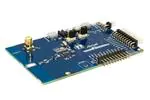
ATSAMR30-XPRO
SAM R30 Xplained Pro
Description
The SAM R30 Xplained Pro is a hardware platform designed to evaluate the ATSAMR30G18A SoC. This
kit is supported by Atmel Studio, an integrated development platform, which provides predefined
application examples.This kit provides easy access to various features of the ATSAMR30G18A SoC, and
offers additional peripherals to extend the features of the board and ease the development of custom
designs.
Figure 1. SAM R30 Xplained Pro Evaluation Kit
© 2017 Microchip Technology Inc.
User Guide
DS50002612A-page 1
�ATSAMR30-XPRO
Table of Contents
Description.......................................................................................................................1
1. Introduction................................................................................................................4
1.1.
1.2.
Features....................................................................................................................................... 4
Kit Overview................................................................................................................................. 4
2. Getting Started.......................................................................................................... 6
2.1.
Xplained Pro Quick Start.............................................................................................................. 6
3. Xplained Pro.............................................................................................................. 8
3.1.
3.2.
3.3.
3.4.
3.5.
Embedded Debugger................................................................................................................... 8
Xplained Pro Analog Module (XAM).............................................................................................9
Hardware Identification System..................................................................................................11
Power Sources........................................................................................................................... 11
Xplained Pro Headers and Connectors......................................................................................12
4. Hardware User Guide..............................................................................................14
4.1.
4.2.
4.3.
4.4.
4.5.
Power Distribution...................................................................................................................... 14
Connectors................................................................................................................................. 14
Peripherals................................................................................................................................. 18
Embedded Debugger Implementation........................................................................................19
Kit Modifications......................................................................................................................... 22
5. Agency Certification.................................................................................................26
5.1.
5.2.
5.3.
United States (FCC)................................................................................................................... 26
European Union (RED [Radio Equipment Directive]).................................................................26
List of Antennas Tested With This Product.................................................................................27
6. Appendix..................................................................................................................28
6.1.
6.2.
Getting Started with IAR.............................................................................................................28
Connecting External Debuggers to an Xplained Pro Board....................................................... 31
7. Hardware Revision History and Known Issues........................................................33
7.1.
7.2.
Identifying Product ID and Revision........................................................................................... 33
Hardware Revision..................................................................................................................... 33
7.3.
Known Issues............................................................................................................................. 33
8. Document Revision History..................................................................................... 34
The Microchip Web Site................................................................................................ 35
Customer Change Notification Service..........................................................................35
Customer Support......................................................................................................... 35
Microchip Devices Code Protection Feature................................................................. 35
© 2017 Microchip Technology Inc.
User Guide
DS50002612A-page 2
�ATSAMR30-XPRO
Legal Notice...................................................................................................................36
Trademarks................................................................................................................... 36
Quality Management System Certified by DNV.............................................................37
Worldwide Sales and Service........................................................................................38
© 2017 Microchip Technology Inc.
User Guide
DS50002612A-page 3
�ATSAMR30-XPRO
1.
Introduction
1.1
Features
•
•
Kit Supports 868MHz and 915MHz Dual (Wideband) ISM Band
On-Board Embedded Debugger (EDBG):
– Auto-ID for board identification in Studio
–
–
–
–
–
1.2
•
•
•
•
•
•
•
One status LED (yellow)
One power supply LED (green)
Symbolic debug of complex data types including scope information
Programming and debugging including power measurements
Data Gateway Interface: Serial Peripheral Interface (SPI) bus, Inter-Integrated Circuit (I2C)
and four General Purpose Input/Outputs (GPIOs)
– Virtual COM Port (CDC)
Embedded Current Measurement Circuitry with Data Visualizer Support for Data Visualization
Two Mechanical Buttons (User-Configurable Button and RESET Button)
Two User LEDs (Soft Orange and Green)
®
One QTouch Button
USB Interface, Device and Reduced Host Mode
Two Xplained Pro Extension Headers
Antenna:
•
– One ceramic chip antenna (Johanson Technology – 0900AT43A0070)
– One SMA connector for external antenna
Three Possible Power Sources:
•
– External power
– Embedded Debugger (EDBG) USB
– TARGET USB
Clock Source:
•
– 32.768 kHz crystal, a clock source for the controller in the SAM R30 device
– 16 MHz crystal for the RF die in the SAM R30 device
Supported with application examples in the Atmel Software Framework
Kit Overview
The SAM R30 device is an ARM-based, ultra low-power microcontroller (MCU) equipped with an IEEE®
802.15.4-2003/2006/2011 standard that is compliant with RF interfaces for the sub-1GHz frequency
bands, such as 780 MHz (China), 868 MHz (Europe), and 915 MHz (North America). It uses the 32-bit
ARM® Cortex®- M0+ processor, which operates at a maximum of 48 MHz (2.46 CoreMark®/MHz) and
offers 256KB of Flash and 40KB of SRAM in both 32-pin and 48-pin packages.
The SAM R30 device supports the following power managaement techniques to reduce current
consumption:
•
Power Gating
•
SleepWalking
© 2017 Microchip Technology Inc.
User Guide
DS50002612A-page 4
�ATSAMR30-XPRO
•
Ultra low-power peripherals, etc.
The kit is designed to work with the ATSAMR30G18A SoC that supports dual ISM band 868 MHz
(Europe) and 915 MHz (North America).
Figure 1-1. SAM R30 Xplained Pro Evaluation Kit
© 2017 Microchip Technology Inc.
User Guide
DS50002612A-page 5
�ATSAMR30-XPRO
2.
Getting Started
This chapter describes how to get started with the Xplained Pro evaluation platform and how to find
design documentation and other relevant links.
2.1
Xplained Pro Quick Start
Steps to start exploring the Xplained Pro platform:
1. Download and install Atmel Studio.
2. Launch Atmel Studio.
3. Connect the DEBUG USB port on the evaluation kit to the computer using a USB cable (StandardA to Micro-B or Micro-AB).
The operating system installs the driver software automatically the first time the Xplained Pro evaluation
®
®
kit is connected to a PC. This driver supports 32-bit and 64-bit versions of Microsoft Windows XP,
®
Windows Vista , Windows 7, Windows 8, Windows 10, and Windows Server 2012.
When the Xplained Pro MCU board is powered, the power LED (green) glows and Atmel Studio
automatically detects the specific Xplained Pro MCU and extension board(s) that are connected. The kit
landing page in Atmel Studio comes with an option to launch Atmel Software Framework (ASF) and
Atmel START example application codes for the kit. The SAM R30 device is programmed and debugged
by the on-board Embedded Debugger and therefore no external programmer or debugger tool is
required.
2.1.1
Design Documentation and Relevant Links
The following list contains links to the most relevant documents and software for the SAM R30 Xplained
Pro.
•
•
•
•
•
•
Xplained products - Xplained evaluation kits are a series of easy-to-use evaluation kits for
Microchip microcontrollers and other Microchip products.
– Xplained Nano: used for low pin-count devices and provides a minimalistic solution with
access to all I/O pins of the target microcontroller.
– Xplained Mini: used for medium pin-count devices and adds Arduino Uno compatible header
footprint and a prototyping area.
– Xplained Pro: used for medium to high pin-count devices that features advanced debugging
and standardized extensions for peripheral functions.
Note: All the above kits have on-board programmers/debuggers, which creates a set of low-cost
boards for evaluation and demonstration of features and capabilities of different Microchip products.
Atmel Studio - Free IDE for development of C/C++ and assembler code for microcontrollers.
Microchip sample store - Microchip sample store where you can order samples of devices.
EDBG User Guide - User guide containing more information about the on-board Embedded
Debugger.
®
®
IAR Embedded Workbench for ARM - This is a commercial C/C++ compiler that is available for
®
ARM . There is a 30 day evaluation version as well as a code size limited kick-start version
available from their website. The code size limit is 16KB for devices with M0, M0+, and M1 cores
and 32KB for devices with other cores.
®
QTouch tools - A collection of tools to design capacitive touch applications.
© 2017 Microchip Technology Inc.
User Guide
DS50002612A-page 6
�ATSAMR30-XPRO
•
•
Data Visualizer - Data Visualizer is a program used for processing and visualizing data. The Data
Visualizer can receive data from various sources such as the Embedded Debugger Data Gateway
Interface found on Xplained Pro boards and COM Ports.
Design Documentation - Package containing CAD source, schematics, BOM, assembly drawings,
3D plots, layer plots etc.
© 2017 Microchip Technology Inc.
User Guide
DS50002612A-page 7
�ATSAMR30-XPRO
3.
Xplained Pro
Xplained Pro is an evaluation platform which contains a series of microcontroller boards (evaluation kits)
and extension boards. Atmel Studio is used to program and debug the microcontrollers on these boards.
Atmel Studio includes ASF and Atmel START, which has drivers and demo code, and Data Visualizer,
which supports data streaming and advanced debugging. Xplained Pro evaluation kits can be connected
to a wide range of Xplained Pro extension boards through standardized headers and connectors.
Xplained Pro extension boards have identification (ID) chips to uniquely identify which boards are
connected to the Xplained Pro evaluation kits.
3.1
Embedded Debugger
The SAM R30 Xplained Pro contains an Embedded Debugger (EDBG) for on-board debugging. The
EDBG is a USB composite device with the following interfaces:
•
•
•
Debugger
Virtual COM Port
Data Gateway Interface (DGI)
The EDBG can program and debug the ATSAMR30G18A with the help of Atmel Studio. The SWD
interface is connected between the EDBG and the ATSAMR30G18A on the SAM R30 Xplained Pro.
The Virtual COM Port is connected to a UART on the ATSAMR30G18A and provides an easy way to
communicate with the target application through terminal software. It offers variable baud rate, parity, and
stop bit settings. Note that the settings on the ATSAMR30G18A must match the settings given in the
terminal software.
Info: The Virtual COM Port in the EDBG requires the terminal software to set the Data
Terminal Ready (DTR) signal to enable the UART pins connected to the ATSAMR30G18A. If the
DTR signal is not enabled, the UART pins on the EDBG are kept in tri-state (high-z) to render
the COM Port not usable. The DTR signal is automatically set by some terminal software, but it
may have to be manually enabled in your terminal.
The DGI consists of several physical interfaces for bidirectional communication with the host computer.
Communication over the interfaces is bidirectional. It can be used to send event values, and data from
the ATSAMR30G18A. Traffic over the interfaces can be timestamped by the EDBG for more accurate
tracing of events, but timestamping reduces the maximal data throughput. The Data Visualizer is used to
send and receive data through DGI.
The EDBG controls two LEDs on the SAM R30 Xplained Pro: a power LED and a status LED. The table
below shows how the LEDs are controlled in different operation modes.
© 2017 Microchip Technology Inc.
User Guide
DS50002612A-page 8
�ATSAMR30-XPRO
Table 3-1. EDBG LED Control
Mode
Power LED
Status LED
Normal mode
The power LED is on when
power is applied to the board.
Activity indicator, the LED flashes
when any communication
happens to the EDBG.
Bootloader mode (idle)
The power LED and the status LED blink simultaneously.
Bootloader mode (firmware
upgrade)
The power LED and the status LED blink in an alternating pattern.
For more details on the EDBG, see the EDBG User Guide.
3.2
Xplained Pro Analog Module (XAM)
3.2.1
Overview
The Xplained Pro Analog Module (XAM) extends the embedded debugger with high dynamic range
current measurement. This enables power profiling of the target system.
Current output
Figure 3-1. XAM Block Diagram
Calibration
circuitry
GPIO(s)
Control MCU
Sync
GPIO
I2C
Calibration ON/OFF
GPIO
EDBG
SPI
Clock sync
Range selection
voltage
reference
2.7V
SWD
AREF
100 Ohm
100 mOhm
Pre-amplifier
2x
ADC0
ADC1
20x20x
S&H
ADC
16x
GND
Active filter with
gain
Current input
GPIO
Xplained Pro Analog Module (XAM)
The XAM consists of:
•
•
•
•
Calibration circuitry
Voltage reference circuitry
Analog front-end:
– Shunt resistors with a range selection switch
– Pre-amplifier
– Two active filters with gain
Control MCU
© 2017 Microchip Technology Inc.
User Guide
DS50002612A-page 9
�ATSAMR30-XPRO
–
–
–
Analog-to-Digital Converter
Signal processing
Control/communication interface to the EDBG
The current measurement front-end is a high side shunt measurement with a pre-amplifier and a second
active filter stage with gain as shown in Figure 3-1. The wide dynamic range is achieved by four
measurement ranges, which are defined by two shunt resistors and the two parallel second stage active
filters with gain.
3.2.2
EDBG Interface
The XAM is connected to the EDBG with the following interfaces:
•
•
•
•
•
3.2.3
I2C: This is used to control and configure the XAM.
SPI: Current measurement data is streamed to the EDBG via this interface. This is a unidirectional
channel from the XAM to the EDBG.
SWD: The MCU in the XAM is programmed via SWD from the EDBG.
Clock sync: Signal used to synchronize ADC measurements with the EDBG.
Reference clock: Reference clock for the XAM.
Sample Rate
The raw sampling rate of the XAM is up to 250 kHz and with the default averaging configuration (average
of 16 samples), the actual output of the XAM is 16.67 ksps.
Info: The XAM output sample rate is not an integer fraction of the raw sampling.
3.2.4
Measurement Ranges and Accuracy
The XAM has four measurement ranges. These are defined by two shunt resistors and two gain stages.
Table 3-2. XAM Measurement Ranges and Accuracy
Measurement
Range
Hardware
Resolution Accuracy
Range 1
Low current shunt and
high gain stage
20 nA
1 LSB ±1% Accuracy will decrease below
1μA. Typical accuracy for
300nA is 1 LSB ± 10%.
Range 2
Low current shunt and
low gain stage
150 nA
1 LSB ±1%
Range 3
High current shunt and
high gain stage
10 μA
1 LSB ±1%
Range 4
High current shunt and
low gain stage
100 μA
1 LSB ±1% Accuracy will decrease
above 100 mA. Typical
accuracy is 1 LSB ±5% at
400 mA. Maximum current is
400 mA.
© 2017 Microchip Technology Inc.
User Guide
Comments
DS50002612A-page 10
�ATSAMR30-XPRO
The ranges are automatically switched by the XAM to achieve the best measurement results and the
currently active range is visualized in the Data Visualizer front-end tool. The maximum voltage drop over
the shunt resistor is 100 mV, and the XAM switches the range automatically before reaching this limit.
3.3
Hardware Identification System
All Xplained Pro extension boards come with an identification chip (ATSHA204A CryptoAuthentication
chip) to uniquely identify the boards that are connected to the Xplained Pro evaluation kit. This chip
contains information that identifies the extension with its name and some extra data. When an Xplained
Pro extension is connected to an Xplained Pro evaluation kit, the information is read and sent to Atmel
Studio. The following table shows the data fields stored in the ID chip with example content.
Table 3-3. Xplained Pro ID Chip Content
3.4
Data Field
Data Type
Example Content
Manufacturer
ASCII string
Atmel'\0'
Product Name
ASCII string
Segment LCD1 Xplained Pro'\0'
Product Revision
ASCII string
02'\0'
Product Serial Number
ASCII string
1774020200000010’\0’
Minimum Voltage [mV]
uint16_t
3000
Maximum Voltage [mV]
uint16_t
3600
Maximum Current [mA]
uint16_t
30
Power Sources
The SAM R30 Xplained Pro kit can be powered by several power sources, as listed in the table below.
Table 3-4. Power Sources for SAM R30 Xplained Pro
Power Source
Voltage Requirements
Current Requirements
Connector Marking
External Power
5V ±2% (±100mV) for
USB host operation.
4.3V to 5.5V if a USB
host operation is not
required.
In USB host applications PWR
a minimum of 1A is
recommended to supply
the kit and the USB
device.
Maximum recommended
current is 2A.
Embedded debugger
USB
4.4V to 5.25V (according 500 mA (according to
to USB spec.)
USB spec.)
DEBUG USB
Target USB
4.4V to 5.25V (according 500 mA (according to
to USB spec.)
USB spec.)
TARGET USB
The kit automatically detects which power sources are available and chooses which one to use according
to the following priority:
1.
External power.
© 2017 Microchip Technology Inc.
User Guide
DS50002612A-page 11
�ATSAMR30-XPRO
2.
3.
Embedded Debugger USB.
Target USB.
Info: External power is required when 500mA from a USB connector is not enough to power
the board with possible extension boards. A connected USB device in a USB host application
might easily exceed this limit.
3.5
Xplained Pro Headers and Connectors
3.5.1
Xplained Pro Standard Extension Header
All Xplained Pro kits have one or more dual row, 20-pin, 100-mil extension header. The Xplained Pro
MCU boards have male headers, while the Xplained Pro extensions have their female counterparts. All
connected pins follow the defined pin description in the table.
Info: All pins are not always connected on all extension headers.
The extension headers can be used to connect a variety of Xplained Pro extensions to Xplained Pro MCU
boards or to access the pins of the target microcontroller on Xplained Pro MCU boards directly.
Table 3-5. Xplained Pro Standard Extension Header
Pin Number
Pin Name
Description
1
ID
Pin to communicate with the ID chip on an extension board
2
GND
Ground
3
ADC(+)
Analog-to-Digital Converter; alternatively, a pin for the positive
terminal of a differential ADC
4
ADC(-)
Analog-to-Digital Converter; alternatively, a pin for the negative
terminal of a differential ADC
5
GPIO1
General purpose I/O pin
6
GPIO2
General purpose I/O pin
7
PWM(+)
Pulse width modulation; alternatively, a pin for the positive part of a
differential PWM
8
PWM(-)
Pulse width modulation; alternatively, a pin for the negative part of a
differential PWM
9
IRQ/GPIO
Interrupt request pin and/or general purpose I/O pin
10
SPI_SS_B/
GPIO
Slave select pin for Serial Peripheral Interface (SPI) and/or general
purpose I/O pin
11
I2C_SDA
Data pin for I2C interface. Always connected, bus type
12
I2C_SCL
Clock pin for I2C interface. Always connected, bus type
© 2017 Microchip Technology Inc.
User Guide
DS50002612A-page 12
�ATSAMR30-XPRO
3.5.2
Pin Number
Pin Name
Description
13
UART_RX
Receiver pin of target device UART
14
UART_TX
Transmitter pin of target device UART
15
SPI_SS_A
Slave select for SPI. This pin should preferably not be connected to
anything else.
16
SPI_MOSI
SPI master out slave in pin. Always connected, bus type
17
SPI_MISO
SPI master in slave out pin. Always connected, bus type
18
SPI_SCK
SPI clock pin. Always connected, bus type
19
GND
Ground pin for extension boards
20
VCC
Power pin for extension boards
Xplained Pro Power Header
The power header can be used to connect external power to the SAM R30 Xplained Pro kit. The kit
automatically detects and switches to any external power if supplied. The power header can also be used
to supply power to external peripherals or extension boards. Ensure that the total current does not
exceed the recommended current limit of the on-board regulator when using the 3.3V pin.
Table 3-6. Xplained Pro Power Header
Pin Number
Pin Name
1
VEXT_P5V0
2
GND
3
VCC_P5V0
Unregulated 5V pin (an output, derived from one of the input
sources)
4
VCC_P3V3
Regulated 3.3V pin (an output, used as main power supply
for the kit)
© 2017 Microchip Technology Inc.
Description
External 5V input pin
Ground pin
User Guide
DS50002612A-page 13
�ATSAMR30-XPRO
4.
Hardware User Guide
4.1
Power Distribution
The SAM R30 Xplained Pro can be powered by:
•
EDBG USB
•
TARGET USB
•
External (5V)
The kit has a power mux which automatically chooses the power source if two or all three of the power
sources are available to the kit at the same time.
The kit contains:
•
Two on-board voltage regulators (3.3V):
– One for an EDBG and XAM section
– Another one for ATSAMR30G18A SoC
•
IO peripherals
•
Power Measurement Section (XAM)
Figure 4-1. Power Supply Block Diagram
4.2
Connectors
The following sections describe the implementation of the relevant connectors and headers on the SAM
R30 Xplained Pro and their connection to the ATSAMR30G18A. The following figure shows all the
available connectors and jumpers on the SAM R30 Xplained Pro.
© 2017 Microchip Technology Inc.
User Guide
DS50002612A-page 14
�ATSAMR30-XPRO
Figure 4-2. SAM R30 Xplained Pro Connector Overview
4.2.1
Xplained Pro Extension Headers
The SAM R30 Xplained Pro headers EXT1 and EXT3 offer access to the I/O of the MCU in order to
expand the board by connecting extensions to the board. These headers are based on the standard
extension header specified in the table below. The headers have a pitch of 2.54 mm.
Table 4-1. Extension Header EXT1
EXT1 Pin
SAM R30 Function
Pin
Shared Functionality
1 [ID]
-
-
Pin to communicate with the ID
chip on an extension board
2 [GND]
-
-
Ground
3 [ADC(+)]
PA06
AIN[6]
4 [ADC(-)]
PA07
AIN[7]
5 [GPIO1]
PA13
GPIO
6 [GPIO2]
PA28
GPIO
SW0
7 [PWM(+)]
PA18
TCC0/WO[2]
LED1
8 [PWM(-)]
PA19
TCC0/WO[3]
LED0
9 [IRQ/GPIO]
PA22
EXTINT[6]
USB
10 [SPI_SS_B/GPIO] PA23
GPIO
SW0
11 [TWI_SDA]
PA16
SERCOM1 PAD[0] I²C SDA
EXT3 and EDBG I²C
12 [TWI_SCL]
PA17
SERCOM1 PAD[1] I²C SCL
EXT3 and EDBG I²C
13 [USART_RX]
PA05
SERCOM0 PAD[1] UART RX
Virtual COM Port
14 [USART_TX]
PA04
SERCOM0 PAD[0] UART TX
Virtual COM Port
15 [SPI_SS_A]
PB03
SERCOM5 PAD[1] SPI SS
16 [SPI_MOSI]
PB22
SERCOM5 PAD[2] SPI MOSI
© 2017 Microchip Technology Inc.
User Guide
EXT3 and EDBG SPI
DS50002612A-page 15
�ATSAMR30-XPRO
EXT1 Pin
SAM R30 Function
Pin
Shared Functionality
17 [SPI_MISO]
PB02
SERCOM5 PAD[0] SPI MISO
EXT3 and EDBG SPI
18 [SPI_SCK]
PB23
SERCOM5 PAD[3] SPI SCK
EXT3 and EDBG SPI
19 [GND]
-
-
Ground
20 [VCC]
-
-
Power for extension board
Table 4-2. Extension Header EXT3
4.2.2
EXT3 Pin
SAM R30 Function
Pin
Shared Functionality
1 [ID]
-
-
Pin to communicate with the ID
chip on an extension board
2 [GND]
-
-
Ground
3 [ADC(+)]
-
-
4 [ADC(-)]
-
-
5 [GPIO1]
PA15
GPIO
6 [GPIO2]
-
-
7 [PWM(+)]
-
-
8 [PWM(-)]
-
-
9 [IRQ/GPIO]
-
-
USB
10 [SPI_SS_B/GPIO] PA08
GPIO
EDBG DGI GPIO
11 [TWI_SDA]
PA16
SERCOM1 PAD[0] I²C SDA
EXT1 and EDBG I²C
12 [TWI_SCL]
PA17
SERCOM1 PAD[1] I²C SCL
EXT1 and EDBG I²C
13 [USART_RX]
-
-
14 [USART_TX]
-
-
15 [SPI_SS_A]
PA14
GPIO
EDBG DGI GPIO
16 [SPI_MOSI]
PB22
SERCOM5 PAD[2] SPI MOSI
EXT1 and EDBG SPI
17 [SPI_MISO]
PB02
SERCOM5 PAD[0] SPI MISO
EXT1 and EDBG SPI
18 [SPI_SCK]
PB23
SERCOM5 PAD[3] SPI SCK
EXT1 and EDBG SPI
19 [GND]
-
-
Ground
20 [VCC]
-
-
Power for extension board
USB
A Micro-USB is used for connecting the SAM R30 board (TARGET USB port) with a host PC.To be able
to detect when a TARGET USB cable is connected in self-powered mode, a GPIO is used to detect the
VBUS voltage on the connector. In USB host mode, VBUS voltage is provided by the kit and cannot
identify the connected device, so another GPIO is used to detect the USB ID of the device.
© 2017 Microchip Technology Inc.
User Guide
DS50002612A-page 16
�ATSAMR30-XPRO
Table 4-3. USB Connections
4.2.3
SAM R30 Pin
USB Function
Shared Functionality
PA07
VBUS Detection
EXT1
PA15
USB ID
EXT3
PA24
USB D-
-
PA25
USB D+
-
Current Measurement Header
An angled 1x2, 100-mil pin header marked with the MCU current measurement is located at the upper
edge of the SAM R30 Xplained Pro. All power to the ATSAMR30G18A is exclusively routed through this
header (excluding power to headers and peripherals). To measure the power consumption of the device,
remove the jumper and replace it with an ammeter.
Caution: Removing the jumper from the pin header while the kit is powered may cause the
ATSAMR30G18A to be powered through its I/O pins. This may cause permanent damage to the
device.
4.2.4
Cortex Debug Connector
®
The SAM R30 Xplained Pro contains a 10-pin 50-mil Cortex Debug Connector that can be used to
attach an external debugger to the ATSAMR30G18A SoC.
Table 4-4. Cortex Debug Connector
Cortex Debug
Connector Pin
Pin / Net
Function
1
VCC_TARGET_P3V3
ATSAMR30G18A
voltage
2
PA31
SWD data signal
3
GND
Ground
4
PA30
SWD clock signal
5
GND
Ground
6
-
-
7
-
-
8
-
-
9
GND
Ground
10
RESETN
Target reset signal
© 2017 Microchip Technology Inc.
User Guide
Shared Functionality
EDBG SWD
EDBG SWD
DS50002612A-page 17
�ATSAMR30-XPRO
4.3
Peripherals
4.3.1
Crystal
The SAM R30 Xplained Pro kit contains a 32.768 kHz crystal that can be used as a clock source for the
SAM R30 device. A cut-strap next to the crystal is used to measure the oscillator safety factor. This is
done by cutting the strap and adding a resistor across the strap. More information about oscillator
allowance and safety factor can be found in the AVR4100 application note from Microchip.
Info: The 16 MHz crystal is connected directly to the RF die inside the SAM R30. The clock
signal generated by this crystal is routed from the CLKM pin on the RF die to a GCLK I/O pin on
the microcontroller. For more information on how the RF die is connected to the microcontroller
and how to configure the CLKM pin, see the SAM R30 datasheet.
Table 4-5. External 32.768 kHz Crystal
Pin on SAM R30
Function
PA00
XIN32
PA01
XOUT32
Table 4-6. External 16 MHz Crystal
4.3.2
Pin on SAM R30
Function
XTAL1
XIN
XTAL2
XOUT
Mechanical Buttons
The SAM R30 Xplained Pro contains two mechanical buttons.
•
The RESET button is connected to the SAM R30 reset line:
– When the RESET button is pressed, it drives the reset line to ground
•
Generic user configurable button:
– When the user button is pressed, it drives the I/O line to ground
note: There is no pull-up resistor connected to the generic user button. Remember to enable
the internal pull-up in the SAM R30 to use the button.
Table 4-7. Mechanical Buttons
4.3.3
SAM R30 Pin
Silkscreen Text
Shared Functionality
RESET
RESET
-
PA28
SW0
EXT1
LEDs
The SAM R30 Xplained Pro board contain two LEDs. The LEDs can be activated by driving the
connected I/O line to ground (GND).
© 2017 Microchip Technology Inc.
User Guide
DS50002612A-page 18
�ATSAMR30-XPRO
Table 4-8. LED Connections
4.3.4
SAM R30 Pin
Function
Shared Functionality
PA19
LED0 (Color: Soft Orange)
EXT3
PA18
LED1 (Color: Green)
EXT3
QTouch Button
The SAM R30 Xplained Pro board contains a self capacitance button, which can be used as an I/O. This
QTouch button is intended to be driven by the built-in Peripheral Touch Controller (PTC) of the device. A
zero ohm resistor is added on the board to easily disconnect the on-board touch buttons from the
extension header since the I/O lines are shared between the QTouch button and extension header 1
(EXT1).
®
®
note: To get started with QTouch, refer to the QTouch Library and QTouch Composer.
Table 4-9. QTouch Connection
4.3.5
SAM R30 Pin
Silkscreen Text
Shared Functionality
PA06
QT BTN1
EXT1
RF
The main feature of the SAM R30 Xplained Pro is to show the RF capability of the ATSAMR30G18A SoC.
This device has bidirectional 100 ohm differential antenna pins, which are fed through a balun (Johanson
Technology, 0896BM15A0032) to create a single 50 ohm unbalanced output/input. This kit has a passive
analog RF switch (Skyworks Solutions Inc, AS222-92LF) connected to the unbalanced output of the
balun. The switch is driven by the RFCTRL1 and RFCTRL2 pins of the ATSAMR30G18A, which feature
Antenna Diversity to enable the device to automatically select the best signal from the two antennas (can
also be selected manually). The output of the switch is connected to a ceramic chip antenna (Johanson
Technology, 0900AT43A0070) and an SMA connector for external antennas.
Table 4-10. RF Connections
4.4
SAM R30Pin
RF
Shared Functionality
RFP
RF balanced output (positive)
RFN
RF balanced output (negative)
PA09/RFCTRL1
RF switch control signal (negative)
EDBG DGI GPIO
PA12/RFCTRL2
RF switch control signal (positive)
EDBG DGI GPIO
Embedded Debugger Implementation
The SAM R30 Xplained Pro contains an Embedded Debugger (EDBG) that can be used to program and
debug the ATSAMR30G18A SoC using Serial Wire Debug (SWD). The Embedded Debugger includes a
Virtual COM Port interface over UART, Data Gateway Interface over SPI, I2C and four GPIOs. The kit
also includes an XAM extension processor to the Embedded Debugger for on-board current
measurement. Atmel Studio can be used as a front-end for the Embedded Debugger.
© 2017 Microchip Technology Inc.
User Guide
DS50002612A-page 19
�ATSAMR30-XPRO
4.4.1
Serial Wire Debug
The Serial Wire Debug (SWD) uses two pins to communicate with the target. For further information on
how to use the programming and debugging capabilities of the EDBG, refer to Embedded Debugger.
Table 4-11. SWD Connections
4.4.2
SAM R30 Pin
Function
Shared Functionality
PA30
SWD clock
Cortex debug connector
PA31
SWD data
Cortex debug connector
Virtual COM Port
The Embedded Debugger acts as a Virtual COM Port gateway by using one of the ATSAMR30G18A
UARTs. For further information on how to use the Virtual COM Port, refer to Embedded Debugger.
Table 4-12. Virtual COM Port Connections
4.4.3
SAM R30 pin
Function
Shared functionality
PA04
SERCOM0 PAD[0] UART TXD (SAM
R30 TX line)
EXT1
PA05
SERCOM0 PAD[1] UART RXD (SAM
R30 RX line)
EXT1
Data Gateway Interface
The Embedded Debugger features a Data Gateway Interface (DGI) by using either an SPI or I²C. The
DGI can be used for sending data from the ATSAMR30G18A to the host PC. For further information on
how to use the DGI interface, refer to the Data Visualizer and the EDBG User Guide.
Table 4-13. DGI Interface Connections When Using SPI
SAM R30 Pin
Function
Shared Functionality
PA27
GPIO/SPI SS (Slave Select) (SAM R30
is Master)
-
PB02
SERCOM5 PAD[0] SPI MISO (Master
In, Slave Out)
EXT1 and EXT3
PB22
SERCOM5 PAD[2] SPI MOSI (Master
Out, Slave in)
EXT1 and EXT3
PB23
SERCOM5 PAD[3] SPI SCK (Clock Out) EXT1 and EXT3
Table 4-14. DGI Interface Connections When Using I²C
SAM R30 Pin
Function
Shared Functionality
PA16
SERCOM1 PAD[0] SDA (Data line)
EXT1 and EXT3
PA17
SERCOM1 PAD[1] SCL (Clock line)
EXT1 and EXT3
Four GPIO lines are connected to the Embedded Debugger. The EDBG can monitor these lines and time
stamp pin value changes. This makes it possible to accurately timestamp events in the SAM R30
application code. For further information on how to configure and use the GPIO monitoring features, refer
to the Data Visualizer and the EDBG User Guide.
© 2017 Microchip Technology Inc.
User Guide
DS50002612A-page 20
�ATSAMR30-XPRO
Table 4-15. GPIO Lines Connected to the EDBG
4.4.4
SAM R30 Pin
Function
Shared Functionality
PA08
GPIO0
EXT3
PA09
GPIO1
RFCTRL
PA12
GPIO2
RFCTRL
PA14
GPIO3
EXT3
XAM Configuration
On the SAM R30 Xplained Pro, the MCU and MCU peripherals are powered by its own regulator as
shown in Figure 4-3. All other parts of the board, mainly the embedded debugger and Xplained Pro
Analog Module (XAM), are powered by a separate regulator. The current consumed by the MCU and the
peripherals can be measured by connecting them to the XAM output through jumper settings.
Figure 4-3. SAM R30 Xplained Pro XAM Implementation Block Diagram
The XAM can be used in any of the following configurations:
© 2017 Microchip Technology Inc.
User Guide
DS50002612A-page 21
�ATSAMR30-XPRO
1.
2.
3.
4.
4.5
No current measurement or an external MCU current measurement: The XAM is bypassed,
thus the MCU and peripherals are supplied directly by the regulator. Set both jumpers (MCU and
I/O) in the "BY-PS(BYPASS)" position. In this configuration, it is also possible to connect an
external measurement tool with the Xplained Pro MCU power measurement header to measure
MCU current directly instead of using the XAM.
MCU current measurement: The XAM measures only the MCU current while the peripherals are
supplied directly by the regulator. For this configuration, place the jumper for "I/O" (peripherals) into
the "BY-PS(BYPASS)" position and the "MCU" into the "MEAS (MEASURE)" position.
Peripherals measurement: The XAM measures only the peripherals current while the MCU is
directly supplied by the regulator. For this configuration, place the jumper for "MCU" into the "BYPS(BYPASS)" position and the "I/O" jumper into the "MEAS (MEASURE)" position.
MCU and peripherals measurement: In this configuration, both the MCU and peripherals are
measured by the XAM. Place both jumpers on the "I/O" and "MCU" headers in the "MEAS
(MEASURE)" position.
Kit Modifications
The SAM R30 Xplained Pro contains several resistors that can be used to disconnect I/O pins of the
ATSAMR30G18A SoC from connectors and on-board ICs, and to disconnect power signals.
Table 4-16. Zero Ohm Resistors
Design Value
ator
From
To
Comment
R322
0R
EDBG SWDIO
PA31 SWDIO
R323
0R
EDBG SWDCLK
PA30 SWCLK
Debug interface from the EDBG to
the ATSAMR30G18A
R324
0R
EDBG TARGET RESET
TARGET MCU
RESET
R310
0R
EDBG SPI SS
PA27 GPIO
R311
0R
EDBG SPI SCK
PB23 SPI SCK
R312
0R
EDBG SPI MOSI
PB22 SPI MOSI
R313
0R
EDBG SPI MISO
PB02 SPI MISO
R314
0R
EDBG DGI SDA
PA16 I2C SDA
R315
0R
EDBG DGI SCL
PA17 I2C SCL
R316
0R
EDBG CDC RX
PA04 UART TX
R317
0R
EDBG CDC TX
PA05 UART RX
R318
0R
EDBG DGI_GPIO0
PA08 GPIO
R319
0R
EDBG DGI_GPIO1
PA09 GPIO
R320
0R
EDBG DGI_GPIO2
PA12 GPIO
R321
0R
EDBG DGI_GPIO3
PA14 GPIO
© 2017 Microchip Technology Inc.
User Guide
EDBG CDC and DGI interfaces to
the ATSAMR30G18A
DS50002612A-page 22
�ATSAMR30-XPRO
Design Value
ator
From
To
Comment
R329
0R
TARGET VUSB DETECT PA07 ADC7
Used to detect if a USB cable is
connected to the TARGET USB
connector.
R109
47K
VCC_P3V3_CM_IN
TARGET VOLTAGE
Used in the voltage divider
network to detect the target
voltage of 3.3V.
R325
0R
RESET
TARGET RESET
SENSE
Reset sense signal to EDBG,
used to detect external resets.
Figure 4-4. Assembly Drawing Bottom
4.5.1
Operating at Other Voltages
The SAM R30 Xplained Pro board operates at 3.3V by default, but it is also possible to run the board at
lower voltages from an external supply. The EDBG is designed to run from a 3.3V supply and won't work
on other voltages; therefore, all connections from the EDBG and from the on-board 3.3V regulator to the
ATSAMR30G18A SoC should be removed.
To completely disconnect the EDBG and the on-board power supply from the ATSAMR30G18A SoC, do
the following:
•
•
Remove the two jumpers from the on-board 3-pin current measurement headers (J101 and J102),
and connect the two center pins (pin 2) together with a wire or an ammeter as shown in Figure 4-6
Remove R109, R310, R311, R312, R313, R314, R315, R316, R317, R318, R319, R320, R321,
R322, R323, R324, R325 and R329.
Figure 4-5 shows all components that have to be removed from the bottom side of the PCB for operating
at other voltages. To locate the components to be removed, see the assembly drawing in the section
above. When the components are removed, the kit can be supplied with a desired voltage through the
© 2017 Microchip Technology Inc.
User Guide
DS50002612A-page 23
�ATSAMR30-XPRO
pins marked 3V3 (pin 4) and GND (pin 2) on the Xplained Pro power header. To program and debug the
ATSAMR30G18A, the 2x5 50-mil Cortex debug connector must be used with an external debugger.
Info: Operating the ATSAMR30G18A SoC at voltages other than 3.3V requires physical
modifications on the kit using a soldering iron and an external debugger for programming the
ATSAMR30G18A SoC. The on-board current measurement only works at 3.3V. The on-board
LED is selected for 3.3V operation; the LED brightness at 1.8V operation is dull. To increase the
emitted light level, the value of the series resistor can be lowered. EDBG functionality can be
restored by re-soldering the removed components.
Caution: The voltage supplied through the power header is applied directly to the
ATSAMR30G18A SoC and the extension headers. Applying a voltage greater than 3.3V may
damage the board permanently.
Figure 4-5. SAM R30 Xplained Pro EDBG Disconnect
© 2017 Microchip Technology Inc.
User Guide
DS50002612A-page 24
�ATSAMR30-XPRO
Figure 4-6. SAM R30 Xplained Pro Current Measurement Headers
Related Links
Xplained Pro Power Header
Cortex Debug Connector
Connectors
© 2017 Microchip Technology Inc.
User Guide
DS50002612A-page 25
�ATSAMR30-XPRO
5.
Agency Certification
5.1
United States (FCC)
This equipment (SAM R30 Xplained Pro) is for evaluation purposes only and must not be incorporated
into any other device or system.
Important:
Contains FCC ID:VW4A092722
These devices comply with part 15 of the FCC Rules.
Operation is subject to the following two conditions:
(1) These devices may not cause harmful interference, and
(2) These devices must accept any interference received, including interference that may cause
undesired operation (FCC 15.19).
The internal / external antenna(s) used for this mobile transmitter must provide a separation distance of at
least 20 cm from all persons and must not be co-located or operating in conjunction with any other
antenna or transmitter.
Installers must be provided with antenna installation instructions and transmitter operating conditions for
satisfying RF exposure compliance. This device is approved as a mobile device with respect to RF
exposure compliance, and may only be marketed to OEM installers. Use in portable exposure conditions
(FCC 2.1093) requires separate equipment authorization.
Important:
Changes or modifications not expressly approved by this company for compliance could void
the user's authority to operate this equipment (FCC section 15.21).
Important:
This equipment has been tested and found to comply with the limits for a Class A digital device,
pursuant to Part 15 of the FCC Rules. These limits are designed to provide reasonable
protection against harmful interference when the equipment is operated in a commercial
environment. This equipment generates, uses, and can radiate radio frequency energy and, if
not installed and used in accordance with the instructions, may cause harmful interference to
radio communications. Operation of this equipment in a residential area is likely to cause
harmful interference in which case the user must correct the interference at his own expense
(FCC section 15.105).
5.2
European Union (RED [Radio Equipment Directive])
The SAM R30 Xplained Pro evaluation kit has been certified for use in European Union countries. A
Declaration of Conformity must be issued for each of these standards and kept on file as described in
Radio Equipment Directive.
© 2017 Microchip Technology Inc.
User Guide
DS50002612A-page 26
�ATSAMR30-XPRO
Furthermore, the manufacturer must maintain a copy of the module's documentation and ensure the final
product does not exceed the specified power ratings, antenna specifications, and/or installation
requirements as specified in the user manual. If any of these specifications are exceeded in the final
product, a submission must be made to a notified body for compliance testing to all required standards.
Important:
On account of the nature of radio equipment, the height of the CE marking affixed to radio
equipment may be lower than 5 mm, provided that it remains visible and legible.
More detailed information about CE marking requirements, refer Article 19 of "DIRECTIVE
2014/53/EU OF THE EUROPEAN PARLIAMENT AND OF THE COUNCIL" of 16 April 2014.
5.3
List of Antennas Tested With This Product
Table 5-1. List of Tested Antennas
Antenna number Make
Model/part #
Peak gain [dBi]
Type of antenna
Antenna 1
Johanson
Technology
0900AT43A0070
-0.5dBi(typ.)
Ceramic Chip
Antenna
Antenna 2
CompoTEK GmbH
CTA
868/0/WS/SM/H1
0 dBi
External SMA
Antenna
© 2017 Microchip Technology Inc.
User Guide
DS50002612A-page 27
�ATSAMR30-XPRO
6.
Appendix
6.1
Getting Started with IAR
®
®
IAR Embedded Workbench for ARM is a proprietary, high-efficiency compiler not based on GCC. The
™
programming and debugging of Xplained Pro kits are supported in IAR Embedded Workbench for ARM
using the common CMSIS-DAP interface. Some initial settings have to be set up in the project to get
programming and debugging to work.
The following steps explain how to set up a project for programming and debugging:
1.
2.
3.
4.
5.
6.
Open the project that needs to be configured. Open the OPTIONS dialog for the project.
In the General Options category, select the Target tab. Select the "Device" for the project or the
"Core" of the device.
In the Debugger category, select the Setup tab. Select CMSIS DAP as the driver.
In the Debugger category, select the Download tab. Select the Use flash loader(s) option.
In the Debugger > CMSIS DAP category, select the Setup tab. Select System (default) as the
reset method.
In the category Debugger > CMSIS DAP, select the JTAG/SWD tab. Select SWD as the interface
and optionally select the SWD speed.
Figure 6-1. Select Target Device
© 2017 Microchip Technology Inc.
User Guide
DS50002612A-page 28
�ATSAMR30-XPRO
Figure 6-2. Select Debugger
Figure 6-3. Configure Flash Loader
© 2017 Microchip Technology Inc.
User Guide
DS50002612A-page 29
�ATSAMR30-XPRO
Figure 6-4. Configure Reset
Figure 6-5. Configure Interface
© 2017 Microchip Technology Inc.
User Guide
DS50002612A-page 30
�ATSAMR30-XPRO
6.2
Connecting External Debuggers to an Xplained Pro Board
The Xplained Pro kits that features a 10-pin 50mil debug connector can use external debug tools like
™
SAM-ICE or Atmel-ICE instead of the built-in EDBG. Evaluation kits with devices using the SWD
interface on-board has a connector that is pinout compatible with the Cortex Debug Connector.
The SAM-ICE is connected to the debug connector on an Xplained Pro using either an Atmel-ICE
adapter, SAM-ICE adapter, or a 10-pin 50-mil header to squid cable. When using a squid cable, see the
table and figures below for how to connect the SAM-ICE to the Xplained Pro board.
Table 6-1. Squid Cable Connections
Squid Cable Pin
SAM-ICE Pin
1 (VCC)
1 (VTref)
2 (SWDIO/TMS)
7 (TMS)
3 (GND)
4 (GND)
4 (SWCLK/TCK)
9 (TCK)
5 (GND)
6 (GND)
6 (SWO/TDO)
13 (TDO) (1)
7 (Not used)
8 (Not used)
9 (Not used)
10 (RESET)
15 (RESET)
Note:
1. Optional pin; used only when the device functionality supports TDO.
Figure 6-6. SAM-ICE using a Squid Cable
© 2017 Microchip Technology Inc.
User Guide
DS50002612A-page 31
�ATSAMR30-XPRO
Figure 6-7. SAM-ICE using an Atmel-ICE Adapter
Important:
If contention with the on-board EDBG occurs, power the Xplained Pro board from another input
like the external power header or from the target USB. Physically removing the connection
between the EDBG and the debug header by removing 0Ω resistors, where available, or cutting
the tracks to the EDBG can also be done.
© 2017 Microchip Technology Inc.
User Guide
DS50002612A-page 32
�ATSAMR30-XPRO
7.
Hardware Revision History and Known Issues
7.1
Identifying Product ID and Revision
The revision and product identifier of the Xplained Pro boards can be found in two ways: either through
Atmel Studio or by looking at the sticker on the bottom side of the PCB.
When an Xplained Pro MCU board is connected to a computer with Atmel Studio running, an information
window with the serial number is shown. The first six digits of the serial number contain the product
identifier and revision. Information about connected Xplained Pro extension boards is also shown in the
window.
The same information can be found on the sticker on the bottom side of the PCB. Most kits have stickers
that have the identifier and revision printed in plain text as A09-nnnn\rr, where nnnn is the identifier and rr
is the revision. Boards with limited space have a sticker with only a data matrix code, which contains a
serial number string.
The serial number string has the following format:
"nnnnrrssssssssss"
n = product identifier
r = revision
s = serial number
The product identifier for the SAM R30 Xplained Pro is A09-2722.
7.2
Hardware Revision
Revision 7 of the SAM R30 Xplained Pro is the initial released version to the market.
7.3
Known Issues
No known issues.
© 2017 Microchip Technology Inc.
User Guide
DS50002612A-page 33
�ATSAMR30-XPRO
8.
Document Revision History
Revision A - 04/2017
Section
Changes
Document
Initial Release
© 2017 Microchip Technology Inc.
User Guide
DS50002612A-page 34
�ATSAMR30-XPRO
The Microchip Web Site
Microchip provides online support via our web site at http://www.microchip.com/. This web site is used as
a means to make files and information easily available to customers. Accessible by using your favorite
Internet browser, the web site contains the following information:
•
•
•
Product Support – Data sheets and errata, application notes and sample programs, design
resources, user’s guides and hardware support documents, latest software releases and archived
software
General Technical Support – Frequently Asked Questions (FAQ), technical support requests,
online discussion groups, Microchip consultant program member listing
Business of Microchip – Product selector and ordering guides, latest Microchip press releases,
listing of seminars and events, listings of Microchip sales offices, distributors and factory
representatives
Customer Change Notification Service
Microchip’s customer notification service helps keep customers current on Microchip products.
Subscribers will receive e-mail notification whenever there are changes, updates, revisions or errata
related to a specified product family or development tool of interest.
To register, access the Microchip web site at http://www.microchip.com/. Under “Support”, click on
“Customer Change Notification” and follow the registration instructions.
Customer Support
Users of Microchip products can receive assistance through several channels:
•
•
•
•
Distributor or Representative
Local Sales Office
Field Application Engineer (FAE)
Technical Support
Customers should contact their distributor, representative or Field Application Engineer (FAE) for support.
Local sales offices are also available to help customers. A listing of sales offices and locations is included
in the back of this document.
Technical support is available through the web site at: http://www.microchip.com/support
Microchip Devices Code Protection Feature
Note the following details of the code protection feature on Microchip devices:
•
•
•
•
Microchip products meet the specification contained in their particular Microchip Data Sheet.
Microchip believes that its family of products is one of the most secure families of its kind on the
market today, when used in the intended manner and under normal conditions.
There are dishonest and possibly illegal methods used to breach the code protection feature. All of
these methods, to our knowledge, require using the Microchip products in a manner outside the
operating specifications contained in Microchip’s Data Sheets. Most likely, the person doing so is
engaged in theft of intellectual property.
Microchip is willing to work with the customer who is concerned about the integrity of their code.
© 2017 Microchip Technology Inc.
User Guide
DS50002612A-page 35
�ATSAMR30-XPRO
•
Neither Microchip nor any other semiconductor manufacturer can guarantee the security of their
code. Code protection does not mean that we are guaranteeing the product as “unbreakable.”
Code protection is constantly evolving. We at Microchip are committed to continuously improving the
code protection features of our products. Attempts to break Microchip’s code protection feature may be a
violation of the Digital Millennium Copyright Act. If such acts allow unauthorized access to your software
or other copyrighted work, you may have a right to sue for relief under that Act.
Legal Notice
Information contained in this publication regarding device applications and the like is provided only for
your convenience and may be superseded by updates. It is your responsibility to ensure that your
application meets with your specifications. MICROCHIP MAKES NO REPRESENTATIONS OR
WARRANTIES OF ANY KIND WHETHER EXPRESS OR IMPLIED, WRITTEN OR ORAL, STATUTORY
OR OTHERWISE, RELATED TO THE INFORMATION, INCLUDING BUT NOT LIMITED TO ITS
CONDITION, QUALITY, PERFORMANCE, MERCHANTABILITY OR FITNESS FOR PURPOSE.
Microchip disclaims all liability arising from this information and its use. Use of Microchip devices in life
support and/or safety applications is entirely at the buyer’s risk, and the buyer agrees to defend,
indemnify and hold harmless Microchip from any and all damages, claims, suits, or expenses resulting
from such use. No licenses are conveyed, implicitly or otherwise, under any Microchip intellectual
property rights unless otherwise stated.
Trademarks
The Microchip name and logo, the Microchip logo, AnyRate, AVR, AVR logo, AVR Freaks, BeaconThings,
BitCloud, CryptoMemory, CryptoRF, dsPIC, FlashFlex, flexPWR, Heldo, JukeBlox, KeeLoq, KeeLoq logo,
Kleer, LANCheck, LINK MD, maXStylus, maXTouch, MediaLB, megaAVR, MOST, MOST logo, MPLAB,
OptoLyzer, PIC, picoPower, PICSTART, PIC32 logo, Prochip Designer, QTouch, RightTouch, SAM-BA,
SpyNIC, SST, SST Logo, SuperFlash, tinyAVR, UNI/O, and XMEGA are registered trademarks of
Microchip Technology Incorporated in the U.S.A. and other countries.
ClockWorks, The Embedded Control Solutions Company, EtherSynch, Hyper Speed Control, HyperLight
Load, IntelliMOS, mTouch, Precision Edge, and Quiet-Wire are registered trademarks of Microchip
Technology Incorporated in the U.S.A.
Adjacent Key Suppression, AKS, Analog-for-the-Digital Age, Any Capacitor, AnyIn, AnyOut, BodyCom,
chipKIT, chipKIT logo, CodeGuard, CryptoAuthentication, CryptoCompanion, CryptoController,
dsPICDEM, dsPICDEM.net, Dynamic Average Matching, DAM, ECAN, EtherGREEN, In-Circuit Serial
Programming, ICSP, Inter-Chip Connectivity, JitterBlocker, KleerNet, KleerNet logo, Mindi, MiWi,
motorBench, MPASM, MPF, MPLAB Certified logo, MPLIB, MPLINK, MultiTRAK, NetDetach, Omniscient
Code Generation, PICDEM, PICDEM.net, PICkit, PICtail, PureSilicon, QMatrix, RightTouch logo, REAL
ICE, Ripple Blocker, SAM-ICE, Serial Quad I/O, SMART-I.S., SQI, SuperSwitcher, SuperSwitcher II, Total
Endurance, TSHARC, USBCheck, VariSense, ViewSpan, WiperLock, Wireless DNA, and ZENA are
trademarks of Microchip Technology Incorporated in the U.S.A. and other countries.
SQTP is a service mark of Microchip Technology Incorporated in the U.S.A.
Silicon Storage Technology is a registered trademark of Microchip Technology Inc. in other countries.
GestIC is a registered trademark of Microchip Technology Germany II GmbH & Co. KG, a subsidiary of
Microchip Technology Inc., in other countries.
All other trademarks mentioned herein are property of their respective companies.
©
2017, Microchip Technology Incorporated, Printed in the U.S.A., All Rights Reserved.
© 2017 Microchip Technology Inc.
User Guide
DS50002612A-page 36
�ATSAMR30-XPRO
ISBN: 978-1-5224-1665-4
Quality Management System Certified by DNV
ISO/TS 16949
Microchip received ISO/TS-16949:2009 certification for its worldwide headquarters, design and wafer
fabrication facilities in Chandler and Tempe, Arizona; Gresham, Oregon and design centers in California
®
®
and India. The Company’s quality system processes and procedures are for its PIC MCUs and dsPIC
®
DSCs, KEELOQ code hopping devices, Serial EEPROMs, microperipherals, nonvolatile memory and
analog products. In addition, Microchip’s quality system for the design and manufacture of development
systems is ISO 9001:2000 certified.
© 2017 Microchip Technology Inc.
User Guide
DS50002612A-page 37
�Worldwide Sales and Service
AMERICAS
ASIA/PACIFIC
ASIA/PACIFIC
EUROPE
Corporate Office
Asia Pacific Office
China - Xiamen
Austria - Wels
2355 West Chandler Blvd.
Suites 3707-14, 37th Floor
Tel: 86-592-2388138
Tel: 43-7242-2244-39
Chandler, AZ 85224-6199
Tower 6, The Gateway
Fax: 86-592-2388130
Fax: 43-7242-2244-393
Tel: 480-792-7200
Harbour City, Kowloon
China - Zhuhai
Denmark - Copenhagen
Fax: 480-792-7277
Hong Kong
Tel: 86-756-3210040
Tel: 45-4450-2828
Technical Support:
Tel: 852-2943-5100
Fax: 86-756-3210049
Fax: 45-4485-2829
http://www.microchip.com/
Fax: 852-2401-3431
India - Bangalore
Finland - Espoo
support
Australia - Sydney
Tel: 91-80-3090-4444
Tel: 358-9-4520-820
Web Address:
Tel: 61-2-9868-6733
Fax: 91-80-3090-4123
France - Paris
www.microchip.com
Fax: 61-2-9868-6755
India - New Delhi
Tel: 33-1-69-53-63-20
Atlanta
China - Beijing
Tel: 91-11-4160-8631
Fax: 33-1-69-30-90-79
Duluth, GA
Tel: 86-10-8569-7000
Fax: 91-11-4160-8632
France - Saint Cloud
Tel: 678-957-9614
Fax: 86-10-8528-2104
India - Pune
Tel: 33-1-30-60-70-00
Fax: 678-957-1455
China - Chengdu
Tel: 91-20-3019-1500
Germany - Garching
Austin, TX
Tel: 86-28-8665-5511
Japan - Osaka
Tel: 49-8931-9700
Tel: 512-257-3370
Fax: 86-28-8665-7889
Tel: 81-6-6152-7160
Germany - Haan
Boston
China - Chongqing
Fax: 81-6-6152-9310
Tel: 49-2129-3766400
Westborough, MA
Tel: 86-23-8980-9588
Japan - Tokyo
Germany - Heilbronn
Tel: 774-760-0087
Fax: 86-23-8980-9500
Tel: 81-3-6880- 3770
Tel: 49-7131-67-3636
Fax: 774-760-0088
China - Dongguan
Fax: 81-3-6880-3771
Germany - Karlsruhe
Chicago
Tel: 86-769-8702-9880
Korea - Daegu
Tel: 49-721-625370
Itasca, IL
China - Guangzhou
Tel: 82-53-744-4301
Germany - Munich
Tel: 630-285-0071
Tel: 86-20-8755-8029
Fax: 82-53-744-4302
Tel: 49-89-627-144-0
Fax: 630-285-0075
China - Hangzhou
Korea - Seoul
Fax: 49-89-627-144-44
Dallas
Tel: 86-571-8792-8115
Tel: 82-2-554-7200
Germany - Rosenheim
Addison, TX
Fax: 86-571-8792-8116
Fax: 82-2-558-5932 or
Tel: 49-8031-354-560
Tel: 972-818-7423
China - Hong Kong SAR
82-2-558-5934
Israel - Ra’anana
Fax: 972-818-2924
Tel: 852-2943-5100
Malaysia - Kuala Lumpur
Tel: 972-9-744-7705
Detroit
Fax: 852-2401-3431
Tel: 60-3-6201-9857
Italy - Milan
Novi, MI
China - Nanjing
Fax: 60-3-6201-9859
Tel: 39-0331-742611
Tel: 248-848-4000
Tel: 86-25-8473-2460
Malaysia - Penang
Fax: 39-0331-466781
Houston, TX
Fax: 86-25-8473-2470
Tel: 60-4-227-8870
Italy - Padova
Tel: 281-894-5983
China - Qingdao
Fax: 60-4-227-4068
Tel: 39-049-7625286
Indianapolis
Tel: 86-532-8502-7355
Philippines - Manila
Netherlands - Drunen
Noblesville, IN
Fax: 86-532-8502-7205
Tel: 63-2-634-9065
Tel: 31-416-690399
Tel: 317-773-8323
China - Shanghai
Fax: 63-2-634-9069
Fax: 31-416-690340
Fax: 317-773-5453
Tel: 86-21-3326-8000
Singapore
Norway - Trondheim
Tel: 317-536-2380
Fax: 86-21-3326-8021
Tel: 65-6334-8870
Tel: 47-7289-7561
Los Angeles
China - Shenyang
Fax: 65-6334-8850
Poland - Warsaw
Mission Viejo, CA
Tel: 86-24-2334-2829
Taiwan - Hsin Chu
Tel: 48-22-3325737
Tel: 949-462-9523
Fax: 86-24-2334-2393
Tel: 886-3-5778-366
Romania - Bucharest
Fax: 949-462-9608
China - Shenzhen
Fax: 886-3-5770-955
Tel: 40-21-407-87-50
Tel: 951-273-7800
Tel: 86-755-8864-2200
Taiwan - Kaohsiung
Spain - Madrid
Raleigh, NC
Fax: 86-755-8203-1760
Tel: 886-7-213-7830
Tel: 34-91-708-08-90
Tel: 919-844-7510
China - Wuhan
Taiwan - Taipei
Fax: 34-91-708-08-91
New York, NY
Tel: 86-27-5980-5300
Tel: 886-2-2508-8600
Sweden - Gothenberg
Tel: 631-435-6000
Fax: 86-27-5980-5118
Fax: 886-2-2508-0102
Tel: 46-31-704-60-40
San Jose, CA
China - Xian
Thailand - Bangkok
Sweden - Stockholm
Tel: 408-735-9110
Tel: 86-29-8833-7252
Tel: 66-2-694-1351
Tel: 46-8-5090-4654
Tel: 408-436-4270
Fax: 86-29-8833-7256
Fax: 66-2-694-1350
UK - Wokingham
Canada - Toronto
Tel: 44-118-921-5800
Tel: 905-695-1980
Fax: 44-118-921-5820
Fax: 905-695-2078
© 2017 Microchip Technology Inc.
User Guide
DS50002612A-page 38
�