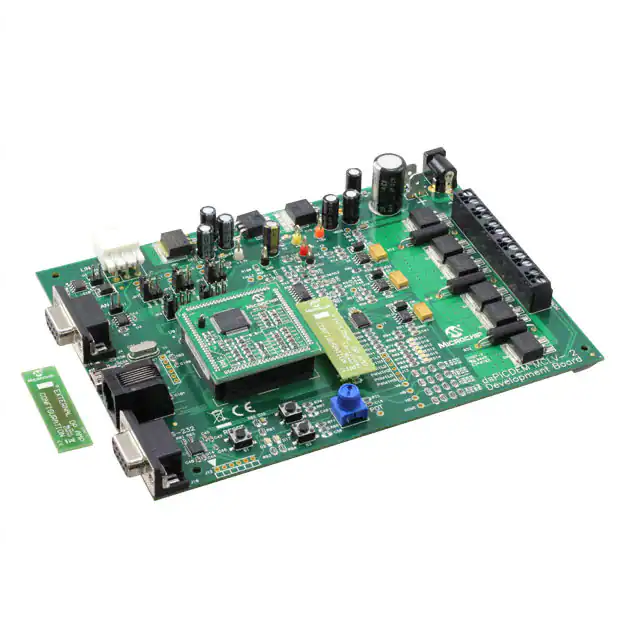
dsPICDEM™ MCLV-2
Development Board
User’s Guide
2012 Microchip Technology Inc.
DS52080A
�Note the following details of the code protection feature on Microchip devices:
•
Microchip products meet the specification contained in their particular Microchip Data Sheet.
•
Microchip believes that its family of products is one of the most secure families of its kind on the market today, when used in the
intended manner and under normal conditions.
•
There are dishonest and possibly illegal methods used to breach the code protection feature. All of these methods, to our
knowledge, require using the Microchip products in a manner outside the operating specifications contained in Microchip’s Data
Sheets. Most likely, the person doing so is engaged in theft of intellectual property.
•
Microchip is willing to work with the customer who is concerned about the integrity of their code.
•
Neither Microchip nor any other semiconductor manufacturer can guarantee the security of their code. Code protection does not
mean that we are guaranteeing the product as “unbreakable.”
Code protection is constantly evolving. We at Microchip are committed to continuously improving the code protection features of our
products. Attempts to break Microchip’s code protection feature may be a violation of the Digital Millennium Copyright Act. If such acts
allow unauthorized access to your software or other copyrighted work, you may have a right to sue for relief under that Act.
Information contained in this publication regarding device
applications and the like is provided only for your convenience
and may be superseded by updates. It is your responsibility to
ensure that your application meets with your specifications.
MICROCHIP MAKES NO REPRESENTATIONS OR
WARRANTIES OF ANY KIND WHETHER EXPRESS OR
IMPLIED, WRITTEN OR ORAL, STATUTORY OR
OTHERWISE, RELATED TO THE INFORMATION,
INCLUDING BUT NOT LIMITED TO ITS CONDITION,
QUALITY, PERFORMANCE, MERCHANTABILITY OR
FITNESS FOR PURPOSE. Microchip disclaims all liability
arising from this information and its use. Use of Microchip
devices in life support and/or safety applications is entirely at
the buyer’s risk, and the buyer agrees to defend, indemnify and
hold harmless Microchip from any and all damages, claims,
suits, or expenses resulting from such use. No licenses are
conveyed, implicitly or otherwise, under any Microchip
intellectual property rights.
Trademarks
The Microchip name and logo, the Microchip logo, dsPIC,
KEELOQ, KEELOQ logo, MPLAB, PIC, PICmicro, PICSTART,
PIC32 logo, rfPIC and UNI/O are registered trademarks of
Microchip Technology Incorporated in the U.S.A. and other
countries.
FilterLab, Hampshire, HI-TECH C, Linear Active Thermistor,
MXDEV, MXLAB, SEEVAL and The Embedded Control
Solutions Company are registered trademarks of Microchip
Technology Incorporated in the U.S.A.
Analog-for-the-Digital Age, Application Maestro, chipKIT,
chipKIT logo, CodeGuard, dsPICDEM, dsPICDEM.net,
dsPICworks, dsSPEAK, ECAN, ECONOMONITOR,
FanSense, HI-TIDE, In-Circuit Serial Programming, ICSP,
Mindi, MiWi, MPASM, MPLAB Certified logo, MPLIB,
MPLINK, mTouch, Omniscient Code Generation, PICC,
PICC-18, PICDEM, PICDEM.net, PICkit, PICtail, REAL ICE,
rfLAB, Select Mode, Total Endurance, TSHARC,
UniWinDriver, WiperLock and ZENA are trademarks of
Microchip Technology Incorporated in the U.S.A. and other
countries.
SQTP is a service mark of Microchip Technology Incorporated
in the U.S.A.
All other trademarks mentioned herein are property of their
respective companies.
© 2012, Microchip Technology Incorporated, Printed in the
U.S.A., All Rights Reserved.
Printed on recycled paper.
ISBN: 978-1-62076-293-6
QUALITY MANAGEMENT SYSTEM
CERTIFIED BY DNV
== ISO/TS 16949 ==
DS52080A-page 2
Microchip received ISO/TS-16949:2009 certification for its worldwide
headquarters, design and wafer fabrication facilities in Chandler and
Tempe, Arizona; Gresham, Oregon and design centers in California
and India. The Company’s quality system processes and procedures
are for its PIC® MCUs and dsPIC® DSCs, KEELOQ® code hopping
devices, Serial EEPROMs, microperipherals, nonvolatile memory and
analog products. In addition, Microchip’s quality system for the design
and manufacture of development systems is ISO 9001:2000 certified.
2012 Microchip Technology Inc.
� 2012 Microchip Technology Inc.
DS52080A-page 3
�dsPICDEM™ MCLV-2 Development Board User’s Guide
NOTES:
DS52080A-page 4
2012 Microchip Technology Inc.
�dsPICDEM™ MCLV-2 DEVELOPMENT
BOARD USER’S GUIDE
Table of Contents
Preface ........................................................................................................................... 7
Chapter 1. Introduction
1.1 Overview of the dsPICDEM MCLV-2 Development Board ........................... 13
1.2 Features Overview ....................................................................................... 14
Chapter 2. Hardware Overview
2.1 PIM Configuration ......................................................................................... 18
2.2 Board Connectors ........................................................................................ 20
2.3 Selecting a Power Supply for the Development Board ................................ 24
2.4 User Interface Hardware .............................................................................. 24
Chapter 3. Running a BLDC Motor Using a Sensorless Algorithm
3.1 Operating Requirements .............................................................................. 27
3.2 dsPICDEM MCLV-2 Development Board Setup .......................................... 28
Appendix A. Schematics and Layout ......................................................................... 41
Appendix B. Electrical Specifications........................................................................ 43
Worldwide Sales and Service .................................................................................... 44
2012 Microchip Technology Inc.
DS52080A-page 5
�dsPICDEM™ MCLV-2 Development Board User’s Guide
NOTES:
DS52080A-page 6
2012 Microchip Technology Inc.
�dsPICDEM™ MCLV-2 DEVELOPMENT
BOARD USER’S GUIDE
Preface
NOTICE TO CUSTOMERS
All documentation becomes dated, and this manual is no exception. Microchip tools and
documentation are constantly evolving to meet customer needs, so some actual dialogs and/
or tool descriptions may differ from those in this document. Please refer to our web site
(www.microchip.com) to obtain the latest documentation available.
Documents are identified with a “DS” number. This number is located on the bottom of each
page, in front of the page number. The numbering convention for the DS number is
“DSXXXXXA”, where “XXXXX” is the document number and “A” is the revision level of the
document.
For the most up-to-date information on development tools, see the MPLAB® IDE on-line help.
Select the Help menu, and then Topics to open a list of available on-line help files.
INTRODUCTION
This chapter contains general information that will be useful to know before using the
dsPICDEM™ MCLV-2 Development Board. Items discussed in this chapter include:
•
•
•
•
•
•
•
•
Document Layout
Conventions Used in this Guide
Warranty Registration
Recommended Reading
The Microchip Web Site
Development Systems Customer Change Notification Service
Customer Support
Document Revision History
DOCUMENT LAYOUT
This user’s guide describes how to use the dsPICDEM™ MCLV-2 Development Board.
The document is organized as follows:
• Chapter 1. “Introduction” – This chapter introduces the dsPICDEM™ MCLV-2
Development Board and provides an overview of various features.
• Chapter 2. “Hardware Overview” – This chapter describes the hardware
components of the dsPICDEM™ MCLV-2 Development Board.
• Chapter 3. “Running a BLDC Motor Using a Sensorless Algorithm” – This
chapter describes how to run a sensored BLDC motor using a dsPIC® DSC
device.
• Appendix A. “Schematics and Layout” – This appendix provides detailed
circuit schematics of the dsPICDEM™ MCLV-2 Development Board.
• Appendix B. “Electrical Specifications” – This appendix lists the DC input and
output ratings for the dsPICDEM™ MCLV-2 Development Board.
2012 Microchip Technology Inc.
DS52080A-page 7
�dsPICDEM™ MCLV-2 Development Board User’s Guide
CONVENTIONS USED IN THIS GUIDE
This manual uses the following documentation conventions:
DOCUMENTATION CONVENTIONS
Description
Represents
Examples
Arial font:
MPLAB® IDE User’s Guide
Italic characters
Referenced books
Emphasized text
...is the only compiler...
Initial caps
A window
the Output window
A dialog
the Settings dialog
A menu selection
select Enable Programmer
Quotes
A field name in a window or
dialog
“Save project before build”
Underlined, italic text with
right angle bracket
A menu path
File>Save
Bold characters
A dialog button
Click OK
A tab
Click the Power tab
N‘Rnnnn
A number in verilog format,
4‘b0010, 2‘hF1
where N is the total number of
digits, R is the radix and n is a
digit
Text in angle brackets < >
A key on the keyboard
Press ,
Sample source code
#define START
Filenames
autoexec.bat
File paths
c:\mcc18\h
Keywords
_asm, _endasm, static
Command-line options
-Opa+, -Opa-
Bit values
0, 1
Courier New font:
Plain Courier New
DS52080A-page 8
Constants
0xFF, ‘A’
Italic Courier New
A variable argument
file.o, where file can be
any valid filename
Square brackets [ ]
Optional arguments
mcc18 [options] file
[options]
Curly brackets and pipe
character: { | }
Choice of mutually exclusive
arguments; an OR selection
errorlevel {0|1}
Ellipses...
Replaces repeated text
var_name [,
var_name...]
Represents code supplied by
user
void main (void)
{ ...
}
2012 Microchip Technology Inc.
�Preface
WARRANTY REGISTRATION
Please complete and mail the Warranty Registration Card that was enclosed with the
development board. Sending in the registration card entitles you to receive new product
updates. Interim software releases are available at the Microchip web site.
RECOMMENDED READING
This user’s guide describes how to use the dsPICDEM™ MCLV-2 Development Board.
The device-specific data sheets contain current information on programming the specific
microcontroller or digital signal controller devices. Other useful documents are listed
below. The following Microchip documents are available and recommended as
supplemental reference resources:
MPLAB® IDE Simulator, Editor User’s Guide (DS51025)
This user’s guide is a comprehensive guide that describes installation and features of
Microchip’s MPLAB Integrated Development Environment (IDE), as well as the editor
and simulator functions in the MPLAB IDE environment.
Readme Files
For the latest information on using other tools, read the tool-specific Readme files in the
Readme subdirectory of the MPLAB IDE installation directory. The Readme files contain
updated information and known issues that may not be included in this user’s guide.
MPASM™ Assembler, MPLINK™ Object Linker, MPLIB™ Object Librarian User’s
Guide (DS33014)
This user’s guide describes how to use the Microchip MPASM Assembler, the MPLINK
Object Linker and the MPLIB Object Librarian.
dsPIC33EP256MC506 Plug-In Module (PIM) Information Sheet for Internal Op
amp Configuration (DS52062)
This information sheet provides information specific to the dsPIC33EP256MC506
Internal Op amp Configuration Plug-In Module (PIM).
2012 Microchip Technology Inc.
DS52080A-page 9
�dsPICDEM™ MCLV-2 Development Board User’s Guide
THE MICROCHIP WEB SITE
Microchip provides online support via our web site at www.microchip.com. This web
site is used as a means to make files and information easily available to customers.
Accessible by using your favorite Internet browser, the web site contains the following
information:
• Product Support – Data sheets and errata, application notes and sample
programs, design resources, user’s guides and hardware support documents,
latest software releases and archived software
• General Technical Support – Frequently Asked Questions (FAQs), technical
support requests, online discussion groups, Microchip consultant program
member listing
• Business of Microchip – Product selector and ordering guides, latest Microchip
press releases, listing of seminars and events, listings of Microchip sales offices,
distributors and factory representatives
DEVELOPMENT SYSTEMS CUSTOMER CHANGE NOTIFICATION SERVICE
Microchip’s customer notification service helps keep customers current on Microchip
products. Subscribers will receive e-mail notification whenever there are changes,
updates, revisions or errata related to a specified product family or development tool of
interest.
To register, access the Microchip web site at www.microchip.com, click on Customer
Change Notification and follow the registration instructions.
The Development Systems product group categories are:
• Compilers – The latest information on Microchip C compilers and other language
tools. These include the MPLAB® C compiler; MPASM™ and MPLAB 16-bit
assemblers; MPLINK™ and MPLAB 16-bit object linkers; and MPLIB™ and
MPLAB 16-bit object librarians.
• Emulators – The latest information on the Microchip MPLAB REAL ICE™
in-circuit emulator.
• In-Circuit Debuggers – The latest information on the Microchip in-circuit
debugger, MPLAB ICD 3.
• MPLAB IDE – The latest information on Microchip MPLAB IDE, the Windows®
Integrated Development Environment for development systems tools. This list is
focused on the MPLAB IDE, MPLAB SIM simulator, MPLAB IDE Project Manager
and general editing and debugging features.
• Programmers – The latest information on Microchip programmers. These include
the MPLAB PM3 device programmer and the PICkit™ 3 development
programmers.
DS52080A-page 10
2012 Microchip Technology Inc.
�Preface
CUSTOMER SUPPORT
Users of Microchip products can receive assistance through several channels:
•
•
•
•
Distributor or Representative
Local Sales Office
Field Application Engineer (FAE)
Technical Support
Customers should contact their distributor, representative or Field Application Engineer
(FAE) for support. Local sales offices are also available to help customers. A listing of
sales offices and locations is included in the back of this document.
Technical support is available through the web site at: http://support.microchip.com
DOCUMENT REVISION HISTORY
Revision A (June 2012)
This is the initial released version of this document.
2012 Microchip Technology Inc.
DS52080A-page 11
�dsPICDEM™ MCLV-2 Development Board User’s Guide
NOTES:
DS52080A-page 12
2012 Microchip Technology Inc.
�dsPICDEM™ MCLV-2 DEVELOPMENT
BOARD USER’S GUIDE
Chapter 1. Introduction
The dsPICDEM™ MCLV-2 Development Board is targeted to control a brushless DC
(BLDC) motor or permanent magnet synchronous motor (PMSM) in sensor or
sensorless operation. This flexible and cost-effective board can be configured in
different ways for use with Microchip’s specialized motor control Digital Signal Controllers (DSCs) and Microcontrollers (MCUs). The dsPICDEM MCLV-2 Development
Board is essentially a backwardly-compatible upgraded version of the dsPICDEM
MCLV Development Board.
The dsPICDEM MCLV-2 Development Board supports the dsPIC33F, PIC24F,
dsPIC33E, and PIC24E motor control device families. It offers a mounting option to
connect a generic 100-pin Plug-In Module (PIM). The board also has a three-phase
inverter bridge circuit. The circuit drives a BLDC or PMSM motor using different control
techniques without requiring any additional hardware. Topics covered include:
• Overview of the dsPICDEM MCLV-2 Development Board
• Features Overview
1.1
OVERVIEW OF THE dsPICDEM MCLV-2 DEVELOPMENT BOARD
Figure 1-1 shows a simplified block diagram of the dsPICDEM MCLV-2 Development
Board. The board includes various circuitry to perform the following functions:
• Drive a three-phase inverter that powers the motor phase windings
• Measure feedback signals (e.g., voltage and phase currents) and provide a
suitable fault signal
• Interface with Hall sensor or quadrature encoder for sensor-based commutation
• Communicate with a host computer or an external device via CAN, LIN, USB, or
RS-232 interface
The development board supports motors with terminal voltage up to 48V and current
up to 15A. Refer to Appendix B. “Electrical Specifications” for more information on
electrical specifications.
2012 Microchip Technology Inc.
DS52080A-page 13
�dsPICDEM™ MCLV-2 Development Board User’s Guide
1.2
FEATURES OVERVIEW
The key features of this board include the following:
• Motor Control Interfaces:
- Three-phase inverter bridge with a power rating of 48V/15A
- Hall sensors/quadrature encoder interface for sensored motor control (J7)
- Phase voltage feedback for sensorless BLDC operation
- DC bus current sense resistor for single shunt vector control
- Phase current sense resistor for dual shunt vector control
- Overcurrent protection
- Support for PIC24 MCUs and dsPIC DSCs with internal or external op amps
and comparators
• Input/Output Control Switches:
- Two push-buttons (S2 and S3)
- Two LED indicators for debugging purposes (D2 and D17)
- Reset push-button (S1)
- 10 k potentiometer (POT1)
- LED indicator for PWM outputs
• Communication Ports:
- CAN interface port (J4)
- LIN interface port (J1)
- UART communication via USB (J8)
- UART communication via RS-232 (J10)
• Power Supply Connectors:
- Auxiliary Power Tab Fast-On connectors (BP1 and BP2) for the controller and
power stage
- 24V power input connector (J2) for the controller
- Dedicated power connector (J7) for the power stage
• Programming Connectors:
- ICSP™ connector for programming a dsPIC DSC or PIC24 MCU (J12)
- RJ11 connector for programming a dsPIC DSC or PIC24 MCU (J11)
- ICSP connector for programming the PIC18LF2450 USB to UART Bridge (J9)
DS52080A-page 14
2012 Microchip Technology Inc.
�Introduction
dsPICDEM™ MCLV-2 DEVELOPMENT BOARD BLOCK DIAGRAM
FIGURE 1-1:
J2
BP1
J3
BP2
J6
Regulator
Regulator
Regulator
3.3V
5V
15V
VREF
Three-Phase Inverter
S2
J7
VBUS
PWM1H3
+
-
U11
S3
Driver
U9
J11/J12
ICD2
PWM1L1
R16
LED D2
LED D17
J1
LIN
R32
Plug-In Module
M3
M3
M2
M2
M1
M1
HOME
R12
HA
HB
J4 CAN
JP4
J8 USB
HA
HB
HC
-
Safe Current
Limit
JP5
M
5V
FAULT_MC
HC
U5:C
HOME
IMOTOR_SUM
U5:A
VBUS
J10 RS232
IMOTOR2
U5:B
V_M2
IMOTOR1
DC+
V_M3
V_M1
Potential
Divider
M3
M2
M1
REC_NEUTR
HA
JP1-JP3
HB
HC
V_M3
V_M2
Matrix
Board
J14
V_M1
V_M3
V_M2
V_M1
VBUS
REC_NEUTR
POT
2012 Microchip Technology Inc.
DS52080A-page 15
�dsPICDEM™ MCLV-2 Development Board User’s Guide
NOTES:
DS52080A-page 16
2012 Microchip Technology Inc.
�dsPICDEM™ MCLV-2 DEVELOPMENT
BOARD USER’S GUIDE
Chapter 2. Hardware Overview
This chapter describes the hardware components of the dsPICDEM MCLV-2
Development Board. Topics covered include:
• PIM Configuration
• Board Connectors
• User Interface Hardware
Power for the control circuits and DC bus on the board is provided through a +24V
power supply attached to the Power Connector terminal (J2) or the Auxiliary Power Tab
Fast-On Connector terminals (BP1-BP2). The Microchip 24V Power Supply
(AC002013) is recommended.
The various components on the board receive power as follows:
•
•
•
•
The Gate drivers receive +15V power from a 15V regulator
The CAN driver receives +5V power from a 5V regulator
The LIN driver receives VBAT power from the LIN connector J1.
A dsPIC DSC or PIC24 MCU motor control device receives +3.3V power from a
+3.3V regulator
• The RS-232 UART interface receives +3.3V power from a +3.3V regulator
• The PIC18LF2450 USB to UART Bridge receives +3.3V power from a +3.3V
regulator
Note 1:
2:
If the input voltage value is less than 16V, remove the 15V voltage
regulator and short jumper J3.
To use a higher DC voltage bus (24V-48V), complete the following steps:
a) Connect the power supply to jumper J7, and keep jumper J6 open.
b) Power the circuit components, MCU, and the gate drivers using a
separate 16V-24V power supply connected to the power connector
J2 or BP1-BP2.
2012 Microchip Technology Inc.
DS52080A-page 17
�dsPICDEM™ MCLV-2 Development Board User’s Guide
2.1
PIM CONFIGURATION
Table 2-1 summarizes the PIM pinout for the dsPICDEM MCLV-2 Development Board.
TABLE 2-1:
dsPICDEM MCLV-2 DEVELOPMENT BOARD PIM PINOUT FUNCTIONALITY
PIM Pin #
Signal Name
1
DBG_LED2
2
VDD
3
PWM1H3
4
5
Pinout Description
Routed via Matrix Board
Debug LED 2
No
N/A
No
PWM Output - 3H
No
N/A
N/A
No
N/A
N/A
No
6
N/A
N/A
No
7
N/A
N/A
No
8
N/A
N/A
No
9
N/A
N/A
No
10
N/A
N/A
No
11
N/A
N/A
No
12
N/A
N/A
No
13
MCLR
Device Master Clear
No
14
N/A
N/A
No
15
VSS
N/A
No
16
VDD
N/A
No
17
N/A
N/A
No
18
FAULT
19
TX
20
21
DC BUS Current Fault (active low logic)
No
UART Transmit
No
PIM_V_M3
Voltage feedback signal
Yes
PIM_V_M2
Voltage feedback signal
Yes
22
PIM_V_M1
Voltage feedback signal
Yes
23
PIM_IMOTOR_SUM
DC bus current signal
Yes
24
PIM_IMOTOR2
Phase current signal
Yes
25
PIM_IMOTOR1
Phase current signal
Yes
26
PGC
Device programming clock line
No
27
PGD
Device programming data line
No
28
VREF
Reference voltage (half of AVDD voltage)
No
29
PIM_REC_NEUTR
Reconstructed motor neutral line voltage
Yes
No
30
AVDD
Analog supply
31
AVSS
Analog supply
No
32
PIM_POT
Potentiometer signal
Yes
33
N/A
34
PIM_GEN2
35
PIM_VBUS
36
VSS
37
VDD
N/A
No
38
N/A
N/A
No
39
N/A
N/A
No
40
N/A
N/A
No
41
PIM_MONITOR_1
Hall sensor/Current sense/Voltage feedback signal
Yes
42
PIM_MONITOR_2
Hall sensor/Current sense/Voltage feedback signal
Yes
43
PIM_MONITOR_3
Hall sensor/Current sense/Voltage feedback signal
Yes
44
N/A
N/A
No
45
VSS
N/A
No
46
VDD
N/A
No
47
HALLB
Hall sensor/QEI input
No
48
HALLC
Hall sensor/QEI input
No
DS52080A-page 18
N/A
No
General I/O
Yes
DC bus voltage (downscaled)
Yes
N/A
No
2012 Microchip Technology Inc.
�Hardware Overview
TABLE 2-1:
dsPICDEM MCLV-2 DEVELOPMENT BOARD PIM PINOUT FUNCTIONALITY
PIM Pin #
Signal Name
Pinout Description
Routed via Matrix Board
49
RX
UART Receive
No
50
TX
UART Transmit
No
No
51
USB_TX
UART Transmit (connected directly to U7)
52
USB_RX
UART Receive (connected directly to U7)
No
53
N/A
N/A
No
54
N/A
N/A
No
55
N/A
N/A
No
56
N/A
N/A
No
57
N/A
N/A
No
58
PIM_FLT_OUT2
General I/O
Yes
59
PIM_FLT_OUT1
General I/O
Yes
60
DBG_LED1
61
HOME
Debug LED 1
No
Home signal for QEI
No
N/A
No
62
VDD
63
OSC1/CLKO
Crystal oscillator in
No
64
OSC2/CLKI
Crystal oscillator out
No
65
VSS
66
PIM_IBUS+
67
PIM_IBUS-
68
LIN_CS
69
LIN_FAULT
N/A
No
BUS current shunt signal
Yes
BUS current shunt signal
Yes
LIN Chip Select signal
No
LIN Fault signal
No
70
RX
UART Receive
No
71
N/A
N/A
No
72
USB_RX
UART Receive (connected directly to U7)
No
73
PIM_IB+
IMOTOR1 shunt signal
Yes
74
PIM_IA+
IMOTOR2 shunt signal
Yes
75
VSS
N/A
No
76
USB_TX
UART Transmit (connected directly to U7)
No
77
CAN_TX
CAN Transmit
No
78
CAN_RX
CAN Receive
No
79
N/A
N/A
No
80
HALLA
81
N/A
82
PIM_GEN1
83
84
85
N/A
Hall sensor/QEI input
No
N/A
No
General I/O
Yes
BTN_1
Push-button S2 input
No
BTN_2
Push-button S3 input
No
N/A
No
N/A
No
CAN Receive
No
86
VDD
87
CAN_RX
88
CAN_TX
CAN Transmit
No
89
N/A
N/A
No
90
N/A
N/A
No
91
N/A
N/A
No
92
N/A
N/A
No
93
PWM1L1
PWM Output - 1L
No
94
PWM1H1
PWM Output - 1H
No
95
N/A
N/A
No
96
N/A
N/A
No
97
N/A
N/A
No
98
PWM1L2
PWM Output - 2L
No
99
PWM1H2
PWM Output - 2H
No
100
PWM1L3
PWM Output - 3L
No
2012 Microchip Technology Inc.
DS52080A-page 19
�dsPICDEM™ MCLV-2 Development Board User’s Guide
2.2
BOARD CONNECTORS
Table 2-2 describes the hardware connection between MPLAB ICD 3 or MPLAB REAL
ICE™ In-Circuit Emulator, the power supply, and the dsPICDEM MCLV-2 Development
Board connectors.
TABLE 2-2:
BOARD CONNECTORS
Number Designator
Description
1
BP1-BP2
Auxiliary power supply connector
2
J1
LIN interface port
3
J2
Input power supply connector
4
J4
CAN interface port
5
J7
Motor power connector, Hall sensors/Quadrature encoder connector
and DC bus power supply connector
6
J8
USB interface port
7
J9
ICSP™ programmer interface connector for programming the
PIC18LF2450 USB to UART Bridge
8
J10
RS-232 interface port
9
J11
RJ11, 6-pin connector for programming a dsPIC DSC or PIC24 MCU
10
J12
ICSP connector for programming a dsPIC DSC or PIC24 MCU
Figure 2-1 shows various connectors and jumpers available on the dsPICDEM MCLV-2
Development Board.
FIGURE 2-1:
dsPICDEM™ MCLV-2 DEVELOPMENT BOARD CONNECTORS AND JUMPERS
J1
J3
BP1-BP2
J2
J5
J6
JP3
JP2
JP1
J4
JP4
JP5
J7
J8
J9
J14
U9
J11
D10-D15
S2
J10
S1
D2
D17
S3
J12
DS52080A-page 20
2012 Microchip Technology Inc.
�Hardware Overview
2.2.1
Input Power Connector (J2, BP1-BP2)
The dsPICDEM MCLV-2 Development Board receives the power for control circuits
and the DC bus from a +24V power supply. It is connected to the board through J2 or
BP1-BP2 points.
2.2.2
DC Bus Power Supply Connector (J6 and J7)
By default, jumper J6 is short, and the +24V input power supply connected to J2 or
BP1-BP2 supplies the DC bus voltage to the board.
2.2.3
CAN Interface (J4)
The board has a MCP2551 High-Speed CAN Transceiver, which is connected to the
dsPIC DSC or PIC24 MCU through jumpers JP4 and JP5. The CAN transceiver
converts the differential signal on the CAN bus to a digital signal for the ECAN™ module. It also converts the ECAN output digital signal to a differential signal for the CAN
bus. In Sleep mode, the CAN transmitter is turned off, and the receiver operates at a
lower current level. The control device monitors the CAN activity and switches the
transceiver back to normal operation when needed. For more information, refer to the
data sheet, MCP2551 “High-Speed CAN Transceiver” (DS21667).
2.2.4
LIN Interface (J1)
The board has a MCP2021 High-Speed LIN Transceiver, which is connected to the
dsPIC DSC or PIC24 MCU through jumpers JP4 and JP5. The LIN transceiver
monitors the LIN bus, conditions the incoming signal, and passes it to the UART module on the control device. The LIN transceiver responds to a “Transmit Enable” from the
control device by conditioning an output signal and placing it on the LIN bus. A
power-down mode turns the transmitter and voltage regulator off, leaving only the
receiver and wake-up circuits in operation. The LIN circuit includes a Master/Slave
jumper to accommodate a Master node on the LIN bus. For more information, refer to
the data sheet, MCP202X “LIN Transceiver with Voltage Regulator” (DS22018).
2.2.5
USB Interface (J8)
The board uses an on-board PIC18 interface as a bridge between the UART and USB.
The PIC18 UART pins are connected to the dsPIC DSC or PIC24 MCU through
jumpers JP4 and JP5.
2.2.6
ICD 3 Connector (J11- J12)
The ICD 3 connector is an RJ11 female connector (J11) that connects the MPLAB
ICD 3 In-Circuit Debugger/Emulator to the dsPIC DSC or PIC24 MCU for programming
and debugging purposes. The ICD 3 can also be connected to the board using 6-pin
ICSP connector (J12).
2.2.7
ICSP for PIC18 (J9)
The jumper J9 is a 6-pin connector that connects the PICkit™ 3 development
programmer to the PIC18F device. The board uses the on-board PIC18 interface as a
bridge between the UART and USB. The PIC18F is programmed for USB
communication.
2.2.8
RS-232 Connector (J10)
The connector J10 is an RS-232 interface port. The board uses the UART connector
to pass the UART signals from the dsPIC DSC or PIC24 MCU to the dedicated UART
IC MAX3232CUE. The output of U14 is provided to the connector J10.
2012 Microchip Technology Inc.
DS52080A-page 21
�dsPICDEM™ MCLV-2 Development Board User’s Guide
2.2.9
Motor Connector (J7)
The motor connector (J7) has 12 terminals. Table 2-3 shows the functionality of each
terminal.
TABLE 2-3:
Pin
MOTOR CONNECTOR DETAILS
Terminal Name
1
+
2
3
4
5
6
7
8
9
10
11
12
–
M3
M2
M1
G
+5V
GND
HALLA
HALLB
HALLC
HOME
Function
External DC bus power supply
Ground
Motor winding phase 3
Motor winding phase 2
Motor winding phase 1
Ground
Hall sensors/Quadrature encoder power supply
Hall sensors ground
Hall A/QEA feedback
Hall B/QEB feedback
Hall C/INDEX feedback
Home signal feedback
Table 2-4 lists the test points that can be used to check various signals.
TABLE 2-4:
TEST POINTS
Test Points
HA
HB
HC
HOME
PWM1H1
PWM1L1
PWM1H2
PWM1L2
PWM1H3
PWM1L3
Fault
V1
V2
V3
Ref
POT1
MONITOR_1
MONITOR_2
MONITOR_3
I1
I2
IBUS
P1
P2
P3
P4
P5
AVSS
VBUS
DS52080A-page 22
Description
Hall A/QEA feedback
Hall B/QEB feedback
Hall C/INDEX feedback
Home signal feedback
PWM output for leg 1 top switch
PWM output for leg 1 bottom switch
PWM output for leg 2 top switch
PWM output for leg 2 bottom switch
PWM output for leg 3 top switch
PWM output for leg 3 bottom switch
Fault pin
Motor phase 1 voltage feedback
Motor phase 2 voltage feedback
Motor phase 3 voltage feedback
1.65V reference for current feedback
POT signal
Motor feedback signal 1
Motor feedback signal 2
Motor feedback signal 3
Phase 1 current
Phase 2 current
Bus current
+3.3V (digital)
GND (digital)
+5V
AVDD
+15V
Analog ground
Bus voltage (downscaled)
2012 Microchip Technology Inc.
�Hardware Overview
2.2.10
The Matrix Board Interface
The matrix board interface facilitates the following functions:
• Connects the appropriate signals to the correct pins on the Plug-In Module (PIM)
• Disconnects signals and provides isolation on signal paths that, in a particular
hardware configuration, are not being used
The matrix board header has two rows of pins. One row (pins 1-25) hosts signals from
different signal sources, the other (pins 26-50) hosts connections to the PIM. Figure 2-2
is a block diagram that describes the matrix board interface.
FIGURE 2-2:
MATRIX BOARD BLOCK DIAGRAM
Shunt resistor signals (Direct)
Reconstructed motor neutral voltage
Feedback signals (Hall sensor/
Phase voltage/Shunt resistor)
DC bus voltage
Matrix
Board
PIM
Potentiometer
2.2.10.1
INTERNAL AND EXTERNAL OP AMP MATRIX BOARDS
The dsPICDEM MCLV-2 Development Board uses discrete op amps (U5) to amplify the
shunt resistor signals. Alternatively, some PIC24 MCUs or dsPIC DSCs are designed
with op amps on-board that can be used for this purpose. To accommodate these two
basic configurations, the dsPICDEM MCLV-2 Development Board includes two matrix
boards.
• The Internal Op Amp Configuration Matrix Board configures the development
board to use op amps that are internal to the PIC24 MCU or dsPIC DSC. This
matrix board bypasses the current feedback circuitry on the dsPICDEM MCLV-2
Development Board and directly connects the shunt resistor signals to appropriate
pins of the PIM.
• The External Op Amp Configuration Matrix Board configures the development
board to use the current feedback circuitry on the dsPICDEM MCLV-2 Development Board. This matrix board disconnects the shunt resistor signals from the PIM
pins and connects the current feedback circuitry output to the appropriate PIM
pins.
Note:
2012 Microchip Technology Inc.
Unless specified in the PIM information sheet, all PIMs are compatible only
with the External Op amp Configuration matrix board. Certain PIMs are
designed to work only with the Internal Op amp Configuration matrix
boards. In this case, the corresponding PIM information sheet (available at
www.microchip.com/pims) will explicitly state this.
DS52080A-page 23
�dsPICDEM™ MCLV-2 Development Board User’s Guide
2.3
SELECTING A POWER SUPPLY FOR THE DEVELOPMENT BOARD
The following connectors and power jumpers, when configured, offer multiple power
supply configuration options for the dsPICDEM MCLV-2 Development Board.
•
•
•
•
Input Power Connector (J2 or BP1-BP2)
Bypass 15V Regulator (J3)
DC Bus Power Supply Jumper (J6)
Motor Power Connector with pins, ‘+’ and ‘-’ (J7)
To locate these components, refer to Figure 1-1.
Table 2-5 describes how to select the required power supply configuration option by
setting jumpers J3 and J6.
TABLE 2-5:
J3
J6
Remove the jumper
Remove the jumper
16V to 24V
0V to 48V
Remove the jumper
Install the jumper
16V to 24V
Supplied by J2 or BP1-BP2
Install the jumper(1)
Remove the jumper
10V to 16V
0V to 48V
Install the jumper(1)
Install the jumper
10V to 16V
Supplied by J2 or BP1-BP2
Note 1:
2.4
JUMPER SETTINGS FOR SELECTING A POWER SUPPLY
J2 or BP1-BP2
J7: Pins ‘+’ and ‘-’
When J3 is installed, VR3 must be removed to avoid damage to the 15V regulator.
USER INTERFACE HARDWARE
2.4.1
Jumpers
The dsPICDEM MCLV-2 Development Board has nine jumpers that configure the
functionality of the board. Figure 2-3 shows the jumper settings and Table 2-6 lists
these jumpers and their functions.
FIGURE 2-3:
JUMPER SETTINGS
MONITOR_1
MONITOR_2
JP1
MONITOR_3
JP2
Curr Volt
Hall
USB
Curr Volt
LIN
JP4
2:
DS52080A-page 24
Hall
CAN UART
USB
Curr
LIN
Volt
Hall
CAN UART
JP5
Rx
Note 1:
JP3
Tx
The JP1, JP2 and JP3 jumper pairs select the feedback signals required for the motor control algorithm.
The JP4 and JP5 jumper pairs select the communication bus for the transmit and receive pins.
2012 Microchip Technology Inc.
�Hardware Overview
TABLE 2-6:
JUMPER DESCRIPTIONS
No.
Designator
Position
1
JP1
1-2
2
JP2
3
JP3
4
JP4
5
JP5
TABLE 2-7:
Description
Connects current sense phase 1 to MONITOR_1
3-4
Connects voltage sense phase 1 to MONITOR_1
5-6
Connects Hall sensor interface HA to MONITOR_1
1-2
Connects current sense phase 2 to MONITOR_2
3-4
Connects voltage sense phase 2 to MONITOR_2
5-6
Connects Hall sensor interface HB to MONITOR_2
1-2
Connects current sense DC Bus to MONITOR_3
3-4
Connects voltage sense phase 3 to MONITOR_3
5-6
Connects Hall sensor interface HC to MONITOR_3
1-2
Connects USB receive line to Rx
3-4
Connects LIN receive line to Rx
5-6
Connects CAN receive line to Rx
7-8
Connects UART receive line to Rx
1-2
Connects USB transmit line to Tx
3-4
Connects LIN transmit line to Tx
5-6
Connects CAN transmit line to Tx
7-8
Connects UART transmit line to Tx
ADDITIONAL JUMPERS
Designator
J3
Bypass 15V regulator connector for gate driver IC
J5
LIN master select
J6
Connects BP1-BP2/J2 to motor connector block J7
JP11
2012 Microchip Technology Inc.
Functions
CAN end enable
DS52080A-page 25
�dsPICDEM™ MCLV-2 Development Board User’s Guide
2.4.2
Push-Buttons, LEDs, Bus Resistors and Potentiometers
The dsPICDEM MCLV-2 Development Board consists of the following items:
•
•
•
•
•
•
•
Two push-buttons
One potentiometer
Six LEDs for PWM
Two LEDs for debugging purposes
Two power-on status LEDs
Two USB LEDs
Device Reset push-button
TABLE 2-8:
Label
S2, S3
POT
Hardware Element Description
Push-buttons; these push-buttons are connected to port pins.
When momentarily pressed, the switch connects the respective
port pin to Ground.
10 k potentiometer; it is connected to analog input pin.
D3
Power-on status LED, which indicates the status of the 5V
regulator.
D4
Power-on status LED, which indicates the status of the +3.3V
regulator.
D8
USB communication indicator, which indicates the device has been
detected.
D10-D15
D16
D2, D17
S1
DS52080A-page 26
INDICATORS AND HUMAN INTERFACES
LEDs, which indicate the PWM pin status.
USB bus indicator, which indicates that the device is connected to
the USB bus.
LEDs to be used for debugging purposes.
Push-button used to reset the target device.
2012 Microchip Technology Inc.
�dsPICDEM™ MCLV-2 DEVELOPMENT
BOARD USER’S GUIDE
Chapter 3. Running a BLDC Motor Using a Sensorless
Algorithm
This chapter describes how to set up the dsPICDEM MCLV-2 Development Board in
the Internal Op amp configuration to run a BLDC motor using the Single-Shunt Current
Reconstruction Algorithm using a dsPICDEM™ MCLV-2 Development Board. The
algorithm is described in AN1299 “Single-Shunt Three-Phase Current Reconstruction
Algorithm for Sensorless FOC of a PMSM”.
Topics covered include:
• Operating Requirements
• dsPICDEM MCLV-2 Development Board Setup
3.1
OPERATING REQUIREMENTS
To set up and run the board, the following items are recommended:
• MPLAB® X Integrated Development Environment (IDE) installed on the PC that is
attached to the board (SW007002)
• dsPICDEM MCLV-2 Development Board (DM330021-2)
• 24V power supply (AC002013) or equivalent
• 10 pole Hurst motor (AC300020)
• dsPIC33EP256MC506 Internal Op Amp Configuration PIM (MA330031)
2012 Microchip Technology Inc.
DS52080A-page 27
�dsPICDEM™ MCLV-2 Development Board User’s Guide
3.2
dsPICDEM MCLV-2 DEVELOPMENT BOARD SETUP
The following procedure describes how to set up the dsPICDEM MCLV-2 Development
Board:
WARNING
The dsPICDEM MCLV-2 Development Board is intended to drive the three-phase
BLDC or PMSM motor. Before connecting the motor, make sure that the power rating
of the motor is equal to or less than the power rating of the board, as shown in Appendix B. “Electrical Specifications”. Also, make sure the jumper settings are correct
for the firmware programmed into the target dsPIC DSC or PIC24 MCU mounted on
the socket. Failure to comply with this warning could lead to malfunction of the board
and the motor, and could result in physical harm.
Before beginning the start-up procedure, complete a visual check of the board and
the motor for connectivity and mechanical damage. If damage is found, DO NOT
power-up the board. Otherwise, you may further damage the equipment. Contact the
Microchip local office or distributor before using a damaged board.
3.2.1
Setting up the dsPICDEM MCLV-2 Development Board
Perform the following steps to set up the development board:
1. Place the dsPICDEM MCLV-2 Development Board on a sturdy insulated
platform.
2. Make sure that the dsPIC33EP256MC506 Internal Op Amp Configuration PIM is
mounted in the U9 socket.
3. Insert the Internal Op Amp Configuration matrix board into J14, ensuring that the
pins line up and the matrix board is oriented correctly, as shown in Figure 3-1.
FIGURE 3-1:
MATRIX BOARD ORIENTATION
4. Connect MPLAB ICD 3 or MPLAB REAL ICE In-Circuit Emulator to the computer,
and the board in J11 or J12.
5. Connect the three-phase, 10 pole, 24V Hurst motor (AC300020) to J7. Since this
is a sensorless algorithm, the motor phase wires (Red, Black, and White) can be
connected to M1, M2, and M3 in any order.
DS52080A-page 28
2012 Microchip Technology Inc.
�Running a BLDC Motor Using a Sensorless Algorithm
6. Connect the 24V power supply to J2 or BP1-BP2. If the supply voltage is not
equal to 24V, refer to Table 2-5 to configure the power supply for the board.
7. Download the internal op amp version of the code for the dsPIC33EP256MC506
from the Microchip web site (www.microchip.com). It is available with the
AN1299 application note.
8. Unzip the file and open the project using MPLAB X IDE. Refer to the “MPLAB®
X IDE User’s Guide” (DS52027) for more information about how to use MPLAB X
IDE with a Microchip debugger/programmer.
9. Click the Run Project icon on the MPLAB X IDE toolbar. MPLAB X IDE will build
the project and program the target device. Ensure that the build and program
process completes successfully.
10. Press S2 to run the motor.
11. Vary the motor’s speed with POT1.
12. Press S2 again to stop the motor.
Note:
For more information on running BLDC motors using a dsPIC DSC or
PIC24 MCU, refer to the following application notes, which are available
from the Microchip web site:
• AN1299, “Single-Shunt Three-Phase Current Reconstruction Algorithm
for Sensorless FOC of a PMSM” (DS01299)
• AN1160, “Sensorless BLDC Control with Back-EMF Filtering Using a
Majority Function” (DS01160)
• AN1078, “Sensorless Field Oriented Control of PMSM Motors using
dsPIC30F or dsPIC33F Digital Signal Controllers” (DS01078)
• AN1017, “Sinusoidal Control of PMSM Motors with dsPIC30F DSC”
(DS01017)
The source code referred in these application notes is available from the
Microchip web site (www.microchip.com).
2012 Microchip Technology Inc.
DS52080A-page 29
�dsPICDEM™ MCLV-2 Development Board User’s Guide
NOTES:
DS52080A-page 30
2012 Microchip Technology Inc.
�dsPICDEM™ MCLV-2 DEVELOPMENT
BOARD USER’S GUIDE
Appendix A. Schematics and Layout
The following schematics are included in this user’s guide:
Figure A-1: “dsPICDEM™ MCLV-2 Development Board Schematic (Sheet 1 of 7)”
Figure A-2: “dsPICDEM™ MCLV-2 Development Board Schematic (Sheet 2 of 7)”
Figure A-3: “dsPICDEM™ MCLV-2 Development Board Schematic (Sheet 3 of 7)”
Figure A-4: “dsPICDEM™ MCLV-2 Development Board Schematic (Sheet 4 of 7)”
Figure A-5: “dsPICDEM™ MCLV-2 Development Board Schematic (Sheet 5 of 7)”
Figure A-6: “dsPICDEM™ MCLV-2 Development Board Schematic (Sheet 6 of 7)”
Figure A-7: “dsPICDEM™ MCLV-2 Development Board Schematic (Sheet 7 of 7)”
Figure A-8: “Internal Op amp Configuration Matrix Board Schematic”
Figure A-9: “External Op amp Configuration Matrix Board Schematic”
Figure A-10: “dsPICDEM™ MCLV-2 Development Board Layout”
2012 Microchip Technology Inc.
DS52080A-page 31
�dsPICDEM™ MCLV-2 DEVELOPMENT BOARD SCHEMATIC (SHEET 1 OF 7)
D2
YELLOW
J14
U9
100-pin PIM Header
D17
YELLOW
2012 Microchip Technology Inc.
Note: For pin descriptions, please see Table 2-1, “dsPICDEM MCLV-2 Development Board PIM Pinout Functionality,” on page 18.
1
50
2
49
3
48
4
47
5
46
6
45
7
44
8
43
9
42
10
41
11
40
12
39
13
38
14
37
15
36
16
35
17
34
18
33
19
32
20
31
21
30
22
29
23
28
24
27
25
26
dsPICDEM™ MCLV-2 Development Board User’s Guide
DS52080A-page 32
FIGURE A-1:
� 2012 Microchip Technology Inc.
FIGURE A-2:
dsPICDEM™ MCLV-2 DEVELOPMENT BOARD SCHEMATIC (SHEET 2 OF 7)
2
3
A
1
13
12
D
14
6
5
7
C
8
9
10
DS52080A-page 33
Note 1:
2:
All resistors on this page must be 1%.
Supply Voltage should be AVDD for MCP6024.
Schematics and Layout
B
�dsPICDEM™ MCLV-2 DEVELOPMENT BOARD SCHEMATIC (SHEET 3 OF 7)
1 HIN
VB 8
2 LIN
HO 7
3 COM
4 LO
1 HIN
VB 8
2 LIN
HO 7
3 COM
4 LO
1 HIN
VB 8
2 LIN
HO 7
3 COM
4 LO
2012 Microchip Technology Inc.
C53
470uF
VS 6
VCC 5
VS 6
VCC 5
VS 6
VCC 5
dsPICDEM™ MCLV-2 Development Board User’s Guide
DS52080A-page 34
FIGURE A-3:
� 2012 Microchip Technology Inc.
FIGURE A-4:
dsPICDEM™ MCLV-2 DEVELOPMENT BOARD SCHEMATIC (SHEET 4 OF 7)
Schematics and Layout
DS52080A-page 35
�DS52080A-page 36
2012 Microchip Technology Inc.
dsPICDEM™ MCLV-2 Development Board User’s Guide
dsPICDEM™ MCLV-2 DEVELOPMENT BOARD SCHEMATIC (SHEET 5 OF 7)
FIGURE A-5:
� 2012 Microchip Technology Inc.
FIGURE A-6:
dsPICDEM™ MCLV-2 DEVELOPMENT BOARD SCHEMATIC (SHEET 6 OF 7)
Schematics and Layout
DS52080A-page 37
�DS52080A-page 38
2012 Microchip Technology Inc.
dsPICDEM™ MCLV-2 Development Board User’s Guide
dsPICDEM™ MCLV-2 DEVELOPMENT BOARD SCHEMATIC (SHEET 7 OF 7)
FIGURE A-7:
�Schematics and Layout
FIGURE A-8:
INTERNAL OP AMP CONFIGURATION MATRIX BOARD SCHEMATIC
SHUNT_HIGH_SUM
SHUNT_LOW_SUM
SHUNT_HIGH_1
SHUNT_HIGH_2
REC_NEUTR
MONITOR_1
MONITOR_2
MONITOR_3
VBUS
IMOTOR_SUM
IMOTOR1
IMOTOR2
POT
V_M1
V_M2
V_M3
1
50
2
49
3
48
4
47
5
46
6
45
7
44
8
43
9
42
10
41
11
40
12
39
13
38
14
37
15
36
16
35
17
34
18
33
19
32
20
31
21
30
22
29
23
28
24
27
25
26
PIM_IBUS+
PIM_IBUS-
PIM_IA+
PIM_IB+
PIM_REC_NEUTR
PIM_MONITOR_1
PIM_MONITOR_2
PIM_MONITOR_3
PIM_VBUS
PIM_IMOTOR_SUM
PIM_IMOTOR1
PIM_IMOTOR2
PIM_POT
PIM_FLT_OUT1
PIM_FLT_OUT2
PIM_GEN1
PIM_GEN2
PIM_V_M1
PIM_V_M2
PIM_V_M3
Matrix Board Header MCLV
2012 Microchip Technology Inc.
DS52080A-page 39
�dsPICDEM™ MCLV-2 Development Board User’s Guide
FIGURE A-9:
EXTERNAL OP AMP CONFIGURATION MATRIX BOARD SCHEMATIC
SHUNT_HIGH_SUM
SHUNT_LOW_SUM
SHUNT_HIGH_1
SHUNT_HIGH_2
REC_NEUTR
MONITOR_1
MONITOR_2
MONITOR_3
VBUS
IMOTOR_SUM
IMOTOR1
IMOTOR2
POT
V_M1
V_M2
V_M3
1
50
2
49
3
48
4
47
5
46
6
45
7
44
8
43
9
42
10
41
11
40
12
39
13
38
14
37
15
36
16
35
17
34
18
33
19
32
20
31
21
30
22
29
23
28
24
27
25
26
PIM_IBUS+
PIM_IBUS-
PIM_IA+
PIM_IB+
PIM_REC_NEUTR
PIM_MONITOR_1
PIM_MONITOR_2
PIM_MONITOR_3
PIM_VBUS
PIM_IMOTOR_SUM
PIM_IMOTOR1
PIM_IMOTOR2
PIM_POT
PIM_FLT_OUT1
PIM_FLT_OUT2
PIM_GEN1
PIM_GEN2
PIM_V_M1
PIM_V_M2
PIM_V_M3
Matrix Board Header MCLV
DS52080A-page 40
2012 Microchip Technology Inc.
�Schematics and Layout
dsPICDEM™ MCLV-2 DEVELOPMENT BOARD LAYOUT
FIGURE A-10:
��
TM
2012 Microchip Technology Inc.
DS52080A-page 41
�dsPICDEM™ MCLV-2 Development Board User’s Guide
NOTES:
DS52080A-page 42
2012 Microchip Technology Inc.
�dsPICDEM™ MCLV-2 DEVELOPMENT
BOARD USER’S GUIDE
Appendix B. Electrical Specifications
TABLE B-1:
DC INPUT RATING
Parameter
Condition
Min.
Max.
Unit
Power supply connected to J7
J6 is open
0
48
VDC
Power supply connected to J2
or BP1-BP2
J3 is open and VR3 is
installed
16
24
VDC
Power supply connected to J2
or BP1-BP2
J3 is installed and VR3
is removed
10
16
VDC
TABLE B-2:
Parameter
Voltage
DC OUTPUT RATING
Min.
Typical
Max.
Unit
0
24
48
VDC
Current
0
10
15
A
Power Rating
0
240(1)
720(2)
Watts
Note 1:
2:
2012 Microchip Technology Inc.
If the output power exceeds 240W, the power MOSFETs (Q1-Q6) may need an
additional heat sink.
By default, the board uses D2PAK Power MOSFETs. It also supports the TO-220
packages. If the TO-220 Power MOSFETs are used, additional heat sink can be
mounted on the MOSFETs, if required.
DS52080A-page 43
�Worldwide Sales and Service
AMERICAS
ASIA/PACIFIC
ASIA/PACIFIC
EUROPE
Corporate Office
2355 West Chandler Blvd.
Chandler, AZ 85224-6199
Tel: 480-792-7200
Fax: 480-792-7277
Technical Support:
http://www.microchip.com/
support
Web Address:
www.microchip.com
Asia Pacific Office
Suites 3707-14, 37th Floor
Tower 6, The Gateway
Harbour City, Kowloon
Hong Kong
Tel: 852-2401-1200
Fax: 852-2401-3431
India - Bangalore
Tel: 91-80-3090-4444
Fax: 91-80-3090-4123
India - New Delhi
Tel: 91-11-4160-8631
Fax: 91-11-4160-8632
Austria - Wels
Tel: 43-7242-2244-39
Fax: 43-7242-2244-393
Denmark - Copenhagen
Tel: 45-4450-2828
Fax: 45-4485-2829
India - Pune
Tel: 91-20-2566-1512
Fax: 91-20-2566-1513
France - Paris
Tel: 33-1-69-53-63-20
Fax: 33-1-69-30-90-79
Japan - Osaka
Tel: 81-66-152-7160
Fax: 81-66-152-9310
Germany - Munich
Tel: 49-89-627-144-0
Fax: 49-89-627-144-44
Atlanta
Duluth, GA
Tel: 678-957-9614
Fax: 678-957-1455
Boston
Westborough, MA
Tel: 774-760-0087
Fax: 774-760-0088
Chicago
Itasca, IL
Tel: 630-285-0071
Fax: 630-285-0075
Cleveland
Independence, OH
Tel: 216-447-0464
Fax: 216-447-0643
Dallas
Addison, TX
Tel: 972-818-7423
Fax: 972-818-2924
Detroit
Farmington Hills, MI
Tel: 248-538-2250
Fax: 248-538-2260
Indianapolis
Noblesville, IN
Tel: 317-773-8323
Fax: 317-773-5453
Los Angeles
Mission Viejo, CA
Tel: 949-462-9523
Fax: 949-462-9608
Santa Clara
Santa Clara, CA
Tel: 408-961-6444
Fax: 408-961-6445
Toronto
Mississauga, Ontario,
Canada
Tel: 905-673-0699
Fax: 905-673-6509
Australia - Sydney
Tel: 61-2-9868-6733
Fax: 61-2-9868-6755
China - Beijing
Tel: 86-10-8569-7000
Fax: 86-10-8528-2104
China - Chengdu
Tel: 86-28-8665-5511
Fax: 86-28-8665-7889
China - Chongqing
Tel: 86-23-8980-9588
Fax: 86-23-8980-9500
Korea - Daegu
Tel: 82-53-744-4301
Fax: 82-53-744-4302
China - Hangzhou
Tel: 86-571-2819-3187
Fax: 86-571-2819-3189
Korea - Seoul
Tel: 82-2-554-7200
Fax: 82-2-558-5932 or
82-2-558-5934
China - Hong Kong SAR
Tel: 852-2401-1200
Fax: 852-2401-3431
Malaysia - Kuala Lumpur
Tel: 60-3-6201-9857
Fax: 60-3-6201-9859
China - Nanjing
Tel: 86-25-8473-2460
Fax: 86-25-8473-2470
Malaysia - Penang
Tel: 60-4-227-8870
Fax: 60-4-227-4068
China - Qingdao
Tel: 86-532-8502-7355
Fax: 86-532-8502-7205
Philippines - Manila
Tel: 63-2-634-9065
Fax: 63-2-634-9069
China - Shanghai
Tel: 86-21-5407-5533
Fax: 86-21-5407-5066
Singapore
Tel: 65-6334-8870
Fax: 65-6334-8850
China - Shenyang
Tel: 86-24-2334-2829
Fax: 86-24-2334-2393
Taiwan - Hsin Chu
Tel: 886-3-5778-366
Fax: 886-3-5770-955
China - Shenzhen
Tel: 86-755-8203-2660
Fax: 86-755-8203-1760
Taiwan - Kaohsiung
Tel: 886-7-536-4818
Fax: 886-7-330-9305
China - Wuhan
Tel: 86-27-5980-5300
Fax: 86-27-5980-5118
Taiwan - Taipei
Tel: 886-2-2500-6610
Fax: 886-2-2508-0102
China - Xian
Tel: 86-29-8833-7252
Fax: 86-29-8833-7256
Thailand - Bangkok
Tel: 66-2-694-1351
Fax: 66-2-694-1350
Italy - Milan
Tel: 39-0331-742611
Fax: 39-0331-466781
Netherlands - Drunen
Tel: 31-416-690399
Fax: 31-416-690340
Spain - Madrid
Tel: 34-91-708-08-90
Fax: 34-91-708-08-91
UK - Wokingham
Tel: 44-118-921-5869
Fax: 44-118-921-5820
China - Xiamen
Tel: 86-592-2388138
Fax: 86-592-2388130
China - Zhuhai
Tel: 86-756-3210040
Fax: 86-756-3210049
DS52080A-page 44
Japan - Yokohama
Tel: 81-45-471- 6166
Fax: 81-45-471-6122
11/29/11
2012 Microchip Technology Inc.
�