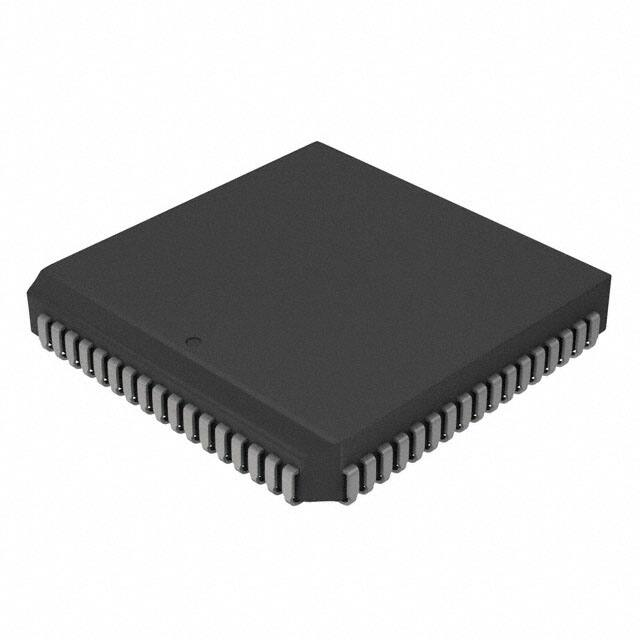
PIC18CXX8
High-Performance Microcontrollers with CAN Module
High Performance RISC CPU:
Advanced Analog Features:
• C-compiler optimized architecture instruction set
• Linear program memory addressing to 32 Kbytes
• Linear data memory addressing to 4 Kbytes
• 10-bit Analog-to-Digital Converter module (A/D)
with:
- Fast sampling rate
- Conversion available during SLEEP
- DNL = ±1 LSb, INL = ±1 LSb
- Up to 16 channels available
• Analog Comparator Module:
- 2 Comparators
- Programmable input and output multiplexing
• Comparator Voltage Reference Module
• Programmable Low Voltage Detection (LVD)
module
- Supports interrupt on low voltage detection
• Programmable Brown-out Reset (BOR)
Program Memory
On-Chip
Device
EPROM
(bytes)
Off-Chip
# Single
Maximum
Word
Addressing
Instructions
(bytes)
On-Chip
RAM
(bytes)
PIC18C658
32 K
16384
N/A
1536
PIC18C858
32 K
16384
N/A
1536
• Up to 10 MIPS operation:
- DC - 40 MHz clock input
- 4 MHz - 10 MHz osc./clock input with PLL active
• 16-bit wide instructions, 8-bit wide data path
• Priority levels for interrupts
• 8 x 8 Single Cycle Hardware Multiplier
Peripheral Features:
•
•
•
•
•
•
•
•
•
•
•
High current sink/source 25 mA/25 mA
Up to 76 I/O with individual direction control
Four external interrupt pins
Timer0 module: 8-bit/16-bit timer/counter with
8-bit programmable prescaler
Timer1 module: 16-bit timer/counter
Timer2 module: 8-bit timer/counter with 8-bit
period register (time base for PWM)
Timer3 module: 16-bit timer/counter
Secondary oscillator clock option - Timer1/Timer3
Two Capture/Compare/PWM (CCP) modules
CCP pins can be configured as:
- Capture input: 16-bit, max resolution 6.25 ns
- Compare is 16-bit, max resolution 100 ns (TCY)
- PWM output: PWM resolution is 1- to 10-bit.
Max. PWM freq. @:8-bit resolution = 156 kHz
10-bit resolution = 39 kHz
Master Synchronous Serial Port (MSSP) with two
modes of operation:
- 3-wire SPI™ (Supports all 4 SPI modes)
- I2C™ Master and Slave mode
Addressable USART module: Supports Interrupt
on Address bit
2000 Microchip Technology Inc.
CAN BUS Module Features:
• Message bit rates up to 1 Mbps
• Conforms to CAN 2.0B ACTIVE Spec with:
- 29-bit Identifier Fields
- 8 byte message length
• 3 Transmit Message Buffers with prioritization
• 2 Receive Message Buffers
• 6 full 29-bit Acceptance Filters
• Prioritization of Acceptance Filters
• Multiple Receive Buffers for High Priority
Messages to prevent loss due to overflow
• Advanced Error Management Features
Special Microcontroller Features:
• Power-on Reset (POR), Power-up Timer (PWRT),
and Oscillator Start-up Timer (OST)
• Watchdog Timer (WDT) with its own on-chip RC
oscillator
• Programmable code protection
• Power saving SLEEP mode
• Selectable oscillator options, including:
- 4X Phase Lock Loop (of primary oscillator)
- Secondary Oscillator (32 kHz) clock input
• In-Circuit Serial Programming (ICSP™) via two pins
CMOS Technology:
•
•
•
•
•
Low power, high speed EPROM technology
Fully static design
Wide operating voltage range (2.5V to 5.5V)
Industrial and Extended temperature ranges
Low power consumption
Advanced Information
DS30475A-page 1
�PIC18CXX8
Pin Diagrams
RD4/PSP4
RD5/PSP5
RD6/PSP6
RD7/PSP7
RD2/PSP2
RD3/PSP3
VSS
RD1/PSP1
RD0/PSP0
VDD
RE5
RE6
RE7/CCP2
RE3
RE4
RE2/CS
64-Pin TQFP
64 63 62 61 60 59 58 57 56 55 54 53 52 51 50 49
RE1/WR
1
48
RB0/INT0
RE0/RD
2
47
RB1/INT1
RG0/CANTX1
3
46
RB2/INT2
RG1/CANTX2
4
45
RB3/INT3
RG2/CANRX
5
44
RB4
RG3
6
43
RB5
MCLR/VPP
RG4
7
42
RB6
41
VSS
VSS
9
40
OSC2/CLKO/RA6
VDD
10
39
OSC1/CLKI
RF7
11
38
VDD
RF6/AN11
12
37
RB7
RF5/AN10/CVREF
13
36
RC5/SDO
RF4/AN9
14
35
RC4/SDI/SDA
RF3/AN8
15
34
RC3/SCK/SCL
RF2/AN7/C1OUT
16
33
RC2/CCP1
PIC18C658
8
DS30475A-page 2
RC0/T1OSO/T13CKI
RC6/TX/CK
RC7/RX/DT
RA4/T0CKI
RC1/T1OSI
VDD
RA5/SS/AN4/LVDIN
RA0/AN0
VSS
RA1/AN1
RA2/AN2/VREF-
AVSS
RA3/AN3/VREF+
RF0/AN5
AVDD
RF1/AN6/C2OUT
17 18 19 20 21 22 23 24 25 26 27 28 29 30 31 32
Advanced Information
2000 Microchip Technology Inc.
�PIC18CXX8
Pin Diagrams (Cont.’d)
RE2/CS
RE3
RE4
RE5
RE6
RE7/CCP2
RD0/PSP0
VDD
NC
VSS
RD1/PSP1
RD2/PSP2
RD3/PSP3
RD4/PSP4
RD5/PSP5
RD6/PSP6
RD7/PSP7
68-Pin PLCC
9 8 7 6 5 4 3 2 1 68 67 66 65 64 63 62 61
RE1/WR
RE0/RD
RG0/CANTX1
RG1/CANTX2
RG2/CANRX
RG3
MCLR/VPP
RG4
NC
VSS
VDD
RF7
RF6/AN11
RF5/AN10/CVREF
RF4/AN9
RF3/AN8
RF2/AN7/C1OUT
10
11
12
13
14
15
16
17
18
19
20
21
22
23
24
25
26
PIC18C658
60
59
58
57
56
55
54
53
52
51
50
49
48
47
46
45
44
RB0/INT0
RB1/INT1
RB2/INT2
RB3/INT3
RB4
RB5
RB6
VSS
NC
OSC2/CLKO/RA6
OSC1/CLKI
VDD
RB7
RC5/SDO
RC4/SDI/SDA
RC3/SCK/SCL
RC2/CCP1
2000 Microchip Technology Inc.
VDD
RA5/SS/AN4/LVDIN
RA4/T0CKI
RC1/T1OSI
RC0/T1OSO/T13CKI
RC6/TX/CK
RC7/RX/DT
RF1/AN6/C2OUT
RF0/AN5
AVDD
AVSS
RA3/AN3/VREF+
RA2/AN2/VREFRA1/AN1
RA0/AN0
NC
VSS
27 28 29 30 31 32 33 34 35 36 37 38 39 40 41 42 43
Advanced Information
DS30475A-page 3
�PIC18CXX8
Pin Diagrams (Cont.’d)
RD6/PSP6
RD7/PSP7
RJ0
RJ1
RD4/PSP4
RD5/PSP5
RD1/PSP1
RD2/PSP2
RD3/PSP3
VSS
RE5
RE6
RE7/CCP2
RD0/PSP0
VDD
RH1
RH0
RE2/CS
RE3
RE4
80-Pin TQFP
80 79 78 77 76 75 74 73 72 71 70 69 68 67 66 65 64 63 62 61
RH2
1
60
RJ2
RH3
2
59
RE1/WR
3
58
RJ3
RB0/INT0
RE0/RD
4
57
RB1/INT1
RG0/CANTX1
5
56
RB2/INT2
RG1/CANTX2
6
55
RB3/INT3
RG2/CANRX
7
54
RB4
RG3
8
53
RB5
MCLR/VPP
9
52
RB6
RG4
10
51
VSS
VSS
11
50
OSC2/CLKO/RA6
VDD
12
49
OSC1/CLKI
RF7
13
48
VDD
14
47
RB7
RF5/AN10/CVREF
15
46
RC5/SDO
RF4/AN9
16
45
RC4/SDI/SDA
RC3/SCK/SCL
RF6/AN11
PIC18C858
RF3/AN8
17
44
RF2/AN7/C1OUT
18
43
RC2/CCP1
RH7/AN15
19
42
RK3
RH6/AN14
20
41
RK2
DS30475A-page 4
Advanced Information
RK0
RK1
RC0/T1OSO/T13CKI
RC6/TX/CK
RC7/RX/DT
RA4/T0CKI
RC1/T1OSI
RA5/SS/AN4/LVDIN
VDD
RA0/AN0
VSS
RA1/AN1
RA2/AN2/VREF-
AVSS
RA3/AN3/VREF+
AVDD
RF0/AN5
RF1/AN6/C2OUT
RH5/AN13
RH4/AN12
21 22 23 24 25 26 27 28 29 30 31 32 33 34 35 36 37 38 39 40
2000 Microchip Technology Inc.
�PIC18CXX8
Pin Diagrams (Cont.’d)
RH1
RH0
RE2/CS
RE3
RE4
RE5
RE6
RE7/CCP2
RD0/PSP0
VDD
NC
VSS
RD1/PSP1
RD2/PSP2
RD3/PSP3
RD4/PSP4
RD5/PSP5
RD6/PSP6
RD7/PSP7
RJ0
RJ1
84-Pin PLCC
11 10 9 8 7 6 5 4 3 2 1 84 83 82 81 80 79 78 77 76 75
RH2
RH3
RE1/WR
RE0/RD
RG0/CANTX1
RG1/CANTX2
RG2/CANRX
RG3
MCLR/VPP
RG4
NC
VSS
VDD
RF7
RF6/AN11
RF5/AN10/CVREF
RF4/AN9
RF3/AN8
RF2/AN7/C1OUT
RH7/AN15
RH6/AN14
12
13
14
15
16
17
18
19
20
21
22
23
24
25
26
27
28
29
30
31
32
74
73
72
71
70
69
68
67
66
65
64
63
62
61
60
59
58
57
56
55
54
PIC18C858
RJ2
RJ3
RB0/INT0
RB1/INT1
RB2/INT2
RB3/INT3
RB4
RB5
RB6
VSS
NC
OSC2/CLKO/RA6
OSC1/CLKI
VDD
RB7
RC5/SDO
RC4/SDI/SDA
RC3/SCK/SCL
RC2/CCP1
RK3
RK2
2000 Microchip Technology Inc.
Advanced Information
RK1
RH5/AN13
RH4/AN12
RF1/AN6/C2OUT
RF0/AN5
AVDD
AVSS
RA3/AN3/VREF+
RA2/AN2/VREFRA1/AN1
RA0/AN0
NC
VSS
VDD
RA5/SS/AN4/LVDIN
RA4/T0CKI
RC1/T1OSI
RC0/T1OSO/T13CKI
RC6/TX/CK
RC7/RX/DT
RK0
33 34 35 36 37 38 39 40 41 42 43 44 45 46 47 48 49 50 51 52 53
DS30475A-page 5
�PIC18CXX8
Table of Contents
1.0 Device Overview .......................................................................................................................................................................... 9
2.0 Oscillator Configurations ............................................................................................................................................................ 21
3.0 Reset .......................................................................................................................................................................................... 29
4.0 Memory Organization ................................................................................................................................................................. 41
5.0 Table Reads/Table Writes .......................................................................................................................................................... 65
6.0 8 X 8 Hardware Multiplier ........................................................................................................................................................... 71
7.0 Interrupts .................................................................................................................................................................................... 75
8.0 I/O Ports ..................................................................................................................................................................................... 89
9.0 Parallel Slave Port .................................................................................................................................................................... 109
10.0 Timer0 Module ......................................................................................................................................................................... 113
11.0 Timer1 Module ......................................................................................................................................................................... 117
12.0 Timer2 Module ......................................................................................................................................................................... 121
13.0 Timer3 Module ......................................................................................................................................................................... 123
14.0 Capture/Compare/PWM (CCP) Modules ................................................................................................................................. 127
15.0 Master Synchronous Serial Port (MSSP) Module .................................................................................................................... 135
16.0 Addressable Universal Synchronous Asynchronous Receiver Transmitter (USART).............................................................. 167
17.0 CAN Module ............................................................................................................................................................................. 183
18.0 10-bit Analog-to-Digital Converter (A/D) Module ...................................................................................................................... 227
19.0 Comparator Module.................................................................................................................................................................. 237
20.0 Comparator Voltage Reference Module ................................................................................................................................... 243
21.0 Low Voltage Detect .................................................................................................................................................................. 247
22.0 Special Features of the CPU .................................................................................................................................................... 251
23.0 Instruction Set Summary .......................................................................................................................................................... 261
24.0 Development Support............................................................................................................................................................... 305
25.0 Electrical Characteristics .......................................................................................................................................................... 311
26.0 DC and AC Characteristics Graphs and Tables ....................................................................................................................... 341
27.0 Packaging Information.............................................................................................................................................................. 343
Appendix A: Data Sheet Revision History ...................................................................................................................................... 349
Appendix B: Device Differences..................................................................................................................................................... 349
Appendix C: Device Migrations ...................................................................................................................................................... 350
Appendix D: Migrating from other PICmicro Devices ..................................................................................................................... 350
Appendix E: Development Tool Version Requirements ................................................................................................................. 351
Index .................................................................................................................................................................................................. 353
On-Line Support................................................................................................................................................................................. 361
Reader Response .............................................................................................................................................................................. 362
PIC18CXX8 Product Identification System ........................................................................................................................................ 363
DS30475A-page 6
Advanced Information
2000 Microchip Technology Inc.
�PIC18CXX8
TO OUR VALUED CUSTOMERS
It is our intention to provide our valued customers with the best documentation possible to ensure successful use of your Microchip products. To this end, we will continue to improve our publications to better suit your needs. Our publications will be refined
and enhanced as new volumes and updates are introduced.
If you have any questions or comments regarding this publication, please contact the Marketing Communications Department
via E-mail at docerrors@mail.microchip.com or fax the Reader Response Form in the back of this data sheet to (480) 7924150. We welcome your feedback.
Most Current Data Sheet
To obtain the most up-to-date version of this data sheet, please register at our Worldwide Web site at:
http://www.microchip.com
You can determine the version of a data sheet by examining its literature number found on the bottom outside corner of any page.
The last character of the literature number is the version number, (e.g., DS30000A is version A of document DS30000).
Errata
An errata sheet, describing minor operational differences from the data sheet and recommended workarounds, may exist for current
devices. As device/documentation issues become known to us, we will publish an errata sheet. The errata will specify the revision
of silicon and revision of document to which it applies.
To determine if an errata sheet exists for a particular device, please check with one of the following:
• Microchip’s Worldwide Web site; http://www.microchip.com
• Your local Microchip sales office (see last page)
• The Microchip Corporate Literature Center; U.S. FAX: (480) 792-7277
When contacting a sales office or the literature center, please specify which device, revision of silicon and data sheet (include literature number) you are using.
Customer Notification System
Register on our web site at www.microchip.com/cn to receive the most current information on all of our products.
2000 Microchip Technology Inc.
Advanced Information
DS30475A-page 7
�PIC18CXX8
NOTES:
DS30475A-page 8
Advanced Information
2000 Microchip Technology Inc.
�PIC18CXX8
1.0
DEVICE OVERVIEW
This document contains device specific information for
the following three devices:
1.
2.
The following two figures are device block diagrams
sorted by pin count; 64/68-pin for Figure 1-1 and
80/84-pin for Figure 1-2. The 64/68-pin and 80/84-pin
pinouts are listed in Table 1-2.
PIC18C658
PIC18C858
The PIC18C658 is available in 64-pin TQFP and 68-pin
PLCC packages. The PIC18C858 is available in 80-pin
TQFP and 84-pin PLCC packages.
An overview of features is shown in Table 1-1.
TABLE 1-1:
DEVICE FEATURES
Features
Operating Frequency
Bytes
Program Memory
Internal
# of Single word
Instructions
Data Memory (Bytes)
Interrupt sources
PIC18C658
PIC18C858
DC - 40 MHz
DC - 40 MHz
32 K
32 K
16384
16384
1536
1536
21
21
Ports A – G
Ports A – H, J, K
Timers
4
4
Capture/Compare/PWM modules
2
2
MSSP, CAN
Addressable USART
MSSP, CAN
Addressable USART
I/O Ports
Serial Communications
Parallel Communications
10-bit Analog-to-Digital Module
Analog Comparators
RESETS (and Delays)
Programmable Low Voltage Detect
PSP
PSP
12 input channels
16 input channels
2
2
POR, BOR,
POR, BOR,
RESET Instruction, Stack Full, RESET Instruction, Stack Full,
Stack Underflow
Stack Underflow
(PWRT, OST)
(PWRT, OST)
Yes
Yes
Programmable Brown-out Reset
Yes
Yes
CAN Module
Yes
Yes
In-Circuit Serial Programming (ICSP™)
Instruction Set
Packages
2000 Microchip Technology Inc.
Yes
Yes
75 Instructions
75 Instructions
64-pin TQFP
68-pin CERQUAD
(Windowed)
68-pin PLCC
80-pin TQFP
84-pin CERQUAD
(Windowed)
84-pin PLCC
Advanced Information
DS30475A-page 9
�PIC18CXX8
FIGURE 1-1:
PIC18C658 BLOCK DIAGRAM
Data Bus
Table Pointer
21
RA0/AN0
RA1/AN1
RA2/AN2/VREFRA3/AN3/VREF+
RA4/T0CKI
RA5/AN4/SS/LVDIN
RA6
Data Latch
8
21
PORTA
8
Data RAM
( 1.5 K )
inc/dec logic
Address Latch
20
PCLATU PCLATH
PCU PCH PCL
Program Counter
12
4
BSR
Address Latch
Program Memory
(32 Kbytes)
PORTB
12
Address
31 Level Stack
RB0/INT0
RB1/INT1
RB2/INT2
RB3/INT3
RB7:RB4
4
Bank0, F
FSR0
FSR1
FSR2
12
Data Latch
Decode
TABLELATCH
16
PORTC
inc/dec
logic
RC0/T1OSO/T13CKI
RC1/T1OSI
RC2/CCP1
RC3/SCK/SCL
RC4/SDI/SDA
RC5/SDO
RC6/TX/CK
RC7/RX/DT
8
ROMLATCH
IR
PORTD
8
RD7/PSP7:RD0/PSP0
PRODH PRODL
PORTE
Instruction
Decode &
Control
OSC2/CLKO
OSC1/CLKI
8 x 8 Multiply
Power-up
Timer
Timing
Generation
BITOP
8
Oscillator
Start-up Timer
RE0/RD
RE1/WR
RE2/CS
RE3
RE4
RE5
RE6
RE7/CCP2
PORTF
RF7
8
RF6/AN11:RF0/AN5
PORTG
RG0/CANTX1
RG1/CANTX2
RG2/CANRX
RG3
RG4
VDD, VSS
BOR
LVD
Timer0
Timer1
Timer2
Comparator
CCP1
CCP2
Synchronous
Serial Port
DS30475A-page 10
8
ALU
Watchdog
Timer
Brown-out
Reset
MCLR
WREG
8
8
Power-on
Reset
Precision
Bandgap
Reference
8
3
Timer3
USART
Advanced Information
10-bit
ADC
CAN Module
2000 Microchip Technology Inc.
�PIC18CXX8
FIGURE 1-2:
PIC18C858 BLOCK DIAGRAM
Data Bus
Table Pointer
21
RA0/AN0
RA1/AN1
RA2/AN2/VREFRA3/AN3/VREF+
RA4/T0CKI
RA5/AN4/SS/LVDIN
RA6
Data Latch
8
8
21
PORTA
Data RAM
( 1.5 K )
inc/dec logic
Address Latch
20
PCLATU PCLATH
PCU PCH PCL
Program Counter
12
4
BSR
Address Latch
Program Memory
(32 Kbytes)
PORTB
12
Address
Bank0, F
FSR0
FSR1
FSR2
31 Level Stack
RB0/INT0
RB1/INT1
RB2/INT2
RB3/INT3
RB7:RB4
4
12
Data Latch
TABLELATCH
16
PORTC
inc/dec
logic
Decode
RC0/T1OSO/T13CKI
RC1/T1OSI
RC2/CCP1
RC3/SCK/SCL
RC4/SDI/SDA
RC5/SDO
RC6/TX/CK
RC7/RX/DT
8
ROMLATCH
IR
PORTD
8
RD7/PSP7:RD0/PSP0
PRODH PRODL
PORTE
Instruction
Decode &
Control
OSC2/CLKO
OSC1/CLKI
8 x 8 Multiply
WREG
8
BITOP
8
Power-up
Timer
Timing
Generation
8
3
Oscillator
Start-up Timer
8
ALU
Power-on
Reset
Precision
Bandgap
Reference
RF7
RF6/AN11:RF0/AN5
PORTG
RG0/CANTX1
RG1/CANTX2
RG2/CANRX
RG3
RG4
VDD, VSS
PORTK
PORTH
PORTJ
RK0
RK1
RK2
RK3
RH0
RH1
RH2
RH3
RH7/AN15:RH4/AN12
RJ0
RJ1
RJ2
RJ3
BOR
LVD
Timer0
Timer1
Timer2
Comparator
CCP1
CCP2
Synchronous
Serial Port
2000 Microchip Technology Inc.
PORTF
8
Watchdog
Timer
Brown-out
Reset
MCLR
8
RE0/RD
RE1/WR
RE2/CS
RE3
RE4
RE5
RE6
RE7
Timer3
USART
Advanced Information
10-bit
ADC
CAN Module
DS30475A-page 11
�PIC18CXX8
TABLE 1-2:
PINOUT I/O DESCRIPTIONS
Pin Number
Pin Name
PIC18C658
MCLR/VPP
MCLR
PIC18C858
TQFP
PLCC
TQFP
PLCC
7
16
9
20
VPP
NC
—
1, 18,
35, 52
—
1, 22,
43, 64
OSC1/CLKI
OSC1
39
50
49
62
CLKI
OSC2/CLKO/RA6
OSC2
40
51
50
=
=
=
=
TTL compatible input
Schmitt Trigger input with CMOS levels
Input
Power
DS30475A-page 12
Buffer
Type
Description
I
ST
P
—
—
I
CMOS/ST
I
CMOS
O
—
Master clear (RESET) input. This pin is
an active low RESET to the device.
Programming voltage input
These pins should be left
unconnected
Oscillator crystal input or external
clock source input. ST buffer when
configured in RC mode. Otherwise
CMOS.
External clock source input. Always
associated with pin function OSC1
(see OSC1/CLKI, OSC2/CLKO pins).
63
CLKO
RA6
Legend: TTL
ST
I
P
Pin
Type
Oscillator crystal output.
Connects to crystal or resonator in
Crystal Oscillator mode.
O
—
In RC mode, OSC2 pin outputs CLKO,
which has 1/4 the frequency of OSC1
and denotes the instruction cycle rate
I/O
TTL
General purpose I/O pin
CMOS = CMOS compatible input or output
Analog = Analog input
O
= Output
OD
= Open Drain (no P diode to VDD)
Advanced Information
2000 Microchip Technology Inc.
�PIC18CXX8
TABLE 1-2:
PINOUT I/O DESCRIPTIONS (CONTINUED)
Pin Number
Pin Name
PIC18C658
PIC18C858
TQFP
PLCC
TQFP
PLCC
24
34
30
42
Pin
Type
Buffer
Type
Description
PORTA is a bi-directional I/O port
RA0/AN0
RA0
AN0
RA1/AN1
RA1
AN1
RA2/AN2/VREFRA2
AN2
VREFRA3/AN3/VREF+
RA3
AN3
VREF+
RA4/T0CKI
RA4
23
22
21
28
33
32
31
39
29
28
27
34
TTL
Analog
Digital I/O
Analog input 0
I/O
I
TTL
Analog
Digital I/O
Analog input 1
I/O
I
I
TTL
Analog
Analog
Digital I/O
Analog input 2
A/D reference voltage (Low) input
I/O
I
I
TTL
Analog
Analog
Digital I/O
Analog input 3
A/D reference voltage (High) input
I/O
ST/OD
I
ST
Digital I/O – Open drain when
configured as output
Timer0 external clock input
I/O
I
I
I
TTL
Analog
ST
Analog
41
40
39
47
T0CKI
27
38
33
46
RA5/AN4/SS/LVDIN
RA5
AN4
SS
LVDIN
RA6
Legend: TTL = TTL compatible input
ST = Schmitt Trigger input with CMOS levels
I
= Input
P = Power
2000 Microchip Technology Inc.
I/O
I
CMOS
Analog
O
OD
=
=
=
=
Digital I/O
Analog input 4
SPI slave select input
Low voltage detect input
See the OSC2/CLKO/RA6 pin
CMOS compatible input or output
Analog input
Output
Open Drain (no P diode to VDD)
Advanced Information
DS30475A-page 13
�PIC18CXX8
TABLE 1-2:
PINOUT I/O DESCRIPTIONS (CONTINUED)
Pin Number
PIC18C658
Pin Name
TQFP
PLCC
PIC18C858
TQFP
Pin
Type
Buffer
Type
PLCC
Description
PORTB is a bi-directional I/O port.
PORTB can be software
programmed for internal weak pull-ups on
all inputs.
RB0/INT0
RB0
INT0
RB1/INT1
RB1
INT1
RB2/INT2
RB2
INT2
RB3/INT3
RB3
INT3
RB4
48
44
56
54
68
RB5
43
55
53
67
RB6
42
54
52
66
RB7
37
48
47
60
Legend:
47
46
45
TTL
ST
I
P
=
=
=
=
60
59
58
57
58
57
56
55
72
TTL
ST
Digital I/O
External interrupt 0
I/O
I
TTL
ST
Digital I/O
External interrupt 1
I/O
I
TTL
ST
Digital I/O
External interrupt 2
I/O
I/O
I/O
TTL
ST
TTL
71
70
69
TTL compatible input
Schmitt Trigger input with CMOS levels
Input
Power
DS30475A-page 14
I/O
I
Digital I/O
External interrupt 3
Digital I/O
Interrupt on change pin
I/O
TTL
Digital I/O
Interrupt-on-change pin
I/O
TTL
Digital I/O
Interrupt-on-change pin
I
ST
ICSP programming clock
I/O
TTL
Digital I/O
Interrupt-on-change pin
I/O
ST
ICSP programming data
CMOS = CMOS compatible input or output
Analog = Analog input
O
= Output
OD
= Open Drain (no P diode to VDD)
Advanced Information
2000 Microchip Technology Inc.
�PIC18CXX8
TABLE 1-2:
PINOUT I/O DESCRIPTIONS (CONTINUED)
Pin Number
Pin Name
PIC18C658
PIC18C858
TQFP
PLCC
TQFP
PLCC
RC0/T1OSO/T13CKI
RC0
T1OSO
T13CKI
RC1/T1OSI
RC1
T1OSI
RC2/CCP1
RC2
CCP1
30
41
36
49
RC3/SCK/SCL
RC3
SCK
34
Pin
Type
Buffer
Type
Description
PORTC is a bi-directional I/O port
29
33
40
44
45
35
43
44
35
RC5/SDO
RC5
SDO
RC6/TX/CK
RC6
TX
CK
36
RC7/RX/DT
RC7
RX
DT
32
Legend:
TTL
ST
I
P
31
=
=
=
=
46
47
42
43
45
46
37
38
Digital I/O
Timer1 oscillator output
Timer1/Timer3 external clock input
I/O
I
ST
CMOS
I/O
I/O
ST
ST
Digital I/O
Capture1 input/Compare1
output/PWM1 output
I/O
I/O
ST
ST
I/O
ST
Digital I/O
Synchronous serial clock
input/output for SPI mode
Synchronous serial clock
input/output for I2C mode
I/O
I
I/O
ST
ST
ST
Digital I/O
SPI data in
I/O
O
ST
—
Digital I/O
SPI data out
I/O
O
I/O
ST
—
ST
Digital I/O
USART asynchronous transmit
USART synchronous clock
(See RX/DT)
I/O
I
I/O
ST
ST
ST
Digital I/O
Timer1 oscillator input
56
57
58
I2C data I/O
59
50
51
TTL compatible input
Schmitt Trigger input with CMOS levels
Input
Power
2000 Microchip Technology Inc.
ST
—
ST
48
SCL
RC4/SDI/SDA
RC4
SDI
SDA
I/O
O
I
CMOS
Analog
O
OD
=
=
=
=
Digital I/O
USART asynchronous receive
USART synchronous data
(See TX/CK)
CMOS compatible input or output
Analog input
Output
Open Drain (no P diode to VDD)
Advanced Information
DS30475A-page 15
�PIC18CXX8
TABLE 1-2:
PINOUT I/O DESCRIPTIONS (CONTINUED)
Pin Number
PIC18C658
Pin Name
TQFP
PLCC
PIC18C858
TQFP
Pin
Type
Buffer
Type
PLCC
Description
PORTD is a bi-directional I/O port. These
pins have TTL input buffers when external
memory is enabled.
RD0/PSP0
RD0
PSP0
58
RD1/PSP1
RD1
PSP1
RD2/PSP2
RD2
PSP2
RD3/PSP3
RD3
PSP3
RD4/PSP4
RD4
PSP4
RD5/PSP5
RD5
PSP5
RD6/PSP6
RD6
PSP6
RD7/PSP7
RD7
PSP7
Legend: TTL
ST
I
P
55
54
53
52
51
50
49
=
=
=
=
3
67
66
65
64
63
62
61
72
69
68
67
66
65
64
63
3
ST
TTL
Digital I/O
Parallel slave port data
I/O
I/O
ST
TTL
Digital I/O
Parallel slave port data
I/O
I/O
ST
TTL
Digital I/O
Parallel slave port data
I/O
I/O
ST
TTL
Digital I/O
Parallel slave port data
I/O
I/O
ST
TTL
Digital I/O
Parallel slave port data
I/O
I/O
ST
TTL
Digital I/O
Parallel slave port data
I/O
I/O
ST
TTL
Digital I/O
Parallel slave port data
83
82
81
80
79
78
77
TTL compatible input
Schmitt Trigger input with CMOS levels
Input
Power
DS30475A-page 16
I/O
I/O
I/O
ST
Digital I/O
I/O
TTL
Parallel slave port data
CMOS = CMOS compatible input or output
Analog = Analog input
O
= Output
OD
= Open Drain (no P diode to VDD)
Advanced Information
2000 Microchip Technology Inc.
�PIC18CXX8
TABLE 1-2:
PINOUT I/O DESCRIPTIONS (CONTINUED)
Pin Number
Pin Name
PIC18C658
PIC18C858
TQFP
PLCC
TQFP
PLCC
RE0/RD
RE0
RD
2
11
4
15
RE1/WR
RE1
WR
1
RE2/CS
RE2
CS
64
RE3
RE4
RE5
RE6
RE7/CCP2
RE7
CCP2
63
62
61
60
59
Pin
Type
Buffer
Type
Description
PORTE is a bi-directional I/O port
Legend:
TTL
ST
I
P
=
=
=
=
10
9
8
7
6
5
4
3
78
77
76
75
74
73
ST
TTL
Digital I/O
Read control for parallel slave port
(See WR and CS pins)
I/O
I
ST
TTL
Digital I/O
Write control for parallel slave port
(See CS and RD pins)
I/O
I
ST
TTL
I/O
I/O
I/O
I/O
ST
ST
ST
ST
Digital I/O
Chip select control for parallel slave
port (See RD and WR)
Digital I/O
Digital I/O
Digital I/O
Digital I/O
I/O
I/O
ST
ST
14
9
8
7
6
5
4
TTL compatible input
Schmitt Trigger input with CMOS levels
Input
Power
2000 Microchip Technology Inc.
I/O
I
CMOS
Analog
O
OD
=
=
=
=
Digital I/O
Capture2 input, Compare2 output,
PWM2 output
CMOS compatible input or output
Analog input
Output
Open Drain (no P diode to VDD)
Advanced Information
DS30475A-page 17
�PIC18CXX8
TABLE 1-2:
PINOUT I/O DESCRIPTIONS (CONTINUED)
Pin Number
Pin Name
PIC18C658
PIC18C858
TQFP
PLCC
TQFP
PLCC
18
28
24
36
Pin
Type
Buffer
Type
Description
PORTF is a bi-directional I/O port
RF0/AN5
RF0
AN5
RF1/AN6/C2OUT
17
27
23
35
RF1
AN6
C2OUT
RF2/AN7/C1OUT
16
26
18
30
RF2
AN7
C1OUT
RF3/AN8
15
25
17
29
RF1
AN8
RF4/AN9
14
24
16
28
RF1
AN9
RF5/AN10/CVREF
13
23
15
27
RF1
AN10
CVREF
RF6/AN11
12
22
14
26
RF6
AN11
RF7
11
21
13
25
Legend: TTL = TTL compatible input
ST = Schmitt Trigger input with CMOS levels
I
= Input
P = Power
DS30475A-page 18
I/O
I
ST
Analog
Digital I/O
Analog input 5
I/O
I
O
ST
Analog
ST
Digital I/O
Analog input 6
Comparator 2 output
I/O
I
O
ST
Analog
ST
Digital I/O
Analog input 7
Comparator 1 output
I/O
I
ST
Analog
Digital I/O
Analog input 8
I/O
I
ST
Analog
Digital I/O
Analog input 9
I/O
I
O
ST
Analog
Analog
Digital I/O
Analog input 10
Comparator VREF output
I/O
ST
Digital I/O
I
Analog
Analog input 11
I/O
ST
Digital I/O
CMOS = CMOS compatible input or output
Analog = Analog input
O
= Output
OD
= Open Drain (no P diode to VDD)
Advanced Information
2000 Microchip Technology Inc.
�PIC18CXX8
TABLE 1-2:
PINOUT I/O DESCRIPTIONS (CONTINUED)
Pin Number
Pin Name
PIC18C658
PIC18C858
TQFP
PLCC
TQFP
PLCC
RG0/CANTX1
RG0
CANTX1
RG1/CANTX2
RG1
CANTX2
3
12
5
16
RG2/CANRX
RG2
CANRX
RG3
RG4
5
Pin
Type
Buffer
Type
Description
PORTG is a bi-directional I/O port
RH0
RH1
RH2
RH3
RH4/AN12
RH4
AN12
RH5/AN13
RH5
AN13
RH6/AN14
RH6
AN14
RH7/AN15
RH7
AN15
Legend: TTL
ST
I
P
4
14
6
7
8
10
19
21
—
—
—
—
—
—
—
—
—
—
79
80
1
2
22
10
11
12
13
34
—
—
—
—
21
20
19
I/O
O
ST
CAN Bus
Digital I/O
Complimentary CAN bus output
or CAN bus bit time clock
I/O
I
I/O
I/O
ST
CAN Bus
ST
ST
I/O
I/O
I/O
I/O
ST
ST
ST
ST
I/O
I
ST
Analog
Digital I/O
Analog input 12
I/O
I
ST
Analog
Digital I/O
Analog input 13
I/O
I
ST
Analog
Digital I/O
Analog input 14
Digital I/O
CAN bus input
Digital I/O
Digital I/O
PORTH is a bi-directional I/O port.
Digital I/O
Digital I/O
Digital I/O
Digital I/O
33
32
31
TTL compatible input
Schmitt Trigger input with CMOS levels
Input
Power
2000 Microchip Technology Inc.
Digital I/O
CAN bus output
18
15
17
—
ST
CAN Bus
17
6
8
—
=
=
=
=
13
I/O
O
I/O
ST
Digital I/O
I
Analog
Analog input 15
CMOS = CMOS compatible input or output
Analog = Analog input
O
= Output
OD
= Open Drain (no P diode to VDD)
Advanced Information
DS30475A-page 19
�PIC18CXX8
TABLE 1-2:
PINOUT I/O DESCRIPTIONS (CONTINUED)
Pin Number
PIC18C658
Pin Name
PIC18C858
TQFP
PLCC
TQFP
PLCC
—
—
—
—
62
—
76
—
Pin
Type
Buffer
Type
Description
PORTJ is a bi-directional I/O port
RJ0
RJ0
RJ0
RJ1
RJ1
—
—
—
—
61
—
75
—
—
—
—
—
60
—
74
—
—
—
—
—
59
—
73
—
RJ1
RJ2
RJ2
RJ2
RJ3
RJ3
RJ3
RK0
RK1
RK2
RK3
VSS
VDD
AVSS
AVDD
Legend:
TTL
ST
I
P
=
=
=
=
—
—
39
52
—
—
40
53
—
—
41
54
—
—
42
55
9, 25, 19, 36, 11, 31, 23, 44,
41, 56 53, 68 51, 70 65, 84
10, 26, 2, 20, 12, 32, 2, 24,
38, 57 37, 49 48, 71 45, 61
20
30
26
38
19
29
25
37
TTL compatible input
Schmitt Trigger input with CMOS levels
Input
Power
DS30475A-page 20
I/O
ST
Digital I/O
I/O
ST
Digital I/O
I/O
ST
Digital I/O
I/O
ST
I/O
I/O
I/O
I/O
P
ST
ST
ST
ST
—
Digital I/O
PORTK is a bi-directional I/O port
Digital I/O
Digital I/O
Digital I/O
Digital I/O
Ground reference for logic and I/O pins
P
—
Positive supply for logic and I/O pins
P
P
CMOS
Analog
O
OD
—
Ground reference for analog modules
—
Positive supply for analog modules
= CMOS compatible input or output
= Analog input
= Output
= Open Drain (no P diode to VDD)
Advanced Information
2000 Microchip Technology Inc.
�PIC18CXX8
2.0
OSCILLATOR
CONFIGURATIONS
2.1
Oscillator Types
FIGURE 2-1:
The PIC18CXX8 can be operated in one of eight oscillator modes, programmable by three configuration bits
(FOSC2, FOSC1, and FOSC0).
1.
2.
3.
4.
LP
XT
HS
HS4
5.
6.
RC
RCIO
7.
8.
EC
ECIO
2.2
Low Power Crystal
Crystal/Resonator
High Speed Crystal/Resonator
High Speed Crystal/Resonator with
PLL enabled
External Resistor/Capacitor
External Resistor/Capacitor with I/O
pin enabled
External Clock
External Clock with I/O pin enabled
C1(1)
CRYSTAL/CERAMIC
RESONATOR OPERATION
(HS, XT OR LP
OSC CONFIGURATION)
OSC1
XTAL
RS(2)
C2(1)
OSC2
RF(3)
To
internal
logic
SLEEP
PIC18CXX8
Note 1: See Table 2-1 and Table 2-2 for recommended values of C1 and C2.
2: A series resistor (RS) may be required
for AT strip cut crystals.
3: RF varies with the crystal chosen.
Crystal Oscillator/Ceramic
Resonators
In XT, LP, HS or HS4 (PLL) oscillator modes, a crystal
or ceramic resonator is connected to the OSC1 and
OSC2 pins to establish oscillation. Figure 2-1 shows
the pin connections. An external clock source may also
be connected to the OSC1 pin, as shown in Figure 2-3
and Figure 2-4.
The PIC18CXX8 oscillator design requires the use of a
parallel cut crystal.
Note:
Use of a series cut crystal may give a frequency out of the crystal manufacturer’s
specifications.
2000 Microchip Technology Inc.
Advanced Information
DS30475A-page 21
�PIC18CXX8
TABLE 2-1:
CERAMIC RESONATORS
Ranges Tested:
Mode
Freq
OSC1
OSC2
XT
455 kHz
2.0 MHz
4.0 MHz
68 - 100 pF
15 - 68 pF
15 - 68 pF
68 - 100 pF
15 - 68 pF
15 - 68 pF
HS
8.0 MHz
16.0 MHz
20.0 MHz
25.0 MHz
10 - 68 pF
10 - 22 pF
TBD
TBD
10 - 68 pF
10 - 22 pF
TBD
TBD
HS+PLL
4.0 MHz
8.0 MHz
10.0 MHz
TBD
10 - 68 pF
TBD
TBD
10 - 68 pF
TBD
Note 1: Recommended values of C1 and C2 are
identical to the ranges tested (Table 2-1).
2: Higher capacitance increases the stability
of the oscillator, but also increases the
start-up time.
3: Since each resonator/crystal has its own
characteristics, the user should consult the
resonator/crystal manufacturer for appropriate values of external components.
4: Rs may be required in HS mode, as well as
XT mode, to avoid overdriving crystals with
low drive level specification.
These values are for design guidance only. See
notes on this page.
Resonators Used:
455 kHz
Panasonic EFO-A455K04B
± 0.3%
2.0 MHz
Murata Erie CSA2.00MG
± 0.5%
4.0 MHz
Murata Erie CSA4.00MG
± 0.5%
8.0 MHz
Murata Erie CSA8.00MT
± 0.5%
16.0 MHz
Murata Erie CSA16.00MX
± 0.5%
All resonators used did not have built-in capacitors.
TABLE 2-2:
Osc Type
LP
XT
HS
HS+PLL
CAPACITOR SELECTION FOR
CRYSTAL OSCILLATOR
Crystal
Freq
Cap. Range
C1
Cap. Range
C2
32.0 kHz
33 pF
33 pF
200 kHz
15 pF
15 pF
200 kHz
47-68 pF
47-68 pF
1.0 MHz
15 pF
15 pF
4.0 MHz
15 pF
15 pF
4.0 MHz
15 pF
15 pF
8.0 MHz
15-33 pF
15-33 pF
20.0 MHz
15-33 pF
15-33 pF
25.0 MHz
TBD
TBD
4.0 MHz
15 pF
15 pF
8.0 MHz
15-33 pF
15-33 pF
10.0 MHz
TBD
TBD
These values are for design guidance only. See
notes on this page.
Crystals Used
32.0 kHz
Epson C-001R32.768K-A
± 20 PPM
200 kHz
STD XTL 200.000KHz
± 20 PPM
1.0 MHz
ECS ECS-10-13-1
± 50 PPM
4.0 MHz
ECS ECS-40-20-1
± 50 PPM
8.0 MHz
EPSON CA-301 8.000M-C
± 30 PPM
20.0 MHz
EPSON CA-301 20.000M-C
± 30 PPM
DS30475A-page 22
Advanced Information
2000 Microchip Technology Inc.
�PIC18CXX8
2.3
RC Oscillator
2.4
For timing insensitive applications, the “RC” and
"RCIO" device options offer additional cost savings.
The RC oscillator frequency is a function of the supply
voltage, the resistor (REXT) and capacitor (CEXT) values and the operating temperature. In addition to this,
the oscillator frequency will vary from unit to unit due
to normal process parameter variation. Furthermore,
the difference in lead frame capacitance between
package types will also affect the oscillation frequency,
especially for low CEXT values. The user also needs to
take into account variation due to tolerance of external
R and C components used. Figure 2-2 shows how the
R/C combination is connected.
External Clock Input
The EC and ECIO oscillator modes require an external
clock source to be connected to the OSC1 pin. The
feedback device between OSC1 and OSC2 is turned
off in these modes to save current. There is no oscillator start-up time required after a Power-on Reset or
after a recovery from SLEEP mode.
In the EC oscillator mode, the oscillator frequency
divided by 4 is available on the OSC2 pin. This signal
may be used for test purposes or to synchronize other
logic. Figure 2-3 shows the pin connections for the EC
oscillator mode.
FIGURE 2-3:
In the RC oscillator mode, the oscillator frequency
divided by 4 is available on the OSC2 pin. This signal
may be used for test purposes or to synchronize other
logic.
FIGURE 2-2:
RC OSCILLATOR MODE
EXTERNAL CLOCK INPUT
OPERATION
(EC OSC CONFIGURATION)
OSC1
Clock from
ext. system
PIC18CXX8
FOSC/4
VDD
REXT
Internal
clock
OSC1
CEXT
PIC18CXX8
VSS
FOSC/4
or I/O
Recommended values:
OSC2/CLKO/RA6
The ECIO oscillator mode functions like the EC mode,
except that the OSC2 pin becomes an additional general purpose I/O pin. The I/O pin becomes bit 6 of
PORTA (RA6). Figure 2-4 shows the pin connections
for the ECIO oscillator mode.
FIGURE 2-4:
3 kΩ ≤ REXT ≤ 100 kΩ
CEXT > 20pF
The RCIO oscillator mode functions like the RC mode,
except that the OSC2 pin becomes an additional general purpose I/O pin. The I/O pin becomes bit 6 of
PORTA (RA6).
2000 Microchip Technology Inc.
OSC2
EXTERNAL CLOCK INPUT
OPERATION
(ECIO CONFIGURATION)
OSC1
Clock from
ext. system
Advanced Information
PIC18CXX8
RA6
I/O (OSC2)
DS30475A-page 23
�PIC18CXX8
2.5
HS4 (PLL)
The PLL can only be enabled when the oscillator configuration bits are programmed for HS mode. If they
are programmed for any other mode, the PLL is not
enabled and the system clock will come directly from
OSC1.
A Phase Locked Loop circuit is provided as a programmable option for users that want to multiply the
frequency of the incoming crystal oscillator signal by 4.
For an input clock frequency of 10 MHz, the internal
clock frequency will be multiplied to 40 MHz. This is
useful for customers who are concerned with EMI due
to high frequency crystals.
The PLL is one of the modes of the FOSC2:FOSC0
configuration bits. The oscillator mode is specified during device programming.
A PLL lock timer is used to ensure that the PLL has
locked before device execution starts. The PLL lock
timer has a time-out referred to as TPLL.
FIGURE 2-5:
PLL BLOCK DIAGRAM
FOSC2:FOSC0 = ‘110’
Phase
Comparator
FIN
Loop
Filter
Crystal
Osc
VCO
SYSCLK
FOUT
OSC1
DS30475A-page 24
Divide by 4
Advanced Information
MUX
OSC2
2000 Microchip Technology Inc.
�PIC18CXX8
2.6
2.6.1
Oscillator Switching Feature
The PIC18CXX8 devices include a feature that allows
the system clock source to be switched from the main
oscillator to an alternate low frequency clock source.
For the PIC18CXX8 devices, this alternate clock
source is the Timer1 oscillator. If a low frequency crystal (32 kHz, for example) has been attached to the
Timer1 oscillator pins and the Timer1 oscillator has
been enabled, the device can switch to a low power
execution mode. Figure 2-6 shows a block diagram of
the system clock sources. The clock switching feature
is enabled by programming the Oscillator Switching
Enable (OSCSEN) bit in Configuration register
CONFIG1H to a ’0’. Clock switching is disabled in an
erased device. See Section 9 for further details of the
Timer1 oscillator. See Section 22.0 for Configuration
Register details.
FIGURE 2-6:
SYSTEM CLOCK SWITCH BIT
The system clock source switching is performed under
software control. The system clock switch bit, SCS
(OSCCON register), controls the clock switching. When
the SCS bit is ’0’, the system clock source comes from
the main oscillator selected by the FOSC2:FOSC0 configuration bits. When the SCS bit is set, the system clock
source will come from the Timer1 oscillator. The SCS bit
is cleared on all forms of RESET.
Note:
The Timer1 oscillator must be enabled to
switch the system clock source. The
Timer1 oscillator is enabled by setting the
T1OSCEN bit in the Timer1 control register
(T1CON). If the Timer1 oscillator is not
enabled, any write to the SCS bit will be
ignored (SCS bit forced cleared) and the
main oscillator will continue to be the system clock source.
DEVICE CLOCK SOURCES
PIC18CXX8
Main Oscillator
OSC2
SLEEP
4 x PLL
Tosc/4
Timer 1 Oscillator
T1OSO
MUX
TOSC
OSC1
TT1P
T1OSCEN
Enable
Oscillator
T1OSI
TSCLK
Clock
Source
Clock Source option
for other modules
Note:
REGISTER 2-1:
I/O pins have diode protection to VDD and VSS.
OSCCON REGISTER
U-0
—
bit 7
U-0
—
U-0
—
U-0
—
U-0
—
bit 7-1
Unimplemented: Read as '0'
bit 0
SCS: System Clock Switch bit
when OSCSEN configuration bit = ’0’ and T1OSCEN bit is set:
1 = Switch to Timer1 Oscillator/Clock pin
0 = Use primary Oscillator/Clock input pin
U-0
—
U-0
—
R/W-1
SCS
bit 0
when OSCSEN is clear or T1OSCEN is clear:
bit is forced clear
Legend:
R = Readable bit
W = Writable bit
U = Unimplemented bit, read as ‘0’
- n = Value at POR
’1’ = Bit is set
’0’ = Bit is cleared
2000 Microchip Technology Inc.
Advanced Information
x = Bit is unknown
DS30475A-page 25
�PIC18CXX8
2.6.2
OSCILLATOR TRANSITIONS
The sequence of events that takes place when switching from the Timer1 oscillator to the main oscillator will
depend on the mode of the main oscillator. In addition
to eight clock cycles of the main oscillator, additional
delays may take place.
The PIC18CXX8 devices contain circuitry to prevent
"glitches" when switching between oscillator sources.
Essentially, the circuitry waits for eight rising edges of
the clock source that the processor is switching to.
This ensures that the new clock source is stable and
that its pulse width will not be less than the shortest
pulse width of the two clock sources.
If the main oscillator is configured for an external crystal (HS, XT, LP), the transition will take place after an
oscillator start-up time (TOST) has occurred. A timing
diagram indicating the transition from the Timer1 oscillator to the main oscillator for HS, XT and LP modes is
shown in Figure 2-8.
A timing diagram indicating the transition from the
main oscillator to the Timer1 oscillator is shown in
Figure 2-7. The Timer1 oscillator is assumed to be
running all the time. After the SCS bit is set, the processor is frozen at the next occurring Q1 cycle. After
eight synchronization cycles are counted from the
Timer1 oscillator, operation resumes. No additional
delays are required after the synchronization cycles.
FIGURE 2-7:
TIMING DIAGRAM FOR TRANSITION FROM OSC1 TO TIMER1 OSCILLATOR
Q1 Q2
Q3 Q4
Q1
Q1
Q2
Q3
Q4
Q1
Q2
Q3
Q4
Q1
TT1P
1
T1OSI
2
3
4
5
6
7
8
Tscs
OSC1
TOSC
Internal
System
Clock
SCS
(OSCCON)
Program
Counter
Note 1:
TDLY
PC
PC + 2
PC + 4
Delay on internal system clock is eight oscillator cycles for synchronization.
FIGURE 2-8:
TIMING DIAGRAM FOR TRANSITION BETWEEN TIMER1 AND OSC1 (HS,XT,LP)
Q3
Q4
Q1
Q1
TT1P
Q2 Q3
Q4
Q1
Q2
Q3
T1OSI
1
OSC1
2
3
TOST
4
5
6
7
8
TSCS
OSC2
TOSC
Internal System
Clock
SCS
(OSCCON)
Program Counter
Note 1:
PC
PC + 2
PC + 4
TOST = 1024TOSC (drawing not to scale).
DS30475A-page 26
Advanced Information
2000 Microchip Technology Inc.
�PIC18CXX8
If the main oscillator is configured for HS4 (PLL) mode,
an oscillator start-up time (TOST) plus an additional PLL
time-out (TPLL) will occur. The PLL time-out is typically
2 ms and allows the PLL to lock to the main oscillator
frequency. A timing diagram indicating the transition
from the Timer1 oscillator to the main oscillator for HS4
mode is shown in Figure 2-9.
FIGURE 2-9:
If the main oscillator is configured in the RC, RCIO, EC
or ECIO modes, there is no oscillator start-up time-out.
Operation will resume after eight cycles of the main
oscillator have been counted. A timing diagram indicating the transition from the Timer1 oscillator to the main
oscillator for RC, RCIO, EC and ECIO modes is shown
in Figure 2-10.
TIMING FOR TRANSITION BETWEEN TIMER1 AND OSC1 (HS WITH PLL)
Q4
Q1 Q2 Q3 Q4
TT1P
Q1
Q1 Q2 Q3 Q4
T1OSI
OSC1
TOST
TPLL
OSC2
TSCS
TOSC
PLL Clock
Input
1
2
3
4
5
6
7
8
Internal System
Clock
SCS
(OSCCON)
Program Counter
Note 1:
PC
PC + 2
PC + 4
TOST = 1024TOSC (drawing not to scale).
FIGURE 2-10: TIMING FOR TRANSITION BETWEEN TIMER1 AND OSC1 (RC, EC)
Q3
Q4
T1OSI
Q1
Q1 Q2 Q3
TT1P
Q4 Q1 Q2
Q3 Q4
TOSC
OSC1
1
2
3
4
5
6
7
8
OSC2
Internal System
Clock
SCS
(OSCCON)
TSCS
Program Counter
Note 1:
PC
PC + 2
PC + 4
RC oscillator mode assumed.
2000 Microchip Technology Inc.
Advanced Information
DS30475A-page 27
�PIC18CXX8
2.7
Effects of SLEEP Mode on the
On-chip Oscillator
2.8
When the device executes a SLEEP instruction, the
on-chip clocks and oscillator are turned off and the
device is held at the beginning of an instruction cycle
(Q1 state). With the oscillator off, the OSC1 and OSC2
signals will stop oscillating. Since all the transistor
switching currents have been removed, SLEEP mode
achieves the lowest current consumption of the device
(only leakage currents). Enabling any on-chip feature
that will operate during SLEEP will increase the current
consumed during SLEEP. The user can wake from
SLEEP through external RESET, Watchdog Timer
Reset or through an interrupt.
TABLE 2-3:
Power-up Delays
Power up delays are controlled by two timers, so that
no external RESET circuitry is required for most applications. The delays ensure that the device is kept in
RESET until the device power supply and clock are stable. For additional information on RESET operation,
see Section 3.0 RESET.
The first timer is the Power-up Timer (PWRT), which
optionally provides a fixed delay of TPWRT (parameter
#33) on power-up only (POR and BOR). The second
timer is the Oscillator Start-up Timer (OST), intended to
keep the chip in RESET until the crystal oscillator is
stable.
With the PLL enabled (HS4 oscillator mode), the
time-out sequence following a Power-on Reset is different from other oscillator modes. The time-out sequence
is as follows: the PWRT time-out is invoked after a POR
time delay has expired, then the Oscillator Start-up
Timer (OST) is invoked. However, this is still not a sufficient amount of time to allow the PLL to lock at high
frequencies. The PWRT timer is used to provide an
additional time-out. This time is called TPLL (parameter
#7) to allow the PLL ample time to lock to the incoming
clock frequency.
OSC1 AND OSC2 PIN STATES IN SLEEP MODE
OSC Mode
OSC1 Pin
OSC2 Pin
RC
RCIO
ECIO
EC
LP, XT, and HS
Note:
Floating, external resistor should pull high At logic low
Floating, external resistor should pull high Configured as PORTA, bit 6
Floating
Configured as PORTA, bit 6
Floating
At logic low
Feedback inverter disabled, at quiescent
Feedback inverter disabled, at quiescent
voltage level
voltage level
See Table 3-1 in Section 3.0 RESET, for time-outs due to SLEEP and MCLR Reset.
DS30475A-page 28
Advanced Information
2000 Microchip Technology Inc.
�PIC18CXX8
3.0
RESET
The PIC18CXX8 differentiates between various kinds
of RESET:
a)
b)
c)
d)
e)
f)
g)
h)
Power-on Reset (POR)
MCLR Reset during normal operation
MCLR Reset during SLEEP
Watchdog Timer (WDT) Reset (during normal
operation)
Programmable Brown-out Reset (PBOR)
RESET Instruction
Stack Full Reset
Stack Underflow Reset
state on Power-on Reset, MCLR, WDT Reset,
Brown-out Reset, MCLR Reset during SLEEP and by
the RESET instruction.
Most registers are not affected by a WDT wake-up,
since this is viewed as the resumption of normal operation. Status bits from the RCON register, RI, TO, PD,
POR and BOR are set or cleared differently in different
RESET situations, as indicated in Table 3-2. These bits
are used in software to determine the nature of the
RESET. See Table 3-3 for a full description of the
RESET states of all registers.
A simplified block diagram of the on-chip RESET circuit
is shown in Figure 3-1.
Most registers are unaffected by a RESET. Their status
is unknown on POR and unchanged by all other
RESETs. The other registers are forced to a “RESET”
The Enhanced MCU devices have a MCLR noise filter
in the MCLR Reset path. The filter will detect and
ignore small pulses.
A WDT Reset does not drive MCLR pin low.
FIGURE 3-1:
SIMPLIFIED BLOCK DIAGRAM OF ON-CHIP RESET CIRCUIT
RESET
Instruction
Stack Full/Underflow Reset
Stack
Pointer
External Reset
MCLR
SLEEP
WDT
Module
WDT
Time-out
Reset
VDD Rise
Detect
Power-on Reset
VDD
Brown-out
Reset
BOREN
S
OST/PWRT
OST
Chip_Reset
10-bit Ripple Counter
R
OSC1
Q
PWRT
On-chip
RC OSC (1)
10-bit Ripple Counter
Enable PWRT
Enable OST (2)
Note 1:
2:
This is a separate oscillator from the RC oscillator of the CLKI pin.
See Table 3-1 for time-out situations.
2000 Microchip Technology Inc.
Advanced Information
DS30475A-page 29
�PIC18CXX8
3.1
Power-on Reset (POR)
3.2
A Power-on Reset pulse is generated on-chip when a
VDD rise is detected. To take advantage of the POR circuitry, connect the MCLR pin directly (or through a
resistor) to VDD. This will eliminate external RC components usually needed to create a Power-on Reset
delay. A minimum rise rate for VDD is specified (parameter D004). For a slow rise time, see Figure 3-2.
When the device starts normal operation (exits the
RESET condition), device operating parameters (voltage, frequency, temperature,...) must be met to ensure
operation. If these conditions are not met, the device
must be held in RESET until the operating conditions
are met. Brown-out Reset may be used to meet the
voltage start-up condition.
FIGURE 3-2:
EXTERNAL POWER-ON
RESET CIRCUIT (FOR SLOW
VDD POWER-UP)
R
The power-up time delay will vary from chip to chip due
to VDD, temperature and process variation. See DC
parameter #33 for details.
3.3
Oscillator Start-up Timer (OST)
The Oscillator Start-up Timer (OST) provides 1024
oscillator cycle (from OSC1 input) delay after the
PWRT delay is over (parameter #32). This ensures that
the crystal oscillator or resonator has started and stabilized.
3.4
R1
MCLR
C
PIC18CXX8
Note 1: External Power-on Reset circuit is required
only if the VDD power-up slope is too slow.
The diode D helps discharge the capacitor
quickly when VDD powers down.
2: R < 40 kΩ is recommended to make sure
that the voltage drop across R does not
violate the device’s electrical specification.
3: R1 = 100Ω to 1 kΩ will limit any current
flowing into MCLR from external capacitor
C in the event of MCLR/VPP pin breakdown due to Electrostatic Discharge
(ESD) or Electrical Overstress (EOS).
DS30475A-page 30
The Power-up Timer provides a fixed nominal time-out
(parameter #33), only on power-up from the POR. The
Power-up Timer operates on an internal RC oscillator.
The chip is kept in RESET as long as the PWRT is
active. The PWRT’s time delay allows VDD to rise to an
acceptable level. A configuration bit (PWRTEN in
CONFIG2L register) is provided to enable/disable the
PWRT.
The OST time-out is invoked only for XT, LP, HS and
HS4 modes and only on Power-on Reset or wake-up
from SLEEP.
VDD
D
Power-up Timer (PWRT)
PLL Lock Time-out
With the PLL enabled, the time-out sequence following
a Power-on Reset is different from other oscillator
modes. A portion of the Power-up Timer is used to provide a fixed time-out that is sufficient for the PLL to lock
to the main oscillator frequency. This PLL lock time-out
(TPLL) is typically 2 ms and follows the oscillator
start-up time-out (OST).
3.5
Brown-out Reset (BOR)
A configuration bit, BOREN, can disable (if
clear/programmed) or enable (if set) the Brown-out
Reset circuitry. If VDD falls below parameter D005 for
greater than parameter #35, the brown-out situation
resets the chip. A RESET may not occur if VDD falls
below parameter D005 for less than parameter #35.
The chip will remain in Brown-out Reset until VDD rises
above BVDD. The Power-up Timer will then be invoked
and will keep the chip in RESET an additional time
delay (parameter #33). If VDD drops below BVDD while
the Power-up Timer is running, the chip will go back
into a Brown-out Reset and the Power-up Timer will be
initialized. Once VDD rises above BVDD, the Power-up
Timer will execute the additional time delay.
Advanced Information
2000 Microchip Technology Inc.
�PIC18CXX8
3.6
Time-out Sequence
On power-up, the time-out sequence is as follows:
First, PWRT time-out is invoked after the POR time
delay has expired, then OST is activated. The total
time-out will vary based on oscillator configuration and
the status of the PWRT. For example, in RC mode with
the PWRT disabled, there will be no time-out at all.
Figure 3-3, Figure 3-4, Figure 3-5, Figure 3-6 and
Figure 3-7 depict time-out sequences on power-up.
TABLE 3-1:
Since the time-outs occur from the POR pulse, if MCLR
is kept low long enough, the time-outs will expire.
Bringing MCLR high will begin execution immediately
(Figure 3-5). This is useful for testing purposes or to
synchronize more than one PIC18CXX8 device operating in parallel.
Table 3-2 shows the RESET conditions for some Special Function Registers, while Table 3-3 shows the
RESET conditions for all registers.
TIME-OUT IN VARIOUS SITUATIONS
Power-up(2)
Oscillator
Configuration
PWRTEN = 0
Wake-up from
SLEEP or
Oscillator Switch
Brown-out(2)
PWRTEN = 1
HS with PLL enabled(1) 72 ms + 1024Tosc + 2 ms 1024Tosc + 2 ms 72 ms + 1024Tosc + 2 ms 1024Tosc + 2 ms
HS, XT, LP
72 ms + 1024Tosc
1024Tosc
72 ms + 1024Tosc
1024Tosc
EC
72 ms
—
72 ms
—
External RC
72 ms
—
72 ms
—
Note 1: 2 ms = Nominal time required for the 4X PLL to lock.
2: 72 ms is the nominal power-up timer delay.
REGISTER 3-1:
RCON REGISTER BITS AND POSITIONS
R/W-0
R/W-0
U-0
R/W-1
R/W-1
R/W-1
R/W-1
R/W-1
IPEN
LWRT
—
RI
TO
PD
POR
BOR
bit 7
TABLE 3-2:
bit 0
STATUS BITS, THEIR SIGNIFICANCE AND THE INITIALIZATION CONDITION FOR
RCON REGISTER
Program
Counter
RCON
Register
RI
TO
PD
POR
BOR
STKFUL
STKUNF
Power-on Reset
0000h
00-1 1100
1
1
1
0
0
u
u
MCLR Reset during normal
operation
0000h
00-u uuuu
u
u
u
u
u
u
u
Software Reset during normal
operation
0000h
0u-0 uuuu
0
u
u
u
u
u
u
Stack Full Reset during normal
operation
0000h
0u-u uu11
u
u
u
1
1
u
1
Stack Underflow Reset during
normal operation
0000h
0u-u uu11
u
u
u
1
1
1
u
MCLR Reset during SLEEP
0000h
00-u 10uu
u
1
0
u
u
u
u
WDT Reset
0000h
0u-u 01uu
u
0
1
u
u
u
u
Condition
WDT Wake-up
Brown-out Reset
Interrupt wake-up from SLEEP
PC + 2
uu-u 00uu
u
0
0
u
u
u
u
0000h
0u-1 11u0
1
1
1
u
0
u
u
PC + 2(1)
uu-u 00uu
u
0
0
u
u
u
u
Legend: u = unchanged, x = unknown, - = unimplemented bit, read as '0'
Note 1: When the wake-up is due to an interrupt and the GIEH or GIEL bits are set, the PC is loaded with the
interrupt vector (0x000008h or 0x000018h).
2000 Microchip Technology Inc.
Advanced Information
DS30475A-page 31
�PIC18CXX8
FIGURE 3-3:
TIME-OUT SEQUENCE ON POWER-UP (MCLR TIED TO VDD)
VDD
MCLR
INTERNAL POR
TPWRT
PWRT TIME-OUT
TOST
OST TIME-OUT
INTERNAL RESET
FIGURE 3-4:
TIME-OUT SEQUENCE ON POWER-UP (MCLR NOT TIED TO VDD): CASE 1
VDD
MCLR
INTERNAL POR
TPWRT
PWRT TIME-OUT
TOST
OST TIME-OUT
INTERNAL RESET
FIGURE 3-5:
TIME-OUT SEQUENCE ON POWER-UP (MCLR NOT TIED TO VDD): CASE 2
VDD
MCLR
INTERNAL POR
TPWRT
PWRT TIME-OUT
TOST
OST TIME-OUT
INTERNAL RESET
DS30475A-page 32
Advanced Information
2000 Microchip Technology Inc.
�PIC18CXX8
FIGURE 3-6:
SLOW RISE TIME (MCLR TIED TO VDD)
5V
VDD
1V
0V
MCLR
TDEADTIME
INTERNAL POR
TPWRT
PWRT TIME-OUT
TOST
OST TIME-OUT
INTERNAL RESET
FIGURE 3-7:
TIME-OUT SEQUENCE ON POR W/ PLL ENABLED (MCLR TIED TO VDD)
VDD
MCLR
IINTERNAL POR
TPWRT
PWRT TIME-OUT
TOST
TPLL
OST TIME-OUT
PLL TIME-OUT
INTERNAL RESET
TOST = 1024 clock cycles.
TPLL ≈ 2 ms max. First three stages of the PWRT timer.
2000 Microchip Technology Inc.
Advanced Information
DS30475A-page 33
�PIC18CXX8
TABLE 3-3:
Register
INITIALIZATION CONDITIONS FOR ALL REGISTERS
Applicable
Devices
Power-on Reset,
Brown-out Reset
MCLR Reset
WDT Reset
RESET Instruction
Stack Resets
Wake-up via WDT
or Interrupt
TOSU
658
858
---0 0000
---0 0000
---0 uuuu(3)
TOSH
658
858
0000 0000
0000 0000
uuuu uuuu(3)
TOSL
658
858
0000 0000
0000 0000
uuuu uuuu(3)
STKPTR
658
858
00-0 0000
00-0 0000
uu-u uuuu(3)
PCLATU
658
858
---0 0000
---0 0000
---u uuuu
PCLATH
658
858
0000 0000
0000 0000
uuuu uuuu
PCL
658
858
0000 0000
0000 0000
PC + 2(2)
TBLPTRU
658
858
--00 0000
--00 0000
--uu uuuu
TBLPTRH
658
858
0000 0000
0000 0000
uuuu uuuu
TBLPTRL
658
858
0000 0000
0000 0000
uuuu uuuu
TABLAT
658
858
0000 0000
0000 0000
uuuu uuuu
PRODH
658
858
xxxx xxxx
uuuu uuuu
uuuu uuuu
PRODL
658
858
xxxx xxxx
uuuu uuuu
uuuu uuuu
INTCON
658
858
0000 000x
0000 000u
uuuu uuuu(1)
INTCON2
658
858
1111 1111
1111 1111
uuuu uuuu(1)
INTCON3
658
858
1100 0000
1100 0000
uuuu uuuu(1)
INDF0
658
858
N/A
N/A
N/A
POSTINC0
658
858
N/A
N/A
N/A
POSTDEC0
658
858
N/A
N/A
N/A
PREINC0
658
858
N/A
N/A
N/A
PLUSW0
658
858
N/A
N/A
N/A
FSR0H
658
858
---- 0000
---- 0000
---- uuuu
FSR0L
658
858
xxxx xxxx
uuuu uuuu
uuuu uuuu
WREG
658
858
xxxx xxxx
uuuu uuuu
uuuu uuuu
INDF1
658
858
N/A
N/A
N/A
POSTINC1
658
858
N/A
N/A
N/A
POSTDEC1
658
858
N/A
N/A
N/A
PREINC1
658
858
N/A
N/A
N/A
PLUSW1
658
858
N/A
N/A
N/A
Legend: u = unchanged, x = unknown, - = unimplemented bit, read as ’0’, q = value depends on condition
Note 1: One or more bits in the INTCONx or PIRx registers will be affected (to cause wake-up).
2: When the wake-up is due to an interrupt and the GIEL or GIEH bit is set, the PC is loaded with the interrupt
vector (0008h or 0018h).
3: When the wake-up is due to an interrupt and the GIEL or GIEH bit is set, the TOSU, TOSH and TOSL are
updated with the current value of the PC. The STKPTR is modified to point to the next location in the hardware
stack.
4: See Table 3-2 for RESET value for specific condition.
5: Bit 6 of PORTA, LATA, and TRISA are enabled in ECIO and RCIO oscillator modes only. In all other
oscillator modes, they are disabled and read ’0’.
6: The long write enable is only reset on a POR or MCLR.
7: Available on PIC18C858 only.
DS30475A-page 34
Advanced Information
2000 Microchip Technology Inc.
�PIC18CXX8
TABLE 3-3:
Register
INITIALIZATION CONDITIONS FOR ALL REGISTERS (CONTINUED)
Applicable
Devices
Power-on Reset,
Brown-out Reset
MCLR Reset
WDT Reset
RESET Instruction
Stack Resets
Wake-up via WDT
or Interrupt
FSR1H
658
858
---- 0000
---- 0000
---- uuuu
FSR1L
658
858
xxxx xxxx
uuuu uuuu
uuuu uuuu
BSR
658
858
---- 0000
---- 0000
---- uuuu
INDF2
658
858
N/A
N/A
N/A
POSTINC2
658
858
N/A
N/A
N/A
POSTDEC2
658
858
N/A
N/A
N/A
PREINC2
658
858
N/A
N/A
N/A
PLUSW2
658
858
N/A
N/A
N/A
FSR2H
658
858
---- 0000
---- 0000
---- uuuu
FSR2L
658
858
xxxx xxxx
uuuu uuuu
uuuu uuuu
STATUS
658
858
---x xxxx
---u uuuu
---u uuuu
TMR0H
658
858
xxxx xxxx
uuuu uuuu
uuuu uuuu
TMR0L
658
858
xxxx xxxx
uuuu uuuu
uuuu uuuu
T0CON
658
858
1111 1111
1111 1111
uuuu uuuu
OSCCON
658
858
---- ---0
---- ---0
---- ---u
LVDCON
658
858
--00 0101
--00 0101
--uu uuuu
WDTCON
658
858
---- ---0
---- ---0
---- ---u
658
858
00-1 11q0
00-1 qquu
uu-u qquu
RCON(4, 6)
TMR1H
658
858
xxxx xxxx
uuuu uuuu
uuuu uuuu
TMR1L
658
858
xxxx xxxx
uuuu uuuu
uuuu uuuu
T1CON
658
858
0-00 0000
u-uu uuuu
u-uu uuuu
TMR2
658
858
xxxx xxxx
uuuu uuuu
uuuu uuuu
PR2
658
858
1111 1111
1111 1111
1111 1111
T2CON
658
858
-000 0000
-000 0000
-uuu uuuu
SSPBUF
658
858
xxxx xxxx
uuuu uuuu
uuuu uuuu
SSPADD
658
858
0000 0000
0000 0000
uuuu uuuu
SSPSTAT
658
858
0000 0000
0000 0000
uuuu uuuu
SSPCON1
658
858
0000 0000
0000 0000
uuuu uuuu
SSPCON2
658
858
0000 0000
0000 0000
uuuu uuuu
Legend: u = unchanged, x = unknown, - = unimplemented bit, read as ’0’, q = value depends on condition
Note 1: One or more bits in the INTCONx or PIRx registers will be affected (to cause wake-up).
2: When the wake-up is due to an interrupt and the GIEL or GIEH bit is set, the PC is loaded with the interrupt
vector (0008h or 0018h).
3: When the wake-up is due to an interrupt and the GIEL or GIEH bit is set, the TOSU, TOSH and TOSL are
updated with the current value of the PC. The STKPTR is modified to point to the next location in the hardware
stack.
4: See Table 3-2 for RESET value for specific condition.
5: Bit 6 of PORTA, LATA, and TRISA are enabled in ECIO and RCIO oscillator modes only. In all other
oscillator modes, they are disabled and read ’0’.
6: The long write enable is only reset on a POR or MCLR.
7: Available on PIC18C858 only.
2000 Microchip Technology Inc.
Advanced Information
DS30475A-page 35
�PIC18CXX8
TABLE 3-3:
Register
INITIALIZATION CONDITIONS FOR ALL REGISTERS (CONTINUED)
Applicable
Devices
Power-on Reset,
Brown-out Reset
MCLR Reset
WDT Reset
RESET Instruction
Stack Resets
Wake-up via WDT
or Interrupt
ADRESH
ADRESL
ADCON0
ADCON1
ADCON2
CCPR1H
CCPR1L
CCP1CON
CCPR2H
CCPR2L
CCP2CON
CVRCON
CMCON
TMR3H
TMR3L
T3CON
PSPCON
SPBRG
RCREG
TXREG
TXSTA
RCSTA
IPR3
PIR3
PIE3
IPR2
PIR2
PIE2
IPR1
PIR1
PIE1
Legend:
Note 1:
2:
3:
4:
5:
6:
7:
658
858
xxxx xxxx
uuuu uuuu
uuuu uuuu
658
858
xxxx xxxx
uuuu uuuu
uuuu uuuu
658
858
--00 0000
--00 0000
--uu uuuu
658
858
--00 0000
--00 0000
--uu uuuu
658
858
0--- -000
0--- -000
u--- -uuu
658
858
xxxx xxxx
uuuu uuuu
uuuu uuuu
658
858
xxxx xxxx
uuuu uuuu
uuuu uuuu
658
858
--00 0000
--00 0000
--uu uuuu
658
858
xxxx xxxx
uuuu uuuu
uuuu uuuu
658
858
xxxx xxxx
uuuu uuuu
uuuu uuuu
658
858
--00 0000
--00 0000
--uu uuuu
658
858
0000 0000
0000 0000
uuuu uuuu
658
858
0000 0000
0000 0000
uuuu uuuu
658
858
xxxx xxxx
uuuu uuuu
uuuu uuuu
658
858
xxxx xxxx
uuuu uuuu
uuuu uuuu
658
858
0000 0000
uuuu uuuu
uuuu uuuu
658
858
0000 ---0000 ---uuuu ---658
858
xxxx xxxx
uuuu uuuu
uuuu uuuu
658
858
xxxx xxxx
uuuu uuuu
uuuu uuuu
658
858
xxxx xxxx
uuuu uuuu
uuuu uuuu
658
858
0000 -01x
0000 -01u
uuuu -uuu
658
858
0000 000x
0000 000u
uuuu uuuu
658
858
1111 1111
1111 1111
uuuu uuuu
658
858
0000 0000
0000 0000
uuuu uuuu
658
858
0000 0000
0000 0000
uuuu uuuu
658
858
-1-- 1111
-1-- 1111
-u-- uuuu
658
858
-0-- 0000
-0-- 0000
-u-- uuuu(1)
658
858
-0-- 0000
-0-- 0000
-u-- uuuu
658
858
1111 1111
1111 1111
uuuu uuuu
658
858
-111 1111
-111 1111
-uuu uuuu
658
858
0000 0000
0000 0000
uuuu uuuu(1)
658
858
-000 0000
-000 0000
-uuu uuuu(1)
658
858
0000 0000
0000 0000
uuuu uuuu
658
858
-000 0000
-000 0000
-uuu uuuu
u = unchanged, x = unknown, - = unimplemented bit, read as ’0’, q = value depends on condition
One or more bits in the INTCONx or PIRx registers will be affected (to cause wake-up).
When the wake-up is due to an interrupt and the GIEL or GIEH bit is set, the PC is loaded with the interrupt
vector (0008h or 0018h).
When the wake-up is due to an interrupt and the GIEL or GIEH bit is set, the TOSU, TOSH and TOSL are
updated with the current value of the PC. The STKPTR is modified to point to the next location in the hardware
stack.
See Table 3-2 for RESET value for specific condition.
Bit 6 of PORTA, LATA, and TRISA are enabled in ECIO and RCIO oscillator modes only. In all other
oscillator modes, they are disabled and read ’0’.
The long write enable is only reset on a POR or MCLR.
Available on PIC18C858 only.
DS30475A-page 36
Advanced Information
2000 Microchip Technology Inc.
�PIC18CXX8
TABLE 3-3:
Register
INITIALIZATION CONDITIONS FOR ALL REGISTERS (CONTINUED)
Applicable
Devices
Power-on Reset,
Brown-out Reset
MCLR Reset
WDT Reset
RESET Instruction
Stack Resets
Wake-up via WDT
or Interrupt
TRISJ(7)
858
1111 1111
1111 1111
uuuu uuuu
858
1111 1111
1111 1111
uuuu uuuu
TRISH(7)
TRISG
658
858
---1 1111
---1 1111
---u uuuu
TRISF
658
858
1111 1111
1111 1111
uuuu uuuu
TRISE
658
858
1111 1111
1111 1111
uuuu uuuu
TRISD
658
858
1111 1111
1111 1111
uuuu uuuu
TRISC
658
858
1111 1111
1111 1111
uuuu uuuu
TRISB
658
858
1111 1111
1111 1111
uuuu uuuu
(5)
(5)
(5)
658
858
-111 1111
-111 1111
-uuu uuuu(5)
TRISA
(7)
LATJ
858
xxxx xxxx
uuuu uuuu
uuuu uuuu
858
xxxx xxxx
uuuu uuuu
uuuu uuuu
LATH(7)
LATG
658
858
---x xxxx
---u uuuu
---u uuuu
LATF
658
858
xxxx xxxx
uuuu uuuu
uuuu uuuu
LATE
658
858
xxxx xxxx
uuuu uuuu
uuuu uuuu
LATD
658
858
xxxx xxxx
uuuu uuuu
uuuu uuuu
LATC
658
858
xxxx xxxx
uuuu uuuu
uuuu uuuu
LATB
658
858
xxxx xxxx
uuuu uuuu
uuuu uuuu
(5)
(5)
(5)
658
858
-xxx xxxx
-uuu uuuu
-uuu uuuu(5)
LATA
(7)
PORTJ
858
xxxx xxxx
uuuu uuuu
uuuu uuuu
858
0000 xxxx
0000 uuuu
uuuu uuuu
PORTH(7)
PORTG
658
858
---x xxxx
---u uuuu
---u uuuu
PORTF
658
858
x000 0000
u000 0000
uuuu uuuu
PORTE
658
858
--00 xxxx
uuuu u000
uuuu uuuu
PORTD
658
858
xxxx xxxx
uuuu uuuu
uuuu uuuu
PORTC
658
858
xxxx xxxx
uuuu uuuu
uuuu uuuu
PORTB
658
858
xxxx xxxx
uuuu uuuu
uuuu uuuu
(5)
(5)
(5)
658
858
-x0x 0000
-u0u 0000
-uuu uuuu(5)
PORTA
TRISK
658
858
1111 1111
1111 1111
uuuu uuuu
LATK
658
858
xxxx xxxx
uuuu uuuu
uuuu uuuu
PORTK
658
858
xxxx xxxx
uuuu uuuu
uuuu uuuu
TXERRCNT
658
858
0000 0000
0000 0000
uuuu uuuu
RXERRCNT
658
858
0000 0000
0000 0000
uuuu uuuu
COMSTAT
658
858
0000 0000
0000 0000
uuuu uuuu
CIOCON
658
858
1000 ---1000 ---uuuu ---BRGCON3
658
858
-0-- -000
-0-- -000
-u-- -uuu
BRGCON2
658
858
0000 0000
0000 0000
uuuu uuuu
BRGCON1
658
858
0000 0000
0000 0000
uuuu uuuu
Legend: u = unchanged, x = unknown, - = unimplemented bit, read as ’0’, q = value depends on condition
Note 1: One or more bits in the INTCONx or PIRx registers will be affected (to cause wake-up).
2: When the wake-up is due to an interrupt and the GIEL or GIEH bit is set, the PC is loaded with the interrupt
vector (0008h or 0018h).
3: When the wake-up is due to an interrupt and the GIEL or GIEH bit is set, the TOSU, TOSH and TOSL are
updated with the current value of the PC. The STKPTR is modified to point to the next location in the hardware
stack.
4: See Table 3-2 for RESET value for specific condition.
5: Bit 6 of PORTA, LATA, and TRISA are enabled in ECIO and RCIO oscillator modes only. In all other
oscillator modes, they are disabled and read ’0’.
6: The long write enable is only reset on a POR or MCLR.
7: Available on PIC18C858 only.
2000 Microchip Technology Inc.
Advanced Information
DS30475A-page 37
�PIC18CXX8
TABLE 3-3:
Register
INITIALIZATION CONDITIONS FOR ALL REGISTERS (CONTINUED)
Applicable
Devices
Power-on Reset,
Brown-out Reset
MCLR Reset
WDT Reset
RESET Instruction
Stack Resets
Wake-up via WDT
or Interrupt
CANCON
658
858
xxxx xxxuuuu uuuuuuu uuuCANSTAT
658
858
xxx- xxxuuu- uuuuuu- uuuRXB0D7
658
858
xxxx xxxx
uuuu uuuu
uuuu uuuu
RXB0D6
658
858
xxxx xxxx
uuuu uuuu
uuuu uuuu
RXB0D5
658
858
xxxx xxxx
uuuu uuuu
uuuu uuuu
RXB0D4
658
858
xxxx xxxx
uuuu uuuu
uuuu uuuu
RXB0D3
658
858
xxxx xxxx
uuuu uuuu
uuuu uuuu
RXB0D2
658
858
xxxx xxxx
uuuu uuuu
uuuu uuuu
RXB0D1
658
858
xxxx xxxx
uuuu uuuu
uuuu uuuu
RXB0D0
658
858
xxxx xxxx
uuuu uuuu
uuuu uuuu
RXB0DLC
658
858
0xxx xxxx
0uuu uuuu
uuuu uuuu
RXB0EIDL
658
858
xxxx xxxx
uuuu uuuu
uuuu uuuu
RXB0EIDH
658
858
xxxx xxxx
uuuu uuuu
uuuu uuuu
RXB0SIDL
658
858
xxxx x-xx
uuuu u-uu
uuuu u-uu
RXB0SIDH
658
858
xxxx xxxx
uuuu uuuu
uuuu uuuu
RXB0CON
658
858
000- 0000
000- 0000
uuu- uuuu
RXB1D7
658
858
xxxx xxxx
uuuu uuuu
uuuu uuuu
RXB1D6
658
858
xxxx xxxx
uuuu uuuu
uuuu uuuu
RXB1D5
658
858
xxxx xxxx
uuuu uuuu
uuuu uuuu
RXB1D4
658
858
xxxx xxxx
uuuu uuuu
uuuu uuuu
RXB1D3
658
858
xxxx xxxx
uuuu uuuu
uuuu uuuu
RXB1D2
658
858
xxxx xxxx
uuuu uuuu
uuuu uuuu
RXB1D1
658
858
xxxx xxxx
uuuu uuuu
uuuu uuuu
RXB1D0
658
858
xxxx xxxx
uuuu uuuu
uuuu uuuu
RXB1DLC
658
858
0xxx xxxx
0uuu uuuu
uuuu uuuu
RXB1EIDL
658
858
xxxx xxxx
uuuu uuuu
uuuu uuuu
RXB1EIDH
658
858
xxxx xxxx
uuuu uuuu
uuuu uuuu
RXB1SIDL
658
858
xxxx x0xx
uuuu u0uu
uuuu uuuu
RXB1SIDH
658
858
xxxx xxxx
uuuu uuuu
uuuu uuuu
RXB1CON
658
858
0000 0000
0000 0000
uuuu uuuu
TXB0D7
658
858
xxxx xxxx
uuuu uuuu
uuuu uuuu
TXB0D6
658
858
xxxx xxxx
uuuu uuuu
uuuu uuuu
TXB0D5
658
858
xxxx xxxx
uuuu uuuu
uuuu uuuu
TXB0D4
658
858
xxxx xxxx
uuuu uuuu
uuuu uuuu
TXB0D3
658
858
xxxx xxxx
uuuu uuuu
uuuu uuuu
TXB0D2
658
858
xxxx xxxx
uuuu uuuu
uuuu uuuu
TXB0D1
658
858
xxxx xxxx
uuuu uuuu
uuuu uuuu
Legend: u = unchanged, x = unknown, - = unimplemented bit, read as ’0’, q = value depends on condition
Note 1: One or more bits in the INTCONx or PIRx registers will be affected (to cause wake-up).
2: When the wake-up is due to an interrupt and the GIEL or GIEH bit is set, the PC is loaded with the interrupt
vector (0008h or 0018h).
3: When the wake-up is due to an interrupt and the GIEL or GIEH bit is set, the TOSU, TOSH and TOSL are
updated with the current value of the PC. The STKPTR is modified to point to the next location in the hardware
stack.
4: See Table 3-2 for RESET value for specific condition.
5: Bit 6 of PORTA, LATA, and TRISA are enabled in ECIO and RCIO oscillator modes only. In all other
oscillator modes, they are disabled and read ’0’.
6: The long write enable is only reset on a POR or MCLR.
7: Available on PIC18C858 only.
DS30475A-page 38
Advanced Information
2000 Microchip Technology Inc.
�PIC18CXX8
TABLE 3-3:
Register
INITIALIZATION CONDITIONS FOR ALL REGISTERS (CONTINUED)
Applicable
Devices
Power-on Reset,
Brown-out Reset
MCLR Reset
WDT Reset
RESET Instruction
Stack Resets
Wake-up via WDT
or Interrupt
TXB0D0
658
858
xxxx xxxx
uuuu uuuu
uuuu uuuu
TXB0DLC
658
858
0x00 xxxx
0u00 uuuu
uuuu uuuu
TXB0EIDL
658
858
xxxx xxxx
uuuu uuuu
uuuu uuuu
TXB0EIDH
658
858
xxxx xxxx
uuuu uuuu
uuuu uuuu
TXB0SIDL
658
858
xxx0 x0xx
uuu0 u0uu
uuuu uuuu
TXB0SIDH
658
858
xxxx xxxx
uuuu uuuu
uuuu uuuu
TXB0CON
658
858
0000 0000
0000 0000
uuuu uuuu
TXB1D7
658
858
xxxx xxxx
uuuu uuuu
uuuu uuuu
TXB1D6
658
858
xxxx xxxx
uuuu uuuu
uuuu uuuu
TXB1D5
658
858
xxxx xxxx
uuuu uuuu
uuuu uuuu
TXB1D4
658
858
xxxx xxxx
uuuu uuuu
uuuu uuuu
TXB1D3
658
858
xxxx xxxx
uuuu uuuu
uuuu uuuu
TXB1D2
658
858
xxxx xxxx
uuuu uuuu
uuuu uuuu
TXB1D1
658
858
xxxx xxxx
uuuu uuuu
uuuu uuuu
TXB1D0
658
858
xxxx xxxx
uuuu uuuu
uuuu uuuu
TXB1DLC
658
858
0x00 xxxx
0u00 uuuu
uuuu uuuu
TXB1EIDL
658
858
xxxx xxxx
uuuu uuuu
uuuu uuuu
TXB1EIDH
658
858
xxxx xxxx
uuuu uuuu
uuuu uuuu
TXB1SIDL
658
858
xxx0 x0xx
uuu0 u0uu
uuuu uuuu
TXB1SIDH
658
858
xxxx xxxx
uuuu uuuu
uuuu uuuu
TXB1CON
658
858
0000 0000
0000 0000
uuuu uuuu
TXB2D7
658
858
xxxx xxxx
uuuu uuuu
uuuu uuuu
TXB2D6
658
858
xxxx xxxx
uuuu uuuu
uuuu uuuu
TXB2D5
658
858
xxxx xxxx
uuuu uuuu
uuuu uuuu
TXB2D4
658
858
xxxx xxxx
uuuu uuuu
uuuu uuuu
TXB2D3
658
858
xxxx xxxx
uuuu uuuu
uuuu uuuu
TXB2D2
658
858
xxxx xxxx
uuuu uuuu
uuuu uuuu
TXB2D1
658
858
xxxx xxxx
uuuu uuuu
uuuu uuuu
TXB2D0
658
858
xxxx xxxx
uuuu uuuu
uuuu uuuu
TXB2DLC
658
858
0x00 xxxx
0u00 uuuu
uuuu uuuu
TXB2EIDL
658
858
xxxx xxxx
uuuu uuuu
uuuu uuuu
TXB2EIDH
658
858
xxxx xxxx
uuuu uuuu
uuuu uuuu
TXB2SIDL
658
858
xxx0 x0xx
uuu0 u0uu
uuuu uuuu
TXB2SIDH
658
858
xxxx xxxx
uuuu uuuu
uuuu uuuu
TXB2CON
658
858
0000 0000
0000 0000
uuuu uuuu
RXM1EIDL
658
858
xxxx xxxx
uuuu uuuu
uuuu uuuu
RXM1EIDH
658
858
xxxx xxxx
uuuu uuuu
uuuu uuuu
Legend: u = unchanged, x = unknown, - = unimplemented bit, read as ’0’, q = value depends on condition
Note 1: One or more bits in the INTCONx or PIRx registers will be affected (to cause wake-up).
2: When the wake-up is due to an interrupt and the GIEL or GIEH bit is set, the PC is loaded with the interrupt
vector (0008h or 0018h).
3: When the wake-up is due to an interrupt and the GIEL or GIEH bit is set, the TOSU, TOSH and TOSL are
updated with the current value of the PC. The STKPTR is modified to point to the next location in the hardware
stack.
4: See Table 3-2 for RESET value for specific condition.
5: Bit 6 of PORTA, LATA, and TRISA are enabled in ECIO and RCIO oscillator modes only. In all other
oscillator modes, they are disabled and read ’0’.
6: The long write enable is only reset on a POR or MCLR.
7: Available on PIC18C858 only.
2000 Microchip Technology Inc.
Advanced Information
DS30475A-page 39
�PIC18CXX8
TABLE 3-3:
Register
INITIALIZATION CONDITIONS FOR ALL REGISTERS (CONTINUED)
Applicable
Devices
Power-on Reset,
Brown-out Reset
MCLR Reset
WDT Reset
RESET Instruction
Stack Resets
Wake-up via WDT
or Interrupt
RXM1SIDL
658
858
xxx- --xx
uuu- --uu
uuu- --uu
RXM1SIDH
658
858
xxxx xxxx
uuuu uuuu
uuuu uuuu
RXM0EIDL
658
858
xxxx xxxx
uuuu uuuu
uuuu uuuu
RXM0EIDH
658
858
xxxx xxxx
uuuu uuuu
uuuu uuuu
RXM0SIDL
658
858
xxx- --xx
uuu- --uu
uuu- --uu
RXM0SIDH
658
858
xxxx xxxx
uuuu uuuu
uuuu uuuu
RXF5EIDL
658
858
xxxx xxxx
uuuu uuuu
uuuu uuuu
RXF5EIDH
658
858
xxxx xxxx
uuuu uuuu
uuuu uuuu
RXF5SIDL
658
858
xxx- x-xx
uuu- u-uu
uuu- u-uu
RXF5SIDH
658
858
xxxx xxxx
uuuu uuuu
uuuu uuuu
RXF4EIDL
658
858
xxxx xxxx
uuuu uuuu
uuuu uuuu
RXF4EIDH
658
858
xxxx xxxx
uuuu uuuu
uuuu uuuu
RXF4SIDL
658
858
xxx- x-xx
uuu- u-uu
uuu- u-uu
RXF4SIDH
658
858
xxxx xxxx
uuuu uuuu
uuuu uuuu
RXF3EIDL
658
858
xxxx xxxx
uuuu uuuu
uuuu uuuu
RXF3EIDH
658
858
xxxx xxxx
uuuu uuuu
uuuu uuuu
RXF3SIDL
658
858
xxx- x-xx
uuu- u-uu
uuu- u-uu
RXF3SIDH
658
858
xxxx xxxx
uuuu uuuu
uuuu uuuu
RXF2EIDL
658
858
xxxx xxxx
uuuu uuuu
uuuu uuuu
RXF2EIDH
658
858
xxxx xxxx
uuuu uuuu
uuuu uuuu
RXF2SIDL
658
858
xxx- x-xx
uuu- u-uu
uuu- u-uu
RXF2SIDH
658
858
xxxx xxxx
uuuu uuuu
uuuu uuuu
RXF1EIDL
658
858
xxxx xxxx
uuuu uuuu
uuuu uuuu
RXF1EIDH
658
858
xxxx xxxx
uuuu uuuu
uuuu uuuu
RXF1SIDL
658
858
xxx- x-xx
uuu- u-uu
uuu- u-uu
RXF1SIDH
658
858
xxxx xxxx
uuuu uuuu
uuuu uuuu
RXF0EIDL
658
858
xxxx xxxx
uuuu uuuu
uuuu uuuu
RXF0EIDH
658
858
xxxx xxxx
uuuu uuuu
uuuu uuuu
RXF0SIDL
658
858
xxx- x-xx
uuu- u-uu
uuu- u-uu
RXF0SIDH
658
858
xxxx xxxx
uuuu uuuu
uuuu uuuu
Legend: u = unchanged, x = unknown, - = unimplemented bit, read as ’0’, q = value depends on condition
Note 1: One or more bits in the INTCONx or PIRx registers will be affected (to cause wake-up).
2: When the wake-up is due to an interrupt and the GIEL or GIEH bit is set, the PC is loaded with the interrupt
vector (0008h or 0018h).
3: When the wake-up is due to an interrupt and the GIEL or GIEH bit is set, the TOSU, TOSH and TOSL are
updated with the current value of the PC. The STKPTR is modified to point to the next location in the hardware
stack.
4: See Table 3-2 for RESET value for specific condition.
5: Bit 6 of PORTA, LATA, and TRISA are enabled in ECIO and RCIO oscillator modes only. In all other
oscillator modes, they are disabled and read ’0’.
6: The long write enable is only reset on a POR or MCLR.
7: Available on PIC18C858 only.
DS30475A-page 40
Advanced Information
2000 Microchip Technology Inc.
�PIC18CXX8
MEMORY ORGANIZATION
FIGURE 4-1:
There are two memory blocks in Enhanced MCU
devices. These memory blocks are:
• Program Memory
• Data Memory
PROGRAM MEMORY MAP
AND STACK FOR
PIC18C658/858
PC
21
Each block has its own bus so that concurrent access
can occur.
Stack Level 1
4.1
Program Memory Organization
Stack Level 31
The PIC18CXX8 devices have a 21-bit program
counter that is capable of addressing the 2 Mbyte
program memory space.
RESET Vector
The reset vector address is at 0000h and the interrupt
vector addresses are at 0008h and 0018h. Figure 4-1
shows the diagram for program memory map and stack
for the PIC18C658 and PIC18C858.
4.1.1
•
•
•
0000h
High Priority Interrupt Vector 0008h
Low Priority Interrupt Vector 0018h
INTERNAL PROGRAM MEMORY
OPERATION
On-chip
Program Memory
All devices have 32 Kbytes of internal EPROM program
memory. This means that the PIC18CXX8 devices can
store up to 16K of single word instructions. Accessing
a location between the physically implemented memory and the 2 Mbyte address will cause a read of all '0's
(a NOP instruction).
7FFFh
8000h
User Memory Space
4.0
Read ’1’
1FFFFFh
2000 Microchip Technology Inc.
Advanced Information
DS30475A-page 41
�PIC18CXX8
4.2
Return Address Stack
4.2.2
The return address stack allows any combination of up
to 31 program calls and interrupts to occur. The PC
(Program Counter) is pushed onto the stack when a
PUSH, CALL or RCALL instruction is executed, or an
interrupt is acknowledged. The PC value is pulled off
the stack on a RETURN, RETLW or a RETFIE instruction. PCLATU and PCLATH are not affected by any of
the return instructions.
The stack operates as a 31 word by 21-bit stack memory and a 5-bit stack pointer, with the stack pointer initialized to 00000b after all RESETs. There is no RAM
associated with stack pointer 00000b. This is only a
RESET value. During a CALL type instruction causing
a push onto the stack, the stack pointer is first incremented and the RAM location pointed to by the stack
pointer is written with the contents of the PC. During a
RETURN type instruction causing a pop from the stack,
the contents of the RAM location indicated by the
STKPTR is transferred to the PC and then the stack
pointer is decremented.
The stack space is not part of either program or data
space. The stack pointer is readable and writable, and
the data on the top of the stack is readable and writable
through SFR registers. Status bits indicate if the stack
pointer is at or beyond the 31 levels provided.
4.2.1
TOP-OF-STACK ACCESS
The top of the stack is readable and writable. Three
register locations, TOSU, TOSH and TOSL allow
access to the contents of the stack location indicated
by the STKPTR register. This allows users to implement a software stack if necessary. After a CALL,
RCALL or interrupt, the software can read the pushed
value by reading the TOSU, TOSH and TOSL registers.
These values can be placed on a user defined software
stack. At return time, the software can replace the
TOSU, TOSH and TOSL and do a return.
RETURN STACK POINTER (STKPTR)
The STKPTR register contains the stack pointer value,
the STKFUL (stack full) status bit, and the STKUNF
(stack underflow) status bits. Register 4-1 shows the
STKPTR register. The value of the stack pointer can be
0 through 31. The stack pointer increments when values are pushed onto the stack and decrements when
values are popped off the stack. At RESET, the stack
pointer value will be 0. The user may read and write the
stack pointer value. This feature can be used by a Real
Time Operating System for return stack maintenance.
After the PC is pushed onto the stack 31 times (without
popping any values off the stack), the STKFUL bit is
set. The STKFUL bit can only be cleared in software or
by a POR.
The action that takes place when the stack becomes
full depends on the state of the STVREN (stack overflow RESET enable) configuration bit. Refer to Section
18 for a description of the device configuration bits. If
STVREN is set (default) the 31st push will push the
(PC + 2) value onto the stack, set the STKFUL bit, and
reset the device. The STKFUL bit will remain set and
the stack pointer will be set to 0.
If STVREN is cleared, the STKFUL bit will be set on the
31st push and the stack pointer will increment to 31.
The 32nd push will overwrite the 31st push (and so on),
while STKPTR remains at 31.
When the stack has been popped enough times to
unload the stack, the next pop will return a value of zero
to the PC and sets the STKUNF bit, while the stack
pointer remains at 0. The STKUNF bit will remain set
until cleared in software or a POR occurs.
Note:
Returning a value of zero to the PC on an
underflow has the effect of vectoring the
program to the RESET vector, where the
stack conditions can be verified and appropriate actions can be taken.
The user should disable the global interrupt enable bits
during this time to prevent inadvertent stack operations.
DS30475A-page 42
Advanced Information
2000 Microchip Technology Inc.
�PIC18CXX8
REGISTER 4-1:
STKPTR - STACK POINTER REGISTER
R/C-0
STKFUL
R/C-0
STKUNF
U-0
—
R/W-0
SP4
R/W-0
SP3
R/W-0
SP2
R/W-0
SP1
R/W-0
SP0
bit 7
bit 0
bit 7
STKFUL: Stack Full Flag bit
1 = Stack became full or overflowed
0 = Stack has not become full or overflowed
bit 6
STKUNF: Stack Underflow Flag bit
1 = Stack underflow occurred
0 = Stack underflow did not occur
bit 5
Unimplemented: Read as '0'
bit 4-0
SP4:SP0: Stack Pointer Location bits
Note:
Bit 7 and bit 6 can only be cleared in user software or by a POR.
Legend
R = Readable bit
- n = Value at POR
FIGURE 4-2:
W = Writable bit
’1’ = Bit is set
U = Unimplemented bit, read as ‘0’
’0’ = Bit is cleared
C = Clearable bit
RETURN ADDRESS STACK AND ASSOCIATED REGISTERS
Return Address Stack
11111
11110
11101
TOSU
0x00
TOSH
0x1A
TOSL
0x34
STKPTR
00010
00011
Top-of-Stack 0x001A34 00010
0x000D58 00001
0x000000 00000(1)
Note 1: No RAM associated with this address; always maintained ‘0’s.
2000 Microchip Technology Inc.
Advanced Information
DS30475A-page 43
�PIC18CXX8
4.2.3
PUSH AND POP INSTRUCTIONS
4.3
Fast Register Stack
Since the Top-of-Stack (TOS) is readable and writable,
the ability to push values onto the stack and pull values
off the stack without disturbing normal program execution is a desirable option. To push the current PC value
onto the stack, a PUSH instruction can be executed.
This will increment the stack pointer and load the current PC value onto the stack. TOSU, TOSH and TOSL
can then be modified to place a return address on the
stack.
A “fast return” option is available for interrupts and
calls. A fast register stack is provided for the STATUS,
WREG and BSR registers and is only one layer in
depth. The stack is not readable or writable and is
loaded with the current value of the corresponding register when the processor vectors for an interrupt. The
values in the fast register stack are then loaded back
into the working registers if the fast return instruction is used to return from the interrupt.
The POP instruction discards the current TOS by decrementing the stack pointer. The previous value pushed
onto the stack then becomes the TOS value.
A low or high priority interrupt source will push values
into the stack registers. If both low and high priority
interrupts are enabled, the stack registers cannot be
used reliably for low priority interrupts. If a high priority
interrupt occurs while servicing a low priority interrupt,
the stack register values stored by the low priority interrupt will be overwritten.
4.2.4
STACK FULL/UNDERFLOW RESETS
These RESETs are enabled by programming the
STVREN configuration bit. When the STVREN bit is
disabled, a full or underflow condition will set the appropriate STKFUL or STKUNF bit, but not cause a device
RESET. When the STVREN bit is enabled, a full or
underflow will set the appropriate STKFUL or STKUNF
bit and then cause a device RESET. The STKFUL or
STKUNF bits are only cleared by the user software or
a POR.
If high priority interrupts are not disabled during low priority interrupts, users must save the key registers in
software during a low priority interrupt.
If no interrupts are used, the fast register stack can be
used to restore the STATUS, WREG and BSR registers
at the end of a subroutine call. To use the fast register
stack for a subroutine call, a fast call instruction
must be executed.
Example 4-1 shows a source code example that uses
the fast register stack.
EXAMPLE 4-1:
CALL SUB1, FAST
FAST REGISTER STACK
CODE EXAMPLE
;STATUS, WREG, BSR
;SAVED IN FAST REGISTER
;STACK
•
•
•
•
•
RETURN FAST
SUB1
DS30475A-page 44
Advanced Information
;RESTORE VALUES SAVED
;IN FAST REGISTER STACK
2000 Microchip Technology Inc.
�PIC18CXX8
4.4
The contents of PCLATH and PCLATU will be transferred to the program counter by an operation that
writes PCL. Similarly, the upper two bytes of the program counter will be transferred to PCLATH and
PCLATU by an operation that reads PCL. This is useful
for computed offsets to the PC (See Section 4.8.1).
PCL, PCLATH and PCLATU
The program counter (PC) specifies the address of the
instruction to fetch for execution. The PC is 21-bits
wide. The low byte is called the PCL register. This register is readable and writable. The high byte is called
the PCH register. This register contains the PC
bits and is not directly readable or writable. Updates to
the PCH register may be performed through the
PCLATH register. The upper byte is called PCU. This
register contains the PC bits and is not directly
readable or writable. Updates to the PCU register may
be performed through the PCLATU register.
4.5
Clocking Scheme/Instruction Cycle
The clock input (from OSC1) is internally divided by
four to generate four non-overlapping quadrature
clocks, namely Q1, Q2, Q3 and Q4. Internally, the program counter (PC) is incremented every Q1, the
instruction is fetched from the program memory and
latched into the instruction register in Q4. The instruction is decoded and executed during the following Q1
through Q4. The clocks and instruction execution flow
are shown in Figure 4-3.
The PC addresses bytes in the program memory. To
prevent the PC from becoming misaligned with word
instructions, the LSb of PCL is fixed to a value of ’0’.
The PC increments by 2 to address sequential instructions in the program memory.
The CALL, RCALL, GOTO and program branch
instructions write to the program counter directly. For
these instructions, the contents of PCLATH and
PCLATU are not transferred to the program counter.
FIGURE 4-3:
CLOCK/INSTRUCTION CYCLE
Q1
Q2
Q3
Q4
Q1
Q2
Q3
Q4
Q1
Q2
Q3
Q4
OSC1
Q1
Q2
Internal
phase
clock
Q3
Q4
PC
OSC2/CLKOUT
(RC mode)
PC
Fetch INST (PC)
Execute INST (PC-2)
2000 Microchip Technology Inc.
PC+2
Fetch INST (PC+2)
Execute INST (PC)
Advanced Information
PC+4
Fetch INST (PC+4)
Execute INST (PC+2)
DS30475A-page 45
�PIC18CXX8
4.6
Instruction Flow/Pipelining
4.7
Instructions in Program Memory
An “Instruction Cycle” consists of four Q cycles (Q1,
Q2, Q3 and Q4). The instruction fetch and execute are
pipelined such that fetch takes one instruction cycle
while decode and execute takes another instruction
cycle. However, due to the pipelining, each instruction
effectively executes in one cycle. If an instruction
causes the program counter to change (e.g., GOTO),
two cycles are required to complete the instruction
(Example 4-2).
The program memory is addressed in bytes. Instructions are stored as two bytes or four bytes in program
memory. The Least Significant Byte of an instruction
word is always stored in a program memory location
with an even address (LSB = ’0’). Figure 4-1 shows an
example of how instruction words are stored in the program memory. To maintain alignment with instruction
boundaries, the PC increments in steps of 2 and the
LSB will always read ’0’ (See Section 4.4).
A fetch cycle begins with the program counter (PC)
incrementing in Q1.
The CALL and GOTO instructions have an absolute program memory address embedded into the instruction.
Since instructions are always stored on word boundaries, the data contained in the instruction is a word
address. The word address is written to PC,
which accesses the desired byte address in program
memory. Instruction #2 in Figure 4-1 shows how the
instruction “GOTO 000006h” is encoded in the program
memory. Program branch instructions that encode a relative address offset operate in the same manner. The
offset value stored in a branch instruction represents the
number of single word instructions by which the PC will
be offset. Section 23.0 provides further details of the
instruction set.
In the execution cycle, the fetched instruction is latched
into the “Instruction Register” (IR) in cycle Q1. This
instruction is then decoded and executed during the
Q2, Q3, and Q4 cycles. Data memory is read during Q2
(operand read) and written during Q4 (destination
write).
EXAMPLE 4-2:
INSTRUCTION PIPELINE FLOW
1. MOVLW 55h
TCY0
TCY1
Fetch 1
Execute 1
Fetch 2
2. MOVWF PORTB
TCY3
TCY4
TCY5
Execute 2
Fetch 3
3. BRA SUB_1
4. BSF
TCY2
Execute 3
Fetch 4
PORTA, BIT3 (Forced NOP)
Flush
Fetch SUB_1 Execute SUB_1
5. Instruction @ address SUB_1
All instructions are single cycle, except for any program branches. These take two cycles since the fetch
instruction is “flushed” from the pipeline while the new instruction is being fetched and then executed.
TABLE 4-1:
INSTRUCTIONS IN PROGRAM MEMORY
Instruction
Opcode
Memory
—
000007h
MOVLW 055h
0E55h
GOTO 000006h
EF03h, F000h
MOVFF 123h, 456h
C123h, F456h
55h
000008h
0Eh
000009h
03h
00000Ah
EFh
00000Bh
00h
00000Ch
F0h
00000Dh
23h
00000Eh
C1h
00000Fh
56h
000010h
F4h
—
DS30475A-page 46
Address
000011h
000012h
Advanced Information
2000 Microchip Technology Inc.
�PIC18CXX8
4.7.1
TWO WORD INSTRUCTIONS
4.8.1
The PIC18CXX8 devices have 4 two word instructions:
MOVFF, CALL, GOTO and LFSR. The second word of
these instructions has the 4 MSB’s set to 1’s and is a
special kind of NOP instruction. The lower 12 bits of the
second word contain data to be used by the instruction.
If the first word of the instruction is executed, the data
in the second word is accessed. If the second word of
the instruction is executed by itself (first word was
skipped), it will execute as a NOP. This action is necessary when the two word instruction is preceded by a
conditional instruction that changes the PC. A program
example that demonstrates this concept is shown in
Example 4-3. Refer to Section 19.0 for further details of
the instruction set.
4.8
COMPUTED GOTO
A computed GOTO is accomplished by adding an offset
to the program counter (ADDWF PCL).
A lookup table can be formed with an ADDWF PCL
instruction and a group of RETLW 0xnn instructions.
WREG is loaded with an offset into the table before executing a call to that table. The first instruction of the called
routine is the ADDWF PCL instruction. The next instruction executed will be one of the RETLW 0xnn instructions that returns the value 0xnn to the calling function.
The offset value (value in WREG) specifies the number
of bytes that the program counter should advance.
In this method, only one data byte may be stored in
each instruction location and room on the return
address stack is required.
Lookup Tables
Warning:
Lookup tables are implemented two ways. These are:
• Computed GOTO
• Table Reads
4.8.2
The LSb of PCL is fixed to a value of ‘0’.
Hence, computed GOTO to an odd
address is not possible.
TABLE READS/TABLE WRITES
A better method of storing data in program memory
allows 2 bytes of data to be stored in each instruction
location.
Lookup table data may be stored as 2 bytes per program word by using table reads and writes. The table
pointer (TBLPTR) specifies the byte address and the
table latch (TABLAT) contains the data that is read
from, or written to, program memory. Data is transferred to/from program memory one byte at a time.
A description of the Table Read/Table Write operation
is shown in Section 5.0.
EXAMPLE 4-3:
TWO WORD INSTRUCTIONS
CASE 1:
0110
1100
1111
0010
Object Code
0110 0000 0000
0001 0010 0011
0100 0101 0110
0100 0000 0000
0110
1100
1111
0010
Object Code
0110 0000 0000
0001 0010 0011
0100 0101 0110
0100 0000 0000
TSTFSZ
MOVFF
ADDWF
Source Code
REG1
; is RAM location 0?
REG1, REG2 ; No, execute 2-word instruction
; 2nd operand holds address of REG2
REG3
; continue code
CASE 2:
TSTFSZ
MOVFF
ADDWF
2000 Microchip Technology Inc.
REG1
;
REG1, REG2 ;
;
REG3
;
Source Code
is RAM location 0?
Yes
2nd operand becomes NOP
continue code
Advanced Information
DS30475A-page 47
�PIC18CXX8
4.9
Data Memory Organization
4.9.1
The data memory is implemented as static RAM. Each
register in the data memory has a 12-bit address,
allowing up to 4096 bytes of data memory. Figure 4-4
shows the data memory organization for the
PIC18CXX8 devices.
The data memory map is divided into as many as 16
banks that contain 256 bytes each. The lower 4 bits of
the Bank Select Register (BSR) select which
bank will be accessed. The upper 4 bits for the BSR are
not implemented.
The data memory contains Special Function Registers
(SFR) and General Purpose Registers (GPR). The
SFR’s are used for control and status of the controller
and peripheral functions, while GPR’s are used for data
storage and scratch pad operations in the user’s application. The SFR’s start at the last location of Bank 15
(0xFFF) and grow downwards. GPR’s start at the first
location of Bank 0 and grow upwards. Any read of an
unimplemented location will read as ’0’s.
The entire data memory may be accessed directly or
indirectly. Direct addressing may require the use of the
BSR register. Indirect addressing requires the use of
the File Select Register (FSR). Each FSR holds a
12-bit address value that can be used to access any
location in the Data Memory map without banking.
The instruction set and architecture allow operations
across all banks. This may be accomplished by indirect
addressing or by the use of the MOVFF instruction. The
MOVFF instruction is a two word/two cycle instruction
that moves a value from one register to another.
GENERAL PURPOSE REGISTER FILE
The register file can be accessed either directly or indirectly. Indirect addressing operates through the File
Select Registers (FSR). The operation of indirect
addressing is shown in Section 4.12.
Enhanced MCU devices may have banked memory in
the GPR area. GPR’s are not initialized by a Power-on
Reset and are unchanged on all other RESETS.
Data RAM is available for use as GPR registers by all
instructions. Bank 15 (0xF00 to 0xFFF) contains
SFR’s. All other banks of data memory contain GPR
registers starting with bank 0.
4.9.2
SPECIAL FUNCTION REGISTERS
The Special Function Registers (SFR’s) are registers
used by the CPU and Peripheral Modules for controlling the desired operation of the device. These registers are implemented as static RAM. A list of these
registers is given in Table 4-2.
The SFR’s can be classified into two sets: those associated with the “core” function and those related to the
peripheral functions. Those registers related to the
“core” are described in this section, while those related
to the operation of the peripheral features are
described in the section of that peripheral feature.
The SFR’s are typically distributed among the peripherals whose functions they control.
The unused SFR locations will be unimplemented and
read as '0's. See Table 4-2 for addresses for the SFR’s.
To ensure that commonly used registers (SFR’s and
select GPR’s) can be accessed in a single cycle,
regardless of the current BSR values, an Access Bank
is implemented. A segment of Bank 0 and a segment of
Bank 15 comprise the Access RAM. Section 4.10 provides a detailed description of the Access RAM.
DS30475A-page 48
Advanced Information
2000 Microchip Technology Inc.
�PIC18CXX8
FIGURE 4-4:
DATA MEMORY MAP FOR PIC18C658/858
BSR
= 0000b
= 0001b
= 0010b
= 0011b
Data Memory Map
00h
Access GPR’s
FFh
00h
GPR’s
Bank 0
GPR’s
Bank 1
FFh
00h
Bank 2
1FFh
200h
GPR’s
2FFh
300h
FFh
00h
GPR’s
Bank 3
3FFh
400h
FFh
= 0100b
= 0101b
Bank 4
= 1110b
Access Bank
GPR’s
00h
4FFh
500h
00h
Access Bank low 5Fh
(GPR’s)
5FFh
600h
60h
Access Bank high FFh
(SFR’s)
GPR’s
Bank 5
FFh
= 0110b
000h
05Fh
060h
0FFh
100h
Bank 6
to
Bank 14
When a = 0,
the BSR is ignored and the
Access Bank is used.
Unused
Read ’00h’
The first 96 bytes are General Purpose RAM (from
Bank 0).
= 1111b
00h
SFR’s
FFh
Access SFR’s
Bank 15
EFFh
F00h
F5Fh
F60h
FFFh
The next 160 bytes are
Special Function Registers
(from Bank 15).
When a = 1,
the BSR is used to specify
the RAM location that the
instruction uses.
2000 Microchip Technology Inc.
Advanced Information
DS30475A-page 49
�PIC18CXX8
TABLE 4-2:
Address
SPECIAL FUNCTION REGISTER MAP
Name
Address
FFFh TOSU
Name
FDFh INDF2
(2)
Address
Name
FBFh CCPR1H
(2)
Address
Name
F9Fh IPR1
FFEh TOSH
FDEh POSTINC2
FBEh CCPR1L
F9Eh PIR1
FFDh TOSL
FDDh POSTDEC2(2)
FBDh CCP1CON
F9Dh PIE1
FFCh STKPTR
FDCh PREINC2(2)
FBCh CCPR2H
F9Ch
—
FFBh PCLATU
FDBh PLUSW2(2)
FBBh CCPR2L
F9Bh
—
FFAh PCLATH
FDAh FSR2H
FBAh CCP2CON
F9Ah TRISJ(5)
FF9h PCL
FD9h FSR2L
FB9h
—
F99h TRISH(5)
FF8h TBLPTRU
FD8h STATUS
FB8h
—
F98h TRISG
FF7h TBLPTRH
FD7h TMR0H
FB7h
—
F97h TRISF
FF6h TBLPTRL
FD6h TMR0L
FB6h
—
F96h TRISE
FF5h TABLAT
FD5h T0CON
FB5h CVRCON
F95h TRISD
FF4h PRODH
FD4h
FB4h CMCON
F94h TRISC
FF3h PRODL
FD3h OSCCON
FB3h TMR3H
F93h TRISB
FF2h INTCON
FD2h LVDCON
FB2h TMR3L
F92h TRISA
FF1h INTCON2
FD1h WDTCON
FB1h T3CON
F91h LATJ(5)
FF0h INTCON3
FD0h RCON
FB0h PSPCON
F90h LATH(5)
FCFh TMR1H
FAFh SPBRG
F8Fh LATG
FEFh INDF0
(2)
(2)
—
FEEh POSTINC0
FCEh TMR1L
FAEh RCREG
F8Eh LATF
FEDh POSTDEC0(2)
FCDh T1CON
FADh TXREG
F8Dh LATE
FECh PREINC0(2)
FCCh TMR2
FACh TXSTA
F8Ch LATD
FEBh PLUSW0(2)
FCBh PR2
FABh RCSTA
F8Bh LATC
FEAh FSR0H
FCAh T2CON
FAAh
—
F8Ah LATB
FE9h FSR0L
FC9h SSPBUF
FA9h
—
F89h LATA
FE8h WREG
FC8h SSPADD
FA8h
—
F88h PORTJ(5)
FC7h SSPSTAT
FA7h
—
F87h PORTH(5)
FE6h POSTINC1(2)
FC6h SSPCON1
FA6h
—
F86h PORTG
FE5h POSTDEC1(2)
FC5h SSPCON2
FA5h IPR3
FE7h INDF1
(2)
F85h PORTF
(2)
FE4h PREINC1
FC4h ADRESH
FA4h PIR3
F84h PORTE
FE3h PLUSW1(2)
FC3h ADRESL
FA3h PIE3
F83h PORTD
FE2h FSR1H
FC2h ADCON0
FA2h IPR2
F82h PORTC
FE1h FSR1L
FC1h ADCON1
FA1h PIR2
F81h PORTB
FE0h BSR
FC0h ADCON2
FA0h PIE2
F80h PORTA
Note 1:
2:
3:
4:
Unimplemented registers are read as ’0’.
This is not a physical register.
Contents of register is dependent on WIN2:WIN0 bits in CANCON register.
CANSTAT register is repeated in these locations to simplify application firmware. Unique names are given
for each instance of the CANSTAT register due to the Microchip Header file requirement.
5: Available on PIC18C858 only.
DS30475A-page 50
Advanced Information
2000 Microchip Technology Inc.
�PIC18CXX8
Address
Name
Address
Name
Address
Name
Address
Name
F7Fh TRISK(5)
F5Fh
F7Eh LATK(5)
F5Eh CANSTATRO0(4)
F3Eh CANSTATRO2(4)
F1Eh RXM1EID8
F7Dh PORTK(5)
F5Dh RXB1D7
F3Dh TXB1D7
F1Dh RXM1SIDL
F7Ch
—
F5Ch RXB1D6
F3Ch TXB1D6
F1Ch RXM1SIDH
F7Bh
—
F5Bh RXB1D5
F3Bh TXB1D5
F1Bh RXM0EID0
F7Ah
—
F5Ah RXB1D4
F3Ah TXB1D4
F1Ah RXM0EID8
F79h
—
F59h RXB1D3
F39h TXB1D3
F19h RXM0SIDL
F78h
—
F58h RXB1D2
F38h TXB1D2
F18h RXM0SIDH
F77h
—
F57h RXB1D1
F37h TXB1D1
F17h RXF5EID0
F76h TXERRCNT
F56h RXB1D0
F36h TXB1D0
F16h RXF5EID8
F75h RXERRCNT
F55h RXB1DLC
F35h TXB1DLC
F15h RXF5SIDL
F74h COMSTAT
F54h RXB1EIDL
F34h TXB1EIDL
F14h RXF5SIDH
F73h CIOCON
F53h RXB1EIDH
F33h TXB1EIDH
F13h RXF4EID0
F72h BRGCON3
F52h RXB1SIDL
F32h TXB1SIDL
F12h RXF4EID8
F71h BRGCON2
F51h RXB1SIDH
F31h TXB1SIDH
F11h RXF4SIDL
F70h BRGCON1
F50h RXB1CON
F30h TXB1CON
F10h RXF4SIDH
F6Fh CANCON
F4Fh
F2Fh
F0Fh RXF3EID0
F6Eh CANSTAT
F4Eh CANSTATRO1(4)
F2Eh CANSTATRO3(4)
F0Eh RXF3EID8
F6Dh RXB0D7(3)
F4Dh TXB0D7
F2Dh TXB2D7
F0Dh RXF3SIDL
F6Ch RXB0D6(3)
F4Ch TXB0D6
F2Ch TXB2D6
F0Ch RXF3SIDH
F6Bh RXB0D5(3)
F4Bh TXB0D5
F2Bh TXB2D5
F0Bh RXF2EID0
F6Ah RXB0D4(3)
F4Ah TXB0D4
F2Ah TXB2D4
F0Ah RXF2EID8
F69h RXB0D3(3)
F49h TXB0D3
F29h TXB2D3
F09h RXF2SIDL
F68h RXB0D2(3)
F48h TXB0D2
F28h TXB2D2
F08h RXF2SIDH
F67h RXB0D1(3)
F47h TXB0D1
F27h TXB2D1
F07h RXF1EID0
F66h RXB0D0(3)
F46h TXB0D0
F26h TXB2D0
F06h RXF1EID8
F65h RXB0DLC(3)
F45h TXB0DLC
F25h TXB2DLC
F05h RXF1SIDL
F64h RXB0EIDL(3)
F44h TXB0EIDL
F24h TXB2EIDL
F04h RXF1SIDH
F63h RXB0EIDH(3)
F43h TXB0EIDH
F23h TXB2EIDH
F03h RXF0EIDL
F62h RXB0SIDL(3)
F42h TXB0SIDL
F22h TXB2SIDL
F02h RXF0EIDH
F61h RXB0SIDH(3)
F41h TXB0SIDH
F21h TXB2SIDH
F01h RXF0SIDL
F60h RXB0CON(3)
F40h TXB0CON
F20h TXB2CON
F00h RXF0SIDH
Note:
—
—
F3Fh
—
—
F1Fh RXM1EID0
Shaded registers are available in Bank 15, while the rest are in Access Bank low.
Note 1:
2:
3:
4:
Unimplemented registers are read as ’0’.
This is not a physical register.
Contents of register is dependent on WIN2:WIN0 bits in CANCON register.
CANSTAT register is repeated in these locations to simplify application firmware. Unique names are given
for each instance of the CANSTAT register due to the Microchip Header file requirement.
5: Available on PIC18C858 only.
2000 Microchip Technology Inc.
Advanced Information
DS30475A-page 51
�PIC18CXX8
TABLE 4-3:
Filename
TOSU
REGISTER FILE SUMMARY
Bit 7
Bit 6
Bit 5
—
—
—
Bit 4
Bit 3
Bit 2
Bit 1
Bit 0
Top-of-Stack upper Byte (TOS)
Value on
POR,
BOR
Value on
all other
RESETS(3)
---0 0000
---0 0000
TOSH
Top-of-Stack High Byte (TOS)
0000 0000
0000 0000
TOSL
Top-of-Stack Low Byte (TOS)
0000 0000
0000 0000
STKPTR
STKFUL
STKUNF
—
PCLATU
—
bit
—
Return Stack Pointer
00-0 0000
00-0 0000
21(3)
Holding Register for PC
--00 0000
--00 0000
PCLATH
Holding Register for PC
0000 0000
0000 0000
PCL
PC Low Byte (PC)
0000 0000
0000 0000
---0 0000
---0 0000
—
TBLPTRU
—
bit
21(2)
Program Memory Table Pointer Upper Byte (TBLPTR)
TBLPTRH
Program Memory Table Pointer High Byte (TBLPTR)
0000 0000
0000 0000
TBLPTRL
Program Memory Table Pointer Low Byte (TBLPTR)
0000 0000
0000 0000
TABLAT
Program Memory Table Latch
0000 0000
0000 0000
PRODH
Product Register High Byte
xxxx xxxx
uuuu uuuu
PRODL
Product Register Low Byte
INTCON
GIE/GIEH
PEIE/GIEL
TMR0IE
INT0IE
RBIE
TMR0IF
INT0IF
xxxx xxxx
uuuu uuuu
RBIF
0000 000x
0000 000u
INTCON2
RBPU
INTEDG0
INTEDG1
INTEDG2
INTEDG3
TMR0IP
INT3IP
RBIP
1111 1111
1111 1111
INTCON3
INT2IP
INT1IP
INT3IE
INT2IE
INT1IE
INT3IF
INT2IF
INT1IF
1100 0000
1100 0000
INDF0
Uses contents of FSR0 to address data memory - value of FSR0 not changed (not a physical register)
n/a
n/a
POSTINC0
Uses contents of FSR0 to address data memory - value of FSR0 post-incremented (not a physical register)
n/a
n/a
POSTDEC0
Uses contents of FSR0 to address data memory - value of FSR0 post-decremented (not a physical register)
n/a
n/a
PREINC0
Uses contents of FSR0 to address data memory - value of FSR0 pre-incremented (not a physical register)
n/a
n/a
PLUSW0
Uses contents of FSR0 to address data memory - value of FSR0 pre-incremented (not a physical register) - value
of FSR0 offset by WREG
n/a
n/a
---- 0000
---- 0000
Indirect Data Memory Address Pointer 0 Low Byte
xxxx xxxx
uuuu uuuu
WREG
Working Register
xxxx xxxx
uuuu uuuu
INDF1
Uses contents of FSR1 to address data memory - value of FSR1 not changed (not a physical register)
n/a
n/a
POSTINC1
Uses contents of FSR1 to address data memory - value of FSR1 post-incremented (not a physical register)
n/a
n/a
POSTDEC1
Uses contents of FSR1 to address data memory - value of FSR1 post-decremented (not a physical register)
n/a
n/a
PREINC1
Uses contents of FSR1 to address data memory - value of FSR1 pre-incremented (not a physical register)
n/a
n/a
PLUSW1
Uses contents of FSR1 to address data memory - value of FSR1 pre-incremented (not a physical register) - value
of FSR1 offset by WREG
n/a
n/a
---- 0000
---- 0000
xxxx xxxx
uuuu uuuu
---- 0000
---- 0000
—
FSR0H
FSR0L
FSR1H
FSR1L
BSR
Legend:
Note 1:
2:
3:
4:
—
—
—
—
—
—
—
Indirect Data Memory Address Pointer 0 High
Indirect Data Memory Address Pointer 1 High
Indirect Data Memory Address Pointer 1 Low Byte
—
—
—
—
Bank Select Register
x = unknown, u = unchanged, - = unimplemented, q = value depends on condition
Bit 6 of PORTA, LATA and TRISA are enabled in ECIO and RCIO oscillator modes only. In all other oscillator modes, they are disabled and read ‘0’.
Bit 21 of the TBLPTRU allows access to the device configuration bits.
Other (non-power-up) RESETs include external RESET through MCLR and Watchdog Timer Reset.
These registers are reserved on PIC18C658.
DS30475A-page 52
Advanced Information
2000 Microchip Technology Inc.
�PIC18CXX8
Filename
Bit 7
Bit 6
Bit 5
Bit 4
Bit 3
Bit 2
Bit 1
Bit 0
Value on
POR,
BOR
Value on
all other
RESETS(3)
INDF2
Uses contents of FSR2 to address data memory - value of FSR2 not changed (not a physical register)
n/a
n/a
POSTINC2
Uses contents of FSR2 to address data memory - value of FSR2 post-incremented (not a physical register)
n/a
n/a
POSTDEC2
Uses contents of FSR2 to address data memory - value of FSR2 post-decremented (not a physical register)
n/a
n/a
PREINC2
Uses contents of FSR2 to address data memory - value of FSR2 pre-incremented (not a physical register)
n/a
n/a
PLUSW2
Uses contents of FSR2 to address data memory - value of FSR2 pre-incremented (not a physical register) - value
of FSR2 offset by WREG
n/a
n/a
---- 0000
---- 0000
xxxx xxxx
uuuu uuuu
---x xxxx
---u uuuu
FSR2H
FSR2L
STATUS
—
—
—
—
Indirect Data Memory Address Pointer 2 High
Indirect Data Memory Address Pointer 2 Low Byte
—
—
—
N
OV
Z
DC
C
TMR0H
Timer0 register high byte
0000 0000
0000 0000
TMR0L
Timer0 register low byte
xxxx xxxx
uuuu uuuu
T0CON
TMR0ON
T08BIT
T0CS
T0SE
T0PS3
T0PS2
T0PS1
T0PS0
1111 1111
1111 1111
OSCCON
—
—
—
—
—
—
—
SCS
---- ---0
---- ---0
LVDCON
—
—
IRVST
LVDEN
LVDL3
LVDL2
LVDL1
LVDL0
--00 0101
--00 0101
WDTCON
—
—
—
—
—
—
—
SWDTEN
---- ---0
---- ---0
IPEN
LWRT
—
RI
TO
PD
POR
BOR
00-1 11qq
00-q qquu
uuuu uuuu
RCON
TMR1H
Timer1 Register High Byte
xxxx xxxx
TMR1L
Timer1 Register Low Byte
xxxx xxxx
uuuu uuuu
0-00 0000
u-uu uuuu
T1CON
—
RD16
T1CKPS1
T1CKPS0
T1OSCEN
T1SYNC
TMR1CS
TMR1ON
TMR2
Timer2 Register
0000 0000
0000 0000
PR2
Timer2 Period Register
1111 1111
1111 1111
-000 0000
-000 0000
xxxx xxxx
uuuu uuuu
T2CON
SSPBUF
SSPADD
—
TOUTPS3
TOUTPS2
TOUTPS1
TOUTPS0
TMR2ON
T2CKPS1
T2CKPS0
SSP Receive Buffer/Transmit Register
2
2
SSP Address Register in I C Slave mode. SSP Baud Rate Reload Register in I C Master mode.
0000 0000
0000 0000
SSPSTAT
SMP
CKE
D/A
P
S
R/W
UA
BF
0000 0000
0000 0000
SSPCON1
WCOL
SSPOV
SSPEN
CKP
SSPM3
SSPM2
SSPM1
SSPM0
0000 0000
0000 0000
GCEN
ACKSTAT
ACKDT
ACKEN
RCEN
PEN
RSEN
SEN
SSPCON2
0000 0000
0000 0000
ADRESH
A/D Result Register High Byte
xxxx xxxx
uuuu uuuu
ADRESL
A/D Result Register Low Byte
xxxx xxxx
uuuu uuuu
ADCON0
—
—
CHS3
CHS2
CHS1
CHS0
GO/DONE
ADON
--00 0000
--00 0000
ADCON1
—
—
VCFG1
VCFG0
PCFG3
PCFG2
PCFG1
PCFG0
-000 0000
-000 0000
ADFM
—
—
—
—
ADCS2
ADCS1
ADCS0
0--- -000
0--- -000
ADCON2
Legend:
Note 1:
2:
3:
4:
x = unknown, u = unchanged, - = unimplemented, q = value depends on condition
Bit 6 of PORTA, LATA and TRISA are enabled in ECIO and RCIO oscillator modes only. In all other oscillator modes, they are disabled and read ‘0’.
Bit 21 of the TBLPTRU allows access to the device configuration bits.
Other (non-power-up) RESETs include external RESET through MCLR and Watchdog Timer Reset.
These registers are reserved on PIC18C658.
2000 Microchip Technology Inc.
Advanced Information
DS30475A-page 53
�PIC18CXX8
Filename
Bit 7
Bit 6
Bit 5
Bit 4
Bit 3
Bit 2
Bit 1
Bit 0
Value on
POR,
BOR
Value on
all other
RESETS(3)
CCPR1H
Capture/Compare/PWM Register 1 High Byte
xxxx xxxx
uuuu uuuu
CCPR1L
Capture/Compare/PWM Register 1 Low Byte
xxxx xxxx
uuuu uuuu
--00 0000
--00 0000
CCP1CON
—
—
DC1B1
DC1B0
CCPM3
CCP1M2
CCP1M1
CCP1M0
CCPR2H
Capture/Compare/PWM Register 2 High Byte
xxxx xxxx
uuuu uuuu
CCPR2L
Capture/Compare/PWM Register 2 Low Byte
xxxx xxxx
uuuu uuuu
CCP2M0
0000 0000
0000 0000
—
—
VRCON
VREN
VROEN
CMCON
C2OUT
C1OUT
CCP2CON
DC2B1
DC2B0
CCPM3
CCP2M2
CCP2M1
VRR
VRSS
VR3
VR2
VR1
VR0
0000 0000
0000 0000
C2INV
C1INV
CIS
CM2
CM1
CM0
0000 0000
0000 0000
TMR3H
Timer3 Register High Byte
xxxx xxxx
uuuu uuuu
TMR3L
Timer3 Register Low Byte
xxxx xxxx
uuuu uuuu
T3CON
RD16
T3CCP2
T3CKPS1
T3CKPS0
T3CCP1
T3SYNC
TMR3CS
TMR3ON
0000 0000
uuuu uuuu
IBF
OBF
IBOV
PSPMODE
—
—
—
—
0000 ----
0000 ----
USART Baud Rate Generator
0000 0000
0000 0000
RCREG
USART Receive Register
0000 0000
0000 0000
TXREG
USART Transmit Register
0000 0000
0000 0000
TX9D
0000 -010
0000 -010
PSPCON
SPBRG
TX9
TXEN
SYNC
—
TXSTA
CSRC
RCSTA
SPEN
RX9
SREN
CREN
ADEN
FERR
OERR
RX9D
0000 000x
0000 000x
IPR3
IRXIP
WAKIP
ERRIP
TXB2IP
TXB1IP
TXB0IP
RXB1IP
RXB0IP
1111 1111
1111 1111
BRGH
TRMT
PIR3
IRXIF
WAKIF
ERRIF
TXB2IF
TXB1IF
TXB0IF
RXB1IF
RXB0IF
0000 0000
0000 0000
PIE3
IRXIE
WAKIE
ERRIE
TXB2IE
TXB1IE
TXB0IE
RXB1IE
RXB0IE
0000 0000
0000 0000
IPR2
—
CMIP
—
—
BCLIP
LVDIP
TMR3IP
CCP2IP
-1-- 1111
-1-- 1111
PIR2
—
CMIF
—
—
BCLIF
LVDIF
TMR3IF
CCP2IF
-0-- 0000
-0-- 0000
PIE2
—
CMIE
—
—
BCLIE
LVDIE
TMR3IE
CCP2IE
-0-- 0000
-0-- 0000
IPR1
PSPIP
ADIP
RCIP
TXIP
SSPIP
CCP1IP
TMR2IP
TMR1IP
1111 1111
1111 1111
PIR1
PSPIF
ADIF
RCIF
TXIF
SSPIF
CCP1IF
TMR2IF
TMR1IF
0000 0000
0000 0000
PSPIE
ADIE
RCIE
TXIE
SSPIE
CCP1IE
TMR2IE
TMR1IE
PIE1
TRISJ(4)
Data Direction Control Register for PORTJ
TRISH(4)
Data Direction Control Register for PORTH
TRISG
—
—
—
Data Direction Control Register for PORTG
0000 0000
0000 0000
1111 1111
1111 1111
1111 1111
1111 1111
---1 1111
---1 1111
TRISF
Data Direction Control Register for PORTF
1111 1111
1111 1111
TRISE
Data Direction Control Register for PORTE
1111 1111
1111 1111
TRISD
Data Direction Control Register for PORTD
1111 1111
1111 1111
TRISC
Data Direction Control Register for PORTC
1111 1111
1111 1111
TRISB
Data Direction Control Register for PORTB
1111 1111
1111 1111
--11 1111
--11 1111
TRISA
Legend:
Note 1:
2:
3:
4:
—
(1)
Bit 6
Data Direction Control Register for PORTA
x = unknown, u = unchanged, - = unimplemented, q = value depends on condition
Bit 6 of PORTA, LATA and TRISA are enabled in ECIO and RCIO oscillator modes only. In all other oscillator modes, they are disabled and read ‘0’.
Bit 21 of the TBLPTRU allows access to the device configuration bits.
Other (non-power-up) RESETs include external RESET through MCLR and Watchdog Timer Reset.
These registers are reserved on PIC18C658.
DS30475A-page 54
Advanced Information
2000 Microchip Technology Inc.
�PIC18CXX8
Filename
LATJ(4)
LATH
Value on
POR,
BOR
Value on
all other
RESETS(3)
Read PORTJ Data Latch, Write PORTJ Data Latch
xxxx xxxx
uuuu uuuu
Read PORTH Data Latch, Write PORTH Data Latch
xxxx xxxx
uuuu uuuu
---x xxxx
---u uuuu
Bit 7
(4)
—
LATG
Bit 6
—
Bit 5
Bit 4
—
Bit 3
Bit 2
Bit 1
Bit 0
Read PORTG Data Latch, Write PORTG Data Latch
LATF
Read PORTF Data Latch, Write PORTF Data Latch
xxxx xxxx
uuuu uuuu
LATE
Read PORTE Data Latch, Write PORTE Data Latch
xxxx xxxx
uuuu uuuu
LATD
Read PORTD Data Latch, Write PORTD Data Latch
xxxx xxxx
uuuu uuuu
LATC
Read PORTC Data Latch, Write PORTC Data Latch
xxxx xxxx
uuuu uuuu
LATB
Read PORTB Data Latch, Write PORTB Data Latch
xxxx xxxx
uuuu uuuu
--xx xxxx
--uu uuuu
—
LATA
Bit 6(1)
Read PORTA Data Latch, Write PORTA Data Latch
PORTJ(4)
Read PORTJ pins, Write PORTJ Data Latch
xxxx xxxx
uuuu uuuu
PORTH(4)
Read PORTH pins, Write PORTH Data Latch
xxxx xxxx
uuuu uuuu
—
PORTG
—
—
Read PORTG pins, Write PORTG Data Latch
---x xxxx
uuuu uuuu
PORTF
Read PORTF pins, Write PORTF Data Latch
0000 0000
0000 0000
PORTE
Read PORTE pins, Write PORTE Data Latch
xxxx xxxx
uuuu uuuu
PORTD
Read PORTD pins, Write PORTD Data Latch
xxxx xxxx
uuuu uuuu
PORTC
Read PORTC pins, Write PORTC Data Latch
xxxx xxxx
uuuu uuuu
PORTB
Read PORTB pins, Write PORTB Data Latch
xxxx xxxx
uuuu uuuu
--0x 0000
--0u 0000
Data Direction Control Register for PORTK
1111 1111
1111 1111
Read PORTK Data Latch, Write PORTK Data Latch
xxxx xxxx
uuuu uuuu
—
PORTA
TRISK
(4)
LATK(4)
PORTK
(4)
Bit 6(1)
Read PORTA pins, Write PORTA Data Latch
Read PORTK pins, Write PORTK Data Latch
xxxx xxxx
uuuu uuuu
TXERRCNT
TEC7
TEC6
TEC5
TEC4
TEC3
TEC2
TEC1
TEC0
0000 0000
0000 0000
RXERRCNT
REC7
REC6
REC5
REC4
REC3
REC2
REC1
REC0
0000 0000
0000 0000
RXB0OVFL
RXB1OVFL
TXBO
TXBP
RXBP
TXWARN
RXWARN
EWARN
0000 0000
0000 0000
TX1SRC
TX1EN
ENDRHI
CANCAP
—
—
—
—
1000 ----
1000 ----
BRGCON3
—
WAKFIL
—
—
—
SEG2PH2
SEG2PH1
SEG2PH0
-0-- -000
-0-- -000
BRGCON2
SEG2PHTS
SAM
SEG1PH2
SEG1PH1
SEG1PH0
PRSEG2
PRSEG1
PRSEG0
0000 0000
0000 0000
BRGCON1
SJW1
SJW0
BRP5
BRP4
BRP3
BRP2
BRP1
BRP0
0000 0000
0000 0000
REQOP2
REQOP1
REQOP0
ABAT
WIN2
WIN1
WIN0
—
xxxx xxx-
uuuu uuu-
OPMODE2
OPMODE1
OPMODE0
—
ICODE2
ICODE1
ICOED0
—
xxx- xxx-
uuu- uuu-
COMSTAT
CIOCON
CANCON
CANSTAT
Legend:
Note 1:
2:
3:
4:
x = unknown, u = unchanged, - = unimplemented, q = value depends on condition
Bit 6 of PORTA, LATA and TRISA are enabled in ECIO and RCIO oscillator modes only. In all other oscillator modes, they are disabled and read ‘0’.
Bit 21 of the TBLPTRU allows access to the device configuration bits.
Other (non-power-up) RESETs include external RESET through MCLR and Watchdog Timer Reset.
These registers are reserved on PIC18C658.
2000 Microchip Technology Inc.
Advanced Information
DS30475A-page 55
�PIC18CXX8
Bit 7
Bit 6
Bit 5
Bit 4
Bit 3
Bit 2
Bit 1
Bit 0
Value on
POR,
BOR
Value on
all other
RESETS(3)
RXB0D7
RXB0D77
RXB0D76
RXB0D75
RXB0D74
RXB0D73
RXB0D72
RXB0D71
RXB0D70
xxxx xxxx
uuuu uuuu
RXB0D6
RXB0D67
RXB0D66
RXB0D65
RXB0D64
RXB0D63
RXB0D62
RXB0D61
RXB0D60
xxxx xxxx
uuuu uuuu
RXB0D5
RXB0D57
RXB0D56
RXB0D55
RXB0D54
RXB0D53
RXB0D52
RXB0D51
RXB0D50
xxxx xxxx
uuuu uuuu
RXB0D4
RXB0D47
RXB0D46
RXB0D45
RXB0D44
RXB0D43
RXB0D42
RXB0D41
RXB0D40
xxxx xxxx
uuuu uuuu
RXB0D3
RXB0D37
RXB0D36
RXB0D35
RXB0D34
RXB0D33
RXB0D32
RXB0D31
RXB0D30
xxxx xxxx
uuuu uuuu
RXB0D2
RXB0D27
RXB0D26
RXB0D25
RXB0D24
RXB0D23
RXB0D22
RXB0D21
RXB0D20
xxxx xxxx
uuuu uuuu
RXB0D1
RXB0D17
RXB0D16
RXB0D15
RXB0D14
RXB0D13
RXB0D12
RXB0D11
RXB0D10
xxxx xxxx
uuuu uuuu
RXB0D0
RXB0D07
RXB0D06
RXB0D05
RXB0D04
RXB0D03
RXB0D02
RXB0D0?
RXB0D00
xxxx xxxx
uuuu uuuu
RXB0DLC
—
RXRTR
RESB1
RESB0
DLC3
DLC2
DLC1
DLC0
0xxx xxxx
0uuu uuuu
RXB0EIDL
EID7
EID6
EID5
EID4
EID3
EID2
EID1
EID0
xxxx xxxx
uuuu uuuu
RXB0EIDH
EID15
EID14
EID13
EID12
EID11
EID10
EID9
EID8
xxxx xxxx
uuuu uuuu
uuuu u-uu
Filename
RXB0SIDL
SID2
SID1
SID0
SRR
EXID
—
EID17
EID16
xxxx x-xx
RXB0SIDH
SID10
SID9
SID8
SID7
SID6
SID5
SID4
SID3
xxxx xxxx
uuuu uuuu
RXB0CON
RXFUL
RXM1
RXM0
—
JTOFF
FILHIT0
000- 0000
000- 0000
CANSTAT
OPMODE2
OPMODE1
OPMODE0
—
ICODE2
ICODE1
ICODE0
—
xxx- xxx-
uuu- uuu-
RXB1D7
RXB1D77
RXB1D76
RXB1D75
RXB1D74
RXB1D73
RXB1D72
RXB1D71
RXB1D70
xxxx xxxx
uuuu uuuu
RXB1D6
RXB1D67
RXB1D66
RXB1D65
RXB1D64
RXB1D63
RXB1D62
RXB1D61
RXB1D60
xxxx xxxx
uuuu uuuu
RXB1D5
RXB1D57
RXB1D56
RXB1D55
RXB1D54
RXB1D53
RXB1D52
RXB1D51
RXB1D50
xxxx xxxx
uuuu uuuu
RXB1D4
RXB1D47
RXB1D46
RXB1D45
RXB1D44
RXB1D43
RXB1D42
RXB1D41
RXB1D40
xxxx xxxx
uuuu uuuu
RXB1D3
RXB1D37
RXB1D36
RXB1D35
RXB1D34
RXB1D33
RXB1D32
RXB1D31
RXB1D30
xxxx xxxx
uuuu uuuu
RXB1D2
RXB1D27
RXB1D26
RXB1D25
RXB1D24
RXB1D23
RXB1D22
RXB1D21
RXB1D20
xxxx xxxx
uuuu uuuu
RXB1D1
RXB1D17
RXB1D16
RXB1D15
RXB1D14
RXB1D13
RXB1D12
RXB1D11
RXB1D10
xxxx xxxx
uuuu uuuu
RXB1D0
RXB1D07
RXB1D06
RXB1D05
RXB1D04
RXB1D03
RXB1D02
RXB1D01
RXB1D00
xxxx xxxx
uuuu uuuu
RXRTRRO RXB0DBEN
RXB1DLC
—
RXRTR
RESB1
RESB0
DLC3
DLC2
DLC1
DLC0
0xxx xxxx
0uuu uuuu
RXB1EIDL
EID7
EID6
EID5
EID4
EID3
EID2
EID1
EID0
xxxx xxxx
uuuu uuuu
RXB1EIDH
EID15
EID14
EID13
EID12
EID11
EID10
EID9
EID8
xxxx xxxx
uuuu uuuu
RXB1SIDL
SID2
SID1
SID0
SRR
EXID
—
EID17
EID16
xxxx x0xx
uuuu u0uu
RXB1SIDH
SID10
SID9
SID8
SID7
SID6
SID5
SID4
SID3
xxxx xxxx
uuuu uuuu
RXB1CON
RXFUL
RXM1
RXM0
—
RXRTRRO
FILHIT2
FILHIT1
FILHIT0
0000 0000
0000 0000
CANSTAT
OPMODE2
OPMODE1
OPMODE0
—
ICODE2
ICODE1
ICODE0
—
xxx- xxx-
uuu- uuu-
Legend:
Note 1:
2:
3:
4:
x = unknown, u = unchanged, - = unimplemented, q = value depends on condition
Bit 6 of PORTA, LATA and TRISA are enabled in ECIO and RCIO oscillator modes only. In all other oscillator modes, they are disabled and read ‘0’.
Bit 21 of the TBLPTRU allows access to the device configuration bits.
Other (non-power-up) RESETs include external RESET through MCLR and Watchdog Timer Reset.
These registers are reserved on PIC18C658.
DS30475A-page 56
Advanced Information
2000 Microchip Technology Inc.
�PIC18CXX8
Bit 7
Bit 6
Bit 5
Bit 4
Bit 3
Bit 2
Bit 1
Bit 0
Value on
POR,
BOR
Value on
all other
RESETS(3)
TXB0D7
TXB0D77
TXB0D76
TXB0D75
TXB0D74
TXB0D73
TXB0D72
TXB0D71
TXB0D70
xxxx xxxx
uuuu uuuu
TXB0D6
TXB0D67
TXB0D66
TXB0D65
TXB0D64
TXB0D63
TXB0D62
TXB0D61
TXB0D60
xxxx xxxx
uuuu uuuu
TXB0D5
TXB0D57
TXB0D56
TXB0D55
TXB0D54
TXB0D53
TXB0D52
TXB0D51
TXB0D50
xxxx xxxx
uuuu uuuu
TXB0D4
TXB0D47
TXB0D46
TXB0D45
TXB0D44
TXB0D43
TXB0D42
TXB0D41
TXB0D40
xxxx xxxx
uuuu uuuu
TXB0D3
TXB0D37
TXB0D36
TXB0D35
TXB0D34
TXB0D33
TXB0D32
TXB0D31
TXB0D30
xxxx xxxx
uuuu uuuu
TXB0D2
TXB0D27
TXB0D26
TXB0D25
TXB0D24
TXB0D23
TXB0D22
TXB0D21
TXB0D20
xxxx xxxx
uuuu uuuu
TXB0D1
TXB0D17
TXB0D16
TXB0D15
TXB0D14
TXB0D13
TXB0D12
TXB0D11
TXB0D10
xxxx xxxx
uuuu uuuu
TXB0D0
TXB0D07
TXB0D06
TXB0D05
TXB0D04
TXB0D03
TXB0D02
TXB0D01
TXB0D00
xxxx xxxx
uuuu uuuu
TXB0DLC
—
TXRTR
—
—
DLC3
DLC2
DLC1
DLC0
0x00 xxxx
0u00 uuuu
TXB0EIDL
EID7
EID6
EID5
EID4
EID3
EID2
EID1
EID0
xxxx xxxx
uuuu uuuu
TXB0EIDH
EID15
EID14
EID13
EID12
EID11
EID10
EID9
EID8
xxxx xxxx
uuuu uuuu
TXB0SIDL
SID2
SID1
SID0
—
EXIDEN
—
EID17
EID16
xxx0 x0xx
uuu0 u0uu
TXB0SIDH
Filename
SID10
SID9
SID8
SID7
SID6
SID5
SID4
SID3
xxxx xxxx
uuuu uuuu
TXB0CON
—
TXABT
TXLARB
TXERR
TXREQ
—
TXPRI1
TXPRI0
0000 0000
0000 0000
CANSTAT
OPMODE2
OPMODE1
OPMODE0
—
ICODE2
ICODE1
ICODE0
—
xxx- xxx-
uuu- uuu-
TXB1D7
TXB1D77
TXB1D76
TXB1D75
TXB1D74
TXB1D73
TXB1D72
TXB1D71
TXB1D70
xxxx xxxx
uuuu uuuu
TXB1D6
TXB1D67
TXB1D66
TXB1D65
TXB1D64
TXB1D63
TXB1D62
TXB1D61
TXB1D60
xxxx xxxx
uuuu uuuu
TXB1D5
TXB1D57
TXB1D56
TXB1D55
TXB1D54
TXB1D53
TXB1D52
TXB1D51
TXB1D50
xxxx xxxx
uuuu uuuu
TXB1D4
TXB1D47
TXB1D46
TXB1D45
TXB1D44
TXB1D43
TXB1D42
TXB1D41
TXB1D40
xxxx xxxx
uuuu uuuu
TXB1D3
TXB1D37
TXB1D36
TXB1D35
TXB1D34
TXB1D33
TXB1D32
TXB1D31
TXB1D30
xxxx xxxx
uuuu uuuu
TXB1D2
TXB1D27
TXB1D26
TXB1D25
TXB1D24
TXB1D23
TXB1D22
TXB1D21
TXB1D20
xxxx xxxx
uuuu uuuu
TXB1D1
TXB1D17
TXB1D16
TXB1D15
TXB1D14
TXB1D13
TXB1D12
TXB1D11
TXB1D10
xxxx xxxx
uuuu uuuu
TXB1D0
TXB1D07
TXB1D06
TXB1D05
TXB1D04
TXB1D03
TXB1D02
TXB1D01
TXB1D00
xxxx xxxx
uuuu uuuu
TXB1DLC
—
TXRTR
—
—
DLC3
DLC2
DLC1
DLC0
0x00 xxxx
0u00 uuuu
TXB1EIDL
EID7
EID6
EID5
EID4
EID3
EID2
EID1
EID0
xxxx xxxx
uuuu uuuu
TXB1EIDH
EID15
EID14
EID13
EID12
EID11
EID10
EID9
EID8
xxxx xxxx
uuuu uuuu
TXB1SIDL
SID2
SID1
SID0
—
EXIDE
—
EID17
EID16
xxx0 x0xx
uuu0 u0uu
TXB1SIDH
SID10
SID9
SID8
SID7
SID6
SID5
SID4
SID3
xxxx xxxx
uuuu uuuu
TXB1CON
—
TXABT
TXLARB
TXERR
TXREQ
—
TXPRI1
TXPRI0
0000 0000
0000 0000
CANSTAT
OPMODE2
OPMODE1
OPMODE0
—
ICODE2
ICODE1
ICODE0
—
xxx- xxx-
uuu- uuu-
Legend:
Note 1:
2:
3:
4:
x = unknown, u = unchanged, - = unimplemented, q = value depends on condition
Bit 6 of PORTA, LATA and TRISA are enabled in ECIO and RCIO oscillator modes only. In all other oscillator modes, they are disabled and read ‘0’.
Bit 21 of the TBLPTRU allows access to the device configuration bits.
Other (non-power-up) RESETs include external RESET through MCLR and Watchdog Timer Reset.
These registers are reserved on PIC18C658.
2000 Microchip Technology Inc.
Advanced Information
DS30475A-page 57
�PIC18CXX8
Bit 7
Bit 6
Bit 5
Bit 4
Bit 3
Bit 2
Bit 1
Bit 0
Value on
POR,
BOR
Value on
all other
RESETS(3)
TXB2D7
TXB2D77
TXB2D76
TXB2D75
TXB2D74
TXB2D73
TXB2D72
TXB2D71
TXB2D70
xxxx xxxx
uuuu uuuu
TXB2D6
TXB2D67
TXB2D66
TXB2D65
TXB2D64
TXB2D63
TXB2D62
TXB2D61
TXB2D60
xxxx xxxx
uuuu uuuu
TXB2D5
TXB2D57
TXB2D56
TXB2D55
TXB2D54
TXB2D53
TXB2D52
TXB2D51
TXB2D50
xxxx xxxx
uuuu uuuu
TXB2D4
TXB2D47
TXB2D46
TXB2D45
TXB2D44
TXB2D43
TXB2D42
TXB2D41
TXB2D40
xxxx xxxx
uuuu uuuu
TXB2D3
TXB2D37
TXB2D36
TXB2D35
TXB2D34
TXB2D33
TXB2D32
TXB2D31
TXB2D30
xxxx xxxx
uuuu uuuu
TXB2D2
TXB2D27
TXB2D26
TXB2D25
TXB2D24
TXB2D23
TXB2D22
TXB2D21
TXB2D20
xxxx xxxx
uuuu uuuu
TXB2D1
TXB2D17
TXB2D16
TXB2D15
TXB2D14
TXB2D13
TXB2D12
TXB2D11
TXB2D10
xxxx xxxx
uuuu uuuu
TXB2D0
TXB2D07
TXB2D06
TXB2D05
TXB2D04
TXB2D03
TXB2D02
TXB2D01
TXB2D00
xxxx xxxx
uuuu uuuu
TXB2DLC
—
TXRTR
—
—
DLC3
DLC2
DLC1
DLC0
0x00 xxxx
0u00 uuuu
TXB2EIDL
EID7
EID6
EID5
EID4
EID3
EID2
EID1
EID0
xxxx xxxx
uuuu uuuu
TXB2EIDH
EID15
EID14
EID13
EID12
EID11
EID10
EID9
EID8
xxxx xxxx
uuuu uuuu
TXB2SIDL
SID2
SID1
SID0
—
EXIDEN
—
EID17
EID16
xxx0 x0xx
uuu0 u0uu
TXB2SIDH
SID10
SID9
SID8
SID7
SID6
SID5
SID4
SID3
xxxx xxxx
uuuu uuuu
—
TXABT
TXLARB
TXERR
TXREQ
—
TXPRI1
TXPRI0
0000 0000
0000 0000
Filename
TXB2CON
RXM1EIDL
EID7
EID6
EID5
EID4
EID3
EID2
EID1
EID0
xxxx xxxx
uuuu uuuu
RXM1EIDH
EID15
EID14
EID13
EID12
EID11
EID10
EID9
EID8
xxxx xxxx
uuuu uuuu
RXM1SIDL
SID2
SID1
SID0
—
—
—
EID17
EID16
xxx- --xx
uuu- --uu
RXM1SIDH
SID10
SID9
SID8
SID7
SID6
SID5
SID4
SID3
xxxx xxxx
uuuu uuuu
RXM0EIDL
EID7
EID6
EID5
EID4
EID3
EID2
EID1
EID0
xxxx xxxx
uuuu uuuu
RXM0EIDH
EID15
EID14
EID13
EID12
EID11
EID10
EID9
EID8
xxxx xxxx
uuuu uuuu
RXM0SIDL
SID2
SID1
SID0
—
—
—
EID17
EID16
xxx- --xx
uuu- --uu
RXM0SIDH
SID10
SID9
SID8
SID7
SID6
SID5
SID4
SID3
xxxx xxxx
uuuu uuuu
RXF5EID0
EID7
EID6
EID5
EID4
EID3
EID2
EID1
EID0
xxxx xxxx
uuuu uuuu
RXF5EID8
EID15
EID14
EID13
EID12
EID11
EID10
EID9
EID8
xxxx xxxx
uuuu uuuu
RXF5SIDL
SID2
SID1
SID0
—
EXIDEN
—
EID17
EID16
xxx- x-xx
uuu- u-uu
RXF5SIDH
SID10
SID9
SID8
SID7
SID6
SID5
SID4
SID3
xxxx xxxx
uuuu uuuu
RXF4EID0
EID7
EID6
EID5
EID4
EID3
EID2
EID1
EID0
xxxx xxxx
uuuu uuuu
RXF4EID8
EID15
EID14
EID13
EID12
EID11
EID10
EID9
EID8
xxxx xxxx
uuuu uuuu
RXF4SIDL
SID2
SID1
SID0
—
EXIDEN
—
EID17
EID16
xxx- x-xx
uuu- u-uu
RXF4SIDH
SID10
SID9
SID8
SID7
SID6
SID5
SID4
SID3
xxxx xxxx
uuuu uuuu
RXF3EID0
EID7
EID6
EID5
EID4
EID3
EID2
EID1
EID0
xxxx xxxx
uuuu uuuu
RXF3EID8
EID15
EID14
EID13
EID12
EID11
EID10
EID9
EID8
xxxx xxxx
uuuu uuuu
RXF3SIDL
SID2
SID1
SID0
—
EXIDEN
—
EID17
EID16
xxx- x-xx
uuu- u-uu
SID10
SID9
SID8
SID7
SID6
SID5
SID4
SID3
xxxx xxxx
uuuu uuuu
RXF3SIDH
Legend:
Note 1:
2:
3:
4:
x = unknown, u = unchanged, - = unimplemented, q = value depends on condition
Bit 6 of PORTA, LATA and TRISA are enabled in ECIO and RCIO oscillator modes only. In all other oscillator modes, they are disabled and read ‘0’.
Bit 21 of the TBLPTRU allows access to the device configuration bits.
Other (non-power-up) RESETs include external RESET through MCLR and Watchdog Timer Reset.
These registers are reserved on PIC18C658.
DS30475A-page 58
Advanced Information
2000 Microchip Technology Inc.
�PIC18CXX8
Filename
Bit 7
Bit 6
Bit 5
Bit 4
Bit 3
Bit 2
Bit 1
Bit 0
Value on
POR,
BOR
Value on
all other
RESETS(3)
RXF2EID0
EID7
EID6
EID5
EID4
EID3
EID2
EID1
EID0
xxxx xxxx
uuuu uuuu
RXF2EID8
EID15
EID14
EID13
EID12
EID11
EID10
EID9
EID8
xxxx xxxx
uuuu uuuu
RXF2SIDL
SID2
SID1
SID0
—
EXIDEN
—
EID17
EID16
xxx- x-xx
uuu- u-uu
RXF2SIDH
SID10
SID9
SID8
SID7
SID6
SID5
SID4
SID3
xxxx xxxx
uuuu uuuu
RXF1EIDL
EID7
EID6
EID5
EID4
EID3
EID2
EID1
EID0
xxxx xxxx
uuuu uuuu
RXF1EIDH
EID15
EID14
EID13
EID12
EID11
EID10
EID9
EID8
xxxx xxxx
uuuu uuuu
RXF1SIDL
SID2
SID1
SID0
—
EXIDEN
—
EID17
EID16
xxx- x-xx
uuu- u-uu
RXF1SIDH
SID10
SID9
SID8
SID7
SID6
SID5
SID4
SID3
xxxx xxxx
uuuu uuuu
RXF0EIDL
EID7
EID6
EID5
EID4
EID3
EID2
EID1
EID0
xxxx xxxx
uuuu uuuu
RXF0EIDH
EID15
EID14
EID13
EID12
EID11
EID10
EID9
EID8
xxxx xxxx
uuuu uuuu
RXF0SIDL
SID2
SID1
SID0
—
EXIDEN
—
EID17
EID16
xxx- x-xx
uuu- u-uu
SID10
SID9
SID8
SID7
SID6
SID5
SID4
SID3
xxxx xxxx
uuuu uuuu
RXF0SIDH
Legend:
Note 1:
2:
3:
4:
x = unknown, u = unchanged, - = unimplemented, q = value depends on condition
Bit 6 of PORTA, LATA and TRISA are enabled in ECIO and RCIO oscillator modes only. In all other oscillator modes, they are disabled and read ‘0’.
Bit 21 of the TBLPTRU allows access to the device configuration bits.
Other (non-power-up) RESETs include external RESET through MCLR and Watchdog Timer Reset.
These registers are reserved on PIC18C658.
2000 Microchip Technology Inc.
Advanced Information
DS30475A-page 59
�PIC18CXX8
4.10
Access Bank
4.11
The Access Bank is an architectural enhancement that
is very useful for C compiler code optimization. The
techniques used by the C compiler are also be useful
for programs written in assembly.
The need for a large general purpose memory space
dictates a RAM banking scheme. The data memory is
partitioned into sixteen banks. When using direct
addressing, the BSR should be configured for the
desired bank.
This data memory region can be used for:
•
•
•
•
•
BSR holds the upper 4 bits of the 12-bit RAM
address. The BSR bits will always read ’0’s, and
writes will have no effect.
Intermediate computational values
Local variables of subroutines
Faster context saving/switching of variables
Common variables
Faster evaluation/control of SFR’s (no banking)
A MOVLB instruction has been provided in the instruction set to assist in selecting banks.
The Access Bank is comprised of the upper 160 bytes
in Bank 15 (SFR’s) and the lower 96 bytes in Bank 0.
These two sections will be referred to as Access Bank
High and Access Bank Low, respectively. Figure 4-4
indicates the Access Bank areas.
If the currently selected bank is not implemented, any
read will return all '0's and all writes are ignored. The
STATUS register bits will be set/cleared as appropriate
for the instruction performed.
Each Bank extends up to FFh (256 bytes). All data
memory is implemented as static RAM.
A bit in the instruction word specifies if the operation is
to occur in the bank specified by the BSR register, or in
the Access Bank.
A MOVFF instruction ignores the BSR, since the 12-bit
addresses are embedded into the instruction word.
When forced in the Access Bank (a = ’0’), the last
address in Access Bank Low is followed by the first
address in Access Bank High. Access Bank High maps
most of the Special Function Registers so that these
registers can be accessed without any software overhead.
FIGURE 4-5:
Bank Select Register (BSR)
Section 4.12 provides a description of indirect addressing, which allows linear addressing of the entire RAM
space.
DIRECT ADDRESSING
Direct Addressing
BSR
bank select(2)
7
from opcode(3)
0
location select(3)
00h
01h
0Eh
0Fh
000h
100h
E00h
F00h
0FFh
1FFh
EFFh
FFFh
Bank 14
Bank 15
Data
Memory(1)
Bank 0
Bank 1
Note 1: For register file map detail, see Table 4-2.
2: The access bit of the instruction can be used to force an override of the selected bank
(BSR) to the registers of the Access Bank.
3: The MOVFF instruction embeds the entire 12-bit address in the instruction.
DS30475A-page 60
Advanced Information
2000 Microchip Technology Inc.
�PIC18CXX8
4.12
Indirect Addressing, INDF and FSR
Registers
Indirect addressing is a mode of addressing data memory, where the data memory address in the instruction
is not fixed. A SFR register is used as a pointer to the
data memory location that is to be read or written.
Since this pointer is in RAM, the contents can be modified by the program. This can be useful for data tables
in the data memory and for software stacks. Figure 4-6
shows the operation of indirect addressing. This shows
the moving of the value to the data memory address
specified by the value of the FSR register.
Indirect addressing is possible by using one of the
INDF registers. Any instruction using the INDF register
actually accesses the register indicated by the File
Select Register, FSR. Reading the INDF register itself
indirectly (FSR = ’0’) will read 00h. Writing to the INDF
register indirectly results in a no-operation. The FSR
register contains a 12-bit address, which is shown in
Figure 4-6.
The INDFn (0 ≤ n ≤ 2) register is not a physical register.
Addressing INDFn actually addresses the register
whose address is contained in the FSRn register
(FSRn is a pointer). This is indirect addressing.
Example 4-4 shows a simple use of indirect addressing
to clear the RAM in Bank 1 (locations 100h-1FFh) in a
minimum number of instructions.
EXAMPLE 4-4:
LFSR
NEXT CLRF
BTFSS
GOTO
CONTINUE
:
HOW TO CLEAR RAM
(BANK 1) USING INDIRECT
ADDRESSING
FSR0, 0x100 ;
POSTINC0
; Clear INDF
; register
; & inc pointer
FSR0H, 1
; All done
; w/ Bank1?
NEXT
; NO, clear next
;
; YES, continue
There are three indirect addressing registers. To
address the entire data memory space (4096 bytes),
these registers are 12-bit wide. To store the 12-bits of
addressing information, two 8-bit registers are
required. These indirect addressing registers are:
1.
2.
3.
FSR0: composed of FSR0H:FSR0L
FSR1: composed of FSR1H:FSR1L
FSR2: composed of FSR2H:FSR2L
In addition, there are registers INDF0, INDF1 and
INDF2, which are not physically implemented. Reading
or writing to these registers activates indirect addressing, with the value in the corresponding FSR register
being the address of the data.
2000 Microchip Technology Inc.
If an instruction writes a value to INDF0, the value will
be written to the address indicated by FSR0H:FSR0L.
A read from INDF1 reads the data from the address
indicated by FSR1H:FSR1L. INDFn can be used in
code anywhere an operand can be used.
If INDF0, INDF1 or INDF2 are read indirectly via an
FSR, all ’0’s are read (zero bit is set). Similarly, if
INDF0, INDF1 or INDF2 are written to indirectly, the
operation will be equivalent to a NOP instruction and the
STATUS bits are not affected.
4.12.1
INDIRECT ADDRESSING OPERATION
Each FSR register has an INDF register associated with
it, plus four additional register addresses. Performing an
operation on one of these five registers determines how
the FSR will be modified during indirect addressing.
When data access is done to one of the five INDFn
locations, the address selected will configure the FSRn
register to:
• Do nothing to FSRn after an indirect access (no
change) - INDFn
• Auto-decrement FSRn after an indirect access
(post-decrement) - POSTDECn
• Auto-increment FSRn after an indirect access
(post-increment) - POSTINCn
• Auto-increment FSRn before an indirect access
(pre-increment) - PREINCn
• Use the value in the WREG register as an offset
to FSRn. Do not modify the value of the WREG or
the FSRn register after an indirect access (no
change) - PLUSWn
When using the auto-increment or auto-decrement
features, the effect on the FSR is not reflected in the
STATUS register. For example, if the indirect address
causes the FSR to equal '0', the Z bit will not be set.
Incrementing or decrementing an FSR affects all 12
bits. That is, when FSRnL overflows from an increment,
FSRnH will be incremented automatically.
Adding these features allows the FSRn to be used as a
software stack pointer in addition to its uses for table
operations in data memory.
Each FSR has an address associated with it that performs an indexed indirect access. When a data access
to this INDFn location (PLUSWn) occurs, the FSRn is
configured to add the 2’s complement value in the
WREG register and the value in FSR to form the
address before an indirect access. The FSR value is
not changed.
If an FSR register contains a value that indicates one of
the INDFn, an indirect read will read 00h (zero bit is
set), while an indirect write will be equivalent to a NOP
(STATUS bits are not affected).
If an indirect addressing operation is done where the
target address is an FSRnH or FSRnL register, the
write operation will dominate over the pre- or
post-increment/decrement functions.
Advanced Information
DS30475A-page 61
�PIC18CXX8
FIGURE 4-6:
INDIRECT ADDRESSING
Indirect Addressing
11
8
FSR register
7
FSRnH
0
FSRnL
location select
0000h
Data
Memory(1)
0FFFh
Note 1: For register file map detail, see Table 4-2.
DS30475A-page 62
Advanced Information
2000 Microchip Technology Inc.
�PIC18CXX8
4.13
STATUS Register
The STATUS register, shown in Register 4-2, contains
the arithmetic status of the ALU. The STATUS register
can be the destination for any instruction, as with any
other register. If the STATUS register is the destination
for an instruction that affects the Z, DC, C, OV or N bits,
then the write to these five bits is disabled. These bits
are set or cleared according to the device logic. Therefore, the result of an instruction with the STATUS register as destination may be different than intended.
REGISTER 4-2:
For example, CLRF STATUS will clear the upper three
bits and set the Z bit. This leaves the STATUS register
as 000u u1uu (where u = unchanged).
It is recommended, therefore, that only BCF, BSF,
SWAPF, MOVFF and MOVWF instructions are used to
alter the STATUS register, because these instructions do not affect the Z, C, DC, OV or N bits from the
STATUS register. For other instructions which do not
affect the status bits, see Table 23-2.
Note:
The C and DC bits operate as a borrow and
digit borrow bit respectively, in subtraction.
STATUS REGISTER
U-0
U-0
U-0
R/W-x
R/W-x
R/W-x
R/W-x
R/W-x
—
—
—
N
OV
Z
DC
C
bit 7
bit 0
bit 7-5
Unimplemented: Read as '0'
bit 4
N: Negative bit
This bit is used for signed arithmetic (2’s complement). It indicates whether the result of the ALU
operation was negative, (ALU MSb = 1)
1 = Result was negative
0 = Result was positive
bit 3
OV: Overflow bit
This bit is used for signed arithmetic (2’s complement). It indicates an overflow of the 7-bit magnitude, which causes the sign bit (bit 7) to change state.
1 = Overflow occurred for signed arithmetic (in this arithmetic operation)
0 = No overflow occurred
bit 2
Z: Zero bit
1 = The result of an arithmetic or logic operation is zero
0 = The result of an arithmetic or logic operation is not zero
bit 1
DC: Digit carry/borrow bit
For ADDWF, ADDLW, SUBLW, and SUBWF instructions
1 = A carry-out from the 4th low order bit of the result occurred
0 = No carry-out from the 4th low order bit of the result
Note:
bit 0
For borrow, the polarity is reversed. A subtraction is executed by adding the two’s
complement of the second operand. For rotate (RRCF, RRNCF, RLCF, and
RLNCF) instructions, this bit is loaded with either the bit 4 or bit 3 of the source
register.
C: Carry/borrow bit
For ADDWF, ADDLW, SUBLW, and SUBWF instructions
1 = A carry-out from the most significant bit of the result occurred
0 = No carry-out from the most significant bit of the result occurred
Note:
For borrow, the polarity is reversed. A subtraction is executed by adding the two’s
complement of the second operand. For rotate (RRF, RLF) instructions, this bit is
loaded with either the high or low order bit of the source register.
Legend:
R = Readable bit
W = Writable bit
U = Unimplemented bit, read as ‘0’
- n = Value at POR
’1’ = Bit is set
’0’ = Bit is cleared
2000 Microchip Technology Inc.
Advanced Information
x = Bit is unknown
DS30475A-page 63
�PIC18CXX8
4.13.1
RCON REGISTER
Note 1: If the BOREN configuration bit is set, BOR
is ’1’ on Power-on Reset. If the BOREN
configuration bit is clear, BOR is unknown
on Power-on Reset.
The BOR status bit is a “don't care” and is
not necessarily predictable if the
brown-out circuit is disabled (the BOREN
configuration bit is clear). BOR must then
be set by the user and checked on subsequent RESETs to see if it is clear, indicating a brown-out has occurred.
The Reset Control (RCON) register contains flag bits
that allow differentiation between the sources of a
device RESET. These flags include the TO, PD, POR,
BOR and RI bits. This register is readable and writable.
2: It is recommended that the POR bit be set
after a Power-on Reset has been
detected, so that subsequent Power-on
Resets may be detected.
REGISTER 4-3:
RCON REGISTER
R/W-0
R/W-0
U-0
R/W-1
R/W-1
R/W-1
R/W-0
R/W-0
IPEN
LWRT
—
RI
TO
PD
POR
BOR
bit 7
bit 0
bit 7
IPEN: Interrupt Priority Enable bit
1 = Enable priority levels on interrupts
0 = Disable priority levels on interrupts (16CXXX compatibility mode)
bit 6
LWRT: Long Write Enable bit
1 = Enable TBLWT to internal program memory
Once this bit is set, it can only be cleared by a POR or MCLR Reset
0 = Disable TBLWT to internal program memory; TBLWT only to external program memory
bit 5
Unimplemented: Read as '0'
bit 4
RI: RESET Instruction Flag bit
1 = The RESET instruction was not executed
0 = The RESET instruction was executed causing a device RESET
(must be set in software after a Brown-out Reset occurs)
bit 3
TO: Watchdog Time-out Flag bit
1 = After power-up, CLRWDT instruction, or SLEEP instruction
0 = A WDT time-out occurred
bit 2
PD: Power-down Detection Flag bit
1 = After power-up or by the CLRWDT instruction
0 = By execution of the SLEEP instruction
bit 1
POR: Power-on Reset Status bit
1 = A Power-on Reset has not occurred
0 = A Power-on Reset occurred
(must be set in software after a Power-on Reset occurs)
bit 0
BOR: Brown-out Reset Status bit
1 = A Brown-out Reset has not occurred
0 = A Brown-out Reset occurred
(must be set in software after a Brown-out Reset occurs)
Legend:
DS30475A-page 64
R = Readable bit
W = Writable bit
U = Unimplemented bit, read as ‘0’
- n = Value at POR
’1’ = Bit is set
’0’ = Bit is cleared
Advanced Information
x = Bit is unknown
2000 Microchip Technology Inc.
�PIC18CXX8
5.0
TABLE READS/TABLE WRITES
All PICmicro® devices have two memory spaces: the
program memory space and the data memory space.
Table Reads and Table Writes have been provided to
move data between these two memory spaces through
an 8-bit register (TABLAT).
The operations that allow the processor to move data
between the data and program memory spaces are:
• Table Read (TBLRD)
• Table Write (TBLWT)
FIGURE 5-1:
Table Read operations retrieve data from program
memory and place it into the data memory space.
Figure 5-1 shows the operation of a Table Read with
program and data memory.
Table Write operations store data from the data memory space into program memory. Figure 5-2 shows the
operation of a Table Write with program and data
memory.
Table operations work with byte entities. A table block
containing data is not required to be word aligned, so a
table block can start and end at any byte address. If a
table write is being used to write an executable program to program memory, program instructions will
need to be word aligned.
TABLE READ OPERATION
TABLE LATCH (8-bit)
TABLE POINTER (1)
TBLPTRU
TBLPTRH
TABLAT
TBLPTRL
PROGRAM MEMORY
Program Memory
(TBLPTR)
Instruction: TBLRD*
Note 1:
Table Pointer points to a byte in program memory.
FIGURE 5-2:
TABLE WRITE OPERATION
TABLE POINTER (1)
TBLPTRU
TBLPTRH
TABLE LATCH (8-bit)
TABLAT
TBLPTRL
PROGRAM MEMORY
Instruction: TBLWT*
Note 1:
Program Memory
(TBLPTR)
Table Pointer points to a byte in program memory.
2000 Microchip Technology Inc.
Advanced Information
DS30475A-page 65
�PIC18CXX8
5.1
Control Registers
5.1.1
Several control registers are used in conjunction with
the TBLRD and TBLWT instructions. These include:
• RCON register
• TABLAT register
• TBLPTR registers
RCON REGISTER
The LWRT bit specifies the operation of Table Writes to
internal memory when the VPP voltage is applied to the
MCLR pin. When the LWRT bit is set, the controller
continues to execute user code, but long table writes
are allowed (for programming internal program memory) from user mode. The LWRT bit can be cleared only
by performing either a POR or MCLR Reset.
REGISTER 5-1: RCON REGISTER (ADDRESS: 0xFD0h)
R/W-0
R/W-0
U-0
R/W-1
R/W-1
R/W-1
R/W-0
R/W-0
IPEN
LWRT
—
RI
TO
PD
POR
BOR
bit 7
bit 0
bit 7
IPEN: Interrupt Priority Enable
1 = Enable priority levels on interrupts
0 = Disable priority levels on interrupts (16CXXX compatibility mode)
bit 6
LWRT: Long Write Enable
1 = Enable TBLWT to internal program memory
0 = Disable TBLWT to internal program memory.
Note 1: Only cleared on a POR or MCLR reset.
This bit has no effect on TBLWTs to external program memory.
bit 5
Unimplemented: Read as '0'
bit 4
RI: RESET Instruction Flag bit
1 = No RESET instruction occurred
0 = A RESET instruction occurred
bit 3
TO: Time-out bit
1 = After power-up, CLRWDT instruction, or SLEEP instruction
0 = A WDT time-out occurred
bit 2
PD: Power-down bit
1 = After power-up or by the CLRWDT instruction
0 = By execution of the SLEEP instruction
bit 1
POR: Power-on Reset Status bit
1 = No Power-on Reset occurred
0 = A Power-on Reset occurred (must be set in software after a Power-on Reset occurs)
bit 0
BOR: Brown-out Reset Status bit
1 = No Brown-out Reset nor POR Reset occurred
0 = A Brown-out Reset or POR Reset occurred
(must be set in software after a Brown-out Reset occurs)
Legend:
DS30475A-page 66
R = Readable bit
W = Writable bit
U = Unimplemented bit, read as ‘0’
- n = Value at POR
’1’ = Bit is set
’0’ = Bit is cleared
Advanced Information
x = Bit is unknown
2000 Microchip Technology Inc.
�PIC18CXX8
5.1.2
TABLAT - TABLE LATCH REGISTER
The Table Latch (TABLAT) is an 8-bit register mapped
into the SFR space. The Table Latch is used to hold
8-bit data during data transfers between program
memory and data memory.
5.1.3
TBLPTR - TABLE POINTER REGISTER
The Table Pointer (TBLPTR) addresses a byte within
the program memory. The TBLPTR is comprised of
three SFR registers (Table Pointer Upper byte, High
byte and Low byte). These three registers
(TBLPTRU:TBLPTRH:TBLPTRL) join to form a 22-bit
wide pointer. The low order 21-bits allow the device to
TABLE 5-1:
address up to 2 Mbytes of program memory space. The
22nd bit allows read only access to the Device ID, the
User ID and the Configuration bits.
The table pointer TBLPTR is used by the TBLRD and
TBLWT instructions. These instructions can update the
TBLPTR in one of four ways based on the table operation. These operations are shown in Table 5-1.
These operations on the TBLPTR only affect the low
order 21-bits.
TABLE POINTER OPERATIONS WITH TBLRD AND TBLWT INSTRUCTIONS
Example
Operation on Table Pointer
TBLRD*
TBLWT*
TBLPTR is not modified
TBLRD*+
TBLWT*+
TBLPTR is incremented after the read/write
TBLRD*TBLWT*-
TBLPTR is decremented after the read/write
TBLRD+*
TBLWT+*
TBLPTR is incremented before the read/write
2000 Microchip Technology Inc.
Advanced Information
DS30475A-page 67
�PIC18CXX8
5.2
Program Memory Read/Writes
5.2.1
TABLE READ OVERVIEW (TBLRD)
The TBLRD instructions are used to read data from program memory to data memory.
TBLPTR points to a byte address in program space.
Executing TBLRD places the byte pointed to into
TABLAT. In addition, TBLPTR can be modified automatically for the next Table Read operation.
Table Reads from program memory are performed one
byte at a time. The instruction will load TABLAT with the
one byte from program memory pointed to by TBLPTR.
5.2.2
PROGRAM MEMORY WRITE BLOCK SIZE
The program memory of PIC18CXX8 devices is written
in blocks. For PIC18CXX8 devices, the write block size
is 2 bytes. Consequently, Table Write operations to
program memory are performed in pairs, one byte at a
time.
FIGURE 5-3:
When a Table Write occurs to an even program memory address (TBLPTR = 0), the contents of TABLAT
are transferred to an internal holding register. This is
performed as a short write and the program memory
block is not actually programmed at this time. The
holding register is not accessible by the user.
When a Table Write occurs to an odd program memory
address (TBLPTR = 1), a long write is started. During the long write, the contents of TABLAT are written
to the high byte of the program memory block and the
contents of the holding register are transferred to the
low byte of the program memory block.
Figure 5-3 shows the holding register and the program
memory write blocks.
If a single byte is to be programmed, the low (even)
byte of the destination program word should be read
using TBLRD*, modified or changed, if required, and
written back to the same address using TBLWT*+. The
high (odd) byte should be read using TBLRD*, modified
or changed if required, and written back to the same
address using TBLWT. The write to an odd address will
cause a long write to begin. This process ensures that
existing data in either byte will not be changed unless
desired.
HOLDING REGISTER AND THE WRITE
Program Memory
Holding Register
Instruction Execution
; TABLPTR points to address n
MSB
LSB
DataLow
MOVLW DataLow
; Load low data
MOVWF TABLAT
; byte to TABLAT
TBLWT*+
; Write it to LSB
; of Holding register
n-1
n
DataLow
n+1
DataHigh
MSB
LSB
DataHigh
DataLow
MOVLW DataHigh
; Load high data
MOVWF TABLAT
; byte to TABLAT
TBLWT*
; Write it to MSB
; of Holding
n+2
; register and
; begin long
; write
EXAMPLE 5-1:
TABLE READ CODE EXAMPLE
; Read a byte from location 0x0020
CLRF
TBLPTRU
; Load upper 5 bits of
; 0x0020
CLRF
TBLPTRH
; Load higher 8 bits of
; 0x0020
MOVLW 0x20
; Load 0x20 into
MOVWF TBLPTRL
; TBLPTRL
MOVWF TBLRD*
; Data is in TABLAT
DS30475A-page 68
Advanced Information
2000 Microchip Technology Inc.
�PIC18CXX8
5.2.2.1
Long Write Operation
5.2.2.2
The long write is what actually programs words of data
into the internal memory. When a TBLWT to the MSB of
the write block occurs, instruction execution is halted.
During this time, programming voltage and the data
stored in internal latches is applied to program memory.
For a long write to occur:
1.
2.
3.
MCLR/VPP pin must be at the programming
voltage
LWRT bit must be set
TBLWT to the address of the MSB of the write
block
If the LWRT bit is clear, a short write will occur and program memory will not be changed. If the TBLWT is not
to the MSB of the write block, then the programming
phase is not initiated.
Setting the LWRT bit enables long writes when the
MCLR pin is taken to VPP voltage. Once the LWRT bit
is set, it can be cleared only by performing a POR or
MCLR Reset.
To ensure that the memory location has been well programmed, a minimum programming time is required.
The long write can be terminated after the programming time has expired by a RESET or an interrupt.
Having only one interrupt source enabled to terminate
the long write, ensures that no unintended interrupts
will prematurely terminate the long write.
2000 Microchip Technology Inc.
Sequence of Events
The sequence of events for programming an internal
program memory location should be:
1.
2.
3.
4.
5.
6.
7.
8.
9.
10.
11.
12.
13.
14.
Enable the interrupt that terminates the long
write. Disable all other interrupts.
Clear the source interrupt flag.
If Interrupt Service Routine execution is desired
when the device wakes, enable global
interrupts.
Set LWRT bit in the RCON register.
Raise MCLR/VPP pin to the programming
voltage, VPP.
Clear the WDT (if enabled).
Set the interrupt source to interrupt at the
required time.
Execute the Table Write for the lower (even)
byte. This will be a short write.
Execute the Table Write for the upper (odd) byte.
This will be a long write. The controller will HALT
while programming. The interrupt wakes the
controller.
If GIE was set, service the interrupt request.
Go to 7 if more bytes to be programmed.
Lower MCLR/VPP pin to VDD.
Verify the memory location (table read).
Reset the device.
Advanced Information
DS30475A-page 69
�PIC18CXX8
5.2.3
5.3
LONG WRITE INTERRUPTS
The long write must be terminated by a RESET or any
interrupt.
Unexpected Termination of Write
Operations
If a write is terminated by an unplanned event such as
loss of power, an unexpected RESET, or an interrupt
that was not disabled, the memory location just programmed should be verified and reprogrammed if
needed.
The interrupt source must have its interrupt enable bit
set. When the source sets its interrupt flag, programming will terminate. This will occur regardless of the
settings of interrupt priority bits, the GIE/GIEH bit or the
PIE/GIEL bit.
Depending on the states of interrupt priority bits, the
GIE/GIEH bit or the PIE/GIEL bit, program execution
can either be vectored to the high or low priority Interrupt Service Routine (ISR), or continue execution from
where programming commenced.
In either case, the interrupt flag will not be cleared
when programming is terminated and will need to be
cleared by the software.
TABLE 5-2:
SLEEP MODE, INTERRUPT ENABLE BITS AND INTERRUPT RESULTS
GIE/
GIEH
PIE/
GIEL
Priority
X
X
X
Interrupt
Enable
Interrupt
Flag
X
0
(default)
X
Long write continues even if interrupt flag
becomes set during SLEEP.
X
X
1
0
Long write continues, will wake when
the interrupt flag is set.
0
(default)
0
(default)
X
1
1
Terminates long write, executes next instruction.
Interrupt flag not cleared.
0
(default)
1
1
high priority
(default)
1
1
Terminates long write, executes next instruction.
Interrupt flag not cleared.
1
0
(default)
0
low
1
1
Terminates long write, executes next instruction.
Interrupt flag not cleared.
0
(default)
1
0
low
1
1
Terminates long write, branches to low priority
interrupt vector.
Interrupt flag can be cleared by ISR.
1
0
(default)
1
high priority
(default)
1
1
Terminates long write, branches to high priority
interrupt vector.
Interrupt flag can be cleared by ISR.
DS30475A-page 70
Action
Advanced Information
2000 Microchip Technology Inc.
�PIC18CXX8
6.0
8 X 8 HARDWARE MULTIPLIER
Making the 8 x 8 multiplier execute in a single cycle
gives the following advantages:
An 8 x 8 hardware multiplier is included in the ALU of
the PIC18CXX8 devices. By making the multiply a
hardware operation, it completes in a single instruction
cycle. This is an unsigned multiply that gives a 16-bit
result. The result is stored into the 16-bit product register pair (PRODH:PRODL). The multiplier does not
affect any flags in the STATUS register.
• Higher computational throughput
• Reduces code size requirements for multiply algorithms
The performance increase allows the device to be used
in applications previously reserved for Digital Signal
Processors.
Table 6-1 shows a performance comparison between
enhanced devices using the single cycle hardware multiply, and performing the same function without the
hardware multiply.
TABLE 6-1:
Routine
8 x 8 unsigned
8 x 8 signed
16 x 16 unsigned
16 x 16 signed
PERFORMANCE COMPARISON
Program
Memory
(Words)
Cycles
(Max)
Without hardware multiply
13
Hardware multiply
Multiply Method
Time
@ 40 MHz
@ 10 MHz
@ 4 MHz
69
6.9 µs
27.6 µs
69 µs
1
1
100 ns
400 ns
1 µs
Without hardware multiply
33
91
9.1 µs
36.4 µs
91 µs
Hardware multiply
6
6
600 ns
2.4 µs
6 µs
Without hardware multiply
21
242
24.2 µs
96.8 µs
242 µs
Hardware multiply
24
24
2.4 µs
9.6 µs
24 µs
Without hardware multiply
52
254
25.4 µs
102.6 µs
254 µs
Hardware multiply
36
36
3.6 µs
14.4 µs
36 µs
2000 Microchip Technology Inc.
Advanced Information
DS30475A-page 71
�PIC18CXX8
6.1
Operation
Example 6-1 shows the sequence to perform an 8 x 8
unsigned multiply. Only one instruction is required
when one argument of the multiply is already loaded in
the WREG register.
Example 6-2 shows the sequence to do an 8 x 8 signed
multiply. To account for the sign bits of the arguments,
each argument’s most significant bit (MSb) is tested
and the appropriate subtractions are done.
EXAMPLE 6-1:
MOVFF
MULWF
Example 6-3 shows the sequence to perform a 16 x 16
unsigned multiply. Equation 6-1 shows the algorithm
that is used. The 32-bit result is stored in 4 registers
RES3:RES0.
EQUATION 6-1:
RES3:RES0
=
=
8 x 8 UNSIGNED MULTIPLY
ROUTINE
ARG1, WREG
ARG2
8 x 8 SIGNED MULTIPLY
ROUTINE
MOVFF
MULWF
ARG1, WREG
ARG2
BTFSC
SUBWF
ARG2, SB
PRODH, F
MOVFF
BTFSC
SUBWF
ARG2, WREG
ARG1, SB
PRODH, F
ARG1H:ARG1L • ARG2H:ARG2L
(ARG1H • ARG2H • 216) +
+
(ARG1H • ARG2L • 28)
+
(ARG1L • ARG2H • 28)
(ARG1L • ARG2L)
;
; ARG1 * ARG2 ->
;
PRODH:PRODL
EXAMPLE 6-3:
EXAMPLE 6-2:
16 x 16 UNSIGNED
MULTIPLICATION
ALGORITHM
;
;
;
;
;
ARG1 * ARG2 ->
PRODH:PRODL
Test Sign Bit
PRODH = PRODH
- ARG1
; Test Sign Bit
; PRODH = PRODH
;
- ARG2
16 x 16 UNSIGNED
MULTIPLY ROUTINE
MOVFF
MULWF
ARG1L, WREG
ARG2L
MOVFF
MOVFF
PRODH, RES1
PRODL, RES0
MOVFF
MULWF
ARG1H, WREG
ARG2H
MOVFF
MOVFF
PRODH, RES3
PRODL, RES2
MOVFF
MULWF
ARG1L, WREG
ARG2H
MOVF
ADDWF
MOVF
ADDWFC
CLRF
ADDWFC
PRODL, W
RES1, F
PRODH, W
RES2, F
WREG
RES3, F
MOVFF
MULWF
ARG1H, WREG
ARG2L
MOVF
ADDWF
MOVF
ADDWFC
CLRF
ADDWFC
PRODL, W
RES1, F
PRODH, W
RES2, F
WREG
RES3, F
; ARG1L * ARG2L ->
;
PRODH:PRODL
;
;
;
; ARG1H * ARG2H ->
;
PRODH:PRODL
;
;
;
; ARG1L * ARG2H ->
;
PRODH:PRODL
;
; Add cross
;
products
;
;
;
;
DS30475A-page 72
Advanced Information
;
; ARG1H * ARG2L ->
;
PRODH:PRODL
;
; Add cross
;
products
;
;
;
2000 Microchip Technology Inc.
�PIC18CXX8
Example 6-4 shows the sequence to perform an 16 x
16 signed multiply. Equation 6-2 shows the algorithm
used. The 32-bit result is stored in four registers
RES3:RES0. To account for the sign bits of the arguments, each argument pairs most significant bit (MSb)
is tested and the appropriate subtractions are done.
EQUATION 6-2:
16 x 16 SIGNED MULTIPLY
ROUTINE
MOVFF
MULWF
ARG1L, WREG
ARG2L
MOVFF
MOVFF
PRODH, RES1
PRODL, RES0
MOVFF
MULWF
ARG1H, WREG
ARG2H
MOVFF
MOVFF
PRODH, RES3
PRODL, RES2
MOVFF
MULWF
ARG1L, WREG
ARG2H
MOVF
ADDWF
MOVF
ADDWFC
CLRF
ADDWFC
PRODL, W
RES1, F
PRODH, W
RES2, F
WREG
RES3, F
MOVFF
MULWF
ARG1H, WREG
ARG2L
MOVF
ADDWF
MOVF
ADDWFC
CLRF
ADDWFC
PRODL, W
RES1, F
PRODH, W
RES2, F
WREG
RES3, F
; ARG1L * ARG2L ->
;
PRODH:PRODL
;
;
;
16 x 16 SIGNED
MULTIPLICATION
ALGORITHM
RES3:RES0
= ARG1H:ARG1L • ARG2H:ARG2L
+
= (ARG1H • ARG2H • 216)
+
(ARG1H • ARG2L • 28)
(ARG1L • ARG2H • 28)
+
(ARG1L • ARG2L)
+
(-1 • ARG2H • ARG1H:ARG1L • 216)
(-1 • ARG1H • ARG2H:ARG2L • 216)
EXAMPLE 6-4:
; ARG1H * ARG2H ->
;
PRODH:PRODL
;
;
;
+
; ARG1L * ARG2H ->
;
PRODH:PRODL
;
; Add cross
;
products
;
;
;
;
;
; ARG1H * ARG2L ->
;
PRODH:PRODL
;
; Add cross
;
products
;
;
;
;
BTFSS
GOTO
MOVFF
SUBWF
MOVFF
SUBWFB
;
SIGN_ARG1
BTFSS
GOTO
MOVFF
SUBWF
MOVFF
SUBWFB
;
CONT_CODE
:
2000 Microchip Technology Inc.
Advanced Information
ARG2H, 7
SIGN_ARG1
ARG1L, WREG
RES2
ARG1H, WREG
RES3
; ARG2H:ARG2L neg?
; no, check ARG1
;
;
;
ARG1H, 7
CONT_CODE
ARG2L, WREG
RES2
ARG2H, WREG
RES3
; ARG1H:ARG1L neg?
; no, done
;
;
;
DS30475A-page 73
�PIC18CXX8
NOTES:
DS30475A-page 74
Advanced Information
2000 Microchip Technology Inc.
�PIC18CXX8
7.0
INTERRUPTS
The PIC18CXX8 devices have multiple interrupt
sources and an interrupt priority feature that allows
each interrupt source to be assigned a high priority
level or a low priority level. The high priority interrupt
vector is at 000008h and the low priority interrupt vector
is at 000018h. High priority interrupt events will override any low priority interrupts that may be in progress.
There are 13 registers that are used to control interrupt
operation. These registers are:
•
•
•
•
•
•
•
RCON
INTCON
INTCON2
INTCON3
PIR1, PIR2, PIR3
PIE1, PIE2, PIE3
IPR1, IPR2, IPR3
It is recommended that the Microchip header files supplied with MPLAB be used for the symbolic bit names
in these registers. This allows the assembler/compiler
to automatically take care of the placement of these
bits within the specified register.
Each interrupt source has three bits to control its operation. The functions of these bits are:
• Flag bit to indicate that an interrupt event
occurred
• Enable bit that allows program execution to
branch to the interrupt vector address when
the flag bit is set
• Priority bit to select high priority or low priority
When the IPEN bit is cleared (default state), the interrupt priority feature is disabled and interrupts are compatible with PICmicro® mid-range devices. In
Compatibility mode, the interrupt priority bits for each
source have no effect. The PEIE bit (INTCON register)
enables/disables all peripheral interrupt sources. The
GIE bit (INTCON register) enables/disables all interrupt
sources. All interrupts branch to address 000008h in
Compatibility mode.
When an interrupt is responded to, the Global Interrupt
Enable bit is cleared to disable further interrupts. If the
IPEN bit is cleared, this is the GIE bit. If interrupt priority levels are used, this will be either the GIEH or GIEL
bit. High priority interrupt sources can interrupt a low
priority interrupt.
The return address is pushed onto the stack and the
PC is loaded with the interrupt vector address
(000008h or 000018h). Once in the interrupt service
routine, the source(s) of the interrupt can be determined by polling the interrupt flag bits. The interrupt
flag bits must be cleared in software before re-enabling
interrupts to avoid recursive interrupts.
The "return from interrupt" instruction, RETFIE, exits
the interrupt routine and sets the GIE bit (GIEH or GIEL
if priority levels are used), which re-enables interrupts.
For external interrupt events, such as the INT pins or
the PORTB input change interrupt, the interrupt latency
will be three to four instruction cycles. The exact
latency is the same for one or two cycle instructions.
Individual interrupt flag bits are set, regardless of the
status of their corresponding enable bit or the GIE bit.
The interrupt priority feature is enabled by setting the
IPEN bit (RCON register). When interrupt priority is
enabled, there are two bits that enable interrupts globally. Setting the GIEH bit (INTCON register) enables
all interrupts that have the priority bit set. Setting the
GIEL bit (INTCON register) enables all interrupts that
have the priority bit cleared. When the interrupt flag,
enable bit and appropriate global interrupt enable bit
are set, the interrupt will vector immediately to address
000008h or 000018h, depending on the priority level.
Individual interrupts can be disabled through their corresponding enable bits.
2000 Microchip Technology Inc.
Advanced Information
DS30475A-page 75
�PIC18CXX8
FIGURE 7-1:
INTERRUPT LOGIC
TMR0IF
TMR0IE
TMR0IP
RBIF
RBIE
RBIP
INT0IF
INT0IE
INT1IF
INT1IE
INT1IP
INT2IF
INT2IE
INT2IP
INT3IF
INT3IE
INT3IP
Peripheral Interrupt Flag bit
Peripheral Interrupt Enable bit
Peripheral Interrupt Priority bit
Wake-up if in SLEEP mode
Interrupt to CPU
Vector to location
0008h
GIE/GIEH
TMR1IF
TMR1IE
TMR1IP
IPEN
IPEN
XXXXIF
XXXXIE
XXXXIP
GIEL/PEIE
IPEN
Additional Peripheral Interrupts
High Priority Interrupt Generation
Low Priority Interrupt Generation
Peripheral Interrupt Flag bit
Peripheral Interrupt Enable bit
Peripheral Interrupt Priority bit
TMR0IF
TMR0IE
TMR0IP
TMR1IF
TMR1IE
TMR1IP
RBIF
RBIE
RBIP
XXXXIF
XXXXIE
XXXXIP
Interrupt to CPU
Vector to Location
0018h
PEIE/GIEL
INT0IF
INT0IE
Additional Peripheral Interrupts
INT1IF
INT1IE
INT1IP
INT2IF
INT2IE
INT2IP
INT3IF
INT3IE
INT3IP
DS30475A-page 76
Advanced Information
2000 Microchip Technology Inc.
�PIC18CXX8
7.1
7.1.1
Control Registers
This section contains the control and status registers.
REGISTER 7-1:
INTCON REGISTERS
The INTCON Registers are readable and writable
registers, which contain various enable, priority, and
flag bits.
INTCON REGISTER
R/W-0
R/W-0
GIE/GIEH PEIE/GIEL
R/W-0
R/W-0
R/W-0
R/W-0
R/W-0
R/W-x
TMR0IE
INT0IE
RBIE
TMR0IF
INT0IF
RBIF
bit 7
bit 7
bit 0
GIE/GIEH: Global Interrupt Enable bit
When IPEN = 0:
1 = Enables all un-masked interrupts
0 = Disables all interrupts
When IPEN = 1:
1 = Enables all high priority interrupts
0 = Disables all high priority interrupts
bit 6
PEIE/GIEL: Peripheral Interrupt Enable bit
When IPEN = 0:
1 = Enables all un-masked peripheral interrupts
0 = Disables all peripheral interrupts
When IPEN = 1:
1 = Enables all low priority peripheral interrupts
0 = Disables all priority peripheral interrupts
bit 5
TMR0IE: TMR0 Overflow Interrupt Enable bit
1 = Enables the TMR0 overflow interrupt
0 = Disables the TMR0 overflow interrupt
bit 4
INT0IE: INT0 External Interrupt Enable bit
1 = Enables the INT0 external interrupt
0 = Disables the INT0 external interrupt
bit 3
RBIE: RB Port Change Interrupt Enable bit
1 = Enables the RB port change interrupt
0 = Disables the RB port change interrupt
bit 2
TMR0IF: TMR0 Overflow Interrupt Flag bit
1 = TMR0 register has overflowed (must be cleared in software)
0 = TMR0 register did not overflow
bit 1
INT0IF: INT0 External Interrupt Flag bit
1 = The INT0 external interrupt occurred (must be cleared in software by reading PORTB)
0 = The INT0 external interrupt did not occur
bit 0
RBIF: RB Port Change Interrupt Flag bit
1 = At least one of the RB7:RB4 pins changed state (must be cleared in software)
0 = None of the RB7:RB4 pins have changed state
Legend:
R = Readable bit
W = Writable bit
U = Unimplemented bit, read as ‘0’
- n = Value at POR
’1’ = Bit is set
’0’ = Bit is cleared
Note:
2000 Microchip Technology Inc.
x = Bit is unknown
Interrupt flag bits get set when an interrupt condition occurs, regardless of the state
of its corresponding enable bit or the global enable bit. User software should ensure
the appropriate interrupt flag bits are clear prior to enabling an interrupt. This feature
allows software polling.
Advanced Information
DS30475A-page 77
�PIC18CXX8
REGISTER 7-2:
INTCON2 REGISTER
R/W-1
R/W-1
R/W-1
R/W-1
RBPU
INTEDG0
INTEDG1
INTEDG2
R/W-1
R/W-1
INTEDG3 TMR0IP
R/W-1
R/W-1
INT3IP
RBIP
bit 7
bit 0
bit 7
RBPU: PORTB Pull-up Enable bit
1 = All PORTB pull-ups are disabled
0 = PORTB pull-ups are enabled by individual port latch values
bit 6
INTEDG0: External Interrupt 0 Edge Select bit
1 = Interrupt on rising edge
0 = Interrupt on falling edge
bit 5
INTEDG1: External Interrupt 1 Edge Select bit
1 = Interrupt on rising edge
0 = Interrupt on falling edge
bit 4
INTEDG2: External Interrupt 2 Edge Select bit
1 = Interrupt on rising edge
0 = Interrupt on falling edge
bit 3
INTEDG3: External Interrupt 3 Edge Select bit
1 = Interrupt on rising edge
0 = Interrupt on falling edge
bit 2
TMR0IP: TMR0 Overflow Interrupt Priority bit
1 = High priority
0 = Low priority
bit 1
INT3IP: INT3 External Interrupt Priority bit
1 = High priority
0 = Low priority
bit 0
RBIP: RB Port Change Interrupt Priority bit
1 = High priority
0 = Low priority
Legend:
R = Readable bit
W = Writable bit
U = Unimplemented bit, read as ‘0’
- n = Value at POR
’1’ = Bit is set
’0’ = Bit is cleared
Note:
DS30475A-page 78
x = Bit is unknown
Interrupt flag bits get set when an interrupt condition occurs, regardless of the state
of its corresponding enable bit or the global enable bit. User software should ensure
the appropriate interrupt flag bits are clear prior to enabling an interrupt. This feature
allows software polling.
Advanced Information
2000 Microchip Technology Inc.
�PIC18CXX8
REGISTER 7-3:
INTCON3 REGISTER
R/W-1
R/W-1
R/W-0
R/W-0
R/W-0
R/W-0
R/W-0
R/W-0
INT2IP
INT1IP
INT3IE
INT2IE
INT1IE
INT3IF
INT2IF
INT1IF
bit 7
bit 0
bit 7
INT2IP: INT2 External Interrupt Priority bit
1 = High priority
0 = Low priority
bit 6
INT1IP: INT1 External Interrupt Priority bit
1 = High priority
0 = Low priority
bit 5
INT3IE: INT3 External Interrupt Enable bit
1 = Enables the INT3 external interrupt
0 = Disables the INT3 external interrupt
bit 4
INT2IE: INT2 External Interrupt Enable bit
1 = Enables the INT2 external interrupt
0 = Disables the INT2 external interrupt
bit 3
INT1IE: INT1 External Interrupt Enable bit
1 = Enables the INT1 external interrupt
0 = Disables the INT1 external interrupt
bit 2
INT3IF: INT3 External Interrupt Flag bit
1 = The INT3 external interrupt occurred
(must be cleared in software)
0 = The INT3 external interrupt did not occur
bit 1
INT2IF: INT2 External Interrupt Flag bit
1 = The INT2 external interrupt occurred
(must be cleared in software)
0 = The INT2 external interrupt did not occur
bit 0
INT1IF: INT1 External Interrupt Flag bit
1 = The INT1 external interrupt occurred
(must be cleared in software)
0 = The INT1 external interrupt did not occur
Legend:
R = Readable bit
W = Writable bit
U = Unimplemented bit, read as ‘0’
- n = Value at POR
’1’ = Bit is set
’0’ = Bit is cleared
Note:
2000 Microchip Technology Inc.
x = Bit is unknown
Interrupt flag bits get set when an interrupt condition occurs, regardless of the state
of its corresponding enable bit or the global enable bit. User software should ensure
the appropriate interrupt flag bits are clear prior to enabling an interrupt. This feature
allows software polling.
Advanced Information
DS30475A-page 79
�PIC18CXX8
7.1.2
PIR REGISTERS
7.1.3
The Peripheral Interrupt Request (PIR) registers contain the individual flag bits for the peripheral interrupts
(Register 7-5). Due to the number of peripheral interrupt sources, there are three Peripheral Interrupt
Request (Flag) registers (PIR1, PIR2, PIR3).
Note 1: Interrupt flag bits are set when an interrupt
condition occurs, regardless of the state of
its corresponding enable bit or the global
enable bit, GIE (INTCON register).
2: User software should ensure the appropriate interrupt flag bits are cleared prior to
enabling an interrupt, and after servicing
that interrupt.
PIE REGISTERS
The Peripheral Interrupt Enable (PIE) registers contain
the individual enable bits for the peripheral interrupts
(Register 7-5). Due to the number of peripheral interrupt sources, there are three Peripheral Interrupt
Enable registers (PIE1, PIE2, PIE3). When IPEN is
clear, the PEIE bit must be set to enable any of these
peripheral interrupts.
7.1.4
IPR REGISTERS
The Interrupt Priority (IPR) registers contain the individual priority bits for the peripheral interrupts
(Register 7-7). Due to the number of peripheral interrupt sources, there are three Peripheral Interrupt Priority registers (IPR1, IPR2, IPR3). The operation of the
priority bits requires that the Interrupt Priority Enable bit
(IPEN) be set.
7.1.5
RCON REGISTER
The Reset Control (RCON) register contains the bit that
is used to enable prioritized interrupts (IPEN).
REGISTER 7-4:
RCON REGISTER
R/W-0
R/W-0
U-0
R/W-1
R/W-1
R/W-1
R/W-0
IPEN
bit 7
LWRT
—
RI
TO
PD
POR
bit 7
IPEN: Interrupt Priority Enable bit
1 = Enable priority levels on interrupts
0 = Disable priority levels on interrupts (16CXXX compatibility mode)
bit 6
LWRT: Long Write Enable
For details of bit operation see Register 4-3
bit 5
Unimplemented: Read as '0'
bit 4
RI: RESET Instruction Flag bit
For details of bit operation see Register 4-3
bit 3
TO: Watchdog Time-out Flag bit
For details of bit operation see Register 4-3
bit 2
PD: Power-down Detection Flag bit
For details of bit operation see Register 4-3
bit 1
POR: Power-on Reset Status bit
For details of bit operation see Register 4-3
bit 0
BOR: Brown-out Reset Status bit
For details of bit operation see Register 4-3
R/W-0
BOR
bit 0
Legend:
DS30475A-page 80
R = Readable bit
W = Writable bit
U = Unimplemented bit, read as ‘0’
- n = Value at POR
’1’ = Bit is set
’0’ = Bit is cleared
Advanced Information
x = Bit is unknown
2000 Microchip Technology Inc.
�PIC18CXX8
REGISTER 7-5:
PIR1
PIR REGISTERS
R/W-0
R/W-0
R-0
R-0
R/W-0
R/W-0
R/W-0
R/W-0
PSPIF
ADIF
RCIF
TXIF
SSPIF
CCP1IF
TMR2IF
TMR1IF
bit 7
bit 0
U-0
R/W-0
U-0
U-0
R/W-0
R/W-0
R/W-0
R/W-0
—
CMIF
—
—
BCLIF
LVDIF
TMR3IF
CCP2IF
PIR2
bit 7
PIR3
bit 0
R/W-0
R/W-0
R/W-0
R/W-0
R/W-0
R/W-0
R/W-0
R/W-0
IRXIF
WAKIF
ERRIF
TXB2IF
TXB1IF
TXB0IF
RXB1IF
RXB0IF
bit 7
PIR1
bit 0
bit 7
PSPIF: Parallel Slave Port Read/Write Interrupt Flag bit
1 = A read or a write operation has taken place
(must be cleared in software)
0 = No read or write has occurred
bit 6
ADIF: A/D Converter Interrupt Flag bit
1 = An A/D conversion completed
(must be cleared in software)
0 = The A/D conversion is not complete
bit 5
RCIF: USART Receive Interrupt Flag bit
1 = The USART receive buffer, RCREG, is full
(cleared when RCREG is read)
0 = The USART receive buffer is empty
bit 4
TXIF: USART Transmit Interrupt Flag bit
1 = The USART transmit buffer, TXREG, is empty
(cleared when TXREG is written)
0 = The USART transmit buffer is full
bit 3
SSPIF: Master Synchronous Serial Port Interrupt Flag bit
1 = The transmission/reception is complete
(must be cleared in software)
0 = Waiting to transmit/receive
bit 2
CCP1IF: CCP1 Interrupt Flag bit
Capture Mode
1 = A TMR1 register capture occurred
(must be cleared in software)
0 = No TMR1 register capture occurred
Compare Mode
1 = A TMR1 register compare match occurred
(must be cleared in software)
0 = No TMR1 register compare match occurred
PWM Mode
Unused in this mode
bit 1
TMR2IF: TMR2 to PR2 Match Interrupt Flag bit
1 = TMR2 to PR2 match occurred
(must be cleared in software)
0 = No TMR2 to PR2 match occurred
bit 0
TMR1IF: TMR1 Overflow Interrupt Flag bit
1 = TMR1 register overflowed
(must be cleared in software)
0 = TMR1 register did not overflow
2000 Microchip Technology Inc.
Advanced Information
DS30475A-page 81
�PIC18CXX8
REGISTER 7-5:
PIR REGISTERS (CONT’D)
PIR2
bit 7
Unimplemented: Read as’0’
bit 6
CMIF: Comparator Interrupt Flag bit
1 = Comparator input has changed
0 = Comparator input has not changed
bit 5-4
Unimplemented: Read as’0’
bit 3
BCLIF: Bus Collision Interrupt Flag bit
1 = A Bus Collision occurred
(must be cleared in software)
0 = No Bus Collision occurred
bit 2
LVDIF: Low Voltage Detect Interrupt Flag bit
1 = A low voltage condition occurred
(must be cleared in software)
0 = The device voltage is above the Low Voltage Detect trip point
bit 1
TMR3IF: TMR3 Overflow Interrupt Flag bit
1 = TMR3 register overflowed
(must be cleared in software)
0 = TMR3 register did not overflow
bit 0
CCP2IF: CCPx Interrupt Flag bit
Capture Mode
1 = A TMR1 register capture occurred
(must be cleared in software)
0 = No TMR1 register capture occurred
Compare Mode
1 = A TMR1 register compare match occurred
(must be cleared in software)
0 = No TMR1 register compare match occurred
PWM Mode
Unused in this mode
DS30475A-page 82
Advanced Information
2000 Microchip Technology Inc.
�PIC18CXX8
REGISTER 7-5:
PIR REGISTERS (CONT’D)
PIR3
bit 7
IRXIF: Invalid Message Received Interrupt Flag bit
1 = An invalid message has occurred on the CAN bus
0 = An invalid message has not occurred on the CAN bus
bit 6
WAKIF: Bus Activity Wake-up Interrupt Flag bit
1 = Activity on the CAN bus has occurred
0 = Activity on the CAN bus has not occurred
bit 5
ERRIF: CAN Bus Error Interrupt Flag bit
1 = An error has occurred in the CAN module (multiple sources)
0 = An error has not occurred in the CAN module
bit 4
TXB2IF: Transmit Buffer 2 Interrupt Flag bit
1 = Transmit Buffer 2 has completed transmission of a message, and may be reloaded
0 = Transmit Buffer 2 has not completed transmission of a message
bit 3
TXB1IF: Transmit Buffer 1 Interrupt Flag bit
1 = Transmit Buffer 1 has completed transmission of a message, and may be reloaded
0 = Transmit Buffer 1 has not completed transmission of a message
bit 2
TXB0IF: Transmit Buffer 0 Interrupt Flag bit
1 = Transmit Buffer 0 has completed transmission of a message, and may be reloaded
0 = Transmit Buffer 0 has not completed transmission of a message
bit 1
RXB1IF: Receive Buffer 1 Interrupt Flag bit
1 = Receive Buffer 1 has received a new message
0 = Receive Buffer 1 has not received a new message
bit 0
RXB0IF: Receive Buffer 0 Interrupt Flag bit
1 = Receive Buffer 0 has received a new message
0 = Receive Buffer 0 has not received a new message
Legend:
R = Readable bit
W = Writable bit
U = Unimplemented bit, read as ‘0’
- n = Value at POR
’1’ = Bit is set
’0’ = Bit is cleared
2000 Microchip Technology Inc.
Advanced Information
x = Bit is unknown
DS30475A-page 83
�PIC18CXX8
REGISTER 7-6:
PIE1
PIE REGISTERS
R/W-0
R/W-0
R/W-0
R/W-0
R/W-0
R/W-0
R/W-0
R/W-0
PSPIE
ADIE
RCIE
TXIE
SSPIE
CCP1IE
TMR2IE
TMR1IE
bit 7
PIE2
bit 0
U-0
R/W-0
U-0
U-0
R/W-0
R/W-0
R/W-0
R/W-0
—
CMIE
—
—
BCLIE
LVDIE
TMR3IE
CCP2IE
bit 7
PIE3
bit 0
R/W-1
R/W-1
R/W-1
R/W-1
R/W-1
R/W-1
R/W-1
R/W-1
IVRE
WAKIE
ERRIE
TXB2IE
TXB1IE
TXB0IE
RXB1IE
RXB0IE
bit 7
PIE1
bit 0
bit 7
PSPIE: Parallel Slave Port Read/Write Interrupt Enable bit
1 = Enables the PSP read/write interrupt
0 = Disables the PSP read/write interrupt
bit 6
ADIE: A/D Converter Interrupt Enable bit
1 = Enables the A/D interrupt
0 = Disables the A/D interrupt
bit 5
RCIE: USART Receive Interrupt Enable bit
1 = Enables the USART receive interrupt
0 = Disables the USART receive interrupt
bit 4
TXIE: USART Transmit Interrupt Enable bit
1 = Enables the USART transmit interrupt
0 = Disables the USART transmit interrupt
bit 3
SSPIE: Master Synchronous Serial Port Interrupt Enable bit
1 = Enables the MSSP interrupt
0 = Disables the MSSP interrupt
bit 2
CCP1IE: CCP1 Interrupt Enable bit
1 = Enables the CCP1 interrupt
0 = Disables the CCP1 interrupt
bit 1
TMR2IE: TMR2 to PR2 Match Interrupt Enable bit
1 = Enables the TMR2 to PR2 match interrupt
0 = Disables the TMR2 to PR2 match interrupt
bit 0
TMR1IE: TMR1 Overflow Interrupt Enable bit
1 = Enables the TMR1 overflow interrupt
0 = Disables the TMR1 overflow interrupt
DS30475A-page 84
Advanced Information
2000 Microchip Technology Inc.
�PIC18CXX8
REGISTER 7-6:
PIE REGISTERS (CONT’D)
PIE2
PIE3
bit 7
Unimplemented: Read as ’0’
bit 6
CMIE: Comparator Interrupt Enable bit
1 = Enables the comparator interrupt
0 = Disables the comparator interrupt
bit 5-4
Unimplemented: Read as ’0’
bit 3
BCLIE: Bus Collision Interrupt Enable bit
1 = Enabled
0 = Disabled
bit 2
LVDIE: Low-voltage Detect Interrupt Enable bit
1 = Enabled
0 = Disabled
bit 1
TMR3IE: TMR3 Overflow Interrupt Enable bit
1 = Enables the TMR3 overflow interrupt
0 = Disables the TMR3 overflow interrupt
bit 0
CCP2IE: CCP2 Interrupt Enable bit
1 = Enables the CCP2 interrupt
0 = Disables the CCP2 interrupt
bit 7
IVRE: Invalid CAN Message Received Interrupt Enable bit
1 = Enables the Invalid CAN Message Received Interrupt
0 = Disables the Invalid CAN Message Received Interrupt
bit 6
WAKIE: Bus Activity Wake-up Interrupt Enable bit
1 = Enables the Bus Activity Wake-Up Interrupt
0 = Disables the Bus Activity Wake-Up Interrupt
bit 5
ERRIE: CAN Bus Error Interrupt Enable bit
1 = Enables the CAN Bus Error Interrupt
0 = Disables the CAN Bus Error Interrupt
bit 4
TXB2IE: Transmit Buffer 2 Interrupt Enable bit
1 = Enables the Transmit Buffer 2 Interrupt
0 = Disables the Transmit Buffer 2 Interrupt
bit 3
TXB1IE: Transmit Buffer 1 Interrupt Enable bit
1 = Enables the Transmit Buffer 1 Interrupt
0 = Disables the Transmit Buffer 1 Interrupt
bit 2
TXB0IE: Transmit Buffer 0 Interrupt Enable bit
1 = Enables the Transmit Buffer 0 Interrupt
0 = Disables the Transmit Buffer 0 Interrupt
bit 1
RXB1IE: Receive Buffer 1 Interrupt Enable bit
1 = Enables the Receive Buffer 1 Interrupt
0 = Disables the Receive Buffer 1 Interrupt
bit 0
RXB0IE: Receive Buffer 0 Interrupt Enable bit
1 = Enables the Receive Buffer 0 Interrupt
0 = Disables the Receive Buffer 0 Interrupt
Legend:
R = Readable bit
W = Writable bit
U = Unimplemented bit, read as ‘0’
- n = Value at POR
’1’ = Bit is set
’0’ = Bit is cleared
2000 Microchip Technology Inc.
Advanced Information
x = Bit is unknown
DS30475A-page 85
�PIC18CXX8
REGISTER 7-7:
IPR1
IPR REGISTERS
R/W-1
R/W-1
R/W-1
R/W-1
R/W-1
R/W-1
R/W-1
R/W-1
PSPIP
ADIP
RCIP
TXIP
SSPIP
CCP1IP
TMR2IP
TMR1IP
bit 7
IPR2
bit 0
U-0
R/W-1
U-0
U-0
R/W-1
R/W-1
R/W-1
R/W-1
—
CMIP
—
—
BCLIP
LVDIP
TMR3IP
CCP2IP
bit 7
IPR3
bit 0
R/W-1
R/W-1
R/W-1
R/W-1
R/W-1
R/W-1
R/W-1
R/W-1
IVRP
WAKIP
ERRIP
TXB2IP
TXB1IP
TXB0IP
RXB1IP
RXB0IP
bit 7
IPR1
bit 0
bit 7
PSPIP: Parallel Slave Port Read/Write Interrupt Priority bit
1 = High priority
0 = Low priority
bit 6
ADIP: A/D Converter Interrupt Priority bit
1 = High priority
0 = Low priority
bit 5
RCIP: USART Receive Interrupt Priority bit
1 = High priority
0 = Low priority
bit 4
TXIP: USART Transmit Interrupt Priority bit
1 = High priority
0 = Low priority
bit 3
SSPIP: Master Synchronous Serial Port Interrupt Priority bit
1 = High priority
0 = Low priority
bit 2
CCP1IP: CCP1 Interrupt Priority bit
1 = High priority
0 = Low priority
bit 1
TMR2IP: TMR2 to PR2 Match Interrupt Priority bit
1 = High priority
0 = Low priority
bit 0
TMR1IP: TMR1 Overflow Interrupt Priority bit
1 = High priority
0 = Low priority
DS30475A-page 86
Advanced Information
2000 Microchip Technology Inc.
�PIC18CXX8
REGISTER 7-7:
IPR2
IPR3
IPR REGISTERS (CONT’D)
bit 7
Unimplemented: Read as ’0’
bit 6
CMIP: Comparator Interrupt Priority bit
1 = High priority
0 = Low priority
bit 5-4
Unimplemented: Read as ’0’
bit 3
BCLIP: Bus Collision Interrupt Priority bit
1 = High priority
0 = Low priority
bit 2
LVDIP: Low Voltage Detect Interrupt Priority bit
1 = High priority
0 = Low priority
bit 1
TMR3IP: TMR3 Overflow Interrupt Priority bit
1 = High priority
0 = Low priority
bit 0
CCP2IP: CCP2 Interrupt Priority bit
1 = High priority
0 = Low priority
bit 7
IVRP: Invalid Message Received Interrupt Priority bit
1 = High priority
0 = Low priority
bit 6
WAKIP: Bus Activity Wake-up Interrupt Priority bit
1 = High priority
0 = Low priority
bit 5
ERRIP: CAN Bus Error Interrupt Priority bit
1 = High priority
0 = Low priority
bit 4
TXB2IP: Transmit Buffer 2 Interrupt Priority bit
1 = High priority
0 = Low priority
bit 3
TXB1IP: Transmit Buffer 1 Interrupt Priority bit
1 = High priority
0 = Low priority
bit 2
TXB0IP: Transmit Buffer 0 Interrupt Priority bit
1 = High priority
0 = Low priority
bit 1
RXB1IP: Receive Buffer 1 Interrupt Priority bit
1 = High priority
0 = Low priority
bit 0
RXB0IP: Receive Buffer 0 Interrupt Priority bit
1 = High priority
0 = Low priority
Legend:
R = Readable bit
W = Writable bit
U = Unimplemented bit, read as ‘0’
- n = Value at POR
’1’ = Bit is set
’0’ = Bit is cleared
2000 Microchip Technology Inc.
Advanced Information
x = Bit is unknown
DS30475A-page 87
�PIC18CXX8
7.1.6
INT INTERRUPTS
External interrupts on the RB0/INT0, RB1/INT1,
RB2/INT2, and RB3/INT3 pins are edge triggered:
either rising if the corresponding INTEDGx bit is set in
the INTCON2 register, or falling, if the INTEDGx bit is
clear. When a valid edge appears on the RBx/INTx pin,
the corresponding flag bit INTxIF is set. This interrupt
can be disabled by clearing the corresponding enable
bit INTxIE. Flag bit INTxIF must be cleared in software
in the Interrupt Service Routine before re-enabling the
interrupt. All external interrupts (INT0, INT1, INT2, and
INT3) can wake-up the processor from SLEEP, if bit
INTxIE was set prior to going into SLEEP. If the global
interrupt enable bit GIE is set, the processor will branch
to the interrupt vector following wake-up.
Interrupt priority for INT1, INT2 and INT3 is determined
by the value contained in the interrupt priority bits
INT1IP (INTCON3 register), INT3IP (INTCON3 register), and INT2IP (INTCON2 register). There is no priority bit associated with INT0; it is always a high priority
interrupt source.
7.1.7
TMR0 INTERRUPT
In 8-bit mode (which is the default), an overflow (FFh →
00h) in the TMR0 register will set flag bit TMR0IF. In
16-bit mode, an overflow (FFFFh → 0000h) in the
EXAMPLE 7-1:
7.1.8
PORTB INTERRUPT-ON-CHANGE
An input change on PORTB sets flag bit RBIF
(INTCON register). The interrupt can be enabled/
disabled by setting/clearing enable bit RBIE (INTCON
register). Interrupt priority for PORTB interrupton-change is determined by the value contained in the
interrupt priority bit RBIP (INTCON2 register).
7.2
Context Saving During Interrupts
During an interrupt, the return PC value is saved on the
stack. Additionally, the WREG, STATUS and BSR registers are saved on the fast return stack. If a fast return
from interrupt is not used (See Section 4.3), the user
may need to save the WREG, STATUS and BSR registers in software. Depending on the user’s application,
other registers may also need to be saved.
Example 7-1 saves and restores the WREG, STATUS
and BSR registers during an Interrupt Service Routine.
SAVING STATUS, WREG AND BSR REGISTERS IN RAM
MOVWF
W_TEMP
MOVFF
STATUS, STATUS_TEMP
MOVFF
BSR, BSR_TEMP
;
; USER ISR CODE
;
MOVFF
BSR_TEMP, BSR
MOVF
W_TEMP, W
MOVFF
STATUS_TEMP, STATUS
DS30475A-page 88
TMR0H:TMR0L registers will set flag bit TMR0IF. The
interrupt can be enabled/disabled by setting/clearing
enable bit TMR0IE (INTCON register). Interrupt priority
for Timer0 is determined by the value contained in the
interrupt priority bit TMR0IP (INTCON2 register). See
Section 10.0 for further details on the Timer0 module.
; W_TEMP is in Low Access bank
; STATUS_TEMP located anywhere
; BSR located anywhere
; Restore BSR
; Restore WREG
; Restore STATUS
Advanced Information
2000 Microchip Technology Inc.
�PIC18CXX8
8.0
I/O PORTS
EXAMPLE 8-1:
Depending on the device selected, there are up to
eleven ports available. Some pins of the I/O ports are
multiplexed with an alternate function from the peripheral features on the device. In general, when a peripheral is enabled, that pin may not be used as a general
purpose I/O pin.
Each port has three registers for its operation. These
registers are:
• TRIS register (Data Direction register)
• PORT register (reads the levels on the pins of the
device)
• LAT register (output latch)
The data latch (LAT register) is useful for
read-modify-write operations on the value that the I/O
pins are driving.
8.1
CLRF
PORTA
CLRF
LATA
MOVLW
MOVWF
MOVLW
0x07
ADCON1
0xCF
MOVWF
TRISA
FIGURE 8-1:
Reading the PORTA register reads the status of the
pins, whereas writing to it will write to the port latch.
Initialize PORTA by
clearing output
data latches
Alternate method
to clear output
data latches
Configure A/D
for digital inputs
Value used to
initialize data
direction
Set RA3:RA0 as inputs
RA5:RA4 as outputs
RA3:RA0 AND RA5 PINS
BLOCK DIAGRAM
PORTA, TRISA and LATA Registers
PORTA is a 6-bit wide, bi-directional port. The corresponding Data Direction register is TRISA. Setting a
TRISA bit (=1) will make the corresponding PORTA pin
an input (i.e., put the corresponding output driver in a
hi-impedance mode). Clearing a TRISA bit (=0) will
make the corresponding PORTA pin an output (i.e., put
the contents of the output latch on the selected pin).
On a Power-on Reset, these pins are configured as
inputs and read as '0'.
INITIALIZING PORTA
;
;
;
;
;
;
;
;
;
;
;
;
;
RD LATA
Data
Bus
D
Q
VDD
WR LATA
or
WR PORTA
CK
Q
D
CK
2000 Microchip Technology Inc.
I/O Pin(1)
VSS
Analog
Input
Mode
Q
TRIS Latch
The RA4 pin is multiplexed with the Timer0 module
clock input to become the RA4/T0CKI pin. The
RA4/T0CKI pin is a Schmitt Trigger input and an open
drain output. All other RA port pins have TTL input levels and full CMOS output drivers.
The TRISA register controls the direction of the RA
pins, even when they are being used as analog inputs.
The user must ensure the bits in the TRISA register are
maintained set when using them as analog inputs.
N
Q
WR TRISA
Read-modify-write operations on the LATA register,
reads and writes the latched output value for PORTA.
The other PORTA pins are multiplexed with analog
inputs and the analog VREF+ and VREF- inputs. The
operation of each pin is selected by clearing/setting the
control bits in the ADCON1 register (A/D Control
Register1). On a Power-on Reset, these pins are configured as analog inputs and read as '0'.
P
Data Latch
RD TRISA
Q
D
TTL
Input
Buffer
EN
RD PORTA
SS Input (RA5 only)
To A/D Converter and LVD Modules
Note 1:
Advanced Information
I/O pins have diode protection to VDD and VSS.
DS30475A-page 89
�PIC18CXX8
FIGURE 8-2:
RA4/T0CKI PIN BLOCK
DIAGRAM
FIGURE 8-3:
RA6 BLOCK DIAGRAM
ECRA6 or
RCRA6 Enable
Data
Bus
RD LATA
Data
Bus
RD LATA
Q
D
D
WR LATA
or
WR PORTA
CK
Q
WR TRISA
D
Q
CK
Q
I/O Pin
N
Data Latch
VDD
WR LATA
or
WR PORTA
VSS
CK
Q
P
Data Latch
D
Schmitt
Trigger
Input
Buffer
TRIS Latch
Q
(1)
WR
TRISA
CK
VSS
Q
TRIS Latch
RD TRISA
I/O Pin(1)
N
Q
ECRA6 or
RCRA6
Enable
Data Bus
Q
TTL
Input
Buffer
D
RD TRISA
ENEN
RD PORTA
Data Bus
Q
TMR0 Clock Input
Note 1: I/O pin has diode protection to VSS only.
D
EN
RD PORTA
Note 1:
TABLE 8-1:
I/O pins have diode protection to VDD and VSS.
PORTA FUNCTIONS
Name
Bit#
Buffer
Function
RA0/AN0
bit0
TTL
Input/output or analog input.
RA1/AN1
bit1
TTL
Input/output or analog input.
RA2/AN2/VREF-
bit2
TTL
Input/output or analog input or VREF-.
RA3/AN3/VREF+
bit3
TTL
Input/output or analog input or VREF+.
RA4/T0CKI
bit4
ST/OD
Input/output or external clock input for Timer0 output is open drain type.
RA5/SS/AN4/LVDIN
bit5
TTL
Input/output or slave select input for synchronous serial port or analog
input, or low voltage detect input.
OSC2/CLKO/RA6
bit6
TTL
OSC2 or clock output or I/O pin.
Legend: TTL = TTL input, ST = Schmitt Trigger input, OD = Open Drain
TABLE 8-2:
Name
SUMMARY OF REGISTERS ASSOCIATED WITH PORTA
Bit 7
Bit 6
Bit 5
Bit 4
Bit 3
Bit 2
Bit 1
Bit 0
RA6
RA5
RA4
RA3
RA2
RA1
RA0
Value on
POR,
BOR
Value on all
other
RESETS
PORTA
—
LATA
—
Latch A Data Output Register
-xxx xxxx -uuu uuuu
TRISA
—
PORTA Data Direction Register
-111 1111 -111 1111
ADCON1
—
—
VCFG1 VCFG0
PCFG3
PCFG2
PCFG1
-x0x 0000 -uuu uuuu
PCFG0 --00 0000 --uu uuuu
Legend: x = unknown, u = unchanged, - = unimplemented locations read as '0'.
Shaded cells are not used by PORTA.
DS30475A-page 90
Advanced Information
2000 Microchip Technology Inc.
�PIC18CXX8
8.2
PORTB, TRISB and LATB Registers
PORTB is an 8-bit wide bi-directional port. The corresponding Data Direction register is TRISB. Setting a
TRISB bit (=1) will make the corresponding PORTB pin
an input (i.e., put the corresponding output driver in a
hi-impedance mode). Clearing a TRISB bit (=0) will
make the corresponding PORTB pin an output ( i.e.,
put the contents of the output latch on the selected pin).
Read-modify-write operations on the LATB register
read and write the latched output value for PORTB.
EXAMPLE 8-2:
CLRF
PORTB
CLRF
LATB
MOVLW
0xCF
MOVWF
TRISB
FIGURE 8-4:
INITIALIZING PORTB
;
;
;
;
;
;
;
;
;
;
;
;
Initialize PORTB by
clearing output
data latches
Alternate method
to clear output
data latches
Value used to
initialize data
direction
Set RB3:RB0 as inputs
RB5:RB4 as outputs
RB7:RB6 as inputs
RB7:RB4 PINS BLOCK
DIAGRAM
VDD
RBPU(2)
Weak
P Pull-up
Data Latch
Data Bus
D
Four of PORTB’s pins, RB7:RB4, have an
interrupt-on-change feature. Only pins configured as
inputs can cause this interrupt to occur (i.e., any
RB7:RB4 pin configured as an output is excluded from
the interrupt-on-change comparison). The input pins
(of RB7:RB4) are compared with the old value latched
on the last read of PORTB. The “mismatch” outputs of
RB7:RB4 are OR’d together to generate the RB Port
Change Interrupt with flag bit RBIF (INTCON register).
This interrupt can wake the device from SLEEP. The
user, in the Interrupt Service Routine, can clear the
interrupt in the following manner:
a)
b)
Any read or write of PORTB (except with the
MOVFF instruction). This will end the mismatch
condition.
Clear flag bit RBIF.
A mismatch condition will continue to set flag bit RBIF.
Reading PORTB will end the mismatch condition and
allow flag bit RBIF to be cleared.
The interrupt-on-change feature is recommended for
wake-up on key depression operation and operations
where PORTB is only used for the interrupt on change
feature. Polling of PORTB is not recommended while
using the interrupt-on-change feature.
FIGURE 8-5:
Q
I/O
WR LATB
or
WR PORTB
Each of the PORTB pins has a weak internal pull-up. A
single control bit can turn on all the pull-ups. This is performed by clearing bit RBPU (INTCON2 register). The
weak pull-up is automatically turned off when the port
pin is configured as an output. The pull-ups are disabled on a Power-on Reset.
pin(1)
VDD
CK
RBPU(2)
TRIS Latch
D
Q
Data Bus
WR TRISB
RB3:RB0 PINS BLOCK
DIAGRAM
TTL
Input
Buffer
CK
ST
Buffer
WR Port
Weak
P Pull-up
Data Latch
D
Q
I/O Pin(1)
CK
TRIS Latch
D
Q
RD TRISB
WR TRIS
RD LATB
Q
Latch
D
EN
RD PORTB
RD TRIS
Q1
Set RBIF
Q
From other
RB7:RB4 pins
Q
RD Port
D
D
EN
RD PORTB
EN
Q3
RBx/INTx
RBx/INTx
Note 1:
2:
TTL
Input
Buffer
CK
Schmitt Trigger
Buffer
RD Port
I/O pins have diode protection to VDD and VSS.
To enable weak pull-ups, set the appropriate TRIS
bit(s) and clear the RBPU bit (INTCON2 register).
2000 Microchip Technology Inc.
Note 1:
2:
Advanced Information
I/O pins have diode protection to VDD and VSS.
To enable weak pull-ups, set the appropriate TRIS
bit(s) and clear the RBPU bit (INTCON2 register).
DS30475A-page 91
�PIC18CXX8
TABLE 8-3:
PORTB FUNCTIONS
Name
Bit#
Buffer
Function
RB0/INT0
bit0
TTL/ST(1)
Input/output pin or external interrupt 0 input. Internal software
programmable weak pull-up.
RB1/INT1
bit1
TTL/ST(1)
Input/output pin or external interrupt 1 input. Internal software
programmable weak pull-up.
RB2/INT2
bit2
TTL/ST(1)
Input/output pin or external interrupt 2 input. Internal software
programmable weak pull-up.
RB3/INT3
bit3
TTL/ST(1)
Input/output pin or external interrupt 3 input. Internal software
programmable weak pull-up.
RB4
bit4
TTL
Input/output pin (with interrupt-on-change). Internal software programmable
weak pull-up.
RB5
bit5
TTL
Input/output pin (with interrupt-on-change). Internal software programmable
weak pull-up.
RB6
bit6
TTL/ST(2)
Input/output pin (with interrupt-on-change). Internal software programmable
weak pull-up. Serial programming clock.
RB7
bit7
TTL/ST(2)
Input/output pin (with interrupt-on-change). Internal software programmable
weak pull-up. Serial programming data.
Legend: TTL = TTL input, ST = Schmitt Trigger input
Note 1: This buffer is a Schmitt Trigger input when configured as the external interrupt.
2: This buffer is a Schmitt Trigger input when used in Serial Programming mode.
TABLE 8-4:
Name
PORTB
SUMMARY OF REGISTERS ASSOCIATED WITH PORTB
Bit 7
Bit 6
Bit 5
Bit 4
Bit 3
Bit 2
Bit 1
Bit 0
Value on
POR,
BOR
Value on
all other
RESETS
RB7
RB6
RB5
RB4
RB3
RB2
RB1
RB0
xxxx xxxx
uuuu uuuu
LATB
LATB Data Output Register
xxxx xxxx
uuuu uuuu
TRISB
PORTB Data Direction Register
1111 1111
1111 1111
RBIF
0000 000x
0000 000u
INTCON
GIE/
GIEH
PEIE/
GIEL
TMR0IE
INT0IE
RBIE
TMR0IF
INT0IF
INTCON2
RBPU
INTEDG0
INTEDG1
INTEDG2
INTEDG3
TMR0IP
INT3IP
RBIP
1111 1111
1111 1111
INTCON3
INT2IP
INT1IP
INT3IE
INT2IE
INT1IE
INT3IF
INT2IF
INT1IF
1100 0000
1100 0000
Legend: x = unknown, u = unchanged. Shaded cells are not used by PORTB.
DS30475A-page 92
Advanced Information
2000 Microchip Technology Inc.
�PIC18CXX8
8.3
put, while other peripherals override the TRIS bit to make
a pin an input. The user should refer to the corresponding peripheral section for the correct TRIS bit settings.
PORTC, TRISC and LATC Registers
PORTC is an 8-bit wide, bi-directional port. The corresponding Data Direction register is TRISC. Setting a
TRISC bit (=1) will make the corresponding PORTC pin
an input (i.e., put the corresponding output driver in a
hi-impedance mode). Clearing a TRISC bit (=0) will
make the corresponding PORTC pin an output (i.e., put
the contents of the output latch on the selected pin).
The pin override value is not loaded into the TRIS register. This allows read-modify-write of the TRIS register,
without concern due to peripheral overrides.
EXAMPLE 8-3:
Read-modify-write operations on the LATC register,
read and write the latched output value for PORTC.
PORTC is multiplexed with several peripheral functions
(Table 8-5). PORTC pins have Schmitt Trigger input
buffers.
When enabling peripheral functions, care should be
taken in defining TRIS bits for each PORTC pin. Some
peripherals override the TRIS bit to make a pin an out-
FIGURE 8-6:
CLRF
PORTC
CLRF
LATC
MOVLW
0xCF
MOVWF
TRISC
INITIALIZING PORTC
;
;
;
;
;
;
;
;
;
;
;
;
Initialize PORTC by
clearing output
data latches
Alternate method
to clear output
data latches
Value used to
initialize data
direction
Set RC3:RC0 as inputs
RC5:RC4 as outputs
RC7:RC6 as inputs
PORTC BLOCK DIAGRAM (PERIPHERAL OUTPUT OVERRIDE)
Peripheral Out Select
Peripheral Data Out
VDD
0
P
1
RD LATC
Data Bus
WR LATC
or
WR PORTC
D
Q
CK
Q
I/O Pin
Data Latch
D
WR TRISC
CK
N
Q
VSS
TRIS
Override
Q
TRIS Latch
Schmitt
Trigger
RD TRISC
Peripheral Enable
Q
D
EN
RD PORTC
Peripheral Data In
TRIS OVERRIDE
Note:
Pin
Override
RC0
Yes
Peripheral
Timer1 OSC for Timer1/Timer3
RC1
Yes
Timer1 OSC for Timer1/Timer3
RC2
No
—
RC3
Yes
SPI/I2C Master Clock
RC4
Yes
I2C Data Out
RC5
Yes
SPI Data Out
RC6
Yes
USART Async Xmit, Sync Clock
RC7
Yes
USART Sync Data Out
I/O pins have diode protection to VDD and VSS.
2000 Microchip Technology Inc.
Advanced Information
DS30475A-page 93
�PIC18CXX8
TABLE 8-5:
PORTC FUNCTIONS
Name
Bit#
Buffer Type
Function
RC0/T1OSO/T13CKI
bit0
ST
Input/output port pin or Timer1 oscillator output or Timer1/Timer3 clock
input.
RC1/T1OSI
bit1
ST
Input/output port pin or Timer1 oscillator input.
RC2/CCP1
bit2
ST
Input/output port pin or Capture1 input/Compare1 output/PWM1
output.
RC3/SCK/SCL
bit3
ST
Input/output port pin or Synchronous Serial clock for SPI/I2C.
RC4/SDI/SDA
bit4
ST
Input/output port pin or SPI Data in (SPI mode) or Data I/O
(I2C mode).
RC5/SDO
bit5
ST
Input/output port pin or Synchronous Serial Port data output.
RC6/TX/CK
bit6
ST
Input/output port pin Addressable USART Asynchronous Transmit or
Addressable USART Synchronous Clock.
RC7/RX/DT
bit7
ST
Input/output port pin Addressable USART Asynchronous Receive or
Addressable USART Synchronous Data.
Legend: ST = Schmitt Trigger input
TABLE 8-6:
SUMMARY OF REGISTERS ASSOCIATED WITH PORTC
Name
Bit 7
Bit 6
Bit 5
Bit 4
Bit 3
Bit 2
Bit 1
Bit 0
Value on
POR,
BOR
Value on all
other
RESETS
PORTC
RC7
RC6
RC5
RC4
RC3
RC2
RC1
RC0
xxxx xxxx
uuuu uuuu
LATC
LATC Data Output Register
xxxx xxxx
uuuu uuuu
TRISC
PORTC Data Direction Register
1111 1111
1111 1111
Legend: x = unknown, u = unchanged
DS30475A-page 94
Advanced Information
2000 Microchip Technology Inc.
�PIC18CXX8
8.4
PORTD, TRISD and LATD Registers
PORTD is an 8-bit wide, bi-directional port. The corresponding Data Direction register is TRISD. Setting a
TRISD bit (=1) will make the corresponding PORTD pin
an input (i.e., put the corresponding output driver in a
hi-impedance mode). Clearing a TRISD bit (=0) will
make the corresponding PORTD pin an output (i.e., put
the contents of the output latch on the selected pin).
Read-modify-write operations on the LATD register
reads and writes the latched output value for PORTD.
PORTD is an 8-bit port with Schmitt Trigger input buffers. Each pin is individually configurable as an input or
output.
FIGURE 8-7:
PORTD BLOCK DIAGRAM
IN I/O PORT MODE
RD LATD
Data
Bus
WR LATD
or
WR PORTD
D
I/O Pin
CK
Data Latch
D
WR TRISD
Q
Q
Schmitt
Trigger
Input
Buffer
CK
TRIS Latch
PORTD can be configured as an 8-bit wide microprocessor port (parallel slave port), by setting control
bit PSPMODE (PSPCON register). In this mode, the
input buffers are TTL. See Section 9.0 for additional
information on the Parallel Slave Port (PSP).
RD TRISD
Q
EXAMPLE 8-4:
CLRF
CLRF
PORTD
LATD
MOVLW
0xCF
MOVWF
TRISD
D
INITIALIZING PORTD
;
;
;
;
;
;
;
;
;
;
;
;
Initialize PORTD by
clearing output
data latches
Alternate method
to clear output
data latches
Value used to
initialize data
direction
Set RD3:RD0 as inputs
RD5:RD4 as outputs
RD7:RD6 as inputs
2000 Microchip Technology Inc.
ENEN
RD PORTD
Note: I/O pins have diode protection to VDD and VSS.
Advanced Information
DS30475A-page 95
�PIC18CXX8
TABLE 8-7:
PORTD FUNCTIONS
Name
Bit#
Buffer Type
Function
RD0/PSP0
bit0
ST/TTL(1)
Input/output port pin or parallel slave port bit0.
RD1/PSP1
bit1
ST/TTL(1)
Input/output port pin or parallel slave port bit1.
RD2/PSP2
bit2
ST/TTL
(1)
Input/output port pin or parallel slave port bit2.
RD3/PSP3
bit3
ST/TTL(1)
Input/output port pin or parallel slave port bit3.
RD4/PSP4
bit4
ST/TTL(1)
Input/output port pin or parallel slave port bit4.
RD5/PSP5
bit5
ST/TTL(1)
Input/output port pin or parallel slave port bit5.
RD6/PSP6
bit6
ST/TTL(1)
Input/output port pin or parallel slave port bit6.
RD7/PSP7
bit7
ST/TTL(1)
Input/output port pin or parallel slave port bit7.
Legend: ST = Schmitt Trigger input, TTL = TTL input
Note 1: Input buffers are Schmitt Triggers when in I/O mode and TTL buffer when in Parallel Slave Port mode.
TABLE 8-8:
Name
PORTD
SUMMARY OF REGISTERS ASSOCIATED WITH PORTD
Bit 7
Bit 6
Bit 5
Bit 4
Bit 3
Bit 2
Bit 1
Bit 0
Value on
POR,
BOR
RD7
RD6
RD5
RD4
RD3
RD2
RD1
RD0
xxxx xxxx
uuuu uuuu
xxxx xxxx
uuuu uuuu
LATD
LATD Data Output Register
TRISD
PORTD Data Direction Register
PSPCON
IBF
OBF
IBOV
PSPMODE
—
—
—
—
Value on all
other
RESETS
1111 1111
1111 1111
0000 ----
0000 ----
Legend: x = unknown, u = unchanged, - = unimplemented, read as '0'. Shaded cells are not used by PORTD.
DS30475A-page 96
Advanced Information
2000 Microchip Technology Inc.
�PIC18CXX8
8.5
PORTE, TRISE and LATE Registers
EXAMPLE 8-5:
PORTE is an 8-bit wide, bi-directional port. The corresponding Data Direction register is TRISE. Setting a
TRISE bit (=1) will make the corresponding PORTE pin
an input (i.e., put the corresponding output driver in a
hi-impedance mode). Clearing a TRISE bit (=0) will
make the corresponding PORTE pin an output (i.e., put
the contents of the output latch on the selected pin).
Read-modify-write operations on the LATE register
reads and writes the latched output value for PORTE.
CLRF
PORTE
CLRF
LATE
MOVLW
0x03
MOVWF
TRISE
INITIALIZING PORTE
;
;
;
;
;
;
;
;
;
;
;
Initialize PORTE by
clearing output
data latches
Alternate method
to clear output
data latches
Value used to
initialize data
direction
Set RE1:RE0 as inputs
RE7:RE2 as outputs
PORTE is an 8-bit port with Schmitt Trigger input buffers. Each pin is individually configurable as an input or
output. PORTE is multiplexed with several peripheral
functions (Table 8-9).
FIGURE 8-8:
PORTE BLOCK DIAGRAM
Peripheral Out Select
Peripheral Data Out
VDD
0
P
1
RD LATE
Data Bus
WR LATE
or
WR PORTE
D
Q
CK
Q
Data Latch
D
WR TRISE
I/O Pin(1)
CK
N
Q
VSS
TRIS
Override
Q
TRIS Latch
Peripheral Enable
Schmitt
Trigger
RD TRISE
Q
D
EN
RD PORTE
Peripheral Data In
TRIS OVERRIDE
Note 1:
Pin
Override
Peripheral
RE0
Yes
PSP
RE1
Yes
PSP
RE2
Yes
PSP
RE3
No
—
RE4
No
—
RE5
No
—
RE6
No
—
RE7
No
—
I/O pins have diode protection to VDD and VSS.
2000 Microchip Technology Inc.
Advanced Information
DS30475A-page 97
�PIC18CXX8
TABLE 8-9:
PORTE FUNCTIONS
Name
Bit#
Buffer Type
Function
RE0/RD
bit0
ST/TTL(1)
Input/output port pin or Read control input in Parallel Slave Port mode.
RE1/WR
bit1
ST/TTL(1)
Input/output port pin or Write control input in Parallel Slave Port mode.
RE2/CS
bit2
(1)
RE3
bit3
ST
Input/output port pin.
RE4
bit4
ST
Input/output port pin.
RE5
bit5
ST
Input/output port pin.
RE6
bit6
ST
Input/output port pin.
ST/TTL
Input/output port pin or Chip Select control input in Parallel Slave Port
mode.
RE7/CCP2
bit7
ST
Input/output port pin or Capture 2 input/Compare 2 output.
Legend: ST = Schmitt Trigger input, TTL = TTL input
Note 1: Input buffers are Schmitt Triggers when in I/O mode and TTL buffer when in Parallel Slave Port mode.
TABLE 8-10:
SUMMARY OF REGISTERS ASSOCIATED WITH PORTE
Value on:
POR,
BOR
Value on all
other
RESETS
PORTE Data Direction Control Register
1111 1111
1111 1111
PORTE
Read PORTE pin/Write PORTE Data Latch
xxxx xxxx
uuuu uuuu
LATE
Read PORTE Data Latch/Write PORTE Data Latch
xxxx xxxx
uuuu uuuu
0000 ----
0000 ----
Name
Bit 7
TRISE
PSPCON
IBF
Bit 6
OBF
Bit 5
Bit 4
IBOV PSPMODE
Bit 3
—
Bit 2
—
Bit 1
—
Bit 0
—
Legend: x = unknown, u = unchanged
DS30475A-page 98
Advanced Information
2000 Microchip Technology Inc.
�PIC18CXX8
8.6
PORTF, LATF, and TRISF Registers
EXAMPLE 8-6:
PORTF is an 8-bit wide, bi-directional port. The corresponding Data Direction register is TRISF. Setting a
TRISF bit (=1) will make the corresponding PORTF pin
an input (i.e., put the corresponding output driver in a
hi-impedance mode). Clearing a TRISF bit (=0) will
make the corresponding PORTF pin an output (i.e., put
the contents of the output latch on the selected pin).
Read-modify-write operations on the LATF register
reads and writes the latched output value for PORTF.
PORTF is multiplexed with several analog peripheral
functions including the A/D converter inputs and comparator inputs, outputs, and voltage reference.
CLRF
PORTF
CLRF
LATF
MOVLW
MOVWF
MOVLW
MOVWF
MOVLW
0x07
CMCON
0x0F
ADCON1
0xCF
MOVWF
TRISF
Note 1: On a Power-on Reset, the RF6:RF0 pins
are configured as inputs and read as ’0’.
INITIALIZING PORTF
;
;
;
;
;
;
;
;
;
;
;
;
;
;
;
;
Initialize PORTF by
clearing output
data latches
Alternate method
to clear output
data latches
Turn off comparators
Set PORTF as digital I/O
Value used to
initialize data
direction
Set RF3:RF0 as inputs
RF5:RF4 as outputs
RF7:RF6 as inputs
2: To configure PORTF as digital I/O, turn off
comparators and set ADCON1 value.
FIGURE 8-9:
PORTF RF1/AN6/C2OUT, RF2/AN5/C1OUT BLOCK DIAGRAM
PORT/Comparator Select
Comparator Data Out
VDD
0
P
RD LATF
Data Bus
WR LATF
or
WR PORTF
D
CK
1
Q
I/O Pin
Q
Data Latch
D
N
Q
VSS
WR TRISF
CK
Q
TRIS Latch
Analog
Input
Mode
RD TRISF
Schmitt
Trigger
Q
D
EN
RD PORTF
To A/D Converter
Note:
I/O pins have diode protection to VDD and VSS.
2000 Microchip Technology Inc.
Advanced Information
DS30475A-page 99
�PIC18CXX8
FIGURE 8-10: RF6:RF3 AND RF0 PINS
BLOCK DIAGRAM
FIGURE 8-11: RF7 PIN BLOCK DIAGRAM
RD LATF
Data
Bus
RD LATF
Data
Bus
D
CK
Q
CK
Data Latch
P
D
Data Latch
D
Q
CK
Q
WR TRISF
Q
I/O pin
WR LATF
or
WR PORTF
VDD
WR LATF
or
WR PORTF
D
Q
N
I/O Pin
WR TRISF
TRIS Latch
RD TRISF
ST
Input
Buffer
RD TRISF
Q
Schmitt
Trigger
Input
Buffer
CK
VSS
Analog
Input
Mode
TRIS Latch
Q
Q
D
D
ENEN
RD PORTF
EN
RD PORTF
Note:
I/O pins have diode protection to VDD and VSS.
To A/D Converter or Comparator Input
Note:
I/O pins have diode protection to VDD and VSS.
TABLE 8-11:
PORTF FUNCTIONS
Name
Bit#
Buffer Type
RF0/AN5
bit0
ST
Input/output port pin or analog input.
RF1/AN6/C2OUT
bit1
ST
Input/output port pin or analog input or comparator 2 output.
RF2/AN7/C1OUT
bit2
ST
Input/output port pin or analog input or comparator 1 output.
RF3/AN8
bit3
ST
Input/output port pin or analog input or comparator input.
RF4/AN9
bit4
ST
Input/output port pin or analog input or comparator input.
RF5/AN10/
CVREF
bit5
ST
Input/output port pin or analog input or comparator input or comparator
reference output.
RF6/AN11
bit6
ST
RF7
bit7
ST
Legend: ST = Schmitt Trigger input
TABLE 8-12:
Name
Function
Input/output port pin or analog input or comparator input.
Input/output port pin.
SUMMARY OF REGISTERS ASSOCIATED WITH PORTF
Bit 7
Bit 6
Bit 5
Bit 4
Bit 3
Bit 2
Bit 1
Bit 0
Value on:
POR,
BOR
Value on all
other RESETS
TRISF
PORTF Data Direction Control Register
1111 1111
1111 1111
PORTF
Read PORTF pin / Write PORTF Data Latch
xxxx xxxx
uuuu uuuu
LATF
Read PORTF Data Latch/Write PORTF Data Latch
0000 0000
uuuu uuuu
VCFG1 VCFG0 PCFG3 PCFG2 PCFG1 PCFG0 --00 0000
--00 0000
C2INV
0000 0000
ADCON1
—
—
CMCON
C2OUT
C1OUT
C1INV
CIS
CM2
CM1
CM0
0000 0000
Legend: x = unknown, u = unchanged
DS30475A-page 100
Advanced Information
2000 Microchip Technology Inc.
�PIC18CXX8
8.7
PORTG, LATG, and TRISG Registers
EXAMPLE 8-7:
PORTG is a 5-bit wide, bi-directional port. The corresponding Data Direction register is TRISG. Setting a
TRISG bit (=1) will make the corresponding PORTG pin
an input (i.e., put the corresponding output driver in a
hi-impedance mode). Clearing a TRISG bit (=0) will
make the corresponding PORTG pin an output (i.e., put
the contents of the output latch on the selected pin).
Read-modify-write operations on the LATG register
read and write the latched output value for PORTG.
CLRF
PORTG
CLRF
LATG
MOVLW
0x04
MOVWF
TRISG
INITIALIZING PORTG
;
;
;
;
;
;
;
;
;
;
;
;
Pins RG0-RG2 on PORTG are multiplexed with the
CAN peripheral. Refer to "CAN Module", Section 17.0
for proper settings of TRISG when CAN is enabled.
Initialize PORTG by
clearing output
data latches
Alternate method
to clear output
data latches
Value used to
initialize data
direction
Set RG1:RG0 as outputs
RG2 as input
RG4:RG3 as outputs
FIGURE 8-12: RG0/CANTX0 PIN BLOCK DIAGRAM
OPMODE2:OPMODE0=000
TXD
ENDRHI
0
VDD
RD LATG
Data Bus
WR PORTG or
WR LATG
1
D
Q
CK
Q
P
Data Latch
WR TRISG
D
Q
CK
Q
I/O Pin
N
VSS
TRIS Latch
OPMODE2:OPMODE0 = 000
RD TRISG
Q
Schmitt
Trigger
D
EN
EN
RD PORTG
Note:
I/O pins have diode protection to VDD and VSS.
2000 Microchip Technology Inc.
Advanced Information
DS30475A-page 101
�PIC18CXX8
FIGURE 8-13: RG1/CANTX1 PIN BLOCK DIAGRAM
TX1SRC
TXD
0
CANCLK
1
OPMODE2:OPMODE0=000
TX1EN
ENDRHI
0
VDD
RD LATG
1
Data Bus
WR PORTG or
WR LATG
D
Q
CK
Q
P
Data Latch
D
Q
CK
Q
I/O Pin
N
WR TRISG
TRIS Latch
VSS
OPMODE2:OPMODE0 = 000
RD TRISG
Q
Schmitt
Trigger
D
EN
EN
RD PORTG
Note:
I/O pins have diode protection to VDD and VSS.
FIGURE 8-14: RG2/CANRX PIN BLOCK
DIAGRAM
FIGURE 8-15: RG4:RG3 PINS BLOCK
DIAGRAM
RD LATG
Data
Bus
WR LATG
or
WR PORTG
D
RD LATG
Data
Bus
Q
I/O Pin
CK
Data Latch
D
WR TRISG
WR LATG
or
WR PORTG
Q
D
Q
I/O Pin
CK
Data Latch
D
Schmitt
Trigger
Input
Buffer
CK
TRIS Latch
WR TRISG
Q
Schmitt
Trigger
Input
Buffer
CK
TRIS Latch
RD TRISG
RD TRISG
Q
D
Q
ENEN
D
ENEN
RD PORTG
RD PORTG
CANRX
Note:
I/O pins have diode protection to VDD and VSS.
DS30475A-page 102
Note:
I/O pins have diode protection to VDD and VSS.
Advanced Information
2000 Microchip Technology Inc.
�PIC18CXX8
TABLE 8-13:
PORTG FUNCTIONS
Name
Bit#
Buffer Type
RG0/CANTX0
bit0
ST
Input/output port pin or CAN bus transmit output.
RG1/CANTX1
bit1
ST
Input/output port pin or CAN bus complimentary transmit output or CAN
bus bit time clock.
RG2/CANRX
bit2
ST
Input/output port pin or CAN bus receive input.
RG3
bit3
ST
Input/output port pin.
RG4
bit4
ST
Legend: ST = Schmitt Trigger input
Note:
Input/output port pin.
Refer to "CAN Module", Section 17.0 for usage of CAN pin functions.
TABLE 8-14:
Name
Function
SUMMARY OF REGISTERS ASSOCIATED WITH PORTG
Bit 7
Bit 6
Bit 5
Bit 4
Bit 3
Bit 2
Bit 1
Bit 0
Value on:
POR,
BOR
Value on all
other
RESETS
TRISG
PORTG Data Direction Control Register
---1 1111
---1 1111
PORTG
Read PORTG pin / Write PORTG Data Latch
---x xxxx
---u uuuu
LATG
Read PORTG Data Latch/Write PORTG Data Latch
---x xxxx
---u uuuu
CIOCON
TX1SRC
0000 ----
0000 ----
TX1EN
ENDRHI CANCAP
—
—
—
—
Legend: x = unknown, u = unchanged
2000 Microchip Technology Inc.
Advanced Information
DS30475A-page 103
�PIC18CXX8
8.8
PORTH, LATH, and TRISH Registers
Note:
EXAMPLE 8-8:
CLRF
PORTH
CLRF
LATH
MOVLW
MOVWF
MOVLW
0x0F
ADCON1
0xCF
MOVWF
TRISH
INITIALIZING PORTH
This port is available on PIC18C858.
PORTH is a 5-bit wide, bi-directional port available only
on the PIC18C858 devices. The corresponding Data
Direction register is TRISH. Setting a TRISH bit (=1)
will make the corresponding PORTH pin an input (i.e.,
put the corresponding output driver in a hi-impedance
mode). Clearing a TRISH bit (=0) will make the corresponding PORTH pin an output (i.e., put the contents
of the output latch on the selected pin).
Read-modify-write operations on the LATH register
read and write the latched output value for PORTH.
;
;
;
;
;
;
;
;
;
;
;
;
;
;
Initialize PORTH by
clearing output
data latches
Alternate method
to clear output
data latches
Value used to
initialize data
direction
Set RH3:RH0 as inputs
RH5:RH4 as outputs
RH7:RH6 as inputs
Pins RH0-RH3 on the PIC18C858 are bi-directional I/O
pins with ST input buffers. Pins RH4-RH7 on all devices
are multiplexed with A/D converter inputs.
Note:
On a Power-on Reset, the RH7:RH4 pins
are configured as inputs and read as ’0’.
FIGURE 8-16: RH3:RH0 PINS BLOCK
DIAGRAM
FIGURE 8-17: RH7:RH4 PINS BLOCK
DIAGRAM
RD LATH
Data
Bus
D
Q
VDD
WR LATH
or
WR PORTH
RD LATH
Data Bus
WR LATH
or
WR PORTH
D
Q
CK
Q
VDD
P
CK
P
Data Latch
D
N
Q
I/O Pin
Data Latch
WR TRISH
WR TRISH
Q
D
Q
CK
Q
CK
I/O Pin
VSS
Q
Analog
Input
Mode
TRIS Latch
N
TRIS Latch
VSS
ST
Input
Buffer
RD TRISH
RD TRISH
Q
RD
PORTH
D
Schmitt
Trigger
Q
D
EN
EN
RD PORTH
Note:
I/O pins have diode protection to VDD and VSS.
To A/D Converter
Note:
DS30475A-page 104
I/O pins have diode protection to VDD and VSS.
Advanced Information
2000 Microchip Technology Inc.
�PIC18CXX8
TABLE 8-15:
PORTH FUNCTIONS
Name
Bit#
Buffer Type
RH0
bit0
ST
Input/output port pin.
RH1
bit1
ST
Input/output port pin.
RH2
bit2
ST
Input/output port pin.
RH3
bit3
ST
Input/output port pin.
RH4/AN12
bit4
ST
Input/output port pin or analog input channel 12.
RH5/AN13
bit5
ST
Input/output port pin or analog input channel 13.
RH6/AN14
bit6
ST
Input/output port pin or analog input channel 14.
RH7/AN15
bit7
ST
Legend: ST = Schmitt Trigger input
Input/output port pin or analog input channel 15.
TABLE 8-16:
Function
SUMMARY OF REGISTERS ASSOCIATED WITH PORTH
Value on:
POR,
BOR
Value on all
other
RESETS
PORTH Data Direction Control Register
1111 1111
1111 1111
PORTH
Read PORTH pin/Write PORTH Data Latch
xxxx xxxx
uuuu uuuu
LATH
Read PORTH Data Latch/Write PORTH Data Latch
xxxx xxxx
uuuu uuuu
--00 0000
--00 0000
Name
Bit 7
TRISH
ADCON1
—
Bit 6
—
Bit 5
Bit 4
Bit 3
VCFG1 VCFG0 PCFG3
Bit 2
PCFG2
Bit 1
PCFG1
Bit 0
PCFG0
Legend: x = unknown, u = unchanged, - = unimplemented
2000 Microchip Technology Inc.
Advanced Information
DS30475A-page 105
�PIC18CXX8
8.9
Note:
PORTJ, LATJ, and TRISJ Registers
EXAMPLE 8-9:
CLRF
PORTJ
CLRF
LATJ
MOVLW
0xCF
MOVWF
TRISJ
This port is available on PIC18C858.
PORTJ is an 8-bit wide, bi-directional port available
only on the PIC18C858 devices. The corresponding
Data Direction register is TRISJ. Setting a TRISJ bit
(=1) will make the corresponding PORTJ pin an input
(i.e., put the corresponding output driver in a
hi-impedance mode). Clearing a TRISJ bit (=0) will
make the corresponding PORTJ pin an output (i.e., put
the contents of the output latch on the selected pin).
INITIALIZING PORTJ
;
;
;
;
;
;
;
;
;
;
;
;
Initialize PORTJ by
clearing output
data latches
Alternate method
to clear output
data latches
Value used to
initialize data
direction
Set RJ3:RJ0 as inputs
RJ5:RJ4 as outputs
RJ7:RJ6 as inputs
Read-modify-write operations on the LATJ register
read and write the latched output value for PORTJ.
PORTJ on the PIC18C858 is an 8-bit port with Schmitt
Trigger input buffers. Each pin is individually configurable as an input or output.
FIGURE 8-18: PORTJ BLOCK DIAGRAM
RD LATJ
Data Bus
D
Q
VDD
WR LATJ
or
WR PORTJ
CK
Q
P
Data Latch
I/O Pin
N
D
WR TRISJ
Q
VSS
CK
Q
TRIS Latch
RD TRISJ
Schmitt
Trigger
Q
D
EN
RD PORTJ
Note:
I/O pins have diode protection to VDD and VSS.
DS30475A-page 106
Advanced Information
2000 Microchip Technology Inc.
�PIC18CXX8
TABLE 8-17:
PORTJ FUNCTIONS
Name
Bit#
Buffer Type
Function
RJ0
bit0
ST/TTL
Input/output port pin.
RJ1
bit1
ST/TTL
Input/output port pin.
RJ2
bit2
ST/TTL
Input/output port pin.
RJ3
bit3
ST/TTL
Input/output port pin.
RJ4
bit4
ST/TTL
Input/output port pin.
RJ5
bit5
ST/TTL
Input/output port pin.
RJ6
bit6
ST/TTL
Input/output port pin.
RJ7
bit7
ST/TTL
Input/output port pin.
Legend: ST = Schmitt Trigger input, TTL = TTL input
TABLE 8-18:
SUMMARY OF REGISTERS ASSOCIATED WITH PORTJ
Value on:
POR,
BOR
Value on all
other
RESETS
PORTJ Data Direction Control Register
1111 1111
1111 1111
PORTJ
Read PORTJ pin/Write PORTJ Data Latch
xxxx xxxx
uuuu uuuu
LATJ
Read PORTJ Data Latch/Write PORTJ Data Latch
xxxx xxxx
uuuu uuuu
Name
Bit 7 Bit 6 Bit 5
TRISJ
Bit 4
Bit 3
Bit 2
Bit 1
Bit 0
Legend: x = unknown, u = unchanged
2000 Microchip Technology Inc.
Advanced Information
DS30475A-page 107
�PIC18CXX8
8.10
Note:
PORTK, LATK, and TRISK Registers
FIGURE 8-19: PORTK BLOCK DIAGRAM
This port is available on PIC18C858.
PORTK is an 8-bit wide, bi-directional port available
only on the PIC18C858 devices. The corresponding
Data Direction register is TRISK. Setting a TRISK bit
(=1) will make the corresponding PORTK pin an input
(i.e., put the corresponding output driver in a
hi-impedance mode). Clearing a TRISK bit (=0) will
make the corresponding PORTK pin an output (i.e., put
the contents of the output latch on the selected pin).
Read-modify-write operations on the LATK register
read and write the latched output value for PORTK.
RD LATK
Data
Bus
D
Q
I/O Pin
WR LATK
or
WR PORTK
CK
Data Latch
D
WR TRISK
Q
TRIS Latch
PORTK is an 8-bit port with Schmitt Trigger input buffers. Each pin is individually configurable as an input or
output.
RD TRISK
EXAMPLE 8-10: INITIALIZING PORTK
CLRF
PORTK
CLRF
LATK
MOVLW
0xCF
MOVWF
TRISK
TABLE 8-19:
;
;
;
;
;
;
;
;
;
;
;
;
Q
Initialize PORTK by
clearing output
data latches
Alternate method
to clear output
data latches
Value used to
initialize data
direction
Set RK3:RK0 as inputs
RK5:RK4 as outputs
RK7:RK6 as inputs
D
ENEN
RD PORTK
Note:
I/O pins have diode protection to VDD and VSS.
PORTK FUNCTIONS
Name
Bit#
Buffer Type
RK0
bit0
ST
Input/output port pin.
RK1
bit1
ST
Input/output port pin.
RK2
bit2
ST
Input/output port pin.
RK3
bit3
ST
Input/output port pin.
RK4
bit4
ST
Input/output port pin.
RK5
bit5
ST
Input/output port pin.
RK6
bit6
ST
Input/output port pin.
RK7
bit7
ST
Legend: ST = Schmitt Trigger input
Input/output port pin.
TABLE 8-20:
Schmitt
Trigger
Input
Buffer
CK
Function
SUMMARY OF REGISTERS ASSOCIATED WITH PORTK
Value on:
POR, BOR
Value on all
other RESETS
1111 1111
1111 1111
PORTK Read PORTK pin / Write PORTK Data Latch
xxxx xxxx
uuuu uuuu
LATK
xxxx xxxx
uuuu uuuu
Name
Bit 7 Bit 6
Bit 5
Bit 4
Bit 3
TRISK
PORTK Data Direction Control Register
Bit 2
Bit 1
Bit 0
Read PORTK Data Latch/Write PORTK Data Latch
Legend: x = unknown, u = unchanged
DS30475A-page 108
Advanced Information
2000 Microchip Technology Inc.
�PIC18CXX8
9.0
PARALLEL SLAVE PORT
FIGURE 9-1:
PORTD AND PORTE BLOCK
DIAGRAM
(PARALLEL SLAVE PORT)
The Parallel Slave Port is an 8-bit parallel interface for
transferring data between the PIC18CXX8 device and
an external device.
PORTD operates as an 8-bit wide Parallel Slave Port,
or microprocessor port when control bit PSPMODE
(PSPCON register) is set. In Slave mode, it is asynchronously readable and writable by the external world
through RD control input pin RE0/RD and WR control
input pin RE1/WR.
It can directly interface to an 8-bit microprocessor data
bus. The external microprocessor can read or write the
PORTD latch as an 8-bit latch. Setting bit PSPMODE
enables port pin RE0/RD to be the RD input, RE1/WR
to be the WR input and RE2/CS to be the CS (chip
select) input. For this functionality, the corresponding
data direction bits of the TRISE register (TRISE)
must be configured as inputs (set).
A write to the PSP occurs when both the CS and WR
lines are first detected low. A read from the PSP occurs
when both the CS and RD lines are first detected low.
The PORTE I/O pins become control inputs for the
microprocessor port when bit PSPMODE (PSPCON
Register) is set. In this mode, the user must make sure
that the TRISE bits are set (pins are configured
as digital inputs). In this mode, the input buffers are
TTL.
Data Bus
D
WR LATD
or
WR PORTD
Q
RDx Pin
CK
Data Latch
Q
RD PORTD
TTL
D
ENEN
RD LATD
One bit of PORTD
Set Interrupt Flag
PSPIF (PIR1)
Read
TTL
RD
Chip Select
TTL
CS
Write
TTL
Note:
2000 Microchip Technology Inc.
WR
I/O pins have diode protection to VDD and VSS.
Advanced Information
DS30475A-page 109
�PIC18CXX8
REGISTER 9-1:
PSPCON REGISTER
R-0
IBF
bit 7
R-0
OBF
R/W-0
IBOV
R/W-0
PSPMODE
U-0
—
U-0
—
bit 7
IBF: Input Buffer Full Status bit
1 = A word has been received and waiting to be read by the CPU
0 = No word has been received
bit 6
OBF: Output Buffer Full Status bit
1 = The output buffer still holds a previously written word
0 = The output buffer has been read
bit 5
IBOV: Input Buffer Overflow Detect bit (in Microprocessor mode)
1 = A write occurred when a previously input word has not been read
(must be cleared in software)
0 = No overflow occurred
bit 4
PSPMODE: Parallel Slave Port Mode Select bit
1 = Parallel Slave Port mode
0 = General purpose I/O mode
bit 3-0
Unimplemented: Read as ’0’
U-0
—
U-0
—
bit 0
Legend
R = Readable bit
- n = Value at POR
DS30475A-page 110
W = Writable bit
’1’ = Bit is set
U = Unimplemented bit, read as ‘0’
’0’ = Bit is cleared
Advanced Information
x = Bit is unknown
2000 Microchip Technology Inc.
�PIC18CXX8
FIGURE 9-2:
PARALLEL SLAVE PORT WRITE WAVEFORMS
Q1
Q2
Q3
Q4
Q1
Q2
Q3
Q4
Q1
Q2
Q3
Q4
Q4
Q1
Q2
Q3
Q4
CS
WR
RD
PORTD
IBF
OBF
PSPIF
FIGURE 9-3:
PARALLEL SLAVE PORT READ WAVEFORMS
Q1
Q2
Q3
Q4
Q1
Q2
Q3
CS
WR
RD
PORTD
IBF
OBF
PSPIF
TABLE 9-1:
Name
REGISTERS ASSOCIATED WITH PARALLEL SLAVE PORT
Bit 7
Bit 6
Bit 5
Bit 4
Bit 3
Bit 2
Bit 1
Bit 0
Value on
POR, BOR
Value on all
other
RESETS
PORTD
Port data latch when written; port pins when read
xxxx xxxx uuuu uuuu
LATD
LATD Data Output Bits
xxxx xxxx uuuu uuuu
TRISD
PORTD Data Direction Bits
PORTE
RE7
RE6
RE5
1111 1111 1111 1111
RE4
RE3
RE2
RE1
RE0
0000 0000 0000 0000
LATE
LATE Data Output Bits
xxxx xxxx uuuu uuuu
TRISE
PORTE Data Direction Bits
1111 1111 1111 1111
INTCON
GIE/
GIEH
PEIE/
GIEL
TMR0IE
INT0IE
RBIE
TMR0IF
INT0IF
RBIF
PIR1
PSPIF
ADIF
RCIF
TXIF
SSPIF
CCP1IF TMR2IF TMR1IF 0000 0000 0000 0000
PIE1
PSPIE
ADIE
RCIE
TXIE
SSPIE CCP1IE TMR2IE TMR1IE 0000 0000 0000 0000
IPR1
PSPIP
ADIP
RCIP
TXIP
SSPIP CCP1IP TMR2IP TMR1IP 0000 0000 0000 0000
0000 000x 0000 000u
Legend: x = unknown, u = unchanged, - = unimplemented, read as ’0’.
Shaded cells are not used by the Parallel Slave Port.
2000 Microchip Technology Inc.
Advanced Information
DS30475A-page 111
�PIC18CXX8
NOTES:
DS30475A-page 112
Advanced Information
2000 Microchip Technology Inc.
�PIC18CXX8
10.0
TIMER0 MODULE
Register 10-1 shows the Timer0 Control register
(T0CON).
The Timer0 module has the following features:
• Software selectable as an 8-bit or 16-bit
timer/counter
• Readable and writable
• Dedicated 8-bit software programmable prescaler
• Clock source selectable to be external or internal
• Interrupt on overflow from FFh to 00h in 8-bit
mode and FFFFh to 0000h in 16-bit mode
• Edge select for external clock
REGISTER 10-1:
Figure 10-1 shows a simplified block diagram of the
Timer0 module in 8-bit mode and Figure 10-1 shows a
simplified block diagram of the Timer0 module in 16-bit
mode.
The T0CON register is a readable and writable register
that controls all the aspects of Timer0, including the
prescale selection.
Note:
Timer0 is enabled on POR.
T0CON REGISTER
R/W-1
R/W-1
R/W-1
R/W-1
R/W-1
R/W-1
R/W-1
R/W-1
TMR0ON
T08BIT
T0CS
T0SE
PSA
T0PS2
T0PS1
T0PS0
bit 7
bit 0
bit 7
TMR0ON: Timer0 On/Off Control bit
1 = Enables Timer0
0 = Stops Timer0
bit 6
T08BIT: Timer0 8-bit/16-bit Control bit
1 = Timer0 is configured as an 8-bit timer/counter
0 = Timer0 is configured as a 16-bit timer/counter
bit 5
T0CS: Timer0 Clock Source Select bit
1 = Transition on T0CKI pin
0 = Internal instruction cycle clock (CLKOUT)
bit 4
T0SE: Timer0 Source Edge Select bit
1 = Increment on high-to-low transition on T0CKI pin
0 = Increment on low-to-high transition on T0CKI pin
bit 3
PSA: Timer0 Prescaler Assignment bit
1 = TImer0 prescaler is NOT assigned. Timer0 clock input bypasses prescaler.
0 = Timer0 prescaler is assigned. Timer0 clock input comes from prescaler output.
bit 2-0
T0PS2:T0PS0: Timer0 Prescaler Select bits
111 = 1:256 prescale value
110 = 1:128 prescale value
101 = 1:64 prescale value
100 = 1:32 prescale value
011 = 1:16 prescale value
010 = 1:8 prescale value
001 = 1:4 prescale value
000 = 1:2 prescale value
Legend:
R = Readable bit
W = Writable bit
U = Unimplemented bit, read as ‘0’
- n = Value at POR
’1’ = Bit is set
’0’ = Bit is cleared
2000 Microchip Technology Inc.
Advanced Information
x = Bit is unknown
DS30475A-page 113
�PIC18CXX8
FIGURE 10-1: TIMER0 BLOCK DIAGRAM IN 8-BIT MODE
Data Bus
FOSC/4
0
8
0
1
Programmable
Prescaler
RA4/T0CKI
Pin(2)
1
Sync with
Internal
Clocks
TMR0L
(2 TCY delay)
T0SE
3
PSA
Set Interrupt
Flag bit TMR0IF
on Overflow
T0PS2, T0PS1, T0PS0
T0CS(1)
Note 1:
2:
Upon RESET, Timer0 is enabled in 8-bit mode with clock input from T0CKI max. prescale.
I/O pins have diode protection to VDD and VSS.
FIGURE 10-2: TIMER0 BLOCK DIAGRAM IN 16-BIT MODE
FOSC/4
0
0
1
T0CKI
Pin(2)
Programmable
Prescaler
T0SE
1
Sync with
Internal
Clocks
TMR0L
TMR0
High Byte
8
(2 TCY delay)
3
Read TMR0L
T0PS2, T0PS1, T0PS0
T0CS(1)
Set Interrupt
Flag bit TMR0IF
on Overflow
Write TMR0L
PSA
8
8
TMR0H
8
Data Bus
Note 1:
2:
Upon RESET, Timer0 is enabled in 8-bit mode with clock input from T0CKI max. prescale.
I/O pins have diode protection to VDD and VSS.
DS30475A-page 114
Advanced Information
2000 Microchip Technology Inc.
�PIC18CXX8
10.1
Timer0 Operation
10.2
Timer0 can operate as a timer or as a counter.
Timer mode is selected by clearing the T0CS bit. In
Timer mode, the Timer0 module will increment every
instruction cycle (without prescaler). If the TMR0L register is written, the increment is inhibited for the following two instruction cycles. The user can work around
this by writing an adjusted value to the TMR0L register.
Counter mode is selected by setting the T0CS bit. In
Counter mode, Timer0 will increment either on every
rising or falling edge of pin RA4/T0CKI. The incrementing edge is determined by the Timer0 Source Edge
Select bit (T0SE). Clearing the T0SE bit selects the rising edge. Restrictions on the external clock input are
discussed below.
When an external clock input is used for Timer0, it must
meet certain requirements. The requirements ensure
the external clock can be synchronized with the internal
phase clock (TOSC). Also, there is a delay in the actual
incrementing of Timer0 after synchronization.
Prescaler
An 8-bit counter is available as a prescaler for the
Timer0 module. The prescaler is not readable or
writable.
The PSA and T0PS2:T0PS0 bits determine the
prescaler assignment and prescale ratio.
Clearing bit PSA will assign the prescaler to the Timer0
module. When the prescaler is assigned to the Timer0
module, prescale values of 1:2, 1:4, ..., 1:256 are
selectable.
When assigned to the Timer0 module, all instructions
writing to the TMR0 register (e.g. CLRF TMR0,
MOVWF TMR0, BSF TMR0, x.... etc.) will clear the
prescaler count.
Note:
10.2.1
Writing to TMR0 when the prescaler is
assigned to Timer0, will clear the prescaler
count but will not change the prescaler
assignment.
SWITCHING PRESCALER ASSIGNMENT
The prescaler assignment is fully under software control (i.e., it can be changed “on-the-fly” during program
execution).
2000 Microchip Technology Inc.
Advanced Information
DS30475A-page 115
�PIC18CXX8
10.3
Timer0 Interrupt
10.4
The TMR0 interrupt is generated when the TMR0 register overflows from FFh to 00h in 8-bit mode or FFFFh
to 0000h in 16-bit mode. This overflow sets the TMR0IF
bit. The interrupt can be masked by clearing the
TMR0IE bit. The TMR0IF bit must be cleared in software by the Timer0 module interrupt service routine
before re-enabling this interrupt. The TMR0 interrupt
cannot awaken the processor from SLEEP, since the
timer is shut off during SLEEP.
16-Bit Mode Timer Reads and Writes
Timer0 can be set in 16-bit mode by clearing T0CON
T08BIT. Registers TMR0H and TMR0L are used to
access 16-bit timer value.
TMR0H is not the high byte of the timer/counter in
16-bit mode, but is actually a buffered version of the
high byte of Timer0 (refer to Figure 10-1). The high byte
of the Timer0 counter/timer is not directly readable nor
writable. TMR0H is updated with the contents of the
high byte of Timer0 during a read of TMR0L. This provides the ability to read all 16-bits of Timer0 without
having to verify that the read of the high and low byte
were valid due to a rollover between successive reads
of the high and low byte.
A write to the high byte of Timer0 must also take place
through the TMR0H buffer register. Timer0 high byte is
updated with the contents of buffered value of TMR0H,
when a write occurs to TMR0L. This allows all 16 bits
of Timer0 to be updated at once.
TABLE 10-1:
Name
REGISTERS ASSOCIATED WITH TIMER0
Bit 7
Bit 6
Bit 5
Bit 4
Bit 3
Bit 2
Bit 1
Bit 0
Value on
POR, BOR
Value on
all other
RESETS
TMR0L
Timer0 Module’s Low Byte Register
xxxx xxxx
uuuu uuuu
TMR0H
Timer0 Module’s High Byte Register
0000 0000
0000 0000
INTCON
GIE/GIEH
RBIF
0000 000x
0000 000u
T0CON
TMR0ON
T0PS0
1111 1111
1111 1111
--11 1111
--11 1111
TRISA
—
PEIE/GIEL TMR0IE INT0IE
T08BIT
T0CS
T0SE
RBIE
TMR0IF INT0IF
PSA
T0PS2
(1)
PORTA Data Direction Register
T0PS1
Legend: x = unknown, u = unchanged, - = unimplemented locations read as '0'. Shaded cells are not used by Timer0.
Note 1: Bit 6 of PORTA, LATA and TRISA are enabled in ECIO and RCIO oscillator modes only. In all other oscillator
modes, they are disabled and read as ‘0’.
DS30475A-page 116
Advanced Information
2000 Microchip Technology Inc.
�PIC18CXX8
11.0
TIMER1 MODULE
Register 11-1 shows the Timer1 control register. This
register controls the operating mode of the Timer1
module as well as contains the Timer1 oscillator enable
bit (T1OSCEN). Timer1 can be enabled/disabled by
setting/clearing control bit TMR1ON (T1CON register).
The Timer1 module timer/counter has the following features:
• 16-bit timer/counter
(Two 8-bit registers: TMR1H and TMR1L)
• Readable and writable (both registers)
• Internal or external clock select
• Interrupt on overflow from FFFFh to 0000h
• RESET from CCP module special event trigger
REGISTER 11-1:
Figure 11-1 is a simplified block diagram of the Timer1
module.
Note:
Timer1 is disabled on POR.
T1CON REGISTER
R/W-0
U-0
R/W-0
R/W-0
R/W-0
R/W-0
R/W-0
R/W-0
RD16
—
T1CKPS1
T1CKPS0
T1OSCEN
T1SYNC
TMR1CS
TMR1ON
bit 7
bit 7
bit 0
RD16: 16-bit Read/Write Mode Enable bit
1 = Enables register Read/Write of TImer1 in one 16-bit operation
0 = Enables register Read/Write of Timer1 in two 8-bit operations
bit 6
Unimplemented: Read as '0'
bit 5-4
T1CKPS1:T1CKPS0: Timer1 Input Clock Prescale Select bits
11 = 1:8 Prescale value
10 = 1:4 Prescale value
01 = 1:2 Prescale value
00 = 1:1 Prescale value
bit 3
T1OSCEN: Timer1 Oscillator Enable bit
1 = Timer1 Oscillator is enabled
0 = Timer1 Oscillator is shut off
The oscillator inverter and feedback resistor are turned off to eliminate power drain.
bit 2
T1SYNC: Timer1 External Clock Input Synchronization Select bit
When TMR1CS = 1:
1 = Do not synchronize external clock input
0 = Synchronize external clock input
When TMR1CS = 0:
This bit is ignored. Timer1 uses the internal clock when TMR1CS = 0.
bit 1
TMR1CS: Timer1 Clock Source Select bit
1 = External clock from pin RC0/T1OSO/T13CKI (on the rising edge)
0 = Internal clock (FOSC/4)
bit 0
TMR1ON: Timer1 On bit
1 = Enables Timer1
0 = Stops Timer1
Legend:
R = Readable bit
W = Writable bit
U = Unimplemented bit, read as ‘0’
- n = Value at POR
’1’ = Bit is set
’0’ = Bit is cleared
2000 Microchip Technology Inc.
Advanced Information
x = Bit is unknown
DS30475A-page 117
�PIC18CXX8
11.1
Timer1 Operation
When TMR1CS is clear, Timer1 increments every
instruction cycle. When TMR1CS is set, Timer1 increments on every rising edge of the external clock input
or the Timer1 oscillator, if enabled.
Timer1 can operate in one of these modes:
• As a timer
• As a synchronous counter
• As an asynchronous counter
When the Timer1 oscillator is enabled (T1OSCEN is
set), the RC1/T1OSI and RC0/T1OSO/T1CKI pins
become inputs. That is, the TRISC value is
ignored.
The operating mode is determined by the clock select
bit, TMR1CS (T1CON register).
Timer1 also has an internal “RESET input”. This
RESET can be generated by the CCP module
(Section 14.0).
FIGURE 11-1: TIMER1 BLOCK DIAGRAM
CCP Special Event Trigger
TMR1IF
Overflow
Interrupt
Flag Bit
TMR1
CLR
TMR1L
TMR1H
Synchronized
Clock Input
0
1
TMR1ON
On/Off
T1SYNC
T1OSC
T13CKI/T1OSO
T1OSCEN
Enable
Oscillator(1)
T1OSI
1
Synchronize
Prescaler
1, 2, 4, 8
FOSC/4
Internal
Clock
det
0
2
T1CKPS1:T1CKPS0
SLEEP Input
TMR1CS
Note 1:
When enable bit T1OSCEN is cleared, the inverter and feedback resistor are turned off. This reduces power drain.
FIGURE 11-2: TIMER1 BLOCK DIAGRAM: 16-BIT READ/WRITE MODE
Data Bus
8
TMR1H
8
8
Write TMR1L
Special Event Trigger
Read TMR1L
TMR1IF
Overflow
Interrupt
Flag bit
Timer 1
high byte
Synchronized
Clock Input
0
TMR1
8
TMR1L
1
TMR1ON
On/Off
T1SYNC
T1OSC
T13CKI/T1OSO
T1OSI
1
T1OSCEN
Enable
Oscillator(1)
Fosc/4
Internal
Clock
Synchronize
Prescaler
1, 2, 4, 8
det
0
2
SLEEP Input
TMR1CS
T1CKPS1:T1CKPS0
Note 1:
When enable bit T1OSCEN is cleared, the inverter and feedback resistor are turned off. This reduces power drain.
DS30475A-page 118
Advanced Information
2000 Microchip Technology Inc.
�PIC18CXX8
11.2
Timer1 Oscillator
11.4
A crystal oscillator circuit is built-in between pins T1OSI
(input) and T1OSO (amplifier output). It is enabled by
setting control bit T1OSCEN (T1CON register). The
oscillator is a low power oscillator rated up to 200 kHz.
It will continue to run during SLEEP. It is primarily
intended for a 32 kHz crystal. Table 11-1 shows the
capacitor selection for the Timer1 oscillator.
The user must provide a software time delay to ensure
proper start-up of the Timer1 oscillator.
TABLE 11-1: CAPACITOR SELECTION FOR
THE ALTERNATE OSCILLATOR
Osc Type
LP
Freq
32 kHz
C1
(1)
TBD
C2
Epson C-001R32.768K-A
The special event triggers from the CCP1
module will not set interrupt flag bit
TMR1IF (PIR registers).
Timer1 must be configured for either timer or Synchronized Counter mode to take advantage of this feature.
If Timer1 is running in Asynchronous Counter mode,
this RESET operation may not work.
± 20 PPM
In this mode of operation, the CCPR1H:CCPR1L registers pair, effectively becomes the period register for
Timer1.
Timer1 Interrupt
The TMR1 Register pair (TMR1H:TMR1L) increments
from 0000h to FFFFh and rolls over to 0000h. The
TMR1 Interrupt, if enabled, is generated on overflow,
which is latched in interrupt flag bit TMR1IF (PIR registers). This interrupt can be enabled/disabled by setting/clearing TMR1 interrupt enable bit TMR1IE (PIE
registers).
2000 Microchip Technology Inc.
Note:
In the event that a write to Timer1 coincides with a special event trigger from CCP1, the write will take precedence.
Note 1: Microchip suggests 33 pF as a starting
point in validating the oscillator circuit.
2: Higher capacitance increases the stability
of the oscillator, but also increases the
start-up time.
3: Since each resonator/crystal has its own
characteristics, the user should consult the
resonator/crystal manufacturer for appropriate values of external components.
4: Capacitor values are for design guidance
only.
11.3
If the CCP module is configured in Compare mode
to
generate
a
“special
event
trigger"
(CCP1M3:CCP1M0 = 1011), this signal will reset
Timer1 and start an A/D conversion (if the A/D module
is enabled).
TBD(1)
Crystal to be Tested:
32.768 kHz
Resetting Timer1 using a CCP Trigger
Output
11.5
Timer1 16-Bit Read/Write Mode
Timer1 can be configured for 16-bit reads and writes
(see Figure 11-2). When the RD16 control bit (T1CON
register) is set, the address for TMR1H is mapped to a
buffer register for the high byte of Timer1. A read from
TMR1L will load the contents of the high byte of Timer1
into the Timer1 high byte buffer. This provides the user
with the ability to accurately read all 16 bits of Timer1,
without having to determine whether a read of the high
byte followed by a read of the low byte is valid, due to
a rollover between reads.
A write to the high byte of Timer1 must also take place
through the TMR1H buffer register. Timer1 high byte is
updated with the contents of TMR1H when a write
occurs to TMR1L. This allows a user to write all 16 bits
to both the high and low bytes of Timer1 at once.
The high byte of Timer1 is not directly readable or writable in this mode. All reads and writes must take place
through the Timer1 high byte buffer register. Writes to
TMR1H do not clear the Timer1 prescaler. The
prescaler is only cleared on writes to TMR1L.
Advanced Information
DS30475A-page 119
�PIC18CXX8
TABLE 11-2:
Name
REGISTERS ASSOCIATED WITH TIMER1 AS A TIMER/COUNTER
Bit 7
Bit 6
INTCON GIE/GIEH PEIE/GIEL
Bit 5
Bit 4
Bit 3
Bit 2
Bit 1
Bit 0
Value on
POR, BOR
TMR0IE
INT0IE
RBIE
TMR0IF
INT0IF
RBIF
0000 000x
Value on
all other
RESETS
0000 000u
PIR1
PSPIF
ADIF
RCIF
TXIF
SSPIF
CCP1IF
TMR2IF
TMR1IF
0000 0000
0000 0000
PIE1
PSPIE
ADIE
RCIE
TXIE
SSPIE
CCP1IE
TMR2IE
TMR1IE
0000 0000
0000 0000
PSPIP
ADIP
RCIP
TXIP
SSPIP
CCP1IP
TMR2IP
TMR1IP
0000 0000
0000 0000
xxxx xxxx
uuuu uuuu
xxxx xxxx
uuuu uuuu
0-00 0000
u-uu uuuu
IPR1
TMR1L
Holding register for the Least Significant Byte of the 16-bit TMR1 register
TMR1H
Holding register for the Most Significant Byte of the 16-bit TMR1 register
T1CON
Legend:
RD16
—
T1CKPS1
T1CKPS0 T1OSCEN T1SYNC
TMR1CS
TMR1ON
x = unknown, u = unchanged, - = unimplemented, read as '0'. Shaded cells are not used by the Timer1 module.
DS30475A-page 120
Advanced Information
2000 Microchip Technology Inc.
�PIC18CXX8
12.0
TIMER2 MODULE
12.1
The Timer2 module timer has the following features:
•
•
•
•
•
•
•
8-bit timer (TMR2 register)
8-bit period register (PR2)
Readable and writable (both registers)
Software programmable prescaler (1:1, 1:4, 1:16)
Software programmable postscaler (1:1 to 1:16)
Interrupt on TMR2 match of PR2
SSP module optional use of TMR2 output to generate clock shift
Register 12-1 shows the Timer2 Control register.
Timer2 can be shut off by clearing control bit TMR2ON
(T2CON register) to minimize power consumption.
Figure 12-1 is a simplified block diagram of the Timer2
module. The prescaler and postscaler selection of
Timer2 are controlled by this register.
Timer2 Operation
Timer2 can be used as the PWM time-base for the
PWM mode of the CCP module. The TMR2 register is
readable and writable, and is cleared on any device
RESET. The input clock (FOSC/4) has a prescale option
of 1:1, 1:4 or 1:16, selected by control bits
T2CKPS1:T2CKPS0 (T2CON Register). The match
output of TMR2 goes through a 4-bit postscaler (which
gives a 1:1 to 1:16 scaling inclusive) to generate a
TMR2 interrupt (latched in flag bit TMR2IF, PIR registers).
The prescaler and postscaler counters are cleared
when any of the following occurs:
• A write to the TMR2 register
• A write to the T2CON register
• Any device RESET (Power-on Reset, MCLR
Reset, Watchdog Timer Reset, or Brown-out
Reset)
TMR2 is not cleared when T2CON is written.
Note:
REGISTER 12-1:
Timer2 is disabled on POR.
T2CON REGISTER
U-0
R/W-0
R/W-0
R/W-0
R/W-0
R/W-0
R/W-0
R/W-0
—
TOUTPS3
TOUTPS2
TOUTPS1
TOUTPS0
TMR2ON
T2CKPS1
T2CKPS0
bit 7
bit 0
bit 7
Unimplemented: Read as '0'
bit 6-3
TOUTPS3:TOUTPS0: Timer2 Output Postscale Select bits
0000 = 1:1 Postscale
0001 = 1:2 Postscale
•
•
•
1111 = 1:16 Postscale
bit 2
TMR2ON: Timer2 On bit
1 = Timer2 is on
0 = Timer2 is off
bit 1-0
T2CKPS1:T2CKPS0: Timer2 Clock Prescale Select bits
00 = Prescaler is 1
01 = Prescaler is 4
1x = Prescaler is 16
Legend:
R = Readable bit
W = Writable bit
U = Unimplemented bit, read as ‘0’
- n = Value at POR
’1’ = Bit is set
’0’ = Bit is cleared
2000 Microchip Technology Inc.
Advanced Information
x = Bit is unknown
DS30475A-page 121
�PIC18CXX8
12.2
Timer2 Interrupt
12.3
The Timer2 module has an 8-bit period register PR2.
Timer2 increments from 00h until it matches PR2 and
then resets to 00h on the next increment cycle. PR2 is
a readable and writable register. The PR2 register is
initialized to FFh upon RESET.
Output of TMR2
The output of TMR2 (before the postscaler) is a clock
input to the Synchronous Serial Port module, which
optionally uses it to generate the shift clock.
FIGURE 12-1: TIMER2 BLOCK DIAGRAM
TMR2
Output(1)
Prescaler
FOSC/4
1:1, 1:4, 1:16
2
Sets Flag
bit TMR2IF
RESET
TMR2
Postscaler
Comparator
EQ
1:1 to 1:16
T2CKPS1:T2CKPS0
4
PR2
TOUTPS3:TOUTPS0
Note 1:
TABLE 12-1:
Name
TMR2 register output can be software selected by the SSP Module as a baud clock.
REGISTERS ASSOCIATED WITH TIMER2 AS A TIMER/COUNTER
Value on
all other
RESETS
Bit 7
Bit 6
Bit 5
Bit 4
Bit 3
Bit 2
Bit 1
GIE/GIEH
PEIE/GIEL
TMR0IE
INT0IE
RBIE
TMR0IF
INT0IF
RBIF
0000 000x
0000 000u
PIR1
PSPIF
ADIF
RCIF
TXIF
SSPIF
CCP1IF
TMR2IF
TMR1IF
0000 0000
0000 0000
PIE1
PSPIE
ADIE
RCIE
TXIE
SSPIE
CCP1IE
TMR2IE
TMR1IE
0000 0000
0000 0000
IPR1
PSPIP
ADIP
RCIP
TXIP
SSPIP
CCP1IP
TMR2IP
TMR1IP
0000 0000
0000 0000
INTCON
TMR2
T2CON
PR2
Bit 0
Value on
POR, BOR
Timer2 module’s register
—
TOUTPS3
TOUTPS2
TOUTPS1
TOUTPS0
TMR2ON
Timer2 Period Register
T2CKPS1
T2CKPS0
0000 0000
0000 0000
-000 0000
-000 0000
1111 1111
1111 1111
Legend: x = unknown, u = unchanged, - = unimplemented, read as ’0’. Shaded cells are not used by the Timer2 module.
DS30475A-page 122
Advanced Information
2000 Microchip Technology Inc.
�PIC18CXX8
13.0
TIMER3 MODULE
Figure 13-1 is a simplified block diagram of the Timer3
module.
The Timer3 module timer/counter has the following
features:
Register 13-1 shows the Timer3 Control Register. This
register controls the operating mode of the Timer3
module and sets the CCP clock source.
• 16-bit timer/counter
(Two 8-bit registers: TMR3H and TMR3L)
• Readable and writable (both registers)
• Internal or external clock select
• Interrupt on overflow from FFFFh to 0000h
• RESET from CCP module trigger
Register 11-1 shows the Timer1 Control register. This
register controls the operating mode of the Timer1
module, as well as contains the Timer1 oscillator
enable bit (T1OSCEN), which can be a clock source for
Timer3.
Note:
REGISTER 13-1:
Timer3 is disabled on POR.
T3CON REGISTER
R/W-0
R/W-0
R/W-0
R/W-0
R/W-0
R/W-0
R/W-0
R/W-0
RD16
T3CCP2
T3CKPS1
T3CKPS0
T3CCP1
T3SYNC
TMR3CS
TMR3ON
bit 7
bit 0
bit 7
RD16: 16-bit Read/Write Mode Enable
1 = Enables register Read/Write of Timer3 in one 16-bit operation
0 = Enables register Read/Write of Timer3 in two 8-bit operations
bit 6,3
T3CCP2:T3CCP1: Timer3 and Timer1 to CCPx Enable bits
1x = Timer3 is the clock source for compare/capture CCP modules
01 = Timer3 is the clock source for compare/capture of CCP2,
Timer1 is the clock source for compare/capture of CCP1
00 = Timer1 is the clock source for compare/capture CCP modules
bit 5-4
T3CKPS1:T3CKPS0: Timer3 Input Clock Prescale Select bits
11 = 1:8 Prescale value
10 = 1:4 Prescale value
01 = 1:2 Prescale value
00 = 1:1 Prescale value
bit 2
T3SYNC: Timer3 External Clock Input Synchronization Control bit
(Not usable if the system clock comes from Timer1/Timer3)
When TMR3CS = 1:
1 = Do not synchronize external clock input
0 = Synchronize external clock input
When TMR3CS = 0:
This bit is ignored. Timer3 uses the internal clock when TMR3CS = 0.
bit 1
TMR3CS: Timer3 Clock Source Select bit
1 = External clock input from Timer1 oscillator or T1CKI (on the rising edge after the first falling
edge)
0 = Internal clock (Fosc/4)
bit 0
TMR3ON: Timer3 On bit
1 = Enables Timer3
0 = Stops Timer3
Legend:
R = Readable bit
W = Writable bit
U = Unimplemented bit, read as ‘0’
- n = Value at POR
’1’ = Bit is set
’0’ = Bit is cleared
2000 Microchip Technology Inc.
Advanced Information
x = Bit is unknown
DS30475A-page 123
�PIC18CXX8
13.1
Timer3 Operation
When TMR3CS = 0, Timer3 increments every instruction cycle. When TMR3CS = 1, Timer3 increments on
every rising edge of the Timer1 external clock input or
the Timer1 oscillator, if enabled.
Timer3 can operate in one of these modes:
• As a timer
• As a synchronous counter
• As an asynchronous counter
When the Timer1 oscillator is enabled (T1OSCEN is
set), the RC1/T1OSI and RC0/T1OSO/T1CKI pins
become inputs. That is, the TRISC value is
ignored.
The operating mode is determined by the clock select
bit, TMR3CS (T3CON register).
Timer3 also has an internal “RESET input”. This
RESET can be generated by the CCP module
(Section 13.0).
FIGURE 13-1: TIMER3 BLOCK DIAGRAM
CCP Special Trigger
T3CCPx
0
TMR3IF
Overflow
Interrupt
Flag bit
CLR
TMR3L
TMR3H
Synchronized
Clock Input
1
TMR3ON
on/off
T3SYNC
T1OSC
T1OSO/
T13CKI
1
T1OSCEN Fosc/4
Enable
Internal
Oscillator(1) Clock
T1OSI
Synchronize
Prescaler
1, 2, 4, 8
det
0
2
SLEEP Input
TMR3CS
T3CKPS1:T3CKPS0
Note 1:
When enable bit T1OSCEN is cleared, the inverter and feedback resistor are turned off. This eliminates power drain.
FIGURE 13-2: TIMER3 BLOCK DIAGRAM CONFIGURED IN 16-BIT READ/WRITE MODE
Data Bus
8
TMR3H
8
8
Write TMR3L
Read TMR3L
TMR3IF Overflow
Interrupt Flag
bit
8
CCP Special Trigger
T3CCPx
0
TMR3
TMR3H
TMR3L
CLR
Synchronized
Clock Input
1
To Timer1 Clock Input
T1OSC
T1OSO/
T13CKI
T3SYNC
1
T1OSCEN
Enable
Oscillator(1)
T1OSI
Note 1:
TMR3ON
On/Off
FOSC/4
Internal
Clock
Synchronize
Prescaler
1, 2, 4, 8
det
0
2
T3CKPS1:T3CKPS0
TMR3CS
SLEEP Input
When the T1OSCEN bit is cleared, the inverter and feedback resistor are turned off. This eliminates power drain.
DS30475A-page 124
Advanced Information
2000 Microchip Technology Inc.
�PIC18CXX8
13.2
Timer1 Oscillator
13.4
The Timer1 oscillator may be used as the clock source
for Timer3. The Timer1 oscillator is enabled by setting
the T1OSCEN bit (T1CON Register). The oscillator is
a low power oscillator rated up to 200 kHz. Refer to
“Timer1 Module”, Section 11.0 for Timer1 oscillator
details.
13.3
If the CCP module is configured in Compare mode to
generate a “special event trigger" (CCP1M3:CCP1M0
= 1011), this signal will reset Timer3.
Note:
Timer3 Interrupt
The TMR3 Register pair (TMR3H:TMR3L) increments
from 0000h to FFFFh and rolls over to 0000h. The
TMR3 Interrupt, if enabled, is generated on overflow
which is latched in interrupt flag bit TMR3IF (PIR Registers). This interrupt can be enabled/disabled by setting/clearing TMR3 interrupt enable bit TMR3IE (PIE
Registers).
TABLE 13-1:
Resetting Timer3 Using a CCP Trigger
Output
The special event triggers from the CCP
module will not set interrupt flag bit
TMR3IF (PIR registers).
Timer3 must be configured for either timer or Synchronized Counter mode to take advantage of this feature. If
Timer3 is running in Asynchronous Counter mode, this
RESET operation may not work. In the event that a write
to Timer3 coincides with a special event trigger from
CCP1, the write will take precedence. In this mode of
operation, the CCPR1H:CCPR1L registers pair
becomes the period register for Timer3. Refer to
“Capture/Compare/PWM (CCP) Modules”, Section 14.0
for CCP details.
REGISTERS ASSOCIATED WITH TIMER3 AS A TIMER/COUNTER
Name
Bit 7
Bit 6
Bit 5
Bit 4
Bit 3
Bit 2
Bit 1
Bit 0
Value on
POR,
BOR
Value on
all other
RESETS
INTCON
GIE/
GIEH
PEIE/
GIEL
TMR0IE
INT0IE
RBIE
TMR0IF
INT0IF
RBIF
0000 000x
0000 000u
PIR2
—
CMIF
—
—
BCLIF
LVDIF
TMR3IF
CCP2IF
-0-- 0000
-0-- 0000
PIE2
—
CMIE
—
—
BCLIE
LVDIE
TMR3IE
CCP2IE
-0-- 0000
-0-- 0000
IPR2
—
CMIP
—
—
BCLIP
LVDIP
TMR3IP
CCP2IP
-0-- 0000
-0-- 0000
TMR3L
Holding register for the Least Significant Byte of the 16-bit TMR3 register
xxxx xxxx
uuuu uuuu
TMR3H
Holding register for the Most Significant Byte of the 16-bit TMR3 register
xxxx xxxx
uuuu uuuu
T1SYNC
TMR1CS TMR1ON 0-00 0000
u-uu uuuu
T3SYNC
TMR3CS TMR3ON 0000 0000
uuuu uuuu
T1CON
RD16
T3CON
RD16
Legend:
—
T1CKPS1 T1CKPS0 T1OSCEN
T3CCP2 T3CKPS1 T3CKPS0
T3CCP1
x = unknown, u = unchanged, - = unimplemented, read as '0'. Shaded cells are not used by the Timer1 module.
2000 Microchip Technology Inc.
Advanced Information
DS30475A-page 125
�PIC18CXX8
NOTES:
DS30475A-page 126
Advanced Information
2000 Microchip Technology Inc.
�PIC18CXX8
14.0
CAPTURE/COMPARE/PWM
(CCP) MODULES
Section 17.0 for CAN operation.) Therefore, operation
of a CCP module in the following sections is described
with respect to CCP1.
Each CCP (Capture/Compare/PWM) module contains
a 16-bit register that can operate as a 16-bit capture
register, as a 16-bit compare register, or as a PWM
Duty Cycle register. Table 14-1 shows the timer
resources of the CCP module modes.
Table 14-2 shows the interaction of the CCP modules.
Register 14-1 shows the CCPx Control registers
(CCPxCON). For the CCP1 module, the register is
called CCP1CON and for the CCP2 module, the register is called CCP2CON.
The operation of CCP1 is identical to that of CCP2, with
the exception of the special event trigger and the CAN
message timestamp received. (Refer to “CAN Module”,
REGISTER 14-1: CCP1CON REGISTER
CCP2CON REGISTER
CCP1CON
U-0
U-0
R/W-0
R/W-0
R/W-0
R/W-0
R/W-0
R/W-0
—
—
DC1B1
DC1B0
CCP1M3
CCP1M2
CCP1M1
CCP1M0
U-0
U-0
R/W-0
R/W-0
R/W-0
R/W-0
R/W-0
R/W-0
—
—
DC2B1
DC2B0
CCP2M3
CCP2M2
CCP2M1
CCP2M0
bit 7
CCP2CON
bit 0
bit 7
bit 0
bit 7-6
Unimplemented: Read as '0'
bit 5-4
DCxB1:DCxB0: PWM Duty Cycle bit1 and bit0
Capture Mode:
Unused
Compare Mode:
Unused
PWM Mode:
These bits are the two LSbs (bit1 and bit0) of the 10-bit PWM duty cycle. The upper eight bits
(DCx9:DCx2) of the duty cycle are found in CCPRxL.
bit 3-0
CCPxM3:CCPxM0: CCPx Mode Select bits
0000 =
0001 =
0010 =
0011 =
0100 =
0101 =
0110 =
0111 =
1000 =
1001 =
1010 =
1011 =
11xx =
Capture/Compare/PWM off (resets CCPx module)
Reserved
Compare mode, toggle output on match (CCPxIF bit is set)
Capture mode, CAN message received (CCP1 only)
Capture mode, every falling edge
Capture mode, every rising edge
Capture mode, every 4th rising edge
Capture mode, every 16th rising edge
Compare mode,
Initialize CCP pin Low, on compare match force CCP pin High (CCPIF bit is set)
Compare mode,
Initialize CCP pin High, on compare match force CCP pin Low (CCPIF bit is set)
Compare mode,
Generate software interrupt on compare match
(CCPIF bit is set, CCP pin is unaffected)
Compare mode,
Trigger special event (CCPIF bit is set, reset TMR1 or TMR3)
PWM mode
Legend:
R = Readable bit
W = Writable bit
U = Unimplemented bit, read as ‘0’
- n = Value at POR
’1’ = Bit is set
’0’ = Bit is cleared
2000 Microchip Technology Inc.
Advanced Information
x = Bit is unknown
DS30475A-page 127
�PIC18CXX8
14.1
CCP1 Module
14.3
Capture/Compare/PWM Register1 (CCPR1) is comprised of two 8-bit registers: CCPR1L (low byte) and
CCPR1H (high byte). The CCP1CON register controls
the operation of CCP1. All are readable and writable.
14.2
CCP2 Module
Capture/Compare/PWM Register2 (CCPR2) is comprised of two 8-bit registers: CCPR2L (low byte) and
CCPR2H (high byte). The CCP2CON register controls
the operation of CCP2. All are readable and writable.
TABLE 14-1:
CCP MODE - TIMER
RESOURCE
CCP Mode
Timer Resource
Capture
Compare
PWM
Timer1 or Timer3
Timer1 or Timer3
Timer2
Capture Mode
In Capture mode, CCPR1H:CCPR1L captures the
16-bit value of the TMR1 or TMR3 registers when an
event occurs on pin RC2/CCP1. An event is defined as:
•
•
•
•
every falling edge
every rising edge
every 4th rising edge
every 16th rising edge
An event is selected by control bits CCP1M3:CCP1M0
(CCP1CON). When a capture is made, the interrupt request flag bit CCP1IF (PIR registers) is set. It
must be cleared in software. If another capture occurs
before the value in register CCPR1 is read, the old captured value will be lost.
14.3.1
CCP PIN CONFIGURATION
In Capture mode, the RC2/CCP1 pin should be configured as an input by setting the TRISC bit.
Note:
14.3.2
If the RC2/CCP1 is configured as an output, a write to the port can cause a capture
condition.
TIMER1/TIMER3 MODE SELECTION
The timers used with the capture feature (either Timer1
and/or Timer3) must be running in Timer mode or Synchronized Counter mode. In Asynchronous Counter
mode, the capture operation may not work. The timer
used with each CCP module is selected in the T3CON
register.
TABLE 14-2:
INTERACTION OF TWO CCP MODULES
CCPx Mode CCPy Mode
Interaction
Capture
Capture
TMR1 or TMR3 time-base. Time-base can be different for each CCP.
Capture
Compare
The compare could be configured for the special event trigger, which clears either TMR1
or TMR3, depending upon which time-base is used.
Compare
Compare
The compare(s) could be configured for the special event trigger, which clears TMR1 or
TMR3 depending upon which time-base is used.
PWM
PWM
The PWMs will have the same frequency and update rate (TMR2 interrupt).
PWM
Capture
None
PWM
Compare
None
DS30475A-page 128
Advanced Information
2000 Microchip Technology Inc.
�PIC18CXX8
14.3.3
SOFTWARE INTERRUPT
14.3.5
CAN MESSAGE RECEIVED
When the Capture mode is changed, a false capture
interrupt may be generated. The user should keep bit
CCP1IE (PIE registers) clear to avoid false interrupts
and should clear the flag bit CCP1IF, following any
such change in operating mode.
The CAN capture event occurs when a message is
received in either receive buffer. The CAN module provides a rising edge to the CCP module to cause a capture event. This feature is provided to time-stamp the
received CAN messages.
14.3.4
EXAMPLE 14-1: CHANGING BETWEEN
CAPTURE PRESCALERS
CCP PRESCALER
There are four prescaler settings, specified by bits
CCP1M3:CCP1M0. Whenever the CCP module is
turned off, or the CCP module is not in Capture mode,
the prescaler counter is cleared. This means that any
RESET will clear the prescaler counter.
CLRF
MOVLW
MOVWF
Switching from one capture prescaler to another may
generate an interrupt. Also, the prescaler counter will
not be cleared; therefore, the first capture may be from
a non-zero prescaler. Example 14-1 shows the recommended method for switching between capture prescalers. This example also clears the prescaler counter
and will not generate the “false” interrupt.
CCP1CON, F ; Turn CCP module off
NEW_CAPT_PS ; Load WREG with the
; new prescaler mode
; value and CCP ON
CCP1CON
; Load CCP1CON with
; this value
FIGURE 14-1: CAPTURE MODE OPERATION BLOCK DIAGRAM
TMR3H
CCP1 Pin
T3CCP2
Prescaler
÷ 1, 4, 16
RXB0IF or
RXB1IF
TMR3
Enable
CCPR1H
CCP1CON
TMR3L
Set Flag bit CCP1IF
and
edge detect
T3CCP2
CCPR1L
TMR1
Enable
TMR1H
TMR1L
TMR3H
TMR3L
CCP1M3:CCP1M0
Q’s
Set Flag bit CCP2IF
T3CCP1
T3CCP2
TMR3
Enable
Prescaler
÷ 1, 4, 16
CCP2 Pin
CCPR2H
CCPR2L
TMR1
Enable
and
edge detect
T3CCP2
T3CCP1
TMR1H
TMR1L
CCP2M3:CCP2M0
Q’s
Note:
I/O pins have diode protection to VDD and VSS.
2000 Microchip Technology Inc.
Advanced Information
DS30475A-page 129
�PIC18CXX8
14.4
Compare Mode
14.4.2
Timer1 and/or Timer3 must be running in Timer mode
or Synchronized Counter mode, if the CCP module is
using the compare feature. In Asynchronous Counter
mode, the compare operation may not work.
In Compare mode, the 16-bit CCPR1 (CCPR2) register
value is constantly compared against either the TMR1
register pair value, or the TMR3 register pair value.
When a match occurs, the RC2/CCP1 (RC1/CCP2) pin
can have one of the following actions:
•
•
•
•
TIMER1/TIMER3 MODE SELECTION
14.4.3
Driven high
Driven low
Toggle output (high to low or low to high)
Remains unchanged
SOFTWARE INTERRUPT MODE
When Generate Software Interrupt is chosen, the
CCP1 pin is not affected. Only a CCP Interrupt is generated (if enabled).
The action on the pin is based on the value of control
bits CCP1M3:CCP1M0 (CCP2M3:CCP2M0). At the
same time, interrupt flag bit CCP1IF (CCP2IF) is set.
14.4.4
14.4.1
The special event trigger output of CCP1 resets the
TMR1 register pair. This allows the CCPR1 register to
effectively be a 16-bit programmable period register for
Timer1.
In this mode, an internal hardware trigger is generated,
which may be used to initiate an action.
CCP PIN CONFIGURATION
The user must configure the CCPx pin as an output by
clearing the appropriate TRISC bit.
Note:
SPECIAL EVENT TRIGGER
Clearing the CCP1CON register will force
the RC2/CCP1 compare output latch to the
default low level. This is not the data latch.
The special trigger output of CCPx resets either the
TMR1 or TMR3 register pair. Additionally, the CCP2
Special Event Trigger will start an A/D conversion if the
A/D module is enabled.
Note:
The special event trigger from the CCP2
module will not set the Timer1 or Timer3
interrupt flag bits.
FIGURE 14-2: COMPARE MODE OPERATION BLOCK DIAGRAM
Special Event Trigger will:
Reset Timer1 or Timer3 (but not set Timer1 or Timer3 Interrupt Flag bit)
Set bit GO/DONE, which starts an A/D conversion (CCP2 only)
Special Event Trigger
Set Flag bit CCP1IF
CCPR1H CCPR1L
Q
RC2/CCP1
Pin
TRISC
Output Enable
S
R
Output
Logic
Comparator
match
CCP1M3:CCP1M0
Mode Select
0
T3CCP2
TMR1H
1
TMR1L
TMR3H
TMR3L
Special Event Trigger
Set Flag bit CCP2IF
Q
RC1/CCP2
Pin
TRISC
Output Enable
Note:
S
R
Output
Logic
T3CCP1
T3CCP2
Match
0
1
Comparator
CCPR2H CCPR2L
CCP2M3:CCP2M0
Mode Select
I/O pins have diode protection to VDD and VSS.
DS30475A-page 130
Advanced Information
2000 Microchip Technology Inc.
�PIC18CXX8
TABLE 14-3:
REGISTERS ASSOCIATED WITH CAPTURE, COMPARE, TIMER1 AND TIMER3
Name
Bit 7
Bit 6
Bit 5
Bit 4
Bit 3
Bit 2
Bit 1
Bit 0
INTCON
GIE/
GIEH
PEIE/
GIEL
TMR0IE
INT0IE
RBIE
TMR0IF
INT0IF
RBIF
Value on
POR,
BOR
Value on
all other
RESETS
0000 000x 0000 000u
PIR1
PSPIF
ADIF
RCIF
TXIF
SSPIF
CCP1IF
TMR2IF
PIE1
PSPIE
ADIE
RCIE
TXIE
SSPIE
CCP1IE
TMR2IE TMR1IE 0000 0000 0000 0000
PSPIP
ADIP
RCIP
TXIP
SSPIP
CCP1IP
TMR2IP TMR1IP 0000 0000 0000 0000
IPR1
TMR1IF 0000 0000 0000 0000
TRISC
PORTC Data Direction Register
1111 1111 1111 1111
TMR1L
Holding register for the Least Significant Byte of the 16-bit TMR1 register
xxxx xxxx uuuu uuuu
TMR1H
Holding register for the Most Significant Byte of the 16-bit TMR1register
xxxx xxxx uuuu uuuu
T1CON
RD16
—
T1CKPS1 T1CKPS0 T1OSCEN T1SYNC TMR1CS TMR1ON 0-00 0000 u-uu uuuu
CCPR1L
Capture/Compare/PWM register1 (LSB)
CCPR1H
Capture/Compare/PWM register1 (MSB)
—
DC1B1
xxxx xxxx uuuu uuuu
DC1B0
CCP1M3 CCP1M2 CCP1M1 CCP1M0 --00 0000 --00 0000
CCPR2L
Capture/Compare/PWM register2 (LSB)
xxxx xxxx uuuu uuuu
CCPR2H
Capture/Compare/PWM register2 (MSB)
xxxx xxxx uuuu uuuu
CCP1CON
—
xxxx xxxx uuuu uuuu
CCP2CON
—
—
DC2B1
DC2B0
PIR2
—
CMIF
—
—
CCP2M3 CCP2M2 CCP2M1 CCP2M0 --00 0000 --00 0000
BCLIF
LVDIF
TMR3IF
CCP2IF -0-- 0000 -0-- 0000
PIE2
—
CMIE
—
—
BCLIE
LVDIE
TMR3IE
CCP2IE -0-- 0000 -0-- 0000
IPR2
—
CMIP
—
—
BCLIP
LVDIP
TMR3IP
CCP2IP -0-- 0000 -0-- 0000
TMR3L
Holding register for the Least Significant Byte of the 16-bit TMR3 register
xxxx xxxx uuuu uuuu
TMR3H
Holding register for the Most Significant Byte of the 16-bit TMR3 register
xxxx xxxx uuuu uuuu
T3CON
RD16
T3CCP2 T3CKPS1 T3CKPS0 T3CCP1
T3SYNC TMR3CS TMR3ON 0000 0000 uuuu uuuu
Legend: x = unknown, u = unchanged, - = unimplemented, read as '0'. Shaded cells are not used by Capture and Timer1.
2000 Microchip Technology Inc.
Advanced Information
DS30475A-page 131
�PIC18CXX8
14.5
PWM Mode
14.5.1
In Pulse Width Modulation (PWM) mode, the CCP1 pin
produces up to a 10-bit resolution PWM output. Since
the CCP1 pin is multiplexed with the PORTC data latch,
the TRISC bit must be cleared to make the CCP1
pin an output.
Note:
Clearing the CCP1CON register will force
the CCP1 PWM output latch to the default
low level. This is not the PORTC I/O data
latch.
Figure 14-3 shows a simplified block diagram of the
CCP module in PWM mode.
For a step-by-step procedure on how to set up the CCP
module for PWM operation, see Section 14.5.3.
FIGURE 14-3: SIMPLIFIED PWM BLOCK
DIAGRAM
Duty Cycle Registers
PWM PERIOD
The PWM period is specified by writing to the PR2 register. The PWM period can be calculated using the following formula:
PWM period =
[(PR2) + 1] • 4 • TOSC •
(TMR2 prescale value)
PWM frequency is defined as 1 / [PWM period].
When TMR2 is equal to PR2, the following three events
occur on the next increment cycle:
• TMR2 is cleared
• The CCP1 pin is set (exception: if PWM duty
cycle = 0%, the CCP1 pin will not be set)
• The PWM duty cycle is latched from CCPR1L into
CCPR1H
Note:
The Timer2 postscaler (see Section 12.0)
is not used in the determination of the
PWM frequency. The postscaler could be
used to have a servo update rate at a different frequency than the PWM output.
CCP1CON
CCPR1L (Master)
14.5.2
CCPR1H (Slave)
R
Comparator
Q
RC2/CCP1
(Note 1)
TMR2
S
The PWM duty cycle is specified by writing to the
CCPR1L register and to the CCP1CON bits. Up
to 10-bit resolution is available. The CCPR1L contains
the eight MSbs and the CCP1CON contains the
two LSbs. This 10-bit value is represented by
CCPR1L:CCP1CON. The following equation is
used to calculate the PWM duty cycle in time:
PWM duty cycle =
TRISC
Comparator
Clear Timer,
CCP1 pin and
latch D.C.
PR2
Note 1:
PWM DUTY CYCLE
8-bit timer is concatenated with 2-bit internal Q
clock, or 2 bits of the prescaler, to create 10-bit
time-base.
A PWM output (Figure 14-4) has a time-base (period)
and a time that the output stays high (duty cycle). The
frequency of the PWM is the inverse of the period
(1/period).
FIGURE 14-4: PWM OUTPUT
(CCPR1L:CCP1CON) •
TOSC • (TMR2 prescale value)
CCPR1L and CCP1CON can be written to at any
time, but the duty cycle value is not latched into
CCPR1H until after a match between PR2 and TMR2
occurs (i.e., the period is complete). In PWM mode,
CCPR1H is a read-only register.
The CCPR1H register and a 2-bit internal latch are
used to double buffer the PWM duty cycle. This double
buffering is essential for glitchless PWM operation.
When the CCPR1H and 2-bit latch match TMR2, concatenated with an internal 2-bit Q clock or 2 bits of the
TMR2 prescaler, the CCP1 pin is cleared.
Maximum PWM resolution (bits) for a given PWM
frequency:
Period
F OSC
log ---------------
F PWM
= -----------------------------bits
log ( 2 )
Duty Cycle
TMR2 = PR2
Note:
TMR2 = Duty Cycle
TMR2 = PR2
DS30475A-page 132
Advanced Information
If the PWM duty cycle value is longer than
the PWM period, the CCP1 pin will not be
cleared.
2000 Microchip Technology Inc.
�PIC18CXX8
14.5.3
SETUP FOR PWM OPERATION
The following steps should be taken when configuring
the CCP module for PWM operation:
1.
Set the PWM period by writing to the PR2
register.
Set the PWM duty cycle by writing to the
CCPR1L register and CCP1CON bits.
Make the CCP1 pin an output by clearing the
TRISC bit.
Set the TMR2 prescale value and enable Timer2
by writing to T2CON.
Configure the CCP1 module for PWM operation.
2.
3.
4.
5.
TABLE 14-4:
EXAMPLE PWM FREQUENCIES AND RESOLUTIONS AT 40 MHz
PWM Frequency
Timer Prescaler (1, 4, 16)
PR2 Value
Maximum Resolution (bits)
TABLE 14-5:
2.44 kHz
9.76 kHz
39.06 kHz
156.3 kHz
312.5 kHz
416.6 kHz
16
4
1
1
1
1
0xFF
0xFF
0xFF
0x3F
0x1F
0x17
10
10
10
8
7
5.5
REGISTERS ASSOCIATED WITH PWM AND TIMER2
Name
Bit 7
Bit 6
Bit 5
Bit 4
Bit 3
Bit 2
Bit 1
Bit 0
INTCON
GIE/
GIEH
PEIE/
GIEL
TMR0IE
INT0IE
RBIE
TMR0IF
INT0IF
RBIF
Value on
POR,
BOR
Value on
all other
RESETS
0000 000x 0000 000u
PIR1
PSPIF
ADIF
RCIF
TXIF
SSPIF
CCP1IF
TMR2IF
TMR1IF
0000 0000 0000 0000
PIE1
PSPIE
ADIE
RCIE
TXIE
SSPIE
CCP1IE
TMR2IE
TMR1IE
0000 0000 0000 0000
PSPIP
ADIP
RCIP
TXIP
SSPIP
CCP1IP
TMR2IP
TMR1IP
0000 0000 0000 0000
IPR1
TRISC
PORTC Data Direction Register
1111 1111 1111 1111
TMR2
Timer2 module’s register
0000 0000 0000 0000
PR2
Timer2 module’s period register
1111 1111 1111 1111
—
T2CON
TOUTPS3 TOUTPS2 TOUTPS1 TOUTPS0 TMR2ON T2CKPS1 T2CKPS0 -000 0000 -000 0000
CCPR1L
Capture/Compare/PWM register1 (LSB)
CCPR1H
Capture/Compare/PWM register1 (MSB)
CCP1CON
—
—
DC1B1
DC1B0
CCPR2L
Capture/Compare/PWM register2 (LSB)
CCPR2H
Capture/Compare/PWM register2 (MSB)
xxxx xxxx uuuu uuuu
xxxx xxxx uuuu uuuu
CCP1M3
CCP1M2
CCP1M1
CCP1M0
--00 0000 --00 0000
xxxx xxxx uuuu uuuu
xxxx xxxx uuuu uuuu
CCP2CON
—
—
DC2B1
DC2B0
CCP2M3
CCP2M2
CCP2M1
CCP2M0
--00 0000 --00 0000
PIR2
—
CMIF
—
—
BCLIF
LVDIF
TMR3IF
CCP2IF
-0-- 0000 -0-- 0000
PIE2
—
CMIE
—
—
BCLIE
LVDIE
TMR3IE
CCP2IE
-0-- 0000 -0-- 0000
IPR2
—
CMIP
—
—
BCLIP
LVDIP
TMR3IP
CCP2IP
-0-- 0000 -0-- 0000
Legend:
x = unknown, u = unchanged, - = unimplemented, read as '0'. Shaded cells are not used by PWM and Timer2.
2000 Microchip Technology Inc.
Advanced Information
DS30475A-page 133
�PIC18CXX8
NOTES:
DS30475A-page 134
Advanced Information
2000 Microchip Technology Inc.
�PIC18CXX8
15.0
MASTER SYNCHRONOUS
SERIAL PORT (MSSP)
MODULE
15.1
Master SSP (MSSP) Module Overview
The Master Synchronous Serial Port (MSSP) module is
a serial interface useful for communicating with other
peripheral or microcontroller devices. These peripheral
devices may be Serial EEPROMs, shift registers, display drivers, A/D converters, etc. The MSSP module
can operate in one of two modes:
• Serial Peripheral InterfaceTM (SPI)
• Inter-Integrated Circuit (I2C)
- Full Master mode
- Slave mode (with general address call)
The I2C interface supports the following modes in
hardware:
• Master mode
• Multi-master mode
• Slave mode
2000 Microchip Technology Inc.
Advanced Information
DS30475A-page 135
�PIC18CXX8
15.2
Control Registers
The MSSP module has three associated registers.
These include a status register and two control registers.
REGISTER 15-1:
Register 15-1 shows the MSSP Status Register
(SSPSTAT), Register 15-2 shows the MSSP Control
Register 1 (SSPCON1), and Register 15-3 shows the
MSSP Control Register 2 (SSPCON2).
SSPSTAT REGISTER
R/W-0
R/W-0
R-0
R-0
R-0
R-0
R-0
R-0
SMP
CKE
D/A
P
S
R/W
UA
BF
bit 7
bit 0
bit 7
SMP: Sample bit
SPI Master mode
1 = Input data sampled at end of data output time
0 = Input data sampled at middle of data output time
SPI Slave mode
SMP must be cleared when SPI is used in Slave mode
In I2 C Master or Slave mode:
1= Slew rate control disabled for standard speed mode (100 kHz and 1 MHz)
0= Slew rate control enabled for high speed mode (400 kHz)
bit 6
CKE: SPI Clock Edge Select
CKP = 0
1 = Data transmitted on rising edge of SCK
0 = Data transmitted on falling edge of SCK
CKP = 1
1 = Data transmitted on falling edge of SCK
0 = Data transmitted on rising edge of SCK
bit 5
D/A: Data/Address bit (I2C mode only)
1 = Indicates that the last byte received or transmitted was data
0 = Indicates that the last byte received or transmitted was address
bit 4
P: STOP bit
(I2C mode only. This bit is cleared when the MSSP module is disabled, SSPEN is cleared.)
1 = Indicates that a STOP bit has been detected last (this bit is ’0’ on RESET)
0 = STOP bit was not detected last
bit 3
S: START bit
(I2C mode only. This bit is cleared when the MSSP module is disabled, SSPEN is cleared.)
1 = Indicates that a START bit has been detected last (this bit is ’0’ on RESET)
0 = START bit was not detected last
bit 2
R/W: Read/Write bit information (I2C mode only)
This bit holds the R/W bit information following the last address match. This bit is only valid from
the address match to the next START bit, STOP bit, or not ACK bit.
In I2 C Slave mode:
1 = Read
0 = Write
In I2 C Master mode:
1 = Transmit is in progress
0 = Transmit is not in progress
OR-ing this bit with SEN, RSEN, PEN, RCEN, or ACKEN will indicate if the MSSP is in
IDLE mode.
DS30475A-page 136
Advanced Information
2000 Microchip Technology Inc.
�PIC18CXX8
bit 1
UA: Update Address (10-bit I2C mode only)
1 = Indicates that the user needs to update the address in the SSPADD register
0 = Address does not need to be updated
bit 0
BF: Buffer Full Status bit
Receive (SPI and I2 C modes)
1 = Receive complete, SSPBUF is full
0 = Receive not complete, SSPBUF is empty
Transmit (I2 C mode only)
1 = Data Transmit in progress (does not include the ACK and STOP bits), SSPBUF is full
0 = Data Transmit complete (does not include the ACK and STOP bits), SSPBUF is empty
Legend:
R = Readable bit
W = Writable bit
U = Unimplemented bit, read as ‘0’
- n = Value at POR
’1’ = Bit is set
’0’ = Bit is cleared
2000 Microchip Technology Inc.
Advanced Information
x = Bit is unknown
DS30475A-page 137
�PIC18CXX8
REGISTER 15-2:
SSPCON1 REGISTER
R/W-0
R/W-0
R/W-0
R/W-0
R/W-0
R/W-0
R/W-0
R/W-0
WCOL
SSPOV
SSPEN
CKP
SSPM3
SSPM2
SSPM1
SSPM0
bit 7
bit 7
bit 0
WCOL: Write Collision Detect bit
Master mode:
1 = A write to the SSPBUF register was attempted while the I2C conditions were not valid for a
transmission to be started
0 = No collision
Slave mode:
1 = The SSPBUF register is written while it is still transmitting the previous word (must be
cleared in software)
0 = No collision
bit 6
SSPOV: Receive Overflow Indicator bit
In SPI mode:
1 = A new byte is received while the SSPBUF register is still holding the previous data. In case
of overflow, the data in SSPSR is lost. Overflow can only occur in Slave mode. In Slave
mode, the user must read the SSPBUF, even if only transmitting data, to avoid setting
overflow. In Master mode, the overflow bit is not set since each new reception (and
transmission) is initiated by writing to the SSPBUF register. (Must be cleared in software.)
0 = No overflow
In I2 C mode:
1 = A byte is received while the SSPBUF register is still holding the previous byte. SSPOV is a
"don’t care" in Transmit mode. (Must be cleared in software.)
0 = No overflow
bit 5
SSPEN: Synchronous Serial Port Enable bit
In both modes, when enabled, these pins must be properly configured as input or output.
In SPI mode:
1 = Enables serial port and configures SCK, SDO, SDI, and SS as the source of the serial port
pins
0 = Disables serial port and configures these pins as I/O port pins
In I2 C mode:
1 = Enables the serial port and configures the SDA and SCL pins as the source of the serial
port pins
0 = Disables serial port and configures these pins as I/O port pins
bit 4
CKP: Clock Polarity Select bit
In SPI mode:
1 = Idle state for clock is a high level
0 = Idle state for clock is a low level
In I2 C Slave mode:
SCK release control
1 = Enable clock
0 = Holds clock low (clock stretch). (Used to ensure data setup time.)
In I2 C Master mode
Unused in this mode
DS30475A-page 138
Advanced Information
2000 Microchip Technology Inc.
�PIC18CXX8
bit 3 - 0 SSPM3:SSPM0: Synchronous Serial Port Mode Select bits
0000 = SPI Master mode, clock = FOSC/4
0001 = SPI Master mode, clock = FOSC/16
0010 = SPI Master mode, clock = FOSC/64
0011 = SPI Master mode, clock = TMR2 output/2
0100 = SPI Slave mode, clock = SCK pin. SS pin control enabled.
0101 = SPI Slave mode, clock = SCK pin. SS pin control disabled. SS can be used as I/O pin.
0110 = I2C Slave mode, 7-bit address
0111 = I2C Slave mode, 10-bit address
1000 = I2C Master mode, clock = FOSC / (4 * (SSPADD+1) )
1001 = Reserved
1010 = Reserved
1011 = I2C firmware controlled Master mode (Slave idle)
1100 = Reserved
1101 = Reserved
1110 = I2C Slave mode, 7-bit address with START and STOP bit interrupts enabled
1111 = I2C Slave mode, 10-bit address with START and STOP bit interrupts enabled
Legend:
R = Readable bit
W = Writable bit
U = Unimplemented bit, read as ‘0’
- n = Value at POR
’1’ = Bit is set
’0’ = Bit is cleared
2000 Microchip Technology Inc.
Advanced Information
x = Bit is unknown
DS30475A-page 139
�PIC18CXX8
REGISTER 15-3:
SSPCON2 REGISTER
R/W-0
R/W-0
R/W-0
R/W-0
R/W-0
R/W-0
R/W-0
R/W-0
GCEN
ACKSTAT
ACKDT
ACKEN
RCEN
PEN
RSEN
SEN
bit 7
bit 0
bit 7
GCEN: General Call Enable bit (In I2C Slave mode only)
1 = Enable interrupt when a general call address (0000h) is received in the SSPSR
0 = General call address disabled
bit 6
ACKSTAT: Acknowledge Status bit (In I2C Master mode only)
In Master Transmit mode:
1 = Acknowledge was not received from slave
0 = Acknowledge was received from slave
bit 5
ACKDT: Acknowledge Data bit (In I2C Master mode only)
In Master Receive mode:
Value transmitted when the user initiates an Acknowledge sequence at the end of a receive
1 = Not Acknowledge
0 = Acknowledge
bit 4
ACKEN: Acknowledge Sequence Enable bit (In I2C Master mode only)
In Master Receive mode:
1 = Initiate Acknowledge sequence on SDA and SCL pins, and transmit ACKDT data bit.
Automatically cleared by hardware.
0 = Acknowledge sequence idle
bit 3
RCEN: Receive Enable bit (In I2C Master mode only)
1 = Enables Receive mode for I2C
0 = Receive idle
bit 2
PEN: STOP Condition Enable bit (In I2C Master mode only)
SCK release control
1 = Initiate STOP condition on SDA and SCL pins. Automatically cleared by hardware.
0 = STOP condition idle
bit 1
RSEN: Repeated START Condition Enabled bit (In I2C Master mode only)
1 = Initiate Repeated START condition on SDA and SCL pins. Automatically cleared
by hardware.
0 = Repeated START condition idle
bit 0
SEN: START Condition Enabled bit (In I2C Master mode only)
1 = Initiate START condition on SDA and SCL pins. Automatically cleared by hardware.
0 = START condition idle
Note:
For bits ACKEN, RCEN, PEN, RSEN, SEN: If the I2C module is not in the IDLE
mode, this bit may not be set (no spooling) and the SSPBUF may not be written (or
writes to the SSPBUF are disabled).
Legend:
DS30475A-page 140
R = Readable bit
W = Writable bit
U = Unimplemented bit, read as ‘0’
- n = Value at POR
’1’ = Bit is set
’0’ = Bit is cleared
Advanced Information
x = Bit is unknown
2000 Microchip Technology Inc.
�PIC18CXX8
15.3
SPI Mode
The SPI mode allows 8 bits of data to be synchronously
transmitted and received, simultaneously. All four
modes of SPI are supported. To accomplish communication, typically three pins are used:
FIGURE 15-1: MSSP BLOCK DIAGRAM
(SPI MODE)
Internal
Data Bus
Read
• Serial Data Out (SDO) - RC5/SDO
• Serial Data In (SDI) - RC4/SDI/SDA
• Serial Clock (SCK) - RC3/SCK/SCL/LVOIN
Write
SSPBUF reg
Additionally, a fourth pin may be used when in any
Slave mode of operation:
• Slave Select (SS) - RA5/SS/AN4
15.3.1
SSPSR reg
SDI
OPERATION
Shift
Clock
bit0
SDO
When initializing the SPI, several options need to be
specified. This is done by programming the appropriate
control bits SSPCON1 and SSPSTAT.
These control bits allow the following to be specified:
•
•
•
•
Master mode (SCK is the clock output)
Slave mode (SCK is the clock input)
Clock polarity (Idle state of SCK)
Data input sample phase (middle or end of data
output time)
• Clock edge (output data on rising/falling edge of
SCK)
• Clock rate (Master mode only)
• Slave Select mode (Slave mode only)
Figure 15-1 shows the block diagram of the MSSP
module, when in SPI mode.
SS Control
Enable
SS
Edge
Select
2
Clock Select
SSPM3:SSPM0
SMP:CKE 4
TMR2 Output
2
2
Edge
Select
Prescaler TOSC
4, 16, 64
(
SCK
)
Data to TX/RX in SSPSR
TRIS bit
Note:
I/O pins have diode protection to VDD and
VSS.
The MSSP consists of a transmit/receive Shift Register
(SSPSR) and a buffer register (SSPBUF). The SSPSR
shifts the data in and out of the device, MSb first. The
SSPBUF holds the data that was written to the SSPSR,
until the received data is ready. Once the 8 bits of data
have been received, that byte is moved to the SSPBUF
register. Then the buffer full detect bit, BF (SSPSTAT
register), and the interrupt flag bit, SSPIF (PIR registers), are set. This double buffering of the received data
(SSPBUF) allows the next byte to start reception before
reading the data that was just received. Any write to the
SSPBUF register during transmission/reception of data
will be ignored, and the write collision detect bit, WCOL
(SSPCON1 register), will be set. User software must
clear the WCOL bit so that it can be determined if the
following write(s) to the SSPBUF register completed
successfully.
2000 Microchip Technology Inc.
Advanced Information
DS30475A-page 141
�PIC18CXX8
When the application software is expecting to receive
valid data, the SSPBUF should be read before the next
byte of data to transfer is written to the SSPBUF. The
buffer full (BF) bit (SSPSTAT register) indicates when
SSPBUF has been loaded with the received data
(transmission is complete). When the SSPBUF is read,
the BF bit is cleared. This data may be irrelevant if the
SPI is only a transmitter. Generally, the MSSP Interrupt
is used to determine when the transmission/reception
has completed. The SSPBUF must be read and/or
written. If the interrupt method is not going to be used,
then software polling can be done to ensure that a write
collision does not occur. Example 15-1 shows the
loading of the SSPBUF (SSPSR) for data transmission.
The SSPSR is not directly readable or writable, and
can only be accessed by addressing the SSPBUF register. Additionally, the MSSP status register (SSPSTAT
register) indicates the various status conditions.
15.3.2
ENABLING SPI I/O
To enable the serial port, SSP Enable bit, SSPEN
(SSPCON1 register), must be set. To reset or reconfigure SPI mode, clear the SSPEN bit, re-initialize the
SSPCON registers, and then set the SSPEN bit. This
configures the SDI, SDO, SCK, and SS pins as serial
port pins. For the pins to behave as the serial port function, some must have their data direction bits (in the
TRIS register) appropriately programmed. That is:
• SDI is automatically controlled by the SPI module
• SDO must have TRISC bit cleared
• SCK (Master mode) must have TRISC bit
cleared
• SCK (Slave mode) must have TRISC bit set
• SS must have TRISC bit set
Any serial port function that is not desired may be overridden by programming the corresponding data direction (TRIS) register to the opposite value.
EXAMPLE 15-1: LOADING THE SSPBUF (SSPSR) REGISTER
LOOP BTFSS SSPSTAT, BF
GOTO LOOP
MOVF SSPBUF, W
;Has data been received (transmit complete)?
;No
;WREG reg = contents of SSPBUF
MOVWF RXDATA
;Save in user RAM, if data is meaningful
MOVF TXDATA, W
MOVWF SSPBUF
;W reg = contents of TXDATA
;New data to xmit
DS30475A-page 142
Advanced Information
2000 Microchip Technology Inc.
�PIC18CXX8
15.3.3
MASTER MODE
shown in Figure 15-2, Figure 15-4, and Figure 15-5,
where the MSb is transmitted first. In Master mode, the
SPI clock rate (bit rate) is user programmable to be one
of the following:
The master can initiate the data transfer at any time
because it controls the SCK. The master determines
when the slave is to broadcast data by the software
protocol.
•
•
•
•
In Master mode, the data is transmitted/received as
soon as the SSPBUF register is written to. If the SPI is
only going to receive, the SDO output could be disabled (programmed as an input). The SSPSR register
will continue to shift in the signal present on the SDI pin
at the programmed clock rate. As each byte is
received, it will be loaded into the SSPBUF register as
a normal received byte (interrupts and status bits
appropriately set). This could be useful in receiver
applications as a “line activity monitor” mode.
FOSC/4 (or TCY)
FOSC/16 (or 4 • TCY)
FOSC/64 (or 16 • TCY)
Timer2 output/2
This allows a maximum data rate (at 40 MHz) of 10.00
Mbps.
Figure 15-2 shows the waveforms for Master mode.
When the CKE bit is set, the SDO data is valid before
there is a clock edge on SCK. The change of the input
sample is shown based on the state of the SMP bit. The
time when the SSPBUF is loaded with the received
data is shown.
The clock polarity is selected by appropriately programming the CKP bit (SSPCON1 register). This, then,
would give waveforms for SPI communication as
FIGURE 15-2: SPI MODE WAVEFORM (MASTER MODE)
Write to
SSPBUF
SCK
(CKP = 0
CKE = 0)
SCK
(CKP = 1
CKE = 0)
4 Clock
Modes
SCK
(CKP = 0
CKE = 1)
SCK
(CKP = 1
CKE = 1)
SDO
(CKE = 0)
bit7
bit6
bit5
bit4
bit3
bit2
bit1
bit0
SDO
(CKE = 1)
bit7
bit6
bit5
bit4
bit3
bit2
bit1
bit0
SDI
(SMP = 0)
bit0
bit7
Input
Sample
(SMP = 0)
SDI
(SMP = 1)
bit0
bit7
Input
Sample
(SMP = 1)
SSPIF
Next Q4 Cycle
after Q2↓
SSPSR to
SSPBUF
2000 Microchip Technology Inc.
Advanced Information
DS30475A-page 143
�PIC18CXX8
15.3.4
SLAVE MODE
In Slave mode, the data is transmitted and received as
the external clock pulses appear on SCK. When the
last bit is latched, the SSPIF interrupt flag bit is set.
While in Slave mode, the external clock is supplied by
the external clock source on the SCK pin. This external
clock must meet the minimum high and low times, as
specified in the electrical specifications.
the SDO pin is no longer driven, even if in the middle of a transmitted byte, and becomes a floating
output. External pull-up/pull-down resistors may be
desirable, depending on the application.
Note 1: When the SPI is in Slave mode with SS pin
control enabled, (SSPCON = 0100)
the SPI module will reset if the SS pin is
set to VDD.
2: If the SPI is used in Slave mode with CKE
set, then the SS pin control must be
enabled.
While in SLEEP mode, the slave can transmit/receive
data. When a byte is received, the device will wake-up
from SLEEP.
15.3.5
SLAVE SELECT SYNCHRONIZATION
The SS pin allows a Synchronous Slave mode. The
SPI must be in Slave mode with SS pin control
enabled (SSPCON1 = 04h). The pin must not
be driven low for the SS pin to function as an input.
The Data Latch must be high. When the SS pin is
low, transmission and reception are enabled and
the SDO pin is driven. When the SS pin goes high,
When the SPI module resets, the bit counter is forced
to 0. This can be done by either forcing the SS pin to a
high level, or clearing the SSPEN bit.
To emulate two-wire communication, the SDO pin can
be connected to the SDI pin. When the SPI needs to
operate as a receiver, the SDO pin can be configured
as an input. This disables transmissions from the SDO.
The SDI can always be left as an input (SDI function),
since it cannot create a bus conflict.
FIGURE 15-3: SLAVE SYNCHRONIZATION WAVEFORM
SS
SCK
(CKP = 0
CKE = 0)
SCK
(CKP = 1
CKE = 0)
Write to
SSPBUF
SDO
SDI
(SMP = 0)
bit7
bit6
bit7
bit0
bit0
bit7
bit7
Input
Sample
(SMP = 0)
SSPIF
Next Q4 Cycle
after Q2↓
SSPSR to
SSPBUF
DS30475A-page 144
Advanced Information
2000 Microchip Technology Inc.
�PIC18CXX8
FIGURE 15-4: SPI MODE WAVEFORM (SLAVE MODE WITH CKE = 0)
SS
Optional
SCK
(CKP = 0
CKE = 0)
SCK
(CKP = 1
CKE = 0)
Write to
SSPBUF
SDO
SDI
(SMP = 0)
bit7
bit6
bit5
bit4
bit3
bit2
bit1
bit0
bit0
bit7
Input
Sample
(SMP = 0)
SSPIF
Next Q4 Cycle
after Q2↓
SSPSR to
SSPBUF
FIGURE 15-5: SPI MODE WAVEFORM (SLAVE MODE WITH CKE = 1)
SS
Required
SCK
(CKP = 0
CKE = 1)
SCK
(CKP = 1
CKE = 1)
Write to
SSPBUF
SDO
SDI
(SMP = 0)
bit7
bit6
bit5
bit4
bit3
bit2
bit1
bit0
bit0
bit7
Input
Sample
(SMP = 0)
SSPIF
Next Q4 Cycle
after Q2↓
SSPSR to
SSPBUF
2000 Microchip Technology Inc.
Advanced Information
DS30475A-page 145
�PIC18CXX8
15.3.6
SLEEP OPERATION
15.3.8
In Master mode, all module clocks are halted, and the
transmission/reception will remain in that state until the
device wakes from SLEEP. After the device returns to
normal mode, the module will continue to transmit/receive data.
Table 15-1 shows the compatibility between the standard SPI modes and the states of the CKP and CKE
control bits.
TABLE 15-1:
In Slave mode, the SPI transmit/receive shift register
operates asynchronously to the device. This allows the
device to be placed in SLEEP mode, and data to be
shifted into the SPI transmit/receive shift register.
When all eight bits have been received, the MSSP
interrupt flag bit will be set and, if enabled, will wake the
device from SLEEP.
15.3.7
BUS MODE COMPATIBILITY
SPI BUS MODES
Control Bits State
Standard SPI Mode
Terminology
CKP
CKE
0, 0
0, 1
1, 0
1, 1
0
0
1
1
1
0
1
0
There is also a SMP bit that controls when the data will
be sampled.
EFFECTS OF A RESET
A RESET disables the MSSP module and terminates
the current transfer.
TABLE 15-2:
REGISTERS ASSOCIATED WITH SPI OPERATION
Value on
POR,
BOR
Value on
all other
RESETS
Name
Bit 7
Bit 6
Bit 5
Bit 4
Bit 3
Bit 2
Bit 1
Bit 0
INTCON
GIE/
GIEH
PEIE/
GIEL
TMR0IE
INT0IE
RBIE
TMR0IF
INT0IF
RBIF
PIR1
PSPIF
ADIF
RCIF
TXIF
SSPIF
CCP1IF
TMR2IF TMR1IF 0000 0000 0000 0000
PIE1
PSPIE
ADIE
RCIE
TXIE
SSPIE
CCP1IE
TMR2IE TMR1IE 0000 0000 0000 0000
PSPIP
ADIP
RCIP
TXIP
SSPIP
CCP1IP
TMR2IP TMR1IP 0000 0000 0000 0000
IPR1
TRISC
PORTC Data Direction Register
SSPBUF
Synchronous Serial Port Receive Buffer/Transmit Register
SSPCON
TRISA
SSPSTAT
WCOL
—
SMP
SSPOV SSPEN
1111 1111 1111 1111
CKP
SSPM3
SSPM2
xxxx xxxx uuuu uuuu
SSPM1
SSPM0 0000 0000 0000 0000
PORTA Data Direction Register(1)
CKE
D/A
0000 000x 0000 000u
P
S
--11 1111 --11 1111
R/W
UA
BF
0000 0000 0000 0000
Legend: x = unknown, u = unchanged, - = unimplemented, read as '0'.
Shaded cells are not used by the MSSP in SPI mode.
Note 1: Bit 6 of PORTA, LATA and TRISA are enabled in ECIO and RCIO oscillator modes only. In all other oscillator
modes, they are disabled and read ‘0’.
DS30475A-page 146
Advanced Information
2000 Microchip Technology Inc.
�PIC18CXX8
15.4
MSSP I2 C Operation
The MSSP module in I 2C mode, fully implements all
master and slave functions (including general call support) and provides interrupts on START and STOP bits
in hardware to determine a free bus (Multi-master
mode). The MSSP module implements the standard
mode specifications, as well as 7-bit and 10-bit
addressing.
Two pins are used for data transfer. These are the
RC3/SCK/SCL pin, which is the clock (SCL), and the
RC4/SDI/SDA pin, which is the data (SDA). The user
must configure these pins as inputs or outputs through
the TRISC bits.
The MSSP module functions are enabled by setting
MSSP Enable bit SSPEN (SSPCON1 register).
FIGURE 15-6: MSSP BLOCK DIAGRAM
(I2C MODE)
Internal
Data Bus
Read
Write
Shift
Clock
SSPSR reg
RC4/
SDI/
SDA
Selection of any I 2C mode with the SSPEN bit set,
forces the SCL and SDA pins to be open drain, provided these pins are programmed to inputs by setting
the appropriate TRISC bits.
15.4.1
Match Detect
Addr Match
In Slave mode, the SCL and SDA pins must be configured as inputs (TRISC set). The MSSP module
will override the input state with the output data when
required (slave-transmitter).
a)
b)
SSPADD reg
START and
STOP bit detect
Note:
Set, RESET
S, P bits
(SSPSTAT reg)
I/O pins have diode protection to VDD and VSS.
The MSSP module has these six registers for I2C operation:
•
•
•
•
•
MSSP Control Register1 (SSPCON1)
MSSP Control Register2 (SSPCON2)
MSSP Status Register (SSPSTAT)
Serial Receive/Transmit Buffer (SSPBUF)
MSSP Shift Register (SSPSR) - Not directly
accessible
• MSSP Address Register (SSPADD)
2000 Microchip Technology Inc.
SLAVE MODE
If either or both of the following conditions are true, the
MSSP module will not give this ACK pulse:
LSb
MSb
I2C Master mode, clock = OSC/4 (SSPADD +1)
I 2C Slave mode (7-bit address)
I 2C Slave mode (10-bit address)
I 2C Slave mode (7-bit address), with START and
STOP bit interrupts enabled
• I 2C Slave mode (10-bit address), with START and
STOP bit interrupts enabled
• I 2C Firmware controlled master operation, slave
is idle
•
•
•
•
When an address is matched, or the data transfer after
an address match is received, the hardware automatically will generate the acknowledge (ACK) pulse and
load the SSPBUF register with the received value currently in the SSPSR register.
SSPBUF reg
RC3/SCK/SCL
The SSPCON1 register allows control of the I 2C operation. The SSPM3:SSPM0 mode selection bits
(SSPCON1 register) allow one of the following I 2C
modes to be selected:
The buffer full bit BF (SSPCON1 register) was
set before the transfer was received.
The overflow bit SSPOV (SSPCON1 register)
was set before the transfer was received.
In this event, the SSPSR register value is not loaded
into the SSPBUF, but bit SSPIF (PIR registers) is set.
The BF bit is cleared by reading the SSPBUF register,
while bit SSPOV is cleared through software.
The SCL clock input must have a minimum high and
low for proper operation. The high and low times of the
I2C specification, as well as the requirement of the
MSSP module, is shown in timing parameter #100 and
parameter #101.
Advanced Information
DS30475A-page 147
�PIC18CXX8
15.4.1.1
Addressing
Once the MSSP module has been enabled, it waits for
a START condition to occur. Following the START condition, the eight bits are shifted into the SSPSR register.
All incoming bits are sampled with the rising edge of the
clock (SCL) line. The value of register SSPSR is
compared to the value of the SSPADD register. The
address is compared on the falling edge of the eighth
clock (SCL) pulse. If the addresses match, and the BF
and SSPOV bits are clear, the following events occur:
a)
b)
c)
d)
The SSPSR register value is loaded into the
SSPBUF register.
The buffer full bit BF is set.
An ACK pulse is generated.
MSSP interrupt flag bit SSPIF (PIR registers) is
set on the falling edge of the ninth SCL pulse
(interrupt is generated, if enabled).
In 10-bit address mode, two address bytes need to be
received by the slave. The five Most Significant bits
(MSb) of the first address byte specify if this is a 10-bit
address. The R/W bit (SSPSTAT register) must specify
a write so the slave device will receive the second
address byte. For a 10-bit address, the first byte would
equal ‘1111 0 A9 A8 0’, where A9 and A8 are the
two MSb’s of the address.
DS30475A-page 148
The sequence of events for 10-bit addressing is as follows, with steps 7- 9 for slave-transmitter:
1.
2.
3.
4.
5.
6.
7.
8.
9.
Receive first (high) byte of address (the SSPIF,
BF and UA bits (SSPSTAT register) are set).
Update the SSPADD register with second (low)
byte of address (clears bit UA and releases the
SCL line).
Read the SSPBUF register (clears bit BF) and
clear flag bit SSPIF.
Receive second (low) byte of address (bits
SSPIF, BF, and UA are set).
Update the SSPADD register with the first (high)
byte of address. If match releases SCL line, this
will clear bit UA.
Read the SSPBUF register (clears bit BF) and
clear flag bit SSPIF.
Receive repeated START condition.
Receive first (high) byte of address (bits SSPIF
and BF are set).
Read the SSPBUF register (clears bit BF) and
clear flag bit SSPIF.
Advanced Information
2000 Microchip Technology Inc.
�PIC18CXX8
15.4.1.2
Reception
ter. Then pin RC3/SCK/SCL should be enabled by setting bit CKP (SSPCON1 register). The master must
monitor the SCL pin prior to asserting another clock
pulse. The slave devices may be holding off the master
by stretching the clock. The eight data bits are shifted
out on the falling edge of the SCL input. This ensures
that the SDA signal is valid during the SCL high time
(Figure 15-8).
When the R/W bit of the address byte is clear and an
address match occurs, the R/W bit of the SSPSTAT
register is cleared. The received address is loaded into
the SSPBUF register.
When the address byte overflow condition exists, then
no acknowledge (ACK) pulse is given. An overflow condition is defined as either bit BF (SSPSTAT register) is
set or bit SSPOV (SSPCON1 register) is set.
An MSSP interrupt is generated for each data transfer
byte. The SSPIF bit must be cleared in software and
the SSPSTAT register is used to determine the status
of the byte. The SSPIF bit is set on the falling edge of
the ninth clock pulse.
An MSSP interrupt is generated for each data transfer
byte. Flag bit SSPIF (PIR registers) must be cleared in
software. The SSPSTAT register is used to determine
the status of the byte.
15.4.1.3
As a slave-transmitter, the ACK pulse from the
master-receiver is latched on the rising edge of the
ninth SCL input pulse. If the SDA line is high (not ACK),
then the data transfer is complete. When the ACK is
latched by the slave, the slave logic is reset (resets
SSPSTAT register) and the slave monitors for another
occurrence of the START bit. If the SDA line was low
(ACK), the transmit data must be loaded into the SSPBUF register, which also loads the SSPSR register. Pin
RC3/SCK/SCL should be enabled by setting bit CKP.
Transmission
When the R/W bit of the incoming address byte is set
and an address match occurs, the R/W bit of the
SSPSTAT register is set. The received address is
loaded into the SSPBUF register. The ACK pulse will
be sent on the ninth bit and pin RC3/SCK/SCL is held
low. The transmit data must be loaded into the
SSPBUF register, which also loads the SSPSR regis-
FIGURE 15-7: I 2C SLAVE MODE WAVEFORMS FOR RECEPTION (7-BIT ADDRESS)
Receiving Address R/W=0
Receiving Data
Receiving Data
Not ACK
ACK
ACK
A7 A6 A5 A4 A3 A2 A1
D7 D6 D5 D4 D3 D2 D1 D0
D7 D6 D5 D4 D3 D2 D1 D0
SDA
SCL
1
S
2
3
4
5
6
7
8
9
1
2
3
4
5
6
7
8
9
1
2
3
4
5
6
7
8
9
SSPIF
P
Bus Master
Terminates
Transfer
BF
Cleared in software
SSPBUF register is read
SSPOV
Bit SSPOV is set because the SSPBUF register is still full.
ACK is not sent.
FIGURE 15-8: I 2C SLAVE MODE WAVEFORMS FOR TRANSMISSION (7-BIT ADDRESS)
Receiving Address
A7
SDA
SCL
S
A6
1
2
Data in
Sampled
R/W = 1
A5
A4
A3
A2
A1
3
4
5
6
7
ACK
8
9
R/W = 0
Not ACK
Transmitting Data
D7
1
SCL held low
while CPU
responds to SSPIF
D6
D5
D4
D3
D2
D1
D0
2
3
4
5
6
7
8
9
P
SSPIF
BF
Cleared in software
SSPBUF is written in software
From SSP interrupt
service routine
CKP
Set bit after writing to SSPBUF
(the SSPBUF must be written to
before the CKP bit can be set)
2000 Microchip Technology Inc.
Advanced Information
DS30475A-page 149
�PIC18CXX8
15.4.2
GENERAL CALL ADDRESS SUPPORT
If the general call address matches, the SSPSR is
transferred to the SSPBUF, the BF bit is set (eighth bit),
and on the falling edge of the ninth bit (ACK bit), the
SSPIF interrupt flag bit is set.
The addressing procedure for the I2C bus is such that
the first byte after the START condition usually determines which device will be the slave addressed by the
master. The exception is the general call address,
which can address all devices. When this address is
used, all devices should, in theory, respond with an
acknowledge.
When the interrupt is serviced, the source for the interrupt can be checked by reading the contents of the
SSPBUF. The value can be used to determine if the
address was device specific or a general call address.
In 10-bit mode, the SSPADD is required to be updated
for the second half of the address to match, and the UA
bit is set (SSPSTAT register). If the general call address
is sampled when the GCEN bit is set, and while the
slave is configured in 10-bit address mode; then, the
second half of the address is not necessary. The UA bit
will not be set, and the slave will begin receiving data
after the Acknowledge (Figure 15-9).
The general call address is one of eight addresses
reserved for specific purposes by the I2C protocol. It
consists of all 0’s with R/W = 0.
The general call address is recognized (enabled) when
the General Call Enable (GCEN) bit is set (SSPCON2
register). Following a START bit detect, eight bits are
shifted into the SSPSR and the address is compared
against the SSPADD. It is also compared to the general
call address and fixed in hardware.
FIGURE 15-9: SLAVE MODE GENERAL CALL ADDRESS SEQUENCE (7 OR 10-BIT ADDRESS)
Address is compared to General Call Address
after ACK, set interrupt
R/W = 0
ACK D7
General Call Address
SDA
Receiving data
ACK
D6
D5
D4
D3
D2
D1
D0
2
3
4
5
6
7
8
SCL
S
1
2
3
4
5
6
7
8
9
1
9
SSPIF
BF
Cleared in software
SSPBUF is read
SSPOV
’0’
GCEN
’1’
DS30475A-page 150
Advanced Information
2000 Microchip Technology Inc.
�PIC18CXX8
15.4.3
MASTER MODE
I2C MASTER MODE SUPPORT
15.4.4
Master mode of operation is supported by interrupt
generation on the detection of the START and STOP
conditions. The STOP (P) and START (S) bits are
cleared from a RESET, or when the MSSP module is
disabled. Control of the I 2C bus may be taken when the
P bit is set, or the bus is idle, with both the S and P bits
clear.
Master mode is enabled by setting and clearing the
appropriate SSPM bits in SSPCON1 and by setting the
SSPEN bit. Once Master mode is enabled, the user
has the following six options:
In Master mode, the SCL and SDA lines are manipulated by the MSSP hardware.
3.
The following events will cause SSP Interrupt Flag bit,
SSPIF, to be set (SSP Interrupt if enabled):
4.
5.
6.
•
•
•
•
•
1.
2.
START condition
STOP condition
Data transfer byte transmitted/received
Acknowledge Transmit
Repeated START condition
Assert a START condition on SDA and SCL.
Assert a Repeated START condition on SDA
and SCL.
Write to the SSPBUF register initiating transmission of data/address.
Generate a STOP condition on SDA and SCL.
Configure the I2C port to receive data.
Generate an Acknowledge condition at the end
of a received byte of data.
Note:
The MSSP module, when configured in I2C
Master mode, does not allow queueing of
events. For instance, the user is not
allowed to initiate a START condition and
immediately write the SSPBUF register to
imitate transmission before the START
condition is complete. In this case, the
SSPBUF will not be written to and the
WCOL bit will be set, indicating that a write
to the SSPBUF did not occur.
FIGURE 15-10: MSSP BLOCK DIAGRAM (I2C MASTER MODE)
SSPM3:SSPM0
SSPADD
Internal
Data Bus
Write
SSPBUF
Baud
Rate
Generator
Shift
Clock
SDA
SDA In
SCL In
Bus Collision
Note:
LSb
START bit, STOP bit,
Acknowledge
Generate
START bit Detect
STOP bit Detect
Write Collision Detect
Clock Arbitration
State Counter for
End of XMIT/RCV
Clock Cntl
SCL
Receive Enable
SSPSR
MSb
Clock arbitrate/WCOL Detect
(hold off clock source)
Read
Set/Reset, S, P, WCOL (SSPSTAT)
Set SSPIF, BCLIF
Reset ACKSTAT, PEN (SSPCON2)
I/O pins have diode protection to VDD and VSS.
2000 Microchip Technology Inc.
Advanced Information
DS30475A-page 151
�PIC18CXX8
15.4.4.1
I2C Master Mode Operation
A typical transmit sequence would go as follows:
The master device generates all of the serial clock
pulses and the START and STOP conditions. A transfer is ended with a STOP condition or with a Repeated
START condition. Since the Repeated START condition is also the beginning of the next serial transfer, the
I2C bus will not be released.
a)
In Master Transmitter mode, serial data is output
through SDA, while SCL outputs the serial clock. The
first byte transmitted contains the slave address of the
receiving device (7 bits) and the Read/Write (R/W) bit.
In this case, the R/W bit will be logic ’0’. Serial data is
transmitted eight bits at a time. After each byte is transmitted, an Acknowledge bit is received. START and
STOP conditions are output to indicate the beginning
and the end of a serial transfer.
c)
In Master Receive mode, the first byte transmitted contains the slave address of the transmitting device
(7 bits) and the R/W bit. In this case, the R/W bit will be
logic ’1’. Thus, the first byte transmitted is a 7-bit slave
address followed by a ’1’ to indicate receive bit. Serial
data is received via SDA, while SCL outputs the serial
clock. Serial data is received eight bits at a time. After
each byte is received, an Acknowledge bit is transmitted. START and STOP conditions indicate the beginning and end of transmission.
The baud rate generator used for the SPI mode operation is now used to set the SCL clock frequency for
either 100 kHz, 400 kHz, or 1 MHz I2C operation. The
baud rate generator reload value is contained in the
lower 7 bits of the SSPADD register. The baud rate
generator will automatically begin counting on a write to
the SSPBUF. Once the given operation is complete
(i.e., transmission of the last data bit is followed by
ACK), the internal clock will automatically stop counting
and the SCL pin will remain in its last state.
DS30475A-page 152
b)
d)
e)
f)
g)
h)
i)
j)
k)
l)
The user generates a START condition by setting the START Enable (SEN) bit (SSPCON2
register).
SSPIF is set. The MSSP module will wait the
required start time before any other operation
takes place.
The user loads the SSPBUF with the address to
transmit.
Address is shifted out the SDA pin until all eight
bits are transmitted.
The MSSP module shifts in the ACK bit from the
slave device and writes its value into the
ACKSTAT bit (SSPCON2 register).
The MSSP module generates an interrupt at the
end of the ninth clock cycle by setting the SSPIF
bit.
The user loads the SSPBUF with eight bits of
data.
Data is shifted out the SDA pin until all eight bits
are transmitted.
The MSSP module shifts in the ACK bit from the
slave device and writes its value into the
ACKSTAT bit (SSPCON2 register).
The MSSP module generates an interrupt at the
end of the ninth clock cycle by setting the SSPIF
bit.
The user generates a STOP condition by setting
the STOP Enable bit PEN (SSPCON2 register).
Interrupt is generated once the STOP condition
is complete.
Advanced Information
2000 Microchip Technology Inc.
�PIC18CXX8
15.4.5
BAUD RATE GENERATOR
remented twice per instruction cycle (TCY) on the Q2
and Q4 clocks. In I2C Master mode, the BRG is
reloaded automatically. If Clock Arbitration is taking
place, for instance, the BRG will be reloaded when the
SCL pin is sampled high (Figure 15-12).
In I2C Master mode, the reload value for the BRG is
located in the lower 7 bits of the SSPADD register
(Figure 15-11). When the BRG is loaded with this
value, the BRG counts down to 0 and stops until
another reload has taken place. The BRG count is dec-
FIGURE 15-11: BAUD RATE GENERATOR BLOCK DIAGRAM
SSPM3:SSPM0
SSPM3:SSPM0
Reload
SCL
Control
SSPADD
Reload
CLKOUT
BRG Down Counter
Fosc/4
FIGURE 15-12: BAUD RATE GENERATOR TIMING WITH CLOCK ARBITRATION
SDA
DX
DX-1
SCL de-asserted but slave holds
SCL low (clock arbitration)
SCL allowed to transition high
SCL
BRG decrements on
Q2 and Q4 cycles
BRG
value
03h
02h
01h
00h (hold off)
03h
02h
SCL is sampled high, reload takes
place and BRG starts its count.
BRG
reload
2000 Microchip Technology Inc.
Advanced Information
DS30475A-page 153
�PIC18CXX8
15.4.6
I2C MASTER MODE START CONDITION
TIMING
15.4.6.1
If the user writes the SSPBUF when a START
sequence is in progress, the WCOL is set and the contents of the buffer are unchanged (the write doesn’t
occur).
To initiate a START condition, the user sets the START
Condition Enable (SEN) bit (SSPCON2 register). If the
SDA and SCL pins are sampled high, the baud rate
generator is re-loaded with the contents of
SSPADD and starts its count. If SCL and SDA are
both sampled high when the baud rate generator times
out (TBRG), the SDA pin is driven low. The action of the
SDA being driven low, while SCL is high, is the START
condition, and causes the S bit (SSPSTAT register) to
be set. Following this, the baud rate generator is
reloaded with the contents of SSPADD and
resumes its count. When the baud rate generator times
out (TBRG), the SEN bit (SSPCON2 register) will be
automatically cleared by hardware, the baud rate generator is suspended leaving the SDA line held low and
the START condition is complete.
Note:
WCOL Status Flag
Note:
Because queueing of events is not
allowed, writing to the lower 5 bits of
SSPCON2 is disabled until the START
condition is complete.
If at the beginning of the START condition,
the SDA and SCL pins are already sampled low, or if during the START condition
the SCL line is sampled low before the SDA
line is driven low, a bus collision occurs, the
Bus Collision Interrupt Flag BCLIF is set,
the START condition is aborted, and the
I2C module is reset into its IDLE state.
FIGURE 15-13: FIRST START BIT TIMING
Set S bit (SSPSTAT)
Write to SEN bit occurs here
SDA = 1,
SCL = 1
TBRG
At completion of START bit,
Hardware clears SEN bit
and sets SSPIF bit
TBRG
Write to SSPBUF occurs here
1st Bit
SDA
2nd Bit
TBRG
SCL
TBRG
S
DS30475A-page 154
Advanced Information
2000 Microchip Technology Inc.
�PIC18CXX8
15.4.7
I2C MASTER MODE REPEATED START
CONDITION TIMING
Immediately following the SSPIF bit getting set, the
user may write the SSPBUF with the 7-bit address in
7-bit mode, or the default first address in 10-bit mode.
After the first eight bits are transmitted and an ACK is
received, the user may then transmit an additional
eight bits of address (10-bit mode) or eight bits of data
(7-bit mode).
A Repeated START condition occurs when the RSEN
bit (SSPCON2 register) is programmed high and the
I2C logic module is in the IDLE state. When the RSEN
bit is set, the SCL pin is asserted low. When the SCL
pin is sampled low, the baud rate generator is loaded
with the contents of SSPADD and begins counting. The SDA pin is released (brought high) for one
baud rate generator count (TBRG). When the baud rate
generator times out, if SDA is sampled high, the SCL
pin will be de-asserted (brought high). When SCL is
sampled high, the baud rate generator is re-loaded with
the contents of SSPADD and begins counting.
SDA and SCL must be sampled high for one TBRG.
This action is then followed by assertion of the SDA pin
(SDA = 0) for one TBRG, while SCL is high. Following
this, the RSEN bit (SSPCON2 register) will be automatically cleared and the baud rate generator will not be
reloaded, leaving the SDA pin held low. As soon as a
START condition is detected on the SDA and SCL pins,
the S bit (SSPSTAT register) will be set. The SSPIF bit
will not be set until the baud rate generator has
timed-out.
15.4.7.1
WCOL Status Flag
If the user writes the SSPBUF when a Repeated
START sequence is in progress, the WCOL is set and
the contents of the buffer are unchanged (the write
doesn’t occur).
Note:
Because queueing of events is not
allowed, writing of the lower 5 bits of
SSPCON2 is disabled until the Repeated
START condition is complete.
Note 1: If RSEN is programmed while any other
event is in progress, it will not take effect.
2: A bus collision during the Repeated
START condition occurs if:
• SDA is sampled low when SCL goes
from low to high.
• SCL goes low before SDA is
asserted low. This may indicate that
another master is attempting to
transmit a data "1".
FIGURE 15-14: REPEAT START CONDITION WAVEFORM
Set S (SSPSTAT)
Write to SSPCON2
occurs here.
SDA = 1,
SCL(no change)
SDA = 1,
SCL = 1
TBRG
TBRG
At completion of START bit,
hardware clear RSEN bit
and set SSPIF
TBRG
1st Bit
SDA
Write to SSPBUF occurs here.
Falling edge of ninth clock
End of Xmit
TBRG
SCL
TBRG
Sr = Repeated START
2000 Microchip Technology Inc.
Advanced Information
DS30475A-page 155
�PIC18CXX8
15.4.8
I2C MASTER MODE TRANSMISSION
Transmission of a data byte, a 7-bit address, or the
other half of a 10-bit address, is accomplished by simply writing a value to the SSPBUF register. This action
will set the Buffer Full bit, BF, and allow the baud rate
generator to begin counting and start the next transmission. Each bit of address/data will be shifted out onto
the SDA pin after the falling edge of SCL is asserted
(see data hold time specification parameter 106). SCL
is held low for one baud rate generator roll over count
(TBRG). Data should be valid before SCL is released
high (see data setup time specification parameter 107).
When the SCL pin is released high, it is held that way
for TBRG. The data on the SDA pin must remain stable
for that duration and some hold time after the next falling edge of SCL. After the eighth bit is shifted out (the
falling edge of the eighth clock), the BF bit is cleared
and the master releases SDA, allowing the slave
device being addressed to respond with an ACK bit
during the ninth bit time if an address match occurs, or
if data was received properly. The status of ACK is
written into the ACKDT bit on the falling edge of the
ninth clock. If the master receives an acknowledge, the
Acknowledge Status bit, ACKSTAT, is cleared. If not,
the bit is set. After the ninth clock, the SSPIF bit is set
and the master clock (baud rate generator) is suspended until the next data byte is loaded into the SSPBUF, leaving SCL low and SDA unchanged
(Figure 15-15).
After the write to the SSPBUF, each bit of address will
be shifted out on the falling edge of SCL, until all seven
address bits and the R/W bit, are completed. On the
falling edge of the eighth clock, the master will
de-assert the SDA pin, allowing the slave to respond
with an acknowledge. On the falling edge of the ninth
clock, the master will sample the SDA pin to see if the
address was recognized by a slave. The status of the
ACK bit is loaded into the ACKSTAT status bit
(SSPCON2 register). Following the falling edge of the
ninth clock transmission of the address, the SSPIF is
set, the BF bit is cleared and the baud rate generator is
turned off, until another write to the SSPBUF takes
place, holding SCL low and allowing SDA to float.
15.4.8.1
15.4.8.2
WCOL Status Flag
If the user writes the SSPBUF when a transmit is
already in progress (i.e., SSPSR is still shifting out a
data byte), the WCOL is set and the contents of the
buffer are unchanged (the write doesn’t occur).
WCOL must be cleared in software.
15.4.8.3
ACKSTAT Status Flag
In Transmit mode, the ACKSTAT bit (SSPCON2
register) is cleared when the slave has sent an
acknowledge (ACK = 0), and is set when the slave
does not acknowledge (ACK = 1). A slave sends an
acknowledge when it has recognized its address
(including a general call), or when the slave has
properly received its data.
15.4.9
I2C MASTER MODE RECEPTION
Master mode reception is enabled by programming the
Receive Enable bit, RCEN (SSPCON2 register).
Note:
The baud rate generator begins counting, and on each
rollover, the state of the SCL pin changes (high to
low/low to high) and data is shifted into the SSPSR.
After the falling edge of the eighth clock, the RCEN bit
is automatically cleared, the contents of the SSPSR are
loaded into the SSPBUF, the BF bit is set, the SSPIF
flag bit is set and the baud rate generator is suspended
from counting, holding SCL low. The MSSP is now in
IDLE state, awaiting the next command. When the
buffer is read by the CPU, the BF bit is automatically
cleared. The user can then send an Acknowledge bit at
the end of reception, by setting the Acknowledge
Sequence Enable bit ACKEN (SSPCON2 register).
15.4.9.1
In Transmit mode, the BF bit (SSPSTAT register) is set
when the CPU writes to SSPBUF, and is cleared when
all eight bits are shifted out.
BF Status Flag
In receive operation, the BF bit is set when an address
or data byte is loaded into SSPBUF from SSPSR. It is
cleared when the SSPBUF register is read.
15.4.9.2
BF Status Flag
The MSSP module must be in an IDLE
state before the RCEN bit is set, or the
RCEN bit will be disregarded.
SSPOV Status Flag
In receive operation, the SSPOV bit is set when eight
bits are received into the SSPSR and the BF bit is
already set from a previous reception.
15.4.9.3
WCOL Status Flag
If the user writes the SSPBUF when a receive is
already in progress (i.e., SSPSR is still shifting in a data
byte), the WCOL bit is set and the contents of the buffer
are unchanged (the write doesn’t occur).
DS30475A-page 156
Advanced Information
2000 Microchip Technology Inc.
� 2000 Microchip Technology Inc.
Advanced Information
R/W
PEN
SEN
BF
SSPIF
SCL
SDA
S
A6
A5
A4
A3
A2
A1
3
4
5
Cleared in software
2
6
7
8
9
D7
3
D5
4
D4
5
D3
6
D2
7
D1
8
D0
SSPBUF is written in software
Cleared in software service routine
From SSP interrupt
2
D6
Transmitting Data or Second Half
of 10-bit Address
From slave, clear ACKSTAT bit SSPCON2
1
SCL held low
while CPU
responds to SSPIF
After START condition, SEN cleared by hardware.
SSPBUF written
1
ACK = 0
R/W = 0
SSPBUF written with 7-bit address and R/W
start transmit
A7
Transmit Address to Slave
SEN = 0
Write SSPCON2 SEN = 1
START condition begins
P
Cleared in software
9
ACK
ACKSTAT in
SSPCON2 = 1
PIC18CXX8
FIGURE 15-15: I 2C MASTER MODE WAVEFORM (TRANSMISSION, 7 OR 10-BIT ADDRESS)
DS30475A-page 157
�DS30475A-page 158
S
Advanced Information
ACKEN
SSPOV
BF
SDA = 0, SCL = 1
while CPU
responds to SSPIF
SSPIF
SCL
SDA
1
A7
2
4
5
Cleared in software
3
6
A6 A5 A4 A3 A2
Transmit Address to Slave
SEN = 0
Write to SSPBUF occurs here
Start XMIT
Write to SSPCON2 (SEN = 1)
Begin START Condition
7
A1
8
9
R/W = 1
ACK
ACK from Slave
2
3
5
6
7
8
D0
9
ACK
2
3
4
5
6
7
Cleared in software
Set SSPIF interrupt
at end of acknowledge
sequence
Data shifted in on falling edge of CLK
1
D7 D6 D5 D4 D3 D2 D1
Cleared in
software
Set SSPIF at end
of receive
9
ACK is not sent
ACK
P
Set SSPIF interrupt
at end of acknowledge sequence
Bus Master
terminates
transfer
Set P bit
(SSPSTAT)
and SSPIF
PEN bit = 1
written here
SSPOV is set because
SSPBUF is still full
8
D0
RCEN cleared
automatically
Set ACKEN start acknowledge sequence
SDA = ACKDT = 1
Receiving Data from Slave
RCEN = 1 start
next receive
ACK from Master
SDA = ACKDT = 0
Last bit is shifted into SSPSR and
contents are unloaded into SSPBUF
Cleared in software
Set SSPIF interrupt
at end of receive
4
Cleared in software
1
D7 D6 D5 D4 D3 D2 D1
Receiving Data from Slave
RCEN cleared
automatically
Master configured as a receiver
by programming SSPCON2, (RCEN = 1)
Write to SSPCON2
to start acknowledge sequence
SDA = ACKDT (SSPCON2) = 0
PIC18CXX8
FIGURE 15-16: I 2C MASTER MODE WAVEFORM (RECEPTION, 7-BIT ADDRESS)
2000 Microchip Technology Inc.
�PIC18CXX8
15.4.10 ACKNOWLEDGE SEQUENCE TIMING
15.4.11 STOP CONDITION TIMING
An acknowledge sequence is enabled by setting the
Acknowledge Sequence Enable bit ACKEN
(SSPCON2 register). When this bit is set, the SCL pin
is pulled low and the contents of the Acknowledge Data
bit (ACKDT) is presented on the SDA pin. If the user
wishes to generate an acknowledge, then the ACKDT
bit should be cleared. If not, the user should set the
ACKDT bit before starting an acknowledge sequence.
The baud rate generator then counts for one rollover
period (TBRG) and the SCL pin is de-asserted (pulled
high). When the SCL pin is sampled high (clock arbitration), the baud rate generator counts for TBRG. The
SCL pin is then pulled low. Following this, the ACKEN
bit is automatically cleared, the baud rate generator is
turned off and the MSSP module then goes into IDLE
mode (Figure 15-17).
A STOP bit is asserted on the SDA pin at the end of a
receive/transmit by setting the Stop Sequence Enable
bit, PEN (SSPCON2 register). At the end of a
receive/transmit, the SCL line is held low after the falling edge of the ninth clock. When the PEN bit is set, the
master will assert the SDA line low. When the SDA line
is sampled low, the baud rate generator is reloaded and
counts down to 0. When the baud rate generator times
out, the SCL pin will be brought high, and one TBRG
(baud rate generator rollover count) later, the SDA pin
will be de-asserted. When the SDA pin is sampled high
while SCL is high, the P bit (SSPSTAT register) is set.
A TBRG later, the PEN bit is cleared and the SSPIF bit
is set (Figure 15-18).
15.4.10.1 WCOL Status Flag
If the user writes the SSPBUF when a STOP sequence
is in progress, then the WCOL bit is set and the contents of the buffer are unchanged (the write doesn’t
occur).
15.4.11.1 WCOL Status Flag
If the user writes the SSPBUF when an acknowledge
sequence is in progress, then WCOL is set and the
contents of the buffer are unchanged (the write doesn’t
occur).
FIGURE 15-17: ACKNOWLEDGE SEQUENCE WAVEFORM
Acknowledge sequence starts here,
Write to SSPCON2
ACKEN = 1, ACKDT = 0
ACKEN automatically cleared
TBRG
TBRG
SDA
D0
SCL
ACK
8
9
SSPIF
Set SSPIF at the end
of receive
Cleared in
software
Cleared in
software
Set SSPIF at the end
of Acknowledge sequence
Note: TBRG = one baud rate generator period.
2000 Microchip Technology Inc.
Advanced Information
DS30475A-page 159
�PIC18CXX8
FIGURE 15-18: STOP CONDITION RECEIVE OR TRANSMIT MODE
SCL = 1 for TBRG, followed by SDA = 1 for TBRG
after SDA sampled high. P bit (SSPSTAT) is set
Write to SSPCON2
Set PEN
PEN bit (SSPCON2) is cleared by
hardware and the SSPIF bit is set
Falling edge of
9th clock
TBRG
SCL
SDA
ACK
P
TBRG
TBRG
TBRG
SCL brought high after TBRG
SDA asserted low before rising edge of clock
to set up STOP condition.
Note: TBRG = one baud rate generator period.
DS30475A-page 160
Advanced Information
2000 Microchip Technology Inc.
�PIC18CXX8
15.4.12 CLOCK ARBITRATION
15.4.13 SLEEP OPERATION
Clock arbitration occurs when the master, during any
receive, transmit or Repeated START/STOP condition,
de-asserts the SCL pin (SCL allowed to float high).
When the SCL pin is allowed to float high, the baud rate
generator (BRG) is suspended from counting until the
SCL pin is actually sampled high. When the SCL pin is
sampled high, the baud rate generator is reloaded with
the contents of SSPADD and begins counting.
This ensures that the SCL high time will always be at
least one BRG rollover count, in the event that the clock
is held low by an external device (Figure 15-19).
While in SLEEP mode, the I2C module can receive
addresses or data, and when an address match or
complete byte transfer occurs, wake the processor
from SLEEP (if the MSSP interrupt is enabled).
15.4.14 EFFECT OF A RESET
A RESET disables the MSSP module and terminates
the current transfer.
FIGURE 15-19: CLOCK ARBITRATION TIMING IN MASTER TRANSMIT MODE
BRG overflow,
Release SCL,
If SCL = 1 Load BRG with
SSPADD, and start count
to measure high time interval.
BRG overflow occurs,
Release SCL, Slave device holds SCL low.
SCL = 1 BRG starts counting
clock high interval.
SCL
SCL line sampled once every machine cycle (TOSC² 4).
Hold off BRG until SCL is sampled high.
SDA
TBRG
2000 Microchip Technology Inc.
TBRG
Advanced Information
TBRG
DS30475A-page 161
�PIC18CXX8
15.4.15 MULTI-MASTER MODE
In Multi-master mode, the interrupt generation on the
detection of the START and STOP conditions allows
the determination of when the bus is free. The STOP
(P) and START (S) bits are cleared from a RESET, or
when the MSSP module is disabled. Control of the I 2C
bus may be taken when the P bit (SSPSTAT register) is
set, or the bus is idle with both the S and P bits clear.
When the bus is busy, enabling the SSP Interrupt will
generate the interrupt when the STOP condition
occurs.
In Multi-master operation, the SDA line must be monitored for arbitration, to see if the signal level is the
expected output level. This check is performed in hardware, with the result placed in the BCLIF bit.
Arbitration can be lost in the following states:
•
•
•
•
•
Address transfer
Data transfer
A START condition
A Repeated START condition
An Acknowledge condition
15.4.16 MULTI -MASTER COMMUNICATION, BUS
COLLISION, AND BUS ARBITRATION
Multi-master mode support is achieved by bus arbitration. When the master outputs address/data bits onto
the SDA pin, arbitration takes place when the master
outputs a '1' on SDA, by letting SDA float high and
another master asserts a '0'. When the SCL pin floats
high, data should be stable. If the expected data on
SDA is a '1' and the data sampled on the SDA pin = '0',
then a bus collision has taken place. The master will set
the Bus Collision Interrupt Flag (BCLIF) and reset the
I2C port to its IDLE state. (Figure 15-20).
If a transmit was in progress when the bus collision
occurred, the transmission is halted, the BF bit is
cleared, the SDA and SCL lines are de-asserted, and
the SSPBUF can be written to. When the user services
the bus collision interrupt service routine, and if the I2C
bus is free, the user can resume communication by
asserting a START condition.
If a START, Repeated START, STOP, or Acknowledge
condition was in progress when the bus collision
occurred, the condition is aborted, the SDA and SCL
lines are de-asserted, and the respective control bits in
the SSPCON2 register are cleared. When the user services the bus collision interrupt service routine, and if
the I2C bus is free, the user can resume communication
by asserting a START condition.
The master will continue to monitor the SDA and SCL
pins. If a STOP condition occurs, the SSPIF bit will be
set.
A write to the SSPBUF will start the transmission of
data at the first data bit, regardless of where the transmitter left off when the bus collision occurred.
In Multi-master mode, the interrupt generation on the
detection of START and STOP conditions allows the
determination of when the bus is free. Control of the I2C
bus can be taken when the P bit is set in the SSPSTAT
register, or the bus is idle and the S and P bits are
cleared.
FIGURE 15-20: BUS COLLISION TIMING FOR TRANSMIT AND ACKNOWLEDGE
Data changes
while SCL = 0
SDA line pulled low
by another source
SDA released
by master
Sample SDA. While SCL is high
data doesn’t match what is driven
by the master.
Bus collision has occurred.
SDA
Set bus collision
interrupt (BCLIF)
SCL
BCLIF
DS30475A-page 162
Advanced Information
2000 Microchip Technology Inc.
�PIC18CXX8
15.4.16.1 Bus Collision During a START Condition
During a START condition, a bus collision occurs if:
a)
SDA or SCL are sampled low at the beginning of
the START condition (Figure 15-21).
SCL is sampled low before SDA is asserted low
(Figure 15-22).
b)
During a START condition, both the SDA and the SCL
pins are monitored.
If:
the SDA pin is already low
or the SCL pin is already low,
then:
the START condition is aborted,
and the BCLIF flag is set,
and the MSSP module is reset to its IDLE state
(Figure 15-21).
The START condition begins with the SDA and SCL
pins de-asserted. When the SDA pin is sampled high,
the baud rate generator is loaded from SSPADD
and counts down to 0. If the SCL pin is sampled low
while SDA is high, a bus collision occurs, because it is
assumed that another master is attempting to drive a
data ’1’ during the START condition.
If the SDA pin is sampled low during this count, the
BRG is reset and the SDA line is asserted early
(Figure 15-23). If, however, a ’1’ is sampled on the SDA
pin, the SDA pin is asserted low at the end of the BRG
count. The baud rate generator is then reloaded and
counts down to 0, and during this time, if the SCL pin is
sampled as ’0’, a bus collision does not occur. At the
end of the BRG count, the SCL pin is asserted low.
Note:
The reason that bus collision is not a factor
during a START condition is that no two
bus masters can assert a START condition
at the exact same time. Therefore, one
master will always assert SDA before the
other. This condition does not cause a bus
collision, because the two masters must be
allowed to arbitrate the first address following the START condition. If the address is
the same, arbitration must be allowed to
continue into the data portion, Repeated
START or STOP conditions.
FIGURE 15-21: BUS COLLISION DURING START CONDITION (SDA ONLY)
SDA goes low before the SEN bit is set.
. Set BCLIF,
S bit and SSPIF set because
SDA = 0, SCL = 1.
SDA
SCL
Set SEN, enable START
condition if SDA = 1, SCL = 1.
SEN cleared automatically because of bus collision.
SSP module reset into IDLE state.
SEN
BCLIF
SDA sampled low before
START condition. Set BCLIF.
S bit and SSPIF set because
SDA = 0, SCL = 1.
SSPIF and BCLIF are
cleared in software.
S
SSPIF
SSPIF and BCLIF are
cleared in software.
2000 Microchip Technology Inc.
Advanced Information
DS30475A-page 163
�PIC18CXX8
FIGURE 15-22: BUS COLLISION DURING START CONDITION (SCL = 0)
SDA = 0, SCL = 1
TBRG
TBRG
SDA
Set SEN, enable START
sequence if SDA = 1, SCL = 1
SCL
SCL = 0 before SDA = 0,
Bus collision occurs, set BCLIF
SEN
SCL = 0 before BRG time-out,
Bus collision occurs, set BCLIF
BCLIF
Interrupt cleared
in software
S
’0’
’0’
SSPIF
’0’
’0’
FIGURE 15-23: BRG RESET DUE TO SDA ARBITRATION DURING START CONDITION
SDA = 0, SCL = 1
Set S
Less than TBRG
SDA
SCL
Set SSPIF
TBRG
SDA pulled low by other master
Reset BRG and assert SDA
S
SCL pulled low after BRG
Time-out
SEN
BCLIF
Set SEN, enable START
sequence if SDA = 1, SCL = 1
’0’
S
SSPIF
SDA = 0, SCL = 1
Set SSPIF
DS30475A-page 164
Advanced Information
Interrupts cleared
in software
2000 Microchip Technology Inc.
�PIC18CXX8
15.4.16.2 Bus Collision During a Repeated START
Condition
reloaded and begins counting. If SDA goes from high to
low before the BRG times out, no bus collision occurs
because no two masters can assert SDA at exactly the
same time.
During a Repeated START condition, a bus collision
occurs if:
a)
b)
If SCL goes from high to low before the BRG times out
and SDA has not already been asserted, a bus collision
occurs. In this case, another master is attempting to
transmit a data ’1’ during the Repeated START condition (Figure 15-25).
A low level is sampled on SDA when SCL goes
from low level to high level.
SCL goes low before SDA is asserted low, indicating that another master is attempting to transmit a data ’1’.
If at the end of the BRG time-out both SCL and SDA are
still high, the SDA pin is driven low and the BRG is
reloaded and begins counting. At the end of the count,
regardless of the status of the SCL pin, the SCL pin is
driven low and the Repeated START condition is
complete.
When the user de-asserts SDA and the pin is allowed
to float high, the BRG is loaded with SSPADD
and counts down to 0. The SCL pin is then de-asserted,
and when sampled high, the SDA pin is sampled.
If SDA is low, a bus collision has occurred (i.e, another
master is attempting to transmit a data ’0’, see
Figure 15-24). If SDA is sampled high, the BRG is
FIGURE 15-24: BUS COLLISION DURING A REPEATED START CONDITION (CASE 1)
SDA
SCL
Sample SDA when SCL goes high.
If SDA = 0, set BCLIF and release SDA and SCL.
RSEN
BCLIF
Cleared in software.
'0'
S
'0'
SSPIF
FIGURE 15-25: BUS COLLISION DURING REPEATED START CONDITION (CASE 2)
TBRG
TBRG
SDA
SCL
BCLIF
SCL goes low before SDA.
Set BCLIF, release SDA and SCL.
Interrupt cleared
in software.
RSEN
’0’
S
SSPIF
2000 Microchip Technology Inc.
Advanced Information
DS30475A-page 165
�PIC18CXX8
15.4.16.3 Bus Collision During a STOP Condition
The STOP condition begins with SDA asserted low.
When SDA is sampled low, the SCL pin is allowed to
float. When the pin is sampled high (clock arbitration),
the baud rate generator is loaded with SSPADD
and counts down to 0. After the BRG times out, SDA is
sampled. If SDA is sampled low, a bus collision has
occurred. This is due to another master attempting to
drive a data ’0’ (Figure 15-26). If the SCL pin is sampled
low before SDA is allowed to float high, a bus collision
occurs. This is another case of another master attempting to drive a data ’0’ (Figure 15-27).
Bus collision occurs during a STOP condition if:
a)
b)
After the SDA pin has been de-asserted and
allowed to float high, SDA is sampled low after
the BRG has timed out.
After the SCL pin is de-asserted, SCL is sampled low before SDA goes high.
FIGURE 15-26: BUS COLLISION DURING A STOP CONDITION (CASE 1)
TBRG
TBRG
SDA sampled
low after TBRG,
set BCLIF
TBRG
SDA
SDA asserted low
SCL
PEN
BCLIF
P
’0’
SSPIF
’0’
FIGURE 15-27: BUS COLLISION DURING A STOP CONDITION (CASE 2)
TBRG
TBRG
TBRG
SDA
Assert SDA
SCL
SCL goes low before SDA goes high,
set BCLIF
PEN
BCLIF
P
’0’
SSPIF
’0’
DS30475A-page 166
Advanced Information
2000 Microchip Technology Inc.
�PIC18CXX8
16.0
ADDRESSABLE UNIVERSAL
SYNCHRONOUS
ASYNCHRONOUS RECEIVER
TRANSMITTER (USART)
The USART can be configured in the following modes:
• Asynchronous (full duplex)
• Synchronous - Master (half duplex)
• Synchronous - Slave (half duplex)
The SPEN (RCSTA register) and the TRISC bits
have to be set, and the TRISC bit must be
cleared, in order to configure pins RC6/TX/CK and
RC7/RX/DT as the Universal Synchronous Asynchronous Receiver Transmitter.
The Universal Synchronous Asynchronous Receiver
Transmitter (USART) module is one of the two serial
I/O modules. (USART is also known as a Serial Communications Interface or SCI). The USART can be configured as a full duplex asynchronous system that can
communicate with peripheral devices, such as CRT terminals and personal computers, or it can be configured
as a half duplex synchronous system that can communicate with peripheral devices, such as A/D or D/A integrated circuits, Serial EEPROMs, etc.
REGISTER 16-1:
Register 16-1 shows the Transmit Status and Control
Register (TXSTA) and Register 16-2 shows the
Receive Status and Control Register (TXSTA).
TXSTA REGISTER
R/W-0
R/W-0
R/W-0
R/W-0
U-0
R/W-0
R-1
R/W-0
CSRC
TX9
TXEN
SYNC
—
BRGH
TRMT
TX9D
bit 7
bit 7
bit 0
CSRC: Clock Source Select bit
Asynchronous mode
Don’t care
Synchronous mode
1 = Master mode (Clock generated internally from BRG)
0 = Slave mode (Clock from external source)
bit 6
TX9: 9-bit Transmit Enable bit
1 = Selects 9-bit transmission
0 = Selects 8-bit transmission
bit 5
TXEN: Transmit Enable bit
1 = Transmit enabled
0 = Transmit disabled
bit 4
SYNC: USART Mode Select bit
1 = Synchronous mode
0 = Asynchronous mode
bit 3
Unimplemented: Read as '0'
bit 2
BRGH: High Baud Rate Select bit
Asynchronous mode
1 = High speed
0 = Low speed
Note:
SREN/CREN overrides TXEN in SYNC mode.
Synchronous mode
Unused in this mode
bit 1
TRMT: Transmit Shift Register Status bit
1 = TSR empty
0 = TSR full
bit 0
TX9D: 9th bit of transmit data. Can be Address/Data bit or a parity bit.
Legend:
R = Readable bit
W = Writable bit
U = Unimplemented bit, read as ‘0’
- n = Value at POR
’1’ = Bit is set
’0’ = Bit is cleared
2000 Microchip Technology Inc.
Advanced Information
x = Bit is unknown
DS30475A-page 167
�PIC18CXX8
REGISTER 16-2:
RCSTA REGISTER
R/W-0
R/W-0
R/W-0
R/W-0
R/W-0
R-0
R-0
R-x
SPEN
RX9
SREN
CREN
ADDEN
FERR
OERR
RX9D
bit 7
bit 0
bit 7
SPEN: Serial Port Enable bit
1 = Serial port enabled (Configures RX/DT and TX/CK pins as serial port pins)
0 = Serial port disabled
bit 6
RX9: 9-bit Receive Enable bit
1 = Selects 9-bit reception
0 = Selects 8-bit reception
bit 5
SREN: Single Receive Enable bit
Asynchronous mode
Don’t care
Synchronous mode - Master
1 = Enables single receive
0 = Disables single receive
This bit is cleared after reception is complete.
Synchronous mode - Slave
Unused in this mode
bit 4
CREN: Continuous Receive Enable bit
Asynchronous mode
1 = Enables continuous receive
0 = Disables continuous receive
Synchronous mode
1 = Enables continuous receive until enable bit CREN is cleared (CREN overrides SREN)
0 = Disables continuous receive
bit 3
ADDEN: Address Detect Enable bit
Asynchronous mode 9-bit (RX9 = 1)
1 = Enables address detection, enable interrupt and load of the receive buffer when RSR
is set
0 = Disables address detection, all bytes are received, and ninth bit can be used as parity bit
bit 2
FERR: Framing Error bit
1 = Framing error (Can be updated by reading RCREG register and receive next valid byte)
0 = No framing error
bit 1
OERR: Overrun Error bit
1 = Overrun error (Can be cleared by clearing bit CREN)
0 = No overrun error
bit 0
RX9D: 9th bit of received data, can be Address/Data bit or a parity bit
Legend:
DS30475A-page 168
R = Readable bit
W = Writable bit
U = Unimplemented bit, read as ‘0’
- n = Value at POR
’1’ = Bit is set
’0’ = Bit is cleared
Advanced Information
x = Bit is unknown
2000 Microchip Technology Inc.
�PIC18CXX8
16.1
USART Baud Rate Generator (BRG)
The BRG supports both the Asynchronous and Synchronous modes of the USART. It is a dedicated 8-bit
baud rate generator. The SPBRG register controls the
period of a free running 8-bit timer. In Asynchronous
mode, bit BRGH (TXSTA register) also controls the
baud rate. In Synchronous mode, bit BRGH is ignored.
Table 16-1 shows the formula for computation of the
baud rate for different USART modes, which only apply
in Master mode (internal clock).
Given the desired baud rate and FOSC, the nearest
integer value for the SPBRG register can be calculated
using the formula in Table 16-1. From this, the error in
baud rate can be determined.
It may be advantageous to use the high baud rate
(BRGH = 1), even for slower baud clocks. This is
because the FOSC/(16(X + 1)) equation can reduce the
baud rate error in some cases.
Writing a new value to the SPBRG register causes the
BRG timer to be reset (or cleared). This ensures the
BRG does not wait for a timer overflow before outputting the new baud rate.
16.1.1
SAMPLING
The data on the RC7/RX/DT pin is sampled three times
by a majority detect circuit to determine if a high or a
low level is present at the RX pin.
Example 16-1 shows the calculation of the baud rate
error for the following conditions:
FOSC = 16 MHz
Desired Baud Rate = 9600
BRGH = 0
SYNC = 0
EXAMPLE 16-1: CALCULATING BAUD RATE ERROR
Desired Baud Rate
=
FOSC / (64 (X + 1))
=
=
=
( (FOSC / Desired Baud Rate) / 64 ) - 1
((16000000 / 9600) / 64) - 1
[25.042] = 25
Calculated Baud Rate
=
=
16000000 / (64 (25 + 1))
9615
Error
=
(Calculated Baud Rate - Desired Baud Rate)
Desired Baud Rate
(9615 - 9600) / 9600
0.16%
Solving for X:
X
X
X
=
=
TABLE 16-1:
BAUD RATE FORMULA
SYNC
BRGH = 0 (Low Speed)
BRGH = 1 (High Speed)
0
1
(Asynchronous) Baud Rate = FOSC/(64(X+1))
(Synchronous) Baud Rate = FOSC/(4(X+1))
Baud Rate = FOSC/(16(X+1))
NA
Legend: X = value in SPBRG (0 to 255)
TABLE 16-2:
REGISTERS ASSOCIATED WITH BAUD RATE GENERATOR
Name
Bit 7
Bit 6
Bit 5
Bit 4
Bit 3
Bit 2
Bit 1
Bit 0
Value on
POR,
BOR
Value on all
other
RESETS
TXSTA
CSRC
TX9
TXEN
SYNC
—
BRGH
TRMT
TX9D
0000 -010
0000 -010
SPEN
RX9
SREN
CREN
ADDEN
FERR
OERR
RX9D
0000 000x
0000 000x
0000 0000
0000 0000
RCSTA
SPBRG
Baud Rate Generator Register
Legend: x = unknown, - = unimplemented, read as '0'. Shaded cells are not used by the BRG.
2000 Microchip Technology Inc.
Advanced Information
DS30475A-page 169
�PIC18CXX8
TABLE 16-3:
BAUD RATES FOR SYNCHRONOUS MODE
FOSC = 40 MHz
KBAUD
%
ERROR
SPBRG
value
(decimal)
NA
-
-
1.2
NA
-
2.4
NA
9.6
33 MHz
25 MHz
KBAUD
%
ERROR
SPBRG
value
(decimal)
NA
-
-
NA
-
-
-
NA
-
-
NA
-
-
-
NA
-
-
NA
NA
-
-
NA
-
-
19.2
NA
-
-
NA
-
76.8
76.92
+0.16
129
77.10
96
96.15
+0.16
103
BAUD
RATE
(Kbps)
0.3
20 MHz
KBAUD
%
ERROR
SPBRG
value
(decimal)
NA
-
-
-
NA
-
-
-
-
NA
-
-
NA
-
-
NA
-
-
-
NA
-
-
NA
-
-
+0.39
106
77.16
+0.47
80
76.92
+0.16
64
95.93
-0.07
85
96.15
+0.16
64
96.15
+0.16
51
%
ERROR
KBAUD
SPBRG
value
(decimal)
300
303.03
+1.01
32
294.64
-1.79
27
297.62
-0.79
20
294.12
-1.96
16
500
500
0
19
485.30
-2.94
16
480.77
-3.85
12
500
0
9
HIGH
10000
-
0
8250
-
0
6250
-
0
5000
-
0
LOW
39.06
-
255
32.23
-
255
24.41
-
255
19.53
-
255
FOSC = 16 MHz
BAUD
RATE
(Kbps)
KBAUD
%
ERROR
0.3
NA
1.2
10 MHz
7.15909 MHz
SPBRG
value
(decimal)
KBAUD
%
ERROR
-
-
NA
-
-
NA
NA
-
-
NA
-
-
2.4
NA
-
-
NA
-
9.6
NA
-
-
NA
19.2
19.23
+0.16
207
76.8
76.92
+0.16
51
96
95.24
-0.79
300
307.70
500
500
HIGH
LOW
BAUD
RATE
(Kbps)
SPBRG
value
(decimal)
5.0688 MHz
SPBRG
value
(decimal)
KBAUD
%
ERROR
-
-
NA
-
-
NA
-
-
NA
-
-
-
NA
-
-
NA
-
-
-
-
9.62
+0.23
185
9.60
0
131
19.23
+0.16
129
19.24
+0.23
92
19.20
0
65
75.76
-1.36
32
77.82
+1.32
22
74.54
-2.94
16
41
96.15
+0.16
25
94.20
-1.88
18
97.48
+1.54
12
+2.56
12
312.50
+4.17
7
298.35
-0.57
5
316.80
+5.60
3
0
7
500
0
4
447.44
-10.51
3
422.40
-15.52
2
4000
-
0
2500
-
0
1789.80
-
0
1267.20
-
0
15.63
-
255
9.77
-
255
6.99
-
255
4.95
-
255
FOSC = 4 MHz
KBAUD
%
ERROR
SPBRG
value
(decimal)
3.579545 MHz
KBAUD
%
ERROR
SPBRG
value
(decimal)
%
ERROR
KBAUD
1 MHz
%
ERROR
KBAUD
32.768 kHz
SPBRG
value
(decimal)
KBAUD
%
ERROR
SPBRG
value
(decimal)
SPBRG
value
(decimal)
0.3
NA
-
-
NA
-
-
NA
-
-
0.30
+1.14
1.2
NA
-
-
NA
-
-
1.20
+0.16
207
1.17
-2.48
26
6
2.4
NA
-
-
NA
-
-
2.40
+0.16
103
2.73
+13.78
2
9.6
9.62
+0.16
103
9.62
+0.23
92
9.62
+0.16
25
8.20
-14.67
0
19.2
19.23
+0.16
51
19.04
-0.83
46
19.23
+0.16
12
NA
-
-
76.8
76.92
+0.16
12
74.57
-2.90
11
83.33
+8.51
2
NA
-
-
96
1000
+4.17
9
99.43
+3.57
8
83.33
-13.19
2
NA
-
-
300
333.33
+11.11
2
298.30
-0.57
2
250
-16.67
0
NA
-
-
500
500
0
1
447.44
-10.51
1
NA
-
-
NA
-
-
HIGH
1000
-
0
894.89
-
0
250
-
0
8.20
-
0
LOW
3.91
-
255
3.50
-
255
0.98
-
255
0.03
-
255
DS30475A-page 170
Advanced Information
2000 Microchip Technology Inc.
�PIC18CXX8
TABLE 16-4:
BAUD RATES FOR ASYNCHRONOUS MODE (BRGH = 0)
FOSC = 40 MHz
SPBRG
value
(decimal)
33 MHz
SPBRG
value
(decimal)
25 MHz
SPBRG
value
(decimal)
20 MHz
SPBRG
value
(decimal)
BAUD
RATE
(Kbps)
KBAUD
KBAUD
%
ERROR
0.3
NA
-
-
NA
-
-
NA
-
-
NA
-
1.2
NA
-
-
NA
-
-
NA
-
-
NA
-
-
2.4
NA
-
-
2.40
-0.07
214
2.40
-0.15
162
2.40
+0.16
129
%
ERROR
%
ERROR
KBAUD
%
ERROR
KBAUD
-
9.6
9.62
+0.16
64
9.55
-0.54
53
9.53
-0.76
40
9.47
-1.36
32
19.2
18.94
-1.36
32
19.10
-0.54
26
19.53
+1.73
19
19.53
+1.73
15
76.8
78.13
+1.73
7
73.66
-4.09
6
78.13
+1.73
4
78.13
+1.73
3
96
89.29
-6.99
6
103.13
+7.42
4
97.66
+1.73
3
104.17
+8.51
2
300
312.50
+4.17
1
257.81
-14.06
1
NA
-
-
312.50
+4.17
0
500
625
+25.00
0
NA
-
-
NA
-
-
NA
-
-
HIGH
625
-
0
515.63
-
0
390.63
-
0
312.50
-
0
LOW
2.44
-
255
2.01
-
255
1.53
-
255
1.22
-
255
BAUD
RATE
(Kbps)
FOSC = 16 MHz
%
ERROR
KBAUD
SPBRG
value
(decimal)
10 MHz
%
ERROR
KBAUD
SPBRG
value
(decimal)
7.15909 MHz
%
ERROR
KBAUD
0.3
NA
-
-
NA
-
-
NA
-
1.2
1.20
+0.16
207
1.20
+0.16
129
1.20
+0.23
2.4
2.40
+0.16
103
2.40
+0.16
64
2.38
-0.83
SPBRG
value
(decimal)
5.0688 MHz
SPBRG
value
(decimal)
KBAUD
%
ERROR
-
NA
-
92
1.20
0
65
46
2.40
0
32
-
9.6
9.62
+0.16
25
9.77
+1.73
15
9.32
-2.90
11
9.90
+3.13
7
19.2
19.23
+0.16
12
19.53
+1.73
7
18.64
-2.90
5
19.80
+3.13
3
76.8
83.33
+8.51
2
78.13
+1.73
1
111.86
+45.65
0
79.20
+3.13
0
96
83.33
-13.19
2
78.13
-18.62
1
NA
-
-
NA
-
-
300
250
-16.67
0
156.25
-47.92
0
NA
-
-
NA
-
-
500
NA
-
-
NA
-
-
NA
-
-
NA
-
-
HIGH
250
-
0
156.25
-
0
111.86
-
0
79.20
-
0
LOW
0.98
-
255
0.61
-
255
0.44
-
255
0.31
-
255
BAUD
RATE
(Kbps)
FOSC = 4 MHz
%
ERROR
KBAUD
SPBRG
value
(decimal)
3.579545 MHz
%
ERROR
KBAUD
SPBRG
value
(decimal)
1 MHz
%
ERROR
KBAUD
SPBRG
value
(decimal)
32.768 kHz
SPBRG
value
(decimal)
%
ERROR
KBAUD
0.3
0.30
-0.16
207
0.30
+0.23
185
0.30
+0.16
51
0.26
-14.67
1
1.2
1.20
+1.67
51
1.19
-0.83
46
1.20
+0.16
12
NA
-
-
2.4
2.40
+1.67
25
2.43
+1.32
22
2.23
-6.99
6
NA
-
-
9.6
8.93
-6.99
6
9.32
-2.90
5
7.81
-18.62
1
NA
-
-
19.2
20.83
+8.51
2
18.64
-2.90
2
15.63
-18.62
0
NA
-
-
76.8
62.50
-18.62
0
55.93
-27.17
0
NA
-
-
NA
-
-
96
NA
-
-
NA
-
-
NA
-
-
NA
-
-
300
NA
-
-
NA
-
-
NA
-
-
NA
-
-
500
NA
-
-
NA
-
-
NA
-
-
NA
-
-
HIGH
62.50
-
0
55.93
-
0
15.63
-
0
0.51
-
0
LOW
0.24
-
255
0.22
-
255
0.06
-
255
0.002
-
255
2000 Microchip Technology Inc.
Advanced Information
DS30475A-page 171
�PIC18CXX8
TABLE 16-5:
BAUD RATES FOR ASYNCHRONOUS MODE (BRGH = 1)
FOSC = 40 MHz
BAUD
RATE
(Kbps)
SPBRG
value
(decimal)
%
ERROR
KBAUD
33 MHz
SPBRG
value
(decimal)
%
ERROR
KBAUD
25 MHz
SPBRG
value
(decimal)
%
ERROR
KBAUD
20 MHz
%
ERROR
KBAUD
SPBRG
value
(decimal)
0.3
NA
-
-
NA
-
-
NA
-
-
NA
-
-
1.2
NA
-
-
NA
-
-
NA
-
-
NA
-
-
2.4
NA
-
-
NA
-
-
NA
-
-
NA
-
-
9.6
NA
-
-
9.60
-0.07
214
9.59
-0.15
162
9.62
+0.16
129
19.2
19.23
+0.16
129
19.28
+0.39
106
19.30
+0.47
80
19.23
+0.16
64
76.8
75.76
-1.36
32
76.39
-0.54
26
78.13
+1.73
19
78.13
+1.73
15
96
96.15
+0.16
25
98.21
+2.31
20
97.66
+1.73
15
96.15
+0.16
12
300
312.50
+4.17
7
294.64
-1.79
6
312.50
+4.17
4
312.50
+4.17
3
500
500
0
4
515.63
+3.13
3
520.83
+4.17
2
416.67
-16.67
2
HIGH
2500
-
0
2062.50
-
0
1562.50
-
0
1250
-
0
LOW
9.77
-
255
8,06
-
255
6.10
-
255
4.88
-
255
BAUD
RATE
(Kbps)
FOSC = 16 MHz
SPBRG
value
(decimal)
10 MHz
SPBRG
value
(decimal)
7.15909 MHz
SPBRG
value
(decimal)
5.0688 MHz
SPBRG
value
(decimal)
KBAUD
%
ERROR
KBAUD
%
ERROR
KBAUD
%
ERROR
KBAUD
%
ERROR
0.3
NA
-
-
NA
-
-
NA
-
-
NA
-
1.2
NA
-
-
NA
-
-
NA
-
-
NA
-
-
2.4
NA
-
-
NA
-
-
2.41
+0.23
185
2.40
0
131
-
9.6
9.62
+0.16
103
9.62
+0.16
64
9.52
-0.83
46
9.60
0
32
19.2
19.23
+0.16
51
18.94
-1.36
32
19.45
+1.32
22
18.64
-2.94
16
76.8
76.92
+0.16
12
78.13
+1.73
7
74.57
-2.90
5
79.20
+3.13
3
96
100
+4.17
9
89.29
-6.99
6
89.49
-6.78
4
105.60
+10.00
2
300
333.33
+11.11
2
312.50
+4.17
1
447.44
+49.15
0
316.80
+5.60
0
500
500
0
1
625
+25.00
0
447.44
-10.51
0
NA
-
-
HIGH
1000
-
0
625
-
0
447.44
-
0
316.80
-
0
LOW
3.91
-
255
2.44
-
255
1.75
-
255
1.24
-
255
BAUD
RATE
(Kbps)
FOSC = 4 MHz
SPBRG
value
(decimal)
3.579545 MHz
SPBRG
value
(decimal)
1 MHz
SPBRG
value
(decimal)
32.768 kHz
KBAUD
KBAUD
%
ERROR
KBAUD
%
ERROR
0.3
NA
-
-
NA
-
-
0.30
+0.16
207
0.29
-2.48
6
1.2
1.20
+0.16
207
1.20
+0.23
185
1.20
+0.16
51
1.02
-14.67
1
2.4
2.40
+0.16
103
2.41
+0.23
92
2.40
+0.16
25
2.05
-14.67
0
9.6
9.62
+0.16
25
9.73
+1.32
22
8.93
-6.99
6
NA
-
-
19.2
19.23
+0.16
12
18.64
-2.90
11
20.83
+8.51
2
NA
-
-
76.8
NA
-
-
74.57
-2.90
2
62.50
-18.62
0
NA
-
-
96
NA
-
-
111.86
+16.52
1
NA
-
-
NA
-
-
300
NA
-
-
223.72
-25.43
0
NA
-
-
NA
-
-
500
NA
-
-
NA
-
-
NA
-
-
NA
-
-
HIGH
250
-
0
55.93
-
0
62.50
-
0
2.05
-
0
LOW
0.98
-
255
0.22
-
255
0.24
-
255
0.008
-
255
DS30475A-page 172
Advanced Information
KBAUD
%
ERROR
SPBRG
value
(decimal)
%
ERROR
2000 Microchip Technology Inc.
�PIC18CXX8
16.2
Once the TXREG register transfers the data to the TSR
register (occurs in one TCY), the TXREG register is
empty and flag bit TXIF (PIR registers) is set. This interrupt can be enabled/disabled by setting/clearing
enable bit TXIE (PIE registers). Flag bit TXIF will be
set, regardless of the state of enable bit TXIE and cannot be cleared in software. It will reset only when new
data is loaded into the TXREG register. While flag bit
TXIF indicated the status of the TXREG register,
another bit TRMT (TXSTA register) shows the status of
the TSR register. Status bit TRMT is a read only bit,
which is set when the TSR register is empty. No interrupt logic is tied to this bit, so the user has to poll this
bit in order to determine if the TSR register is empty.
USART Asynchronous Mode
In this mode, the USART uses standard
non-return-to-zero (NRZ) format (one START bit, eight
or nine data bits and one STOP bit). The most common
data format is 8-bits. An on-chip dedicated 8-bit baud
rate generator can be used to derive standard baud
rate frequencies from the oscillator. The USART transmits and receives the LSb first. The USART’s transmitter and receiver are functionally independent, but use
the same data format and baud rate. The baud rate
generator produces a clock, either x16 or x64 of the bit
shift rate, depending on the BRGH bit (TXSTA register). Parity is not supported by the hardware, but can be
implemented in software (and stored as the ninth data
bit). Asynchronous mode is stopped during SLEEP.
Note 1: The TSR register is not mapped in data
memory, so it is not available to the user.
Asynchronous mode is selected by clearing the SYNC
bit (TXSTA register).
2: Flag bit TXIF is set when enable bit TXEN
is set.
The USART Asynchronous module consists of the following important elements:
•
•
•
•
Steps to follow when setting up an Asynchronous
Transmission:
Baud Rate Generator
Sampling Circuit
Asynchronous Transmitter
Asynchronous Receiver
16.2.1
1.
2.
USART ASYNCHRONOUS TRANSMITTER
3.
4.
The USART transmitter block diagram is shown in
Figure 16-1. The heart of the transmitter is the Transmit
(serial) Shift Register (TSR). The TSR register obtains
its data from the Read/Write Transmit Buffer register
(TXREG). The TXREG register is loaded with data in
software. The TSR register is not loaded until the STOP
bit has been transmitted from the previous load. As
soon as the STOP bit is transmitted, the TSR is loaded
with new data from the TXREG register (if available).
5.
6.
7.
Initialize the SPBRG register for the appropriate
baud rate. If a high speed baud rate is desired,
set bit BRGH (Section 16.1).
Enable the asynchronous serial port by clearing
bit SYNC and setting bit SPEN.
If interrupts are desired, set enable bit TXIE.
If 9-bit transmission is desired, set transmit bit
TX9. Can be used as address/data bit.
Enable the transmission by setting bit TXEN,
which will also set bit TXIF.
If 9-bit transmission is selected, the ninth bit
should be loaded in bit TX9D.
Load data to the TXREG register (starts transmission).
FIGURE 16-1: USART TRANSMIT BLOCK DIAGRAM
Data Bus
TXIF
TXREG register
TXIE
8
MSb
LSb
• • •
(8)
Pin Buffer
and Control
0
TSR register
RC6/TX/CK pin
Interrupt
TXEN
Baud Rate CLK
TRMT
SPEN
SPBRG
Baud Rate Generator
TX9
TX9D
2000 Microchip Technology Inc.
Advanced Information
DS30475A-page 173
�PIC18CXX8
FIGURE 16-2: ASYNCHRONOUS TRANSMISSION
Write to TXREG
Word 1
BRG Output
(shift clock)
RC6/TX/CK (pin)
START Bit
Bit 0
Bit 1
Bit 7/8
STOP Bit
Word 1
TXIF bit
(Transmit buffer
register empty flag)
Word 1
Transmit Shift Reg
TRMT bit
(Transmit shift
register empty flag)
FIGURE 16-3: ASYNCHRONOUS TRANSMISSION (BACK TO BACK)
Write to TXREG
Word 2
Word 1
BRG Output
(shift clock)
RC6/TX/CK (pin)
START Bit
TXIF bit
(interrupt reg. flag)
TRMT bit
(Transmit shift
reg. empty flag)
Bit 0
Bit 1
Word 1
Bit 7/8
STOP Bit
START Bit
Bit 0
Word 2
Word 1
Transmit Shift Reg.
Word 2
Transmit Shift Reg.
Note: This timing diagram shows two consecutive transmissions.
TABLE 16-6:
Name
REGISTERS ASSOCIATED WITH ASYNCHRONOUS TRANSMISSION
Bit 7
Bit 6
Bit 5
Bit 4
INTCON GIE/GIEH PEIE/GIEL TMR0IE INT0IE
Bit 3
RBIE
Bit 2
Bit 1
TMR0IF INT0IF
Bit 0
RBIF
Value on
POR,
BOR
Value on
all other
RESETS
0000 000x 0000 000u
PIR1
PSPIF
ADIF
RCIF
TXIF
SSPIF CCP1IF TMR2IF TMR1IF 0000 0000 0000 0000
PIE1
PSPIE
ADIE
RCIE
TXIE
SSPIE CCP1IE TMR2IE TMR1IE 0000 0000 0000 0000
IPR1
PSPIP
ADIP
RCIP
TXIP
SSPIP CCP1IP TMR2IP TMR1IP 0000 0000 0000 0000
RCSTA
SPEN
RX9
SREN
CREN
—
FERR
OERR
RX9D
TXREG USART Transmit Register
TXSTA
CSRC
TX9
TXEN
0000 -00x 0000 -00x
0000 0000 0000 0000
SYNC ADDEN BRGH
TRMT
SPBRG Baud Rate Generator Register
TX9D
0000 0010 0000 0010
0000 0000 0000 0000
Legend: x = unknown, - = unimplemented locations read as '0'.
Shaded cells are not used for Asynchronous Transmission.
DS30475A-page 174
Advanced Information
2000 Microchip Technology Inc.
�PIC18CXX8
16.2.2
USART ASYNCHRONOUS RECEIVER
16.2.3
The receiver block diagram is shown in Figure 16-4.
The data is received on the RC7/RX/DT pin and drives
the data recovery block. The data recovery block is
actually a high speed shifter, operating at x16 times the
baud rate, whereas the main receive serial shifter operates at the bit rate or at FOSC. This mode would typically be used in RS-232 systems.
This mode would typically be used in RS-485 systems.
Steps to follow when setting up an Asynchronous
Reception with Address Detect Enable:
1.
Initialize the SPBRG register for the appropriate
baud rate. If a high speed baud rate is required,
set the BRGH bit.
2. Enable the asynchronous serial port by clearing
the SYNC bit and setting the SPEN bit.
3. If interrupts are required, set the RCEN bit and
select the desired priority level with the RCIP bit.
4. Set the RX9 bit to enable 9-bit reception.
5. Set the ADDEN bit to enable address detect.
6. Enable reception by setting the CREN bit.
7. The RCIF bit will be set when reception is complete. The interrupt will be acknowledged if the
RCIE and GIE bits are set.
8. Read the RCSTA register to determine if any
error occurred during reception, as well as read
bit 9 of data (if applicable).
9. Read RCREG to determine if the device is being
addressed.
10. If any error occurred, clear the CREN bit.
11. If the device has been addressed, clear the
ADDEN bit to allow all received data into the
receive buffer and interrupt the CPU.
Steps to follow when setting up an Asynchronous
Reception:
1.
2.
3.
4.
5.
6.
7.
8.
9.
SETTING UP 9-BIT MODE WITH ADDRESS
DETECT
Initialize the SPBRG register for the appropriate
baud rate. If a high speed baud rate is desired,
set bit BRGH (Section 16.1).
Enable the asynchronous serial port by clearing
bit SYNC and setting bit SPEN.
If interrupts are desired, set enable bit RCIE.
If 9-bit reception is desired, set bit RX9.
Enable the reception by setting bit CREN.
Flag bit RCIF will be set when reception is complete and an interrupt will be generated if enable
bit RCIE was set.
Read the RCSTA register to get the ninth bit (if
enabled) and determine if any error occurred
during reception.
Read the 8-bit received data by reading the
RCREG register.
If any error occurred, clear the error by clearing
enable bit CREN.
FIGURE 16-4: USART RECEIVE BLOCK DIAGRAM
x64 Baud Rate CLK
FERR
OERR
CREN
SPBRG
÷ 64
or
÷ 16
Baud Rate Generator
RSR Register
MSb
STOP (8)
7
• • •
1
LSb
0 START
RC7/RX/DT
Pin Buffer
and Control
Data
Recovery
RX9
RX9D
SPEN
RCREG Register
FIFO
8
Interrupt
RCIF
Data Bus
RCIE
Note:
I/O pins have diode protection to VDD and VSS.
2000 Microchip Technology Inc.
Advanced Information
DS30475A-page 175
�PIC18CXX8
FIGURE 16-5: ASYNCHRONOUS RECEPTION
START
bit
bit0
RX (pin)
bit1
bit7/8 STOP
bit
Rcv shift
reg
Rcv buffer reg
START
bit
bit0
bit7/8 STOP
bit
bit7/8
STOP
bit
Word 2
RCREG
Word 1
RCREG
Read Rcv
buffer reg
RCREG
START
bit
RCIF
(interrupt flag)
OERR bit
CREN
Note: This timing diagram shows three words appearing on the RX input. The RCREG (receive buffer) is read after the third word,
causing the OERR (overrun) bit to be set.
TABLE 16-7:
Name
REGISTERS ASSOCIATED WITH ASYNCHRONOUS RECEPTION
Bit 7
Bit 6
Bit 5
Bit 3
Bit 2
Bit 1
INT0IF
Value on
POR,
BOR
Bit 0
Value on
all other
RESETS
INT0IE
RBIE
TMR0IF
RBIF
0000 000x
0000 000u
PIR1
PSPIF
ADIF
RCIF
TXIF
SSPIF
CCP1IF TMR2IF
TMR1IF
0000 0000
0000 0000
INTCON
GIE/GIEH PEIE/GIEL TMR0IE
Bit 4
PIE1
PSPIE
ADIE
RCIE
TXIE
SSPIE
CCP1IE TMR2IE TMR1IE
0000 0000
0000 0000
IPR1
PSPIP
ADIP
RCIP
TXIP
SSPIP
CCP1IP TMR2IP TMR1IP
0000 0000
0000 0000
RCSTA
SPEN
RX9
SREN
CREN
—
0000 -00x
0000 -00x
0000 0000
0000 0000
0000 0010
0000 0010
0000 0000
0000 0000
RCREG
TXSTA
SPBRG
FERR
OERR
RX9D
USART Receive Register
CSRC
TX9
TXEN
SYNC
ADDEN
BRGH
TRMT
Baud Rate Generator Register
TX9D
Legend: x = unknown, - = unimplemented locations read as '0'. Shaded cells are not used for Asynchronous Reception.
DS30475A-page 176
Advanced Information
2000 Microchip Technology Inc.
�PIC18CXX8
16.3
enabled/disabled by setting/clearing enable bit TXIE
(PIE registers). Flag bit TXIF will be set, regardless of
the state of enable bit TXIE, and cannot be cleared in
software. It will reset only when new data is loaded into
the TXREG register. While flag bit TXIF indicates the
status of the TXREG register, another bit TRMT
(TXSTA register) shows the status of the TSR register.
TRMT is a read only bit, which is set when the TSR is
empty. No interrupt logic is tied to this bit, so the user
has to poll this bit in order to determine if the TSR register is empty. The TSR is not mapped in data memory,
so it is not available to the user.
USART Synchronous Master Mode
In Synchronous Master mode, the data is transmitted in
a half-duplex manner (i.e., transmission and reception
do not occur at the same time). When transmitting data,
the reception is inhibited and vice versa. Synchronous
mode is entered by setting bit SYNC (TXSTA register).
In addition, enable bit SPEN (RCSTA register) is set, in
order to configure the RC6/TX/CK and RC7/RX/DT I/O
pins to CK (clock) and DT (data) lines, respectively. The
Master mode indicates that the processor transmits the
master clock on the CK line. The Master mode is
entered by setting bit CSRC (TXSTA register).
16.3.1
Steps to follow when setting up a Synchronous Master
Transmission:
USART SYNCHRONOUS MASTER
TRANSMISSION
1.
The USART transmitter block diagram is shown in
Figure 16-1. The heart of the transmitter is the Transmit
(serial) Shift register (TSR). The shift register obtains
its data from the Read/Write Transmit Buffer register
(TXREG). The TXREG register is loaded with data in
software. The TSR register is not loaded until the last
bit has been transmitted from the previous load. As
soon as the last bit is transmitted, the TSR is loaded
with new data from the TXREG (if available). Once the
TXREG register transfers the data to the TSR register
(occurs in one TCY), the TXREG is empty and interrupt
bit TXIF (PIR registers) is set. The interrupt can be
TABLE 16-8:
Name
2.
3.
4.
5.
6.
7.
Initialize the SPBRG register for the appropriate
baud rate (Section 16.1).
Enable the synchronous master serial port by
setting bits SYNC, SPEN, and CSRC.
If interrupts are desired, set enable bit TXIE.
If 9-bit transmission is desired, set bit TX9.
Enable the transmission by setting bit TXEN.
If 9-bit transmission is selected, the ninth bit
should be loaded in bit TX9D.
Start transmission by loading data to the
TXREG register.
REGISTERS ASSOCIATED WITH SYNCHRONOUS MASTER TRANSMISSION
Bit 7
Bit 6
Bit 5
Bit 4
Bit 3
Bit 2
Bit 1
Bit 0
Value on
POR,
BOR
Value on all
other
RESETS
GIE/GIEH
PEIE/GIEL
TMR0IE
INT0IE
RBIE
TMR0IF
INT0IF
RBIF
0000 000x
0000 000u
PIR1
PSPIF
ADIF
RCIF
TXIF
SSPIF
CCP1IF
TMR2IF
TMR1IF
0000 0000
0000 0000
INTCON
PIE1
PSPIE
ADIE
RCIE
TXIE
SSPIE
CCP1IE
TMR2IE
TMR1IE
0000 0000
0000 0000
IPR1
PSPIP
ADIP
RCIP
TXIP
SSPIP
CCP1IP
TMR2IP
TMR1IP
0000 0000
0000 0000
RCSTA
SPEN
RX9
SREN
CREN
—
FERR
OERR
RX9D
0000 -00x
0000 -00x
0000 0000
0000 0000
0000 0010
0000 0010
0000 0000
0000 0000
TXREG
TXSTA
SPBRG
USART Transmit Register
CSRC
TX9
TXEN
SYNC
ADDEN
BRGH
TRMT
Baud Rate Generator Register
TX9D
Legend: x = unknown, - = unimplemented, read as '0'. Shaded cells are not used for Synchronous Master Transmission.
2000 Microchip Technology Inc.
Advanced Information
DS30475A-page 177
�PIC18CXX8
FIGURE 16-6: SYNCHRONOUS TRANSMISSION
Q1 Q2 Q3 Q4 Q1 Q2 Q3 Q4 Q1 Q2 Q3 Q4 Q1 Q2 Q3 Q4 Q1 Q2 Q3 Q4
RC7/RX/DT
pin
Bit 0
Bit 1
Q3 Q4 Q1 Q2 Q3 Q4 Q1 Q2 Q3 Q4 Q1 Q2 Q3 Q4 Q1 Q2 Q3 Q4 Q1 Q2 Q3 Q4 Q1 Q2 Q3 Q4
Bit 2
Bit 7
Bit 0
Word 1
Bit 1
Word 2
Bit 7
RC6/TX/CK
pin
Write to
TXREG reg
Write Word 1
Write Word 2
TXIF bit
(Interrupt flag)
TRMT bit TRMT
TXEN bit
’1’
’1’
Note: Sync Master mode; SPBRG = ’0’; continuous transmission of two 8-bit words.
FIGURE 16-7: SYNCHRONOUS TRANSMISSION (THROUGH TXEN)
RC7/RX/DT pin
bit0
bit1
bit2
bit6
bit7
RC6/TX/CK pin
Write to
TXREG reg
TXIF bit
TRMT bit
TXEN bit
DS30475A-page 178
Advanced Information
2000 Microchip Technology Inc.
�PIC18CXX8
16.3.2
USART SYNCHRONOUS MASTER
RECEPTION
Steps to follow when setting up a Synchronous Master
Reception:
1.
Initialize the SPBRG register for the appropriate
baud rate (Section 16.1).
2. Enable the synchronous master serial port by
setting bits SYNC, SPEN and CSRC.
3. Ensure bits CREN and SREN are clear.
4. If interrupts are desired, set enable bit RCIE.
5. If 9-bit reception is desired, set bit RX9.
6. If a single reception is required, set bit SREN.
For continuous reception, set bit CREN.
7. Interrupt flag bit RCIF will be set when reception
is complete and an interrupt will be generated if
the enable bit RCIE was set.
8. Read the RCSTA register to get the ninth bit (if
enabled) and determine if any error occurred
during reception.
9. Read the 8-bit received data by reading the
RCREG register.
10. If any error occurred, clear the error by clearing
bit CREN.
Once Synchronous Master mode is selected, reception
is enabled by setting either enable bit SREN (RCSTA
register), or enable bit CREN (RCSTA register). Data is
sampled on the RC7/RX/DT pin on the falling edge of
the clock. If enable bit SREN is set, only a single word
is received. If enable bit CREN is set, the reception is
continuous until CREN is cleared. If both bits are set,
then CREN takes precedence.
TABLE 16-9:
Name
REGISTERS ASSOCIATED WITH SYNCHRONOUS MASTER RECEPTION
Bit 7
Bit 6
Bit 5
Bit 4
Bit 3
Bit 2
Bit 1
Bit 0
Value on
POR,
BOR
Value on all
other
RESETS
TMR0IE
INT0IE
RBIE
TMR0IF
INT0IF
RBIF
0000 000x
0000 000u
PIR1
PSPIF
ADIF
RCIF
TXIF
SSPIF
CCP1IF
TMR2IF
TMR1IF
0000 0000
0000 0000
PIE1
PSPIE
ADIE
RCIE
TXIE
SSPIE
CCP1IE
TMR2IE
TMR1IE
0000 0000
0000 0000
IPR1
PSPIP
ADIP
RCIP
TXIP
SSPIP
CCP1IP
TMR2IP
TMR1IP
0000 0000
0000 0000
RCSTA
SPEN
RX9
SREN
CREN
—
FERR
OERR
RX9D
0000 -00x
0000 -00x
0000 0000
0000 0000
TXEN
SYNC
ADDEN
BRGH
TRMT
TX9D
0000 0010
0000 0010
0000 0000
0000 0000
INTCON
RCREG
TXSTA
SPBRG
GIE/GIEH PEIE/GIEL
USART Receive Register
TX9
CSRC
Baud Rate Generator Register
Legend: x = unknown, - = unimplemented, read as '0'. Shaded cells are not used for Synchronous Master Reception.
FIGURE 16-8: SYNCHRONOUS RECEPTION (MASTER MODE, SREN)
Q2 Q3 Q4 Q1 Q2 Q3 Q4 Q1 Q2 Q3 Q4 Q1 Q2 Q3 Q4 Q1 Q2 Q3 Q4 Q1 Q2 Q3 Q4 Q1 Q2 Q3 Q4 Q1 Q2 Q3 Q4 Q1 Q2 Q3 Q4 Q1 Q2 Q3 Q4 Q1 Q2 Q3 Q4
RC7/RX/DT pin
bit0
bit1
bit2
bit3
bit4
bit5
bit6
bit7
RC6/TX/CK pin
Write to
bit SREN
SREN bit
CREN bit
’0’
’0’
RCIF bit
(interrupt)
Read
RXREG
Note: Timing diagram demonstrates SYNC Master mode with bit SREN = ’1’ and bit BRGH = ’0’.
2000 Microchip Technology Inc.
Advanced Information
DS30475A-page 179
�PIC18CXX8
16.4
USART Synchronous Slave Mode
Synchronous Slave mode differs from the Master
mode, in that the shift clock is supplied externally at the
RC6/TX/CK pin (instead of being supplied internally in
Master mode). This allows the device to transfer or
receive data while in SLEEP mode. Slave mode is
entered by clearing bit CSRC (TXSTA register).
16.4.2
USART SYNCHRONOUS SLAVE
RECEPTION
The operation of the Synchronous Master and Slave
modes is identical, except in the case of the SLEEP
mode and bit SREN, which is a "don’t care" in Slave
mode.
The operation of the Synchronous Master and Slave
modes are identical, except in the case of the SLEEP
mode.
If receive is enabled by setting bit CREN prior to the
SLEEP instruction, then a word may be received during
SLEEP. On completely receiving the word, the RSR
register will transfer the data to the RCREG register,
and if enable bit RCIE bit is set, the interrupt generated
will wake the chip from SLEEP. If the global interrupt is
enabled, the program will branch to the interrupt vector.
If two words are written to the TXREG and then the
SLEEP instruction is executed, the following will occur:
Steps to follow when setting up a Synchronous Slave
Reception:
a)
1.
16.4.1
b)
c)
d)
e)
USART SYNCHRONOUS SLAVE
TRANSMIT
The first word will immediately transfer to the
TSR register and transmit.
The second word will remain in TXREG register.
Flag bit TXIF will not be set.
When the first word has been shifted out of TSR,
the TXREG register will transfer the second
word to the TSR and flag bit TXIF will be set.
If enable bit TXIE is set, the interrupt will wake
the chip from SLEEP. If the global interrupt is
enabled, the program will branch to the interrupt
vector.
Steps to follow when setting up a Synchronous Slave
Transmission:
1.
2.
3.
4.
5.
6.
7.
Enable the synchronous slave serial port by setting bits SYNC and SPEN and clearing bit
CSRC.
Clear bits CREN and SREN.
If interrupts are desired, set enable bit TXIE.
If 9-bit transmission is desired, set bit TX9.
Enable the transmission by setting enable bit
TXEN.
If 9-bit transmission is selected, the ninth bit
should be loaded in bit TX9D.
Start transmission by loading data to the
TXREG register.
DS30475A-page 180
2.
3.
4.
5.
6.
7.
8.
Enable the synchronous master serial port by
setting bits SYNC and SPEN and clearing bit
CSRC.
If interrupts are desired, set enable bit RCIE.
If 9-bit reception is desired, set bit RX9.
To enable reception, set enable bit CREN.
Flag bit RCIF will be set when reception is complete. An interrupt will be generated if enable bit
RCIE was set.
Read the RCSTA register to get the ninth bit (if
enabled) and determine if any error occurred
during reception.
Read the 8-bit received data by reading the
RCREG register.
If any error occurred, clear the error by clearing
bit CREN.
Advanced Information
2000 Microchip Technology Inc.
�PIC18CXX8
TABLE 16-10: REGISTERS ASSOCIATED WITH SYNCHRONOUS SLAVE TRANSMISSION
Name
INTCON
Bit 7
Bit 6
Bit 5
GIE/GIEH PEIE/GIEL TMR0IE
Bit 4
Bit 3
Bit 2
Bit 1
Bit 0
Value on
POR,
BOR
Value on all
other
RESETS
INT0IE
RBIE
TMR0IF
INT0IF
RBIF
0000 000x
0000 000u
PIR1
PSPIF
ADIF
RCIF
TXIF
SSPIF
CCP1IF
TMR2IF
TMR1IF
0000 0000
0000 0000
PIE1
PSPIE
ADIE
RCIE
TXIE
SSPIE
CCP1IE
TMR2IE
TMR1IE
0000 0000
0000 0000
IPR1
PSPIP
ADIP
RCIP
TXIP
SSPIP
CCP1IP
TMR2IP
TMR1IP
0000 0000
0000 0000
RCSTA
SPEN
RX9
SREN
CREN
—
FERR
OERR
RX9D
0000 -00x
0000 -00x
0000 0000
0000 0000
TXEN
SYNC
ADDEN
BRGH
TRMT
TX9D
0000 0010
0000 0010
0000 0000
0000 0000
TXREG
TXSTA
SPBRG
USART Transmit Register
CSRC
TX9
Baud Rate Generator Register
Legend: x = unknown, - = unimplemented, read as '0'. Shaded cells are not used for Synchronous Slave transmission.
TABLE 16-11: REGISTERS ASSOCIATED WITH SYNCHRONOUS SLAVE RECEPTION
Name
Bit 7
Bit 6
Bit 5
Bit 3
Bit 2
Bit 1
Bit 0
Value on
POR,
BOR
Value on all
other
RESETS
INT0IE
RBIE
TMR0IF
INT0IF
RBIF
0000 000x
0000 000u
PIR1
PSPIF
ADIF
RCIF
TXIF
SSPIF
CCP1IF
TMR2IF
TMR1IF
0000 0000
0000 0000
PIE1
PSPIE
ADIE
RCIE
TXIE
SSPIE
CCP1IE
TMR2IE
TMR1IE
0000 0000
0000 0000
IPR1
PSPIP
ADIP
RCIP
TXIP
SSPIP
CCP1IP
TMR2IP
TMR1IP
0000 0000
0000 0000
SPEN
RX9
SREN
CREN
—
FERR
OERR
RX9D
0000 -00x
0000 -00x
0000 0000
0000 0000
0000 0010
0000 0010
0000 0000
0000 0000
INTCON
RCSTA
RCREG
TXSTA
SPBRG
GIE/GIEH PEIE/GIEL TMR0IE
Bit 4
USART Receive Register
CSRC
TX9
TXEN
SYNC
ADDEN
BRGH
TRMT
Baud Rate Generator Register
TX9D
Legend: x = unknown, - = unimplemented, read as '0'. Shaded cells are not used for Synchronous Slave reception.
2000 Microchip Technology Inc.
Advanced Information
DS30475A-page 181
�PIC18CXX8
NOTES:
DS30475A-page 182
Advanced Information
2000 Microchip Technology Inc.
�PIC18CXX8
17.0
CAN MODULE
17.1.1
17.1
Overview
The CAN bus module consists of a Protocol Engine
and message buffering and control. The CAN protocol
engine handles all functions for receiving and transmitting messages on the CAN bus. Messages are transmitted by first loading the appropriate data registers.
Status and errors can be checked by reading the
appropriate registers. Any message detected on the
CAN bus is checked for errors and then matched
against filters to see if it should be received and stored
in one of the 2 receive registers.
The Controller Area Network (CAN) module is a serial
interface, useful for communicating with other peripherals or microcontroller devices. This interface/protocol
was designed to allow communications within noisy
environments.
The CAN module is a communication controller implementing the CAN 2.0 A/B protocol as defined in the
BOSCH specification. The module will support CAN
1.2, CAN 2.0A, CAN2.0B Passive, and CAN 2.0B
Active versions of the protocol. The module implementation is a Full CAN system. The CAN specification is
not covered within this data sheet. The reader may
refer to the BOSCH CAN specification for further
details.
The module features are as follows:
• Implementation of the CAN protocol CAN1.2,
CAN2.0A and CAN2.0B
• Standard and extended data frames
• 0 - 8 bytes data length
• Programmable bit rate up to 1 Mbit/sec
• Support for remote frames
• Double buffered receiver with two prioritized
received message storage buffers
• 6 full (standard/extended identifier) acceptance filters, 2 associated with the high priority receive
buffer, and 4 associated with the low priority
receive buffer
• 2 full acceptance filter masks, one each associated with the high and low priority receive buffers
• Three transmit buffers with application specified
prioritization and abort capability
• Programmable wake-up functionality with integrated low-pass filter
• Programmable Loopback mode supports self-test
operation
• Signaling via interrupt capabilities for all CAN
receiver and transmitter error states
• Programmable clock source
• Programmable link to timer module for
time-stamping and network synchronization
• Low power SLEEP mode
2000 Microchip Technology Inc.
OVERVIEW OF THE MODULE
The CAN Module supports the following Frame types:
•
•
•
•
•
•
Standard Data Frame
Extended Data Frame
Remote Frame
Error Frame
Overload Frame Reception
Interframe Space
Advanced Information
DS30475A-page 183
�PIC18CXX8
17.1.2
TRANSMIT/RECEIVE BUFFERS
The PIC18CXX8 has three transmit and two receive
buffers, two acceptance masks (one for each receive
buffer), and a total of six acceptance filters. Figure 17-1
is a block diagram of these buffers and their connection
to the protocol engine.
FIGURE 17-1: CAN BUFFERS AND PROTOCOL ENGINE BLOCK DIAGRAM
Acceptance Mask
RXM1
BUFFERS
Acceptance Filter
RXF2
Message
Queue
Control
MESSAGE
MSGREQ
TXABT
TXLARB
TXERR
MTXBUFF
TXB2
MESSAGE
MSGREQ
TXABT
TXLARB
TXERR
MTXBUFF
TXB1
MESSAGE
MSGREQ
TXABT
TXLARB
TXERR
MTXBUFF
TXB0
A
c
c
e
p
t
R
X
B
0
Transmit Byte Sequencer
Acceptance Mask
RXM0
Acceptance Filter
RXF3
Acceptance Filter
RXF0
Acceptance Filter
RXF4
Acceptance Filter
RXF1
Acceptance Filter
RXF5
M
A
B
Identifier
Data Field
Data Field
PROTOCOL
ENGINE
TXERRCNT
ErrPas
BusOff
Receive Shift
Protocol
Finite
State
Machine
CRC Check
Bit
Timing
Logic
Transmit
Logic
TX
DS30475A-page 184
RXERRCNT
Transmit
Error
Counter
CRC Generator
R
X
B
1
Identifier
Receive
Error
Counter
Transmit Shift
A
c
c
e
p
t
Bit Timing
Generator
RX
Advanced Information
2000 Microchip Technology Inc.
�PIC18CXX8
17.2
Note:
17.2.1
Control Registers for the CAN Module
CAN CONTROL AND STATUS REGISTERS
This section shows the CAN Control and Status
registers.
Not all CAN registers are available in the
access bank.
There are many registers associated with the CAN
module. Descriptions of these registers are grouped
into sections. These sections are:
•
•
•
•
•
Control and Status Registers
Transmit Buffer Registers
Receive Buffer Registers
Baud Rate Control Registers
Interrupt Status and Control Registers
REGISTER 17-1:
CANCON – CAN CONTROL REGISTER
R/W-1
REQOP2
R/W-0
REQOP1
R/W-0
REQOP0
R/W-0
ABAT
R/W-0
WIN2
R/W-0
WIN1
R/W-0
WIN0
bit 7
U-0
—
bit 0
bit 7-5
REQOP2:REQOP0: Request CAN Operation Mode bits
1xx = Request Configuration mode
011 = Request Listen Only mode
010 = Request Loopback mode
001 = Request Disable mode
000 = Request Normal mode
bit 4
ABAT: Abort All Pending Transmissions bit
1 = Abort all pending transmissions (in all transmit buffers)
0 = Transmissions proceeding as normal
bit 3-1
WIN2:WIN0: Window Address bits
This selects which of the CAN buffers to switch into the access bank area. This allows access
to the buffer registers from any data memory bank. After a frame has caused an interrupt, the
ICODE2:ICODE0 bits can be copied to the WIN2:WIN0 bits to select the correct buffer. See
Example 17-1 for code example.
111 = Receive Buffer 0
110 = Receive Buffer 0
101 = Receive Buffer 1
100 = Transmit Buffer 0
011 = Transmit Buffer 1
010 = Transmit Buffer 2
001 = Receive Buffer 0
000 = Receive Buffer 0
bit 0
Unimplemented: Read as ’0’
Legend:
R = Readable bit
W = Writable bit
U = Unimplemented bit, read as ‘0’
- n = Value at POR
’1’ = Bit is set
’0’ = Bit is cleared
2000 Microchip Technology Inc.
Advanced Information
x = Bit is unknown
DS30475A-page 185
�PIC18CXX8
REGISTER 17-2:
CANSTAT – CAN STATUS REGISTER
R-1
R-0
R-0
OPMODE2 OPMODE1 OPMODE0
U-0
—
R-0
ICODE2
R-0
ICODE1
R-0
ICODE0
bit 7
bit 7-5
U-0
—
bit 0
OPMODE2:OPMODE0: Operation Mode Status bits
111 = Reserved
110 = Reserved
101 = Reserved
100 = Configuration mode
011 = Listen Only mode
010 = Loopback mode
001 = Disable mode
000 = Normal mode
Note:
Before the device goes into SLEEP mode, select Disable mode.
bit 4
Unimplemented: Read as ’0’
bit 3-1
ICODE2:ICODE0: Interrupt Code bits
When an interrupt occurs, a prioritized coded interrupt value will be present in the
ICODE2:ICODE0 bits. These codes indicate the source of the interrupt. The ICODE2:ICODE0
bits can be copied to the WIN2:WIN0 bits to select the correct buffer to map into the Access
Bank area. See Example 17-1 for code example.
111 = Wake-up on Interrupt
110 = RXB0 Interrupt
101 = RXB1 Interrupt
100 = TXB0 Interrupt
011 = TXB1 Interrupt
010 = TXB2 Interrupt
001 = Error Interrupt
000 = No Interrupt
bit 0
Unimplemented: Read as ’0’
Legend:
DS30475A-page 186
R = Readable bit
W = Writable bit
U = Unimplemented bit, read as ‘0’
- n = Value at POR
’1’ = Bit is set
’0’ = Bit is cleared
Advanced Information
x = Bit is unknown
2000 Microchip Technology Inc.
�PIC18CXX8
EXAMPLE 17-1: WIN AND ICODE BITS USAGE IN INTERRUPT SERVICE ROUTINE TO ACCESS
TX/RX BUFFERS
; Save application required context.
; Poll interrupt flags and determine source of interrupt
; This was found to be CAN interrupt
; TempCANCON and TempCANSTAT are variables defined in Access Bank low
movff
CANCON, TempCANCON
; Save CANCON.WIN bits
; This is required to prevent CANCON
; from corrupting CAN buffer access
; in-progress while this interrupt
; occurred
movff
CANSTAT, TempCANSTAT
;
;
;
;
;
Save CANSTAT register
This is required to make sure that
we use same CANSTAT value rather
than one changed by another CAN
interrupt.
movf
andlw
addwf
TempCANSTAT, W
b’00001110’
PCL, F
; Retrieve ICODE bits
bra
bra
bra
bra
bra
bra
bra
NoInterrupt
ErrorInterrupt
TXB2Interrupt
TXB1Interrupt
TXB0Interrupt
RXB1Interrupt
RXB0Interrupt
; Perform computed GOTO
; to corresponding interrupt cause
;
;
;
;
;
;
;
;
000
001
010
011
100
101
110
111
=
=
=
=
=
=
=
=
No interrupt
Error interrupt
TXB2 interrupt
TXB1 interrupt
TXB0 interrupt
RXB1 interrupt
RXB0 interrupt
Wake-up on interrupt
WakeupInterrupt
bcf
PIR3, WAKIF
; Clear the interrupt flag
;
; User code to handle wake-up procedure
;
;
; Continue checking for other interrupt source or return from here
…
NoInterrupt
…
; PC should never vector here. User may
; place a trap such as infinite loop or pin/port
; indication to catch this error.
ErrorInterrupt
bcf
PIR3, ERRIF
…
retfie
; Clear the interrupt flag
; Handle error.
TXB2Interrupt
bcf
PIR3, TXB2IF
goto
AccessBuffer
; Clear the interrupt flag
TXB1Interrupt
bcf
PIR3, TXB1IF
goto
AccessBuffer
; Clear the interrupt flag
TXB0Interrupt
bcf
PIR3, TXB0IF
goto
AccessBuffer
; Clear the interrupt flag
RXB1Interrupt
bcf
PIR3, RXB1IF
goto
Accessbuffer
; Clear the interrupt flag
2000 Microchip Technology Inc.
Advanced Information
DS30475A-page 187
�PIC18CXX8
RXB0Interrupt
bcf
PIR3, RXB0IF
goto
AccessBuffer
; Clear the interrupt flag
AccessBuffer
; This is either TX or RX interrupt
; Copy CANCON.ICODE bits to CANSTAT.WIN bits
movf
TempCANCON, W
; Clear CANCON.WIN bits before copying
; new ones.
andlw
b’11110001’
; Use previously saved CANCON value to
; make sure same value.
movwf
TempCANCON
; Copy masked value back to TempCANCON
movf
andlw
TempCANSTAT, W
b’00001110’
; Retrieve ICODE bits
; Use previously saved CANSTAT value
; to make sure same value.
iorwf
movff
TempCANCON
TempCANCON, CANCON
; Copy ICODE bits to WIN bits.
; Copy the result to actual CANCON
; Access current buffer…
; Your code
; Restore CANCON.WIN bits
movf
CANCON, W
andlw
b’11110001’
iorwf
TempCANCON
; Preserve current non WIN bits
; Restore original WIN bits
; Do not need to restore CANSTAT - it is read-only register.
; Return from interrupt or check for another module interrupt source
DS30475A-page 188
Advanced Information
2000 Microchip Technology Inc.
�PIC18CXX8
REGISTER 17-3:
COMSTAT – COMMUNICATION STATUS REGISTER
R/C-0
R/C-0
RXB0OVFL RXB1OVFL
R-0
TXBO
R-0
TXBP
R-0
RXBP
R-0
R-0
R-0
TXWARN RXWARN EWARN
bit 7
bit 0
bit 7
RXB0OVFL: Receive Buffer 0 Overflow bit
1 = Receive Buffer 0 overflowed
0 = Receive Buffer 0 has not overflowed
bit 6
RXB1OVFL: Receive Buffer 1 Overflow bit
1 = Receive Buffer 1 overflowed
0 = Receive Buffer 1 has not overflowed
bit 5
TXB0: Transmitter Bus Off bit
1 = Transmit Error Counter >255
0 = Transmit Error Counter ≤ 255
bit 4
TXBP: Transmitter Bus Passive bit
1 = Transmission Error Counter >127
0 = Transmission Error Counter ≤127
bit 3
RXBP: Receiver Bus Passive bit
1 = Receive Error Counter >127
0 = Receive Error Counter ≤127
bit 2
TXWARN: Transmitter Warning bit
1 = Transmit Error Counter >95
0 = Transmit Error Counter ≤95
bit 1
RXWARN: Receiver Warning bit
1 = Receive Error Counter >95
0 = Receive Error Counter ≤ 95
bit 0
EWARN: Error Warning bit
This bit is a flag of the RXWARN and TXWARN bits
1 = The RXWARN or the TXWARN bits are set
0 = Neither the RXWARN or the TXWARN bits are set
Legend:
R = Readable bit
W = Writable bit
U = Unimplemented bit, read as ‘0’
- n = Value at POR
’1’ = Bit is set
’0’ = Bit is cleared
2000 Microchip Technology Inc.
Advanced Information
x = Bit is unknown
DS30475A-page 189
�PIC18CXX8
17.2.2
CAN TRANSMIT BUFFER REGISTERS
This section describes the CAN Transmit Buffer Register
and the associated Transmit Buffer Control Registers.
REGISTER 17-4:
TXBnCON – TRANSMIT BUFFER n CONTROL REGISTER
U-0
—
R-0
TXABT
R-0
TXLARB
R-0
TXERR
R/W-0
TXREQ
U-0
—
R/W-0
TXPRI1
R/W-0
TXPRI0
bit 7
bit 0
bit 7
Unimplemented: Read as ’0’
bit 6
TXABT: Transmission Aborted Status bit
1 = Message was aborted
0 = Message was not aborted
bit 5
TXLARB: Transmission Lost Arbitration Status bit
1 = Message lost arbitration while being sent
0 = Message did not lose arbitration while being sent
bit 4
TXERR: Transmission Error Detected Status bit
1 = A bus error occurred while the message was being sent
0 = A bus error did not occur while the message was being sent
bit 3
TXREQ: Transmit Request Status bit
1 = Requests sending a message. Clears the TXABT, TLARB, and TXERR bits
0 = Automatically cleared when the message is successfully sent
Note:
Clearing this bit in software, while the bit is set, will request a message abort.
bit 2
Unimplemented: Read as ’0’
bit 1-0
TXPRI1:TXPRI0: Transmit Priority bits
11 = Priority Level 3 (Highest Priority)
10 = Priority Level 2
01 = Priority Level 1
00 = Priority Level 0 (Lowest Priority)
Note:
These bits set the order in which Transmit buffer will be transferred. They do not
alter CAN message identifier.
Legend:
REGISTER 17-5:
R = Readable bit
W = Writable bit
U = Unimplemented bit, read as ‘0’
- n = Value at POR
’1’ = Bit is set
’0’ = Bit is cleared
x = Bit is unknown
TXBnSIDH: TRANSMIT BUFFER n STANDARD IDENTIFIER HIGH BYTE REGISTER
R/W-x
SID10
R/W-x
SID9
R/W-x
SID8
R/W-x
SID7
R/W-x
SID6
R/W-x
SID5
R/W-x
SID4
R/W-x
SID3
bit 7
bit 7-0
bit 0
SID10:SID3: Standard Identifier bits, if EXIDE = 0 (TXBnSID Register).
Extended Identifier bits EID28:EID21, if EXIDE = 1.
Legend:
R = Readable bit
- n = Value at POR
DS30475A-page 190
W = Writable bit
’1’ = Bit is set
U = Unimplemented bit, read as ‘0’
’0’ = Bit is cleared
Advanced Information
x = Bit is unknown
2000 Microchip Technology Inc.
�PIC18CXX8
REGISTER 17-6:
TXBnSIDL – TRANSMIT BUFFER n STANDARD IDENTIFIER LOW BYTE
REGISTER
R/W-x
SID2
R/W-x
SID1
R/W-x
SID0
R/W-x
—
R/W-x
EXIDE
R/W-x
—
R/W-x
EID17
bit 7
R/W-x
EID16
bit 0
bit 7-5
SID2:SID0: Standard Identifier bits, if EXIDE = 0.
Extended Identifier bits EID20:EID18, if EXIDE = 1.
bit 4
Unimplemented: Read as ’0’
bit 3
EXIDE: Extended Identifier Enable bit
1 = Message will transmit Extended ID, SID10:SID0 becomes EID28:EID18
0 = Message will transmit Standard ID, EID17:EID0 are ignored
bit 2
Unimplemented: Read as ’0’
bit 1-0
EID17:EID16: Extended Identifier bits
Legend:
REGISTER 17-7:
R = Readable bit
W = Writable bit
U = Unimplemented bit, read as ‘0’
- n = Value at POR
’1’ = Bit is set
’0’ = Bit is cleared
x = Bit is unknown
TXBnEIDH – TRANSMIT BUFFER n EXTENDED IDENTIFIER HIGH BYTE
REGISTER
R/W-x
EID15
R/W-x
EID14
R/W-x
EID13
R/W-x
EID12
R/W-x
EID11
R/W-x
EID10
R/W-x
EID9
bit 7
bit 7-0
R/W-x
EID8
bit 0
EID15:EID8: Extended Identifier bits
Legend:
REGISTER 17-8:
R = Readable bit
W = Writable bit
U = Unimplemented bit, read as ‘0’
- n = Value at POR
’1’ = Bit is set
’0’ = Bit is cleared
x = Bit is unknown
TXBnEIDL – TRANSMIT BUFFER n EXTENDED IDENTIFIER LOW BYTE
REGISTER
R/W-x
EID7
R/W-x
EID6
R/W-x
EID5
R/W-x
EID4
R/W-x
EID3
R/W-x
EID2
R/W-x
EID1
bit 7
bit 7-0
R/W-x
EID0
bit 0
EID7:EID0: Extended Identifier bits
Legend:
R = Readable bit
W = Writable bit
U = Unimplemented bit, read as ‘0’
- n = Value at POR
’1’ = Bit is set
’0’ = Bit is cleared
2000 Microchip Technology Inc.
Advanced Information
x = Bit is unknown
DS30475A-page 191
�PIC18CXX8
REGISTER 17-9:
TXBnDm – TRANSMIT BUFFER n DATA FIELD BYTE m REGISTER
R/W-x
R/W-x
R/W-x
R/W-x
R/W-x
R/W-x
R/W-x
R/W-x
TXBnDm7 TXBnDm6 TXBnDm5 TXBnDm4 TXBnDm3 TXBnDm2 TXBnDm1 TXBnDm0
bit 7
bit 1-0
bit 0
TXBnDm7:TXBnDm0: Transmit Buffer n Data Field Byte m bits (where 0≤n 25°C.
TACQ =
2 µs + Tc + [(Temp - 25°C)(0.05 µs/°C)]
TC =
-CHOLD (RIC + RSS + RS) ln(1/2047)
-120 pF (1 kΩ + 7 kΩ + 2.5 kΩ) ln(0.0004885)
-120 pF (10.5 kΩ) ln(0.0004885)
-1.26 µs (-7.6241)
9.61 µs
TACQ =
2 µs + 9.61 µs + [(50°C - 25°C)(0.05 µs/°C)]
11.61 µs + 1.25 µs
12.86 µs
DS30475A-page 232
Advanced Information
2000 Microchip Technology Inc.
�PIC18CXX8
18.2
Selecting the A/D Conversion Clock
The A/D conversion time per bit is defined as TAD. The
A/D conversion requires 12 TAD per 10-bit conversion.
The source of the A/D conversion clock is software
selectable. There are seven possible options for TAD:
•
•
•
•
•
•
•
2TOSC
4TOSC
8TOSC
16TOSC
32TOSC
64TOSC
Internal RC oscillator
Configuring Analog Port Pins
The ADCON1, TRISA, TRISF and TRISH registers
control the operation of the A/D port pins. The port pins
needed as analog inputs must have their corresponding TRIS bits set (input). If the TRIS bit is cleared (output), the digital output level (VOH or VOL) will be
converted.
The A/D operation is independent of the state of the
CHS3:CHS0 bits and the TRIS bits.
For correct A/D conversions, the A/D conversion clock
(TAD) must be selected to ensure a minimum TAD time
of 1.6 µs.
Table 18-1 shows the resultant TAD times derived from
the device operating frequencies and the A/D clock
source selected.
TABLE 18-1:
18.3
Note 1: When reading the port register, all pins
configured as analog input channels will
read as cleared (a low level). Pins configured as digital inputs will convert an analog input. Analog levels on a digitally
configured input will not affect the conversion accuracy.
2: Analog levels on any pin defined as a digital input may cause the input buffer to
consume current out of the device’s specification limits.
TAD vs. DEVICE OPERATING FREQUENCIES
AD Clock Source (TAD)
Maximum Device Frequency
PIC18LCXX8(6)
Operation
ADCS2:ADCS0
PIC18CXX8
2TOSC
000
1.25 MHz
666 kHz
4TOSC
100
2.50 MHz
1.33 MHz
8TOSC
001
5.00 MHz
2.67 MHz
16TOSC
101
10.0 MHz
5.33 MHz
32TOSC
010
20.0 MHz
10.67 MHz
64TOSC
110
40.0 MHz
21.33 MHz
RC
x11
—
—
The RC source has a typical TAD time of 4 ms.
The RC source has a typical TAD time of 6 ms.
These values violate the minimum required TAD time.
For faster conversion times, the selection of another clock source is recommended.
For device frequencies above 1 MHz, the device must be in SLEEP for the entire conversion or the A/D
accuracy may be out of specification.
6: This column is for the LC devices only.
Note 1:
2:
3:
4:
5:
2000 Microchip Technology Inc.
Advanced Information
DS30475A-page 233
�PIC18CXX8
18.4
A/D Conversions
18.5
Figure 18-3 shows the operation of the A/D converter
after the GO bit has been set. Clearing the GO/DONE
bit during a conversion will abort the current conversion. The A/D result register pair will NOT be updated
with the partially completed A/D conversion sample.
That is, the ADRESH:ADRESL registers will continue
to contain the value of the last completed conversion
(or the last value written to the ADRESH:ADRESL registers). After the A/D conversion is aborted, a 2TAD wait
is required before the next acquisition is started. After
this 2TAD wait, acquisition on the selected channel is
automatically started.
Note:
The GO/DONE bit should NOT be set in
the same instruction that turns on the A/D.
Use of the CCP2 Trigger
An A/D conversion can be started by the “special event
trigger” of the CCP2 module. This requires that the
CCP2M3:CCP2M0 bits (CCP2CON) be programmed as 1011 and that the A/D module is enabled
(ADON bit is set). When the trigger occurs, the
GO/DONE bit will be set, starting the A/D conversion,
and the Timer1 (or Timer3) counter will be reset to zero.
Timer1 (or Timer3) is reset to automatically repeat the
A/D acquisition period with minimal software overhead
(moving ADRESH/ADRESL to the desired location).
The appropriate analog input channel must be selected
and the minimum acquisition done before the “special
event trigger” sets the GO/DONE bit (starts a conversion).
If the A/D module is not enabled (ADON is cleared), the
“special event trigger” will be ignored by the A/D module, but will still reset the Timer1 (or Timer3) counter.
FIGURE 18-3: A/D CONVERSION TAD CYCLES
Tcy - TAD TAD1 TAD2 TAD3 TAD4 TAD5 TAD6 TAD7 TAD8 TAD9 TAD10 TAD11
b0
b1
b3
b0
b4
b2
b5
b7
b6
b8
b9
Conversion Starts
Holding capacitor is disconnected from analog input (typically 100 ns)
Set GO bit
Next Q4: ADRESH/ADRESL is loaded, GO bit is cleared,
ADIF bit is set, holding capacitor is connected to analog input.
DS30475A-page 234
Advanced Information
2000 Microchip Technology Inc.
�PIC18CXX8
TABLE 18-2:
SUMMARY OF A/D REGISTERS
Name
Bit 7
Bit 6
Bit 5
Bit 4
Bit 3
Bit 2
Bit 1
Bit 0
Value on
POR, BOR
Value on all
other
RESETS
INTCON
GIE/
GIEH
PEIE/
GIEL
TMR0IE
INT0IE
RBIE
TMR0IF
INT0IF
RBIF
0000 000x
0000 000u
PIR1
PSPIF
ADIF
RCIF
TXIF
SSPIF
CCP1IF
TMR2IF
TMR1IF
0000 0000
0000 0000
PIE1
PSPIE
ADIE
RCIE
TXIE
SSPIE
CCP1IE
TMR2IE
TMR1IE
0000 0000
0000 0000
IPR1
PSPIP
ADIP
RCIP
TXIP
SSPIP
CCP1IP
TMR2IP
TMR1IP
0000 0000
0000 0000
PIR2
—
CMIF
—
—
BCLIF
LVDIF
TMR3IF
CCP2IF
-0-- 0000
-0-- 0000
PIE2
—
CMIE
—
—
BCLIE
LVDIE
TMR3IE
CCP2IE
-0-- 0000
-0-- 0000
IPR2
—
CMIP
—
—
BCLIP
LVDIP
TMR3IP
CCP2IP
-0-- 0000
-0-- 0000
ADRESH
A/D Result Register
xxxx xxxx
uuuu uuuu
ADRESL
A/D Result Register
xxxx xxxx
uuuu uuuu
ADCON0
—
—
CHS3
CHS3
CHS1
CHS0
GO/DONE
ADON
0000 00-0
0000 00-0
ADCON1
—
—
VCFG1
VCFG0
PCFG3
PCFG2
PCFG1
PCFG0
---- -000
---- -000
ADCON2
ADFM
—
—
—
—
ADCS2
ADCS1
ADCS0
0--- -000
0--- -000
—
RA6
RA5
RA4
RA3
RA2
RA1
RA0
--0x 0000
--0u 0000
PORTA
TRISA
—
--11 1111
--11 1111
PORTF
RF7
RF6
RF5
RF4
RF3
RF2
RF1
RF0
x000 0000
u000 0000
LATF7
LATF6
LATF5
LATF4
LATF3
LATF2
LATF1
LATF0
xxxx xxxx
uuuu uuuu
1111 1111
1111 1111
0000 xxxx
LATF
TRISF
PORTH(1)
LATH(1)
TRISH(1)
PORTA Data Direction Register
PORTF Data Direction Control Register
RH7
RH6
RH5
RH4
RH3
RH2
RH1
RH0
0000 xxxx
LATH7
LATH6
LATH5
LATH4
LATH3
LATH2
LATH1
LATH0
xxxx xxxx
uuuu uuuu
1111 1111
1111 1111
PORTH Data Direction Control Register
Legend: x = unknown, u = unchanged, - = unimplemented, read as '0'. Shaded cells are not used for A/D conversion.
Note 1: Only available on PIC18C858 devices.
2000 Microchip Technology Inc.
Advanced Information
DS30475A-page 235
�PIC18CXX8
NOTES:
DS30475A-page 236
Advanced Information
2000 Microchip Technology Inc.
�PIC18CXX8
19.0
COMPARATOR MODULE
The comparator module contains two analog comparators. The inputs to the comparators are multiplexed
with the RF1 through RF6 pins. The on-chip Voltage
Reference (Section 20.0) can also be an input to the
comparators.
The CMCON register, shown as Register 19-1, controls the comparator input and output multiplexers. A
block diagram of the comparator is shown in
Figure 19-1.
REGISTER 19-1: CMCON REGISTER
R-0
C2OUT
bit 7
bit 7
R-0
C1OUT
R/W-0
C2INV
R/W-0
C1INV
R/W-0
CIS
R/W-0
CM2
R/W-0
CM1
R/W-0
CM0
bit 0
C2OUT: Comparator 2 Output
When C2INV = 0:
1 = C2 VIN+ > C2 VIN–
0 = C2 VIN+ < C2 VIN–
When C2INV = 1:
1 = C2 VIN+ < C2 VIN–
0 = C2 VIN+ > C2 VIN–
bit 6
C1OUT: Comparator 1 Output
When C1INV = 0:
1 = C1 VIN+ > C1 VIN–
0 = C1 VIN+ < C1 VIN–
When C1INV = 1:
1 = C1 VIN+ < C1 VIN–
0 = C1 VIN+ > C1 VIN–
bit 5
C2INV: Comparator 2 Output Inversion
1 = C2 output inverted
0 = C2 output not inverted
bit 4
C1INV: Comparator 1 Output Inversion
1 = C1 Output inverted
0 = C1 Output not inverted
bit 3
CIS: Comparator Input Switch
When CM2:CM0 = 110:
1 = C1 VIN– connects to RF5/AN10
C2 VIN– connects to RF3/AN8
0 = C1 VIN– connects to RF6/AN11
C2 VIN– connects to RF4/AN9
bit 2-0
CM2:CM0: Comparator Mode
Figure 19-1 shows the Comparator modes and CM2:CM0 bit settings
Legend:
R = Readable bit
- n = Value at POR
2000 Microchip Technology Inc.
W = Writable bit
’1’ = Bit is set
U = Unimplemented bit, read as ‘0’
’0’ = Bit is cleared
Advanced Information
x = Bit is unknown
DS30475A-page 237
�PIC18CXX8
19.1
Comparator Configuration
There are eight modes of operation for the comparators. The CMCON register is used to select these
modes. Figure 19-1 shows the eight possible modes.
The TRISF register controls the data direction of the
comparator pins for each mode. If the Comparator
mode is changed, the comparator output level may not
be valid for the specified mode change delay shown in
Electrical Specifications (Section 25.0).
Note: Comparator interrupts should be disabled
during a Comparator mode change. Otherwise, a false interrupt may occur.
FIGURE 19-1: COMPARATOR I/O OPERATING MODES
Comparators Reset (POR Default Value)
CM2:CM0 = 000
A
VIN-
RF5/AN10 A
VIN+
A
VIN-
RF6/AN11
RF4/AN9
RF3/AN8
A
VIN+
Comparators Off
CM2:CM0 = 111
C1
Off (Read as ’0’)
C2
Off (Read as ’0’)
A
VIN-
RF5/AN10 A
VIN+
VIN-
RF5/AN10 D
VIN+
D
VIN-
D
VIN+
RF4/AN9
RF3/AN8
A
VIN-
RF5/AN10 A
VIN+
RF6/AN11
C1
C1
Off (Read as ’0’)
C2
Off (Read as ’0’)
Two Independent Comparators with Outputs
CM2:CM0 = 011
Two Independent Comparators
CM2:CM0 = 010
RF6/AN11
D
RF6/AN11
C1OUT
C1
C1OUT
C2
C2OUT
RF2/AN7/C1OUT
RF4/AN9
RF3/AN8
A
VIN-
A
VIN+
C2
C2OUT
RF4/AN9
RF3/AN8
A
VIN-
A
VIN+
RF1/AN6/C2OUT
Two Common Reference Comparators
CM2:CM0 = 100
RF6/AN11
A
Two Common Reference Comparators with Outputs
CM2:CM0 = 101
VIN-
RF5/AN10 A
VIN+
A
VIN-
D
VIN+
A
VIN-
RF5/AN10 A
VIN+
RF6/AN11
C1
C1OUT
C1
C1OUT
C2
C2OUT
RF2/AN7/C1OUT
RF4/AN9
RF3/AN8
C2
C2OUT
RF4/AN9
RF3/AN8
A
VIN-
D
VIN+
RF1/AN6/C2OUT
Four Inputs Multiplexed to Two Comparators
CM2:CM0 = 110
One Independent Comparator with Output
CM2:CM0 = 001
RF6/AN11
RF5/AN10
A
VIN-
A
VIN+
RF6/AN11
C1
C1OUT
RF2/AN7/C1OUT
RF4/AN9
RF3/AN8
RF5/AN10 A
RF4/AN9
D
VIN-
D
VIN+
RF3/AN8
C2
A
CIS = 0
CIS = 1
VINVIN+
C1
C1OUT
C2
C2OUT
A
A
CIS = 0
CIS = 1
VINVIN+
Off (Read as ’0’)
CVREF
From VREF Module
A = Analog Input, port reads zeros always.
D = Digital Input.
CIS (CMCON) is the Comparator Input Switch.
DS30475A-page 238
Advanced Information
2000 Microchip Technology Inc.
�PIC18CXX8
19.2
Comparator Operation
19.4
A single comparator is shown in Figure 19-2 along with
the relationship between the analog input levels and
the digital output. When the analog input at VIN+ is less
than the analog input VIN–, the output of the
comparator is a digital low level. When the analog input
at VIN+ is greater than the analog input VIN–, the output
of the comparator is a digital high level. The shaded
areas of the output of the comparator in Figure 19-2
represent the uncertainty due to input offsets and
response time.
19.3
Comparator Reference
An external or internal reference signal may be used
depending on the comparator operating mode. The
analog signal present at VIN– is compared to the signal
at VIN+, and the digital output of the comparator is
adjusted accordingly (Figure 19-2).
FIGURE 19-2: SINGLE COMPARATOR
VIN+
VIN–
+
–
Comparator Response Time
Response time is the minimum time, after selecting a
new reference voltage or input source, before the
comparator output has a valid level. If the internal reference is changed, the maximum delay of the internal
voltage reference must be considered when using the
comparator outputs. Otherwise the maximum delay of
the comparators should be used (Section 25.0).
19.5
Comparator Outputs
The comparator outputs are read through the CMCON
Register. These bits are read-only. The comparator
outputs may also be directly output to the RF1 and RF2
I/O pins. When enabled, multiplexors in the output path
of the RF1 and RF2 pins will switch and the output of
each pin will be the unsynchronized output of the comparator. The uncertainty of each of the comparators is
related to the input offset voltage and the response
time given in the specifications. Figure 19-3 shows the
comparator output block diagram.
The TRISA bits will still function as an output
enable/disable for the RF1 and RF2 pins while in this
mode.
Output
The polarity of the comparator outputs can be changed
using the C2INV and C1INV bits (CMCON).
Note 1: When reading the PORT register, all pins
configured as analog inputs will read as a
‘0’. Pins configured as digital inputs will
convert an analog input, according to the
Schmitt Trigger input specification.
VIN
–
VIN–
2: Analog levels on any pin defined as a digital input, may cause the input buffer to
consume more current than is specified.
VIN
+
VIN+
Output
utput
19.3.1
EXTERNAL REFERENCE SIGNAL
When external voltage references are used, the
comparator module can be configured to have the comparators operate from the same, or different reference
sources. However, threshold detector applications may
require the same reference. The reference signal must
be between VSS and VDD, and can be applied to either
pin of the comparator(s).
19.3.2
INTERNAL REFERENCE SIGNAL
The comparator module also allows the selection of an
internally generated voltage reference for the
comparators. Section 20.0 contains a detailed description of the Comparator Voltage Reference Module that
provides this signal. The internal reference signal is
used when comparators are in mode CM = 110
(Figure 19-1). In this mode, the internal voltage reference is applied to the VIN+ pin of both comparators.
2000 Microchip Technology Inc.
Advanced Information
DS30475A-page 239
�PIC18CXX8
FIGURE 19-3: COMPARATOR OUTPUT BLOCK DIAGRAM
Port Pins
MULTIPLEX
+
CxINV
To RF1 or
RF2 Pin
Bus
Data
Q
Read CMCON
Set
CMIF
bit
D
EN
Q
From
Other
Comparator
D
EN
CL
Read CMCON
RESET
DS30475A-page 240
Advanced Information
2000 Microchip Technology Inc.
�PIC18CXX8
19.6
Comparator Interrupts
19.7
The comparator interrupt flag is set whenever there is
a change in the output value of either comparator.
Software will need to maintain information about the
status of the output bits, as read from CMCON, to
determine the actual change that occurred. The CMIF
bit (PIR registers) is the comparator interrupt flag. The
CMIF bit must be RESET by clearing ‘0’. Since it is also
possible to write a '1' to this register, a simulated interrupt may be initiated.
The CMIE bit (PIE registers) and the PEIE bit (INTCON
register) must be set to enable the interrupt. In addition,
the GIE bit must also be set. If any of these bits are
clear, the interrupt is not enabled, though the CMIF bit
will still be set if an interrupt condition occurs.
Comparator Operation During SLEEP
When a comparator is active and the device is placed
in SLEEP mode, the comparator remains active and
the interrupt is functional if enabled. This interrupt will
wake-up the device from SLEEP mode, when enabled.
While the comparator is powered up, higher SLEEP
currents than shown in the power-down current
specification will occur. Each operational comparator
will consume additional current, as shown in the comparator specifications. To minimize power consumption
while in SLEEP mode, turn off the comparators,
CM = 111, before entering SLEEP. If the device
wakes up from SLEEP, the contents of the CMCON
register are not affected.
19.8
Effects of a RESET
.
Note:
If a change in the CMCON register
(C1OUT or C2OUT) should occur when a
read operation is being executed (start of
the Q2 cycle), then the CMIF (PIR registers) interrupt flag may not get set.
The user, in the interrupt service routine, can clear the
interrupt in the following manner:
a)
b)
A device RESET forces the CMCON register to its
RESET state, causing the comparator module to be in
the comparator RESET mode, CM = 000. This
ensures that all potential inputs are analog inputs.
Device current is minimized when analog inputs are
present at RESET time. The comparators will be
powered down during the RESET interval.
Any read or write of CMCON will end the mismatch condition.
Clear flag bit CMIF.
A mismatch condition will continue to set flag bit CMIF.
Reading CMCON will end the mismatch condition, and
allow flag bit CMIF to be cleared.
2000 Microchip Technology Inc.
Advanced Information
DS30475A-page 241
�PIC18CXX8
19.9
Analog Input Connection
Considerations
A simplified circuit for an analog input is shown in
Figure 19-4. Since the analog pins are connected to a
digital output, they have reverse biased diodes to VDD
and VSS. The analog input, therefore, must be between
VSS and VDD. If the input voltage deviates from this
range by more than 0.6 V in either direction, one of the
diodes is forward biased and a latch-up condition may
occur. A maximum source impedance of 10 kΩ is recommended for the analog sources. Any external component connected to an analog input pin, such as a
capacitor or a Zener diode, should have very little leakage current.
FIGURE 19-4: ANALOG INPUT MODEL
VDD
VT = 0.6 V
RS < 10k
RIC
AIN
CPIN
5 pF
VA
ILEAKAGE
±500 nA
VT = 0.6 V
VSS
Legend:
TABLE 19-1:
Name
CPIN
VT
ILEAKAGE
RIC
RS
VA
=
=
=
=
=
=
Input Capacitance
Threshold Voltage
Leakage Current at the pin due to various junctions
Interconnect Resistance
Source Impedance
Analog Voltage
REGISTERS ASSOCIATED WITH COMPARATOR MODULE
Value on
POR
Value on
All Other
RESETS
Bit 7
Bit 6
Bit 5
Bit 4
Bit 3
Bit 2
Bit 1
Bit 0
CMCON
C2OUT
C1OUT
C2INV
C1INV
CIS
CM2
CM1
CM0
0000 0000 0000 0000
VRCON
VREN
VROE
VRR
VRSS
VR3
VR2
VR1
VR0
0000 0000 0000 0000
INTCON
GIE/
GIEH
PEIE/
GIEL
TMR0IE
INTIE
RBIE
TMR0IF
INTIF
RBIF
0000 000x 0000 000u
PIR2
—
CMIF
—
—
BCLIF
LVDIF
TMR3IF CCP2IF -0-- 0000 -0-- 0000
PIE2
—
CMIE
—
—
BCLIE
LVDIE
TMR3IE CCP2IE -0-- 0000 -0-- 0000
TMR3IP CCP2IP -1-- 1111 -1-- 1111
IPR2
PORTF
LATF
TRISF
—
CMIP
—
—
BCLIP
LVDIP
RF7
RF6
RF5
RF4
RF3
RF2
RF1
RF0
x000 0000 u000 0000
LATF7
LATF6
LATF5
LATF4
LATF3
LATF2
LATF1
LATF0
xxxx xxxx uuuu uuuu
PORTF Data Direction Register
1111 1111 1111 1111
Legend: x = unknown, u = unchanged, - = unimplemented, read as "0"
DS30475A-page 242
Advanced Information
2000 Microchip Technology Inc.
�PIC18CXX8
20.0
COMPARATOR VOLTAGE
REFERENCE MODULE
20.1
The Comparator Voltage Reference is a 16-tap resistor
ladder network that provides a selectable voltage reference. The resistor ladder is segmented to provide two
ranges of CVREF values and has a power-down function to conserve power when the reference is not being
used. The CVRCON register controls the operation of
the reference as shown in Register 20-1. The block diagram is given in Figure 20-1.
The comparator reference supply voltage can come
from either VDD or VSS, or the external VREF+ and
VREF- that are multiplexed with RA3 and RA2. The
comparator reference supply voltage is controlled by
the CVRSS bit.
Configuring the Comparator Voltage
Reference
The Comparator Voltage Reference can output 16 distinct voltage levels for each range. The equations used
to calculate the output of the Comparator Voltage Reference are as follows:
If CVRR = 1:
CVREF= (CVR/24) x CVRSRC
If CVRR = 0:
CVREF = (CVDD x 1/4) + (CVR/32) x CVRSRC
The settling time of the Comparator Voltage Reference
must be considered when changing the CVREF output
(Section 25.0).
REGISTER 20-1: VRCON REGISTER
R/W-0
VREN
bit 7
R/W-0
VROE
R/W-0
VRR
R/W-0
VRSS
R/W-0
VR3
R/W-0
VR2
bit 7
VREN: Comparator Voltage Reference Enable
1 = CVREF circuit powered on
0 = CVREF circuit powered down
bit 6
VROE: Comparator VREF Output Enable
1 = CVREF voltage level is also output on the RF5/AN10/CVREF pin
0 = CVREF voltage is disconnected from the RF5/AN10/CVREF pin
bit 5
VRR: Comparator VREF Range Selection
1 = 0.00 CVRSRC to 0.75 CVRSRC, with CVRSRC/24 step size
0 = 0.25 CVRSRC to 0.75 CVRSRC, with CVRSRC/32 step size
bit 4
VRSS: Comparator VREF Source Selection
1 = Comparator reference source CVRSRC = VREF+-VREF0 = Comparator reference source CVRSRC = VDD-VSS
bit 3-0
VR3:VR0: Comparator VREF Value Selection 0 ≤ VR3:VR0 ≤ 15
When VRR = 1:
CVREF = (VR/ 24) • (CVRSRC)
When VRR = 0:
CVREF = 1/4 • (CVRSRC) + (VR3:VR0/ 32) • (CVRSRC)
R/W-0
VR1
R/W-0
VR0
bit 0
Legend:
R = Readable bit
- n = Value at POR
2000 Microchip Technology Inc.
W = Writable bit
’1’ = Bit is set
U = Unimplemented bit, read as ‘0’
’0’ = Bit is cleared
Advanced Information
x = Bit is unknown
DS30475A-page 243
�PIC18CXX8
FIGURE 20-1: VOLTAGE REFERENCE BLOCK DIAGRAM
VDD VREF+
CVRSS=0
CVREN
16 Stages
CVRSS=1
8R
R
R
R
R
CVRR
8R
VRSS=0
VRSS=1
CVREF
Note:
16-1 Analog Mux
VREFCVR3
(From VRCON)
CVR0
R is defined in Section 25.0.
DS30475A-page 244
Advanced Information
2000 Microchip Technology Inc.
�PIC18CXX8
20.2
Voltage Reference Accuracy/Error
20.5
Connection Considerations
The full range of voltage reference cannot be realized
due to the construction of the module. The transistors
on the top and bottom of the resistor ladder network
(Figure 20-1) keep VREF from approaching the reference source rails. The voltage reference is derived
from the reference source; therefore, the VREF output
changes with fluctuations in that source. The tested
absolute accuracy of the voltage reference can be
found in Section 25.0.
The voltage reference module operates independently
of the comparator module. The output of the reference
generator may be connected to the RF5 pin if the
TRISF bit is set and the VROE bit (VRCON register) is set. Enabling the voltage reference output onto
the RF5 pin, with an input signal present, will increase
current consumption. Connecting RF5 as a digital
output with VRSS enabled will also increase current
consumption.
20.3
The RF5 pin can be used as a simple D/A output with
limited drive capability. Due to the limited current drive
capability, a buffer must be used on the voltage reference output for external connections to VREF.
Figure 20-2 shows an example buffering technique.
Operation During SLEEP
When the device wakes up from SLEEP through an
interrupt or a Watchdog Timer time-out, the contents of
the VRCON register are not affected. To minimize
current consumption in SLEEP mode, the voltage
reference should be disabled.
20.4
Effects of a RESET
A device RESET disables the voltage reference by
clearing bit VREN (VRCON register). This RESET also
disconnects the reference from the RA2 pin by clearing
bit VROE (VRCON register) and selects the high voltage range by clearing bit CVRR (VRCON register). The
VRSS value select bits, CVRCON, are also
cleared.
FIGURE 20-2: VOLTAGE REFERENCE OUTPUT BUFFER EXAMPLE
R(1)
CVREF
Module
RF5
•
+
–
•
CVREF Output
Voltage
Reference
Output
Impedance
Note 1:
R is dependent upon the Voltage Reference Configuration VRCON and VRCON.
TABLE 20-1:
Name
REGISTERS ASSOCIATED WITH COMPARATOR VOLTAGE REFERENCE
Value On
POR
Value On
All Other
RESETS
Bit 7
Bit 6
Bit 5
Bit 4
Bit 3
Bit 2
Bit 1
Bit 0
VRCON
VREN
VROE
VRR
VRSS
VR3
VR2
VR1
VR0
0000 0000 0000 0000
CMCON
C2OUT
C1OUT
C2INV
C1INV
CIS
CM2
CM1
CM0
0000 0000 0000 0000
TRISF
TRISF7
TRISF6 TRISF5 TRISF4 TRISF3
TRISF2
TRISF1
2000 Microchip Technology Inc.
Advanced Information
TRISF0 1111 1111 1111 1111
DS30475A-page 245
�PIC18CXX8
NOTES:
DS30475A-page 246
Advanced Information
2000 Microchip Technology Inc.
�PIC18CXX8
21.0
LOW VOLTAGE DETECT
In many applications, the ability to determine if the
device voltage (VDD) is below a specified voltage level
is a desirable feature. A window of operation for the
application can be created, where the application software can do "housekeeping tasks" before the device
voltage exits the valid operating range. This can be
done using the Low Voltage Detect module.
This module is software programmable circuitry, where
a device voltage trip point can be specified (internal reference voltage or external voltage input). When the
voltage of the device becomes lower than the specified
point, an interrupt flag is set. If the interrupt is enabled,
the program execution will branch to the interrupt vector address and the software can then respond to that
interrupt source.
The Low Voltage Detect circuitry is completely under
software control. This allows the circuitry to be "turned
off" by the software, which minimizes the current consumption for the device.
Figure 21-2 shows the block diagram for the LVD module. A comparator uses an internally generated reference voltage as the set point. When the selected tap
output of the device voltage crosses the set point (is
lower than), the LVDIF bit (PIR registers) is set.
Each node in the resister divider represents a “trip
point” voltage. The “trip point” voltage is the minimum
supply voltage level at which the device can operate
before the LVD module asserts an interrupt. When the
supply voltage is equal to the trip point, the voltage
tapped off of the resistor array (or external LVDIN input
pin) is equal to the voltage generated by the internal
voltage reference module. The comparator then generates an interrupt signal setting the LVDIF bit. This voltage is software programmable to any one of 16 values
(See Figure 21-2). The trip point is selected by programming the LVDL3:LVDL0 bits (LVDCON).
FIGURE 21-2: LOW VOLTAGE DETECT
(LVD) BLOCK DIAGRAM
Figure 21-1 shows a possible application voltage curve
(typically for batteries). Over time, the device voltage
decreases. When the device voltage equals voltage
VA, the LVD logic generates an interrupt. This occurs at
time TA. The application software then has the time,
until the device voltage is no longer in valid operating
range, to shut down the system. Voltage point VB is the
minimum valid operating voltage specification. This
occurs at time TB. TB - TA is the total time for shutdown.
FIGURE 21-1: TYPICAL LOW VOLTAGE
DETECT APPLICATION
Voltage
LVDIN
LVD Control
Register
16 to 1 MUX
VDD
LVDIF
VA
VB
LVDEN
Internally Generated
Reference Voltage
Time
TA
TB
Legend:
VA = LVD trip point
VB = Minimum valid device operating range
2000 Microchip Technology Inc.
Advanced Information
DS30475A-page 247
�PIC18CXX8
21.1
Control Register
The Low Voltage Detect Control register (Register 21-1)
controls the operation of the Low Voltage Detect
circuitry.
REGISTER 21-1:
LVDCON REGISTER
U-0
U-0
R-0
R/W-0
R/W-0
R/W-1
R/W-0
R/W-1
—
—
IRVST
LVDEN
LVDL3
LVDL2
LVDL1
LVDL0
bit 7
bit 0
bit 7-6
Unimplemented: Read as '0'
bit 5
IRVST: Internal Reference Voltage Stable Flag bit
1 = Indicates that the Low Voltage Detect logic will generate the interrupt flag at the specified
voltage range
0 = Indicates that the Low Voltage Detect logic will not generate the interrupt flag at the specified voltage range and the LVD interrupt should not be enabled
bit 4
LVDEN: Low Voltage Detect Power Enable bit
1 = Enables LVD, powers up LVD circuit
0 = Disables LVD, powers down LVD circuit
bit 3-0
LVDL3:LVDL0: Low Voltage Detection Limit bits
1111 = External analog input is used (input comes from the LVDIN pin)
1110 = 4.5V min - 4.77V max.
1101 = 4.2V min - 4.45V max.
1100 = 4.0V min - 4.24V max.; Reserved on PIC18CXX8
1011 = 3.8V min - 4.03V max.; Reserved on PIC18CXX8
1010 = 3.6V min - 3.82V max.; Reserved on PIC18CXX8
1001 = 3.5V min - 3.71V max.; Reserved on PIC18CXX8
1000 = 3.3V min - 3.50V max.; Reserved on PIC18CXX8
0111 = 3.0V min - 3.18V max.; Reserved on PIC18CXX8
0110 = 2.8V min - 2.97V max.; Reserved on PIC18CXX8
0101 = 2.7V min - 2.86V max.; Reserved on PIC18CXX8
0100 = 2.5V min - 2.65V max.; Reserved on PIC18CXX8
0011 = Reserved on PIC18CXX8 and PIC18LCXX8
0010 = Reserved on PIC18CXX8 and PIC18LCXX8
0001 = Reserved on PIC18CXX8 and PIC18LCXX8
0000 = Reserved on PIC18CXX8 and PIC18LCXX8
Note:
LVDL3:LVDL0 modes which result in a trip point below the valid operating voltage of
the device are not tested.
Legend:
R = Readable bit
- n = Value at POR
DS30475A-page 248
W = Writable bit
’1’ = Bit is set
U = Unimplemented bit, read as ‘0’
’0’ = Bit is cleared
Advanced Information
x = Bit is unknown
2000 Microchip Technology Inc.
�PIC18CXX8
21.2
The following steps are needed to setup the LVD
module:
Operation
Depending on the power source for the device voltage,
the voltage normally decreases relatively slowly. This
means that the LVD module does not need to be constantly operating. To decrease current consumption,
the LVD circuitry only needs to be enabled for short
periods, where the voltage is checked. After doing the
check, the LVD module may be disabled.
Each time that the LVD module is enabled, the circuitry
requires some time to stabilize. After the circuitry has
stabilized, all status flags may be cleared. The module
will then indicate the proper state of the system.
1.
2.
3.
4.
5.
6.
Write the value to the LVDL3:LVDL0 bits
(LVDCON register), which selects the desired
LVD Trip Point.
Ensure that LVD interrupts are disabled (the
LVDIE bit is cleared or the GIE bit is cleared).
Enable the LVD module (set the LVDEN bit in
the LVDCON register).
Wait for the LVD module to stabilize (the IRVST
bit to become set).
Clear the LVD interrupt flag, which may have
falsely become set, until the LVD module has
stabilized (clear the LVDIF bit).
Enable the LVD interrupt (set the LVDIE and the
GIE bits).
Figure 21-3 shows typical waveforms that the LVD
module may be used to detect.
FIGURE 21-3: LOW VOLTAGE DETECT WAVEFORMS
CASE 1:
LVDIF may not be set
VDD
.
VLVD
LVDIF
Enable LVD
Internally Generated
Reference Stable
50 ms
LVDIF cleared in software
CASE 2:
VDD
VLVD
LVDIF
Enable LVD
Internally Generated
Reference Stable
50 ms
LVDIF cleared in software
LVDIF cleared in software,
LVDIF remains set since LVD condition still exists
2000 Microchip Technology Inc.
Advanced Information
DS30475A-page 249
�PIC18CXX8
21.2.1
REFERENCE VOLTAGE SET POINT
The Internal Reference Voltage of the LVD module may
be used by other internal circuitry (the programmable
Brown-out Reset). If these circuits are disabled (lower
current consumption), the reference voltage circuit
requires time to become stable before a low voltage
condition can be reliably detected. This time is invariant
of system clock speed. This start-up time is specified in
electrical specification parameter #36. The low voltage
interrupt flag will not be enabled until a stable reference
voltage is reached. Refer to the waveform in
Figure 21-3.
21.2.2
21.4
Operation During SLEEP
When enabled, the LVD circuitry continues to operate
during SLEEP. If the device voltage crosses the trip
point, the LVDIF bit will be set and the device will wakeup from SLEEP. Device execution will continue from
the interrupt vector address if interrupts have been globally enabled.
21.5
Effects of a RESET
A device RESET forces all registers to their RESET
state. This forces the LVD module to be turned off.
CURRENT CONSUMPTION
When the module is enabled, the LVD comparator and
voltage divider are enabled and will consume static current. The voltage divider can be tapped from multiple
places in the resistor array. Total current consumption,
when enabled, is specified in electrical specification
parameter #D022B.
21.3
External Analog Voltage Input
The LVD module has an additional feature that allows
the user to supply the trip point voltage to the module
from an external source (the LVDIN pin). The LVDIN pin
is used as the trip point when the LVDL3:LVDL0 bits =
’1111’. This state connects the LVDIN pin voltage to
the comparator. The other comparator input is connected to an internal reference voltage source.
DS30475A-page 250
Advanced Information
2000 Microchip Technology Inc.
�PIC18CXX8
22.0
SPECIAL FEATURES OF THE
CPU
SLEEP mode is designed to offer a very low current
Power-down mode. The user can wake-up from
SLEEP through external RESET, Watchdog Timer
Wake-up or through an interrupt. Several oscillator
options are also made available to allow the part to fit
the application. The RC oscillator option saves system
cost, while the LP crystal option saves power. A set of
configuration bits are used to select various options.
There are several features intended to maximize system reliability, minimize cost through elimination of
external components, provide power saving operating
modes and offer code protection:
• OSC Selection
• RESET
- Power-on Reset (POR)
- Power-up Timer (PWRT)
- Oscillator Start-up Timer (OST)
- Programmable Brown-out Reset (BOR)
• Interrupts
• Watchdog Timer (WDT)
• SLEEP
• Code Protection
• ID Locations
• In-circuit Serial Programming
22.1
Configuration Bits
The configuration bits can be programmed (read as '0'),
or left unprogrammed (read as '1'), to select various
device configurations. These bits are mapped starting
at program memory location 300000h.
The user will note that address 300000h is beyond the
user program memory space. In fact, it belongs to the
configuration memory space (300000h - 3FFFFFh),
which can only be accessed using table reads and
table writes.
PIC18CXX8 devices have a Watchdog Timer, which is
permanently enabled via the configuration bits or it can
be software-controlled. It runs off its own RC oscillator
for added reliability. There are two timers that offer necessary delays on power-up. One is the Oscillator
Start-up Timer (OST), intended to keep the chip in
RESET until the crystal oscillator is stable. The other is
the Power-up Timer (PWRT), which provides a fixed
delay on power-up only, designed to keep the part in
RESET while the power supply stabilizes. With these
two timers on-chip, most applications need no external
RESET circuitry.
TABLE 22-1:
CONFIGURATION BITS AND DEVICE ID’S
Filename
Bit 7
Bit 6
Bit 5
Bit 4
Bit 3
Bit 2
Bit 1
Bit 0
Default/
Unprogrammed
Value
300000h
CONFIG1L
CP
CP
CP
CP
CP
CP
CP
CP
1111 1111
300001h
CONFIG1H
r
r
OSCSEN
—
—
FOSC2
FOSC1
FOSC0
111- -111
300002h
CONFIG2L
—
—
—
—
BORV1
BORV0
BODEN
PWRTEN
---- 1111
300003h
CONFIG2H
—
—
—
—
WDTPS2
WDTPS1
WDTPS0
WDTEN
---- 1111
300006h
CONFIG4L
—
—
—
—
—
—
r
STVREN
---- --11
3FFFFEh DEVID1
DEV2
DEV1
DEV0
REV4
REV3
REV2
REV1
REV0
1111 1111
3FFFFFh DEVID2
DEV10
DEV9
DEV8
DEV7
DEV6
DEV5
DEV4
DEV3
1111 1111
Legend: x = unknown, u = unchanged, - = unimplemented, q = value depends on condition, r = reserved.
Grayed cells are unimplemented, read as ’0’.
2000 Microchip Technology Inc.
Advanced Information
DS30475A-page 251
�PIC18CXX8
REGISTER 22-1:
CONFIGURATION REGISTER 1 LOW (CONFIG1L: BYTE ADDRESS 0x300000)
R/P-1
R/P-1
R/P-1
R/P-1
R/P-1
R/P-1
R/P-1
R/P-1
CP
CP
CP
CP
CP
CP
CP
CP
bit 7
bit 7-0
bit 0
CP: Code Protection bits (apply when in Code Protected Microcontroller mode)
1 = Program memory code protection off
0 = All of program memory code protected
Legend:
R = Readable bit
P = Programmable bit
- n = Value when device is unprogrammed
REGISTER 22-2:
U = Unimplemented bit, read as ‘0’
u = Unchanged from programmed state
CONFIGURATION REGISTER 1 HIGH (CONFIG1H: BYTE ADDRESS 0x300001)
R/P-1
R/P-1
R/P-1
U-0
U-0
R/P-1
R/P-1
R/P-1
Reserved
Reserved
OSCSEN
—
—
FOSC2
FOSC1
FOSC0
bit 7
bit 0
bit 7-6
Reserved: Maintain this bit set
bit 5
OSCSEN: Oscillator System Clock Switch Enable bit
1 = Oscillator system clock switch option is disabled (Main oscillator is source)
0 = Oscillator system clock switch option is enabled (Oscillator switching is enabled)
bit 4-3
Unimplemented: Read as ’0’
bit 2-0
FOSC2:FOSC0: Oscillator Selection bits
111 = RC oscillator w/ OSC2 configured as RA6
110 = HS4 oscillator with PLL enabled/Clock frequency = (4 x Fosc)
101 = EC oscillator w/ OSC2 configured as RA6
100 = EC oscillator w/ OSC2 configured as divide by 4 clock output
011 = RC oscillator
010 = HS oscillator
001 = XT oscillator
000 = LP oscillator
Legend:
R = Readable bit
P = Programmable bit
- n = Value when device is unprogrammed
DS30475A-page 252
U = Unimplemented bit, read as ‘0’
u = Unchanged from programmed state
Advanced Information
2000 Microchip Technology Inc.
�PIC18CXX8
REGISTER 22-3:
CONFIGURATION REGISTER 2 LOW (CONFIG2L: BYTE ADDRESS 0x300002)
U-0
U-0
U-0
U-0
R/P-1
R/P-1
R/P-1
R/P-1
—
—
—
—
BORV1
BORV0
BOREN
PWRTEN
bit 7
bit 0
bit 7-4
Unimplemented: Read as ’0’
bit 3-2
BORV1:BORV0: Brown-out Reset Voltage bits
11 =VBOR set to 2.5V
10 =VBOR set to 2.7V
01 =VBOR set to 4.2V
00 =VBOR set to 4.5V
bit 1
BOREN: Brown-out Reset Enable bit(1)
1 = Brown-out Reset enabled
0 = Brown-out Reset disabled
bit 0
PWRTEN: Power-up Timer Enable bit(1)
1 = PWRT disabled
0 = PWRT enabled
Note 1: Enabling Brown-out Reset automatically enables the Power-up Timer (PWRT),
regardless of the value of bit PWRTEN. Ensure the Power-up Timer is enabled any
time Brown-out Reset is enabled.
Legend:
R = Readable bit
P = Programmable bit
- n = Value when device is unprogrammed
REGISTER 22-4:
U = Unimplemented bit, read as ‘0’
u = Unchanged from programmed state
CONFIGURATION REGISTER 2 HIGH (CONFIG2H: BYTE ADDRESS 0x300003)
U-0
U-0
U-0
U-0
R/P-1
—
—
—
—
WDTPS2
R/P-1
R/P-1
WDTPS1 WDTPS0
R/P-1
WDTEN
bit 7
bit 0
bit 7-4
Unimplemented: Read as ’0’
bit 3-1
WDTPS2:WDTPS0: Watchdog Timer Postscale Select bits
000 = 1:128
001 = 1:64
010 = 1:32
011 = 1:16
100 = 1:8
101 = 1:4
110 = 1:2
111 = 1:1
bit 0
WDTEN: Watchdog Timer Enable bit
1 = WDT enabled
0 = WDT disabled (control is placed on the SWDTEN bit)
Legend:
R = Readable bit
P = Programmable bit
- n = Value when device is unprogrammed
2000 Microchip Technology Inc.
U = Unimplemented bit, read as ‘0’
u = Unchanged from programmed state
Advanced Information
DS30475A-page 253
�PIC18CXX8
REGISTER 22-5:
CONFIGURATION REGISTER 4 LOW (CONFIG4L: BYTE ADDRESS 0x300006)
U-0
U-0
U-0
U-0
U-0
U-0
R/P-1
R/P-1
—
—
—
—
—
—
Reserved
STVREN
bit 7
bit 0
bit 7-2
Unimplemented: Read as ’0’
bit 1
Reserved: Maintain this bit set
bit 0
STVREN: Stack Full/Underflow RESET Enable bit
1 = Stack Full/Underflow will cause RESET
0 = Stack Full/Underflow will not cause RESET
Legend:
R = Readable bit
P = Programmable bit
- n = Value when device is unprogrammed
DS30475A-page 254
U = Unimplemented bit, read as ‘0’
u = Unchanged from programmed state
Advanced Information
2000 Microchip Technology Inc.
�PIC18CXX8
22.2
Watchdog Timer (WDT)
The Watchdog Timer is a free running on-chip RC oscillator, which does not require any external components.
This RC oscillator is separate from the RC oscillator of
the OSC1/CLKI pin. That means that the WDT will run,
even if the clock on the OSC1/CLKI and
OSC2/CLKO/RA6 pins of the device has been stopped;
for example, by execution of a SLEEP instruction.
During normal operation, a WDT time-out generates a
device RESET (Watchdog Timer Reset). If the device is
in SLEEP mode, a WDT time-out causes the device to
wake-up and continue with normal operation (Watchdog Timer Wake-up). The TO bit in the RCON register
will be cleared upon a WDT time-out.
The Watchdog Timer is enabled/disabled by a device
configuration bit. If the WDT is enabled, software execution may not disable this function. When the WDTEN
configuration bit is cleared, the SWDTEN bit
enables/disables the operation of the WDT.
REGISTER 22-6:
The WDT time-out period values may be found in the
Electrical Specifications section under parameter #31.
Values for the WDT postscaler may be assigned using
the configuration bits.
Note:
The CLRWDT and SLEEP instructions clear
the WDT and the postscaler if assigned to
the WDT, and prevent it from timing out
and generating a device RESET condition.
Note:
When a CLRWDT instruction is executed
and the prescaler is assigned to the WDT,
the prescaler count will be cleared, but the
prescaler assignment is not changed.
22.2.1
CONTROL REGISTER
Register 22-6 shows the WDTCON register. This is a
readable and writable register, which contains a control
bit that allows software to override the WDT enable
configuration bit, only when the configuration bit has
disabled the WDT.
WDTCON REGISTER
U-0
U-0
U-0
U-0
U-0
U-0
U-0
R/W-0
—
—
—
—
—
—
—
SWDTEN
bit 7
bit 0
bit 7-1
Unimplemented: Read as ’0’
bit 0
SWDTEN: Software Controlled Watchdog Timer Enable bit
1 = Watchdog Timer is on
0 = Watchdog Timer is turned off if the WDTEN configuration bit in the configuration register = ’0’
Legend:
R = Readable bit
W = Writable bit
U = Unimplemented bit, read as ‘0’ - n = Value at POR
2000 Microchip Technology Inc.
Advanced Information
DS30475A-page 255
�PIC18CXX8
22.2.2
WDT POSTSCALER
The WDT has a postscaler that can extend the WDT
Reset period. The postscaler is selected at the time of
the device programming, by the value written to the
CONFIG2H configuration register.
FIGURE 22-1: WATCHDOG TIMER BLOCK DIAGRAM
WDT Timer
Postscaler
8
8 - to - 1 MUX
WDTEN
Configuration bit
WDTPS2:WDTPS0
SWDTEN bit
WDT
Time-out
Note: WDPS2:WDPS0 are bits in a configuration register.
TABLE 22-2:
SUMMARY OF WATCHDOG TIMER REGISTERS
Name
CONFIG2H
RCON
WDTCON
Bit 7
Bit 6
Bit 5
Bit 4
Bit 3
Bit 2
Bit 1
Bit 0
—
—
—
—
WDTPS2
WDTPS2
WDTPS0
WDTEN
IPEN
LWRT
—
RI
TO
PD
POR
BOR
—
—
—
—
—
—
—
SWDTEN
Legend: Shaded cells are not used by the Watchdog Timer.
DS30475A-page 256
Advanced Information
2000 Microchip Technology Inc.
�PIC18CXX8
22.3
The following peripheral interrupts can wake the device
from SLEEP:
Power-down Mode (SLEEP)
Power-down mode is entered by executing a SLEEP
instruction.
Upon entering into Power-down mode, the following
actions are performed:
1.
2.
3.
4.
5.
Watchdog Timer is cleared and kept running.
PD bit in RCON register is cleared.
TO bit in RCON register is set.
Oscillator driver is turned off.
I/O ports maintain the status they had before the
SLEEP instruction was executed.
To achieve lowest current consumption, follow these
steps before switching to Power-down mode:
1.
2.
3.
4.
5.
Place all I/O pins at either VDD or VSS and
ensure no external circuitry is drawing current
from I/O pin.
Power-down A/D and external clocks.
Pull all hi-impedance inputs to high or low
externally.
Place T0CKI at VSS or VDD.
Current consumption by PORTB on-chip
pull-ups should be taken into account and disabled if necessary.
The MCLR pin must be at a logic high level (VIHMC).
22.3.1
WAKE-UP FROM SLEEP
The device can wake-up from SLEEP through one of
the following events:
1.
2.
3.
External RESET input on MCLR pin.
Watchdog Timer Wake-up (if WDT was
enabled).
Interrupt from INT pin, RB port change or a
Peripheral Interrupt.
2000 Microchip Technology Inc.
1.
2.
PSP read or write.
TMR1 interrupt. Timer1 must be operating as
an asynchronous counter.
3. TMR3 interrupt. Timer3 must be operating as
an asynchronous counter.
4. CCP Capture mode interrupt.
5. Special event trigger (Timer1 in Asynchronous
mode using an external clock).
6. MSSP (START/STOP) bit detect interrupt.
7. MSSP transmit or receive in Slave mode
(SPI/I2C).
8. USART RX or TX (Synchronous Slave mode).
9. A/D conversion (when A/D clock source is RC).
10. Activity on CAN bus receive line.
Other peripherals cannot generate interrupts, since
during SLEEP, no on-chip clocks are present.
External MCLR Reset will cause a device RESET. All
other events are considered a continuation of program
execution and will cause a "wake-up". The TO and PD
bits in the RCON register can be used to determine the
cause of the device RESET. The PD bit, which is set on
power-up, is cleared when SLEEP is invoked. The TO
bit is cleared, if a WDT time-out occurred (and caused
wake-up).
When the SLEEP instruction is being executed, the next
instruction (PC + 2) is pre-fetched. For the device to
wake-up through an interrupt event, the corresponding
interrupt enable bit must be set (enabled). Wake-up is
regardless of the state of the GIE bit. If the GIE bit is
clear (disabled), the device continues execution at the
instruction after the SLEEP instruction. If the GIE bit is
set (enabled), the device executes the instruction after
the SLEEP instruction and then branches to the interrupt address. In cases where the execution of the
instruction following SLEEP is not desirable, the user
should have a NOP after the SLEEP instruction.
Advanced Information
DS30475A-page 257
�PIC18CXX8
22.3.2
WAKE-UP USING INTERRUPTS
When global interrupts are disabled (GIE cleared) and
any interrupt source has both its interrupt enable bit
and interrupt flag bit set, one of the following will occur:
• If an interrupt condition (interrupt flag bit and interrupt enable bits are set) occurs before the execution of a SLEEP instruction, the SLEEP instruction
will complete as a NOP. Therefore, the WDT and
WDT postscaler will not be cleared, the TO bit will
not be set and PD bits will not be cleared.
• If the interrupt condition occurs during or after
the execution of a SLEEP instruction, the device
will immediately wake-up from sleep. The SLEEP
instruction will be completely executed before the
wake-up. Therefore, the WDT and WDT
postscaler will be cleared, the TO bit will be set
and the PD bit will be cleared.
Even if the flag bits were checked before executing a
SLEEP instruction, it may be possible for flag bits to
become set before the SLEEP instruction completes. To
determine whether a SLEEP instruction executed, test
the PD bit. If the PD bit is set, the SLEEP instruction
was executed as a NOP.
To ensure that the WDT is cleared, a CLRWDT instruction should be executed before a SLEEP instruction.
FIGURE 22-2: WAKE-UP FROM SLEEP THROUGH INTERRUPT(1,2)
Q1 Q2 Q3 Q4
Q1 Q2 Q3 Q4
Q1
Q1 Q2 Q3 Q4
Q1 Q2 Q3 Q4
Q1 Q2 Q3 Q4
Q1 Q2 Q3
Q4
OSC1
TOST(2)
CLKOUT(4)
INT pin
INTIF bit
Interrupt Latency(3)
GIEH bit
Processor in
SLEEP
INSTRUCTION FLOW
PC
PC
Instruction
fetched
Inst(PC) = SLEEP
Instruction
executed
Inst(PC - 1)
Note 1:
2:
3:
4:
PC+2
PC+4
PC + 4
PC+4
Inst(PC + 2)
Inst(PC + 4)
SLEEP
Inst(PC + 2)
Dummy cycle
0008h
000Ah
Inst(0008h)
Inst(000Ah)
Dummy cycle
Inst(0008h)
XT, HS or LP oscillator mode assumed.
GIE set is assumed. In this case, after wake- up, the processor jumps to the interrupt routine.
If GIE is cleared, execution will continue in-line.
TOST = 1024TOSC (drawing not to scale). This delay will not occur for RC and EC osc modes.
CLKOUT is not available in these oscillator modes, but shown here for timing reference.
DS30475A-page 258
Advanced Information
2000 Microchip Technology Inc.
�PIC18CXX8
22.4
Program Verification/Code Protection
If the code protection bit(s) have not been programmed, the on-chip program memory can be read
out for verification purposes.
Note:
22.5
Microchip Technology does not recommend code protecting windowed devices.
ID Locations
Five memory locations (200000h - 200004h) are designated as ID locations, where the user can store checksum or other code identification numbers. These
locations are accessible during normal execution
through the TBLRD instruction, or during program/verify. The ID locations can be read when the device is
code protected.
REGISTER 22-7:
22.6
In-Circuit Serial Programming
PIC18CXX8 microcontrollers can be serially programmed while in the end application circuit. This is
simply done with two lines for clock and data, and three
other lines for power, ground and the programming
voltage. This allows customers to manufacture boards
with unprogrammed devices, and then program the
microcontroller just before shipping the product. This
also allows the most recent firmware or a custom firmware to be programmed.
22.7
Device ID Bits
Device ID bits are located in program memory at
3FFFFEh and 3FFFFFh. The Device ID bits are used
by programmers to retrieve part number and revision
information about a device. These registers may also
be accessed using a TBLRD instruction (Register 22-8
and Register 22-7).
DEVID1 ID REGISTER FOR THE PIC18CXX8 DEVICE (0x3FFFFE)
R/P-1
R/P-1
R/P-1
R/P-1
R/P-1
R/P-1
R/P-1
R/P-1
DEV2
DEV1
DEV0
REV4
REV3
REV2
REV1
REV0
bit 7
bit 0
bit 7-5
DEV2:DEV0: Device ID bits
These bits are used with the DEV10:DEV3 bits in the Device ID register 2
to identify the part number
bit 4-0
REV4:REV0: Revision ID bits
These bits are used to indicate the revision of the device
Legend:
REGISTER 22-8:
R = Readable bit
P = Programmable bit
U = Unimplemented bit, read as ‘0’
- n = Unprogrammed Value
(x = unknown)
DEVID2 ID REGISTER FOR THE PIC18CXX8 DEVICE (0x3FFFFF)
R/P-1
R/P-1
R/P-1
R/P-1
R/P-1
R/P-1
R/P-1
R/P-1
DEV10
DEV9
DEV8
DEV7
DEV6
DEV5
DEV4
DEV3
bit 7
bit 7-0
bit 0
DEV10:DEV3: Device ID bits
These bits are used with the DEV2:DEV0 bits in the Device ID register 1
to identify the part number
Legend:
R = Readable bit
P = Programmable bit
U = Unimplemented bit, read as ‘0’
- n = Unprogrammed Value
(x = unknown)
2000 Microchip Technology Inc.
Advanced Information
DS30475A-page 259
�PIC18CXX8
NOTES:
DS30475A-page 260
Advanced Information
2000 Microchip Technology Inc.
�PIC18CXX8
23.0
INSTRUCTION SET SUMMARY
The PIC18CXX8 instruction set adds many enhancements to the previous PICmicro® instruction sets, while
maintaining an easy migration from these PICmicro
instruction sets.
Most instructions are a single program memory word
(16-bits), but there are three instructions that require
two program memory locations.
Each single word instruction is a 16-bit word divided
into an OPCODE, which specifies the instruction type
and one or more operands, which further specify the
operation of the instruction.
The instruction set is highly orthogonal and is grouped
into four basic categories:
•
•
•
•
Byte-oriented operations
Bit-oriented operations
Literal operations
Control operations
The PIC18CXX8 instruction set summary in
Table 23-2 lists byte-oriented, bit-oriented, literal
and control operations. Table 23-1 shows the opcode
field descriptions.
Most byte-oriented instructions have three operands:
The control instructions may use some of the following
operands:
• A program memory address (specified by the
value of ’n’)
• The mode of the Call or Return instructions (specified by the value of ’s’)
• The mode of the Table Read and Table Write
instructions (specified by the value of ’m’)
• No operand required
(specified by the value of ’—’)
All instructions are a single word, except for four double
word instructions. These three instructions were made
double word instructions so that all the required information is available in these 32-bits. In the second word,
the 4-MSb’s are 1’s. If this second word is executed as
an instruction (by itself), it will execute as a NOP.
All single word instructions are executed in a single
instruction cycle, unless a conditional test is true or the
program counter is changed as a result of the instruction. In these cases, the execution takes two instruction
cycles with the additional instruction cycle(s) executed
as a NOP.
The double word instructions execute in two instruction
cycles.
The file register (specified by the value of ’f’)
The destination of the result
(specified by the value of ’d’)
The accessed memory
(specified by the value of ’a’)
One instruction cycle consists of four oscillator periods.
Thus, for an oscillator frequency of 4 MHz, the normal
instruction execution time is 1 µs. If a conditional test is
true or the program counter is changed as a result of an
instruction, the instruction execution time is 2 µs. Two
word branch instructions (if true) would take 3 µs.
'f' represents a file register designator and 'd' represents a destination designator. The file register designator specifies which file register is to be used by the
instruction.
Figure 23-1 shows the general formats that the instructions can have.
1.
2.
3.
The destination designator specifies where the result of
the operation is to be placed. If 'd' is zero, the result is
placed in the WREG register. If 'd' is one, the result is
placed in the file register specified in the instruction.
All bit-oriented instructions have three operands:
1.
2.
3.
The file register (specified by the value of ’f’)
The bit in the file register
(specified by the value of ’b’)
The accessed memory
(specified by the value of ’a’)
All examples use the following format to represent a
hexadecimal number:
0xhh
where h signifies a hexadecimal digit.
The Instruction Set Summary, shown in Table 23-2,
lists the instructions recognized by the Microchip
assembler (MPASMTM).
Section 23.1 provides a description of each instruction.
'b' represents a bit field designator which selects the
number of the bit affected by the operation, while 'f' represents the number of the file in which the bit is located.
The literal instructions may use some of the following
operands:
• A literal value to be loaded into a file register
(specified by the value of ’k’)
• The desired FSR register to load the literal value
into (specified by the value of ’f’)
• No operand required
(specified by the value of ’—’)
2000 Microchip Technology Inc.
Advanced Information
DS30475A-page 261
�PIC18CXX8
TABLE 23-1:
OPCODE FIELD DESCRIPTIONS
Field
Description
dest
f
fs
RAM access bit
a = 0: RAM location in Access RAM (BSR register is ignored)
a = 1: RAM bank is specified by BSR register
ACCESS = 0: RAM access bit symbol
BANKED = 1: RAM access bit symbol
Bit address within an 8-bit file register (0 to 7)
Bank Select Register. Used to select the current RAM bank.
Destination select bit;
d = 0: store result in WREG,
d = 1: store result in file register f.
Destination either the WREG register or the specified register file location
8-bit Register file address (0x00 to 0xFF)
12-bit Register file address (0x000 to 0xFFF). This is the source address.
fd
12-bit Register file address (0x000 to 0xFFF). This is the destination address.
a
ACCESS
BANKED
bbb
BSR
d
Literal field, constant data or label (may be either an 8-bit, 12-bit or a 20-bit value)
Label name
The mode of the TBLPTR register for the Table Read and Table Write instructions
Only used with Table Read and Table Write instructions:
*
No Change to register (such as TBLPTR with Table reads and writes)
*+
Post-Increment register (such as TBLPTR with Table reads and writes)
*Post-Decrement register (such as TBLPTR with Table reads and writes)
+*
Pre-Increment register (such as TBLPTR with Table reads and writes)
n
The relative address (2’s complement number) for relative branch instructions, or the direct
address for Call/Branch and Return instructions
PRODH
Product of Multiply high byte (Register at address 0xFF4)
PRODL
Product of Multiply low byte (Register at address 0xFF3)
s
Fast Call / Return mode select bit.
s = 0: do not update into/from shadow registers
s = 1: certain registers loaded into/from shadow registers (Fast mode)
u
Unused or Unchanged (Register at address 0xFE8)
W
W = 0: Destination select bit symbol
WREG
Working register (accumulator) (Register at address 0xFE8)
x
Don't care (0 or 1)
The assembler will generate code with x = 0. It is the recommended form of use for compatibility
with all Microchip software tools.
TBLPTR
21-bit Table Pointer (points to a Program Memory location) (Register at address 0xFF6)
TABLAT
8-bit Table Latch (Register at address 0xFF5)
TOS
Top-of-Stack
PC
Program Counter
PCL
Program Counter Low Byte (Register at address 0xFF9)
PCH
Program Counter High Byte
PCLATH
Program Counter High Byte Latch (Register at address 0xFFA)
PCLATU
Program Counter Upper Byte Latch (Register at address 0xFFB)
GIE
Global Interrupt Enable bit
WDT
Watchdog Timer
TO
Time-out bit
PD
Power-down bit
C, DC, Z, OV, N ALU status bits Carry, Digit Carry, Zero, Overflow, Negative
[ ]
Optional
( )
Contents
→
Assigned to
Register bit field
∈
In the set of
italics
User defined term (font is courier)
k
label
mm
DS30475A-page 262
Advanced Information
2000 Microchip Technology Inc.
�PIC18CXX8
FIGURE 23-1: GENERAL FORMAT FOR INSTRUCTIONS
Byte-oriented file register operations
15
10
OPCODE
9
d
8 7
a
Example Instruction
0
f (FILE #)
ADDWF MYREG, W, B
d = 0 for result destination to be WREG register
d = 1 for result destination to be file register (f)
a = 0 to force Access Bank
a = 1 for BSR to select Bank
f = 8-bit file register address
Byte to Byte move operations (2-word)
15
12 11
OPCODE
15
0
f (Source FILE #)
MOVFF MYREG1, MYREG2
12 11
0
f (Destination FILE #)
1111
f = 12-bit file register address
Bit-oriented file register operations
15
12 11
9 8 7
OPCODE b (BIT #) a
0
f (FILE #)
BSF MYREG, bit, B
b = 3-bit position of bit in file register (f)
a = 0 to force Access Bank
a = 1 for BSR to select Bank
f = 8-bit file register address
Literal operations
15
8
7
0
OPCODE
k (literal)
MOVLW 0x7F
k = 8-bit immediate value
Control operations
CALL, GOTO and Branch operations
15
8 7
OPCODE
15
0
n (literal)
12 11
GOTO Label
0
n (literal)
1111
n = 20-bit immediate value
15
8 7
OPCODE
15
0
CALL MYFUNC
n (literal)
S
12 11
0
n (literal)
1111
S = Fast bit
15
11 10
OPCODE
15
0
8 7
0
OPCODE
6
OPCODE
4
f
11
1111
2000 Microchip Technology Inc.
BC MYFUNC
n (literal)
15
15
BRA MYFUNC
n (literal)
0000
0
LFSR FSR0, 0x100
k (literal)
7
0
k (literal)
Advanced Information
DS30475A-page 263
�PIC18CXX8
TABLE 23-2:
PIC18CXX8 INSTRUCTION SET
Mnemonic,
Operands
16-Bit Instruction Word
Description
Cycles
MSb
LSb
Status
Affected
Notes
BYTE-ORIENTED FILE REGISTER OPERATIONS
f [,d] [,a] Add WREG and f
0010 01da ffff ffff C, DC, Z, OV, N 1, 2, 6
ADDWF
1
0010 00da ffff ffff C, DC, Z, OV, N 1, 2, 6
ADDWFC f [,d] [,a] Add WREG and Carry bit to f
1
1,2, 6
f [,d] [,a] AND WREG with f
0001 01da ffff ffff Z, N
ANDWF
1
2, 6
f [,a]
0110 101a ffff ffff Z
CLRF
1
Clear f
1, 2, 6
f [,d] [,a] Complement f
0001 11da ffff ffff Z, N
COMF
1
4, 6
CPFSEQ f [,a]
1 (2 or 3) 0110 001a ffff ffff None
Compare f with WREG, skip =
4, 6
CPFSGT f [,a]
1 (2 or 3) 0110 010a ffff ffff None
Compare f with WREG, skip >
1, 2, 6
CPFSLT f [,a]
1 (2 or 3) 0110 000a ffff ffff None
Compare f with WREG, skip <
f [,d] [,a] Decrement f
0000 01da ffff ffff C, DC, Z, OV, N 1, 2, 3, 4, 6
DECF
1
1, 2, 3, 4, 6
DECFSZ f [,d] [,a] Decrement f, Skip if 0
1 (2 or 3) 0010 11da ffff ffff None
1, 2, 6
DCFSNZ f [,d] [,a] Decrement f, Skip if Not 0
1 (2 or 3) 0100 11da ffff ffff None
f [,d] [,a] Increment f
0010 10da ffff ffff C, DC, Z, OV, N 1, 2, 3, 4, 6
INCF
1
4, 6
f [,d] [,a] Increment f, Skip if 0
INCFSZ
1 (2 or 3) 0011 11da ffff ffff None
1, 2, 6
f [,d] [,a] Increment f, Skip if Not 0
INFSNZ
1 (2 or 3) 0100 10da ffff ffff None
1, 2, 6
f [,d] [,a] Inclusive OR WREG with f
0001 00da ffff ffff Z, N
IORWF
1
1, 6
f [,d] [,a] Move f
0101 00da ffff ffff Z, N
MOVF
1
fs, fd
1100 ffff ffff ffff None
MOVFF
2
Move fs (source) to 1st word
1111 ffff ffff ffff
fd (destination)2nd word
6
0110 111a ffff ffff None
MOVWF f [,a]
1
Move WREG to f
6
0000 001a ffff ffff None
MULWF
1
Multiply WREG with f
f [,a]
0110 110a ffff ffff C, DC, Z, OV, N 1, 2, 6
NEGF
1
Negate f
f [,a]
6
0011 01da ffff ffff C, Z, N
RLCF
1
f [,d] [,a] Rotate Left f through Carry
1, 2, 6
0100 01da ffff ffff Z, N
RLNCF
1
f [,d] [,a] Rotate Left f (No Carry)
6
0011 00da ffff ffff C, Z, N
RRCF
1
f [,d] [,a] Rotate Right f through Carry
6
0100 00da ffff ffff Z, N
RRNCF
1
f [,d] [,a] Rotate Right f (No Carry)
6
0110 100a ffff ffff None
SETF
1
Set f
f [,a]
0101 01da ffff ffff C, DC, Z, OV, N 1, 2, 6
SUBFWB f [,d] [,a] Subtract f from WREG with
1
borrow
0101 11da ffff ffff C, DC, Z, OV, N 6
SUBWF
1
f [,d] [,a] Subtract WREG from f
0101 10da ffff ffff C, DC, Z, OV, N 1, 2, 6
SUBWFB f [,d] [,a] Subtract WREG from f with
1
borrow
4, 6
0011 10da ffff ffff None
SWAPF
1
f [,d] [,a] Swap nibbles in f
1, 2, 6
TSTFSZ f [,a]
1 (2 or 3) 0110 011a ffff ffff None
Test f, skip if 0
6
0001 10da ffff ffff Z, N
XORWF
1
f [,d] [,a] Exclusive OR WREG with f
BIT-ORIENTED FILE REGISTER OPERATIONS
BCF
f, b [,a] Bit Clear f
1
1001 bbba ffff
ffff None
1, 2, 6
BSF
f, b [,a] Bit Set f
1
1000 bbba ffff
ffff None
1, 2, 6
BTFSC
f, b [,a] Bit Test f, Skip if Clear
1 (2 or 3) 1011 bbba ffff
ffff None
3, 4, 6
BTFSS
f, b [,a] Bit Test f, Skip if Set
1 (2 or 3) 1010 bbba ffff
ffff None
3, 4, 6
BTG
f [,d] [,a] Bit Toggle f
1
0111 bbba ffff
ffff None
1, 2, 6
Note 1: When a PORT register is modified as a function of itself (e.g., MOVF PORTB, 1, 0), the value used will be that value
present on the pins themselves. For example, if the data latch is ’1’ for a pin configured as input and is driven low by an
external device, the data will be written back with a ’0’.
2: If this instruction is executed on the TMR0 register (and, where applicable, d = 1), the prescaler will be cleared if
assigned.
3: If Program Counter (PC) is modified or a conditional test is true, the instruction requires two cycles. The second cycle is
executed as a NOP.
4: Some instructions are 2 word instructions. The second word of these instructions will be executed as a NOP, unless the
first word of the instruction retrieves the information embedded in these 16-bits. This ensures that all program memory
locations have a valid instruction.
5: If the table write starts the write cycle to internal memory, the write will continue until terminated.
6: Microchip Assembler MASM automatically defaults destination bit ’d’ to ’1’, while access bit ’a’ defaults to ’1’ or ’0’
according to address of register being used.
DS30475A-page 264
Advanced Information
2000 Microchip Technology Inc.
�PIC18CXX8
TABLE 23-2:
PIC18CXX8 INSTRUCTION SET (CONTINUED)
Mnemonic,
Operands
16-Bit Instruction Word
Description
Cycles
MSb
CONTROL OPERATIONS
BC
n
Branch if Carry
BN
n
Branch if Negative
BNC
n
Branch if Not Carry
BNN
n
Branch if Not Negative
BNOV
n
Branch if Not Overflow
BNZ
n
Branch if Not Zero
BOV
n
Branch if Overflow
BRA
n
Branch Unconditionally
BZ
n
Branch if Zero
CALL
n, s
Call subroutine1st word
2nd word
CLRWDT —
Clear Watchdog Timer
DAW
—
Decimal Adjust WREG
GOTO
n
Go to address1st word
2nd word
NOP
—
No Operation
NOP
—
No Operation (Note 4)
POP
—
Pop top of return stack (TOS)
PUSH
—
Push top of return stack (TOS)
RCALL
n
Relative Call
RESET
Software device RESET
RETFIE
s
Return from interrupt enable
1 (2)
1 (2)
1 (2)
1 (2)
1 (2)
2
1 (2)
1 (2)
1 (2)
2
1
1
2
1
1
1
1
2
1
2
1110
1110
1110
1110
1110
1110
1110
1101
1110
1110
1111
0000
0000
1110
1111
0000
1111
0000
0000
1101
0000
0000
LSb
0010
0110
0011
0111
0101
0001
0100
0nnn
0000
110s
kkkk
0000
0000
1111
kkkk
0000
xxxx
0000
0000
1nnn
0000
0000
nnnn
nnnn
nnnn
nnnn
nnnn
nnnn
nnnn
nnnn
nnnn
kkkk
kkkk
0000
0000
kkkk
kkkk
0000
xxxx
0000
0000
nnnn
1111
0001
nnnn
nnnn
nnnn
nnnn
nnnn
nnnn
nnnn
nnnn
nnnn
kkkk
kkkk
0100
0111
kkkk
kkkk
0000
xxxx
0110
0101
nnnn
1111
000s
Status
Affected
Notes
None
None
None
None
None
None
None
None
None
None
TO, PD
C
None
None
None
None
None
None
All
GIE/GIEH,
PEIE/GIEL
RETLW
k
Return with literal in WREG
2
0000 1100 kkkk
kkkk None
RETURN s
Return from Subroutine
2
0000 0000 0001
001s None
SLEEP
—
Go into Standby mode
1
0000 0000 0000
0011 TO, PD
Note 1: When a PORT register is modified as a function of itself (e.g., MOVF PORTB, 1, 0), the value used will be that value
present on the pins themselves. For example, if the data latch is '1' for a pin configured as input and is driven low by an
external device, the data will be written back with a '0'.
2: If this instruction is executed on the TMR0 register (and, where applicable, d = 1), the prescaler will be cleared if
assigned.
3: If Program Counter (PC) is modified or a conditional test is true, the instruction requires two cycles. The second cycle is
executed as a NOP.
4: Some instructions are 2 word instructions. The second word of these instructions will be executed as a NOP, unless the
first word of the instruction retrieves the information embedded in these 16-bits. This ensures that all program memory
locations have a valid instruction.
5: If the table write starts the write cycle to internal memory, the write will continue until terminated.
6: Microchip Assembler MASM automatically defaults destination bit ’d’ to ’1’, while access bit ’a’ defaults to ’1’ or ’0’
according to address of register being used.
2000 Microchip Technology Inc.
Advanced Information
DS30475A-page 265
�PIC18CXX8
TABLE 23-2:
PIC18CXX8 INSTRUCTION SET (CONTINUED)
Mnemonic,
Operands
16-Bit Instruction Word
Description
Cycles
MSb
LSb
Status
Affected
Notes
LITERAL OPERATIONS
ADDLW
k
Add literal and WREG
1
0000 1111 kkkk
kkkk C, DC, Z, OV, N
ANDLW
k
AND literal with WREG
1
0000 1011 kkkk
kkkk Z, N
IORLW
k
Inclusive OR literal with WREG 1
0000 1001 kkkk
kkkk Z, N
LFSR
f, k
Load FSR(f) with a 12-bit
2
1110 1110 00ff
kkkk None
literal (k)
1111 0000 kkkk
kkkk
MOVLB
k
Move literal to BSR
1
0000 0001 0000
kkkk None
MOVLW
k
Move literal to WREG
1
0000 1110 kkkk
kkkk None
MULLW
k
Multiply literal with WREG
1
0000 1101 kkkk
kkkk None
RETLW
k
Return with literal in WREG
2
0000 1100 kkkk
kkkk None
SUBLW
k
Subtract WREG from literal
1
0000 1000 kkkk
kkkk C, DC, Z, OV, N
XORLW
k
Exclusive OR literal with WREG 1
0000 1010 kkkk
kkkk Z, N
DATA MEMORY ↔ PROGRAM MEMORY OPERATIONS
TBLRD*
Table Read
2
0000 0000 0000
1000 None
TBLRD*+
Table Read with post-increment
0000 0000 0000
1001 None
TBLRD*Table Read with post-decrement
0000 0000 0000
1010 None
TBLRD+*
Table Read with pre-increment
0000 0000 0000
1011 None
TBLWT*
Table Write
2 (5)
0000 0000 0000
1100 None
TBLWT*+
Table Write with post-increment
0000 0000 0000
1101 None
TBLWT*Table Write with post-decrement
0000 0000 0000
1110 None
TBLWT+*
Table Write with pre-increment
0000 0000 0000
1111 None
Note 1: When a PORT register is modified as a function of itself (e.g., MOVF PORTB, 1, 0), the value used will be that value
present on the pins themselves. For example, if the data latch is ’1’ for a pin configured as input and is driven low by an
external device, the data will be written back with a ’0’.
2: If this instruction is executed on the TMR0 register (and, where applicable, d = 1), the prescaler will be cleared if
assigned.
3: If Program Counter (PC) is modified or a conditional test is true, the instruction requires two cycles. The second cycle is
executed as a NOP.
4: Some instructions are 2 word instructions. The second word of these instructions will be executed as a NOP, unless the
first word of the instruction retrieves the information embedded in these 16-bits. This ensures that all program memory
locations have a valid instruction.
5: If the table write starts the write cycle to internal memory, the write will continue until terminated.
6: Microchip Assembler MASM automatically defaults destination bit ’d’ to ’1’, while access bit ’a’ defaults to ’1’ or ’0’
according to address of register being used.
DS30475A-page 266
Advanced Information
2000 Microchip Technology Inc.
�PIC18CXX8
23.1
Instruction Set
ADDLW
ADD literal to W
Syntax:
[ label ] ADDLW
k
Operands:
0 ≤ k ≤ 255
Operation:
(WREG) + k → WREG
Status Affected:
N,OV, C, DC, Z
Encoding:
0000
Description:
1111
1
Cycles:
1
Q Cycle Activity:
Q1
Decode
Example:
Q2
Q3
Q4
Read
literal ’k’
Process
Data
Write to W
ADDLW
0x15
Before Instruction
=
=
=
=
=
=
0x10
?
?
?
?
?
After Instruction
WREG
N
OV
C
DC
Z
kkkk
The contents of WREG are added
to the 8-bit literal ’k’ and the result is
placed in WREG.
Words:
WREG
N
OV
C
DC
Z
kkkk
=
=
=
=
=
=
0x25
0
0
0
0
0
ADDWF
ADD W to f
Syntax:
[ label ] ADDWF
Operands:
0 ≤ f ≤ 255
d ∈ [0,1]
a ∈ [0,1]
Operation:
(WREG) + (f) → dest
Status Affected:
N,OV, C, DC, Z
Encoding:
0010
01da
f [,d] [,a]
ffff
ffff
Description:
Add WREG to register ’f’. If ’d’ is 0,
the result is stored in WREG. If ’d’
is 1, the result is stored back in register 'f' (default). If ’a’ is 0, the
Access Bank will be selected. If ’a’
is 1, the Bank will be selected as
per the BSR value.
Words:
1
Cycles:
1
Q Cycle Activity:
Q1
Decode
Q2
Q3
Q4
Read
register ’f’
Process
Data
Write to
destination
Example:
ADDWF
REG, W
Before Instruction
WREG
REG
N
OV
C
DC
Z
=
=
=
=
=
=
=
0x17
0xC2
?
?
?
?
?
After Instruction
WREG
REG
N
OV
C
DC
Z
2000 Microchip Technology Inc.
Advanced Information
=
=
=
=
=
=
=
0xD9
0xC2
1
0
0
0
0
DS30475A-page 267
�PIC18CXX8
ADDWFC
ADD WREG and Carry bit to f
ANDLW
AND literal with WREG
Syntax:
[ label ] ADDWFC
Syntax:
[ label ] ANDLW
Operands:
0 ≤ f ≤ 255
d ∈ [0,1]
a ∈ [0,1]
Operands:
0 ≤ k ≤ 255
Operation:
(WREG) .AND. k → WREG
(WREG) + (f) + (C) → dest
Status Affected:
N,Z
N,OV, C, DC, Z
Encoding:
Operation:
Status Affected:
Encoding:
0010
Description:
ffff
ffff
Add WREG, the Carry Flag and data
memory location ’f’. If ’d’ is 0, the
result is placed in WREG. If ’d’ is 1,
the result is placed in data memory
location 'f'. If ’a’ is 0, the Access
Bank will be selected. If ’a’ is 1, the
Bank will be selected as per the
BSR value.
Words:
1
Cycles:
1
Q Cycle Activity:
Q1
Decode
00da
f [ ,d [,a] ]
0000
1011
k
kkkk
kkkk
Description:
The contents of WREG are AND’ed
with the 8-bit literal 'k'. The result is
placed in WREG.
Words:
1
Cycles:
1
Q Cycle Activity:
Q1
Decode
Q2
Q3
Q4
Read literal
’k’
Process
Data
Write to W
Example:
ANDLW
0x5F
Before Instruction
Q2
Q3
Q4
Read
register ’f’
Process
Data
Write to
destination
ADDWFC
REG, W
WREG
N
Z
=
=
=
0xA3
?
?
After Instruction
Example:
Before Instruction
C
REG
WREG
N
OV
DC
Z
=
=
=
=
=
=
=
WREG
N
Z
=
=
=
0x03
0
0
1
0x02
0x4D
?
?
?
?
After Instruction
C
REG
WREG
N
OV
DC
Z
=
=
=
=
=
=
=
DS30475A-page 268
0
0x02
0x50
0
0
0
0
Advanced Information
2000 Microchip Technology Inc.
�PIC18CXX8
ANDWF
AND WREG with f
Syntax:
[ label ] ANDWF
Operands:
0 ≤ f ≤ 255
d ∈ [0,1]
a ∈ [0,1]
BC
f [ ,d [,a] ]
Branch if Carry
Syntax:
[ label ] BC
Operands:
-128 ≤ n ≤ 127
Operation:
if carry bit is ’1’
(PC) + 2 + 2n → PC
None
Operation:
(WREG) .AND. (f) → dest
Status Affected:
Status Affected:
N,Z
Encoding:
Encoding:
0001
01da
ffff
ffff
Description:
The contents of WREG are AND’ed
with register 'f'. If 'd' is 0, the result
is stored in WREG. If 'd' is 1, the
result is stored back in register 'f'
(default). If ’a’ is 0, the Access
Bank will be selected. If ’a’ is 1, the
bank will be selected as per the
BSR value.
Words:
1
Cycles:
1
Q Cycle Activity:
Q1
Decode
Q2
Q3
Q4
Read
register ’f’
Process
Data
Write to
destination
Example:
ANDWF
REG, W
Before Instruction
WREG
REG
N
Z
=
=
=
=
0x17
0xC2
?
?
After Instruction
WREG
REG
N
Z
=
=
=
=
nnnn
nnnn
If the Carry bit is ’1’, then the program will branch.
The 2’s complement number ’2n’ is
added to the PC. Since the PC will
have incremented to fetch the next
instruction, the new address will be
PC+2+2n. This instruction is then
a two-cycle instruction.
Words:
1
Cycles:
1(2)
Q Cycle Activity:
If Jump:
Q1
Q2
Q3
Q4
Decode
Read literal
’n’
Process
Data
Write to PC
No
operation
No
operation
No
operation
No
operation
If No Jump:
Q1
Decode
Q2
Q3
Read literal
’n’
HERE
Q4
Process
Data
BC
No
operation
5
Before Instruction
PC
=
address (HERE)
=
=
=
=
1;
address (HERE+12)
0;
address (HERE+2)
After Instruction
If Carry
PC
If Carry
PC
2000 Microchip Technology Inc.
0010
Description:
Example:
0x02
0xC2
0
0
1110
n
Advanced Information
DS30475A-page 269
�PIC18CXX8
BCF
Bit Clear f
BN
Syntax:
[ label ] BCF
Operands:
0 ≤ f ≤ 255
0≤b≤7
a ∈ [0,1]
f, b [,a]
Branch if Negative
Syntax:
[ label ] BN
Operands:
-128 ≤ n ≤ 127
Operation:
if negative bit is ’1’
(PC) + 2 + 2n → PC
None
Operation:
0 → f
Status Affected:
Status Affected:
None
Encoding:
Encoding:
1001
Description:
ffff
ffff
1110
1
Cycles:
1
Q Cycle Activity:
Q1
Q2
Q3
Q4
Read
register ’f’
Process
Data
Write
register ’f’
Example:
BCF
Before Instruction
FLAG_REG = 0xC7
After Instruction
FLAG_REG = 0x47
FLAG_REG,
7
0110
nnnn
nnnn
Description:
If the Negative bit is ’1’, then the
program will branch.
The 2’s complement number ’2n’ is
added to the PC. Since the PC will
have incremented to fetch the next
instruction, the new address will be
PC+2+2n. This instruction is then
a two-cycle instruction.
Words:
1
Cycles:
1(2)
Bit 'b' in register 'f' is cleared. If ’a’
is 0, the Access Bank will be
selected, overriding the BSR value.
If ’a’ = 1, the Bank will be selected
as per the BSR value.
Words:
Decode
bbba
n
Q Cycle Activity:
If Jump:
Q1
Q2
Q3
Q4
Decode
Read literal
’n’
Process
Data
Write to PC
No
operation
No
operation
No
operation
No
operation
If No Jump:
Q1
Decode
Q2
Q3
Q4
Read literal
’n’
Process
Data
No
operation
Example:
HERE
BN
Jump
Before Instruction
PC
=
address (HERE)
=
=
=
=
1;
address (Jump)
0;
address (HERE+2)
After Instruction
If Negative
PC
If Negative
PC
DS30475A-page 270
Advanced Information
2000 Microchip Technology Inc.
�PIC18CXX8
BNC
Branch if Not Carry
BNN
Syntax:
[ label ] BNC
Syntax:
[ label ] BNN
Operands:
-128 ≤ n ≤ 127
Operands:
-128 ≤ n ≤ 127
Operation:
if carry bit is ’0’
(PC) + 2 + 2n → PC
Operation:
if negative bit is ’0’
(PC) + 2 + 2n → PC
Status Affected:
None
Status Affected:
None
Encoding:
1110
n
Branch if Not Negative
0011
nnnn
nnnn
Encoding:
1110
n
0111
nnnn
nnnn
Description:
If the Carry bit is ’0’, then the program will branch.
The 2’s complement number ’2n’ is
added to the PC. Since the PC will
have incremented to fetch the next
instruction, the new address will be
PC+2+2n. This instruction is then
a two-cycle instruction.
Description:
If the Negative bit is ’0’, then the
program will branch.
The 2’s complement number ’2n’ is
added to the PC. Since the PC will
have incremented to fetch the next
instruction, the new address will be
PC+2+2n. This instruction is then
a two-cycle instruction.
Words:
1
Words:
1
Cycles:
1(2)
Cycles:
1(2)
Q Cycle Activity:
If Jump:
Q1
Q Cycle Activity:
If Jump:
Q1
Q2
Q3
Q4
Q2
Q3
Q4
Decode
Read literal
’n’
Process
Data
Write to PC
Decode
Read literal
’n’
Process
Data
Write to PC
No
operation
No
operation
No
operation
No
operation
No
operation
No
operation
No
operation
No
operation
If No Jump:
Q1
Decode
Example:
Q2
Q3
Q4
Read literal
’n’
Process
Data
No
operation
HERE
BNC
Q2
Q3
Q4
Read literal
’n’
Process
Data
No
operation
HERE
BNN
Jump
Before Instruction
=
address (HERE)
PC
=
=
=
=
0;
address (Jump)
1;
address (HERE+2)
After Instruction
If Carry
PC
If Carry
PC
Decode
Example:
Jump
Before Instruction
PC
If No Jump:
Q1
=
address (HERE)
=
=
=
=
0;
address (Jump)
1;
address (HERE+2)
After Instruction
2000 Microchip Technology Inc.
If Negative
PC
If Negative
PC
Advanced Information
DS30475A-page 271
�PIC18CXX8
BNOV
Branch if Not Overflow
BNZ
Syntax:
[ label ] BNOV
Syntax:
[ label ] BNZ
Operands:
-128 ≤ n ≤ 127
Operands:
-128 ≤ n ≤ 127
Operation:
if overflow bit is ’0’
(PC) + 2 + 2n → PC
Operation:
if zero bit is ’0’
(PC) + 2 + 2n → PC
Status Affected:
None
Status Affected:
None
Encoding:
1110
n
Branch if Not Zero
0101
nnnn
nnnn
Encoding:
1110
n
0001
nnnn
nnnn
Description:
If the Overflow bit is ’0’, then the
program will branch.
The 2’s complement number ’2n’ is
added to the PC. Since the PC will
have incremented to fetch the next
instruction, the new address will be
PC+2+2n. This instruction is then
a two-cycle instruction.
Description:
If the Zero bit is ’0’, then the program will branch.
The 2’s complement number ’2n’ is
added to the PC. Since the PC will
have incremented to fetch the next
instruction, the new address will be
PC+2+2n. This instruction is then
a two-cycle instruction.
Words:
1
Words:
1
Cycles:
1(2)
Cycles:
1(2)
Q Cycle Activity:
If Jump:
Q1
Q Cycle Activity:
If Jump:
Q1
Q2
Q3
Q4
Q2
Q3
Q4
Decode
Read literal
’n’
Process
Data
Write to PC
Decode
Read literal
’n’
Process
Data
Write to PC
No
operation
No
operation
No
operation
No
operation
No
operation
No
operation
No
operation
No
operation
If No Jump:
Q1
Decode
Q2
Q3
Q4
Read literal
’n’
Process
Data
No
operation
Example:
HERE
DS30475A-page 272
Q2
Q3
Q4
Read literal
’n’
Process
Data
No
operation
HERE
BNZ
Jump
Before Instruction
=
address (HERE)
PC
=
=
=
=
0;
address (Jump)
1;
address (HERE+2)
After Instruction
If Overflow
PC
If Overflow
PC
Decode
Example:
BNOV Jump
Before Instruction
PC
If No Jump:
Q1
=
address (HERE)
=
=
=
=
0;
address (Jump)
1;
address (HERE+2)
After Instruction
If Zero
PC
If Zero
PC
Advanced Information
2000 Microchip Technology Inc.
�PIC18CXX8
BRA
Unconditional Branch
BSF
Syntax:
[ label ] BSF
Operands:
0 ≤ f ≤ 255
0≤b≤7
a ∈ [0,1]
Operation:
1 → f
Status Affected:
None
Syntax:
[ label ] BRA
Operands:
-1024 ≤ n ≤ 1023
Operation:
(PC) + 2 + 2n → PC
Status Affected:
None
Encoding:
Description:
1101
1
Cycles:
2
Q Cycle Activity:
Q1
No
operation
0nnn
nnnn
nnnn
Add the 2’s complement number
’2n’ to the PC. Since the PC will
have incremented to fetch the next
instruction, the new address will be
PC+2+2n. This instruction is a twocycle instruction.
Words:
Decode
n
Q2
Q3
Q4
Read literal
’n’
Process
Data
Write to PC
No
operation
No
operation
No
operation
Bit Set f
Encoding:
Description:
1
Cycles:
1
Q Cycle Activity:
Q1
Decode
HERE
BRA
Jump
PC
=
address (HERE)
PC
=
ffff
Q2
Q3
Q4
Process
Data
Write
register ’f’
BSF
FLAG_REG, 7, 1
Before Instruction
=
0x0A
=
0x8A
After Instruction
FLAG_REG
After Instruction
ffff
Read
register ’f’
FLAG_REG
Before Instruction
bbba
Bit 'b' in register 'f' is set. If ’a’ is 0
Access Bank will be selected, overriding the BSR value. If ’a’ is 1, the
Bank will be selected as per the
BSR value (default).
Words:
Example:
Example:
1000
f, b [,a]
address (Jump)
2000 Microchip Technology Inc.
Advanced Information
DS30475A-page 273
�PIC18CXX8
BTFSC
Bit Test File, Skip if Clear
BTFSS
Bit Test File, Skip if Set
Syntax:
[ label ] BTFSC f, b [,a]
Syntax:
[ label ] BTFSS f, b [,a]
Operands:
0 ≤ f ≤ 255
0≤b≤7
a ∈ [0,1]
Operands:
0 ≤ f ≤ 255
0≤b