PIC18F87J72 FAMILY
80-Pin, High-Performance Microcontrollers with
Dual-Channel AFE and LCD Driver
Analog Features:
Low-Power Features:
• Dual-Channel, 24-Bit Analog Front End (AFE):
- 90 dB SINAD, -101 dBc THD (to 35th harmonic),
103 dB SFDR for each channel
- 10 ppm INL
- Differential voltage input pins
- Low drift internal voltage reference (12 ppm/°C)
- Programmable data rate to 64 ksps
- High-gain PGA on each channel (up to 32 V/V)
- Phase delay compensation between channels
(1 µs resolution)
• 12-Bit, 12-Channel SAR A/D Converter:
- Auto-acquisition
- Conversion available during Sleep
• Two Analog Comparators
• Programmable Reference Voltage for Comparators
• Charge Time Measurement Unit (CTMU):
- Capacitance measurement
- Time measurement with 1 ns typical resolution
- Temperature sensing
• Power-Managed modes:
- Run: CPU on, peripherals on
- Idle: CPU off, peripherals on
- Sleep: CPU off, peripherals off
• Two-Speed Oscillator Start-up
LCD Driver and Keypad Interface
Features:
• Direct LCD Panel Drive Capability:
- Can drive LCD panel while in Sleep mode
- Wake-up from interrupt
• Up to 33 Segments and 132 Pixels: Software Selectable
• Programmable LCD Timing module:
- Multiple LCD timing sources available
- Up to four commons: static, 1/2, 1/3 or
1/4 multiplex
- Static, 1/2 or 1/3 bias configuration
• On-Chip LCD Boost Voltage Regulator for
Contrast Control
• CTMU for Capacitive Touch Sensing
• ADC for Resistive Touch Sensing
Flexible Oscillator Structure:
• External Crystal and Clock modes, with operation
up to 48 MHz
• 4x Phase Lock Loop (PLL)
• Internal Oscillator Block with PLL:
- Eight user-selectable frequencies from 31.25 kHz
to 8 MHz
• Secondary Oscillator using Timer1 at 32 kHz
• Fail-Safe Clock Monitor (FSCM):
- Allows for safe shutdown if peripheral clock fails
2010-2016 Microchip Technology Inc.
Peripheral Highlights:
• High-Current Sink/Source 25 mA/25 mA
(PORTB and PORTC)
• Up to Four External Interrupts
• Four 8-Bit/16-Bit Timer/Counter modules
• Two Capture/Compare/PWM (CCP) modules
• Master Synchronous Serial Port (MSSP) module with
Two Modes of Operation:
- 3-wire/4-wire SPI (supports all four SPI modes)
- I2C Master and Slave mode
• One Addressable USART module
• One Enhanced Addressable USART module:
- LIN/J2602 support
- Auto-wake-up on Start bit and Break character
- Auto-Baud Detect (ABD)
• Hardware Real-Time Clock and Calendar (RTCC) with
Clock, Calendar and Alarm Functions
Special Microcontroller Features:
• 10,000 Erase/Write Cycle Flash Program
Memory, Typical
• Flash Retention 20 Years, Minimum
• Self-Programmable under Software Control
• Word Write Capability for Flash Program Memory for
Data EEPROM Emulators
• Priority Levels for Interrupts
• 8 x 8 Single-Cycle Hardware Multiplier
• Extended Watchdog Timer (WDT):
- Programmable period from 4 ms to 131s
• Selectable Open-Drain Configuration for Serial
Communication and CCP pins for Driving Outputs up to 5V
• In-Circuit Serial Programming™ (ICSP™) via Two Pins
• In-Circuit Debug via Two Pins
• Operating Voltage Range: 4.5V to 5.5V (ADC), 2.0V
to 3.6V (digital and SAR ADC)
• 5.5V Tolerant Input (digital pins only)
• On-Chip 2.5V Regulator
Target Applications:
•
•
•
•
Energy Metering
Power Measurement and Monitoring
Portable Instrumentation
Medical Monitoring
DS30009979B-page 1
�PIC18F87J72
TABLE 1:
PIC18F87J72 FAMILY TYPES
12-Bit SAR
(channels)
24-bit AFE
(channels)
Comparators
CCP
BOR/LVD
MSSP
A/EUSART
Timers
8-bit/16-bit
RTCC
CTMU
A/D
PIC18F86J72
64K
3,923
132
51
12
2
2
2
Y
1
1/1
1/3
Y
Y
PIC18F87J72
128K
3,923
132
51
12
2
2
2
Y
1
1/1
1/3
Y
Y
Device
Flash
Program
Memory
(bytes)
DS30009979B-page 2
SRAM
Data
LCD
Memory (Pixels)
(bytes)
I/O
2010-2016 Microchip Technology Inc.
�PIC18F87J72
RD7/SEG7
RD6/SEG6
RD5/SEG5
SDIA
RD4/SEG4
RD3/SEG3
RD2/SEG2
RD1/SEG1
ARESET
SVDD
VSS
VDD
RD0/SEG0/CTPLS
SAVDD
RE6/COM3
RE7/CCP2(2)/SEG31
RE5/COM2
RE4/COM1
80-Pin TQFP(1)
RE3/COM0
RE2/LCDBIAS3
Pin Diagram
80 79 78 77 76 75 74 73 72 71 70 69 68 67 66 65 64 63 62 61
CH0+
1
60
SDOA
CH0-
2
59
SCKA
RE1/LCDBIAS2
3
58
CSA
RE0/LCDBIAS1
4
57
RB0/INT0/SEG30
RG0/LCDBIAS0
5
56
RB1/INT1/SEG8
RG1/TX2/CK2
6
55
RB2/INT2/SEG9/CTED1
RG2/RX2/DT2/VLCAP1
7
54
RB3/INT3/SEG10/CTED2
RG3/VLCAP2
8
53
RB4/KBI0/SEG11
MCLR
9
52
RB5/KBI1/SEG29
51
RB6/KBI2/PGC
PIC18F86J72
RG4/SEG26/RTCC
10
VSS
11
50
VSS
VDDCORE/VCAP
12
49
OSC2/CLKO/RA6
RF7/AN5/SS/SEG25
13
48
OSC1/CLKI/RA7
RF6/AN11/SEG24/C1INA
14
47
VDD
RF5/AN10/CVREF/SEG23/C1INB
15
46
RB7/KBI3/PGD
RF4/AN9/SEG22/C2INA
16
45
RC5/SDO/SEG12
RF3/AN8/SEG21/C2INB
17
44
RC4/SDI/SDA/SEG16
RF2/AN7/C1OUT/SEG20
18
43
RC3/SCK/SCL/SEG17
CH1-
19
42
RC2/CCP1/SEG13
CH1+
20
41
CLKIA
PIC18F87J72
Pins are tolerant up to 5.5 V
Note 1:
2:
DR
RC7/RX1/DT1/SEG28
RC6/TX1/CK1/SEG27
RC0/T1OSO/T13CKI
SVSS
RC1/T1OSI/CCP2(2)I/SEG32
RA4/T0CKI/SEG14
RA5/AN4/SEG15
VSS
RA0/AN0
RA1/AN1/SEG18
REFIN-
REFIN+/OUT
RA2/AN2/VREF-
SAVSS
RA3/AN3/VREF+
AVSS
AVDD
ENVREG
RF1/AN6/C2OUT/SEG19
21 22 23 24 25 26 27 28 29 30 31 32 33 34 35 36 37 38 39 40
Dedicated 24-bit AFE pins
Pinouts are subject to change.
The CCP2 pin placement depends on the setting of the CCP2MX Configuration bit.
2010-2016 Microchip Technology Inc.
DS30009979B-page 3
�PIC18F87J72
Typical Application Circuit: Single-Phase Power Meter
10 MHz
L N
MAIN OSC
32 kHz
H/W RTCC
Up to 33 SEG/4 COM
Current
Sensor(s)(1)
CH0+
CH0CH1+
CH1-
24-Bit
AFE with
PGA
SEG/COM
LCD Glass
PIC18F87J72(2)
CTMU
Line Voltage
Measurement
12-Bit A/D
Digital I/O
UART1
UART2 SPI/I2C
Temperature
Sensor
Low-Voltage
Detect
EEPROM
RF/PLC
Indicator LEDs
Anti-tamper sensors
Note 1:
2:
Touch
Keypad
RS-485
Generic current sense configuration shown. Many circuit configurations using current and/or voltage
sensing are possible, including the use of shunts, transformers or Rogowski coils.
Power metering, with the measurement of active and reactive power, is done with the power metering
firmware application available through Microchip Technology.
DS30009979B-page 4
2010-2016 Microchip Technology Inc.
�PIC18F87J72
Table of Contents
1.0 Device Overview .......................................................................................................................................................................... 7
2.0 Guidelines for Getting Started with PIC18FJ Microcontrollers ................................................................................................... 19
3.0 Oscillator Configurations ............................................................................................................................................................ 23
4.0 Power-Managed Modes ............................................................................................................................................................. 32
5.0 Reset .......................................................................................................................................................................................... 39
6.0 Memory Organization ................................................................................................................................................................. 51
7.0 Flash Program Memory.............................................................................................................................................................. 73
8.0 8 x 8 Hardware Multiplier............................................................................................................................................................ 83
9.0 Interrupts .................................................................................................................................................................................... 85
10.0 I/O Ports ................................................................................................................................................................................... 101
11.0 Timer0 Module ......................................................................................................................................................................... 120
12.0 Timer1 Module ......................................................................................................................................................................... 123
13.0 Timer2 Module ......................................................................................................................................................................... 129
14.0 Timer3 Module ......................................................................................................................................................................... 131
15.0 Real-Time Clock and Calendar (RTCC)................................................................................................................................... 134
16.0 Capture/Compare/PWM (CCP) Modules ................................................................................................................................. 151
17.0 Liquid Crystal Display (LCD) Driver Module............................................................................................................................. 160
18.0 Master Synchronous Serial Port (MSSP) Module .................................................................................................................... 187
19.0 Enhanced Universal Synchronous Asynchronous Receiver Transmitter (EUSART) ............................................................... 231
20.0 Addressable Universal Synchronous Asynchronous Receiver Transmitter (AUSART) ........................................................... 252
21.0 12-Bit Analog-to-Digital Converter (A/D) Module ..................................................................................................................... 266
22.0 Dual-Channel, 24-Bit Analog Front End (AFE)......................................................................................................................... 275
23.0 Comparator Module.................................................................................................................................................................. 285
24.0 Comparator Voltage Reference Module................................................................................................................................... 290
25.0 Charge Time Measurement Unit (CTMU) ................................................................................................................................ 293
26.0 Special Features of the CPU.................................................................................................................................................... 308
27.0 Instruction Set Summary .......................................................................................................................................................... 321
28.0 Development Support............................................................................................................................................................... 372
29.0 Electrical Characteristics .......................................................................................................................................................... 376
30.0 Packaging Information.............................................................................................................................................................. 417
Appendix A: Revision History............................................................................................................................................................. 420
Appendix B: Dual-Channel, 24-Bit AFE Reference............................................................................................................................ 421
The Microchip Website ...................................................................................................................................................................... 451
Customer Change Notification Service .............................................................................................................................................. 451
Customer Support .............................................................................................................................................................................. 451
Product Identification System ............................................................................................................................................................ 452
2010-2016 Microchip Technology Inc.
DS30009979B-page 5
�PIC18F87J72
TO OUR VALUED CUSTOMERS
It is our intention to provide our valued customers with the best documentation possible to ensure successful use of your Microchip
products. To this end, we will continue to improve our publications to better suit your needs. Our publications will be refined and
enhanced as new volumes and updates are introduced.
If you have any questions or comments regarding this publication, please contact the Marketing Communications Department via
E-mail at docerrors@microchip.com. We welcome your feedback.
Most Current Data Sheet
To obtain the most up-to-date version of this data sheet, please register at our Worldwide Website at:
http://www.microchip.com
You can determine the version of a data sheet by examining its literature number found on the bottom outside corner of any page.
The last character of the literature number is the version number, (e.g., DS30000000A is version A of document DS30000000).
Errata
An errata sheet, describing minor operational differences from the data sheet and recommended workarounds, may exist for current
devices. As device/documentation issues become known to us, we will publish an errata sheet. The errata will specify the revision
of silicon and revision of document to which it applies.
To determine if an errata sheet exists for a particular device, please check with one of the following:
• Microchip’s Worldwide Website; http://www.microchip.com
• Your local Microchip sales office (see last page)
When contacting a sales office, please specify which device, revision of silicon and data sheet (include literature number) you are
using.
Customer Notification System
Register on our website at www.microchip.com to receive the most current information on all of our products.
DS30009979B-page 6
2010-2016 Microchip Technology Inc.
�PIC18F87J72
1.0
DEVICE OVERVIEW
This document contains device-specific information for
the following devices:
• PIC18F86J72
• PIC18F87J72
This family combines the traditional advantages of all
PIC18 microcontrollers – namely, high computational
performance and a rich feature set – with a versatile
on-chip LCD driver and a high-performance,
high-accuracy analog front end. These features make
the PIC18F87J72 family a logical choice for many
high-performance power and metering applications
where price is a primary consideration.
1.1
1.1.1
Core Features
LOW-POWER MODES
All of the devices in the PIC18F87J72 family incorporate
a range of features that can significantly reduce power
consumption during operation. Key items include:
• Alternate Run Modes: By clocking the controller
from the Timer1 source or the internal RC
oscillator, power consumption during code
execution can be reduced by as much as 90%.
• Multiple Idle Modes: The controller can also run
with its CPU core disabled but the peripherals still
active. In these states, power consumption can be
reduced even further, to as little as 4% of normal
operation requirements.
• On-the-Fly Mode Switching: The power-managed
modes are invoked by user code during operation,
allowing the user to incorporate power-saving ideas
into their application’s software design.
1.1.2
OSCILLATOR OPTIONS AND
FEATURES
All of the devices in the PIC18F87J72 family offer six
different oscillator options, allowing users a range of
choices in developing application hardware. These
include:
• Two Crystal modes using crystals or ceramic
resonators.
• Two External Clock modes offering the option of a
divide-by-4 clock output.
• A Phase Lock Loop (PLL) frequency multiplier,
available to the external oscillator modes which
allows clock speeds of up to 40 MHz. PLL can
also be used with the internal oscillator.
• An internal oscillator block which provides an
8 MHz clock (±2% accuracy) and an INTRC source
(approximately 31 kHz, stable over temperature
and VDD), as well as a range of six user-selectable
clock frequencies, between 125 kHz to 4 MHz, for a
total of eight clock frequencies. This option frees the
two oscillator pins for use as additional general
purpose I/O.
2010-2016 Microchip Technology Inc.
The internal oscillator block provides a stable reference
source that gives the family additional features for
robust operation:
• Fail-Safe Clock Monitor: This option constantly
monitors the main clock source against a reference
signal provided by the internal oscillator. If a clock
failure occurs, the controller is switched to the
internal oscillator, allowing for continued low-speed
operation or a safe application shutdown.
• Two-Speed Start-up: This option allows the
internal oscillator to serve as the clock source
from Power-on Reset, or wake-up from Sleep
mode, until the primary clock source is available.
1.1.3
MEMORY OPTIONS
The PIC18F87J72 family provides ample room for
application code with 128 Kbytes of code space. The
Flash cells for program memory are rated to last up to
10,000 erase/write cycles. Data retention without
refresh is conservatively estimated to be greater than
20 years.
The Flash program memory is readable and writable.
During normal operation, the PIC18F87J72 family also
provides plenty of room for dynamic application data
with up to 3,923 bytes of data RAM.
1.1.4
EXTENDED INSTRUCTION SET
The PIC18F87J72 family implements the optional
extension to the PIC18 instruction set, adding 8 new
instructions and an Indexed Addressing mode.
Enabled as a device configuration option, the extension
has been specifically designed to optimize re-entrant
application code originally developed in high-level
languages, such as ‘C’.
1.1.5
EASY MIGRATION
Regardless of the memory size, all devices share the
same rich set of peripherals, allowing for a smooth
migration path as applications grow and evolve.
The consistent pinout scheme used throughout the
entire family also aids in migrating to the next larger
device.
The PIC18F87J72 family is also largely pin compatible
with other PIC18 families, such as the PIC18F8720 and
PIC18F8722, the PIC18F85J11, and the PIC18F8490
and PIC18F85J90 families of microcontrollers with
LCD drivers. This allows a new dimension to the
evolution of applications, allowing developers to select
different price points within Microchip’s PIC18 portfolio,
while maintaining a similar feature set.
DS30009979B-page 7
�PIC18F86J72
1.2
Analog Features
• Dual-Channel, 24-Bit ADC Front End (AFE):
This module contains two synchronous sampling,
Analog-to-Digital (A/D) Converters, plus supporting Programmable Gain Amplifiers (PGAs)
and an internal voltage reference, to perform
high-accuracy and low noise analog conversions.
The AFE is controlled, and its data read, through
a dedicated, high-speed (20 MHz) SPI interface.
• 12-Bit A/D Converter: In addition to the AFE,
PIC18F87J72 family devices also include a standard SAR A/D Converter with 12 independent
analog inputs. The module incorporates programmable acquisition time, allowing for a channel to
be selected and a conversion to be initiated
without waiting for a sampling period and thus,
reducing code overhead.
• Charge Time Measurement Unit (CTMU): The
CTMU is a flexible analog module that provides
accurate differential time measurement between
pulse sources, as well as asynchronous pulse
generation.
Together with other on-chip analog modules, the
CTMU can precisely measure time, measure
capacitance or relative changes in capacitance, or
generate output pulses that are independent of
the system clock.
1.3
1.4
Other Special Features
• Communications: The PIC18F87J72 family
incorporates a range of serial communication
peripherals, including an Addressable USART, a
separate Enhanced USART that supports
LIN/J2602 specification 1.2, and one Master SSP
module capable of both SPI and I2C (Master and
Slave) modes of operation.
• CCP Modules: All devices in the family incorporate
two Capture/Compare/PWM (CCP) modules. Up to
four different time bases may be used to perform
several different operations at once.
• Extended Watchdog Timer (WDT): This
enhanced version incorporates a 16-bit prescaler,
allowing an extended time-out range that is stable
across operating voltage and temperature. See
Section 29.0 “Electrical Characteristics” for
time-out periods.
• Real Time Clock and Calendar Module (RTCC):
The RTCC module is intended for applications
requiring that accurate time be maintained for
extended periods of time with minimum to no
intervention from the CPU.
The module is a 100-year clock and calendar with
automatic leap year detection. The range of the
clock is from 00:00:00 (midnight) on January 1,
2000 to 23:59:59 on December 31, 2099.
LCD Driver
The on-chip LCD driver includes many features that
make the integration of displays in low-power
applications easier. These include an integrated voltage regulator with charge pump that allows contrast
control in software and display operation above device
VDD.
DS30009979B-page 8
2010-2016 Microchip Technology Inc.
�PIC18F87J72
Details on Individual Family
Members
The devices are differentiated in that PIC18F86J72
devices have a Flash program memory of 64 Kbytes
and PIC18F87J72 devices memory is 128 Kbytes
Devices in the PIC18F87J72 family are available in
80-pin packages. Block diagrams for the two groups
are shown in Figure 1-1.
All other features for the devices are identical. These
are summarized in Table 1-1.
1.5
TABLE 1-1:
The pinouts for all devices are listed in Table 1-2.
DEVICE FEATURES FOR THE PIC18F8XJ72 (80-PIN DEVICES)
Features
PIC18F86J72
Operating Frequency
Program Memory (Bytes)
Program Memory (Instructions)
Data Memory (Bytes)
Interrupt Sources
I/O Ports
LCD Driver (available pixels to drive)
Timers
Comparators
PIC18F87J72
DC – 48 MHz
64K
128K
32,768
65,536
3,923
3,923
29
Ports A, B, C, D, E, F, G
132 (33 SEGs x 4 COMs)
4
2
CTMU
Yes
RTCC
Yes
Capture/Compare/PWM Modules
Serial Communications
12-Bit Analog-to-Digital Module
Dual-Channel 24-Bit Analog Front End
Resets (and Delays)
Instruction Set
Packages
2010-2016 Microchip Technology Inc.
2
MSSP, Addressable USART, Enhanced USART
12 Input Channels
Yes
POR, BOR, RESET Instruction, Stack Full, Stack Underflow, MCLR,
WDT (PWRT, OST)
75 Instructions, 83 with Extended Instruction Set Enabled
80-Pin TQFP
DS30009979B-page 9
�PIC18F86J72
FIGURE 1-1:
PIC18F8XJ72 (80-PIN) BLOCK DIAGRAM
Data Bus
Table Pointer
Address Latch
20
PCU PCH PCL
Program Counter
PORTB
12
Data Address
31-Level Stack
4
BSR
Address Latch
Program Memory
(96 Kbytes)
STKPTR
RB0:RB7(1)
4
Access
Bank
12
FSR0
FSR1
FSR2
Data Latch
8
RA0:RA7(1,2)
Data Memory
(2.0, 3.9
Kbytes)
PCLATU PCLATH
21
PORTA
Data Latch
8
8
inc/dec logic
PORTC
RC0:RC7(1)
12
inc/dec
logic
Table Latch
PORTD
Address
Decode
ROM Latch
Instruction Bus
RD0:RD7(1)
IR
Instruction
Decode and
Control
OSC2/CLKO
OSC1/CLKI
Timing
Generation
INTRC
Oscillator
8 MHz
Oscillator
Precision
Band Gap
Reference
ENVREG
Voltage
Regulator
VDDCORE/VCAP
Timer0
Timer1
PORTE
RE0:RE1,
RE3:RE7(1)
8
State Machine
Control Signals
PRODH PRODL
3
Power-up
Timer
8 x 8 Multiply
BITOP
Oscillator
Start-up Timer
W
8
8
PORTG
RG0:RG4(1)
ALU
Watchdog
Timer
RF1:RF7(1)
8
8
8
Power-on
Reset
PORTF
8
8
BOR and
LVD(3)
VDD, VSS
Timer2
SDIA
CHn+ SDOA
CHn- CSA CLKIA DR
MCLR
Timer3
CTMU
ADC
12-Bit
Comparators
Dual-Channel
AFE
CCP1
Note 1:
CCP2
AUSART
EUSART
RTCC
MSSP
LCD
Driver
SVDD SAVDD ARESET
SVSS SAVSS
See Table 1-2 for I/O port pin descriptions.
2:
RA6 and RA7 are only available as digital I/O in select oscillator modes. See Section 3.0 “Oscillator Configurations” for more
information
3:
Brown-out Reset and Low-Voltage Detect functions are provided when the on-board voltage regulator is enabled.
DS30009979B-page 10
2010-2016 Microchip Technology Inc.
�PIC18F87J72
TABLE 1-2:
PIC18F8XJ72 PINOUT I/O DESCRIPTIONS
Pin Number
TQFP
Pin
Type
Buffer
Type
MCLR
9
I
ST
OSC1/CLKI/RA7
OSC1
CLKI
48
I
I
CMOS
CMOS
I/O
TTL
O
—
CLKO
O
—
RA6
I/O
TTL
Pin Name
RA7
OSC2/CLKO/RA6
OSC2
49
Description
Master Clear (input) or programming voltage (input). This pin
is an active-low Reset to the device.
Oscillator crystal or external clock input.
Oscillator crystal input.
External clock source input. Always associated
with pin function, OSC1. (See related OSC1/CLKI,
OSC2/CLKO pins.)
General purpose I/O pin.
Oscillator crystal or clock output.
Oscillator crystal output. Connects to crystal or
resonator in Crystal Oscillator mode.
In EC modes, OSC2 pin outputs CLKO, which has
1/4 the frequency of OSC1 and denotes the
instruction cycle rate.
General purpose I/O pin.
PORTA is a bidirectional I/O port.
RA0/AN0
RA0
AN0
31
RA1/AN1/SEG18
RA1
AN1
SEG18
30
RA2/AN2/VREFRA2
AN2
VREF-
27
RA3/AN3/VREF+
RA3
AN3
VREF+
25
RA4/T0CKI/SEG14
RA4
T0CKI
SEG14
34
RA5/AN4/SEG15
RA5
AN4
SEG15
33
I/O
I
TTL
Analog
Digital I/O.
Analog Input 0.
I/O
I
O
TTL
Analog
Analog
Digital I/O.
Analog Input 1.
SEG18 output for LCD.
I/O
I
I
TTL
Analog
Analog
Digital I/O.
Analog Input 2.
A/D reference voltage (low) input.
I/O
I
I
TTL
Analog
Analog
Digital I/O.
Analog Input 3.
A/D reference voltage (high) input.
I/O
I
O
ST
ST
Analog
Digital I/O.
Timer0 external clock input.
SEG14 output for LCD.
I/O
I
O
TTL
Analog
Analog
Digital I/O.
Analog Input 4.
SEG15 output for LCD.
RA6
See the OSC2/CLKO/RA6 pin.
RA7
See the OSC1/CLKI/RA7 pin.
Legend: TTL = TTL compatible input
CMOS = CMOS compatible input or output
ST = Schmitt Trigger input with CMOS levels
Analog = Analog input
OD
= Open-Drain (no P diode to VDD)
I2C = I2C/SMBus compatible input
I
= Input
O
= Output
P
= Power
Note 1: Default assignment for CCP2 when the CCP2MX Configuration bit is set.
2: Alternate assignment for CCP2 when the CCP2MX Configuration bit is cleared.
2010-2016 Microchip Technology Inc.
DS30009979B-page 11
�PIC18F86J72
TABLE 1-2:
PIC18F8XJ72 PINOUT I/O DESCRIPTIONS (CONTINUED)
Pin Number
Pin Name
TQFP
Pin
Type
Buffer
Type
Description
PORTB is a bidirectional I/O port. PORTB can be software
programmed for internal weak pull-ups on all inputs.
RB0/INT0/SEG30
RB0
INT0
SEG30
57
RB1/INT1/SEG8
RB1
INT1
SEG8
56
RB2/INT2/SEG9/
CTED1
RB2
INT2
CTED1
SEG9
55
RB3/INT3/SEG10/
CTED2
RB3
INT3
SEG10
CTED2
54
RB4/KBI0/SEG11
RB4
KBI0
SEG11
53
RB5/KBI1/SEG29
RB5
KBI1
SEG29
52
RB6/KBI2/PGC
RB6
KBI2
PGC
51
RB7/KBI3/PGD
RB7
KBI3
PGD
46
I/O
I
O
TTL
ST
Analog
Digital I/O.
External Interrupt 0.
SEG30 output for LCD.
I/O
I
O
TTL
ST
Analog
Digital I/O.
External Interrupt 1.
SEG8 output for LCD.
I/O
I
I
O
TTL
ST
ST
Analog
Digital I/O.
External Interrupt 2.
CTMU Edge 1 input.
SEG9 output for LCD.
I/O
I
O
I
TTL
ST
Analog
ST
Digital I/O.
External Interrupt 3.
SEG10 output for LCD.
CTMU Edge 2 input.
I/O
I
O
TTL
TTL
Analog
Digital I/O.
Interrupt-on-change pin.
SEG11 output for LCD.
I/O
I
O
TTL
TTL
Analog
Digital I/O.
Interrupt-on-change pin.
SEG29 output for LCD.
I/O
I
I/O
TTL
TTL
ST
Digital I/O.
Interrupt-on-change pin.
In-Circuit Debugger and ICSP™ programming clock pin.
I/O
I
I/O
TTL
TTL
ST
Digital I/O.
Interrupt-on-change pin.
In-Circuit Debugger and ICSP programming data pin.
Legend: TTL = TTL compatible input
CMOS = CMOS compatible input or output
ST = Schmitt Trigger input with CMOS levels
Analog = Analog input
OD
= Open-Drain (no P diode to VDD)
I2C = I2C/SMBus compatible input
I
= Input
O
= Output
P
= Power
Note 1: Default assignment for CCP2 when the CCP2MX Configuration bit is set.
2: Alternate assignment for CCP2 when the CCP2MX Configuration bit is cleared.
DS30009979B-page 12
2010-2016 Microchip Technology Inc.
�PIC18F87J72
TABLE 1-2:
PIC18F8XJ72 PINOUT I/O DESCRIPTIONS (CONTINUED)
Pin Number
Pin Name
TQFP
Pin
Type
Buffer
Type
Description
PORTC is a bidirectional I/O port.
RC0/T1OSO/T13CKI
RC0
T1OSO
T13CKI
37
RC1/T1OSI/CCP2/
SEG32
RC1
T1OSI
CCP2(1)
SEG32
35
RC2/CCP1/SEG13
RC2
CCP1
SEG13
42
RC3/SCK/SCL/SEG1
7
RC3
SCK
SCL
SEG17
43
RC4/SDI/SDA/SEG16
RC4
SDI
SDA
SEG16
44
RC5/SDO/SEG12
RC5
SDO
SEG12
45
RC6/TX1/CK1/SEG27
RC6
TX1
CK1
SEG27
38
RC7/RX1/DT1/SEG28
RC7
RX1
DT1
SEG28
39
I/O
O
I
ST
—
ST
Digital I/O.
Timer1 oscillator output.
Timer1/Timer3 external clock input.
I/O
I
I/O
O
ST
CMOS
ST
Analog
Digital I/O.
Timer1 oscillator input.
Capture 2 input/Compare 2 output/PWM2 output.
SEG32 output for LCD.
I/O
I/O
O
ST
ST
Analog
Digital I/O.
Capture 1 input/Compare 1 output/PWM1 output.
SEG13 output for LCD.
I/O
I/O
I/O
O
ST
ST
I2C
Analog
Digital I/O.
Synchronous serial clock input/output for SPI mode.
Synchronous serial clock input/output for I2C mode.
SEG17 output for LCD.
I/O
I
I/O
O
ST
ST
I2C
Analog
Digital I/O.
SPI data in.
I2C data I/O.
SEG16 output for LCD.
I/O
O
O
ST
—
Analog
Digital I/O.
SPI data out.
SEG12 output for LCD.
I/O
O
I/O
O
ST
—
ST
Analog
Digital I/O.
EUSART asynchronous transmit.
EUSART synchronous clock (see related RX1/DT1).
SEG27 output for LCD.
I/O
I
I/O
O
ST
ST
ST
Analog
Digital I/O.
EUSART asynchronous receive.
EUSART synchronous data (see related TX1/CK1).
SEG28 output for LCD.
Legend: TTL = TTL compatible input
CMOS = CMOS compatible input or output
ST = Schmitt Trigger input with CMOS levels
Analog = Analog input
OD
= Open-Drain (no P diode to VDD)
I2C = I2C/SMBus compatible input
I
= Input
O
= Output
P
= Power
Note 1: Default assignment for CCP2 when the CCP2MX Configuration bit is set.
2: Alternate assignment for CCP2 when the CCP2MX Configuration bit is cleared.
2010-2016 Microchip Technology Inc.
DS30009979B-page 13
�PIC18F86J72
TABLE 1-2:
PIC18F8XJ72 PINOUT I/O DESCRIPTIONS (CONTINUED)
Pin Number
Pin Name
TQFP
Pin
Type
Buffer
Type
Description
PORTD is a bidirectional I/O port.
RD0/SEG0/CTPLS
RD0
SEG0
CTPLS
73
RD1/SEG1
RD1
SEG1
68
RD2/SEG2
RD2
SEG2
67
RD3/SEG3
RD3
SEG3
66
RD4/SEG4
RD4
SEG4
65
RD5/SEG5
RD5
SEG5
63
RD6/SEG6
RD6
SEG6
62
RD7/SEG7
RD7
SEG7
61
I/O
O
O
ST
Analog
—
Digital I/O.
SEG0 output for LCD.
CTMU pulse generator output.
I/O
O
ST
Analog
Digital I/O.
SEG1 output for LCD.
I/O
O
ST
Analog
Digital I/O.
SEG2 output for LCD.
I/O
O
ST
Analog
Digital I/O.
SEG3 output for LCD.
I/O
O
ST
Analog
Digital I/O.
SEG4 output for LCD.
I/O
O
ST
Analog
Digital I/O.
SEG5 output for LCD.
I/O
O
ST
Analog
Digital I/O.
SEG6 output for LCD.
I/O
O
ST
Analog
Digital I/O.
SEG7 output for LCD.
Legend: TTL = TTL compatible input
CMOS = CMOS compatible input or output
ST = Schmitt Trigger input with CMOS levels
Analog = Analog input
I2C = I2C/SMBus compatible input
OD
= Open-Drain (no P diode to VDD)
I
= Input
O
= Output
P
= Power
Note 1: Default assignment for CCP2 when the CCP2MX Configuration bit is set.
2: Alternate assignment for CCP2 when the CCP2MX Configuration bit is cleared.
DS30009979B-page 14
2010-2016 Microchip Technology Inc.
�PIC18F87J72
TABLE 1-2:
PIC18F8XJ72 PINOUT I/O DESCRIPTIONS (CONTINUED)
Pin Number
Pin Name
TQFP
Pin
Type
Buffer
Type
Description
PORTE is a bidirectional I/O port.
RE0/LCDBIAS1
RE0
LCDBIAS1
4
RE1/LCDBIAS2
RE1
LCDBIAS2
3
RE2/LCDBIAS3
RE2
LCDBIAS3
80
RE3/COM0
RE3
COM0
79
RE4/COM1
RE4
COM1
78
RE5/COM2
RE5
COM2
77
RE6/COM3
RE6
COM3
76
RE7/CCP2/SEG31
RE7
CCP2(2)
SEG31
75
I/O
I
ST
Analog
Digital I/O.
BIAS1 input for LCD.
I/O
I
ST
Analog
Digital I/O.
BIAS2 input for LCD.
I/O
I
ST
Analog
Digital I/O.
BIAS3 input for LCD.
I/O
O
ST
Analog
Digital I/O.
COM0 output for LCD.
I/O
O
ST
Analog
Digital I/O.
COM1 output for LCD.
I/O
O
ST
Analog
Digital I/O.
COM2 output for LCD.
I/O
O
ST
Analog
Digital I/O.
COM3 output for LCD.
I/O
I/O
O
ST
ST
Analog
Digital I/O.
Capture 2 input/Compare 2 output/PWM2 output.
SEG31 output for LCD.
Legend: TTL = TTL compatible input
CMOS = CMOS compatible input or output
ST = Schmitt Trigger input with CMOS levels
Analog = Analog input
I2C = I2C/SMBus compatible input
OD
= Open-Drain (no P diode to VDD)
I
= Input
O
= Output
P
= Power
Note 1: Default assignment for CCP2 when the CCP2MX Configuration bit is set.
2: Alternate assignment for CCP2 when the CCP2MX Configuration bit is cleared.
2010-2016 Microchip Technology Inc.
DS30009979B-page 15
�PIC18F86J72
TABLE 1-2:
PIC18F8XJ72 PINOUT I/O DESCRIPTIONS (CONTINUED)
Pin Number
Pin Name
TQFP
Pin
Type
Buffer
Type
Description
PORTF is a bidirectional I/O port.
RF1/AN6/C2OUT/
SEG19
RF1
AN6
C2OUT
SEG19
21
RF2/AN7/C1OUT/
SEG20
RF2
AN7
C1OUT
SEG20
18
RF3/AN8/SEG21/
C2INB
RF3
AN8
SEG21
C2INB
17
RF4/AN9/SEG22/
C2INA
RF4
AN9
SEG22
C2INA
16
RF5/AN10/CVREF/
SEG23/C1INB
RF5
AN10
CVREF
SEG23
C1INB
15
RF6/AN11/SEG24/
C1INA
RF6
AN11
SEG24
C1INA
14
RF7/AN5/SS/SEG25
RF7
AN5
SS
SEG25
13
I/O
I
O
O
ST
Analog
—
Analog
Digital I/O.
Analog Input 6.
Comparator 2 output.
SEG19 output for LCD.
I/O
I
O
O
ST
Analog
—
Analog
Digital I/O.
Analog Input 7.
Comparator 1 output.
SEG20 output for LCD.
I/O
I
O
I
ST
Analog
Analog
Analog
Digital I/O.
Analog Input 8.
SEG21 output for LCD.
Comparator 2 Input B.
I/O
I
O
I
ST
Analog
Analog
Analog
Digital I/O.
Analog Input 9.
SEG22 output for LCD
Comparator 2 Input A.
I/O
I
O
O
I
ST
Analog
Analog
Analog
Analog
Digital I/O.
Analog Input 10.
Comparator reference voltage output.
SEG23 output for LCD.
Comparator 1 Input B.
I/O
I
O
I
ST
Analog
Analog
Analog
Digital I/O.
Analog Input 11.
SEG24 output for LCD
Comparator 1 Input A.
I/O
O
I
O
ST
Analog
TTL
Analog
Digital I/O.
Analog Input 5.
SPI slave select input.
SEG25 output for LCD.
Legend: TTL = TTL compatible input
CMOS = CMOS compatible input or output
ST = Schmitt Trigger input with CMOS levels
Analog = Analog input
I2C = I2C/SMBus compatible input
OD
= Open-Drain (no P diode to VDD)
I
= Input
O
= Output
P
= Power
Note 1: Default assignment for CCP2 when the CCP2MX Configuration bit is set.
2: Alternate assignment for CCP2 when the CCP2MX Configuration bit is cleared.
DS30009979B-page 16
2010-2016 Microchip Technology Inc.
�PIC18F87J72
TABLE 1-2:
PIC18F8XJ72 PINOUT I/O DESCRIPTIONS (CONTINUED)
Pin Number
Pin Name
TQFP
Pin
Type
Buffer
Type
Description
PORTG is a bidirectional I/O port.
RG0/LCDBIAS0
RG0
LCDBIAS0
5
RG1/TX2/CK2
RG1
TX2
CK2
6
RG2/RX2/DT2/VLCAP
1
RG2
RX2
DT2
VLCAP1
7
RG3/VLCAP2
RG3
VLCAP2
8
RG4/SEG26/RTCC
RG4
SEG26
RTCC
10
VSS
11,32,50, 71
I/O
I
ST
Analog
Digital I/O.
BIAS0 input for LCD.
I/O
O
I/O
ST
—
ST
Digital I/O.
AUSART asynchronous transmit.
AUSART synchronous clock (see related RX2/DT2).
I/O
I
I/O
I
ST
ST
ST
Analog
Digital I/O.
AUSART asynchronous receive.
AUSART synchronous data (see related TX2/CK2).
LCD charge pump capacitor input.
I/O
I
ST
Analog
Digital I/O.
LCD charge pump capacitor input.
I/O
O
O
ST
Analog
—
Digital I/O.
SEG26 output for LCD.
RTCC output.
P
—
Ground reference for logic and I/O pins.
VDD
47, 72
P
—
Positive supply for logic and I/O pins.
AVSS
24
P
—
Ground reference for analog modules.
AVDD
23
P
—
Positive supply for analog modules.
ENVREG
22
I
ST
Enable for on-chip voltage regulator.
VDDCORE/VCAP
VDDCORE
12
P
—
P
—
VCAP
Core logic power or external filter capacitor connection.
Positive supply for microcontroller core logic
(regulator disabled).
External filter capacitor connection (regulator enabled).
Legend: TTL = TTL compatible input
CMOS = CMOS compatible input or output
ST = Schmitt Trigger input with CMOS levels
Analog = Analog input
OD
= Open-Drain (no P diode to VDD)
I2C = I2C/SMBus compatible input
I
= Input
O
= Output
P
= Power
Note 1: Default assignment for CCP2 when the CCP2MX Configuration bit is set.
2: Alternate assignment for CCP2 when the CCP2MX Configuration bit is cleared.
2010-2016 Microchip Technology Inc.
DS30009979B-page 17
�PIC18F86J72
TABLE 1-2:
PIC18F8XJ72 PINOUT I/O DESCRIPTIONS (CONTINUED)
Pin Number
TQFP
Pin
Type
Buffer
Type
RESET
69
I
ST
SVDD
70
P
—
AFE digital power supply pin.
SAVDD
74
P
—
AFE analog power supply reference pin.
CH0+
1
I
Analog Channel 0 non-inverting analog input pin.
CH0-
2
I
Analog Channel 0 inverting analog input pin.
CH1-
19
I
Analog Channel 1 inverting analog input pin.
CH1+
20
I
Analog Channel 1 Non-Inverting Analog Input Pin
SAVSS
26
P
—
REFIN+/OUT
REFIN+
REFOUT
28
I
O
Analog
Analog
REFIN-
29
I
Analog Inverting voltage reference input pin.
SVSS
36
P
—
AFE digital ground pin (return path for digital circuitry).
—
AFE data ready signal output pin.
Pin Name
Description
AFE Master Reset logic input pin.
AFE analog ground pin (return path for analog circuitry).
AFE non-inverting voltage reference input.
Internal reference output pin.
DR
40
CLKIA
41
I
CMOS
CSA
58
I
TTL
AFE serial interface chip select pin.
SCKA
59
I
TTL
AFE serial interface clock pin.
SDOA
60
O
TTL
AFE serial interface data output pin.
SDIA
64
I
TTL
AFE serial interface data input pin.
AFE oscillator crystal connection pin or external clock input pin.
Legend: TTL = TTL compatible input
CMOS = CMOS compatible input or output
ST = Schmitt Trigger input with CMOS levels
Analog = Analog input
OD
= Open-Drain (no P diode to VDD)
I2C = I2C/SMBus compatible input
I
= Input
O
= Output
P
= Power
Note 1: Default assignment for CCP2 when the CCP2MX Configuration bit is set.
2: Alternate assignment for CCP2 when the CCP2MX Configuration bit is cleared.
DS30009979B-page 18
2010-2016 Microchip Technology Inc.
�PIC18F87J72
2.0
GUIDELINES FOR GETTING
STARTED WITH PIC18FJ
MICROCONTROLLERS
FIGURE 2-1:
RECOMMENDED MINIMUM
CONNECTIONS
C2(2)
• All VDD and VSS pins
(see Section 2.2 “Power Supply Pins”)
• All AVDD and AVSS pins, regardless of whether or
not the analog device features are used
(see Section 2.2 “Power Supply Pins”)
• MCLR pin
(see Section 2.3 “Master Clear (MCLR) Pin”)
• ENVREG (if implemented) and VCAP/VDDCORE pins
(see Section 2.4 “Voltage Regulator Pins
(ENVREG and VCAP/VDDCORE)”)
VCAP/VDDCORE
C1
VSS
VDD
VDD
VSS
C3(2)
C6(2)
C4(2)
C5(2)
Key (all values are recommendations):
• PGC/PGD pins used for In-Circuit Serial
Programming™ (ICSP™) and debugging purposes
(see Section 2.5 “ICSP Pins”)
• OSCI and OSCO pins when an external oscillator
source is used
(see Section 2.6 “External Oscillator Pins”)
R1: 10 kΩ
Note:
C7
PIC18FXXJXX
C1 through C6: 0.1 F, 20V ceramic
• VREF+/VREF- pins are used when external voltage
reference for analog modules is implemented
(1) (1)
ENVREG
MCLR
These pins must also be connected if they are being
used in the end application:
Additionally, the following pins may be required:
VSS
VDD
R2
VSS
The following pins must always be connected:
R1
VDD
Getting started with the PIC18F87J72 family family of
8-bit microcontrollers requires attention to a minimal
set of device pin connections before proceeding with
development.
VDD
AVSS
Basic Connection Requirements
AVDD
2.1
C7: 10 F, 6.3V or greater, tantalum or ceramic
R2: 100Ω to 470Ω
Note 1:
2:
See Section 2.4 “Voltage Regulator Pins
(ENVREG and VCAP/VDDCORE)” for
explanation of ENVREG pin connections.
The example shown is for a PIC18F device
with five VDD/VSS and AVDD/AVSS pairs.
Other devices may have more or less pairs;
adjust the number of decoupling capacitors
appropriately.
The AVDD and AVSS pins must always be
connected, regardless of whether any of
the analog modules are being used.
The minimum mandatory connections are shown in
Figure 2-1.
2010-2016 Microchip Technology Inc.
DS30009979B-page 19
�PIC18F87J72
2.2
2.2.1
Power Supply Pins
DECOUPLING CAPACITORS
The use of decoupling capacitors on every pair of
power supply pins, such as VDD, VSS, AVDD and
AVSS, is required.
Consider the following criteria when using decoupling
capacitors:
• Value and type of capacitor: A 0.1 F (100 nF),
10-20V capacitor is recommended. The capacitor
should be a low-ESR device, with a resonance
frequency in the range of 200 MHz and higher.
Ceramic capacitors are recommended.
• Placement on the printed circuit board: The
decoupling capacitors should be placed as close
to the pins as possible. It is recommended to
place the capacitors on the same side of the
board as the device. If space is constricted, the
capacitor can be placed on another layer on the
PCB using a via; however, ensure that the trace
length from the pin to the capacitor is no greater
than 0.25 inch (6 mm).
• Handling high-frequency noise: If the board is
experiencing high-frequency noise (upward of
tens of MHz), add a second ceramic type capacitor in parallel to the above described decoupling
capacitor. The value of the second capacitor can
be in the range of 0.01 F to 0.001 F. Place this
second capacitor next to each primary decoupling
capacitor. In high-speed circuit designs, consider
implementing a decade pair of capacitances as
close to the power and ground pins as possible
(e.g., 0.1 F in parallel with 0.001 F).
• Maximizing performance: On the board layout
from the power supply circuit, run the power and
return traces to the decoupling capacitors first,
and then to the device pins. This ensures that the
decoupling capacitors are first in the power chain.
Equally important is to keep the trace length
between the capacitor and the power pins to a
minimum, thereby reducing PCB trace
inductance.
2.2.2
TANK CAPACITORS
On boards with power traces running longer than
six inches in length, it is suggested to use a tank capacitor for integrated circuits, including microcontrollers, to
supply a local power source. The value of the tank
capacitor should be determined based on the trace
resistance that connects the power supply source to
the device, and the maximum current drawn by the
device in the application. In other words, select the tank
capacitor so that it meets the acceptable voltage sag at
the device. Typical values range from 4.7 F to 47 F.
DS30009979B-page 20
2.3
Master Clear (MCLR) Pin
The MCLR pin provides two specific device
functions: Device Reset, and Device Programming
and Debugging. If programming and debugging are
not required in the end application, a direct
connection to VDD may be all that is required. The
addition of other components, to help increase the
application’s resistance to spurious Resets from
voltage sags, may be beneficial. A typical
configuration is shown in Figure 2-1. Other circuit
designs may be implemented, depending on the
application’s requirements.
During programming and debugging, the resistance
and capacitance that can be added to the pin must
be considered. Device programmers and debuggers
drive the MCLR pin. Consequently, specific voltage
levels (VIH and VIL) and fast signal transitions must
not be adversely affected. Therefore, specific values
of R1 and C1 will need to be adjusted based on the
application and PCB requirements. For example, it is
recommended that the capacitor, C1, be isolated
from the MCLR pin during programming and
debugging operations by using a jumper (Figure 2-2).
The jumper is replaced for normal run-time
operations.
Any components associated with the MCLR pin
should be placed within 0.25 inch (6 mm) of the pin.
FIGURE 2-2:
EXAMPLE OF MCLR PIN
CONNECTIONS
VDD
R1
R2
JP
MCLR
PIC18FXXJXX
C1
Note 1:
R1 10 k is recommended. A suggested
starting value is 10 k. Ensure that the
MCLR pin VIH and VIL specifications are met.
2:
R2 470 will limit any current flowing into
MCLR from the external capacitor, C, in the
event of MCLR pin breakdown, due to
Electrostatic Discharge (ESD) or Electrical
Overstress (EOS). Ensure that the MCLR pin
VIH and VIL specifications are met.
2010-2016 Microchip Technology Inc.
�PIC18F87J72
2.4
Voltage Regulator Pins (ENVREG
and VCAP/VDDCORE)
The on-chip voltage regulator enable pin, ENVREG,
must always be connected directly to either a supply
voltage or to ground. Tying ENVREG to VDD enables
the regulator, while tying it to ground disables the
regulator. Refer to Section 26.3 “On-Chip Voltage
Regulator” for details on connecting and using the
on-chip regulator.
When the regulator is enabled, a low-ESR (< 5Ω)
capacitor is required on the VCAP/VDDCORE pin to
stabilize the voltage regulator output voltage. The
VCAP/VDDCORE pin must not be connected to VDD and
must use a capacitor of 10 F connected to ground. The
type can be ceramic or tantalum. A suitable example is
the Murata GRM21BF50J106ZE01 (10 F, 6.3V) or
equivalent. Designers may use Figure 2-3 to evaluate
ESR equivalence of candidate devices.
It is recommended that the trace length not exceed
0.25 inch (6 mm). Refer to Section 29.0 “Electrical
Characteristics” for additional information.
When the regulator is disabled, the VCAP/VDDCORE pin
must be tied to a voltage supply at the VDDCORE level.
Refer to Section 29.0 “Electrical Characteristics” for
information on VDD and VDDCORE.
Note that the “LF” versions of some low pin count
PIC18FJ parts (e.g., the PIC18LF45J10) do not have
the ENVREG pin. These devices are provided with the
voltage regulator permanently disabled; they must
always be provided with a supply voltage on the
VDDCORE pin.
FIGURE 2-3:
2.5
ICSP Pins
The PGC and PGD pins are used for In-Circuit Serial
Programming™ (ICSP™) and debugging purposes. It
is recommended to keep the trace length between the
ICSP connector and the ICSP pins on the device as
short as possible. If the ICSP connector is expected to
experience an ESD event, a series resistor is recommended, with the value in the range of a few tens of
ohms, not to exceed 100Ω.
Pull-up resistors, series diodes, and capacitors on the
PGC and PGD pins are not recommended as they will
interfere with the programmer/debugger communications to the device. If such discrete components are an
application requirement, they should be removed from
the circuit during programming and debugging. Alternatively, refer to the AC/DC characteristics and timing
requirements information in the respective device
Flash programming specification for information on
capacitive loading limits, and pin input voltage high
(VIH) and input low (VIL) requirements.
For device emulation, ensure that the “Communication
Channel Select” (i.e., PGCx/PGDx pins) programmed
into the device matches the physical connections for
the ICSP to the Microchip debugger/emulator tool.
For more information on available Microchip
development tools connection requirements, refer to
Section 28.0 “Development Support”.
FREQUENCY vs. ESR
PERFORMANCE FOR
SUGGESTED VCAP
10
ESR ()
1
0.1
0.01
0.001
0.01
Note:
0.1
1
10
100
Frequency (MHz)
1000 10,000
Data for Murata GRM21BF50J106ZE01 shown.
Measurements at 25°C, 0V DC bias.
2010-2016 Microchip Technology Inc.
DS30009979B-page 21
�PIC18F87J72
2.6
External Oscillator Pins
FIGURE 2-4:
Many microcontrollers have options for at least two
oscillators: a high-frequency primary oscillator and a
low-frequency
secondary
oscillator
(refer to
Section 3.0 “Oscillator Configurations” for details).
The oscillator circuit should be placed on the same
side of the board as the device. Place the oscillator
circuit close to the respective oscillator pins with no
more than 0.5 inch (12 mm) between the circuit
components and the pins. The load capacitors should
be placed next to the oscillator itself, on the same side
of the board.
Use a grounded copper pour around the oscillator circuit to isolate it from surrounding circuits. The
grounded copper pour should be routed directly to the
MCU ground. Do not run any signal traces or power
traces inside the ground pour. Also, if using a two-sided
board, avoid any traces on the other side of the board
where the crystal is placed.
Single-Sided and In-Line Layouts:
Copper Pour
(tied to ground)
For additional information and design guidance on
oscillator circuits, please refer to these Microchip
Application Notes, available at the corporate website
(www.microchip.com):
• AN826, “Crystal Oscillator Basics and Crystal
Selection for rfPIC™ and PICmicro® Devices”
• AN849, “Basic PICmicro® Oscillator Design”
• AN943, “Practical PICmicro® Oscillator Analysis
and Design”
• AN949, “Making Your Oscillator Work”
2.7
Unused I/Os
Primary Oscillator
Crystal
DEVICE PINS
Primary
Oscillator
OSC1
C1
`
OSC2
GND
C2
`
T1OSO
T1OS I
Timer1 Oscillator
Crystal
Layout suggestions are shown in Figure 2-4. In-line
packages may be handled with a single-sided layout
that completely encompasses the oscillator pins. With
fine-pitch packages, it is not always possible to completely surround the pins and components. A suitable
solution is to tie the broken guard sections to a mirrored
ground layer. In all cases, the guard trace(s) must be
returned to ground.
In planning the application’s routing and I/O assignments, ensure that adjacent port pins and other signals
in close proximity to the oscillator are benign (i.e., free
of high frequencies, short rise and fall times, and other
similar noise).
SUGGESTED PLACEMENT
OF THE OSCILLATOR
CIRCUIT
`
T1 Oscillator: C1
T1 Oscillator: C2
Fine-Pitch (Dual-Sided) Layouts:
Top Layer Copper Pour
(tied to ground)
Bottom Layer
Copper Pour
(tied to ground)
OSCO
C2
Oscillator
Crystal
GND
C1
OSCI
DEVICE PINS
Unused I/O pins should be configured as outputs and
driven to a logic low state. Alternatively, connect a 1 kΩ
to 10 kΩ resistor to VSS on unused pins and drive the
output to logic low.
DS30009979B-page 22
2010-2016 Microchip Technology Inc.
�PIC18F87J72
3.0
OSCILLATOR
CONFIGURATIONS
3.1
Oscillator Types
All of these modes are selected by the user by
programming the FOSC Configuration bits.
The PIC18F87J72 family of devices can be operated in
eight different oscillator modes:
3.
4.
5.
6.
7.
8.
OSC1/OSC2 as primary; ECPLL
oscillator with PLL enabled, CLKO on
RA6
EC
OSC1/OSC2 as primary; external
clock with FOSC/4 output
HSPLL
OSC1/OSC2 as primary; high-speed
crystal/resonator with software PLL
control
HS
OSC1/OSC2 as primary; high-speed
crystal/resonator
INTPLL1 Internal oscillator block with software
PLL control, FOSC/4 output on RA6
and I/O on RA7
INTIO1
Internal oscillator block with FOSC/4
output on RA6 and I/O on RA7
INTPLL2 Internal oscillator block with software
PLL control and I/O on RA6 and RA7
INTIO2
Internal oscillator block with I/O on
RA6 and RA7
FIGURE 3-1:
OSC2
PIC18F87J72 FAMILY CLOCK DIAGRAM
Primary Oscillator
HS, EC
OSCTUNE
Sleep
T1OSI
HSPLL, ECPLL, INTPLL
4 x PLL
OSC1
T1OSO
The clock sources for the PIC18F87J72 family of
devices are shown in Figure 3-1.
Secondary Oscillator
T1OSC
T1OSCEN
Enable
Oscillator
OSCCON
OSCCON
8 MHz
4 MHz
Internal
Oscillator
Block
2 MHz
8 MHz
(INTOSC)
Postscaler
8 MHz
Source
1 MHz
500 kHz
250 kHz
125 kHz
Internal Oscillator
2010-2016 Microchip Technology Inc.
31 kHz (INTRC)
CPU
111
110
IDLEN
101
100
011
010
001
1 31 kHz
000
0
INTRC
Source
Peripherals
MUX
2.
ECPLL
MUX
1.
In addition, PIC18F87J72 family devices can switch
between different clock sources, either under software
control or automatically under certain conditions. This
allows for additional power savings by managing
device clock speed in real time without resetting the
application.
Clock
Control
FOSC
OSCCON
Clock Source Option
for Other Modules
OSCTUNE
WDT, PWRT, FSCM
and Two-Speed Start-up
DS30009979B-page 23
�PIC18F87J72
3.2
The OSCTUNE register (Register 3-2) controls the
tuning and operation of the internal oscillator block. It
also implements the PLLEN bits which control the
operation of the Phase-Locked Loop (PLL) (see
Section 3.4.3 “PLL Frequency Multiplier”).
Control Registers
The OSCCON register (Register 3-1) controls the main
aspects of the device clock’s operation. It selects the
oscillator type to be used, which of the power-managed
modes to invoke and the output frequency of the
INTOSC source. It also provides status on the oscillators.
OSCCON: OSCILLATOR CONTROL REGISTER(1)
REGISTER 3-1:
R/W-0
R/W-1
IDLEN
IRCF2(3)
R/W-1
(3)
IRCF1
R(2)
R/W-0
IRCF0
(3)
OSTS
R-0
IOFS
R/W-0
SCS1
(5)
R/W-0
SCS0(5)
bit 7
bit 0
Legend:
R = Readable bit
W = Writable bit
U = Unimplemented bit, read as ‘0’
-n = Value at POR
‘1’ = Bit is set
‘0’ = Bit is cleared
x = Bit is unknown
bit 7
IDLEN: Idle Enable bit
1 = Device enters an Idle mode when a SLEEP instruction is executed
0 = Device enters Sleep mode when a SLEEP instruction is executed
bit 6-4
IRCF: INTOSC Source Frequency Select bits(3)
111 = 8 MHz (INTOSC drives clock directly)
110 = 4 MHz (default)
101 = 2 MHz
100 = 1 MHz
011 = 500 kHz
010 = 250 kHz
001 = 125 kHz
000 = 31 kHz (from either INTOSC/256 or INTRC)(4)
bit 3
OSTS: Oscillator Start-up Timer Time-out Status bit(2)
1 = Oscillator Start-up Timer (OST) time-out has expired; primary oscillator is running
0 = Oscillator Start-up Timer (OST) time-out is running; primary oscillator is not ready
bit 2
IOFS: INTOSC Frequency Stable bit
1 = Fast RC oscillator frequency is stable
0 = Fast RC oscillator frequency is not stable
bit 1-0
SCS: System Clock Select bits(5)
11 = Internal oscillator block
10 = Primary oscillator
01 = Timer1 oscillator
00 = Default primary oscillator (as defined by FOSC Configuration bits)
Note 1:
2:
3:
4:
5:
Default (legacy) SFR at this address; available when WDTCON = 0.
Reset state depends on the state of the IESO Configuration bit.
Modifying these bits will cause an immediate clock frequency switch if the internal oscillator is providing
the device clocks.
Source selected by the INTSRC bit (OSCTUNE), see text.
Modifying these bits will cause an immediate clock source switch.
DS30009979B-page 24
2010-2016 Microchip Technology Inc.
�PIC18F87J72
REGISTER 3-2:
OSCTUNE: OSCILLATOR TUNING REGISTER
R/W-0
R/W-0
R/W-0
R/W-0
R/W-0
R/W-0
R/W-0
R/W-0
INTSRC
PLLEN
TUN5
TUN4
TUN3
TUN2
TUN1
TUN0
bit 7
bit 0
Legend:
R = Readable bit
W = Writable bit
U = Unimplemented bit, read as ‘0’
-n = Value at POR
‘1’ = Bit is set
‘0’ = Bit is cleared
x = Bit is unknown
bit 7
INTSRC: Internal Oscillator Low-Frequency Source Select bit
1 = 31.25 kHz device clock derived from 8 MHz INTOSC source (divide-by-256 enabled)
0 = 31 kHz device clock derived from INTRC 31 kHz oscillator
bit 6
PLLEN: Frequency Multiplier PLL Enable bit
1 = PLL is enabled
0 = PLL is disabled
bit 5-0
TUN: Fast RC Oscillator (INTOSC) Frequency Tuning bits
011111 = Maximum frequency
•
•
•
•
000001
000000 = Center frequency. Fast RC oscillator is running at the calibrated frequency.
111111
•
•
•
•
100000 = Minimum frequency
3.3
Clock Sources and
Oscillator Switching
Essentially, PIC18F87J72 family devices have three
independent clock sources:
• Primary oscillators
• Secondary oscillators
• Internal oscillator
The primary oscillators can be thought of as the main
device oscillators. These are any external oscillators
connected to the OSC1 and OSC2 pins, and include
the External Crystal and Resonator modes and the
External Clock modes. If selected by the FOSC
Configuration bits, the internal oscillator block (either
the 31 kHz INTRC or the 8 MHz INTOSC source) may
be considered a primary oscillator. The particular mode
is defined by the FOSC Configuration bits. The details
of these modes are covered in Section 3.4 “External
Oscillator Modes”.
as a secondary oscillator source. This oscillator, in all
power-managed modes, is often the time base for
functions such as a Real-Time Clock (RTC). The
Timer1 oscillator is discussed in greater detail in
Section 12.0 “Timer1 Module”.
In addition to being a primary clock source in some
circumstances, the internal oscillator is available as a
power-managed mode clock source. The INTRC
source is also used as the clock source for several
special features, such as the WDT and Fail-Safe Clock
Monitor. The internal oscillator block is discussed in
more detail in Section 3.5 “Internal Oscillator
Block”.
The PIC18F87J72 family includes features that allow
the device clock source to be switched from the main
oscillator, chosen by device configuration, to one of the
alternate clock sources. When an alternate clock
source is enabled, various power-managed operating
modes are available.
The secondary oscillators are external clock sources
that are not connected to the OSC1 or OSC2 pins.
These sources may continue to operate even after the
controller is placed in a power-managed mode.
PIC18F87J72 family devices offer the Timer1 oscillator
2010-2016 Microchip Technology Inc.
DS30009979B-page 25
�PIC18F87J72
3.3.1
CLOCK SOURCE SELECTION
The System Clock Select bits, SCS
(OSCCON), select the clock source. The available clock sources are the primary clock defined by the
FOSC Configuration bits, the secondary clock
(Timer1 oscillator) and the internal oscillator. The clock
source changes after one or more of the bits is written
to, following a brief clock transition interval.
The OSTS (OSCCON) and T1RUN (T1CON)
bits indicate which clock source is currently providing
the device clock. The OSTS bit indicates that the
Oscillator Start-up Timer (OST) has timed out and the
primary clock is providing the device clock in primary
clock modes. The T1RUN bit indicates when the
Timer1 oscillator is providing the device clock in
secondary clock modes. In power-managed modes,
only one of these bits will be set at any time. If neither
of these bits is set, the INTRC is providing the clock or
the internal oscillator has just started and is not yet
stable.
The IDLEN bit determines if the device goes into Sleep
mode or one of the Idle modes when the SLEEP
instruction is executed.
The use of the flag and control bits in the OSCCON
register is discussed in more detail in Section 4.0
“Power-Managed Modes”.
Note 1: The Timer1 oscillator must be enabled to
select the secondary clock source. The
Timer1 oscillator is enabled by setting the
T1OSCEN bit in the Timer1 Control register (T1CON). If the Timer1 oscillator is
not enabled, then any attempt to select a
secondary clock source when executing a
SLEEP instruction will be ignored.
2: It is recommended that the Timer1
oscillator be operating and stable before
executing the SLEEP instruction or a very
long delay may occur while the Timer1
oscillator starts.
DS30009979B-page 26
3.3.1.1
System Clock Selection and Device
Resets
Since the SCS bits are cleared on all forms of Reset,
this means the primary oscillator defined by the
FOSC Configuration bits is used as the primary
clock source on device Resets. This could either be the
internal oscillator block by itself or one of the other
primary clock source (HS, EC, HSPLL, ECPLL1/2 or
INTPLL1/2).
In those cases, when the internal oscillator block without PLL, is the default clock on Reset, the Fast RC
oscillator (INTOSC) will be used as the device clock
source. It will initially start at 1 MHz, which is the
postscaler selection that corresponds to the Reset
value of the IRCF bits (‘100’).
Regardless of which primary oscillator is selected,
INTRC will always be enabled on device power-up. It
serves as the clock source until the device has loaded
its configuration values from memory. It is at this point
that the FOSC Configuration bits are read and the
oscillator selection of the operational mode is made.
Note that either the primary clock source, or the internal
oscillator, will have two bit setting options for the possible
values of the SCS bits at any given time.
3.3.2
OSCILLATOR TRANSITIONS
PIC18F87J72 family devices contain circuitry to
prevent clock “glitches” when switching between clock
sources. A short pause in the device clock occurs
during the clock switch. The length of this pause is the
sum of two cycles of the old clock source and three to
four cycles of the new clock source. This formula
assumes that the new clock source is stable.
Clock transitions are discussed in greater detail in
Section 4.1.2 “Entering Power-Managed Modes”.
2010-2016 Microchip Technology Inc.
�PIC18F87J72
3.4
External Oscillator Modes
3.4.1
CRYSTAL OSCILLATOR/CERAMIC
RESONATORS (HS MODES)
In HS or HSPLL Oscillator modes, a crystal or ceramic
resonator is connected to the OSC1 and OSC2 pins to
establish oscillation. Figure 3-2 shows the pin
connections.
TABLE 3-2:
Use of a crystal rated for series resonant
operation may give a frequency out of the
crystal manufacturer’s specifications.
TABLE 3-1:
CAPACITOR SELECTION FOR
CERAMIC RESONATORS
Typical Capacitor Values Used:
Mode
Freq.
OSC1
OSC2
HS
8.0 MHz
16.0 MHz
27 pF
22 pF
27 pF
22 pF
Capacitor values are for design guidance only.
Different capacitor values may be required to produce
acceptable oscillator operation. The user should test
the performance of the oscillator over the expected
VDD and temperature range for the application. Refer
to the following application notes for oscillator specific
information:
• AN588, “PIC® Microcontroller Oscillator Design
Guide”
• AN826, “Crystal Oscillator Basics and Crystal
Selection for rfPIC® and PIC® Devices”
• AN849, “Basic PIC® Oscillator Design”
• AN943, “Practical PIC® Oscillator Analysis and
Design”
• AN949, “Making Your Oscillator Work”
Typical Capacitor Values
Tested:
Crystal
Freq.
Osc Type
HS
4 MHz
The oscillator design requires the use of a crystal rated
for parallel resonant operation.
Note:
CAPACITOR SELECTION FOR
CRYSTAL OSCILLATOR
C2
27 pF
27 pF
8 MHz
22 pF
22 pF
20 MHz
15 pF
15 pF
Capacitor values are for design guidance only.
Different capacitor values may be required to produce
acceptable oscillator operation. The user should test
the performance of the oscillator over the expected
VDD and temperature range for the application.
Refer to the Microchip application notes cited in
Table 3-1 for oscillator specific information. Also see
the notes following this table for additional
information.
Note 1: Higher capacitance increases the stability
of oscillator but also increases the start-up
time.
2: Since each resonator/crystal has its own
characteristics, the user should consult
the resonator/crystal manufacturer for
appropriate
values
of
external
components.
3: Rs may be required to avoid overdriving
crystals with low drive level specification.
4: Always verify oscillator performance over
the VDD and temperature range that is
expected for the application.
FIGURE 3-2:
CRYSTAL/CERAMIC
RESONATOR OPERATION
(HS OR HSPLL
CONFIGURATION)
See the notes following Table 3-2 for additional
information.
C1(1)
OSC1
XTAL
RF(3)
OSC2
C2(1)
2010-2016 Microchip Technology Inc.
C1
RS(2)
To
Internal
Logic
Sleep
PIC18F87J72
Note 1:
See Table 3-1 and Table 3-2 for initial values of
C1 and C2.
2:
A series resistor (RS) may be required for AT
strip cut crystals.
3:
RF varies with the oscillator mode chosen.
DS30009979B-page 27
�PIC18F87J72
3.4.2
EXTERNAL CLOCK INPUT
(EC MODES)
The EC and ECPLL Oscillator modes require an
external clock source to be connected to the OSC1 pin.
There is no oscillator start-up time required after a
Power-on Reset or after an exit from Sleep mode.
In the EC Oscillator mode, the oscillator frequency
divided by 4 is available on the OSC2 pin. This signal
may be used for test purposes or to synchronize other
logic. Figure 3-3 shows the pin connections for the EC
Oscillator mode.
FIGURE 3-3:
EXTERNAL CLOCK
INPUT OPERATION
(EC CONFIGURATION)
3.4.3.1
HSPLL and ECPLL Modes
The HSPLL and ECPLL modes provide the ability to
selectively run the device at four times the external
oscillating source to produce frequencies up to
40 MHz.
The PLL is enabled by programming the FOSC
Configuration bits to either ‘111’ (for ECPLL) or ‘101’
(for HSPLL). In addition, the PLLEN bit
(OSCTUNE) must also be set. Clearing PLLEN
disables the PLL, regardless of the chosen oscillator
configuration. It also allows additional flexibility for
controlling the application’s clock speed in software.
FIGURE 3-5:
PLL BLOCK DIAGRAM
HSPLL or ECPLL (CONFIG2L)
PLL Enable (OSCTUNE)
OSC1/CLKI
Clock from
Ext. System
PIC18F87J72
FOSC/4
OSC2/CLKO
OSC2
HS or EC
Mode
OSC1
An external clock source may also be connected to the
OSC1 pin in the HS mode, as shown in Figure 3-4. In
this configuration, the divide-by-4 output on OSC2 is
not available. Current consumption in this configuration
will be somewhat higher than EC mode, as the internal
oscillator’s feedback circuitry will be enabled (in EC
mode, the feedback circuit is disabled).
FIGURE 3-4:
EXTERNAL CLOCK INPUT
OPERATION (HS OSC
CONFIGURATION)
OSC1
Clock from
Ext. System
PIC18F87J72
(HS Mode)
Open
3.4.3
OSC2
FIN
Phase
Comparator
FOUT
Loop
Filter
VCO
MUX
4
3.4.3.2
SYSCLK
PLL and INTOSC
The PLL is also available to the internal oscillator block
when the internal oscillator block is configured as the
primary clock source. In this configuration, the PLL is
enabled in software and generates a clock output of up
to 32 MHz. The operation of INTOSC with the PLL is
described in Section 3.5.2 “INTPLL Modes”.
PLL FREQUENCY MULTIPLIER
A Phase-Locked Loop (PLL) circuit is provided as an
option for users who want to use a lower frequency
oscillator circuit, or to clock the device up to its highest
rated frequency from a crystal oscillator. This may be
useful for customers who are concerned with EMI due
to high-frequency crystals, or users who require higher
clock speeds from an internal oscillator.
DS30009979B-page 28
2010-2016 Microchip Technology Inc.
�PIC18F87J72
3.5
Internal Oscillator Block
The PIC18F87J72 family of devices includes an
internal oscillator block which generates two different
clock signals; either can be used as the microcontroller’s clock source. This may eliminate the need for an
external oscillator circuit on the OSC1 and/or OSC2
pins.
The main output is the Fast RC oscillator, or INTOSC,
an 8 MHz clock source which can be used to directly
drive the device clock. It also drives a postscaler, which
can provide a range of clock frequencies from 31 kHz
to 4 MHz. INTOSC is enabled when a clock frequency
from 125 kHz to 8 MHz is selected. The INTOSC output can also be enabled when 31 kHz is selected,
depending on the INTSRC bit (OSCTUNE).
The other clock source is the Internal RC (INTRC)
oscillator, which provides a nominal 31 kHz output.
INTRC is enabled if it is selected as the device clock
source. It is also enabled automatically when any of the
following are enabled:
•
•
•
•
Power-up Timer
Fail-Safe Clock Monitor
Watchdog Timer
Two-Speed Start-up
These features are discussed in greater detail in
Section 26.0 “Special Features of the CPU”.
The clock source frequency (INTOSC direct, INTOSC
with postscaler or INTRC direct) is selected by configuring the IRCF bits of the OSCCON register. The
default frequency on device Resets is 4 MHz.
3.5.1
INTIO MODES
Using the internal oscillator as the clock source eliminates the need for up to two external oscillator pins,
which can then be used for digital I/O. Two distinct
oscillator configurations, which are determined by the
FOSC Configuration bits, are available:
• In INTIO1 mode, the OSC2 pin outputs FOSC/4
while OSC1 functions as RA7 (see Figure 3-6) for
digital input and output.
• In INTIO2 mode, OSC1 functions as RA7 and
OSC2 functions as RA6 (see Figure 3-7), both for
digital input and output.
2010-2016 Microchip Technology Inc.
FIGURE 3-6:
INTIO1 OSCILLATOR MODE
I/O (OSC1)
RA7
PIC18F87J72
OSC2
FOSC/4
FIGURE 3-7:
RA7
INTIO2 OSCILLATOR MODE
I/O (OSC1)
PIC18F87J72
RA6
3.5.2
I/O (OSC2)
INTPLL MODES
The 4x Phase-Locked Loop (PLL) can be used with the
internal oscillator block to produce faster device clock
speeds than are normally possible with the internal
oscillator sources. When enabled, the PLL produces a
clock speed of 16 MHz or 32 MHz.
PLL operation is controlled through software. The control bit, PLLEN (OSCTUNE), is used to enable or
disable its operation. The PLL is available only to
INTOSC when the device is configured to use one of
the INTPLL modes as the primary clock source
(FOSC = 011 or 001). Additionally, the PLL will
only function when the selected output frequency is
either 4 MHz or 8 MHz (OSCCON = 111 or 110).
Like the INTIO modes, there are two distinct INTPLL
modes available:
• In INTPLL1 mode, the OSC2 pin outputs FOSC/4,
while OSC1 functions as RA7 for digital input and
output. Externally, this is identical in appearance
to INTIO1 (Figure 3-6).
• In INTPLL2 mode, OSC1 functions as RA7 and
OSC2 functions as RA6, both for digital input and
output. Externally, this is identical to INTIO2
(Figure 3-7).
DS30009979B-page 29
�PIC18F87J72
3.5.3
INTERNAL OSCILLATOR OUTPUT
FREQUENCY AND TUNING
The internal oscillator block is calibrated at the factory
to produce an INTOSC output frequency of 8 MHz. It
can be adjusted in the user’s application by writing to
TUN (OSCTUNE) in the OSCTUNE
register (Register 3-2).
When the OSCTUNE register is modified, the INTOSC
frequency will begin shifting to the new frequency. The
oscillator will stabilize within 1 ms. Code execution
continues during this shift and there is no indication that
the shift has occurred.
The INTRC oscillator operates independently of the
INTOSC source. Any changes in INTOSC across
voltage and temperature are not necessarily reflected
by changes in INTRC or vice versa. The frequency of
INTRC is not affected by OSCTUNE.
3.5.4
INTOSC FREQUENCY DRIFT
The INTOSC frequency may drift as VDD or temperature changes and can affect the controller operation in
a variety of ways. It is possible to adjust the INTOSC
frequency by modifying the value in the OSCTUNE
register. Depending on the device, this may have no
effect on the INTRC clock source frequency.
Tuning INTOSC requires knowing when to make the
adjustment, in which direction it should be made, and in
some cases, how large a change is needed. Three
compensation techniques are shown here.
3.5.4.1
Compensating with the EUSART
An adjustment may be required when the EUSART
begins to generate framing errors or receives data with
errors while in Asynchronous mode. Framing errors
indicate that the device clock frequency is too high. To
adjust for this, decrement the value in OSCTUNE to
reduce the clock frequency. On the other hand, errors
in data may suggest that the clock speed is too low. To
compensate, increment OSCTUNE to increase the
clock frequency.
DS30009979B-page 30
3.5.4.2
Compensating with the Timers
This technique compares device clock speed to some
reference clock. Two timers may be used; one timer is
clocked by the peripheral clock, while the other is
clocked by a fixed reference source, such as the
Timer1 oscillator.
Both timers are cleared, but the timer clocked by the
reference generates interrupts. When an interrupt
occurs, the internally clocked timer is read and both
timers are cleared. If the internally clocked timer value
is much greater than expected, then the internal
oscillator block is running too fast. To adjust for this,
decrement the OSCTUNE register.
3.5.4.3
Compensating with the CCP Module
in Capture Mode
A CCP module can use free-running Timer1 (or
Timer3), clocked by the internal oscillator block and an
external event with a known period (i.e., AC power
frequency). The time of the first event is captured in the
CCPRxH:CCPRxL registers and is recorded for use
later. When the second event causes a capture, the
time of the first event is subtracted from the time of the
second event. Since the period of the external event is
known, the time difference between events can be
calculated.
If the measured time is much greater than the
calculated time, the internal oscillator block is running
too fast. To compensate, decrement the OSCTUNE
register. If the measured time is much less than the
calculated time, the internal oscillator block is running
too slow. To compensate, increment the OSCTUNE
register.
2010-2016 Microchip Technology Inc.
�PIC18F87J72
3.6
Effects of Power-Managed Modes
on the Various Clock Sources
When PRI_IDLE mode is selected, the designated primary oscillator continues to run without interruption.
For all other power-managed modes, the oscillator
using the OSC1 pin is disabled. The OSC1 pin (and
OSC2 pin if used by the oscillator) will stop oscillating.
In secondary clock modes (SEC_RUN and
SEC_IDLE), the Timer1 oscillator is operating and
providing the device clock. The Timer1 oscillator may
also run in all power-managed modes if required to
clock Timer1 or Timer3.
In RC_RUN and RC_IDLE modes, the internal
oscillator provides the device clock source. The 31 kHz
INTRC output can be used directly to provide the clock
and may be enabled to support various special
features, regardless of the power-managed mode (see
Section 26.2 “Watchdog Timer (WDT)” through
Section 26.5 “Fail-Safe Clock Monitor” for more
information on WDT, Fail-Safe Clock Monitor and
Two-Speed Start-up).
If the Sleep mode is selected, all clock sources are
stopped. Since all the transistor switching currents
have been stopped, Sleep mode achieves the lowest
current consumption of the device (only leakage
currents).
Peripherals that may add significant current consumption are listed in Section 29.1 “DC Characteristics:
Power-Down and Supply Current PIC18F87J72
Family (Industrial)”.
3.7
Power-up Delays
Power-up delays are controlled by two timers, so that
no external Reset circuitry is required for most applications. The delays ensure that the device is kept in
Reset until the device power supply is stable under normal circumstances, and the primary clock is operating
and stable. For additional information on power-up
delays, see Section 5.6 “Power-up Timer (PWRT)”.
The first timer is the Power-up Timer (PWRT), which
provides a fixed delay on power-up (parameter 33,
Table 29-2); it is always enabled.
The second timer is the Oscillator Start-up Timer
(OST), intended to keep the chip in Reset until the
crystal oscillator is stable (HS modes). The OST does
this by counting 1024 oscillator cycles before allowing
the oscillator to clock the device.
There is a delay of interval, TCSD (parameter 38,
Table 29-2), following POR, while the controller
becomes ready to execute instructions.
Enabling any on-chip feature that will operate during
Sleep will increase the current consumed during Sleep.
The INTRC is required to support WDT operation. The
Timer1 oscillator may be operating to support a RealTime Clock (RTC). Other features may be operating
that do not require a device clock source (i.e., MSSP
slave, INTx pins and others).
TABLE 3-3:
OSC1 AND OSC2 PIN STATES IN SLEEP MODE
Oscillator Mode
OSC1 Pin
OSC2 Pin
EC, ECPLL
Floating, pulled by external clock
At logic low (clock/4 output)
HS, HSPLL
Feedback inverter disabled at quiescent
voltage level
Feedback inverter disabled at quiescent
voltage level
INTOSC, INTPLL1/2
I/O pin, RA6, direction controlled by
TRISA
I/O pin, RA6, direction controlled by
TRISA
Note:
See Section 5.0 “Reset” for time-outs due to Sleep and MCLR Reset.
2010-2016 Microchip Technology Inc.
DS30009979B-page 31
�PIC18F87J72
4.0
4.1.1
POWER-MANAGED MODES
CLOCK SOURCES
The PIC18F87J72 family devices provide the ability to
manage power consumption by simply managing clocking to the CPU and the peripherals. In general, a lower
clock frequency and a reduction in the number of circuits
being clocked constitutes lower consumed power. For
the sake of managing power in an application, there are
three primary modes of operation:
The SCS bits allow the selection of one of three
clock sources for power-managed modes. They are:
• Run mode
• Idle mode
• Sleep mode
4.1.2
These modes define which portions of the device are
clocked and at what speed. The Run and Idle modes
may use any of the three available clock sources
(primary, secondary or internal oscillator block); the
Sleep mode does not use a clock source.
The power-managed modes include several
power-saving features offered on previous PIC®
devices. One is the clock switching feature, offered in
other PIC18 devices, allowing the controller to use the
Timer1 oscillator in place of the primary oscillator. Also
included is the Sleep mode, offered by all PIC devices,
where all device clocks are stopped.
4.1
Selecting Power-Managed Modes
Selecting a power-managed mode requires two
decisions: if the CPU is to be clocked or not and which
clock source is to be used. The IDLEN bit
(OSCCON) controls CPU clocking, while the
SCS bits (OSCCON) select the clock
source. The individual modes, bit settings, clock
sources and affected modules are summarized in
Table 4-1.
TABLE 4-1:
ENTERING POWER-MANAGED
MODES
Switching from one power-managed mode to another
begins by loading the OSCCON register. The
SCS bits select the clock source and determine
which Run or Idle mode is to be used. Changing these
bits causes an immediate switch to the new clock
source, assuming that it is running. The switch may
also be subject to clock transition delays. These are
discussed in Section 4.1.3 “Clock Transitions and
Status Indicators” and subsequent sections.
Entry to the power-managed Idle or Sleep modes is
triggered by the execution of a SLEEP instruction. The
actual mode that results depends on the status of the
IDLEN bit.
Depending on the current mode and the mode being
switched to, a change to a power-managed mode does
not always require setting all of these bits. Many
transitions may be done by changing the oscillator
select bits, or changing the IDLEN bit, prior to issuing a
SLEEP instruction. If the IDLEN bit is already
configured correctly, it may only be necessary to
perform a SLEEP instruction to switch to the desired
mode.
POWER-MANAGED MODES
OSCCON Bits
Mode
• the primary clock, as defined by the FOSC
Configuration bits
• the secondary clock (Timer1 oscillator)
• the internal oscillator
Module Clocking
Available Clock and Oscillator Source
IDLEN(1)
SCS
CPU
Peripherals
0
N/A
Off
Off
PRI_RUN
N/A
10
Clocked
Clocked
Primary – HS, EC, HSPLL, ECPLL;
this is the normal full-power execution mode
SEC_RUN
N/A
01
Clocked
Clocked
Secondary – Timer1 Oscillator
RC_RUN
N/A
11
Clocked
Clocked
Internal Oscillator
PRI_IDLE
1
10
Off
Clocked
Primary – HS, EC, HSPLL, ECPLL
SEC_IDLE
1
01
Off
Clocked
Secondary – Timer1 Oscillator
RC_IDLE
1
11
Off
Clocked
Internal Oscillator
Sleep
Note 1:
None – All clocks are disabled
IDLEN reflects its value when the SLEEP instruction is executed.
DS30009979B-page 32
2010-2016 Microchip Technology Inc.
�PIC18F87J72
4.1.3
CLOCK TRANSITIONS AND STATUS
INDICATORS
The length of the transition between clock sources is
the sum of two cycles of the old clock source and three
to four cycles of the new clock source. This formula
assumes that the new clock source is stable.
Two bits indicate the current clock source and its
status:
OSTS
(OSCCON)
and
T1RUN
(T1CON). In general, only one of these bits will be
set while in a given power-managed mode. When the
OSTS bit is set, the primary clock is providing the
device clock. When the T1RUN bit is set, the Timer1
oscillator is providing the clock. If neither of these bits
is set, INTRC is clocking the device.
Note:
4.1.4
Executing a SLEEP instruction does not
necessarily place the device into Sleep
mode. It acts as the trigger to place the
controller into either the Sleep mode, or
one of the Idle modes, depending on the
setting of the IDLEN bit.
MULTIPLE SLEEP COMMANDS
The power-managed mode that is invoked with the
SLEEP instruction is determined by the setting of the
IDLEN bit at the time the instruction is executed. If
another SLEEP instruction is executed, the device will
enter the power-managed mode specified by IDLEN at
that time. If IDLEN has changed, the device will enter
the new power-managed mode specified by the new
setting.
2010-2016 Microchip Technology Inc.
4.2
Run Modes
In the Run modes, clocks to both the core and
peripherals are active. The difference between these
modes is the clock source.
4.2.1
PRI_RUN MODE
The PRI_RUN mode is the normal, full-power execution mode of the microcontroller. This is also the default
mode upon a device Reset unless Two-Speed Start-up
is enabled (see Section 26.4 “Two-Speed Start-up”
for details). In this mode, the OSTS bit is set (see
Section 3.2 “Control Registers”).
4.2.2
SEC_RUN MODE
The SEC_RUN mode is the compatible mode to the
“clock switching” feature offered in other PIC18
devices. In this mode, the CPU and peripherals are
clocked from the Timer1 oscillator. This gives users the
option of lower power consumption while still using a
high-accuracy clock source.
SEC_RUN mode is entered by setting the SCS
bits to ‘01’. The device clock source is switched to the
Timer1 oscillator (see Figure 4-1), the primary oscillator is shut down, the T1RUN bit (T1CON) is set and
the OSTS bit is cleared.
Note:
The Timer1 oscillator should already be
running prior to entering SEC_RUN
mode. If the T1OSCEN bit is not set when
the SCS bits are set to ‘01’, entry to
SEC_RUN mode will not occur. If the Timer1 oscillator is enabled, but not yet running, device clocks will be delayed until
the oscillator has started. In such situations, initial oscillator operation is far from
stable and unpredictable operation may
result.
DS30009979B-page 33
�PIC18F87J72
On transitions from SEC_RUN mode to PRI_RUN
mode, the peripherals and CPU continue to be clocked
from the Timer1 oscillator while the primary clock is
started. When the primary clock becomes ready, a
clock switch back to the primary clock occurs (see
FIGURE 4-1:
Figure 4-2). When the clock switch is complete, the
T1RUN bit is cleared, the OSTS bit is set and the
primary clock is providing the clock. The IDLEN and
SCS bits are not affected by the wake-up; the Timer1
oscillator continues to run.
TRANSITION TIMING FOR ENTRY TO SEC_RUN MODE
Q1 Q2 Q3 Q4 Q1
Q2
1
T1OSI
2
3
n-1
Q3
Q4
Q1
Q2
Q3
n
Clock Transition
OSC1
CPU
Clock
Peripheral
Clock
Program
Counter
PC
FIGURE 4-2:
PC + 2
PC + 4
TRANSITION TIMING FROM SEC_RUN MODE TO PRI_RUN MODE (HSPLL)
Q1
Q2
Q3
Q4
Q1
Q2 Q3 Q4 Q1 Q2 Q3
T1OSI
OSC1
TOST(1)
TPLL(1)
1
PLL Clock
Output
2
n-1 n
Clock
Transition
CPU Clock
Peripheral
Clock
Program
Counter
SCS Bits Changed
PC + 2
PC
PC + 4
OSTS bit Set
Note 1:TOST = 1024 TOSC; TPLL = 2 ms (approx). These intervals are not shown to scale.
DS30009979B-page 34
2010-2016 Microchip Technology Inc.
�PIC18F87J72
4.2.3
RC_RUN MODE
On transitions from RC_RUN mode to PRI_RUN mode,
the device continues to be clocked from the INTRC
while the primary clock is started. When the primary
clock becomes ready, a clock switch to the primary
clock occurs (see Figure 4-4). When the clock switch is
complete, the OSTS bit is set and the primary clock is
providing the device clock. The IDLEN and SCS bits
are not affected by the switch. The INTRC source will
continue to run if either the WDT or the Fail-Safe Clock
Monitor is enabled.
In RC_RUN mode, the CPU and peripherals are
clocked from the internal oscillator; the primary clock is
shut down. This mode provides the best power conservation of all the Run modes while still executing code.
It works well for user applications which are not highly
timing-sensitive or do not require high-speed clocks at
all times.
This mode is entered by setting SCS bits to ‘11’. When
the clock source is switched to the INTRC (see
Figure 4-3), the primary oscillator is shut down and the
OSTS bit is cleared.
FIGURE 4-3:
TRANSITION TIMING TO RC_RUN MODE
Q1 Q2 Q3 Q4 Q1
Q2
1
INTRC
2
3
n-1
Q3
Q4
Q1
Q2
Q3
n
Clock Transition
OSC1
CPU
Clock
Peripheral
Clock
Program
Counter
FIGURE 4-4:
PC
PC + 2
PC + 4
TRANSITION TIMING FROM RC_RUN MODE TO PRI_RUN MODE
Q1
Q2
Q3
Q4
Q2 Q3 Q4 Q1 Q2 Q3
Q1
INTRC
OSC1
TOST(1)
TPLL(1)
1
PLL Clock
Output
2
n-1 n
Clock
Transition
CPU Clock
Peripheral
Clock
Program
Counter
PC + 2
PC
SCS Bits Changed
PC + 4
OSTS Bit Set
Note 1:TOST = 1024 TOSC; TPLL = 2 ms (approx). These intervals are not shown to scale.
2010-2016 Microchip Technology Inc.
DS30009979B-page 35
�PIC18F87J72
4.3
Sleep Mode
4.4
The power-managed Sleep mode is identical to the legacy Sleep mode offered in all other PIC devices. It is
entered by clearing the IDLEN bit (the default state on
device Reset) and executing the SLEEP instruction.
This shuts down the selected oscillator (Figure 4-5). All
clock source Status bits are cleared.
Idle Modes
The Idle modes allow the controller’s CPU to be
selectively shut down while the peripherals continue to
operate. Selecting a particular Idle mode allows users
to further manage power consumption.
If the IDLEN bit is set to a ‘1’ when a SLEEP instruction is
executed, the peripherals will be clocked from the clock
source selected using the SCS bits; however, the
CPU will not be clocked. The clock source Status bits are
not affected. Setting IDLEN and executing a SLEEP
instruction provides a quick method of switching from a
given Run mode to its corresponding Idle mode.
Entering the Sleep mode from any other mode does not
require a clock switch. This is because no clocks are
needed once the controller has entered Sleep. If the
WDT is selected, the INTRC source will continue to
operate. If the Timer1 oscillator is enabled, it will also
continue to run.
If the WDT is selected, the INTRC source will continue
to operate. If the Timer1 oscillator is enabled, it will also
continue to run.
When a wake event occurs in Sleep mode (by interrupt,
Reset or WDT time-out), the device will not be clocked
until the clock source selected by the SCS bits
becomes ready (see Figure 4-6), or it will be clocked
from the internal oscillator if either the Two-Speed
Start-up or the Fail-Safe Clock Monitor is enabled (see
Section 26.0 “Special Features of the CPU”). In
either case, the OSTS bit is set when the primary clock
is providing the device clocks. The IDLEN and SCS bits
are not affected by the wake-up.
Since the CPU is not executing instructions, the only
exits from any of the Idle modes are by interrupt, WDT
time-out or a Reset. When a wake event occurs, CPU
execution is delayed by an interval of TCSD
(parameter 38, Table 29-2) while it becomes ready to
execute code. When the CPU begins executing code,
it resumes with the same clock source for the current
Idle mode. For example, when waking from RC_IDLE
mode, the internal oscillator block will clock the CPU
and peripherals (in other words, RC_RUN mode). The
IDLEN and SCS bits are not affected by the wake-up.
While in any Idle mode or the Sleep mode, a WDT
time-out will result in a WDT wake-up to the Run mode
currently specified by the SCS bits.
FIGURE 4-5:
TRANSITION TIMING FOR ENTRY TO SLEEP MODE
Q1 Q2 Q3 Q4 Q1
OSC1
CPU
Clock
Peripheral
Clock
Sleep
Program
Counter
PC
FIGURE 4-6:
PC + 2
TRANSITION TIMING FOR WAKE FROM SLEEP (HSPLL)
Q2 Q3 Q4 Q1 Q2 Q3 Q4 Q1 Q2 Q3 Q4 Q1 Q2 Q3 Q4
Q1
OSC1
PLL Clock
Output
TOST(1)
TPLL(1)
CPU Clock
Peripheral
Clock
Program
Counter
PC
Wake Event
PC + 2
PC + 4
PC + 6
OSTS Bit Set
Note 1:TOST = 1024 TOSC; TPLL = 2 ms (approx). These intervals are not shown to scale.
DS30009979B-page 36
2010-2016 Microchip Technology Inc.
�PIC18F87J72
4.4.1
PRI_IDLE MODE
4.4.2
This mode is unique among the three low-power Idle
modes, in that it does not disable the primary device
clock. For timing-sensitive applications, this allows for
the fastest resumption of device operation with its more
accurate primary clock source, since the clock source
does not have to “warm up” or transition from another
oscillator.
PRI_IDLE mode is entered from PRI_RUN mode by
setting the IDLEN bit and executing a SLEEP instruction. If the device is in another Run mode, set IDLEN
first, then set the SCS bits to ‘10’ and execute SLEEP.
Although the CPU is disabled, the peripherals continue
to be clocked from the primary clock source specified
by the FOSC Configuration bits. The OSTS bit
remains set (see Figure 4-7).
In SEC_IDLE mode, the CPU is disabled but the
peripherals continue to be clocked from the Timer1
oscillator. This mode is entered from SEC_RUN by
setting the IDLEN bit and executing a SLEEP
instruction. If the device is in another Run mode, set
IDLEN first, then set SCS to ‘01’ and execute
SLEEP. When the clock source is switched to the
Timer1 oscillator, the primary oscillator is shut down,
the OSTS bit is cleared and the T1RUN bit is set.
When a wake event occurs, the peripherals continue to
be clocked from the Timer1 oscillator. After an interval
of TCSD, following the wake event, the CPU begins executing code being clocked by the Timer1 oscillator. The
IDLEN and SCS bits are not affected by the wake-up;
the Timer1 oscillator continues to run (see Figure 4-8).
When a wake event occurs, the CPU is clocked from the
primary clock source. A delay of interval, TCSD, is
required between the wake event and when code
execution starts. This is required to allow the CPU to
become ready to execute instructions. After the
wake-up, the OSTS bit remains set. The IDLEN and
SCS bits are not affected by the wake-up (see
Figure 4-8).
FIGURE 4-7:
SEC_IDLE MODE
Note:
The Timer1 oscillator should already be
running prior to entering SEC_IDLE
mode. If the T1OSCEN bit is not set when
the SLEEP instruction is executed, the
SLEEP instruction will be ignored and
entry to SEC_IDLE mode will not occur. If
the Timer1 oscillator is enabled, but not
yet running, peripheral clocks will be
delayed until the oscillator has started. In
such situations, initial oscillator operation
is far from stable and unpredictable operation may result.
TRANSITION TIMING FOR ENTRY TO IDLE MODE
Q1
Q4
Q3
Q2
Q1
OSC1
CPU Clock
Peripheral
Clock
Program
Counter
FIGURE 4-8:
PC
PC + 2
TRANSITION TIMING FOR WAKE FROM IDLE TO RUN MODE
Q1
Q2
Q3
Q4
OSC1
TCSD
CPU Clock
Peripheral
Clock
Program
Counter
PC
Wake Event
2010-2016 Microchip Technology Inc.
DS30009979B-page 37
�PIC18F87J72
4.4.3
RC_IDLE MODE
In RC_IDLE mode, the CPU is disabled but the peripherals continue to be clocked from the internal oscillator.
This mode allows for controllable power conservation
during Idle periods.
From RC_RUN, this mode is entered by setting the
IDLEN bit and executing a SLEEP instruction. If the
device is in another Run mode, first set IDLEN, then
clear the SCS bits and execute SLEEP. When the clock
source is switched to the INTRC, the primary oscillator
is shut down and the OSTS bit is cleared.
When a wake event occurs, the peripherals continue to
be clocked from the INTOSC. After a delay of TCSD,
following the wake event, the CPU begins executing
code being clocked by the INTOSC. The IDLEN and
SCS bits are not affected by the wake-up. The INTOSC
source will continue to run if either the WDT or the
Fail-Safe Clock Monitor is enabled.
4.5
Exiting Idle and Sleep Modes
An exit from Sleep mode, or any of the Idle modes, is
triggered by an interrupt, a Reset or a WDT time-out.
This section discusses the triggers that cause exits
from power-managed modes. The clocking subsystem
actions are discussed in each of the power-managed
mode sections (see Section 4.2 “Run Modes”,
Section 4.3 “Sleep Mode” and Section 4.4 “Idle
Modes”).
4.5.1
EXIT BY INTERRUPT
Any of the available interrupt sources can cause the
device to exit from an Idle mode, or the Sleep mode, to
a Run mode. To enable this functionality, an interrupt
source must be enabled by setting its enable bit in one
of the INTCON or PIE registers. The exit sequence is
initiated when the corresponding interrupt flag bit is set.
On all exits from Idle or Sleep modes, by interrupt, code
execution branches to the interrupt vector if the
GIE/GIEH bit (INTCON) is set. Otherwise, code
execution continues or resumes without branching
(see Section 9.0 “Interrupts”).
4.5.2
EXIT BY WDT TIME-OUT
A WDT time-out will cause different actions depending
on which power-managed mode the device is in when
the time-out occurs.
If the device is not executing code (all Idle modes and
Sleep mode), the time-out will result in an exit from the
power-managed mode (see Section 4.2 “Run
Modes” and Section 4.3 “Sleep Mode”). If the device
is executing code (all Run modes), the time-out will
result in a WDT Reset (see Section 26.2 “Watchdog
Timer (WDT)”).
The Watchdog Timer and postscaler are cleared by one
of the following events:
• executing a SLEEP or CLRWDT instruction
• the loss of a currently selected clock source (if the
Fail-Safe Clock Monitor is enabled)
4.5.3
EXIT BY RESET
Exiting an Idle or Sleep mode by Reset automatically
forces the device to run from the INTRC.
4.5.4
EXIT WITHOUT AN OSCILLATOR
START-UP DELAY
Certain exits from power-managed modes do not
invoke the OST at all. There are two cases:
• PRI_IDLE mode, where the primary clock source
is not stopped; and
• the primary clock source is either the EC or
ECPLL mode.
In these instances, the primary clock source either
does not require an oscillator start-up delay, since it is
already running (PRI_IDLE), or normally does not
require an oscillator start-up delay (EC). However, a
fixed delay of interval, TCSD, following the wake event
is still required when leaving Sleep and Idle modes to
allow the CPU to prepare for execution. Instruction
execution resumes on the first clock cycle following this
delay.
A fixed delay of interval, TCSD, following the wake event
is required when leaving Sleep and Idle modes. This
delay is required for the CPU to prepare for execution.
Instruction execution resumes on the first clock cycle
following this delay.
DS30009979B-page 38
2010-2016 Microchip Technology Inc.
�PIC18F87J72
5.0
RESET
5.1
The PIC18F87J72 family of devices differentiates
between various kinds of Reset:
•
•
•
•
•
•
•
•
•
Power-on Reset (POR)
MCLR Reset during normal operation
MCLR Reset during power-managed modes
Watchdog Timer (WDT) Reset (during
execution)
Brown-out Reset (BOR)
Configuration Mismatch (CM)
RESET Instruction
Stack Full Reset
Stack Underflow Reset
RCON Register
Device Reset events are tracked through the RCON
register (Register 5-1). The lower five bits of the
register indicate that a specific Reset event has
occurred. In most cases, these bits can only be set by
the event and must be cleared by the application after
the event. The state of these flag bits, taken together,
can be read to indicate the type of Reset that just
occurred. This is described in more detail in
Section 5.7 “Reset State of Registers”.
The RCON register also has a control bit for setting
interrupt priority (IPEN). Interrupt priority is discussed
in Section 9.0 “Interrupts”.
This section discusses Resets generated by MCLR,
POR and BOR, and covers the operation of the various
start-up timers. Stack Reset events are covered in
Section 6.1.0.1 “Stack Full and Underflow Resets”.
WDT Resets are covered in Section 26.2 “Watchdog
Timer (WDT)”.
A simplified block diagram of the on-chip Reset circuit
is shown in Figure 5-1.
FIGURE 5-1:
SIMPLIFIED BLOCK DIAGRAM OF ON-CHIP RESET CIRCUIT
RESET
Instruction
Configuration Word
Mismatch
Stack
Pointer
Stack Full/Underflow Reset
External Reset
MCLR
IDLE
Sleep
WDT
Time-out
VDD Rise
Detect
VDD
POR Pulse
Brown-out
Reset(1)
S
PWRT
32 s (typical)
INTRC
Note 1:
PWRT
65.5 ms (typical)
11-Bit Ripple Counter
Chip_Reset
R
Q
The ENVREG pin must be tied high to enable Brown-out Reset. The Brown-out Reset is provided by the on-chip
voltage regulator when there is insufficient source voltage to maintain regulation.
2010-2016 Microchip Technology Inc.
DS30009979B-page 39
�PIC18F87J72
REGISTER 5-1:
RCON: RESET CONTROL REGISTER
R/W-0
U-0
R/W-1
R/W-1
R-1
R-1
R/W-0
R/W-0
IPEN
—
CM
RI
TO
PD
POR
BOR
bit 7
bit 0
Legend:
R = Readable bit
W = Writable bit
U = Unimplemented bit, read as ‘0’
-n = Value at POR
‘1’ = Bit is set
‘0’ = Bit is cleared
x = Bit is unknown
bit 7
IPEN: Interrupt Priority Enable bit
1 = Enable priority levels on interrupts
0 = Disable priority levels on interrupts (PIC16XXXX Compatibility mode)
bit 6
Unimplemented: Read as ‘0’
bit 5
CM: Configuration Mismatch (CM) Flag bit
1 = A Configuration Mismatch has not occurred
0 = A Configuration Mismatch has occurred (Must be set in software after a Configuration Mismatch
Reset occurs.)
bit 4
RI: RESET Instruction Flag bit
1 = The RESET instruction was not executed (set by firmware only)
0 = The RESET instruction was executed causing a device Reset (must be set in software after a
Brown-out Reset occurs)
bit 3
TO: Watchdog Time-out Flag bit
1 = Set by power-up, CLRWDT instruction or SLEEP instruction
0 = A WDT time-out occurred
bit 2
PD: Power-Down Detection Flag bit
1 = Set by power-up or by the CLRWDT instruction
0 = Set by execution of the SLEEP instruction
bit 1
POR: Power-on Reset Status bit
1 = A Power-on Reset has not occurred (set by firmware only)
0 = A Power-on Reset occurred (must be set in software after a Power-on Reset occurs)
bit 0
BOR: Brown-out Reset Status bit
1 = A Brown-out Reset has not occurred (set by firmware only)
0 = A Brown-out Reset occurred (must be set in software after a Brown-out Reset occurs)
Note 1: It is recommended that the POR bit be set after a Power-on Reset has been detected, so that subsequent
Power-on Resets may be detected.
2: If the on-chip voltage regulator is disabled, BOR remains ‘0’ at all times. See Section 5.4.1 “Detecting
BOR” for more information.
3: Brown-out Reset is said to have occurred when BOR is ‘0’ and POR is ‘1’ (assuming that POR was set to
‘1’ by software immediately after a Power-on Reset).
DS30009979B-page 40
2010-2016 Microchip Technology Inc.
�PIC18F87J72
5.2
Master Clear (MCLR)
FIGURE 5-2:
The MCLR pin provides a method for triggering a hard
external Reset of the device. A Reset is generated by
holding the pin low. PIC18 extended microcontroller
devices have a noise filter in the MCLR Reset path
which detects and ignores small pulses.
5.3
D
C
Power-on Reset events are captured by the POR bit
(RCON). The state of the bit is set to ‘0’ whenever
a Power-on Reset occurs; it does not change for any
other Reset event. POR is not reset to ‘1’ by any
hardware event. To capture multiple events, the user
manually resets the bit to ‘1’ in software following any
Power-on Reset.
5.4
Brown-out Reset (BOR)
The PIC18F87J72 family of devices incorporates a
simple BOR function when the internal regulator is
enabled (ENVREG pin is tied to VDD). The voltage regulator will trigger a Brown-out Reset when output of the
regulator to the device core approaches the voltage at
which the device is unable to run at full speed. The
BOR circuit also keeps the device in Reset as VDD
rises, until the regulator’s output level is sufficient for
full-speed operation.
Once a BOR has occurred, the Power-up Timer will
keep the chip in Reset for TPWRT (parameter 33). If
VDD drops below the threshold for full-speed operation
while the Power-up Timer is running, the chip will go
back into a Brown-out Reset and the Power-up Timer
will be initialized. Once VDD rises to the point where
regulator output is sufficient, the Power-up Timer will
execute the additional time delay.
2010-2016 Microchip Technology Inc.
MCLR
PIC18F87J72
Note 1:
External Power-on Reset circuit is required
only if the VDD power-up slope is too slow.
The diode, D, helps discharge the capacitor
quickly when VDD powers down.
2:
R < 40 k is recommended to make sure that
the voltage drop across R does not violate
the device’s electrical specification.
3:
R1 1 k will limit any current flowing into
MCLR from external capacitor, C, in the event
of MCLR/VPP pin breakdown, due to
Electrostatic Discharge (ESD) or Electrical
Overstress (EOS).
To take advantage of the POR circuitry, tie the MCLR
pin through a resistor (1 k to 10 k) to VDD. This will
eliminate external RC components usually needed to
create a Power-on Reset delay. A minimum rise rate for
VDD is specified (parameter D004). For a slow rise
time, see Figure 5-2.
When the device starts normal operation (i.e., exits the
Reset condition), device operating parameters
(voltage, frequency, temperature, etc.) must be met to
ensure operation. If these conditions are not met, the
device must be held in Reset until the operating
conditions are met.
R
R1
Power-on Reset (POR)
A Power-on Reset condition is generated on-chip
whenever VDD rises above a certain threshold. This
allows the device to start in the initialized state when
VDD is adequate for operation.
VDD
VDD
The MCLR pin is not driven low by any internal Resets,
including the WDT.
EXTERNAL POWER-ON
RESET CIRCUIT (FOR
SLOW VDD POWER-UP)
5.4.1
DETECTING BOR
The BOR bit always resets to ‘0’ on any Brown-out
Reset or Power-on Reset event. This makes it difficult
to determine if a Brown-out Reset event has occurred
just by reading the state of BOR alone. A more reliable
method is to simultaneously check the state of both
POR and BOR. This assumes that the POR bit is reset
to ‘1’ in software immediately after any Power-on Reset
event. If BOR is ‘0’ while POR is ‘1’, it can be reliably
assumed that a Brown-out Reset event has occurred.
If the voltage regulator is disabled, Brown-out Reset
functionality is disabled. In this case, the BOR bit
cannot be used to determine a Brown-out Reset event.
The BOR bit is still cleared by a Power-on Reset event.
5.5
Configuration Mismatch (CM)
The Configuration Mismatch (CM) Reset is designed to
detect, and attempt to recover from, random memory
corrupting events. These include Electrostatic
Discharge (ESD) events that can cause widespread,
single bit changes throughout the device and result in
catastrophic failure.
In PIC18F87J72 family Flash devices, the device
Configuration registers (located in the configuration
memory space) are continuously monitored during
operation by comparing their values to complimentary
shadow registers. If a mismatch is detected between
the two sets of registers, a CM Reset automatically
occurs. These events are captured by the CM bit
(RCON). The state of the bit is set to ‘0’ whenever
a CM event occurs. The bit does not change for any
other Reset event.
DS30009979B-page 41
�PIC18F87J72
5.6
5.6.1
Power-up Timer (PWRT)
PIC18F87J72 family devices incorporate an on-chip
Power-up Timer (PWRT) to help regulate the Power-on
Reset process. The PWRT is always enabled. The
main function is to ensure that the device voltage is
stable before code is executed.
The Power-up Timer (PWRT) of the PIC18F87J72 family devices is an 11-bit counter which uses the INTRC
source as the clock input. This yields an approximate
time interval of 2048 x 32 s = 65.6 ms. While the
PWRT is counting, the device is held in Reset.
The power-up time delay depends on the INTRC clock
and will vary from chip to chip due to temperature and
process variation. See DC Parameter 33 for details.
FIGURE 5-3:
TIME-OUT SEQUENCE
If enabled, the PWRT time-out is invoked after the POR
pulse has cleared. The total time-out will vary based on
the status of the PWRT. Figure 5-3, Figure 5-4,
Figure 5-5 and Figure 5-6 all depict time-out
sequences on power-up with the Power-up Timer
enabled.
Since the time-outs occur from the POR pulse, if MCLR
is kept low long enough, the PWRT will expire. Bringing
MCLR high will begin execution immediately
(Figure 5-5). This is useful for testing purposes, or to
synchronize more than one PIC18FXXXX device
operating in parallel.
TIME-OUT SEQUENCE ON POWER-UP (MCLR TIED TO VDD, VDD RISE < TPWRT)
VDD
MCLR
INTERNAL POR
TPWRT
PWRT TIME-OUT
INTERNAL RESET
FIGURE 5-4:
TIME-OUT SEQUENCE ON POWER-UP (MCLR NOT TIED TO VDD): CASE 1
VDD
MCLR
INTERNAL POR
TPWRT
PWRT TIME-OUT
INTERNAL RESET
DS30009979B-page 42
2010-2016 Microchip Technology Inc.
�PIC18F87J72
FIGURE 5-5:
TIME-OUT SEQUENCE ON POWER-UP (MCLR NOT TIED TO VDD): CASE 2
VDD
MCLR
INTERNAL POR
TPWRT
PWRT TIME-OUT
INTERNAL RESET
FIGURE 5-6:
SLOW RISE TIME (MCLR TIED TO VDD, VDD RISE > TPWRT)
3.3V
VDD
0V
1V
MCLR
INTERNAL POR
TPWRT
PWRT TIME-OUT
INTERNAL RESET
2010-2016 Microchip Technology Inc.
DS30009979B-page 43
�PIC18F87J72
5.7
Table 5-2 describes the Reset states for all of the
Special Function Registers. These are categorized by
Power-on and Brown-out Resets, Master Clear and
WDT Resets and WDT wake-ups.
Reset State of Registers
Most registers are unaffected by a Reset. Their status
is unknown on POR and unchanged by all other
Resets. The other registers are forced to a “Reset
state” depending on the type of Reset that occurred.
Most registers are not affected by a WDT wake-up,
since this is viewed as the resumption of normal
operation. Status bits from the RCON register, RI, TO,
PD, POR and BOR, are set or cleared differently in
different Reset situations, as indicated in Table 5-1.
These bits are used in software to determine the nature
of the Reset.
TABLE 5-1:
STATUS BITS, THEIR SIGNIFICANCE AND THE INITIALIZATION CONDITION FOR
RCON REGISTER
RCON Register
STKPTR Register
Program
Counter(1)
RI
TO
PD
POR
BOR
STKFUL
STKUNF
Power-on Reset
0000h
1
1
1
0
0
0
0
RESET Instruction
0000h
0
u
u
u
u
u
u
Brown-out Reset
0000h
1
1
1
u
0
u
u
MCLR during power-managed
Run modes
0000h
u
1
u
u
u
u
u
MCLR during power-managed
Idle modes and Sleep mode
0000h
u
1
0
u
u
u
u
WDT time-out during full power
or power-managed Run modes
0000h
u
0
u
u
u
u
u
MCLR during full power
execution
0000h
u
u
u
u
u
u
u
Stack Full Reset (STVREN = 1)
0000h
u
u
u
u
u
1
u
Stack Underflow Reset
(STVREN = 1)
0000h
u
u
u
u
u
u
1
Stack Underflow Error (not an
actual Reset, STVREN = 0)
0000h
u
u
u
u
u
u
1
WDT time-out during
power-managed Idle or Sleep
modes
PC + 2
u
0
0
u
u
u
u
Interrupt exit from
power-managed modes
PC + 2
u
u
0
u
u
u
u
Condition
Legend:
Note 1:
u = unchanged
When the wake-up is due to an interrupt and the GIEH or GIEL bit is set, the PC is loaded with the
interrupt vector (0008h or 0018h).
DS30009979B-page 44
2010-2016 Microchip Technology Inc.
�PIC18F87J72
TABLE 5-2:
INITIALIZATION CONDITIONS FOR ALL REGISTERS
Applicable
Devices
Power-on Reset,
Brown-out Reset
MCLR Resets
WDT Reset
RESET Instruction
Stack Resets
Wake-up via WDT
or Interrupt
TOSU
PIC18F8XJ72
---0 0000
---0 0000
---0 uuuu(1)
TOSH
PIC18F8XJ72
0000 0000
0000 0000
uuuu uuuu(1)
TOSL
PIC18F8XJ72
0000 0000
0000 0000
uuuu uuuu(1)
STKPTR
PIC18F8XJ72
uu-0 0000
00-0 0000
uu-u uuuu(1)
PCLATU
PIC18F8XJ72
---0 0000
---0 0000
---u uuuu
PCLATH
PIC18F8XJ72
0000 0000
0000 0000
uuuu uuuu
PCL
PIC18F8XJ72
0000 0000
0000 0000
PC + 2(2)
TBLPTRU
PIC18F8XJ72
--00 0000
--00 0000
--uu uuuu
TBLPTRH
PIC18F8XJ72
0000 0000
0000 0000
uuuu uuuu
TBLPTRL
PIC18F8XJ72
0000 0000
0000 0000
uuuu uuuu
TABLAT
PIC18F8XJ72
0000 0000
0000 0000
uuuu uuuu
PRODH
PIC18F8XJ72
xxxx xxxx
uuuu uuuu
uuuu uuuu
PRODL
PIC18F8XJ72
xxxx xxxx
uuuu uuuu
uuuu uuuu
INTCON
PIC18F8XJ72
0000 000x
0000 000u
uuuu uuuu(3)
INTCON2
PIC18F8XJ72
1111 1111
1111 1111
uuuu uuuu(3)
INTCON3
PIC18F8XJ72
1100 0000
1100 0000
uuuu uuuu(3)
INDF0
PIC18F8XJ72
N/A
N/A
N/A
POSTINC0
PIC18F8XJ72
N/A
N/A
N/A
Register
POSTDEC0
PIC18F8XJ72
N/A
N/A
N/A
PREINC0
PIC18F8XJ72
N/A
N/A
N/A
PLUSW0
PIC18F8XJ72
N/A
N/A
FSR0H
PIC18F8XJ72
---- xxxx
---- uuuu
---- uuuu
FSR0L
PIC18F8XJ72
xxxx xxxx
uuuu uuuu
uuuu uuuu
WREG
PIC18F8XJ72
xxxx xxxx
uuuu uuuu
uuuu uuuu
INDF1
PIC18F8XJ72
N/A
N/A
N/A
POSTINC1
PIC18F8XJ72
N/A
N/A
N/A
N/A
POSTDEC1
PIC18F8XJ72
N/A
N/A
N/A
PREINC1
PIC18F8XJ72
N/A
N/A
N/A
PIC18F8XJ72
N/A
N/A
N/A
PLUSW1
Legend:
Note 1:
2:
3:
4:
5:
u = unchanged, x = unknown, - = unimplemented bit, read as ‘0’, q = value depends on condition.
Shaded cells indicate conditions do not apply for the designated device.
When the wake-up is due to an interrupt and the GIEL or GIEH bit is set, the TOSU, TOSH and TOSL are
updated with the current value of the PC. The STKPTR is modified to point to the next location in the
hardware stack.
When the wake-up is due to an interrupt and the GIEL or GIEH bit is set, the PC is loaded with the
interrupt vector (0008h or 0018h).
One or more bits in the INTCONx or PIRx registers will be affected (to cause wake-up).
See Table 5-1 for Reset value for specific condition.
Bits 6 and 7 of PORTA, LATA and TRISA are enabled depending on the oscillator mode selected. When
not enabled as PORTA pins, they are disabled and read as ‘0’.
2010-2016 Microchip Technology Inc.
DS30009979B-page 45
�PIC18F87J72
TABLE 5-2:
INITIALIZATION CONDITIONS FOR ALL REGISTERS (CONTINUED)
Applicable
Devices
Power-on Reset,
Brown-out Reset
MCLR Resets
WDT Reset
RESET Instruction
Stack Resets
Wake-up via WDT
or Interrupt
FSR1H
PIC18F8XJ72
---- xxxx
---- uuuu
---- uuuu
FSR1L
PIC18F8XJ72
xxxx xxxx
uuuu uuuu
uuuu uuuu
BSR
PIC18F8XJ72
---- 0000
---- 0000
---- uuuu
INDF2
PIC18F8XJ72
N/A
N/A
N/A
POSTINC2
PIC18F8XJ72
N/A
N/A
N/A
POSTDEC2
PIC18F8XJ72
N/A
N/A
N/A
PREINC2
PIC18F8XJ72
N/A
N/A
N/A
PLUSW2
PIC18F8XJ72
N/A
N/A
N/A
FSR2H
PIC18F8XJ72
---- xxxx
---- uuuu
---- uuuu
FSR2L
PIC18F8XJ72
xxxx xxxx
uuuu uuuu
uuuu uuuu
STATUS
PIC18F8XJ72
---x xxxx
---u uuuu
---u uuuu
TMR0H
PIC18F8XJ72
0000 0000
0000 0000
uuuu uuuu
TMR0L
PIC18F8XJ72
xxxx xxxx
uuuu uuuu
uuuu uuuu
T0CON
PIC18F8XJ72
1111 1111
1111 1111
uuuu uuuu
OSCCON
PIC18F8XJ72
0110 q000
0110 q000
uuuu quuu
LCDREG
PIC18F8XJ72
-011 1100
-011 1000
-uuu uuuu
WDTCON
PIC18F8XJ72
0--- ---0
0--- ---0
u--- ---u
RCON(4)
PIC18F8XJ72
0-11 11q0
0-0q qquu
u-uu qquu
TMR1H
PIC18F8XJ72
xxxx xxxx
uuuu uuuu
uuuu uuuu
TMR1L
PIC18F8XJ72
xxxx xxxx
uuuu uuuu
uuuu uuuu
T1CON
PIC18F8XJ72
0000 0000
u0uu uuuu
uuuu uuuu
TMR2
PIC18F8XJ72
0000 0000
0000 0000
uuuu uuuu
PR2
PIC18F8XJ72
1111 1111
1111 1111
1111 1111
T2CON
PIC18F8XJ72
-000 0000
-000 0000
-uuu uuuu
SSPBUF
PIC18F8XJ72
xxxx xxxx
uuuu uuuu
uuuu uuuu
SSPADD
PIC18F8XJ72
0000 0000
0000 0000
uuuu uuuu
SSPSTAT
PIC18F8XJ72
0000 0000
0000 0000
uuuu uuuu
SSPCON1
PIC18F8XJ72
0000 0000
0000 0000
uuuu uuuu
PIC18F8XJ72
0000 0000
0000 0000
uuuu uuuu
Register
SSPCON2
Legend:
Note 1:
2:
3:
4:
5:
u = unchanged, x = unknown, - = unimplemented bit, read as ‘0’, q = value depends on condition.
Shaded cells indicate conditions do not apply for the designated device.
When the wake-up is due to an interrupt and the GIEL or GIEH bit is set, the TOSU, TOSH and TOSL are
updated with the current value of the PC. The STKPTR is modified to point to the next location in the
hardware stack.
When the wake-up is due to an interrupt and the GIEL or GIEH bit is set, the PC is loaded with the
interrupt vector (0008h or 0018h).
One or more bits in the INTCONx or PIRx registers will be affected (to cause wake-up).
See Table 5-1 for Reset value for specific condition.
Bits 6 and 7 of PORTA, LATA and TRISA are enabled depending on the oscillator mode selected. When
not enabled as PORTA pins, they are disabled and read as ‘0’.
DS30009979B-page 46
2010-2016 Microchip Technology Inc.
�PIC18F87J72
TABLE 5-2:
INITIALIZATION CONDITIONS FOR ALL REGISTERS (CONTINUED)
Applicable
Devices
Power-on Reset,
Brown-out Reset
MCLR Resets
WDT Reset
RESET Instruction
Stack Resets
Wake-up via WDT
or Interrupt
PIC18F8XJ72
xxxx xxxx
uuuu uuuu
uuuu uuuu
ADRESL
PIC18F8XJ72
xxxx xxxx
uuuu uuuu
uuuu uuuu
ADCON0
PIC18F8XJ72
0-00 0000
0-00 0000
u-uu uuuu
ADCON1
PIC18F8XJ72
0-00 0000
0-00 0000
u-uu uuuu
ADCON2
PIC18F8XJ72
0-00 0000
0-00 0000
u-uu uuuu
LCDDATA4
PIC18F8XJ72
---- ---x
---- ---u
---- ---u
LCDDATA3
PIC18F8XJ72
xxxx xxxx
uuuu uuuu
uuuu uuuu
LCDDATA2
PIC18F8XJ72
xxxx xxxx
uuuu uuuu
uuuu uuuu
LCDDATA1
PIC18F8XJ72
xxxx xxxx
uuuu uuuu
uuuu uuuu
LCDDATA0
PIC18F8XJ72
xxxx xxxx
uuuu uuuu
uuuu uuuu
LCDSE4
PIC18F8XJ72
---- ---0
---- ---u
---- ---u
LCDSE3
PIC18F8XJ72
0000 0000
uuuu uuuu
uuuu uuuu
LCDSE2
PIC18F8XJ72
0000 0000
uuuu uuuu
uuuu uuuu
LCDSE1
PIC18F8XJ72
0000 0000
uuuu uuuu
uuuu uuuu
CVRCON
PIC18F8XJ72
0000 0000
0000 0000
uuuu uuuu
CMCON
PIC18F8XJ72
0000 0111
0000 0111
uuuu uuuu
TMR3H
PIC18F8XJ72
xxxx xxxx
uuuu uuuu
uuuu uuuu
TMR3L
PIC18F8XJ72
xxxx xxxx
uuuu uuuu
uuuu uuuu
T3CON
PIC18F8XJ72
0000 0000
uuuu uuuu
uuuu uuuu
SPBRG1
PIC18F8XJ72
0000 0000
0000 0000
uuuu uuuu
RCREG1
PIC18F8XJ72
0000 0000
0000 0000
uuuu uuuu
TXREG1
PIC18F8XJ72
0000 0000
0000 0000
uuuu uuuu
TXSTA1
PIC18F8XJ72
0000 0010
0000 0010
uuuu uuuu
RCSTA1
PIC18F8XJ72
0000 000x
0000 000x
uuuu uuuu
LCDPS
PIC18F8XJ72
0000 0000
0000 0000
uuuu uuuu
LCDSE0
PIC18F8XJ72
0000 0000
uuuu uuuu
uuuu uuuu
LCDCON
PIC18F8XJ72
000- 0000
000- 0000
uuu- uuuu
EECON2
PIC18F8XJ72
---- ----
---- ----
---- ----
EECON1
PIC18F8XJ72
---0 x00-
---0 u00-
---0 u00-
Register
ADRESH
Legend:
Note 1:
2:
3:
4:
5:
u = unchanged, x = unknown, - = unimplemented bit, read as ‘0’, q = value depends on condition.
Shaded cells indicate conditions do not apply for the designated device.
When the wake-up is due to an interrupt and the GIEL or GIEH bit is set, the TOSU, TOSH and TOSL are
updated with the current value of the PC. The STKPTR is modified to point to the next location in the
hardware stack.
When the wake-up is due to an interrupt and the GIEL or GIEH bit is set, the PC is loaded with the
interrupt vector (0008h or 0018h).
One or more bits in the INTCONx or PIRx registers will be affected (to cause wake-up).
See Table 5-1 for Reset value for specific condition.
Bits 6 and 7 of PORTA, LATA and TRISA are enabled depending on the oscillator mode selected. When
not enabled as PORTA pins, they are disabled and read as ‘0’.
2010-2016 Microchip Technology Inc.
DS30009979B-page 47
�PIC18F87J72
TABLE 5-2:
INITIALIZATION CONDITIONS FOR ALL REGISTERS (CONTINUED)
Applicable
Devices
Power-on Reset,
Brown-out Reset
MCLR Resets
WDT Reset
RESET Instruction
Stack Resets
IPR3
PIC18F8XJ72
-111 1111
-111 1111
-uuu 1111
PIR3
PIC18F8XJ72
-000 0000
-000 0000
-uuu 0000(3)
PIE3
PIC18F8XJ72
-000 0000
-000 0000
-uuu 0000
IPR2
PIC18F8XJ72
11-- 111-
11-- 111-
uu-- uuu-
PIR2
PIC18F8XJ72
00-- 000-
00-- 000-
uu-- uuu-(3)
PIE2
PIC18F8XJ72
00-- 000-
00-- 000-
uu-- uuu-
IPR1
PIC18F8XJ72
-111 1-11
-111 1-11
-uuu u-uu
PIR1
PIC18F8XJ72
-000 0-00
-000 0-00
-uuu u-uu(3)
PIE1
PIC18F8XJ72
-000 0-00
-000 0-00
-uuu u-uu
OSCTUNE
PIC18F8XJ72
0000 0000
0000 0000
uuuu uuuu
TRISG
PIC18F8XJ72
0001 1111
0001 1111
uuuu uuuu
TRISF
PIC18F8XJ72
1111 111-
1111 111-
uuuu uuu-
TRISE
PIC18F8XJ72
1111 1-11
1111 1-11
uuuu u-uu
TRISD
PIC18F8XJ72
1111 1111
1111 1111
uuuu uuuu
TRISC
PIC18F8XJ72
1111 1111
1111 1111
uuuu uuuu
TRISB
PIC18F8XJ72
1111 1111
1111 1111
uuuu uuuu
Register
(5)
1111(5)
1111(5)
Wake-up via WDT
or Interrupt
uuuu uuuu(5)
TRISA
PIC18F8XJ72
1111
LATG
PIC18F8XJ72
00-x xxxx
00-u uuuu
uu-u uuuu
LATF
PIC18F8XJ72
xxxx xxx-
uuuu uuu-
uuuu uuu-
LATE
PIC18F8XJ72
xxxx x-xx
uuuu u-uu
uuuu u-uu
LATD
PIC18F8XJ72
xxxx xxxx
uuuu uuuu
uuuu uuuu
LATC
PIC18F8XJ72
xxxx xxxx
uuuu uuuu
uuuu uuuu
LATB
PIC18F8XJ72
xxxx xxxx
uuuu uuuu
uuuu uuuu
LATA(5)
PIC18F8XJ72
xxxx xxxx(5)
uuuu uuuu(5)
uuuu uuuu(5)
PORTG
PIC18F8XJ72
000x xxxx
000u uuuu
000u uuuu
PORTF
PIC18F8XJ72
xxxx xxx-
uuuu uuu-
uuuu uuu-
PORTE
PIC18F8XJ72
xxxx x-xx
uuuu u-uu
uuuu u-uu
PORTD
PIC18F8XJ72
xxxx xxxx
uuuu uuuu
uuuu uuuu
PORTC
PIC18F8XJ72
xxxx xxxx
uuuu uuuu
uuuu uuuu
PORTB
PIC18F8XJ72
xxxx xxxx
uuuu uuuu
uuuu uuuu
(5)
PORTA
Legend:
Note 1:
2:
3:
4:
5:
PIC18F8XJ72
xx0x
0000(5)
1111
uu0u
0000(5)
uuuu uuuu(5)
u = unchanged, x = unknown, - = unimplemented bit, read as ‘0’, q = value depends on condition.
Shaded cells indicate conditions do not apply for the designated device.
When the wake-up is due to an interrupt and the GIEL or GIEH bit is set, the TOSU, TOSH and TOSL are
updated with the current value of the PC. The STKPTR is modified to point to the next location in the
hardware stack.
When the wake-up is due to an interrupt and the GIEL or GIEH bit is set, the PC is loaded with the
interrupt vector (0008h or 0018h).
One or more bits in the INTCONx or PIRx registers will be affected (to cause wake-up).
See Table 5-1 for Reset value for specific condition.
Bits 6 and 7 of PORTA, LATA and TRISA are enabled depending on the oscillator mode selected. When
not enabled as PORTA pins, they are disabled and read as ‘0’.
DS30009979B-page 48
2010-2016 Microchip Technology Inc.
�PIC18F87J72
TABLE 5-2:
INITIALIZATION CONDITIONS FOR ALL REGISTERS (CONTINUED)
Applicable
Devices
Power-on Reset,
Brown-out Reset
MCLR Resets
WDT Reset
RESET Instruction
Stack Resets
Wake-up via WDT
or Interrupt
SPBRGH1
PIC18F8XJ72
0000 0000
0000 0000
uuuu uuuu
BAUDCON1
PIC18F8XJ72
0100 0-00
0100 0-00
uuuu u-uu
LCDDATA22
PIC18F8XJ72
---- ---x
---- ---u
---- ---u
LCDDATA22
PIC18F8XJ72
xxxx xxxx
uuuu uuuu
uuuu uuuu
LCDDATA21
PIC18F8XJ72
xxxx xxxx
uuuu uuuu
uuuu uuuu
LCDDATA20
PIC18F8XJ72
xxxx xxxx
uuuu uuuu
uuuu uuuu
LCDDATA19
PIC18F8XJ72
xxxx xxxx
uuuu uuuu
uuuu uuuu
LCDDATA18
PIC18F8XJ72
xxxx xxxx
uuuu uuuu
uuuu uuuu
LCDDATA16
PIC18F8XJ72
---- ---x
---- ---u
---- ---u
LCDDATA16
PIC18F8XJ72
xxxx xxxx
uuuu uuuu
uuuu uuuu
LCDDATA15
PIC18F8XJ72
xxxx xxxx
uuuu uuuu
uuuu uuuu
LCDDATA14
PIC18F8XJ72
xxxx xxxx
uuuu uuuu
uuuu uuuu
LCDDATA13
PIC18F8XJ72
xxxx xxxx
uuuu uuuu
uuuu uuuu
LCDDATA12
PIC18F8XJ72
xxxx xxxx
uuuu uuuu
uuuu uuuu
LCDDATA10
PIC18F8XJ72
---- ---x
---- ---u
---- ---u
LCDDATA10
PIC18F8XJ72
xxxx xxxx
uuuu uuuu
uuuu uuuu
LCDDATA9
PIC18F8XJ72
xxxx xxxx
uuuu uuuu
uuuu uuuu
LCDDATA8
PIC18F8XJ72
xxxx xxxx
uuuu uuuu
uuuu uuuu
LCDDATA7
PIC18F8XJ72
xxxx xxxx
uuuu uuuu
uuuu uuuu
LCDDATA6
PIC18F8XJ72
xxxx xxxx
uuuu uuuu
uuuu uuuu
CCPR1H
PIC18F8XJ72
xxxx xxxx
uuuu uuuu
uuuu uuuu
CCPR1L
PIC18F8XJ72
xxxx xxxx
uuuu uuuu
uuuu uuuu
CCP1CON
PIC18F8XJ72
--00 0000
--00 0000
--uu uuuu
CCPR2H
PIC18F8XJ72
xxxx xxxx
uuuu uuuu
uuuu uuuu
CCPR2L
PIC18F8XJ72
xxxx xxxx
uuuu uuuu
uuuu uuuu
CCP2CON
PIC18F8XJ72
--00 0000
--00 0000
--uu uuuu
Register
Legend:
Note 1:
2:
3:
4:
5:
u = unchanged, x = unknown, - = unimplemented bit, read as ‘0’, q = value depends on condition.
Shaded cells indicate conditions do not apply for the designated device.
When the wake-up is due to an interrupt and the GIEL or GIEH bit is set, the TOSU, TOSH and TOSL are
updated with the current value of the PC. The STKPTR is modified to point to the next location in the
hardware stack.
When the wake-up is due to an interrupt and the GIEL or GIEH bit is set, the PC is loaded with the
interrupt vector (0008h or 0018h).
One or more bits in the INTCONx or PIRx registers will be affected (to cause wake-up).
See Table 5-1 for Reset value for specific condition.
Bits 6 and 7 of PORTA, LATA and TRISA are enabled depending on the oscillator mode selected. When
not enabled as PORTA pins, they are disabled and read as ‘0’.
2010-2016 Microchip Technology Inc.
DS30009979B-page 49
�PIC18F87J72
TABLE 5-2:
INITIALIZATION CONDITIONS FOR ALL REGISTERS (CONTINUED)
Applicable
Devices
Power-on Reset,
Brown-out Reset
MCLR Resets
WDT Reset
RESET Instruction
Stack Resets
Wake-up via WDT
or Interrupt
SPBRG2
PIC18F8XJ72
0000 0000
0000 0000
uuuu uuuu
RCREG2
PIC18F8XJ72
0000 0000
0000 0000
uuuu uuuu
TXREG2
PIC18F8XJ72
0000 0000
0000 0000
uuuu uuuu
TXSTA2
PIC18F8XJ72
0000 -010
0000 -010
uuuu -uuu
RCSTA2
PIC18F8XJ72
0000 000x
0000 000x
uuuu uuuu
RTCCFG
PIC18F8XJ72
0-00 0000
0-00 0000
u-uu uuuu
RTCCAL
PIC18F8XJ72
0000 0000
0000 0000
uuuu uuuu
RTCVALH
PIC18F8XJ72
xxxx xxxx
uuuu uuuu
uuuu uuuu
RTCVALL
PIC18F8XJ72
xxxx xxxx
uuuu uuuu
uuuu uuuu
ALRMCFG
PIC18F8XJ72
0000 0000
0000 0000
uuuu uuuu
ALRMRPT
PIC18F8XJ72
0000 0000
0000 0000
uuuu uuuu
ALRMVALH
PIC18F8XJ72
xxxx xxxx
uuuu uuuu
uuuu uuuu
ALRMVALL
PIC18F8XJ72
xxxx xxxx
uuuu uuuu
uuuu uuuu
CTMUCONH
PIC18F8XJ72
0-00 0000
0-00 0000
u-uu uuuu
CTMUCONL
PIC18F8XJ72
0000 0000
0000 0000
uuuu uuuu
CTMUICONH
PIC18F8XJ72
0000 0000
0000 0000
uuuu uuuu
PADCFG1
PIC18F8XJ72
---- -00-
---- -00-
---- -uu-
Register
Legend:
Note 1:
2:
3:
4:
5:
u = unchanged, x = unknown, - = unimplemented bit, read as ‘0’, q = value depends on condition.
Shaded cells indicate conditions do not apply for the designated device.
When the wake-up is due to an interrupt and the GIEL or GIEH bit is set, the TOSU, TOSH and TOSL are
updated with the current value of the PC. The STKPTR is modified to point to the next location in the
hardware stack.
When the wake-up is due to an interrupt and the GIEL or GIEH bit is set, the PC is loaded with the
interrupt vector (0008h or 0018h).
One or more bits in the INTCONx or PIRx registers will be affected (to cause wake-up).
See Table 5-1 for Reset value for specific condition.
Bits 6 and 7 of PORTA, LATA and TRISA are enabled depending on the oscillator mode selected. When
not enabled as PORTA pins, they are disabled and read as ‘0’.
DS30009979B-page 50
2010-2016 Microchip Technology Inc.
�PIC18F87J72
6.0
MEMORY ORGANIZATION
There are two types of memory in PIC18 Flash
microcontroller devices:
• Program Memory
• Data RAM
As Harvard architecture devices, the data and program
memories use separate busses; this allows for
concurrent access of the two memory spaces.
Additional detailed information on the operation of the
Flash program memory is provided in Section 7.0
“Flash Program Memory”.
FIGURE 6-1:
6.1
Program Memory Organization
PIC18 microcontrollers implement a 21-bit program
counter which is capable of addressing a 2-Mbyte
program memory space. Accessing a location between
the upper boundary of the physically implemented
memory and the 2-Mbyte address will return all ‘0’s (a
NOP instruction).
The PIC18F87J72 family has a Flash program memory
size of 128 Kbytes (65,536 single-word instructions).
The program memory maps for individual family
members are shown in Figure 6-1.
MEMORY MAPS FOR PIC18F87J72 FAMILY DEVICES
PC
CALL, CALLW, RCALL,
RETURN, RETFIE, RETLW,
ADDULNK, SUBULNK
21
Stack Level 1
Stack Level 31
PIC18F87J72
On-Chip
Memory
Config. Words
000000h
00FFFFh
Config. Words
Unimplemented
Unimplemented
Read as ‘0’
Read as ‘0’
01FFFFh
User Memory Space
PIC18F86J72
On-Chip
Memory
1FFFFFh
Note:
Sizes of memory areas are not to scale. Sizes of program memory areas are enhanced to show detail.
2010-2016 Microchip Technology Inc.
DS30009979B-page 51
�PIC18F87J72
6.1.1
HARD MEMORY VECTORS
6.1.2
FLASH CONFIGURATION WORDS
All PIC18 devices have a total of three hard-coded
return vectors in their program memory space. The
Reset vector address is the default value to which the
program counter returns on all device Resets; it is
located at 0000h.
Because PIC18F87J72 family devices do not have persistent configuration memory, the top four words of
on-chip program memory are reserved for configuration
information. On Reset, the configuration information is
copied into the Configuration registers.
PIC18 devices also have two interrupt vector
addresses for the handling of high-priority and
low-priority interrupts. The high-priority interrupt vector
is located at 0008h and the low-priority interrupt vector
is at 0018h. Their locations in relation to the program
memory map are shown in Figure 6-2.
The Configuration Words are stored in their program
memory location in numerical order, starting with the
lower byte of CONFIG1 at the lowest address and
ending with the upper byte of CONFIG4. For these
devices, only Configuration Words, CONFIG1 through
CONFIG3, are used; CONFIG4 is reserved. The actual
addresses of the Flash Configuration Word for devices
in the PIC18F87J72 family are shown in Table 6-1.
Their location in the memory map is shown with the
other memory vectors in Figure 6-2.
FIGURE 6-2:
HARD VECTOR AND
CONFIGURATION WORD
LOCATIONS FOR
PIC18F87J72 FAMILY
FAMILY DEVICES
Reset Vector
0000h
High-Priority Interrupt Vector
0008h
Low-Priority Interrupt Vector
0018h
On-Chip
Program Memory
Flash Configuration Words
Additional details on the device Configuration Words
are provided in Section 26.1 “Configuration Bits”.
TABLE 6-1:
FLASH CONFIGURATION
WORD FOR PIC18F87J72
FAMILY DEVICES
Device
Program
Memory
(Kbytes)
Configuration Word
Addresses
PIC18F86J72
64
FFF8h to FFFFh
PIC18F87J72
128
1FFF8h to 1FFFFh
(Top of Memory-7)
(Top of Memory)
Read ‘0’
1FFFFFh
Legend:
(Top of Memory) represents upper boundary
of on-chip program memory space (see
Figure 6-1 for device-specific values).
Shaded area represents unimplemented
memory. Areas are not shown to scale.
DS30009979B-page 52
2010-2016 Microchip Technology Inc.
�PIC18F87J72
6.1.3
PROGRAM COUNTER
The Program Counter (PC) specifies the address of the
instruction to fetch for execution. The PC is 21 bits wide
and is contained in three separate 8-bit registers. The
low byte, known as the PCL register, is both readable
and writable. The high byte, or PCH register, contains
the PC bits; it is not directly readable or writable.
Updates to the PCH register are performed through the
PCLATH register. The upper byte is called PCU. This
register contains the PC bits; it is also not
directly readable or writable. Updates to the PCU
register are performed through the PCLATU register.
The contents of PCLATH and PCLATU are transferred
to the program counter by any operation that writes
PCL. Similarly, the upper two bytes of the program
counter are transferred to PCLATH and PCLATU by an
operation that reads PCL. This is useful for computed
offsets to the PC (see Section 6.1.2.1 “Computed
GOTO”).
The PC addresses bytes in the program memory. To
prevent the PC from becoming misaligned with word
instructions, the Least Significant bit (LSb) of PCL is
fixed to a value of ‘0’. The PC increments by 2 to
address sequential instructions in the program
memory.
The CALL, RCALL, GOTO and program branch
instructions write to the program counter directly. For
these instructions, the contents of PCLATH and
PCLATU are not transferred to the program counter.
6.1.4
RETURN ADDRESS STACK
The return address stack allows any combination of up
to 31 program calls and interrupts to occur. The PC is
pushed onto the stack when a CALL or RCALL instruction is executed, or an interrupt is Acknowledged. The
PC value is pulled off the stack on a RETURN, RETLW or
a RETFIE instruction (and on ADDULNK and SUBULNK
instructions if the extended instruction set is enabled).
PCLATU and PCLATH are not affected by any of the
RETURN or CALL instructions.
FIGURE 6-3:
The stack operates as a 31-word by 21-bit RAM and a
5-bit Stack Pointer, STKPTR. The stack space is not
part of either program or data space. The Stack Pointer
is readable and writable and the address on the top of
the stack is readable and writable through the
Top-of-Stack Special Function Registers. Data can also
be pushed to, or popped from the stack, using these
registers.
A CALL type instruction causes a push onto the stack.
The Stack Pointer is first incremented and the location
pointed to by the Stack Pointer is written with the
contents of the PC (already pointing to the instruction
following the CALL). A RETURN type instruction causes
a pop from the stack. The contents of the location
pointed to by the STKPTR are transferred to the PC
and then the Stack Pointer is decremented.
The Stack Pointer is initialized to ‘00000’ after all
Resets. There is no RAM associated with the location
corresponding to a Stack Pointer value of ‘00000’; this
is only a Reset value. Status bits indicate if the stack is
full, has overflowed or has underflowed.
6.1.4.1
Top-of-Stack Access
Only the top of the return address stack (TOS) is
readable and writable. A set of three registers,
TOSU:TOSH:TOSL, holds the contents of the stack
location pointed to by the STKPTR register
(Figure 6-3). This allows users to implement a software
stack if necessary. After a CALL, RCALL or interrupt
(and ADDULNK and SUBULNK instructions if the
extended instruction set is enabled), the software can
read
the
pushed
value
by
reading
the
TOSU:TOSH:TOSL registers. These values can be
placed on a user-defined software stack. At return time,
the software can return these values to
TOSU:TOSH:TOSL and do a return.
The user must disable the global interrupt enable bits
while accessing the stack to prevent inadvertent stack
corruption.
RETURN ADDRESS STACK AND ASSOCIATED REGISTERS
Return Address Stack
Stack Pointer
Top-of-Stack Registers
TOSU
00h
TOSH
1Ah
11111
11110
11101
TOSL
34h
Top-of-Stack
2010-2016 Microchip Technology Inc.
001A34h
000D58h
STKPTR
00010
00011
00010
00001
00000
DS30009979B-page 53
�PIC18F87J72
6.1.4.2
Return Stack Pointer (STKPTR)
The STKPTR register (Register 6-1) contains the Stack
Pointer value, the STKFUL (Stack Full) Status bit and
the STKUNF (Stack Underflow) Status bits. The value
of the Stack Pointer can be 0 through 31. The Stack
Pointer increments before values are pushed onto the
stack and decrements after values are popped off the
stack. On Reset, the Stack Pointer value will be zero.
The user may read and write the Stack Pointer value.
This feature can be used by a Real-Time Operating
System (RTOS) for return stack maintenance.
After the PC is pushed onto the stack 31 times (without
popping any values off the stack), the STKFUL bit is
set. The STKFUL bit is cleared by software or by a
POR.
The action that takes place when the stack becomes
full depends on the state of the STVREN (Stack Overflow Reset Enable) Configuration bit. (Refer to
Section 26.1 “Configuration Bits” for a description of
the device Configuration bits.) If STVREN is set
(default), the 31st push will push the (PC + 2) value
onto the stack, set the STKFUL bit and reset the
device. The STKFUL bit will remain set and the Stack
Pointer will be set to zero.
If STVREN is cleared, the STKFUL bit will be set on the
31st push and the Stack Pointer will increment to 31.
Any additional pushes will not overwrite the 31st push
and the STKPTR will remain at 31.
REGISTER 6-1:
R/C-0
(1)
STKFUL
When the stack has been popped enough times to
unload the stack, the next pop will return a value of zero
to the PC and set the STKUNF bit while the Stack
Pointer remains at zero. The STKUNF bit will remain
set until cleared by software or until a POR occurs.
Note:
6.1.4.3
Returning a value of zero to the PC on an
underflow has the effect of vectoring the
program to the Reset vector, where the
stack conditions can be verified and
appropriate actions can be taken. This is
not the same as a Reset, as the contents
of the SFRs are not affected.
PUSH and POP Instructions
Since the Top-of-Stack is readable and writable, the
ability to push values onto the stack and pull values off
the stack, without disturbing normal program execution, is a desirable feature. The PIC18 instruction set
includes two instructions, PUSH and POP, that permit
the TOS to be manipulated under software control.
TOSU, TOSH and TOSL can be modified to place data
or a return address on the stack.
The PUSH instruction places the current PC value onto
the stack. This increments the Stack Pointer and loads
the current PC value onto the stack.
The POP instruction discards the current TOS by
decrementing the Stack Pointer. The previous value
pushed onto the stack then becomes the TOS value.
STKPTR: STACK POINTER REGISTER
R/C-0
U-0
R/W-0
R/W-0
R/W-0
R/W-0
R/W-0
STKUNF(1)
—
SP4
SP3
SP2
SP1
SP0
bit 7
bit 0
Legend:
C = Clearable bit
R = Readable bit
W = Writable bit
U = Unimplemented bit, read as ‘0’
-n = Value at POR
‘1’ = Bit is set
‘0’ = Bit is cleared
bit 7
STKFUL: Stack Full Flag bit(1)
1 = Stack became full or overflowed
0 = Stack has not become full or overflowed
bit 6
STKUNF: Stack Underflow Flag bit(1)
1 = Stack underflow occurred
0 = Stack underflow did not occur
bit 5
Unimplemented: Read as ‘0’
bit 4-0
SP: Stack Pointer Location bits
Note 1:
x = Bit is unknown
Bit 7 and bit 6 are cleared by user software or by a POR.
DS30009979B-page 54
2010-2016 Microchip Technology Inc.
�PIC18F87J72
6.1.0.1
Stack Full and Underflow Resets
Device Resets on stack overflow and stack underflow
conditions are enabled by setting the STVREN bit in
Configuration Register 1L. When STVREN is set, a full
or underflow condition will set the appropriate STKFUL
or STKUNF bit and then cause a device Reset. When
STVREN is cleared, a full or underflow condition will set
the appropriate STKFUL or STKUNF bit, but not cause
a device Reset. The STKFUL or STKUNF bits are
cleared by the user software or a Power-on Reset.
6.1.1
FAST REGISTER STACK
A Fast Register Stack is provided for the STATUS,
WREG and BSR registers to provide a “fast return”
option for interrupts. This stack is only one level deep
and is neither readable nor writable. It is loaded with the
current value of the corresponding register when the
processor vectors for an interrupt. All interrupt sources
will push values into the Stack registers. The values in
the registers are then loaded back into the working
registers if the RETFIE, FAST instruction is used to
return from the interrupt.
6.1.2
LOOK-UP TABLES IN PROGRAM
MEMORY
There may be programming situations that require the
creation of data structures, or look-up tables, in
program memory. For PIC18 devices, look-up tables
can be implemented in two ways:
• Computed GOTO
• Table Reads
6.1.2.1
Computed GOTO
A computed GOTO is accomplished by adding an offset
to the program counter. An example is shown in
Example 6-2.
A look-up table can be formed with an ADDWF PCL
instruction and a group of RETLW nn instructions. The
W register is loaded with an offset into the table before
executing a call to that table. The first instruction of the
called routine is the ADDWF PCL instruction. The next
instruction executed will be one of the RETLW nn
instructions that returns the value ‘nn’ to the calling
function.
If both low and high-priority interrupts are enabled, the
Stack registers cannot be used reliably to return from
low-priority interrupts. If a high-priority interrupt occurs
while servicing a low-priority interrupt, the Stack
register values stored by the low-priority interrupt will
be overwritten. In these cases, users must save the key
registers in software during a low-priority interrupt.
The offset value (in WREG) specifies the number of
bytes that the program counter should advance and
should be multiples of 2 (LSb = 0).
If interrupt priority is not used, all interrupts may use the
Fast Register Stack for returns from interrupt. If no
interrupts are used, the Fast Register Stack can be
used to restore the STATUS, WREG and BSR registers
at the end of a subroutine call. To use the Fast Register
Stack for a subroutine call, a CALL label, FAST
instruction must be executed to save the STATUS,
WREG and BSR registers to the Fast Register Stack. A
RETURN, FAST instruction is then executed to restore
these registers from the Fast Register Stack.
EXAMPLE 6-2:
Example 6-1 shows a source code example that uses
the Fast Register Stack during a subroutine call and
return.
EXAMPLE 6-1:
CALL SUB1, FAST
FAST REGISTER STACK
CODE EXAMPLE
;STATUS, WREG, BSR
;SAVED IN FAST REGISTER
;STACK
RETURN FAST
SUB1
;RESTORE VALUES SAVED
;IN FAST REGISTER STACK
2010-2016 Microchip Technology Inc.
In this method, only one data byte may be stored in
each instruction location and room on the return
address stack is required.
ORG
TABLE
6.1.2.2
MOVF
CALL
nn00h
ADDWF
RETLW
RETLW
RETLW
.
.
.
COMPUTED GOTO USING
AN OFFSET VALUE
OFFSET, W
TABLE
PCL
nnh
nnh
nnh
Table Reads
A better method of storing data in program memory
allows two bytes of data to be stored in each instruction
location.
Look-up table data may be stored, two bytes per
program word, while programming. The Table Pointer
(TBLPTR) specifies the byte address and the Table
Latch (TABLAT) contains the data that is read from the
program memory. Data is transferred from program
memory, one byte at a time.
Table read operation is discussed further
Section 7.1 “Table Reads and Table Writes”.
in
DS30009979B-page 55
�PIC18F87J72
6.2
6.2.2
PIC18 Instruction Cycle
6.2.1
An “Instruction Cycle” consists of four Q cycles, Q1
through Q4. The instruction fetch and execute are pipelined in such a manner that a fetch takes one instruction
cycle, while the decode and execute take another
instruction cycle. However, due to the pipelining, each
instruction effectively executes in one cycle. If an
instruction causes the program counter to change (e.g.,
GOTO), then two cycles are required to complete the
instruction (Example 6-3).
CLOCKING SCHEME
The microcontroller clock input, whether from an
internal or external source, is internally divided by four
to generate four non-overlapping quadrature clocks
(Q1, Q2, Q3 and Q4). Internally, the program counter is
incremented on every Q1; the instruction is fetched
from the program memory and latched into the
Instruction Register (IR) during Q4. The instruction is
decoded and executed during the following Q1 through
Q4. The clocks and instruction execution flow are
shown in Figure 6-1.
FIGURE 6-1:
INSTRUCTION FLOW/PIPELINING
A fetch cycle begins with the Program Counter (PC)
incrementing in Q1.
In the execution cycle, the fetched instruction is latched
into the Instruction Register (IR) in cycle Q1. This
instruction is then decoded and executed during the
Q2, Q3 and Q4 cycles. Data memory is read during Q2
(operand read) and written during Q4 (destination
write).
CLOCK/INSTRUCTION CYCLE
Q1
Q2
Q3
Q4
Q1
Q2
Q3
Q4
Q1
Q2
Q3
Q4
OSC1
Q1
Q2
Internal
Phase
Clock
Q3
Q4
PC
PC
PC + 2
PC + 4
OSC2/CLKO
(RC mode)
Execute INST (PC – 2)
Fetch INST (PC)
EXAMPLE 6-3:
1. MOVLW 55h
4. BSF
Execute INST (PC + 2)
Fetch INST (PC + 4)
INSTRUCTION PIPELINE FLOW
TCY0
TCY1
Fetch 1
Execute 1
2. MOVWF PORTB
3. BRA
Execute INST (PC)
Fetch INST (PC + 2)
Fetch 2
SUB_1
PORTA, BIT3 (Forced NOP)
5. Instruction @ address SUB_1
TCY2
TCY3
TCY4
TCY5
Execute 2
Fetch 3
Execute 3
Fetch 4
Flush (NOP)
Fetch SUB_1 Execute SUB_1
All instructions are single cycle, except for any program branches. These take two cycles since the fetch instruction
is “flushed” from the pipeline while the new instruction is being fetched and then executed.
DS30009979B-page 56
2010-2016 Microchip Technology Inc.
�PIC18F87J72
6.2.3
INSTRUCTIONS IN PROGRAM
MEMORY
The program memory is addressed in bytes. Instructions are stored as two bytes or four bytes in program
memory. The Least Significant Byte (LSB) of an
instruction word is always stored in a program memory
location with an even address (LSB = 0). To maintain
alignment with instruction boundaries, the PC increments in steps of 2 and the LSB will always read ‘0’
(see Section 6.1.3 “Program Counter”).
Figure 6-2 shows an example of how instruction words
are stored in the program memory.
FIGURE 6-2:
The CALL and GOTO instructions have the absolute
program memory address embedded into the instruction. Since instructions are always stored on word
boundaries, the data contained in the instruction is a
word address. The word address is written to PC,
which accesses the desired byte address in program
memory. Instruction #2 in Figure 6-2 shows how the
instruction, GOTO 0006h, is encoded in the program
memory. Program branch instructions, which encode a
relative address offset, operate in the same manner. The
offset value stored in a branch instruction represents the
number of single-word instructions that the PC will be
offset by. Section 27.0 “Instruction Set Summary”
provides further details of the instruction set.
INSTRUCTIONS IN PROGRAM MEMORY
LSB = 1
LSB = 0
0Fh
EFh
F0h
C1h
F4h
55h
03h
00h
23h
56h
Program Memory
Byte Locations
6.2.4
Instruction 1:
Instruction 2:
MOVLW
GOTO
055h
0006h
Instruction 3:
MOVFF
123h, 456h
TWO-WORD INSTRUCTIONS
The standard PIC18 instruction set has four two-word
instructions: CALL, MOVFF, GOTO and LSFR. In all
cases, the second word of the instructions always has
‘1111’ as its four Most Significant bits; the other 12 bits
are literal data, usually a data memory address.
The use of ‘1111’ in the 4 MSbs of an instruction
specifies a special form of NOP. If the instruction is
executed in proper sequence – immediately after the
first word – the data in the second word is accessed
and used by the instruction sequence.
EXAMPLE 6-4:
Word Address
000000h
000002h
000004h
000006h
000008h
00000Ah
00000Ch
00000Eh
000010h
000012h
000014h
If the first word is skipped for some reason and the
second word is executed by itself, a NOP is executed
instead. This is necessary for cases when the two-word
instruction is preceded by a conditional instruction that
changes the PC. Example 6-4 shows how this works.
Note:
See Section 6.4 “Program Memory and
the Extended Instruction Set” for
information on two-word instructions in
the extended instruction set.
TWO-WORD INSTRUCTIONS
CASE 1:
Object Code
Source Code
0110 0110 0000 0000
TSTFSZ
REG1
1100 0001 0010 0011
MOVFF
REG1, REG2 ; No, skip this word
ADDWF
REG3
; continue code
; is RAM location 0?
1111 0100 0101 0110
0010 0100 0000 0000
; is RAM location 0?
; Execute this word as a NOP
CASE 2:
Object Code
Source Code
0110 0110 0000 0000
TSTFSZ
REG1
1100 0001 0010 0011
MOVFF
REG1, REG2 ; Yes, execute this word
1111 0100 0101 0110
0010 0100 0000 0000
; 2nd word of instruction
ADDWF
2010-2016 Microchip Technology Inc.
REG3
; continue code
DS30009979B-page 57
�PIC18F87J72
6.3
Note:
Data Memory Organization
The operation of some aspects of data
memory are changed when the PIC18
extended instruction set is enabled. See
Section 6.5 “Data Memory and the
Extended Instruction Set” for more
information.
The data memory in PIC18 devices is implemented as
static RAM. Each register in the data memory has a
12-bit address, allowing up to 4,096 bytes of data
memory. The memory space is divided into as many as
16 banks that contain 256 bytes each. PIC18F86J72
and PIC18F87J72 devices implement all 16 complete
banks, for a total of 4 Kbytes. Figure 6-3 and Figure 6-4
show the data memory organization for the devices.
The data memory contains Special Function Registers
(SFRs) and General Purpose Registers (GPRs). The
SFRs are used for control and status of the controller
and peripheral functions, while GPRs are used for data
storage and scratchpad operations in the user’s
application. Any read of an unimplemented location will
read as ‘0’s.
The instruction set and architecture allow operations
across all banks. The entire data memory may be
accessed by Direct, Indirect or Indexed Addressing
modes. Addressing modes are discussed later in this
section.
To ensure that commonly used registers (select SFRs
and select GPRs) can be accessed in a single cycle,
PIC18 devices implement an Access Bank. This is a
256-byte memory space that provides fast access to
select SFRs and the lower portion of GPR Bank 0 without using the BSR. Section 6.3.2 “Access Bank”
provides a detailed description of the Access RAM.
6.3.1
BANK SELECT REGISTER
Large areas of data memory require an efficient
addressing scheme to make rapid access to any
address possible. Ideally, this means that an entire
address does not need to be provided for each read or
write operation. For PIC18 devices, this is accomplished with a RAM banking scheme. This divides the
memory space into 16 contiguous banks of 256 bytes.
Depending on the instruction, each location can be
addressed directly by its full 12-bit address, or an 8-bit
low-order address and a 4-bit Bank Pointer.
Most instructions in the PIC18 instruction set make use
of the Bank Pointer, known as the Bank Select Register
(BSR). This SFR holds the four Most Significant bits of
a location’s address; the instruction itself includes the
eight Least Significant bits. Only the four lower bits of
the BSR are implemented (BSR). The upper four
bits are unused; they will always read ‘0’ and cannot be
written to. The BSR can be loaded directly by using the
MOVLB instruction.
The value of the BSR indicates the bank in data
memory. The eight bits in the instruction show the location in the bank and can be thought of as an offset from
the bank’s lower boundary. The relationship between
the BSR’s value and the bank division in data memory
is shown in Figure 6-4.
Since up to 16 registers may share the same low-order
address, the user must always be careful to ensure that
the proper bank is selected before performing a data
read or write. For example, writing what should be
program data to an 8-bit address of F9h while the BSR
is 0Fh, will end up resetting the program counter.
While any bank can be selected, only those banks that
are actually implemented can be read or written to.
Writes to unimplemented banks are ignored, while
reads from unimplemented banks will return ‘0’s. Even
so, the STATUS register will still be affected as if the
operation was successful. The data memory map in
Figure 6-3 indicates which banks are implemented.
In the core PIC18 instruction set, only the MOVFF
instruction fully specifies the 12-bit address of the
source and target registers. This instruction ignores the
BSR completely when it executes. All other instructions
include only the low-order address as an operand and
must use either the BSR or the Access Bank to locate
their target registers.
DS30009979B-page 58
2010-2016 Microchip Technology Inc.
�PIC18F87J72
FIGURE 6-3:
DATA MEMORY MAP FOR PIC18F86J72 AND PIC18F87J72 DEVICES
When a = 0:
BSR
Data Memory Map
00h
= 0000
= 0001
= 0010
= 0011
= 0100
= 0101
= 0110
= 0111
= 1000
= 1001
= 1010
= 1011
= 1100
= 1101
= 1110
= 1111
Bank 0
FFh
00h
Bank 1
Access RAM
GPR
GPR
1FFh
200h
FFh
00h
Bank 2
GPR
FFh
00h
Bank 3
2FFh
300h
GPR
FFh
00h
Bank 4
The BSR specifies the bank
used by the instruction.
3FFh
400h
5FFh
600h
GPR
Bank 6
FFh
00h
6FFh
700h
GPR
Bank 7
FFh
00h
7FFh
800h
GPR
Bank 8
FFh
00h
Bank 9
8FFh
900h
Access Bank
Access RAM Low
00h
5Fh
Access RAM High 60h
(SFRs)
FFh
GPR
9FFh
A00h
FFh
00h
Bank 13
When a = 1:
4FFh
500h
FFh
00h
Bank 12
The second 160 bytes are
Special Function Registers
(from Bank 15).
GPR
Bank 5
Bank 11
The first 96 bytes are general
purpose RAM (from Bank 0).
GPR
FFh
00h
Bank 10
000h
05Fh
060h
0FFh
100h
The BSR is ignored and the
Access Bank is used.
FFh
00h
FFh
00h
FFh
00h
GPR
GPR
GPR
AFFh
B00h
BFFh
C00h
CFFh
D00h
GPR
DFFh
E00h
FFh
00h
Bank 14
GPR
FFh
00h
GPR(1)
FFh
SFR
Bank 15
EFFh
F00h
F5Fh
F60h
FFFh
Note 1: Addresses, F5Ah through F5Fh, are also used by SFRs, but are not part of the Access RAM. Users
must always use the complete address, or load the proper SBR value, to access these registers.
2010-2016 Microchip Technology Inc.
DS30009979B-page 59
�PIC18F87J72
FIGURE 6-4:
USE OF THE BANK SELECT REGISTER (DIRECT ADDRESSING)
BSR(1)
7
0
0
0
0
0
0
0
Bank Select(2)
1
0
000h
Data Memory
Bank 0
100h
Bank 1
200h
300h
Bank 2
00h
7
FFh
00h
1
From Opcode(2)
1
11
1
11
1
0
11
11
FFh
00h
FFh
00h
Bank 3
through
Bank 13
E00h
Bank 14
F00h
FFFh
Note 1:
2:
6.3.2
Bank 15
FFh
00h
FFh
00h
FFh
The Access RAM bit of the instruction can be used to force an override of the selected bank (BSR)
to the registers of the Access Bank.
The MOVFF instruction embeds the entire 12-bit address in the instruction.
ACCESS BANK
While the use of the BSR with an embedded 8-bit
address allows users to address the entire range of data
memory, it also means that the user must always ensure
that the correct bank is selected. Otherwise, data may
be read from, or written to, the wrong location. This can
be disastrous if a GPR is the intended target of an operation, but an SFR is written to instead. Verifying and/or
changing the BSR for each read or write to data memory
can become very inefficient.
To streamline access for the most commonly used data
memory locations, the data memory is configured with
an Access Bank, which allows users to access a
mapped block of memory without specifying a BSR.
The Access Bank consists of the first 96 bytes of
memory (00h-5Fh) in Bank 0 and the last 160 bytes of
memory (60h-FFh) in Bank 15. The lower half is known
as the “Access RAM” and is composed of GPRs. The
upper half is where the device’s SFRs are mapped.
These two areas are mapped contiguously in the
Access Bank and can be addressed in a linear fashion
by an 8-bit address (Figure 6-3).
The Access Bank is used by core PIC18 instructions
that include the Access RAM bit (the ‘a’ parameter in
the instruction). When ‘a’ is equal to ‘1’, the instruction
uses the BSR and the 8-bit address included in the
opcode for the data memory address. When ‘a’ is ‘0’,
however, the instruction is forced to use the Access
Bank address map; the current value of the BSR is
ignored entirely.
DS30009979B-page 60
Using this “forced” addressing allows the instruction to
operate on a data address in a single cycle without
updating the BSR first. For 8-bit addresses of 60h and
above, this means that users can evaluate and operate
on SFRs more efficiently. The Access RAM below 60h
is a good place for data values that the user might need
to access rapidly, such as immediate computational
results or common program variables. Access RAM
also allows for faster and more code efficient context
saving and switching of variables.
The mapping of the Access Bank is slightly different
when the extended instruction set is enabled (XINST
Configuration bit = 1). This is discussed in more detail
in Section 6.5.3 “Mapping the Access Bank in
Indexed Literal Offset Mode”.
6.3.3
GENERAL PURPOSE
REGISTER FILE
PIC18 devices may have banked memory in the GPR
area. This is data RAM which is available for use by all
instructions. GPRs start at the bottom of Bank 0
(address 000h) and grow upwards towards the bottom of
the SFR area. GPRs are not initialized by a Power-on
Reset and are unchanged on all other Resets.
2010-2016 Microchip Technology Inc.
�PIC18F87J72
6.3.4
SPECIAL FUNCTION REGISTERS
The Special Function Registers (SFRs) are registers
used by the CPU and peripheral modules for controlling
the desired operation of the device. These registers are
implemented as static RAM. SFRs start at the top of
data memory (FFFh) and extend downward to occupy
more than the top half of Bank 15 (F60h to FFFh). A list
of these registers is given in Table 6-1 and Table 6-2.
TABLE 6-1:
The SFRs are typically distributed among the
peripherals whose functions they control. Unused SFR
locations are unimplemented and read as ‘0’s.
SPECIAL FUNCTION REGISTER MAP FOR PIC18F87J72 FAMILY DEVICES
Name
Addr.
The SFRs can be classified into two sets: those
associated with the “core” device functionality (ALU,
Resets and interrupts) and those related to the
peripheral functions. The Reset and Interrupt registers
are described in their respective chapters, while the
ALU’s STATUS register is described later in this section.
Registers related to the operation of the peripheral
features are described in the chapter for that peripheral.
Addr.
Name
INDF2
(1)
Addr.
Name
Addr.
Name
Addr.
Name
Addr.
Name
RTCCFG
FFFh
TOSU
FDFh
FBFh LCDDATA4
F9Fh
IPR1
F7Fh
SPBRGH1
F5Fh
FFEh
TOSH
FDEh POSTINC2(1) FBEh LCDDATA3
F9Eh
PIR1
F7Eh
BAUDCON1
F5Eh
RTCCAL
FFDh
TOSL
FDDh POSTDEC2(1) FBDh LCDDATA2
F9Dh
PIE1
F7Dh
—(2)
F5Dh
RTCVALH
FFCh
STKPTR
FDCh PREINC2(1)
FBCh LCDDATA1
F9Ch
—(2)
F7Ch
LCDDATA22
F5Ch
RTCVALL
FFBh
PCLATU
FDBh
PLUSW2(1)
FBBh LCDDATA0
F9Bh OSCTUNE F7Bh
LCDDATA21
F5Bh
ALRMCFG
FFAh
PCLATH
FDAh
FSR2H
FBAh
—(2)
F9Ah
TRISJ
F7Ah
LCDDATA20
F5Ah
ALRMRPT
FF9h
PCL
FD9h
FSR2L
FB9h
LCDSE4
F99h
TRISH
F79h
LCDDATA19
F59h
ALRMVALH
FF8h
TBLPTRU
FD8h
STATUS
FB8h
LCDSE3
F98h
TRISG
F78h
LCDDATA18
F58h
ALRMVALL
FF7h
TBLPTRH
FD7h
TMR0H
FB7h
LCDSE2
F97h
TRISF
F77h
—(2)
F57h CTMUCONH
FF6h
TBLPTRL
FD6h
TMR0L
FB6h
LCDSE1
F96h
TRISE
F76h
LCDDATA16
F56h CTMUCONL
FF5h
TABLAT
FD5h
T0CON
FB5h
CVRCON
F95h
TRISD
F75h
LCDDATA15
F55h CTMUICONH
FB4h
CMCON
F94h
TRISC
F74h
LCDDATA14
F54h
FB3h
TMR3H
F93h
TRISB
F73h
LCDDATA13
(2)
FF4h
PRODH
FD4h
FF3h
PRODL
FD3h
FF2h
INTCON
FD2h
LCDREG
FB2h
TMR3L
F92h
TRISA
F72h
LCDDATA12
FF1h
INTCON2
FD1h
WDTCON
FB1h
T3CON
F91h
LATJ
F71h
—(2)
—
OSCCON
FF0h
INTCON3
FD0h
RCON
FB0h
F90h
LATH
F70h
LCDDATA10
FEFh
INDF0(1)
FCFh
TMR1H
FAFh
SPBRG1
F8Fh
LATG
F6Fh
LCDDATA9
FEEh POSTINC0(1) FCEh
TMR1L
FAEh
RCREG1
F8Eh
LATF
F6Eh
LCDDATA8
FEDh POSTDEC0(1) FCDh
T1CON
FADh
TXREG1
F8Dh
LATE
F6Dh
LCDDATA7
PREINC0(1)
FCCh
TMR2
FACh
TXSTA1
F8Ch
LATD
F6Ch
LCDDATA6
FEBh PLUSW0(1)
FCBh
PR2
FABh
RCSTA1
F8Bh
LATC
F6Bh
—(2)
FEAh
FSR0H
FCAh
T2CON
FAAh
LCDPS
F8Ah
LATB
F6Ah
CCPR1H
FE9h
FSR0L
FC9h
SSPBUF
FA9h
LCDSE0
F89h
LATA
F69h
CCPR1L
FECh
—
(2)
FE8h
WREG
FC8h
SSPADD
FA8h
LCDCON
F88h
PORTJ
F68h
CCP1CON
FE7h
INDF1(1)
FC7h
SSPSTAT
FA7h
EECON2
F87h
PORTH
F67h
CCPR2H
FE6h POSTINC1(1) FC6h
SSPCON1
FA6h
EECON1
F86h
PORTG
F66h
CCPR2L
FE5h POSTDEC1(1) FC5h
SSPCON2
FA5h
IPR3
F85h
PORTF
F65h
CCP2CON
FE4h PREINC1(1)
FC4h
ADRESH
FA4h
PIR3
F84h
PORTE
F64h
SPBRG2
FE3h PLUSW1(1)
FC3h
ADRESL
FA3h
PIE3
F83h
PORTD
F63h
RCREG2
FE2h
FSR1H
FC2h
ADCON0
FA2h
IPR2
F82h
PORTC
F62h
TXREG2
FE1h
FSR1L
FC1h
ADCON1
FA1h
PIR2
F81h
PORTB
F61h
TXSTA2
FE0h
BSR
FC0h
ADCON2
FA0h
PIE2
F80h
PORTA
F60h
RCSTA2
Note 1:
2:
PADCFG1
This is not a physical register.
Unimplemented registers are read as ‘0’.
2010-2016 Microchip Technology Inc.
DS30009979B-page 61
�PIC18F87J72
TABLE 6-2:
File Name
TOSU
PIC18F87J72 FAMILY REGISTER FILE SUMMARY
Bit 7
Bit 6
Bit 5
—
—
—
Bit 4
Bit 3
Bit 2
Bit 1
Bit 0
Top-of-Stack Upper Byte (TOS)
Value on Details on
POR, BOR
page
---0 0000
45, 53
TOSH
Top-of-Stack High Byte (TOS)
0000 0000
45, 53
TOSL
Top-of-Stack Low Byte (TOS)
0000 0000
45, 53
Return Stack Pointer
uu-0 0000
45, 54
Holding Register for PC
---0 0000
45, 53
Holding Register for PC
0000 0000
45, 53
PC Low Byte (PC)
0000 0000
45, 53
--00 0000
45, 76
STKPTR
STKFUL
STKUNF
—
PCLATU
—
—
bit 21(1)
PCLATH
PCL
TBLPTRU
—
—
bit 21
Program Memory Table Pointer Upper Byte (TBLPTR)
TBLPTRH
Program Memory Table Pointer High Byte (TBLPTR)
0000 0000
45, 76
TBLPTRL
Program Memory Table Pointer Low Byte (TBLPTR)
0000 0000
45, 76
TABLAT
Program Memory Table Latch
0000 0000
45, 76
PRODH
Product Register High Byte
xxxx xxxx
45, 83
PRODL
Product Register Low Byte
xxxx xxxx
45, 83
INTCON
GIE/GIEH
PEIE/GIEL
TMR0IE
INT0IE
RBIE
TMR0IF
INT0IF
RBIF
0000 000x
45, 87
INTCON2
RBPU
INTEDG0
INTEDG1
INTEDG2
INTEDG3
TMR0IP
INT3IP
RBIP
1111 1111
45, 88
INTCON3
INT2IP
INT1IP
INT3IE
INT2IE
INT1IE
INT3IF
INT2IF
INT1IF
1100 0000
45, 89
Uses contents of FSR0 to address data memory – value of FSR0 not changed (not a physical register)
N/A
45, 68
POSTINC0
Uses contents of FSR0 to address data memory – value of FSR0 post-incremented (not a physical register)
N/A
45, 69
POSTDEC0
Uses contents of FSR0 to address data memory – value of FSR0 post-decremented (not a physical register)
N/A
45, 69
PREINC0
Uses contents of FSR0 to address data memory – value of FSR0 pre-incremented (not a physical register)
N/A
45, 69
PLUSW0
Uses contents of FSR0 to address data memory – value of FSR0 pre-incremented (not a physical register) –
value of FSR0 offset by W
N/A
45, 69
INDF0
FSR0H
---- xxxx
45, 68
FSR0L
—
—
Indirect Data Memory Address Pointer 0 Low Byte
—
—
Indirect Data Memory Address Pointer 0 High Byte
xxxx xxxx
45, 68
WREG
Working Register
xxxx xxxx
45
INDF1
Uses contents of FSR1 to address data memory – value of FSR1 not changed (not a physical register)
N/A
45, 68
POSTINC1
Uses contents of FSR1 to address data memory – value of FSR1 post-incremented (not a physical register)
N/A
45, 69
POSTDEC1
Uses contents of FSR1 to address data memory – value of FSR1 post-decremented (not a physical register)
N/A
45, 69
PREINC1
Uses contents of FSR1 to address data memory – value of FSR1 pre-incremented (not a physical register)
N/A
45, 69
PLUSW1
Uses contents of FSR1 to address data memory – value of FSR1 pre-incremented (not a physical register) –
value of FSR1 offset by W
N/A
45, 69
---- xxxx
46, 68
xxxx xxxx
46, 68
---- 0000
46, 58
Uses contents of FSR2 to address data memory – value of FSR2 not changed (not a physical register)
N/A
46, 68
POSTINC2
Uses contents of FSR2 to address data memory – value of FSR2 post-incremented (not a physical register)
N/A
46, 69
POSTDEC2
Uses contents of FSR2 to address data memory – value of FSR2 post-decremented (not a physical register)
N/A
46, 69
PREINC2
Uses contents of FSR2 to address data memory – value of FSR2 pre-incremented (not a physical register)
N/A
46, 69
PLUSW2
Uses contents of FSR2 to address data memory – value of FSR2 pre-incremented (not a physical register) –
value of FSR2 offset by W
N/A
46, 69
---- xxxx
46, 68
xxxx xxxx
46, 68
---x xxxx
46, 66
FSR1H
—
FSR1L
BSR
—
INDF2
FSR2H
—
—
—
—
FSR2L
STATUS
Legend:
Note 1:
2:
3:
4:
—
—
Indirect Data Memory Address Pointer 1 High Byte
Indirect Data Memory Address Pointer 1 Low Byte
—
—
—
—
Bank Select Register
Indirect Data Memory Address Pointer 2 High Byte
Indirect Data Memory Address Pointer 2 Low Byte
—
—
—
N
OV
Z
DC
C
x = unknown, u = unchanged, - = unimplemented, q = value depends on condition, r = reserved, do not modify
Bit 21 of the PC is only available in Test mode and Serial Programming modes.
Alternate names and definitions for these bits when the MSSP module is operating in I2C Slave mode. See Section 18.4.3.2 “Address
Masking” for details.
The PLLEN bit is only available in specific oscillator configurations; otherwise, it is disabled and reads as ‘0’. See Section 3.4.3 “PLL
Frequency Multiplier” for details.
RA and their associated latch and direction bits are configured as port pins only when the internal oscillator is selected as the default
clock source (FOSC2 Configuration bit = 0); otherwise, they are disabled and these bits read as ‘0’.
DS30009979B-page 62
2010-2016 Microchip Technology Inc.
�PIC18F87J72
TABLE 6-2:
File Name
PIC18F87J72 FAMILY REGISTER FILE SUMMARY (CONTINUED)
Bit 7
Bit 6
Bit 5
Bit 4
Bit 3
Bit 2
Bit 1
Value on Details on
POR, BOR
page
Bit 0
TMR0H
Timer0 Register High Byte
0000 0000
46, 122
TMR0L
Timer0 Register Low Byte
xxxx xxxx
46, 122
46, 120
T0CON
TMR0ON
T08BIT
T0CS
T0SE
PSA
T0PS2
T0PS1
T0PS0
1111 1111
OSCCON
IDLEN
IRCF2
IRCF1
IRCF0
OSTS
IOFS
SCS1
SCS0
0110 q000
24, 46
LCDREG
—
CPEN
BIAS2
BIAS1
BIAS0
MODE13
CKSEL1
CKSEL0
-011 1100
46, 166
WDTCON
REGSLP
—
—
—
—
—
—
SWDTEN
0--- ---0
46, 315
IPEN
—
CM
RI
TO
PD
POR
BOR
0-11 11q0
40, 46
xxxx xxxx
46, 128
xxxx xxxx
46, 128
0000 0000
46, 123
Timer2 Register
0000 0000
46, 130
Timer2 Period Register
1111 1111
46, 130
RCON
TMR1H
Timer1 Register High Byte
TMR1L
T1CON
Timer1 Register Low Byte
RD16
T1RUN
T1CKPS1
T1CKPS0
TMR2
PR2
T2CON
—
T1OSCEN
T1SYNC
T2OUTPS3 T2OUTPS2 T2OUTPS1 T2OUTPS0
TMR2ON
TMR1CS
T2CKPS1
TMR1ON
T2CKPS0
-000 0000
46, 129
xxxx xxxx
46, 195,
230
SSPBUF
MSSP Receive Buffer/Transmit Register
SSPADD
MSSP Address Register in I2C Slave mode. MSSP1 Baud Rate Reload Register in I2C Master mode.
0000 0000
46, 230
SSPSTAT
SMP
CKE
D/A
P
S
R/W
UA
BF
0000 0000
46, 188,
197
SSPCON1
WCOL
SSPOV
SSPEN
CKP
SSPM3
SSPM2
SSPM1
SSPM0
0000 0000
46, 189,
198
SSPCON2
GCEN
ACKSTAT
ACKDT
ACKEN
RCEN
PEN
RSEN
SEN
0000 0000
GCEN
ACKSTAT
ADMSK5(2)
ADMSK4(2)
ADMSK3(2)
ADMSK2(2)
ADMSK1(2)
SEN
46, 199,
200
ADRESH
A/D Result Register High Byte
xxxx xxxx
47, 274
ADRESL
A/D Result Register Low Byte
xxxx xxxx
47, 274
ADCON0
ADCAL
—
CHS3
CHS2
CHS1
CHS0
GO/DONE
ADON
0-00 0000
47, 266
ADCON1
TRIGSEL
—
VCFG1
VCFG0
PCFG3
PCFG2
PCFG1
PCFG0
0-00 0000
47, 267
ADCON2
ADFM
—
ACQT2
ACQT1
ACQT0
ADCS2
ADCS1
ADCS0
0-00 0000
47, 268
LCDDATA4
—
—
—
—
—
—
—
S32C0
xxxx xxxx
47, 164
LCDDATA3
S31C0
S30C0
S29C0
S28C0
S27C0
S26C0
S25C0
S24C0
xxxx xxxx
47, 164
LCDDATA2
S23C0
S22C0
S21C0
S20C0
S19C0
S18C0
S17C0
S16C0
xxxx xxxx
47, 164
LCDDATA1
S15C0
S14C0
S13C0
S12C0
S11C0
S10C0
S09C0
S08C0
xxxx xxxx
47, 164
LCDDATA0
S07C0
S06C0
S05C0
S04C0
S03C0
S02C0
S01C0
S00C0
xxxx xxxx
47, 164
LCDSE4
—
—
—
—
—
—
—
SE32
0000 0000
47, 164
LCDSE3
SE31
SE30
SE29
SE28
SE27
SE26
SE25
SE24
0000 0000
47, 164
LCDSE2
SE23
SE22
SE21
SE20
SE19
SE18
SE17
SE16
0000 0000
47, 164
LCDSE1
SE15
SE14
SE13
SE12
SE11
SE10
SE09
SE08
0000 0000
47, 164
CVRCON
CVREN
CVROE
CVRR
CVRSS
CVR3
CVR2
CVR1
CVR0
0000 0000
47, 290
CMCON
C2OUT
C1OUT
C2INV
C1INV
CIS
CM2
CM1
CM0
0000 0111
47, 285
TMR3H
Timer3 Register High Byte
xxxx xxxx
47, 133
TMR3L
Timer3 Register Low Byte
xxxx xxxx
47, 133
0000 0000
47, 131
T3CON
Legend:
Note 1:
2:
3:
4:
RD16
T3CCP2
T3CKPS1
T3CKPS0
T3CCP1
T3SYNC
TMR3CS
TMR3ON
x = unknown, u = unchanged, - = unimplemented, q = value depends on condition, r = reserved, do not modify
Bit 21 of the PC is only available in Test mode and Serial Programming modes.
Alternate names and definitions for these bits when the MSSP module is operating in I2C Slave mode. See Section 18.4.3.2 “Address
Masking” for details.
The PLLEN bit is only available in specific oscillator configurations; otherwise, it is disabled and reads as ‘0’. See Section 3.4.3 “PLL
Frequency Multiplier” for details.
RA and their associated latch and direction bits are configured as port pins only when the internal oscillator is selected as the default
clock source (FOSC2 Configuration bit = 0); otherwise, they are disabled and these bits read as ‘0’.
2010-2016 Microchip Technology Inc.
DS30009979B-page 63
�PIC18F87J72
TABLE 6-2:
File Name
PIC18F87J72 FAMILY REGISTER FILE SUMMARY (CONTINUED)
Bit 7
Bit 6
Bit 5
Bit 4
Bit 3
Bit 2
Bit 1
Bit 0
Value on Details on
POR, BOR
page
SPBRG1
EUSART Baud Rate Generator Low Byte
0000 0000
47, 236
RCREG1
EUSART Receive Register
0000 0000
47, 244
TXREG1
EUSART Transmit Register
0000 0000
47, 242
TXSTA1
CSRC
TX9
TXEN
SYNC
SENDB
BRGH
TRMT
TX9D
0000 0010
47, 232
RCSTA1
SPEN
RX9
SREN
CREN
ADDEN
FERR
OERR
RX9D
0000 000x
47, 233
LCDPS
WFT
BIASMD
LCDA
WA
LP3
LP2
LP1
LP0
0000 0000
47, 162
LCDSE0
SE07
SE06
SE05
SE04
SE03
SE02
SE01
SE00
0000 0000
47, 163
LCDCON
LCDEN
SLPEN
WERR
—
CS1
CS0
LMUX1
LMUX0
000- 0000
47, 161
---- ----
47, 74
EECON2
EEPROM Control Register 2 (not a physical register)
EECON1
—
—
WPROG
FREE
WRERR
WREN
WR
—
--00 x00-
47, 74
IPR3
—
LCDIP
RC2IP
TX2IP
CTMUIP
CCP2IP
CCP1IP
RTCCIP
-111 1111
48, 98
PIR3
—
LCDIF
RC2IF
TX2IF
CTMUIF
CCP2IF
CCP1IF
RTCCIF
-000 0000
48, 92
PIE3
—
LCDIE
RC2IE
TX2IE
CTMUIE
CCP2IE
CCP1IE
RTCCIE
-000 0000
48, 95
IPR2
OSCFIP
CMIP
—
—
BCLIP
LVDIP
TMR3IP
—
11-- 111-
48, 97
PIR2
OSCFIF
CMIF
—
—
BCLIF
LVDIF
TMR3IF
—
00-- 000-
48, 91
PIE2
OSCFIE
CMIE
—
—
BCLIE
LVDIE
TMR3IE
—
00-- 000-
48, 94
IPR1
—
ADIP
RC1IP
TX1IP
SSPIP
—
TMR2IP
TMR1IP
-111 1-11
48, 96
PIR1
—
ADIF
RC1IF
TX1IF
SSPIF
—
TMR2IF
TMR1IF
-000 0-00
48, 90
PIE1
—
ADIE
RC1IE
TX1IE
SSPIE
—
TMR2IE
TMR1IE
-000 0-00
48, 93
INTSRC
PLLEN(3)
TUN5
TUN4
TUN3
TUN2
TUN1
TUN0
0000 0000
25, 48
SPIOD
CCP2OD
CCP1OD
TRISG4
TRISG3
TRISG2
TRISG1
TRISG0
0001 1111
48, 119
OSCTUNE
TRISG
TRISF
TRISF7
TRISF6
TRISF5
TRISF4
TRISF3
TRISF2
TRISF1
—
1111 111-
48, 117
TRISE
TRISE7
TRISE6
TRISE5
TRISE4
TRISE3
—
TRISE1
TRISE0
1111 1-11
48, 114
TRISD
TRISD7
TRISD6
TRISD5
TRISD4
TRISD3
TRISD2
TRISD1
TRISD0
1111 1111
48, 112
TRISC
TRISC7
TRISC6
TRISC5
TRISC4
TRISC3
TRISC2
TRISC1
TRISC0
1111 1111
48, 110
TRISB
TRISB7
TRISB6
TRISB5
TRISB4
TRISB3
TRISB2
TRISB1
TRISB0
1111 1111
48, 107
TRISA
TRISA7(4)
TRISA6(4)
TRISA5
TRISA4
TRISA3
TRISA2
TRISA1
TRISA0
1111 1111
48, 104
LATG
U2OD
U1OD
—
LATG4
LATG3
LATG2
LATG1
LATG0
00-x xxxx
48, 119
LATF
LATF7
LATF6
LATF5
LATF4
LATF3
LATF2
LATF1
—
xxxx xxx-
48, 117
LATE
LATE7
LATE6
LATE5
LATE4
LATE3
—
LATE1
LATE0
xxxx x-xx
48, 114
LATD
LATD7
LATD6
LATD5
LATD4
LATD3
LATD2
LATD1
LATD0
xxxx xxxx
48, 112
LATC
LATC7
LATC6
LATC5
LATC4
LATC3
LATC2
LATC1
LATC0
xxxx xxxx
48, 110
LATB
LATB7
LATB6
LATB5
LATB4
LATB3
LATB2
LATB1
LATB0
xxxx xxxx
48, 107
LATA
LATA7(4)
LATA6(4)
LATA5
LATA4
LATA3
LATA2
LATA1
LATA0
xxxx xxxx
48, 104
PORTG
RDPU
REPU
RJPU(2)
RG4
RG3
RG2
RG1
RG0
000x xxxx
48, 119
PORTF
RF7
RF6
RF5
RF4
RF3
RF2
RF1
—
xxxx xxx-
48, 117
PORTE
RE7
RE6
RE5
RE4
RE3
—
RE1
RE0
xxxx x-xx
48, 114
PORTD
RD7
RD6
RD5
RD4
RD3
RD2
RD1
RD0
xxxx xxxx
48, 112
PORTC
RC7
RC6
RC5
RC4
RC3
RC2
RC1
RC0
xxxx xxxx
48, 110
PORTB
RB7
RB6
RB5
RB4
RB3
RB2
RB1
RB0
xxxx xxxx
48, 107
PORTA
RA7(4)
RA6(4)
RA5
RA4
RA3
RA2
RA1
RA0
xx0x 0000
48, 104
Legend:
Note 1:
2:
3:
4:
x = unknown, u = unchanged, - = unimplemented, q = value depends on condition, r = reserved, do not modify
Bit 21 of the PC is only available in Test mode and Serial Programming modes.
Alternate names and definitions for these bits when the MSSP module is operating in I2C Slave mode. See Section 18.4.3.2 “Address
Masking” for details.
The PLLEN bit is only available in specific oscillator configurations; otherwise, it is disabled and reads as ‘0’. See Section 3.4.3 “PLL
Frequency Multiplier” for details.
RA and their associated latch and direction bits are configured as port pins only when the internal oscillator is selected as the default
clock source (FOSC2 Configuration bit = 0); otherwise, they are disabled and these bits read as ‘0’.
DS30009979B-page 64
2010-2016 Microchip Technology Inc.
�PIC18F87J72
TABLE 6-2:
File Name
PIC18F87J72 FAMILY REGISTER FILE SUMMARY (CONTINUED)
Bit 7
Bit 6
Bit 5
Bit 3
BAUDCON1
ABDOVF
RCMT
RXDTP
TXCKP
BRG16
LCDDATA22
—
—
—
—
LCDDATA21
S31C3
S30C3
S29C3
LCDDATA20
S23C3
S22C3
LCDDATA19
S15C3
LCDDATA18
Bit 2
Value on Details on
POR, BOR
page
Bit 1
Bit 0
0000 0000
49, 236
—
WUE
ABDEN
0100 0-00
49, 234
—
—
—
S32C3
xxxx xxxx
49, 164
S28C3
S27C3
S26C3
S25C3
S24C3
xxxx xxxx
49, 164
S21C3
S20C3
S19C3
S18C3
S17C3
S16C3
xxxx xxxx
49, 164
S14C3
S13C3
S12C3
S11C3
S10C3
S09C3
S08C3
xxxx xxxx
49, 164
S07C3
S06C3
S05C3
S04C3
S03C3
S02C3
S01C3
S00C3
xxxx xxxx
49, 164
LCDDATA16
—
—
—
—
—
—
—
S32C2
xxxx xxxx
49, 164
LCDDATA15
S31C2
S30C2
S29C2
S28C2
S27C2
S26C2
S25C2
S24C2
xxxx xxxx
49, 164
LCDDATA14
S23C2
S22C2
S21C2
S20C2
S19C2
S18C2
S17C2
S16C2
xxxx xxxx
49, 164
LCDDATA13
S15C2
S14C2
S13C2
S12C2
S11C2
S10C2
S09C2
S08C2
xxxx xxxx
49, 164
LCDDATA12
S07C2
S06C2
S05C2
S04C2
S03C2
S02C2
S01C2
S00C2
xxxx xxxx
49, 164
LCDDATA10
—
—
—
—
—
—
—
S32C1
xxxx xxxx
49, 164
LCDDATA9
S31C1
S30C1
S29C1
S28C1
S27C1
S26C1
S25C1
S24C1
xxxx xxxx
49, 164
LCDDATA8
S23C1
S22C1
S21C1
S20C1
S19C1
S18C1
S17C1
S16C1
xxxx xxxx
49, 164
LCDDATA7
S15C1
S14C1
S13C1
S12C1
S11C1
S10C1
S09C1
S08C1
xxxx xxxx
49, 164
LCDDATA6
S07C1
S06C1
S05C1
S04C1
S03C1
S02C1
S01C1
S00C1
xxxx xxxx
49, 164
SPBRGH1
Bit 4
EUSART Baud Rate Generator High Byte
CCPR1H
Capture/Compare/PWM Register 1 High Byte
xxxx xxxx
49, 152
CCPR1L
Capture/Compare/PWM Register 1 Low Byte
xxxx xxxx
49, 152
--00 0000
49, 151
CCP1CON
—
—
DC1B1
DC1B0
CCP1M3
CCP1M2
CCP1M1
CCP1M0
CCPR2H
Capture/Compare/PWM Register 2 High Byte
xxxx xxxx
49, 152
CCPR2L
Capture/Compare/PWM Register 2 Low Byte
xxxx xxxx
49, 152
--00 0000
49, 151
CCP2CON
—
—
DC2B1
DC2B0
CCP2M3
CCP2M2
CCP2M1
CCP2M0
SPBRG2
AUSART Baud Rate Generator Register
0000 0000
50, 255
RCREG2
AUSART Receive Register
0000 0000
50, 260
TXREG2
AUSART Transmit Register
0000 0000
50, 258
TXSTA2
CSRC
TX9
TXEN
SYNC
—
BRGH
TRMT
TX9D
0000 -010
50, 253
RCSTA2
SPEN
RX9
SREN
CREN
ADDEN
FERR
OERR
RX9D
0000 000x
50, 254
RTCCFG
RTCEN
—
RTCWREN
RTCSYNC
HALFSEC
RTCOE
RTCPTR1
RTCPTR0
0-00 0000
50, 136
RTCCAL
CAL7
CAL6
CAL5
CAL4
CAL3
CAL2
CAL1
CAL0
0000 0000
50, 137
RTCVALH
RTCC Value High Register Window based on RTCPTR
xxxx xxxx
50, 139
RTCVALL
RTCC Value Low Register Window based on RTCPTR
xxxx xxxx
50, 139
ALRMPTR1 ALRMPTR0 0000 0000
50, 138
ALRMCFG
ALRMEN
CHIME
AMASK3
AMASK2
AMASK1
AMASK0
ALRMRPT
ARPT7
ARPT6
ARPT5
ARPT4
ARPT3
ARPT2
ARPT1
ARPT0
0000 0000
50, 139
ALRMVALH
Alarm Value High Register Window based on ALRMPTR
xxxx xxxx
50, 142
ALRMVALL
Alarm Value Low Register Window based on ALRMPTR
xxxx xxxx
50, 142
0-00 0000
50, 305
EDG1SEL1 EDG1SEL0 EDG2STAT EDG1STAT 0000 0000
50, 306
CTMUCONH
CTMUEN
CTMUCONL
EDG2POL
CTMUICON
ITRIM5
ITRIM4
ITRIM3
ITRIM2
ITRIM1
—
—
—
—
—
PADCFG1
Legend:
Note 1:
2:
3:
4:
—
CTMUSIDL
EDG2SEL1 EDG2SEL0
TGEN
EDG1POL
EDGEN
EDGSEQEN
ITRIM0
IDISSEN
IRNG1
RTSECSEL1 RTSECSEL0
CTTRIG
IRNG0
0000 0000
50, 307
—
---- -00-
50, 137
x = unknown, u = unchanged, - = unimplemented, q = value depends on condition, r = reserved, do not modify
Bit 21 of the PC is only available in Test mode and Serial Programming modes.
Alternate names and definitions for these bits when the MSSP module is operating in I2C Slave mode. See Section 18.4.3.2 “Address
Masking” for details.
The PLLEN bit is only available in specific oscillator configurations; otherwise, it is disabled and reads as ‘0’. See Section 3.4.3 “PLL
Frequency Multiplier” for details.
RA and their associated latch and direction bits are configured as port pins only when the internal oscillator is selected as the default
clock source (FOSC2 Configuration bit = 0); otherwise, they are disabled and these bits read as ‘0’.
2010-2016 Microchip Technology Inc.
DS30009979B-page 65
�PIC18F87J72
6.3.5
STATUS REGISTER
The STATUS register, shown in Register 6-2, contains
the arithmetic status of the ALU. The STATUS register
can be the operand for any instruction, as with any
other register. If the STATUS register is the destination
for an instruction that affects the Z, DC, C, OV or N bits,
then the write to these five bits is disabled.
These bits are set or cleared according to the device
logic. Therefore, the result of an instruction with the
STATUS register as destination may be different than
intended. For example, CLRF STATUS will set the Z bit
but leave the other bits unchanged. The STATUS
register then reads back as ‘000u u1uu’. It is recom-
REGISTER 6-2:
mended, therefore, that only BCF, BSF, SWAPF,
MOVFF and MOVWF instructions are used to alter the
STATUS register because these instructions do not
affect the Z, C, DC, OV or N bits in the STATUS
register.
For other instructions not affecting any Status bits, see
the instruction set summaries in Table 27-2 and
Table 27-3.
Note:
The C and DC bits operate as a borrow
and digit borrow bit respectively, in subtraction.
STATUS REGISTER
U-0
U-0
U-0
R/W-x
R/W-x
R/W-x
R/W-x
R/W-x
—
—
—
N
OV
Z
DC(1)
C(2)
bit 7
bit 0
Legend:
R = Readable bit
W = Writable bit
U = Unimplemented bit, read as ‘0’
-n = Value at POR
‘1’ = Bit is set
‘0’ = Bit is cleared
x = Bit is unknown
bit 7-5
Unimplemented: Read as ‘0’
bit 4
N: Negative bit
This bit is used for signed arithmetic (2’s complement). It indicates whether the result was
negative (ALU MSB = 1).
1 = Result was negative
0 = Result was positive
bit 3
OV: Overflow bit
This bit is used for signed arithmetic (2’s complement). It indicates an overflow of the
7-bit magnitude which causes the sign bit (bit 7) to change state.
1 = Overflow occurred for signed arithmetic (in this arithmetic operation)
0 = No overflow occurred
bit 2
Z: Zero bit
1 = The result of an arithmetic or logic operation is zero
0 = The result of an arithmetic or logic operation is not zero
bit 1
DC: Digit Carry/Borrow bit(1)
For ADDWF, ADDLW, SUBLW and SUBWF instructions:
1 = A carry-out from the 4th low-order bit of the result occurred
0 = No carry-out from the 4th low-order bit of the result
bit 0
C: Carry/Borrow bit(2)
For ADDWF, ADDLW, SUBLW and SUBWF instructions:
1 = A carry-out from the Most Significant bit of the result occurred
0 = No carry-out from the Most Significant bit of the result occurred
Note 1:
2:
For borrow, the polarity is reversed. A subtraction is executed by adding the 2’s complement of the second
operand. For rotate (RRF, RLF) instructions, this bit is loaded with either bit 4 or bit 3 of the source register.
For borrow, the polarity is reversed. A subtraction is executed by adding the 2’s complement of the second
operand. For rotate (RRF, RLF) instructions, this bit is loaded with either the high or low-order bit of the
source register.
DS30009979B-page 66
2010-2016 Microchip Technology Inc.
�PIC18F87J72
6.3
Data Addressing Modes
Note:
The execution of some instructions in the
core PIC18 instruction set are changed
when the PIC18 extended instruction set is
enabled. See Section 6.5 “Data Memory
and the Extended Instruction Set” for
more information.
While the program memory can be addressed in only
one way – through the program counter – information
in the data memory space can be addressed in several
ways. For most instructions, the addressing mode is
fixed. Other instructions may use up to three modes,
depending on which operands are used and whether or
not the extended instruction set is enabled.
The addressing modes are:
•
•
•
•
Inherent
Literal
Direct
Indirect
INHERENT AND LITERAL
ADDRESSING
Many PIC18 control instructions do not need any
argument at all; they either perform an operation that
globally affects the device, or they operate implicitly on
one register. This addressing mode is known as Inherent
Addressing. Examples include SLEEP, RESET and DAW.
Other instructions work in a similar way, but require an
additional explicit argument in the opcode. This is
known as Literal Addressing mode, because they
require some literal value as an argument. Examples
include ADDLW and MOVLW, which respectively, add or
move a literal value to the W register. Other examples
include CALL and GOTO, which include a 20-bit
program memory address.
6.3.2
A few instructions, such as MOVFF, include the entire
12-bit address (either source or destination) in their
opcodes. In these cases, the BSR is ignored entirely.
The destination of the operation’s results is determined
by the destination bit, ‘d’. When ‘d’ is ‘1’, the results are
stored back in the source register, overwriting its original contents. When ‘d’ is ‘0’, the results are stored in
the W register. Instructions without the ‘d’ argument
have a destination that is implicit in the instruction; their
destination is either the target register being operated
on or the W register.
6.3.3
An additional addressing mode, Indexed Literal Offset,
is available when the extended instruction set is
enabled (XINST Configuration bit = 1). Its operation is
discussed in greater detail in Section 6.5.1 “Indexed
Addressing with Literal Offset”.
6.3.1
The Access RAM bit, ‘a’, determines how the address
is interpreted. When ‘a’ is ‘1’, the contents of the BSR
(Section 6.3.1 “Bank Select Register”) are used with
the address to determine the complete 12-bit address
of the register. When ‘a’ is ‘0’, the address is interpreted
as being a register in the Access Bank. Addressing that
uses the Access RAM is sometimes also known as
Direct Forced Addressing mode.
INDIRECT ADDRESSING
Indirect Addressing allows the user to access a location
in data memory without giving a fixed address in the
instruction. This is done by using File Select Registers
(FSRs) as pointers to the locations to be read or written
to. Since the FSRs are themselves located in RAM as
Special Function Registers, they can also be directly
manipulated under program control. This makes FSRs
very useful in implementing data structures such as
tables and arrays in data memory.
The registers for Indirect Addressing are also
implemented with Indirect File Operands (INDFs) that
permit automatic manipulation of the pointer value with
auto-incrementing, auto-decrementing or offsetting
with another value. This allows for efficient code using
loops, such as the example of clearing an entire RAM
bank in Example 6-5. It also enables users to perform
Indexed Addressing and other Stack Pointer
operations for program memory in data memory.
EXAMPLE 6-5:
DIRECT ADDRESSING
LFSR
CLRF
Direct Addressing specifies all or part of the source
and/or destination address of the operation within the
opcode itself. The options are specified by the
arguments accompanying the instruction.
NEXT
In the core PIC18 instruction set, bit-oriented and
byte-oriented instructions use some version of Direct
Addressing by default. All of these instructions include
some 8-bit literal address as their Least Significant
Byte. This address specifies either a register address in
one of the banks of data RAM (Section 6.3.3 “General
Purpose Register File”) or a location in the Access
Bank (Section 6.3.2 “Access Bank”) as the data
source for the instruction.
BRA
CONTINUE
2010-2016 Microchip Technology Inc.
BTFSS
HOW TO CLEAR RAM
(BANK 1) USING INDIRECT
ADDRESSING
FSR0, 100h ;
POSTINC0
; Clear INDF
; register then
; inc pointer
FSR0H, 1
; All done with
; Bank1?
NEXT
; NO, clear next
; YES, continue
DS30009979B-page 67
�PIC18F87J72
6.3.3.1
FSR Registers and the
INDF Operand
the SFR space but are not physically implemented.
Reading or writing to a particular INDF register actually
accesses its corresponding FSR register pair. A read
from INDF1, for example, reads the data at the address
indicated by FSR1H:FSR1L. Instructions that use the
INDF registers as operands actually use the contents
of their corresponding FSR as a pointer to the instruction’s target. The INDF operand is just a convenient
way of using the pointer.
At the core of Indirect Addressing are three sets of
registers: FSR0, FSR1 and FSR2. Each represents a
pair of 8-bit registers, FSRnH and FSRnL. The four
upper bits of the FSRnH register are not used, so each
FSR pair holds a 12-bit value. This represents a value
that can address the entire range of the data memory
in a linear fashion. The FSR register pairs, then, serve
as pointers to data memory locations.
Because Indirect Addressing uses a full 12-bit address,
data RAM banking is not necessary. Thus, the current
contents of the BSR and the Access RAM bit have no
effect on determining the target address.
Indirect Addressing is accomplished with a set of Indirect File Operands, INDF0 through INDF2. These can
be thought of as “virtual” registers: they are mapped in
FIGURE 6-1:
INDIRECT ADDRESSING
000h
Using an instruction with one of the
Indirect Addressing registers as the
operand....
Bank 0
ADDWF, INDF1, 1
100h
Bank 1
200h
...uses the 12-bit address stored in
the FSR pair associated with that
register....
300h
FSR1H:FSR1L
7
0
x x x x 1 1 1 1
7
Bank 2
0
1 1 0 0 1 1 0 0
Bank 3
through
Bank 13
...to determine the data memory
location to be used in that operation.
In this case, the FSR1 pair contains
FCCh. This means the contents of
location, FCCh, will be added to that
of the W register and stored back in
FCCh.
E00h
Bank 14
F00h
FFFh
Bank 15
Data Memory
DS30009979B-page 68
2010-2016 Microchip Technology Inc.
�PIC18F87J72
6.3.3.2
FSR Registers and POSTINC,
POSTDEC, PREINC and PLUSW
In addition to the INDF operand, each FSR register pair
also has four additional indirect operands. Like INDF,
these are “virtual” registers that cannot be indirectly
read or written to. Accessing these registers actually
accesses the associated FSR register pair, but also
performs a specific action on its stored value. They are:
• POSTDEC: accesses the FSR value, then
automatically decrements it by ‘1’ afterwards
• POSTINC: accesses the FSR value, then
automatically increments it by ‘1’ afterwards
• PREINC: increments the FSR value by ‘1’, then
uses it in the operation
• PLUSW: adds the signed value of the W register
(range of -127 to 128) to that of the FSR and uses
the new value in the operation
In this context, accessing an INDF register uses the
value in the FSR registers without changing them.
Similarly, accessing a PLUSW register gives the FSR
value offset by the value in the W register; neither value
is actually changed in the operation. Accessing the
other virtual registers changes the value of the FSR
registers.
6.3.3.3
Operations by FSRs on FSRs
Indirect Addressing operations that target other FSRs
or virtual registers represent special cases. For
example, using an FSR to point to one of the virtual
registers will not result in successful operations. As a
specific case, assume that the FSR0H:FSR0L registers contain FE7h, the address of INDF1. Attempts to
read the value of the INDF1, using INDF0 as an
operand, will return 00h. Attempts to write to INDF1,
using INDF0 as the operand, will result in a NOP.
On the other hand, using the virtual registers to write to
an FSR pair may not occur as planned. In these cases,
the value will be written to the FSR pair but without any
incrementing or decrementing. Thus, writing to INDF2
or POSTDEC2 will write the same value to the
FSR2H:FSR2L.
Since the FSRs are physical registers mapped in the
SFR space, they can be manipulated through all direct
operations. Users should proceed cautiously when
working on these registers, particularly if their code
uses Indirect Addressing.
Similarly, operations by Indirect Addressing are generally permitted on all other SFRs. Users should exercise
the appropriate caution that they do not inadvertently
change settings that might affect the operation of the
device.
Operations on the FSRs with POSTDEC, POSTINC
and PREINC affect the entire register pair; that is, rollovers of the FSRnL register from FFh to 00h carry over
to the FSRnH register. On the other hand, results of
these operations do not change the value of any flags
in the STATUS register (e.g., Z, N, OV, etc.).
6.4
The PLUSW register can be used to implement a form
of Indexed Addressing in the data memory space. By
manipulating the value in the W register, users can
reach addresses that are fixed offsets from pointer
addresses. In some applications, this can be used to
implement some powerful program control structure,
such as software stacks, inside of data memory.
Enabling the extended instruction set adds five
additional two-word commands to the existing PIC18
instruction set: ADDFSR, CALLW, MOVSF, MOVSS and
SUBFSR. These instructions are executed as described
in Section 6.2.4 “Two-Word Instructions”.
2010-2016 Microchip Technology Inc.
Program Memory and the
Extended Instruction Set
The operation of program memory is unaffected by the
use of the extended instruction set.
DS30009979B-page 69
�PIC18F87J72
6.5
Data Memory and the Extended
Instruction Set
Enabling the PIC18 extended instruction set (XINST
Configuration bit = 1) significantly changes certain
aspects of data memory and its addressing. Specifically,
the use of the Access Bank for many of the core PIC18
instructions is different. This is due to the introduction of
a new addressing mode for the data memory space.
This mode also alters the behavior of Indirect
Addressing using FSR2 and its associated operands.
What does not change is just as important. The size of
the data memory space is unchanged, as well as its
linear addressing. The SFR map remains the same.
Core PIC18 instructions can still operate in both Direct
and Indirect Addressing mode; inherent and literal
instructions do not change at all. Indirect Addressing
with FSR0 and FSR1 also remains unchanged.
6.5.1
INDEXED ADDRESSING WITH
LITERAL OFFSET
Enabling the PIC18 extended instruction set changes
the behavior of Indirect Addressing using the FSR2
register pair and its associated file operands. Under the
proper conditions, instructions that use the Access
Bank – that is, most bit-oriented and byte-oriented
instructions – can invoke a form of Indexed Addressing
using an offset specified in the instruction. This special
addressing mode is known as Indexed Addressing with
Literal Offset, or Indexed Literal Offset mode.
Under these conditions, the file address of the
instruction is not interpreted as the lower byte of an
address (used with the BSR in Direct Addressing) or as
an 8-bit address in the Access Bank. Instead, the value
is interpreted as an offset value to an Address Pointer
specified by FSR2. The offset and the contents of FSR2
are added to obtain the target address of the operation.
6.5.2
INSTRUCTIONS AFFECTED BY
INDEXED LITERAL OFFSET MODE
Any of the core PIC18 instructions that can use Direct
Addressing are potentially affected by the Indexed
Literal Offset Addressing mode. This includes all
byte-oriented and bit-oriented instructions, or almost
one-half of the standard PIC18 instruction set. Instructions that only use Inherent or Literal Addressing
modes are unaffected.
Additionally, byte-oriented and bit-oriented instructions
are not affected if they use the Access Bank (Access
RAM bit is ‘1’) or include a file address of 60h or above.
Instructions meeting these criteria will continue to
execute as before. A comparison of the different
possible addressing modes when the extended
instruction set is enabled is shown in Figure 6-2.
Those who desire to use byte-oriented or bit-oriented
instructions in the Indexed Literal Offset mode should
note the changes to assembler syntax for this mode.
This is described in more detail in Section 27.2.1
“Extended Instruction Syntax”.
When using the extended instruction set, this
addressing mode requires the following:
• The use of the Access Bank is forced (‘a’ = 0);
and
• The file address argument is less than or equal to
5Fh.
DS30009979B-page 70
2010-2016 Microchip Technology Inc.
�PIC18F87J72
FIGURE 6-2:
COMPARING ADDRESSING OPTIONS FOR BIT-ORIENTED AND BYTE-ORIENTED
INSTRUCTIONS (EXTENDED INSTRUCTION SET ENABLED)
EXAMPLE INSTRUCTION: ADDWF, f, d, a (Opcode: 0010 01da ffff ffff)
When a = 0 and f 60h:
The instruction executes in
Direct Forced mode. ‘f’ is
interpreted as a location in the
Access RAM between 060h
and FFFh. This is the same as
locations, F60h to FFFh
(Bank 15), of data memory.
Locations below 060h are not
available in this addressing
mode.
000h
060h
Bank 0
100h
00h
Bank 1
through
Bank 14
60h
Valid range
for ‘f’
FFh
F00h
Access RAM
Bank 15
F40h
SFRs
FFFh
Data Memory
When a = 0 and f5Fh:
The instruction executes in
Indexed Literal Offset mode. ‘f’
is interpreted as an offset to the
address value in FSR2. The
two are added together to
obtain the address of the target
register for the instruction. The
address can be anywhere in
the data memory space.
Note that in this mode, the
correct syntax is now:
ADDWF [k], d
where ‘k’ is the same as ‘f’.
000h
Bank 0
060h
100h
001001da ffffffff
Bank 1
through
Bank 14
FSR2H
FSR2L
F00h
Bank 15
F40h
SFRs
FFFh
Data Memory
When a = 1 (all values of f):
The instruction executes in
Direct mode (also known as
Direct Long mode). ‘f’ is
interpreted as a location in
one of the 16 banks of the data
memory space. The bank is
designated by the Bank Select
Register (BSR). The address
can be in any implemented
bank in the data memory
space.
BSR
00000000
000h
Bank 0
060h
100h
Bank 1
through
Bank 14
001001da ffffffff
F00h
Bank 15
F40h
SFRs
FFFh
Data Memory
2010-2016 Microchip Technology Inc.
DS30009979B-page 71
�PIC18F87J72
6.5.3
MAPPING THE ACCESS BANK IN
INDEXED LITERAL OFFSET MODE
The use of Indexed Literal Offset Addressing mode
effectively changes how the lower part of Access RAM
(00h to 5Fh) is mapped. Rather than containing just the
contents of the bottom part of Bank 0, this mode maps
the contents from Bank 0 and a user-defined “window”
that can be located anywhere in the data memory
space. The value of FSR2 establishes the lower boundary of the addresses mapped into the window, while the
upper boundary is defined by FSR2 plus 95 (5Fh).
Addresses in the Access RAM above 5Fh are mapped
as previously described (see Section 6.3.2 “Access
Bank”). An example of Access Bank remapping in this
addressing mode is shown in Figure 6-3.
FIGURE 6-3:
Remapping of the Access Bank applies only to operations using the Indexed Literal Offset mode. Operations
that use the BSR (Access RAM bit is ‘1’) will continue
to use Direct Addressing as before. Any Indirect or
Indexed Addressing operation that explicitly uses any
of the indirect file operands (including FSR2) will continue to operate as standard Indirect Addressing. Any
instruction that uses the Access Bank, but includes a
register address of greater than 05Fh, will use Direct
Addressing and the normal Access Bank map.
6.5.4
BSR IN INDEXED LITERAL
OFFSET MODE
Although the Access Bank is remapped when the
extended instruction set is enabled, the operation of the
BSR remains unchanged. Direct Addressing, using the
BSR to select the data memory bank, operates in the
same manner as previously described.
REMAPPING THE ACCESS BANK WITH INDEXED LITERAL
OFFSET ADDRESSING
Example Situation:
ADDWF f, d, a
FSR2H:FSR2L = 120h
Locations in the region
from the FSR2 Pointer
(120h) to the pointer plus
05Fh (17Fh) are mapped
to the bottom of the
Access RAM (000h-05Fh).
000h
05Fh
Bank 0
100h
120h
17Fh
200h
Window
Bank 1
00h
Bank 1 “Window”
5Fh
60h
Special Function Registers
at F60h through FFFh are
mapped to 60h through
FFh, as usual.
Bank 0 addresses below
5Fh are not available in
this mode. They can still
be addressed by using the
BSR.
Not Accessible
Bank 2
through
Bank 14
SFRs
FFh
Access Bank
F00h
Bank 15
F60h
FFFh
SFRs
Data Memory
DS30009979B-page 72
2010-2016 Microchip Technology Inc.
�PIC18F87J72
7.0
FLASH PROGRAM MEMORY
7.1
Table Reads and Table Writes
The Flash program memory is readable, writable and
erasable during normal operation over the entire VDD
range.
In order to read and write program memory, there are
two operations that allow the processor to move bytes
between the program memory space and the data RAM:
A read from program memory is executed on one byte
at a time. A write to program memory is executed on
blocks of 64 bytes at a time or two bytes at a time. Program memory is erased in blocks of 1,024 bytes at a
time. A bulk erase operation may not be issued from
user code.
• Table Read (TBLRD)
• Table Write (TBLWT)
Writing or erasing program memory will cease
instruction fetches until the operation is complete. The
program memory cannot be accessed during the write
or erase, therefore, code cannot execute. An internal
programming timer terminates program memory writes
and erases.
A value written to program memory does not need to be
a valid instruction. Executing a program memory
location that forms an invalid instruction results in a
NOP.
The program memory space is 16 bits wide, while the
data RAM space is eight bits wide. Table reads and
table writes move data between these two memory
spaces through an 8-bit register (TABLAT).
Table read operations retrieve data from program
memory and place it into the data RAM space.
Figure 7-1 shows the operation of a table read with
program memory and data RAM.
Table write operations store data from the data memory
space into holding registers in program memory. The
procedure to write the contents of the holding registers
into program memory is detailed in Section 7.5 “Writing
to Flash Program Memory”. Figure 7-2 shows the
operation of a table write with program memory and data
RAM.
Table operations work with byte entities. A table block
containing data, rather than program instructions, is not
required to be word-aligned. Therefore, a table block can
start and end at any byte address. If a table write is being
used to write executable code into program memory,
program instructions will need to be word-aligned.
FIGURE 7-1:
TABLE READ OPERATION
Instruction: TBLRD*
Program Memory
Table Pointer(1)
TBLPTRU
TBLPTRH
Table Latch (8-bit)
TBLPTRL
TABLAT
Program Memory
(TBLPTR)
Note 1:
Table Pointer register points to a byte in program memory.
2010-2016 Microchip Technology Inc.
DS30009979B-page 73
�PIC18F87J72
FIGURE 7-2:
TABLE WRITE OPERATION
Instruction: TBLWT*
Program Memory
Holding Registers
Table Pointer(1)
TBLPTRU
TBLPTRH
Table Latch (8-bit)
TBLPTRL
TABLAT
Program Memory
(TBLPTR)
Note 1:
7.2
Table Pointer actually points to one of 64 holding registers, the address of which is determined by
TBLPTRL. The process for physically writing data to the program memory array is discussed in
Section 7.5 “Writing to Flash Program Memory”.
Control Registers
Several control registers are used in conjunction with
the TBLRD and TBLWT instructions. These include the:
•
•
•
•
EECON1 register
EECON2 register
TABLAT register
TBLPTR registers
7.2.1
EECON1 AND EECON2 REGISTERS
The EECON1 register (Register 7-1) is the control
register for memory accesses. The EECON2 register is
not a physical register; it is used exclusively in the
memory write and erase sequences. Reading
EECON2 will read all ‘0’s.
The WPROG bit, when set, allows the user to program
a single word (two bytes) upon the execution of the WR
command. If this bit is cleared, the WR command
programs a block of 64 bytes.
DS30009979B-page 74
The FREE bit, when set, will allow a program memory
erase operation. When FREE is set, the erase
operation is initiated on the next WR command. When
FREE is clear, only writes are enabled.
The WREN bit, when set, will allow a write operation.
On power-up, the WREN bit is clear. The WRERR bit is
set in hardware when the WR bit is set and cleared
when the internal programming timer expires and the
write operation is complete.
Note:
During normal operation, the WRERR is
read as ‘1’. This can indicate that a write
operation was prematurely terminated by
a Reset, or a write operation was
attempted improperly.
The WR control bit initiates write operations. The bit
cannot be cleared, only set, in software. It is cleared in
hardware at the completion of the write operation.
2010-2016 Microchip Technology Inc.
�PIC18F87J72
REGISTER 7-1:
EECON1: EEPROM CONTROL REGISTER 1
U-0
U-0
R/W-0
R/W-0
R/W-x
R/W-0
R/S-0
U-0
—
—
WPROG
FREE
WRERR(1)
WREN
WR
—
bit 7
bit 0
Legend:
S = Settable bit (cannot be cleared in software)
R = Readable bit
W = Writable bit
U = Unimplemented bit, read as ‘0’
-n = Value at POR
‘1’ = Bit is set
‘0’ = Bit is cleared
x = Bit is unknown
bit 7-6
Unimplemented: Read as ‘0’
bit 5
WPROG: One Word-Wide Program bit
1 = Program 2 bytes on the next WR command
0 = Program 64 bytes on the next WR command
bit 4
FREE: Flash Erase Enable bit
1 = Performs an erase operation on the next WR command (cleared by completion of erase operation)
0 = Perform write only
bit 3
WRERR: Flash Program Error Flag bit(1)
1 = A write operation is prematurely terminated (any Reset during self-timed programming in normal
operation or an improper write attempt)
0 = The write operation completed
bit 2
WREN: Flash Program Write Enable bit
1 = Allows write cycles to Flash program memory
0 = Inhibits write cycles to Flash program memory
bit 1
WR: Write Control bit
1 = Initiates a program memory erase cycle or write cycle
(The operation is self-timed and the bit is cleared by hardware once write is complete. The WR bit
can only be set (not cleared) in software.)
0 = Write cycle is complete
bit 0
Unimplemented: Read as ‘0’
Note 1:
When a WRERR occurs, the EEPGD and CFGS bits are not cleared. This allows tracing of the error
condition.
2010-2016 Microchip Technology Inc.
DS30009979B-page 75
�PIC18F87J72
7.2.2
TABLE LATCH REGISTER (TABLAT)
7.2.4
The Table Latch (TABLAT) is an 8-bit register mapped
into the SFR space. The Table Latch register is used to
hold 8-bit data during data transfers between program
memory and data RAM.
7.2.3
TBLPTR is used in reads, writes and erases of the
Flash program memory.
When a TBLRD is executed, all 22 bits of the TBLPTR
determine which byte is read from program memory
into TABLAT.
TABLE POINTER REGISTER
(TBLPTR)
When a TBLWT is executed, the seven LSbs of the
Table Pointer register (TBLPTR) determine which
of the 64 program memory holding registers is written
to. When the timed write to program memory begins
(via the WR bit), the 12 MSbs of the TBLPTR
(TBLPTR) determine which program memory
block of 1,024 bytes is written to. For more detail, see
Section 7.5 “Writing to Flash Program Memory”.
The Table Pointer (TBLPTR) register addresses a byte
within the program memory. The TBLPTR is comprised
of three SFR registers: Table Pointer Upper Byte, Table
Pointer High Byte and Table Pointer Low Byte
(TBLPTRU:TBLPTRH:TBLPTRL). These three registers join to form a 22-bit wide pointer. The low-order
21 bits allow the device to address up to 2 Mbytes of
program memory space. The 22nd bit allows access to
the device ID, the user ID and the Configuration bits.
When an erase of program memory is executed, the
12 MSbs of the Table Pointer register point to the
1,024-byte block that will be erased. The Least
Significant bits are ignored.
The Table Pointer register, TBLPTR, is used by the
TBLRD and TBLWT instructions. These instructions can
update the TBLPTR in one of four ways based on the
table operation. These operations are shown in
Table 7-1. These operations on the TBLPTR only affect
the low-order 21 bits.
TABLE 7-1:
TABLE POINTER BOUNDARIES
Figure 7-3 describes the relevant boundaries of
TBLPTR based on Flash program memory operations.
TABLE POINTER OPERATIONS WITH TBLRD AND TBLWT INSTRUCTIONS
Example
Operation on Table Pointer
TBLRD*
TBLWT*
TBLPTR is not modified
TBLRD*+
TBLWT*+
TBLPTR is incremented after the read/write
TBLRD*TBLWT*-
TBLPTR is decremented after the read/write
TBLRD+*
TBLWT+*
TBLPTR is incremented before the read/write
FIGURE 7-3:
21
TABLE POINTER BOUNDARIES BASED ON OPERATION
TBLPTRU
16
15
TBLPTRH
8
7
TBLPTRL
0
ERASE: TBLPTR
TABLE WRITE: TBLPTR
TABLE READ: TBLPTR
DS30009979B-page 76
2010-2016 Microchip Technology Inc.
�PIC18F87J72
7.3
TBLPTR points to a byte address in program space.
Executing TBLRD places the byte pointed to into
TABLAT. In addition, TBLPTR can be modified
automatically for the next table read operation.
Reading the Flash Program
Memory
The TBLRD instruction is used to retrieve data from
program memory and places it into data RAM. Table
reads from program memory are performed one byte at
a time.
FIGURE 7-4:
The internal program memory is typically organized by
words. The Least Significant bit of the address selects
between the high and low bytes of the word. Figure 7-4
shows the interface between the internal program
memory and the TABLAT.
READS FROM FLASH PROGRAM MEMORY
Program Memory
(Even Byte Address)
(Odd Byte Address)
TBLPTR = xxxxx1
Instruction Register
(IR)
EXAMPLE 7-1:
FETCH
TBLRD
TBLPTR = xxxxx0
TABLAT
Read Register
READING A FLASH PROGRAM MEMORY WORD
MOVLWCODE_ADDR_UPPER
MOVWFTBLPTRU
MOVLWCODE_ADDR_HIGH
MOVWFTBLPTRH
MOVLWCODE_ADDR_LOW
MOVWFTBLPTRL
; Load TBLPTR with the base
; address of the word
TBLRD*+
MOVF TABLAT, W
MOVWFWORD_EVEN
TBLRD*+
MOVF TABLAT, W
MOVWFWORD_ODD
; read into TABLAT and increment
; get data
READ_WORD
2010-2016 Microchip Technology Inc.
; read into TABLAT and increment
; get data
DS30009979B-page 77
�PIC18F87J72
7.4
Erasing Flash Program Memory
The minimum erase block is 512 words or 1,024 bytes.
Only through the use of an external programmer, or
through ICSP control, can larger blocks of program
memory be bulk erased. Word erase in the Flash array
is not supported.
When initiating an erase sequence from the microcontroller itself, a block of 1,024 bytes of program
memory is erased. The Most Significant 12 bits of the
TBLPTR point to the block being erased.
TBLPTR are ignored.
The EECON1 register commands the erase operation.
The WREN bit must be set to enable write operations.
The FREE bit is set to select an erase operation. For
protection, the write initiate sequence for EECON2
must be used.
7.4.1
FLASH PROGRAM MEMORY
ERASE SEQUENCE
The sequence of events for erasing a block of internal
program memory location is:
1.
2.
3.
4.
5.
6.
7.
8.
Load Table Pointer register with the address
being erased.
Set the WREN and FREE bits (EECON1)
to enable the erase operation.
Disable interrupts.
Write 55h to EECON2.
Write 0AAh to EECON2.
Set the WR bit. This will begin the erase cycle.
The CPU will stall for duration of the erase for
TIE (see parameter D133B).
Re-enable interrupts.
A long write is necessary for erasing the internal Flash.
Instruction execution is halted while in a long write
cycle. The long write will be terminated by the internal
programming timer.
EXAMPLE 7-2:
ERASING FLASH PROGRAM MEMORY
MOVLW
MOVWF
MOVLW
MOVWF
MOVLW
MOVWF
CODE_ADDR_UPPER
TBLPTRU
CODE_ADDR_HIGH
TBLPTRH
CODE_ADDR_LOW
TBLPTRL
BSF
BSF
BCF
MOVLW
MOVWF
MOVLW
MOVWF
BSF
BSF
EECON1,
EECON1,
INTCON,
55h
EECON2
0AAh
EECON2
EECON1,
INTCON,
; load TBLPTR with the base
; address of the memory block
ERASE
Required
Sequence
DS30009979B-page 78
WREN
FREE
GIE
; enable Erase operation
; disable interrupts
; write 55h
WR
GIE
; write 0AAh
; start erase (CPU stall)
; re-enable interrupts
2010-2016 Microchip Technology Inc.
�PIC18F87J72
7.5
The on-chip timer controls the write time. The
write/erase voltages are generated by an on-chip
charge pump, rated to operate over the voltage range
of the device.
Writing to Flash Program Memory
The programming block is 32 words or 64 bytes.
Programming one word or two bytes at a time is also
supported.
Note 1: Unlike previous PIC18 Flash devices,
members of the PIC18F87J72 family do
not reset the holding registers after a
write occurs. The holding registers must
be cleared or overwritten before a
programming sequence.
Table writes are used internally to load the holding
registers needed to program the Flash memory. There
are 64 holding registers used by the table writes for
programming.
Since the Table Latch (TABLAT) is only a single byte, the
TBLWT instruction may need to be executed 64 times for
each programming operation (if WPROG = 0). All of the
table write operations will essentially be short writes
because only the holding registers are written. At the
end of updating the 64 holding registers, the EECON1
register must be written to in order to start the
programming operation with a long write.
2: To maintain the endurance of the program memory cells, each Flash byte
should not be programmed more than
one time between erase operations.
Before attempting to modify the contents
of the target cell a second time, an erase
of the target, or a bulk erase of the entire
memory, must be performed.
The long write is necessary for programming the internal Flash. Instruction execution is halted while in a long
write cycle. The long write will be terminated by the
internal programming timer.
FIGURE 7-5:
TABLE WRITES TO FLASH PROGRAM MEMORY
TABLAT
Write Register
8
8
TBLPTR = xxxxx0
8
TBLPTR = xxxxx1
Holding Register
TBLPTR = xxxxx2
Holding Register
8
TBLPTR = xxxx3F
Holding Register
Holding Register
Program Memory
7.5.1
FLASH PROGRAM MEMORY WRITE
SEQUENCE
The sequence of events for programming an internal
program memory location should be:
1.
2.
3.
4.
5.
6.
7.
Read 1,024 bytes into RAM.
Update data values in RAM as necessary.
Load Table Pointer register with the address
being erased.
Execute the erase procedure.
Load Table Pointer register with the address of
the first byte being written, minus 1.
Write the 64 bytes into the holding registers with
auto-increment.
Set the WREN bit (EECON1) to enable byte
writes.
2010-2016 Microchip Technology Inc.
8.
9.
10.
11.
12.
Disable interrupts.
Write 55h to EECON2.
Write 0AAh to EECON2.
Set the WR bit. This will begin the write cycle.
The CPU will stall for the duration of the write for
TIW (parameter D133A).
13. Re-enable interrupts.
14. Repeat steps 6 through 13 until all 1,024 bytes
are written to program memory.
15. Verify the memory (table read).
An example of the required code is shown in
Example 7-3 on the following page.
Note:
Before setting the WR bit, the Table
Pointer address needs to be within the
intended address range of the 64 bytes in
the holding register.
DS30009979B-page 79
�PIC18F87J72
EXAMPLE 7-3:
WRITING TO FLASH PROGRAM MEMORY
MOVLW
MOVWF
MOVLW
MOVWF
MOVLW
MOVWF
CODE_ADDR_UPPER
TBLPTRU
CODE_ADDR_HIGH
TBLPTRH
CODE_ADDR_LOW
TBLPTRL
; Load TBLPTR with the base address
; of the memory block, minus 1
BSF
BSF
BCF
MOVLW
MOVWF
MOVLW
MOVWF
BSF
BSF
MOVLW
MOVWF
EECON1, WREN
EECON1, FREE
INTCON, GIE
55h
EECON2
0AAh
EECON2
EECON1, WR
INTCON, GIE
D'16'
WRITE_COUNTER
; enable write to memory
; enable Erase operation
; disable interrupts
MOVLW
MOVWF
MOVLW
MOVWF
MOVLW
MOVWF
D'64'
COUNTER
BUFFER_ADDR_HIGH
FSR0H
BUFFER_ADDR_LOW
FSR0L
ERASE_BLOCK
; write 55h
; write 0AAh
; start erase (CPU stall)
; re-enable interrupts
; Need to write 16 blocks of 64 to write
; one erase block of 1024
RESTART_BUFFER
; point to buffer
FILL_BUFFER
...
; read the new data from I2C, SPI,
; PSP, USART, etc.
WRITE_BUFFER
MOVLW
MOVWF
WRITE_BYTE_TO_HREGS
MOVFF
MOVWF
TBLWT+*
D’64
COUNTER
; number of bytes in holding register
POSTINC0, WREG
TABLAT
;
;
;
;
DECFSZ COUNTER
;
BRA
WRITE_BYTE_TO_HREGS
get low byte of buffer data
present data to table latch
write data, perform a short write
to internal TBLWT holding register.
loop until buffers are full
PROGRAM_MEMORY
Required
Sequence
BSF
BCF
MOVLW
MOVWF
MOVLW
MOVWF
BSF
BSF
BCF
EECON1,
INTCON,
55h
EECON2
0AAh
EECON2
EECON1,
INTCON,
EECON1,
WREN
GIE
; write 55h
WR
GIE
WREN
DECFSZ WRITE_COUNTER
BRA
RESTART_BUFFER
DS30009979B-page 80
; enable write to memory
; disable interrupts
;
;
;
;
write 0AAh
start program (CPU stall)
re-enable interrupts
disable write to memory
; done with one write cycle
; if not done replacing the erase block
2010-2016 Microchip Technology Inc.
�PIC18F87J72
7.5.2
FLASH PROGRAM MEMORY WRITE
SEQUENCE (WORD
PROGRAMMING).
3.
4.
5.
6.
7.
8.
9.
Set WPROG to enable single-word write.
Set WREN to enable write to memory.
Disable interrupts.
Write 55h to EECON2.
Write 0AAh to EECON2.
Set the WR bit. This will begin the write cycle.
The CPU will stall for duration of the write for TIW
(see parameter D133A).
10. Re-enable interrupts.
The PIC18F87J72 family of devices has a feature that
allows programming a single word (two bytes). This
feature is enabled when the WPROG bit is set. If the
memory location is already erased, the following
sequence is required to enable this feature:
1.
2.
Load the Table Pointer register with the address
of the data to be written
Write the 2 bytes into the holding registers and
perform a table write
EXAMPLE 7-4:
SINGLE-WORD WRITE TO FLASH PROGRAM MEMORY
MOVLW
MOVWF
MOVLW
MOVWF
MOVLW
MOVWF
CODE_ADDR_UPPER
TBLPTRU
CODE_ADDR_HIGH
TBLPTRH
CODE_ADDR_LOW
TBLPTRL
MOVLW
MOVWF
TBLWT*+
MOVLW
MOVWF
TBLWT*
DATA0
TABLAT
; Load TBLPTR with the base address
DATA1
TABLAT
PROGRAM_MEMORY
Required
Sequence
BSF
BSF
BCF
MOVLW
MOVWF
MOVLW
MOVWF
BSF
BSF
BCF
BCF
EECON1,
EECON1,
INTCON,
55h
EECON2
0AAh
EECON2
EECON1,
INTCON,
EECON1,
EECON1,
2010-2016 Microchip Technology Inc.
WPROG
WREN
GIE
; enable single word write
; enable write to memory
; disable interrupts
; write 55h
WR
GIE
WPROG
WREN
;
;
;
;
;
write 0AAh
start program (CPU stall)
re-enable interrupts
disable single word write
disable write to memory
DS30009979B-page 81
�PIC18F87J72
7.5.3
WRITE VERIFY
7.6
Depending on the application, good programming
practice may dictate that the value written to the
memory should be verified against the original value.
This should be used in applications where excessive
writes can stress bits near the specification limit.
7.5.4
Flash Program Operation During
Code Protection
See Section 26.6 “Program Verification and Code
Protection” for details on code protection of Flash
program memory.
UNEXPECTED TERMINATION OF
WRITE OPERATION
If a write is terminated by an unplanned event, such as
loss of power or an unexpected Reset, the memory
location just programmed should be verified and reprogrammed if needed. If the write operation is interrupted
by a MCLR Reset or a WDT time-out Reset during
normal operation, the user can check the WRERR bit
and rewrite the location(s) as needed.
TABLE 7-2:
REGISTERS ASSOCIATED WITH PROGRAM FLASH MEMORY
Name
Bit 7
Bit 6
Bit 5
TBLPTRU
—
—
bit 21
Bit 4
Bit 3
Bit 2
Bit 1
Bit 0
Reset
Values
on Page:
Program Memory Table Pointer Upper Byte
(TBLPTR)
45
TBPLTRH
Program Memory Table Pointer High Byte (TBLPTR)
45
TBLPTRL
Program Memory Table Pointer Low Byte (TBLPTR)
45
Program Memory Table Latch
45
TABLAT
INTCON
GIE/GIEH PEIE/GIE
L
EECON2
EEPROM Control Register 2 (not a physical register)
EECON1
Legend:
—
—
TMR0IE
WPROG
INT0IE
FREE
RBIE
WRERR
TMR0IF
INT0IF
RBIF
45
47
WREN
WR
—
47
— = unimplemented, read as ‘0’. Shaded cells are not used during Flash program memory access.
DS30009979B-page 82
2010-2016 Microchip Technology Inc.
�PIC18F87J72
8.0
8 x 8 HARDWARE MULTIPLIER
8.1
Introduction
EXAMPLE 8-1:
MOVF
MULWF
All PIC18 devices include an 8 x 8 hardware multiplier
as part of the ALU. The multiplier performs an unsigned
operation and yields a 16-bit result that is stored in the
product register pair, PRODH:PRODL. The multiplier’s
operation does not affect any flags in the STATUS
register.
ARG1, W
ARG2
EXAMPLE 8-2:
Making multiplication a hardware operation allows it to
be completed in a single instruction cycle. This has the
advantages of higher computational throughput and
reduced code size for multiplication algorithms and
allows the PIC18 devices to be used in many applications previously reserved for digital signal processors.
A comparison of various hardware and software
multiply operations, along with the savings in memory
and execution time, is shown in Table .
8.2
8 x 8 UNSIGNED MULTIPLY
ROUTINE
;
; ARG1 * ARG2 ->
; PRODH:PRODL
8 x 8 SIGNED MULTIPLY
ROUTINE
MOVF
MULWF
ARG1, W
ARG2
BTFSC
SUBWF
ARG2, SB
PRODH, F
MOVF
BTFSC
SUBWF
ARG2, W
ARG1, SB
PRODH, F
;
;
;
;
;
ARG1 * ARG2 ->
PRODH:PRODL
Test Sign Bit
PRODH = PRODH
- ARG1
; Test Sign Bit
; PRODH = PRODH
;
- ARG2
Operation
Example 8-1 shows the instruction sequence for an 8 x 8
unsigned multiplication. Only one instruction is required
when one of the arguments is already loaded in the
WREG register.
Example 8-2 shows the sequence to do an 8 x 8 signed
multiplication. To account for the sign bits of the arguments, each argument’s Most Significant bit (MSb) is
tested and the appropriate subtractions are done.
TABLE 8-1:
Routine
8 x 8 unsigned
8 x 8 signed
16 x 16 unsigned
16 x 16 signed
PERFORMANCE COMPARISON FOR VARIOUS MULTIPLY OPERATIONS
Multiply Method
Program
Memory
(Words)
Cycles
(Max)
Time
@ 48 MHz
@ 10 MHz
@ 4 MHz
Without hardware multiply
13
69
5.7 s
27.6 s
69 s
Hardware multiply
1
1
83.3 ns
400 ns
1 s
Without hardware multiply
33
91
7.5 s
36.4 s
91 s
Hardware multiply
6
6
500 ns
2.4 s
6 s
Without hardware multiply
21
242
20.1 s
96.8 s
242 s
Hardware multiply
28
28
2.3 s
11.2 s
28 s
Without hardware multiply
52
254
21.6 s
102.6 s
254 s
Hardware multiply
35
40
3.3 s
16.0 s
40 s
2010-2016 Microchip Technology Inc.
DS30009979B-page 83
�PIC18F87J72
Example 8-3 shows the sequence to do a 16 x 16
unsigned multiplication. Equation 8-1 shows the
algorithm that is used. The 32-bit result is stored in four
registers (RES3:RES0).
EQUATION 8-1:
RES3:RES0
=
=
EQUATION 8-2:
RES3:RES0=
=
16 x 16 UNSIGNED
MULTIPLICATION
ALGORITHM
ARG1H:ARG1L ARG2H:ARG2L
(ARG1H ARG2H 216) +
(ARG1H ARG2L 28) +
(ARG1L ARG2H 28) +
(ARG1L ARG2L)
EXAMPLE 8-3:
ARG1L, W
ARG2L
MOVFF
MOVFF
PRODH, RES1
PRODL, RES0
MOVF
MULWF
ARG1H, W
ARG2H
MOVFF
MOVFF
PRODH, RES3
PRODL, RES2
MOVF
MULWF
ARG1L, W
ARG2H
MOVF
ADDWF
MOVF
ADDWFC
CLRF
ADDWFC
PRODL, W
RES1, F
PRODH, W
RES2, F
WREG
RES3, F
MOVF
MULWF
ARG1H, W
ARG2L
MOVF
ADDWF
MOVF
ADDWFC
CLRF
ADDWFC
PRODL, W
RES1, F
PRODH, W
RES2, F
WREG
RES3, F
; ARG1L * ARG2L ->
; PRODH:PRODL
MOVFFPRODH, RES1 ;
MOVFFPRODL, RES0 ;
;
; ARG1H * ARG2H->
; PRODH:PRODL
;
;
;
MOVF ARG1H, W
MULWFARG2H
; ARG1H * ARG2H ->
; PRODH:PRODL
MOVFFPRODH, RES3 ;
MOVFFPRODL, RES2 ;
;
MOVF ARG1L, W
MULWFARG2H
MOVF PRODL, W
ADDWFRES1, F
MOVF PRODH, W
ADDWFCRES2, F
CLRF WREG
ADDWFCRES3, F
;
ARG1L * ARG2H->
PRODH:PRODL
Add cross
products
MOVF ARG1H, W
MULWFARG2L
MOVF PRODL, W
ADDWFRES1, F
MOVF PRODH, W
ADDWFC RES2, F
CLRF WREG
ADDWFCRES3, F
ARG1H * ARG2L->
PRODH:PRODL
Add cross
products
Example 8-4 shows the sequence to do a 16 x 16
signed multiply. Equation 8-2 shows the algorithm
used. The 32-bit result is stored in four registers
(RES3:RES0). To account for the sign bits of the
arguments, the MSb for each argument pair is tested
and the appropriate subtractions are done.
DS30009979B-page 84
;
;
;
;
;
;
;
;
ARG1L * ARG2H ->
PRODH:PRODL
Add cross
products
;
;
;
;
;
;
;
;
;
;
;
16 x 16 SIGNED MULTIPLY
ROUTINE
MOVF ARG1L, W
MULWFARG2L
; ARG1L * ARG2L->
; PRODH:PRODL
;
;
;
;
;
;
;
;
;
;
ARG1H:ARG1L ARG2H:ARG2L
(ARG1H ARG2H 216) +
(ARG1H ARG2L 28) +
(ARG1L ARG2H 28) +
(ARG1L ARG2L) +
(-1 ARG2H ARG1H:ARG1L 216) +
(-1 ARG1H ARG2H:ARG2L 216)
EXAMPLE 8-4:
16 x 16 UNSIGNED
MULTIPLY ROUTINE
MOVF
MULWF
16 x 16 SIGNED
MULTIPLICATION
ALGORITHM
;
;
;
;
;
;
;
;
;
ARG1H * ARG2L ->
PRODH:PRODL
Add cross
products
;
BTFSSARG2H, 7
BRA SIGN_ARG1
MOVF ARG1L, W
SUBWFRES2
MOVF ARG1H, W
SUBWFBRES3
;
SIGN_ARG1
BTFSSARG1H, 7
BRA CONT_CODE
MOVF ARG2L, W
SUBWFRES2
MOVF ARG2H, W
SUBWFBRES3
;
CONT_CODE
:
; ARG2H:ARG2L neg?
; no, check ARG1
;
;
;
; ARG1H:ARG1L neg?
; no, done
;
;
;
2010-2016 Microchip Technology Inc.
�PIC18F87J72
9.0
INTERRUPTS
Members of the PIC18F87J72 family of devices have
multiple interrupt sources and an interrupt priority
feature that allows most interrupt sources to be
assigned a high-priority level or a low-priority level. The
high-priority interrupt vector is at 0008h and the
low-priority interrupt vector is at 0018h. High-priority
interrupt events will interrupt any low-priority interrupts
that may be in progress.
There are thirteen registers which are used to control
interrupt operation. These registers are:
•
•
•
•
•
•
•
RCON
INTCON
INTCON2
INTCON3
PIR1, PIR2, PIR3
PIE1, PIE2, PIE3
IPR1, IPR2, IPR3
It is recommended that the Microchip header files
supplied with MPLAB® IDE be used for the symbolic bit
names in these registers. This allows the
assembler/compiler to automatically take care of the
placement of these bits within the specified register.
In general, interrupt sources have three bits to control
their operation. They are:
• Flag bit to indicate that an interrupt event
occurred
• Enable bit that allows program execution to
branch to the interrupt vector address when the
flag bit is set
• Priority bit to select high priority or low priority
The interrupt priority feature is enabled by setting the
IPEN bit (RCON). When interrupt priority is
enabled, there are two bits which enable interrupts
globally. Setting the GIEH bit (INTCON) enables all
interrupts that have the priority bit set (high priority).
Setting the GIEL bit (INTCON) enables all
interrupts that have the priority bit cleared (low priority).
When the interrupt flag, enable bit and appropriate
global interrupt enable bit are set, the interrupt will
vector immediately to address 0008h or 0018h,
depending on the priority bit setting. Individual
interrupts can be disabled through their corresponding
enable bits.
2010-2016 Microchip Technology Inc.
When the IPEN bit is cleared (default state), the
interrupt priority feature is disabled and interrupts are
compatible with PIC® mid-range devices. In
Compatibility mode, the interrupt priority bits for each
source have no effect. INTCON is the PEIE bit
which enables/disables all peripheral interrupt sources.
INTCON is the GIE bit which enables/disables all
interrupt sources. All interrupts branch to address
0008h in Compatibility mode.
When an interrupt is responded to, the global interrupt
enable bit is cleared to disable further interrupts. If the
IPEN bit is cleared, this is the GIE bit. If interrupt priority
levels are used, this will be either the GIEH or GIEL bit.
High-priority interrupt sources can interrupt a
low-priority interrupt. Low-priority interrupts are not
processed while high-priority interrupts are in progress.
The return address is pushed onto the stack and the
PC is loaded with the interrupt vector address (0008h
or 0018h). Once in the Interrupt Service Routine, the
source(s) of the interrupt can be determined by polling
the interrupt flag bits. The interrupt flag bits must be
cleared in software before re-enabling interrupts to
avoid recursive interrupts.
The “return from interrupt” instruction, RETFIE, exits
the interrupt routine and sets the GIE bit (GIEH or GIEL
if priority levels are used) which re-enables interrupts.
For external interrupt events, such as the INTx pins or
the PORTB input change interrupt, the interrupt latency
will be three to four instruction cycles. The exact
latency is the same for one or two-cycle instructions.
Individual interrupt flag bits are set regardless of the
status of their corresponding enable bit or the GIE bit.
Note:
Do not use the MOVFF instruction to
modify any of the Interrupt Control
registers while any interrupt is enabled.
Doing
so
may
cause
erratic
microcontroller behavior.
DS30009979B-page 85
�PIC18F87J72
FIGURE 9-1:
PIC18F87J72 FAMILY INTERRUPT LOGIC
PIR1
PIE1
IPR1
PIR2
PIE2
IPR2
Wake-up if in
Idle or Sleep modes
TMR0IF
TMR0IE
TMR0IP
RBIF
RBIE
RBIP
INT0IF
INT0IE
INT1IF
INT1IE
INT1IP
INT2IF
INT2IE
INT2IP
INT3IF
INT3IE
INT3IP
Interrupt to CPU
Vector to Location
0008h
GIE/GIEH
IPEN
PIR3
PIE3
IPR3
IPEN
PEIE/GIEL
IPEN
High-Priority Interrupt Generation
Low-Priority Interrupt Generation
PIR1
PIE1
IPR1
PIR2
PIE2
IPR2
PIR3
PIE3
IPR3
TMR0IF
TMR0IE
TMR0IP
RBIF
RBIE
RBIP
INT1IF
INT1IE
INT1IP
INT2IF
INT2IE
INT2IP
INT3IF
INT3IE
INT3IP
DS30009979B-page 86
Interrupt to CPU
Vector to Location
0018h
IPEN
GIE/GIEH
PEIE/GIEL
2010-2016 Microchip Technology Inc.
�PIC18F87J72
9.1
INTCON Registers
Note:
The INTCON registers are readable and writable
registers which contain various enable, priority and flag
bits.
REGISTER 9-1:
Interrupt flag bits are set when an interrupt
condition occurs regardless of the state of
its corresponding enable bit or the global
interrupt enable bit. User software should
ensure the appropriate interrupt flag bits
are clear prior to enabling an interrupt.
This feature allows for software polling.
INTCON: INTERRUPT CONTROL REGISTER
R/W-0
R/W-0
R/W-0
R/W-0
R/W-0
R/W-0
R/W-0
R/W-x
GIE/GIEH
PEIE/GIEL
TMR0IE
INT0IE
RBIE
TMR0IF
INT0IF
RBIF(1)
bit 7
bit 0
Legend:
R = Readable bit
W = Writable bit
U = Unimplemented bit, read as ‘0’
-n = Value at POR
‘1’ = Bit is set
‘0’ = Bit is cleared
x = Bit is unknown
bit 7
GIE/GIEH: Global Interrupt Enable bit
When IPEN = 0:
1 = Enables all unmasked interrupts
0 = Disables all interrupts
When IPEN = 1:
1 = Enables all high-priority interrupts
0 = Disables all interrupts
bit 6
PEIE/GIEL: Peripheral Interrupt Enable bit
When IPEN = 0:
1 = Enables all unmasked peripheral interrupts
0 = Disables all peripheral interrupts
When IPEN = 1:
1 = Enables all low-priority peripheral interrupts
0 = Disables all low-priority peripheral interrupts
bit 5
TMR0IE: TMR0 Overflow Interrupt Enable bit
1 = Enables the TMR0 overflow interrupt
0 = Disables the TMR0 overflow interrupt
bit 4
INT0IE: INT0 External Interrupt Enable bit
1 = Enables the INT0 external interrupt
0 = Disables the INT0 external interrupt
bit 3
RBIE: RB Port Change Interrupt Enable bit
1 = Enables the RB port change interrupt
0 = Disables the RB port change interrupt
bit 2
TMR0IF: TMR0 Overflow Interrupt Flag bit
1 = TMR0 register has overflowed (must be cleared in software)
0 = TMR0 register did not overflow
bit 1
INT0IF: INT0 External Interrupt Flag bit
1 = The INT0 external interrupt occurred (must be cleared in software)
0 = The INT0 external interrupt did not occur
bit 0
RBIF: RB Port Change Interrupt Flag bit(1)
1 = At least one of the RB pins changed state (must be cleared in software)
0 = None of the RB pins have changed state
Note 1:
A mismatch condition will continue to set this bit. Reading PORTB, then waiting one instruction cycle, will
end the mismatch condition and allow the bit to be cleared.
2010-2016 Microchip Technology Inc.
DS30009979B-page 87
�PIC18F87J72
REGISTER 9-2:
INTCON2: INTERRUPT CONTROL REGISTER 2
R/W-1
R/W-1
R/W-1
R/W-1
R/W-1
R/W-1
R/W-1
R/W-1
RBPU
INTEDG0
INTEDG1
INTEDG2
INTEDG3
TMR0IP
INT3IP
RBIP
bit 7
bit 0
Legend:
R = Readable bit
W = Writable bit
U = Unimplemented bit, read as ‘0’
-n = Value at POR
‘1’ = Bit is set
‘0’ = Bit is cleared
bit 7
RBPU: PORTB Pull-up Enable bit
1 = All PORTB pull-ups are disabled
0 = PORTB pull-ups are enabled by individual port latch values
bit 6
INTEDG0: External Interrupt 0 Edge Select bit
1 = Interrupt on rising edge
0 = Interrupt on falling edge
bit 5
INTEDG1: External Interrupt 1 Edge Select bit
1 = Interrupt on rising edge
0 = Interrupt on falling edge
bit 4
INTEDG2: External Interrupt 2 Edge Select bit
1 = Interrupt on rising edge
0 = Interrupt on falling edge
bit 3
INTEDG3: External Interrupt 3 Edge Select bit
1 = Interrupt on rising edge
0 = Interrupt on falling edge
bit 2
TMR0IP: TMR0 Overflow Interrupt Priority bit
1 = High priority
0 = Low priority
bit 1
INT3IP: INT3 External Interrupt Priority bit
1 = High priority
0 = Low priority
bit 0
RBIP: RB Port Change Interrupt Priority bit
1 = High priority
0 = Low priority
Note:
x = Bit is unknown
Interrupt flag bits are set when an interrupt condition occurs regardless of the state of its corresponding
enable bit or the global interrupt enable bit. User software should ensure the appropriate interrupt flag bits
are clear prior to enabling an interrupt. This feature allows for software polling.
DS30009979B-page 88
2010-2016 Microchip Technology Inc.
�PIC18F87J72
REGISTER 9-3:
INTCON3: INTERRUPT CONTROL REGISTER 3
R/W-1
R/W-1
R/W-0
R/W-0
R/W-0
R/W-0
R/W-0
R/W-0
INT2IP
INT1IP
INT3IE
INT2IE
INT1IE
INT3IF
INT2IF
INT1IF
bit 7
bit 0
Legend:
R = Readable bit
W = Writable bit
U = Unimplemented bit, read as ‘0’
-n = Value at POR
‘1’ = Bit is set
‘0’ = Bit is cleared
bit 7
INT2IP: INT2 External Interrupt Priority bit
1 = High priority
0 = Low priority
bit 6
INT1IP: INT1 External Interrupt Priority bit
1 = High priority
0 = Low priority
bit 5
INT3IE: INT3 External Interrupt Enable bit
1 = Enables the INT3 external interrupt
0 = Disables the INT3 external interrupt
bit 4
INT2IE: INT2 External Interrupt Enable bit
1 = Enables the INT2 external interrupt
0 = Disables the INT2 external interrupt
bit 3
INT1IE: INT1 External Interrupt Enable bit
1 = Enables the INT1 external interrupt
0 = Disables the INT1 external interrupt
bit 2
INT3IF: INT3 External Interrupt Flag bit
1 = The INT3 external interrupt occurred (must be cleared in software)
0 = The INT3 external interrupt did not occur
bit 1
INT2IF: INT2 External Interrupt Flag bit
1 = The INT2 external interrupt occurred (must be cleared in software)
0 = The INT2 external interrupt did not occur
bit 0
INT1IF: INT1 External Interrupt Flag bit
1 = The INT1 external interrupt occurred (must be cleared in software)
0 = The INT1 external interrupt did not occur
Note:
x = Bit is unknown
Interrupt flag bits are set when an interrupt condition occurs regardless of the state of its corresponding
enable bit or the global interrupt enable bit. User software should ensure the appropriate interrupt flag bits
are clear prior to enabling an interrupt. This feature allows for software polling.
2010-2016 Microchip Technology Inc.
DS30009979B-page 89
�PIC18F87J72
9.2
PIR Registers
The PIR registers contain the individual flag bits for the
peripheral interrupts. Due to the number of peripheral
interrupt sources, there are three Peripheral Interrupt
Request (Flag) registers (PIR1, PIR2, PIR3).
Note 1: Interrupt flag bits are set when an interrupt condition occurs regardless of the
state of its corresponding enable bit or the
Global Interrupt Enable bit, GIE
(INTCON).
2: User software should ensure the
appropriate interrupt flag bits are cleared
prior to enabling an interrupt and after
servicing that interrupt.
REGISTER 9-4:
PIR1: PERIPHERAL INTERRUPT REQUEST (FLAG) REGISTER 1
U-0
R/W-0
R-0
R-0
R/W-0
U-0
R/W-0
R/W-0
—
ADIF
RC1IF
TX1IF
SSPIF
—
TMR2IF
TMR1IF
bit 7
bit 0
Legend:
R = Readable bit
W = Writable bit
U = Unimplemented bit, read as ‘0’
-n = Value at POR
‘1’ = Bit is set
‘0’ = Bit is cleared
x = Bit is unknown
bit 7
Unimplemented: Read as ‘0’
bit 6
ADIF: A/D Converter Interrupt Flag bit
1 = An A/D conversion completed (must be cleared in software)
0 = The A/D conversion is not complete
bit 5
RC1IF: EUSART Receive Interrupt Flag bit
1 = The EUSART receive buffer, RCREG1, is full (cleared when RCREG1 is read)
0 = The EUSART receive buffer is empty
bit 4
TX1IF: EUSART Transmit Interrupt Flag bit
1 = The EUSART transmit buffer, TXREG1, is empty (cleared when TXREG1 is written)
0 = The EUSART transmit buffer is full
bit 3
SSPIF: Master Synchronous Serial Port Interrupt Flag bit
1 = The transmission/reception is complete (must be cleared in software)
0 = Waiting to transmit/receive
bit 2
Unimplemented: Read as ‘0’
bit 1
TMR2IF: TMR2 to PR2 Match Interrupt Flag bit
1 = TMR2 to PR2 match occurred (must be cleared in software)
0 = No TMR2 to PR2 match occurred
bit 0
TMR1IF: TMR1 Overflow Interrupt Flag bit
1 = TMR1 register overflowed (must be cleared in software)
0 = TMR1 register did not overflow
DS30009979B-page 90
2010-2016 Microchip Technology Inc.
�PIC18F87J72
REGISTER 9-5:
PIR2: PERIPHERAL INTERRUPT REQUEST (FLAG) REGISTER 2
R/W-0
R/W-0
U-0
U-0
R/W-0
R/W-0
R/W-0
U-0
OSCFIF
CMIF
—
—
BCLIF
LVDIF
TMR3IF
—
bit 7
bit 0
Legend:
R = Readable bit
W = Writable bit
U = Unimplemented bit, read as ‘0’
-n = Value at POR
‘1’ = Bit is set
‘0’ = Bit is cleared
x = Bit is unknown
bit 7
OSCFIF: Oscillator Fail Interrupt Flag bit
1 = Device oscillator failed, clock input has changed to INTOSC (must be cleared in software)
0 = Device clock operating
bit 6
CMIF: Comparator Interrupt Flag bit
1 = Comparator input has changed (must be cleared in software)
0 = Comparator input has not changed
bit 5-4
Unimplemented: Read as ‘0’
bit 3
BCLIF: Bus Collision Interrupt Flag bit
1 = A bus collision occurred (must be cleared in software)
0 = No bus collision occurred
bit 2
LVDIF: Low-Voltage Detect Interrupt Flag bit
1 = A low-voltage condition occurred (must be cleared in software)
0 = The device voltage is above the regulator’s low-voltage trip point
bit 1
TMR3IF: TMR3 Overflow Interrupt Flag bit
1 = TMR3 register overflowed (must be cleared in software)
0 = TMR3 register did not overflow
bit 0
Unimplemented: Read as ‘0’
2010-2016 Microchip Technology Inc.
DS30009979B-page 91
�PIC18F87J72
REGISTER 9-6:
PIR3: PERIPHERAL INTERRUPT REQUEST (FLAG) REGISTER 3
U-0
R/W-0
R-0
R-0
R/W-0
R/W-0
R/W-0
R/W-0
—
LCDIF
RC2IF
TX2IF
CTMUIF
CCP2IF
CCP1IF
RTCCIF
bit 7
bit 0
Legend:
R = Readable bit
W = Writable bit
U = Unimplemented bit, read as ‘0’
-n = Value at POR
‘1’ = Bit is set
‘0’ = Bit is cleared
x = Bit is unknown
bit 7
Unimplemented: Read as ‘0’
bit 6
LCDIF: LCD Interrupt Flag bit (valid when Type-B waveform with Non-Static mode is selected)
1 = LCD data of all COMs is output (must be cleared in software)
0 = LCD data of all COMs is not yet output
bit 5
RC2IF: AUSART Receive Interrupt Flag bit
1 = The AUSART receive buffer, RCREG2, is full (cleared when RCREG2 is read)
0 = The AUSART receive buffer is empty
bit 4
TX2IF: AUSART Transmit Interrupt Flag bit
1 = The AUSART transmit buffer, TXREG2, is empty (cleared when TXREG2 is written)
0 = The AUSART transmit buffer is full
bit 3
CTMUIF: CTMU Interrupt Flag bit
1 = CTMU interrupt occurred (must be cleared in software)
0 = No CTMU interrupt occurred
bit 2
CCP2IF: CCP2 Interrupt Flag bit
Capture mode:
1 = A TMR1/TMR3 register capture occurred (must be cleared in software)
0 = No TMR1/TMR3 register capture occurred
Compare mode:
1 = A TMR1/TMR3 register compare match occurred (must be cleared in software)
0 = No TMR1/TMR3 register compare match occurred
PWM mode:
Unused in this mode.
bit 1
CCP1IF: CCP1 Interrupt Flag bit
Capture mode:
1 = A TMR1/TMR3 register capture occurred (must be cleared in software)
0 = No TMR1/TMR3 register capture occurred
Compare mode:
1 = A TMR1/TMR3 register compare match occurred (must be cleared in software)
0 = No TMR1/TMR3 register compare match occurred
PWM mode:
Unused in this mode.
bit 0
RTCCIF: RTCC Interrupt Flag bit
1 = RTCC interrupt occurred (must be cleared in software)
0 = No RTCC interrupt occurred
DS30009979B-page 92
2010-2016 Microchip Technology Inc.
�PIC18F87J72
9.3
PIE Registers
The PIE registers contain the individual enable bits for
the peripheral interrupts. Due to the number of
peripheral interrupt sources, there are three Peripheral
Interrupt Enable registers (PIE1, PIE2, PIE3). When
IPEN = 0, the PEIE bit must be set to enable any of
these peripheral interrupts.
REGISTER 9-7:
PIE1: PERIPHERAL INTERRUPT ENABLE REGISTER 1
U-0
R/W-0
R/W-0
R/W-0
R/W-0
U-0
R/W-0
R/W-0
—
ADIE
RC1IE
TX1IE
SSPIE
—
TMR2IE
TMR1IE
bit 7
bit 0
Legend:
R = Readable bit
W = Writable bit
U = Unimplemented bit, read as ‘0’
-n = Value at POR
‘1’ = Bit is set
‘0’ = Bit is cleared
bit 7
Unimplemented: Read as ‘0’
bit 6
ADIE: A/D Converter Interrupt Enable bit
1 = Enables the A/D interrupt
0 = Disables the A/D interrupt
bit 5
RC1IE: EUSART Receive Interrupt Enable bit
1 = Enables the EUSART receive interrupt
0 = Disables the EUSART receive interrupt
bit 4
TX1IE: EUSART Transmit Interrupt Enable bit
1 = Enables the EUSART transmit interrupt
0 = Disables the EUSART transmit interrupt
bit 3
SSPIE: Master Synchronous Serial Port Interrupt Enable bit
1 = Enables the MSSP interrupt
0 = Disables the MSSP interrupt
bit 2
Unimplemented: Read as ‘0’
bit 1
TMR2IE: TMR2 to PR2 Match Interrupt Enable bit
1 = Enables the TMR2 to PR2 match interrupt
0 = Disables the TMR2 to PR2 match interrupt
bit 0
TMR1IE: TMR1 Overflow Interrupt Enable bit
1 = Enables the TMR1 overflow interrupt
0 = Disables the TMR1 overflow interrupt
2010-2016 Microchip Technology Inc.
x = Bit is unknown
DS30009979B-page 93
�PIC18F87J72
REGISTER 9-8:
PIE2: PERIPHERAL INTERRUPT ENABLE REGISTER 2
R/W-0
R/W-0
U-0
U-0
R/W-0
R/W-0
R/W-0
U-0
OSCFIE
CMIE
—
—
BCLIE
LVDIE
TMR3IE
—
bit 7
bit 0
Legend:
R = Readable bit
W = Writable bit
U = Unimplemented bit, read as ‘0’
-n = Value at POR
‘1’ = Bit is set
‘0’ = Bit is cleared
bit 7
OSCFIE: Oscillator Fail Interrupt Enable bit
1 = Enabled
0 = Disabled
bit 6
CMIE: Comparator Interrupt Enable bit
1 = Enabled
0 = Disabled
bit 5-4
Unimplemented: Read as ‘0’
bit 3
BCLIE: Bus Collision Interrupt Enable bit
1 = Enabled
0 = Disabled
bit 2
LVDIE: Low-Voltage Detect Interrupt Enable bit
1 = Enabled
0 = Disabled
bit 1
TMR3IE: TMR3 Overflow Interrupt Enable bit
1 = Enabled
0 = Disabled
bit 0
Unimplemented: Read as ‘0’
DS30009979B-page 94
x = Bit is unknown
2010-2016 Microchip Technology Inc.
�PIC18F87J72
REGISTER 9-9:
PIE3: PERIPHERAL INTERRUPT ENABLE REGISTER 3
U-0
R/W-0
R-0
R-0
R/W-0
R/W-0
R/W-0
R/W-0
—
LCDIE
RC2IE
TX2IE
CTMUIE
CCP2IE
CCP1IE
RTCCIE
bit 7
bit 0
Legend:
R = Readable bit
W = Writable bit
U = Unimplemented bit, read as ‘0’
-n = Value at POR
‘1’ = Bit is set
‘0’ = Bit is cleared
x = Bit is unknown
bit 7
Unimplemented: Read as ‘0’
bit 6
LCDIE: LCD Interrupt Enable bit (valid when Type-B waveform with Non-Static mode is selected)
1 = Enabled
0 = Disabled
bit 5
RC2IE: AUSART Receive Interrupt Enable bit
1 = Enabled
0 = Disabled
bit 4
TX2IE: AUSART Transmit Interrupt Enable bit
1 = Enabled
0 = Disabled
bit 3
CTMUIE: CTMU Interrupt Enable bit
1 = Enabled
0 = Disabled
bit 2
CCP2IE: CCP2 Interrupt Enable bit
1 = Enabled
0 = Disabled
bit 1
CCP1IE: CCP1 Interrupt Enable bit
1 = Enables the CCP1 interrupt
0 = Disables the CCP1 interrupt
bit 0
RTCCIE: RTCC Interrupt Enable bit
1 = Enabled
0 = Disabled
2010-2016 Microchip Technology Inc.
DS30009979B-page 95
�PIC18F87J72
9.4
IPR Registers
The IPR registers contain the individual priority bits for
the peripheral interrupts. Due to the number of
peripheral interrupt sources, there are three Peripheral
Interrupt Priority registers (IPR1, IPR2, IPR3). Using
the priority bits requires that the Interrupt Priority
Enable (IPEN) bit be set.
REGISTER 9-10:
IPR1: PERIPHERAL INTERRUPT PRIORITY REGISTER 1
U-0
R/W-1
R/W-1
R/W-1
R/W-1
U-0
R/W-1
R/W-1
—
ADIP
RC1IP
TX1IP
SSPIP
—
TMR2IP
TMR1IP
bit 7
bit 0
Legend:
R = Readable bit
W = Writable bit
U = Unimplemented bit, read as ‘0’
-n = Value at POR
‘1’ = Bit is set
‘0’ = Bit is cleared
bit 7
Unimplemented: Read as ‘0’
bit 6
ADIP: A/D Converter Interrupt Priority bit
1 = High priority
0 = Low priority
bit 5
RC1IP: EUSART Receive Interrupt Priority bit
1 = High priority
0 = Low priority
bit 4
TX1IP: EUSART Transmit Interrupt Priority bit
x = Bit is unknown
1 = High priority
0 = Low priority
bit 3
SSPIP: Master Synchronous Serial Port Interrupt Priority bit
1 = High priority
0 = Low priority
bit 2
Unimplemented: Read as ‘0’
bit 1
TMR2IP: TMR2 to PR2 Match Interrupt Priority bit
1 = High priority
0 = Low priority
bit 0
TMR1IP: TMR1 Overflow Interrupt Priority bit
1 = High priority
0 = Low priority
DS30009979B-page 96
2010-2016 Microchip Technology Inc.
�PIC18F87J72
REGISTER 9-11:
IPR2: PERIPHERAL INTERRUPT PRIORITY REGISTER 2
R/W-1
R/W-1
U-0
U-0
R/W-1
R/W-1
R/W-1
U-0
OSCFIP
CMIP
—
—
BCLIP
LVDIP
TMR3IP
—
bit 7
bit 0
Legend:
R = Readable bit
W = Writable bit
U = Unimplemented bit, read as ‘0’
-n = Value at POR
‘1’ = Bit is set
‘0’ = Bit is cleared
bit 7
OSCFIP: Oscillator Fail Interrupt Priority bit
1 = High priority
0 = Low priority
bit 6
CMIP: Comparator Interrupt Priority bit
1 = High priority
0 = Low priority
bit 5-4
Unimplemented: Read as ‘0’
bit 3
BCLIP: Bus Collision Interrupt Priority bit
1 = High priority
0 = Low priority
bit 2
LVDIP: Low-Voltage Detect Interrupt Priority bit
1 = High priority
0 = Low priority
bit 1
TMR3IP: TMR3 Overflow Interrupt Priority bit
1 = High priority
0 = Low priority
bit 0
Unimplemented: Read as ‘0’
2010-2016 Microchip Technology Inc.
x = Bit is unknown
DS30009979B-page 97
�PIC18F87J72
REGISTER 9-12:
IPR3: PERIPHERAL INTERRUPT PRIORITY REGISTER 3
U-0
R/W-1
R-1
R-1
R/W-1
R/W-1
R/W-1
R/W-1
—
LCDIP
RC2IP
TX2IP
CTMUIP
CCP2IP
CCP1IP
RTCCIP
bit 7
bit 0
Legend:
R = Readable bit
W = Writable bit
U = Unimplemented bit, read as ‘0’
-n = Value at POR
‘1’ = Bit is set
‘0’ = Bit is cleared
x = Bit is unknown
bit 7
Unimplemented: Read as ‘0’
bit 6
LCDIP: LCD Interrupt Priority bit (valid when Type-B waveform with Non-Static mode is selected)
1 = High priority
0 = Low priority
bit 5
RC2IP: AUSART Receive Priority Flag bit
1 = High priority
0 = Low priority
bit 4
TX2IP: AUSART Transmit Interrupt Priority bit
1 = High priority
0 = Low priority
bit 3
CTMUIP: CTMU Interrupt Priority bit
1 = High priority
0 = Low priority
bit
CCP2IP: CCP2 Interrupt Priority bit
1 = High priority
0 = Low priority
bit
CCP1IP: CCP1 Interrupt Priority bit
1 = High priority
0 = Low priority
bit 0
RTCCIP: RTCC Interrupt Priority bit
1 = High priority
0 = Low priority
DS30009979B-page 98
2010-2016 Microchip Technology Inc.
�PIC18F87J72
9.5
RCON Register
The RCON register contains bits used to determine the
cause of the last Reset or wake-up from Idle or Sleep
modes. RCON also contains the bit that enables
interrupt priorities (IPEN).
REGISTER 9-13:
RCON: RESET CONTROL REGISTER
R/W-0
U-0
R/W-1
R/W-1
R-1
R-1
R/W-0
R/W-0
IPEN
—
CM
RI
TO
PD
POR
BOR
bit 7
bit 0
Legend:
R = Readable bit
W = Writable bit
U = Unimplemented bit, read as ‘0’
-n = Value at POR
‘1’ = Bit is set
‘0’ = Bit is cleared
x = Bit is unknown
bit 7
IPEN: Interrupt Priority Enable bit
1 = Enable priority levels on interrupts
0 = Disable priority levels on interrupts (PIC16CXXX Compatibility mode)
bit 6
Unimplemented: Read as ‘0’
bit 5
CM: Configuration Mismatch Flag bit
1 = A Configuration Mismatch Reset has not occurred
0 = A Configuration Mismatch Reset has occurred (Must be subsequently set in software.)
bit 4
RI: RESET Instruction Flag bit
For details of bit operation, see Register 5-1.
bit 3
TO: Watchdog Timer Time-out Flag bit
For details of bit operation, see Register 5-1.
bit 2
PD: Power-Down Detection Flag bit
For details of bit operation, see Register 5-1.
bit 1
POR: Power-on Reset Status bit
For details of bit operation, see Register 5-1.
bit 0
BOR: Brown-out Reset Status bit
For details of bit operation, see Register 5-1.
2010-2016 Microchip Technology Inc.
DS30009979B-page 99
�PIC18F87J72
9.6
INTx Pin Interrupts
9.7
External interrupts on the RB0/INT0, RB1/INT1,
RB2/INT2 and RB3/INT3 pins are edge-triggered. If the
corresponding INTEDGx bit in the INTCON2 register is
set (= 1), the interrupt is triggered by a rising edge; if
the bit is clear, the trigger is on the falling edge. When
a valid edge appears on the RBx/INTx pin, the
corresponding flag bit, INTxIF, is set. This interrupt can
be disabled by clearing the corresponding enable bit,
INTxIE. Flag bit, INTxIF, must be cleared in software in
the Interrupt Service Routine (ISR) before re-enabling
the interrupt.
All external interrupts (INT0, INT1, INT2 and INT3) can
wake-up the processor from the power-managed
modes if bit INTxIE was set prior to going into the
power-managed modes. If the Global Interrupt Enable
bit, GIE, is set, the processor will branch to the interrupt
vector following wake-up.
Interrupt priority for INT1, INT2 and INT3 is determined
by the value contained in the interrupt priority bits,
INT1IP (INTCON3), INT2IP (INTCON3) and
INT3IP (INTCON2). There is no priority bit
associated with INT0. It is always a high-priority
interrupt source.
EXAMPLE 9-1:
MOVWF
MOVFF
MOVFF
;
; USER
;
MOVFF
MOVF
MOVFF
TMR0 Interrupt
In 8-bit mode (which is the default), an overflow in the
TMR0 register (FFh 00h) will set flag bit, TMR0IF. In
16-bit mode, an overflow in the TMR0H:TMR0L register
pair (FFFFh 0000h) will set TMR0IF. The interrupt can
be enabled/disabled by setting/clearing enable bit,
TMR0IE (INTCON). Interrupt priority for Timer0 is
determined by the value contained in the interrupt priority
bit, TMR0IP (INTCON2). See Section 11.0 “Timer0
Module” for further details on the Timer0 module.
9.8
PORTB Interrupt-on-Change
An input change on PORTB sets flag bit, RBIF
(INTCON). The interrupt can be enabled/disabled
by setting/clearing enable bit, RBIE (INTCON).
Interrupt priority for PORTB interrupt-on-change is
determined by the value contained in the interrupt
priority bit, RBIP (INTCON2).
9.9
Context Saving During Interrupts
During interrupts, the return PC address is saved on
the stack. Additionally, the WREG, STATUS and BSR
registers are saved on the Fast Return Stack. If a fast
return from interrupt is not used (see Section 6.3
“Data Memory Organization”), the user may need to
save the WREG, STATUS and BSR registers on entry
to the Interrupt Service Routine. Depending on the
user’s application, other registers may also need to be
saved. Example 9-1 saves and restores the WREG,
STATUS and BSR registers during an Interrupt Service
Routine.
SAVING STATUS, WREG AND BSR REGISTERS IN RAM
W_TEMP
STATUS, STATUS_TEMP
BSR, BSR_TEMP
; W_TEMP is in virtual bank
; STATUS_TEMP located anywhere
; BSR_TMEP located anywhere
ISR CODE
BSR_TEMP, BSR
W_TEMP, W
STATUS_TEMP, STATUS
DS30009979B-page 100
; Restore BSR
; Restore WREG
; Restore STATUS
2010-2016 Microchip Technology Inc.
�PIC18F87J72
10.0
I/O PORTS
10.1
Depending on the features enabled, there are up to
seven ports available. Some pins of the I/O ports are
multiplexed with an alternate function from the
peripheral features on the device. In general, when a
peripheral is enabled, that pin may not be used as a
general purpose I/O pin.
Each port has three memory mapped registers for its
operation:
• TRIS register (Data Direction register)
• PORT register (reads the levels on the pins of the
device)
• LAT register (Output Latch register)
Reading the PORT register reads the current status of
the pins, whereas writing to the PORT register, writes
to the Output Latch (LAT) register.
Setting a TRIS bit (= 1) makes the corresponding
PORT pin an input (i.e., put the corresponding output
driver in a high-impedance mode). Clearing a TRIS bit
(= 0) makes the corresponding PORT pin an output
(i.e., put the contents of the corresponding LAT bit on
the selected pin).
The Output Latch (LAT register) is useful for
read-modify-write operations on the value that the I/O
pins are driving. Read-modify-write operations on the
LAT register read and write the latched output value for
the PORT register.
A simplified model of a generic I/O port, without the
interfaces to other peripherals, is shown in Figure 10-1.
FIGURE 10-1:
GENERIC I/O PORT
OPERATION
WR LAT
or PORT
D
10.1.1
INPUT PINS AND VOLTAGE
CONSIDERATIONS
The voltage tolerance of pins used as device inputs is
dependent on the pin’s input function. Most of the pins
that are used as digital only inputs are able to handle DC
voltages up to 5.5V, a level typical for digital logic circuits.
In contrast, pins that also have analog input functions of
any kind can only tolerate voltages up to VDD. Table
summarizes the input voltage capabilities of the I/O pins.
Refer to Section 29.0 “Electrical Characteristics” for
more details. Voltage excursions beyond VDD on these
pins should be avoided.
TABLE 10-1:
PORT or Pin
INPUT VOLTAGE TOLERANCE
Tolerated
Input
PORTC
PORTF
Description
Only VDD input levels
tolerated.
PORTA
VDD
PORTF
PORTG
PORTB
PORTC
PORTD
PORTE
10.1.2
Q
I/O Pin
CKx
Data Latch
D
WR TRIS
When developing an application, the capabilities of the
port pins must be considered. Outputs on some pins
have higher output drive strength than others. Similarly,
some pins can tolerate higher than VDD input levels.
5.5V
Tolerates input
levels above VDD,
useful for most
standard logic.
PORTG
RD LAT
Data
Bus
I/O Port Pin Capabilities
Q
CKx
TRIS Latch
Input
Buffer
RD TRIS
Q
D
ENEN
RD PORT
2010-2016 Microchip Technology Inc.
PIN OUTPUT DRIVE
When used as digital I/O, the output pin drive strengths
vary for groups of pins intended to meet the needs for
a variety of applications. In general, there are three
classes of output pins in terms of drive capability.
PORTB and PORTC, as well as PORTA, are
designed to drive higher current loads, such as LEDs.
PORTD, PORTE and PORTJ can also drive LEDs but
only those with smaller current requirements. PORTF,
PORTG and PORTH, along with PORTA, have
the lowest drive level but are capable of driving normal
digital circuit loads with a high input impedance.
Regardless of which port it is located on, all output pins
in LCD Segment or common-mode have sufficient
output to directly drive a display.
Table 10-2 summarizes the output capabilities of the
ports. Refer to the Absolute Maximum Ratings(†) in
Section 29.0 “Electrical Characteristics” for more
details.
DS30009979B-page 101
�PIC18F87J72
10.2
TABLE 10-2:
OUTPUT DRIVE LEVELS FOR
VARIOUS PORTS
Low
Medium
High
PORTA
PORTD
PORTA
PORTF
PORTE
PORTB
PORTG
10.1.3
PORTC
PULL-UP CONFIGURATION
Four of the I/O ports (PORTB, PORTD, PORTE and
PORTJ) implement configurable weak pull-ups on all
pins. These are internal pull-ups that allow floating
digital input signals to be pulled to a consistent level
without the use of external resistors.
The pull-ups are enabled with a single bit for each of the
ports: RBPU (INTCON2) for PORTB, and RDPU,
REPU and PJPU (PORTG) for the other ports.
10.1.4
OPEN-DRAIN OUTPUTS
The output pins for several peripherals are also
equipped with a configurable, open-drain output option.
This allows the peripherals to communicate with
external digital logic, operating at a higher voltage
level, without the use of level translators.
The open-drain option is implemented on port pins
specifically associated with the data and clock outputs
of the USARTs, the MSSP module (in SPI mode) and
the CCP modules. This option is selectively enabled by
setting the open-drain control bit for the corresponding
module in TRISG and LATG. Their configuration is discussed in more detail in Section 10.4 “PORTC, TRISC
and LATC Registers”, Section 10.6 “PORTE, TRISE
and LATE Registers” and Section 10.8 “PORTG,
TRISG and LATG Registers”.
When the open-drain option is required, the output pin
must also be tied through an external pull-up resistor
provided by the user to a higher voltage level, up to 5V
(Figure 10-2). When a digital logic high signal is output,
it is pulled up to the higher voltage level.
PORTA is an 8-bit wide, bidirectional port. The corresponding Data Direction and Output Latch registers are
TRISA and LATA.
RA4/T0CKI is a Schmitt Trigger input. All other PORTA
pins have TTL input levels and full CMOS output
drivers.
The RA4 pin is multiplexed with the Timer0 clock input
and one of the LCD segment drives. RA5 and RA
are multiplexed with analog inputs for the A/D
Converter.
The operation of the analog inputs as A/D Converter
inputs is selected by clearing or setting the PCFG
control bits in the ADCON1 register. The corresponding
TRISA bits control the direction of these pins, even
when they are being used as analog inputs. The user
must ensure the bits in the TRISA register are
maintained set when using them as analog inputs.
Note:
USING THE OPEN-DRAIN
OUTPUT (USART SHOWN
AS EXAMPLE)
3.3V
+5V
RA1, RA4 and RA5 are multiplexed with LCD segment
drives, controlled by bits in the LCDSE1 and LCDSE2
registers. I/O port functionality is only available when
the LCD segments are disabled.
EXAMPLE 10-1:
CLRF
MOVLW
MOVWF
MOVLW
PIC18F87J72
MOVWF
VDD
TXX
(at logic ‘1’)
DS30009979B-page 102
3.3V
RA5 and RA are configured as
analog inputs on any Reset and are read
as ‘0’. RA4 is configured as a digital input.
OSC2/CLKO/RA6 and OSC1/CLKI/RA7 normally
serve as the external circuit connections for the external (primary) oscillator circuit (HS Oscillator modes) or
the external clock input and output (EC Oscillator
modes). In these cases, RA6 and RA7 are not available
as digital I/O and their corresponding TRIS and LAT
bits are read as ‘0’. When the device is configured to
use INTOSC or INTRC as the default oscillator mode
(FOSC2 Configuration bit is ‘0’), RA6 and RA7 are
automatically configured as digital I/O. The oscillator
and clock in/clock out functions are disabled.
CLRF
FIGURE 10-2:
PORTA, TRISA and
LATA Registers
PORTA
INITIALIZING PORTA
;
;
LATA
;
;
07h
;
ADCON1 ;
0BFh
;
;
TRISA
;
;
Initialize PORTA by
clearing output latches
Alternate method to
clear output data latches
Configure A/D
for digital inputs
Value used to initialize
data direction
Set RA as inputs,
RA as output
5V
2010-2016 Microchip Technology Inc.
�PIC18F87J72
TABLE 10-3:
Pin Name
RA0/AN0
RA1/AN1/SEG18
RA2/AN2/VREF-
RA3/AN3/VREF+
RA4/T0CKI/
SEG14
RA5/AN4/SEG15
PORTA FUNCTIONS
Function
TRIS
Setting
I/O
I/O
Type
RA0
0
O
DIG
1
I
TTL
PORTA data input; disabled when analog input is enabled.
AN0
1
I
ANA
A/D Input Channel 0. Default input configuration on POR; does not
affect digital output.
RA1
0
O
DIG
LATA data output; not affected by analog input.
1
I
TTL
PORTA data input; disabled when analog input is enabled.
AN1
1
I
ANA
A/D Input Channel 1. Default input configuration on POR; does not
affect digital output.
SEG18
x
O
ANA
LCD Segment 18 output; disables all other pin functions.
RA2
0
O
DIG
LATA data output; not affected by analog input.
OSC1/CLKI/RA7
Legend:
LATA data output; not affected by analog input.
1
I
TTL
PORTA data input; disabled when analog functions are enabled.
AN2
1
I
ANA
A/D Input Channel 2. Default input configuration on POR.
VREF-
1
I
ANA
A/D and comparator low reference voltage input.
RA3
0
O
DIG
LATA data output; not affected by analog input.
1
I
TTL
PORTA data input; disabled when analog input is enabled.
AN3
1
I
ANA
A/D Input Channel 3. Default input configuration on POR.
VREF+
1
I
ANA
A/D and comparator high reference voltage input.
RA4
0
O
DIG
LATA data output.
PORTA data input. Default configuration on POR.
1
I
ST
T0CKI
x
I
ST
SEG14
x
O
ANA
LCD Segment 14 output; disables all other pin functions.
RA5
0
O
DIG
LATA data output; not affected by analog input.
1
I
TTL
PORTA data input; disabled when analog input is enabled.
1
I
ANA
A/D Input Channel 4. Default configuration on POR.
AN4
OSC2/CLKO/RA6
Description
Timer0 clock input.
SEG15
x
O
ANA
LCD Segment 15 output; disables all other pin functions.
OSC2
x
O
ANA
Main oscillator feedback output connection (HS and HSPLL modes).
CLKO
x
O
DIG
System cycle clock output (FOSC/4) (EC and ECPLL modes).
RA6
0
O
DIG
LATA data output; disabled when FOSC2 Configuration bit is set.
1
I
TTL
PORTA data input; disabled when FOSC2 Configuration bit is set.
OSC1
x
I
ANA
Main oscillator input connection (HS and HSPLL modes).
CLKI
x
I
ANA
Main external clock source input (EC and ECPLL modes).
RA7
0
O
DIG
LATA data output; disabled when FOSC2 Configuration bit is set.
1
I
TTL
PORTA data input; disabled when FOSC2 Configuration bit is set.
O = Output, I = Input, ANA = Analog Signal, DIG = Digital Output, ST = Schmitt Trigger Buffer Input,
TTL = TTL Buffer Input, x = Don’t care (TRIS bit does not affect port direction or is overridden for this option).
2010-2016 Microchip Technology Inc.
DS30009979B-page 103
�PIC18F87J72
TABLE 10-4:
Name
PORTA
SUMMARY OF REGISTERS ASSOCIATED WITH PORTA
Bit 7
Bit 6
Bit 5
Bit 4
Bit 3
Bit 2
Bit 1
Bit 0
Reset Values
on page
RA7(1)
RA6(1)
RA5
RA4
RA3
RA2
RA1
RA0
48
48
(1)
LATA
LATA7
LATA5
LATA4
LATA3
LATA2
LATA1
LATA0
TRISA
TRISA7(1)
TRISA6(1)
TRISA5
TRISA4
TRISA3
TRISA2
TRISA1
TRISA0
48
ADCON1
TRIGSEL
—
VCFG1
VCFG0
PCFG3
PCFG2
PCFG1
PCFG0
47
LCDSE1
SE15
SE14
SE13
SE12
SE11
SE10
SE09
SE08
47
SE23
SE22
SE21
SE20
SE19
SE18
SE17
SE16
47
LCDSE2
Legend:
Note 1:
LATA6
(1)
— = unimplemented, read as ‘0’. Shaded cells are not used by PORTA.
These bits are enabled depending on the oscillator mode selected. When not enabled as PORTA pins, they are
disabled and read as ‘x’.
DS30009979B-page 104
2010-2016 Microchip Technology Inc.
�PIC18F87J72
10.3
PORTB, TRISB and
LATB Registers
PORTB is an 8-bit wide, bidirectional port. The
corresponding Data Direction and Output Latch registers
are TRISB and LATB. All pins on PORTB are digital only
and tolerate voltages up to 5.5V.
EXAMPLE 10-2:
CLRF
PORTB
CLRF
LATB
MOVLW
0CFh
MOVWF
TRISB
INITIALIZING PORTB
;
;
;
;
;
;
;
;
;
;
;
;
Initialize PORTB by
clearing output
data latches
Alternate method
to clear output
data latches
Value used to
initialize data
direction
Set RB as inputs
RB as outputs
RB as inputs
Each of the PORTB pins has a weak internal pull-up. A
single control bit can turn on all the pull-ups. This is
performed by clearing bit, RBPU (INTCON2). The
weak pull-up is automatically turned off when the port
pin is configured as an output. The pull-ups are
disabled on a Power-on Reset.
Four of the PORTB pins (RB) have an
interrupt-on-change feature. Only pins configured as
inputs can cause this interrupt to occur (i.e., any
RB pin configured as an output is excluded from
the interrupt-on-change comparison). The input pins (of
RB) are compared with the old value latched on
the last read of PORTB. The “mismatch” outputs of
RB are ORed together to generate the RB Port
Change Interrupt with Flag bit, RBIF (INTCON).
This interrupt can wake the device from
power-managed modes. The user, in the Interrupt
Service Routine, can clear the interrupt in the following
manner:
a)
b)
c)
Any read or write of PORTB (except with the
MOVFF (ANY), PORTB instruction). This will end
the mismatch condition.
Wait one instruction cycle.
Clear flag bit, RBIF.
A mismatch condition will continue to set flag bit, RBIF.
Reading PORTB will end the mismatch condition and
allow flag bit, RBIF, to be cleared after a delay of one
TCY.
The interrupt-on-change feature is recommended for
wake-up on key depression operation and operations
where PORTB is only used for the interrupt-on-change
feature. Polling of PORTB is not recommended while
using the interrupt-on-change feature.
RB are multiplexed as CTMU edge inputs.
RB are also multiplexed with LCD segment
drives, controlled by bits in the LCDSE1 and LCDSE3
registers. I/O port functionality is only available when
the LCD segments are disabled.
2010-2016 Microchip Technology Inc.
DS30009979B-page 105
�PIC18F87J72
TABLE 10-5:
Pin Name
PORTB FUNCTIONS
Function
TRIS
Setting
I/O
I/O
Type
RB0
0
O
DIG
1
I
TTL
PORTB data input; weak pull-up when RBPU bit is cleared.
INT0
1
I
ST
External Interrupt 0 input.
SEG30
x
O
ANA
LCD Segment 30 output; disables all other pin functions.
RB1
0
O
DIG
LATB data output.
1
I
TTL
PORTB data input; weak pull-up when RBPU bit is cleared.
INT1
1
I
ST
External Interrupt 1 input.
SEG8
x
O
ANA
LCD Segment 8 output; disables all other pin functions.
RB2
0
O
DIG
LATB data output.
1
I
TTL
PORTB data input; weak pull-up when RBPU bit is cleared.
RB0/INT0/SEG30
RB1/INT1/SEG8
RB2/INT2/SEG9/
CTED1
RB3/INT3/SEG10/
CTED2
RB4/KBI0/SEG11
RB5/KBI1/SEG29
RB6/KBI2/PGC
RB7/KBI3/PGD
Legend:
Description
LATB data output.
INT2
1
I
ST
SEG9
x
O
ANA
External Interrupt 2 input.
CTED1
x
I
ST
CTMU Edge 1 input.
RB3
0
O
DIG
LATB data output.
1
I
TTL
PORTB data input; weak pull-up when RBPU bit is cleared.
INT3
1
I
ST
External Interrupt 3 input.
SEG10
x
O
ANA
LCD Segment 9 output; disables all other pin functions.
LCD Segment 10 output; disables all other pin functions.
CTED2
x
I
ST
CTMU Edge 2 input.
RB4
0
O
DIG
LATB data output.
1
I
TTL
PORTB data input; weak pull-up when RBPU bit is cleared.
KBI0
1
I
TTL
Interrupt-on-pin change.
SEG11
x
O
ANA
LCD Segment 11 output; disables all other pin functions.
RB5
0
O
DIG
LATB data output.
PORTB data input; weak pull-up when RBPU bit is cleared.
1
I
TTL
KBI1
1
I
TTL
Interrupt-on-pin change.
SEG29
x
O
ANA
LCD Segment 29 output; disables all other pin functions.
RB6
0
O
DIG
LATB data output.
1
I
TTL
PORTB data input; weak pull-up when RBPU bit is cleared.
KBI2
1
I
TTL
Interrupt-on-pin change.
PGC
x
I
ST
Serial execution (ICSP™) clock input for ICSP and ICD operation.
RB7
0
O
DIG
LATB data output.
1
I
TTL
PORTB data input; weak pull-up when RBPU bit is cleared.
KBI3
1
I
TTL
Interrupt-on-pin change.
PGD
x
O
DIG
Serial execution data output for ICSP™ and ICD operation.
x
I
ST
Serial execution data input for ICSP and ICD operation.
O = Output, I = Input, ANA = Analog Signal, DIG = Digital Output, ST = Schmitt Trigger Buffer Input,
TTL = TTL Buffer Input, x = Don’t care (TRIS bit does not affect port direction or is overridden for this option).
DS30009979B-page 106
2010-2016 Microchip Technology Inc.
�PIC18F87J72
TABLE 10-6:
Name
PORTB
SUMMARY OF REGISTERS ASSOCIATED WITH PORTB
Bit 7
Bit 6
Bit 5
Bit 4
Bit 3
Bit 2
Bit 1
Bit 0
Reset
Values on
page
RB7
RB6
RB5
RB4
RB3
RB2
RB1
RB0
48
LATB
LATB7
LATB6
LATB5
LATB4
LATB3
LATB2
LATB1
LATB0
48
TRISB
TRISB7
TRISB6
TRISB5
TRISB4
TRISB3
TRISB2
TRISB1
TRISB0
48
GIE/GIEH
PEIE/GIEL
TMR0IE
INT0IE
RBIE
TMR0IF
INT0IF
RBIF
45
45
INTCON
INTCON2
RBPU
INTEDG0
INTEDG1
INTEDG2
INTEDG3
TMR0IP
INT3IP
RBIP
INTCON3
INT2IP
INT1IP
INT3IE
INT2IE
INT1IE
INT3IF
INT2IF
INT1IF
45
LCDSE1
SE15
SE14
SE13
SE12
SE11
SE10
SE09
SE08
47
SE31
SE30
SE29
SE28
SE27
SE26
SE25
SE24
47
LCDSE3
Legend:
Shaded cells are not used by PORTB.
2010-2016 Microchip Technology Inc.
DS30009979B-page 107
�PIC18F87J72
10.4
PORTC, TRISC and
LATC Registers
PORTC is an 8-bit wide, bidirectional port. The
corresponding Data Direction and Output Latch registers
are TRISC and LATC. Only PORTC pins, RC2 through
RC7, are digital only pins and can tolerate input voltages
up to 5.5V.
PORTC is multiplexed with CCP, MSSP and EUSART
peripheral functions (Table 10-7). The pins have
Schmitt Trigger input buffers. The pins for CCP, SPI
and EUSART are also configurable for open-drain output whenever these functions are active. Open-drain
configuration is selected by setting the SPIOD,
CCPxOD, and U1OD control bits (TRISG and
LATG, respectively).
RC1 is normally configured as the default peripheral
pin for the CCP2 module. Assignment of CCP2 is
controlled by Configuration bit, CCP2MX (default state,
CCP2MX = 1).
When enabling peripheral functions, care should be
taken in defining TRIS bits for each PORTC pin. Some
peripherals override the TRIS bit to make a pin an output,
while other peripherals override the TRIS bit to make a
pin an input. The user should refer to the corresponding
peripheral section for the correct TRIS bit settings.
Note:
The contents of the TRISC register are affected by
peripheral overrides. Reading TRISC always returns
the current contents, even though a peripheral device
may be overriding one or more of the pins.
RC pins are multiplexed with LCD segment
drives, controlled by bits in the LCDSE1, LCDSE2,
LCDSE3 and LCDSE4 registers. I/O port functionality
is only available when the LCD segments are disabled.
EXAMPLE 10-3:
CLRF
PORTC
CLRF
LATC
MOVLW
0CFh
MOVWF
TRISC
INITIALIZING PORTC
;
;
;
;
;
;
;
;
;
;
;
;
Initialize PORTC by
clearing output
data latches
Alternate method
to clear output
data latches
Value used to
initialize data
direction
Set RC as inputs
RC as outputs
RC as inputs
These pins are configured as digital inputs
on any device Reset.
DS30009979B-page 108
2010-2016 Microchip Technology Inc.
�PIC18F87J72
TABLE 10-7:
Pin Name
RC0/T1OSO/
T13CKI
PORTC FUNCTIONS
Function
TRIS
Setting
I/O
I/O
Type
RC0
0
O
DIG
T1OSO
RC1/T1OSI/
CCP2/SEG32
RC2/CCP1/
SEG13
I
ST
x
O
ANA
1
I
ST
Timer1/Timer3 counter input.
0
O
DIG
LATC data output.
1
I
ST
PORTC data input.
T1OSI
x
I
ANA
Timer1 oscillator input.
CCP2(1)
0
O
DIG
CCP2 Compare/PWM output.
1
I
ST
SEG32
x
O
ANA
LCD Segment 32 output; disables all other pin functions.
RC2
0
O
DIG
LATC data output.
PORTC data input.
I
ST
0
O
DIG
CCP1 Compare/PWM output; takes priority over port data.
1
I
ST
CCP1 Capture input.
SEG13
x
O
ANA
LCD Segment 13 output; disables all other pin functions.
RC3
0
O
DIG
LATC data output.
1
I
ST
PORTC data input.
0
O
DIG
SPI clock output (MSSP module); takes priority over port data.
1
I
ST
SPI clock input (MSSP module).
0
O
DIG
I2C clock output (MSSP module); takes priority over port data.
I
2
I C
1
x
O
ANA
LCD Segment 17 output; disables all other pin functions.
RC4
0
O
DIG
LATC data output.
1
I
ST
PORTC data input.
I
ST
SPI data input (MSSP module).
1
O
DIG
I2C data output (MSSP module); takes priority over port data.
1
I
I2C
I2C data input (MSSP module); input type depends on module setting.
SDA
SEG16
x
O
ANA
LCD Segment 16 output; disables all other pin functions.
RC5
0
O
DIG
LATC data output.
1
I
ST
PORTC data input.
SDO
0
O
DIG
SPI data output (MSSP module).
SEG12
x
O
ANA
LCD Segment 12 output; disables all other pin functions.
RC6
0
O
DIG
LATC data output.
1
I
ST
PORTC data input.
TX1
1
O
DIG
Synchronous serial data output (EUSART module); takes priority over port data.
CK1
1
O
DIG
Synchronous serial data input (EUSART module); user must configure as an input.
1
I
ST
x
O
ANA
SEG27
Legend:
Note 1:
I2C clock input (MSSP module); input type depends on module setting.
SEG17
SDI
RC6/TX1/CK1/
SEG27
CCP2 Capture input.
1
SCL
RC5/SDO/
SEG12
PORTC data input.
Timer1 oscillator output; enabled when Timer1 oscillator is enabled. Disables
digital I/O and LCD segment driver.
RC1
SCK
RC4/SDI/SDA/
SEG16
LATC data output.
T13CKI
CCP1
RC3/SCK/SCL/
SEG17
1
Description
Synchronous serial clock input (EUSART module).
LCD Segment 27 output; disables all other pin functions.
O = Output, I = Input, ANA = Analog Signal, DIG = Digital Output, ST = Schmitt Trigger Buffer Input, TTL = TTL Buffer Input,
I2C = I2C/SMBus Buffer Input, x = Don’t care (TRIS bit does not affect port direction or is overridden for this option).
Default assignment for CCP2 when CCP2MX Configuration bit is set.
2010-2016 Microchip Technology Inc.
DS30009979B-page 109
�PIC18F87J72
TABLE 10-7:
PORTC FUNCTIONS (CONTINUED)
Pin Name
Function
TRIS
Setting
I/O
I/O
Type
RC7/RX1/DT1/
SEG28
RC7
0
O
DIG
LATC data output.
1
I
ST
PORTC data input.
Legend:
Note 1:
PORTC
RX1
1
I
ST
Asynchronous serial receive data input (EUSART module).
DT1
1
O
DIG
Synchronous serial data output (EUSART module); takes priority over port data.
1
I
ST
SEG28
x
O
ANA
Synchronous serial data input (EUSART module); user must configure as an input.
LCD Segment 28 output; disables all other pin functions.
O = Output, I = Input, ANA = Analog Signal, DIG = Digital Output, ST = Schmitt Trigger Buffer Input, TTL = TTL Buffer Input,
I2C = I2C/SMBus Buffer Input, x = Don’t care (TRIS bit does not affect port direction or is overridden for this option).
Default assignment for CCP2 when CCP2MX Configuration bit is set.
TABLE 10-8:
Name
Description
SUMMARY OF REGISTERS ASSOCIATED WITH PORTC
Bit 7
Bit 6
Bit 5
Bit 4
Bit 3
Bit 2
Bit 1
Bit 0
Reset
Values
on page
RC7
RC6
RC5
RC4
RC3
RC2
RC1
RC0
48
LATC
LATC7
LATBC6
LATC5
LATCB4
LATC3
LATC2
LATC1
LATC0
48
TRISC
TRISC7
TRISC6
TRISC5
TRISC4
TRISC3
TRISC2
TRISC1
TRISC0
48
LATG
U2OD
U1OD
—
LATG4
LATG3
LATG2
LATG1
LATG0
48
TRISG
SPIOD
TRISG4
TRISG3
TRISG2
TRISG1
TRISG0
48
SE12
SE11
SE10
SE09
SE08
47
CCP2OD CCP1OD
SE15
SE14
SE13
LCDSE2
SE23
SE22
SE21
SE20
SE19
SE18
SE17
SE16
47
LCDSE3
SE31
SE30
SE29
SE28
SE27
SE26
SE25
SE24
47
—
—
—
—
—
—
—
SE32
47
LCDSE1
LCDSE4
Legend:
Shaded cells are not used by PORTC.
DS30009979B-page 110
2010-2016 Microchip Technology Inc.
�PIC18F87J72
10.5
PORTD, TRISD and
LATD Registers
PORTD is an 8-bit wide, bidirectional port. The
corresponding Data Direction and Output Latch registers
are TRISD and LATD. All pins on PORTD are digital only
and tolerate voltages up to 5.5V.
All pins on PORTD are implemented with Schmitt
Trigger input buffers. Each pin is individually
configurable as an input or output.
Note:
These pins are configured as digital inputs
on any device Reset.
Each of the PORTD pins has a weak internal pull-up. A
single control bit can turn off all the pull-ups. This is
performed by clearing bit, RDPU (PORTG). The
weak pull-up is automatically turned off when the port
pin is configured as an output. The pull-ups are
disabled on all device Resets.
2010-2016 Microchip Technology Inc.
All of the PORTD pins are multiplexed with LCD
segment drives, controlled by bits in the LCDSE0
register. RD0 is multiplexed with the CTMU Pulse
Generator output.
I/O port functionality is only available when the LCD
segments are disabled.
EXAMPLE 10-4:
CLRF
PORTD
CLRF
LATD
MOVLW
0CFh
MOVWF
TRISD
INITIALIZING PORTD
;
;
;
;
;
;
;
;
;
;
;
;
Initialize PORTD by
clearing output
data latches
Alternate method
to clear output
data latches
Value used to
initialize data
direction
Set RD as inputs
RD as outputs
RD as inputs
DS30009979B-page 111
�PIC18F87J72
TABLE 10-9:
Pin Name
RD0/SEG0/
CTPLS
RD1/SEG1
RD2/SEG2
RD3/SEG3
RD4/SEG4
RD5/SEG5
RD6/SEG6
RD7/SEG7
PORTD FUNCTIONS
Function
TRIS
Setting
I/O
I/O
Type
0
O
DIG
LATD data output.
1
I
ST
PORTD data input.
RD0
SEG0
x
O
ANA
LCD Segment 0 output; disables all other pin functions.
CTPLS
x
O
DIG
CTMU Pulse Generator output
RD1
0
O
DIG
LATD data output.
1
I
ST
PORTD data input.
SEG1
x
O
ANA
LCD Segment 1 output; disables all other pin functions.
RD2
0
O
DIG
LATD data output.
1
I
ST
SEG2
x
O
ANA
LCD Segment 2 output; disables all other pin functions.
RD3
0
O
DIG
LATD data output.
1
I
ST
SEG3
x
O
ANA
LCD Segment 3 output; disables all other pin functions.
RD4
0
O
DIG
LATD data output.
PORTD data input.
PORTD data input.
1
I
ST
SEG4
x
O
ANA
LCD Segment 4 output; disables all other pin functions.
RD5
0
O
DIG
LATD data output.
1
I
ST
PORTD data input.
SEG5
x
O
ANA
LCD Segment 5 output; disables all other pin functions.
RD6
0
O
DIG
LATD data output.
1
I
ST
SEG6
x
O
ANA
LCD Segment 6 output; disables all other pin functions.
RD7
0
O
DIG
LATD data output.
1
I
ST
x
I
ANA
SEG7
Legend:
Description
PORTD data input.
PORTD data input.
PORTD data input.
LCD Segment 7 output; disables all other pin functions.
O = Output, I = Input, ANA = Analog Signal, DIG = Digital Output, ST = Schmitt Trigger Buffer Input,
x = Don’t care (TRIS bit does not affect port direction or is overridden for this option).
TABLE 10-10: SUMMARY OF REGISTERS ASSOCIATED WITH PORTD
Bit 7
Bit 6
Bit 5
Bit 4
Bit 3
Bit 2
Bit 1
Bit 0
Reset
Values
on page
RD7
RD6
RD5
RD4
RD3
RD2
RD1
RD0
48
LATD
LATD7
LATD6
LATD5
LATD4
LATD3
LATD2
LATD1
LATD0
48
TRISD
TRISD7
TRISD6
TRISD5
TRISD4
TRISD3
TRISD2
TRISD1
TRISD0
48
PORTG
RDPU
REPU
RJPU
RG4
RG3
RG2
RG1
RG0
48
SE07
SE06
SE05
SE04
SE03
SE02
SE01
SE00
47
Name
PORTD
LCDSE0
Legend:
Shaded cells are not used by PORTD.
DS30009979B-page 112
2010-2016 Microchip Technology Inc.
�PIC18F87J72
10.6
PORTE, TRISE and
LATE Registers
PORTE is a 7-bit wide, bidirectional port. The
corresponding Data Direction and Output Latch registers
are TRISE and LATE. All pins on PORTE are digital only
and tolerate voltages up to 5.5V.
All pins on PORTE are implemented with Schmitt
Trigger input buffers. Each pin is individually
configurable as an input or output. The RE7 pin is also
configurable for open-drain output when CCP2 is active
on this pin. Open-drain configuration is selected by
setting the CCP2OD control bit (TRISG)
Note:
These pins are configured as digital inputs
on any device Reset.
Each of the PORTE pins has a weak internal pull-up. A
single control bit can turn off all the pull-ups. This is
performed by clearing bit, REPU (PORTG). The
weak pull-up is automatically turned off when the port
pin is configured as an output. The pull-ups are
disabled on any device Reset.
Pins, RE, are multiplexed with the LCD common
drives. I/O port functions are only available on those
PORTE pins depending on which commons are active.
The configuration is determined by the LMUX
control bits (LCDCON). The availability is
summarized in Table 10-11.
Pins, RE1 and RE0, are multiplexed with the functions
of LCDBIAS2 and LCDBIAS1. When LCD bias
generation is required (i.e., any application where the
device is connected to an external LCD), these pins
cannot be used as digital I/O.
Note:
The pin corresponding to RE2 of other
PIC18F parts has the function of
LCDBIAS3 in this device. It cannot be
used as digital I/O.
RE7 is multiplexed with the LCD segment drive
(SEG31) controlled by the LCDSE3 bit. I/O port
function is only available when the segment is disabled.
RE7 can also be configured as the alternate peripheral
pin for the CCP2 module. This is done by clearing the
CCP2MX Configuration bit.
EXAMPLE 10-5:
CLRF
PORTE
CLRF
LATE
MOVLW
03h
MOVWF
TRISE
INITIALIZING PORTE
;
;
;
;
;
;
;
;
;
;
;
Initialize PORTE by
clearing output
data latches
Alternate method
to clear output
data latches
Value used to
initialize data
direction
Set RE as inputs
RE as outputs
TABLE 10-11: PORTE PINS AVAILABLE IN
DIFFERENT LCD DRIVE
CONFIGURATIONS
LCDCON
Active LCD
Commons
PORTE Available
for I/O
00
COM0
RE6, RE5, RE4
01
COM0, COM1
RE6, RE5
10
COM0, COM1
and COM2
RE6
11
All (COM0
through COM3)
None
2010-2016 Microchip Technology Inc.
DS30009979B-page 113
�PIC18F87J72
TABLE 10-12: PORTE FUNCTIONS
Pin Name
Function
TRIS
Setting
I/O
I/O
Type
RE0/LCDBIAS1
RE0
0
O
DIG
LATE data output.
1
I
ST
PORTE data input.
RE1/LCDBIAS2
RE3/COM0
RE4/COM1
RE5/COM2
RE6/COM3
RE7/CCP2/
SEG31
LCDBIAS1
—
I
ANA
LCD module bias voltage input.
RE1
0
O
DIG
LATE data output.
1
I
ST
PORTE data input.
LCDBIAS2
—
I
ANA
LCD module bias voltage input.
RE3
0
O
DIG
LATE data output.
1
I
ST
COM0
x
O
ANA
LCD Common 0 output; disables all other outputs.
RE4
0
O
DIG
LATE data output.
1
I
ST
x
O
ANA
LCD Common 1 output; disables all other outputs.
RE5
0
O
DIG
LATE data output.
1
I
ST
PORTE data input.
COM2
x
O
ANA
LCD Common 2 output; disables all other outputs.
RE6
0
O
DIG
LATE data output.
1
I
ST
COM3
x
O
ANA
LCD Common 3 output; disables all other outputs.
RE7
0
O
DIG
LATE data output.
1
I
ST
PORTE data input.
0
O
DIG
CCP2 Compare/PWM output; takes priority over port data.
1
I
ST
CCP2 Capture input.
x
O
ANA
SEG31
Note 1:
PORTE data input.
COM1
CCP2(1)
Legend:
Description
PORTE data input.
PORTE data input.
Segment 31 analog output for LCD; disables digital output.
O = Output, I = Input, ANA = Analog Signal, DIG = Digital Output, ST = Schmitt Trigger Buffer Input,
x = Don’t care (TRIS bit does not affect port direction or is overridden for this option).
Alternate assignment for CCP2 when CCP2MX Configuration bit is cleared.
TABLE 10-13: SUMMARY OF REGISTERS ASSOCIATED WITH PORTE
Name
PORTE
Bit 7
Bit 6
Bit 5
Bit 4
Bit 3
Bit 2
Bit 1
Bit 0
Reset
Values
on page
RE7
RE6
RE5
RE4
RE3
—
RE1
RE0
48
LATE
LATE7
LATE6
LATE5
LATE4
LATE3
—
LATE1
LATE0
48
TRISE
TRISE7
TRISE6
TRISE5
TRISE4
TRISE3
—
TRISE1
TRISE0
48
PORTG
RDPU
REPU
RJPU
RG4
RG3
RG2
RG1
RG0
48
TRISG
SPIOD
CCP2OD
CCP1OD
TRISG4
TRISG3
TRISG2
TRISG1
TRISG0
48
LCDCON
LCDEN
SLPEN
WERR
—
CS1
CS0
LMUX1
LMUX0
47
SE31
SE30
SE29
SE28
SE27
SE26
SE25
SE24
47
LCDSE3
Legend:
Shaded cells are not used by PORTE.
DS30009979B-page 114
2010-2016 Microchip Technology Inc.
�PIC18F87J72
10.7
PORTF, LATF and TRISF Registers
PORTF is a 7-bit wide, bidirectional port. The
corresponding Data Direction and Output Latch registers
are TRISF and LATF. All pins on PORTF are
implemented with Schmitt Trigger input buffers. Each pin
is individually configurable as an input or output.
PORTF is multiplexed with analog peripheral functions,
as well as LCD segments. Pins, RF1 through RF6, may
be used as comparator inputs or outputs by setting the
appropriate bits in the CMCON register. To use
RF as digital inputs, it is also necessary to turn off
the comparators.
PORTF is also multiplexed with LCD segment drives
controlled by bits in the LCDSE2 and LCDSE3
registers. I/O port functions are only available when the
segments are disabled.
EXAMPLE 10-6:
CLRF
CLRF
Note 1: On device Resets, pins, RF, are
configured as analog inputs and are read
as ‘0’.
MOVLW
MOVWF
MOVLW
MOVWF
MOVLW
2: To configure PORTF as digital I/O, turn
off comparators and set ADCON1 value.
MOVWF
2010-2016 Microchip Technology Inc.
PORTF
;
;
;
LATF
;
;
;
07h
;
CMCON
;
0Fh
;
ADCON1 ;
0CEh
;
;
;
TRISF
;
;
;
INITIALIZING PORTF
Initialize PORTF by
clearing output
data latches
Alternate method
to clear output
data latches
Turn off comparators
Set PORTF as digital I/O
Value used to
initialize data
direction
Set RF3:RF1 as inputs
RF5:RF4 as outputs
RF7:RF6 as inputs
DS30009979B-page 115
�PIC18F87J72
TABLE 10-14: PORTF FUNCTIONS
Pin Name
Function
RF1/AN6/C2OUT/
SEG19
RF1
RF2/AN7/C1OUT/
SEG20
RF6/AN11/SEG24/
C1INA
Legend:
O
DIG
LATF data output; not affected by analog input.
I
ST
PORTF data input; disabled when analog input is enabled.
I
ANA
0
O
DIG
Comparator 2 output; takes priority over port data.
SEG19
x
O
ANA
LCD Segment 19 output; disables all other pin functions.
RF2
0
O
DIG
LATF data output; not affected by analog input.
1
I
ST
1
I
ANA
A/D Input Channel 6. Default configuration on POR.
PORTF data input; disabled when analog input is enabled.
A/D Input Channel 7. Default configuration on POR.
C1OUT
0
O
DIG
Comparator 1 output; takes priority over port data.
SEG20
x
O
ANA
LCD Segment 20 output; disables all other pin functions.
RF3
0
O
DIG
LATF data output; not affected by analog input.
1
I
ST
PORTF data input; disabled when analog input is enabled.
1
I
ANA
A/D Input Channel 8 and Comparator C2+ input. Default input
configuration on POR; not affected by analog output.
SEG21
x
O
ANA
LCD Segment 21 output; disables all other pin functions.
C2INB
1
I
ANA
Comparator 2 Input B.
RF4
0
O
DIG
LATF data output; not affected by analog input.
1
I
ST
PORTF data input; disabled when analog input is enabled.
1
I
ANA
A/D Input Channel 9 and Comparator C2- input. Default input
configuration on POR; does not affect digital output.
SEG22
x
O
ANA
LCD Segment 22 output; disables all other pin functions.
C2INA
1
I
ANA
Comparator 2 Input A.
RF5
0
O
DIG
LATF data output; not affected by analog input. Disabled when
CVREF output is enabled.
1
I
ST
PORTF data input; disabled when analog input is enabled.
Disabled when CVREF output is enabled.
AN10
1
I
ANA
A/D Input Channel 10 and Comparator C1+ input. Default input
configuration on POR.
CVREF
x
O
ANA
Comparator voltage reference output. Enabling this feature disables
digital I/O.
SEG23
x
O
ANA
LCD Segment 23 output; disables all other pin functions.
C1INB
1
I
ANA
Comparator 1 Input B.
RF6
0
O
DIG
LATF data output; not affected by analog input.
1
I
ST
PORTF data input; disabled when analog input is enabled.
1
I
ANA
A/D Input Channel 11 and Comparator C1- input. Default input
configuration on POR; does not affect digital output.
SEG24
x
O
ANA
LCD Segment 24 output; disables all other pin functions.
C1INA
1
I
ANA
Comparator 1 Input A.
RF7
0
O
DIG
LATF data output; not affected by analog input.
1
I
ST
AN5
1
I
ANA
SS
1
I
TTL
Slave select input for MSSP module.
SEG25
x
O
ANA
LCD Segment 25 output; disables all other pin functions.
AN11
RF7/AN5/SS/
SEG25
0
1
Description
1
AN9
RF5/AN10/CVREF/
SEG23/C1INB
I/O
Type
AN6
AN8
RF4/AN9/SEG22/
C2INA
I/O
C2OUT
AN7
RF3/AN8/SEG21/
C2INB
TRIS
Setting
PORTF data input; disabled when analog input is enabled.
A/D Input Channel 5. Default configuration on POR.
O = Output, I = Input, ANA = Analog Signal, DIG = Digital Output, ST = Schmitt Trigger Buffer Input,
TTL = TTL Buffer Input, x = Don’t care (TRIS bit does not affect port direction or is overridden for this option).
DS30009979B-page 116
2010-2016 Microchip Technology Inc.
�PIC18F87J72
TABLE 10-15: SUMMARY OF REGISTERS ASSOCIATED WITH PORTF
Name
PORTF
LATF
TRISF
ADCON1
Bit 7
Bit 6
Bit 5
Bit 4
Bit 3
Bit 2
Bit 1
Bit 0
Reset
Values
on page
RF7
RF6
RF5
RF4
RF3
RF2
RF1
—
48
LATF7
LATF6
LATF5
LATF4
LATF3
LATF2
LATF1
—
48
TRISF7
TRISF6
TRISF5
TRISF4
TRISF3
TRISF2
TRISF1
—
48
TRIGSEL
—
VCFG1
VCFG0
PCFG3
PCFG2
PCFG1
PCFG0
47
CMCON
C2OUT
C1OUT
C2INV
C1INV
CIS
CM2
CM1
CM0
47
CVRCON
CVREN
CVROE
CVRR
CVRSS
CVR3
CVR2
CVR1
CVR0
47
LCDSE2
SE23
SE22
SE21
SE20
SE19
SE18
SE17
SE16
47
LCDSE3
SE31
SE30
SE29
SE28
SE27
SE26
SE25
SE24
47
Legend:
— = unimplemented, read as ‘0’. Shaded cells are not used by PORTF.
2010-2016 Microchip Technology Inc.
DS30009979B-page 117
�PIC18F87J72
10.8
PORTG, TRISG and
LATG Registers
PORTG is a 5-bit wide, bidirectional port. The
corresponding Data Direction and Output Latch registers
are TRISG and LATG. All pins on PORTG are digital only
and tolerate voltages up to 5.5V.
PORTG is multiplexed with both AUSART and LCD
functions (Table ). When operating as I/O, all PORTG
pins have Schmitt Trigger input buffers. The RG1 pin is
also configurable for open-drain output when the
AUSART is active. Open-drain configuration is
selected by setting the U2OD control bit (LATG).
RG4 is multiplexed with LCD segment drives controlled
by bits in the LCDSE2 register and as the RTCC pin.
The I/O port function is only available when the
segments are disabled.
Although the port itself is only five bits wide, the
PORTG bits are still implemented to control the
weak pull-ups on the I/O ports associated with PORTD,
PORTE and PORTJ. Clearing these bits enables the
respective port pull-ups. By default, all pull-ups are
disabled on device Resets.
Most of the corresponding TRISG and LATG bits are
implemented as open-drain control bits for CCP1,
CCP2 and SPI (TRISG), and the USARTs
(LATG). Setting these bits configures the output
pin for the corresponding peripheral for open-drain
operation. LATG is not implemented.
EXAMPLE 10-7:
CLRF
PORTG
RG3 and RG2 are multiplexed with VLCAP pins for the
LCD charge pump and RG0 is multiplexed with the
LCDBIAS0 bias voltage input. When these pins are
used for LCD bias generation, the I/O and other
functions are unavailable.
CLRF
LATG
MOVLW
04h
When enabling peripheral functions, care should be
taken in defining TRIS bits for each PORTG pin. Some
peripherals override the TRIS bit to make a pin an
output, while other peripherals override the TRIS bit to
make a pin an input. The user should refer to the
corresponding peripheral section for the correct TRIS bit
settings. The pin override value is not loaded into the
TRIS register. This allows read-modify-write of the TRIS
register without concern due to peripheral overrides.
MOVWF
TRISG
DS30009979B-page 118
INITIALIZING PORTG
;
;
;
;
;
;
;
;
;
;
;
;
Initialize PORTG by
clearing output
data latches
Alternate method
to clear output
data latches
Value used to
initialize data
direction
Set RG1:RG0 as outputs
RG2 as input
RG4:RG3 as inputs
2010-2016 Microchip Technology Inc.
�PIC18F87J72
TABLE 10-16: PORTG FUNCTIONS
Pin Name
Function
TRIS
Setting
I/O
I/O
Type
RG0/LCDBIAS0
RG0
0
O
DIG
LATG data output.
1
I
ST
PORTG data input.
RG1/TX2/CK2
RG2/RX2/DT2/
VLCAP1
RG3/VLCAP2
RG4/SEG26/
RTCC
Legend:
Description
LCDBIAS0
x
I
ANA
LCD module bias voltage input.
RG1
0
O
DIG
LATG data output.
1
I
ST
PORTG data input.
TX2
1
O
DIG
Synchronous serial data output (AUSART module); takes priority over
port data.
CK2
1
O
DIG
Synchronous serial data input (AUSART module); user must configure
as an input.
1
I
ST
Synchronous serial clock input (AUSART module).
RG2
0
O
DIG
LATG data output.
1
I
ST
PORTG data input.
RX2
1
I
ST
Asynchronous serial receive data input (AUSART module).
DT2
1
O
DIG
Synchronous serial data output (AUSART module); takes priority over
port data.
1
I
ST
Synchronous serial data input (AUSART module); user must configure
as an input.
VLCAP1
x
I
ANA
LCD charge pump capacitor input.
RG3
0
O
DIG
LATG data output.
1
I
ST
VLCAP2
x
I
ANA
LCD charge pump capacitor input.
RG4
0
O
DIG
LATG data output.
1
I
ST
SEG26
x
O
ANA
LCD Segment 26 output; disables all other pin functions.
RTCC
x
O
DIG
RTCC output.
PORTG data input.
PORTG data input.
O = Output, I = Input, ANA = Analog Signal, DIG = Digital Output, ST = Schmitt Trigger Buffer Input,
x = Don’t care (TRIS bit does not affect port direction or is overridden for this option).
TABLE 10-17: SUMMARY OF REGISTERS ASSOCIATED WITH PORTG
Name
PORTG
Bit 7
Bit 6
Bit 5
Bit 4
Bit 3
Bit 2
Bit 1
Bit 0
Reset
Values on
page
RDPU
REPU
RJPU
RG4
RG3
RG2
RG1
RG0
48
U1OD
—
LATG4
LATG3
LATG2
LATG1
LATG0
48
CCP2OD CCP1OD TRISG4
TRISG3
TRISG2
TRISG1
TRISG0
48
SE27
SE26
SE25
SE24
47
LATG
U2OD
TRISG
SPIOD
LCDSE3
Legend:
SE31
SE30
SE29
SE28
— = unimplemented, read as ‘0’. Shaded cells are not used by PORTG.
2010-2016 Microchip Technology Inc.
DS30009979B-page 119
�PIC18F87J72
11.0
TIMER0 MODULE
The Timer0 module incorporates the following features:
• Software selectable operation as a timer or
counter in both 8-bit or 16-bit modes
• Readable and writable registers
• Dedicated 8-bit, software programmable
prescaler
• Selectable clock source (internal or external)
• Edge select for external clock
• Interrupt-on-overflow
REGISTER 11-1:
The T0CON register (Register 11-1) controls all
aspects of the module’s operation, including the
prescale selection; it is both readable and writable.
A simplified block diagram of the Timer0 module in 8-bit
mode is shown in Figure 11-1. Figure 11-2 shows a
simplified block diagram of the Timer0 module in 16-bit
mode.
T0CON: TIMER0 CONTROL REGISTER
R/W-1
R/W-1
R/W-1
R/W-1
R/W-1
R/W-1
R/W-1
R/W-1
TMR0ON
T08BIT
T0CS
T0SE
PSA
T0PS2
T0PS1
T0PS0
bit 7
bit 0
Legend:
R = Readable bit
W = Writable bit
U = Unimplemented bit, read as ‘0’
-n = Value at POR
‘1’ = Bit is set
‘0’ = Bit is cleared
x = Bit is unknown
bit 7
TMR0ON: Timer0 On/Off Control bit
1 = Enables Timer0
0 = Stops Timer0
bit 6
T08BIT: Timer0 8-Bit/16-Bit Control bit
1 = Timer0 is configured as an 8-bit timer/counter
0 = Timer0 is configured as a 16-bit timer/counter
bit 5
T0CS: Timer0 Clock Source Select bit
1 = Transition on T0CKI pin input edge
0 = Internal clock (2/4)
bit 4
T0SE: Timer0 Source Edge Select bit
1 = Increment on high-to-low transition on T0CKI pin
0 = Increment on low-to-high transition on T0CKI pin
bit 3
PSA: Timer0 Prescaler Assignment bit
1 = TImer0 prescaler is not assigned. Timer0 clock input bypasses prescaler.
0 = Timer0 prescaler is assigned. Timer0 clock input comes from prescaler output.
bit 2-0
T0PS: Timer0 Prescaler Select bits
111 = 1:256 Prescale value
110 = 1:128 Prescale value
101 = 1:64 Prescale value
100 = 1:32 Prescale value
011 = 1:16 Prescale value
010 = 1:8 Prescale value
001 = 1:4 Prescale value
000 = 1:2 Prescale value
DS30009979B-page 120
2010-2016 Microchip Technology Inc.
�PIC18F87J72
11.1
Timer0 Operation
Timer0 can operate as either a timer or a counter. The
mode is selected with the T0CS bit (T0CON). In
Timer mode (T0CS = 0), the module increments on
every clock by default unless a different prescaler value
is selected (see Section 11.3 “Prescaler”). If the
TMR0 register is written to, the increment is inhibited
for the following two instruction cycles. The user can
work around this by writing an adjusted value to the
TMR0 register.
The Counter mode is selected by setting the T0CS bit
(= 1). In this mode, Timer0 increments either on every
rising or falling edge of pin, RA4/T0CKI. The incrementing edge is determined by the Timer0 Source Edge
Select bit, T0SE (T0CON); clearing this bit selects
the rising edge. Restrictions on the external clock input
are discussed below.
An external clock source can be used to drive Timer0,
however, it must meet certain requirements to ensure
that the external clock can be synchronized with the
FIGURE 11-1:
internal phase clock (TOSC). There is a delay between
synchronization and the onset of incrementing the
timer/counter.
11.2
TMR0H is not the actual high byte of Timer0 in 16-bit
mode. It is actually a buffered version of the real high
byte of Timer0, which is not directly readable nor writable (refer to Figure 11-2). TMR0H is updated with the
contents of the high byte of Timer0 during a read of
TMR0L. This provides the ability to read all 16 bits of
Timer0 without having to verify that the read of the high
and low byte were valid, due to a rollover between
successive reads of the high and low byte.
Similarly, a write to the high byte of Timer0 must also
take place through the TMR0H Buffer register. The high
byte is updated with the contents of TMR0H when a
write occurs to TMR0L. This allows all 16 bits of Timer0
to be updated at once.
TIMER0 BLOCK DIAGRAM (8-BIT MODE)
FOSC/4
0
1
1
Programmable
Prescaler
T0CKI Pin
T0SE
T0CS
0
Sync with
Internal
Clocks
Set
TMR0IF
on Overflow
TMR0L
(2 TCY Delay)
8
3
T0PS
8
PSA
Note:
Timer0 Reads and Writes in
16-Bit Mode
Internal Data Bus
Upon Reset, Timer0 is enabled in 8-bit mode with the clock input from T0CKI max. prescale.
FIGURE 11-2:
FOSC/4
TIMER0 BLOCK DIAGRAM (16-BIT MODE)
0
1
1
T0CKI Pin
T0SE
T0CS
Programmable
Prescaler
0
Sync with
Internal
Clocks
TMR0
High Byte
TMR0L
8
Set
TMR0IF
on Overflow
(2 TCY Delay)
3
Read TMR0L
T0PS
Write TMR0L
PSA
8
8
TMR0H
8
8
Internal Data Bus
Note:
Upon Reset, Timer0 is enabled in 8-bit mode with the clock input from T0CKI max. prescale.
2010-2016 Microchip Technology Inc.
DS30009979B-page 121
�PIC18F87J72
11.3
11.3.1
Prescaler
An 8-bit counter is available as a prescaler for the Timer0
module. The prescaler is not directly readable or writable.
Its value is set by the PSA and T0PS bits
(T0CON) which determine the prescaler
assignment and prescale ratio.
Clearing the PSA bit assigns the prescaler to the
Timer0 module. When it is assigned, prescale values
from 1:2 through 1:256, in power-of-2 increments, are
selectable.
When assigned to the Timer0 module, all instructions
writing to the TMR0 register (e.g., CLRF TMR0, MOVWF
TMR0, BSF TMR0, etc.) clear the prescaler count.
Note:
Writing to TMR0 when the prescaler is
assigned to Timer0 will clear the prescaler
count but will not change the prescaler
assignment.
TABLE 11-1:
Name
Bit 7
Bit 6
Bit 5
11.4
Timer0 Interrupt
The TMR0 interrupt is generated when the TMR0
register overflows from FFh to 00h in 8-bit mode or
from FFFFh to 0000h in 16-bit mode. This overflow sets
the TMR0IF flag bit. The interrupt can be masked by
clearing the TMR0IE bit (INTCON). Before
re-enabling the interrupt, the TMR0IF bit must be
cleared in software by the Interrupt Service Routine.
Since Timer0 is shut down in Sleep mode, the TMR0
interrupt cannot awaken the processor from Sleep.
Bit 4
Bit 3
Bit 2
Bit 1
Bit 0
Timer0 Register Low Byte
TMR0H
TMR0ON
TRISA
TRISA7(1) TRISA6(1)
T08BIT
INT0IE
RBIE
Reset
Values
on page
46
Timer0 Register High Byte
GIE/GIEH PEIE/GIEL TMR0IE
T0CON
Legend:
Note 1:
The prescaler assignment is fully under software
control and can be changed “on-the-fly” during program
execution.
REGISTERS ASSOCIATED WITH TIMER0
TMR0L
INTCON
SWITCHING PRESCALER
ASSIGNMENT
46
TMR0IF
INT0IF
RBIF
45
T0CS
T0SE
PSA
T0PS2
T0PS1
T0PS0
46
TRISA5
TRISA4
TRISA3
TRISA2
TRISA1
TRISA0
48
— = unimplemented, read as ‘0’. Shaded cells are not used by Timer0.
RA and their associated latch and direction bits are configured as port pins only when the internal
oscillator is selected as the default clock source (FOSC2 Configuration bit = 0); otherwise, they are
disabled and these bits read as ‘0’.
DS30009979B-page 122
2010-2016 Microchip Technology Inc.
�PIC18F87J72
12.0
A simplified block diagram of the Timer1 module is
shown in Figure 12-1. A block diagram of the module’s
operation in Read/Write mode is shown in Figure 12-2.
TIMER1 MODULE
The Timer1 timer/counter module incorporates these
features:
The module incorporates its own low-power oscillator
to provide an additional clocking option. The Timer1
oscillator can also be used as a low-power clock source
for the microcontroller in power-managed operation.
• Software selectable operation as a 16-bit timer or
counter
• Readable and writable 8-bit registers (TMR1H
and TMR1L)
• Selectable clock source (internal or external) with
device clock or Timer1 oscillator internal options
• Interrupt-on-overflow
• Reset on CCP Special Event Trigger
• Device clock status flag (T1RUN)
REGISTER 12-1:
Timer1 can also be used to provide Real-Time Clock
(RTC) functionality to applications with only a minimal
addition of external components and code overhead.
Timer1 is controlled through the T1CON Control
register (Register 12-1). It also contains the Timer1
Oscillator Enable bit (T1OSCEN). Timer1 can be
enabled or disabled by setting or clearing control bit,
TMR1ON (T1CON).
T1CON: TIMER1 CONTROL REGISTER
R/W-0
R-0
R/W-0
R/W-0
R/W-0
R/W-0
R/W-0
R/W-0
RD16
T1RUN
T1CKPS1
T1CKPS0
T1OSCEN
T1SYNC
TMR1CS
TMR1ON
bit 7
bit 0
Legend:
R = Readable bit
W = Writable bit
U = Unimplemented bit, read as ‘0’
-n = Value at POR
‘1’ = Bit is set
‘0’ = Bit is cleared
x = Bit is unknown
bit 7
RD16: 16-Bit Read/Write Mode Enable bit
1 = Enables register read/write of TImer1 in one 16-bit operation
0 = Enables register read/write of Timer1 in two 8-bit operations
bit 6
T1RUN: Timer1 System Clock Status bit
1 = Device clock is derived from Timer1 oscillator
0 = Device clock is derived from another source
bit 5-4
T1CKPS: Timer1 Input Clock Prescale Select bits
11 = 1:8 Prescale value
10 = 1:4 Prescale value
01 = 1:2 Prescale value
00 = 1:1 Prescale value
bit 3
T1OSCEN: Timer1 Oscillator Enable bit
1 = Timer1 oscillator is enabled
0 = Timer1 oscillator is shut off
The oscillator inverter and feedback resistor are turned off to eliminate power drain.
bit 2
T1SYNC: Timer1 External Clock Input Synchronization Select bit
When TMR1CS = 1:
1 = Do not synchronize external clock input
0 = Synchronize external clock input
When TMR1CS = 0:
This bit is ignored. Timer1 uses the internal clock when TMR1CS = 0.
bit 1
TMR1CS: Timer1 Clock Source Select bit
1 = External clock from pin, RC0/T1OSO/T13CKI (on the rising edge)
0 = Internal clock (FOSC/4)
bit 0
TMR1ON: Timer1 On bit
1 = Enables Timer1
0 = Stops Timer1
2010-2016 Microchip Technology Inc.
DS30009979B-page 123
�PIC18F87J72
12.1
When the bit is set, Timer1 increments on every rising
edge of the Timer1 external clock input or the Timer1
oscillator, if enabled.
Timer1 Operation
Timer1 can operate in one of these modes:
• Timer
• Synchronous Counter
• Asynchronous Counter
When Timer1 is enabled, the RC1/T1OSI/SEG32 and
RC0/T1OSO/T13CKI pins become inputs. This means
the values of TRISC are ignored and the pins are
read as ‘0’.
The operating mode is determined by the clock select
bit, TMR1CS (T1CON). When TMR1CS is cleared
(= 0), Timer1 increments on every internal instruction
cycle (FOSC/4).
FIGURE 12-1:
TIMER1 BLOCK DIAGRAM (8-BIT MODE)
Timer1 Oscillator
Timer1 Clock Input
On/Off
T1OSO/T13CKI
1
1
FOSC/4
Internal
Clock
T1OSI
Synchronize
Prescaler
1, 2, 4, 8
Detect
0
2
T1OSCEN(1)
0
Sleep Input
TMR1CS
T1CKPS
Timer1
On/Off
T1SYNC
TMR1ON
Clear TMR1
(CCP Special Event Trigger)
TMR1L
TMR1
High Byte
Set
TMR1IF
on Overflow
Note 1: When enable bit, T1OSCEN, is cleared, the inverter and feedback resistor are turned off to eliminate power drain.
DS30009979B-page 124
2010-2016 Microchip Technology Inc.
�PIC18F87J72
FIGURE 12-2:
TIMER1 BLOCK DIAGRAM (16-BIT READ/WRITE MODE)
Timer1 Clock Input
Timer1 Oscillator
1
T1OSO/T13CKI
1
FOSC/4
Internal
Clock
T1OSI
Synchronize
Prescaler
1, 2, 4, 8
0
2
T1OSCEN(1)
T1CKPS
T1SYNC
TMR1ON
0
Detect
Sleep Input
TMR1CS
Clear TMR1
(CCP Special Event Trigger)
Timer1
On/Off
Set
TMR1IF
on Overflow
TMR1
High Byte
TMR1L
8
Read TMR1L
Write TMR1L
8
8
TMR1H
8
8
Internal Data Bus
Note 1: When enable bit, T1OSCEN, is cleared, the inverter and feedback resistor are turned off to eliminate power drain.
12.2
Timer1 16-Bit Read/Write Mode
Timer1 can be configured for 16-bit reads and writes
(see Figure 12-2). When the RD16 control bit
(T1CON) is set, the address for TMR1H is mapped
to a buffer register for the high byte of Timer1. A read
from TMR1L will load the contents of the high byte of
Timer1 into the Timer1 High Byte Buffer register. This
provides the user with the ability to accurately read all
16 bits of Timer1 without having to determine whether
a read of the high byte, followed by a read of the low
byte, has become invalid due to a rollover between
reads.
continue to run during all power-managed modes. The
circuit for a typical LP oscillator is shown in Figure 12-3.
Table 12-1 shows the capacitor selection for the Timer1
oscillator.
The user must provide a software time delay to ensure
proper start-up of the Timer1 oscillator.
FIGURE 12-3:
C1
27 pF
A write to the high byte of Timer1 must also take place
through the TMR1H Buffer register. The Timer1 high
byte is updated with the contents of TMR1H when a
write occurs to TMR1L. This allows a user to write all
16 bits to both the high and low bytes of Timer1 at once.
The high byte of Timer1 is not directly readable or
writable in this mode. All reads and writes must take
place through the Timer1 High Byte Buffer register.
Writes to TMR1H do not clear the Timer1 prescaler.
The prescaler is only cleared on writes to TMR1L.
12.3
EXTERNAL COMPONENTS
FOR THE TIMER1 LP
OSCILLATOR
PIC18F87J72
T1OSI
XTAL
32.768 kHz
T1OSO
C2
27 pF
Note:
See the Notes with Table 12-1 for additional
information about capacitor selection.
Timer1 Oscillator
An on-chip crystal oscillator circuit is incorporated
between pins, T1OSI (input) and T1OSO (amplifier
output). It is enabled by setting the Timer1 Oscillator
Enable bit, T1OSCEN (T1CON). The oscillator is a
low-power circuit rated for 32 kHz crystals. It will
2010-2016 Microchip Technology Inc.
DS30009979B-page 125
�PIC18F87J72
TABLE 12-1:
CAPACITOR SELECTION FOR
THE TIMER1
OSCILLATOR(2,3,4)
Oscillator
Type
Freq.
C1
C2
LP
32.768 kHz
27 pF(1)
27 pF(1)
Note 1: Microchip suggests these values as a
starting point in validating the oscillator
circuit.
2: Higher capacitance increases the stability of the oscillator but also increases the
start-up time.
3: Since each resonator/crystal has its own
characteristics, the user should consult
the resonator/crystal manufacturer for
appropriate
values
of
external
components.
4: Capacitor values are for design guidance
only.
12.3.1
USING TIMER1 AS A
CLOCK SOURCE
The Timer1 oscillator is also available as a clock source
in power-managed modes. By setting the System
Clock Select bits, SCS (OSCCON), to ‘01’,
the device switches to SEC_RUN mode. Both the CPU
and peripherals are clocked from the Timer1 oscillator.
If the IDLEN bit (OSCCON) is cleared and a SLEEP
instruction is executed, the device enters SEC_IDLE
mode. Additional details are available in Section 4.0
“Power-Managed Modes”.
Whenever the Timer1 oscillator is providing the clock
source, the Timer1 system clock status flag, T1RUN
(T1CON), is set. This can be used to determine the
controller’s current clocking mode. It can also indicate
the clock source being currently used by the Fail-Safe
Clock Monitor. If the Clock Monitor is enabled and the
Timer1 oscillator fails while providing the clock, polling
the T1RUN bit will indicate whether the clock is being
provided by the Timer1 oscillator or another source.
DS30009979B-page 126
2010-2016 Microchip Technology Inc.
�PIC18F87J72
12.3.2
TIMER1 OSCILLATOR LAYOUT
CONSIDERATIONS
The Timer1 oscillator circuit draws very little power
during operation. Due to the low-power nature of the
oscillator, it may also be sensitive to rapidly changing
signals in close proximity.
The oscillator circuit, shown in Figure 12-3, should be
located as close as possible to the microcontroller.
There should be no circuits passing within the oscillator
circuit boundaries other than VSS or VDD.
If a high-speed circuit must be located near the oscillator (such as the CCP1 pin in Output Compare or PWM
mode, or the primary oscillator using the OSC2 pin), a
grounded guard ring around the oscillator circuit, as
shown in Figure 12-4, may be helpful when used on a
single-sided PCB or in addition to a ground plane.
FIGURE 12-4:
OSCILLATOR CIRCUIT
WITH GROUNDED
GUARD RING
12.5
Resetting Timer1 Using the CCP
Special Event Trigger
If CCP1 or CCP2 is configured to use Timer1 and to
generate a Special Event Trigger in Compare mode
(CCPxM = 1011), this signal will reset Timer3.
The trigger from CCP2 will also start an A/D conversion
if the A/D module is enabled (see Section 16.3.4
“Special Event Trigger” for more information).
The module must be configured as either a timer or a
synchronous counter to take advantage of this feature.
When used this way, the CCPRxH:CCPRxL register
pair effectively becomes a period register for Timer1.
If Timer1 is running in Asynchronous Counter mode,
this Reset operation may not work.
In the event that a write to Timer1 coincides with a
Special Event Trigger, the write operation will take
precedence.
Note:
The Special Event Triggers from the
CCPx module will not set the TMR1IF
interrupt flag bit (PIR1).
VDD
VSS
OSC1
OSC2
RC0
RC1
RC2
Note: Not drawn to scale.
12.4
Timer1 Interrupt
The TMR1 register pair (TMR1H:TMR1L) increments
from 0000h to FFFFh and rolls over to 0000h. The Timer1 interrupt, if enabled, is generated on overflow which
is latched in interrupt flag bit, TMR1IF (PIR1). This
interrupt can be enabled or disabled by setting or clearing the Timer1 Interrupt Enable bit, TMR1IE (PIE1).
12.6
Using Timer1 as a Real-Time Clock
Adding an external LP oscillator to Timer1 (such as the
one described in Section 12.3 “Timer1 Oscillator”
above) gives users the option to include RTC functionality to their applications. This is accomplished with an
inexpensive watch crystal to provide an accurate time
base and several lines of application code to calculate
the time. When operating in Sleep mode and using a
battery or supercapacitor as a power source, it can
completely eliminate the need for a separate RTC
device and battery backup.
The application code routine, RTCisr, shown in
Example 12-1, demonstrates a simple method to
increment a counter at one-second intervals using an
Interrupt Service Routine. Incrementing the TMR1
register pair to overflow triggers the interrupt and calls
the routine which increments the seconds counter by
one. Additional counters for minutes and hours are
incremented as the previous counter overflows.
Since the register pair is 16 bits wide, counting up to
overflow the register directly from a 32.768 kHz clock
would take 2 seconds. To force the overflow at the
required one-second intervals, it is necessary to preload it. The simplest method is to set the MSb of
TMR1H with a BSF instruction. Note that the TMR1L
register is never preloaded or altered; doing so may
introduce cumulative error over many cycles.
For this method to be accurate, Timer1 must operate in
Asynchronous mode and the Timer1 overflow interrupt
must be enabled (PIE1 = 1) as shown in the
routine, RTCinit. The Timer1 oscillator must also be
enabled and running at all times.
2010-2016 Microchip Technology Inc.
DS30009979B-page 127
�PIC18F87J72
EXAMPLE 12-1:
IMPLEMENTING A REAL-TIME CLOCK USING A TIMER1 INTERRUPT SERVICE
RTCinit
MOVLW
MOVWF
CLRF
MOVLW
MOVWF
CLRF
CLRF
MOVLW
MOVWF
BSF
RETURN
80h
TMR1H
TMR1L
b’00001111’
T1CON
secs
mins
.12
hours
PIE1, TMR1IE
BSF
BCF
INCF
MOVLW
CPFSGT
RETURN
CLRF
INCF
MOVLW
CPFSGT
RETURN
CLRF
INCF
MOVLW
CPFSGT
RETURN
CLRF
RETURN
TMR1H, 7
PIR1, TMR1IF
secs, F
.59
secs
; Preload TMR1 register pair
; for 1 second overflow
; Configure for external clock,
; Asynchronous operation, external oscillator
; Initialize timekeeping registers
;
; Enable Timer1 interrupt
RTCisr
TABLE 12-2:
Name
INTCON
secs
mins, F
.59
mins
mins
hours, F
.23
hours
hours
;
;
;
;
Preload for 1 sec overflow
Clear interrupt flag
Increment seconds
60 seconds elapsed?
;
;
;
;
No, done
Clear seconds
Increment minutes
60 minutes elapsed?
;
;
;
;
No, done
clear minutes
Increment hours
24 hours elapsed?
; No, done
; Reset hours
; Done
REGISTERS ASSOCIATED WITH TIMER1 AS A TIMER/COUNTER
Bit 7
Bit 6
GIE/GIEH PEIE/GIE
L
Bit 5
Bit 4
Bit 3
Bit 2
Bit 1
Bit 0
Reset
Values
on page
TMR0IE
INT0IE
RBIE
TMR0IF
INT0IF
RBIF
45
PIR1
—
ADIF
RC1IF
TX1IF
SSPIF
—
TMR2IF
TMR1IF
48
PIE1
—
ADIE
RC1IE
TX1IE
SSPIE
—
TMR2IE
TMR1IE
48
IPR1
—
ADIP
RC1IP
TX1IP
SSPIP
—
TMR2IP
TMR1IP
48
TMR1L
Timer1 Register Low Byte
TMR1H
T1CON
Legend:
46
Timer1 Register High Byte
RD16
T1RUN
T1CKPS1 T1CKPS0
T1OSCEN
46
T1SYNC
TMR1CS
TMR1ON
46
Shaded cells are not used by the Timer1 module.
DS30009979B-page 128
2010-2016 Microchip Technology Inc.
�PIC18F87J72
13.0
TIMER2 MODULE
13.1
Timer2 Operation
• 8-bit Timer and Period registers (TMR2 and PR2,
respectively)
• Readable and writable (both registers)
• Software programmable prescaler
(1:1, 1:4 and 1:16)
• Software programmable postscaler
(1:1 through 1:16)
• Interrupt on TMR2 to PR2 match
• Optional use as the shift clock for the
MSSP module
In normal operation, TMR2 is incremented from 00h on
each clock (FOSC/4). A 4-bit counter/prescaler on the
clock input gives direct input, divide-by-4 and
divide-by-16 prescale options. These are selected by
the
prescaler
control
bits,
T2CKPS
(T2CON). The value of TMR2 is compared to that
of the Period register, PR2, on each clock cycle. When
the two values match, the comparator generates a
match signal as the timer output. This signal also resets
the value of TMR2 to 00h on the next cycle and drives
the output counter/postscaler (see Section 13.2
“Timer2 Interrupt”).
The module is controlled through the T2CON register
(Register 13-1), which enables or disables the timer
and configures the prescaler and postscaler. Timer2
can be shut off by clearing control bit, TMR2ON
(T2CON), to minimize power consumption.
The TMR2 and PR2 registers are both directly readable
and writable. The TMR2 register is cleared on any
device Reset, while the PR2 register initializes at FFh.
Both the prescaler and postscaler counters are cleared
on the following events:
A simplified block diagram of the module is shown in
Figure 13-1.
• a write to the TMR2 register
• a write to the T2CON register
• any device Reset (Power-on Reset, MCLR Reset,
Watchdog Timer Reset or Brown-out Reset)
The Timer2 module incorporates the following features:
TMR2 is not cleared when T2CON is written.
REGISTER 13-1:
T2CON: TIMER2 CONTROL REGISTER
U-0
R/W-0
R/W-0
R/W-0
R/W-0
R/W-0
R/W-0
R/W-0
—
T2OUTPS3
T2OUTPS2
T2OUTPS1
T2OUTPS0
TMR2ON
T2CKPS1
T2CKPS0
bit 7
bit 0
Legend:
R = Readable bit
W = Writable bit
U = Unimplemented bit, read as ‘0’
-n = Value at POR
‘1’ = Bit is set
‘0’ = Bit is cleared
bit 7
Unimplemented: Read as ‘0’
bit 6-3
T2OUTPS: Timer2 Output Postscale Select bits
0000 = 1:1 Postscale
0001 = 1:2 Postscale
•
•
•
1111 = 1:16 Postscale
bit 2
TMR2ON: Timer2 On bit
1 = Timer2 is on
0 = Timer2 is off
bit 1-0
T2CKPS: Timer2 Clock Prescale Select bits
00 = Prescaler is 1
01 = Prescaler is 4
1x = Prescaler is 16
2010-2016 Microchip Technology Inc.
x = Bit is unknown
DS30009979B-page 129
�PIC18F87J72
13.2
Timer2 Interrupt
13.3
Timer2 can also generate an optional device interrupt.
The Timer2 output signal (TMR2 to PR2 match) provides the input for the 4-bit output counter/postscaler.
This counter generates the TMR2 match interrupt flag
which is latched in TMR2IF (PIR1). The interrupt is
enabled by setting the TMR2 Match Interrupt Enable
bit, TMR2IE (PIE1).
Timer2 Output
The unscaled output of TMR2 is available primarily to
the CCP modules, where it is used as a time base for
operations in PWM mode.
Timer2 can be optionally used as the shift clock source
for the MSSP module operating in SPI mode.
Additional information is provided in Section 18.0
“Master Synchronous Serial Port (MSSP) Module”.
A range of 16 postscale options (from 1:1 through 1:16
inclusive) can be selected with the postscaler control
bits, T2OUTPS (T2CON).
FIGURE 13-1:
TIMER2 BLOCK DIAGRAM
4
T2OUTPS
1:1 to 1:16
Postscaler
2
T2CKPS
TMR2
TMR2 Output
(to PWM or MSSP)
TMR2/PR2
Match
Reset
1:1, 1:4, 1:16
Prescaler
FOSC/4
Comparator
8
PR2
8
8
Internal Data Bus
TABLE 13-1:
Set TMR2IF
REGISTERS ASSOCIATED WITH TIMER2 AS A TIMER/COUNTER
Bit 7
Bit 6
Bit 5
Bit 4
Bit 3
Bit 2
Bit 1
Bit 0
Reset
Values
on page
INTCON
GIE/GIEH
PEIE/GIEL
TMR0IE
INT0IE
RBIE
TMR0IF
INT0IF
RBIF
45
PIR1
—
ADIF
RC1IF
TX1IF
SSPIF
—
TMR2IF
TMR1IF
48
PIE1
—
ADIE
RC1IE
TX1IE
SSPIE
—
TMR2IE
TMR1IE
48
IPR1
—
ADIP
RC1IP
TX1IP
SSPIP
—
TMR2IP
TMR1IP
48
Name
TMR2
T2CON
Timer2 Register
—
PR2
Legend:
46
T2OUTPS3 T2OUTPS2 T2OUTPS1 T2OUTPS0 TMR2ON
T2CKPS1 T2CKPS0
Timer2 Period Register
46
46
— = unimplemented, read as ‘0’. Shaded cells are not used by the Timer2 module.
DS30009979B-page 130
2010-2016 Microchip Technology Inc.
�PIC18F87J72
14.0
TIMER3 MODULE
The Timer3 timer/counter module incorporates these
features:
• Software selectable operation as a 16-bit timer or
counter
• Readable and writable 8-bit registers (TMR3H
and TMR3L)
• Selectable clock source (internal or external) with
device clock or Timer1 oscillator internal options
• Interrupt-on-overflow
• Module Reset on CCP Special Event Trigger
REGISTER 14-1:
A simplified block diagram of the Timer3 module is
shown in Figure 14-1. A block diagram of the module’s
operation in Read/Write mode is shown in Figure 14-2.
The Timer3 module is controlled through the T3CON
register (Register 14-1). It also selects the clock source
options for the CCP modules. See Section 16.2.2
“Timer1/Timer3 Mode Selection” for more
information.
T3CON: TIMER3 CONTROL REGISTER
R/W-0
R/W-0
R/W-0
R/W-0
R/W-0
R/W-0
R/W-0
R/W-0
RD16
T3CCP2
T3CKPS1
T3CKPS0
T3CCP1
T3SYNC
TMR3CS
TMR3ON
bit 7
bit 0
Legend:
R = Readable bit
W = Writable bit
U = Unimplemented bit, read as ‘0’
-n = Value at POR
‘1’ = Bit is set
‘0’ = Bit is cleared
x = Bit is unknown
bit 7
RD16: 16-Bit Read/Write Mode Enable bit
1 = Enables register read/write of Timer3 in one 16-bit operation
0 = Enables register read/write of Timer3 in two 8-bit operations
bit 6,3
T3CCP: Timer3 and Timer1 to CCPx Enable bits
1x =Timer3 is the capture/compare clock source for the CCP modules
01 =Timer3 is the capture/compare clock source for CCP2;
Timer1 is the capture/compare clock source for CCP1
00 =Timer1 is the capture/compare clock source for the CCP modules
bit 5-4
T3CKPS: Timer3 Input Clock Prescale Select bits
11 = 1:8 Prescale value
10 = 1:4 Prescale value
01 = 1:2 Prescale value
00 = 1:1 Prescale value
bit 2
T3SYNC: Timer3 External Clock Input Synchronization Control bit
(Not usable if the device clock comes from Timer1/Timer3.)
When TMR3CS = 1:
1 = Do not synchronize external clock input
0 = Synchronize external clock input
When TMR3CS = 0:
This bit is ignored. Timer3 uses the internal clock when TMR3CS = 0.
bit 1
TMR3CS: Timer3 Clock Source Select bit
1 = External clock input from Timer1 oscillator or T13CKI (on the rising edge after the first
falling edge)
0 = Internal clock (FOSC/4)
bit 0
TMR3ON: Timer3 On bit
1 = Enables Timer3
0 = Stops Timer3
2010-2016 Microchip Technology Inc.
DS30009979B-page 131
�PIC18F87J72
14.1
The operating mode is determined by the clock select
bit, TMR3CS (T3CON). When TMR3CS is cleared
(= 0), Timer3 increments on every internal instruction
cycle (FOSC/4). When the bit is set, Timer3 increments
on every rising edge of the Timer1 external clock input
or the Timer1 oscillator, if enabled.
Timer3 Operation
Timer3 can operate in one of three modes:
• Timer
• Synchronous Counter
• Asynchronous Counter
FIGURE 14-1:
As with Timer1, the RC1/T1OSI/SEG32 and
RC0/T1OSO/T13CKI pins become inputs when the
Timer1 oscillator is enabled. This means the values of
TRISC are ignored and the pins are read as ‘0’.
TIMER3 BLOCK DIAGRAM (8-BIT MODE)
Timer1 Oscillator
Timer1 Clock Input
1
T1OSO/T13CKI
1
FOSC/4
Internal
Clock
T1OSI
Synchronize
Prescaler
1, 2, 4, 8
0
2
T1OSCEN(1)
0
Detect
Sleep Input
TMR3CS
Timer3
On/Off
T3CKPS
T3SYNC
TMR3ON
CCPx Special Event Trigger
CCPx Select from T3CON
Clear TMR3
Set
TMR3IF
on Overflow
TMR3
High Byte
TMR3L
Note 1: When enable bit, T1OSCEN, is cleared, the inverter and feedback resistor are turned off to eliminate power drain.
FIGURE 14-2:
TIMER3 BLOCK DIAGRAM (16-BIT READ/WRITE MODE)
Timer1 Clock Input
Timer1 Oscillator
1
T13CKI/T1OSO
1
FOSC/4
Internal
Clock
T1OSI
Synchronize
Prescaler
1, 2, 4, 8
2
T1OSCEN(1)
0
Detect
0
Sleep Input
TMR3CS
Timer3
On/Off
T3CKPS
T3SYNC
TMR3ON
CCPx Special Event Trigger
CCPx Select from T3CON
Clear TMR3
Set
TMR3IF
on Overflow
TMR3
High Byte
TMR3L
8
Read TMR3L
Write TMR3L
8
8
TMR3H
8
8
Internal Data Bus
Note 1: When enable bit, T1OSCEN, is cleared, the inverter and feedback resistor are turned off to eliminate power drain.
DS30009979B-page 132
2010-2016 Microchip Technology Inc.
�PIC18F87J72
14.2
Timer3 16-Bit Read/Write Mode
14.4
Timer3 Interrupt
Timer3 can be configured for 16-bit reads and writes
(see Figure 14-2). When the RD16 control bit
(T3CON) is set, the address for TMR3H is mapped
to a buffer register for the high byte of Timer3. A read
from TMR3L will load the contents of the high byte of
Timer3 into the Timer3 High Byte Buffer register. This
provides the user with the ability to accurately read all
16 bits of Timer1 without having to determine whether
a read of the high byte, followed by a read of the low
byte, has become invalid due to a rollover between
reads.
The TMR3 register pair (TMR3H:TMR3L) increments
from 0000h to FFFFh and overflows to 0000h. The
Timer3 interrupt, if enabled, is generated on overflow
and is latched in interrupt flag bit, TMR3IF (PIR2).
This interrupt can be enabled or disabled by setting or
clearing the Timer3 Interrupt Enable bit, TMR3IE
(PIE2).
A write to the high byte of Timer3 must also take place
through the TMR3H Buffer register. The Timer3 high
byte is updated with the contents of TMR3H when a
write occurs to TMR3L. This allows a user to write all
16 bits to both the high and low bytes of Timer3 at once.
If CCP1 or CCP2 is configured to use Timer3 and to
generate a Special Event Trigger in Compare mode
(CCPxM = 1011), this signal will reset Timer3.
The trigger from CCP2 will also start an A/D conversion
if the A/D module is enabled (see Section 16.3.4
“Special Event Trigger” for more information).
The high byte of Timer3 is not directly readable or
writable in this mode. All reads and writes must take
place through the Timer3 High Byte Buffer register.
Writes to TMR3H do not clear the Timer3 prescaler.
The prescaler is only cleared on writes to TMR3L.
14.3
Using the Timer1 Oscillator as the
Timer3 Clock Source
The Timer1 internal oscillator may be used as the clock
source for Timer3. The Timer1 oscillator is enabled by
setting the T1OSCEN (T1CON) bit. To use it as the
Timer3 clock source, the TMR3CS bit must also be set.
As previously noted, this also configures Timer3 to
increment on every rising edge of the oscillator source.
14.5
Resetting Timer3 Using the CCP
Special Event Trigger
The module must be configured as either a timer or
synchronous counter to take advantage of this feature.
When used this way, the CCPRxH:CCPRxL register
pair effectively becomes a period register for Timer3.
If Timer3 is running in Asynchronous Counter mode,
the Reset operation may not work.
In the event that a write to Timer3 coincides with a
Special Event Trigger from a CCP module, the write will
take precedence.
Note:
The Special Event Triggers from the
CCPx module will not set the TMR3IF
interrupt flag bit (PIR2).
The Timer1 oscillator is described in Section 12.0
“Timer1 Module”.
TABLE 14-1:
Name
INTCON
REGISTERS ASSOCIATED WITH TIMER3 AS A TIMER/COUNTER
Bit 7
Bit 6
GIE/GIEH PEIE/GIE
L
Bit 5
Bit 4
Bit 3
Bit 2
Bit 1
Bit 0
Reset
Values
on page
TMR0IE
INT0IE
RBIE
TMR0IF
INT0IF
RBIF
45
PIR2
OSCFIF
CMIF
—
—
BCLIF
LVDIF
TMR3IF
—
48
PIE2
OSCFIE
CMIE
—
—
BCLIE
LVDIE
TMR3IE
—
48
IPR2
OSCFIP
CMIP
—
—
BCLIP
LVDIP
TMR3IP
—
48
TMR3L
Timer3 Register Low Byte
TMR3H
47
Timer3 Register High Byte
47
T1CON
RD16
T1RUN
T1CKPS1 T1CKPS0
T1OSCEN
T1SYNC
TMR1CS
TMR1ON
46
T3CON
RD16
T3CCP2
T3CKPS1 T3CKPS0
T3CCP1
T3SYNC
TMR3CS
TMR3ON
47
Legend:
— = unimplemented, read as ‘0’. Shaded cells are not used by the Timer3 module.
2010-2016 Microchip Technology Inc.
DS30009979B-page 133
�PIC18F87J72
15.0
REAL-TIME CLOCK AND
CALENDAR (RTCC)
The key features of the Real-Time Clock and Calendar
(RTCC) module are:
•
•
•
•
•
•
•
•
•
•
•
•
Time: hours, minutes and seconds
24-hour format (military time)
Calendar: weekday, date, month and year
Alarm configurable
Year range: 2000 to 2099
Leap year correction
BCD format for compact firmware
Optimized for low-power operation
User calibration with auto-adjust
Calibration range: 2.64 seconds error per month
Requirements: external 32.768 kHz clock crystal
Alarm pulse or seconds clock output on RTCC pin
FIGURE 15-1:
The RTCC module is intended for applications, where
accurate time must be maintained for an extended
period with minimum to no intervention from the CPU.
The module is optimized for low-power usage in order
to provide extended battery life while keeping track of
time.
The module is a 100-year clock and calendar with automatic leap year detection. The range of the clock is
from 00:00:00 (midnight) on January 1, 2000 to
23:59:59 on December 31, 2099. Hours are measured
in 24-hour (military time) format. The clock provides a
granularity of one second with half-second visibility to
the user.
RTCC BLOCK DIAGRAM
RTCC Clock Domain
CPU Clock Domain
32.768 kHz Input
from Timer1 Oscillator
RTCCFG
RTCC Prescalers
Internal RC
ALRMRPT
YEAR
0.5s
RTCC Timer
Alarm
Event
MTHDY
RTCVALx
WKDYHR
MINSEC
Comparator
ALMTHDY
Compare Registers
with Masks
ALRMVALx
ALWDHR
ALMINSEC
Repeat Counter
RTCC Interrupt
RTCC Interrupt Logic
Alarm Pulse
RTCC Pin
RTCOE
DS30009979B-page 134
2010-2016 Microchip Technology Inc.
�PIC18F87J72
15.1
RTCC MODULE REGISTERS
The RTCC module registers are divided into following
categories:
RTCC Control Registers
•
•
•
•
•
RTCCFG
RTCCAL
PADCFG1
ALRMCFG
ALRMRPT
RTCC Value Registers
Alarm Value Registers
• ALRMVALH and ALRMVALL – Can access the
following registers:
- ALRMMNTH
- ALRMDAY
- ALRMWD
- ALRMHR
- ALRMMIN
- ALRMSEC
Note:
The RTCVALH and RTCVALL registers
can be accessed through RTCRPT.
ALRMVALH and ALRMVALL can be
accessed through ALRMPTR.
• RTCVALH and RTCVALL – Can access the following registers
- YEAR
- MONTH
- DAY
- WEEKDAY
- HOUR
- MINUTE
- SECOND
2010-2016 Microchip Technology Inc.
DS30009979B-page 135
�PIC18F87J72
15.1.1
RTCC CONTROL REGISTERS
RTCCFG: RTCC CONFIGURATION REGISTER(1)
REGISTER 15-1:
R/W-0
U-0
R/W-0
RTCEN(2)
—
RTCWREN
R-0
R-0
RTCSYNC HALFSEC(3)
R/W-0
R/W-0
R/W-0
RTCOE
RTCPTR1
RTCPTR0
bit 7
bit 0
Legend:
R = Readable bit
W = Writable bit
U = Unimplemented bit, read as ‘0’
-n = Value at POR
‘1’ = Bit is set
‘0’ = Bit is cleared
x = Bit is unknown
bit 7
RTCEN: RTCC Enable bit(2)
1 = RTCC module is enabled
0 = RTCC module is disabled
bit 6
Unimplemented: Read as ‘0’
bit 5
RTCWREN: RTCC Value Registers Write Enable bit
1 = RTCVALH and RTCVALL registers can be written to by the user
0 = RTCVALH and RTCVALL registers are locked out from being written to by the user
bit 4
RTCSYNC: RTCC Value Registers Read Synchronization bit
1 = RTCVALH, RTCVALL and ALRMRPT registers can change while reading due to a rollover ripple
resulting in an invalid data read. If the register is read twice and results in the same data, the data
can be assumed to be valid.
0 = RTCVALH, RTCVALL and ALCFGRPT registers can be read without concern over a rollover
ripple
bit 3
HALFSEC: Half-Second Status bit(3)
1 = Second half period of a second
0 = First half period of a second
bit 2
RTCOE: RTCC Output Enable bit
1 = RTCC clock output is enabled
0 = RTCC clock output is disabled
bit 1-0
RTCPTR: RTCC Value Register Window Pointer bits
Points to the corresponding RTCC Value registers when reading RTCVALH and RTCVALL registers.
The RTCPTR value decrements on every read or write of RTCVALH until it reaches ‘00’.
RTCVALH:
00 = Minutes
01 = Weekday
10 = Month
11 = Reserved
RTCVALL:
00 = Seconds
01 = Hours
10 = Day
11 = Year
Note 1:
2:
3:
The RTCCFG register is only affected by a POR. For Resets other than POR, RTCC will continue to run
even if the device is in Reset.
A write to the RTCEN bit is only allowed when RTCWREN = 1.
This bit is read-only; it is cleared to ‘0’ on a write to the lower half of the MINSEC register.
DS30009979B-page 136
2010-2016 Microchip Technology Inc.
�PIC18F87J72
REGISTER 15-2:
RTCCAL: RTCC CALIBRATION REGISTER
R/W-0
R/W-0
R/W-0
R/W-0
R/W-0
R/W-0
R/W-0
R/W-0
CAL7
CAL6
CAL5
CAL4
CAL3
CAL2
CAL1
CAL0
bit 7
bit 0
Legend:
R = Readable bit
W = Writable bit
U = Unimplemented bit, read as ‘0’
-n = Value at POR
‘1’ = Bit is set
‘0’ = Bit is cleared
bit 7-0
x = Bit is unknown
CAL: RTC Drift Calibration bits
01111111 = Maximum positive adjustment; adds 508 RTC clock pulses every minute
.
.
.
00000001 = Minimum positive adjustment; adds four RTC clock pulses every minute
00000000 = No adjustment
11111111 = Minimum negative adjustment; subtracts four RTC clock pulses every minute
.
.
.
10000000 = Maximum negative adjustment; subtracts 512 RTC clock pulses every minute
REGISTER 15-3:
PADCFG1: PAD CONFIGURATION REGISTER
U-0
U-0
U-0
U-0
U-0
R/W-0
R/W-0
U-0
—
—
—
—
—
RTSECSEL1(1)
RTSECSEL0(1)
—
bit 7
bit 0
Legend:
R = Readable bit
W = Writable bit
U = Unimplemented bit, read as ‘0’
-n = Value at POR
‘1’ = Bit is set
‘0’ = Bit is cleared
x = Bit is unknown
bit 7-3
Unimplemented: Read as ‘0’
bit 2-1
RTSECSEL: RTCC Seconds Clock Output Select bits(1)
11 = Reserved; do not use
10 = RTCC source clock is selected for the RTCC pin (pin can be INTOSC or Timer1 oscillator,
depending on the RTCOSC (CONFIG3L) bit setting)(2)
01 = RTCC seconds clock is selected for the RTCC pin
00 = RTCC alarm pulse is selected for the RTCC pin
bit 0
Unimplemented: Read as ‘0’
Note 1:
2:
To enable the actual RTCC output, the RTCOE (RTCCFG) bit must be set.
If the Timer1 oscillator is the clock source for RTCC, T1OSCEN bit should be set (T1CON = 1).
2010-2016 Microchip Technology Inc.
DS30009979B-page 137
�PIC18F87J72
REGISTER 15-4:
ALRMCFG: ALARM CONFIGURATION REGISTER
R/W-0
R/W-0
R/W-0
R/W-0
R/W-0
R/W-0
R/W-0
R/W-0
ALRMEN
CHIME
AMASK3
AMASK2
AMASK1
AMASK0
ALRMPTR1
ALRMPTR0
bit 7
bit 0
Legend:
R = Readable bit
W = Writable bit
U = Unimplemented bit, read as ‘0’
-n = Value at POR
‘1’ = Bit is set
‘0’ = Bit is cleared
x = Bit is unknown
bit 7
ALRMEN: Alarm Enable bit
1 = Alarm is enabled (cleared automatically after an alarm event whenever ARPT = 00
and CHIME = 0)
0 = Alarm is disabled
bit 6
CHIME: Chime Enable bit
1 = Chime is enabled; ALRMPTR bits are allowed to roll over from 00h to FFh
0 = Chime is disabled; ALRMPTR bits stop once they reach 00h
bit 5-2
AMASK: Alarm Mask Configuration bits
0000 = Every half second
0001 = Every second
0010 = Every 10 seconds
0011 = Every minute
0100 = Every 10 minutes
0101 = Every hour
0110 = Once a day
0111 = Once a week
1000 = Once a month
1001 = Once a year (except when configured for February 29th, once every four years)
101x = Reserved – do not use
11xx = Reserved – do not use
bit 1-0
ALRMPTR: Alarm Value Register Window Pointer bits
Points to the corresponding Alarm Value registers when reading the ALRMVALH and ALRMVALL
registers. The ALRMPTR value decrements on every read or write of ALRMVALH until it reaches
‘00’.
ALRMVALH:
00 = ALRMMIN
01 = ALRMWD
10 = ALRMMNTH
11 = Unimplemented
ALRMVALL:
00 = ALRMSEC
01 = ALRMHR
10 = ALRMDAY
11 = Unimplemented
DS30009979B-page 138
2010-2016 Microchip Technology Inc.
�PIC18F87J72
REGISTER 15-5:
ALRMRPT: ALARM CALIBRATION REGISTER
R/W-0
R/W-0
R/W-0
R/W-0
R/W-0
R/W-0
R/W-0
R/W-0
ARPT7
ARPT6
ARPT5
ARPT4
ARPT3
ARPT2
ARPT1
ARPT0
bit 7
bit 0
Legend:
R = Readable bit
W = Writable bit
U = Unimplemented bit, read as ‘0’
-n = Value at POR
‘1’ = Bit is set
‘0’ = Bit is cleared
bit 7-0
15.1.2
x = Bit is unknown
ARPT: Alarm Repeat Counter Value bits
11111111 = Alarm will repeat 255 more times
.
.
.
00000000 = Alarm will not repeat
The counter decrements on any alarm event. The counter is prevented from rolling over from 00h to
FFh unless CHIME = 1.
RTCVALH AND RTCVALL
REGISTER MAPPINGS
REGISTER 15-6:
RESERVED REGISTER
U-0
U-0
U-0
U-0
U-0
U-0
U-0
U-0
—
—
—
—
—
—
—
—
bit 7
bit 0
Legend:
R = Readable bit
W = Writable bit
U = Unimplemented bit, read as ‘0’
-n = Value at POR
‘1’ = Bit is set
‘0’ = Bit is cleared
bit 7-0
x = Bit is unknown
Unimplemented: Read as ‘0’
REGISTER 15-7:
YEAR: YEAR VALUE REGISTER(1)
R/W-x
R/W-x
R/W-x
R/W-x
R/W-x
R/W-x
R/W-x
R/W-x
YRTEN3
YRTEN2
YRTEN1
YRTEN0
YRONE3
YRONE2
YRONE1
YRONE0
bit 7
bit 0
Legend:
R = Readable bit
W = Writable bit
U = Unimplemented bit, read as ‘0’
-n = Value at POR
‘1’ = Bit is set
‘0’ = Bit is cleared
bit 7-4
YRTEN: Binary Coded Decimal Value of Year’s Tens Digit bits
Contains a value from 0 to 9.
bit 3-0
YRONE: Binary Coded Decimal Value of Year’s Ones Digit bits
Contains a value from 0 to 9.
Note 1:
x = Bit is unknown
A write to the YEAR register is only allowed when RTCWREN = 1.
2010-2016 Microchip Technology Inc.
DS30009979B-page 139
�PIC18F87J72
REGISTER 15-8:
MONTH: MONTH VALUE REGISTER(1)
U-0
U-0
U-0
R/W-x
R/W-x
R/W-x
R/W-x
R/W-x
—
—
—
MTHTEN0
MTHONE3
MTHONE2
MTHONE1
MTHONE0
bit 7
bit 0
Legend:
R = Readable bit
W = Writable bit
U = Unimplemented bit, read as ‘0’
-n = Value at POR
‘1’ = Bit is set
‘0’ = Bit is cleared
x = Bit is unknown
bit 7-5
Unimplemented: Read as ‘0’
bit 4
MTHTEN0: Binary Coded Decimal Value of Month’s Tens Digit bits
Contains a value of 0 or 1.
bit 3-0
MTHONE: Binary Coded Decimal Value of Month’s Ones Digit bits
Contains a value from 0 to 9.
Note 1:
A write to this register is only allowed when RTCWREN = 1.
REGISTER 15-9:
DAY: DAY VALUE REGISTER(1)
U-0
U-0
R/W-x
R/W-x
R/W-x
R/W-x
R/W-x
R/W-x
—
—
DAYTEN1
DAYTEN0
DAYONE3
DAYONE2
DAYONE1
DAYONE0
bit 7
bit 0
Legend:
R = Readable bit
W = Writable bit
U = Unimplemented bit, read as ‘0’
-n = Value at POR
‘1’ = Bit is set
‘0’ = Bit is cleared
x = Bit is unknown
bit 7-6
Unimplemented: Read as ‘0’
bit 5-4
DAYTEN: Binary Coded Decimal value of Day’s Tens Digit bits
Contains a value from 0 to 3.
bit 3-0
DAYONE: Binary Coded Decimal Value of Day’s Ones Digit bits
Contains a value from 0 to 9.
Note 1:
A write to this register is only allowed when RTCWREN = 1.
REGISTER 15-10: WEEKDAY: WEEKDAY VALUE REGISTER(1)
U-0
U-0
U-0
U-0
U-0
R/W-x
R/W-x
R/W-x
—
—
—
—
—
WDAY2
WDAY1
WDAY0
bit 7
bit 0
Legend:
R = Readable bit
W = Writable bit
U = Unimplemented bit, read as ‘0’
-n = Value at POR
‘1’ = Bit is set
‘0’ = Bit is cleared
x = Bit is unknown
bit 7-3
Unimplemented: Read as ‘0’
bit 2-0
WDAY: Binary Coded Decimal Value of Weekday Digit bits
Contains a value from 0 to 6.
Note 1:
A write to this register is only allowed when RTCWREN = 1.
DS30009979B-page 140
2010-2016 Microchip Technology Inc.
�PIC18F87J72
REGISTER 15-11: HOUR: HOUR VALUE REGISTER(1)
U-0
U-0
R/W-x
R/W-x
R/W-x
R/W-x
R/W-x
R/W-x
—
—
HRTEN1
HRTEN0
HRONE3
HRONE2
HRONE1
HRONE0
bit 7
bit 0
Legend:
R = Readable bit
W = Writable bit
U = Unimplemented bit, read as ‘0’
-n = Value at POR
‘1’ = Bit is set
‘0’ = Bit is cleared
x = Bit is unknown
bit 7-6
Unimplemented: Read as ‘0’
bit 5-4
HRTEN: Binary Coded Decimal Value of Hour’s Tens Digit bits
Contains a value from 0 to 2.
bit 3-0
HRONE: Binary Coded Decimal Value of Hour’s Ones Digit bits
Contains a value from 0 to 9.
Note 1:
A write to this register is only allowed when RTCWREN = 1.
REGISTER 15-12: MINUTE: MINUTE VALUE REGISTER
U-0
R/W-x
R/W-x
R/W-x
R/W-x
R/W-x
R/W-x
R/W-x
—
MINTEN2
MINTEN1
MINTEN0
MINONE3
MINONE2
MINONE1
MINONE0
bit 7
bit 0
Legend:
R = Readable bit
W = Writable bit
U = Unimplemented bit, read as ‘0’
-n = Value at POR
‘1’ = Bit is set
‘0’ = Bit is cleared
x = Bit is unknown
bit 7
Unimplemented: Read as ‘0’
bit 6-4
MINTEN: Binary Coded Decimal Value of Minute’s Tens Digit bits
Contains a value from 0 to 5.
bit 3-0
MINONE: Binary Coded Decimal Value of Minute’s Ones Digit bits
Contains a value from 0 to 9.
REGISTER 15-13: SECOND: SECOND VALUE REGISTER
U-0
R/W-x
R/W-x
R/W-x
R/W-x
R/W-x
R/W-x
R/W-x
—
SECTEN2
SECTEN1
SECTEN0
SECONE3
SECONE2
SECONE1
SECONE0
bit 7
bit 0
Legend:
R = Readable bit
W = Writable bit
U = Unimplemented bit, read as ‘0’
-n = Value at POR
‘1’ = Bit is set
‘0’ = Bit is cleared
x = Bit is unknown
bit 7
Unimplemented: Read as ‘0’
bit 6-4
SECTEN: Binary Coded Decimal Value of Second’s Tens Digit bits
Contains a value from 0 to 5.
bit 3-0
SECONE: Binary Coded Decimal Value of Second’s Ones Digit bits
Contains a value from 0 to 9.
2010-2016 Microchip Technology Inc.
DS30009979B-page 141
�PIC18F87J72
15.1.3
ALRMVALH AND ALRMVALL
REGISTER MAPPINGS
REGISTER 15-14: ALRMMNTH: ALARM MONTH VALUE REGISTER(1)
U-0
U-0
U-0
R/W-x
R/W-x
R/W-x
R/W-x
R/W-x
—
—
—
MTHTEN0
MTHONE3
MTHONE2
MTHONE1
MTHONE0
bit 7
bit 0
Legend:
R = Readable bit
W = Writable bit
U = Unimplemented bit, read as ‘0’
-n = Value at POR
‘1’ = Bit is set
‘0’ = Bit is cleared
x = Bit is unknown
bit 7-5
Unimplemented: Read as ‘0’
bit 4
MTHTEN0: Binary Coded Decimal Value of Month’s Tens Digit bits
Contains a value of 0 or 1.
bit 3-0
MTHONE: Binary Coded Decimal Value of Month’s Ones Digit bits
Contains a value from 0 to 9.
Note 1:
A write to this register is only allowed when RTCWREN = 1.
REGISTER 15-15: ALRMDAY: ALARM DAY VALUE REGISTER(1)
U-0
U-0
R/W-x
R/W-x
R/W-x
R/W-x
R/W-x
R/W-x
—
—
DAYTEN1
DAYTEN0
DAYONE3
DAYONE2
DAYONE1
DAYONE0
bit 7
bit 0
Legend:
R = Readable bit
W = Writable bit
U = Unimplemented bit, read as ‘0’
-n = Value at POR
‘1’ = Bit is set
‘0’ = Bit is cleared
x = Bit is unknown
bit 7-6
Unimplemented: Read as ‘0’
bit 5-4
DAYTEN: Binary Coded Decimal Value of Day’s Tens Digit bits
Contains a value from 0 to 3.
bit 3-0
DAYONE: Binary Coded Decimal Value of Day’s Ones Digit bits
Contains a value from 0 to 9.
Note 1:
A write to this register is only allowed when RTCWREN = 1.
REGISTER 15-16: ALRMWD: ALARM WEEKDAY VALUE REGISTER(1)
U-0
U-0
U-0
U-0
U-0
R/W-x
R/W-x
R/W-x
—
—
—
—
—
WDAY2
WDAY1
WDAY0
bit 7
bit 0
Legend:
R = Readable bit
W = Writable bit
U = Unimplemented bit, read as ‘0’
-n = Value at POR
‘1’ = Bit is set
‘0’ = Bit is cleared
x = Bit is unknown
bit 7-3
Unimplemented: Read as ‘0’
bit 2-0
WDAY: Binary Coded Decimal Value of Weekday Digit bits
Contains a value from 0 to 6.
Note 1:
A write to this register is only allowed when RTCWREN = 1.
DS30009979B-page 142
2010-2016 Microchip Technology Inc.
�PIC18F87J72
REGISTER 15-17: ALRMHR: ALARM HOURS VALUE REGISTER(1)
U-0
U-0
R/W-x
R/W-x
R/W-x
R/W-x
R/W-x
R/W-x
—
—
HRTEN1
HRTEN0
HRONE3
HRONE2
HRONE1
HRONE0
bit 7
bit 0
Legend:
R = Readable bit
W = Writable bit
U = Unimplemented bit, read as ‘0’
-n = Value at POR
‘1’ = Bit is set
‘0’ = Bit is cleared
x = Bit is unknown
bit 7-6
Unimplemented: Read as ‘0’
bit 5-4
HRTEN: Binary Coded Decimal Value of Hour’s Tens Digit bits
Contains a value from 0 to 2.
bit 3-0
HRONE: Binary Coded Decimal Value of Hour’s Ones Digit bits
Contains a value from 0 to 9.
Note 1:
A write to this register is only allowed when RTCWREN = 1.
REGISTER 15-18: ALRMMIN: ALARM MINUTES VALUE REGISTER
U-0
R/W-x
R/W-x
R/W-x
R/W-x
R/W-x
R/W-x
R/W-x
—
MINTEN2
MINTEN1
MINTEN0
MINONE3
MINONE2
MINONE1
MINONE0
bit 7
bit 0
Legend:
R = Readable bit
W = Writable bit
U = Unimplemented bit, read as ‘0’
-n = Value at POR
‘1’ = Bit is set
‘0’ = Bit is cleared
x = Bit is unknown
bit 7
Unimplemented: Read as ‘0’
bit 6-4
MINTEN: Binary Coded Decimal Value of Minute’s Tens Digit bits
Contains a value from 0 to 5.
bit 3-0
MINONE: Binary Coded Decimal Value of Minute’s Ones Digit bits
Contains a value from 0 to 9.
REGISTER 15-19: ALRMSEC: ALARM SECONDS VALUE REGISTER
U-0
R/W-x
R/W-x
R/W-x
R/W-x
R/W-x
R/W-x
R/W-x
—
SECTEN2
SECTEN1
SECTEN0
SECONE3
SECONE2
SECONE1
SECONE0
bit 7
bit 0
Legend:
R = Readable bit
W = Writable bit
U = Unimplemented bit, read as ‘0’
-n = Value at POR
‘1’ = Bit is set
‘0’ = Bit is cleared
x = Bit is unknown
bit 7
Unimplemented: Read as ‘0’
bit 6-4
SECTEN: Binary Coded Decimal Value of Second’s Tens Digit bits
Contains a value from 0 to 5.
bit 3-0
SECONE: Binary Coded Decimal Value of Second’s Ones Digit bits
Contains a value from 0 to 9.
2010-2016 Microchip Technology Inc.
DS30009979B-page 143
�PIC18F87J72
15.1.4
RTCEN BIT WRITE
15.2
An attempt to write to the RTCEN bit while
RTCWREN = 0 will be ignored. RTCWREN must be
set before a write to RTCEN can take place.
Like the RTCEN bit, the RTCVALH and RTCVALL
registers can only be written to when RTCWREN = 1.
A write to these registers, while RTCWREN = 0, will be
ignored.
FIGURE 15-2:
15.2.1
Operation
REGISTER INTERFACE
The register interface for the RTCC and alarm values is
implemented using the Binary Coded Decimal (BCD)
format. This simplifies the firmware when using the
module, as each of the digits is contained within its own
4-bit value (see Figure 15-2 and Figure 15-3).
TIMER DIGIT FORMAT
Year
0-9
0-9
0-1
Hours
(24-hour format)
0-2
FIGURE 15-3:
Day
Month
0-9
0-9
0-3
Minutes
0-5
0-9
0-5
0-9
0-6
1/2 Second Bit
(binary format)
0/1
ALARM DIGIT FORMAT
0-1
Hours
(24-hour format)
DS30009979B-page 144
0-9
Seconds
Day
Month
0-2
Day of Week
0-9
0-9
0-3
Minutes
0-5
Day of Week
0-9
0-6
Seconds
0-9
0-5
0-9
2010-2016 Microchip Technology Inc.
�PIC18F87J72
15.2.2
CLOCK SOURCE
As mentioned earlier, the RTCC module is intended to
be clocked by an external Real-Time Clock crystal
oscillating at 32.768 kHz, but can also be an internal
oscillator. The RTCC clock selection is decided by the
RTCOSC bit (CONFIG3L).
FIGURE 15-4:
Calibration of the crystal can be done through this module to yield an error of 3 seconds or less per month.
(For further details, see Section 15.2.9 “Calibration”.)
CLOCK SOURCE MULTIPLEXING
32.768 kHz XTAL
from SOSC
1:16384
Half-Second
Clock
Half Second(1)
Clock Prescaler(1)
Internal RC
One-Second Clock
CONFIG 3L
Second
Note 1:
15.2.2.1
Hour:Minute
Day
Year
Writing to the lower half of the MINSEC register resets all counters, allowing fraction of a second
synchronization; clock prescaler is held in Reset when RTCEN = 0.
Real-Time Clock Enable
The RTCC module can be clocked by an external,
32.768 kHz crystal (Timer1 oscillator) or the internal RC
oscillator, which can be selected in CONFIG3L.
TABLE 15-1:
DIGIT CARRY RULES
This section explains which timer values are affected
when there is a rollover.
• Time of Day: from 23:59:59 to 00:00:00 with a
carry to the Day field
• Month: from 12/31 to 01/01 with a carry to the
Year field
• Day of Week: from 6 to 0 with no carry (see
Table 15-1)
• Year Carry: from 99 to 00; this also surpasses the
use of the RTCC
For the day to month rollover schedule, see Table 15-2.
Considering that the following values are in BCD format, the carry to the upper BCD digit will occur at a
count of 10 and not at 16 (SECONDS, MINUTES,
HOURS, WEEKDAY, DAYS and MONTHS).
Sunday
0
Monday
1
Tuesday
2
Wednesday
3
Thursday
4
Friday
5
Saturday
6
TABLE 15-2:
DAY TO MONTH ROLLOVER
SCHEDULE
Month
Maximum Day Field
01 (January)
31
02 (February)
28 or 29(1)
03 (March)
31
04 (April)
30
05 (May)
31
06 (June)
30
07 (July)
31
08 (August)
31
09 (September)
30
10 (October)
31
11 (November)
30
12 (December)
31
Note 1:
2010-2016 Microchip Technology Inc.
DAY OF WEEK SCHEDULE
Day of Week
If the external clock is used, the Timer1 oscillator
should be enabled by setting the T1OSCEN bit
(T1CON = 1). If INTRC is providing the clock, the
INTRC clock can be brought out to the RTCC pin by the
RTSECSEL bits in the PADCFG register.
15.2.3
Month
Day of Week
See Section 15.2.4 “Leap Year”.
DS30009979B-page 145
�PIC18F87J72
15.2.4
LEAP YEAR
Since the year range on the RTCC module is 2000 to
2099, the leap year calculation is determined by any year
divisible by 4 in the above range. Only February is
effected in a leap year.
February will have 29 days in a leap year and 28 days in
any other year.
15.2.5
GENERAL FUNCTIONALITY
All Timer registers containing a time value of seconds or
greater are writable. The user configures the time by
writing the required year, month, day, hour, minutes and
seconds to the Timer registers via register pointers (see
Section 15.2.8 “Register Mapping”).
The timer uses the newly written values and proceeds
with the count from the required starting point.
The RTCC is enabled by setting the RTCEN bit
(RTCCFG). If enabled while adjusting these registers, the timer still continues to increment. However, any
time the MINSEC register is written to, both of the timer
prescalers are reset to ‘0’. This allows fraction of a
second synchronization.
The Timer registers are updated in the same cycle as
the write instruction’s execution by the CPU. The user
must ensure that when RTCEN = 1, the updated registers will not be incremented at the same time. This can
be accomplished in several ways:
• By checking the RTCSYNC bit (RTCCFG)
• By checking the preceding digits from which a
carry can occur
• By updating the registers immediately following
the seconds pulse (or alarm interrupt)
The user has visibility to the half-second field of the
counter. This value is read-only and can be reset only
by writing to the lower half of the SECONDS register.
15.2.6
SAFETY WINDOW FOR REGISTER
READS AND WRITES
The RTCSYNC bit indicates a time window during
which the RTCC clock domain registers can be safely
read and written without concern about a rollover.
When RTCSYNC = 0, the registers can be safely
accessed by the CPU.
Whether RTCSYNC = 1 or 0, the user should employ a
firmware solution to ensure that the data read did not
fall on a rollover boundary, resulting in an invalid or
partial read. This firmware solution would consist of
reading each register twice and then comparing the two
values. If the two values matched, then a rollover did
not occur.
DS30009979B-page 146
15.2.7
WRITE LOCK
In order to perform a write to any of the RTCC Timer
registers, the RTCWREN bit (RTCCFG) must be set.
To avoid accidental writes to the RTCC Timer register,
it is recommended that the RTCWREN bit
(RTCCFG) be kept clear at any time other than
while writing to it. For the RTCWREN bit to be set, there
is only one instruction cycle time window allowed
between the 55h/AA sequence and the setting of
RTCWREN. For that reason, it is recommended that
users follow the code example in Example 15-1.
EXAMPLE 15-1:
movlw
movwf
movlw
movwf
bsf
15.2.8
SETTING THE RTCWREN
BIT
0x55
EECON2
0xAA
EECON2
RTCCFG,RTCWREN
REGISTER MAPPING
To limit the register interface, the RTCC Timer and
Alarm Timer registers are accessed through
corresponding register pointers. The RTCC Value
register window (RTCVALH and RTCVALL) uses the
RTCPTR bits (RTCCFG) to select the required
Timer register pair.
By reading or writing to the RTCVALH register, the
RTCC Pointer value (RTCPTR) decrements by ‘1’
until it reaches ‘00’. Once it reaches ‘00’, the MINUTES
and SECONDS value will be accessible through
RTCVALH and RTCVALL until the pointer value is
manually changed.
TABLE 15-3:
RTCVALH AND RTCVALL
REGISTER MAPPING
RTCC Value Register Window
RTCPTR
RTCVALH
RTCVALL
00
MINUTES
SECONDS
01
WEEKDAY
HOURS
10
MONTH
DAY
11
—
YEAR
The Alarm Value register window (ALRMVALH and
ALRMVALL) uses the ALRMPTR bits (ALRMCFG)
to select the desired Alarm register pair.
By reading or writing to the ALRMVALH register, the
Alarm Pointer value, ALRMPTR, decrements by ‘1’
until it reaches ‘00’. Once it reaches ‘00’, the ALRMMIN
and ALRMSEC value will be accessible through
ALRMVALH and ALRMVALL until the pointer value is
manually changed.
2010-2016 Microchip Technology Inc.
�PIC18F87J72
TABLE 15-4:
ALRMVAL REGISTER
MAPPING
Alarm Value Register Window
ALRMPTR
00
ALRMVALH
ALRMVALL
ALRMMIN
ALRMSEC
01
ALRMWD
ALRMHR
10
ALRMMNTH
ALRMDAY
11
—
—
Writes to the RTCCAL register should occur only when
the timer is turned off, or immediately after the rising
edge of the seconds pulse.
Note:
15.3
In determining the crystal’s error value, it
is the user’s responsibility to include the
crystal’s initial error from drift due to
temperature or crystal aging.
Alarm
The Alarm features and characteristics are:
15.2.9
CALIBRATION
The real-time crystal input can be calibrated using the
periodic auto-adjust feature. When properly calibrated,
the RTCC can provide an error of less than three
seconds per month.
• Configurable from half a second to one year
• Enabled using the ALRMEN bit (ALRMCFG,
Register 15-4)
• Offers one-time and repeat alarm options
To perform this calibration, find the number of error
clock pulses and store the value into the lower half of
the RTCCAL register. The 8-bit, signed value, loaded
into RTCCAL, is multiplied by 4 and will either be added
or subtracted from the RTCC timer, once every minute.
15.3.1
To calibrate the RTCC module:
The interval selection of the alarm is configured
through the ALRMCFG bits (AMASK). (See
Figure 15-5.) These bits determine which and how
many digits of the alarm must match the clock value for
the alarm to occur.
1.
2.
Use another timer resource on the device to find
the error of the 32.768 kHz crystal.
Convert the number of error clock pulses per
minute (see Equation 15-1).
EQUATION 15-1:
CONVERTING ERROR
CLOCK PULSES
(Ideal Frequency (32,758) – Measured Frequency) * 60 =
Error Clocks per Minute
3.
• If the oscillator is faster than ideal (negative
result from step 2), the RCFGCALL register
value needs to be negative. This causes the
specified number of clock pulses to be
subtracted from the timer counter once every
minute.
• If the oscillator is slower than ideal (positive
result from step 2), the RCFGCALL register
value needs to be positive. This causes the
specified number of clock pulses to be added to
the timer counter once every minute.
Load the RTCCAL register with the correct
value.
2010-2016 Microchip Technology Inc.
CONFIGURING THE ALARM
The alarm feature is enabled using the ALRMEN bit.
This bit is cleared when an alarm is issued. The bit will
not be cleared if the CHIME bit = 1 or if ALRMRPT 0.
The alarm can also be configured to repeat based on a
preconfigured interval. The number of times this
occurs, after the alarm is enabled, is stored in the
ALRMRPT register.
Note:
While the alarm is enabled (ALRMEN =
1), changing any of the registers, other
than the RTCCAL, ALRMCFG and ALRMRPT registers, and the CHIME bit, can
result in a false alarm event leading to a
false alarm interrupt. To avoid this, only
change the timer and alarm values while
the alarm is disabled (ALRMEN = 0). It is
recommended that the ALRMCFG and
ALRMRPT registers and CHIME bit be
changed when RTCSYNC = 0.
DS30009979B-page 147
�PIC18F87J72
FIGURE 15-5:
ALARM MASK SETTINGS
Alarm Mask Setting
AMASK
Day of the
Week
Month
Day
Hours
Minutes
Seconds
0000 – Every half second
0001 – Every second
0010 – Every 10 seconds
s
0011 – Every minute
s
s
m
s
s
m
m
s
s
0100 – Every 10 minutes
0101 – Every hour
0110 – Every day
0111 – Every week
d
1000 – Every month
1001 – Every year(1)
Note 1:
m
m
h
h
m
m
s
s
h
h
m
m
s
s
d
d
h
h
m
m
s
s
d
d
h
h
m
m
s
s
Annually, except when configured for February 29.
When ALRMCFG = 00 and the CHIME bit = 0
(ALRMCFG), the repeat function is disabled and
only a single alarm will occur. The alarm can be
repeated up to 255 times by loading the ALRMRPT
register with FFh.
After each alarm is issued, the ALRMRPT register is
decremented by one. Once the register has reached
‘00’, the alarm will be issued one last time.
DS30009979B-page 148
After the alarm is issued a last time, the ALRMEN bit is
cleared automatically and the alarm turned off. Indefinite
repetition of the alarm can occur if the CHIME bit = 1.
When CHIME = 1, the alarm is not disabled when the
ALRMRPT register reaches ‘00’, but it rolls over to FF
and continues counting indefinitely.
2010-2016 Microchip Technology Inc.
�PIC18F87J72
15.3.2
ALARM INTERRUPT
At every alarm event, an interrupt is generated. Additionally, an alarm pulse output is provided that operates
at half the frequency of the alarm.
The alarm pulse output is completely synchronous with
the RTCC clock and can be used as a trigger clock to
other peripherals. This output is available on the RTCC
pin. The output pulse is a clock with a 50% duty cycle
and a frequency half that of the alarm event (see
Figure 15-6).
FIGURE 15-6:
The RTCC pin can also output the seconds clock. The
user can select between the alarm pulse, generated by
the RTCC module, or the seconds clock output.
The RTSECSEL (PADCFG1) bits select
between these two outputs:
• Alarm Pulse – RTSECSEL = 00
• Seconds Clock – RTSECSEL = 01
TIMER PULSE GENERATION
RTCEN bit
ALRMEN bit
RTCC Alarm Event
RTCC Pin
15.4
Sleep Mode
The timer and alarm continue to operate while in Sleep
mode. The operation of the alarm is not affected by
Sleep as an alarm event can always wake-up the CPU.
The Idle mode does not affect the operation of the timer
or alarm.
15.5
15.5.1
Reset
15.5.2
POWER-ON RESET (POR)
The RTCCFG and ALRMRPT registers are reset only
on a POR. Once the device exits the POR state, the
clock registers should be reloaded with the desired
values.
The timer prescaler values can be reset only by writing
to the SECONDS register. No device Reset can affect
the prescalers.
DEVICE RESET
When a device Reset occurs, the ALCFGRPT register
is forced to its Reset state, causing the alarm to be
disabled (if enabled prior to the Reset). If the RTCC
was enabled, it will continue to operate when a basic
device Reset occurs.
2010-2016 Microchip Technology Inc.
DS30009979B-page 149
�PIC18F87J72
15.6
Register Maps
Table 15-5, Table 15-6 and Table 15-7 summarize the
registers associated with the RTCC module.
TABLE 15-5:
File Name
RTCC CONTROL REGISTERS
Bit 7
Bit 6
Bit 5
Bit 4
Bit 3
Bit 2
Bit 1
Bit 0
All
Resets
on Page
RTCCFG
RTCEN
—
RTCWREN
RTCSYNC
HALFSEC
RTCOE
RTCPTR1
RTCPTR0
50
RTCCAL
CAL7
CAL6
CAL5
CAL4
CAL3
CAL2
CAL1
CAL0
50
—
50
—
—
—
—
ALRMCFG ALRMEN
—
CHIME
AMASK3
AMASK2
AMASK1
AMASK0
ALRMRPT
ARPT6
ARPT5
ARPT4
ARPT3
ARPT2
PADCFG1
Legend:
ARPT7
RTSECSEL1 RTSECSEL0
ALRMPTR1 ALRMPTR0
ARPT1
ARPT0
50
50
— = unimplemented, read as ‘0’. Reset values are shown in hexadecimal for 80-pin devices.
TABLE 15-6:
File Name
RTCC VALUE REGISTERS
Bit 7
Bit 6
Bit 5
Bit 4
Bit 3
Bit 2
Bit 1
Bit 0
All Resets
on Page
RTCVALH
RTCC Value High Register Window Based on RTCPTR
50
RTCVALL
RTCC Value Low Register Window Based on RTCPTR
50
Legend:
— = unimplemented, read as ‘0’. Reset values are shown in hexadecimal for 80-pin devices.
TABLE 15-7:
File Name
ALARM VALUE REGISTERS
Bit 7
Bit 6
Bit 5
Bit 4
Bit 3
Bit 2
Bit 1
Bit 0
All Resets
on Page
ALRMVALH Alarm Value High Register Window Based on ALRMPTR
50
ALRMVALL
50
Legend:
Alarm Value Low Register Window Based on ALRMPTR
— = unimplemented, read as ‘0’. Reset values are shown in hexadecimal for 80-pin devices.
DS30009979B-page 150
2010-2016 Microchip Technology Inc.
�PIC18F87J72
16.0
CAPTURE/COMPARE/PWM
(CCP) MODULES
PIC18F87J72 family devices have two CCP
(Capture/Compare/PWM) modules, designated CCP1
and CCP2. Both modules implement standard capture,
compare and Pulse-Width Modulation (PWM) modes.
REGISTER 16-1:
Each CCP module contains two 8-bit registers that can
operate as two 8-bit Capture registers, two 8-bit
Compare registers or two PWM Master/Slave Duty
Cycle registers. For the sake of clarity, all CCP module
operation in the following sections is described with
respect to CCP2, but is equally applicable to CCP1.
CCPxCON: CCPx CONTROL REGISTER (CCP1, CCP2 MODULES)
U-0
U-0
R/W-0
R/W-0
R/W-0
R/W-0
R/W-0
R/W-0
—
—
DCxB1
DCxB0
CCPxM3
CCPxM2
CCPxM1
CCPxM0
bit 7
bit 0
Legend:
R = Readable bit
W = Writable bit
U = Unimplemented bit, read as ‘0’
-n = Value at POR
‘1’ = Bit is set
‘0’ = Bit is cleared
x = Bit is unknown
bit 7-6
Unimplemented: Read as ‘0’
bit 5-4
DCxB: PWM Duty Cycle bit 1 and bit 0 for CCPx Module
Capture mode:
Unused.
Compare mode:
Unused.
PWM mode:
These bits are the two Least Significant bits (bit 1 and bit 0) of the 10-bit PWM duty cycle. The eight
Most Significant bits (DCx) of the duty cycle are found in CCPRxL.
bit 3-0
CCPxM: CCPx Module Mode Select bits
0000 =Capture/Compare/PWM disabled (resets CCPx module)
0001 =Reserved
0010 =Compare mode, toggle output on match (CCPxIF bit is set)
0011 =Reserved
0100 =Capture mode, every falling edge
0101 =Capture mode, every rising edge
0110 =Capture mode, every 4th rising edge
0111 =Capture mode, every 16th rising edge
1000 =Compare mode: initialize CCPx pin low; on compare match, force CCPx pin high (CCPxIF bit is
set)
1001 =Compare mode: initialize CCPx pin high; on compare match, force CCPx pin low (CCPxIF bit is
set)
1010 =Compare mode: generate software interrupt on compare match (CCPxIF bit is set, CCPx pin
reflects I/O state)
1011 =Compare mode: Special Event Trigger; reset timer; start A/D conversion on CCPx match
(CCPxIF bit is set)(1)
11xx =PWM mode
Note 1:
CCPxM = 1011 will only reset the timer and not start an A/D conversion on a CCP1 match.
2010-2016 Microchip Technology Inc.
DS30009979B-page 151
�PIC18F87J72
16.1
Depending on the configuration selected, up to four
timers may be active at once, with modules in the same
configuration (Capture/Compare or PWM) sharing
timer resources. The possible configurations are
shown in Figure 16-1.
CCP Module Configuration
Each Capture/Compare/PWM module is associated
with a control register (generically, CCPxCON) and a
data register (CCPRx). The data register, in turn, is
comprised of two 8-bit registers: CCPRxL (low byte)
and CCPRxH (high byte). All registers are both
readable and writable.
16.1.1
16.1.2
When operating in Output mode (i.e., in Compare or
PWM modes), the drivers for the CCPx pins can be
optionally configured as open-drain outputs. This
feature allows the voltage level on the pin to be pulled
to a higher level through an external pull-up resistor
and allows the output to communicate with external
circuits without the need for additional level shifters.
CCP MODULES AND TIMER
RESOURCES
The CCP modules utilize timers, 1, 2 or 3, depending
on the mode selected. Timer1 and Timer3 are available
to modules in Capture or Compare modes, while
Timer2 is available for modules in PWM mode.
TABLE 16-1:
OPEN-DRAIN OUTPUT OPTION
The open-drain output option is controlled by the
CCP2OD and CCP1OD bits (TRISG). Setting the
appropriate bit configures the pin for the corresponding
module for open-drain operation.
CCP MODE – TIMER
RESOURCE
CCP Mode
Timer Resource
16.1.3
Capture
Compare
PWM
Timer1 or Timer3
Timer1 or Timer3
Timer2
The pin assignment for CCP2 (capture input, compare
and PWM output) can change, based on device configuration. The CCP2MX Configuration bit determines
which pin CCP2 is multiplexed to. By default, it is
assigned to RC1 (CCP2MX = 1). If the Configuration bit
is cleared, CCP2 is multiplexed with RE7.
The assignment of a particular timer to a module is
determined by the Timer to CCP enable bits in the
T3CON register (Register 14-1). Both modules may be
active at any given time and may share the same timer
resource if they are configured to operate in the same
mode (Capture/Compare or PWM) at the same time.
The interactions between the two modules are
summarized in Table 16-2.
FIGURE 16-1:
CCP2 PIN ASSIGNMENT
Changing the pin assignment of CCP2 does not
automatically change any requirements for configuring
the port pin. Users must always verify that the appropriate TRIS register is configured correctly for CCP2
operation, regardless of where it is located.
CCP AND TIMER INTERCONNECT CONFIGURATIONS
T3CCP = 00
T3CCP = 01
TMR1
TMR1
TMR3
CCP1
TMR3
CCP1
Timer1 is used for all capture
and compare operations for
all CCP modules. Timer2 is
used for PWM operations for
all CCP modules. Modules
may share either timer
resource as a common time
base.
DS30009979B-page 152
TMR1
TMR3
CCP1
CCP2
TMR2
T3CCP = 1x
CCP2
TMR2
Timer1 is used for capture
and compare operations for
CCP1 and Timer 3 is used for
CCP2.
Both the modules use Timer2
as a common time base if they
are in PWM modes.
CCP2
TMR2
Timer3 is used for all capture
and compare operations for
all CCP modules. Timer2 is
used for PWM operations for
all CCP modules. Modules
may share either timer
resource as a common time
base.
2010-2016 Microchip Technology Inc.
�PIC18F87J72
TABLE 16-2:
INTERACTIONS BETWEEN CCP1 AND CCP2 FOR TIMER RESOURCES
CCP1 Mode CCP2 Mode
Interaction
Capture
Capture
Each module can use TMR1 or TMR3 as the time base. The time base can be different
for each CCP.
Capture
Compare
CCP2 can be configured for the Special Event Trigger to reset TMR1 or TMR3
(depending upon which time base is used). Automatic A/D conversions on trigger event
can also be done. Operation of CCP1 could be affected if it is using the same timer as a
time base.
Compare
Capture
CCP1 can be configured for the Special Event Trigger to reset TMR1 or TMR3
(depending upon which time base is used). Operation of CCP2 could be affected if it is
using the same timer as a time base.
Compare
Compare
Either module can be configured for the Special Event Trigger to reset the time base.
Automatic A/D conversions on CCP2 trigger event can be done. Conflicts may occur if
both modules are using the same time base.
Capture
PWM
None
Compare
PWM
None
PWM
Capture
None
PWM
Compare
None
PWM
PWM
Both PWMs will have the same frequency and update rate (TMR2 interrupt).
2010-2016 Microchip Technology Inc.
DS30009979B-page 153
�PIC18F87J72
16.2
16.2.3
Capture Mode
SOFTWARE INTERRUPT
In Capture mode, the CCPR2H:CCPR2L register pair
captures the 16-bit value of the TMR1 or TMR3 register
when an event occurs on the CCP2 pin (RC1 or RE7,
depending on device configuration). An event is
defined as one of the following:
When the Capture mode is changed, a false capture
interrupt may be generated. The user should keep the
CCP2IE bit (PIE3) clear to avoid false interrupts
and should clear the flag bit, CCP2IF, following any
such change in operating mode.
•
•
•
•
16.2.4
Every falling edge
Every rising edge
Every 4th rising edge
Every 16th rising edge
There are four prescaler settings in Capture mode.
They are specified as part of the operating mode
selected by the mode select bits (CCP2M).
Whenever the CCP module is turned off, or the CCP
module is not in Capture mode, the prescaler counter
is cleared. This means that any Reset will clear the
prescaler counter.
The event is selected by the mode select bits,
CCP2M (CCP2CON). When a capture is
made, the interrupt request flag bit, CCP2IF (PIR3), is
set; it must be cleared in software. If another capture
occurs before the value in register, CCPR2, is read, the
old captured value is overwritten by the new captured
value.
16.2.1
Switching from one capture prescaler to another may
generate an interrupt. Also, the prescaler counter will
not be cleared; therefore, the first capture may be from
a non-zero prescaler. Example 16-1 shows the
recommended method for switching between capture
prescalers. This example also clears the prescaler
counter and will not generate the “false” interrupt.
CCP PIN CONFIGURATION
In Capture mode, the appropriate CCPx pin should be
configured as an input by setting the corresponding
TRIS direction bit.
Note:
16.2.2
EXAMPLE 16-1:
If RC1/CCP2 or RE7/CCP2 is configured
as an output, a write to the port can cause
a capture condition.
CHANGING BETWEEN
CAPTURE PRESCALERS
CLRFCCP2CON ; Turn CCP module off
MOVLWNEW_CAPT_PS; Load WREG with the
; new prescaler mode
; value and CCP ON
MOVWFCCP2CON; Load CCP2CON with
; this value
TIMER1/TIMER3 MODE SELECTION
The timers that are to be used with the capture feature
(Timer1 and/or Timer3) must be running in Timer mode or
Synchronized Counter mode. In Asynchronous Counter
mode, the capture operation may not work. The timer to
be used with each CCP module is selected in the T3CON
register (see Section 16.1.1 “CCP Modules and Timer
Resources”).
FIGURE 16-2:
CCP PRESCALER
CAPTURE MODE OPERATION BLOCK DIAGRAM
TMR3H
Set CCP1IF
T3CCP2
CCP1 Pin
Prescaler
1, 4, 16
and
Edge Detect
CCP1CON
Q1:Q4
CCP2CON
4
4
CCPR1L
TMR1
Enable
TMR1H
TMR1L
TMR3H
TMR3L
Set CCP2IF
4
T3CCP1
T3CCP2
CCP2 Pin
Prescaler
1, 4, 16
TMR3
Enable
CCPR1H
T3CCP2
TMR3L
and
Edge Detect
TMR3
Enable
CCPR2H
CCPR2L
TMR1
Enable
T3CCP2
T3CCP1
DS30009979B-page 154
TMR1H
TMR1L
2010-2016 Microchip Technology Inc.
�PIC18F87J72
16.3
16.3.3
Compare Mode
SOFTWARE INTERRUPT MODE
In Compare mode, the 16-bit CCPR2 register value is
constantly compared against either the TMR1 or TMR3
register pair value. When a match occurs, the CCP2
pin can be:
When the Generate Software Interrupt mode is chosen
(CCP2M = 1010), the CCP2 pin is not affected.
Only a CCP interrupt is generated, if enabled, and the
CCP2IE bit is set.
•
•
•
•
16.3.4
driven high
driven low
toggled (high-to-low or low-to-high)
remain unchanged (that is, reflects the state of the
I/O latch)
Both CCP modules are equipped with a Special Event
Trigger. This is an internal hardware signal generated
in Compare mode to trigger actions by other modules.
The Special Event Trigger is enabled by selecting
the Compare Special Event Trigger mode
(CCP2M = 1011).
The action on the pin is based on the value of the mode
select bits (CCP2M). At the same time, the
interrupt flag bit, CCP2IF, is set.
16.3.1
For either CCP module, the Special Event Trigger resets
the Timer register pair for whichever timer resource is
currently assigned as the module’s time base. This
allows the CCPRx registers to serve as a programmable
period register for either timer.
CCP PIN CONFIGURATION
The user must configure the CCPx pin as an output by
clearing the appropriate TRIS bit.
Note:
16.3.2
SPECIAL EVENT TRIGGER
The Special Event Trigger for CCP2 can also start an
A/D conversion. In order to do this, the A/D Converter
must already be enabled.
Clearing the CCP2CON register will force
the RC1 or RE7 compare output latch
(depending on device configuration) to the
default low level. This is not the PORTC or
PORTE I/O data latch.
Note:
TIMER1/TIMER3 MODE SELECTION
The Special Event Trigger of CCP1 only
resets Timer1/Timer3 and cannot start an
A/D conversion even when the A/D
Converter is enabled.
Timer1 and/or Timer3 must be running in Timer mode,
or Synchronized Counter mode, if the CCP module is
using the compare feature. In Asynchronous Counter
mode, the compare operation may not work.
FIGURE 16-3:
COMPARE MODE OPERATION BLOCK DIAGRAM
CCPR1H
Special Event Trigger
(Timer1 Reset)
Set CCP1IF
CCPR1L
CCP1 Pin
Comparator
Output
Logic
Compare
Match
S
Q
R
TRIS
Output Enable
4
CCP1CON
0
TMR1H
TMR1L
0
1
TMR3H
TMR3L
1
T3CCP1
Special Event Trigger
(Timer1/Timer3 Reset, A/D Trigger)
T3CCP2
Set CCP2IF
Comparator
CCPR2H
CCPR2L
Compare
Match
CCP2 Pin
Output
Logic
4
S
Q
R
TRIS
Output Enable
CCP2CON
2010-2016 Microchip Technology Inc.
DS30009979B-page 155
�PIC18F87J72
TABLE 16-3:
Name
REGISTERS ASSOCIATED WITH CAPTURE, COMPARE, TIMER1 AND TIMER3
Bit 7
INTCON
Bit 6
Bit 5
GIE/GIEH PEIE/GIEL TMR0IE
Bit 4
Bit 3
Bit 2
Bit 1
Bit 0
Reset
Values
on Page
INT0IE
RBIE
TMR0IF
INT0IF
RBIF
45
IPEN
—
CM
RI
TO
PD
POR
BOR
46
PIR3
—
LCDIF
RC2IF
TX2IF
CTMUIF
CCP2IF
CCP1IF
RTCCIF
48
PIE3
—
LCDIE
RC2IE
TX2IE
CTMUIE
CCP2IE
CCP1IE
RTCCIE
48
IPR3
—
LCDIP
RC2IP
TX2IP
CTMUIP
CCP2IP
CCP1IP
RTCCIP
48
RCON
PIR2
OSCFIF
CMIF
—
—
BCLIF
LVDIF
TMR3IF
—
48
PIE2
OSCFIE
CMIE
—
—
BCLIE
LVDIE
TMR3IE
—
48
IPR2
OSCFIP
CMIP
—
—
BCLIP
LVDIP
TMR3IP
—
48
TRISC
TRISC7
TRISC6
TRISC5
TRISC4
TRISC3
TRISC2
TRISC1
TRISC0
48
TRISE
TRISE7
TRISE6
TRISE5
TRISG
SPIOD
CCP2OD CCP1OD
TRISE4
TRISE3
—
TRISE1
TRISE0
48
TRISG4
TRISG3
TRISG2
TRISG1
TRISG0
48
TMR1L
Timer1 Register Low Byte
46
TMR1H
Timer1 Register High Byte
46
T1CON
RD16
T1RUN
T1CKPS1 T1CKPS0 T1OSCEN T1SYNC
TMR1CS TMR1ON
46
TMR3H
Timer3 Register High Byte
47
TMR3L
Timer3 Register Low Byte
47
T3CON
RD16
T3CCP2
CCPR1L
T3CKPS1 T3CKPS0
T3CCP1
T3SYNC
TMR3CS TMR3ON
Capture/Compare/PWM Register 1 Low Byte
CCPR1H
49
Capture/Compare/PWM Register 1 High Byte
CCP1CON
—
—
DC1B1
DC1B0
CCP1M3
CCP1M2
47
49
CCP1M1
CCP1M0
49
CCPR2L
Capture/Compare/PWM Register 2 Low Byte
49
CCPR2H
Capture/Compare/PWM Register 2 High Byte
49
CCP2CON
Legend:
—
—
DC2B1
DC2B0
CCP2M3
CCP2M2
CCP2M1
CCP2M0
49
— = unimplemented, read as ‘0’. Shaded cells are not used by Capture/Compare, Timer1 or Timer3.
DS30009979B-page 156
2010-2016 Microchip Technology Inc.
�PIC18F87J72
16.4
PWM Mode
In Pulse-Width Modulation (PWM) mode, the CCP2 pin
produces up to a 10-bit resolution PWM output. Since
the CCP2 pin is multiplexed with a PORTC or PORTE
data latch, the appropriate TRIS bit must be cleared to
make the CCP2 pin an output.
A PWM output (Figure 16-5) has a time base (period)
and a time that the output stays high (duty cycle). The
frequency of the PWM is the inverse of the period
(1/period).
FIGURE 16-5:
Period
Clearing the CCP2CON register will force
the RC1 or RE7 output latch (depending
on device configuration) to the default low
level. This is not the PORTC or PORTE
I/O data latch.
Note:
PWM OUTPUT
Duty Cycle
TMR2 = PR2
Figure 16-4 shows a simplified block diagram of the
CCP1 module in PWM mode.
For a step-by-step procedure on how to set up the CCP
module for PWM operation, see Section 16.4.3
“Setup for PWM Operation”.
FIGURE 16-4:
SIMPLIFIED PWM BLOCK
DIAGRAM
Duty Cycle Registers
TMR2 = Duty Cycle
TMR2 = PR2
16.4.1
PWM PERIOD
The PWM period is specified by writing to the PR2
register. The PWM period can be calculated using the
following formula:
CCP1CON
EQUATION 16-1:
CCPR1L
PWM Period = (PR2) + 1] • 4 • TOSC •
(TMR2 Prescale Value)
PWM frequency is defined as 1/[PWM period].
CCPR1H (Slave)
R
Comparator
When TMR2 is equal to PR2, the following three events
occur on the next increment cycle:
Q
RC2/CCP1
TMR2
Comparator
PR2
(Note 1)
S
TRISC
Clear Timer,
CCP1 pin and
latch D.C.
Note 1: The 8-bit TMR2 value is concatenated with the 2-bit
internal Q clock, or two bits of the prescaler, to create
the 10-bit time base.
2010-2016 Microchip Technology Inc.
• TMR2 is cleared
• The CCP2 pin is set (exception: if PWM duty
cycle = 0%, the CCP2 pin will not be set)
• The PWM duty cycle is latched from CCPR2L into
CCPR2H
Note:
The
Timer2
postscalers
(see
Section 13.0 “Timer2 Module”) are not
used in the determination of the PWM frequency. The postscaler could be used to
have a servo update rate at a different frequency than the PWM output.
DS30009979B-page 157
�PIC18F87J72
16.4.2
PWM DUTY CYCLE
The PWM duty cycle is specified by writing to the
CCPR2L register and to the CCP2CON bits. Up
to 10-bit resolution is available. The CCPR2L contains
the eight MSbs and the CCP2CON bits contain
the two LSbs. This 10-bit value is represented by
CCPR2L:CCP2CON. The following equation is
used to calculate the PWM duty cycle in time:
The CCPR2H register and a 2-bit internal latch are
used to double-buffer the PWM duty cycle. This
double-buffering is essential for glitchless PWM
operation.
When the CCPR2H and 2-bit latch match TMR2,
concatenated with an internal 2-bit Q clock or two bits
of the TMR2 prescaler, the CCP2 pin is cleared.
The maximum PWM resolution (bits) for a given PWM
frequency is given by the equation:
EQUATION 16-2:
PWM Duty Cycle = (CCPR2L:CCP2CON) •
TOSC • (TMR2 Prescale Value)
EQUATION 16-3:
CCPR2L and CCP2CON can be written to at any
time, but the duty cycle value is not latched into
CCPR2H until after a match between PR2 and TMR2
occurs (i.e., the period is complete). In PWM mode,
CCPR2H is a read-only register.
TABLE 16-4:
F OSC
log ---------------
F PWM
PWM Resolution (max) = -----------------------------bits
log 2
Note:
If the PWM duty cycle value is longer than
the PWM period, the CCP2 pin will not be
cleared.
EXAMPLE PWM FREQUENCIES AND RESOLUTIONS AT 40 MHz
PWM Frequency
Timer Prescaler (1, 4, 16)
PR2 Value
Maximum Resolution (bits)
DS30009979B-page 158
2.44 kHz
9.77 kHz
39.06 kHz
156.25 kHz
312.50 kHz
416.67 kHz
16
4
1
1
1
1
FFh
FFh
FFh
3Fh
1Fh
17h
14
12
10
8
7
6.58
2010-2016 Microchip Technology Inc.
�PIC18F87J72
16.4.3
SETUP FOR PWM OPERATION
The following steps should be taken when configuring
the CCP module for PWM operation:
1.
2.
3.
4.
5.
Set the PWM period by writing to the PR2
register.
Set the PWM duty cycle by writing to the
CCPR2L register and CCP2CON bits.
Make the CCP2 pin an output by clearing the
appropriate TRIS bit.
Set the TMR2 prescale value, then enable Timer2 by writing to T2CON.
Configure the CCP2 module for PWM operation.
TABLE 16-5:
Name
REGISTERS ASSOCIATED WITH PWM AND TIMER2
Bit 7
Bit 6
Bit 5
Bit 4
Bit 3
Bit 2
Bit 1
Bit 0
Reset
Values
on Page
TMR0IE
INT0IE
RBIE
TMR0IF
INT0IF
RBIF
45
IPEN
—
CM
RI
TO
PD
POR
BOR
46
PIR1
—
ADIF
RC1IF
TX1IF
SSPIF
—
TMR2IF
TMR1IF
48
PIE1
—
ADIE
RC1IE
TX1IE
SSPIE
—
TMR2IE
TMR1IE
48
IPR1
—
ADIP
RC1IP
TX1IP
SSPIP
—
TMR2IP
TMR1IP
48
TRISC
TRISC7
TRISC6
TRISC5
TRISC4
TRISC3
TRISC2
TRISC1
TRISC0
48
TRISE
TRISE7
TRISE6
TRISE5
TRISE4
TRISE3
—
TRISE1
TRISE0
48
TRISG
SPIOD
CCP2OD
CCP1OD
TRISG4
TRISG3
TRISG2
TRISG1
TRISG0
48
INTCON
RCON
GIE/GIEH PEIE/GIEL
TMR2
Timer2 Register
PR2
T2CON
46
Timer2 Period Register
—
46
T2OUTPS3 T2OUTPS2 T2OUTPS1 T2OUTPS0 TMR2ON T2CKPS1 T2CKPS0
CCPR1L
Capture/Compare/PWM Register 1 Low Byte
CCPR1H
Capture/Compare/PWM Register 1 High Byte
CCP1CON
—
—
CCPR2L
Legend:
DC1B0
CCP1M3
CCP1M2
49
49
CCP1M1 CCP1M0
Capture/Compare/PWM Register 2 Low Byte
CCPR2H
CCP2CON
DC1B1
—
DC2B1
DC2B0
CCP2M3
CCP2M2
49
49
Capture/Compare/PWM Register 2 High Byte
—
46
49
CCP2M1 CCP2M0
49
— = unimplemented, read as ‘0’. Shaded cells are not used by PWM or Timer2.
2010-2016 Microchip Technology Inc.
DS30009979B-page 159
�PIC18F87J72
17.0
The LCD driver module supports these features:
LIQUID CRYSTAL DISPLAY
(LCD) DRIVER MODULE
• Direct driving of LCD panel
• On-chip bias generator with dedicated charge
pump to support a range of fixed and variable bias
options
• Up to four commons, with four Multiplexing modes
• Up to 33 segments
• Three LCD clock sources with selectable prescaler,
with a fourth source available for use with the LCD
charge pump
The Liquid Crystal Display (LCD) driver module
generates the timing control to drive a static or
multiplexed LCD panel. It also provides control of the
LCD pixel data. The module can drive panels of up to
132 pixels (33 segments by four commons).
A simplified block diagram of the module is shown in
Figure 17-1.
FIGURE 17-1:
LCD DRIVER MODULE BLOCK DIAGRAM
Data Bus
LCD DATA
20 x 8 (= 4 x 40)
8
LCDDATA22
132
LCDDATA21
.
.
.
LCDDATA1
to
33
33
SEG
MUX
LCDDATA0
Bias
Voltage
To I/O Pins
Timing Control
LCDCON
4
LCDPS
LCDSEx
COM
LCD Bias Generation
FOSC/4
T13CKI
INTRC Oscillator
INTOSC Oscillator
DS30009979B-page 160
LCD Clock
Source Select
LCD
Charge Pump
2010-2016 Microchip Technology Inc.
�PIC18F87J72
17.1
LCD Registers
The LCD driver module has 33 registers:
•
•
•
•
LCD Control Register (LCDCON)
LCD Phase Register (LCDPS)
LCDREG Register (LCD Regulator Control)
Five LCD Segment Enable Registers
(LCDSE4:LCDSE0)
• 20 LCD Data Registers (LCDDATAx, for x from 0 to
22, with 5, 11 and 17 not implemented)
17.1.1
LCD CONTROL REGISTERS
The LCDCON register, shown in Register 17-1,
controls the overall operation of the module. Once the
module is configured, the LCDEN (LCDCON) bit is
used to enable or disable the LCD module. The LCD
panel can also operate during Sleep by clearing the
SLPEN (LCDCON) bit.
REGISTER 17-1:
The LCDPS register, shown in Register 17-2,
configures the LCD clock source prescaler and the type
of waveform: Type-A or Type-B. Details on these
features are provided in Section 17.2 “LCD Clock
Source”, Section 17.3 “LCD Bias Generation” and
Section 17.8 “LCD Waveform Generation”.
The LCDREG register is described in Section 17.3
“LCD Bias Generation”.
The LCD Segment Enable registers (LCDSEx)
configure the functions of the port pins. Setting the
segment enable bit for a particular segment configures
that pin as an LCD driver. The prototype LCDSE
register is shown in Register 17-3. There are five
LCDSE registers (LCDSE4:LCDSE0), listed in
Table 17-1.
LCDCON: LCD CONTROL REGISTER
R/W-0
R/W-0
R/C-0
U-0
R/W-0
R/W-0
R/W-0
R/W-0
LCDEN
SLPEN
WERR
—
CS1
CS0
LMUX1
LMUX0
bit 7
bit 0
Legend:
C = Clearable bit
R = Readable bit
W = Writable bit
U = Unimplemented bit, read as ‘0’
-n = Value at POR
‘1’ = Bit is set
‘0’ = Bit is cleared
x = Bit is unknown
bit 7
LCDEN: LCD Driver Enable bit
1 = LCD driver module is enabled
0 = LCD driver module is disabled
bit 6
SLPEN: LCD Driver Enable in Sleep mode bit
1 = LCD driver module is disabled in Sleep mode
0 = LCD driver module is enabled in Sleep mode
bit 5
WERR: LCD Write Failed Error bit
1 = LCDDATAx register written while LCDPS = 0 (must be cleared in software)
0 = No LCD write error
bit 4
Unimplemented: Read as ‘0’
bit 3-2
CS: Clock Source Select bits
1x = INTRC (31 kHz)
01 = T13CKI (Timer1)
00 = System clock (FOSC/4)
bit 1-0
LMUX: Commons Select bits
LMUX
Multiplex Type
Maximum Number
of Pixels
Bias Type
00
Static (COM0)
33
Static
01
1/2 (COM1:COM0)
66
1/2 or 1/3
10
1/3 (COM2:COM0)
99
1/2 or 1/3
11
1/4 (COM3:COM0)
132
1/3
2010-2016 Microchip Technology Inc.
DS30009979B-page 161
�PIC18F87J72
REGISTER 17-2:
LCDPS: LCD PHASE REGISTER
R/W-0
R/W-0
R-0
R-0
R/W-0
R/W-0
R/W-0
R/W-0
WFT
BIASMD
LCDA
WA
LP3
LP2
LP1
LP0
bit 7
bit 0
Legend:
R = Readable bit
W = Writable bit
U = Unimplemented bit, read as ‘0’
-n = Value at POR
‘1’ = Bit is set
‘0’ = Bit is cleared
x = Bit is unknown
bit 7
WFT: Waveform Type Select bit
1 = Type-B waveform (phase changes on each frame boundary)
0 = Type-A waveform (phase changes within each common type)
bit 6
BIASMD: Bias Mode Select bit
When LMUX = 00:
0 = Static Bias mode (do not set this bit to ‘1’)
When LMUX = 01 or 10:
1 = 1/2 Bias mode
0 = 1/3 Bias mode
When LMUX = 11:
0 = 1/3 Bias mode (do not set this bit to ‘1’)
bit 5
LCDA: LCD Active Status bit
1 = LCD driver module is active
0 = LCD driver module is inactive
bit 4
WA: LCD Write Allow Status bit
1 = Write into the LCDDATAx registers is allowed
0 = Write into the LCDDATAx registers is not allowed
bit 3-0
LP: LCD Prescaler Select bits
1111 = 1:16
1110 = 1:15
1101 = 1:14
1100 = 1:13
1011 = 1:12
1010 = 1:11
1001 = 1:10
1000 = 1:9
0111 = 1:8
0110 = 1:7
0101 = 1:6
0100 = 1:5
0011 = 1:4
0010 = 1:3
0001 = 1:2
0000 = 1:1
DS30009979B-page 162
2010-2016 Microchip Technology Inc.
�PIC18F87J72
REGISTER 17-3:
LCDSEx: LCD SEGMENT ENABLE REGISTERS
R/W-0
R/W-0
R/W-0
R/W-0
R/W-0
R/W-0
R/W-0
R/W-0
SE(n + 7)
SE(n + 6)
SE(n + 5)
SE(n + 4)
SE(n + 3)
SE(n + 2)
SE(n + 1)
SE(n)
bit 7
bit 0
Legend:
R = Readable bit
W = Writable bit
U = Unimplemented bit, read as ‘0’
-n = Value at POR
‘1’ = Bit is set
‘0’ = Bit is cleared
bit 7-0
SEG(n + 7):SEG(n): Segment Enable bits
For LCDSE0: n = 0
For LCDSE1: n = 8
For LCDSE2: n = 16
For LCDSE3: n = 24
For LCDSE4: n = 32
1 = Segment function of the pin is enabled; digital I/O disabled
0 = I/O function of the pin is enabled
TABLE 17-1:
LCDSE REGISTERS AND ASSOCIATED SEGMENTS
Register
Note 1:
x = Bit is unknown
Segments
LCDSE0
7:0
LCDSE1
15:8
LCDSE2
23:16
LCDSE3
31:24
LCDSE4(1)
32
Only LCDSE4 (SEG32) is implemented.
2010-2016 Microchip Technology Inc.
DS30009979B-page 163
�PIC18F87J72
17.1.2
LCD DATA REGISTERS
Individual LCDDATA bits are named by the convention
“SxxCy”, with “xx” as the segment number and “y” as
the common number. The relationship is summarized
in Table 17-2. The prototype LCDDATA register is
shown in Register 17-4.
Once the module is initialized for the LCD panel, the
individual bits of the LCDDATA registers are cleared or
set to represent a clear or dark pixel, respectively.
Specific sets of LCDDATA registers are used with
specific segments and common signals. Each bit
represents a unique combination of a specific segment
connected to a specific common.
REGISTER 17-4:
LCDDATA5, LCDDATA11 and LCDDATA17
are not implemented.
Note:
LCDDATAx: LCD DATA REGISTERS(1)
R/W-0
R/W-0
R/W-0
R/W-0
R/W-0
R/W-0
R/W-0
R/W-0
S(n + 7)Cy
S(n + 6)Cy
S(n + 5)Cy
S(n + 4)Cy
S(n + 3)Cy
S(n + 2)Cy
S(n + 1)Cy
S(n)Cy
bit 7
bit 0
Legend:
R = Readable bit
W = Writable bit
U = Unimplemented bit, read as ‘0’
-n = Value at POR
‘1’ = Bit is set
‘0’ = Bit is cleared
bit 7-0
x = Bit is unknown
S(n + 7)Cy:S(n)Cy: Pixel On bits
For LCDDATA0 through LCDDATA5: n = (8x), y = 0(1)
For LCDDATA6 through LCDDATA10: n = (8(x – 6)), y = 1
For LCDDATA12 through LCDDATA16: n = (8(x – 12)), y = 2(1)
For LCDDATA18 through LCDDATA22: n = (8(x – 18)), y = 3(1)
1 = Pixel on (dark)
0 = Pixel off (clear)
Note 1:
LCDDATA5, LCDDATA11 and LCDDATA17 are not implemented.
TABLE 17-2:
LCDDATA REGISTERS AND BITS FOR SEGMENT AND COM COMBINATIONS
COM Lines
Segments
0
0 through 7
8 through 15
16 through 23
24 through 31
32
Note 1:
1
2
3
LCDDATA0
LCDDATA6
LCDDATA12
LCDDATA18
S00C0:S07C0
S00C1:S07C1
S00C2:S07C2
S00C3:S07C3
LCDDATA1
LCDDATA7
LCDDATA13
LCDDATA19
S08C0:S15C0
S08C1:S15C1
S08C2:S15C2
S08C0:S15C3
LCDDATA2
LCDDATA8
LCDDATA14
LCDDATA20
S16C0:S23C0
S16C1:S23C1
S16C2:S23C2
S16C3:S23C3
LCDDATA3
LCDDATA9
LCDDATA15
LCDDATA21
S24C0:S31C0
S24C1:S31C1
S24C2:S31C2
S24C3:S31C3
LCDDATA4(1)
LCDDATA10(1)
LCDDATA16(1)
LCDDATA22(1)
S32C0
S32C1
S32C2
S32C3
Only bit of these registers is implemented.
DS30009979B-page 164
2010-2016 Microchip Technology Inc.
�PIC18F87J72
17.2
The charge pump clock can use either the Timer1
oscillator or the INTRC source, as well as the 8 MHz
INTOSC source (after being divided by 256 by a
prescaler). The charge pump clock source is configured
using the CKSEL bits (LCDREG).
LCD Clock Source
The LCD driver module generates its internal clock
from three possible sources:
• System clock (FOSC/4)
• Timer1 oscillator
• INTRC source
17.2.2
The LCD clock generator uses a configurable
divide-by-32/divide-by-8192 postscaler to produce a
baseline frequency of about 1 kHz nominal, regardless
of the source selected. The clock source selection and
the postscaler configuration are determined by the
Clock Source Select bits, CS (LCDCON).
When using the system clock as the LCD clock source,
it is assumed that the system clock frequency is a nominal 32 MHz (for a FOSC/4 frequency of 8 MHz).
Because the prescaler option for the FOSC/4 clock
selection is fixed at divide-by-8192, system clock
speeds that differ from 32 MHz will produce frame
frequencies and refresh rates different than discussed
in this chapter. The user will need to keep this in mind
when designing the display application.
An additional programmable prescaler is used to derive
the LCD frame frequency from the 1 kHz baseline. The
prescaler is configured using the LP bits
(LCDPS) for any one of 16 options, ranging from
1:1 to 1:16.
The Timer1 and INTRC sources can be used as LCD
clock sources when the device is in Sleep mode. To
use the Timer1 oscillator, it is necessary to set the
T1OSCEN bit (T1CON). Selecting either Timer1 or
INTRC as the LCD clock source will not automatically
activate these sources.
Proper timing for waveform generation is set by the
LMUX bits (LCDCON). These bits
determine which Commons Multiplexing mode is to be
used, and divide down the LCD clock source as
required. They also determine the configuration of the
ring counter that is used to switch the LCD commons
on or off.
17.2.1
Similarly, selecting the INTOSC as the charge pump
clock source will not turn the oscillator on. To use
INTOSC, it must be selected as the system clock
source by using the FOSC2 Configuration bit.
LCD VOLTAGE REGULATOR
CLOCK SOURCE
If Timer1 is used as a clock source for the device, either
as an LCD clock source or for any other purpose, LCD
Segment 32 becomes unavailable.
In addition to the clock source for LCD timing, a
separate 31 kHz nominal clock is required for the LCD
charge pump. This is provided from a distinct branch of
the LCD clock source.
FIGURE 17-2:
CLOCK SOURCE
CONSIDERATIONS
LCD CLOCK GENERATION
LCDCON
2
System Clock (FOSC/4)
00
Timer1 Oscillator
01
Internal 31 kHz Source
1x
÷4
00
÷2
01
LCDPS
4
1:1 to 1:16
Programmable
Prescaler
10
÷32
or
÷8192
÷1, 2, 3, 4
Ring Counter
COM0
COM1
COM2
COM3
11
LCDCON
LCDREG
2
2
11
INTOSC 8 MHz Source
÷256
10
31 kHz Clock
to LCD Charge Pump
01
2010-2016 Microchip Technology Inc.
DS30009979B-page 165
�PIC18F87J72
17.3
17.3.2
LCD Bias Generation
LCD VOLTAGE REGULATOR
The LCD driver module is capable of generating the
required bias voltages for LCD operation with a minimum of external components. This includes the ability
to generate the different voltage levels required by the
different bias types required by the LCD. The driver
module can also provide bias voltages both above and
below microcontroller VDD through the use of an
on-chip LCD voltage regulator.
The purpose of the LCD regulator is to provide proper
bias voltage and good contrast for the LCD, regardless
of VDD levels. This module contains a charge pump and
internal voltage reference. The regulator can be configured by using external components to boost bias
voltage above VDD. It can also operate a display at a
constant voltage below VDD. The regulator can also be
selectively disabled to allow bias voltages to be
generated by an external resistor network.
17.3.1
The LCD regulator is controlled through the LCDREG
register (Register 17-5). It is enabled or disabled using
the CKSEL bits, while the charge pump can be
selectively enabled using the CPEN bit. When the regulator is enabled, the MODE13 bit is used to select the
bias type. The peak LCD bias voltage, measured as a
difference between the potentials of LCDBIAS3 and
LCDBIAS0, is configured with the BIAS bits.
LCD BIAS TYPES
PIC18F87J72 family devices support three bias types
based on the waveforms generated to control
segments and commons:
• Static (two discrete levels)
• 1/2 Bias (three discrete levels
• 1/3 Bias (four discrete levels)
The use of different waveforms in driving the LCD is discussed in more detail in Section 17.8 “LCD Waveform
Generation”.
REGISTER 17-5:
LCDREG: VOLTAGE REGULATOR CONTROL REGISTER
U-0
RW-0
RW-1
RW-1
RW-1
RW-1
RW-0
RW-0
—
CPEN
BIAS2
BIAS1
BIAS0
MODE13
CKSEL1
CKSEL0
bit 7
bit 0
Legend:
R = Readable bit
W = Writable bit
U = Unimplemented bit, read as ‘0’
-n = Value at POR
‘1’ = Bit is set
‘0’ = Bit is cleared
bit 7
Unimplemented: Read as ‘0’
bit 6
CPEN: LCD Charge Pump Enable bit
1 = Charge pump enabled; highest LCD bias voltage is 3.6V
0 = Charge pump disabled; highest LCD bias voltage is AVDD
bit 5-3
BIAS: Regulator Voltage Output Control bits
111 = 3.60V peak (offset on LCDBIAS0 of 0V)
110 = 3.47V peak (offset on LCDBIAS0 of 0.13V)
101 = 3.34V peak (offset on LCDBIAS0 of 0.26V)
100 = 3.21V peak (offset on LCDBIAS0 of 0.39V)
011 = 3.08V peak (offset on LCDBIAS0 of 0.52V)
010 = 2.95V peak (offset on LCDBIAS0 of 0.65V)
001 = 2.82V peak (offset on LCDBIAS0 of 0.78V)
000 = 2.69V peak (offset on LCDBIAS0 of 0.91V)
bit 2
MODE13: 1/3 LCD Bias Enable bit
1 = Regulator output supports 1/3 LCD Bias mode
0 = Regulator output supports Static LCD Bias mode
bit 1-0
CKSEL: Regulator Clock Source Select bits
11 = INTRC
10 = INTOSC 8 MHz source
01 = Timer1 oscillator
00 = LCD regulator disabled
DS30009979B-page 166
x = Bit is unknown
2010-2016 Microchip Technology Inc.
�PIC18F87J72
17.3.3
BIAS CONFIGURATIONS
17.3.3.2
PIC18F87J72 family devices have four distinct circuit
configurations for LCD bias generation:
•
•
•
•
M1 operation is similar to M0, but does not use the LCD
charge pump. It can provide VBIAS up to the voltage
level supplied directly to LCDBIAS3. It can be used in
cases where VDD for the application is expected to
never drop below a level that can provide adequate
contrast for the LCD. The connection of external components is very similar to M0, except that LCDBIAS3
must be tied directly to VDD (Figure 17-3).
M0: Regulator with Boost
M1: Regulator without Boost
M2: Resistor Ladder with Software Contrast
M3: Resistor Ladder with Hardware Contrast
17.3.3.1
M1 (Regulator without Boost)
M0 (Regulator with Boost)
The BIAS bits can still be used to adjust contrast
in software by changing VBIAS. As with M0, changing
these bits changes the offset between LCDBIAS0 and
VSS. In M1, this is reflected in the change between the
LCDBIAS0 and the voltage tied to LCDBIAS3. Thus, if
VDD should change, VBIAS will also change; where in
M0, the level of VBIAS is constant.
In M0 operation, the LCD charge pump feature is
enabled. This allows the regulator to generate voltages
up to +3.6V to the LCD (as measured at LCDBIAS3).
M0 uses a flyback capacitor connected between
VLCAP1 and VLCAP2, as well as filter capacitors on
LCDBIAS0 through LCDBIAS3, to obtain the required
voltage boost (Figure 17-3). The output voltage (VBIAS)
is the difference of potential between LCDBIAS3 and
LCDBIAS0. It is set by the BIAS bits which adjust
the offset between LCDBIAS0 and VSS. The flyback
capacitor (CFLY) acts as a charge storage element for
large LCD loads. This mode is useful in those cases
where the voltage requirements of the LCD are higher
than the microcontroller’s VDD. It also permits software
control of the display’s contrast by adjustment of bias
voltage by changing the value of the BIAS bits.
Like M0, M1 supports Static and 1/3 Bias types.
Generation of the voltage levels for 1/3 Bias is handled
automatically but must be configured in software.
M1 is enabled by selecting a valid regulator clock
source (CKSEL set to any value except ‘00’) and
clearing the CPEN bit. If 1/3 Bias type is required, the
MODE13 bit should also be set.
Note:
M0 supports Static and 1/3 Bias types. Generation of
the voltage levels for 1/3 Bias is handled automatically,
but must be configured in software.
When the device enters Sleep mode while
operating in Bias modes, M0 or M1, be
sure that the bias capacitors are fully discharged in order to get the lowest Sleep
current.
M0 is enabled by selecting a valid regulator clock
source (CKSEL set to any value except ‘00’) and
setting the CPEN bit. If Static Bias type is required, the
MODE13 bit must be cleared.
FIGURE 17-3:
LCD REGULATOR CONNECTIONS FOR M0 AND M1 CONFIGURATIONS
PIC18F87J72
VDD
VDD
AVDD
VLCAP1
VLCAP2
LCDBIAS3
LCDBIAS2
LCDBIAS1
LCDBIAS0
VDD
C3
0.47 µF(1)
C2
0.47 µF(1)
C2
0.47 µF(1)
C1
0.47 µF(1)
C1
0.47 µF(1)
C0
0.47 µF(1)
C0
0.47 µF(1)
Mode 0
(VBIAS up to 3.6V)
Note
1:
CFLY
0.47 µF(1)
CFLY
0.47 µF(1)
Mode 1
(VBIAS VDD)
These values are provided for design guidance only. They should be optimized for the application by the designer based on the
actual LCD specifications.
2010-2016 Microchip Technology Inc.
DS30009979B-page 167
�PIC18F87J72
17.3.3.3
M2 (Resistor Ladder with
Software Contrast)
configuration of the resistor ladder. Most applications
using M2 will use a 1/3 or 1/2 Bias type. While Static
Bias can also be used, it offers extremely limited
contrast range and additional current consumption
over other bias generation modes.
M2 operation also uses the LCD regulator but disables
the charge pump. The regulator’s internal voltage reference remains active as a way to regulate contrast. It is
used in cases where the current requirements of the
LCD exceed the capacity of the regulator’s charge
pump.
Like M1, the LCDBIAS bits can be used to control contrast, limited by the level of VDD supplied to the device.
Also, since there is no capacitor required across
VLCAP1 and VLCAP2, these pins are available as digital
I/O ports, RG2 and RG3.
In this configuration, the LCD bias voltage levels are
created by an external resistor voltage divider
connected across LCDBIAS0 through LCDBIAS3, with
the top of the divider tied to VDD (Figure 17-4). The
potential at the bottom of the ladder is determined by
the LCD regulator’s voltage reference, tied internally to
LCDBIAS0. The bias type is determined by the voltages on the LCDBIAS pins, which are controlled by the
FIGURE 17-4:
M2 is selected by clearing the CKSEL bits and
setting the CPEN bit.
RESISTOR LADDER CONNECTIONS FOR M2 CONFIGURATION
PIC18F87J72
VDD
AVDD
LCDBIAS3
10 k(1)
10 k(1)
LCDBIAS2
10 k(1)
LCDBIAS1
10 k(1)
10 k(1)
LCDBIAS0
1/2 Bias
1/3 Bias
Bias Type
Bias Level at Pin
Note 1:
1/2 Bias
1/3 Bias
LCDBIAS0
(Internal low reference voltage)
(Internal low reference voltage)
LCDBIAS1
1/2 VBIAS
1/3 VBIAS
LCDBIAS2
1/2 VBIAS
2/3 VBIAS
LCDBIAS3
VBIAS (up to AVDD)
VBIAS (up to AVDD)
These values are provided for design guidance only; they should be optimized for the application by the designer
based on the actual LCD specifications.
DS30009979B-page 168
2010-2016 Microchip Technology Inc.
�PIC18F87J72
17.3.3.4
M3 (Hardware Contrast)
In M3, the LCD regulator is completely disabled. Like
M2, LCD bias levels are tied to AVDD, and are generated
using an external divider. The difference is that the internal voltage reference is also disabled and the bottom of
the ladder is tied to ground (VSS); see Figure 17-5. The
value of the resistors, and the difference between VSS
and VDD, determine the contrast range; no software
adjustment is possible. This configuration is also used
where the LCD’s current requirements exceed the
capacity of the charge pump and software contrast
control is not needed.
FIGURE 17-5:
Depending on the bias type required, resistors are
connected between some or all of the pins. A potentiometer can also be connected between LCDBIAS3 and
VDD to allow for hardware controlled contrast
adjustment.
M3 is selected by clearing the CKSEL and CPEN
bits.
RESISTOR LADDER CONNECTIONS FOR M3 CONFIGURATION
PIC18F87J72
VDD
AVDD
(2)
LCDBIAS3
10 k(1)
10 k(1)
LCDBIAS2
10 k(1)
LCDBIAS1
10 k(1)
10 k(1)
LCDBIAS0
Static Bias
1/2 Bias
1/3 Bias
Bias Type
Bias Level at Pin
Static
Note 1:
2:
1/2 Bias
1/3 Bias
LCDBIAS0
AVSS
AVSS
AVSS
LCDBIAS1
AVSS
1/2 AVDD
1/3 AVDD
LCDBIAS2
AVDD
1/2 AVDD
2/3 AVDD
LCDBIAS3
AVDD
AVDD
AVDD
These values are provided for design guidance only; they should be optimized for the application by the
designer based on the actual LCD specifications.
Potentiometer for manual contrast adjustment is optional; it may be omitted entirely.
2010-2016 Microchip Technology Inc.
DS30009979B-page 169
�PIC18F87J72
17.3.4
DESIGN CONSIDERATIONS FOR
THE LCD CHARGE PUMP
When designing applications that use the LCD
regulator with the charge pump enabled, users must
always consider both the dynamic current and RMS
(static) current requirements of the display, and what
the charge pump can deliver. Both dynamic and static
current can be determined by Equation 17-1:
EQUATION 17-1:
DYNAMIC AND STATIC
CURRENT
I=Cx
dV
dT
For dynamic current, C is the value of the capacitors
attached to LCDBIAS3 and LCDBIAS2. The variable,
dV, is the voltage drop allowed on C2 and C3 during a
voltage switch on the LCD display, and dT is the duration of the transient current after a clock pulse occurs.
For practical design purposes, these will be assumed
to be 0.047 F for C, 0.1V for dV and 1 s for dT. This
yields a dynamic current of 4.7 mA for 1 s.
RMS current is determined by the value of CFLY for C,
the voltage across VLCAP1 and VLCAP2 for dV and the
regulator clock period (TPER) for dT. Assuming CFLY of
0.047 F, a value of 1.02V across CFLY and TPER of
30 s, the maximum theoretical static current will be
1.8 mA. Since the charge pump must charge five
capacitors, the maximum current becomes 360 A. For
a real-world assumption of 50% efficiency, this yields a
practical current of 180 A.
Users should compare the calculated current capacity
against the requirements of the LCD. While dV and dT
are relatively fixed by device design, the values of CFLY
and the capacitors on the LCDBIAS pins can be
changed to increase or decrease current. As always,
any changes should be evaluated in the actual circuit
for its impact on the application.
17.4
LCD Multiplex Types
The LCD driver module can be configured into four
multiplex types:
•
•
•
•
Static (only COM0 used)
1/2 Multiplex (COM0 and COM1 are used)
1/3 Multiplex (COM0, COM1 and COM2 are used)
1/4 Multiplex (all COM0, COM1, COM2 and COM3
are used)
The number of active commons used is configured by
the LMUX bits (LCDCON), which determines the function of the PORTE pins (see
Table 17-3 for details). If the pin is configured as a COM
drive, the port I/O function is disabled and the TRIS
setting of that pin is overridden.
Note:
On a Power-on Reset, the LMUX
bits are ‘00’.
TABLE 17-3:
PORTE FUNCTION
LMUX
PORTE
PORTE
PORTE
00
Digital I/O
Digital I/O
Digital I/O
01
Digital I/O
Digital I/O
COM1
Driver
10
Digital I/O
COM2
Driver
COM1
Driver
11
COM3
Driver
COM2
Driver
COM1
Driver
17.5
Segment Enables
The LCDSEx registers are used to select the pin
function for each segment pin. Setting a bit configures
the corresponding pin to function as a segment driver.
LCDSEx registers do not override the TRIS bit settings,
so the TRIS bits must be configured as input for that
pin.
Note:
17.6
On a Power-on Reset, these pins are
configured as digital I/O.
Pixel Control
The LCDDATAx registers contain bits which define the
state of each pixel. Each bit defines one unique pixel.
Table 17-2 shows the correlation of each bit in the
LCDDATAx registers to the respective common and
segment signals. Any LCD pixel location not being
used for display can be used as general purpose RAM.
DS30009979B-page 170
2010-2016 Microchip Technology Inc.
�PIC18F87J72
17.7
LCD Frame Frequency
17.8
The rate at which the COM and SEG outputs change is
called the LCD frame frequency. Frame frequency is
set by the LP bits (LCDPS) and is also
affected by the Multiplex mode being used. The relationship between the Multiplex mode, LP bits setting
and frame rate is shown in Table 17-4 and Table 17-5.
TABLE 17-4:
FRAME FREQUENCY
FORMULAS
Multiplex
Mode
Frame Frequency (Hz)
Static
Clock source/(4 x 1 x (LP + 1))
1/2
Clock source/(2 x 2 x (LP + 1))
1/3
Clock source/(1 x 3 x (LP + 1))
1/4
Clock source/(1 x 4 x (LP + 1))
TABLE 17-5:
APPROXIMATE FRAME
FREQUENCY (IN Hz) FOR LP
PRESCALER SETTINGS
Multiplex Mode
LP
Static
1/2
1/3
1/4
1
125
125
167
125
2
83
83
111
83
3
62
62
83
62
4
50
50
67
50
5
42
42
56
42
6
36
36
48
36
7
31
31
42
31
LCD Waveform Generation
LCD waveform generation is based on the principle
that the net AC voltage across the dark pixel should be
maximized and the net AC voltage across the clear
pixel should be minimized. The net DC voltage across
any pixel should be zero.
The COM signal represents the time slice for each
common, while the SEG contains the pixel data. The
pixel signal (COM-SEG) will have no DC component
and it can take only one of the two rms values. The
higher rms value will create a dark pixel and a lower
rms value will create a clear pixel.
As the number of commons increases, the delta
between the two rms values decreases. The delta
represents the maximum contrast that the display can
have.
The LCDs can be driven by two types of waveform:
Type-A and Type-B. In the Type-A waveform, the
phase changes within each common type, whereas in
the Type-B waveform, the phase changes on each
frame boundary. Thus, the Type-A waveform maintains
0 VDC over a single frame, whereas the Type-B
waveform takes two frames.
Note 1: If the power-managed Sleep mode is
invoked while the LCD Sleep bit is set
(LCDCON is ‘1’), take care to execute Sleep only when the VDC on all the
pixels is ‘0’.
2: When the LCD clock source is the system
clock, the LCD module will go to Sleep if
the microcontroller goes into Sleep
mode, regardless of the setting of the
SPLEN bit. Thus, always take care to see
that the VDC on all pixels is ‘0’ whenever
Sleep mode is invoked.
Figure 17-6 through Figure 17-16 provide waveforms
for static, half multiplex, one-third multiplex and quarter
multiplex drives for Type-A and Type-B waveforms.
2010-2016 Microchip Technology Inc.
DS30009979B-page 171
�PIC18F87J72
FIGURE 17-6:
TYPE-A/TYPE-B WAVEFORMS IN STATIC DRIVE
V1
COM0
V0
COM0
V1
SEG0
V0
V1
SEG1
SEG0
SEG2
SEG7
SEG6
SEG5
SEG4
SEG3
SEG1
V0
V1
V0
COM0-SEG0
-V1
COM0-SEG1
V0
1 Frame
DS30009979B-page 172
2010-2016 Microchip Technology Inc.
�PIC18F87J72
FIGURE 17-7:
TYPE-A WAVEFORMS IN 1/2 MUX, 1/2 BIAS DRIVE
V2
COM0
V1
V0
COM1
V2
COM0
COM1
V1
V0
V2
V1
SEG0
V0
SEG0
SEG1
SEG2
SEG3
V2
V1
SEG1
V0
V2
V1
V0
COM0-SEG0
-V1
-V2
V2
V1
V0
COM0-SEG1
-V1
-V2
1 Frame
2010-2016 Microchip Technology Inc.
DS30009979B-page 173
�PIC18F87J72
FIGURE 17-8:
TYPE-B WAVEFORMS IN 1/2 MUX, 1/2 BIAS DRIVE
V2
V1
COM0
COM1
V0
COM0
V2
COM1
V1
V0
V2
SEG0
V1
SEG0
SEG1
SEG2
SEG3
V0
V2
SEG1
V1
V0
V2
V1
V0
COM0-SEG0
-V1
-V2
V2
V1
V0
COM0-SEG1
-V1
-V2
2 Frames
DS30009979B-page 174
2010-2016 Microchip Technology Inc.
�PIC18F87J72
FIGURE 17-9:
TYPE-A WAVEFORMS IN 1/2 MUX, 1/3 BIAS DRIVE
V3
V2
COM0
V1
COM1
V0
V3
COM0
V2
COM1
V1
V0
V3
V2
SEG0
V1
V0
V2
SEG1
SEG0
SEG1
SEG2
SEG3
V3
V1
V0
V3
V2
V1
V0
COM0-SEG0
-V1
-V2
-V3
V3
V2
V1
V0
COM0-SEG1
-V1
-V2
1 Frame
2010-2016 Microchip Technology Inc.
-V3
DS30009979B-page 175
�PIC18F87J72
FIGURE 17-10:
TYPE-B WAVEFORMS IN 1/2 MUX, 1/3 BIAS DRIVE
V3
V2
COM0
V1
COM1
V0
V3
COM0
V2
COM1
V1
V0
V3
V2
SEG0
V1
V0
SEG0
SEG1
SEG2
SEG3
V3
V2
SEG1
V1
V0
V3
V2
V1
V0
COM0-SEG0
-V1
-V2
-V3
V3
V2
V1
V0
COM0-SEG1
-V1
-V2
2 Frames
DS30009979B-page 176
-V3
2010-2016 Microchip Technology Inc.
�PIC18F87J72
FIGURE 17-11:
TYPE-A WAVEFORMS IN 1/3 MUX, 1/2 BIAS DRIVE
V2
COM0
V1
V0
COM2
V2
COM1
V1
V0
COM1
COM0
V2
COM2
V1
V0
V2
SEG0
SEG2
V1
SEG0
SEG1
SEG2
V0
V2
SEG1
V1
V0
V2
V1
V0
COM0-SEG0
-V1
-V2
V2
V1
V0
COM0-SEG1
-V1
-V2
1 Frame
2010-2016 Microchip Technology Inc.
DS30009979B-page 177
�PIC18F87J72
FIGURE 17-12:
TYPE-B WAVEFORMS IN 1/3 MUX, 1/2 BIAS DRIVE
V2
COM0
V1
V0
COM2
V2
COM1
V1
COM1
V0
COM0
V2
COM2
V1
V0
V2
V1
V0
SEG0
SEG1
SEG2
SEG0
V2
SEG1
V1
V0
V2
V1
V0
COM0-SEG0
-V1
-V2
V2
V1
V0
COM0-SEG1
-V1
-V2
2 Frames
DS30009979B-page 178
2010-2016 Microchip Technology Inc.
�PIC18F87J72
FIGURE 17-13:
TYPE-A WAVEFORMS IN 1/3 MUX, 1/3 BIAS DRIVE
V3
V2
COM0
V1
V0
V3
COM2
V2
COM1
V1
COM1
V0
COM0
V3
V2
COM2
V1
V0
V3
V2
V1
V0
SEG0
SEG1
SEG2
SEG0
SEG2
V3
V2
SEG1
V1
V0
V3
V2
V1
V0
COM0-SEG0
-V1
-V2
-V3
V3
V2
V1
V0
COM0-SEG1
-V1
-V2
-V3
1 Frame
2010-2016 Microchip Technology Inc.
DS30009979B-page 179
�PIC18F87J72
FIGURE 17-14:
TYPE-B WAVEFORMS IN 1/3 MUX, 1/3 BIAS DRIVE
V3
V2
COM0
V1
V0
V3
COM2
V2
COM1
V1
COM1
V0
COM0
V3
V2
COM2
V1
V0
V3
V2
V1
V0
SEG0
SEG1
SEG2
SEG0
V3
V2
SEG1
V1
V0
V3
V2
V1
V0
COM0-SEG0
-V1
-V2
-V3
V3
V2
V1
V0
COM0-SEG1
-V1
-V2
-V3
2 Frames
DS30009979B-page 180
2010-2016 Microchip Technology Inc.
�PIC18F87J72
FIGURE 17-15:
TYPE-A WAVEFORMS IN 1/4 MUX, 1/3 BIAS DRIVE
COM3
COM2
COM1
COM0
V3
V2
V1
V0
COM1
V3
V2
V1
V0
COM2
V3
V2
V1
V0
COM3
V3
V2
V1
V0
SEG0
V3
V2
V1
V0
SEG1
V3
V2
V1
V0
COM0-SEG0
V3
V2
V1
V0
-V1
-V2
-V3
COM0-SEG1
V3
V2
V1
V0
-V1
-V2
-V3
SEG0
SEG1
COM0
1 Frame
2010-2016 Microchip Technology Inc.
DS30009979B-page 181
�PIC18F87J72
FIGURE 17-16:
TYPE-B WAVEFORMS IN 1/4 MUX, 1/3 BIAS DRIVE
COM3
COM2
COM1
COM0
V3
V2
V1
V0
COM1
V3
V2
V1
V0
COM2
V3
V2
V1
V0
COM3
V3
V2
V1
V0
SEG0
V3
V2
V1
V0
SEG1
V3
V2
V1
V0
COM0-SEG0
V3
V2
V1
V0
-V1
-V2
-V3
COM0-SEG1
V3
V2
V1
V0
-V1
-V2
-V3
SEG0
SEG1
COM0
2 Frames
DS30009979B-page 182
2010-2016 Microchip Technology Inc.
�PIC18F87J72
17.9
When the LCD driver is running with Type-B waveforms, and the LMUX bits are not equal to ‘00’,
there are some additional issues that must be
addressed. Since the DC voltage on the pixel takes two
frames to maintain zero volts, the pixel data must not
change between subsequent frames. If the pixel data
were allowed to change, the waveform for the odd
frames would not necessarily be the complement of the
waveform generated in the even frames and a DC
component would be introduced into the panel. Therefore, when using Type-B waveforms, the user must
synchronize the LCD pixel updates to occur within a
subframe after the frame interrupt.
LCD Interrupts
The LCD timing generation provides an interrupt that
defines the LCD frame timing. This interrupt can be
used to coordinate the writing of the pixel data with the
start of a new frame. Writing pixel data at the frame
boundary allows a visually crisp transition of the image.
This interrupt can also be used to synchronize external
events to the LCD. For example, the interface to an
external segment driver can be synchronized for
segment data update to the LCD frame.
A new frame is defined to begin at the leading edge of
the COM0 common signal. The interrupt will be set
immediately after the LCD controller completes
accessing all pixel data required for a frame. This will
occur at a fixed interval before the frame boundary
(TFINT), as shown in Figure 17-17. The LCD controller
will begin to access data for the next frame within the
interval from the interrupt to when the controller begins
to access data after the interrupt (TFWR). New data
must be written within TFWR, as this is when the LCD
controller will begin to access the data for the next
frame.
FIGURE 17-17:
To correctly sequence writing while in Type-B, the
interrupt will only occur on complete phase intervals. If
the user attempts to write when the write is disabled,
the WERR (LCDCON) bit is set.
Note:
The interrupt is not generated when the
Type-A waveform is selected and when
the Type-B with no multiplex (static) is
selected.
EXAMPLE WAVEFORMS AND INTERRUPT TIMING
IN QUARTER DUTY CYCLE DRIVE
LCD
Interrupt
Occurs
Controller Accesses
Next Frame Data
COM0
V3
V2
V1
V0
COM1
V3
V2
V1
V0
COM2
V3
V2
V1
V0
V3
V2
V1
V0
COM3
2 Frames
TFINT
Frame
Boundary
Frame
Boundary
TFWR
Frame
Boundary
TFWR = TFRAME/2 * (LMUX + 1) + TCY/2
TFINT = (TFWR/2 – (2 TCY + 40 ns)) Minimum = 1.5(TFRAME/4) – (2 TCY + 40 ns)
(TFWR/2 – (1 TCY + 40 ns)) Maximum = 1.5(TFRAME/4) – (1 TCY + 40 ns)
2010-2016 Microchip Technology Inc.
DS30009979B-page 183
�PIC18F87J72
17.10 Operation During Sleep
The LCD module can operate during Sleep. The selection is controlled by the SLPEN bit (LCDCON).
Setting the SLPEN bit allows the LCD module to go to
Sleep. Clearing the SLPEN bit allows the module to
continue to operate during Sleep.
If a SLEEP instruction is executed and SLPEN = 1, the
LCD module will cease all functions and go into a very
low-current consumption mode. The module will stop
operation immediately and drive the minimum LCD
voltage on both segment and common lines.
Figure 17-18 shows this operation.
To ensure that no DC component is introduced on the
panel, the SLEEP instruction should be executed immediately after a LCD frame boundary. The LCD interrupt
can be used to determine the frame boundary. See
Section 17.9 “LCD Interrupts” for the formulas to
calculate the delay.
If a SLEEP instruction is executed and SLPEN = 0, the
module will continue to display the current contents of
the LCDDATA registers. To allow the module to
continue operation while in Sleep, the clock source
must be either the Timer1 oscillator or one of the
FIGURE 17-18:
internal oscillators (either INTRC or INTOSC as the
default system clock). While in Sleep, the LCD data
cannot be changed. The LCD module current
consumption will not decrease in this mode; however,
the overall consumption of the device will be lower due
to shutdown of the core and other peripheral functions.
If the system clock is selected and the module is not
configured for Sleep operation, the module will ignore
the SLPEN bit and stop operation immediately. The
minimum LCD voltage will then be driven onto the
segments and commons
17.10.1
USING THE LCD REGULATOR
DURING SLEEP
Applications that use the LCD regulator for bias
generation may not achieve the same degree of power
reductions in Sleep mode when compared to applications using Mode 3 (resistor ladder) biasing. This is
particularly true with Mode 0 operation, where the
charge pump is active.
If Modes 0, 1 or 2 are used for bias generation,
software contrast control will not be available.
SLEEP ENTRY/EXIT WHEN SLPEN = 1 OR CS = 00
V3
V2
V1
COM0
V0
V3
V2
V1
V0
COM1
V3
V2
V1
V0
COM2
V3
V2
V1
V0
SEG0
2 Frames
SLEEP Instruction Execution
DS30009979B-page 184
Wake-up
2010-2016 Microchip Technology Inc.
�PIC18F87J72
17.11 Configuring the LCD Module
6.
The following is the sequence of steps to configure the
LCD module.
1.
Select the frame clock prescale using bits,
LP (LCDPS).
2. Configure the appropriate pins to function as
segment drivers using the LCDSEx registers.
3. Configure the appropriate pins as inputs using
the TRISx registers.
4. Configure the LCD module for the following
using the LCDCON register:
Multiplex and Bias mode (LMUX)
Timing source (CS)
Sleep mode (SLPEN)
5. Write initial values to pixel data registers,
LCDDATA0 through LCDDATA23.
7.
8.
2010-2016 Microchip Technology Inc.
Configure the LCD regulator:
a) If M2 or M3 bias configuration is to be used,
turn off the regulator by setting
CKSEL (LCDREG) to ‘00’. Set
or clear the CPEN bit (LCDREG) to
select Mode 2 or Mode 3, as appropriate.
b) If M0 or M1 bias generation is to be used:
Set the VBIAS level using the BIAS bits
(LCDREG).
Set or clear the CPEN bit to enable or disable
the charge pump.
Set or clear the MODE13 bit (LCDREG)
to select the Bias mode.
Select a regulator clock source using the
CKSEL bits.
Clear LCD Interrupt Flag, LCDIF (PIR3),
and if desired, enable the interrupt by setting the
LCDIE bit (PIE3).
Enable the LCD module by setting the LCDEN
bit (LCDCON).
DS30009979B-page 185
�PIC18F87J72
TABLE 17-6:
Name
REGISTERS ASSOCIATED WITH LCD OPERATION
Bit 7
INTCON
Bit 6
GIE/GIEH PEIE/GIE
L
Bit 5
Bit 4
Bit 3
Bit 2
Bit 1
Bit 0
Reset
Values
on
Page
TMR0IE
INT0IE
RBIE
TMR0IF
INT0IF
RBIF
45
PIR3
—
LCDIF
RC2IF
TX2IF
CTMUIF
CCP2IF
CCP1IF
RTCCIF
48
PIE3
—
LCDIE
RC2IE
TX2IE
CTMUIE
CCP2IE
CCP1IE
RTCCIE
48
IPR3
—
LCDIP
RC2IP
TX2IP
CTMUIP
CCP2IP
CCP1IP
RTCCIP
48
IPEN
—
CM
RI
TO
PD
POR
BOR
46
LCDDATA22
—
—
—
—
—
—
—
S32C3
49
LCDDATA21
S31C3
S30C3
S29C3
S28C3
S27C3
S26C3
S25C3
S24C3
49
LCDDATA20
S23C3
S22C3
S21C3
S20C3
S19C3
S18C3
S17C3
S16C3
49
LCDDATA19
S15C3
S14C3
S13C3
S12C3
S11C3
S10C3
S09C3
S08C3
49
LCDDATA18
S07C3
S06C3
S05C3
S04C3
S03C3
S02C3
S01C3
S00C3
49
RCON
LCDDATA16
—
—
—
—
—
—
—
S32C2
49
LCDDATA15
S31C2
S30C2
S29C2
S28C2
S27C2
S26C2
S25C2
S24C2
49
LCDDATA14
S23C2
S22C2
S21C2
S20C2
S19C2
S18C2
S17C2
S16C2
49
LCDDATA13
S15C2
S14C2
S13C2
S12C2
S11C2
S10C2
S09C2
S08C2
49
LCDDATA12
S07C2
S06C2
S05C2
S04C2
S03C2
S02C2
S01C2
S00C2
49
LCDDATA10
—
—
—
—
—
—
—
S32C1
49
LCDDATA9
S31C1
S30C1
S29C1
S28C1
S27C1
S26C1
S25C1
S24C1
49
LCDDATA8
S23C1
S22C1
S21C1
S20C1
S19C1
S18C1
S17C1
S16C1
49
LCDDATA7
S15C1
S14C1
S13C1
S12C1
S11C1
S10C1
S09C1
S08C1
49
LCDDATA6
S07C1
S06C1
S05C1
S04C1
S03C1
S02C1
S01C1
S00C1
49
LCDDATA4
—
—
—
—
—
—
—
S32C0
47
LCDDATA3
S31C0
S30C0
S29C0
S28C0
S27C0
S26C0
S25C0
S24C0
47
LCDDATA2
S23C0
S22C0
S21C0
S20C0
S19C0
S18C0
S17C0
S16C0
47
LCDDATA1
S15C0
S14C0
S13C0
S12C0
S11C0
S10C0
S09C0
S08C0
47
LCDDATA0
S07C0
S06C0
S05C0
S04C0
S03C0
S02C0
S01C0
S00C0
47
LCDSE4
—
—
—
—
—
—
—
SE32
47
LCDSE3
SE31
SE30
SE29
SE28
SE27
SE26
SE25
SE24
47
LCDSE2
SE23
SE22
SE21
SE20
SE19
SE18
SE17
SE16
47
LCDSE1
SE15
SE14
SE13
SE12
SE11
SE10
SE09
SE08
47
LCDSE0
SE07
SE06
SE05
SE04
SE03
SE02
SE01
SE00
47
LCDCON
LCDEN
SLPEN
WERR
—
CS1
CS0
LMUX1
LMUX0
47
WFT
BIASMD
LCDA
WA
LP3
LP2
LP1
LP0
47
—
CPEN
BIAS2
BIAS1
BIAS0
MODE13
CKSEL1
CKSEL0
46
LCDPS
LCDREG
Legend:
Note 1:
Note:
— = unimplemented, read as ‘0’. Shaded cells are not used for LCD operation.
These registers or individual bits are unimplemented on PIC18F86J72 devices.
When the device enters Sleep mode while operating in Bias modes, M0 or M1, be sure that the bias
capacitors are fully discharged in order to get the lowest Sleep current.
DS30009979B-page 186
2010-2016 Microchip Technology Inc.
�PIC18F87J72
18.0
18.1
MASTER SYNCHRONOUS
SERIAL PORT (MSSP)
MODULE
Master SSP (MSSP) Module
Overview
The Master Synchronous Serial Port (MSSP) module is
a serial interface, useful for communicating with other
peripheral or microcontroller devices. These peripheral
devices may be serial EEPROMs, shift registers,
display drivers, A/D Converters, etc. The MSSP
module can operate in one of two modes:
• Serial Peripheral Interface (SPI)
• Inter-Integrated Circuit (I2C)
- Full Master mode
- Slave mode (with general address call)
The I2C interface supports the following modes in
hardware:
18.3
SPI Mode
The SPI mode allows eight bits of data to be
synchronously
transmitted
and
received
simultaneously. All four modes of SPI are supported. To
accomplish communication, typically three pins are
used:
• Serial Data Out (SDO) – RC5/SDO/SEG12
• Serial Data In (SDI) – RC4/SDI/SDA/SEG16
• Serial Clock (SCK) – RC3/SCK/SCL/SEG17
Additionally, a fourth pin may be used when in a Slave
mode of operation:
• Slave Select (SS) – RF7/AN5/SS/SEG25
Figure 18-1 shows the block diagram of the MSSP
module when operating in SPI mode.
FIGURE 18-1:
Internal
Data Bus
• Master mode
• Multi-Master mode
• Slave mode
18.2
MSSP BLOCK DIAGRAM
(SPI MODE)
Read
Write
SSPBUF reg
Control Registers
Each MSSP module has three associated control
registers. These include a STATUS register
(SSPSTAT) and two control registers (SSPCON1 and
SSPCON2). The use of these registers and their individual bits differ significantly depending on whether the
MSSP module is operated in SPI or I2C mode.
Additional details are provided under the individual
sections.
SDI
SSPSR reg
SDO
SS
Shift
Clock
bit 0
SS Control
Enable
Edge
Select
2
Clock Select
SCK
SSPM
SMP:CKE
4
TMR2 Output
2
2
(
Edge
Select
)
Prescaler TOSC
4, 16, 64
Data to TXx/RXx in SSPSR
TRIS bit
2010-2016 Microchip Technology Inc.
DS30009979B-page 187
�PIC18F87J72
18.3.1
REGISTERS
SSPSR is the shift register used for shifting data in or
out. SSPBUF is the buffer register to which data bytes
are written to or read from.
Each MSSP module has four registers for SPI mode
operation. These are:
•
•
•
•
In receive operations, SSPSR and SSPBUF together,
create a double-buffered receiver. When SSPSR
receives a complete byte, it is transferred to SSPBUF
and the SSPIF interrupt is set.
MSSP Control Register 1 (SSPCON1)
MSSP STATUS Register (SSPSTAT)
Serial Receive/Transmit Buffer Register (SSPBUF)
MSSP Shift Register (SSPSR) – Not directly
accessible
During
transmission,
the
SSPBUF
is
not
double-buffered. A write to SSPBUF will write to both
SSPBUF and SSPSR.
SSPCON1 and SSPSTAT are the control and STATUS
registers in SPI mode operation. The SSPCON1
register is readable and writable. The lower six bits of
the SSPSTAT are read-only. The upper two bits of the
SSPSTAT are read/write.
REGISTER 18-1:
SSPSTAT: MSSP STATUS REGISTER (SPI MODE)
R/W-0
R/W-0
R-0
R-0
R-0
R-0
R0
R-0
SMP
CKE(1)
D/A
P
S
R/W
UA
BF
bit 7
bit 0
Legend:
R = Readable bit
W = Writable bit
U = Unimplemented bit, read as ‘0’
-n = Value at POR
‘1’ = Bit is set
‘0’ = Bit is cleared
x = Bit is unknown
bit 7
SMP: Sample bit
SPI Master mode:
1 = Input data sampled at end of data output time
0 = Input data sampled at middle of data output time
SPI Slave mode:
SMP must be cleared when SPI is used in Slave mode.
bit 6
CKE: SPI Clock Select bit(1)
1 = Transmit occurs on transition from active to Idle clock state
0 = Transmit occurs on transition from Idle to active clock state
bit 5
D/A: Data/Address bit
Used in I2C mode only.
bit 4
P: Stop bit
Used in I2C mode only. This bit is cleared when the MSSP module is disabled, SSPEN is cleared.
bit 3
S: Start bit
Used in I2C mode only.
bit 2
R/W: Read/Write Information bit
Used in I2C mode only.
bit 1
UA: Update Address bit
Used in I2C mode only.
bit 0
BF: Buffer Full Status bit (Receive mode only)
1 = Receive complete, SSPBUF is full
0 = Receive not complete, SSPBUF is empty
Note 1:
Polarity of clock state is set by the CKP bit (SSPCON1).
DS30009979B-page 188
2010-2016 Microchip Technology Inc.
�PIC18F87J72
REGISTER 18-2:
SSPCON1: MSSP CONTROL REGISTER 1 (SPI MODE)
R/W-0
R/W-0
R/W-0
WCOL
SSPOV(1)
SSPEN(2)
R/W-0
R/W-0
R/W-0
R/W-0
R/W-0
CKP
SSPM3(3)
SSPM2(3)
SSPM1(3)
SSPM0(3)
bit 7
bit 0
Legend:
R = Readable bit
W = Writable bit
U = Unimplemented bit, read as ‘0’
-n = Value at POR
‘1’ = Bit is set
‘0’ = Bit is cleared
x = Bit is unknown
bit 7
WCOL: Write Collision Detect bit (Transmit mode only)
1 = The SSPBUF register is written while it is still transmitting the previous word (must be cleared in
software)
0 = No collision
bit 6
SSPOV: Receive Overflow Indicator bit(1)
SPI Slave mode:
1 = A new byte is received while the SSPBUF register is still holding the previous data. In case of overflow, the data in SSPSR is lost. Overflow can only occur in Slave mode. The user must read the
SSPBUF, even if only transmitting data, to avoid setting overflow (must be cleared in software).
0 = No overflow
bit 5
SSPEN: Master Synchronous Serial Port Enable bit(2)
1 = Enables serial port and configures SCK, SDO, SDI and SS as serial port pins
0 = Disables serial port and configures these pins as I/O port pins
bit 4
CKP: Clock Polarity Select bit
1 = Idle state for clock is a high level
0 = Idle state for clock is a low level
bit 3-0
SSPM: Master Synchronous Serial Port Mode Select bits(3)
0101 = SPI Slave mode, clock = SCK pin, SS pin control disabled, SS can be used as an I/O pin
0100 = SPI Slave mode, clock = SCK pin, SS pin control enabled
0011 = SPI Master mode, clock = TMR2 output/2
0010 = SPI Master mode, clock = FOSC/64
0001 = SPI Master mode, clock = FOSC/16
0000 = SPI Master mode, clock = FOSC/4
Note 1:
2:
3:
In Master mode, the overflow bit is not set since each new reception (and transmission) is initiated by
writing to the SSPBUF register.
When enabled, these pins must be properly configured as input or output.
Bit combinations not specifically listed here are either reserved or implemented in I2C mode only.
2010-2016 Microchip Technology Inc.
DS30009979B-page 189
�PIC18F87J72
18.3.2
OPERATION
When initializing the SPI, several options need to be
specified. This is done by programming the appropriate
control bits (SSPCON1 and SSPSTAT).
These control bits allow the following to be specified:
•
•
•
•
Master mode (SCK is the clock output)
Slave mode (SCK is the clock input)
Clock Polarity (Idle state of SCK)
Data Input Sample Phase (middle or end of data
output time)
• Clock Edge (output data on rising/falling edge of
SCK)
• Clock Rate (Master mode only)
• Slave Select mode (Slave mode only)
Each MSSP consists of a transmit/receive shift register
(SSPSR) and a buffer register (SSPBUF). The SSPSR
shifts the data in and out of the device, MSb first. The
SSPBUF holds the data that was written to the SSPSR
until the received data is ready. Once the eight bits of
data have been received, that byte is moved to the
SSPBUF register. Then, the Buffer Full detect bit, BF
(SSPSTAT), and the interrupt flag bit, SSPIF, are
set. This double-buffering of the received data
(SSPBUF) allows the next byte to start reception before
reading the data that was just received. Any write to the
SSPBUF register during transmission/reception of data
EXAMPLE 18-1:
LOOP
BTFSS
BRA
MOVF
MOVWF
MOVF
MOVWF
will be ignored and the Write Collision detect bit, WCOL
(SSPCON1), will be set. User software must clear
the WCOL bit so that it can be determined if the following write(s) to the SSPBUF register completed
successfully.
When the application software is expecting to receive
valid data, the SSPBUF should be read before the next
byte of data to transfer is written to the SSPBUF. The
Buffer Full bit, BF (SSPSTAT), indicates when
SSPBUF has been loaded with the received data (transmission is complete). When the SSPBUF is read, the BF
bit is cleared. This data may be irrelevant if the SPI is
only a transmitter. Generally, the MSSP interrupt is used
to determine when the transmission/reception has completed. The SSPBUF must be read and/or written. If the
interrupt method is not going to be used, then software
polling can be done to ensure that a write collision does
not occur. Example 18-1 shows the loading of the
SSPBUF (SSPSR) for data transmission.
Note:
To prevent lost data in Master mode, read
SSPBUF after each transmission to clear
the BF bit.
The SSPSR is not directly readable or writable and can
only be accessed by addressing the SSPBUF register.
Additionally, the SSPSTAT register indicates the
various status conditions.
LOADING THE SSPBUF (SSPSR) REGISTER
SSPSTAT, BF
LOOP
SSPBUF, W
RXDATA
TXDATA, W
SSPBUF
DS30009979B-page 190
;Has data been received (transmit complete)?
;No
;WREG reg = contents of SSPBUF
;Save in user RAM, if data is meaningful
;W reg = contents of TXDATA
;New data to xmit
2010-2016 Microchip Technology Inc.
�PIC18F87J72
18.3.3
ENABLING SPI I/O
To enable the serial port, MSSP Enable bit, SSPEN
(SSPCON1), must be set. To reset or reconfigure
SPI mode, clear the SSPEN bit, reinitialize the
SSPCON registers and then set the SSPEN bit. This
configures the SDI, SDO, SCK and SS pins as serial
port pins. For the pins to behave as the serial port function, some must have their data direction bits (in the
TRIS register) appropriately programmed as follows:
• SDI is automatically controlled by the SPI module
• SDO must have TRISC bit cleared
• SCK (Master mode) must have TRISC bit
cleared
• SCK (Slave mode) must have TRISC bit set
• SS must have TRISF bit set
Any serial port function that is not desired may be
overridden by programming the corresponding data
direction (TRIS) register to the opposite value.
18.3.4
OPEN-DRAIN OUTPUT OPTION
The drivers for the SDO output and SCK clock pins can
be optionally configured as open-drain outputs. This
feature allows the voltage level on the pin to be pulled
FIGURE 18-2:
to a higher level through an external pull-up resistor,
and allows the output to communicate with external
circuits without the need for additional level shifters.
The open-drain output option is controlled by the
SPIOD bit (TRISG). Setting the bit configures both
pins for open-drain operation.
18.3.5
TYPICAL CONNECTION
Figure 18-2 shows a typical connection between two
microcontrollers. The master controller (Processor 1)
initiates the data transfer by sending the SCK signal.
Data is shifted out of both shift registers on their programmed clock edge and latched on the opposite edge
of the clock. Both processors should be programmed to
the same Clock Polarity (CKP), then both controllers
would send and receive data at the same time.
Whether the data is meaningful (or dummy data)
depends on the application software. This leads to
three scenarios for data transmission:
• Master sends data–Slave sends dummy data
• Master sends data–Slave sends data
• Master sends dummy data–Slave sends data
SPI MASTER/SLAVE CONNECTION
SPI Master SSPM = 00xx
SPI Slave SSPM = 010x
SDO
SDI
Serial Input Buffer
(SSPBUF)
SDI
Shift Register
(SSPSR)
MSb
Serial Input Buffer
(SSPBUF)
LSb
2010-2016 Microchip Technology Inc.
Shift Register
(SSPSR)
MSb
SCK
PROCESSOR 1
SDO
Serial Clock
LSb
SCK
PROCESSOR 2
DS30009979B-page 191
�PIC18F87J72
18.3.6
MASTER MODE
The master can initiate the data transfer at any time
because it controls the SCK. The master determines
when the slave (Processor 2, Figure 18-2) will
broadcast data by the software protocol.
In Master mode, the data is transmitted/received as
soon as the SSPBUF register is written to. If the SPI is
only going to receive, the SDO output could be disabled (programmed as an input). The SSPSR register
will continue to shift in the signal present on the SDI pin
at the programmed clock rate. As each byte is
received, it will be loaded into the SSPBUF register as
if a normal received byte (interrupts and Status bits
appropriately set). This could be useful in receiver
applications as a “Line Activity Monitor” mode.
FIGURE 18-3:
The clock polarity is selected by appropriately
programming the CKP bit (SSPCON1). This, then,
would give waveforms for SPI communication as
shown in Figure 18-3, Figure 18-5 and Figure 18-6,
where the MSB is transmitted first. In Master mode, the
SPI clock rate (bit rate) is user-programmable to be one
of the following:
•
•
•
•
FOSC/4 (or TCY)
FOSC/16 (or 4 • TCY)
FOSC/64 (or 16 • TCY)
Timer2 output/2
This allows a maximum data rate (at 40 MHz) of
10.00 Mbps.
Figure 18-3 shows the waveforms for Master mode.
When the CKE bit is set, the SDO data is valid before
there is a clock edge on SCK. The change of the input
sample is shown based on the state of the SMP bit. The
time when the SSPBUF is loaded with the received
data is shown.
SPI MODE WAVEFORM (MASTER MODE)
Write to
SSPBUF
SCK
(CKP = 0
CKE = 0)
SCK
(CKP = 1
CKE = 0)
4 Clock
Modes
SCK
(CKP = 0
CKE = 1)
SCK
(CKP = 1
CKE = 1)
SDO
(CKE = 0)
bit 7
bit 6
bit 5
bit 4
bit 3
bit 2
bit 1
bit 0
SDO
(CKE = 1)
bit 7
bit 6
bit 5
bit 4
bit 3
bit 2
bit 1
bit 0
SDI
(SMP = 0)
bit 0
bit 7
Input
Sample
(SMP = 0)
SDI
(SMP = 1)
bit 7
bit 0
Input
Sample
(SMP = 1)
SSPIF
SSPSR to
SSPBUF
DS30009979B-page 192
Next Q4 Cycle
after Q2
2010-2016 Microchip Technology Inc.
�PIC18F87J72
18.3.7
SLAVE MODE
In Slave mode, the data is transmitted and received as
the external clock pulses appear on SCK. When the
last bit is latched, the SSPIF interrupt flag bit is set.
Before enabling the module in SPI Slave mode, the
clock line must match the proper Idle state. The clock
line can be observed by reading the SCK pin. The Idle
state is determined by the CKP bit (SSPCON1).
While in Slave mode, the external clock is supplied by
the external clock source on the SCK pin. This external
clock must meet the minimum high and low times as
specified in the electrical specifications.
While in Sleep mode, the slave can transmit/receive
data. When a byte is received, the device will wake-up
from Sleep.
18.3.8
SLAVE SELECT
SYNCHRONIZATION
The SS pin allows a Synchronous Slave mode. The SPI
must be in Slave mode with SS pin control enabled
(SSPCON1 = 04h). When the SS pin is low, transmission and reception are enabled and the SDO pin is
FIGURE 18-4:
driven. When the SS pin goes high, the SDO pin is no
longer driven, even if in the middle of a transmitted byte
and
becomes
a
floating
output.
External
pull-up/pull-down resistors may be desirable depending
on the application.
Note 1: When the SPI is in Slave mode with SS pin
control enabled (SSPCON1 = 0100),
the SPI module will reset if the SS pin is set
to VDD.
2: If the SPI is used in Slave mode with CKE
set, then the SS pin control must be
enabled.
When the SPI module resets, the bit counter is forced
to ‘0’. This can be done by either forcing the SS pin to
a high level or clearing the SSPEN bit.
To emulate two-wire communication, the SDO pin can
be connected to the SDI pin. When the SPI needs to
operate as a receiver, the SDO pin can be configured
as an input. This disables transmissions from the SDO.
The SDI can always be left as an input (SDI function)
since it cannot create a bus conflict.
SLAVE SYNCHRONIZATION WAVEFORM
SS
SCK
(CKP = 0
CKE = 0)
SCK
(CKP = 1
CKE = 0)
Write to
SSPBUF
SDO
SDI
(SMP = 0)
bit 7
bit 6
bit 7
bit 0
bit 0
bit 7
bit 7
Input
Sample
(SMP = 0)
SSPIF
Interrupt
Flag
SSPSR to
SSPBUF
2010-2016 Microchip Technology Inc.
Next Q4 Cycle
after Q2
DS30009979B-page 193
�PIC18F87J72
FIGURE 18-5:
SPI MODE WAVEFORM (SLAVE MODE WITH CKE = 0)
SS
Optional
SCK
(CKP = 0
CKE = 0)
SCK
(CKP = 1
CKE = 0)
Write to
SSPBUF
SDO
SDI
(SMP = 0)
bit 7
bit 6
bit 5
bit 4
bit 3
bit 2
bit 1
bit 0
bit 0
bit 7
Input
Sample
(SMP = 0)
SSPIF
Interrupt
Flag
Next Q4 Cycle
after Q2
SSPSR to
SSPBUF
FIGURE 18-6:
SPI MODE WAVEFORM (SLAVE MODE WITH CKE = 1)
SS
Not Optional
SCK
(CKP = 0
CKE = 1)
SCK
(CKP = 1
CKE = 1)
Write to
SSPBUF
SDO
SDI
(SMP = 0)
bit 7
bit 7
bit 6
bit 5
bit 4
bit 3
bit 2
bit 1
bit 0
bit 0
Input
Sample
(SMP = 0)
SSPIF
Interrupt
Flag
SSPSR to
SSPBUF
DS30009979B-page 194
Next Q4 Cycle
after Q2
2010-2016 Microchip Technology Inc.
�PIC18F87J72
18.3.9
OPERATION IN POWER-MANAGED
MODES
Transmit/Receive Shift register. When all eight bits
have been received, the MSSP interrupt flag bit will be
set, and if enabled, will wake the device.
In SPI Master mode, module clocks may be operating
at a different speed than when in Full-Power mode; in
the case of Sleep mode, all clocks are halted.
18.3.10
In Idle modes, a clock is provided to the peripherals.
That clock should be from the primary clock source, the
secondary clock (Timer1 oscillator at 32.768 kHz) or
the INTRC source. See Section 3.3 “Clock Sources
and Oscillator Switching” for additional information.
18.3.11
In most cases, the speed that the master clocks SPI
data is not important; however, this should be
evaluated for each system.
If MSSP interrupts are enabled, they can wake the controller from Sleep mode, or one of the Idle modes, when
the master completes sending data. If an exit from
Sleep or Idle mode is not desired, MSSP interrupts
should be disabled.
If the Sleep mode is selected, all module clocks are
halted and the transmission/reception will remain in
that state until the devices wakes. After the device
returns to Run mode, the module will resume
transmitting and receiving data.
In SPI Slave mode, the SPI Transmit/Receive Shift
register operates asynchronously to the device. This
allows the device to be placed in any power-managed
mode and data to be shifted into the SPI
TABLE 18-2:
Name
INTCON
EFFECTS OF A RESET
A Reset disables the MSSP module and terminates the
current transfer.
BUS MODE COMPATIBILITY
Table 18-1 shows the compatibility between the
standard SPI modes and the states of the CKP and
CKE control bits.
There is also an SMP bit which controls when the data
is sampled.
TABLE 18-1:
SPI BUS MODES
Control Bits State
Standard SPI Mode
Terminology
CKP
CKE
0
1
0, 1
0
0
1, 0
1
1
1
0
(1)
0, 0
(1)
1, 1
Note 1:
Use one of these modes when using the
SPI to communicate with the AFE. See
Section 22.5 “Using the AFE” for more
information.
REGISTERS ASSOCIATED WITH SPI OPERATION
Bit 7
Bit 6
GIE/GIEH PEIE/GIEL
Bit 5
Bit 4
Bit 3
Bit 2
Bit 1
Bit 0
Reset
Values
on page
TMR0IE
INT0IE
RBIE
TMR0IF
INT0IF
RBIF
45
PIR1
—
ADIF
RC1IF
TX1IF
SSPIF
—
TMR2IF
TMR1IF
48
PIE1
—
ADIE
RC1IE
TX1IE
SSPIE
—
TMR2IE
TMR1IE
48
—
ADIP
RC1IP
TX1IP
SSPIP
—
TMR2IP
TMR1IP
48
TRISC
TRISC7
TRISC6
TRISC5
TRISC4
TRISC3
TRISC2
TRISC1
TRISC0
48
TRISF
TRISF7
TRISF6
TRISF5
TRISF4
TRISF3
TRISF2
TRISF1
—
48
TRISG
SPIOD
CCP2OD
CCP1OD
TRISG4
TRISG3
TRISG2
TRISG1
TRISG0
48
IPR1
SSPBUF
MSSP Receive Buffer/Transmit Register
46
SSPCON1
WCOL
SSPOV
SSPEN
CKP
SSPM3
SSPM2
SSPM1
SSPM0
46
SSPSTAT
SMP
CKE
D/A
P
S
R/W
UA
BF
46
Legend:
Shaded cells are not used by the MSSP module in SPI mode.
2010-2016 Microchip Technology Inc.
DS30009979B-page 195
�PIC18F87J72
18.4
I2C Mode
18.4.1
The MSSP module in I 2C mode fully implements all
master and slave functions (including general call
support) and provides interrupts on Start and Stop bits
in hardware to determine a free bus (multi-master
function). The MSSP module implements the standard
mode specifications as well as 7-bit and 10-bit
addressing.
Two pins are used for data transfer:
• Serial clock (SCL) – RC3/SCK/SCL/SEG17
• Serial data (SDA) – RC4/SDI/SDA/SEG16
The user must configure these pins as inputs by setting
the TRISC bits.
FIGURE 18-7:
MSSP BLOCK DIAGRAM
(I2C MODE)
Internal
Data Bus
Read
Write
SSPBUF reg
SCL
SDA
Shift
Clock
LSb
Match Detect
Addr Match
Address Mask
SSPADD reg
Start and
Stop bit Detect
DS30009979B-page 196
The MSSP module has six registers for I2C operation.
These are:
•
•
•
•
MSSP Control Register 1 (SSPCON1)
MSSP Control Register 2 (SSPCON2)
MSSP STATUS Register (SSPSTAT)
Serial Receive/Transmit Buffer Register
(SSPBUF)
• MSSP Shift Register (SSPSR) – Not directly
accessible
• MSSP Address Register (SSPADD)
SSPCON1, SSPCON2 and SSPSTAT are the control
and STATUS registers in I2C mode operation. The
SSPCON1 and SSPCON2 registers are readable and
writable. The lower six bits of the SSPSTAT are
read-only. The upper two bits of the SSPSTAT are
read/write.
Many of the bits in SSPCON2 assume different
functions, depending on whether the module is operating in Master or Slave mode; bits also assume
different names in Slave mode. The different aspects of
SSPCON2 are shown in Register 18-5 (for Master
mode) and Register 18-6 (Slave mode).
SSPSR is the shift register used for shifting data in or
out. SSPBUF is the buffer register to which data bytes
are written to or read from.
SSPSR reg
MSb
REGISTERS
Set, Reset
S, P bits
(SSPSTAT reg)
SSPADD register holds the slave device address when
the MSSP is configured in I2C Slave mode. When the
MSSP is configured in Master mode, the lower seven
bits of SSPADD act as the Baud Rate Generator reload
value.
In receive operations, SSPSR and SSPBUF together,
create a double-buffered receiver. When SSPSR
receives a complete byte, it is transferred to SSPBUF
and the SSPIF interrupt is set.
During transmission, the SSPBUF is not doublebuffered. A write to SSPBUF will write to both SSPBUF
and SSPSR.
2010-2016 Microchip Technology Inc.
�PIC18F87J72
REGISTER 18-3:
R/W-0
SSPSTAT: MSSP STATUS REGISTER (I2C MODE)
R/W-0
SMP
CKE
R-0
R-0
R-0
R-0
R-0
R-0
D/A
(1)
(1)
R/W
UA
BF
P
S
bit 7
bit 0
Legend:
R = Readable bit
W = Writable bit
U = Unimplemented bit, read as ‘0’
-n = Value at POR
‘1’ = Bit is set
‘0’ = Bit is cleared
x = Bit is unknown
bit 7
SMP: Slew Rate Control bit
In Master or Slave mode:
1 = Slew rate control disabled for Standard Speed mode (100 kHz and 1 MHz)
0 = Slew rate control enabled for High-Speed mode (400 kHz)
bit 6
CKE: SMBus Select bit
In Master or Slave mode:
1 = Enable SMBus specific inputs
0 = Disable SMBus specific inputs
bit 5
D/A: Data/Address bit
In Master mode:
Reserved.
In Slave mode:
1 = Indicates that the last byte received or transmitted was data
0 = Indicates that the last byte received or transmitted was address
bit 4
P: Stop bit(1)
1 = Indicates that a Stop bit has been detected last
0 = Stop bit was not detected last
bit 3
S: Start bit(1)
1 = Indicates that a Start bit has been detected last
0 = Start bit was not detected last
bit 2
R/W: Read/Write Information bit (I2C mode only)
In Slave mode:(2)
1 = Read
0 = Write
In Master mode:(3)
1 = Transmit is in progress
0 = Transmit is not in progress
bit 1
UA: Update Address bit (10-Bit Slave mode only)
1 = Indicates that the user needs to update the address in the SSPADD register
0 = Address does not need to be updated
bit 0
BF: Buffer Full Status bit
In Transmit mode:
1 = SSPBUF is full
0 = SSPBUF is empty
In Receive mode:
1 = SSPBUF is full (does not include the ACK and Stop bits)
0 = SSPBUF is empty (does not include the ACK and Stop bits)
Note 1:
2:
3:
This bit is cleared on Reset and when SSPEN is cleared.
This bit holds the R/W bit information following the last address match. This bit is only valid from the
address match to the next Start bit, Stop bit or not ACK bit.
ORing this bit with SEN, RSEN, PEN, RCEN or ACKEN will indicate if the MSSP is in Active mode.
2010-2016 Microchip Technology Inc.
DS30009979B-page 197
�PIC18F87J72
REGISTER 18-4:
SSPCON1: MSSP CONTROL REGISTER 1 (I2C MODE)
R/W-0
R/W-0
R/W-0
R/W-0
R/W-0
R/W-0
R/W-0
R/W-0
WCOL
SSPOV
SSPEN(1)
CKP
SSPM3
SSPM2
SSPM1
SSPM0
bit 7
bit 0
Legend:
R = Readable bit
W = Writable bit
U = Unimplemented bit, read as ‘0’
-n = Value at POR
‘1’ = Bit is set
‘0’ = Bit is cleared
x = Bit is unknown
bit 7
WCOL: Write Collision Detect bit
In Master Transmit mode:
1 = A write to the SSPBUF register is attempted while the I2C conditions are not valid for a transmission
to be started (must be cleared in software)
0 = No collision
In Slave Transmit mode:
1 = The SSPBUF register is written while it was still transmitting the previous word (must be cleared in
software)
0 = No collision
In Receive mode (Master or Slave modes):
This is a “don’t care” bit.
bit 6
SSPOV: Receive Overflow Indicator bit
In Receive mode:
1 = A byte is received while the SSPBUF register is still holding the previous byte (must be cleared in
software)
0 = No overflow
In Transmit mode:
This is a “don’t care” bit in Transmit mode.
bit 5
SSPEN: Master Synchronous Serial Port Enable bit(1)
1 = Enables the serial port and configures the SDA and SCL pins as the serial port pins
0 = Disables serial port and configures these pins as I/O port pins
bit 4
CKP: SCK Release Control bit
In Slave mode:
1 = Releases clock
0 = Holds clock low (clock stretch); used to ensure data setup time
In Master mode:
Unused in this mode.
bit 3-0
SSPM: Synchronous Serial Port Mode Select bits
1111 = I2C Slave mode, 10-bit address with Start and Stop bit interrupts enabled
1110 = I2C Slave mode, 7-bit address with Start and Stop bit interrupts enabled
1011 = I2C Firmware Controlled Master mode (slave Idle)
1000 = I2C Master mode, clock = FOSC/(4 * (SSPADD + 1))
0111 = I2C Slave mode, 10-bit address
0110 = I2C Slave mode, 7-bit address
Bit combinations not specifically listed here are either reserved or implemented in SPI mode only.
Note 1:
When enabled, the SDA and SCL pins must be configured as inputs.
DS30009979B-page 198
2010-2016 Microchip Technology Inc.
�PIC18F87J72
REGISTER 18-5:
R/W-0
GCEN
SSPCON2: MSSP CONTROL REGISTER 2 (I2C MASTER MODE)
R/W-0
ACKSTAT
R/W-0
ACKDT
(1)
R/W-0
(2)
ACKEN
R/W-0
(2)
RCEN
R/W-0
PEN
(2)
R/W-0
(2)
RSEN
R/W-0
SEN(2)
bit 7
bit 0
Legend:
R = Readable bit
W = Writable bit
U = Unimplemented bit, read as ‘0’
-n = Value at POR
‘1’ = Bit is set
‘0’ = Bit is cleared
x = Bit is unknown
bit 7
GCEN: General Call Enable bit
Unused in Master mode.
bit 6
ACKSTAT: Acknowledge Status bit (Master Transmit mode only)
1 = Acknowledge was not received from slave
0 = Acknowledge was received from slave
bit 5
ACKDT: Acknowledge Data bit (Master Receive mode only)(1)
1 = Not Acknowledge
0 = Acknowledge
bit 4
ACKEN: Acknowledge Sequence Enable bit(2)
1 = Initiate Acknowledge sequence on SDA and SCL pins and transmit ACKDT data bit. Automatically
cleared by hardware.
0 = Acknowledge sequence Idle
bit 3
RCEN: Receive Enable bit (Master Receive mode only)(2)
1 = Enables Receive mode for I2C
0 = Receive Idle
bit 2
PEN: Stop Condition Enable bit(2)
1 = Initiate Stop condition on SDA and SCL pins. Automatically cleared by hardware.
0 = Stop condition Idle
bit 1
RSEN: Repeated Start Condition Enable bit(2)
1 = Initiate Repeated Start condition on SDA and SCL pins. Automatically cleared by hardware.
0 = Repeated Start condition Idle
bit 0
SEN: Start Condition Enable bit(2)
1 = Initiate Start condition on SDA and SCL pins. Automatically cleared by hardware.
0 = Start condition Idle
Note 1:
2:
Value that will be transmitted when the user initiates an Acknowledge sequence at the end of a receive.
If the I2C module is active, these bits may not be set (no spooling) and the SSPBUF may not be written (or
writes to the SSPBUF are disabled).
2010-2016 Microchip Technology Inc.
DS30009979B-page 199
�PIC18F87J72
REGISTER 18-6:
SSPCON2: MSSP CONTROL REGISTER 2 (I2C SLAVE MODE)
R/W-0
R/W-0
R/W-0
R/W-0
R/W-0
R/W-0
R/W-0
R/W-0
GCEN
ACKSTAT
ADMSK5
ADMSK4
ADMSK3
ADMSK2
ADMSK1
SEN(1)
bit 7
bit 0
Legend:
R = Readable bit
W = Writable bit
U = Unimplemented bit, read as ‘0’
-n = Value at POR
‘1’ = Bit is set
‘0’ = Bit is cleared
x = Bit is unknown
bit 7
GCEN: General Call Enable bit
1 = Enable interrupt when a general call address (0000h) is received in the SSPSR
0 = General call address disabled
bit 6
ACKSTAT: Acknowledge Status bit
Unused in Slave mode.
bit 5-2
ADMSK: Slave Address Mask Select bits
1 = Masking of corresponding bits of SSPADD is enabled
0 = Masking of corresponding bits of SSPADD is disabled
bit 1
ADMSK1: Slave Address Least Significant bit(s) Mask Select bit
In 7-Bit Addressing mode:
1 = Masking of SSPADD only is enabled
0 = Masking of SSPADD only is disabled
In 10-Bit Addressing mode:
1 = Masking of SSPADD is enabled
0 = Masking of SSPADD is disabled
bit 0
SEN: Stretch Enable bit(1)
1 = Clock stretching is enabled for both slave transmit and slave receive (stretch enabled)
0 = Clock stretching is disabled
Note 1:
If the I2C module is active, this bit may not be set (no spooling) and the SSPBUF may not be written (or
writes to the SSPBUF are disabled).
DS30009979B-page 200
2010-2016 Microchip Technology Inc.
�PIC18F87J72
18.4.2
OPERATION
The MSSP module functions are enabled by setting the
MSSP Enable bit, SSPEN (SSPCON1).
The SSPCON1 register allows control of the I 2C
operation. Four mode selection bits (SSPCON1)
allow one of the following I 2C modes to be selected:
• I2C Master mode,
clock = (FOSC/4) x (SSPADD + 1)
• I 2C Slave mode (7-bit address)
• I 2C Slave mode (10-bit address)
• I 2C Slave mode (7-bit address) with Start and
Stop bit interrupts enabled
• I 2C Slave mode (10-bit address) with Start and
Stop bit interrupts enabled
• I 2C Firmware Controlled Master mode,
slave is Idle
Selection of any I 2C mode, with the SSPEN bit set,
forces the SCL and SDA pins to be open-drain,
provided these pins are programmed to inputs by
setting the appropriate TRISC or TRISD bits. To ensure
proper operation of the module, pull-up resistors must
be provided externally to the SCL and SDA pins.
18.4.3
SLAVE MODE
In Slave mode, the SCL and SDA pins must be
configured as inputs (TRISC set). The MSSP
module will override the input state with the output data
when required (slave-transmitter).
The I 2C Slave mode hardware will always generate an
interrupt on an exact address match. In addition,
address masking will also allow the hardware to generate an interrupt for more than one address (up to 31 in
7-bit addressing and up to 63 in 10-bit addressing).
Through the mode select bits, the user can also choose
to interrupt on Start and Stop bits.
The SCL clock input must have a minimum high and
low for proper operation. The high and low times of the
I2C specification, as well as the requirement of the
MSSP module, are shown in timing Parameter 100 and
Parameter 101.
18.4.3.1
1.
2.
3.
4.
1.
2.
3.
Any combination of the following conditions will cause
the MSSP module not to give this ACK pulse:
5.
• The Buffer Full bit, BF (SSPSTAT), was set
before the transfer was received.
• The overflow bit, SSPOV (SSPCON1), was
set before the transfer was received.
6.
2010-2016 Microchip Technology Inc.
The SSPSR register value is loaded into the
SSPBUF register.
The Buffer Full bit, BF, is set.
An ACK pulse is generated.
The MSSP Interrupt Flag bit, SSPIF, is set (and
interrupt is generated, if enabled) on the falling
edge of the ninth SCL pulse.
In 10-Bit Addressing mode, two address bytes need to
be received by the slave. The five Most Significant bits
(MSbs) of the first address byte specify if this is a 10-bit
address. Bit, R/W (SSPSTAT), must specify a write
so the slave device will receive the second address
byte. For a 10-bit address, the first byte would equal
‘11110 A9 A8 0’, where ‘A9’ and ‘A8’ are the two
MSbs of the address. The sequence of events for 10-bit
addressing is as follows, with steps 7 through 9 for the
slave-transmitter:
When an address is matched, or the data transfer after
an address match is received, the hardware automatically will generate the Acknowledge (ACK) pulse
and load the SSPBUF register with the received value
currently in the SSPSR register.
In this case, the SSPSR register value is not loaded
into the SSPBUF, but bit, SSPIF, is set. The BF bit is
cleared by reading the SSPBUF register, while bit,
SSPOV, is cleared through software.
Addressing
Once the MSSP module has been enabled, it waits for a
Start condition to occur. Following the Start condition, the
eight bits are shifted into the SSPSR register. All incoming bits are sampled with the rising edge of the clock
(SCL) line. The value of register, SSPSR, is compared to the value of the SSPADD register. The address
is compared on the falling edge of the eighth clock (SCL)
pulse. If the addresses match and the BF and SSPOV
bits are clear, the following events occur:
4.
7.
8.
9.
Receive first (high) byte of address (SSPIF, BF
and UA bits (SSPSTAT) are set).
Update the SSPADD register with second (low)
byte of address (clears UA bit and releases the
SCL line).
Read the SSPBUF register (clears BF bit) and
clear flag bit, SSPIF.
Receive second (low) byte of address (SSPIF,
BF and UA bits are set).
Update the SSPADD register with the first (high)
byte of address. If match releases SCL line, this
will clear UA bit.
Read the SSPBUF register (clears BF bit) and
clear flag bit, SSPIF.
Receive Repeated Start condition.
Receive first (high) byte of address (SSPIF and
BF bits are set).
Read the SSPBUF register (clears BF bit) and
clear flag bit, SSPIF.
DS30009979B-page 201
�PIC18F87J72
18.4.3.2
Address Masking
Masking an address bit causes that bit to become a
“don’t care”. When one address bit is masked, two
addresses will be Acknowledged and cause an
interrupt. It is possible to mask more than one address
bit at a time, which makes it possible to Acknowledge
up to 31 addresses in 7-bit mode and up to
63 addresses in 10-bit mode (see Example 18-2).
The I2C Slave behaves the same way whether address
masking is used or not. However, when address
masking is used, the I2C slave can Acknowledge
multiple addresses and cause interrupts. When this
occurs, it is necessary to determine which address
caused the interrupt by checking SSPBUF.
In 7-Bit Addressing mode, Address Mask bits,
ADMSK (SSPCON), mask the corresponding address bits in the SSPADD register. For any ADMSK
bits that are set (ADMSK = 1), the corresponding
address bit is ignored (SSPADD = x). For the module
to issue an address Acknowledge, it is sufficient to match
only on addresses that do not have an active address
mask.
EXAMPLE 18-2:
In 10-Bit Addressing mode, ADMSK bits mask
the corresponding address bits in the SSPADD register. In addition, ADMSK1 simultaneously masks the two
LSbs of the address (SSPADD). For any ADMSK
bits that are active (ADMSK = 1), the corresponding address bit is ignored (SSPADD = x). Also note,
that although in 10-Bit Addressing mode, the upper
address bits reuse part of the SSPADD register bits; the
address mask bits do not interact with those bits. They
only affect the lower address bits.
Note 1: ADMSK1 masks the two
Significant bits of the address.
Least
2: The two Most Significant bits of the
address are not affected by address
masking.
ADDRESS MASKING EXAMPLES
7-Bit Addressing:
SSPADD = A0h (1010000) (SSPADD is assumed to be ‘0’)
ADMSK
= 00111
Addresses Acknowledged: A0h, A2h, A4h, A6h, A8h, AAh, ACh, AEh
10-Bit Addressing:
SSPADD = A0h (10100000) (the two MSbs of the address are ignored in this example, since they are
not affected by masking)
ADMSK
= 00111
Addresses Acknowledged: A0h, A1h, A2h, A3h, A4h, A5h, A6h, A7h, A8h, A9h, AAh, ABh, ACh, ADh, AEh, AFh
DS30009979B-page 202
2010-2016 Microchip Technology Inc.
�PIC18F87J72
18.4.3.3
Reception
When the R/W bit of the address byte is clear and an
address match occurs, the R/W bit of the SSPSTAT
register is cleared. The received address is loaded into
the SSPBUF register and the SDA line is held low
(ACK).
When the address byte overflow condition exists, then
the no Acknowledge (ACK) pulse is given. An overflow
condition is defined as either bit, BF (SSPSTAT), is
set or bit, SSPOV (SSPCON1), is set.
An MSSP interrupt is generated for each data transfer
byte. The interrupt flag bit, SSPIF, must be cleared in
software. The SSPSTAT register is used to determine
the status of the byte.
If SEN is enabled (SSPCON2 = 1), SCK/SCL will
be held low (clock stretch) following each data
transfer. The clock must be released by setting bit,
CKP (SSPCON1). See Section 18.4.4 “Clock
Stretching” for more details.
18.4.3.4
Transmission
When the R/W bit of the incoming address byte is set
and an address match occurs, the R/W bit of the
SSPSTAT register is set. The received address is
loaded into the SSPBUF register. The ACK pulse will
be sent on the ninth bit and pin, RC3, is held low,
regardless of SEN (see Section 18.4.4 “Clock
Stretching” for more details). By stretching the clock,
the master will be unable to assert another clock pulse
until the slave is done preparing the transmit data. The
transmit data must be loaded into the SSPBUF register
which also loads the SSPSR register. Then, the RC3
pin should be enabled by setting bit, CKP
(SSPCON1). The eight data bits are shifted out on
the falling edge of the SCL input. This ensures that the
SDA signal is valid during the SCL high time
(Figure 18-10).
The ACK pulse from the master-receiver is latched on
the rising edge of the ninth SCL input pulse. If the SDA
line is high (not ACK), then the data transfer is
complete. In this case, when the ACK is latched by the
slave, the slave logic is reset and the slave monitors for
another occurrence of the Start bit. If the SDA line was
low (ACK), the next transmit data must be loaded into
the SSPBUF register. Again, pin, RC3, must be
enabled by setting bit, CKP.
An MSSP interrupt is generated for each data transfer
byte. The SSPIF bit must be cleared in software and
the SSPSTAT register is used to determine the status
of the byte. The SSPIF bit is set on the falling edge of
the ninth clock pulse.
2010-2016 Microchip Technology Inc.
DS30009979B-page 203
� 2010-2016 Microchip Technology Inc.
I2C SLAVE MODE TIMING WITH SEN = 0 (RECEPTION, 7-BIT ADDRESSING)
FIGURE 18-8:
R/W = 0
Receiving Address
SDA
SCL
S
A7
A6
A5
A4
A3
A2
A1
1
2
3
4
5
6
7
8
ACK
Receiving Data
ACK
9
D7
D6
D5
D4
D3
D2
D1
D0
1
2
3
4
5
6
7
8
SSPIF (PIR1)
9
ACK
Receiving Data
D7
D6
D5
D4
D3
D2
D1
D0
1
2
3
4
5
6
7
8
9
P
Bus master
terminates
transfer
BF (SSPSTAT)
Cleared in software
SSPBUF is read
SSPOV (SSPCON1)
SSPOV is set
because SSPBUF is
still full. ACK is not sent.
CKP
(CKP does not reset to ‘0’ when SEN = 0)
PIC16(L)F1512/3
DS30009979B-page 204
� 2010-2016 Microchip Technology Inc.
I2C SLAVE MODE TIMING WITH SEN = 0 AND ADMSK = 01011 (RECEPTION, 7-BIT ADDRESSING)
FIGURE 18-9:
R/W = 0
Receiving Address
SDA
SCL
S
A7
A6
A5
X
A3
X
X
1
2
3
4
5
6
7
8
ACK
Receiving Data
ACK
9
D7
D6
D5
D4
D3
D2
D1
D0
1
2
3
4
5
6
7
8
SSPIF (PIR1)
9
ACK
Receiving Data
D7
D6
D5
D4
D3
D2
D1
D0
1
2
3
4
5
6
7
8
9
P
Bus master
terminates
transfer
BF (SSPSTAT)
Cleared in software
SSPBUF is read
SSPOV (SSPCON1)
SSPOV is set
because SSPBUF is
still full. ACK is not sent.
CKP
(CKP does not reset to ‘0’ when SEN = 0)
1:
x = Don’t care (i.e., address bit can be either a ‘1’ or a ‘0’).
2:
In this example, an address equal to A7.A6.A5.X.A3.X.X will be Acknowledged and cause an interrupt.
DS30009979B-page 205
PIC16(L)F1512/3
Note
� 2010-2016 Microchip Technology Inc.
I2C SLAVE MODE TIMING (TRANSMISSION, 7-BIT ADDRESSING)
FIGURE 18-10:
SCL
S
A7
A6
A5
A4
A3
A2
A1
1
2
3
4
5
6
7
Data in
sampled
Transmitting Data
R/W = 1
Receiving Address
SDA
ACK
8
9
Transmitting Data
ACK
D7
D6
D5
D4
D3
D2
D1
D0
1
2
3
4
5
6
7
8
9
ACK
D7
D6
D5
D4
D3
D2
D1
D0
1
2
3
4
5
6
7
8
9
P
SCL held low
while CPU
responds to SSPIF
SSPIF (PIR1 or PIR3)
BF (SSPxSTAT)
Cleared in software
SSPBUF is written in software
From SSPIF ISR
Cleared in software
SSPBUF is written in software
From SSPIF ISR
Clear by reading
CKP (SSPxCON1)
CKP is set in software
DS30009979B-page 206
PIC16(L)F1512/3
CKP is set in software
� 2010-2016 Microchip Technology Inc.
I2C SLAVE MODE TIMING WITH SEN = 0 (RECEPTION, 10-BIT ADDRESSING)
FIGURE 18-11:
Clock is held low until
update of SSPADD has
taken place
Clock is held low until
update of SSPADD has
taken place
Receive First Byte of Address
SDA
SCL
S
Receive Second Byte of Address
R/W = 0
1
1
1
1
0
A9
A8
1
2
3
4
5
6
7
ACK
8
9
A7
A6
1
2
A5
3
A4
4
A3
5
A2
Receive Data Byte
A1
A0
7
8
6
ACK
9
D7
1
D6
2
Receive Data Byte
D5 D4 D3
D2 D1
3
6
4
5
7
ACK
D0 ACK D7 D6
D5 D4
D3 D2
D1 D0
8
3
5
7
9
1
2
4
6
8
9
P
Bus master
terminates
transfer
SSPIF (PIR1)
Cleared in software
Cleared in software
Cleared in software
Cleared in software
BF (SSPSTAT)
SSPBUF is written with
contents of SSPSR
Dummy read of SSPBUF
to clear BF flag
SSPOV (SSPCON1)
SSPOV is set
because SSPBUF is
still full. ACK is not sent.
UA (SSPSTAT)
UA is set indicating that
the SSPADD needs to be
updated
Cleared by hardware
when SSPADD is updated
with low byte of address
CKP
(CKP does not reset to ‘0’ when SEN = 0)
DS30009979B-page 207
PIC16(L)F1512/3
UA is set indicating that
SSPADD needs to be
updated
Cleared by hardware when
SSPADD is updated with high
byte of address
� 2010-2016 Microchip Technology Inc.
I2C SLAVE MODE TIMING WITH SEN = 0 AND ADMSK = 01001 (RECEPTION, 10-BIT ADDRESSING)
FIGURE 18-12:
Clock is held low until
update of SSPADD has
taken place
Clock is held low until
update of SSPADD has
taken place
Receive First Byte of Address
SDA
SCL
S
Receive Second Byte of Address
R/W = 0
1
1
1
1
0
A9
A8
1
2
3
4
5
6
7
ACK
8
9
A7
A6
1
2
A5
X
3
A3
4
5
A2
X
6
7
Receive Data Byte
X
8
ACK
9
D7
1
Receive Data Byte
ACK
D6 D5 D4 D3 D2
D1 D0 ACK D7 D6
D5 D4
D3 D2
D1 D0
2
7
3
5
7
3
4
5
6
8
9
1
2
4
6
8
9
P
Bus master
terminates
transfer
SSPIF (PIR1)
Cleared in software
Cleared in software
Cleared in software
Cleared in software
BF (SSPSTAT)
SSPBUF is written with
contents of SSPSR
Dummy read of SSPBUF
to clear BF flag
SSPOV (SSPCON1)
SSPOV is set
because SSPBUF is
still full. ACK is not sent.
UA (SSPSTAT)
UA is set indicating that
the SSPADD needs to be
updated
Cleared by hardware
when SSPADD is updated
with low byte of address
Cleared by hardware when
SSPADD is updated with high
byte of address
CKP
(CKP does not reset to ‘0’ when SEN = 0)
Note
DS30009979B-page 208
1:
x = Don’t care (i.e., address bit can be either a ‘1’ or a ‘0’).
2:
In this example, an address equal to A9.A8.A7.A6.A5.X.A3.A2.X.X will be Acknowledged and cause an interrupt.
3:
Note that the Most Significant bits of the address are not affected by the bit masking.
PIC16(L)F1512/3
UA is set indicating that
SSPADD needs to be
updated
� 2010-2016 Microchip Technology Inc.
I2C SLAVE MODE TIMING (TRANSMISSION, 10-BIT ADDRESSING)
FIGURE 18-13:
Bus master
terminates
transfer
Clock is held low until
update of SSPADD has
taken place
Clock is held low until
update of SSPADD has
taken place
Clock is held low until
CKP is set to ‘1’
R/W = 0
Receive First Byte of Address
SDA
SCL
S
1
1
1
1
0
1
2
3
4
5
Receive Second Byte of Address
A9 A8
6
7
ACK
8
9
A7
A6 A5 A4 A3 A2 A1 A0
1
2
3
4
5
6
7
8
Receive First Byte of Address
ACK
9
Sr
1
1
1
1
0
A9 A8
1
2
3
4
5
6
7
R/W = 1
8
ACK
Transmitting Data Byte
ACK
D7 D6 D5 D4 D3 D2 D1 D0
9
1
2
3
4
5
6
7
8
9
P
SSPIF (PIR1)
Cleared in software
Cleared in software
Cleared in software
BF (SSPSTAT)
SSPBUF is written with
contents of SSPSR
Dummy read of SSPBUF
to clear BF flag
Dummy read of SSPBUF
to clear BF flag
UA (SSPSTAT)
UA is set indicating that
the SSPADD needs to be
updated
CKP (SSPCON1)
Cleared by hardware when
SSPADD is updated with low
byte of address
Write of SSPBUF
BF flag is clear
initiates transmit
at the end of the
third address sequence
Completion of
data transmission
clears BF flag
Cleared by hardware when
SSPADD is updated with high
byte of address.
UA is set indicating that
SSPADD needs to be
updated
DS30009979B-page 209
PIC16(L)F1512/3
CKP is set in software
CKP is automatically cleared in hardware, holding SCL low
�PIC18F87J72
18.4.4
CLOCK STRETCHING
If the user polls the UA bit and clears it by
updating the SSPADD register before the
falling edge of the ninth clock occurs and if
the user hasn’t cleared the BF bit by reading the SSPBUF register before that time,
then the CKP bit will still NOT be asserted
low. Clock stretching on the basis of the
state of the BF bit only occurs during a
data sequence, not an address sequence.
Note:
Both 7-Bit and 10-Bit Slave modes implement
automatic clock stretching during a transmit sequence.
The SEN bit (SSPCON2) allows clock stretching to
be enabled during receives. Setting SEN will cause
the SCL pin to be held low at the end of each data
receive sequence.
18.4.4.1
Clock Stretching for 7-Bit Slave
Receive Mode (SEN = 1)
In 7-Bit Slave Receive mode, on the falling edge of the
ninth clock at the end of the ACK sequence, if the BF
bit is set, the CKP bit in the SSPCON1 register is
automatically cleared, forcing the SCL output to be
held low. The CKP being cleared to ‘0’ will assert the
SCL line low. The CKP bit must be set in the user’s
ISR before reception is allowed to continue. By holding
the SCL line low, the user has time to service the ISR
and read the contents of the SSPBUF before the
master device can initiate another receive sequence.
This will prevent buffer overruns from occurring (see
Figure 18-15).
Note 1: If the user reads the contents of the
SSPBUF before the falling edge of the
ninth clock, thus clearing the BF bit, the
CKP bit will not be cleared and clock
stretching will not occur.
2: The CKP bit can be set in software
regardless of the state of the BF bit. The
user should be careful to clear the BF bit
in the ISR before the next receive
sequence in order to prevent an overflow
condition.
18.4.4.2
Clock Stretching for 10-Bit Slave
Receive Mode (SEN = 1)
In 10-Bit Slave Receive mode, during the address
sequence, clock stretching automatically takes place
but CKP is not cleared. During this time, if the UA bit is
set after the ninth clock, clock stretching is initiated.
The UA bit is set after receiving the upper byte of the
10-bit address and following the receive of the second
byte of the 10-bit address with the R/W bit cleared to
‘0’. The release of the clock line occurs upon updating
SSPADD. Clock stretching will occur on each data
receive sequence as described in 7-bit mode.
DS30009979B-page 210
18.4.4.3
Clock Stretching for 7-Bit Slave
Transmit Mode
The 7-Bit Slave Transmit mode implements clock
stretching by clearing the CKP bit after the falling edge
of the ninth clock if the BF bit is clear. This occurs
regardless of the state of the SEN bit.
The user’s ISR must set the CKP bit before transmission is allowed to continue. By holding the SCL line
low, the user has time to service the ISR and load the
contents of the SSPBUF before the master device can
initiate another transmit sequence (see Figure 18-10).
Note 1: If the user loads the contents of SSPBUF,
setting the BF bit before the falling edge
of the ninth clock, the CKP bit will not be
cleared and clock stretching will not
occur.
2: The CKP bit can be set in software
regardless of the state of the BF bit.
18.4.4.4
Clock Stretching for 10-Bit Slave
Transmit Mode
In 10-Bit Slave Transmit mode, clock stretching is controlled during the first two address sequences by the
state of the UA bit, just as it is in 10-Bit Slave Receive
mode. The first two addresses are followed by a third
address sequence which contains the high-order bits
of the 10-bit address and the R/W bit set to ‘1’. After
the third address sequence is performed, the UA bit is
not set, the module is now configured in Transmit
mode and clock stretching is controlled by the BF flag
as in 7-Bit Slave Transmit mode (see Figure 18-13).
2010-2016 Microchip Technology Inc.
�PIC18F87J72
18.4.4.5
Clock Synchronization and
the CKP bit
already asserted the SCL line. The SCL output will
remain low until the CKP bit is set and all other
devices on the I2C bus have deasserted SCL. This
ensures that a write to the CKP bit will not violate the
minimum high time requirement for SCL (see
Figure 18-14).
When the CKP bit is cleared, the SCL output is forced
to ‘0’. However, clearing the CKP bit will not assert the
SCL output low until the SCL output is already
sampled low. Therefore, the CKP bit will not assert the
SCL line until an external I2C master device has
FIGURE 18-14:
CLOCK SYNCHRONIZATION TIMING
TABLE 18-3:
Q
1
SDA
Q
2
Q
3
Q
4
CLOCK SYNCHRONIZATION TIMING
Q
1
Q
2
Q
3
Q
4
Q
1
Q
2
Q
3
Q
4
Q
1
Q
2
Q
3
Q
4
Q
1
Q
2
Q
3
DX
Q
4
Q
1
Q
2
Q
3
Q
4
Q
1
Q
2
Q
3
Q
4
DX – 1
SCL
CKP
Master device
asserts clock
Master device
deasserts clock
WR
SSPCON
2010-2016 Microchip Technology Inc.
DS30009979B-page 211
� 2010-2016 Microchip Technology Inc.
I2C SLAVE MODE TIMING WITH SEN = 1 (RECEPTION, 7-BIT ADDRESSING)
FIGURE 18-15:
Clock is not held low
because buffer full bit is
clear prior to falling edge
of 9th clock
R/W = 0
Receiving Address
SDA
SCL
A7
A6
A5
A4
A3
A2
A1
1
2
3
4
5
6
7
S
9
Clock is not held low
because ACK = 1
ACK
Receiving Data
ACK
8
Clock is held low until
CKP is set to ‘1’
D7
D6
D5
D4
D3
D2
D1
D0
1
2
3
4
5
6
7
8
9
ACK
Receiving Data
D7
D6
D5
D4
D3
D2
D1
D0
1
2
3
4
5
6
7
8
SSPIF (PIR1)
9
P
Bus master
terminates
transfer
BF (SSPSTAT)
Cleared in software
SSPBUF is read
SSPOV (SSPCON1)
SSPOV is set
because SSPBUF is
still full. ACK is not sent.
CKP
BF is set after falling
edge of the 9th clock,
CKP is reset to ‘0’ and
clock stretching occurs
CKP
written
to ‘1’ in
software
DS30009979B-page 212
PIC16(L)F1512/3
If BF is cleared
prior to the falling
edge of the 9th clock,
CKP will not be reset
to ‘0’ and no clock
stretching will occur
� 2010-2016 Microchip Technology Inc.
I2C SLAVE MODE TIMING WITH SEN = 1 (RECEPTION, 10-BIT ADDRESSING)
FIGURE 18-16:
Clock is held low until
update of SSPADD has
taken place
Clock is held low until
update of SSPADD has
taken place
Receive First Byte of Address
SDA
SCL
S
1
1
1
1
0
A9 A8
1
2
3
4
5
6
7
Receive Second Byte of Address
R/W = 0
ACK
8
9
A7
A6
1
2
A5
A4
A3
A2
A1
A0
3
4
5
6
7
8
Clock is not held low
because ACK = 1
Clock is held low until
CKP is set to ‘1’
Receive Data Byte
ACK
9
Receive Data Byte
D7 D6 D5 D4
D3 D2
D1 D0
1
5
7
2
3
4
6
8
ACK
9
D3 D2
D1 D0
1
5
7
2
3
4
6
SSPIF (PIR1)
Cleared in software
Cleared in software
ACK
D7 D6 D5 D4
Cleared in software
Cleared in software
8
9
P
Bus master
terminates
transfer
BF (SSPSTAT)
SSPBUF is written with
contents of SSPSR
Dummy read of SSPBUF
to clear BF flag
Dummy read of SSPBUF
to clear BF flag
SSPOV (SSPCON1)
SSPOV is set
because SSPBUF is
still full. ACK is not sent.
UA (SSPSTAT)
UA is set indicating that
the SSPADD needs to be
updated
Cleared by hardware when
SSPADD is updated with low
byte of address after falling edge
of ninth clock
Cleared by hardware when
SSPADD is updated with high
byte of address after falling edge
of ninth clock
CKP
Note: An update of the SSPADD
register before the falling
edge of the ninth clock will
have no effect on UA and
UA will remain set.
CKP written to ‘1’
in software
DS30009979B-page 213
Note: An update of the SSPADD register before the
falling edge of the ninth clock will have no effect
on UA and UA will remain set.
PIC16(L)F1512/3
UA is set indicating that
SSPADD needs to be
updated
�PIC18F87J72
18.4.5
GENERAL CALL ADDRESS
SUPPORT
If the general call address matches, the SSPSR is
transferred to the SSPBUF, the BF flag bit is set (eighth
bit), and on the falling edge of the ninth bit (ACK bit),
the SSPIF interrupt flag bit is set.
The addressing procedure for the I2C bus is such that
the first byte after the Start condition usually
determines which device will be the slave addressed by
the master. The exception is the general call address
which can address all devices. When this address is
used, all devices should, in theory, respond with an
Acknowledge.
When the interrupt is serviced, the source for the
interrupt can be checked by reading the contents of the
SSPBUF. The value can be used to determine if the
address was device-specific or a general call address.
In 10-bit mode, the SSPADD is required to be updated
for the second half of the address to match and the UA
bit is set (SSPSTAT). If the general call address is
sampled when the GCEN bit is set, while the slave is
configured in 10-Bit Addressing mode, then the second
half of the address is not necessary, the UA bit will not
be set and the slave will begin receiving data after the
Acknowledge (Figure 18-17).
The general call address is one of eight addresses
reserved for specific purposes by the I2C protocol. It
consists of all ‘0’s with R/W = 0.
The general call address is recognized when the
General Call Enable bit, GCEN, is enabled (SSPCON2 set). Following a Start bit detect, eight bits
are shifted into the SSPSR and the address is
compared against the SSPADD. It is also compared to
the general call address and fixed in hardware.
FIGURE 18-17:
SLAVE MODE GENERAL CALL ADDRESS SEQUENCE
(7 OR 10-BIT ADDRESSING MODE)
Address is compared to General Call Address
after ACK, set interrupt
SCL
S
1
2
3
4
5
Receiving Data
R/W = 0
General Call Address
SDA
ACK D7
6
7
8
9
1
ACK
D6
D5
D4
D3
D2
D1
D0
2
3
4
5
6
7
8
9
SSPIF
BF (SSPSTAT)
Cleared in software
SSPBUF is read
SSPOV (SSPCON1)
‘0’
GCEN (SSPCON2)
‘1’
DS30009979B-page 214
2010-2016 Microchip Technology Inc.
�PIC18F87J72
MASTER MODE
The MSSP module, when configured in
I2C Master mode, does not allow queuing
of events. For instance, the user is not
allowed to initiate a Start condition and
immediately write the SSPBUF register to
initiate transmission before the Start condition is complete. In this case, the
SSPBUF will not be written to and the
WCOL bit will be set, indicating that a write
to the SSPBUF did not occur.
Note:
Master mode is enabled by setting and clearing the
appropriate SSPM bits in SSPCON1 and by setting the
SSPEN bit. In Master mode, the SCL and SDA lines
are manipulated by the MSSP hardware.
Master mode of operation is supported by interrupt
generation on the detection of the Start and Stop conditions. The Stop (P) and Start (S) bits are cleared from
a Reset or when the MSSP module is disabled. Control
of the I 2C bus may be taken when the P bit is set, or the
bus is Idle, with both the S and P bits clear.
The following events will cause the MSSP Interrupt
Flag bit, SSPIF, to be set (and MSSP interrupt, if
enabled):
In Firmware Controlled Master mode, user code
conducts all I 2C bus operations based on Start and
Stop bit conditions.
•
•
•
•
•
Once Master mode is enabled, the user has six
options.
1.
2.
3.
4.
5.
6.
Assert a Start condition on SDA and SCL.
Assert a Repeated Start condition on SDA and
SCL.
Write to the SSPBUF register initiating
transmission of data/address.
Configure the I2C port to receive data.
Generate an Acknowledge condition at the end
of a received byte of data.
Generate a Stop condition on SDA and SCL.
FIGURE 18-18:
Start condition
Stop condition
Data transfer byte transmitted/received
Acknowledge transmit
Repeated Start
MSSP BLOCK DIAGRAM (I2C MASTER MODE)
Internal
Data Bus
Read
SSPM
SSPADD
Write
SSPBUF
SDA
Baud
Rate
Generator
Shift
Clock
SDA In
SCL In
Bus Collision
2010-2016 Microchip Technology Inc.
LSb
Start bit, Stop bit,
Acknowledge
Generate
Start bit Detect
Stop bit Detect
Write Collision Detect
Clock Arbitration
State Counter for
End of XMIT/RCV
Clock Cntl
SCL
Receive Enable
SSPSR
MSb
Clock Arbitrate/WCOL Detect
(hold off clock source)
18.4.6
Set/Reset S, P, WCOL (SSPSTAT, SSPCON1)
Set SSPIF, BCLIF
Reset ACKSTAT, PEN (SSPCON2)
DS30009979B-page 215
�PIC18F87J72
18.4.6.1
I2C Master Mode Operation
The master device generates all of the serial clock
pulses and the Start and Stop conditions. A transfer is
ended with a Stop condition or with a Repeated Start
condition. Since the Repeated Start condition is also
the beginning of the next serial transfer, the I2C bus will
not be released.
In Master Transmitter mode, serial data is output
through SDA, while SCL outputs the serial clock. The
first byte transmitted contains the slave address of the
receiving device (7 bits) and the Read/Write (R/W) bit.
In this case, the R/W bit will be logic ‘0’. Serial data is
transmitted, eight bits at a time. After each byte is transmitted, an Acknowledge bit is received. Start and Stop
conditions are output to indicate the beginning and the
end of a serial transfer.
In Master Receive mode, the first byte transmitted
contains the slave address of the transmitting device
(7 bits) and the R/W bit. In this case, the R/W bit will be
logic ‘1’. Thus, the first byte transmitted is a 7-bit slave
address followed by a ‘1’ to indicate the receive bit.
Serial data is received via SDA, while SCL outputs the
serial clock. Serial data is received eight bits at a time.
After each byte is received, an Acknowledge bit is
transmitted. Start and Stop conditions indicate the
beginning and end of transmission.
The Baud Rate Generator, used for the SPI mode
operation, is used to set the SCL clock frequency for
either 100 kHz, 400 kHz or 1 MHz I2C operation. See
Section 18.4.7 “Baud Rate” for more detail.
DS30009979B-page 216
A typical transmit sequence would go as follows:
1.
The user generates a Start condition by setting
the Start Enable bit, SEN (SSPCON2).
2. SSPIF is set. The MSSP module will wait the
required start time before any other operation
takes place.
3. The user loads the SSPBUF with the slave
address to transmit.
4. Address is shifted out the SDA pin until all eight
bits are transmitted.
5. The MSSP module shifts in the ACK bit from the
slave device and writes its value into the
SSPCON2 register (SSPCON2).
6. The MSSP module generates an interrupt at the
end of the ninth clock cycle by setting the SSPIF
bit.
7. The user loads the SSPBUF with eight bits of
data.
8. Data is shifted out the SDA pin until all eight bits
are transmitted.
9. The MSSP module shifts in the ACK bit from the
slave device and writes its value into the
SSPCON2 register (SSPCON2).
10. The MSSP module generates an interrupt at the
end of the ninth clock cycle by setting the SSPIF
bit.
11. The user generates a Stop condition by setting
the Stop Enable bit, PEN (SSPCON2).
12. Interrupt is generated once the Stop condition is
complete.
2010-2016 Microchip Technology Inc.
�PIC18F87J72
18.4.7
BAUD RATE
2
In I C Master mode, the Baud Rate Generator (BRG)
reload value is placed in the lower seven bits of the
SSPADD register (Figure 18-19). When a write occurs
to SSPBUF, the Baud Rate Generator will automatically
begin counting. The BRG counts down to 0 and stops
until another reload has taken place. The BRG count is
decremented twice per instruction cycle (TCY) on the
Q2 and Q4 clocks. In I2C Master mode, the BRG is
reloaded automatically.
Once the given operation is complete (i.e., transmission of the last data bit is followed by ACK), the internal
clock will automatically stop counting and the SCL pin
will remain in its last state.
FIGURE 18-19:
Table 18-4 demonstrates clock rates based on
instruction cycles and the BRG value loaded into
SSPADD.
18.4.7.1
BAUD RATE GENERATOR BLOCK DIAGRAM
SSPM
Reload
SCL
Control
CLKO
Note 1:
2:
Baud Rate Generation in
Power-Managed Modes
When the device is operating in one of the
power-managed modes, the clock source to the BRG
may change frequency or even stop, depending on the
mode and clock source selected. Switching to a Run or
Idle mode from either the secondary clock or internal
oscillator is likely to change the clock rate to the BRG.
In Sleep mode, the BRG will not be clocked at all.
SSPM
TABLE 18-4:
A BRG value of 00h is not supported.
Note:
SSPADD
Reload
BRG Down Counter
FOSC/4
I2C CLOCK RATE w/BRG
FCY
FCY * 2
BRG Value
FSCL
(2 Rollovers of BRG)
16 MHz
32 MHz
03h
1 MHz(1)
10 MHz
20 MHz
18h
400 kHz(2)
10 MHz
20 MHz
1Fh
312.5 kHz
10 MHz
20 MHz
63h
100 kHz
4 MHz
8 MHz
09h
400 kHz(2)
4 MHz
8 MHz
0Ch
308 kHz
4 MHz
8 MHz
27h
100 kHz
1 MHz
2 MHz
02h
333 kHz(2)
1 MHz
2 MHz
09h
100 kHz
I2C
bus operation at this speed.
FOSC must be at least 16 MHz for
The I2C interface does not conform to the 400 kHz I2C specification (which applies to rates greater than
100 kHz) in all details, but may be used with care where higher rates are required by the application.
2010-2016 Microchip Technology Inc.
DS30009979B-page 217
�PIC18F87J72
18.4.7.2
Clock Arbitration
Clock arbitration occurs when the master, during any
receive, transmit or Repeated Start/Stop condition,
deasserts the SCL pin (SCL allowed to float high).
When the SCL pin is allowed to float high, the Baud
Rate Generator (BRG) is suspended from counting
until the SCL pin is actually sampled high. When the
FIGURE 18-20:
SDA
SCL pin is sampled high, the Baud Rate Generator is
reloaded with the contents of SSPADD and
begins counting. This ensures that the SCL high time
will always be at least one BRG rollover count in the
event that the clock is held low by an external device
(Figure 18-20).
BAUD RATE GENERATOR TIMING WITH CLOCK ARBITRATION
DX
DX – 1
SCL deasserted but slave holds
SCL low (clock arbitration)
SCL allowed to transition high
SCL
BRG decrements on
Q2 and Q4 cycles
BRG
Value
03h
02h
01h
00h (hold off)
03h
02h
SCL is sampled high, reload takes
place and BRG starts its count
BRG
Reload
DS30009979B-page 218
2010-2016 Microchip Technology Inc.
�PIC18F87J72
I2C MASTER MODE START
CONDITION TIMING
Note:
To initiate a Start condition, the user sets the Start
Enable bit, SEN (SSPCON2). If the SDA and SCL
pins are sampled high, the Baud Rate Generator is
reloaded with the contents of SSPADD and starts
its count. If SCL and SDA are both sampled high when
the Baud Rate Generator times out (TBRG), the SDA
pin is driven low. The action of the SDA being driven
low while SCL is high is the Start condition and causes
the S bit (SSPSTAT) to be set. Following this, the
Baud Rate Generator is reloaded with the contents of
SSPADD and resumes its count. When the Baud
Rate Generator times out (TBRG), the SEN bit
(SSPCON2) will automatically be cleared by
hardware. The Baud Rate Generator is suspended,
leaving the SDA line held low and the Start condition is
complete.
18.4.8.1
18.4.8
FIGURE 18-21:
If, at the beginning of the Start condition,
the SDA and SCL pins are already
sampled low, or if during the Start condition, the SCL line is sampled low before
the SDA line is driven low, a bus collision
occurs. The Bus Collision Interrupt Flag,
BCLIF, is set, the Start condition is aborted
and the I2C module is reset into its Idle
state.
WCOL Status Flag
If the user writes the SSPBUF when a Start sequence
is in progress, the WCOL is set and the contents of the
buffer are unchanged (the write does not occur).
Note:
Because queuing of events is not allowed,
writing to the lower five bits of SSPCON2
is disabled until the Start condition is
complete.
FIRST START BIT TIMING
Write to SEN bit occurs here
Set S bit (SSPSTAT)
SDA = 1,
SCL = 1
TBRG
At completion of Start bit,
hardware clears SEN bit
and sets SSPIF bit
TBRG
Write to SSPBUF occurs here
1st bit
SDA
2nd bit
TBRG
SCL
TBRG
S
2010-2016 Microchip Technology Inc.
DS30009979B-page 219
�PIC18F87J72
18.4.9
I2C MASTER MODE REPEATED
START CONDITION TIMING
Note 1: If RSEN is programmed while any other
event is in progress, it will not take effect.
A Repeated Start condition occurs when the RSEN bit
(SSPCON2) is programmed high and the I2C logic
module is in the Idle state. When the RSEN bit is set,
the SCL pin is asserted low. When the SCL pin is
sampled low, the Baud Rate Generator is loaded with
the contents of SSPADD and begins counting.
The SDA pin is released (brought high) for one Baud
Rate Generator count (TBRG). When the Baud Rate
Generator times out, if SDA is sampled high, the SCL
pin will be deasserted (brought high). When SCL is
sampled high, the Baud Rate Generator is reloaded
with the contents of SSPADD and begins
counting. SDA and SCL must be sampled high for one
TBRG. This action is then followed by assertion of the
SDA pin (SDA = 0) for one TBRG while SCL is high.
Following this, the RSEN bit (SSPCON2) will be
automatically cleared and the Baud Rate Generator will
not be reloaded, leaving the SDA pin held low. As soon
as a Start condition is detected on the SDA and SCL
pins, the S bit (SSPSTAT) will be set. The SSPIF bit
will not be set until the Baud Rate Generator has timed
out.
2: A bus collision during the Repeated Start
condition occurs if:
•SDA is sampled low when SCL goes
from low-to-high.
•SCL goes low before SDA is asserted
low. This may indicate that another
master is attempting to transmit a
data ‘1’.
Immediately following the SSPIF bit getting set, the user
may write the SSPBUF with the 7-bit address in 7-bit
mode or the default first address in 10-bit mode. After the
first eight bits are transmitted and an ACK is received,
the user may then transmit an additional eight bits of
address (10-bit mode) or eight bits of data (7-bit mode).
18.4.9.1
WCOL Status Flag
If the user writes the SSPBUF when a Repeated Start
sequence is in progress, the WCOL is set and the
contents of the buffer are unchanged (the write does
not occur).
Because queuing of events is not allowed,
writing of the lower five bits of SSPCON2
is disabled until the Repeated Start condition is complete.
Note:
FIGURE 18-22:
REPEATED START CONDITION WAVEFORM
S bit set by hardware
Write to SSPCON2 occurs here: SDA = 1,
SCL (no change)
SDA = 1,
SCL = 1
TBRG
TBRG
At completion of Start bit,
hardware clears RSEN bit
and sets SSPIF
TBRG
1st bit
SDA
RSEN bit set by hardware
on falling edge of ninth clock,
end of XMIT
Write to SSPBUF occurs here
TBRG
SCL
TBRG
Sr = Repeated Start
DS30009979B-page 220
2010-2016 Microchip Technology Inc.
�PIC18F87J72
18.4.10
I2C MASTER MODE
TRANSMISSION
Transmission of a data byte, a 7-bit address or the
other half of a 10-bit address, is accomplished by
simply writing a value to the SSPBUF register. This
action will set the Buffer Full bit, BF, and allow the Baud
Rate Generator to begin counting and start the next
transmission. Each bit of address/data will be shifted
out onto the SDA pin after the falling edge of SCL is
asserted (see data hold time specification
Parameter 106). SCL is held low for one Baud Rate
Generator rollover count (TBRG). Data should be valid
before SCL is released high (see data setup time
specification Parameter 107). When the SCL pin is
released high, it is held that way for TBRG. The data on
the SDA pin must remain stable for that duration and
some hold time after the next falling edge of SCL. After
the eighth bit is shifted out (the falling edge of the eighth
clock), the BF flag is cleared and the master releases
SDA. This allows the slave device being addressed to
respond with an ACK bit during the ninth bit time if an
address match occurred, or if data was received properly. The status of ACK is written into the ACKDT bit on
the falling edge of the ninth clock. If the master receives
an Acknowledge, the Acknowledge Status bit,
ACKSTAT, is cleared; if not, the bit is set. After the ninth
clock, the SSPIF bit is set and the master clock (Baud
Rate Generator) is suspended until the next data byte
is loaded into the SSPBUF, leaving SCL low and SDA
unchanged (Figure 18-23).
After the write to the SSPBUF, each bit of the address
will be shifted out on the falling edge of SCL until all
seven address bits and the R/W bit are completed. On
the falling edge of the eighth clock, the master will
deassert the SDA pin, allowing the slave to respond
with an Acknowledge. On the falling edge of the ninth
clock, the master will sample the SDA pin to see if the
address was recognized by a slave. The status of the
ACK bit is loaded into the ACKSTAT Status bit
(SSPCON2). Following the falling edge of the ninth
clock transmission of the address, the SSPIF is set, the
BF flag is cleared and the Baud Rate Generator is
turned off until another write to the SSPBUF takes
place, holding SCL low and allowing SDA to float.
18.4.10.1
BF Status Flag
In Transmit mode, the BF bit (SSPSTAT) is set
when the CPU writes to SSPBUF and is cleared when
all eight bits are shifted out.
18.4.10.2
The user should verify that the WCOL is clear after
each write to SSPBUF to ensure the transfer is correct.
In all cases, WCOL must be cleared in software.
18.4.10.3
ACKSTAT Status Flag
In Transmit mode, the ACKSTAT bit (SSPCON2) is
cleared when the slave has sent an Acknowledge
(ACK = 0) and is set when the slave does not Acknowledge (ACK = 1). A slave sends an Acknowledge when
it has recognized its address (including a general call),
or when the slave has properly received its data.
18.4.11
I2C MASTER MODE RECEPTION
Master mode reception is enabled by programming the
Receive Enable bit, RCEN (SSPCON2).
Note:
The MSSP module must be in an Idle
state before the RCEN bit is set or the
RCEN bit will be disregarded.
The Baud Rate Generator begins counting and on each
rollover, the state of the SCL pin changes
(high-to-low/low-to-high) and data is shifted into the
SSPSR. After the falling edge of the eighth clock, the
receive enable flag is automatically cleared, the contents of the SSPSR are loaded into the SSPBUF, the
BF flag bit is set, the SSPIF flag bit is set and the Baud
Rate Generator is suspended from counting, holding
SCL low. The MSSP is now in Idle state awaiting the
next command. When the buffer is read by the CPU,
the BF flag bit is automatically cleared. The user can
then send an Acknowledge bit at the end of reception
by setting the Acknowledge Sequence Enable bit,
ACKEN (SSPCON2).
18.4.11.1
BF Status Flag
In receive operation, the BF bit is set when an address
or data byte is loaded into SSPBUF from SSPSR. It is
cleared when the SSPBUF register is read.
18.4.11.2
SSPOV Status Flag
In receive operation, the SSPOV bit is set when eight
bits are received into the SSPSR and the BF flag bit is
already set from a previous reception.
18.4.11.3
WCOL Status Flag
If the user writes the SSPBUF when a receive is
already in progress (i.e., SSPSR is still shifting in a data
byte), the WCOL bit is set and the contents of the buffer
are unchanged (the write does not occur).
WCOL Status Flag
If the user writes to the SSPBUF when a transmit is
already in progress (i.e., SSPSR is still shifting out a
data byte), the WCOL is set and the contents of the buffer are unchanged (the write does not occur) after
2 TCY after the SSPBUF write. If SSPBUF is rewritten
within 2 TCY, the WCOL bit is set and SSPBUF is
updated. This may result in a corrupted transfer.
2010-2016 Microchip Technology Inc.
DS30009979B-page 221
� 2010-2016 Microchip Technology Inc.
FIGURE 18-23:
I2C MASTER MODE WAVEFORM (TRANSMISSION, 7 OR 10-BIT ADDRESSING)
Write SSPCON2 (SEN = 1),
Start condition begins
SEN = 0
R/W
Transmit Address to Slave
A7
SDA
A6
A5
A4
ACKSTAT in
SSPCON2 = 1
From slave, clear ACKSTAT bit (SSPCON2)
A3
A2
Transmitting Data or Second Half
of 10-bit Address
=0
A1
=0
ACK
D7
D6
D5
D4
D3
D2
D1
D0
1
SCL held low
while CPU
responds to SSPIF
2
3
4
5
6
7
8
ACK
SSPBUF written with 7-bit address and R/W
start transmit
SCL
S
1
2
3
4
5
6
7
8
9
9
P
SSPIF
Cleared in software
Cleared in software service routine
from MSSP interrupt
Cleared in software
BF (SSPSTAT)
SSPBUF written
SSPBUF is written in software
SEN
After Start condition, SEN cleared by hardware
PEN
DS30009979B-page 222
PIC16(L)F1512/3
R/W
� 2010-2016 Microchip Technology Inc.
FIGURE 18-24:
I 2C MASTER MODE WAVEFORM (RECEPTION, 7-BIT ADDRESSING)
Write to SSPCON2
to start Acknowledge sequence,
SDA = ACKDT (SSPCON2) = 0
Write to SSPCON2 (SEN = 1),
begin Start condition
Transmit Address to Slave
ACK
PEN bit = 1
written here
RCEN cleared
automatically
Receiving Data from Slave
Receiving Data from Slave
R/W = 1
A7 A6 A5 A4 A3 A2 A1
SDA
RCEN = 1, start
next receive
RCEN cleared
automatically
ACK from Slave
Set ACKEN, start Acknowledge sequence,
SDA = ACKDT = 1
ACK from Master,
SDA = ACKDT = 0
Master configured as a receiver
by programming SSPCON2 (RCEN = 1)
SEN = 0
Write to SSPBUF occurs here,
start XMIT
D7 D6 D5 D4 D3 D2 D1
ACK
D0
D7 D6 D5 D4 D3 D2 D1
D0
ACK
Bus master
terminates
transfer
ACK is not sent
SCL
S
1
2
3
4
5
6
7
8
9
1
2
3
4
5
6
7
8
9
1
2
3
4
5
6
7
Data shifted in on falling edge of CLK
Set SSPIF interrupt
at end of receive
BF
(SSPSTAT)
Cleared in software
Cleared in software
9
P
Set SSPIF at end
of receive
Set SSPIF interrupt
at end of Acknowledge
sequence
SSPIF
SDA = 0, SCL = 1
while CPU
responds to SSPIF
8
Cleared in software
Cleared in software
Cleared in
software
Set P bit
(SSPSTAT)
and SSPIF
Last bit is shifted into SSPSR and
contents are unloaded into SSPBUF
SSPOV is set because
SSPBUF is still full
DS30009979B-page 223
PIC16(L)F1512/3
SSPOV
ACKEN
Set SSPIF interrupt
at end of Acknowledge
sequence
�PIC18F87J72
18.4.12
ACKNOWLEDGE SEQ UENCE
TIMING
18.4.13
A Stop bit is asserted on the SDA pin at the end of a
receive/transmit by setting the Stop Sequence Enable
bit, PEN (SSPCON2). At the end of a
receive/transmit, the SCL line is held low after the falling edge of the ninth clock. When the PEN bit is set, the
master will assert the SDA line low. When the SDA line
is sampled low, the Baud Rate Generator is reloaded
and counts down to 0. When the Baud Rate Generator
times out, the SCL pin will be brought high and one
TBRG (Baud Rate Generator rollover count) later, the
SDA pin will be deasserted. When the SDA pin is
sampled high while SCL is high, the P bit
(SSPSTAT) is set. A TBRG later, the PEN bit is
cleared and the SSPIF bit is set (Figure 18-26).
An Acknowledge sequence is enabled by setting the
Acknowledge Sequence Enable bit, ACKEN
(SSPCON2). When this bit is set, the SCL pin is
pulled low and the contents of the Acknowledge data bit
are presented on the SDA pin. If the user wishes to generate an Acknowledge, then the ACKDT bit should be
cleared. If not, the user should set the ACKDT bit before
starting an Acknowledge sequence. The Baud Rate
Generator then counts for one rollover period (TBRG)
and the SCL pin is deasserted (pulled high). When the
SCL pin is sampled high (clock arbitration), the Baud
Rate Generator counts for TBRG. The SCL pin is then
pulled low. Following this, the ACKEN bit is automatically
cleared, the Baud Rate Generator is turned off and the
MSSP module then goes into Idle mode (Figure 18-25).
18.4.12.1
18.4.13.1
WCOL Status Flag
If the user writes the SSPBUF when a Stop sequence
is in progress, then the WCOL bit is set and the
contents of the buffer are unchanged (the write does
not occur).
WCOL Status Flag
If the user writes the SSPBUF when an Acknowledge
sequence is in progress, then WCOL is set and the
contents of the buffer are unchanged (the write does
not occur).
FIGURE 18-25:
STOP CONDITION TIMING
ACKNOWLEDGE SEQUENCE WAVEFORM
Acknowledge sequence starts here,
write to SSPCON2,
ACKEN = 1, ACKDT = 0
SDA
D0
SCL
8
ACKEN automatically cleared
TBRG
TBRG
ACK
9
SSPIF
SSPIF set at
the end of receive
Cleared in
software
Cleared in
software
SSPIF set at the end
of Acknowledge sequence
Note: TBRG = one Baud Rate Generator period.
FIGURE 18-26:
STOP CONDITION RECEIVE OR TRANSMIT MODE
Write to SSPCON2,
set PEN
Falling edge of
9th clock
SCL
SDA
SCL = 1 for TBRG, followed by SDA = 1 for TBRG
after SDA sampled high. P bit (SSPSTAT) is set.
PEN bit (SSPCON2) is cleared by
hardware and the SSPIF bit is set
TBRG
ACK
P
TBRG
TBRG
TBRG
SCL brought high after TBRG
SDA asserted low before rising edge of clock
to setup Stop condition
Note: TBRG = one Baud Rate Generator period.
DS30009979B-page 224
2010-2016 Microchip Technology Inc.
�PIC18F87J72
18.4.14
SLEEP OPERATION
18.4.17
2
While in Sleep mode, the I C module can receive
addresses or data and when an address match or
complete byte transfer occurs, wake the processor
from Sleep (if the MSSP interrupt is enabled).
18.4.15
EFFECTS OF A RESET
A Reset disables the MSSP module and terminates the
current transfer.
18.4.16
MULTI-MASTER MODE
In Multi-Master mode, the interrupt generation on the
detection of the Start and Stop conditions allows the
determination of when the bus is free. The Stop (P) and
Start (S) bits are cleared from a Reset or when the
MSSP module is disabled. Control of the I 2C bus may
be taken when the P bit (SSPSTAT) is set, or the
bus is Idle, with both the S and P bits clear. When the
bus is busy, enabling the MSSP interrupt will generate
the interrupt when the Stop condition occurs.
In multi-master operation, the SDA line must be
monitored for arbitration to see if the signal level is the
expected output level. This check is performed in
hardware with the result placed in the BCLIF bit.
The states where arbitration can be lost are:
•
•
•
•
•
Address Transfer
Data Transfer
A Start Condition
A Repeated Start Condition
An Acknowledge Condition
MULTI -MASTER COMMUNICATION,
BUS COLLISION AND BUS
ARBITRATION
Multi-Master mode support is achieved by bus arbitration. When the master outputs address/data bits onto
the SDA pin, arbitration takes place when the master
outputs a ‘1’ on SDA by letting SDA float high, and
another master asserts a ‘0’. When the SCL pin floats
high, data should be stable. If the expected data on
SDA is a ‘1’ and the data sampled on the SDA pin = 0,
then a bus collision has taken place. The master will set
the Bus Collision Interrupt Flag, BCLIF, and reset the
I2C port to its Idle state (Figure 18-27).
If a transmit was in progress when the bus collision
occurred, the transmission is halted, the BF flag is
cleared, the SDA and SCL lines are deasserted and the
SSPBUF can be written to. When the user services the
bus collision Interrupt Service Routine, and if the I2C bus
is free, the user can resume communication by asserting
a Start condition.
If a Start, Repeated Start, Stop or Acknowledge condition
was in progress when the bus collision occurred, the
condition is aborted, the SDA and SCL lines are
deasserted, and the respective control bits in the
SSPCON2 register, are cleared. When the user services
the bus collision Interrupt Service Routine and if the I2C
bus is free, the user can resume communication by
asserting a Start condition.
The master will continue to monitor the SDA and SCL
pins. If a Stop condition occurs, the SSPIF bit will be set.
A write to the SSPBUF will start the transmission of
data at the first data bit, regardless of where the
transmitter left off when the bus collision occurred.
In Multi-Master mode, the interrupt generation on the
detection of Start and Stop conditions allows the determination of when the bus is free. Control of the I2C bus
can be taken when the P bit is set in the SSPSTAT
register, or the bus is Idle and the S and P bits are
cleared.
FIGURE 18-27:
BUS COLLISION TIMING FOR TRANSMIT AND ACKNOWLEDGE
Data changes
while SCL = 0
SDA line pulled low
by another source
SDA released
by master
Sample SDA. While SCL is high,
data does not match what is driven
by the master.
Bus collision has occurred.
SDA
SCL
Set bus collision
interrupt (BCLIF)
BCLIF
2010-2016 Microchip Technology Inc.
DS30009979B-page 225
�PIC18F87J72
18.4.17.1
Bus Collision During a Start
Condition
During a Start condition, a bus collision occurs if:
a)
b)
SDA or SCL are sampled low at the beginning of
the Start condition (Figure 18-28).
SCL is sampled low before SDA is asserted low
(Figure 18-29).
During a Start condition, both the SDA and the SCL
pins are monitored.
If the SDA pin is sampled low during this count, the
BRG is reset and the SDA line is asserted early
(Figure 18-30). If, however, a ‘1’ is sampled on the SDA
pin, the SDA pin is asserted low at the end of the BRG
count. The Baud Rate Generator is then reloaded and
counts down to 0. If the SCL pin is sampled as ‘0’
during this time, a bus collision does not occur. At the
end of the BRG count, the SCL pin is asserted low.
Note:
If the SDA pin is already low, or the SCL pin is already
low, then all of the following occur:
• the Start condition is aborted;
• the BCLIF flag is set; and
• the MSSP module is reset to its Idle state
(Figure 18-28).
The Start condition begins with the SDA and SCL pins
deasserted. When the SDA pin is sampled high, the
Baud Rate Generator is loaded from SSPADD
and counts down to 0. If the SCL pin is sampled low
while SDA is high, a bus collision occurs, because it is
assumed that another master is attempting to drive a
data ‘1’ during the Start condition.
FIGURE 18-28:
The reason that bus collision is not a factor during a Start condition is that no two
bus masters can assert a Start condition
at the exact same time. Therefore, one
master will always assert SDA before the
other. This condition does not cause a bus
collision because the two masters must be
allowed to arbitrate the first address
following the Start condition. If the address
is the same, arbitration must be allowed to
continue into the data portion, Repeated
Start or Stop conditions.
BUS COLLISION DURING START CONDITION (SDA ONLY)
SDA goes low before the SEN bit is set.
Set BCLIF,
S bit and SSPIF set because
SDA = 0, SCL = 1.
SDA
SCL
Set SEN, enable Start
condition if SDA = 1, SCL = 1
SEN cleared automatically because of bus collision.
MSSP module reset into Idle state.
SEN
BCLIF
SDA sampled low before
Start condition. Set BCLIF.
S bit and SSPIF set because
SDA = 0, SCL = 1.
SSPIF and BCLIF are
cleared in software
S
SSPIF
SSPIF and BCLIF are
cleared in software
DS30009979B-page 226
2010-2016 Microchip Technology Inc.
�PIC18F87J72
FIGURE 18-29:
BUS COLLISION DURING START CONDITION (SCL = 0)
SDA = 0, SCL = 1
TBRG
TBRG
SDA
Set SEN, enable Start
sequence if SDA = 1, SCL = 1
SCL
SCL = 0 before SDA = 0,
bus collision occurs. Set BCLIF.
SEN
SCL = 0 before BRG time-out,
bus collision occurs. Set BCLIF.
BCLIF
Interrupt cleared
in software
S
‘0’
‘0’
SSPIF
‘0’
‘0’
FIGURE 18-30:
BRG RESET DUE TO SDA ARBITRATION DURING START CONDITION
SDA = 0, SCL = 1
Set S
Less than TBRG
SDA
Set SSPIF
TBRG
SDA pulled low by other master.
Reset BRG and assert SDA.
SCL
S
SCL pulled low after BRG
time-out
SEN
BCLIF
Set SEN, enable Start
sequence if SDA = 1, SCL = 1
‘0’
S
SSPIF
SDA = 0, SCL = 1,
set SSPIF
2010-2016 Microchip Technology Inc.
Interrupts cleared
in software
DS30009979B-page 227
�PIC18F87J72
18.4.17.2
Bus Collision During a Repeated
Start Condition
If SDA is low, a bus collision has occurred (i.e., another
master is attempting to transmit a data ‘0’, see
Figure 18-31). If SDA is sampled high, the BRG is
reloaded and begins counting. If SDA goes from
high-to-low before the BRG times out, no bus collision
occurs because no two masters can assert SDA at
exactly the same time.
During a Repeated Start condition, a bus collision
occurs if:
a)
b)
A low level is sampled on SDA when SCL goes
from low level to high level.
SCL goes low before SDA is asserted low,
indicating that another master is attempting to
transmit a data ‘1’.
If SCL goes from high-to-low before the BRG times out
and SDA has not already been asserted, a bus collision
occurs. In this case, another master is attempting to
transmit a data ‘1’ during the Repeated Start condition
(see Figure 18-32).
When the user deasserts SDA and the pin is allowed to
float high, the BRG is loaded with SSPADD and
counts down to ‘0’. The SCL pin is then deasserted and
when sampled high, the SDA pin is sampled.
FIGURE 18-31:
If, at the end of the BRG time-out, both SCL and SDA
are still high, the SDA pin is driven low and the BRG is
reloaded and begins counting. At the end of the count,
regardless of the status of the SCL pin, the SCL pin is
driven low and the Repeated Start condition is complete.
BUS COLLISION DURING A REPEATED START CONDITION (CASE 1)
SDA
SCL
Sample SDA when SCL goes high.
If SDA = 0, set BCLIF and release SDA and SCL.
RSEN
BCLIF
Cleared in software
S
‘0’
SSPIF
‘0’
FIGURE 18-32:
BUS COLLISION DURING REPEATED START CONDITION (CASE 2)
TBRG
TBRG
SDA
SCL
BCLIF
SCL goes low before SDA,
set BCLIF. Release SDA and SCL.
Interrupt cleared
in software
RSEN
S
‘0’
SSPIF
DS30009979B-page 228
2010-2016 Microchip Technology Inc.
�PIC18F87J72
18.4.17.3
Bus Collision During a Stop
Condition
The Stop condition begins with SDA asserted low.
When SDA is sampled low, the SCL pin is allowed to
float. When the pin is sampled high (clock arbitration),
the Baud Rate Generator is loaded with SSPADD
and counts down to 0. After the BRG times out, SDA is
sampled. If SDA is sampled low, a bus collision has
occurred. This is due to another master attempting to
drive a data ‘0’ (Figure 18-33). If the SCL pin is
sampled low before SDA is allowed to float high, a bus
collision occurs. This is another case of another master
attempting to drive a data ‘0’ (Figure 18-34).
Bus collision occurs during a Stop condition if:
a)
b)
After the SDA pin has been deasserted and
allowed to float high, SDA is sampled low after
the BRG has timed out.
After the SCL pin is deasserted, SCL is sampled
low before SDA goes high.
FIGURE 18-33:
BUS COLLISION DURING A STOP CONDITION (CASE 1)
TBRG
TBRG
TBRG
SDA
SDA sampled
low after TBRG,
set BCLIF
SDA asserted low
SCL
PEN
BCLIF
P
‘0’
SSPIF
‘0’
FIGURE 18-34:
BUS COLLISION DURING A STOP CONDITION (CASE 2)
TBRG
TBRG
TBRG
SDA
Assert SDA
SCL
SCL goes low before SDA goes high,
set BCLIF
PEN
BCLIF
P
‘0’
SSPIF
‘0’
2010-2016 Microchip Technology Inc.
DS30009979B-page 229
�PIC18F87J72
TABLE 18-5:
Name
INTCON
REGISTERS ASSOCIATED WITH I2C OPERATION
Bit 7
Bit 6
GIE/GIEH PEIE/GIE
L
Bit 5
Bit 4
Bit 3
Bit 2
Bit 1
Bit 0
Reset
Values
on Page
TMR0IE
INT0IE
RBIE
TMR0IF
INT0IF
RBIF
45
PIR1
—
ADIF
RC1IF
TX1IF
SSPIF
—
TMR2IF
TMR1IF
48
PIE1
—
ADIE
RC1IE
TX1IE
SSPIE
—
TMR2IE
TMR1IE
48
IPR1
—
ADIP
RC1IP
TX1IP
SSPIP
—
TMR2IP
TMR1IP
48
PIR2
OSCFIF
CMIF
—
—
BCLIF
LVDIF
TMR3IF
—
48
PIE2
OSCFIE
CMIE
—
—
BCLIE
LVDIE
TMR3IE
—
48
IPR2
OSCFIP
CMIP
—
—
BCLIP
LVDIP
TMR3IP
—
48
TRISC
TRISC7
TRISC6
TRISC5
TRISC4
TRISC3
TRISC2
TRISC1
TRISC0
48
SSPBUF
MSSP Receive Buffer/Transmit Register
46
SSPADD
MSSP Address Register (I2C Slave mode),
MSSP Baud Rate Reload Register (I2C Master mode)
46
SSPCON1
WCOL
SSPOV
SSPEN
CKP
SSPM3
SSPM2
SSPM1
SSPCON2
GCEN
ACKSTAT
ACKDT
ACKEN
RCEN
PEN
RSEN
GCEN
ACKSTAT ADMSK5(1) ADMSK4(1) ADMSK3(1) ADMSK2(1) ADMSK1(1)
SSPSTAT
Legend:
Note 1:
SMP
CKE
D/A
P
S
R/W
UA
— = unimplemented, read as ‘0’. Shaded cells are not used by the MSSP module in
Alternate bit definitions for use in I2C Slave mode operations only.
DS30009979B-page 230
SSPM0
SEN
SEN
BF
I2C
46
46
46
mode.
2010-2016 Microchip Technology Inc.
�PIC18F87J72
19.0
ENHANCED UNIVERSAL
SYNCHRONOUS
ASYNCHRONOUS RECEIVER
TRANSMITTER (EUSART)
PIC18F87J72 family devices have three serial I/O
modules: the MSSP module, discussed in the previous
chapter and two Universal Synchronous Asynchronous
Receiver Transmitter (USART) modules. (Generically,
the USART is also known as a Serial Communications
Interface or SCI.) The USART can be configured as a
full-duplex asynchronous system that can communicate with peripheral devices, such as CRT terminals
and personal computers. It can also be configured as a
half-duplex synchronous system that can communicate
with peripheral devices, such as A/D or D/A integrated
circuits, serial EEPROMs, etc.
There are two distinct implementations of the USART
module in these devices: the Enhanced USART
(EUSART) discussed here and the Addressable
USART discussed in the next chapter. For this device
family, USART1 always refers to the EUSART, while
USART2 is always the AUSART.
The EUSART and AUSART modules implement the
same core features for serial communications; their
basic operation is essentially the same. The EUSART
module provides additional features, including Automatic Baud Rate Detection and calibration, automatic
wake-up on Sync Break reception and 12-bit Break
character transmit. These features make it ideally
suited for use in Local Interconnect Network bus
(LIN/J2602 bus) systems.
The pins of the EUSART are multiplexed with the
functions of PORTC (RC6/TX1/CK1/SEG27 and
RC7/RX1/DT1/SEG28). In order to configure these
pins as an EUSART:
• SPEN bit (RCSTA1) must be set (= 1)
• TRISC bit must be set (= 1)
• TRISC bit must be set (= 1)
Note:
The EUSART control will automatically
reconfigure the pin from input to output as
needed.
The driver for the TX1 output pin can also be optionally
configured as an open-drain output. This feature allows
the voltage level on the pin to be pulled to a higher level
through an external pull-up resistor, and allows the output to communicate with external circuits without the
need for additional level shifters.
The open-drain output option is controlled by the U1OD
bit (LATG). Setting this bit configures the pin for
open-drain operation.
19.1
Control Registers
The operation of the Enhanced USART module is
controlled through three registers:
• Transmit Status and Control Register 1 (TXSTA1)
• Receive Status and Control Register 1 (RCSTA1)
• Baud Rate Control Register 1 (BAUDCON1)
The registers are described
Register 19-2 and Register 19-3.
in
Register 19-1,
The EUSART can be configured in the following
modes:
• Asynchronous (full-duplex) with:
- Auto-wake-up on character reception
- Auto-baud calibration
- 12-bit Break character transmission
• Synchronous – Master (half-duplex) with
selectable clock polarity
• Synchronous – Slave (half-duplex) with selectable
clock polarity
2010-2016 Microchip Technology Inc.
DS30009979B-page 231
�PIC18F87J72
REGISTER 19-1:
TXSTA1: EUSART TRANSMIT STATUS AND CONTROL REGISTER
R/W-0
R/W-0
R/W-0
R/W-0
R/W-0
R/W-0
R-1
R/W-0
CSRC
TX9
TXEN(1)
SYNC
SENDB
BRGH
TRMT
TX9D
bit 7
bit 0
Legend:
R = Readable bit
W = Writable bit
U = Unimplemented bit, read as ‘0’
-n = Value at POR
‘1’ = Bit is set
‘0’ = Bit is cleared
x = Bit is unknown
bit 7
CSRC: Clock Source Select bit
Asynchronous mode:
Don’t care.
Synchronous mode:
1 = Master mode (clock generated internally from BRG)
0 = Slave mode (clock from external source)
bit 6
TX9: 9-Bit Transmit Enable bit
1 = Selects 9-bit transmission
0 = Selects 8-bit transmission
bit 5
TXEN: Transmit Enable bit(1)
1 = Transmit is enabled
0 = Transmit is disabled
bit 4
SYNC: EUSART Mode Select bit
1 = Synchronous mode
0 = Asynchronous mode
bit 3
SENDB: Send Break Character bit
Asynchronous mode:
1 = Send Sync Break on next transmission (cleared by hardware upon completion)
0 = Sync Break transmission completed
Synchronous mode:
Don’t care.
bit 2
BRGH: High Baud Rate Select bit
Asynchronous mode:
1 = High speed
0 = Low speed
Synchronous mode:
Unused in this mode.
bit 1
TRMT: Transmit Shift Register Status bit
1 = TSR is empty
0 = TSR is full
bit 0
TX9D: 9th bit of Transmit Data
Can be address/data bit or a parity bit.
Note 1:
SREN/CREN overrides TXEN in Sync mode.
DS30009979B-page 232
2010-2016 Microchip Technology Inc.
�PIC18F87J72
REGISTER 19-2:
RCSTA1: EUSART RECEIVE STATUS AND CONTROL REGISTER
R/W-0
R/W-0
R/W-0
R/W-0
R/W-0
R-0
R-0
R-x
SPEN
RX9
SREN
CREN
ADDEN
FERR
OERR
RX9D
bit 7
bit 0
Legend:
R = Readable bit
W = Writable bit
U = Unimplemented bit, read as ‘0’
-n = Value at POR
‘1’ = Bit is set
‘0’ = Bit is cleared
x = Bit is unknown
bit 7
SPEN: Serial Port Enable bit
1 = Serial port is enabled
0 = Serial port is disabled (held in Reset)
bit 6
RX9: 9-Bit Receive Enable bit
1 = Selects 9-bit reception
0 = Selects 8-bit reception
bit 5
SREN: Single Receive Enable bit
Asynchronous mode:
Don’t care.
Synchronous mode – Master:
1 = Enables single receive
0 = Disables single receive
This bit is cleared after reception is complete.
Synchronous mode – Slave:
Don’t care.
bit 4
CREN: Continuous Receive Enable bit
Asynchronous mode:
1 = Enables receiver
0 = Disables receiver
Synchronous mode:
1 = Enables continuous receive until enable bit, CREN, is cleared (CREN overrides SREN)
0 = Disables continuous receive
bit 3
ADDEN: Address Detect Enable bit
Asynchronous mode 9-bit (RX9 = 1):
1 = Enables address detection, enables interrupt and loads the receive buffer when RSR is set
0 = Disables address detection, all bytes are received and ninth bit can be used as parity bit
Asynchronous mode 9-bit (RX9 = 0):
Don’t care.
bit 2
FERR: Framing Error bit
1 = Framing error (can be cleared by reading the RCREG1 register and receiving the next valid byte)
0 = No framing error
bit 1
OERR: Overrun Error bit
1 = Overrun error (can be cleared by clearing bit, CREN)
0 = No overrun error
bit 0
RX9D: 9th bit of Received Data
This can be address/data bit or a parity bit and must be calculated by user firmware.
2010-2016 Microchip Technology Inc.
DS30009979B-page 233
�PIC18F87J72
REGISTER 19-3:
BAUDCON1: BAUD RATE CONTROL REGISTER 1
R/W-0
R-1
R/W - 0
R/W-0
R/W-0
U-0
R/W-0
R/W-0
ABDOVF
RCMT
RXDTP
TXCKP
BRG16
—
WUE
ABDEN
bit 7
bit 0
Legend:
R = Readable bit
W = Writable bit
U = Unimplemented bit, read as ‘0’
-n = Value at POR
‘1’ = Bit is set
‘0’ = Bit is cleared
x = Bit is unknown
bit 7
ABDOVF: Auto-Baud Acquisition Rollover Status bit
1 = A BRG rollover has occurred during Auto-Baud Rate Detect mode (must be cleared in software)
0 = No BRG rollover has occurred
bit 6
RCMT: Receive Operation Idle Status bit
1 = Receive operation is Idle
0 = Receive operation is active
bit 5
RXDTP: Received Data Polarity Select bit (Asynchronous mode only)
1 = RXx data is inverted
0 = RXx data is not inverted
bit 4
TXCKP: Clock and Data Polarity Select bit
Asynchronous mode:
1 = Transmit idle state is low
0 = Transmit idle state is high
Synchronous mode:
1 = CKx clock idle state is high
0 = CKx clock idle state is low
bit 3
BRG16: 16-Bit Baud Rate Register Enable bit
1 = 16-bit Baud Rate Generator – SPBRGH1 and SPBRG1
0 = 8-bit Baud Rate Generator – SPBRG1 only (Compatible mode), SPBRGH1 value is ignored
bit 2
Unimplemented: Read as ‘0’
bit 1
WUE: Wake-up Enable bit
Asynchronous mode:
1 = EUSART will continue to sample the RX1 pin – interrupt generated on falling edge; bit cleared in
hardware on following rising edge
0 = RX1 pin is not monitored or a rising edge detected
Synchronous mode:
Unused in this mode.
bit 0
ABDEN: Auto-Baud Detect Enable bit
Asynchronous mode:
1 = Enable baud rate measurement on the next character. Requires reception of a Sync field (55h);
cleared in hardware upon completion.
0 = Baud rate measurement is disabled or completed
Synchronous mode:
Unused in this mode.
DS30009979B-page 234
2010-2016 Microchip Technology Inc.
�PIC18F87J72
19.2
EUSART Baud Rate Generator
(BRG)
The BRG is a dedicated, 8-bit or 16-bit generator that
supports both the Asynchronous and Synchronous
modes of the EUSART. By default, the BRG operates
in 8-bit mode; setting the BRG16 bit (BAUDCON1)
selects 16-bit mode.
The SPBRGH1:SPBRG1 register pair controls the
period of a free-running timer. In Asynchronous mode,
BRGH (TXSTA1) and BRG16 (BAUDCON1) bits
also control the baud rate. In Synchronous mode, BRGH
is ignored. Table 19-1 shows the formula for computation of the baud rate for different EUSART modes that
only apply in Master mode (internally generated clock).
Given the desired baud rate and FOSC, the nearest
integer value for the SPBRGH1:SPBRG1 registers can
be calculated using the formulas in Table 19-1. From this,
the error in baud rate can be determined. An example
calculation is shown in Example 19-1. Typical baud rates
and error values for the various Asynchronous modes
are shown in Table 19-3. It may be advantageous to use
TABLE 19-1:
the high baud rate (BRGH = 1) or the 16-bit BRG to
reduce the baud rate error, or achieve a slow baud rate
for a fast oscillator frequency.
Writing a new value to the SPBRGH1:SPBRG1 registers causes the BRG timer to be reset (or cleared). This
ensures the BRG does not wait for a timer overflow
before
outputting
the
new
baud
rate.
SPBRGH1:SPBRG1 values of 0000h and 0001h are
not supported in Synchronous mode.
19.2.1
The device clock is used to generate the desired baud
rate. When one of the power-managed modes is
entered, the new clock source may be operating at a
different frequency. This may require an adjustment to
the value in the SPBRG1 register pair.
19.2.2
SAMPLING
The data on the RX1 pin is sampled three times by a
majority detect circuit to determine if a high or a low
level is present at the RX1 pin.
BAUD RATE FORMULAS
Configuration Bits
BRG/EUSART Mode
Baud Rate Formula
8-bit/Asynchronous
FOSC/[64 (n + 1)]
SYNC
BRG16
BRGH
0
0
0
0
0
1
8-bit/Asynchronous
0
1
0
16-bit/Asynchronous
0
1
1
16-bit/Asynchronous
1
0
x
8-bit/Synchronous
1
x
16-bit/Synchronous
1
Legend:
OPERATION IN POWER-MANAGED
MODES
FOSC/[16 (n + 1)]
FOSC/[4 (n + 1)]
x = Don’t care, n = Value of SPBRGH1:SPBRG1 register pair
EXAMPLE 19-1:
CALCULATING BAUD RATE ERROR
For a device with FOSC of 16 MHz, desired baud rate of 9600, Asynchronous mode, 8-bit BRG:
Desired Baud Rate = FOSC/(64 ([SPBRGH1:SPBRG1] + 1))
Solving for SPBRGH1:SPBRG1:
X = ((FOSC/Desired Baud Rate)/64) – 1
= ((16000000/9600)/64) – 1
= [25.042] = 25
Calculated Baud Rate=16000000/(64 (25 + 1))
= 9615
Error
= (Calculated Baud Rate – Desired Baud Rate)/Desired Baud Rate
= (9615 – 9600)/9600 = 0.16%
2010-2016 Microchip Technology Inc.
DS30009979B-page 235
�PIC18F87J72
TABLE 19-2:
REGISTERS ASSOCIATED WITH THE BAUD RATE GENERATOR
Bit 7
Bit 6
Bit 5
Bit 4
Bit 3
Bit 2
Bit 1
Bit 0
Reset Values
on Page
CSRC
TX9
TXEN
SYNC
SENDB
BRGH
TRMT
TX9D
47
Name
TXSTA1
SPEN
RX9
SREN
CREN
ADDEN
FERR
OERR
RX9D
47
ABDOVF
RCMT
RXDTP
TXCKP
BRG16
—
WUE
ABDEN
49
RCSTA1
BAUDCON1
SPBRGH1
EUSART Baud Rate Generator Register High Byte
49
SPBRG1
EUSART Baud Rate Generator Register Low Byte
47
Legend:
— = unimplemented, read as ‘0’. Shaded cells are not used by the BRG.
TABLE 19-3:
BAUD RATES FOR ASYNCHRONOUS MODES
SYNC = 0, BRGH = 0, BRG16 = 0
BAUD
RATE
(K)
FOSC = 40.000 MHz
FOSC = 20.000 MHz
Actual
Rate
(K)
Actual
Rate
(K)
%
Error
0.3
—
—
—
—
—
—
—
—
—
—
—
—
1.2
—
—
—
1.221
1.73
255
1.202
0.16
129
1.201
-0.16
103
2.4
2.441
1.73
255
2.404
0.16
129
2.404
0.16
64
2.403
-0.16
51
9.6
9.615
0.16
64
9.766
1.73
31
9.766
1.73
15
9.615
-0.16
12
19.2
19.531
1.73
31
19.531
1.73
15
19.531
1.73
7
—
—
—
57.6
56.818
-1.36
10
62.500
8.51
4
52.083
-9.58
2
—
—
—
115.2
125.000
8.51
4
104.167
-9.58
2
78.125
-32.18
1
—
—
—
%
Error
SPBRG
value
(decimal)
FOSC = 8.000 MHz
SPBRG
value
(decimal)
%
Error
SPBRG
value
(decimal)
FOSC = 10.000 MHz
Actual
Rate
(K)
Actual
Rate
(K)
%
Error
SPBRG
value
(decimal)
SYNC = 0, BRGH = 0, BRG16 = 0
BAUD
RATE
(K)
FOSC = 4.000 MHz
Actual
Rate
(K)
0.3
1.2
FOSC = 2.000 MHz
%
Error
SPBRG
value
(decimal)
Actual
Rate
(K)
0.300
0.16
207
1.202
0.16
51
2.4
2.404
0.16
9.6
8.929
19.2
20.833
FOSC = 1.000 MHz
%
Error
SPBRG
value
(decimal)
Actual
Rate
(K)
%
Error
SPBRG
value
(decimal)
0.300
-0.16
103
0.300
-0.16
51
1.201
-0.16
25
1.201
-0.16
12
25
2.403
-0.16
12
—
—
—
-6.99
6
—
—
—
—
—
—
8.51
2
—
—
—
—
—
—
57.6
62.500
8.51
0
—
—
—
—
—
—
115.2
62.500
-45.75
0
—
—
—
—
—
—
SYNC = 0, BRGH = 1, BRG16 = 0
BAUD
RATE
(K)
FOSC = 40.000 MHz
Actual
Rate
(K)
0.3
1.2
2.4
FOSC = 20.000 MHz
%
Error
SPBRG
value
(decimal)
Actual
Rate
(K)
—
—
—
—
—
—
—
—
—
FOSC = 10.000 MHz
%
Error
SPBRG
value
(decimal)
Actual
Rate
(K)
—
—
—
—
—
—
—
—
—
FOSC = 8.000 MHz
%
Error
SPBRG
value
(decimal)
Actual
Rate
(K)
%
Error
SPBRG
value
(decimal)
—
—
—
—
—
—
—
—
—
—
—
—
2.441
1.73
255
2.403
-0.16
207
9.6
9.766
1.73
255
9.615
0.16
129
9.615
0.16
64
9.615
-0.16
51
19.2
19.231
0.16
129
19.231
0.16
64
19.531
1.73
31
19.230
-0.16
25
DS30009979B-page 236
2010-2016 Microchip Technology Inc.
�PIC18F87J72
TABLE 19-3:
BAUD RATES FOR ASYNCHRONOUS MODES (CONTINUED)
57.6
58.140
0.94
42
56.818
-1.36
21
56.818
-1.36
10
55.555
3.55
8
115.2
113.636
-1.36
21
113.636
-1.36
10
125.000
8.51
4
—
—
—
SYNC = 0, BRGH = 1, BRG16 = 0
BAUD
RATE
(K)
FOSC = 4.000 MHz
Actual
Rate
(K)
%
Error
FOSC = 2.000 MHz
SPBRG
value
(decimal)
Actual
Rate
(K)
%
Error
SPBRG
value
(decimal)
FOSC = 1.000 MHz
Actual
Rate
(K)
%
Error
SPBRG
value
(decimal)
0.3
—
—
—
—
—
—
0.300
-0.16
207
1.2
1.202
0.16
207
1.201
-0.16
103
1.201
-0.16
51
2.4
2.404
0.16
103
2.403
-0.16
51
2.403
-0.16
25
9.6
9.615
0.16
25
9.615
-0.16
12
—
—
—
19.2
19.231
0.16
12
—
—
—
—
—
—
57.6
62.500
8.51
3
—
—
—
—
—
—
115.2
125.000
8.51
1
—
—
—
—
—
—
SYNC = 0, BRGH = 0, BRG16 = 1
BAUD
RATE
(K)
FOSC = 40.000 MHz
FOSC = 20.000 MHz
FOSC = 10.000 MHz
FOSC = 8.000 MHz
Actual
Rate
(K)
%
Error
SPBRG
value
(decimal)
Actual
Rate
(K)
%
Error
SPBRG
value
(decimal)
Actual
Rate
(K)
%
Error
SPBRG
value
(decimal)
Actual
Rate
(K)
%
Error
SPBRG
value
(decimal)
0.3
1.2
0.300
1.200
0.00
0.02
8332
2082
0.300
1.200
0.02
-0.03
4165
1041
0.300
1.200
0.02
-0.03
2082
520
0.300
1.201
-0.04
-0.16
1665
415
2.4
2.402
0.06
1040
2.399
-0.03
520
2.404
0.16
259
2.403
-0.16
207
9.6
9.615
0.16
259
9.615
0.16
129
9.615
0.16
64
9.615
-0.16
51
25
19.2
19.231
0.16
129
19.231
0.16
64
19.531
1.73
31
19.230
-0.16
57.6
58.140
0.94
42
56.818
-1.36
21
56.818
-1.36
10
55.555
3.55
8
115.2
113.636
-1.36
21
113.636
-1.36
10
125.000
8.51
4
—
—
—
SYNC = 0, BRGH = 0, BRG16 = 1
BAUD
RATE
(K)
FOSC = 4.000 MHz
FOSC = 2.000 MHz
FOSC = 1.000 MHz
Actual
Rate
(K)
%
Error
SPBRG
value
(decimal)
Actual
Rate
(K)
%
Error
SPBRG
value
(decimal)
Actual
Rate
(K)
%
Error
SPBRG
value
(decimal)
0.3
0.300
0.04
832
0.300
-0.16
415
0.300
-0.16
207
1.2
1.202
0.16
207
1.201
-0.16
103
1.201
-0.16
51
2.4
2.404
0.16
103
2.403
-0.16
51
2.403
-0.16
25
9.6
9.615
0.16
25
9.615
-0.16
12
—
—
—
19.2
19.231
0.16
12
—
—
—
—
—
—
57.6
62.500
8.51
3
—
—
—
—
—
—
115.2
125.000
8.51
1
—
—
—
—
—
—
SYNC = 0, BRGH = 1, BRG16 = 1 or SYNC = 1, BRG16 = 1
BAUD
RATE
(K)
0.3
FOSC = 40.000 MHz
FOSC = 20.000 MHz
FOSC = 10.000 MHz
FOSC = 8.000 MHz
Actual
Rate
(K)
%
Error
SPBRG
value
(decimal)
Actual
Rate
(K)
%
Error
SPBRG
value
(decimal)
Actual
Rate
(K)
%
Error
SPBRG
value
(decimal)
Actual
Rate
(K)
%
Error
SPBRG
value
(decimal)
0.300
0.00
33332
0.300
0.00
16665
0.300
0.00
8332
0.300
-0.01
6665
2010-2016 Microchip Technology Inc.
DS30009979B-page 237
�PIC18F87J72
TABLE 19-3:
BAUD RATES FOR ASYNCHRONOUS MODES (CONTINUED)
1.2
1.200
0.00
8332
1.200
0.02
4165
1.200
0.02
2082
1.200
-0.04
1665
2.4
2.400
0.02
4165
9.6
9.606
0.06
1040
2.400
0.02
2082
2.402
0.06
1040
2.400
-0.04
832
9.596
-0.03
520
9.615
0.16
259
9.615
-0.16
19.2
19.193
-0.03
207
520
19.231
0.16
259
19.231
0.16
129
19.230
-0.16
103
57.6
57.803
0.35
172
57.471
-0.22
86
58.140
0.94
42
57.142
0.79
34
115.2
114.943
-0.22
86
116.279
0.94
42
113.636
-1.36
21
117.647
-2.12
16
SYNC = 0, BRGH = 1, BRG16 = 1 or SYNC = 1, BRG16 = 1
BAUD
RATE
(K)
FOSC = 4.000 MHz
Actual
Rate
(K)
0.3
1.2
FOSC = 2.000 MHz
%
Error
SPBRG
value
(decimal)
Actual
Rate
(K)
0.300
0.01
3332
1.200
0.04
832
FOSC = 1.000 MHz
%
Error
SPBRG
value
(decimal)
Actual
Rate
(K)
%
Error
SPBRG
value
(decimal)
0.300
-0.04
1665
0.300
-0.04
832
1.201
-0.16
415
1.201
-0.16
207
103
2.4
2.404
0.16
415
2.403
-0.16
207
2.403
-0.16
9.6
9.615
0.16
103
9.615
-0.16
51
9.615
-0.16
25
19.2
19.231
0.16
51
19.230
-0.16
25
19.230
-0.16
12
57.6
58.824
2.12
16
55.555
3.55
8
—
—
—
115.2
111.111
-3.55
8
—
—
—
—
—
—
DS30009979B-page 238
2010-2016 Microchip Technology Inc.
�PIC18F87J72
19.2.3
AUTO-BAUD RATE DETECT
The Enhanced USART module supports the automatic
detection and calibration of baud rate. This feature is
active only in Asynchronous mode and while the WUE
bit is clear.
The automatic baud rate measurement sequence
(Figure 19-1) begins whenever a Start bit is received
and the ABDEN bit is set. The calculation is
self-averaging.
While the ABD sequence takes place, the EUSART
state machine is held in Idle. The RC1IF interrupt is set
once the fifth rising edge on RX1 is detected. The value
in the RCREG1 needs to be read to clear the RC1IF
interrupt. The contents of RCREG1 should be
discarded.
Note 1: If the WUE bit is set with the ABDEN bit,
Auto-Baud Rate Detection will occur on
the byte following the Break character.
2: It is up to the user to determine that the
incoming character baud rate is within the
range of the selected BRG clock source.
Some
combinations
of
oscillator
frequency and EUSART baud rates are
not possible due to bit error rates. Overall
system timing and communication baud
rates must be taken into consideration
when using the Auto-Baud Rate Detection
feature.
In the Auto-Baud Rate Detect (ABD) mode, the clock to
the BRG is reversed. Rather than the BRG clocking the
incoming RX1 signal, the RX1 signal is timing the BRG.
In ABD mode, the internal Baud Rate Generator is
used as a counter to time the bit period of the incoming
serial byte stream.
Once the ABDEN bit is set, the state machine will clear
the BRG and look for a Start bit. The Auto-Baud Rate
Detect must receive a byte with the value, 55h (ASCII
“U”, which is also the LIN/J2602 bus Sync character),
in order to calculate the proper bit rate. The measurement is taken over both a low and a high bit time in
order to minimize any effects caused by asymmetry of
the incoming signal. After a Start bit, the SPBRG1
begins counting up, using the preselected clock source
on the first rising edge of RX1. After eight bits on the
RX1 pin or the fifth rising edge, an accumulated value
totalling the proper BRG period is left in the
SPBRGH1:SPBRG1 register pair. Once the 5th edge is
seen (this should correspond to the Stop bit), the
ABDEN bit is automatically cleared.
If a rollover of the BRG occurs (an overflow from FFFFh
to 0000h), the event is trapped by the ABDOVF Status
bit (BAUDCON1). It is set in hardware by BRG rollovers and can be set or cleared by the user in software.
ABD mode remains active after rollover events and the
ABDEN bit remains set (Figure 19-2).
While calibrating the baud rate period, the BRG
registers are clocked at 1/8th the preconfigured clock
rate. Note that the BRG clock is configured by the
BRG16 and BRGH bits. The BRG16 bit
(BAUDCON1) must be set to use the SPBRG1 and
SPBRGH1 registers as a 16-bit counter. This allows the
user to verify that no carry occurred for 8-bit modes by
checking for 00h in the SPBRGH1 register. Refer to
Table 19-4 for counter clock rates to the BRG.
2010-2016 Microchip Technology Inc.
TABLE 19-4:
BRG16
BRG COUNTER CLOCK
RATES
BRGH
BRG Counter Clock
0
0
FOSC/512
0
1
FOSC/128
1
0
FOSC/128
1
1
FOSC/32
Note:
19.2.3.1
During the ABD sequence, SPBRG1 and
SPBRGH1 are both used as a 16-bit
counter, independent of the BRG16 setting.
ABD and EUSART Transmission
Since the BRG clock is reversed during ABD acquisition, the EUSART transmitter cannot be used during
ABD. This means that whenever the ABDEN bit is set,
TXREG1 cannot be written to. Users should also
ensure that ABDEN does not become set during a
transmit sequence. Failing to do this may result in
unpredictable EUSART operation.
DS30009979B-page 239
�PIC18F87J72
FIGURE 19-1:
BRG Value
AUTOMATIC BAUD RATE CALCULATION
XXXXh
0000h
001Ch
Start
RX1 Pin
Edge #1
bit 1
bit 0
Edge #2
bit 3
bit 2
Edge #3
bit 5
bit 4
Edge #4
bit 7
bit 6
Edge #5
Stop bit
BRG Clock
Auto-Cleared
Set by User
ABDEN bit
RC1IF bit
(Interrupt)
Read
RCREG1
SPBRG1
XXXXh
1Ch
SPBRGH1
XXXXh
00h
Note: The ABD sequence requires the EUSART module to be configured in Asynchronous mode and WUE = 0.
FIGURE 19-2:
BRG OVERFLOW SEQUENCE
BRG Clock
ABDEN bit
RX1 Pin
Start
bit 0
ABDOVF bit
FFFFh
BRG Value
DS30009979B-page 240
XXXXh
0000h
0000h
2010-2016 Microchip Technology Inc.
�PIC18F87J72
19.3
Once the TXREG1 register transfers the data to the
TSR register (occurs in one TCY), the TXREG1 register
is empty and the TX1IF flag bit (PIR1) is set. This
interrupt can be enabled or disabled by setting or clearing the interrupt enable bit, TX1IE (PIE1). TX1IF
will be set regardless of the state of TX1IE; it cannot be
cleared in software. TX1IF is also not cleared immediately upon loading TXREG1, but becomes valid in the
second instruction cycle following the load instruction.
Polling TX1IF immediately following a load of TXREG1
will return invalid results.
EUSART Asynchronous Mode
The Asynchronous mode of operation is selected by
clearing the SYNC bit (TXSTA1). In this mode, the
EUSART uses standard Non-Return-to-Zero (NRZ) format (one Start bit, eight or nine data bits and one Stop
bit). The most common data format is eight bits. An
on-chip dedicated 8-bit/16-bit Baud Rate Generator
can be used to derive standard baud rate frequencies
from the oscillator.
The EUSART transmits and receives the LSb first. The
EUSART’s transmitter and receiver are functionally
independent, but use the same data format and baud
rate. The Baud Rate Generator produces a clock, either
x16 or x64 of the bit shift rate, depending on the BRGH
and BRG16 bits (TXSTA1 and BAUDCON1).
Parity is not supported by the hardware but can be
implemented in software and stored as the 9th data bit.
While TX1IF indicates the status of the TXREG1
register, another bit, TRMT (TXSTA1), shows the
status of the TSR register. TRMT is a read-only bit
which is set when the TSR register is empty. No interrupt logic is tied to this bit, so the user has to poll this
bit in order to determine if the TSR register is empty.
Note 1: The TSR register is not mapped in data
memory so it is not available to the user.
When operating in Asynchronous mode, the EUSART
module consists of the following important elements:
•
•
•
•
•
•
•
2: Flag bit, TX1IF, is set when enable bit,
TXEN, is set.
Baud Rate Generator
Sampling Circuit
Asynchronous Transmitter
Asynchronous Receiver
Auto-Wake-up on Sync Break Character
12-Bit Break Character Transmit
Auto-Baud Rate Detection
19.3.1
To set up an Asynchronous Transmission:
1.
2.
EUSART ASYNCHRONOUS
TRANSMITTER
3.
4.
The EUSART transmitter block diagram is shown in
Figure 19-3. The heart of the transmitter is the Transmit
(Serial) Shift register (TSR). The Shift register obtains
its data from the Read/Write Transmit Buffer register,
TXREG1. The TXREG1 register is loaded with data in
software. The TSR register is not loaded until the Stop
bit has been transmitted from the previous load. As
soon as the Stop bit is transmitted, the TSR is loaded
with new data from the TXREG1 register (if available).
FIGURE 19-3:
5.
6.
7.
8.
Initialize the SPBRGH1:SPBRG1 registers for
the appropriate baud rate. Set or clear the
BRGH and BRG16 bits, as required, to achieve
the desired baud rate.
Enable the asynchronous serial port by clearing
bit, SYNC, and setting bit, SPEN.
If interrupts are desired, set enable bit, TX1IE.
If 9-bit transmission is desired, set transmit bit,
TX9; can be used as address/data bit.
Enable the transmission by setting bit, TXEN,
which will also set bit, TX1IF.
If 9-bit transmission is selected, the ninth bit
should be loaded in bit, TX9D.
Load data to the TXREG1 register (starts
transmission).
If using interrupts, ensure that the GIE and PEIE
bits in the INTCON register (INTCON) are
set.
EUSART TRANSMIT BLOCK DIAGRAM
Data Bus
TX1IF
TXREG1 Register
TX1IE
8
MSb
(8)
LSb
Pin Buffer
and Control
0
TSR Register
TX1 Pin
Interrupt
TXEN
Baud Rate CLK
TRMT
BRG16
SPBRGH1
SPBRG1
Baud Rate Generator
2010-2016 Microchip Technology Inc.
SPEN
TX9
TX9D
DS30009979B-page 241
�PIC18F87J72
FIGURE 19-4:
ASYNCHRONOUS TRANSMISSION
Write to TXREG1
Word 1
BRG Output
(Shift Clock)
TX1 (pin)
Start bit
bit 0
bit 1
bit 7/8
Stop bit
Word 1
TX1IF bit
(Transmit Buffer
Reg. Empty Flag)
1 TCY
Word 1
Transmit Shift Reg
TRMT bit
(Transmit Shift
Reg. Empty Flag)
FIGURE 19-5:
ASYNCHRONOUS TRANSMISSION (BACK TO BACK)
Write to TXREG1
Word 2
Word 1
BRG Output
(Shift Clock)
TX1 (pin)
Start bit
bit 1
1 TCY
TX1IF bit
(Interrupt Reg. Flag)
bit 7/8
Stop bit
Start bit
bit 0
Word 2
Word 1
1 TCY
Word 1
Transmit Shift Reg.
TRMT bit
(Transmit Shift
Reg. Empty Flag)
Note:
bit 0
Word 2
Transmit Shift Reg.
This timing diagram shows two consecutive transmissions.
TABLE 19-5:
Name
REGISTERS ASSOCIATED WITH ASYNCHRONOUS TRANSMISSION
Bit 7
INTCON
Bit 6
GIE/GIEH PEIE/GIE
L
Bit 5
Bit 4
Bit 3
Bit 2
Bit 1
Bit 0
Reset
Values
on Page
TMR0IE
INT0IE
RBIE
TMR0IF
INT0IF
RBIF
45
PIR1
—
ADIF
RC1IF
TX1IF
SSPIF
—
TMR2IF
TMR1IF
48
PIE1
—
ADIE
RC1IE
TX1IE
SSPIE
—
TMR2IE
TMR1IE
48
IPR1
RCSTA1
—
ADIP
RC1IP
TX1IP
SSPIP
—
TMR2IP
TMR1IP
48
SPEN
RX9
SREN
CREN
ADDEN
FERR
OERR
RX9D
47
CSRC
TX9
TXEN
SYNC
SENDB
BRGH
TRMT
TX9D
47
ABDOVF
RCMT
RXDTP
TXCKP
BRG16
—
WUE
ABDEN
49
TXREG1
EUSART Transmit Register
TXSTA1
BAUDCON1
SPBRGH1
EUSART Baud Rate Generator Register High Byte
SPBRG1
LATG
Legend:
47
49
EUSART Baud Rate Generator Register Low Byte
U2OD
U1OD
—
LATG4
LATG3
LATG2
47
LATG1
LATG0
48
— = unimplemented locations read as ‘0’. Shaded cells are not used for asynchronous transmission.
DS30009979B-page 242
2010-2016 Microchip Technology Inc.
�PIC18F87J72
19.3.2
EUSART ASYNCHRONOUS
RECEIVER
19.3.3
The receiver block diagram is shown in Figure 19-6.
The data is received on the RX1 pin and drives the data
recovery block. The data recovery block is actually a
high-speed shifter operating at x16 times the baud rate,
whereas the main receive serial shifter operates at the
bit rate or at FOSC. This mode would typically be used
in RS-232 systems.
This mode would typically be used in RS-485 systems.
To set up an Asynchronous Reception with Address
Detect Enable:
1.
Initialize the SPBRGH1:SPBRG1 registers for
the appropriate baud rate. Set or clear the
BRGH and BRG16 bits, as required, to achieve
the desired baud rate.
2. Enable the asynchronous serial port by clearing
the SYNC bit and setting the SPEN bit.
3. If interrupts are required, set the RCEN bit and
select the desired priority level with the RC1IP
bit.
4. Set the RX9 bit to enable 9-bit reception.
5. Set the ADDEN bit to enable address detect.
6. Enable reception by setting the CREN bit.
7. The RC1IF bit will be set when reception is
complete. The interrupt will be Acknowledged if
the RC1IE and GIE bits are set.
8. Read the RCSTA1 register to determine if any
error occurred during reception, as well as read
bit 9 of data (if applicable).
9. Read RCREG1 to determine if the device is
being addressed.
10. If any error occurred, clear the CREN bit.
11. If the device has been addressed, clear the
ADDEN bit to allow all received data into the
receive buffer and interrupt the CPU.
To set up an Asynchronous Reception:
1.
Initialize the SPBRGH1:SPBRG1 registers for
the appropriate baud rate. Set or clear the
BRGH and BRG16 bits, as required, to achieve
the desired baud rate.
2. Enable the asynchronous serial port by clearing
bit, SYNC, and setting bit, SPEN.
3. If interrupts are desired, set enable bit, RC1IE.
4. If 9-bit reception is desired, set bit, RX9.
5. Enable the reception by setting bit, CREN.
6. Flag bit, RC1IF, will be set when reception is
complete and an interrupt will be generated if
enable bit, RC1IE, was set.
7. Read the RCSTA1 register to get the 9th bit (if
enabled) and determine if any error occurred
during reception.
8. Read the 8-bit received data by reading the
RCREG1 register.
9. If any error occurred, clear the error by clearing
enable bit, CREN.
10. If using interrupts, ensure that the GIE and PEIE
bits in the INTCON register (INTCON) are
set.
FIGURE 19-6:
SETTING UP 9-BIT MODE WITH
ADDRESS DETECT
EUSART RECEIVE BLOCK DIAGRAM
CREN
OERR
FERR
x64 Baud Rate CLK
BRG16
SPBRGH1
SPBRG1
Baud Rate Generator
64
or
16
or
4
RSR Register
MSb
Stop
(8)
7
LSb
1
0
Start
RX9
Pin Buffer
and Control
Data
Recovery
RX1
RX9D
RCREG1 Register
FIFO
SPEN
8
Interrupt
RC1IF
Data Bus
RC1IE
2010-2016 Microchip Technology Inc.
DS30009979B-page 243
�PIC18F87J72
FIGURE 19-7:
ASYNCHRONOUS RECEPTION
Start
bit
RX1 (pin)
bit 0
bit 1
bit 7/8 Stop
bit
Rcv Shift Reg
Rcv Buffer Reg
Start
bit
bit 0
Start
bit
Stop
bit
bit 7/8
Stop
bit
Word 2
RCREG1
Word 1
RCREG1
RCREG1
Read Rcv
Buffer Reg
bit 7/8
RC1IF
(Interrupt Flag)
OERR bit
CREN bit
Note:
This timing diagram shows three words appearing on the RX1 input. The RCREG1 (Receive Buffer register) is read after the third word
causing the OERR (Overrun) bit to be set.
TABLE 19-6:
Name
REGISTERS ASSOCIATED WITH ASYNCHRONOUS RECEPTION
Bit 7
INTCON
Bit 6
GIE/GIEH PEIE/GIEL
Bit 5
Bit 4
Bit 3
Bit 2
Bit 1
Bit 0
Reset
Values
on Page
TMR0IE
INT0IE
RBIE
TMR0IF
INT0IF
RBIF
45
PIR1
—
ADIF
RC1IF
TX1IF
SSPIF
—
TMR2IF
TMR1IF
48
PIE1
—
ADIE
RC1IE
TX1IE
SSPIE
—
TMR2IE
TMR1IE
48
IPR1
RCSTA1
—
ADIP
RC1IP
TX1IP
SSPIP
—
TMR2IP
TMR1IP
48
SPEN
RX9
SREN
CREN
ADDEN
FERR
OERR
RX9D
47
CSRC
TX9
TXEN
SYNC
SENDB
BRGH
TRMT
TX9D
47
ABDOVF
RCMT
RXDTP
TXCKP
BRG16
—
WUE
ABDEN
49
RCREG1
EUSART Receive Register
TXSTA1
BAUDCON1
SPBRGH1
47
EUSART Baud Rate Generator Register High Byte
47
SPBRG1
EUSART Baud Rate Generator Register Low Byte
47
Legend:
— = unimplemented locations read as ‘0’. Shaded cells are not used for asynchronous reception.
DS30009979B-page 244
2010-2016 Microchip Technology Inc.
�PIC18F87J72
19.3.4
AUTO-WAKE-UP ON SYNC BREAK
CHARACTER
During Sleep mode, all clocks to the EUSART are
suspended. Because of this, the Baud Rate Generator
is inactive and a proper byte reception cannot be performed. The auto-wake-up feature allows the controller
to wake-up, due to activity on the RX1/DT1 line, while
the EUSART is operating in Asynchronous mode.
The auto-wake-up feature is enabled by setting the
WUE bit (BAUDCON). Once set, the typical receive
sequence on RX1/DT1 is disabled and the EUSART
remains in an Idle state, monitoring for a wake-up event
independent of the CPU mode. A wake-up event
consists of a high-to-low transition on the RX1/DT1
line. (This coincides with the start of a Sync Break or a
Wake-up Signal character for the LIN/J2602 protocol.)
Following a wake-up event, the module generates an
RC1IF interrupt. The interrupt is generated synchronously to the Q clocks in normal operating modes
(Figure 19-8) and asynchronously, if the device is in
Sleep mode (Figure 19-9). The interrupt condition is
cleared by reading the RCREG1 register.
The WUE bit is automatically cleared once a low-to-high
transition is observed on the RX1 line following the
wake-up event. At this point, the EUSART module is in
Idle mode and returns to normal operation. This signals
to the user that the Sync Break event is over.
19.3.4.1
Special Considerations Using
Auto-Wake-up
Since auto-wake-up functions by sensing rising edge
transitions on RX1/DT1, information with any state
changes before the Stop bit may signal a false
FIGURE 19-8:
End-of-Character (EOC and cause data or framing
errors. Therefore, to work properly, the initial character
in the transmission must be all ‘0’s. This can be 00h
(8 bits) for standard RS-232 devices, or 000h (12 bits)
for LIN/J2602 bus.
Oscillator start-up time must also be considered,
especially in applications using oscillators with longer
start-up intervals (i.e., XT or HS mode). The Sync
Break (or Wake-up Signal) character must be of
sufficient length and be followed by a sufficient interval
to allow enough time for the selected oscillator to start
and provide proper initialization of the EUSART.
19.3.4.2
Special Considerations Using
the WUE Bit
The timing of WUE and RC1IF events may cause some
confusion when it comes to determining the validity of
received data. As noted, setting the WUE bit places the
EUSART in an Idle mode. The wake-up event causes
a receive interrupt by setting the RC1IF bit. The WUE
bit is cleared after this when a rising edge is seen on
RX1/DT1. The interrupt condition is then cleared by
reading the RCREG1 register. Ordinarily, the data in
RCREG1 will be dummy data and should be discarded.
The fact that the WUE bit has been cleared (or is still
set) and the RC1IF flag is set should not be used as an
indicator of the integrity of the data in RCREG1. Users
should consider implementing a parallel method in
firmware to verify received data integrity.
To assure that no actual data is lost, check the RCMT
bit to verify that a receive operation is not in process. If
a receive operation is not occurring, the WUE bit may
then be set just prior to entering the Sleep mode.
AUTO-WAKE-UP BIT (WUE) TIMINGS DURING NORMAL OPERATION
Q1 Q2 Q3 Q4 Q1 Q2 Q3 Q4 Q1 Q2 Q3 Q4 Q1 Q2 Q3 Q4 Q1 Q2 Q3 Q4 Q1 Q2 Q3 Q4 Q1 Q2 Q3 Q4 Q1 Q2 Q3 Q4 Q1 Q2 Q3 Q4 Q1 Q2 Q3 Q4
OSC1
Bit set by user
Auto-Cleared
WUE bit(1)
RX1/DT1 Line
RC1IF
Cleared due to user read of RCREG1
Note 1: The EUSART remains in Idle while the WUE bit is set.
FIGURE 19-9:
AUTO-WAKE-UP BIT (WUE) TIMINGS DURING SLEEP
Q1 Q2 Q3 Q4 Q1 Q2 Q3 Q4 Q1 Q2 Q3 Q4
OSC1
Q1
Q2 Q3 Q4 Q1 Q2 Q3 Q4 Q1 Q2 Q3 Q4 Q1 Q2 Q3 Q4 Q1 Q2 Q3 Q4
Bit set by user
Auto-Cleared
WUE bit(2)
RX1/DT1 Line
Note 1
RC1IF
SLEEP Command Executed
Note
Sleep Ends
Cleared due to user read of RCREG1
1:If the wake-up event requires long oscillator warm-up time, the auto-clear of the WUE bit can occur while the stposc signal is still active.
This sequence should not depend on the presence of Q clocks.
2: The EUSART remains in Idle while the WUE bit is set.
2010-2016 Microchip Technology Inc.
DS30009979B-page 245
�PIC18F87J72
19.3.5
BREAK CHARACTER SEQUENCE
The Enhanced USART module has the capability of
sending the special Break character sequences that are
required by the LIN/J2602 bus standard. The Break
character transmit consists of a Start bit, followed by
twelve ‘0’ bits and a Stop bit. The Frame Break character
is sent whenever the SENDB and TXEN bits
(TXSTA and TXSTA) are set while the Transmit
Shift register is loaded with data. Note that the value of
data written to TXREG1 will be ignored and all ‘0’s will be
transmitted.
The SENDB bit is automatically reset by hardware after
the corresponding Stop bit is sent. This allows the user
to preload the transmit FIFO with the next transmit byte
following the Break character (typically, the Sync
character in the LIN/J2602 specification).
Note that the data value written to the TXREG1 for the
Break character is ignored. The write simply serves the
purpose of initiating the proper sequence.
The TRMT bit indicates when the transmit operation is
active or Idle, just as it does during normal transmission. See Figure 19-10 for the timing of the Break
character sequence.
19.3.5.1
Break and Sync Transmit Sequence
The following sequence will send a message frame
header made up of a Break, followed by an Auto-Baud
Sync byte. This sequence is typical of a LIN/J2602 bus
master.
1.
2.
3.
4.
5.
Load the TXREG1 with a dummy character to
initiate transmission (the value is ignored).
Write ‘55h’ to TXREG1 to load the Sync
character into the transmit FIFO buffer.
After the Break has been sent, the SENDB bit is
reset by hardware. The Sync character now
transmits in the preconfigured mode.
When the TXREG1 becomes empty, as indicated by the
TX1IF, the next data byte can be written to TXREG1.
19.3.6
RECEIVING A BREAK CHARACTER
The Enhanced USART module can receive a Break
character in two ways.
The first method forces configuration of the baud rate
at a frequency of 9/13 the typical speed. This allows for
the Stop bit transition to be at the correct sampling
location (13 bits for Break versus Start bit and eight
data bits for typical data).
The second method uses the auto-wake-up feature
described in Section 19.3.4 “Auto-Wake-up On Sync
Break Character”. By enabling this feature, the
EUSART will sample the next two transitions on
RX1/DT1, cause an RC1IF interrupt and receive the
next data byte followed by another interrupt.
Note that following a Break character, the user will
typically want to enable the Auto-Baud Rate Detect
feature. For both methods, the user can set the ABD bit
once the TX1IF interrupt is observed.
Configure the EUSART for the desired mode.
Set the TXEN and SENDB bits to set up the
Break character.
FIGURE 19-10:
Write to TXREG1
SEND BREAK CHARACTER SEQUENCE
Dummy Write
BRG Output
(Shift Clock)
TX1 (pin)
Start bit
bit 0
bit 1
bit 11
Stop bit
Break
TX1IF bit
(Transmit Buffer
Reg. Empty Flag)
TRMT bit
(Transmit Shift
Reg. Empty Flag)
SENDB sampled here
Auto-Cleared
SENDB
(Transmit Shift
Reg. Empty Flag)
DS30009979B-page 246
2010-2016 Microchip Technology Inc.
�PIC18F87J72
19.4
Once the TXREG1 register transfers the data to the
TSR register (occurs in one TCYCLE), the TXREG1 is
empty and the TX1IF flag bit (PIR1) is set. The
interrupt can be enabled or disabled by setting or clearing the interrupt enable bit, TX1IE (PIE1). TX1IF is
set regardless of the state of enable bit, TX1IE; it cannot be cleared in software. It will reset only when new
data is loaded into the TXREG1 register.
EUSART Synchronous
Master Mode
The Synchronous Master mode is entered by setting
the CSRC bit (TXSTA). In this mode, the data is
transmitted in a half-duplex manner (i.e., transmission
and reception do not occur at the same time). When
transmitting data, the reception is inhibited and vice
versa. Synchronous mode is entered by setting bit,
SYNC (TXSTA). In addition, enable bit, SPEN
(RCSTA1), is set in order to configure the TX1 and
RX1 pins to CK1 (clock) and DT1 (data) lines,
respectively.
While flag bit, TX1IF, indicates the status of the TXREG1
register, another bit, TRMT (TXSTA), shows the
status of the TSR register. TRMT is a read-only bit which
is set when the TSR is empty. No interrupt logic is tied to
this bit so the user has to poll this bit in order to determine if the TSR register is empty. The TSR is not
mapped in data memory so it is not available to the user.
The Master mode indicates that the processor transmits the master clock on the CK1 line. Clock polarity is
selected with the TXCKP bit (BAUDCON). Setting
TXCKP sets the Idle state on CK1 as high, while clearing the bit sets the Idle state as low. This option is
provided to support Microwire devices with this module.
19.4.1
To set up a Synchronous Master Transmission:
1.
EUSART SYNCHRONOUS MASTER
TRANSMISSION
2.
The EUSART transmitter block diagram is shown in
Figure 19-3. The heart of the transmitter is the Transmit
(Serial) Shift register (TSR). The Shift register obtains
its data from the Read/Write Transmit Buffer register,
TXREG1. The TXREG1 register is loaded with data in
software. The TSR register is not loaded until the last
bit has been transmitted from the previous load. As
soon as the last bit is transmitted, the TSR is loaded
with new data from the TXREG1 (if available).
FIGURE 19-11:
7.
8.
SYNCHRONOUS TRANSMISSION
Q1 Q2 Q3 Q4 Q1 Q2 Q3 Q4 Q1 Q2 Q3 Q4 Q1 Q2 Q3 Q4 Q1 Q2 Q3 Q4
RC7/RX1/DT1/SEG28
Pin
bit 0
bit 1
Write Word 1
bit 2
Q3 Q4 Q1 Q2 Q3 Q4 Q1Q2 Q3 Q4 Q1 Q2 Q3 Q4 Q1 Q2 Q3 Q4 Q1Q2 Q3 Q4 Q1 Q2 Q3 Q4
bit 7
Word 1
RC6/TX1/CK1/SEG27 pin
(TXCKP = 0)
RC6/TX1/CK1/SEG27 pin
(TXCKP = 1)
Write to
TXREG1 Reg
3.
4.
5.
6.
Initialize the SPBRGH1:SPBRG1 registers for
the appropriate baud rate. Set or clear the
BRG16 bit, as required, to achieve the desired
baud rate.
Enable the synchronous master serial port by
setting bits, SYNC, SPEN and CSRC.
If interrupts are desired, set enable bit, TX1IE.
If 9-bit transmission is desired, set bit, TX9.
Enable the transmission by setting bit, TXEN.
If 9-bit transmission is selected, the ninth bit
should be loaded in bit, TX9D.
Start transmission by loading data to the
TXREG1 register.
If using interrupts, ensure that the GIE and PEIE
bits in the INTCON register (INTCON) are
set.
bit 0
bit 1
bit 7
Word 2
Write Word 2
TX1IF bit
(Interrupt Flag)
TRMT bit
TXEN bit
Note:
‘1’
‘1’
Sync Master mode, SPBRG1 = 0; continuous transmission of two 8-bit words.
2010-2016 Microchip Technology Inc.
DS30009979B-page 247
�PIC18F87J72
FIGURE 19-12:
SYNCHRONOUS TRANSMISSION (THROUGH TXEN)
RC7/RX1/DT1/SEG28 Pin
bit 0
bit 1
bit 2
bit 6
bit 7
RC6/TX1/CK1/SEG27 Pin
Write to
TXREG1 Reg
TX1IF bit
TRMT bit
TXEN bit
TABLE 19-7:
Name
INTCON
REGISTERS ASSOCIATED WITH SYNCHRONOUS MASTER TRANSMISSION
Bit 7
Bit 6
GIE/GIEH PEIE/GIEL
Bit 5
Bit 4
Bit 3
Bit 2
Bit 1
Bit 0
Reset
Values
on Page
TMR0IE
INT0IE
RBIE
TMR0IF
INT0IF
RBIF
45
PIR1
—
ADIF
RC1IF
TX1IF
SSPIF
—
TMR2IF
TMR1IF
48
PIE1
—
ADIE
RC1IE
TX1IE
SSPIE
—
TMR2IE
TMR1IE
48
IPR1
RCSTA1
—
ADIP
RC1IP
TX1IP
SSPIP
—
TMR2IP
TMR1IP
48
SPEN
RX9
SREN
CREN
ADDEN
FERR
OERR
RX9D
47
CSRC
TX9
TXEN
SYNC
SENDB
BRGH
TRMT
TX9D
47
RXDTP
TXCKP
BRG16
—
WUE
ABDEN
49
TXREG1
TXSTA1
EUSART Transmit Register
BAUDCON1 ABDOVF
RCMT
SPBRGH1
EUSART Baud Rate Generator Register High Byte
SPBRG1
LATG
Legend:
47
49
EUSART Baud Rate Generator Register Low Byte
U2OD
U1OD
—
LATG4
LATG3
LATG2
47
LATG1
LATG0
48
— = unimplemented, read as ‘0’. Shaded cells are not used for synchronous master transmission.
DS30009979B-page 248
2010-2016 Microchip Technology Inc.
�PIC18F87J72
19.4.2
EUSART SYNCHRONOUS
MASTER RECEPTION
Once Synchronous mode is selected, reception is
enabled by setting either the Single Receive Enable bit,
SREN (RCSTA1), or the Continuous Receive
Enable bit, CREN (RCSTA1). Data is sampled on
the RX1 pin on the falling edge of the clock.
If enable bit, SREN, is set, only a single word is
received. If enable bit, CREN, is set, the reception is
continuous until CREN is cleared. If both bits are set,
then CREN takes precedence.
To set up a Synchronous Master Reception:
1.
2.
Initialize the SPBRGH1:SPBRG1 registers for the
appropriate baud rate. Set or clear the BRG16 bit,
as required, to achieve the desired baud rate.
Enable the synchronous master serial port by
setting bits, SYNC, SPEN and CSRC.
FIGURE 19-13:
3.
4.
5.
6.
Ensure bits, CREN and SREN, are clear.
If interrupts are desired, set enable bit, RC1IE.
If 9-bit reception is desired, set bit, RX9.
If a single reception is required, set bit, SREN.
For continuous reception, set bit, CREN.
7. Interrupt flag bit, RC1IF, will be set when reception is complete and an interrupt will be generated
if the enable bit, RC1IE, was set.
8. Read the RCSTA1 register to get the 9th bit (if
enabled) and determine if any error occurred
during reception.
9. Read the 8-bit received data by reading the
RCREG1 register.
10. If any error occurred, clear the error by clearing
bit, CREN.
11. If using interrupts, ensure that the GIE and PEIE
bits in the INTCON register (INTCON) are
set.
SYNCHRONOUS RECEPTION (MASTER MODE, SREN)
Q2 Q3 Q4 Q1 Q2 Q3 Q4 Q1 Q2 Q3 Q4 Q1 Q2 Q3 Q4 Q1 Q2 Q3 Q4 Q1 Q2 Q3 Q4 Q1 Q2 Q3 Q4 Q1Q2 Q3 Q4 Q1 Q2 Q3 Q4 Q1 Q2 Q3 Q4 Q1 Q2 Q3 Q4
RC7/RX1/DT1/
SEG28 pin
bit 0
bit 1
bit 2
bit 3
bit 4
bit 5
bit 6
bit 7
RC6/TX1/CK1/SEG27
pin (TXCKP = 0)
RC6/TX1/CK1/SEG27
pin (TXCKP = 1)
Write to
SREN bit
SREN bit
CREN bit ‘0’
‘0’
RC1IF bit
(Interrupt)
Read
RCREG1
Note:
Timing diagram demonstrates Sync Master mode with bit, SREN = 1, and bit, BRGH = 0.
TABLE 19-8:
Name
REGISTERS ASSOCIATED WITH SYNCHRONOUS MASTER RECEPTION
Bit 7
Bit 6
Bit 5
Bit 4
Bit 3
Bit 2
Bit 1
Bit 0
Reset
Values
on Page
GIE/GIEH
PEIE/GIEL
TMR0IE
INT0IE
RBIE
TMR0IF
INT0IF
RBIF
45
PIR1
—
ADIF
RC1IF
TX1IF
SSPIF
—
TMR2IF
TMR1IF
48
PIE1
—
ADIE
RC1IE
TX1IE
SSPIE
—
TMR2IE
TMR1IE
48
IPR1
—
ADIP
RC1IP
TX1IP
SSPIP
—
TMR2IP
TMR1IP
48
SPEN
RX9
SREN
CREN
ADDEN
FERR
OERR
RX9D
47
INTCON
RCSTA1
RCREG1
EUSART Receive Register
TXSTA1
BAUDCON1
47
CSRC
TX9
TXEN
SYNC
SENDB
BRGH
TRMT
TX9D
47
ABDOVF
RCMT
RXDTP
TXCKP
BRG16
—
WUE
ABDEN
49
SPBRGH1
EUSART Baud Rate Generator Register High Byte
49
SPBRG1
EUSART Baud Rate Generator Register Low Byte
47
Legend:
— = unimplemented, read as ‘0’. Shaded cells are not used for synchronous master reception.
2010-2016 Microchip Technology Inc.
DS30009979B-page 249
�PIC18F87J72
19.5
EUSART Synchronous Slave Mode
Synchronous Slave mode is entered by clearing bit,
CSRC (TXSTA). This mode differs from the
Synchronous Master mode in that the shift clock is
supplied externally at the CK1 pin (instead of being
supplied internally in Master mode). This allows the
device to transfer or receive data while in any
low-power mode.
19.5.1
EUSART SYNCHRONOUS SLAVE
TRANSMIT
To set up a Synchronous Slave Transmission:
1.
2.
3.
4.
5.
6.
The operation of the Synchronous Master and Slave
modes are identical except in the case of Sleep mode.
7.
If two words are written to the TXREG1 and then the
SLEEP instruction is executed, the following will occur:
8.
a)
b)
c)
d)
e)
The first word will immediately transfer to the
TSR register and transmit.
The second word will remain in the TXREG1
register.
Flag bit, TX1IF, will not be set.
When the first word has been shifted out of TSR,
the TXREG1 register will transfer the second
word to the TSR and flag bit, TX1IF, will now be
set.
If enable bit, TX1IE, is set, the interrupt will wake
the chip from Sleep. If the global interrupt is
enabled, the program will branch to the interrupt
vector.
TABLE 19-9:
Name
REGISTERS ASSOCIATED WITH SYNCHRONOUS SLAVE TRANSMISSION
Bit 7
INTCON
Enable the synchronous slave serial port by
setting bits, SYNC and SPEN, and clearing bit,
CSRC.
Clear bits, CREN and SREN.
If interrupts are desired, set enable bit, TX1IE.
If 9-bit transmission is desired, set bit, TX9.
Enable the transmission by setting enable bit,
TXEN.
If 9-bit transmission is selected, the ninth bit
should be loaded in bit, TX9D.
Start transmission by loading data to the
TXREG1 register.
If using interrupts, ensure that the GIE and PEIE
bits in the INTCON register (INTCON) are
set.
Bit 6
GIE/GIEH PEIE/GIEL
Bit 5
Bit 4
Bit 3
Bit 2
Bit 1
Bit 0
Reset
Values
on Page
TMR0IE
INT0IE
RBIE
TMR0IF
INT0IF
RBIF
45
PIR1
—
ADIF
RC1IF
TX1IF
SSPIF
—
TMR2IF
TMR1IF
48
PIE1
—
ADIE
RC1IE
TX1IE
SSPIE
—
TMR2IE
TMR1IE
48
IPR1
—
ADIP
RC1IP
TX1IP
SSPIP
—
TMR2IP
TMR1IP
48
SPEN
RX9
SREN
CREN
ADDEN
FERR
OERR
RX9D
47
RCSTA1
TXREG1
EUSART Transmit Register
TXSTA1
BAUDCON1
47
CSRC
TX9
TXEN
SYNC
SENDB
BRGH
TRMT
TX9D
47
ABDOVF
RCMT
RXDTP
TXCKP
BRG16
—
WUE
ABDEN
49
SPBRGH1
EUSART Baud Rate Generator Register High Byte
49
SPBRG1
EUSART Baud Rate Generator Register Low Byte
47
LATG
Legend:
U2OD
U1OD
—
LATG4
LATG3
LATG2
LATG1
LATG0
48
— = unimplemented, read as ‘0’. Shaded cells are not used for synchronous slave transmission.
DS30009979B-page 250
2010-2016 Microchip Technology Inc.
�PIC18F87J72
19.5.2
EUSART SYNCHRONOUS SLAVE
RECEPTION
To set up a Synchronous Slave Reception:
1.
The operation of the Synchronous Master and Slave
modes is identical except in the case of Sleep or any
Idle mode, and bit, SREN, which is a “don’t care” in
Slave mode.
If receive is enabled by setting the CREN bit prior to
entering Sleep or any Idle mode, then a word may be
received while in this low-power mode. Once the word
is received, the RSR register will transfer the data to the
RCREG1 register; if the RC1IE enable bit is set, the
interrupt generated will wake the chip from the
low-power mode. If the global interrupt is enabled, the
program will branch to the interrupt vector.
2.
3.
4.
5.
6.
7.
8.
9.
Enable the synchronous master serial port by
setting bits, SYNC and SPEN, and clearing bit,
CSRC.
If interrupts are desired, set enable bit, RC1IE.
If 9-bit reception is desired, set bit, RX9.
To enable reception, set enable bit, CREN.
Flag bit, RC1IF, will be set when reception is
complete. An interrupt will be generated if
enable bit, RC1IE, was set.
Read the RCSTA1 register to get the 9th bit (if
enabled) and determine if any error occurred
during reception.
Read the 8-bit received data by reading the
RCREG1 register.
If any error occurred, clear the error by clearing
bit, CREN.
If using interrupts, ensure that the GIE and PEIE
bits in the INTCON register (INTCON) are
set.
TABLE 19-10: REGISTERS ASSOCIATED WITH SYNCHRONOUS SLAVE RECEPTION
Name
Bit 7
INTCON
Bit 6
GIE/GIEH PEIE/GIEL
Bit 5
Bit 4
Bit 3
Bit 2
Bit 1
Bit 0
Reset
Values
on Page
TMR0IE
INT0IE
RBIE
TMR0IF
INT0IF
RBIF
45
PIR1
—
ADIF
RC1IF
TX1IF
SSPIF
—
TMR2IF
TMR1IF
48
PIE1
—
ADIE
RC1IE
TX1IE
SSPIE
—
TMR2IE
TMR1IE
48
IPR1
RCSTA1
—
ADIP
RC1IP
TX1IP
SSPIP
—
TMR2IP
TMR1IP
48
SPEN
RX9
SREN
CREN
ADDEN
FERR
OERR
RX9D
47
CSRC
TX9
TXEN
SYNC
SENDB
BRGH
TRMT
TX9D
47
ABDOVF
RCMT
RXDTP
TXCKP
BRG16
—
WUE
ABDEN
49
RCREG1
EUSART Receive Register
TXSTA1
BAUDCON1
SPBRGH1
SPBRG1
Legend:
47
EUSART Baud Rate Generator Register High Byte
49
EUSART Baud Rate Generator Register Low Byte
47
— = unimplemented, read as ‘0’. Shaded cells are not used for synchronous slave reception.
2010-2016 Microchip Technology Inc.
DS30009979B-page 251
�PIC18F87J72
20.0
ADDRESSABLE UNIVERSAL
SYNCHRONOUS
ASYNCHRONOUS RECEIVER
TRANSMITTER (AUSART)
The Addressable Universal Synchronous Asynchronous Receiver Transmitter (AUSART) module is very
similar in function to the Enhanced USART module,
discussed in the previous chapter. It is provided as an
additional channel for serial communication with
external devices, for those situations that do not require
auto-baud detection or LIN/J2602 bus support.
The AUSART can be configured in the following modes:
• Asynchronous (full-duplex)
• Synchronous – Master (half-duplex)
• Synchronous – Slave (half-duplex)
The pins of the AUSART module are multiplexed with
the functions of PORTG (RG1/TX2/CK2 and
RG2/RX2/DT2/VLCAP1, respectively). In order to
configure these pins as an AUSART:
Note:
The AUSART control will automatically
reconfigure the pin from input to output as
needed.
The driver for the TX2 output pin can also be optionally
configured as an open-drain output. This feature allows
the voltage level on the pin to be pulled to a higher level
through an external pull-up resistor and allows the
output to communicate with external circuits without the
need for additional level shifters.
The open-drain output option is controlled by the U2OD
bit (LATG). Setting the bit configures the pin for
open-drain operation.
20.1
Control Registers
The operation of the Addressable USART module is
controlled through two registers: TXSTA2 and
RXSTA2. These are detailed in Register 20-1 and
Register 20-2, respectively.
• PEN bit (RCSTA2) must be set (= 1)
• TXEN bit (TXSTA2) must also be set (= 1) to
configure TX2/CK2 to transmit
• TRISG bit must be set (= 1)
• TRISG bit must be cleared (= 0) for
Asynchronous and Synchronous Master modes
• TRISG bit must be set (= 1) for Synchronous
Slave mode
DS30009979B-page 252
2010-2016 Microchip Technology Inc.
�PIC18F87J72
REGISTER 20-1:
TXSTA2: AUSART TRANSMIT STATUS AND CONTROL REGISTER
R/W-0
R/W-0
R/W-0
R/W-0
U-0
R/W-0
R-1
R/W-0
CSRC
TX9
TXEN(1)
SYNC
—
BRGH
TRMT
TX9D
bit 7
bit 0
Legend:
R = Readable bit
W = Writable bit
U = Unimplemented bit, read as ‘0’
-n = Value at POR
‘1’ = Bit is set
‘0’ = Bit is cleared
bit 7
CSRC: Clock Source Select bit
Asynchronous mode:
Don’t care.
Synchronous mode:
1 = Master mode (clock generated internally from BRG)
0 = Slave mode (clock from external source)
bit 6
TX9: 9-Bit Transmit Enable bit
1 = Selects 9-bit transmission
0 = Selects 8-bit transmission
bit 5
TXEN: Transmit Enable bit(1)
1 = Transmit enabled
0 = Transmit disabled
bit 4
SYNC: AUSART Mode Select bit
1 = Synchronous mode
0 = Asynchronous mode
bit 3
Unimplemented: Read as ‘0’
bit 2
BRGH: High Baud Rate Select bit
Asynchronous mode:
1 = High speed
0 = Low speed
Synchronous mode:
Unused in this mode.
bit 1
TRMT: Transmit Shift Register Status bit
1 = TSR empty
0 = TSR full
bit 0
TX9D: 9th bit of Transmit Data
Can be address/data bit or a parity bit.
Note 1:
x = Bit is unknown
SREN/CREN overrides TXEN in Sync mode.
2010-2016 Microchip Technology Inc.
DS30009979B-page 253
�PIC18F87J72
REGISTER 20-2:
RCSTA2: AUSART RECEIVE STATUS AND CONTROL REGISTER
R/W-0
R/W-0
R/W-0
R/W-0
R/W-0
R-0
R-0
R-x
SPEN
RX9
SREN
CREN
ADDEN
FERR
OERR
RX9D
bit 7
bit 0
Legend:
R = Readable bit
W = Writable bit
U = Unimplemented bit, read as ‘0’
-n = Value at POR
‘1’ = Bit is set
‘0’ = Bit is cleared
x = Bit is unknown
bit 7
SPEN: Serial Port Enable bit
1 = Serial port enabled (configures RX2/DT2 and TX2/CK2 pins as serial port pins; TXEN must also
be set to configure TX2/CK2 to transmit)
0 = Serial port disabled (held in Reset)
bit 6
RX9: 9-Bit Receive Enable bit
1 = Selects 9-bit reception
0 = Selects 8-bit reception
bit 5
SREN: Single Receive Enable bit
Asynchronous mode:
Don’t care.
Synchronous mode – Master:
1 = Enables single receive
0 = Disables single receive
This bit is cleared after reception is complete.
Synchronous mode – Slave:
Don’t care.
bit 4
CREN: Continuous Receive Enable bit
Asynchronous mode:
1 = Enables receiver
0 = Disables receiver
Synchronous mode:
1 = Enables continuous receive until enable bit, CREN, is cleared (CREN overrides SREN)
0 = Disables continuous receive
bit 3
ADDEN: Address Detect Enable bit
Asynchronous mode 9-bit (RX9 = 1):
1 = Enables address detection, enables interrupt and loads the receive buffer when RSR is set
0 = Disables address detection, all bytes are received and ninth bit can be used as parity bit
Asynchronous mode 9-bit (RX9 = 0):
Don’t care.
bit 2
FERR: Framing Error bit
1 = Framing error (can be cleared by reading RCREG2 register and receiving next valid byte)
0 = No framing error
bit 1
OERR: Overrun Error bit
1 = Overrun error (can be cleared by clearing bit CREN)
0 = No overrun error
bit 0
RX9D: 9th bit of Received Data
This can be an address/data bit or a parity bit and must be calculated by user firmware.
DS30009979B-page 254
2010-2016 Microchip Technology Inc.
�PIC18F87J72
20.2
AUSART Baud Rate Generator
(BRG)
The BRG is a dedicated, 8-bit generator that supports
both the Asynchronous and Synchronous modes of the
AUSART.
The SPBRG2 register controls the period of a
free-running timer. In Asynchronous mode, the BRGH
(TXSTA) bit also controls the baud rate. In
Synchronous mode, BRGH is ignored. Table 20-1
shows the formula for computation of the baud rate for
different AUSART modes, which only apply in Master
mode (internally generated clock).
Given the desired baud rate and FOSC, the nearest
integer value for the SPBRG2 register can be calculated
using the formulas in Table 20-1. From this, the error in
baud rate can be determined. An example calculation is
shown in Example 20-1. Typical baud rates and error
values for the various Asynchronous modes are shown
in Table 20-3. It may be advantageous to use the high
baud rate (BRGH = 1) to reduce the baud rate error, or
achieve a slow baud rate for a fast oscillator frequency.
TABLE 20-1:
Writing a new value to the SPBRG2 register causes the
BRG timer to be reset (or cleared). This ensures the
BRG does not wait for a timer overflow before outputting
the new baud rate.
20.2.1
OPERATION IN POWER-MANAGED
MODES
The device clock is used to generate the desired baud
rate. When one of the power-managed modes is
entered, the new clock source may be operating at a
different frequency. This may require an adjustment to
the value in the SPBRG2 register.
20.2.2
SAMPLING
The data on the RX2 pin is sampled three times by a
majority detect circuit to determine if a high or a low
level is present on the RX2 pin.
BAUD RATE FORMULAS
Configuration Bits
BRG/AUSART Mode
Baud Rate Formula
0
Asynchronous
FOSC/[64 (n + 1)]
0
1
Asynchronous
FOSC/[16 (n + 1)]
1
x
Synchronous
FOSC/[4 (n + 1)]
SYNC
BRGH
0
Legend:
x = Don’t care, n = Value of SPBRG2 register
EXAMPLE 20-1:
CALCULATING BAUD RATE ERROR
For a device with FOSC of 16 MHz, desired baud rate of 9600, Asynchronous mode, BRGH = 0:
Desired Baud Rate = FOSC/(64 ([SPBRG2] + 1))
Solving for SPBRG2:
X
= ((FOSC/Desired Baud Rate)/64) – 1
= ((16000000/9600)/64) – 1
= [25.042] = 25
Calculated Baud Rate=16000000/(64 (25 + 1))
= 9615
Error
= (Calculated Baud Rate – Desired Baud Rate)/Desired Baud Rate
= (9615 – 9600)/9600 = 0.16%
TABLE 20-2:
Name
REGISTERS ASSOCIATED WITH THE BAUD RATE GENERATOR
Bit 7
Bit 6
Bit 5
Bit 4
Bit 3
Bit 2
Bit 1
Bit 0
Reset
Values on
Page
TXSTA2
CSRC
TX9
TXEN
SYNC
—
BRGH
TRMT
TX9D
50
RCSTA2
SPEN
RX9
SREN
CREN
ADDEN
FERR
OERR
RX9D
50
SPBRG2
Legend:
AUSART Baud Rate Generator Register
50
Shaded cells are not used by the BRG.
2010-2016 Microchip Technology Inc.
DS30009979B-page 255
�PIC18F87J72
TABLE 20-3:
BAUD RATES FOR ASYNCHRONOUS MODES
BRGH = 0
FOSC = 40.000 MHz
BAUD
RATE
(K)
Actual
Rate (K)
0.3
1.2
FOSC = 20.000 MHz
FOSC = 10.000 MHz
FOSC = 8.000 MHz
%
Error
SPBRG
value
(decimal)
—
—
—
—
—
—
—
—
—
—
—
—
—
—
—
1.221
1.73
255
1.202
0.16
129
1.201
-0.16
103
2.4
2.441
1.73
255
2.404
0.16
129
2.404
0.16
64
2.403
-0.16
51
9.6
9.615
0.16
64
9.766
1.73
31
9.766
1.73
15
9.615
-0.16
12
19.2
19.531
1.73
31
19.531
1.73
15
19.531
1.73
7
—
—
—
57.6
56.818
-1.36
10
62.500
8.51
4
52.083
-9.58
2
—
—
—
115.2
125.000
8.51
4
104.167
-9.58
2
78.125
-32.18
1
—
—
—
%
Error
SPBRG
value
(decimal)
Actual
Rate (K)
Actual
Rate (K)
%
Error
SPBRG
value
(decimal)
Actual
Rate (K)
%
Error
SPBRG
value
(decimal)
Actual
Rate (K)
%
Error
SPBRG
value
(decimal)
BRGH = 0
FOSC = 4.000 MHz
BAUD
RATE
(K)
Actual
Rate (K)
0.3
1.2
2.4
9.6
19.2
FOSC = 2.000 MHz
FOSC = 1.000 MHz
%
Error
SPBRG
value
(decimal)
Actual
Rate (K)
0.300
0.16
207
0.300
-0.16
103
0.300
-0.16
51
1.202
0.16
51
1.201
-0.16
25
1.201
-0.16
12
2.404
0.16
25
2.403
-0.16
12
—
—
—
8.929
-6.99
6
—
—
—
—
—
—
20.833
8.51
2
—
—
—
—
—
—
%
Error
SPBRG
value
(decimal)
57.6
62.500
8.51
0
—
—
—
—
—
—
115.2
62.500
-45.75
0
—
—
—
—
—
—
BRGH = 1
BAUD
RATE
(K)
FOSC = 40.000 MHz
Actual
Rate (K)
FOSC = 20.000 MHz
%
Error
SPBRG
value
(decimal)
Actual
Rate (K)
FOSC = 10.000 MHz
%
Error
SPBRG
value
(decimal)
Actual
Rate (K)
FOSC = 8.000 MHz
%
Error
SPBRG
value
(decimal)
Actual
Rate (K)
%
Error
SPBRG
value
(decimal)
—
0.3
—
—
—
—
—
—
—
—
—
—
—
1.2
—
—
—
—
—
—
—
—
—
—
—
—
2.4
—
—
—
—
—
—
2.441
1.73
255
2.403
-0.16
207
9.6
9.766
1.73
255
9.615
0.16
129
9.615
0.16
64
9.615
-0.16
51
19.2
19.231
0.16
129
19.231
0.16
64
19.531
1.73
31
19.230
-0.16
25
57.6
58.140
0.94
42
56.818
-1.36
21
56.818
-1.36
10
55.555
3.55
8
115.2
113.636
-1.36
21
113.636
-1.36
10
125.000
8.51
4
—
—
—
BRGH = 1
BAUD
RATE
(K)
FOSC = 4.000 MHz
Actual
Rate (K)
%
Error
FOSC = 2.000 MHz
SPBRG
value
(decimal)
Actual
Rate (K)
%
Error
FOSC = 1.000 MHz
SPBRG
value
(decimal)
Actual
Rate (K)
%
Error
SPBRG
value
(decimal)
0.3
—
—
—
—
—
—
0.300
-0.16
207
1.2
1.202
0.16
207
1.201
-0.16
103
1.201
-0.16
51
2.4
2.404
0.16
103
2.403
-0.16
51
2.403
-0.16
25
9.6
9.615
0.16
25
9.615
-0.16
12
—
—
—
19.2
19.231
0.16
12
—
—
—
—
—
—
57.6
62.500
8.51
3
—
—
—
—
—
—
115.2
125.000
8.51
1
—
—
—
—
—
—
DS30009979B-page 256
2010-2016 Microchip Technology Inc.
�PIC18F87J72
20.3
Once the TXREG2 register transfers the data to the
TSR register (occurs in one TCY), the TXREG2 register
is empty and the TX2IF flag bit (PIR3) is set. This
interrupt can be enabled or disabled by setting or
clearing the interrupt enable bit, TX2IE (PIE3).
TX2IF will be set regardless of the state of TX2IE; it
cannot be cleared in software. TX2IF is also not
cleared immediately upon loading TXREG2, but
becomes valid in the second instruction cycle following
the load instruction. Polling TX2IF immediately
following a load of TXREG2 will return invalid results.
AUSART Asynchronous Mode
The Asynchronous mode of operation is selected by
clearing the SYNC bit (TXSTA2). In this mode, the
AUSART uses standard Non-Return-to-Zero (NRZ)
format (one Start bit, eight or nine data bits and one
Stop bit). The most common data format is eight bits.
An on-chip, dedicated, 8-bit Baud Rate Generator can
be used to derive standard baud rate frequencies from
the oscillator.
The AUSART transmits and receives the LSb first. The
AUSART’s transmitter and receiver are functionally
independent but use the same data format and baud
rate. The Baud Rate Generator produces a clock,
either x16 or x64 of the bit shift rate, depending on the
BRGH bit (TXSTA2). Parity is not supported by the
hardware but can be implemented in software and
stored as the 9th data bit.
While TX2IF indicates the status of the TXREG2
register, another bit, TRMT (TXSTA2), shows the
status of the TSR register. TRMT is a read-only bit
which is set when the TSR register is empty. No interrupt logic is tied to this bit so the user has to poll this bit
in order to determine if the TSR register is empty.
Note 1: The TSR register is not mapped in data
memory so it is not available to the user.
When operating in Asynchronous mode, the AUSART
module consists of the following important elements:
•
•
•
•
2: Flag bit, TX2IF, is set when enable bit,
TXEN, is set.
Baud Rate Generator
Sampling Circuit
Asynchronous Transmitter
Asynchronous Receiver
20.3.1
To set up an Asynchronous Transmission:
1.
AUSART ASYNCHRONOUS
TRANSMITTER
2.
The AUSART transmitter block diagram is shown in
Figure 20-1. The heart of the transmitter is the Transmit
(Serial) Shift register (TSR). The Shift register obtains
its data from the Read/Write Transmit Buffer register,
TXREG2. The TXREG2 register is loaded with data in
software. The TSR register is not loaded until the Stop
bit has been transmitted from the previous load. As
soon as the Stop bit is transmitted, the TSR is loaded
with new data from the TXREG2 register (if available).
3.
4.
5.
6.
7.
8.
FIGURE 20-1:
Initialize the SPBRG2 register for the appropriate
baud rate. Set or clear the BRGH bit, as required,
to achieve the desired baud rate.
Enable the asynchronous serial port by clearing
bit, SYNC, and setting bit, SPEN.
If interrupts are desired, set enable bit, TX2IE.
If 9-bit transmission is desired, set transmit bit,
TX9. Can be used as address/data bit.
Enable the transmission by setting bit, TXEN,
which will also set bit, TX2IF.
If 9-bit transmission is selected, the ninth bit
should be loaded in bit, TX9D.
Load data to the TXREG2 register (starts
transmission).
If using interrupts, ensure that the GIE and PEIE
bits in the INTCON register (INTCON) are
set.
AUSART TRANSMIT BLOCK DIAGRAM
Data Bus
TX2IF
TXREG2 Register
TX2IE
8
MSb
(8)
LSb
Pin Buffer
and Control
0
TSR Register
TX2 Pin
Interrupt
TXEN
Baud Rate CLK
TRMT
SPBRG2
Baud Rate Generator
SPEN
TX9
TX9D
2010-2016 Microchip Technology Inc.
DS30009979B-page 257
�PIC18F87J72
FIGURE 20-2:
ASYNCHRONOUS TRANSMISSION
Write to TXREG2
Word 1
BRG Output
(Shift Clock)
TX2 (pin)
Start bit
bit 0
bit 1
bit 7/8
Stop bit
Word 1
TX2IF bit
(Transmit Buffer
Reg. Empty Flag)
1 TCY
Word 1
Transmit Shift Reg
TRMT bit
(Transmit Shift
Reg. Empty Flag)
FIGURE 20-3:
ASYNCHRONOUS TRANSMISSION (BACK TO BACK)
Write to TXREG2
Word 2
Word 1
BRG Output
(Shift Clock)
TX2 (pin)
Start bit
bit 1
1 TCY
TX2IF bit
(Interrupt Reg. Flag)
bit 7/8
Stop bit
Start bit
bit 0
Word 2
Word 1
1 TCY
Word 1
Transmit Shift Reg.
TRMT bit
(Transmit Shift
Reg. Empty Flag)
Note:
bit 0
Word 2
Transmit Shift Reg.
This timing diagram shows two consecutive transmissions.
TABLE 20-4:
Name
INTCON
REGISTERS ASSOCIATED WITH ASYNCHRONOUS TRANSMISSION
Bit 7
Bit 6
GIE/GIEH PEIE/GIE
L
Bit 5
Bit 4
Bit 3
Bit 2
Bit 1
Bit 0
Reset
Values
on Page
TMR0IE
INT0IE
RBIE
TMR0IF
INT0IF
RBIF
45
PIR3
—
LCDIF
RC2IF
TX2IF
CTMUIF
CCP2IF
CCP1IF
RTCCIF
48
PIE3
—
LCDIE
RC2IE
TX2IE
CTMUIE
CCP2IE
CCP1IE
RTCCIE
48
IPR3
RCSTA2
—
LCDIP
RC2IP
TX2IP
CTMUIP
CCP2IP
CCP1IP
RTCCIP
48
SPEN
RX9
SREN
CREN
ADDEN
FERR
OERR
RX9D
50
CSRC
TX9
TXEN
BRGH
TRMT
TX9D
U2OD
U1OD
LATG1
LATG0
TXREG2
TXSTA2
AUSART Transmit Register
SPBRG2
LATG
Legend:
SYNC
—
50
AUSART Baud Rate Generator Register
—
LATG4
LATG3
LATG2
50
50
48
— = unimplemented locations read as ‘0’. Shaded cells are not used for asynchronous transmission.
DS30009979B-page 258
2010-2016 Microchip Technology Inc.
�PIC18F87J72
20.3.2
AUSART ASYNCHRONOUS
RECEIVER
20.3.3
The receiver block diagram is shown in Figure 20-4.
The data is received on the RX2 pin and drives the data
recovery block. The data recovery block is actually a
high-speed shifter operating at x16 times the baud rate,
whereas the main receive serial shifter operates at the
bit rate or at FOSC. This mode would typically be used
in RS-232 systems.
This mode would typically be used in RS-485 systems.
To set up an Asynchronous Reception with Address
Detect Enable:
1.
Initialize the SPBRG2 register for the appropriate
baud rate. Set or clear the BRGH and BRG16
bits, as required, to achieve the desired baud
rate.
2. Enable the asynchronous serial port by clearing
the SYNC bit and setting the SPEN bit.
3. If interrupts are required, set the RCEN bit and
select the desired priority level with the RC2IP
bit.
4. Set the RX9 bit to enable 9-bit reception.
5. Set the ADDEN bit to enable address detect.
6. Enable reception by setting the CREN bit.
7. The RC2IF bit will be set when reception is
complete. The interrupt will be Acknowledged if
the RC2IE and GIE bits are set.
8. Read the RCSTA2 register to determine if any
error occurred during reception, as well as read
bit 9 of data (if applicable).
9. Read RCREG2 to determine if the device is
being addressed.
10. If any error occurred, clear the CREN bit.
11. If the device has been addressed, clear the
ADDEN bit to allow all received data into the
receive buffer and interrupt the CPU.
To set up an Asynchronous Reception:
1.
Initialize the SPBRG2 register for the appropriate
baud rate. Set or clear the BRGH bit, as required,
to achieve the desired baud rate.
2. Enable the asynchronous serial port by clearing
bit, SYNC, and setting bit, SPEN.
3. If interrupts are desired, set enable bit, RC2IE.
4. If 9-bit reception is desired, set bit, RX9.
5. Enable the reception by setting bit, CREN.
6. Flag bit, RC2IF, will be set when reception is
complete and an interrupt will be generated if
enable bit, RC2IE, was set.
7. Read the RCSTA2 register to get the 9th bit (if
enabled) and determine if any error occurred
during reception.
8. Read the 8-bit received data by reading the
RCREG2 register.
9. If any error occurred, clear the error by clearing
enable bit, CREN.
10. If using interrupts, ensure that the GIE and PEIE
bits in the INTCON register (INTCON) are
set.
FIGURE 20-4:
SETTING UP 9-BIT MODE WITH
ADDRESS DETECT
AUSART RECEIVE BLOCK DIAGRAM
CREN
OERR
FERR
x64 Baud Rate CLK
SPBRG2
Baud Rate Generator
64
or
16
or
4
MSb
Stop
RSR Register
(8)
7
LSb
1
0
Start
RX9
Pin Buffer
and Control
Data
Recovery
RX2 Pin
RX9D
RCREG2 Register
FIFO
SPEN
8
Interrupt
RC2IF
Data Bus
RC2IE
2010-2016 Microchip Technology Inc.
DS30009979B-page 259
�PIC18F87J72
FIGURE 20-5:
ASYNCHRONOUS RECEPTION
Start
bit
RX2 (pin)
bit 0
bit 1
bit 7/8 Stop
bit
Rcv Shift Reg
Rcv Buffer Reg
Start
bit
bit 7/8
bit 0
Start
bit
bit 7/8
Stop
bit
Word 2
RCREG2
Word 1
RCREG2
Read Rcv
Buffer Reg
RCREG2
Stop
bit
RC2IF
(Interrupt Flag)
OERR bit
CREN
Note:
This timing diagram shows three words appearing on the RX2 input. The RCREG2 (Receive Buffer register) is read after the third word
causing the OERR (Overrun) bit to be set.
TABLE 20-5:
Name
INTCON
REGISTERS ASSOCIATED WITH ASYNCHRONOUS RECEPTION
Bit 7
Bit 6
Bit 5
Bit 4
Bit 3
Bit 2
Bit 1
Bit 0
Reset
Values
on Page
GIE/GIE
H
PEIE/GIE
L
TMR0IE
INT0IE
RBIE
TMR0IF
INT0IF
RBIF
45
PIR3
—
LCDIF
RC2IF
TX2IF
CTMUIF
CCP2IF
CCP1IF
RTCCIF
48
PIE3
—
LCDIE
RC2IE
TX2IE
CTMUIE
CCP2IE
CCP1IE
RTCCIE
48
IPR3
RCSTA2
—
LCDIP
RC2IP
TX2IP
CTMUIP
CCP2IP
CCP1IP
RTCCIP
48
SPEN
RX9
SREN
CREN
ADDEN
FERR
OERR
RX9D
50
CSRC
TX9
TXEN
BRGH
TRMT
TX9D
RCREG2
TXSTA2
AUSART Receive Register
SPBRG2
Legend:
SYNC
—
50
AUSART Baud Rate Generator Register
50
50
— = unimplemented locations read as ‘0’. Shaded cells are not used for asynchronous reception.
DS30009979B-page 260
2010-2016 Microchip Technology Inc.
�PIC18F87J72
20.4
Once the TXREG2 register transfers the data to the
TSR register (occurs in one TCYCLE), the TXREG2 is
empty and the TX2IF flag bit (PIR3) is set. The
interrupt can be enabled or disabled by setting or clearing the interrupt enable bit, TX2IE (PIE3). TX2IF is
set regardless of the state of enable bit, TX2IE; it
cannot be cleared in software. It will reset only when
new data is loaded into the TXREG2 register.
AUSART Synchronous
Master Mode
The Synchronous Master mode is entered by setting
the CSRC bit (TXSTA2). In this mode, the data is
transmitted in a half-duplex manner (i.e., transmission
and reception do not occur at the same time). When
transmitting data, the reception is inhibited and vice
versa. Synchronous mode is entered by setting bit,
SYNC (TXSTA2). In addition, enable bit, SPEN
(RCSTA2), is set in order to configure the TX2 and
RX2 pins to CK2 (clock) and DT2 (data) lines,
respectively.
While flag bit, TX2IF, indicates the status of the TXREG2
register, another bit, TRMT (TXSTA2), shows the
status of the TSR register. TRMT is a read-only bit which
is set when the TSR is empty. No interrupt logic is tied to
this bit so the user has to poll this bit in order to determine if the TSR register is empty. The TSR is not
mapped in data memory so it is not available to the user.
The Master mode indicates that the processor transmits
the master clock on the CK2 line.
20.4.1
To set up a Synchronous Master Transmission:
AUSART SYNCHRONOUS MASTER
TRANSMISSION
1.
The AUSART transmitter block diagram is shown in
Figure 20-1. The heart of the transmitter is the Transmit
(Serial) Shift register (TSR). The Shift register obtains
its data from the Read/Write Transmit Buffer register:
TXREG2. The TXREG2 register is loaded with data in
software. The TSR register is not loaded until the last
bit has been transmitted from the previous load. As
soon as the last bit is transmitted, the TSR is loaded
with new data from the TXREG2 (if available).
2.
3.
4.
5.
6.
7.
8.
FIGURE 20-6:
Initialize the SPBRG2 register for the appropriate
baud rate.
Enable the synchronous master serial port by
setting bits, SYNC, SPEN and CSRC.
If interrupts are desired, set enable bit, TX2IE.
If 9-bit transmission is desired, set bit, TX9.
Enable the transmission by setting bit, TXEN.
If 9-bit transmission is selected, the ninth bit
should be loaded in bit, TX9D.
Start transmission by loading data to the
TXREG2 register.
If using interrupts, ensure that the GIE and PEIE
bits in the INTCON register (INTCON) are
set.
SYNCHRONOUS TRANSMISSION
Q1 Q2 Q3Q4 Q1 Q2 Q3 Q4 Q1 Q2 Q3 Q4 Q1Q2 Q3 Q4 Q1 Q2 Q3 Q4
RX2/DT2 pin
bit 0
bit 1
bit 2
Q3 Q4 Q1 Q2 Q3 Q4 Q1Q2 Q3 Q4 Q1 Q2 Q3 Q4 Q1 Q2 Q3 Q4 Q1 Q2 Q3 Q4 Q1 Q2 Q3 Q4
bit 7
Word 1
bit 0
bit 1
bit 7
Word 2
TX2/CK2 pin
Write to
TXREG2 Reg
Write Word 1
Write Word 2
TX2IF bit
(Interrupt Flag)
TRMT bit
TXEN bit
Note:
‘1’
‘1’
Sync Master mode, SPBRG2 = 0; continuous transmission of two 8-bit words.
2010-2016 Microchip Technology Inc.
DS30009979B-page 261
�PIC18F87J72
FIGURE 20-7:
SYNCHRONOUS TRANSMISSION (THROUGH TXEN)
RX2/DT2 Pin
bit 0
bit 1
bit 2
bit 6
bit 7
TX2/CK2 Pin
Write to
TXREG2 Reg
TX2IF bit
TRMT bit
TXEN bit
TABLE 20-6:
Name
INTCON
REGISTERS ASSOCIATED WITH SYNCHRONOUS MASTER TRANSMISSION
Bit 7
Bit 6
GIE/GIEH PEIE/GIEL
Bit 5
Bit 4
Bit 3
Bit 2
Bit 1
Bit 0
Reset
Values
on Page
TMR0IE
INT0IE
RBIE
TMR0IF
INT0IF
RBIF
45
PIR3
—
LCDIF
RC2IF
TX2IF
CTMUIF
CCP2IF
CCP1IF
RTCCIF
48
PIE3
—
LCDIE
RC2IE
TX2IE
CTMUIE
CCP2IE
CCP1IE
RTCCIE
48
IPR3
RCSTA2
—
LCDIP
RC2IP
TX2IP
CTMUIP
CCP2IP
CCP1IP
RTCCIP
48
SPEN
RX9
SREN
CREN
ADDEN
FERR
OERR
RX9D
50
CSRC
TX9
TXEN
BRGH
TRMT
TX9D
U2OD
U1OD
LATG1
LATG0
TXREG2
TXSTA2
AUSART Transmit Register
SPBRG2
LATG
Legend:
SYNC
—
50
AUSART Baud Rate Generator Register
—
LATG4
LATG3
LATG2
50
50
48
— = unimplemented, read as ‘0’. Shaded cells are not used for synchronous master transmission.
DS30009979B-page 262
2010-2016 Microchip Technology Inc.
�PIC18F87J72
20.4.2
AUSART SYNCHRONOUS
MASTER RECEPTION
4.
5.
6.
If interrupts are desired, set enable bit, RC2IE.
If 9-bit reception is desired, set bit, RX9.
If a single reception is required, set bit, SREN.
For continuous reception, set bit, CREN.
7. Interrupt flag bit, RC2IF, will be set when reception is complete and an interrupt will be generated
if the enable bit, RC2IE, was set.
8. Read the RCSTA2 register to get the 9th bit (if
enabled) and determine if any error occurred
during reception.
9. Read the 8-bit received data by reading the
RCREG2 register.
10. If any error occurred, clear the error by clearing
bit, CREN.
11. If using interrupts, ensure that the GIE and PEIE
bits in the INTCON register (INTCON) are
set.
Once Synchronous mode is selected, reception is
enabled by setting either the Single Receive Enable bit,
SREN (RCSTA2), or the Continuous Receive
Enable bit, CREN (RCSTA2). Data is sampled on
the RX2 pin on the falling edge of the clock.
If enable bit, SREN, is set, only a single word is
received. If enable bit, CREN, is set, the reception is
continuous until CREN is cleared. If both bits are set,
then CREN takes precedence.
To set up a Synchronous Master Reception:
1.
2.
3.
Initialize the SPBRG2 register for the appropriate
baud rate.
Enable the synchronous master serial port by
setting bits, SYNC, SPEN and CSRC.
Ensure bits, CREN and SREN, are clear.
FIGURE 20-8:
SYNCHRONOUS RECEPTION (MASTER MODE, SREN)
Q2 Q3 Q4 Q1 Q2 Q3 Q4 Q1 Q2 Q3 Q4 Q1 Q2 Q3 Q4 Q1 Q2 Q3 Q4 Q1 Q2 Q3 Q4 Q1 Q2 Q3 Q4 Q1 Q2 Q3 Q4 Q1 Q2 Q3 Q4 Q1 Q2 Q3 Q4 Q1 Q2 Q3 Q4
RX2/DT2 pin
bit 0
bit 1
bit 2
bit 3
bit 4
bit 5
bit 6
bit 7
TX2/CK2 pin
Write to
bit SREN
SREN bit
CREN bit ‘0’
‘0’
RC2IF bit
(Interrupt)
Read
RCREG2
Note:
Timing diagram demonstrates Sync Master mode with bit SREN = 1 and bit BRGH = 0.
TABLE 20-7:
Name
INTCON
REGISTERS ASSOCIATED WITH SYNCHRONOUS MASTER RECEPTION
Bit 7
Bit 6
GIE/GIEH PEIE/GIEL
Bit 5
Bit 4
Bit 3
Bit 2
Bit 1
Bit 0
Reset
Values
on Page
TMR0IE
INT0IE
RBIE
TMR0IF
INT0IF
RBIF
45
PIR3
—
LCDIF
RC2IF
TX2IF
CTMUIF
CCP2IF
CCP1IF
RTCCIF
48
PIE3
—
LCDIE
RC2IE
TX2IE
CTMUIE
CCP2IE
CCP1IE
RTCCIE
48
IPR3
—
LCDIP
RC2IP
TX2IP
CTMUIP
CCP2IP
CCP1IP
RTCCIP
48
SPEN
RX9
SREN
CREN
ADDEN
FERR
OERR
RX9D
50
RCSTA2
RCREG2
TXSTA2
AUSART Receive Register
CSRC
TX9
SPBRG2
Legend:
TXEN
SYNC
—
50
BRGH
TRMT
TX9D
AUSART Baud Rate Generator Register
50
50
— = unimplemented, read as ‘0’. Shaded cells are not used for synchronous master reception.
2010-2016 Microchip Technology Inc.
DS30009979B-page 263
�PIC18F87J72
20.5
AUSART Synchronous Slave Mode
Synchronous Slave mode is entered by clearing bit,
CSRC (TXSTA2). This mode differs from the
Synchronous Master mode in that the shift clock is
supplied externally at the CK2 pin (instead of being
supplied internally in Master mode). This allows the
device to transfer or receive data while in any
low-power mode.
20.5.1
AUSART SYNCHRONOUS
SLAVE TRANSMIT
If two words are written to the TXREG2 and then the
SLEEP instruction is executed, the following will occur:
b)
c)
d)
e)
1.
2.
3.
4.
5.
6.
The operation of the Synchronous Master and Slave
modes are identical except in the case of the Sleep
mode.
a)
To set up a Synchronous Slave Transmission:
7.
8.
Enable the synchronous slave serial port by
setting bits, SYNC and SPEN, and clearing bit,
CSRC.
Clear bits, CREN and SREN.
If interrupts are desired, set enable bit, TX2IE.
If 9-bit transmission is desired, set bit, TX9.
Enable the transmission by setting enable bit,
TXEN.
If 9-bit transmission is selected, the ninth bit
should be loaded in bit, TX9D.
Start transmission by loading data to the
TXREG2 register.
If using interrupts, ensure that the GIE and PEIE
bits in the INTCON register (INTCON) are
set.
The first word will immediately transfer to the
TSR register and transmit.
The second word will remain in the TXREG2
register.
Flag bit, TX2IF, will not be set.
When the first word has been shifted out of TSR,
the TXREG2 register will transfer the second
word to the TSR and flag bit, TX2IF, will now be
set.
If enable bit, TX2IE, is set, the interrupt will wake
the chip from Sleep. If the global interrupt is
enabled, the program will branch to the interrupt
vector.
TABLE 20-8:
Name
INTCON
REGISTERS ASSOCIATED WITH SYNCHRONOUS SLAVE TRANSMISSION
Bit 7
Bit 6
GIE/GIEH PEIE/GIE
L
Bit 5
Bit 4
Bit 3
Bit 2
Bit 1
Bit 0
Reset
Values
on Page
TMR0IE
INT0IE
RBIE
TMR0IF
INT0IF
RBIF
45
PIR3
—
LCDIF
RC2IF
TX2IF
CTMUIF
CCP2IF
CCP1IF
RTCCIF
48
PIE3
—
LCDIE
RC2IE
TX2IE
CTMUIE
CCP2IE
CCP1IE
RTCCIE
48
IPR3
—
LCDIP
RC2IP
TX2IP
CTMUIP
CCP2IP
CCP1IP
RTCCIP
48
SPEN
RX9
SREN
CREN
ADDEN
FERR
OERR
RX9D
50
RCSTA2
TXREG2
TXSTA2
AUSART Transmit Register
CSRC
TX9
SPBRG2
LATG
Legend:
TXEN
SYNC
—
50
BRGH
TRMT
TX9D
AUSART Baud Rate Generator Register
U2OD
U1OD
—
LATG4
LATG3
50
50
LATG2
LATG1
LATG0
48
— = unimplemented, read as ‘0’. Shaded cells are not used for synchronous slave transmission.
DS30009979B-page 264
2010-2016 Microchip Technology Inc.
�PIC18F87J72
20.5.2
AUSART SYNCHRONOUS
SLAVE RECEPTION
To set up a Synchronous Slave Reception:
1.
The operation of the Synchronous Master and Slave
modes is identical except in the case of Sleep or any
Idle mode, and bit SREN, which is a “don’t care” in
Slave mode.
If receive is enabled by setting the CREN bit prior to
entering Sleep, or any Idle mode, then a word may be
received while in this low-power mode. Once the word
is received, the RSR register will transfer the data to the
RCREG2 register; if the RC2IE enable bit is set, the
interrupt generated will wake the chip from low-power
mode. If the global interrupt is enabled, the program will
branch to the interrupt vector.
Enable the synchronous master serial port by
setting bits, SYNC and SPEN, and clearing bit,
CSRC.
If interrupts are desired, set enable bit, RC2IE.
If 9-bit reception is desired, set bit, RX9.
To enable reception, set enable bit, CREN.
Flag bit, RC2IF, will be set when reception is
complete. An interrupt will be generated if
enable bit, RC2IE, was set.
Read the RCSTA2 register to get the 9th bit (if
enabled) and determine if any error occurred
during reception.
Read the 8-bit received data by reading the
RCREG2 register.
If any error occurred, clear the error by clearing
bit, CREN.
If using interrupts, ensure that the GIE and PEIE
bits in the INTCON register (INTCON) are
set.
2.
3.
4.
5.
6.
7.
8.
9.
TABLE 20-9:
REGISTERS ASSOCIATED WITH SYNCHRONOUS SLAVE RECEPTION
Bit 7
Bit 6
Bit 5
Bit 4
Bit 3
Bit 2
Bit 1
Bit 0
Reset
Values
on Page
GIE/GIE
H
PEIE/GIE
L
TMR0IE
INT0IE
RBIE
TMR0IF
INT0IF
RBIF
45
PIR3
—
LCDIF
RC2IF
TX2IF
CTMUIF
CCP2IF
CCP1IF
RTCCIF
48
PIE3
—
LCDIE
RC2IE
TX2IE
CTMUIE
CCP2IE
CCP1IE
RTCCIE
48
IPR3
—
LCDIP
RC2IP
TX2IP
CTMUIP
CCP2IP
CCP1IP
RTCCIP
48
CREN
ADDEN
FERR
OERR
RX9D
50
Name
INTCON
RCSTA2
SPEN
RX9
SREN
RCREG2
TXSTA2
AUSART Receive Register
CSRC
TX9
SPBRG2
Legend:
TXEN
SYNC
—
50
BRGH
TRMT
TX9D
AUSART Baud Rate Generator Register
50
50
— = unimplemented, read as ‘0’. Shaded cells are not used for synchronous slave reception.
2010-2016 Microchip Technology Inc.
DS30009979B-page 265
�PIC18F87J72
21.0
12-BIT ANALOG-TO-DIGITAL
CONVERTER (A/D) MODULE
The Analog-to-Digital (A/D) Converter module has
12 inputs for all PIC18F87J72 family devices. This
module allows conversion of an analog input signal to
a corresponding 12-bit digital number.
The ADCON0 register, shown in Register 21-1,
controls the operation of the A/D module. The
ADCON1 register, shown in Register 21-2, configures
the functions of the port pins. The ADCON2 register,
shown in Register 21-3, configures the A/D clock
source, programmed acquisition time and justification.
The module has these registers:
•
•
•
•
•
A/D Result High Register (ADRESH)
A/D Result Low Register (ADRESL)
A/D Control Register 0 (ADCON0)
A/D Control Register 1 (ADCON1)
A/D Control Register 2 (ADCON2)
REGISTER 21-1:
ADCON0: A/D CONTROL REGISTER 0
R/W-0
U-0
R/W-0
R/W-0
R/W-0
R/W-0
R/W-0
R/W-0
ADCAL
—
CHS3
CHS2
CHS1
CHS0
GO/DONE
ADON
bit 7
bit 0
Legend:
R = Readable bit
W = Writable bit
U = Unimplemented bit, read as ‘0’
-n = Value at POR
‘1’ = Bit is set
‘0’ = Bit is cleared
bit 7
ADCAL: A/D Calibration bit
1 = Calibration is performed on the next A/D conversion
0 = Normal A/D Converter operation (no calibration is performed)
bit 6
Unimplemented: Read as ‘0’
bit 5-2
CHS: Analog Channel Select bits
0000 = Channel 00 (AN0)
0001 = Channel 01 (AN1)
0010 = Channel 02 (AN2)
0011 = Channel 03 (AN3)
0100 = Channel 04 (AN4)
0101 = Channel 05 (AN5)
0110 = Channel 06 (AN6)
0111 = Channel 07 (AN7)
1000 = Channel 08 (AN8)
1001 = Channel 09 (AN9)
1010 = Channel 10 (AN10)
1011 = Channel 11 (AN11)
11xx = Unused
bit 1
GO/DONE: A/D Conversion Status bit
When ADON = 1:
1 = A/D conversion is in progress
0 = A/D is Idle
bit 0
ADON: A/D On bit
1 = A/D Converter module is enabled
0 = A/D Converter module is disabled
DS30009979B-page 266
x = Bit is unknown
2010-2016 Microchip Technology Inc.
�PIC18F87J72
REGISTER 21-2:
ADCON1: A/D CONTROL REGISTER 1
R/W-0
U-0
R/W-0
R/W-0
R/W-0
R/W-0
R/W-0
R/W-0
TRIGSEL
—
VCFG1
VCFG0
PCFG3
PCFG2
PCFG1
PCFG0
bit 7
bit 0
Legend:
R = Readable bit
W = Writable bit
U = Unimplemented bit, read as ‘0’
-n = Value at POR
‘1’ = Bit is set
‘0’ = Bit is cleared
bit 7
TRIGSEL: Special Trigger Select bit
1 = Selects the special trigger from the CTMU
0 = Selects the special trigger from the CCP2
bit 6
Unimplemented: Read as ‘0’
bit 5
VCFG1: Voltage Reference Configuration bit (VREF- source)
1 = VREF- (AN2)
0 = AVSS
bit 4
VCFG0: Voltage Reference Configuration bit (VREF+ source)
1 = VREF+ (AN3)
0 = AVDD
bit 3-0
PCFG: A/D Port Configuration Control bits:
x = Bit is unknown
PCFG AN11 AN10 AN9
AN8
AN7
AN6
AN5
AN4
AN3
AN2
AN1
AN0
0000
A
A
A
A
A
A
A
A
A
A
A
A
0001
A
A
A
A
A
A
A
A
A
A
A
A
0010
A
A
A
A
A
A
A
A
A
A
A
A
0011
A
A
A
A
A
A
A
A
A
A
A
A
0100
D
A
A
A
A
A
A
A
A
A
A
A
0101
D
D
A
A
A
A
A
A
A
A
A
A
0110
D
D
D
A
A
A
A
A
A
A
A
A
0111
D
D
D
D
A
A
A
A
A
A
A
A
1000
D
D
D
D
D
A
A
A
A
A
A
A
1001
D
D
D
D
D
D
A
A
A
A
A
A
1010
D
D
D
D
D
D
D
A
A
A
A
A
1011
D
D
D
D
D
D
D
D
A
A
A
A
1100
D
D
D
D
D
D
D
D
D
A
A
A
1101
D
D
D
D
D
D
D
D
D
D
A
A
1110
D
D
D
D
D
D
D
D
D
D
D
A
1111
D
D
D
D
D
D
D
D
D
D
D
D
A = Analog input
2010-2016 Microchip Technology Inc.
D = Digital I/O
DS30009979B-page 267
�PIC18F87J72
REGISTER 21-3:
ADCON2: A/D CONTROL REGISTER 2
R/W-0
U-0
R/W-0
R/W-0
R/W-0
R/W-0
R/W-0
R/W-0
ADFM
—
ACQT2
ACQT1
ACQT0
ADCS2
ADCS1
ADCS0
bit 7
bit 0
Legend:
R = Readable bit
W = Writable bit
U = Unimplemented bit, read as ‘0’
-n = Value at POR
‘1’ = Bit is set
‘0’ = Bit is cleared
bit 7
ADFM: A/D Result Format Select bit
1 = Right justified
0 = Left justified
bit 6
Unimplemented: Read as ‘0’
bit 5-3
ACQT: A/D Acquisition Time Select bits
111 = 20 TAD
110 = 16 TAD
101 = 12 TAD
100 = 8 TAD
011 = 6 TAD
010 = 4 TAD
001 = 2 TAD
000 = 0 TAD(1)
bit 2-0
ADCS: A/D Conversion Clock Select bits
111 = FRC (clock derived from A/D RC oscillator)(1)
110 = FOSC/64
101 = FOSC/16
100 = FOSC/4
011 = FRC (clock derived from A/D RC oscillator)(1)
010 = FOSC/32
001 = FOSC/8
000 = FOSC/2
Note 1:
x = Bit is unknown
If the A/D FRC clock source is selected, a delay of one TCY (instruction cycle) is added before the A/D
clock starts. This allows the SLEEP instruction to be executed before starting a conversion.
DS30009979B-page 268
2010-2016 Microchip Technology Inc.
�PIC18F87J72
The analog reference voltage is software selectable to
either the device’s positive and negative supply voltage
(AVDD and AVSS) or the voltage level on the RA3/AN3/
VREF+ and RA2/AN2/VREF- pins.
A/D conversion. When the A/D conversion is complete,
the result is loaded into the ADRESH:ADRESL register
pair, the GO/DONE bit (ADCON0) is cleared and the
A/D Interrupt Flag bit, ADIF, is set.
The A/D Converter has a unique feature of being able
to operate while the device is in Sleep mode. To
operate in Sleep, the A/D conversion clock must be
derived from the A/D’s internal RC oscillator.
A device Reset forces all registers to their Reset state.
This forces the A/D module to be turned off and any
conversion in progress is aborted. The value in the
ADRESH:ADRESL register pair is not modified for a
Power-on Reset. These registers will contain unknown
data after a Power-on Reset.
The output of the sample and hold is the input into the
converter, which generates the result via successive
approximation.
The block diagram of the A/D module is shown in
Figure 21-1.
Each port pin associated with the A/D Converter can be
configured as an analog input or as a digital I/O. The
ADRESH and ADRESL registers contain the result of the
FIGURE 21-1:
A/D BLOCK DIAGRAM(1,2)
CHS
1011
1010
1001
1000
0111
0110
0101
(Input Voltage)
AN8
AN7
AN6
AN5
0011
AN3
0001
0000
AVDD
Reference
Voltage
AN9
AN4
0010
VCFG
AN10
0100
VAIN
12-Bit
A/D
Converter
AN11
AN2
AN1
AN0
VREF+
VREFAVSS
Note 1: Channels, AN15 through AN12, are not available on PIC18F87J62 devices.
2: I/O pins have diode protection to VDD and VSS.
2010-2016 Microchip Technology Inc.
DS30009979B-page 269
�PIC18F87J72
After the A/D module has been configured as desired,
the selected channel must be acquired before the
conversion is started. The analog input channels must
have their corresponding TRIS bits selected as inputs.
To determine acquisition time, see Section 21.1 “A/D
Acquisition Requirements”. After this acquisition
time has elapsed, the A/D conversion can be started.
An acquisition time can be programmed to occur
between setting the GO/DONE bit and the actual start
of the conversion.
2.
Configure A/D interrupt (if desired):
• Clear ADIF bit
• Set ADIE bit
• Set GIE bit
Wait the required acquisition time (if required).
Start conversion:
• Set GO/DONE bit (ADCON0)
Wait for A/D conversion to complete, by either:
• Polling for the GO/DONE bit to be cleared
3.
4.
5.
The following steps should be followed to do an A/D
conversion:
1.
Configure the A/D module:
• Configure analog pins, voltage reference and
digital I/O (ADCON1)
• Select A/D input channel (ADCON0)
• Select A/D acquisition time (ADCON2)
• Select A/D conversion clock (ADCON2)
• Turn on A/D module (ADCON0)
FIGURE 21-2:
OR
• Waiting for the A/D interrupt
Read A/D Result registers (ADRESH:ADRESL);
clear ADIF bit, if required.
For next conversion, go to step 1 or step 2, as
required. The A/D conversion time per bit is
defined as TAD. A minimum wait of 2 TAD is
required before the next acquisition starts.
6.
7.
ANALOG INPUT MODEL
VDD
RS
VAIN
ANx
CPIN
5 pF
Sampling
Switch
VT = 0.6V
RIC 1k
VT = 0.6V
SS
RSS
ILEAKAGE
±100 nA
CHOLD = 25 pF
VSS
Legend: CPIN
= Input Capacitance
VT
= Threshold Voltage
ILEAKAGE = Leakage Current at the pin due to
various junctions
= Interconnect Resistance
RIC
= Sampling Switch
SS
= Sample/Hold Capacitance (from DAC)
CHOLD
RSS
= Sampling Switch Resistance
DS30009979B-page 270
VDD
1
2
3
4
Sampling Switch (k)
2010-2016 Microchip Technology Inc.
�PIC18F87J72
21.1
A/D Acquisition Requirements
For the A/D Converter to meet its specified accuracy,
the Charge Holding Capacitor (CHOLD) must be
allowed to fully charge to the input channel voltage
level. The analog input model is shown in Figure 21-2.
The source impedance (RS) and the internal sampling
switch (RSS) impedance directly affect the time
required to charge the capacitor, CHOLD. The sampling
switch (RSS) impedance varies over the device voltage
(VDD). The source impedance affects the offset voltage
at the analog input (due to pin leakage current). The
maximum recommended impedance for analog
sources is 2.5 k. After the analog input channel is
selected (changed), the channel must be sampled for
at least the minimum acquisition time before starting a
conversion.
EQUATION 21-1:
CHOLD
Rs
Conversion Error
VDD
Temperature
=
=
=
=
25 pF
2.5 k
1/2 LSb
3V Rss = 2 k
85C (system max.)
ACQUISITION TIME
=
Amplifier Settling Time + Holding Capacitor Charging Time + Temperature Coefficient
=
TAMP + TC + TCOFF
EQUATION 21-2:
VHOLD
or
TC
Equation 21-3 shows the calculation of the minimum
required acquisition time, TACQ. This calculation is
based on the following application system
assumptions:
When the conversion is started, the
holding capacitor is disconnected from the
input pin.
Note:
TACQ
To calculate the minimum acquisition time,
Equation 21-1 may be used. This equation assumes
that 1/2 LSb error is used (1,024 steps for the A/D). The
1/2 LSb error is the maximum error allowed for the A/D
to meet its specified resolution.
A/D MINIMUM CHARGING TIME
=
(VREF – (VREF/2048)) • (1 – e(-TC/CHOLD(RIC + RSS + RS)))
=
-(CHOLD)(RIC + RSS + RS) ln(1/2048)
EQUATION 21-3:
CALCULATING THE MINIMUM REQUIRED ACQUISITION TIME
TACQ
=
TAMP + TC + TCOFF
TAMP
=
0.2 s
TCOFF
=
(Temp – 25C)(0.02 s/C)
(85C – 25C)(0.02 s/C)
1.2 s
Temperature coefficient is only required for temperatures > 25C. Below 25C, TCOFF = 0 ms.
TC
=
-(CHOLD)(RIC + RSS + RS) ln(1/2048) s
-(25 pF) (1 k + 2 k + 2.5 k) ln(0.0004883) s
1.05 s
TACQ
=
0.2 s + 1 s + 1.2 s
2.4 s
2010-2016 Microchip Technology Inc.
DS30009979B-page 271
�PIC18F87J72
21.2
Selecting and Configuring
Automatic Acquisition Time
The ADCON2 register allows the user to select an
acquisition time that occurs each time the GO/DONE
bit is set.
When the GO/DONE bit is set, sampling is stopped and
a conversion begins. The user is responsible for ensuring the required acquisition time has passed between
selecting the desired input channel and setting the
GO/DONE bit. This occurs when the ACQT bits
(ADCON2) remain in their Reset state (‘000’) and
is compatible with devices that do not offer
programmable acquisition times.
If desired, the ACQT bits can be set to select a
programmable acquisition time for the A/D module.
When the GO/DONE bit is set, the A/D module continues
to sample the input for the selected acquisition time, then
automatically begins a conversion. Since the acquisition
time is programmed, there may be no need to wait for an
acquisition time between selecting a channel and setting
the GO/DONE bit.
In either case, when the conversion is completed, the
GO/DONE bit is cleared, the ADIF flag is set and the
A/D begins sampling the currently selected channel
again. If an acquisition time is programmed, there is
nothing to indicate if the acquisition time has ended or
if the conversion has begun.
21.3
Selecting the A/D Conversion
Clock
The A/D conversion time per bit is defined as TAD. The
A/D conversion requires 11 TAD per 12-bit conversion.
The source of the A/D conversion clock is software
selectable.
There are seven possible options for TAD:
•
•
•
•
•
•
•
2 TOSC
4 TOSC
8 TOSC
16 TOSC
32 TOSC
64 TOSC
Internal RC Oscillator
TABLE 21-1:
TAD vs. DEVICE OPERATING
FREQUENCIES
AD Clock Source (TAD)
Operation
ADCS
Maximum
Device
Frequency
2 TOSC
000
2.86 MHz
4 TOSC
100
5.71 MHz
8 TOSC
001
11.43 MHz
16 TOSC
101
22.86 MHz
32 TOSC
010
40.0 MHz
64 TOSC
110
40.0 MHz
RC(2)
x11
1.00 MHz(1)
Note 1: The RC source has a typical TAD time of
4 s.
2: For device frequencies above 1 MHz, the
device must be in Sleep mode for the entire
conversion or the A/D accuracy may be out
of specification.
21.4
Configuring Analog Port Pins
The ADCON1, TRISA, TRISF and TRISH registers
control the operation of the A/D port pins. The port pins
needed as analog inputs must have their corresponding TRIS bits set (input). If the TRIS bit is cleared
(output), the digital output level (VOH or VOL) will be
converted.
The A/D operation is independent of the state of the
CHS bits and the TRIS bits.
Note 1: When reading the PORT register, all pins
configured as analog input channels will
read as cleared (a low level). Pins configured as digital inputs will convert an
analog input. Analog levels on a digitally
configured input will be accurately
converted.
2: Analog levels on any pin defined as a
digital input may cause the digital input
buffer to consume current out of the
device’s specification limits.
For correct A/D conversions, the A/D conversion clock
(TAD) must be as short as possible but greater than the
minimum TAD.
Table 21-1 shows the resultant TAD times derived from
the device operating frequencies and the A/D clock
source selected.
DS30009979B-page 272
2010-2016 Microchip Technology Inc.
�PIC18F87J72
21.5
A/D Conversions
21.6
Figure 21-1 shows the operation of the A/D Converter
after the GO/DONE bit has been set and the
ACQT bits are cleared. A conversion is started
after the following instruction to allow entry into Sleep
mode before the conversion begins.
An A/D conversion can be started by the “Special Event
Trigger” of the CCP2 module. This requires that the
CCP2M bits (CCP2CON) be programmed
as ‘1011’ and that the A/D module is enabled (ADON
bit is set). When the trigger occurs, the GO/DONE bit
will be set, starting the A/D acquisition and conversion,
and the Timer1 (or Timer3) counter will be reset to zero.
Timer1 (or Timer3) is reset to automatically repeat the
A/D acquisition period with minimal software overhead
(moving ADRESH:ADRESL to the desired location).
The appropriate analog input channel must be selected
and the minimum acquisition period is either timed by
the user or an appropriate TACQ time is selected before
the Special Event Trigger sets the GO/DONE bit (starts
a conversion).
Figure 21-2 shows the operation of the A/D Converter
after the GO/DONE bit has been set. The ACQT
bits are set to ‘010’ and a 4 TAD acquisition time is
selected before the conversion starts.
Clearing the GO/DONE bit during a conversion will abort
the current conversion. The A/D Result register pair will
NOT be updated with the partially completed A/D
conversion sample. This means the ADRESH:ADRESL
registers will continue to contain the value of the last
completed conversion (or the last value written to the
ADRESH:ADRESL registers).
If the A/D module is not enabled (ADON is cleared), the
Special Event Trigger will be ignored by the A/D module,
but will still reset the Timer1 (or Timer3) counter.
After the A/D conversion is completed or aborted, a
2 TAD wait is required before the next acquisition can be
started. After this wait, acquisition on the selected
channel is automatically started.
Note:
Use of the CCP2 Trigger
The GO/DONE bit should NOT be set in
the same instruction that turns on the A/D.
FIGURE 21-1:
A/D CONVERSION TAD CYCLES (ACQT = 000, TACQ = 0)
TCY – TAD TAD1 TAD2 TAD3 TAD4 TAD5 TAD6 TAD7 TAD8 TAD9 TAD10 TAD11 TAD12 TAD13 TAD1
b11
b10
b9
b8
b7
b6
b3
b4
b5
b2
b1
b0
Conversion starts
Discharge
(typically 200 ns)
Holding capacitor is disconnected from analog input (typically 100 ns)
Set GO/DONE bit
On the following cycle:
ADRESH:ADRESL are loaded, GO/DONE bit is cleared,
ADIF bit is set, holding capacitor is connected to analog input
A/D CONVERSION TAD CYCLES (ACQT = 010, TACQ = 4 TAD)
FIGURE 21-2:
TAD Cycles
TACQT Cycles
1
2
3
4
1
Automatic
Acquisition
Time
2
b11
3
b10
4
b9
5
b8
6
b7
7
b6
8
b5
9
b4
10
b3
11
b2
12
b1
13
b0
Discharge
(typically
200 ns)
Conversion starts
(Holding capacitor is disconnected)
Set GO/DONE bit
(Holding capacitor continues
acquiring input)
2010-2016 Microchip Technology Inc.
TAD1
On the following cycle:
ADRESH:ADRESL are loaded, GO/DONE bit is cleared,
ADIF bit is set, holding capacitor is connected to analog input
DS30009979B-page 273
�PIC18F87J72
21.7
A/D Converter Calibration
The A/D Converter in the PIC18F87J72 family of
devices includes a self-calibration feature which
compensates for any offset generated within the
module. The calibration process is automated and is
initiated by setting the ADCAL bit (ADCON0). The
next time the GO/DONE bit is set, the module will perform a “dummy” conversion (which means it is reading
none of the input channels) and store the resulting value
internally to compensate for the offset. Thus,
subsequent offsets will be compensated.
The calibration process assumes that the device is in a
relatively steady-state operating condition. If A/D
calibration is used, it should be performed after each
device Reset or if there are other major changes in
operating conditions.
21.8
Operation in Power-Managed
Modes
The selection of the automatic acquisition time and A/D
conversion clock is determined in part by the clock
source and frequency while in a power-managed mode.
TABLE 21-2:
Name
INTCON
If the A/D is expected to operate while the device is in
a power-managed mode, the ACQT and
ADCS bits in ADCON2 should be updated in
accordance with the power-managed mode clock that
will be used. After the power-managed mode is entered
(either of the power-managed Run modes), an A/D
acquisition or conversion may be started. Once an
acquisition or conversion is started, the device should
continue to be clocked by the same power-managed
mode clock source until the conversion has been
completed. If desired, the device may be placed into
the corresponding power-managed Idle mode during
the conversion.
If the power-managed mode clock frequency is less
than 1 MHz, the A/D RC clock source should be
selected.
Operation in Sleep mode requires the A/D RC clock to
be selected. If bits, ACQT, are set to ‘000’ and a
conversion is started, the conversion will be delayed
one instruction cycle to allow execution of the SLEEP
instruction and entry to Sleep mode. The IDLEN and
SCSx bits in the OSCCON register must have already
been cleared prior to starting the conversion.
SUMMARY OF A/D REGISTERS
Bit 7
Bit 6
Bit 5
Bit 4
Bit 3
Bit 2
Bit 1
Bit 0
Reset
Values
on Page
GIE/GIEH
PEIE/GIEL
TMR0IE
INT0IE
RBIE
TMR0IF
INT0IF
RBIF
45
PIR1
—
ADIF
RC1IF
TX1IF
SSPIF
—
TMR2IF
TMR1IF
48
PIE1
—
ADIE
RC1IE
TX1IE
SSPIE
—
TMR2IE
TMR1IE
48
IPR1
—
ADIP
RC1IP
TX1IP
SSPIP
—
TMR2IP
TMR1IP
48
PIR3
—
LCDIF
RC2IF
TX2IF
CTMUIF
CCP2IF
CCP1IF
RTCCIF
48
PIE3
—
LCDIE
RC2IE
TX2IE
CTMUIE
CCP2IE
CCP1IE
RTCCIE
48
IPR3
—
LCDIP
RC2IP
TX2IP
CTMUIP
CCP2IP
CCP1IP
RTCCIP
48
ADRESH
A/D Result Register High Byte
47
ADRESL
A/D Result Register Low Byte
47
ADCON0
ADCAL
—
CHS3
CHS2
CHS1
CHS0
GO/DONE
ADON
47
ADCON1
TRIGSEL
—
VCFG1
VCFG0
PCFG3
PCFG2
PCFG1
PCFG0
47
ADCON2
ADFM
—
ACQT2
ACQT1
ACQT0
ADCS2
ADCS1
ADCS0
47
—
—
DC2B1
DC2B0
CCP2M3
CCP2M2
CCP2M1
CCP2M0
49
CCP2CON
PORTA
TRISA
RA7
(1)
TRISA7(1)
(1)
RA6
TRISA6(1)
RA5
RA4
RA3
RA2
RA1
RA0
48
TRISA5
TRISA4
TRISA3
TRISA2
TRISA1
TRISA0
48
PORTF
RF7
RF6
RF5
RF4
RF3
RF2
RF1
—
48
TRISF
TRISF5
TRISF4
TRISF5
TRISF4
TRISF3
TRISF2
TRISF1
—
48
Legend:
Note 1:
— = unimplemented, read as ‘0’. Shaded cells are not used for A/D conversion.
RA and their associated latch and direction bits are configured as port pins only when the internal oscillator is
selected as the default clock source (FOSC2 Configuration bit = 0); otherwise, they are disabled and these bits read as
‘0’.
DS30009979B-page 274
2010-2016 Microchip Technology Inc.
�PIC18F87J72
22.0
AFE data and control functions are accessed through a
dedicated register map. The map contains 24-bit wide
data words for each ADC (readable as 8-bit registers),
as well as five writable control registers to program
amplifier gain, oversampling, phase, resolution, dithering, shutdown, Reset and communication features.
Communication is largely simplified with various
continuous read modes that can be accessed through
the serial interface and with a separate data ready pin
that can directly be connected to a microcontroller’s
IRQ input.
DUAL-CHANNEL, 24-BIT
ANALOG FRONT END (AFE)
The dual-channel, 24-bit Analog Front End (AFE) is an
integrated, high-performance analog subsystem that
has been tailored for energy metering and power
measurement applications. The AFE contains two
synchronous sampling Delta-Sigma Analog-to-Digital
Converters ( ADC), two PGAs, a phase delay
compensation block, an internal voltage reference and
a dedicated, high-speed 20 MHz SPI compatible serial
interface. A functional block diagram of the AFE is
shown in Figure 22-1.
Because of the complexity of and comprehensive
options available on the AFE, a detailed explanation of
all of its functional elements is not provided in this
chapter. These are described in Section Appendix B:
“Dual-Channel, 24-Bit AFE Reference”. This chapter
explains the important points of configuring and using
the AFE in a PIC18F8XJ72 based application. Direct
links to relevant information in the AFE reference are
provided throughout the chapter for the reader’s
convenience.
The A/D Converters contain a proprietary dithering
algorithm for reduced Idle tones and improved THD.
Each converter is preceded by a PGA, allowing for
weak signal amplification and true differential voltage
inputs to the converters. This allows the AFE to interface with a large variety of voltage and current sensors
including shunts, current transformers, Rogowski coils
and Hall effect sensors.
FIGURE 22-1:
REFIN+/OUT+
REFIN -
DUAL-CHANNEL ANALOG FRONT END FUNCTIONAL DIAGRAM
SAVDD
SVDD
Voltage
VREFEXT
Reference
+
VREF
-
AMCLK
DMCLK/DRCLK
VREF-/VREF+ ANALOG DIGITAL
DMCLK
SINC3
CH0+
+
CH0-
PGA
+
CH1-
PGA
D-S
Modulator
Phase
Shifter
OSR
PRE
PHASE
DATA_CH1
D-S
Modulator
CLKIA
DATA_CH0
F
CH1+
MCLK
Clock
Generation
SINC3
Digital SPI
Interface
DR
SDOA
ARESET
SDIA
SCKA
CSA
DUAL-DS ADC
POR
SVDD
Monitoring
SDN, RESET, GAIN
POR
SAVSS
2010-2016 Microchip Technology Inc.
SVSS
DS30009979B-page 275
�PIC18F87J72
22.1
Functional Overview
While it is convenient to think of the dual-channel AFE
as a high-precision ADC, there are actually many more
components involved. The main components are
described below. The dual-channel AFE reference
provides more in-depth information on each.
22.1.1
DELTA-SIGMA ADC
ARCHITECTURE
Each Delta-Sigma ADC is an oversampling converter
that incorporates a built-in modulator which is digitizing
the quantity of charge integrated by the modulator loop.
The quantizer is the block that is performing the
analog-to-digital conversion. The quantizer is typically
1-bit, or a simple comparator, which helps to maintain
the linearity performance of the ADC (the DAC
structure is, in this case, inherently linear).
Multi-bit quantizers help to lower the quantization error
(the error fed back in the loop can be very large with
1-bit quantizers) without changing the order of the
modulator or the OSR which leads to better SNR
figures. However, typically, the linearity of such
architectures is more difficult to achieve since the DAC
is no more simple to realize and its linearity limits the
THD of such ADCs.
The 5-level quantizer is a Flash ADC composed of
4 comparators arranged with equally spaced thresholds
and a thermometer coding. The AFE also includes proprietary 5-level DAC architecture that is inherently linear
for improved THD figures.
The resulting channel data is either a 16-bit or 24-bit
word, presented in 23-bit or 15-bit plus sign, two’s
complement format and is MSb (left) justified.
22.1.2
ANALOG INPUTS (CHn+/-)
The analog inputs can be connected directly to current
and voltage transducers. Each input pin is protected by
specialized ESD structures that are certified to pass
7 kV HBM and 400V MM contact charge. These
structures allow bipolar ±6V continuous voltage with
respect to SAVSS, to be present at their inputs without
the risk of permanent damage.
22.1.3
PROGRAMMABLE GAIN
AMPLIFIERS (PGA)
22.1.4
SINC3 FILTER
Both ADCs include a decimation filter that is a
third-order sinc (or notch) filter. This filter processes the
multi-bit stream into either 16-bit or 24-bit words,
depending on the configuration chosen. The settling
time of the filter is three DMCLK periods. The resolution
achievable at the output of the sinc filter (the output of
the ADC) is dependent on the oversampling ratio
selected.
22.1.4.1
Internal Voltage Reference
The AFE contains an internal voltage reference source
specially designed to minimize drift over temperature.
This internal VREF supplies reference voltage to both
channels. The typical value of this voltage reference is
2.37V ±2%. The internal reference has a very low typical temperature coefficient of ±12 ppm/°C, allowing the
output codes to have minimal variation with respect to
temperature since they are proportional to (1/VREF).
The output pin for the internal voltage reference is
REFIN+/OUT.
Optionally, the AFE can be configured to use an external voltage reference supplied on the REFIN+ and
REFIN- pins.
22.1.5
PHASE DELAY BLOCK
The AFE incorporates a phase delay generator which
ensures that the two ADCs are converting the inputs
with a fixed delay between them. The two ADCs are
synchronously sampling but the averaging of
modulator outputs is delayed, so that the SINC filter
outputs (thus, the ADC outputs) show a fixed phase
delay, configured by the PHASE register.
22.1.6
INTERNAL AFE CLOCK
The AFE uses an external clock signal to operate its
internal digital logic. The AFE includes a clock generation chain of back-to-back dividers to produce a range
of sampling frequencies.
22.1.7
SERIAL INTERFACE
The AFE uses an SPI-compatible slave serial interface.
Its operation is discussed in Section 22.3 “Serial
Interface”.
The two Programmable Gain Amplifiers (PGAs) reside
at the front-end of each Delta-Sigma ADC. They have
two functions: translate the common-mode of the input
from SAVss to an internal level between SAVSS and
SAVDD, and amplify the input differential signal. The
translation of the common-mode does not change the
differential signal, but recenters the common-mode so
that the input signal can be properly amplified.
The PGA block can be used to amplify very low signals,
but the differential input range of the Delta-Sigma
modulator must not be exceeded.
DS30009979B-page 276
2010-2016 Microchip Technology Inc.
�PIC18F87J72
22.2
All registers are fully described in Section B.6 “Internal
Registers” of the AFE reference.
AFE Register Map
The dual-channel AFE uses its own internal registers
for data and control. This memory is not mapped to the
microcontroller’s SFR space, but is accessed through
the AFE’s serial interface. The memory space is
divided into eight registers:
Registers may be read singly in a single read operation; continuously, as part of a group of registers; or
continuously, by type (i.e., data registers vs. control
registers). The type of read operation is handled
through the AFE’s serial interface by selecting the type
of read operation. The grouping of registers is shown in
Table 22-2. A complete description of the different read
operations and how to implement them is described in
Section B.5.3 “Reading from the Device” of the AFE
reference.
• Two 24-bit registers, one for the data of each ADC
• Five 8-bit control registers
• One reserved 8-bit register address
Although the data registers are 24 bits wide, they may
be directly addressed as three different 8-bit registers.
The complete memory map is listed in Table 22-1.
TABLE 22-1:
.
AFE REGISTER MAP
Address
Name
Bits
R/W
Description
00h
DATA_CH0
24
R
Channel 0 ADC Data , MSB First
03h
DATA_CH1
24
R
Channel 1 ADC Data , MSB First
06h
Reserved
8
—
Reserved; ignore reads, do not write
07h
PHASE
8
R/W Phase Delay Configuration Register
08h
GAIN
8
R/W Gain Configuration Register
09h
STATUS/COM
8
R/W Status/Communication Register
0Ah
CONFIG1
8
R/W Configuration Register 1
0Bh
CONFIG2
8
R/W Configuration Register 2
TABLE 22-2:
Function
REGISTER MAP GROUPING FOR CONTINUOUS READ MODES
Address
READ
“01”
“10”
“11”
00h
DATA_CH0
01h
Group
02h
Type
03h
DATA_CH1
04h
Group
Loop Entire
Register Map
05h
PHASE
07h
GAIN
08h
STATUS/COM
09h
CONFIG1
0Ah
CONFIG2
0Bh
2010-2016 Microchip Technology Inc.
Group
Type
Group
DS30009979B-page 277
�PIC18F87J72
22.3
22.3.3
Serial Interface
22.3.1
OVERVIEW
All communication with the dual-channel AFE is
handled through its serial interface; this includes the
exchange of data with the PIC18F8XJ72 device itself.
This arrangement allows the AFE to direct data with
other microcontrollers on an SPI bus in complex applications, and work cooperatively with other SPI enabled
analog devices.
The serial interface is an SPI-compatible slave interface, compatible with SPI modes, 0,0 and 1,1. Data is
clocked out of the AFE on the falling edge of SCKA
and, clocked into the device on the rising edge of
SCKA. In these modes, SCKA can Idle either high or
low.
A complete discussion of the serial interface is provided in Section B.5 “Serial Interface Description”
of the AFE Reference.
22.3.2
CONTROL BYTE
The first byte transmitted to the AFE is always a control
byte. This byte is composed of three fields
(Figure 22-2):
• Two address bits (A, the MSbs)
• Five register address bits (A)
• One Read/Write bit (R/W, the LSbs)
The AFE interface is device-addressable (through
A), so that multiple devices can be present on the
same SPI bus with no data bus contention. This
functionality allows external SPI Master devices on the
bus, such as another microcontroller, to read and share
data. It also enables three-phase power metering
systems containing two additional analog front end
devices, controlled by a single SPI bus (single CS,
SCK, SDI and SDO pins).
The SPI device address bits of the PIC18F87J72
interface are always ‘00’; they cannot be changed.
FIGURE 22-2:
A6
A5
Device
Address
Bits
CONTROL BYTE
A4
A3
A2
A1
Register
Address Bits
A0
R/W
Read
Write Bit
A read on undefined addresses gives an output of all
zeros on the first and all subsequent transmitted bytes.
Writing to an undefined address has no effect and does
not increment the address counter either.
DS30009979B-page 278
READING FROM THE DEVICE
The first data byte read is the one defined by the
address given in the control byte. After this first byte is
transmitted, if the CSA pin is held low, the communication continues and the address of the next transmitted
byte is determined by the configuration of the interface,
set by the read bits in the STATUS/COM register.
22.3.4
WRITING TO THE DEVICE
The first data byte written is the one defined by the
address given in the control byte. The write
communication automatically increments the address
for subsequent bytes.
The address of the next transmitted byte within the
same communication (CSA stays low) is the next
address defined on the register map. At the end of the
register map, the address loops to the beginning of the
register map. Writing a non-writable register has no
effect.
The SDOA pin remains in a high-impedance state
during a write communication.
22.3.5
CONTINUOUS COMMUNICATION
AND LOOPING ON ADDRESS SETS
If the user wishes to read back one or both of the ADC
channels continuously, the internal address counter of
the AFE can be set to loop on specific register sets.
This method also makes it possible to continuously
read specific register groups, one of the register types
or all of the registers.
In each case, one control byte on SDIA starts the
communication. The part stays within the same loop
until CSA returns high.
Continuous communication is described in more detail
in Section B.5.7 “Continuous Communication,
Looping On Address Sets” of the AFE Reference.
22.3.6
DATA READY PIN (DR)
In addition to the standard SPI interface pins (SDIA,
SDOA, SCKA and CSA), the AFE provides an additional Data Ready (DR) signal. This signifies to an
external device when conversion data is available. The
DR signal, available on the pin of the same name, is an
active-low pulse at the end of a channel conversion,
with a period that is equal to the DRCLK clock period
and with a width equal to one DMCLK period.
The DR pin can be configured to operate in different
modes that are defined by the availability of conversion
data on the ADC channels. The various Data Ready
modes and configuration options for the DR pin are
described in Section B.5.9 “Data Ready Pin (DR)” of
the AFE Reference.
2010-2016 Microchip Technology Inc.
�PIC18F87J72
SAVDD pin, which requires a voltage of 4.5V to 5.5V
(5V ±10%). Independent ground returns are provided
through the SVss and SAVss pins, respectively.
AFE Connections
The dual-channel AFE has multiple data and power connections that are independent of the digital side of the
microcontroller. These connections are required to use
the AFE, and are in addition to the connection and layout
connections provided in Section 2.0 “Guidelines for
Getting Started with PIC18FJ Microcontrollers”.
As with the microcontroller’s VDD/VSS and AVDD/AVSS
pins, bypass capacitors are required on the AFE power
and return pin pairs. Requirements for these capacitors
are identical to those for the VDD/VSS and AVDD/AVSS
pins.
All of the connections required for proper operation of
the AFE are shown in Figure 22-3.
VOLTAGE AND GROUND
CONNECTIONS
The AFE has independent voltage supply requirements
that differ from the rest of the microcontroller. Digital
circuits are supplied through the SVDD pin, which
requires a voltage of 2.7V to 5.5V. Typically, SVDD can
be tied to 3.3V, the same as the VDD and AVDD pins.
Analog circuits are separately supplied through the
SDIA
ARESET
REQUIRED CONNECTIONS FOR AFE OPERATION
GPIO(1)
FIGURE 22-3:
SDOA
SCKA
CSA
CH0CH0+
INT0
Differential
Analog
Inputs
PIC18F8XJ72
REFIN+/OUT
CCP1(2)
CLKIA
REFIN-
SAVSS
SAVDD
SVSS
SVDD
CH1CH1+
SDO
SDI
SCK
DR
22.4.1
It is recommended that designs using PIC18F87J72
family devices incorporate a separate ground return
path for analog circuits. SAVss, as well as other AFE
analog pins (e.g., REFIN-) that require grounding,
should be tied to this analog return. SVSS can be tied to
the digital ground, along with VSS and AVSS. The
analog and digital grounds may be tied to a single point
at the power source.
GPIO(1)
22.4
SVDD (3.3V)
C1
C2
C3
C4
SAVDD (5V)
Analog GND
Key (all values are recommendations):
C1 and C2: 0.1 F, 20V ceramic
C3 and C4: 100 nF, 20V ceramic.
Bold lines show SPI connections.
Note 1:
2:
Any available I/O pins may be used to control ARESET and CSA. The software examples discussed in this chapter
use RD0 and RD7, respectively.
The software examples discussed in this chapter use CCP1 to generate the AFE clock source. Other clock sources
may be used, as required.
2010-2016 Microchip Technology Inc.
DS30009979B-page 279
�PIC18F87J72
22.4.2
SERIAL INTERFACE
CONNECTIONS
The AFE uses its own dedicated Serial Peripheral
Interface (SPI) to both send output data from its A/D
Converters, and send and receive control information.
The interface allows the AFE to operate directly with
other microcontrollers and analog peripherals that use
SPI on a common serial bus.
To use the interface, the following connections are
required between the AFE and the MSSP module:
• from SDO (RC5) to SDIA
• from SDI (RC4) to SDOA
• from SCK (RC3) to SCKA
In addition, the AFE requires a chip select signal on the
CSA pin (active-low) to function properly. The chip
select signal can be supplied by any available I/O pin.
22.4.3
OTHER INTERFACE
CONNECTIONS
In addition to the SPI connections, the AFE requires
three other digital signals for proper control:
• the Data Ready (DR) output, asserted low to
signal that a conversion has been completed and
is ready to be transferred;
• a module Reset (ARESET), asserted low to independently force the AFE into a POR event; and
• a clock for the AFE’s digital circuits, supplied on
the CLKIA pin.
The REFIN+/OUT and REFIN- pins are used to supply
an external voltage reference to the AFE; the
REFIN+/OUT pin can also be configured to provide
voltage generated by the AFE’s internal voltage reference. If the internal voltage reference is enabled,
bypass capacitors to analog ground are recommended
for the REFIN+/OUT pin. The REFIN- pin should be
directly connected to analog ground (as shown in
Figure 22-3).
22.5
To configure the AFE and read A/D conversion data,
follow this sequence:
1.
2.
3.
4.
5.
To use the Data Ready, tie the DR pin to an external
interrupt pin, such as INT0. Asserting DR will cause an
interrupt, the ISR for which can be used to read the
AFE’s data through the SPI. Note that whatever interrupt trigger is used, it must be properly configured to
trigger when the pin is asserted low.
22.4.4
ANALOG INPUTS
The analog signals to be converted to digital values are
connected to the pins of CH0 and/or CH1. Each channel has inverting and non-inverting inputs (CHn- and
CHn+, respectively), and is fully differential. Limits and
absolute maximums for the inputs are described in
Section 29.0 “Electrical Characteristics”.
DS30009979B-page 280
Initialize the MSSP module:
a) Configure for SPI Master mode, in either
SPI mode 0,0 (CKP = 0, CKE = 1) or mode
1,1 (CKP = 1, CKE = 0).
b) Configure TRISC for SCK and SDO as outputs, and SDI as input.
Reset the AFE by pulling ARESET low.
Pull CSA high.
Disable the chip select signals of all the devices
connected to the same SPI bus.
Pull CSA low, then write the register address
with command (read or write selection) to the
AFE through the SPI.
As long as CSA is enabled, the address will
increment automatically after each SPI transfer
is completed. After sending the address and
command, the registers of the AFE can be
written or read.
Disable CSA after read or write to a set of AFE
registers.
Note:
For the Reset input, use an available I/O pin to drive
ARESET low when needed.
For the AFE clock signal, any suitable clock signal in
the proper frequency range (1 MHz to 5 MHz) can be
used. One convenient and low pin count method is to
use a CCP module in PWM mode to generate an
appropriate clock, then connect the module’s output pin
to CLKIA.
Using the AFE
6.
The first byte sent to the AFE upon
initialization must always be a control byte.
See Section B.5 “Serial Interface
Description” for more information.
When the DR signal is asserted, signalling that
an A/D conversion is complete, use an interrupt
routine to read the data from one or both channels. The overall method is similar to that for
reading other AFE registers over the SPI,
described in step 5.
Note that SPI operations to read or write the AFE’s registers can be performed even without providing CLKIA
to the AFE. The CLKIA signal is required to perform
A/D conversions and make the Data Ready (DR) signal
available after conversions are done.
2010-2016 Microchip Technology Inc.
�PIC18F87J72
Example 22-1 provides a general outline for
implementing a driver routine for the AFE.
Example 22-2 through Example 22-5 show the details
for each step.
The example shown here assumes the following
loopback connections:
•
•
•
•
•
•
•
RC4 (SDI) to SDOA
RC5 (SDO) to SDIA
RC3 (SCK) to SCKA
RD0 to ARESET
RD7 to CSA
RC2 (CCP1) to CLKIA
RB0 (INT0) to DR
EXAMPLE 22-1:
Aside from the SPI, which is determined by the
microcontroller’s single MSSP module, the other
connections may change based on the particular application’s requirements. For example, the AFE clock on
CLKIA is generated from the PWM of CCP1 in this
demonstration; other clock sources may be available.
Users should modify the individual code segments
accordingly.
OVERALL STRUCTURE FOR USING THE AFE
///////////////////////////////////////////////////////////////////////////////////////////////
// Outline of a typical driver routine for the dual-channel AFE.
///////////////////////////////////////////////////////////////////////////////////////////////
#include "p18F87J72.h"
void main(void)
{
///////////////////////////////////////////////////////////////////////////////////
// STEP 1:Initialize MSSP (Example 22-2)
////////////////////////////////////////////////////////////////////////////////////
/////////////////////////////////////////////////////////////////////////////////////
// STEP 2: Issue Reset to AFE (Example 22-2)
/////////////////////////////////////////////////////////////////////////////////////
////////////////////////////////////////////////////////////////////////////////////
// STEPS 3: Disable all Chip Selects on all SPI devices (Example 22-2)
////////////////////////////////////////////////////////////////////////////////////
////////////////////////////////////////////////////////////////////////////////////////////
// STEP 4: Write to AFE registers; read back (optionally) to confirm settings (Example 22-4)
////////////////////////////////////////////////////////////////////////////////////////////
/////////////////////////////////////////////////////////////////////////////////////////////
// STEP 5: Configure CCP1 to serve as AFE clock source (Example 22-3)
/////////////////////////////////////////////////////////////////////////////////////////////
/////////////////////////////////////////////////////////////////////////////////////////////
///STEP 6: Configure Interrupt INT0 for use with DR pin (Example 22-3)
/////////////////////////////////////////////////////////////////////////////////////////////
while(1);
}
/////////////////////////////////////////////////////////////////////////////////////////////
//STEP 7: ISR for reading AFE data (Example 22-5)
////////////////////////////////////////////////////////////////////////////////////////////
2010-2016 Microchip Technology Inc.
DS30009979B-page 281
�PIC18F87J72
EXAMPLE 22-2:
INITIALIZING THE MSSP MODULE
///////////////////////////////////////////////////////////////////////////////////
// STEP 1: Initialize the MSSP in SPI Master mode to access the AFE
// Connections: SCK--SCKA, SDI--SDOA, SDO--SDIA
////////////////////////////////////////////////////////////////////////////////////
//
//
SSPCON1bits.CKP = 1;
SSPCON1bits.CKE = 0;
SSPCON1bits.CKP = 0;
SSPCON1bits.CKE = 1;
SSPCON1bits.SSPEN = 1;
TRISCbits.TRISC3 = 0;
TRISCbits.TRISC4 = 1;
TRISCbits.TRISC5 = 0;
//
//
//
//
//
//
//
//
SPI mode 1,1: idle state for SCK is high,
data transmitted on transition from idle to active state
If SPI mode 0,0 is used instead, SCK idle state is low,
data trasmitted on transition from active to idle state
Enable SPI
define SCK pin as output
define SDI pin as input
define SDO pin as output
///////////////////////////////////////////////////////////////////////////////
// STEP 2: Issue Reset to AFE. ARESET pin is connected to RD0 in this example
/////////////////////////////////////////////////////////////////////////////////////
LATDbits.LATD0 = 0;
TRISDbits.TRISD0=0;
LATDbits.LATD0 = 1;
// Put the Delta Sigma ADC module in reset
// Release the Delta Sigma ADC module from reset
////////////////////////////////////////////////////////////////////////////////////
// STEP 3:
// Disable all chip selects for all devices connected to SPI, including chip select
// for the AFE. CSA is connected to RD7 in this example
////////////////////////////////////////////////////////////////////////////////////
TRISDbits.TRISD7=0;
LATDbits.LATD7=1;
EXAMPLE 22-3:
AFE CLOCK SOURCE AND INTERRUPT CONFIGURATION
///////////////////////////////////////////////////////////////////////////////////////////////
// STEP 5: Set up Clock to AFE.
// Connections: In this example CLKIA is connected to CCP1.
///////////////////////////////////////////////////////////////////////////////////////////////
CCP1CON |= 0b00001100;
// ccpxm3:ccpxm0 11xx=pwm mode
CCPR1L=0x01;
// 50% Duty Cycle Clock
TRISCbits.TRISC2 = 0;
// Make RC2 Output; RC2 is connected to CLKIA of AFE
T2CONbits.TMR2ON = 0;
// STOP TIMER2 registers to POR state
PR2 = 0x01;
// Set period
T2CONbits.TMR2ON = 1;
// Turn on PWM1
///////////////////////////////////////////////////////////////////////////////////////////////
// STEP 6: Interrupt Configuration
// DR output of AFE can be used as interrupt. It can be connected to any external interrupt,
// like INT0. It can be declared as low or high priority interrupt.
// This example configures INT0 (connected to DR)as a high-priority interrupt.
///////////////////////////////////////////////////////////////////////////////////////////////
RCONbits.IPEN=1;
INTCON2bits.RBPU=0;
INTCON2bits.INTEDG0=0;
INTCONbits.GIEH = 1;
INTCONbits.INT0IE = 1;
DS30009979B-page 282
//Priority Interrupt
//Enable INT0 pull-up; required
//Falling edge select; DR is active low pulse
//Enable high pririty interrupts
//Enable INT0 interrupt
2010-2016 Microchip Technology Inc.
�PIC18F87J72
EXAMPLE 22-4:
WRITING AND READING AFE REGISTERS THROUGH THE MSSP
///////////////////////////////////////////////////////////////////////////////////////////////
// STEP 4: Write to AFE registers
// Initialize the AFE by writing to PHASE, GAIN, STATUS, CONFIG1 and CONFIG2 registers.
// Below is an example. The registers can be programmed with values as required
// by the application.
///////////////////////////////////////////////////////////////////////////////////////////////
LATDbits.LATD7=0;
if (SSPSTATbits.BF==1)
Dummy_Read=SSPBUF;
SSPBUF = 0x0E;
while(!SSPSTATbits.BF);
Dummy_Read=SSPBUF;
SSPBUF =0x00;
while(!SSPSTATbits.BF);
Dummy_Read=SSPBUF;
SSPBUF =0x04;
while(!SSPSTATbits.BF);
Dummy_Read=SSPBUF;
SSPBUF = 0xA0;
while(!SSPSTATbits.BF);
Dummy_Read=SSPBUF;
SSPBUF = 0x10;
while(!SSPSTATbits.BF);
Dummy_Read=SSPBUF;
SSPBUF = 0x01;
while(!SSPSTATbits.BF);
Dummy_Read=SSPBUF;
LATDbits.LATD7=1;
//Chipselect enable for Delta Sigma ADC
//Address and Write command for Gain Register
// A6-A5--->00;A4-A0---->0x07;R/W---0 for write
//Dummy read to clear Buffer Full Status bit
//PHASE Register: No Delay
//Address automatically incremented GAIN Register
//CH1 gain 16, CH0 gain 1, No Boost
//Address automatically incremented STATUS Register
//Default values
//Address automatically incrementedData for CONFIG1 Register
//No Dither, Other values are default
//Address automatically incremented Data for CONFIG2 Register
//CLKEXT bit should be always programmed to 1
//Disable chip select after read/write of each set of registers
///////////////////////////////////////////////////////////////////////////////////////////////
// Read from AFE registers to verify; this step is optional and does not affect AFE Operation.
// As an example, only GAIN, STATUS, CONFIG1 and CONFIG2 are read.
///////////////////////////////////////////////////////////////////////////////////////////////
LATDbits.LATD7=0;
SSPBUF = 0x11;
while(!SSPSTATbits.BF);
Dummy_Read=SSPBUF;
SSPBUF =0x00;
while(!SSPSTATbits.BF);
D_S_ADC_data1=SSPBUF;
SSPBUF =0x00;
while(!SSPSTATbits.BF);
D_S_ADC_data2=SSPBUF;
SSPBUF =0x00;
while(!SSPSTATbits.BF);
D_S_ADC_data3=SSPBUF;
SSPBUF = 0x00;
while(!SSPSTATbits.BF);
D_S_ADC_data4=SSPBUF;
LATDbits.LATD7=1;
2010-2016 Microchip Technology Inc.
//Chip select enable for AFE
//Address and Read command for Gain Register
// A6-A5--->00;A4-A0---->0x08;R/W---1 for read
//Dummy read to clear Buffer Full Status bit
//Data from GAIN Register
//Data from STATUS Register, Address automatically incremented
//Data from CONFIG1 Register, Address automatically incremented
//Data from CONFIG2 Register, Address automatically incremented
//Disable chip select after read/write of each set of registers
DS30009979B-page 283
�PIC18F87J72
EXAMPLE 22-5:
READING DATA FROM AFE DURING INTERRUPT
/////////////////////////////////////////////////////////////////////////////////////////////
// STEP 7: Reading AFE results in Interrupt Routine.
// ADC is configured in 16-bit result mode, thus 16-bit result of each Channel can be read.
// In this example DR is connected to INT0; after each convesion, DR issues interrupt to INT0.
// INT0 is configured as high priority interrupt
////////////////////////////////////////////////////////////////////////////////////////////
#pragma interrupt High_isr_routine
void High_isr_routine(void)
{
char
D_S_ADC_data1=0,D_S_ADC_data2=0,D_S_ADC_data3=0,D_S_ADC_data4=0,Dummy_Read=0;
if((INTCONbits.INT0IF)&&(INTCONbits.INT0IE))
{
// Disable all Chip selects of other devices connected to SPI
LATDbits.LATD7=0;
//Chip select enable for Delta Sigma ADC
SSP1BUF = 0x01;
//Address and Read command for Channel0 result MSB register
while(!SSPSTATbits.BF);
Dummy_Read=SSPBUF;
//Dummy read to clear Buffer Full Status bit
SSPBUF =0x00;
while(!SSPSTATbits.BF);
D_S_ADC_data1=SSPBUF;
//Data from Channel0 MSB
SSPBUF = 0x00;
while(!SSPSTATbits.BF);
D_S_ADC_data2=SSPBUF;
//Data from Channel0 LSB, Address automatically incremented
SSPBUF = 0x00;
while(!SSPSTATbits.BF);
D_S_ADC_data3=SSPBUF;
//Data from Channel1 MSB, Address automatically incremented
SSPBUF = 0x00;
while(!SSPSTATbits.BF);
D_S_ADC_data4=SSPBUF;
//Data from Channel1 LSB, Address automatically incremented
LATDbits.LATD7=1;
//Disable chip select after read/write of registers
INTCONbits.INT0IF=0;
//Clear INT0IF for next interrupt
}
}
#pragma code High_isr=0x08
void High_ISR(void)
{
_asm goto High_isr_routine _endasm
}
DS30009979B-page 284
2010-2016 Microchip Technology Inc.
�PIC18F87J72
23.0
COMPARATOR MODULE
The analog comparator module contains two
comparators that can be configured in a variety of
ways. The inputs can be selected from the analog
inputs multiplexed with pins, RF1 through RF6, as well
as the on-chip voltage reference (see Section 24.0
“Comparator Voltage Reference Module”). The digital outputs (normal or inverted) are available at the pin
level and can also be read through the control register.
REGISTER 23-1:
The CMCON register (Register 23-1) selects the
comparator input and output configuration. Block
diagrams of the various comparator configurations are
shown in Figure 23-1.
CMCON: COMPARATOR MODULE CONTROL REGISTER
R-0
R-0
R/W-0
R/W-0
R/W-0
R/W-1
R/W-1
R/W-1
C2OUT
C1OUT
C2INV
C1INV
CIS
CM2
CM1
CM0
bit 7
bit 0
Legend:
R = Readable bit
W = Writable bit
U = Unimplemented bit, read as ‘0’
-n = Value at POR
‘1’ = Bit is set
‘0’ = Bit is cleared
bit 7
C2OUT: Comparator 2 Output bit
When C2INV = 0:
1 = C2 VIN+ > C2 VIN0 = C2 VIN+ < C2 VINWhen C2INV = 1:
1 = C2 VIN+ < C2 VIN0 = C2 VIN+ > C2 VIN-
bit 6
C1OUT: Comparator 1 Output bit
When C1INV = 0:
1 = C1 VIN+ > C1 VIN0 = C1 VIN+ < C1 VINWhen C1INV = 1:
1 = C1 VIN+ < C1 VIN0 = C1 VIN+ > C1 VIN-
bit 5
C2INV: Comparator 2 Output Inversion bit
1 = C2 output is inverted
0 = C2 output is not inverted
bit 4
C1INV: Comparator 1 Output Inversion bit
1 = C1 output is inverted
0 = C1 output is not inverted
bit 3
CIS: Comparator Input Switch bit
When CM = 110:
1 = C1 VIN- connects to RF5/AN10/CVREF/SEG23/C1INB
C2 VIN- connects to RF3/AN8/SEG21/C2INB
0 = C1 VIN- connects to RF6/AN11/SEG24/C1INA
C2 VIN- connects to RF4/AN9/SEG22/C2INA
bit 2-0
CM: Comparator Mode bits
Figure 23-1 shows the Comparator modes and the CM bit settings.
2010-2016 Microchip Technology Inc.
x = Bit is unknown
DS30009979B-page 285
�PIC18F87J72
23.1
Comparator Configuration
There are eight modes of operation for the comparators, shown in Figure 23-1. The CM bits of the
CMCON register are used to select these modes. The
TRISF register controls the data direction of the
comparator pins for each mode. If the Comparator
FIGURE 23-1:
A
VIN-
A
VIN+
C2INA A
VIN-
C1INB
C2INB A
VIN+
Comparators Off (POR Default Value)
CM = 111
C1
Off (Read as ‘0’)
C2
Off (Read as ‘0’)
Two Independent Comparators
CM = 010
A
VIN-
C1INB
A
VIN+
C2INA
A
VIN-
C2INB
A
VIN+
C1INA
Comparator interrupts should be disabled
during a Comparator mode change;
otherwise, a false interrupt may occur.
Note:
COMPARATOR I/O OPERATING MODES
Comparator Outputs Disabled
CM = 000
C1INA
mode is changed, the comparator output level may not
be valid for the specified mode change delay shown in
Section 29.0 “Electrical Characteristics”.
C1
C1INA
D
VIN-
C1INB
D
VIN+
C2INA
D
VIN-
C2INB
D
VIN+
C1
Off (Read as ‘0’)
C2
Off (Read as ‘0’)
Two Independent Comparators with Outputs
CM = 011
C1OUT
C1INA A
VIN-
C1INB A
VIN+
C1
C1OUT
C2
C2OUT
RF2/AN7/C1OUT*/SEG20
C2
C2OUT
C2INA
A
VIN-
C2INB
A
VIN+
RF1/AN6/C2OUT*/SEG19
Two Common Reference Comparators
CM = 100
C1INA A
VIN-
C1INB
A
VIN+
C2INA
A
VIN-
C2INB D
VIN+
C1
Two Common Reference Comparators with Outputs
CM = 101
C1OUT
C1INA A
VIN-
A
VIN+
C1INB
C1
C1OUT
C2
C2OUT
RF2/AN7/C1OUT*/
SEG20
C2
C2OUT
C2INA A
VIN-
C2INB D
VIN+
RF1/AN6/C2OUT*/SEG19
One Independent Comparator with Output
CM = 001
C1INA A
VIN-
A
VIN+
C1INB
C1INA A
C1
C1OUT
VIN-
C2INB D
VIN+
C2INA
C1INB A
C2INA A
RF2/AN7/C1OUT*/SEG20
D
Four Inputs Multiplexed to Two Comparators
CM = 110
C2INB A
C2
Off (Read as ‘0’)
CIS = 0
CIS = 1
VIN-
CIS = 0
CIS = 1
VIN-
VIN+
VIN+
C1
C1OUT
C2
C2OUT
CVREF
From VREF module
A = Analog Input, port reads zeros always
D = Digital Input
CIS (CMCON) is the Comparator Input Switch
* Setting the TRISF bits will disable the comparator outputs by configuring the pins as inputs.
DS30009979B-page 286
2010-2016 Microchip Technology Inc.
�PIC18F87J72
23.2
23.3.2
Comparator Operation
INTERNAL REFERENCE SIGNAL
The comparator module also allows the selection of an
internally generated voltage reference from the
comparator voltage reference module. This module is
described in more detail in Section 24.0 “Comparator
Voltage Reference Module”.
A single comparator is shown in Figure 23-2, along with
the relationship between the analog input levels and
the digital output. When the analog input at VIN+ is less
than the analog input VIN-, the output of the comparator
is a digital low level. When the analog input at VIN+ is
greater than the analog input VIN-, the output of the
comparator is a digital high level. The shaded areas of
the output of the comparator in Figure 23-2 represent
the uncertainty due to input offsets and response time.
The internal reference is only available in the mode
where four inputs are multiplexed to two comparators
(CM = 110). In this mode, the internal voltage
reference is applied to the VIN+ pin of both comparators.
23.3
23.4
Comparator Reference
Depending on the comparator operating mode, either
an external or internal voltage reference may be used.
The analog signal present at VIN- is compared to the
signal at VIN+ and the digital output of the comparator
is adjusted accordingly (Figure 23-2).
FIGURE 23-2:
VIN+
VIN-
SINGLE COMPARATOR
+
–
Response time is the minimum time, after selecting a
new reference voltage or input source, before the
comparator output has a valid level. If the internal reference is changed, the maximum delay of the internal
voltage reference must be considered when using the
comparator outputs. Otherwise, the maximum delay of
the comparators should be used (see Section 29.0
“Electrical Characteristics”).
23.5
Output
VINVIN+
Comparator Response Time
Comparator Outputs
The comparator outputs are read through the CMCON
register. These bits are read-only. The comparator
outputs may also be directly output to the RF1 and RF2
I/O pins. When enabled, multiplexers in the output path
of the RF1 and RF2 pins will switch and the output of
each pin will be the unsynchronized output of the
comparator. The uncertainty of each of the
comparators is related to the input offset voltage and
the response time given in the specifications.
Figure 23-3 shows the comparator output block
diagram.
The TRISF bits will still function as an output enable/
disable for the RF1 and RF2 pins while in this mode.
Output
The polarity of the comparator outputs can be changed
using the C2INV and C1INV bits (CMCON).
23.3.1
EXTERNAL REFERENCE SIGNAL
When external voltage references are used, the
comparator module can be configured to have the comparators operate from the same or different reference
sources. However, threshold detector applications may
require the same reference. The reference signal must
be between VSS and VDD and can be applied to either
pin of the comparator(s).
2010-2016 Microchip Technology Inc.
Note 1: When reading the PORT register, all pins
configured as analog inputs will read as
‘0’. Pins configured as digital inputs will
convert an analog input according to the
Schmitt Trigger input specification.
2: Analog levels on any pin defined as a
digital input may cause the input buffer to
consume more current than is specified.
DS30009979B-page 287
�PIC18F87J72
+
To RF1 or
RF2 Pin
-
Port Pins
COMPARATOR OUTPUT BLOCK DIAGRAM
MULTIPLEX
FIGURE 23-3:
D
Q
Bus
Data
CxINV
Read CMCON
EN
D
Q
EN
CL
From
Other
Comparator
Reset
23.6
Comparator Interrupts
The comparator interrupt flag is set whenever there is
a change in the output value of either comparator.
Software will need to maintain information about the
status of the output bits, as read from CMCON, to
determine the actual change that occurred. The CMIF
bit (PIR2) is the Comparator Interrupt Flag. The
CMIF bit must be reset by clearing it. Since it is also
possible to write a ‘1’ to this register, a simulated
interrupt may be initiated.
Both the CMIE bit (PIE2) and the PEIE bit
(INTCON) must be set to enable the interrupt. In
addition, the GIE bit (INTCON) must also be set. If
any of these bits are clear, the interrupt is not enabled,
though the CMIF bit will still be set if an interrupt
condition occurs.
Note:
If a change in the CMCON register
(C1OUT or C2OUT) should occur when a
read operation is being executed (start of
the Q2 cycle), then the CMIF (PIR2)
interrupt flag may not get set.
The user, in the Interrupt Service Routine, can clear the
interrupt in the following manner:
a)
b)
Set
CMIF
bit
23.7
Comparator Operation
During Sleep
When a comparator is active and the device is placed
in Sleep mode, the comparator remains active and the
interrupt is functional, if enabled. This interrupt will
wake-up the device from Sleep mode, when enabled.
Each operational comparator will consume additional
current, as shown in the comparator specifications. To
minimize power consumption while in Sleep mode, turn
off the comparators (CM = 111) before entering
Sleep. If the device wakes up from Sleep, the contents
of the CMCON register are not affected.
23.8
Effects of a Reset
A device Reset forces the CMCON register to its Reset
state, causing the comparator modules to be turned off
(CM = 111). However, the input pins (RF3
through RF6) are configured as analog inputs by
default on device Reset. The I/O configuration for these
pins is determined by the setting of the PCFG bits
(ADCON1). Therefore, device current is
minimized when analog inputs are present at Reset
time.
Any read or write of CMCON will end the
mismatch condition.
Clear flag bit, CMIF.
A mismatch condition will continue to set flag bit, CMIF.
Reading CMCON will end the mismatch condition and
allow flag bit, CMIF, to be cleared.
DS30009979B-page 288
2010-2016 Microchip Technology Inc.
�PIC18F87J72
23.9
range by more than 0.6V in either direction, one of the
diodes is forward biased and a latch-up condition may
occur. A maximum source impedance of 10 k is
recommended for the analog sources. Any external
component connected to an analog input pin, such as
a capacitor or a Zener diode, should have very little
leakage current.
Analog Input Connection
Considerations
A simplified circuit for an analog input is shown in
Figure 23-4. Since the analog pins are connected to a
digital output, they have reverse biased diodes to VDD
and VSS. The analog input, therefore, must be between
VSS and VDD. If the input voltage deviates from this
FIGURE 23-4:
COMPARATOR ANALOG INPUT MODEL
VDD
VT = 0.6V
RS < 10k
RIC
Comparator
Input
AIN
CPIN
5 pF
VA
VT = 0.6V
ILEAKAGE
±100 nA
VSS
Legend:
TABLE 23-1:
Name
INTCON
CPIN
VT
ILEAKAGE
RIC
RS
VA
=
=
=
=
=
=
Input Capacitance
Threshold Voltage
Leakage Current at the pin due to various junctions
Interconnect Resistance
Source Impedance
Analog Voltage
REGISTERS ASSOCIATED WITH COMPARATOR MODULE
Bit 7
Bit 6
GIE/GIEH PEIE/GIEL
Bit 5
Bit 4
Bit 3
Bit 2
Bit 1
Bit 0
Reset
Values
on page
TMR0IE
INT0IE
RBIE
TMR0IF
INT0IF
RBIF
45
PIR2
OSCFIF
CMIF
—
—
BCLIF
LVDIF
TMR3IF
—
48
PIE2
OSCFIE
CMIE
—
—
BCLIE
LVDIE
TMR3IE
—
48
IPR2
OSCFIP
CMIP
—
—
BCLIP
LVDIP
TMR3IP
—
48
CMCON
C2OUT
C1OUT
C2INV
C1INV
CIS
CM2
CM1
CM0
47
CVRCON
CVREN
CVROE
CVRR
CVRSS
CVR3
CVR2
CVR1
CVR0
47
RF7
RF6
RF5
RF4
RF3
RF2
RF1
—
48
LATF7
LATF6
LATF5
LATF4
LATF3
LATF2
LATF1
—
48
TRISF7
TRISF6
TRISF5
TRISF4
TRISF3
TRISF2
TRISF1
—
48
PORTF
LATF
TRISF
Legend:
— = unimplemented, read as ‘0’. Shaded cells are unused by the comparator module.
2010-2016 Microchip Technology Inc.
DS30009979B-page 289
�PIC18F87J72
24.0
COMPARATOR VOLTAGE
REFERENCE MODULE
The comparator voltage reference is a 16-tap resistor
ladder network that provides a selectable reference
voltage. Although its primary purpose is to provide a
reference for the analog comparators, it may also be
used independently of them.
A block diagram of the module is shown in Figure 24-1.
The resistor ladder is segmented to provide two ranges
of CVREF values and has a power-down function to
conserve power when the reference is not being used.
The module’s supply reference can be provided from
either device VDD/VSS or an external voltage reference.
24.1
Configuring the Comparator
Voltage Reference
The comparator voltage reference module is controlled
through the CVRCON register (Register 24-1). The
comparator voltage reference provides two ranges of
output voltage, each with 16 distinct levels.
REGISTER 24-1:
The range to be used is selected by the CVRR bit
(CVRCON). The primary difference between the
ranges is the size of the steps selected by the CVREF
Selection bits (CVR), with one range offering finer
resolution. The equations used to calculate the output
of the comparator voltage reference are as follows:
If CVRR = 1:
CVREF = ((CVR)/24) x (CVRSRC)
If CVRR = 0:
CVREF = (CVRSRC/4) + ((CVR)/32) x (CVRSRC)
The comparator reference supply voltage can come
from either VDD and VSS, or the external VREF+ and
VREF- that are multiplexed with RA2 and RA3. The
voltage source is selected by the CVRSS bit
(CVRCON).
The settling time of the comparator voltage reference
must be considered when changing the CVREF
output (see Table in Section 29.0 “Electrical Characteristics”).
CVRCON: COMPARATOR VOLTAGE REFERENCE CONTROL REGISTER
R/W-0
R/W-0
R/W-0
R/W-0
R/W-0
R/W-0
R/W-0
R/W-0
CVREN
CVROE(1)
CVRR
CVRSS
CVR3
CVR2
CVR1
CVR0
bit 7
bit 0
Legend:
R = Readable bit
W = Writable bit
U = Unimplemented bit, read as ‘0’
-n = Value at POR
‘1’ = Bit is set
‘0’ = Bit is cleared
x = Bit is unknown
bit 7
CVREN: Comparator Voltage Reference Enable bit
1 = CVREF circuit powered on
0 = CVREF circuit powered down
bit 6
CVROE: Comparator VREF Output Enable bit(1)
1 = CVREF voltage level is also output on the RF5/AN10/CVREF/SEG23/C1INB pin
0 = CVREF voltage is disconnected from the RF5/AN10/CVREF/SEG23/C1INB pin
bit 5
CVRR: Comparator VREF Range Selection bit
1 = 0 to 0.667 CVRSRC, with CVRSRC/24 step size (low range)
0 = 0.25 CVRSRC to 0.75 CVRSRC, with CVRSRC/32 step size (high range)
bit 4
CVRSS: Comparator VREF Source Selection bit
1 = Comparator reference source, CVRSRC = (VREF+) – (VREF-)
0 = Comparator reference source, CVRSRC = VDD – VSS
bit 3-0
CVR: Comparator VREF Value Selection bits (0 (CVR) 15)
When CVRR = 1:
CVREF = ((CVR)/24) (CVRSRC)
When CVRR = 0:
CVREF = (CVRSRC/4) + ((CVR)/32) (CVRSRC)
Note 1:
CVROE overrides the TRISF bit setting.
DS30009979B-page 290
2010-2016 Microchip Technology Inc.
�PIC18F87J72
FIGURE 24-1:
COMPARATOR VOLTAGE REFERENCE BLOCK DIAGRAM
VREF+
VDD
CVRSS = 1
8R
CVRSS = 0
CVR
R
CVREN
R
R
16-to-1 MUX
R
16 Steps
R
CVREF
R
R
CVRR
VREF-
8R
CVRSS = 1
CVRSS = 0
24.2
Voltage Reference Accuracy/Error
The full range of voltage reference cannot be realized
due to the construction of the module. The transistors
on the top and bottom of the resistor ladder network
(Figure 24-1) keep CVREF from approaching the reference source rails. The voltage reference is derived
from the reference source; therefore, the CVREF output
changes with fluctuations in that source. The tested
absolute accuracy of the voltage reference can be
found in Section 29.0 “Electrical Characteristics”.
24.3
Operation During Sleep
When the device wakes up from Sleep through an
interrupt or a Watchdog Timer time-out, the contents of
the CVRCON register are not affected. To minimize
current consumption in Sleep mode, the voltage
reference should be disabled.
24.4
Effects of a Reset
A device Reset disables the voltage reference by
clearing bit, CVREN (CVRCON). This Reset also
disconnects the reference from the RA2 pin by clearing
bit, CVROE (CVRCON) and selects the high-voltage
range by clearing bit, CVRR (CVRCON). The CVR
value select bits are also cleared.
24.5
Connection Considerations
The voltage reference module operates independently
of the comparator module. The output of the reference
generator may be connected to the RF5 pin if the
CVROE bit is set. Enabling the voltage reference output onto RA2 when it is configured as a digital input will
increase current consumption. Connecting RF5 as a
digital output with CVRSS enabled will also increase
current consumption.
The RF5 pin can be used as a simple D/A output with
limited drive capability. Due to the limited current drive
capability, a buffer must be used on the voltage
reference output for external connections to VREF.
Figure 24-2 shows an example buffering technique.
2010-2016 Microchip Technology Inc.
DS30009979B-page 291
�PIC18F87J72
FIGURE 24-2:
COMPARATOR VOLTAGE REFERENCE OUTPUT BUFFER EXAMPLE
PIC18F87J72
CVREF
Module
R(1)
Voltage
Reference
Output
Impedance
Note 1:
TABLE 24-1:
Name
REGISTERS ASSOCIATED WITH COMPARATOR VOLTAGE REFERENCE
Bit 5
Bit 4
Bit 3
Bit 2
Bit 1
Bit 0
Reset
Values
on page
CVROE
CVRR
CVRSS
CVR3
CVR2
CVR1
CVR0
47
C1OUT
C2INV
C1INV
CIS
CM2
CM1
CM0
47
TRISF6
TRISF5
TRISF4
TRISF3
TRISF2
TRISF1
—
48
Bit 6
CVRCON
CVREN
CMCON
C2OUT
TRISF7
Legend:
CVREF Output
R is dependent upon the Comparator Voltage Reference bits, CVRCON and CVRCON.
Bit 7
TRISF
+
–
RF5
— = unimplemented, read as ‘0’. Shaded cells are not used with the comparator voltage reference.
DS30009979B-page 292
2010-2016 Microchip Technology Inc.
�PIC18F87J72
25.0
•
•
•
•
•
Control of edge sequence
Control of response to edges
Time measurement resolution of 1 nanosecond
High-precision time measurement
Time delay of external or internal signal
asynchronous to system clock
• Accurate current source suitable for capacitive
measurement
CHARGE TIME
MEASUREMENT UNIT (CTMU)
The Charge Time Measurement Unit (CTMU) is a
flexible analog module that provides accurate differential time measurement between pulse sources, as well
as asynchronous pulse generation. By working with
other on-chip analog modules, the CTMU can be used
to precisely measure time, measure capacitance,
measure relative changes in capacitance or generate
output pulses with a specific time delay. The CTMU is
ideal for interfacing with capacitive-based sensors.
The CTMU works in conjunction with the A/D Converter
to provide up to 13 channels for time or charge
measurement, depending on the specific device and
the number of A/D channels available. When configured for time delay, the CTMU is connected to one of
the analog comparators. The level-sensitive input edge
sources can be selected from four sources: two
external inputs or CCP1/CCP2 Special Event Triggers.
The module includes the following key features:
• Up to 13 channels available for capacitive or time
measurement input
• On-chip precision current source
• Four-edge input trigger sources
• Polarity control for each edge source
FIGURE 25-1:
Figure 25-1 provides a block diagram of the CTMU.
CTMU BLOCK DIAGRAM
CTMUCON
EDGEN
EDGSEQEN
EDG1SELx
EDG1POL
EDG2SELx
EDG2POL
CTEDG1
CTEDG2
CTMUICON
ITRIM
IRNG
EDG1STAT
EDG2STAT
Edge
Control
Logic
Current Source
Current
Control
CCP2
TGEN
IDISSEN
CTTRIG
CTMU
Control
Logic
Pulse
Generator
CCP1
A/D Converter
A/D Trigger
CTPLS
Comparator 2
Input
Comparator 2 Output
2010-2016 Microchip Technology Inc.
DS30009979B-page 293
�PIC18F87J72
25.1
CTMU Operation
The CTMU works by using a fixed current source to
charge a circuit. The type of circuit depends on the type
of measurement being made. In the case of charge
measurement, the current is fixed, and the amount of
time the current is applied to the circuit is fixed. The
amount of voltage read by the A/D is then a measurement of the capacitance of the circuit. In the case of
time measurement, the current, as well as the capacitance of the circuit, is fixed. In this case, the voltage
read by the A/D is then representative of the amount of
time elapsed from the time the current source starts
and stops charging the circuit.
If the CTMU is being used as a time delay, both capacitance and current source are fixed, as well as the voltage
supplied to the comparator circuit. The delay of a signal
is determined by the amount of time it takes the voltage
to charge to the comparator threshold voltage.
25.1.1
THEORY OF OPERATION
The operation of the CTMU is based on the equation
for charge:
dV
C = I ------dT
More simply, the amount of charge measured in
coulombs in a circuit is defined as current in amperes
(I) multiplied by the amount of time in seconds that the
current flows (t). Charge is also defined as the capacitance in farads (C) multiplied by the voltage of the
circuit (V). It follows that:
I t = C V.
The CTMU module provides a constant, known current
source. The A/D Converter is used to measure (V) in
the equation, leaving two unknowns: capacitance (C)
and time (t). The above equation can be used to calculate capacitance or time, by either the relationship
using the known fixed capacitance of the circuit:
t = C V I
or by:
C = I t V
using a fixed time that the current source is applied to
the circuit.
25.1.2
CURRENT SOURCE
At the heart of the CTMU is a precision current source,
designed to provide a constant reference for measurements. The level of current is user-selectable across
three ranges or a total of two orders of magnitude, with
the ability to trim the output in ±2% increments
(nominal). The current range is selected by the
IRNG bits (CTMUICON), with a value of
‘00’ representing the lowest range.
DS30009979B-page 294
Current trim is provided by the ITRIM bits
(CTMUICON). These six bits allow trimming of
the current source in steps of approximately 2% per
step. Note that half of the range adjusts the current
source positively and the other half reduces the current
source. A value of ‘000000’ is the neutral position (no
change). A value of ‘100000’ is the maximum negative
adjustment (approximately -62%) and ‘011111’ is the
maximum positive adjustment (approximately +62%).
25.1.3
EDGE SELECTION AND CONTROL
CTMU measurements are controlled by edge events
occurring on the module’s two input channels. Each
channel, referred to as Edge 1 and Edge 2, can be configured to receive input pulses from one of the edge
input pins (CTEDG1 and CTEDG2) or CCPx Special
Event Triggers. The input channels are level-sensitive,
responding to the instantaneous level on the channel
rather than a transition between levels. The inputs are
selected using the EDG1SEL and EDG2SEL bit pairs
(CTMUCONL).
In addition to source, each channel can be configured for
event polarity using the EDGE2POL and EDGE1POL
bits (CTMUCONL). The input channels can also
be filtered for an edge event sequence (Edge 1 occurring before Edge 2) by setting the EDGSEQEN bit
(CTMUCONH).
25.1.4
EDGE STATUS
The CTMUCON register also contains two Status bits,
EDG2STAT and EDG1STAT (CTMUCONL).
Their primary function is to show if an edge response
has occurred on the corresponding channel. The
CTMU automatically sets a particular bit when an edge
response is detected on its channel. The level-sensitive
nature of the input channels also means that the Status
bits become set immediately if the channel’s configuration is changed and is the same as the channel’s
current state.
The module uses the edge Status bits to control the
current source output to external analog modules (such
as the A/D Converter). Current is only supplied to external modules when only one (but not both) of the Status
bits is set, and shuts current off when both bits are
either set or cleared. This allows the CTMU to measure
current only during the interval between edges. After
both Status bits are set, it is necessary to clear them
before another measurement is taken. Both bits should
be cleared simultaneously, if possible, to avoid reenabling the CTMU current source.
In addition to being set by the CTMU hardware, the
edge Status bits can also be set by software. This is
also the user’s application to manually enable or disable the current source. Setting either one (but not
both) of the bits enables the current source. Setting or
clearing both bits at once disables the source.
2010-2016 Microchip Technology Inc.
�PIC18F87J72
25.1.5
INTERRUPTS
The CTMU sets its interrupt flag (PIR3) whenever
the current source is enabled, then disabled. An interrupt is generated only if the corresponding interrupt
enable bit (PIE3) is also set. If edge sequencing is
not enabled (i.e., Edge 1 must occur before Edge 2), it
is necessary to monitor the edge Status bits and
determine which edge occurred last and caused the
interrupt.
25.2
CTMU Module Initialization
The following sequence is a general guideline used to
initialize the CTMU module:
1.
Select the current source range using the IRNG
bits (CTMUICON).
2. Adjust the current source trim using the ITRIM
bits (CTMUICON).
3. Configure the edge input sources for Edge 1 and
Edge 2 by setting the EDG1SEL and EDG2SEL
bits (CTMUCONL).
4. Configure the input polarities for the edge inputs
using the EDG1POL and EDG2POL bits
(CTMUCONL). The default configuration
is for negative edge polarity (high-to-low
transitions).
5. Enable edge sequencing using the EDGSEQEN
bit (CTMUCONH). By default, edge
sequencing is disabled.
6. Select the operating mode (Measurement or
Time Delay) with the TGEN bit. The default
mode is Time/Capacitance Measurement.
7. Configure the module to automatically trigger
an A/D conversion when the second edge
event has occurred using the CTTRIG bit
(CTMUCONH). The conversion trigger is
disabled by default.
8. Discharge the connected circuit by setting the
IDISSEN bit (CTMUCONH); after waiting a
sufficient time for the circuit to discharge, clear
IDISSEN.
9. Disable the module by clearing the CTMUEN bit
(CTMUCONH).
10. Clear the Edge Status bits, EDG2STAT and
EDG1STAT (CTMUCONL).
11. Enable both edge inputs by setting the EDGEN
bit (CTMUCONH).
12. Enable the module by setting the CTMUEN bit.
2010-2016 Microchip Technology Inc.
Depending on the type of measurement or pulse
generation being performed, one or more additional
modules may also need to be initialized and configured
with the CTMU module:
• Edge Source Generation: In addition to the
external edge input pins, CCPx Special Event
Triggers can be used as edge sources for the
CTMU.
• Capacitance or Time Measurement: The CTMU
module uses the A/D Converter to measure the
voltage across a capacitor that is connected to one
of the analog input channels.
• Pulse Generation: When generating system clock
independent output pulses, the CTMU module
uses Comparator 2 and the associated
comparator voltage reference.
25.3
Calibrating the CTMU Module
The CTMU requires calibration for precise measurements of capacitance and time, as well as for accurate
time delay. If the application only requires measurement
of a relative change in capacitance or time, calibration is
usually not necessary. An example of this type of application would include a capacitive touch switch, in which
the touch circuit has a baseline capacitance, and the
added capacitance of the human body changes the
overall capacitance of a circuit.
If actual capacitance or time measurement is required,
two hardware calibrations must take place: the current
source needs calibration to set it to a precise current,
and the circuit being measured needs calibration to
measure and/or nullify all other capacitance other than
that to be measured.
25.3.1
CURRENT SOURCE CALIBRATION
The current source onboard the CTMU module has a
range of ±60% nominal for each of three current
ranges. Therefore, for precise measurements, it is
possible to measure and adjust this current source by
placing a high-precision resistor, RCAL, onto an unused
analog channel. An example circuit is shown in
Figure 25-2. The current source measurement is
performed using the following steps:
1.
2.
3.
4.
5.
6.
Initialize the A/D Converter.
Initialize the CTMU.
Enable the current source by setting EDG1STAT
(CTMUCONL).
Issue settling time delay.
Perform A/D conversion.
Calculate the current source current using
I = V/ RCAL, where RCAL is a high-precision
resistance and V is measured by performing an
A/D conversion.
DS30009979B-page 295
�PIC18F87J72
The CTMU current source may be trimmed with the
trim bits in CTMUICON using an iterative process to get
an exact desired current. Alternatively, the nominal
value without adjustment may be used; it may be
stored by the software for use in all subsequent
capacitive or time measurements.
To calculate the value for RCAL, the nominal current
must be chosen, and then the resistance can be
calculated. For example, if the A/D Converter reference
voltage is 3.3V, use 70% of full scale or 2.31V as the
desired approximate voltage to be read by the A/D
Converter. If the range of the CTMU current source is
selected to be 0.55 A, the resistor value needed is calculated as RCAL = 2.31V/0.55 A, for a value of 4.2 MΩ.
Similarly, if the current source is chosen to be 5.5 A,
RCAL would be 420,000Ω, and 42,000Ω if the current
source is set to 55 A.
FIGURE 25-2:
CTMU CURRENT SOURCE
CALIBRATION CIRCUIT
A value of 70% of full-scale voltage is chosen to make
sure that the A/D Converter was in a range that is well
above the noise floor. Keep in mind that if an exact current is chosen to incorporate the trimming bits from
CTMUICON, the resistor value of RCAL may need to be
adjusted accordingly. RCAL may be also adjusted to
allow for available resistor values. RCAL should be of
the highest precision available, keeping in mind the
amount of precision needed for the circuit that the
CTMU will be used to measure. A recommended
minimum would be 0.1% tolerance.
The following examples show one typical method for
performing a CTMU current calibration. Example 25-1
demonstrates how to initialize the A/D Converter and the
CTMU. This routine is typical for applications using both
modules. Example 25-2 demonstrates one method for
the actual calibration routine. Note that this method
manually triggers the A/D Converter, which is done to
demonstrate the entire stepwise process. It is also
possible to automatically trigger the conversion by
setting the CTMU’s CTTRIG bit (CTMUCONH).
PIC18F87J72
Current Source
CTMU
A/D
Trigger
A/D Converter
ANx
RCAL
DS30009979B-page 296
A/D
MUX
2010-2016 Microchip Technology Inc.
�PIC18F87J72
EXAMPLE 25-1:
SETUP FOR CTMU CALIBRATION ROUTINES
#include "p18cxxx.h"
/**************************************************************************/
/*Setup CTMU *****************************************************************/
/**************************************************************************/
void setup(void)
{ //CTMUCON - CTMU Control register
CTMUCONH = 0x00;
//make sure CTMU is disabled
CTMUCONL = 0X90;
//CTMU continues to run when emulator is stopped,CTMU continues
//to run in idle mode,Time Generation mode disabled, Edges are blocked
//No edge sequence order, Analog current source not grounded, trigger
//output disabled, Edge2 polarity = positive level, Edge2 source =
//source 0, Edge1 polarity = positive level, Edge1 source = source 0,
// Set Edge status bits to zero
//CTMUICON - CTMU Current Control Register
CTMUICON = 0x01;
//0.55uA, Nominal - No Adjustment
/**************************************************************************/
//Setup AD converter;
/**************************************************************************/
TRISA=0x04;
//set channel 2 as an input
// Configured AN2 as an analog channel
// ANCON0
ANCON0 = 0XFB;
// ANCON1
ANCON1 = 0X1F;
// ADCON1
ADCON1bits.ADFM=1;
ADCON1bits.ADCAL=0;
ADCON1bits.ACQT=1;
ADCON1bits.ADCS=2;
//
//
//
//
ANCON1bits.VBGEN=1;
// Turn on the Bandgap needed for Rev A0 parts
// ADCON0
ADCON0bits.VCFG0 =0;
ADCON0bits.VCFG1 =0;
ADCON0bits.CHS=2;
// Vref+ = AVdd
// Vref- = AVss
// Select ADC channel
ADCON0bits.ADON=1;
// Turn on ADC
Resulst format 1= Right justified
Normal A/D conversion operation
Acquition time 7 = 20TAD 2 = 4TAD 1=2TAD
Clock conversion bits 6= FOSC/64 2=FOSC/32
}
2010-2016 Microchip Technology Inc.
DS30009979B-page 297
�PIC18F87J72
EXAMPLE 25-2:
CURRENT CALIBRATION ROUTINE
#include "p18cxxx.h"
#define COUNT 500
#define DELAY for(i=0;i 9] or [C = 1], then
(W) + 6 W;
C =1;
else
(W) W
Status Affected:
Description:
0000
0000
0000
0111
Description:
DAW adjusts the 8-bit value in W, resulting from the earlier addition of two variables (each in packed BCD format) and
produces a correct packed BCD result.
Words:
1
Cycles:
1
Q Cycle Activity:
Q1
Q2
Q3
Q4
Decode
Read
register W
Process
Data
Write
W
DAW
Before Instruction
W
=
C
=
DC
=
After Instruction
W
=
C
=
DC
=
A5h
0
0
05h
1
0
Example 2:
Before Instruction
W
=
C
=
DC
=
After Instruction
W
=
C
=
DC
=
01da
ffff
ffff
Decrement register ‘f’. If ‘d’ is ‘0’, the
result is stored in W. If ‘d’ is ‘1’, the
result is stored back in register ‘f’.
If ‘a’ is ‘0’, the Access Bank is selected.
If ‘a’ is ‘1’, the BSR is used to select the
GPR bank.
C
Encoding:
Example 1:
0000
If ‘a’ is ‘0’ and the extended instruction
set is enabled, this instruction operates
in Indexed Literal Offset Addressing
mode whenever f 95 (5Fh). See
Section 27.2.3 “Byte-Oriented and
Bit-Oriented Instructions in Indexed
Literal Offset Mode” for details.
Words:
1
Cycles:
1
Q Cycle Activity:
Q1
Q2
Q3
Q4
Decode
Read
register ‘f’
Process
Data
Write to
destination
Example:
DECF
Before Instruction
CNT
=
Z
=
After Instruction
CNT
=
Z
=
CNT,
1, 0
01h
0
00h
1
CEh
0
0
34h
1
0
2010-2016 Microchip Technology Inc.
DS30009979B-page 341
�PIC18F87J72
DECFSZ
Decrement f, Skip if 0
DCFSNZ
Decrement f, Skip if Not 0
Syntax:
DECFSZ f {,d {,a}}
Syntax:
DCFSNZ
Operands:
0 f 255
d [0,1]
a [0,1]
Operands:
0 f 255
d [0,1]
a [0,1]
Operation:
(f) – 1 dest,
skip if result = 0
Operation:
(f) – 1 dest,
skip if result 0
Status Affected:
None
Status Affected:
None
Encoding:
0010
Description:
11da
ffff
ffff
The contents of register ‘f’ are
decremented. If ‘d’ is ‘0’, the result is
placed in W. If ‘d’ is ‘1’, the result is
placed back in register ‘f’.
Encoding:
0100
Description:
If the result is ‘0’, the next instruction
which is already fetched is discarded
and a NOP is executed instead, making
it a 2-cycle instruction.
Cycles:
1(2)
Note: 3 cycles if skip and followed
by a 2-word instruction.
Q1
Q2
Q3
Q4
Read
register ‘f’
Process
Data
Write to
destination
Q1
Q2
Q3
Q4
No
operation
No
operation
No
operation
No
operation
Words:
1
Cycles:
1(2)
Note:
Q1
Q2
Q3
Q4
No
operation
No
operation
No
operation
No
operation
No
operation
No
operation
No
operation
No
operation
DECFSZ
GOTO
CNT, 1, 1
LOOP
Example:
HERE
CONTINUE
Before Instruction
PC
=
After Instruction
CNT
=
If CNT
=
PC =
If CNT
PC =
DS30009979B-page 342
Address (HERE)
CNT – 1
0;
Address (CONTINUE)
0;
Address (HERE + 2)
3 cycles if skip and followed
by a 2-word instruction.
Q Cycle Activity:
Q1
Q2
Q3
Q4
Decode
Read
register ‘f’
Process
Data
Write to
destination
If skip:
If skip and followed by 2-word instruction:
ffff
If ‘a’ is ‘0’ and the extended instruction
set is enabled, this instruction operates
in Indexed Literal Offset Addressing
mode whenever f 95 (5Fh). See
Section 27.2.3 “Byte-Oriented and
Bit-Oriented Instructions in Indexed
Literal Offset Mode” for details.
Q Cycle Activity:
Decode
ffff
If ‘a’ is ‘0’, the Access Bank is selected.
If ‘a’ is ‘1’, the BSR is used to select the
GPR bank.
If ‘a’ is ‘0’ and the extended instruction
set is enabled, this instruction operates
in Indexed Literal Offset Addressing
mode whenever f 95 (5Fh). See
Section 27.2.3 “Byte-Oriented and
Bit-Oriented Instructions in Indexed
Literal Offset Mode” for details.
1
11da
The contents of register ‘f’ are
decremented. If ‘d’ is ‘0’, the result is
placed in W. If ‘d’ is ‘1’, the result is
placed back in register ‘f’.
If the result is not ‘0’, the next
instruction which is already fetched is
discarded and a NOP is executed
instead, making it a 2-cycle
instruction.
If ‘a’ is ‘0’, the Access Bank is selected.
If ‘a’ is ‘1’, the BSR is used to select the
GPR bank.
Words:
f {,d {,a}}
If skip:
Q1
Q2
Q3
Q4
No
operation
No
operation
No
operation
No
operation
If skip and followed by 2-word instruction:
Q1
Q2
Q3
Q4
No
operation
No
operation
No
operation
No
operation
No
operation
No
operation
No
operation
No
operation
Example:
HERE
ZERO
NZERO
Before Instruction
TEMP
After Instruction
TEMP
If TEMP
PC
If TEMP
PC
DCFSNZ
:
:
TEMP, 1, 0
=
?
=
=
=
=
TEMP – 1,
0;
Address (ZERO)
0;
Address (NZERO)
2010-2016 Microchip Technology Inc.
�PIC18F87J72
GOTO
Unconditional Branch
INCF
Increment f
Syntax:
GOTO k
Syntax:
INCF
Operands:
0 k 1048575
Operands:
Operation:
k PC
Status Affected:
None
0 f 255
d [0,1]
a [0,1]
Operation:
(f) + 1 dest
Status Affected:
C, DC, N, OV, Z
Encoding:
1st word (k)
2nd word(k)
1110
1111
1111
k19kkk
k7kkk
kkkk
kkkk0
kkkk8
Description:
GOTO allows an unconditional branch
anywhere within entire 2-Mbyte memory
range. The 20-bit value ‘k’ is loaded into
PC. GOTO is always a 2-cycle
instruction.
Words:
2
Cycles:
2
Encoding:
0010
Description:
Q1
Q2
Q3
Q4
Read literal
‘k’,
No
operation
Read literal
‘k’,
Write to PC
No
operation
No
operation
No
operation
No
operation
Example:
GOTO THERE
After Instruction
PC =
Address (THERE)
ffff
ffff
The contents of register ‘f’ are
incremented. If ‘d’ is ‘0’, the result is
placed in W. If ‘d’ is ‘1’, the result is
placed back in register ‘f’.
If ‘a’ is ‘0’ and the extended instruction
set is enabled, this instruction operates
in Indexed Literal Offset Addressing
mode whenever f 95 (5Fh). See
Section 27.2.3 “Byte-Oriented and
Bit-Oriented Instructions in Indexed
Literal Offset Mode” for details.
Words:
1
Cycles:
1
Q Cycle Activity:
Q1
Q2
Q3
Q4
Decode
Read
register ‘f’
Process
Data
Write to
destination
Example:
INCF
Before Instruction
CNT
=
Z
=
C
=
DC
=
After Instruction
CNT
=
Z
=
C
=
DC
=
2010-2016 Microchip Technology Inc.
10da
If ‘a’ is ‘0’, the Access Bank is selected.
If ‘a’ is ‘1’, the BSR is used to select the
GPR bank.
Q Cycle Activity:
Decode
f {,d {,a}}
CNT, 1, 0
FFh
0
?
?
00h
1
1
1
DS30009979B-page 343
�PIC18F87J72
INCFSZ
Increment f, Skip if 0
INFSNZ
Syntax:
INCFSZ
Syntax:
INFSNZ
0 f 255
d [0,1]
a [0,1]
f {,d {,a}}
Increment f, Skip if Not 0
f {,d {,a}}
Operands:
0 f 255
d [0,1]
a [0,1]
Operands:
Operation:
(f) + 1 dest,
skip if result = 0
Operation:
(f) + 1 dest,
skip if result 0
Status Affected:
None
Status Affected:
None
Encoding:
0011
Description:
11da
ffff
ffff
The contents of register ‘f’ are
incremented. If ‘d’ is ‘0’, the result is
placed in W. If ‘d’ is ‘1’, the result is
placed back in register ‘f’.
Encoding:
0100
Description:
10da
ffff
ffff
The contents of register ‘f’ are
incremented. If ‘d’ is ‘0’, the result is
placed in W. If ‘d’ is ‘1’, the result is
placed back in register ‘f’.
If the result is ‘0’, the next instruction
which is already fetched is discarded
and a NOP is executed instead, making
it a 2-cycle instruction.
If the result is not ‘0’, the next
instruction which is already fetched is
discarded and a NOP is executed
instead, making it a 2-cycle
instruction.
If ‘a’ is ‘0’, the Access Bank is selected.
If ‘a’ is ‘1’, the BSR is used to select the
GPR bank.
If ‘a’ is ‘0’, the Access Bank is selected.
If ‘a’ is ‘1’, the BSR is used to select the
GPR bank.
If ‘a’ is ‘0’ and the extended instruction
set is enabled, this instruction operates
in Indexed Literal Offset Addressing
mode whenever f 95 (5Fh). See
Section 27.2.3 “Byte-Oriented and
Bit-Oriented Instructions in Indexed
Literal Offset Mode” for details.
If ‘a’ is ‘0’ and the extended instruction
set is enabled, this instruction operates
in Indexed Literal Offset Addressing
mode whenever f 95 (5Fh). See
Section 27.2.3 “Byte-Oriented and
Bit-Oriented Instructions in Indexed
Literal Offset Mode” for details.
Words:
1
Words:
1
Cycles:
1(2)
Note:
Cycles:
1(2)
Note: 3 cycles if skip and followed
by a 2-word instruction.
3 cycles if skip and followed
by a 2-word instruction.
Q Cycle Activity:
Q Cycle Activity:
Q1
Q2
Q3
Q4
Q1
Q2
Q3
Q4
Decode
Read
register ‘f’
Process
Data
Write to
destination
Decode
Read
register ‘f’
Process
Data
Write to
destination
Q1
Q2
Q3
Q4
Q1
Q2
Q3
Q4
No
operation
No
operation
No
operation
No
operation
No
operation
No
operation
No
operation
No
operation
If skip:
If skip:
If skip and followed by 2-word instruction:
If skip and followed by 2-word instruction:
Q1
Q2
Q3
Q4
Q1
Q2
Q3
Q4
No
operation
No
operation
No
operation
No
operation
No
operation
No
operation
No
operation
No
operation
No
operation
No
operation
No
operation
No
operation
No
operation
No
operation
No
operation
No
operation
Example:
HERE
NZERO
ZERO
Before Instruction
PC
=
After Instruction
CNT
=
If CNT
=
PC
=
If CNT
PC
=
DS30009979B-page 344
INCFSZ
:
:
Address (HERE)
CNT + 1
0;
Address (ZERO)
0;
Address (NZERO)
CNT, 1, 0
Example:
HERE
ZERO
NZERO
Before Instruction
PC
=
After Instruction
REG
=
If REG
PC
=
If REG
=
PC
=
INFSNZ
REG, 1, 0
Address (HERE)
REG + 1
0;
Address (NZERO)
0;
Address (ZERO)
2010-2016 Microchip Technology Inc.
�PIC18F87J72
IORLW
Inclusive OR Literal with W
IORWF
Inclusive OR W with f
Syntax:
IORLW k
Syntax:
IORWF
Operands:
0 k 255
Operands:
Operation:
(W) .OR. k W
Status Affected:
N, Z
0 f 255
d [0,1]
a [0,1]
Operation:
(W) .OR. (f) dest
Status Affected:
N, Z
Encoding:
0000
1001
kkkk
kkkk
Description:
The contents of W are ORed with the
8-bit literal ‘k’. The result is placed
in W.
Words:
1
Cycles:
1
Encoding:
0001
Description:
Q1
Q2
Q3
Q4
Read
literal ‘k’
Process
Data
Write to
W
Example:
IORLW
Before Instruction
W
=
After Instruction
W
=
ffff
ffff
Inclusive OR W with register ‘f’. If ‘d’ is
‘0’, the result is placed in W. If ‘d’ is ‘1’,
the result is placed back in register ‘f’.
If ‘a’ is ‘0’ and the extended instruction
set is enabled, this instruction operates
in Indexed Literal Offset Addressing
mode whenever f 95 (5Fh). See
Section 27.2.3 “Byte-Oriented and
Bit-Oriented Instructions in Indexed
Literal Offset Mode” for details.
35h
9Ah
BFh
00da
If ‘a’ is ‘0’, the Access Bank is selected.
If ‘a’ is ‘1’, the BSR is used to select the
GPR bank.
Q Cycle Activity:
Decode
f {,d {,a}}
Words:
1
Cycles:
1
Q Cycle Activity:
Q1
Q2
Q3
Q4
Decode
Read
register ‘f’
Process
Data
Write to
destination
Example:
IORWF
Before Instruction
RESULT =
W
=
After Instruction
RESULT =
W
=
2010-2016 Microchip Technology Inc.
RESULT, 0, 1
13h
91h
13h
93h
DS30009979B-page 345
�PIC18F87J72
LFSR
Load FSR
MOVF
Move f
Syntax:
LFSR f, k
Syntax:
MOVF
Operands:
0f2
0 k 4095
Operands:
Operation:
k FSRf
0 f 255
d [0,1]
a [0,1]
Status Affected:
None
Operation:
f dest
Status Affected:
N, Z
Encoding:
1110
1111
1110
0000
00ff
k7kkk
k11kkk
kkkk
Description:
The 12-bit literal ‘k’ is loaded into the
file select register pointed to by ‘f’.
Words:
2
Cycles:
2
Encoding:
0101
Description:
Q Cycle Activity:
Q1
Q2
Q3
Q4
Decode
Read literal
‘k’ MSB
Process
Data
Write
literal ‘k’
MSB to
FSRfH
Decode
Read literal
‘k’ LSB
Process
Data
Write literal
‘k’ to FSRfL
Example:
=
=
03h
ABh
00da
ffff
ffff
The contents of register ‘f’ are moved to
a destination dependent upon the
status of ‘d’. If ‘d’ is ‘0’, the result is
placed in W. If ‘d’ is ‘1’, the result is
placed back in register ‘f’. Location ‘f’
can be anywhere in the
256-byte bank.
If ‘a’ is ‘0’, the Access Bank is selected.
If ‘a’ is ‘1’, the BSR is used to select the
GPR bank.
If ‘a’ is ‘0’ and the extended instruction
set is enabled, this instruction operates
in Indexed Literal Offset Addressing
mode whenever f 95 (5Fh). See
Section 27.2.3 “Byte-Oriented and
Bit-Oriented Instructions in Indexed
Literal Offset Mode” for details.
LFSR 2, 3ABh
After Instruction
FSR2H
FSR2L
f {,d {,a}}
Words:
1
Cycles:
1
Q Cycle Activity:
Q1
Q2
Q3
Q4
Decode
Read
register ‘f’
Process
Data
Write
W
Example:
MOVF
Before Instruction
REG
W
After Instruction
REG
W
DS30009979B-page 346
REG, 0, 0
=
=
22h
FFh
=
=
22h
22h
2010-2016 Microchip Technology Inc.
�PIC18F87J72
MOVFF
Move f to f
MOVLB
Move Literal to Low Nibble in BSR
Syntax:
MOVFF fs,fd
Syntax:
MOVLW k
Operands:
0 fs 4095
0 fd 4095
Operands:
0 k 255
Operation:
k BSR
Status Affected:
None
Operation:
(fs) fd
Status Affected:
None
Encoding:
1st word (source)
2nd word (destin.)
Description:
Encoding:
1100
1111
ffff
ffff
ffff
ffff
ffffs
ffffd
The contents of source register ‘fs’ are
moved to destination register ‘fd’.
Location of source ‘fs’ can be anywhere
in the 4096-byte data space (000h to
FFFh) and location of destination ‘fd’
can also be anywhere from 000h to
FFFh.
Either source or destination can be W
(a useful special situation).
MOVFF is particularly useful for
transferring a data memory location to a
peripheral register (such as the transmit
buffer or an I/O port).
The MOVFF instruction cannot use the
PCL, TOSU, TOSH or TOSL as the
destination register
Words:
2
Cycles:
2
0000
0001
kkkk
kkkk
Description:
The 8-bit literal ‘k’ is loaded into the
Bank Select Register (BSR). The value
of BSR always remains ‘0’
regardless of the value of k7:k4.
Words:
1
Cycles:
1
Q Cycle Activity:
Q1
Q2
Q3
Q4
Decode
Read
literal ‘k’
Process
Data
Write literal
‘k’ to BSR
MOVLB
5
Example:
Before Instruction
BSR Register =
After Instruction
BSR Register =
02h
05h
Q Cycle Activity:
Q1
Q2
Q3
Q4
Decode
Read
register ‘f’
(src)
Process
Data
No
operation
Decode
No
operation
No
operation
Write
register ‘f’
(dest)
No dummy
read
Example:
MOVFF
Before Instruction
REG1
REG2
After Instruction
REG1
REG2
REG1, REG2
=
=
33h
11h
=
=
33h
33h
2010-2016 Microchip Technology Inc.
DS30009979B-page 347
�PIC18F87J72
MOVLW
Move Literal to W
MOVWF
Move W to f
Syntax:
MOVLW k
Syntax:
MOVWF
Operands:
0 k 255
Operands:
Operation:
kW
0 f 255
a [0,1]
Status Affected:
None
Encoding:
0000
Description:
1110
kkkk
kkkk
The 8-bit literal ‘k’ is loaded into W.
Words:
1
Cycles:
1
Operation:
(W) f
Status Affected:
None
Encoding:
0110
Description:
Q Cycle Activity:
Q1
Q2
Q3
Q4
Decode
Read
literal ‘k’
Process
Data
Write to
W
Example:
MOVLW
After Instruction
W
=
f {,a}
111a
ffff
ffff
Move data from W to register ‘f’.
Location ‘f’ can be anywhere in the
256-byte bank.
If ‘a’ is ‘0’, the Access Bank is selected.
If ‘a’ is ‘1’, the BSR is used to select the
GPR bank.
If ‘a’ is ‘0’ and the extended instruction
set is enabled, this instruction operates
in Indexed Literal Offset Addressing
mode whenever f 95 (5Fh). See
Section 27.2.3 “Byte-Oriented and
Bit-Oriented Instructions in Indexed
Literal Offset Mode” for details.
5Ah
5Ah
Words:
1
Cycles:
1
Q Cycle Activity:
Q1
Q2
Q3
Q4
Decode
Read
register ‘f’
Process
Data
Write
register ‘f’
Example:
MOVWF
Before Instruction
W
=
REG
=
After Instruction
W
=
REG
=
DS30009979B-page 348
REG, 0
4Fh
FFh
4Fh
4Fh
2010-2016 Microchip Technology Inc.
�PIC18F87J72
MULLW
Multiply Literal with W
MULWF
Multiply W with f
Syntax:
MULLW
Syntax:
MULWF
Operands:
0 f 255
a [0,1]
Operation:
(W) x (f) PRODH:PRODL
Status Affected:
None
k
Operands:
0 k 255
Operation:
(W) x k PRODH:PRODL
Status Affected:
None
Encoding:
0000
Description:
1101
kkkk
kkkk
An unsigned multiplication is carried
out between the contents of W and the
8-bit literal ‘k’. The 16-bit result is
placed in the PRODH:PRODL register
pair. PRODH contains the high byte.
Encoding:
0000
Description:
W is unchanged.
None of the Status flags are affected.
1
Cycles:
1
ffff
If ‘a’ is ‘0’, the Access Bank is selected. If
‘a’ is ‘1’, the BSR is used to select the
GPR bank.
Q1
Q2
Q3
Q4
Decode
Read
literal ‘k’
Process
Data
Write
registers
PRODH:
PRODL
Before Instruction
W
PRODH
PRODL
After Instruction
W
PRODH
PRODL
ffff
Note that neither Overflow nor Carry is
possible in this operation. A Zero result is
possible but not detected.
Q Cycle Activity:
Example:
001a
An unsigned multiplication is carried out
between the contents of W and the
register file location ‘f’. The 16-bit result is
stored in the PRODH:PRODL register
pair. PRODH contains the high byte. Both
W and ‘f’ are unchanged.
None of the Status flags are affected.
Note that neither Overflow nor Carry is
possible in this operation. A Zero result
is possible but not detected.
Words:
f {,a}
MULLW
=
=
=
=
=
=
0C4h
E2h
?
?
E2h
ADh
08h
If ‘a’ is ‘0’ and the extended instruction set
is enabled, this instruction operates in
Indexed Literal Offset Addressing mode
whenever f 95 (5Fh). See
Section 27.2.3 “Byte-Oriented and
Bit-Oriented Instructions in Indexed
Literal Offset Mode” for details.
Words:
1
Cycles:
1
Q Cycle Activity:
Q1
Q2
Q3
Q4
Decode
Read
register ‘f’
Process
Data
Write
registers
PRODH:
PRODL
Example:
Before Instruction
W
REG
PRODH
PRODL
After Instruction
W
REG
PRODH
PRODL
2010-2016 Microchip Technology Inc.
MULWF
REG, 1
=
=
=
=
C4h
B5h
?
?
=
=
=
=
C4h
B5h
8Ah
94h
DS30009979B-page 349
�PIC18F87J72
NEGF
Negate f
Syntax:
NEGF
Operands:
0 f 255
a [0,1]
f {,a}
Operation:
(f) + 1 f
Status Affected:
N, OV, C, DC, Z
Encoding:
0110
Description:
110a
ffff
If ‘a’ is ‘0’ and the extended instruction
set is enabled, this instruction operates
in Indexed Literal Offset Addressing
mode whenever f 95 (5Fh). See
Section 27.2.3 “Byte-Oriented and
Bit-Oriented Instructions in Indexed
Literal Offset Mode” for details.
1
1
Syntax:
NOP
Operands:
None
Operation:
No operation
Status Affected:
None
0000
1111
ffff
If ‘a’ is ‘0’, the Access Bank is selected.
If ‘a’ is ‘1’, the BSR is used to select the
GPR bank.
Cycles:
No Operation
Encoding:
Location ‘f’ is negated using two’s
complement. The result is placed in the
data memory location ‘f’.
Words:
NOP
0000
xxxx
Description:
No operation.
Words:
1
Cycles:
1
0000
xxxx
0000
xxxx
Q Cycle Activity:
Q1
Q2
Q3
Q4
Decode
No
operation
No
operation
No
operation
Example:
None.
Q Cycle Activity:
Q1
Q2
Q3
Q4
Decode
Read
register ‘f’
Process
Data
Write
register ‘f’
Example:
NEGF
Before Instruction
REG
=
After Instruction
REG
=
DS30009979B-page 350
REG, 1
0011 1010 [3Ah]
1100 0110 [C6h]
2010-2016 Microchip Technology Inc.
�PIC18F87J72
POP
Pop Top of Return Stack
PUSH
Push Top of Return Stack
Syntax:
POP
Syntax:
PUSH
Operands:
None
Operands:
None
Operation:
(TOS) bit bucket
Operation:
(PC + 2) TOS
Status Affected:
None
Status Affected:
None
Encoding:
0000
0000
0000
0110
Encoding:
0000
0000
0000
0101
Description:
The TOS value is pulled off the return
stack and is discarded. The TOS value
then becomes the previous value that
was pushed onto the return stack.
This instruction is provided to enable
the user to properly manage the return
stack to incorporate a software stack.
Description:
The PC + 2 is pushed onto the top of
the return stack. The previous TOS
value is pushed down on the stack.
This instruction allows implementing a
software stack by modifying TOS and
then pushing it onto the return stack.
Words:
1
Words:
1
Cycles:
1
Cycles:
1
Q Cycle Activity:
Q Cycle Activity:
Q1
Q2
Q3
Q4
Decode
No
operation
POP TOS
value
No
operation
POP
GOTO
NEW
Example:
Q1
Q2
Q3
Q4
Decode
PUSH
PC + 2 onto
return stack
No
operation
No
operation
Example:
Before Instruction
TOS
Stack (1 level down)
=
=
0031A2h
014332h
After Instruction
TOS
PC
=
=
014332h
NEW
2010-2016 Microchip Technology Inc.
PUSH
Before Instruction
TOS
PC
=
=
345Ah
0124h
After Instruction
PC
TOS
Stack (1 level down)
=
=
=
0126h
0126h
345Ah
DS30009979B-page 351
�PIC18F87J72
RCALL
Relative Call
RESET
Reset
Syntax:
RCALL
Syntax:
RESET
n
Operands:
-1024 n 1023
Operands:
None
Operation:
(PC) + 2 TOS,
(PC) + 2 + 2n PC
Operation:
Reset all registers and flags that are
affected by a MCLR Reset.
Status Affected:
None
Status Affected:
All
Encoding:
1101
Description:
1nnn
nnnn
nnnn
Subroutine call with a jump up to 1K
from the current location. First, return
address (PC + 2) is pushed onto the
stack. Then, add the 2’s complement
number ‘2n’ to the PC. Since the PC will
have incremented to fetch the next
instruction, the new address will be
PC + 2 + 2n. This instruction is a
2-cycle instruction.
Words:
1
Cycles:
2
Encoding:
0000
Q1
Q2
Q3
Q4
Decode
Read literal
‘n’
Process
Data
Write to PC
No
operation
No
operation
1111
1111
This instruction provides a way to
execute a MCLR Reset in software.
Words:
1
Cycles:
1
Q Cycle Activity:
Q1
Q2
Q3
Q4
Decode
Start
reset
No
operation
No
operation
Example:
Q Cycle Activity:
0000
Description:
RESET
After Instruction
Registers =
Flags*
=
Reset Value
Reset Value
PUSH PC
to stack
No
operation
Example:
No
operation
HERE
RCALL Jump
Before Instruction
PC =
Address (HERE)
After Instruction
PC =
Address (Jump)
TOS =
Address (HERE + 2)
DS30009979B-page 352
2010-2016 Microchip Technology Inc.
�PIC18F87J72
RETFIE
Return from Interrupt
RETLW
Return Literal to W
Syntax:
RETFIE {s}
Syntax:
RETLW k
Operands:
s [0,1]
Operands:
0 k 255
Operation:
(TOS) PC,
1 GIE/GIEH or PEIE/GIEL;
if s = 1,
(WS) W,
(STATUSS) STATUS,
(BSRS) BSR,
PCLATU, PCLATH are unchanged
Operation:
k W,
(TOS) PC,
PCLATU, PCLATH are unchanged
Status Affected:
None
Status Affected:
0000
0000
0001
1
Cycles:
2
Q Cycle Activity:
kkkk
kkkk
W is loaded with the 8-bit literal ‘k’. The
program counter is loaded from the top
of the stack (the return address). The
high address latch (PCLATH) remains
unchanged.
Words:
1
Cycles:
2
Q Cycle Activity:
Q1
Q2
Q3
Q4
Decode
Read
literal ‘k’
Process
Data
POP PC
from stack,
write to W
No
operation
No
operation
No
operation
No
operation
Example:
Q1
Q2
Q3
Q4
Decode
No
operation
No
operation
POP PC
from stack
Set GIEH or
GIEL
Example:
1100
Description:
000s
Return from interrupt. Stack is popped
and Top-of-Stack (TOS) is loaded into
the PC. Interrupts are enabled by
setting either the high or low-priority
global interrupt enable bit. If ‘s’ = 1, the
contents of the shadow registers WS,
STATUSS and BSRS are loaded into
their corresponding registers W,
STATUS and BSR. If ‘s’ = 0, no update
of these registers occurs.
Words:
No
operation
0000
GIE/GIEH, PEIE/GIEL.
Encoding:
Description:
Encoding:
No
operation
RETFIE
After Interrupt
PC
W
BSR
STATUS
GIE/GIEH, PEIE/GIEL
No
operation
No
operation
1
=
=
=
=
=
2010-2016 Microchip Technology Inc.
TOS
WS
BSRS
STATUSS
1
CALL TABLE ;
;
;
;
:
TABLE
ADDWF PCL ;
RETLW k0
;
RETLW k1
;
:
:
RETLW kn
;
Before Instruction
W
=
After Instruction
W
=
W contains table
offset value
W now has
table value
W = offset
Begin table
End of table
07h
value of kn
DS30009979B-page 353
�PIC18F87J72
RETURN
Return from Subroutine
RLCF
Rotate Left f through Carry
Syntax:
RETURN {s}
Syntax:
RLCF
Operands:
s [0,1]
Operands:
Operation:
(TOS) PC;
if s = 1,
(WS) W,
(STATUSS) STATUS,
(BSRS) BSR,
PCLATU, PCLATH are unchanged
0 f 255
d [0,1]
a [0,1]
Operation:
(f) dest,
(f) C,
(C) dest
Status Affected:
C, N, Z
Status Affected:
None
Encoding:
0000
Description:
Encoding:
0000
0001
001s
0011
Description:
Return from subroutine. The stack is
popped and the top of the stack (TOS)
is loaded into the program counter. If
‘s’= 1, the contents of the shadow
registers WS, STATUSS and BSRS are
loaded into their corresponding
registers W, STATUS and BSR. If
‘s’ = 0, no update of these registers
occurs.
Words:
1
Cycles:
2
Q1
Q2
Q3
Q4
No
operation
Process
Data
POP PC
from stack
No
operation
No
operation
No
operation
No
operation
01da
ffff
ffff
The contents of register ‘f’ are rotated
one bit to the left through the Carry flag.
If ‘d’ is ‘0’, the result is placed in W. If ‘d’
is ‘1’, the result is stored back in register
‘f’.
If ‘a’ is ‘0’, the Access Bank is selected.
If ‘a’ is ‘1’, the BSR is used to select the
GPR bank.
If ‘a’ is ‘0’ and the extended instruction
set is enabled, this instruction operates
in Indexed Literal Offset Addressing
mode whenever f 95 (5Fh). See
Section 27.2.3 “Byte-Oriented and
Bit-Oriented Instructions in Indexed
Literal Offset Mode” for details.
Q Cycle Activity:
Decode
f {,d {,a}}
register f
C
Words:
1
Cycles:
1
Q Cycle Activity:
Example:
Q1
Q2
Q3
Q4
Decode
Read
register ‘f’
Process
Data
Write to
destination
RETURN
After Instruction:
PC = TOS
Example:
RLCF
Before Instruction
REG
=
C
=
After Instruction
REG
=
W
=
C
=
DS30009979B-page 354
REG, 0, 0
1110 0110
0
1110 0110
1100 1100
1
2010-2016 Microchip Technology Inc.
�PIC18F87J72
RLNCF
Rotate Left f (No Carry)
RRCF
Rotate Right f through Carry
Syntax:
RLNCF
Syntax:
RRCF
Operands:
0 f 255
d [0,1]
a [0,1]
Operands:
0 f 255
d [0,1]
a [0,1]
Operation:
(f) dest,
(f) dest
Operation:
Status Affected:
N, Z
(f) dest,
(f) C,
(C) dest
Status Affected:
C, N, Z
Encoding:
0100
Description:
f {,d {,a}}
01da
ffff
ffff
The contents of register ‘f’ are rotated
one bit to the left. If ‘d’ is ‘0’, the result
is placed in W. If ‘d’ is ‘1’, the result is
stored back in register ‘f’.
Encoding:
0011
Description:
If ‘a’ is ‘0’, the Access Bank is selected.
If ‘a’ is ‘1’, the BSR is used to select the
GPR bank.
Cycles:
1
Q1
Decode
Q2
Read
register ‘f’
Example:
Before Instruction
REG
=
After Instruction
REG
=
RLNCF
Q3
Process
Data
Q4
Write to
destination
Words:
1
Cycles:
register f
1
Q Cycle Activity:
Q1
Q2
Q3
Q4
Decode
Read
register ‘f’
Process
Data
Write to
destination
REG, 1, 0
1010 1011
0101 0111
2010-2016 Microchip Technology Inc.
ffff
The contents of register ‘f’ are rotated
one bit to the right through the Carry
flag. If ‘d’ is ‘0’, the result is placed in W.
If ‘d’ is ‘1’, the result is placed back in
register ‘f’.
C
Q Cycle Activity:
ffff
If ‘a’ is ‘0’ and the extended instruction
set is enabled, this instruction operates
in Indexed Literal Offset Addressing
mode whenever f 95 (5Fh). See
Section 27.2.3 “Byte-Oriented and
Bit-Oriented Instructions in Indexed
Literal Offset Mode” for details.
register f
1
00da
If ‘a’ is ‘0’, the Access Bank is selected.
If ‘a’ is ‘1’, the BSR is used to select the
GPR bank.
If ‘a’ is ‘0’ and the extended instruction
set is enabled, this instruction operates
in Indexed Literal Offset Addressing
mode whenever f 95 (5Fh). See
Section 27.2.3 “Byte-Oriented and
Bit-Oriented Instructions in Indexed
Literal Offset Mode” for details.
Words:
f {,d {,a}}
Example:
RRCF
Before Instruction
REG
=
C
=
After Instruction
REG
=
W
=
C
=
REG, 0, 0
1110 0110
0
1110 0110
0111 0011
0
DS30009979B-page 355
�PIC18F87J72
RRNCF
Rotate Right f (No Carry)
SETF
Set f
Syntax:
RRNCF
Syntax:
SETF
Operands:
0 f 255
d [0,1]
a [0,1]
Operands:
0 f 255
a [0,1]
Operation:
(f) dest,
(f) dest
Status Affected:
N, Z
Encoding:
0100
Description:
f {,d {,a}}
00da
Operation:
FFh f
Status Affected:
None
Encoding:
ffff
ffff
0110
Description:
The contents of register ‘f’ are rotated
one bit to the right. If ‘d’ is ‘0’, the result
is placed in W. If ‘d’ is ‘1’, the result is
placed back in register ‘f’.
register f
Words:
1
Cycles:
1
Q1
Q2
Q3
Q4
Decode
Read
register ‘f’
Process
Data
Write to
destination
Example 1:
RRNCF
Before Instruction
REG
=
After Instruction
REG
=
Example 2:
DS30009979B-page 356
ffff
Words:
1
Cycles:
1
Q Cycle Activity:
Q1
Q2
Q3
Q4
Decode
Read
register ‘f’
Process
Data
Write
register ‘f’
SETF
Before Instruction
REG
After Instruction
REG
REG,1
=
5Ah
=
FFh
REG, 1, 0
1101 0111
1110 1011
RRNCF
Before Instruction
W
=
REG
=
After Instruction
W
=
REG
=
ffff
If ‘a’ is ‘0’ and the extended instruction
set is enabled, this instruction operates
in Indexed Literal Offset Addressing
mode whenever f 95 (5Fh). See
Section 27.2.3 “Byte-Oriented and
Bit-Oriented Instructions in Indexed
Literal Offset Mode” for details.
Example:
Q Cycle Activity:
100a
The contents of the specified register
are set to FFh.
If ‘a’ is ‘0’, the Access Bank is selected.
If ‘a’ is ‘1’, the BSR is used to select the
GPR bank.
If ‘a’ is ‘0’, the Access Bank will be
selected, overriding the BSR value. If ‘a’
is ‘1’, then the bank will be selected as
per the BSR value.
If ‘a’ is ‘0’ and the extended instruction
set is enabled, this instruction operates
in Indexed Literal Offset Addressing
mode whenever f 95 (5Fh). See
Section 27.2.3 “Byte-Oriented and
Bit-Oriented Instructions in Indexed
Literal Offset Mode” for details.
f {,a}
REG, 0, 0
?
1101 0111
1110 1011
1101 0111
2010-2016 Microchip Technology Inc.
�PIC18F87J72
SLEEP
Enter Sleep Mode
SUBFWB
Subtract f from W with Borrow
Syntax:
SLEEP
Syntax:
SUBFWB
Operands:
None
Operands:
Operation:
00h WDT,
0 WDT postscaler,
1 TO,
0 PD
0 f 255
d [0,1]
a [0,1]
Operation:
(W) – (f) – (C) dest
Status Affected:
N, OV, C, DC, Z
Status Affected:
TO, PD
Encoding:
0000
Encoding:
0000
0000
0011
0101
Description:
The Power-Down Status bit (PD) is
cleared. The Time-out Status bit (TO)
is set. The Watchdog Timer and its
postscaler are cleared.
Description:
1
Cycles:
1
Q1
Q2
Q3
Q4
No
operation
Process
Data
Go to
Sleep
Example:
SLEEP
Before Instruction
TO =
?
?
PD =
After Instruction
1†
TO =
0
PD =
† If WDT causes wake-up, this bit is cleared.
2010-2016 Microchip Technology Inc.
ffff
ffff
Subtract register ‘f’ and Carry flag
(borrow) from W (2’s complement
method). If ‘d’ is ‘0’, the result is stored in
W. If ‘d’ is ‘1’, the result is stored in
register ‘f’.
If ‘a’ is ‘0’ and the extended instruction
set is enabled, this instruction operates in
Indexed Literal Offset Addressing mode
whenever f 95 (5Fh). See
Section 27.2.3 “Byte-Oriented and
Bit-Oriented Instructions in Indexed
Literal Offset Mode” for details.
Q Cycle Activity:
Decode
01da
If ‘a’ is ‘0’, the Access Bank is selected. If
‘a’ is ‘1’, the BSR is used to select the
GPR bank.
The processor is put into Sleep mode
with the oscillator stopped.
Words:
f {,d {,a}}
Words:
1
Cycles:
1
Q Cycle Activity:
Q1
Q2
Q3
Q4
Decode
Read
register ‘f’
Process
Data
Write to
destination
Example 1:
SUBFWB
REG, 1, 0
Before Instruction
REG
=
3
W
=
2
C
=
1
After Instruction
REG
=
FF
W
=
2
C
=
0
Z
=
0
N
=
1
; result is negative
Example 2:
SUBFWB
REG, 0, 0
Before Instruction
REG
=
2
W
=
5
C
=
1
After Instruction
REG
=
2
W
=
3
C
=
1
Z
=
0
N
=
0
; result is positive
SUBFWB
REG, 1, 0
Example 3:
Before Instruction
REG
=
1
W
=
2
C
=
0
After Instruction
REG
=
0
W
=
2
C
=
1
Z
=
1
; result is zero
N
=
0
DS30009979B-page 357
�PIC18F87J72
SUBLW
Subtract W from Literal
SUBWF
Subtract W from f
Syntax:
SUBLW k
Syntax:
SUBWF
Operands:
0 k 255
Operands:
Operation:
k – (W) W
Status Affected:
N, OV, C, DC, Z
0 f 255
d [0,1]
a [0,1]
Operation:
(f) – (W) dest
Status Affected:
N, OV, C, DC, Z
Encoding:
0000
1000
kkkk
kkkk
Description:
W is subtracted from the 8-bit
literal ‘k’. The result is placed in W.
Words:
1
Cycles:
1
Encoding:
0101
Description:
Q Cycle Activity:
Q1
Q2
Q3
Q4
Decode
Read
literal ‘k’
Process
Data
Write to
W
Example 1:
SUBLW
Before Instruction
W
=
C
=
After Instruction
W
=
C
=
Z
=
N
=
Example 2:
SUBLW
Before Instruction
W
=
C
=
After Instruction
W
=
C
=
Z
=
N
=
Example 3:
; result is positive
02h
?
00h
1
1
0
SUBLW
Before Instruction
W
=
C
=
After Instruction
W
=
C
=
Z
=
N
=
; result is zero
02h
03h
?
FFh
0
0
1
; (2’s complement)
; result is negative
ffff
Subtract W from register ‘f’ (2’s
complement method). If ‘d’ is ‘0’, the
result is stored in W. If ‘d’ is ‘1’, the result
is stored back in register ‘f’.
Words:
1
Cycles:
1
Q Cycle Activity:
Q1
Q2
Q3
Q4
Decode
Read
register ‘f’
Process
Data
Write to
destination
SUBWF
REG, 1, 0
Example 1:
Before Instruction
REG
=
W
=
C
=
After Instruction
REG
=
W
=
C
=
Z
=
N
=
Example 2:
Before Instruction
REG
=
W
=
C
=
After Instruction
REG
=
W
=
C
=
Z
=
N
=
Example 3:
3
2
?
1
2
1
0
0
; result is positive
SUBWF
REG, 0, 0
2
2
?
2
0
1
1
0
SUBWF
Before Instruction
REG
=
W
=
C
=
After Instruction
REG
=
W
=
C
=
Z
=
N
=
DS30009979B-page 358
ffff
If ‘a’ is ‘0’ and the extended instruction
set is enabled, this instruction operates
in Indexed Literal Offset Addressing
mode whenever f 95 (5Fh). See
Section 27.2.3 “Byte-Oriented and
Bit-Oriented Instructions in Indexed
Literal Offset Mode” for details.
02h
02h
11da
If ‘a’ is ‘0’, the Access Bank is selected.
If ‘a’ is ‘1’, the BSR is used to select the
GPR bank.
01h
?
01h
1
0
0
f {,d {,a}}
; result is zero
REG, 1, 0
1
2
?
FFh ;(2’s complement)
2
0
; result is negative
0
1
2010-2016 Microchip Technology Inc.
�PIC18F87J72
SUBWFB
Subtract W from f with Borrow
SWAPF
Swap f
Syntax:
SUBWFB
Syntax:
SWAPF f {,d {,a}}
Operands:
0 f 255
d [0,1]
a [0,1]
Operands:
0 f 255
d [0,1]
a [0,1]
Operation:
(f) – (W) – (C) dest
Operation:
Status Affected:
N, OV, C, DC, Z
(f) dest,
(f) dest
Status Affected:
None
Encoding:
0101
Description:
f {,d {,a}}
10da
ffff
ffff
Subtract W and the Carry flag (borrow)
from register ‘f’ (2’s complement
method). If ‘d’ is ‘0’, the result is stored
in W. If ‘d’ is ‘1’, the result is stored back
in register ‘f’.
Encoding:
0011
Description:
If ‘a’ is ‘0’, the Access Bank is selected.
If ‘a’ is ‘1’, the BSR is used to select the
GPR bank.
1
Cycles:
1
Q Cycle Activity:
Q1
Decode
Q2
Read
register ‘f’
Example 1:
SUBWFB
Before Instruction
REG
=
W
=
C
=
After Instruction
REG
=
W
=
C
=
Z
=
N
=
Example 2:
Q4
Write to
destination
If ‘a’ is ‘0’ and the extended instruction
set is enabled, this instruction operates
in Indexed Literal Offset Addressing
mode whenever f 95 (5Fh). See
Section 27.2.3 “Byte-Oriented and
Bit-Oriented Instructions in Indexed
Literal Offset Mode” for details.
Words:
1
Cycles:
1
Q Cycle Activity:
Q1
Q2
Q3
Q4
Decode
Read
register ‘f’
Process
Data
Write to
destination
REG, 1, 0
19h
0Dh
1
(0001 1001)
(0000 1101)
0Ch
0Dh
1
0
0
(0000 1011)
(0000 1101)
ffff
Example:
SWAPF
Before Instruction
REG
=
After Instruction
REG
=
REG, 1, 0
53h
35h
; result is positive
SUBWFB REG, 0, 0
Before Instruction
REG
=
W
=
C
=
After Instruction
REG
=
W
=
C
=
Z
=
N
=
Example 3:
1Bh
1Ah
0
(0001 1011)
(0001 1010)
1Bh
00h
1
1
0
(0001 1011)
SUBWFB
Before Instruction
REG
=
W
=
C
=
After Instruction
REG
=
W
C
Z
N
Q3
Process
Data
ffff
If ‘a’ is ‘0’, the Access Bank is selected.
If ‘a’ is ‘1’, the BSR is used to select the
GPR bank.
If ‘a’ is ‘0’ and the extended instruction
set is enabled, this instruction operates
in Indexed Literal Offset Addressing
mode whenever f 95 (5Fh). See
Section 27.2.3 “Byte-Oriented and
Bit-Oriented Instructions in Indexed
Literal Offset Mode” for details.
Words:
10da
The upper and lower nibbles of register
‘f’ are exchanged. If ‘d’ is ‘0’, the result
is placed in W. If ‘d’ is ‘1’, the result is
placed in register ‘f’.
=
=
=
=
; result is zero
REG, 1, 0
03h
0Eh
1
(0000 0011)
(0000 1101)
F5h
(1111 0100)
; [2’s comp]
(0000 1101)
0Eh
0
0
1
; result is negative
2010-2016 Microchip Technology Inc.
DS30009979B-page 359
�PIC18F87J72
TBLRD
Table Read
TBLRD
Table Read (Continued)
Syntax:
TBLRD ( *; *+; *-; +*)
Example 1:
TBLRD
Operands:
None
Operation:
if TBLRD *,
(Prog Mem (TBLPTR)) TABLAT;
TBLPTR – No Change
if TBLRD *+,
(Prog Mem (TBLPTR)) TABLAT;
(TBLPTR) + 1 TBLPTR
if TBLRD *-,
(Prog Mem (TBLPTR)) TABLAT;
(TBLPTR) – 1 TBLPTR
if TBLRD +*,
(TBLPTR) + 1 TBLPTR;
(Prog Mem (TBLPTR)) TABLAT
Status Affected: None
Encoding:
Description:
0000
0000
0000
Before Instruction
TABLAT
TBLPTR
MEMORY(00A356h)
After Instruction
TABLAT
TBLPTR
Example 2:
TBLRD
Before Instruction
TABLAT
TBLPTR
MEMORY(01A357h)
MEMORY(01A358h)
After Instruction
TABLAT
TBLPTR
*+ ;
=
=
=
55h
00A356h
34h
=
=
34h
00A357h
+* ;
=
=
=
=
AAh
01A357h
12h
34h
=
=
34h
01A358h
10nn
nn=0 *
=1 *+
=2 *=3 +*
This instruction is used to read the contents
of Program Memory (P.M.). To address the
program memory, a pointer called Table
Pointer (TBLPTR) is used.
The TBLPTR (a 21-bit pointer) points to
each byte in the program memory. TBLPTR
has a 2-Mbyte address range.
TBLPTR = 0:Least Significant Byte of
Program Memory Word
TBLPTR = 1:Most Significant Byte of
Program Memory Word
The TBLRD instruction can modify the value
of TBLPTR as follows:
• no change
• post-increment
• post-decrement
• pre-increment
Words:
1
Cycles:
2
Q Cycle Activity:
Q1
Q2
Q3
Q4
Decode
No
operation
No
operation
No
operation
No
operation
No operation
(Read Program
Memory)
No
operation
No operation
(Write
TABLAT)
DS30009979B-page 360
2010-2016 Microchip Technology Inc.
�PIC18F87J72
TBLWT
Table Write
TBLWT
Table Write (Continued)
Syntax:
TBLWT ( *; *+; *-; +*)
Example 1:
TBLWT *+;
Operands:
None
Operation:
if TBLWT*,
(TABLAT) Holding Register;
TBLPTR – No Change
if TBLWT*+,
(TABLAT) Holding Register;
(TBLPTR) + 1 TBLPTR
if TBLWT*-,
(TABLAT) Holding Register;
(TBLPTR) – 1 TBLPTR
if TBLWT+*,
(TBLPTR) + 1 TBLPTR;
(TABLAT) Holding Register
Status Affected:
Example 2:
None
Encoding:
Description:
Before Instruction
TABLAT
=
55h
TBLPTR
=
00A356h
HOLDING REGISTER
(00A356h)
=
FFh
After Instructions (table write completion)
TABLAT
=
55h
TBLPTR
=
00A357h
HOLDING REGISTER
(00A356h)
=
55h
0000
0000
0000
11nn
nn=0 *
=1 *+
=2 *=3 +*
This instruction uses the 3 LSBs of
TBLPTR to determine which of the
8 holding registers the TABLAT is written
to. The holding registers are used to
program the contents of Program Memory
(P.M.). (Refer to Section 6.0 “Memory
Organization” for additional details on
programming Flash memory.)
TBLWT +*;
Before Instruction
TABLAT
=
34h
TBLPTR
=
01389Ah
HOLDING REGISTER
(01389Ah)
=
FFh
HOLDING REGISTER
(01389Bh)
=
FFh
After Instruction (table write completion)
TABLAT
=
34h
TBLPTR
=
01389Bh
HOLDING REGISTER
(01389Ah)
=
FFh
HOLDING REGISTER
(01389Bh)
=
34h
The TBLPTR (a 21-bit pointer) points to
each byte in the program memory.
TBLPTR has a 2-Mbyte address range.
The LSb of the TBLPTR selects which
byte of the program memory location to
access.
TBLPTR[0] = 0:Least Significant Byte
of Program Memory
Word
TBLPTR[0] = 1:Most Significant Byte of
Program Memory
Word
The TBLWT instruction can modify the
value of TBLPTR as follows:
•
•
•
•
no change
post-increment
post-decrement
pre-increment
Words:
1
Cycles:
2
Q Cycle Activity:
Q1
Decode
Q2
Q3
Q4
No
No
No
operation operation operation
No
No
No
No
operation operation operation operation
(Write to
(Read
Holding
TABLAT)
Register)
2010-2016 Microchip Technology Inc.
DS30009979B-page 361
�PIC18F87J72
TSTFSZ
Test f, Skip if 0
XORLW
Exclusive OR Literal with W
Syntax:
TSTFSZ f {,a}
Syntax:
XORLW k
Operands:
0 f 255
a [0,1]
Operands:
0 k 255
Operation:
(W) .XOR. k W
Status Affected:
N, Z
Operation:
skip if f = 0
Status Affected:
None
Encoding:
Encoding:
0110
Description:
011a
ffff
ffff
If ‘f’ = 0, the next instruction fetched
during the current instruction execution
is discarded and a NOP is executed,
making this a 2-cycle instruction.
If ‘a’ is ‘0’, the Access Bank is selected.
If ‘a’ is ‘1’, the BSR is used to select the
GPR bank.
If ‘a’ is ‘0’ and the extended instruction
set is enabled, this instruction operates
in Indexed Literal Offset Addressing
mode whenever f 95 (5Fh). See
Section 27.2.3 “Byte-Oriented and
Bit-Oriented Instructions in Indexed
Literal Offset Mode” for details.
Words:
1
Cycles:
1(2)
Note: 3 cycles if skip and followed
by a 2-word instruction.
0000
1010
kkkk
kkkk
Description:
The contents of W are XORed with
the 8-bit literal ‘k’. The result is placed
in W.
Words:
1
Cycles:
1
Q Cycle Activity:
Q1
Q2
Q3
Q4
Decode
Read
literal ‘k’
Process
Data
Write to
W
Example:
XORLW
Before Instruction
W
=
After Instruction
W
=
0AFh
B5h
1Ah
Q Cycle Activity:
Q1
Q2
Q3
Q4
Decode
Read
register ‘f’
Process
Data
No
operation
If skip:
Q1
Q2
Q3
Q4
No
operation
No
operation
No
operation
No
operation
If skip and followed by 2-word instruction:
Q1
Q2
Q3
Q4
No
operation
No
operation
No
operation
No
operation
No
operation
No
operation
No
operation
No
operation
Example:
HERE
NZERO
ZERO
Before Instruction
PC
After Instruction
If CNT
PC
If CNT
PC
DS30009979B-page 362
TSTFSZ
:
:
CNT, 1
=
Address (HERE)
=
=
=
00h,
Address (ZERO)
00h,
Address (NZERO)
2010-2016 Microchip Technology Inc.
�PIC18F87J72
XORWF
Exclusive OR W with f
Syntax:
XORWF
Operands:
0 f 255
d [0,1]
a [0,1]
Operation:
(W) .XOR. (f) dest
Status Affected:
N, Z
Encoding:
0001
Description:
f {,d {,a}}
10da
ffff
ffff
Exclusive OR the contents of W with
register ‘f’. If ‘d’ is ‘0’, the result is stored
in W. If ‘d’ is ‘1’, the result is stored back
in the register ‘f’.
If ‘a’ is ‘0’, the Access Bank is selected.
If ‘a’ is ‘1’, the BSR is used to select the
GPR bank.
If ‘a’ is ‘0’ and the extended instruction
set is enabled, this instruction operates
in Indexed Literal Offset Addressing
mode whenever f 95 (5Fh). See
Section 27.2.3 “Byte-Oriented and
Bit-Oriented Instructions in Indexed
Literal Offset Mode” for details.
Words:
1
Cycles:
1
Q Cycle Activity:
Q1
Q2
Q3
Q4
Decode
Read
register ‘f’
Process
Data
Write to
destination
Example:
XORWF
Before Instruction
REG
=
W
=
After Instruction
REG
=
W
=
REG, 1, 0
AFh
B5h
1Ah
B5h
2010-2016 Microchip Technology Inc.
DS30009979B-page 363
�PIC18F87J72
27.2
A summary of the instructions in the extended instruction set is provided in Table 27-3. Detailed descriptions
are provided in Section 27.2.2 “Extended Instruction
Set”. The opcode field descriptions in Table 27-1
(page 322) apply to both the standard and extended
PIC18 instruction sets.
Extended Instruction Set
In addition to the standard 75 instructions of the PIC18
instruction set, the PIC18F87J72 family of devices also
provides an optional extension to the core CPU functionality. The added features include eight additional
instructions that augment Indirect and Indexed
Addressing operations and the implementation of
Indexed Literal Offset Addressing for many of the
standard PIC18 instructions.
Note:
The additional features of the extended instruction set
are enabled by default on unprogrammed devices.
Users must properly set or clear the XINST Configuration bit during programming to enable or disable these
features.
The instructions in the extended set can all be
classified as literal operations, which either manipulate
the File Select Registers, or use them for Indexed
Addressing. Two of the instructions, ADDFSR and
SUBFSR, each have an additional special instantiation
for using FSR2. These versions (ADDULNK and
SUBULNK) allow for automatic return after execution.
27.2.1
EXTENDED INSTRUCTION SYNTAX
Most of the extended instructions use indexed arguments, using one of the File Select Registers and some
offset to specify a source or destination register. When
an argument for an instruction serves as part of
Indexed Addressing, it is enclosed in square brackets
(“[ ]”). This is done to indicate that the argument is used
as an index or offset. The MPASM™ Assembler will
flag an error if it determines that an index or offset value
is not bracketed.
The extended instructions are specifically implemented
to optimize re-entrant program code (that is, code that
is recursive or that uses a software stack) written in
high-level languages, particularly C. Among other
things, they allow users working in high-level
languages to perform certain operations on data
structures more efficiently. These include:
When the extended instruction set is enabled, brackets
are also used to indicate index arguments in
byte-oriented and bit-oriented instructions. This is in
addition to other changes in their syntax. For more
details, see Section 27.2.3.1 “Extended Instruction
Syntax with Standard PIC18 Commands”.
• Dynamic allocation and deallocation of software
stack space when entering and leaving
subroutines
• Function Pointer invocation
• Software Stack Pointer manipulation
• Manipulation of variables located in a software
stack
TABLE 27-3:
The instruction set extension and the
Indexed Literal Offset Addressing mode
were designed for optimizing applications
written in C; the user may likely never use
these instructions directly in assembler.
The syntax for these commands is
provided as a reference for users who
may be reviewing code that has been
generated by a compiler.
Note:
In the past, square brackets have been
used to denote optional arguments in the
PIC18 and earlier instruction sets. In this
text and going forward, optional
arguments are denoted by braces (“{ }”).
EXTENSIONS TO THE PIC18 INSTRUCTION SET
Mnemonic,
Operands
ADDFSR
ADDULNK
CALLW
MOVSF
f, k
k
MOVSS
z s, z d
PUSHL
k
SUBFSR
SUBULNK
f, k
k
z s, f d
16-Bit Instruction Word
Description
Cycles
MSb
Add Literal to FSR
Add Literal to FSR2 and Return
Call Subroutine using WREG
Move zs (source) to 1st word
fd (destination) 2nd word
Move zs (source) to 1st word
zd (destination) 2nd word
Store Literal at FSR2,
Decrement FSR2
Subtract Literal from FSR
Subtract Literal from FSR2 and
return
1
2
2
2
LSb
1
1110
1110
0000
1110
1111
1110
1111
1110
1000
1000
0000
1011
ffff
1011
xxxx
1010
1
2
1110
1110
1001
1001
2
ffkk
11kk
0001
0zzz
ffff
1zzz
xzzz
kkkk
Status
Affected
kkkk
kkkk
0100
zzzz
ffff
zzzz
zzzz
kkkk
None
None
None
None
kkkk
kkkk
None
None
None
None
ffkk
11kk
DS30009979B-page 364
2010-2016 Microchip Technology Inc.
�PIC18F87J72
27.2.2
EXTENDED INSTRUCTION SET
ADDFSR
Add Literal to FSR
ADDULNK
Syntax:
ADDFSR f, k
Syntax:
ADDULNK k
Operands:
0 k 63
f [ 0, 1, 2 ]
Operands:
0 k 63
Operation:
Operation:
FSR(f) + k FSR(f)
FSR2 + k FSR2,
(TOS) PC
Status Affected:
None
Status Affected:
None
Encoding:
1110
1000
ffkk
kkkk
Description:
The 6-bit literal ‘k’ is added to the
contents of the FSR specified by ‘f’.
Words:
1
Cycles:
1
Add Literal to FSR2 and Return
Encoding:
1110
Description:
Q2
Q3
Q4
Decode
Read
literal ‘k’
Process
Data
Write to
FSR
Example:
After Instruction
FSR2
=
03FFh
Words:
1
Cycles:
2
Q Cycle Activity:
Q1
Q2
Q3
Q4
Decode
Read
literal ‘k’
Process
Data
Write to
FSR
No
Operation
No
Operation
No
Operation
No
Operation
0422h
Example:
Note:
kkkk
This may be thought of as a special
case of the ADDFSR instruction,
where f = 3 (binary ‘11’); it operates
only on FSR2.
ADDFSR 2, 23h
Before Instruction
FSR2
=
11kk
The instruction takes two cycles to
execute; a NOP is performed during
the second cycle.
Q Cycle Activity:
Q1
1000
The 6-bit literal ‘k’ is added to the
contents of FSR2. A RETURN is then
executed by loading the PC with the
TOS.
ADDULNK 23h
Before Instruction
FSR2
=
PC
=
03FFh
0100h
After Instruction
FSR2
=
PC
=
0422h
(TOS)
All PIC18 instructions may take an optional label argument preceding the instruction mnemonic for use in
symbolic addressing. If a label is used, the instruction format then becomes: {label} instruction argument(s).
2010-2016 Microchip Technology Inc.
DS30009979B-page 365
�PIC18F87J72
CALLW
Subroutine Call Using WREG
MOVSF
Move Indexed to f
Syntax:
CALLW
Syntax:
MOVSF [zs], fd
Operands:
None
Operands:
Operation:
(PC + 2) TOS,
(W) PCL,
(PCLATH) PCH,
(PCLATU) PCU
0 zs 127
0 fd 4095
Operation:
((FSR2) + zs) fd
Status Affected:
None
Status Affected:
None
Encoding:
0000
Description
0000
0001
0100
First, the return address (PC + 2) is
pushed onto the return stack. Next, the
contents of W are written to PCL; the
existing value is discarded. Then, the
contents of PCLATH and PCLATU are
latched into PCH and PCU,
respectively. The second cycle is
executed as a NOP instruction while the
new next instruction is fetched.
Encoding:
1st word (source)
2nd word (destin.)
Description:
Unlike CALL, there is no option to
update W, STATUS or BSR.
Words:
1
Cycles:
2
Q1
Q2
Q3
Q4
Read
WREG
Push PC to
stack
No
operation
No
operation
No
operation
No
operation
No
operation
Before Instruction
PC
=
PCLATH =
PCLATU =
W
=
After Instruction
PC
=
TOS
=
PCLATH =
PCLATU =
W
=
Words:
2
Cycles:
2
Q Cycle Activity:
DS30009979B-page 366
CALLW
Decode
address (HERE)
10h
00h
06h
001006h
address (HERE + 2)
10h
00h
06h
zzzzs
ffffd
If the resultant source address points to
an Indirect Addressing register, the
value returned will be 00h.
Decode
HERE
0zzz
ffff
The contents of the source register are
moved to destination register ‘fd’. The
actual address of the source register is
determined by adding the 7-bit literal
offset ‘zs’, in the first word, to the value
of FSR2. The address of the destination
register is specified by the 12-bit literal
‘fd’ in the second word. Both addresses
can be anywhere in the 4096-byte data
space (000h to FFFh).
Q1
Example:
1011
ffff
The MOVSF instruction cannot use the
PCL, TOSU, TOSH or TOSL as the
destination register.
Q Cycle Activity:
Decode
1110
1111
Q2
Q3
Determine
Determine
source addr source addr
No
operation
No
operation
No dummy
read
Example:
MOVSF
Before Instruction
FSR2
Contents
of 85h
REG2
After Instruction
FSR2
Contents
of 85h
REG2
Q4
Read
source reg
Write
register ‘f’
(dest)
[05h], REG2
=
80h
=
=
33h
11h
=
80h
=
=
33h
33h
2010-2016 Microchip Technology Inc.
�PIC18F87J72
MOVSS
Move Indexed to Indexed
PUSHL
Store Literal at FSR2, Decrement FSR2
Syntax:
MOVSS [zs], [zd]
Syntax:
PUSHL k
Operands:
0 zs 127
0 zd 127
Operands:
0k 255
Operation:
k (FSR2),
FSR2 – 1 FSR2
Status Affected:
None
Operation:
((FSR2) + zs) ((FSR2) + zd)
Status Affected:
None
Encoding:
1st word (source)
2nd word (dest.)
Description
1110
1111
1011
xxxx
1zzz
xzzz
zzzzs
zzzzd
The contents of the source register are
moved to the destination register. The
addresses of the source and destination
registers are determined by adding the
7-bit literal offsets, ‘zs’ or ‘zd’,
respectively, to the value of FSR2. Both
registers can be located anywhere in
the 4096-byte data memory space
(000h to FFFh).
The MOVSS instruction cannot use the
PCL, TOSU, TOSH or TOSL as the
destination register.
If the resultant source address points to
an Indirect Addressing register, the
value returned will be 00h. If the
resultant destination address points to
an Indirect Addressing register, the
instruction will execute as a NOP.
Words:
2
Cycles:
2
Q Cycle Activity:
Q1
Decode
Decode
Example:
Q2
Q3
Determine
Determine
source addr source addr
Determine
dest addr
Determine
dest addr
Encoding:
1111
Description:
1010
kkkk
kkkk
The 8-bit literal ‘k’ is written to the data
memory address specified by FSR2.
FSR2 is decremented by 1 after the
operation.
This instruction allows users to push
values onto a software stack.
Words:
1
Cycles:
1
Q Cycle Activity:
Q1
Q2
Q3
Q4
Decode
Read ‘k’
Process
data
Write to
destination
Example:
PUSHL 08h
Before Instruction
FSR2H:FSR2L
Memory (01ECh)
=
=
01ECh
00h
After Instruction
FSR2H:FSR2L
Memory (01ECh)
=
=
01EBh
08h
Q4
Read
source reg
Write
to dest reg
MOVSS [05h], [06h]
Before Instruction
FSR2
Contents
of 85h
Contents
of 86h
After Instruction
FSR2
Contents
of 85h
Contents
of 86h
=
80h
=
33h
=
11h
=
80h
=
33h
=
33h
2010-2016 Microchip Technology Inc.
DS30009979B-page 367
�PIC18F87J72
SUBFSR
Subtract Literal from FSR
SUBULNK
Syntax:
SUBFSR f, k
Syntax:
SUBULNK k
Operands:
0 k 63
Operands:
0 k 63
f [ 0, 1, 2 ]
Operation:
Operation:
FSRf – k FSRf
FSR2 – k FSR2,
(TOS) PC
Status Affected:
None
Status Affected:
None
Encoding:
1110
1001
ffkk
kkkk
Description:
The 6-bit literal ‘k’ is subtracted from
the contents of the FSR specified
by ‘f’.
Words:
1
Cycles:
1
Encoding:
1110
Description:
Q1
Q2
Q3
Q4
Read
register ‘f’
Process
Data
Write to
destination
Example:
SUBFSR 2, 23h
Before Instruction
FSR2
=
After Instruction
FSR2
=
11kk
kkkk
The 6-bit literal ‘k’ is subtracted from the
contents of the FSR2. A RETURN is then
executed by loading the PC with the
TOS.
This may be thought of as a special case
of the SUBFSR instruction, where f = 3
(binary ‘11’); it operates only on FSR2.
Words:
1
Cycles:
2
Q Cycle Activity:
03FFh
03DCh
Q1
Q2
Q3
Q4
Decode
Read
register ‘f’
Process
Data
Write to
destination
No
Operation
No
Operation
No
Operation
No
Operation
Example:
DS30009979B-page 368
1001
The instruction takes two cycles to
execute; a NOP is performed during the
second cycle.
Q Cycle Activity:
Decode
Subtract Literal from FSR2 and Return
SUBULNK 23h
Before Instruction
FSR2
=
PC
=
03FFh
0100h
After Instruction
FSR2
=
PC
=
03DCh
(TOS)
2010-2016 Microchip Technology Inc.
�PIC18F87J72
27.2.3
Note:
BYTE-ORIENTED AND
BIT-ORIENTED INSTRUCTIONS IN
INDEXED LITERAL OFFSET MODE
Enabling the PIC18 instruction set extension may cause legacy applications to
behave erratically or fail entirely.
In addition to eight new commands in the extended set,
enabling the extended instruction set also enables
Indexed Literal Offset Addressing (Section 6.5.1
“Indexed Addressing with Literal Offset”). This has
a significant impact on the way that many commands of
the standard PIC18 instruction set are interpreted.
When the extended set is disabled, addresses embedded in opcodes are treated as literal memory locations:
either as a location in the Access Bank (a = 0) or in a
GPR bank designated by the BSR (a = 1). When the
extended instruction set is enabled and a = 0, however,
a file register argument of 5Fh or less is interpreted as
an offset from the pointer value in FSR2 and not as a
literal address. For practical purposes, this means that
all instructions that use the Access RAM bit as an
argument – that is, all byte-oriented and bit-oriented
instructions, or almost half of the core PIC18 instructions – may behave differently when the extended
instruction set is enabled.
When the content of FSR2 is 00h, the boundaries of the
Access RAM are essentially remapped to their original
values. This may be useful in creating
backward-compatible code. If this technique is used, it
may be necessary to save the value of FSR2 and
restore it when moving back and forth between C and
assembly routines in order to preserve the Stack
Pointer. Users must also keep in mind the syntax
requirements of the extended instruction set (see
Section 27.2.3.1 “Extended Instruction Syntax with
Standard PIC18 Commands”).
Although the Indexed Literal Offset mode can be very
useful for dynamic stack and pointer manipulation, it
can also be very annoying if a simple arithmetic operation is carried out on the wrong register. Users who are
accustomed to the PIC18 programming must keep in
mind that, when the extended instruction set is
enabled, register addresses of 5Fh or less are used for
Indexed Literal Offset Addressing.
Representative examples of typical byte-oriented and
bit-oriented instructions in the Indexed Literal Offset
mode are provided on the following page to show how
execution is affected. The operand conditions shown in
the examples are applicable to all instructions of these
types.
2010-2016 Microchip Technology Inc.
27.2.3.1
Extended Instruction Syntax with
Standard PIC18 Commands
When the extended instruction set is enabled, the file
register argument ‘f’ in the standard byte-oriented and
bit-oriented commands is replaced with the literal offset
value ‘k’. As already noted, this occurs only when ‘f’ is
less than or equal to 5Fh. When an offset value is used,
it must be indicated by square brackets (“[ ]”). As with
the extended instructions, the use of brackets indicates
to the compiler that the value is to be interpreted as an
index or an offset. Omitting the brackets, or using a
value greater than 5Fh within the brackets, will
generate an error in the MPASM™ Assembler.
If the index argument is properly bracketed for Indexed
Literal Offset Addressing, the Access RAM argument is
never specified; it will automatically be assumed to be
‘0’. This is in contrast to standard operation (extended
instruction set disabled), when ‘a’ is set on the basis of
the target address. Declaring the Access RAM bit in
this mode will also generate an error in the MPASM
Assembler.
The destination argument ‘d’ functions as before.
In the latest versions of the MPASM Assembler,
language support for the extended instruction set must
be explicitly invoked. This is done with either the
command line option, /y, or the PE directive in the
source listing.
27.2.4
CONSIDERATIONS WHEN
ENABLING THE EXTENDED
INSTRUCTION SET
It is important to note that the extensions to the instruction set may not be beneficial to all users. In particular,
users who are not writing code that uses a software
stack may not benefit from using the extensions to the
instruction set.
Additionally, the Indexed Literal Offset Addressing
mode may create issues with legacy applications
written to the PIC18 assembler. This is because
instructions in the legacy code may attempt to address
registers in the Access Bank below 5Fh. Since these
addresses are interpreted as literal offsets to FSR2
when the instruction set extension is enabled, the
application may read or write to the wrong data
addresses.
When porting an application to the PIC18F87J72
family, it is very important to consider the type of code.
A large, re-entrant application that is written in C and
would benefit from efficient compilation will do well
when using the instruction set extensions. Legacy
applications that heavily use the Access Bank will most
likely not benefit from using the extended instruction
set.
DS30009979B-page 369
�PIC18F87J72
ADD W to Indexed
(Indexed Literal Offset mode)
BSF
Bit Set Indexed
(Indexed Literal Offset mode)
Syntax:
ADDWF
Syntax:
BSF [k], b
Operands:
0 k 95
d [0,1]
Operands:
0 f 95
0b7
Operation:
(W) + ((FSR2) + k) dest
Operation:
1 ((FSR2) + k)
Status Affected:
N, OV, C, DC, Z
Status Affected:
None
ADDWF
Encoding:
[k] {,d}
0010
Description:
01d0
kkkk
kkkk
The contents of W are added to the
contents of the register indicated by
FSR2, offset by the value ‘k’.
If ‘d’ is ‘0’, the result is stored in W. If ‘d’
is ‘1’, the result is stored back in
register ‘f’.
Words:
1
Cycles:
1
Encoding:
1000
bbb0
kkkk
kkkk
Description:
Bit ‘b’ of the register indicated by FSR2,
offset by the value ‘k’, is set.
Words:
1
Cycles:
1
Q Cycle Activity:
Q1
Q2
Q3
Q4
Decode
Read
register ‘f’
Process
Data
Write to
destination
Q Cycle Activity:
Q1
Q2
Q3
Q4
Decode
Read ‘k’
Process
Data
Write to
destination
Example:
ADDWF
Before Instruction
W
OFST
FSR2
Contents
of 0A2Ch
After Instruction
W
Contents
of 0A2Ch
[OFST] ,0
Example:
BSF
Before Instruction
FLAG_OFST
FSR2
Contents
of 0A0Ah
After Instruction
Contents
of 0A0Ah
[FLAG_OFST], 7
=
=
0Ah
0A00h
=
55h
=
D5h
=
=
=
17h
2Ch
0A00h
=
20h
=
37h
SETF
Set Indexed
(Indexed Literal Offset mode)
=
20h
Syntax:
SETF [k]
Operands:
0 k 95
Operation:
FFh ((FSR2) + k)
Status Affected:
None
Encoding:
0110
1000
kkkk
kkkk
Description:
The contents of the register indicated by
FSR2, offset by ‘k’, are set to FFh.
Words:
1
Cycles:
1
Q Cycle Activity:
Q1
Q2
Q3
Q4
Decode
Read ‘k’
Process
Data
Write
register
Example:
SETF
Before Instruction
OFST
FSR2
Contents
of 0A2Ch
After Instruction
Contents
of 0A2Ch
DS30009979B-page 370
[OFST]
=
=
2Ch
0A00h
=
00h
=
FFh
2010-2016 Microchip Technology Inc.
�PIC18F87J72
27.2.5
SPECIAL CONSIDERATIONS WITH
MICROCHIP MPLAB® IDE TOOLS
The latest versions of Microchip’s software tools have
been designed to fully support the extended instruction
set for the PIC18F87J72 family. This includes the
MPLAB C18 C Compiler, MPASM assembly language
and MPLAB Integrated Development Environment
(IDE).
When selecting a target device for software
development, MPLAB IDE will automatically set default
Configuration bits for that device. The default setting for
the XINST Configuration bit is ‘1’, enabling the
extended instruction set and Indexed Literal Offset
Addressing. For proper execution of applications
developed to take advantage of the extended
instruction set, XINST must be set during
programming.
2010-2016 Microchip Technology Inc.
To develop software for the extended instruction set,
the user must enable support for the instructions and
the Indexed Addressing mode in their language tool(s).
Depending on the environment being used, this may be
done in several ways:
• A menu option or dialog box within the
environment that allows the user to configure the
language tool and its settings for the project
• A command line option
• A directive in the source code
These options vary between different compilers,
assemblers and development environments. Users are
encouraged to review the documentation accompanying their development systems for the appropriate
information.
DS30009979B-page 371
�PIC18F87J72
28.0
DEVELOPMENT SUPPORT
The PIC® microcontrollers (MCU) and dsPIC® digital
signal controllers (DSC) are supported with a full range
of software and hardware development tools:
• Integrated Development Environment
- MPLAB® X IDE Software
• Compilers/Assemblers/Linkers
- MPLAB XC Compiler
- MPASMTM Assembler
- MPLINKTM Object Linker/
MPLIBTM Object Librarian
- MPLAB Assembler/Linker/Librarian for
Various Device Families
• Simulators
- MPLAB X SIM Software Simulator
• Emulators
- MPLAB REAL ICE™ In-Circuit Emulator
• In-Circuit Debuggers/Programmers
- MPLAB ICD 3
- PICkit™ 3
• Device Programmers
- MPLAB PM3 Device Programmer
• Low-Cost Demonstration/Development Boards,
Evaluation Kits and Starter Kits
• Third-party development tools
28.1
MPLAB X Integrated Development
Environment Software
The MPLAB X IDE is a single, unified graphical user
interface for Microchip and third-party software, and
hardware development tool that runs on Windows®,
Linux and Mac OS® X. Based on the NetBeans IDE,
MPLAB X IDE is an entirely new IDE with a host of free
software components and plug-ins for highperformance application development and debugging.
Moving between tools and upgrading from software
simulators to hardware debugging and programming
tools is simple with the seamless user interface.
With complete project management, visual call graphs,
a configurable watch window and a feature-rich editor
that includes code completion and context menus,
MPLAB X IDE is flexible and friendly enough for new
users. With the ability to support multiple tools on
multiple projects with simultaneous debugging, MPLAB
X IDE is also suitable for the needs of experienced
users.
Feature-Rich Editor:
• Color syntax highlighting
• Smart code completion makes suggestions and
provides hints as you type
• Automatic code formatting based on user-defined
rules
• Live parsing
User-Friendly, Customizable Interface:
• Fully customizable interface: toolbars, toolbar
buttons, windows, window placement, etc.
• Call graph window
Project-Based Workspaces:
•
•
•
•
Multiple projects
Multiple tools
Multiple configurations
Simultaneous debugging sessions
File History and Bug Tracking:
• Local file history feature
• Built-in support for Bugzilla issue tracker
DS30009979B-page 372
2010-2016 Microchip Technology Inc.
�PIC18F87J72
28.2
MPLAB XC Compilers
The MPLAB XC Compilers are complete ANSI C
compilers for all of Microchip’s 8, 16, and 32-bit MCU
and DSC devices. These compilers provide powerful
integration capabilities, superior code optimization and
ease of use. MPLAB XC Compilers run on Windows,
Linux or MAC OS X.
For easy source level debugging, the compilers provide
debug information that is optimized to the MPLAB X
IDE.
The free MPLAB XC Compiler editions support all
devices and commands, with no time or memory
restrictions, and offer sufficient code optimization for
most applications.
MPLAB XC Compilers include an assembler, linker and
utilities. The assembler generates relocatable object
files that can then be archived or linked with other relocatable object files and archives to create an executable file. MPLAB XC Compiler uses the assembler to
produce its object file. Notable features of the assembler include:
•
•
•
•
•
•
Support for the entire device instruction set
Support for fixed-point and floating-point data
Command-line interface
Rich directive set
Flexible macro language
MPLAB X IDE compatibility
28.3
MPASM Assembler
The MPASM Assembler is a full-featured, universal
macro assembler for PIC10/12/16/18 MCUs.
The MPASM Assembler generates relocatable object
files for the MPLINK Object Linker, Intel® standard HEX
files, MAP files to detail memory usage and symbol
reference, absolute LST files that contain source lines
and generated machine code, and COFF files for
debugging.
The MPASM Assembler features include:
28.4
MPLINK Object Linker/
MPLIB Object Librarian
The MPLINK Object Linker combines relocatable
objects created by the MPASM Assembler. It can link
relocatable objects from precompiled libraries, using
directives from a linker script.
The MPLIB Object Librarian manages the creation and
modification of library files of precompiled code. When
a routine from a library is called from a source file, only
the modules that contain that routine will be linked in
with the application. This allows large libraries to be
used efficiently in many different applications.
The object linker/library features include:
• Efficient linking of single libraries instead of many
smaller files
• Enhanced code maintainability by grouping
related modules together
• Flexible creation of libraries with easy module
listing, replacement, deletion and extraction
28.5
MPLAB Assembler, Linker and
Librarian for Various Device
Families
MPLAB Assembler produces relocatable machine
code from symbolic assembly language for PIC24,
PIC32 and dsPIC DSC devices. MPLAB XC Compiler
uses the assembler to produce its object file. The
assembler generates relocatable object files that can
then be archived or linked with other relocatable object
files and archives to create an executable file. Notable
features of the assembler include:
•
•
•
•
•
•
Support for the entire device instruction set
Support for fixed-point and floating-point data
Command-line interface
Rich directive set
Flexible macro language
MPLAB X IDE compatibility
• Integration into MPLAB X IDE projects
• User-defined macros to streamline
assembly code
• Conditional assembly for multipurpose
source files
• Directives that allow complete control over the
assembly process
2010-2016 Microchip Technology Inc.
DS30009979B-page 373
�PIC18F87J72
28.6
MPLAB X SIM Software Simulator
The MPLAB X SIM Software Simulator allows code
development in a PC-hosted environment by simulating the PIC MCUs and dsPIC DSCs on an instruction
level. On any given instruction, the data areas can be
examined or modified and stimuli can be applied from
a comprehensive stimulus controller. Registers can be
logged to files for further run-time analysis. The trace
buffer and logic analyzer display extend the power of
the simulator to record and track program execution,
actions on I/O, most peripherals and internal registers.
The MPLAB X SIM Software Simulator fully supports
symbolic debugging using the MPLAB XC Compilers,
and the MPASM and MPLAB Assemblers. The software simulator offers the flexibility to develop and
debug code outside of the hardware laboratory environment, making it an excellent, economical software
development tool.
28.7
MPLAB REAL ICE In-Circuit
Emulator System
The MPLAB REAL ICE In-Circuit Emulator System is
Microchip’s next generation high-speed emulator for
Microchip Flash DSC and MCU devices. It debugs and
programs all 8, 16 and 32-bit MCU, and DSC devices
with the easy-to-use, powerful graphical user interface of
the MPLAB X IDE.
The emulator is connected to the design engineer’s
PC using a high-speed USB 2.0 interface and is
connected to the target with either a connector
compatible with in-circuit debugger systems (RJ-11)
or with the new high-speed, noise tolerant, LowVoltage Differential Signal (LVDS) interconnection
(CAT5).
The emulator is field upgradable through future firmware
downloads in MPLAB X IDE. MPLAB REAL ICE offers
significant advantages over competitive emulators
including full-speed emulation, run-time variable
watches, trace analysis, complex breakpoints, logic
probes, a ruggedized probe interface and long (up to
three meters) interconnection cables.
DS30009979B-page 374
28.8
MPLAB ICD 3 In-Circuit Debugger
System
The MPLAB ICD 3 In-Circuit Debugger System is
Microchip’s most cost-effective, high-speed hardware
debugger/programmer for Microchip Flash DSC and
MCU devices. It debugs and programs PIC Flash
microcontrollers and dsPIC DSCs with the powerful,
yet easy-to-use graphical user interface of the MPLAB
IDE.
The MPLAB ICD 3 In-Circuit Debugger probe is
connected to the design engineer’s PC using a highspeed USB 2.0 interface and is connected to the target
with a connector compatible with the MPLAB ICD 2 or
MPLAB REAL ICE systems (RJ-11). MPLAB ICD 3
supports all MPLAB ICD 2 headers.
28.9
PICkit 3 In-Circuit Debugger/
Programmer
The MPLAB PICkit 3 allows debugging and programming of PIC and dsPIC Flash microcontrollers at a most
affordable price point using the powerful graphical user
interface of the MPLAB IDE. The MPLAB PICkit 3 is
connected to the design engineer’s PC using a fullspeed USB interface and can be connected to the target via a Microchip debug (RJ-11) connector (compatible with MPLAB ICD 3 and MPLAB REAL ICE). The
connector uses two device I/O pins and the Reset line
to implement in-circuit debugging and In-Circuit Serial
Programming™ (ICSP™).
28.10 MPLAB PM3 Device Programmer
The MPLAB PM3 Device Programmer is a universal,
CE compliant device programmer with programmable
voltage verification at VDDMIN and VDDMAX for
maximum reliability. It features a large LCD display
(128 x 64) for menus and error messages, and a modular, detachable socket assembly to support various
package types. The ICSP cable assembly is included
as a standard item. In Stand-Alone mode, the MPLAB
PM3 Device Programmer can read, verify and program
PIC devices without a PC connection. It can also set
code protection in this mode. The MPLAB PM3
connects to the host PC via an RS-232 or USB cable.
The MPLAB PM3 has high-speed communications and
optimized algorithms for quick programming of large
memory devices, and incorporates an MMC card for file
storage and data applications.
2010-2016 Microchip Technology Inc.
�PIC18F87J72
28.11 Demonstration/Development
Boards, Evaluation Kits, and
Starter Kits
A wide variety of demonstration, development and
evaluation boards for various PIC MCUs and dsPIC
DSCs allows quick application development on fully
functional systems. Most boards include prototyping
areas for adding custom circuitry and provide application firmware and source code for examination and
modification.
The boards support a variety of features, including LEDs,
temperature sensors, switches, speakers, RS-232
interfaces, LCD displays, potentiometers and additional
EEPROM memory.
28.12 Third-Party Development Tools
Microchip also offers a great collection of tools from
third-party vendors. These tools are carefully selected
to offer good value and unique functionality.
• Device Programmers and Gang Programmers
from companies, such as SoftLog and CCS
• Software Tools from companies, such as Gimpel
and Trace Systems
• Protocol Analyzers from companies, such as
Saleae and Total Phase
• Demonstration Boards from companies, such as
MikroElektronika, Digilent® and Olimex
• Embedded Ethernet Solutions from companies,
such as EZ Web Lynx, WIZnet and IPLogika®
The demonstration and development boards can be
used in teaching environments, for prototyping custom
circuits and for learning about various microcontroller
applications.
In addition to the PICDEM™ and dsPICDEM™
demonstration/development board series of circuits,
Microchip has a line of evaluation kits and demonstration software for analog filter design, KEELOQ® security
ICs, CAN, IrDA®, PowerSmart battery management,
SEEVAL® evaluation system, Sigma-Delta ADC, flow
rate sensing, plus many more.
Also available are starter kits that contain everything
needed to experience the specified device. This usually
includes a single application and debug capability, all
on one board.
Check the Microchip web page (www.microchip.com)
for the complete list of demonstration, development
and evaluation kits.
2010-2016 Microchip Technology Inc.
DS30009979B-page 375
�PIC18F87J72
29.0
ELECTRICAL CHARACTERISTICS
Absolute Maximum Ratings(†)
Ambient temperature under bias .............................................................................................................-40°C to +100°C
Storage temperature .............................................................................................................................. -65°C to +150°C
Voltage on any digital only I/O pin or MCLR with respect to VSS (except VDD)............................................ -0.3V to 5.6V
Voltage on any combined digital and analog pin with respect to VSS (except VDD and MCLR)...... -0.3V to (VDD + 0.3V)
Voltage on VDDCORE with respect to VSS ................................................................................................... -0.3V to 2.75V
Voltage on VDD with respect to VSS ........................................................................................................... -0.3V to 3.6V
Total power dissipation (Note 1)................................................................................................................................1.0W
Maximum current out of VSS pin ...........................................................................................................................300 mA
Maximum current into VDD pin ..............................................................................................................................250 mA
Maximum output current sunk by PORTA and any PORTB and PORTC I/O pins.........................................25 mA
Maximum output current sunk by any PORTD, PORTE and PORTJ I/O pins ..........................................................8 mA
Maximum output current sunk by PORTA and any PORTF, PORTG and PORTH I/O pins.............................2 mA
Maximum output current sourced by PORTA and any PORTB and PORTC I/O pins....................................25 mA
Maximum output current sourced by any PORTD, PORTE and PORTJ I/O pins .....................................................8 mA
Maximum output current sourced by PORTA and any PORTF, PORTG and PORTH I/O pins .......................2 mA
Maximum current sunk byall ports combined .......................................................................................................200 mA
Voltage on AFE SVDD ................................................................................................................................................7.0V
AFE digital inputs and outputs with respect to SAVSS ...................................................................-0.6V to (SVDD + 0.6V)
AFE analog input with respect to SAVSS ...................................................................................................... ....-6V to +6V
AFE VREF input with respect to SAVSS..........................................................................................-0.6V to (SVDD + 0.6V)
ESD on the AFE analog inputs (HBM(2),MM(3)) ............................................................................................7.0 kV, 400V
ESD on all other AFE pins (HBM(2),MM(3)) ...................................................................................................7.0 kV, 400V
Note 1: Power dissipation is calculated as follows:
Pdis = VDD x {IDD – IOH} + {(VDD – VOH) x IOH} + (VOL x IOL)
2: Human Body Model for ESD testing.
3: Machine Model for ESD testing.
† NOTICE: Stresses above those listed under “Absolute Maximum Ratings” may cause permanent damage to the
device. This is a stress rating only and functional operation of the device at those or any other conditions above those
indicated in the operation listings of this specification is not implied. Exposure to maximum rating conditions for
extended periods may affect device reliability.
DS30009979B-page 376
2010-2016 Microchip Technology Inc.
�PIC18F87J72
FIGURE 29-1:
VOLTAGE-FREQUENCY GRAPH,
REGULATOR ENABLED (INDUSTRIAL)(1)
4.0V
3.6V
Voltage (VDD)
3.5V
PIC18F8XJ72
3.0V
2.5V
2.35V
2.0V
0
8 MHz
Frequency
48 MHz
When the on-chip regulator is enabled, its BOR circuit will automatically trigger a device Reset
before VDD reaches a level at which full-speed operation is not possible.
Note 1:
FIGURE 29-2:
VOLTAGE-FREQUENCY GRAPH,
REGULATOR DISABLED (INDUSTRIAL)(1)
3.00V
Voltage (VDDCORE)
2.75V
2.7V
2.50V
PIC18F8XJ72
2.25V
2.35V
2.00V
48 MHz
8 MHz
Frequency
Note 1:
When the on-chip voltage regulator is disabled, VDD and VDDCORE must be maintained so that
VDDCORE VDD 3.6V.
2010-2016 Microchip Technology Inc.
DS30009979B-page 377
�PIC18F87J72
DC Characteristics:Supply Voltage
PIC18F87J72 Family (Industrial)
PIC18F87J72 Family
(Industrial)
Param
No.
Symbol
D001
VDD
Standard Operating Conditions (unless otherwise stated)
Operating temperature
-40°C TA +85°C for industrial
Characteristic
Supply Voltage
D001B VDDCORE External Supply for
Microcontroller Core
Min.
Typ.
Max.
Units
VDDCORE
2.0
—
—
3.6
3.6
V
V
ENVREG tied to VSS
ENVREG tied to VDD
2.0
—
2.70
V
ENVREG tied to VSS
D001C AVDD
Analog Supply Voltage
VDD – 0.3
—
VDD +
0.3
V
D001D AVSS
Analog Ground Potential VSS – 0.3
—
VSS +
0.3
V
D002
VDR
RAM Data Retention
Voltage(1)
1.5
—
—
V
D003
VPOR
VDD Start Voltage
to Ensure Internal
Power-on Reset Signal
—
—
0.7
V
D004
SVDD
VDD Rise Rate
to Ensure Internal
Power-on Reset Signal
0.05
—
—
D005
VBOR
Brown-out Reset Voltage
—
1.8
—
Note 1:
Conditions
See Section 5.3 “Power-on
Reset (POR)” for details
V/ms See Section 5.3 “Power-on
Reset (POR)” for details
V
This is the limit to which VDD can be lowered in Sleep mode, or during a device Reset, without losing RAM data.
DS30009979B-page 378
2010-2016 Microchip Technology Inc.
�PIC18F87J72
29.1
DC Characteristics:
PIC18F87J72 Family
(Industrial)
Param.
No.
Power-Down and Supply Current
PIC18F87J72 Family (Industrial)
Standard Operating Conditions (unless otherwise stated)
Operating temperature
-40°C TA +85°C for industrial
Device
Typ.
Max.
Units
Conditions
0.5
1.4
A
-40°C
0.1
1.4
A
+25°C
0.8
6
A
+60°C
5.5
10.2
A
+85°C
0.5
1.5
A
-40°C
0.1
1.5
A
+25°C
Power-Down Current (IPD)(1)
All devices
All devices
All devices
Note 1:
2:
3:
4:
5:
1
8
A
+60°C
6.8
12.6
A
+85°C
2.9
7
A
-40°C
3.6
7
A
+25°C
4.1
10
A
+60°C
9.6
19
A
+85°C
VDD = 2.0V(4)
(Sleep mode)
VDD = 2.5V(4)
(Sleep mode)
VDD = 3.3V(5)
(Sleep mode)
The power-down current in Sleep mode does not depend on the oscillator type. Power-down current is measured with
the part in Sleep mode, with all I/O pins in high-impedance state and tied to VDD or VSS and all features that add delta
current disabled (such as WDT, Timer1 oscillator, BOR, etc.).
The supply current is mainly a function of operating voltage, frequency and mode. Other factors, such as I/O pin loading
and switching rate, oscillator type and circuit, internal code execution pattern and temperature, also have an impact on
the current consumption.
The test conditions for all IDD measurements in active operation mode are:
OSC1 = external square wave, from rail-to-rail; all I/O pins tri-stated, pulled to VDD;
MCLR = VDD; WDT enabled/disabled as specified.
Standard, low-cost 32 kHz crystals have an operating temperature range of -10°C to +70°C. Extended temperature
crystals are available at a much higher cost.
Voltage regulator is disabled (ENVREG = 0, tied to VSS).
Voltage regulator is enabled (ENVREG = 1, tied to VDD, REGSLP = 1).
2010-2016 Microchip Technology Inc.
DS30009979B-page 379
�PIC18F87J72
29.1
DC Characteristics:
PIC18F87J72 Family
(Industrial)
Param.
No.
Power-Down and Supply Current
PIC18F87J72 Family (Industrial) (Continued)
Standard Operating Conditions (unless otherwise stated)
Operating temperature
-40°C TA +85°C for industrial
Device
Typ.
Max.
Units
Conditions
5
14.2
A
-40°C
5.5
14.2
A
+25°C
+85°C
Supply Current (IDD)(2,3)
All devices
All devices
All devices
All devices
All devices
All devices
All devices
All devices
All devices
Note 1:
2:
3:
4:
5:
10
19.0
A
6.8
16.5
A
-40°C
7.6
16.5
A
+25°C
14
22.4
A
+85°C
37
84
A
-40°C
51
84
A
+25°C
72
108
A
+85°C
0.43
0.82
mA
-40°C
0.47
0.82
mA
+25°C
0.52
0.95
mA
+85°C
0.52
0.98
mA
-40°C
0.57
0.98
mA
+25°C
0.63
1.10
mA
+85°C
0.59
0.96
mA
-40°C
0.65
0.96
mA
+25°C
0.72
1.18
mA
+85°C
0.88
1.45
mA
-40°C
1
1.45
mA
+25°C
1.1
1.58
mA
+85°C
1.2
1.72
mA
-40°C
1.3
1.72
mA
+25°C
1.4
1.85
mA
+85°C
1.3
2.87
mA
-40°C
1.4
2.87
mA
+25°C
1.5
2.96
mA
+85°C
VDD = 2.0V,
VDDCORE = 2.0V(4)
VDD = 2.5V,
VDDCORE = 2.5V(4)
FOSC = 31 kHz
(RC_RUN mode,
internal oscillator source)
VDD = 3.3V(5)
VDD = 2.0V,
VDDCORE = 2.0V(4)
VDD = 2.5V,
VDDCORE = 2.5V(4)
FOSC = 1 MHz
(RC_RUN mode,
internal oscillator source)
VDD = 3.3V(5)
VDD = 2.0V,
VDDCORE = 2.0V(4)
VDD = 2.5V,
VDDCORE = 2.5V(4)
FOSC = 4 MHz
(RC_RUN mode,
internal oscillator source)
VDD = 3.3V(5)
The power-down current in Sleep mode does not depend on the oscillator type. Power-down current is measured with
the part in Sleep mode, with all I/O pins in high-impedance state and tied to VDD or VSS and all features that add delta
current disabled (such as WDT, Timer1 oscillator, BOR, etc.).
The supply current is mainly a function of operating voltage, frequency and mode. Other factors, such as I/O pin loading
and switching rate, oscillator type and circuit, internal code execution pattern and temperature, also have an impact on
the current consumption.
The test conditions for all IDD measurements in active operation mode are:
OSC1 = external square wave, from rail-to-rail; all I/O pins tri-stated, pulled to VDD;
MCLR = VDD; WDT enabled/disabled as specified.
Standard, low-cost 32 kHz crystals have an operating temperature range of -10°C to +70°C. Extended temperature
crystals are available at a much higher cost.
Voltage regulator is disabled (ENVREG = 0, tied to VSS).
Voltage regulator is enabled (ENVREG = 1, tied to VDD, REGSLP = 1).
DS30009979B-page 380
2010-2016 Microchip Technology Inc.
�PIC18F87J72
29.1
DC Characteristics:
PIC18F87J72 Family
(Industrial)
Param.
No.
Power-Down and Supply Current
PIC18F87J72 Family (Industrial) (Continued)
Standard Operating Conditions (unless otherwise stated)
Operating temperature
-40°C TA +85°C for industrial
Device
Typ.
Max.
Units
Conditions
3
9.4
A
-40°C
3.3
9.4
A
+25°C
8.5
17.2
A
+85°C
4
10.5
A
-40°C
4.3
10.5
A
+25°C
10.3
19.5
A
+85°C
34
82
A
-40°C
48
82
A
+25°C
Supply Current (IDD) Cont.(2,3)
All devices
All devices
All devices
All devices
All devices
All devices
All devices
All devices
All devices
Note 1:
2:
3:
4:
5:
69
105
A
+85°C
0.33
0.75
mA
-40°C
0.37
0.75
mA
+25°C
0.41
0.84
mA
+85°C
0.39
0.78
mA
-40°C
0.42
0.78
mA
+25°C
0.47
0.91
mA
+85°C
0.43
0.82
mA
-40°C
0.48
0.82
mA
+25°C
0.54
0.95
mA
+85°C
0.53
0.98
mA
-40°C
0.57
0.98
mA
+25°C
0.61
1.12
mA
+85°C
0.63
1.14
mA
-40°C
0.67
1.14
mA
+25°C
0.72
1.25
mA
+85°C
0.7
1.27
mA
-40°C
0.76
1.27
mA
+25°C
0.82
1.45
mA
+85°C
VDD = 2.0V,
VDDCORE = 2.0V(4)
VDD = 2.5V,
VDDCORE = 2.5V(4)
FOSC = 31 kHz
(RC_IDLE mode,
internal oscillator source)
VDD = 3.3V(5)
VDD = 2.0V,
VDDCORE = 2.0V(4)
VDD = 2.5V,
VDDCORE = 2.5V(4)
FOSC = 1 MHz
(RC_IDLE mode,
internal oscillator source)
VDD = 3.3V(5)
VDD = 2.0V,
VDDCORE = 2.0V(4)
VDD = 2.5V,
VDDCORE = 2.5V(4)
FOSC = 4 MHz
(RC_IDLE mode,
internal oscillator source)
VDD = 3.3V(5)
The power-down current in Sleep mode does not depend on the oscillator type. Power-down current is measured with
the part in Sleep mode, with all I/O pins in high-impedance state and tied to VDD or VSS and all features that add delta
current disabled (such as WDT, Timer1 oscillator, BOR, etc.).
The supply current is mainly a function of operating voltage, frequency and mode. Other factors, such as I/O pin loading
and switching rate, oscillator type and circuit, internal code execution pattern and temperature, also have an impact on
the current consumption.
The test conditions for all IDD measurements in active operation mode are:
OSC1 = external square wave, from rail-to-rail; all I/O pins tri-stated, pulled to VDD;
MCLR = VDD; WDT enabled/disabled as specified.
Standard, low-cost 32 kHz crystals have an operating temperature range of -10°C to +70°C. Extended temperature
crystals are available at a much higher cost.
Voltage regulator is disabled (ENVREG = 0, tied to VSS).
Voltage regulator is enabled (ENVREG = 1, tied to VDD, REGSLP = 1).
2010-2016 Microchip Technology Inc.
DS30009979B-page 381
�PIC18F87J72
29.1
DC Characteristics:
PIC18F87J72 Family
(Industrial)
Param.
No.
Power-Down and Supply Current
PIC18F87J72 Family (Industrial) (Continued)
Standard Operating Conditions (unless otherwise stated)
Operating temperature
-40°C TA +85°C for industrial
Device
Typ.
Max.
Units
Conditions
0.17
0.35
mA
-40°C
0.18
0.35
mA
+25°C
0.20
0.42
mA
+85°C
0.29
0.52
mA
-40°C
0.31
0.52
mA
+25°C
0.34
0.61
mA
+85°C
0.59
1.1
mA
-40°C
0.44
0.85
mA
+25°C
0.42
0.85
mA
+85°C
Supply Current (IDD) Cont.(2,3)
All devices
All devices
All devices
All devices
All devices
All devices
All devices
All devices
Note 1:
2:
3:
4:
5:
0.70
1.25
mA
-40°C
0.75
1.25
mA
+25°C
0.79
1.36
mA
+85°C
1.10
1.7
mA
-40°C
1.10
1.7
mA
+25°C
1.12
1.82
mA
+85°C
1.55
1.95
mA
-40°C
1.47
1.89
mA
+25°C
1.54
1.92
mA
+85°C
9.9
14.8
mA
-40°C
9.5
14.8
mA
+25°C
10.1
15.2
mA
+85°C
13.3
23.2
mA
-40°C
12.2
22.7
mA
+25°C
12.1
22.7
mA
+85°C
VDD = 2.0V,
VDDCORE = 2.0V(4)
VDD = 2.5V,
VDDCORE = 2.5V(4)
FOSC = 1 MHZ
(PRI_RUN mode,
EC oscillator)
VDD = 3.3V(5)
VDD = 2.0V,
VDDCORE = 2.0V(4)
VDD = 2.5V,
VDDCORE = 2.5V(4)
FOSC = 4 MHz
(PRI_RUN mode,
EC oscillator)
VDD = 3.3V(5)
VDD = 2.5V,
VDDCORE = 2.5V(4)
FOSC = 48 MHZ
(PRI_RUN mode,
EC oscillator)
VDD = 3.3V(5)
The power-down current in Sleep mode does not depend on the oscillator type. Power-down current is measured with
the part in Sleep mode, with all I/O pins in high-impedance state and tied to VDD or VSS and all features that add delta
current disabled (such as WDT, Timer1 oscillator, BOR, etc.).
The supply current is mainly a function of operating voltage, frequency and mode. Other factors, such as I/O pin loading
and switching rate, oscillator type and circuit, internal code execution pattern and temperature, also have an impact on
the current consumption.
The test conditions for all IDD measurements in active operation mode are:
OSC1 = external square wave, from rail-to-rail; all I/O pins tri-stated, pulled to VDD;
MCLR = VDD; WDT enabled/disabled as specified.
Standard, low-cost 32 kHz crystals have an operating temperature range of -10°C to +70°C. Extended temperature
crystals are available at a much higher cost.
Voltage regulator is disabled (ENVREG = 0, tied to VSS).
Voltage regulator is enabled (ENVREG = 1, tied to VDD, REGSLP = 1).
DS30009979B-page 382
2010-2016 Microchip Technology Inc.
�PIC18F87J72
29.1
DC Characteristics:
PIC18F87J72 Family
(Industrial)
Param.
No.
Power-Down and Supply Current
PIC18F87J72 Family (Industrial) (Continued)
Standard Operating Conditions (unless otherwise stated)
Operating temperature
-40°C TA +85°C for industrial
Device
Typ.
Max.
Units
Conditions
4.5
5.2
mA
-40°C
4.4
5.2
mA
+25°C
4.5
5.2
mA
+85°C
Supply Current (IDD) Cont.(2,3)
All devices
All devices
All devices
All devices
Note 1:
2:
3:
4:
5:
5.7
6.7
mA
-40°C
5.5
6.3
mA
+25°C
+85°C
5.3
6.3
mA
10.8
13.5
mA
-40°C
10.8
13.5
mA
+25°C
9.9
13.0
mA
+85°C
13.4
24.1
mA
-40°C
12.3
20.2
mA
+25°C
11.2
19.5
mA
+85°C
VDD = 2.5V,
VDDCORE = 2.5V(4)
FOSC = 4 MHZ,
16 MHz internal
(PRI_RUN HSPLL mode)
VDD = 3.3V(5)
VDD = 2.5V,
VDDCORE = 2.5V(4)
FOSC = 10 MHZ,
40 MHz internal
(PRI_RUN HSPLL mode)
VDD = 3.3V(5)
The power-down current in Sleep mode does not depend on the oscillator type. Power-down current is measured with
the part in Sleep mode, with all I/O pins in high-impedance state and tied to VDD or VSS and all features that add delta
current disabled (such as WDT, Timer1 oscillator, BOR, etc.).
The supply current is mainly a function of operating voltage, frequency and mode. Other factors, such as I/O pin loading
and switching rate, oscillator type and circuit, internal code execution pattern and temperature, also have an impact on
the current consumption.
The test conditions for all IDD measurements in active operation mode are:
OSC1 = external square wave, from rail-to-rail; all I/O pins tri-stated, pulled to VDD;
MCLR = VDD; WDT enabled/disabled as specified.
Standard, low-cost 32 kHz crystals have an operating temperature range of -10°C to +70°C. Extended temperature
crystals are available at a much higher cost.
Voltage regulator is disabled (ENVREG = 0, tied to VSS).
Voltage regulator is enabled (ENVREG = 1, tied to VDD, REGSLP = 1).
2010-2016 Microchip Technology Inc.
DS30009979B-page 383
�PIC18F87J72
29.1
DC Characteristics:
PIC18F87J72 Family
(Industrial)
Param.
No.
Power-Down and Supply Current
PIC18F87J72 Family (Industrial) (Continued)
Standard Operating Conditions (unless otherwise stated)
Operating temperature
-40°C TA +85°C for industrial
Device
Typ.
Max.
Units
Conditions
0.10
0.26
mA
-40°C
0.07
0.18
mA
+25°C
0.09
0.22
mA
+85°C
0.25
0.48
mA
-40°C
0.13
0.30
mA
+25°C
0.10
0.26
mA
+85°C
0.45
0.68
mA
-40°C
0.26
0.45
mA
+25°C
0.30
0.54
mA
+85°C
Supply Current (IDD) Cont.(2,3)
All devices
All devices
All devices
All devices
All devices
All devices
All devices
All devices
Note 1:
2:
3:
4:
5:
0.36
0.60
mA
-40°C
0.33
0.56
mA
+25°C
0.35
0.56
mA
+85°C
0.52
0.81
mA
-40°C
0.45
0.70
mA
+25°C
0.46
0.70
mA
+85°C
0.80
1.15
mA
-40°C
0.66
0.98
mA
+25°C
0.65
0.98
mA
+85°C
5.2
6.5
mA
-40°C
4.9
5.9
mA
+25°C
3.4
4.5
mA
+85°C
6.2
12.4
mA
-40°C
5.9
11.5
mA
+25°C
5.8
11.5
mA
+85°C
VDD = 2.0V,
VDDCORE = 2.0V(4)
VDD = 2.5V,
VDDCORE = 2.5V(4)
FOSC = 1 MHz
(PRI_IDLE mode,
EC oscillator)
VDD = 3.3V(5)
VDD = 2.0V,
VDDCORE = 2.0V(4)
VDD = 2.5V,
VDDCORE = 2.5V(4)
FOSC = 4 MHz
(PRI_IDLE mode,
EC oscillator)
VDD = 3.3V(5)
VDD = 2.5V,
VDDCORE = 2.5V(4)
FOSC = 48 MHz
(PRI_IDLE mode,
EC oscillator)
VDD = 3.3V(5)
The power-down current in Sleep mode does not depend on the oscillator type. Power-down current is measured with
the part in Sleep mode, with all I/O pins in high-impedance state and tied to VDD or VSS and all features that add delta
current disabled (such as WDT, Timer1 oscillator, BOR, etc.).
The supply current is mainly a function of operating voltage, frequency and mode. Other factors, such as I/O pin loading
and switching rate, oscillator type and circuit, internal code execution pattern and temperature, also have an impact on
the current consumption.
The test conditions for all IDD measurements in active operation mode are:
OSC1 = external square wave, from rail-to-rail; all I/O pins tri-stated, pulled to VDD;
MCLR = VDD; WDT enabled/disabled as specified.
Standard, low-cost 32 kHz crystals have an operating temperature range of -10°C to +70°C. Extended temperature
crystals are available at a much higher cost.
Voltage regulator is disabled (ENVREG = 0, tied to VSS).
Voltage regulator is enabled (ENVREG = 1, tied to VDD, REGSLP = 1).
DS30009979B-page 384
2010-2016 Microchip Technology Inc.
�PIC18F87J72
29.1
DC Characteristics:
PIC18F87J72 Family
(Industrial)
Param.
No.
Power-Down and Supply Current
PIC18F87J72 Family (Industrial) (Continued)
Standard Operating Conditions (unless otherwise stated)
Operating temperature
-40°C TA +85°C for industrial
Device
Typ.
Max.
Units
Conditions
18
35
µA
-40°C
19
35
µA
+25°C
28
49
µA
+85°C
20
45
µA
-40°C
21
45
µA
+25°C
+85°C
Supply Current (IDD) Cont.(2,3)
All devices
All devices
All devices
All devices
All devices
All devices
Note 1:
2:
3:
4:
5:
32
61
µA
0.06
0.11
mA
-40°C
0.07
0.11
mA
+25°C
0.09
0.15
mA
+85°C
14
28
µA
-40°C
15
28
µA
+25°C
24
43
µA
+85°C
15
31
µA
-40°C
16
31
µA
+25°C
27
50
µA
+85°C
0.05
0.10
mA
-40°C
0.06
0.10
mA
+25°C
0.08
0.14
mA
+85°C
VDD = 2.0V,
VDDCORE = 2.0V(4)
VDD = 2.5V,
VDDCORE = 2.5V(4)
FOSC = 32 kHz(3)
(SEC_RUN mode,
Timer1 as clock)
VDD = 3.3V(5)
VDD = 2.0V,
VDDCORE = 2.0V(4)
VDD = 2.5V,
VDDCORE = 2.5V(4)
FOSC = 32 kHz(3)
(SEC_IDLE mode,
Timer1 as clock)
VDD = 3.3V(5)
The power-down current in Sleep mode does not depend on the oscillator type. Power-down current is measured with
the part in Sleep mode, with all I/O pins in high-impedance state and tied to VDD or VSS and all features that add delta
current disabled (such as WDT, Timer1 oscillator, BOR, etc.).
The supply current is mainly a function of operating voltage, frequency and mode. Other factors, such as I/O pin loading
and switching rate, oscillator type and circuit, internal code execution pattern and temperature, also have an impact on
the current consumption.
The test conditions for all IDD measurements in active operation mode are:
OSC1 = external square wave, from rail-to-rail; all I/O pins tri-stated, pulled to VDD;
MCLR = VDD; WDT enabled/disabled as specified.
Standard, low-cost 32 kHz crystals have an operating temperature range of -10°C to +70°C. Extended temperature
crystals are available at a much higher cost.
Voltage regulator is disabled (ENVREG = 0, tied to VSS).
Voltage regulator is enabled (ENVREG = 1, tied to VDD, REGSLP = 1).
2010-2016 Microchip Technology Inc.
DS30009979B-page 385
�PIC18F87J72
29.1
DC Characteristics:
PIC18F87J72 Family
(Industrial)
Param.
No.
D022
Standard Operating Conditions (unless otherwise stated)
Operating temperature
-40°C TA +85°C for industrial
Device
RTCC + Timer1 Osc. with
32 kHz Crystal(6)
D026
(IAD)
A/D Converter
2:
3:
4:
5:
Max.
Units
Conditions
-40°C
LCD Module
Note 1:
Typ.
Module Differential Currents (IWDT, IOSCB, IAD)
Watchdog Timer
2.1
7.0
A
D024
(ILCD)
D025
(IOSCB)
Power-Down and Supply Current
PIC18F87J72 Family (Industrial) (Continued)
VDD = 2.0V,
VDDCORE = 2.0V(4)
2.2
4.3
3.0
7.0
9.5
8.0
A
A
A
+25°C
+85°C
-40°C
3.1
5.5
5.9
8.0
10.4
12.1
A
A
A
+25°C
+85°C
-40°C
6.2
6.9
2(6,7)
12.1
13.6
5
A
A
µA
+25°C
+85°C
+25°C
VDD = 2.0V
2.7(6,7)
5
µA
+25°C
VDD = 2.5V
3.5(6,7)
7
µA
+25°C
16(7)
25
µA
+25°C
VDD = 2.0V
17(7)
25
µA
+25°C
VDD = 2.5V
24(7)
40
µA
+25°C
0.9
4.0
A
-10°C
1.0
1.1
1.1
1.2
1.2
1.6
4.5
4.5
4.5
5.0
5.0
6.5
A
A
A
A
A
A
+25°C
+85°C
-10°C
+25°C
+85°C
-10°C
1.6
2.1
3.0
6.5
8.0
10.0
A
A
A
+25°C
+85°C
-40°C to +85°C
VDD = 2.5V,
VDDCORE = 2.5V(4)
VDD = 3.3V
VDD = 3.0V
VDD = 3.0V
Resistive Ladder
CPEN = 0;
CKSEL = 00;
CS = 10;
LP = 0100
Charge Pump
BIAS = 111;
CPEN = 1;
CKSEL = 11;
CS = 10
VDD = 2.0V,
VDDCORE = 2.0V(4)
32 kHz on Timer1(3)
VDD = 2.5V,
VDDCORE = 2.5V(4)
32 kHz on Timer1(3)
VDD = 3.3V
32 kHz on Timer1(3)
VDD = 2.0V,
VDDCORE = 2.0V(4)
A/D on, not converting
3.0
10.0
A
-40°C to +85°C
VDD = 2.5V,
The power-down current in Sleep mode does not depend on the oscillator type. Power-down current is measured with
the part in Sleep mode, with all I/O pins in high-impedance state and tied to VDD or VSS and all features that add delta
current disabled (such as WDT, Timer1 oscillator, BOR, etc.).
The supply current is mainly a function of operating voltage, frequency and mode. Other factors, such as I/O pin loading
and switching rate, oscillator type and circuit, internal code execution pattern and temperature, also have an impact on
the current consumption.
The test conditions for all IDD measurements in active operation mode are:
OSC1 = external square wave, from rail-to-rail; all I/O pins tri-stated, pulled to VDD;
MCLR = VDD; WDT enabled/disabled as specified.
Standard, low-cost 32 kHz crystals have an operating temperature range of -10°C to +70°C. Extended temperature
crystals are available at a much higher cost.
Voltage regulator is disabled (ENVREG = 0, tied to VSS).
Voltage regulator is enabled (ENVREG = 1, tied to VDD, REGSLP = 1).
DS30009979B-page 386
2010-2016 Microchip Technology Inc.
�PIC18F87J72
29.2
DC Characteristics: PIC18F87J72 Family (Industrial)
Standard Operating Conditions (unless otherwise stated)
Operating temperature -40°C TA +85°C for industrial
DC CHARACTERISTICS
Param.
Symbol
No.
VIL
Characteristic
Min.
Max.
Units
Conditions
VSS
0.15 VDD
V
VDD < 3.3V
—
0.8
V
3.3V VDD 3.6V
Input Low Voltage
All I/O Ports:
D030
with TTL Buffer
D030A
D031
with Schmitt Trigger Buffer
VSS
0.2 VDD
V
D031A
RC3 and RC4 only
VSS
0.3 VDD
V
I2C enabled
SMBus
VSS
0.8
V
D032
D031B
MCLR
VSS
0.2 VDD
V
D033
OSC1
VSS
0.3 VDD
V
HS, HSPLL modes
D033A
OSC1
VSS
0.2 VDD
V
EC, ECPLL modes
T13CKI
VSS
0.3
V
0.25 VDD +
0.8V
VDD
V
D034
VIH
Input High Voltage
I/O Ports (not 5.5V tolerant):
D040
with TTL Buffer
D040A
VDD < 3.3V
3.3V VDD 3.6V
2.0
VDD
D041
with Schmitt Trigger Buffer
0.8 VDD
VDD
V
D041A
RC3 and RC4 only
0.7 VDD
VDD
V
I2C enabled
2.1
VDD
V
SMBus
0.25 VDD +
0.8V
5.5
V
VDD < 3.3V
2.0
5.5
V
3.3V VDD 3.6V
0.8 VDD
5.5
V
D041B
I/O Ports (5.5V tolerant):
with TTL Buffer
with Schmitt Trigger Buffer
D042
MCLR
0.8 VDD
VDD
V
D043
OSC1
0.7 VDD
VDD
V
HS, HSPLL modes
D043A
OSC1
0.8 VDD
VDD
V
EC, ECPLL modes
1.6
VDD
V
I/O Ports with Analog
Functions
—
200
nA
VSS VPIN VDD,
Pin at high-impedance
Digital Only I/O Ports
—
200
nA
VSS VPIN 5.5V,
Pin at high-impedance
D044
T13CKI
IIL
D060
Input Leakage Current(1)
D061
MCLR
—
1
A
Vss VPIN VDD
D063
OSC1
—
1
A
Vss VPIN VDD
80
400
A
VDD = 3.3V, VPIN = VSS
D070
Note 1:
IPU
Weak Pull-up Current
IPURB
PORTB Weak Pull-up Current
Negative current is defined as current sourced by the pin.
2010-2016 Microchip Technology Inc.
DS30009979B-page 387
�PIC18F87J72
29.2
DC Characteristics: PIC18F87J72 Family (Industrial) (Continued)
Standard Operating Conditions (unless otherwise stated)
Operating temperature -40°C TA +85°C for industrial
DC CHARACTERISTICS
Param.
Symbol
No.
VOL
D080
Characteristic
Min.
Max.
Units
Conditions
PORTA, PORTF, PORTG,
—
0.4
V
IOL = 2 mA, VDD = 3.3V,
-40C to +85C
PORTD, PORTE
—
0.4
V
IOL = 3.4 mA, VDD = 3.3V,
-40C to +85C
PORTB, PORTC
—
0.4
V
IOL = 3.4 mA, VDD = 3.3V,
-40C to +85C
OSC2/CLKO
(EC, ECPLL modes)
—
0.4
V
IOL = 1.6 mA, VDD = 3.3V,
-40C to +85C
PORTA, PORTF, PORTG
2.4
—
V
IOH = -2 mA, VDD = 3.3V,
-40C to +85C
PORTD, PORTE
2.4
—
V
IOH = -2 mA, VDD = 3.3V,
-40C to +85C
PORTB, PORTC
2.4
—
V
IOH = -2 mA, VDD = 3.3V,
-40C to +85C
2.4
—
V
IOH = -1 mA, VDD = 3.3V,
-40C to +85C
—
15
pF
In HS mode when
external clock is used to
drive OSC1
Output Low Voltage
I/O Ports:
D083
VOH
D090
Output High Voltage(1)
I/O Ports:
D092
OSC2/CLKO
(INTOSC, EC, ECPLL modes)
V
Capacitive Loading Specs
on Output Pins
D100(4) COSC2 OSC2 Pin
D101
CIO
All I/O Pins and OSC2
—
50
pF
To meet the AC Timing
Specifications
D102
CB
SCL, SDA
—
400
pF
I2C Specification
Note 1:
Negative current is defined as current sourced by the pin.
DS30009979B-page 388
2010-2016 Microchip Technology Inc.
�PIC18F87J72
29.3
DC Characteristics: CTMU Current Source Specifications
Standard Operating Conditions: 2.0V to 3.6V (unless otherwise stated)
Operating temperature -40°C TA +85°C for Industrial
DC CHARACTERISTICS
Param.
Sym.
No.
Min.
Typ.(1)
Max.
Units
IOUT1 CTMU Current Source,
Base Range
—
550
—
nA
CTMUICON = 01
IOUT2 CTMU Current Source,
10x Range
—
5.5
—
A
CTMUICON = 10
IOUT3 CTMU Current Source,
100x Range
—
55
—
A
CTMUICON = 11
Note 1:
Characteristic
Conditions
Nominal value at center point of current trim range (CTMUICON = 000000).
TABLE 29-1:
MEMORY PROGRAMMING REQUIREMENTS
Standard Operating Conditions (unless otherwise stated)
Operating temperature -40°C TA +85°C for industrial
DC CHARACTERISTICS
Param.
Sym.
No.
Characteristic
Min.
Typ†
Max.
Units
Conditions
Program Flash Memory
D130
EP
Cell Endurance
10K
—
—
E/W
D131
VPR
VDD for Read
VMIN
—
3.6
V
VMIN = Minimum operating
voltage
Voltage for Self-Timed Erase or
Write operations
VDD
VDDCORE
2.35
2.25
—
—
3.6
2.7
V
V
ENVREG tied to VDD
ENVREG tied to VSS
D132B VPEW
D133A TIW
Self-Timed Write Cycle Time
—
2.8
—
ms
D133B TIE
Self-Timed Block Erased Cycle
Time
—
33
—
ms
20
—
—
Year
mA
D134
TRETD Characteristic Retention
D135
IDDP
Supply Current during
Programming
—
3
14
TWE
Writes per Erase Cycle
—
—
1
D140
-40C to +85C
Provided no other
specifications are violated
For each physical address
† Data in “Typ” column is at 3.3V, 25°C unless otherwise stated. These parameters are for design guidance
only and are not tested.
TABLE 29-2:
COMPARATOR SPECIFICATIONS
Operating Conditions: 3.0V VDD 3.6V, -40°C TA +85°C (unless otherwise stated)
Param.
No.
Sym.
Characteristics
Min.
Typ.
Max.
Units
mV
D300
VIOFF
Input Offset Voltage
—
±5.0
±25
D301
VICM
Input Common-Mode Voltage
0
—
AVDD – 1.5
V
D302
CMRR
Common-Mode Rejection Ratio
55
—
—
dB
D303
TRESP
Response Time(1)
—
150
400
ns
D304
TMC2OV
Comparator Mode Change to Output
Valid*
—
—
10
s
Note 1:
Comments
Response time measured with one comparator input at (AVDD – 1.5)/2, while the other input transitions
from VSS to VDD.
2010-2016 Microchip Technology Inc.
DS30009979B-page 389
�PIC18F87J72
TABLE 29-3:
VOLTAGE REFERENCE SPECIFICATIONS
Operating Conditions: 3.0V VDD 3.6V, -40°C TA +85°C (unless otherwise stated)
Param.
No.
Sym.
Characteristics
Min.
Typ.
Max.
Units
D310
VRES
Resolution
VDD/24
—
VDD/32
LSb
D311
VRAA
Absolute Accuracy
—
—
1/2
LSb
D312
VRUR
Unit Resistor Value (R)
—
2k
—
310
TSET
Settling Time(1)
—
—
10
s
Note 1:
Comments
Settling time measured while CVRR = 1 and CVR transitions from ‘0000’ to ‘1111’.
TABLE 29-4:
INTERNAL VOLTAGE REGULATOR SPECIFICATIONS
Operating Conditions: -40°C TA +85°C (unless otherwise stated)
Param.
No.
Sym.
Characteristics
VRGOUT Regulator Output Voltage*
CEFC
TABLE 29-5:
External Filter Capacitor Value*
Min.
Typ.
Max.
Units
—
2.5
—
V
4.7
10
—
F
Comments
Capacitor must be
low-ESR, a low series
resistance (< 5)
INTERNAL LCD VOLTAGE REGULATOR SPECIFICATIONS
Operating Conditions: 2.0V VDD 3.6V, -40°C TA +85°C (unless otherwise stated)
Param.
No.
Sym.
Characteristics
CFLY
Fly Back Capacitor
VBIAS
VPK-PK between LCDBIAS0 &
LCDBIAS3
DS30009979B-page 390
Min.
Typ.
Max.
Units
Comments
0.47
4.7
—
F
—
3.40
3.6
V
BIAS = 111
—
3.27
—
V
BIAS = 110
—
3.14
—
V
BIAS = 101
—
3.01
—
V
BIAS = 100
—
2.88
—
V
BIAS = 011
—
2.75
—
V
BIAS = 010
—
2.62
—
V
BIAS = 001
—
2.49
—
V
BIAS = 000
Capacitor must be low-ESR
2010-2016 Microchip Technology Inc.
�PIC18F87J72
29.4
29.4.1
AC (Timing) Characteristics
TIMING PARAMETER SYMBOLOGY
The timing parameter symbols have been created
following one of the following formats:
1. TppS2ppS
2. TppS
T
F
Frequency
Lowercase letters (pp) and their meanings:
pp
cc
CCP1
ck
CLKO
cs
CS
di
SDI
do
SDO
dt
Data in
io
I/O port
mc
MCLR
Uppercase letters and their meanings:
S
F
Fall
H
High
I
Invalid (High-impedance)
L
Low
I2C only
AA
output access
BUF
Bus free
TCC:ST (I2C specifications only)
CC
HD
Hold
ST
DAT
DATA input hold
STA
Start condition
2010-2016 Microchip Technology Inc.
3. TCC:ST
4. Ts
(I2C specifications only)
(I2C specifications only)
T
Time
osc
rd
rw
sc
ss
t0
t1
wr
OSC1
RD
RD or WR
SCK
SS
T0CKI
T13CKI
WR
P
R
V
Z
Period
Rise
Valid
High-impedance
High
Low
High
Low
SU
Setup
STO
Stop condition
DS30009979B-page 391
�PIC18F87J72
29.4.2
TIMING CONDITIONS
The temperature and voltages specified in Table 29-6
apply to all timing specifications unless otherwise
noted. Figure 29-3 specifies the load conditions for the
timing specifications.
TABLE 29-6:
TEMPERATURE AND VOLTAGE SPECIFICATIONS – AC
AC CHARACTERISTICS
FIGURE 29-3:
Standard Operating Conditions (unless otherwise stated)
Operating temperature
-40°C TA +85°C for industrial
Operating voltage VDD range as described in Section 29.1 and Section 29.2.
LOAD CONDITIONS FOR DEVICE TIMING SPECIFICATIONS
Load Condition 1
Load Condition 2
VDD/2
RL
CL
Pin
CL
Pin
VSS
VSS
RL = 464
DS30009979B-page 392
CL = 50 pF
for all pins except OSC2/CLKO/RA6
and including D and E outputs as ports
CL = 15 pF
for OSC2/CLKO/RA6
2010-2016 Microchip Technology Inc.
�PIC18F87J72
29.4.3
TIMING DIAGRAMS AND SPECIFICATIONS
FIGURE 29-4:
EXTERNAL CLOCK TIMING
Q4
Q1
Q2
Q3
Q4
Q1
OSC1
1
3
4
3
4
2
CLKO
TABLE 29-7:
Param.
No.
EXTERNAL CLOCK TIMING REQUIREMENTS
Symbol
1A
FOSC
1
TOSC
Characteristic
External CLKI
Frequency(1)
Min.
Max.
Units
DC
48
MHz
EC Oscillator mode
MHz
HS Oscillator mode
DC
10
Oscillator Frequency(1)
4
25
4
10
External CLKI Period(1)
20.8
—
100
—
Oscillator Period(1)
40.0
250
Conditions
ECPLL Oscillator mode
HSPLL Oscillator mode
ns
EC Oscillator mode
ECPLL Oscillator mode
ns
HS Oscillator mode
100
250
2
TCY
Instruction Cycle Time(1)
83.3
—
ns
TCY = 4/FOSC, Industrial
3
TOSL,
TOSH
External Clock in (OSC1)
High or Low Time
10
—
ns
HS Oscillator mode
4
TOSR,
TOSF
External Clock in (OSC1)
Rise or Fall Time
—
7.5
ns
HS Oscillator mode
Note 1:
HSPLL Oscillator mode
Instruction cycle period (TCY) equals four times the input oscillator time base period for all configurations
except PLL. All specified values are based on characterization data for that particular oscillator type under
standard operating conditions with the device executing code. Exceeding these specified limits may result
in an unstable oscillator operation and/or higher than expected current consumption. All devices are
tested to operate at “min.” values with an external clock applied to the OSC1/CLKI pin. When an external
clock input is used, the “max.” cycle time limit is “DC” (no clock) for all devices.
TABLE 29-8:
Param.
Sym.
No.
PLL CLOCK TIMING SPECIFICATIONS (VDD = 2.15V TO 3.6V)
Characteristic
Min.
Typ†
Max.
Units
Conditions
4
16
—
—
10
40
MHz
MHz
HS mode
HS mode
F10
F11
FOSC Oscillator Frequency Range
FSYS On-Chip VCO System Frequency
F12
trc
PLL Start-up Time (Lock Time)
—
—
2
ms
CLK
CLKO Stability (Jitter)
-2
—
+2
%
F13
† Data in “Typ” column is at 3.3V, 25C, unless otherwise stated. These parameters are for design guidance
only and are not tested.
2010-2016 Microchip Technology Inc.
DS30009979B-page 393
�PIC18F87J72
TABLE 29-1:
INTERNAL RC ACCURACY (INTOSC AND INTRC SOURCES)
PIC18F87J72 Family
(Industrial)
Param.
No.
Device
Standard Operating Conditions (unless otherwise stated)
Operating temperature
-40°C TA +85°C for industrial
Min.
Typ.
Max.
Units
Conditions
INTOSC Accuracy @ Freq = 8 MHz, 4 MHz, 2 MHz, 1 MHz, 500 kHz, 250 kHz, 125 kHz, 31 kHz(1)
All Devices
-2
+/-1
2
%
+25°C
VDD = 2.7-3.3V
-5
—
5
%
-10°C to +85°C
VDD = 2.0-3.3V
-10
+/-1
10
%
-40°C to +85°C
VDD = 2.0-3.3V
—
40.3
kHz
-40°C to +85°C
VDD = 2.0-3.3V
INTRC Accuracy @ Freq = 31 kHz(1)
All Devices
Note 1:
21.7
The accuracy specification of the 31 kHz clock is determined by which source is providing it at a given
time. When INTSRC (OSCTUNE) is ‘1’, use the INTOSC accuracy specification. When INTSRC is ‘0’,
use the INTRC accuracy specification.
DS30009979B-page 394
2010-2016 Microchip Technology Inc.
�PIC18F87J72
FIGURE 29-5:
CLKO AND I/O TIMING
Q1
Q4
Q2
Q3
OSC1
11
10
CLKO
13
14
19
12
18
16
I/O pin
(Input)
15
17
I/O pin
(Output)
New Value
Old Value
20, 21
Note:
Refer to Figure 29-3 for load conditions.
TABLE 29-1:
Param.
No.
CLKO AND I/O TIMING REQUIREMENTS
Symbol
Characteristic
Min.
Typ.
Max.
—
75
200
10
TOSH2CKL OSC1 to CLKO
11
TOSH2CKH OSC1 to CLKO
—
75
12
TCKR
CLKO Rise Time
—
15
13
TCKF
CLKO Fall Time
—
14
TCKL2IOV
CLKO to Port Out Valid
—
15
TIOV2CKH Port In Valid before CLKO
16
TCKH2IOI
17
TOSH2IOV OSC1 (Q1 cycle) to Port Out Valid
18
TOSH2IOI
19
Port In Hold after CLKO
Units Conditions
ns
(Note 1)
200
ns
(Note 1)
30
ns
(Note 1)
15
30
ns
(Note 1)
—
0.5 TCY + 20
ns
0.25 TCY +
25
—
—
ns
0
—
—
ns
—
50
150
ns
100
—
—
ns
TIOV2OSH Port Input Valid to OSC1
(I/O in setup time)
0
—
—
ns
20
TIOR
Port Output Rise Time
—
—
6
ns
21
TIOF
Port Output Fall Time
—
—
5
ns
22†
TINP
INTx Pin High or Low Time
TCY
—
—
ns
23†
TRBP
RB Change INTx High or Low
Time
TCY
—
—
ns
OSC1 (Q2 cycle) to Port Input Invalid
(I/O in hold time)
† These parameters are asynchronous events not related to any internal clock edges.
Note 1: Measurements are taken in EC mode, where CLKO output is 4 x TOSC.
2010-2016 Microchip Technology Inc.
DS30009979B-page 395
�PIC18F87J72
FIGURE 29-6:
RESET, WATCHDOG TIMER, OSCILLATOR START-UP TIMER AND
POWER-UP TIMER TIMING
VDD
MCLR
30
Internal
POR
33
PWRT
Time-out
32
Oscillator
Time-out
Internal
Reset
Watchdog
Timer
Reset
31
34
34
I/O pins
Note:
Refer to Figure 29-3 for load conditions.
TABLE 29-2:
RESET, WATCHDOG TIMER, OSCILLATOR START-UP TIMER, POWER-UP TIMER
AND BROWN-OUT RESET REQUIREMENTS
Param.
Symbol
No.
Characteristic
Min.
Typ.
Max.
2 TCY
10
TCY
—
Units
30
TMCL
MCLR Pulse Width (low)
31
TWDT
Watchdog Timer Time-out Period
(no postscaler)
3.4
4.0
4.6
32
TOST
Oscillation Start-up Timer Period
1024 TOSC
—
1024 TOSC
33
TPWRT
Power-up Timer Period
45.8
65.5
85.2
ms
34
TIOZ
I/O High-Impedance from MCLR
Low or Watchdog Timer Reset
—
2
—
µs
38
TCSD
CPU Start-up Time
—
10
—
µs
200
39
Note 1:
TIOBST
Time for INTOSC to Stabilize
—
1
(Note 1)
ms
TOSC = OSC1 period
µs
—
Conditions
Voltage Regulator
enabled and put to
sleep
µs
To ensure device Reset, MCLR must be low for at least 2 TCY or 400 s, whichever is lower.
DS30009979B-page 396
2010-2016 Microchip Technology Inc.
�PIC18F87J72
FIGURE 29-7:
TIMER0 AND TIMER1 EXTERNAL CLOCK TIMINGS
T0CKI
41
40
42
T1OSO/T13CKI
46
45
47
48
TMR0 or
TMR1
Note:
TABLE 29-3:
Param.
No.
40
Refer to Figure 29-3 for load conditions.
TIMER0 AND TIMER1 EXTERNAL CLOCK REQUIREMENTS
Symbol
TT0H
Characteristic
T0CKI High Pulse Width
No prescaler
With
prescaler
41
TT0L
T0CKI Low Pulse Width
No prescaler
With
prescaler
42
TT0P
T0CKI Period
No prescaler
46
47
TT1H
TT1L
TT1P
FT 1
48
Max.
Units
0.5 TCY + 20
—
ns
10
—
ns
0.5 TCY + 20
—
ns
10
—
ns
TCY + 10
—
ns
Greater of:
20 ns or
(TCY + 40)/N
—
ns
T13CKI High Synchronous, no prescaler
Time
Synchronous, with prescaler
0.5 TCY + 20
—
ns
10
—
ns
Asynchronous
30
—
ns
T13CKI Low Synchronous, no prescaler
Time
Synchronous, with prescaler
0.5 TCY + 5
—
ns
10
—
ns
With
prescaler
45
Min.
T13CKI
Input Period
Asynchronous
30
—
ns
Synchronous
Greater of:
20 ns or
(TCY + 40)/N
—
ns
Asynchronous
60
—
ns
DC
50
kHz
2 TOSC
7 TOSC
—
T13CKI Oscillator Input Frequency Range
TCKE2TMRI Delay from External T13CKI Clock Edge to
Timer Increment
2010-2016 Microchip Technology Inc.
Conditions
N = prescale
value
(1, 2, 4,..., 256)
N = prescale
value
(1, 2, 4, 8)
DS30009979B-page 397
�PIC18F87J72
FIGURE 29-8:
CAPTURE/COMPARE/PWM TIMINGS (CCP1, CCP2 MODULES)
CCPx
(Capture Mode)
50
51
52
CCPx
(Compare or PWM Mode)
53
Refer to Figure 29-3 for load conditions.
Note:
TABLE 29-4:
CAPTURE/COMPARE/PWM REQUIREMENTS (CCP1, CCP2 MODULES)
Param.
Symbol
No.
50
51
TCCL
TCCH
54
Characteristic
Min.
Max.
Units
CCPx Input Low No prescaler
Time
With prescaler
0.5 TCY + 20
—
ns
10
—
ns
CCPx Input
High Time
0.5 TCY + 20
—
ns
10
—
ns
3 TCY + 40
N
—
ns
No prescaler
With prescaler
52
TCCP
CCPx Input Period
53
TCCR
CCPx Output Fall Time
—
25
ns
54
TCCF
CCPx Output Fall Time
—
25
ns
DS30009979B-page 398
Conditions
N = prescale
value (1, 4 or 16)
2010-2016 Microchip Technology Inc.
�PIC18F87J72
FIGURE 29-9:
EXAMPLE SPI MASTER MODE TIMING (CKE = 0)
SCK
(CKP = 0)
78
79
79
78
SCK
(CKP = 1)
80
bit 6 - - - - - - 1
MSb
SDO
LSb
75, 76
SDI
MSb In
bit 6 - - - - 1
LSb In
74
73
Note:
Refer to Figure 29-3 for load conditions.
TABLE 29-5:
Param.
No.
EXAMPLE SPI MODE REQUIREMENTS (MASTER MODE, CKE = 0)
Symbol
Characteristic
Min.
Max. Units
73
TDIV2SCH,
TDIV2SCL
Setup Time of SDI Data Input to SCK Edge
73A
TB2B
Last Clock Edge of Byte 1 to the 1st Clock Edge
of Byte 2
74
TSCH2DIL,
TSCL2DIL
75
TDOR
76
TDOF
SDO Data Output Fall Time
—
25
ns
78
TSCR
SCK Output Rise Time (Master mode)
—
25
ns
79
TSCF
SCK Output Fall Time (Master mode)
—
25
ns
80
TSCH2DOV, SDO Data Output Valid after SCK Edge
TSCL2DOV
—
50
ns
Note 1:
20
—
ns
1.5 TCY + 40
—
ns
Hold Time of SDI Data Input to SCK Edge
40
—
ns
SDO Data Output Rise Time
—
25
ns
Conditions
Requires the use of Parameter #73A.
2010-2016 Microchip Technology Inc.
DS30009979B-page 399
�PIC18F87J72
FIGURE 29-10:
EXAMPLE SPI MASTER MODE TIMING (CKE = 1)
81
SCK
(CKP = 0)
79
73
SCK
(CKP = 1)
80
78
MSb
SDO
bit 6 - - - - - - 1
LSb
bit 6 - - - - 1
LSb In
75, 76
SDI
MSb In
74
Note:
Refer to Figure 29-3 for load conditions.
TABLE 29-6:
Param.
No.
EXAMPLE SPI MODE REQUIREMENTS (MASTER MODE, CKE = 1)
Symbol
Characteristic
Min.
Max. Units
73
TDIV2SCH,
TDIV2SCL
Setup Time of SDI Data Input to SCK Edge
73A
TB2B
Last Clock Edge of Byte 1 to the 1st Clock Edge
of Byte 2
74
TSCH2DIL,
TSCL2DIL
Hold Time of SDI Data Input to SCK Edge
75
TDOR
SDO Data Output Rise Time
—
25
ns
76
TDOF
SDO Data Output Fall Time
—
25
ns
78
TSCR
SCK Output Rise Time (Master mode)
—
25
ns
79
TSCF
SCK Output Fall Time (Master mode)
—
25
ns
80
TSCH2DOV, SDO Data Output Valid after SCK Edge
TSCL2DOV
—
50
ns
81
TDOV2SC,
TDOV2SCL
TCY
—
ns
Note 1:
2:
SDO Data Output Setup to SCK Edge
20
—
ns
1.5 TCY + 40
—
ns
40
—
ns
Conditions
(Note 2)
Requires the use of Parameter #73A.
Only if Parameter #71A and #72A are used.
DS30009979B-page 400
2010-2016 Microchip Technology Inc.
�PIC18F87J72
FIGURE 29-11:
EXAMPLE SPI SLAVE MODE TIMING (CKE = 0)
SS
70
SCK
(CKP = 0)
83
71
72
78
79
79
78
SCK
(CKP = 1)
80
MSb
SDO
bit 6 - - - - - - 1
LSb
75, 76
MSb In
SDI
77
bit 6 - - - - 1
LSb In
74
73
Note:
Refer to Figure 29-3 for load conditions.
TABLE 29-7:
Param.
No.
EXAMPLE SPI MODE REQUIREMENTS (SLAVE MODE TIMING, CKE = 0)
Symbol
Characteristic
Min.
Max. Units Conditions
70
TSSL2SCH, SS to SCK or SCK Input
TSSL2SCL
3 TCY
—
ns
70A
TSSL2WB
SS to write to SSPBUF
3 TCY
—
ns
71
TSCH
SCK Input High Time
(Slave mode)
1.25 TCY +
30
—
ns
Single Byte
40
—
ns
TSCL
SCK Input Low Time
(Slave mode)
Continuous
1.25 TCY +
30
—
ns
71A
72
72A
Continuous
Single Byte
40
—
ns
100
—
ns
1.5 TCY + 40
—
ns
100
—
ns
73
TDIV2SCH, Setup Time of SDI Data Input to SCK Edge
TDIV2SCL
73A
TB2B
Last Clock Edge of Byte 1 to the First Clock Edge of
Byte 2
74
TSCH2DIL,
TSCL2DIL
Hold Time of SDI Data Input to SCK Edge
75
TDOR
SDO Data Output Rise Time
—
25
ns
76
TDOF
SDO Data Output Fall Time
—
25
ns
77
TSSH2DOZ SS to SDO Output High-Impedance
10
50
ns
78
TSCR
SCK Output Rise Time (Master mode)
—
25
ns
79
TSCF
SCK Output Fall Time (Master mode)
—
25
ns
80
TSCH2DOV, SDO Data Output Valid after SCK Edge
TSCL2DOV
—
50
ns
Note 1:
2:
(Note 1)
(Note 1)
(Note 2)
Requires the use of Parameter #73A.
Only if Parameter #71A and #72A are used.
2010-2016 Microchip Technology Inc.
DS30009979B-page 401
�PIC18F87J72
TABLE 29-7:
Param.
No.
EXAMPLE SPI MODE REQUIREMENTS (SLAVE MODE TIMING, CKE = 0)
Symbol
Characteristic
Min.
TSCH2SSH, SS after SCK Edge
TSCL2SSH
83
Max. Units Conditions
1.5 TCY + 40
—
ns
Requires the use of Parameter #73A.
Only if Parameter #71A and #72A are used.
Note 1:
2:
FIGURE 29-12:
EXAMPLE SPI SLAVE MODE TIMING (CKE = 1)
82
SS
70
SCK
(CKP = 0)
83
71
72
SCK
(CKP = 1)
80
MSb
SDO
bit 6 - - - - - - 1
LSb
75, 76
SDI
MSb In
77
bit 6 - - - - 1
LSb In
74
Note:
Refer to Figure 29-3 for load conditions.
TABLE 29-8:
Param
No.
EXAMPLE SPI SLAVE MODE REQUIREMENTS (CKE = 1)
Symbol
Characteristic
70
TSSL2SCH, SS to SCK or SCK Input
TSSL2SCL
70A
TSSL2WB
SS to Write to SSPBUF
71
TSCH
SCK Input High Time
(Slave mode)
TSCL
SCK Input Low Time
(Slave mode)
71A
72
72A
Min.
3 TCY
—
ns
3 TCY
—
ns
1.25 TCY +
30
—
ns
Single Byte
40
—
ns
Continuous
1.25 TCY +
30
—
ns
Single Byte
40
—
ns
(Note 1)
1.5 TCY + 40
—
ns
(Note 2)
100
—
ns
—
25
ns
Continuous
73A
TB2B
Last Clock Edge of Byte 1 to the First Clock Edge of Byte
2
74
TSCH2DIL,
TSCL2DIL
Hold Time of SDI Data Input to SCK Edge
75
TDOR
SDO Data Output Rise Time
Note 1:
2:
Max. Units Conditions
(Note 1)
Requires the use of Parameter #73A.
Only if Parameter #71A and #72A are used.
DS30009979B-page 402
2010-2016 Microchip Technology Inc.
�PIC18F87J72
TABLE 29-8:
Param
No.
76
EXAMPLE SPI SLAVE MODE REQUIREMENTS (CKE = 1) (CONTINUED)
Symbol
Characteristic
TDOF
SDO Data Output Fall Time
Min.
Max. Units Conditions
—
25
ns
77
TSSH2DOZ SS to SDO Output High-Impedance
10
50
ns
78
TSCR
SCK Output Rise Time (Master mode)
—
25
ns
79
TSCF
SCK Output Fall Time (Master mode)
80
TSCH2DOV, SDO Data Output Valid after SCK Edge
TSCL2DOV
82
TSSL2DOV
SDO Data Output Valid after SS Edge
83
TSCH2SSH,
SS after SCK Edge
—
25
ns
—
50
ns
—
50
ns
1.5 TCY + 40
—
ns
TSCL2SSH
Note 1:
2:
Requires the use of Parameter #73A.
Only if Parameter #71A and #72A are used.
I2C BUS START/STOP BITS TIMING
FIGURE 29-13:
SCL
91
90
93
92
SDA
Start
Condition
Note:
Stop
Condition
Refer to Figure 29-3 for load conditions.
2010-2016 Microchip Technology Inc.
DS30009979B-page 403
�PIC18F87J72
TABLE 29-9:
I2C BUS START/STOP BITS REQUIREMENTS (SLAVE MODE)
Param.
Symbol
No.
Characteristic
Min.
Max.
Units
Conditions
4700
—
ns
Only relevant for Repeated
Start condition
ns
After this period, the first
clock pulse is generated
90
TSU:STA
Start Condition
Setup Time
100 kHz mode
400 kHz mode
600
—
91
THD:STA
Start Condition
Hold Time
100 kHz mode
4000
—
400 kHz mode
600
—
92
TSU:STO
Stop Condition
Setup Time
100 kHz mode
4700
—
400 kHz mode
600
—
93
THD:STO Stop Condition
Hold Time
100 kHz mode
4000
—
400 kHz mode
600
—
DS30009979B-page 404
ns
ns
2010-2016 Microchip Technology Inc.
�PIC18F87J72
FIGURE 29-14:
I2C BUS DATA TIMING
103
102
100
101
SCL
90
106
107
91
92
SDA
In
110
109
109
SDA
Out
Note:
Refer to Figure 29-3 for load conditions.
TABLE 29-10: I2C BUS DATA REQUIREMENTS (SLAVE MODE)
Param.
No.
100
Symbol
THIGH
101
TLOW
102
TR
103
TF
90
TSU:STA
THD:STA
91
THD:DAT
106
107
TSU:DAT
92
TSU:STO
109
TAA
110
TBUF
D102
Note
CB
1:
2:
Characteristic
Clock High Time
Clock Low Time
SDA and SCL Rise Time
SDA and SCL Fall Time
Start Condition Setup Time
Start Condition Hold Time
Data Input Hold Time
Data Input Setup Time
Stop Condition Setup Time
Output Valid from Clock
Bus Free Time
Bus Capacitive Loading
Min.
Max.
Units
100 kHz mode
4.0
—
s
400 kHz mode
0.6
—
s
MSSP Module
1.5 TCY
—
100 kHz mode
4.7
—
s
400 kHz mode
1.3
—
s
MSSP Module
1.5 TCY
—
100 kHz mode
—
1000
ns
400 kHz mode
20 + 0.1 CB
300
ns
Conditions
CB is specified to be from
10 to 400 pF
100 kHz mode
—
300
ns
400 kHz mode
20 + 0.1 CB
300
ns
CB is specified to be from
10 to 400 pF
100 kHz mode
4.7
—
s
400 kHz mode
0.6
—
s
Only relevant for Repeated Start
condition
100 kHz mode
4.0
—
s
400 kHz mode
0.6
—
s
100 kHz mode
0
—
ns
400 kHz mode
0
0.9
s
100 kHz mode
250
—
ns
400 kHz mode
100
—
ns
100 kHz mode
4.7
—
s
400 kHz mode
0.6
—
s
100 kHz mode
—
3500
ns
400 kHz mode
—
—
ns
100 kHz mode
4.7
—
s
400 kHz mode
1.3
—
s
—
400
pF
After this period, the first clock
pulse is generated
(Note 2)
(Note 1)
Time the bus must be free before a
new transmission can start
As a transmitter, the device must provide this internal minimum delay time to bridge the undefined region (min. 300 ns) of the falling edge
of SCL to avoid unintended generation of Start or Stop conditions.
A Fast mode I2C bus device can be used in a Standard mode I2C bus system, but the requirement, TSU:DAT 250 ns, must then be met.
This will automatically be the case if the device does not stretch the LOW period of the SCL signal. If such a device does stretch the LOW
period of the SCL signal, it must output the next data bit to the SDA line,
TR max. + TSU:DAT = 1000 + 250 = 1250 ns (according to the Standard mode I2C bus specification), before the SCL line is released.
2010-2016 Microchip Technology Inc.
DS30009979B-page 405
�PIC18F87J72
MSSP I2C BUS START/STOP BITS TIMING WAVEFORMS
FIGURE 29-15:
SCL
93
91
90
92
SDA
Stop
Condition
Start
Condition
Note:
Refer to Figure 29-3 for load conditions.
TABLE 29-11: MSSP I2C BUS START/STOP BITS REQUIREMENTS
Param.
Symbol
No.
90
91
92
93
TSU:STA
Characteristic
Start Condition
Setup Time
THD:STA Start Condition
Hold Time
TSU:STO Stop Condition
Setup Time
THD:STO Stop Condition
Hold Time
Max.
Units
ns
Only relevant for
Repeated Start
condition
ns
After this period, the
first clock pulse is
generated
100 kHz mode
2(TOSC)(BRG + 1)
—
400 kHz mode
2(TOSC)(BRG + 1)
—
1 MHz
mode(1,2)
2(TOSC)(BRG + 1)
—
100 kHz mode
2(TOSC)(BRG + 1)
—
400 kHz mode
2(TOSC)(BRG + 1)
—
1 MHz
mode(1,2)
2(TOSC)(BRG + 1)
—
100 kHz mode
2(TOSC)(BRG + 1)
—
400 kHz mode
2(TOSC)(BRG + 1)
—
1 MHz
mode(1,2)
2(TOSC)(BRG + 1)
—
100 kHz mode
2(TOSC)(BRG + 1)
—
400 kHz mode
2(TOSC)(BRG + 1)
—
2(TOSC)(BRG + 1)
—
1 MHz
mode(1,2)
Note 1:
2:
Min.
Conditions
ns
ns
Maximum pin capacitance = 10 pF for all I2C pins.
FOSC must be at least 16 MHz for I2C bus operation at this speed.
DS30009979B-page 406
2010-2016 Microchip Technology Inc.
�PIC18F87J72
FIGURE 29-16:
MSSP I2C BUS DATA TIMING
103
102
100
101
SCL
90
106
91
92
107
SDA
In
110
109
109
SDA
Out
Note:
Refer to Figure 29-3 for load conditions.
TABLE 29-12: MSSP I2C BUS DATA REQUIREMENTS
Param.
Symbol
No.
100
101
THIGH
TLOW
Characteristic
Clock High
Time
Clock Low
Time
Min.
Max.
Units
100 kHz mode
2(TOSC)(BRG + 1)
—
µs
400 kHz mode
2(TOSC)(BRG + 1)
—
µs
1 MHz mode(1,2)
2(TOSC)(BRG + 1)
—
µs
100 kHz mode
2(TOSC)(BRG + 1)
—
µs
400 kHz mode
2(TOSC)(BRG + 1)
—
µs
2(TOSC)(BRG + 1)
—
µs
100 kHz mode
—
1000
ns
400 kHz mode
20 + 0.1 CB
300
ns
—
300
ns
100 kHz mode
—
300
ns
400 kHz mode
20 + 0.1 CB
300
ns
1 MHz mode
102
TR
SDA and SCL
Rise Time
(1,2)
1 MHz mode(1,2)
103
TF
SDA and SCL
Fall Time
1 MHz mode(1,2)
90
91
106
107
TSU:STA
Start Condition
Setup Time
THD:STA Start Condition
Hold Time
THD:DAT Data Input
Hold Time
TSU:DAT
Data Input
Setup Time
—
100
ns
100 kHz mode
2(TOSC)(BRG + 1)
—
µs
400 kHz mode
2(TOSC)(BRG + 1)
—
µs
1 MHz mode(1,2)
2(TOSC)(BRG + 1)
—
µs
100 kHz mode
2(TOSC)(BRG + 1)
—
µs
400 kHz mode
2(TOSC)(BRG + 1)
—
µs
1 MHz mode(1,2)
2(TOSC)(BRG + 1)
—
µs
0
—
ns
400 kHz mode
0
0.9
µs
1 MHz mode(1,2)
—
—
ns
100 kHz mode
250
—
ns
400 kHz mode
100
—
ns
—
—
ns
100 kHz mode
1 MHz mode(1,2)
Legend:
Note 1:
2:
3:
Conditions
CB is specified to be
from 10 to 400 pF
CB is specified to be
from 10 to 400 pF
Only relevant for
Repeated Start condition
After this period, the first
clock pulse is generated
(Note 3)
TBD = To Be Determined
Maximum pin capacitance = 10 pF for all I2C pins.
FOSC must be at least 16 MHz for I2C bus operation at this speed.
A Fast mode I2C bus device can be used in a Standard mode I2C bus system, but parameter
#107 250 ns must then be met. This will automatically be the case if the device does not stretch the LOW
period of the SCL signal. If such a device does stretch the LOW period of the SCL signal, it must output the
next data bit to the SDA line, parameter #102 + parameter #107 = 1000 + 250 = 1250 ns (for 100 kHz
mode), before the SCL line is released.
2010-2016 Microchip Technology Inc.
DS30009979B-page 407
�PIC18F87J72
TABLE 29-12: MSSP I2C BUS DATA REQUIREMENTS (CONTINUED)
Param.
Symbol
No.
92
Characteristic
TSU:STO Stop Condition
Setup Time
TAA
Output Valid
from Clock
TBUF
D102
Bus Free Time
CB
Legend:
Note 1:
2:
3:
Units
2(TOSC)(BRG + 1)
—
µs
400 kHz mode
2(TOSC)(BRG
+ 1)
—
µs
2(TOSC)(BRG + 1)
—
µs
100 kHz mode
—
3500
ns
400 kHz mode
—
1000
ns
mode(1,2)
(1,2)
—
—
ns
100 kHz mode
4.7
—
µs
400 kHz mode
1.3
—
µs
1 MHz mode(1,2)
—
—
µs
—
400
pF
1 MHz mode
110
Max.
100 kHz mode
1 MHz
109
Min.
Bus Capacitive Loading
Conditions
Time the bus must be
free before a new transmission can start
TBD = To Be Determined
Maximum pin capacitance = 10 pF for all I2C pins.
FOSC must be at least 16 MHz for I2C bus operation at this speed.
A Fast mode I2C bus device can be used in a Standard mode I2C bus system, but parameter
#107 250 ns must then be met. This will automatically be the case if the device does not stretch the LOW
period of the SCL signal. If such a device does stretch the LOW period of the SCL signal, it must output the
next data bit to the SDA line, parameter #102 + parameter #107 = 1000 + 250 = 1250 ns (for 100 kHz
mode), before the SCL line is released.
FIGURE 29-17:
EUSART/AUSART SYNCHRONOUS TRANSMISSION (MASTER/SLAVE) TIMING
TXx/CKx
pin
121
121
RXx/DTx
pin
120
Note:
122
Refer to Figure 29-3 for load conditions.
TABLE 29-13: EUSART/AUSART SYNCHRONOUS TRANSMISSION REQUIREMENTS
Param.
No.
Symbol
Characteristic
Min.
Max.
Units
120
TCKH2DTV SYNC XMIT (MASTER and SLAVE)
Clock High to Data Out Valid
—
40
ns
121
TCKRF
Clock Out Rise Time and Fall Time (Master mode)
—
20
ns
122
TDTRF
Data Out Rise Time and Fall Time
—
20
ns
DS30009979B-page 408
Conditions
2010-2016 Microchip Technology Inc.
�PIC18F87J72
FIGURE 29-18:
EUSART/AUSART SYNCHRONOUS RECEIVE (MASTER/SLAVE) TIMING
TXx/CKx
Pin
125
RXx/DTx
Pin
126
Note:
Refer to Figure 29-3 for load conditions.
TABLE 29-14: EUSART/AUSART SYNCHRONOUS RECEIVE REQUIREMENTS
Param.
No.
Symbol
Characteristic
Min.
125
TDTV2CKL SYNC RCV (MASTER and SLAVE)
Data Hold before CKx (DTx hold time)
126
TCKL2DTL
Data Hold after CKx (DTx hold time)
Max.
Units
10
—
ns
15
—
ns
Conditions
TABLE 29-15: A/D CONVERTER CHARACTERISTICS:PIC18F87J72 FAMILY (INDUSTRIAL)
Param.
No.
Sym.
A01
NR
A03
A04
Characteristic
Min.
Typ.
Max.
Units
Resolution
—
—
12
bit
VREF 3.0V
EIL
Integral Linearity Error
—






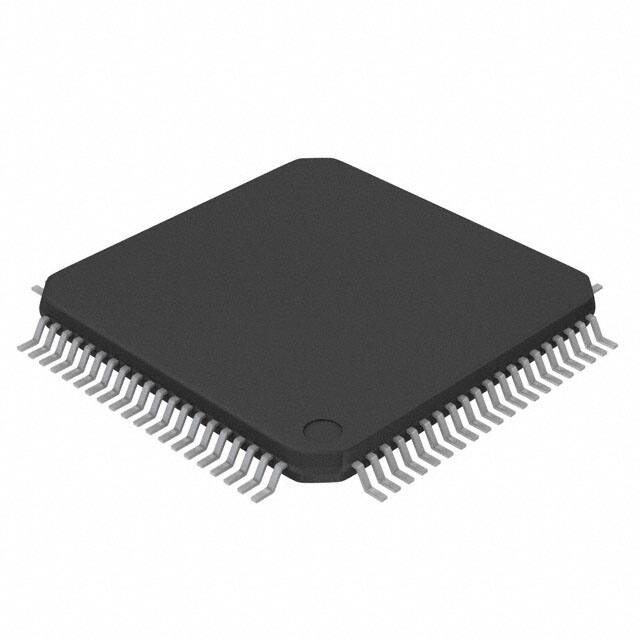




 工商网监
湘ICP备2023018690号
工商网监
湘ICP备2023018690号





