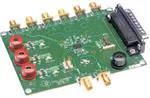
CDCE906/CDCE706 Performance
Evaluation Module
User's Guide
August 2007
High Performance Analog/CDC
SCAU016B
�2
SCAU016B – August 2006 – Revised August 2007
Submit Documentation Feedback
�Contents
1
2
3
4
5
6
7
Introduction................................................................................................................ 5
Quick Start ................................................................................................................. 8
EVM Hardware ............................................................................................................ 9
3.1
Board View and Connector Location .......................................................................... 9
3.2
Hardware Configuration ......................................................................................... 9
TI Pro-Clock™ ........................................................................................................... 11
4.1
CDCE906-706 SMBus Interface .............................................................................. 11
4.2
CDCE906-706 Programming Assistant ...................................................................... 12
4.3
Tutorial ........................................................................................................... 14
4.4
Software Installation ............................................................................................ 15
FAQ ......................................................................................................................... 16
Parts List .................................................................................................................. 16
Board Layout and Schematic ...................................................................................... 18
Important Notices ............................................................................................................... 25
SCAU016B – August 2006 – Revised August 2007
Submit Documentation Feedback
Table of Contents
3
�List of Figures
1
2
3
4
5
6
7
8
9
10
11
12
CDCE906/CDCE706 Functional Block Diagram......................................................................... 6
CDCE906/CDCE706 Default Setup ....................................................................................... 8
Board View ................................................................................................................... 9
CDCE906-706 SMBus Interface ......................................................................................... 11
Programming Assistant .................................................................................................... 13
Top Silkscreen .............................................................................................................. 18
Top Side ..................................................................................................................... 19
Ground ....................................................................................................................... 20
Power ........................................................................................................................ 21
Bottom Silkscreen .......................................................................................................... 22
Schematic - Page 1 ........................................................................................................ 23
Schematic - Page 2 ........................................................................................................ 24
List of Tables
1
4
Parts List
List of Figures
....................................................................................................................
16
SCAU016B – August 2006 – Revised August 2007
Submit Documentation Feedback
�User's Guide
SCAU016B – August 2006 – Revised August 2007
CDCE906/CDCE706 Performance Evaluation Module
This user's guide explains how to use the CDCE906/CDCE706 performance evaluation module and
provides guidelines to build a customer's own systems. The device is soldered on the board to support
performance measurements. The device is preprogrammed (Default Setting), but can be reprogrammed
via the parallel port to meet the customer application. There is another EVM with socket available for the
purpose of sample programming. The list below shows the four devices, which can be evaluated with the
CDCE906/CDCE706 Performance Evaluation Module
- CDCE706 (EEPROM, fmax = 300 MHz, industrial temperature range)
- CDCE906 (EEPROM, fmax = 167 MHz, commercial temperature range)
- CDC706 (ROM, fmax = 300 MHz, industrial temperature range)
- CDC906 (ROM, fmax = 167 MHz, commercial temperature range)
The performance of the CDCE906 and the CDCE706 is equal, but the CDCE906 has a limited output
frequency and temperature range for operating. Because of this, the CDCE706 is used on this board for
evaluation purposes. This EVM can also be used to evaluate the generic ROM versions
CDC906/CDC706, because the functionality and performance is equal to the EEPROM version
CDCE906/CDCE706, except the EEPROM functionality.
If you need assistance with this device, email: clocks_apps@list.ti.com
1
Introduction
The CDCE906/CDCE706 is one of the smallest and powerful PLL synthesizer / multiplier / divider
available today. Despite its small physical outlines, the CDCE906/CDCE706 is the most flexible. It has the
capability to produce an almost independent output frequency from a given input frequency.
The input frequency can be derived from a LVCMOS, a differential input clock, or a single crystal. The
appropriate input waveform can be selected via the SMBus data interface controller.
To achieve an independent output frequency the reference divider M and the feedback divider N for each
PLL can be set to values from 1 up to 511 for the M-Divider and from 1 up to 4095 for the N-Divider. The
PLL-VCO (voltage controlled oscillator) frequency than is routed to the free programmable output
switching matrix to any of the six outputs. The switching matrix includes an additional 7-bit post-divider
(1-to-127) and an inverting logic for each output.
The deep M/N divider ratio allows the generation of zero ppm clocks from e.g., a 27-MHz reference input
frequency.
The CDCE906/CDCE706 includes three PLLs of those one supports SSC (spread-spectrum clocking).
PLL1, PLL2, and PLL3 are designed for frequencies up to 300 MHz and optimized for zero-ppm
applications with wide divider factors.
PLL2 also supports center-spread and down-spread spectrum clocking (SSC). This is a proven method to
effectively reduce the energy for the selected frequency range. The electro-magnetic interference (EMI)
will be significantly reduced. Also, the slew-rate controllable (SRC) output edges minimize EMI noise.
Based on the PLL frequency and the divider settings, the internal loop filter components will be
automatically adjusted to achieve high stability and optimized jitter transfer characteristic of the PLL.
SCAU016B – August 2006 – Revised August 2007
Submit Documentation Feedback
CDCE906/CDCE706 Performance Evaluation Module
5
�www.ti.com
Introduction
The device supports non-volatile EEPROM programming for easy customized applications. It is
pre-programmed with a factory default configuration (see Figure 2) and can be re-programmed to a
different application configuration before it goes onto the PCB or re-programmed by in-system
programming. A different register setting is programmed via the serial SMBus interface.
Two free programmable inputs, S0 and S1, can be used to control for each application the most
demanding logic control settings (outputs disable to low, outputs 3-state, power down, PLL bypass, etc).
The CDCE906/CDCE706 has three power supply pins, VCC, VCCOUT1, and VCCOUT2. VCC is the
power supply for the device. It operates from a single 3.3-V supply voltage. VCCOUT1 and VCCOUT2 are
the power supply pins for the outputs. VCCOUT1 supplies the outputs Y0 and Y1 and VCCOUT2 supplies
the outputs Y2, Y3, Y4, and Y5. Both outputs supplies can be 2.3 V to 3.6 V. The output works even at
1.7V VCCOUT. However, some limitations apply at VCCOUT below 2.3V.
The CDCE906/CDCE706 is characterized for operation from 0°C to 70°C/–40°C to 85°C.
VCC
VCCOUT1
GND
PLL Bypass
Output Switch Matrix
Filter
prg. 12 Bit
Divider N
MUX
VCO
14 pF
CLK_IN1
XO
or
2 LVCMOS
or
Differential
Input
PLL2
w/ SSC
prg. 9 Bit
Divider M
prg. 12 Bit
Divider N
14 pF
Crystal or
Clock Input
CLK_IN0
PFD
Filter
VCO
MUX
SSC
SO/AO/CLK_SEL
S1/A1
SDATA
SCLOCK
EEPROM
LOGIC
PLL3
prg. 9 Bit
Divider M
Factory Prg.
PFD
Filter
prg. 12 Bit
Divider N
MUX
6 x 6 Programmable Switch B
PFD
5 x 6 Programmable Switch A
prg. 9 Bit
Divider M
6 x Programmable 7-Bit Divider P0, P1, P2, P3, P4, P5, and Inversion Logic
PLL1
LV
CMOS
Y0
LV
CMOS
Y1
LV
CMOS
Y2
LV
CMOS
Y3
LV
CMOS
Y4
LV
CMOS
Y5
VCO
GND
VCCOUT2
Figure 1. CDCE906/CDCE706 Functional Block Diagram
6
CDCE906/CDCE706 Performance Evaluation Module
SCAU016B – August 2006 – Revised August 2007
Submit Documentation Feedback
�www.ti.com
Introduction
Related Documentation From Texas Instruments
• CDCE906, Programmable 3-PLL Clock Synthesizer/Multiplier/Divider data sheet (SCAS814)
•
CDCE706, Programmable 3-PLL Clock Synthesizer/Multiplier/Divider data sheet (SCAS815)
SCAU016B – August 2006 – Revised August 2007
Submit Documentation Feedback
CDCE906/CDCE706 Performance Evaluation Module
7
�www.ti.com
Quick Start
2
Quick Start
The device is already preprogrammed and provides a 27MHz clock at every output. A 27MHz crystal is
used as reference.
To start the measurements the following actions are required:
• Connect 3.3 V to P1, P2, P3, and GND to P4.
• Connect one of the six outputs (Y0–Y5) to an oscilloscope.
• Connect the oscilloscope to the output that will be measured.
In the Default Setup, the clock input pins CLK_IN0 and CLK_IN1 are connected to a 27-MHz crystal. All
PLLs and all outputs are active and in non-inverting mode. S0, S1, and SSC comply according the default
setting described in byte 10 and byte 25 (see the data sheet) respectively.
See Figure 2 to view the CDCE906/CDCE706 default setup.
fVCO1 = 216 MHz
PLL1
Output Switch Matrix
Divider M
1
PFD
Filter
VCO
CLK_IN1
P1-Div
20
LV
CMOS
P2-Div
8
LV
CMOS
P3-Div
9
LV
CMOS
P4-Div
32
LV
CMOS
P5-Div
4
LV
CMOS
Y0
27 MHz
Y1
27 MHz
fVCO2 = 250 MHz
CLK_IN0
27-MHz
Crystal
LV
CMOS
MUX
Divider N
8
14 pF
P0-Div
10
XO
or
2 LVCMOS
or
Differential
Input
PLL2
w/ SSC
Divider M
27
PFD
Filter
VCO
Divider N
250
14 pF
MUX
Y2
27 MHz
Y3
27 MHz
SSC-OFF
SO/AO/CLK_SEL
S1/A1
SDATA
fVCO3 = 225.792 MHz
EEPROM
LOGIC
Y4
PLL3
SMBUS
LOGIC
Divider M
375
SCLOCK
PFD
Filter
VCO
27 MHz
Y5
MUX
27 MHz
Divider N
3136
Figure 2. CDCE906/CDCE706 Default Setup
8
CDCE906/CDCE706 Performance Evaluation Module
SCAU016B – August 2006 – Revised August 2007
Submit Documentation Feedback
�www.ti.com
EVM Hardware
3
EVM Hardware
3.1
Board View and Connector Location
SMA connector for Y0 – Y5
SN74LV125
J17
Parallel Port
(J18)
CDCE706
VCC Y2-Y5 (P1)
GND (P4)
VCC Y0-Y1 (P2)
27 MHz Crystal
TSX-3225 (Y1)
VCC (P3)
S1 S0
connector for single/differential ended input clock
(J3, J6)
Figure 3. Board View
3.2
Hardware Configuration
This section describes the board configuration using on-board jumpers and solder-bridges as well as the
SMBUS interface.
3.2.1
Power Supply (P1, P2, P3, P4)
Use a stabilized external power supply for the EVM board.
• Supply 3.3 V ± 0.3 V on P3 for chip operation.
• Supply 2.3 V – 3.6 V on P2 to supply the outputs Y0 and Y1.
• Supply 2.3 V – 3.6 V on P1 to supply the outputs Y2–Y5.
• Connect GND to P4.
WARNING
Never supply more than 3.6 V on P1, P2, or P3.
3.2.2
Onboard Jumper (J12 and J10)
Use Jumper J10 to set the user programmable control input S0 to low or high.
Use Jumper J12 to set the user programmable control input S1 to low or high.
Default setting: J12 and J10 are not used.
Note:
S0 and S1 are logic high due to their internal pull-up resistors if J10 and J12 are not used.
SCAU016B – August 2006 – Revised August 2007
Submit Documentation Feedback
CDCE906/CDCE706 Performance Evaluation Module
9
�www.ti.com
EVM Hardware
3.2.3
Programming Interfaces (J18, J17)
To enhance the flexibility and function of the clock synthesizer, a two-signal serial interface is provided. It
follows the SMBus specification Version 2.0, which is based upon the principals of operation of I2C. More
details of the SMBus specification can be found at http://www.smbus.org.
Through the SMBus, various device functions, such as individual clock output buffers, can be individually
enabled or disabled. The registers associated with the SMBus data interface initialize to their default
setting, written in the EEPROM, upon power-up and therefore using this interface is optional. Clock device
register changes are normally made upon system initialization, if any are required. There are two ways to
program the device externally.
• Connect the parallel port cable to PC and EVM parallel port. This needs the TI Pro Clock™ Software
(see section 4).
• By external pattern generator connected to J17 (it is not possible to detect an acknowledge at J17)
Note:
3.2.4
The shield of the parallel cable should be connected to both cable plugs.
Flexible Crystal, Differential or LVCMOS Input (J3, J6)
The CDCE906/CDCE706 can use a crystal, a differential clock, or a single-ended clock as reference. The
default setting is a 27MHz crystal.
For a differential or a single-ended clock R2, R4, R5, and R6 must be assembled with 100 Ω, pin 2 and 3
of J4 and pin 1 and pin 2 of J5 must be shorted. This will assure correct biasing and results in a 50Ω
parallel termination at the CDCE906/CDCE706 input. The assembly of R3 and R7 is not necessary. A
single-ended clock can then be applied to J3 or J6. A differential-ended clock must be applied to J3 and
J6.
Default settings: 27-MHz Crystal
3.2.5
LVCMOS Outputs (Y0 –Y5)
The CDCE906/CDCE706 drives up to six LVCMOS outputs. All outputs are ac-coupled and have a 0-Ω
series termination resistor. The device output’s trace impedance is 50 Ω and all traces are matched in
length. The output has additional resistor and capacitor footprints to provide high flexibility for different
user defined terminations. All traces have option for pull-up, pull-down resistors and on board dc-biasing.
There is no additional load on the EVM Default Setting. This provides the maximum possible swing to a
scope, a spectrum analyzer, or another EVM with high impedance input, that is connected to the
CDCE906/E706 performance EVM. However, the output load is too low if Y0–Y5 is connected directly to a
50 Ω parallel termination. This results in a violation of the ac-parameters mentioned in the data sheet.
To maintain the ac-parameters by connecting 50 Ω to Y0–Y5 a voltage divider is needed to provide a
sufficient output load for the LVCMOS outputs. The following steps are necessary to create the voltage
divider:
• Replace R10, R15, R25, R30, R40, and R43 with 0 Ω.
• Assemble R8, R12, R23, R26, R38, and R42 with 1 kΩ.
• Assemble C7, C8, C9, C10, C11, and C12 with 950 Ω.
• Assemble R17, R19, R34, R35, R46, and R47 with 10 pF.
The output voltage of Y0-Y5 will be divided by 20 in this configuration. The overall ac load to GND will be
500 Ω//10 pF if the input impedance of the measurement equipment is 50 Ω.
Alternative R10, R15, R25, R30, R40, and R43 can be replaced with 450 Ω to provide 500 Ω to GND. The
output voltage of Y0–Y5 will be divided by 10, if the input impedance of the measurement equipment is 50
Ω.
10
CDCE906/CDCE706 Performance Evaluation Module
SCAU016B – August 2006 – Revised August 2007
Submit Documentation Feedback
�www.ti.com
TI Pro-Clock™
4
TI Pro-Clock™
TI Pro-Clock™ is the evaluation software for the CDCE906 and the CDCE706. The software contains the
CDCE906-706 SMBus Interface and the CDCE906-706 Programming Assistant. In the future, the software
will be expanded for new devices. The software runs under Windows 2000, XP, and XP*64. A quick
installation is required prior to use. See Section 4.4 Software Installation.
The CDCE906-706 SMBus Interface allows the user direct access to all programmable features of the
CDCE906/CDCE706 via the parallel port of the PC.
The CDCE906-706 Programming Assistant helps the user to find a proper device setup by choosing the
input and output settings.
4.1
CDCE906-706 SMBus Interface
The SMBus Interface is an easy-to-use programming environment and supports many features. It provides
direct access to the register and the EEPROM of the CDCE906/CDCE706 and therefore makes evaluation
easy.
Figure 4. CDCE906-706 SMBus Interface
4.1.1
Quick Start Instructions
The following steps are necessary for device programming after TI Pro-Clock™ has been installed on your
PC:
1. Power up the CDCE706/CDCE906EVM.
2. Connect the EVM and the PC with a parallel cable.
3. Start the TI Pro-Clock™ software.
4. Click the button CDCE906/CDCE706.
5. Make a user-defined setup.
6. Click the write register button.
SCAU016B – August 2006 – Revised August 2007
Submit Documentation Feedback
CDCE906/CDCE706 Performance Evaluation Module
11
�www.ti.com
TI Pro-Clock™
4.1.2
Main Screen
The main screen of the CDCE906/CDCE706 SMBUS interface as shown in Figure 4 allows direct
control to all programmable features of the CDCE906/CDCE706. All programmable PLL parameters,
like divider settings, SSC settings as well as all input and output settings, can be controlled. Clicking
the write register button transfers the setup to the CDCE906/CDCE706EVM. The parameter byte
selects if the whole setup (all bytes) or only the selected byte will be updated in the
CDCE906/CDCE706 control register.
By selecting auto write in the upper right corner, the CDCE906/CDCE706 SMBus control register gets
an update after each change in the setup of the CDCE906-706 SMBus Interface. If graph ser data is
selected, the bit pattern of SCLK and SDATA is shown on a screen.
Click read register to load the current control register setup of the CDCE906/CDCE706 into the SMBus
Interface. The write EEPROM button updates the CDCE906/706 control register and writes the
updated control register contents into the EEPROM.
After the SSC settings were changed, PLL 2 must get a reset by setting the PLL into bypass mode for
a short time. This is done automatically by the SMBus interface. Due to this, there will be multiple write
cycles on the SMBUS after pressing the write register or write EEPROM button.
A yellow write LED indicates an active writing cycle. If the LEDs write error or read error are switching
from green to red, a write/read error occurred. Check the EVM and the parallel cable and try again.
A Bit Viewer is available in the menu bar. This feature shows the current setup of the SMBus Interface
bit per bit. This allows an easy evaluation of the register setting that is currently set in the SMBus
interface.
It is possible to lock the EEPROM permanently. This avoids undesirable reprogramming of the
EEPROM. Clicking EEPROM→ EEPROM lock in the menu bar permanently locks the EEPROM. After
locking the EEPROM, it cannot be unlocked.
After pressing the Verify Register button (also located in the menu bar), the current SMBus Interface
setting is compared bit-wise with the CDCE906/CDCE706 control register that is connected to the PC.
All bits of the control register that are different to the SMBus Interface setting are shown in a table. The
bits, which show either 0 or 1, represent the control register setting of the CDCE906/CDCE706.
Click Programming Assistant in the menu bar to switch to the CDCE906-706 Programming Assistant,
which helps to create a setup for the CDCE906/CDCE706 by choosing the input and output settings.
4.1.3
Save/Load Setup
Saving and loading the setup of the CDCE906-706 SMBus Interface can be done in four different ways.
Click File, and select one of the following options to save or load the current setup.
1. Save Setup/Load Setup - Saves/loads the setup as/from an encrypted file.
2. Export *.txt/Import *.txt - Exports/imports the setup as/from a text file. Use this format if you want to
view the setup with a text editor later.
3. Export *.csv/Import *.csv - Exports/imports the setup as/from a comma-delimited file. Use this format if
you want to view the setup with Microsoft™ Excel later
4. Export Intel Hex *.hex/Import Intel Hex *.hex - Exports/imports the setup as/from Hexadecimal Object
File Format. Usually programmers can directly read-in this file format.
5. Configuration Code Release Sheet - Use this option if you want to order factory-programmed
EEPROM specials of the CDCE906/CDCE706. Contact your regional marketing or sales
representative for further information.
4.2
CDCE906-706 Programming Assistant
The CDCE906-706 Programming Assistant is a useful feature, which creates a setup for the CDCE906 or
the CDCE706. The setup can be transferred to the serial interface software, by selecting Accept Setup.
Final setup adjustment and CDCE906/CDCE706 programming is done with the CDCE906-706 SMBus
Interface.
12
CDCE906/CDCE706 Performance Evaluation Module
SCAU016B – August 2006 – Revised August 2007
Submit Documentation Feedback
�www.ti.com
TI Pro-Clock™
Figure 5. Programming Assistant
The Programming Assistant starts with its own default setup. The default setup of the Programming
Assistant is different to the default setup of the CDCE906/CDCE706. This is why, the Programming
Assistant has a simple startup setup, which makes it easy to create a new user-defined setup. From this
default setup, different parameters can be edited to create a user setup. All dividers, the VCO frequency,
the SSC modulation frequency, the switch A/B settings, as well as the actual output frequency, and the
actual error of all outputs, are calculated by defining the following parameters:
signal source
Choose among crystal oscillator, LVMOS, and differential clock source
fin
Choose from 1 MHz to 167/200 MHz for CDCE906/CDCE706 LVCMOS/differential
input and from 8 MHz to 54 MHz for crystal oscillator
CDCE906/
CDCE706 Switch
Choose if a CDCE706 or a CDCE906 setup is provided
SSC Modulation
Choose between no modulation and different center and down-spread modulations
provided by PLL 2
fmod
Choose a modulation frequency for SSC; actual fmod shows the closest possible
modulation frequency
fout
Choose the output frequency for Y0–Y5; actual fout displays the closest possible
output frequency with an error in frequency smaller than |error|
error
Choose the maximum allowed error between fout and actual fout; actual error
displays the error of current frequency actual fout
disable PLL
bypass
If the input frequency is a multiple of fout, fout is derived directly from fin. Click
disable PLL bypass if Yx should be derived from a PLL.
activate SSC
Choose which outputs will have SSC. All outputs with SSC activated must be
derived from the same PLL.
disable output
Choose which outputs will be disabled. The Switch A will be set to input clock and P
Divider will be set to 1 for each disabled output.
SCAU016B – August 2006 – Revised August 2007
Submit Documentation Feedback
CDCE906/CDCE706 Performance Evaluation Module
13
�www.ti.com
TI Pro-Clock™
An Error is displayed, if the setup cannot be provided by the CDCE906/CDCE706
A Warning is displayed if something in the setup needs special attention from the user.
The Accept Setup button transfers the setup to the CDCE906-706 SMBus interface, where an individual
adjustment of the setup is possible. This function is blocked if an error in the setup occurs. Discard Setup
returns to the SMBus Interface without transferring the setup.
4.3
Tutorial
This section contains a step-by-step tutorial for creating a user-defined setup and programming the
CDCE906/E706. The 27-MHz crystal of the EVM is used for reference. A 64-MHz CPU clock, different
audio sample clocks for 24-kHz audio rate, a 27-MHz clock for an MPEG/AC-3 Audio Dec, and an
additional 60-MHz clock is provided. The tutorial contains instructions and comments explaining the
functionality of the software.
Step-by-step instruction:
1. Start TI Pro-Clock™.
2. Select CDCE906/E706.
• The CDCE906-706 SMBus Interface is started.
3. Select Programming Assistant in the menu bar.
• TheCDCE906-706 Programming Assistant is started.
4. Select CDCE906 Default Setting from Default Setup in the menu bar.
• All Outputs are in use. All PLLs are in bypass mode.
5. Click disable output for Y1-Y5.
• Only Y0 is in use. All PLLs are in bypass mode.
6. Set fout of Y0 to 64 MHz.
• Y0 has an output frequency of 64 MHz; PLL 1 is set up automatically.
7. Click disable output for Y1.
8. Set fout of Y1 to 9.216 MHz.
• Y1 is set to 9.216 MHz; PLL 2 in use by Y1.
9. Click disable output for Y2.
10. Set fout of Y2 to 18.432 MHz.
• 18.432 MHz is set to Y2; PLL 1 is in use by Y1 and Y2 because Y1 and Y2 are derived from the
same PLL (groups of outputs are preferred to a single output).
11. Click disable output for Y3.
12. Set fout of Y3 to 6.144 MHz.
• Y1, Y2, and Y3 are derived by PLL 1.
13. Click disable output for Y4.
14. Set fout of Y4 to 27 MHz.
• 27 MHz is provided to Y4 by the input clock; PLL 3 is still not in use.
The 27 MHz of Y4 can be provided by a PLL if additional jitter cleaning is necessary:
1. Click disable PLL bypass at Y4.
• PLL3 now provides 27 MHz; additional jitter cleaning is possible.
2. Click disable output at Y5.
3. Set fout of Y5 to 60 MHz.
• Error message The error for fout of Y5 is not procurable! appears; this is why no PLL is left to
derive 60 MHz for Y5.
4. Set error of Y5 to 50000 ppm.
• Y5 now provides 59.4 MHz ; the error compared to 60 MHz is 10000 ppm.
5. Click Accept Setup.
14
CDCE906/CDCE706 Performance Evaluation Module
SCAU016B – August 2006 – Revised August 2007
Submit Documentation Feedback
�www.ti.com
TI Pro-Clock™
•
The CDCE906-706 Programming Assistant is closing; the CDCE906-706 SMBus Interface opens,
the setup of the Programming Assistant is transferred to the SMBus Interface.
6. Click write.
• The SMBus interface transfers the setup to the CDCE906/E706.
4.4
Software Installation
To install the TI Pro-Clock™, perform the following steps:
1. Download TI Pro-Clock™ from www.ti.com.
2. Run program setup.exe.
3. Reboot your computer.
4. Run the Software from Start → Programs → Texas Instruments → TI Pro Clock.
SCAU016B – August 2006 – Revised August 2007
Submit Documentation Feedback
CDCE906/CDCE706 Performance Evaluation Module
15
�www.ti.com
FAQ
5
FAQ
The output swing decreases rapidly by enlarging the slew rate. Why does this happen?
The output impedance is probably too small. Enlarge the output impedance as written in section 3.2.5.
The CDCE906/CDCE706 register cannot be programmed. What is wrong?
Check if the parallel port is connected to your PC and your EVM. Check if all voltages are applied.
Check if the multi-use pins 1 and 2 are used as address bits. Set the correct address via J10 and J12
if this applies.
Which setup provides optimized jitter performance?
Choose a VCO frequency as high as possible (implemented in the Programming Assistant). Select no
SSC at "SSC Modulation Amount" if no SSC is necessary.
Why is there some cross coupling between Y4 and Y5?
The routing of Y4 and Y5 is differential, in contrary to Y0-Y3, which are routed for single ended signals.
This allows to evaluate pseudo-differential clocking. Each of the six outputs Y0 - Y5 can be individually
inverted. So, three pseudo-differential pairs can be generated out of six outputs. As there is a slight
mismatch between the rise and the fall times, the cross-point does not occur at the middle.
6
Parts List
Table 1. Parts List
16
Item
Quantity
Reference
Part
1
2
Part Number
3
C1, C2
15 pF
Murata GRM36C0G150J50
8
C4, C5, C7, C8, C9, C10, C11, C12
10 nF
Panasonic ECJ-0EB1E103K
3
8
C13, C14, C15, C16, C23, C26, C31,
C36
100 nF
Panasonic ECJ-0EB1A104K
4
3
C17, C18, C27
100 pF
Panasonic ECJ-0EB1E101K
5
2
C19, C25
10 pF
Panasonic ECD-G0E100C
6
3
C20, C28, C33
22 μF
Murata
GRM32ER71A226KE20L
7
3
C21, C29, C34
10 μF
Murata
GRM31CR70J106KA01L
8
3
C22, C30, C35
1 μF
Panasonic ECJ-0EB0J105M
9
3
C24, C32, C37
1000 pF
Panasonic ECJ-0EB1E102K
10
3
D1, D2, D3
Green
Fairchild Semi QTLP651C-IG
11
2
J3, J6
SMA
Johnson Comp 142-0701-841
12
2
J4, J5
SMD3P_BRIDGE
Panasonic ERJ-2GE0R00X
13
1
J9
Y5
Johnson Comp 142-0701-841
14
2
J10, J12
HDR3
Header 3 pos, 0.1 ctr
15
1
J11
Y4
Johnson Comp 142-0701-841
16
1
J13
Y3
Johnson Comp 142-0701-841
17
1
J14
Y2
Johnson Comp 142-0701-841
18
1
J15
Y1
Johnson Comp 142-0701-841
19
1
J16
Y0
Johnson Comp 142-0701-841
20
1
J17
HDR4
Header 4 pos, 0.0 ctr
21
1
J18
Parallel Port
SPC Technology DB-25P-PCB
(male)
22
3
L1, L2, L3
75 Ω at 100 MHz
Murata BLM31PG500SN1L
23
1
P1
PWR_IN12
SPC Technologies 845R
24
1
P2
PWR_IN1
SPC Technologies 845R
25
1
P3
PWR_IN
SPC Technologies 845R
26
1
P4
GND
SPC Technologies 845B
CDCE906/CDCE706 Performance Evaluation Module
SCAU016B – August 2006 – Revised August 2007
Submit Documentation Feedback
�www.ti.com
Parts List
Table 1. Parts List (continued)
Item
Quantity
Reference
Part
Part Number
27
2
R1, R3
NU
NU
28
4
R2, R4, R5, R6
NU
NU
29
1
R7
NU 50
NU
30
12
R8, R12, R17, R19, R23, R26, R34,
R35, R38, R42, R46, R47
NU 100
Panasonic ERJ-2RKF1000X
31
6
R10, R15, R25, R30, R40, R43
0Ω
Panasonic ERJ-2GE0R00X
32
6
R11, R16, R29, R33, R41, R45
0Ω
Panasonic ERJ-2GE0R00X
33
4
R14, R21, R22, R28
1 kΩ
Panasonic ERJ-2RKF1001X
34
7
R27, R37, R53, R55, R56, R57, R58
10K
Panasonic ERJ-2RKF1002X
35
2
R50, R51
100 Ω
Panasonic ERJ-2RKF1000X
36
2
R52, R54
100 kΩ
Panasonic ERJ-2RKF1003X
37
1
U1
CDCE706
CDCE706
38
1
U2
SN74LV125
Texas Instruments
SN74LV125AD
39
1
Y1
27 MHz Crystal
Epson Toyocom TSX 3225
40
4
MP3
Stand Off
41
4
MP32
Screw
SCAU016B – August 2006 – Revised August 2007
Submit Documentation Feedback
CDCE906/CDCE706 Performance Evaluation Module
17
�www.ti.com
Board Layout and Schematic
7
Board Layout and Schematic
The following figures show the board layout and schematic.
Figure 6. Top Silkscreen
18
CDCE906/CDCE706 Performance Evaluation Module
SCAU016B – August 2006 – Revised August 2007
Submit Documentation Feedback
�www.ti.com
Board Layout and Schematic
Figure 7. Top Side
SCAU016B – August 2006 – Revised August 2007
Submit Documentation Feedback
CDCE906/CDCE706 Performance Evaluation Module
19
�www.ti.com
Board Layout and Schematic
Figure 8. Ground
20
CDCE906/CDCE706 Performance Evaluation Module
SCAU016B – August 2006 – Revised August 2007
Submit Documentation Feedback
�www.ti.com
Board Layout and Schematic
Figure 9. Power
SCAU016B – August 2006 – Revised August 2007
Submit Documentation Feedback
CDCE906/CDCE706 Performance Evaluation Module
21
�www.ti.com
Board Layout and Schematic
Figure 10. Bottom Silkscreen
22
CDCE906/CDCE706 Performance Evaluation Module
SCAU016B – August 2006 – Revised August 2007
Submit Documentation Feedback
�GND
2
GND
3
SMA
1
J6
3
GND
XIN1
R3
NU
GND
C5
1
10n
10n
C16
100n
1
2
2
1
2
3
SDA
2
VCC
1
3
3
1
J4
2
GND
SCL
2
10K
R37
C17
1
R28
1
3
2
1
SCL
SDA
1K 1
J12
R22
1K
VCC_OUT1
1
GND
2
100P
C14 100n
1
2
VCC
10K
1
2
2
VCC
Default: Short 3 & 2 on J5
R27
J5
2
XIN0
Default: Short 1 & 2 on J4
C2
15pF
CLKIN0_SMA
GND
4
2 CLKIN1_SMA
2
C13
VCC
100n
1
2
GND
CLK_IN1_SMA
R7
NU 50
SMA
C1
15pF
Y1
1
2
1
2
C4
1CLK_IN0_SMA 1
J3
1
2
2
1
2
GND
GND
2
J10
CLK_IN0
CLK_IN1
C18
1
1
2
100P
3
2
1
S0
1
2
3
4
5
6
7
8
9
10
VCC
GND
1
1
VCC_OUT2
S1
1
2 R6
NU
C15 100n
1
2
GND
1 R21
1K
2
1
2 R5
NU
R14
1K
VCC
2 R4
NU
2 R2
NU
VCC
GND
VCC
CDCE906
S0/A0/CLK_SEL
Y5
S1/A1
Y4
VCC
VCC_OUT2
GND
GND
CLK_IN0
Y3
CLK_IN1
Y2
VCC
VCC_OUT1
GND
GND
SDATA
Y1
SCLOCK
Y0
U1
CLK_IN1
CLK_IN0
20
19
18
17
16
15
14
13
12
11
1
R40
0 ohm
R43
1
2
GND
VCC_OUT1
VCC_OUT2
0 ohm
2
1
1
R25
0 ohm
2
1 R45
2
0 ohm
R38
NU 100
Y0_SMA
Y1_SMA
1 R33
2
0 ohm
R34
Y3_SMA
R46
GND
R47
NU 100
NU 100
VCC
GND
R17
C7 10n
1
2
VCC
2
GND
VCC
C10 10n
2
C9 10n
1
2
C8 10n
2
R12
NU 100
1
GND
C11 10n
1
2
GND
C12 10n
1
R42
NU 100
VCC
R35
NU 100
1
R26
NU 100
VCC
R19
NU 100
NU 100
GND
NU 100
Y2_SMA
VCC
Y4_SMA
Y5_SMA
R23
NU 100
1 R16
2
0 ohm
1 R11
2
0 ohm
1 R29
2
0 ohm
1 R41
2
0 ohm
0 ohm
2
0 ohm
2
0 ohm
2
R15
R30
1
1
R10
R8
NU 100
1
2
1
2
1
2
NU
1
2
1
2
1
2
R1
1
1
1 2
2
1
2
1
2
1
2
1
2
1
1
J11
Y4
3
J14
Y2
1
3
J16
Y0
3
2
2
Y5
1
GND
1
GND
2
1
J9
3
J13
Y3
3
SCAU016B – August 2006 – Revised August 2007
Submit Documentation Feedback
J15
Y1
3
Multiple footprint for Xtal input
2
2
2
GND
GND
GND
www.ti.com
Board Layout and Schematic
Figure 11. Schematic - Page 1
CDCE906/CDCE706 Performance Evaluation Module
23
�1
1
GND
1
PWR_IN
P4
P3
PWR_IN1
P2
PWR_IN2
1
1
1
GND
GND
PWR_IN1
C28
22uF
1
2
C33
22uF
1
2
75 OHM @ 100MHZ
C29
10uF
C21
10uF
L3
L2
75 OHM @ 100MHZ
1
2
C20
22uF
GND
VCC
C23
100n
GND
C31
100n
C35
1uF
2
D1
C36
100n
GREEN
D2
GREEN
C32
1000pF
2
C24
1000pF
VCC_OUT2
VCC_OUT1
C34
10uF
C30
1uF
C22
1uF
1
2
1
2
75 OHM @ 100MHZ
1
2
1
1
2
1
2
1
1
2
1
2
L1
1
2
1
1
1
2
1
R55
10K
R53
10K
2
D3
GREEN
C37
1000pF
2
P1
1
2
CDCE906/CDCE706 Performance Evaluation Module
1
1
2
R57
10K
GND
HDR4
J17
2
10p
1
C25
1
2
3
4
C19 10p
1
2
R51
100
1
R50
100
1
GND
SPI_DATA
SPI_CLK
2
24
2
J18
1OE
1A
1Y
2OE
2A
2Y
GND
VCC
4OE
4A
4Y
3OE
3A
3Y
100P
14
15
16
17
18
19
20
21
22
23
24
25
26
27
GND
GND
SN74LV125
PARALLEL PORT
1
2
3
4
5
6
7
8
9
10
11
12
13
1
2
3
4
5
6
7
1
C27
VCC
1
10K R58
14 R56 10K
13 2
1
12
11
10
GND
9
8
VCC
U2
2
VCC
C26 100n
1
2
R54 100K
1
GND
2
R52 100K
1
GND
2
SCL
SDA
2
VCC
SDA
www.ti.com
Board Layout and Schematic
Figure 12. Schematic - Page 2
SCAU016B – August 2006 – Revised August 2007
Submit Documentation Feedback
�EVM IMPORTANT NOTICE (CATEGORY B)
IMPORTANT: TI is providing the enclosed CDCE906/CDCE706 evaluation module under the following conditions:
This evaluation module (EVM) being provided by Texas Instruments (TI) is intended for use for ENGINEERING DEVELOPMENT OR
EVALUATION PURPOSES ONLY and is not considered by Texas Instruments to be fit for commercial use. As such, this EVM may not be
complete in terms of design and/or manufacturing related protective considerations including product safety measures typically found in the
end-product incorporating the module. As a prototype, this product does not fall within the scope of the European Union Directive on
electromagnetic compatibility and on low voltage and therefore may not meet the technical requirements of the directive. This EVM is not
subject to the EU marking requirements.
• Should this EVM not meet the specifications indicated in the User’s Guide the EVM may be returned within 30 days from the
date of delivery for a full refund. THE FOREGOING WARRANTY IS THE EXCLUSIVE WARRANTY MADE BY TI AND IS IN LIEU
OF ALL OTHER WARRANTIES, EXPRESSED, IMPLIED, OR STATUTORY, INCLUDING ANY WARRANTY OF
MERCHANTABILITY OR FITNESS FOR ANY PARTICULAR PURPOSE.
• The user assumes all responsibility and liability for proper and safe handling of the EVM. The user acknowledge that the use of the
EVM could present serious hazards and that it is the user’s responsibility to take all precautions for the handling and use of the EVMs
in accordance with good laboratory practices. Please be aware that the products received may not be regulatory compliant or agency
certified (FCC, UL, etc.). Due to the open construction of the product, it is the user’s responsibility to take any and all appropriate
precautions with regard to electrostatic discharge.
• NEITHER PARTY WILL BE LIABLE TO THE OTHER FOR ANY INDIRECT, SPECIAL, INCIDENTAL, OR CONSEQUENTIAL
DAMAGES.
• TI is currently dealing with various customers for products, and therefore our arrangement with the user will not be exclusive.
• TI assumes no liability for applications assistance, customer product design, software performance, or infringement of
patents or services described herein.
• Please read the User’s Guide and specifically the section in the User’s Guide pertaining to warnings and restrictions prior to handling
the product. This section contains important information regarding high temperature and voltages which TI recommends to be read
before handling the EVMs. In case of any doubt regarding safety, please contact the TI application engineer.
• Persons handling the product should have electronics training and observe good laboratory practice standards.
• No license is granted under any patent right or other intellectual property right of TI covering or relating to any combination, machine,
or process in which such TI products or services might be or are used.
• This Agreement is subject to the laws of the State of Texas, excluding the body of conflicts of laws and the United Nations Convention
on the International Sale of Goods, and will be subject to the exclusive jurisdiction of the courts of the State of Texas.
�EVM WARNINGS AND RESTRICTIONS
It is important to operate this EVM within the input voltage range of 3 V to 3.6 V and the output
voltage range of 2.3 V to 3.6 V.
Exceeding the specified input range may cause unexpected operation and/or irreversible damage
to the EVM. If there are questions concerning the input range, please contact a TI field
representative prior to connecting the input power.
Applying loads outside of the specified output range may result in unintended operation and/or
possible permanent damage to the EVM. Please consult the EVM User's Guide prior to
connecting any load to the EVM output. If there is uncertainty as to the load specification, please
contact a TI field representative.
During normal operation, some circuit components may have case temperatures greater than
85°C. The EVM is designed to operate properly with certain components above 85°C as long as
the input and output ranges are maintained. These components include but are not limited to
linear regulators, switching transistors, pass transistors, and current sense resistors. These types
of devices can be identified using the EVM schematic located in the EVM User's Guide. When
placing measurement probes near these devices during operation, please be aware that these
devices may be very warm to the touch.
Mailing Address: Texas Instruments, Post Office Box 655303, Dallas, Texas 75265
Copyright
2006-2007, Texas Instruments Incorporated
FCC Warning
This evaluation board/kit is intended for use for ENGINEERING DEVELOPMENT, DEMONSTRATION, OR EVALUATION PURPOSES
ONLY and is not considered by TI to be a finished end-product fit for general customer use. It generates, uses, and can radiate radio
frequency energy and has not been tested for compliance with the limits of computing devices pursuant to part 15 of FCC rules, which are
designed to provide reasonable protection against radio frequency interference. Operation of this equipment in other environments may
cause interference with radio communications, in which case the user at his own expense will be required to take whatever measures may
be required to correct this interference.
�IMPORTANT NOTICE
Texas Instruments Incorporated and its subsidiaries (TI) reserve the right to make corrections, modifications, enhancements,
improvements, and other changes to its products and services at any time and to discontinue any product or service without notice.
Customers should obtain the latest relevant information before placing orders and should verify that such information is current and
complete. All products are sold subject to TI’s terms and conditions of sale supplied at the time of order acknowledgment.
TI warrants performance of its hardware products to the specifications applicable at the time of sale in accordance with TI’s
standard warranty. Testing and other quality control techniques are used to the extent TI deems necessary to support this
warranty. Except where mandated by government requirements, testing of all parameters of each product is not necessarily
performed.
TI assumes no liability for applications assistance or customer product design. Customers are responsible for their products and
applications using TI components. To minimize the risks associated with customer products and applications, customers should
provide adequate design and operating safeguards.
TI does not warrant or represent that any license, either express or implied, is granted under any TI patent right, copyright, mask
work right, or other TI intellectual property right relating to any combination, machine, or process in which TI products or services
are used. Information published by TI regarding third-party products or services does not constitute a license from TI to use such
products or services or a warranty or endorsement thereof. Use of such information may require a license from a third party under
the patents or other intellectual property of the third party, or a license from TI under the patents or other intellectual property of TI.
Reproduction of TI information in TI data books or data sheets is permissible only if reproduction is without alteration and is
accompanied by all associated warranties, conditions, limitations, and notices. Reproduction of this information with alteration is an
unfair and deceptive business practice. TI is not responsible or liable for such altered documentation. Information of third parties
may be subject to additional restrictions.
Resale of TI products or services with statements different from or beyond the parameters stated by TI for that product or service
voids all express and any implied warranties for the associated TI product or service and is an unfair and deceptive business
practice. TI is not responsible or liable for any such statements.
TI products are not authorized for use in safety-critical applications (such as life support) where a failure of the TI product would
reasonably be expected to cause severe personal injury or death, unless officers of the parties have executed an agreement
specifically governing such use. Buyers represent that they have all necessary expertise in the safety and regulatory ramifications
of their applications, and acknowledge and agree that they are solely responsible for all legal, regulatory and safety-related
requirements concerning their products and any use of TI products in such safety-critical applications, notwithstanding any
applications-related information or support that may be provided by TI. Further, Buyers must fully indemnify TI and its
representatives against any damages arising out of the use of TI products in such safety-critical applications.
TI products are neither designed nor intended for use in military/aerospace applications or environments unless the TI products are
specifically designated by TI as military-grade or "enhanced plastic." Only products designated by TI as military-grade meet military
specifications. Buyers acknowledge and agree that any such use of TI products which TI has not designated as military-grade is
solely at the Buyer's risk, and that they are solely responsible for compliance with all legal and regulatory requirements in
connection with such use.
TI products are neither designed nor intended for use in automotive applications or environments unless the specific TI products
are designated by TI as compliant with ISO/TS 16949 requirements. Buyers acknowledge and agree that, if they use any
non-designated products in automotive applications, TI will not be responsible for any failure to meet such requirements.
Following are URLs where you can obtain information on other Texas Instruments products and application solutions:
Products
Applications
Amplifiers
amplifier.ti.com
Audio
www.ti.com/audio
Data Converters
dataconverter.ti.com
Automotive
www.ti.com/automotive
DSP
dsp.ti.com
Broadband
www.ti.com/broadband
Interface
interface.ti.com
Digital Control
www.ti.com/digitalcontrol
Logic
logic.ti.com
Military
www.ti.com/military
Power Mgmt
power.ti.com
Optical Networking
www.ti.com/opticalnetwork
Microcontrollers
microcontroller.ti.com
Security
www.ti.com/security
RFID
www.ti-rfid.com
Telephony
www.ti.com/telephony
Low Power
Wireless
www.ti.com/lpw
Video & Imaging
www.ti.com/video
Wireless
www.ti.com/wireless
Mailing Address: Texas Instruments, Post Office Box 655303, Dallas, Texas 75265
Copyright © 2007, Texas Instruments Incorporated
�