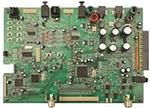
TAS3308EVM
Evaluation Module for the
TAS3308 Digital Audio Signal Processor
User's Guide
March 2008
Digital Audio & Video Products
SLEU093
�TAS3308EVM
Evaluation Module for the
TAS3308 Digital Audio Signal Processor
User's Guide
Literature Number: SLEU093
March 2008
�Contents
Preface ............................................................................................................................... 5
1
2
3
Overview
TAS3308EVM Features ............................................................................................ 8
1.2
PCB Component Map
Quick Setup Guide
............................................................................................
11
.................................................................................................... 13
2.1
Electrostatic Discharge Warning ................................................................................ 14
2.2
Unpacking the EVM ............................................................................................... 14
2.3
Power Supply Setup .............................................................................................. 14
2.4
Digital Audio Inputs/Outputs ..................................................................................... 14
2.5
Master/Slave Mode Operation ................................................................................... 15
2.5.1
Master Mode .............................................................................................. 15
2.5.2
Slave Mode
...............................................................................................
15
2.6
EVM Default Configuration ....................................................................................... 15
2.7
TAS3308 Software Installation
..................................................................................
16
..................................................................................................... 23
.............................................................................. 24
Digital Audio Interface, Input (J1) ............................................................................... 24
PWM Output (J4) .................................................................................................. 25
Analog Input (J6) .................................................................................................. 26
Digital Audio Interface, Output (J9) ............................................................................. 26
RCA Connectors .................................................................................................. 27
MSP430 Port Connector (J3) .................................................................................... 27
I2S Master Slave Jumper (JP3).................................................................................. 27
System Interfaces
3.1
3.2
3.3
3.4
3.5
3.6
3.7
3.8
4
................................................................................................................... 7
1.1
Control Interface (Control1), Input
MSP430 Programming
4.1
............................................................................................... 29
Example of MSP430 Programming ............................................................................. 30
Important Notices ............................................................................................................... 31
SLEU093 – March 2008
Submit Documentation Feedback
Contents
3
�List of Figures
1-1
1-2
1-3
2-1
2-2
2-3
2-4
2-5
2-6
4-1
TAS3308EVM System ...................................................................................................... 9
TAS3308EVM System ..................................................................................................... 10
TAS3308EVM Component View ......................................................................................... 11
GDE Startup ................................................................................................................ 17
Setting the I2C Initialization Sequence .................................................................................. 17
Specifying the I2C Initialization Sequence .............................................................................. 18
Loading a Process Flow ................................................................................................... 19
Loading a Process Flow (Part B) ......................................................................................... 20
GDE Test Process Flow ................................................................................................... 21
MSP430 Control Example ................................................................................................ 30
List of Tables
2-1
2-2
3-1
3-2
3-3
3-4
3-5
3-6
3-7
3-8
4
Recommended Supply Voltages for EVM Board ......................................................................
JP2 Clock Master/Slave Setting ..........................................................................................
Control1 Pin Description...................................................................................................
J1 Pin Description ..........................................................................................................
J4 Pin Description ..........................................................................................................
J6 Pin Description ..........................................................................................................
J9 Pin Description ..........................................................................................................
RCA Connectors Pin Description ........................................................................................
J3 Pin Description ..........................................................................................................
JP3 Pin Description ........................................................................................................
List of Figures
14
15
24
24
25
26
27
27
27
28
SLEU093 – March 2008
Submit Documentation Feedback
�Preface
SLEU093 – March 2008
Read This First
About This Manual
This manual describes the operation of the TAS3308EVM evaluation module from Texas Instruments.
How to Use This Manual
This document contains the following chapters:
Chapter 1 – Overview
Chapter 2 – Quick Setup Guide
Chapter 3 – System Interfaces
Chapter 4 – MSP430
Information About Cautions and Warnings
This manual may contain cautions and warnings.
CAUTION
This is an example of a caution statement.
A caution statement describes a situation that could potentially damage your
software or equipment.
WARNING
This is an example of a warning statement.
A warning statement describes a situation that could potentially
cause harm to you.
The information in a caution or a warning is provided for your protection. Please read each caution and
warning carefully.
Related Documentation From Texas Instruments
The following table contains a list of data manuals that have detailed descriptions of the integrated circuits
used in the design of the TAS3308EVM. The data manuals can be obtained at the URL http://www.ti.com.
Related Documentation from Texas Instruments
SLEU093 – March 2008
Submit Documentation Feedback
Part Number
Literature Number
TAS3308
TAS3308 Data Manual
TLV1117-33
SLVS561
TPS3825-33
SLVS165
Read This First
5
�www.ti.com
Additional Documentation
Additional Documentation
1. Graphical Development tool (GDE) for TAS3308 (GDE ver. 1.7 or later)
2. General Application Notes
Trademarks
Equibit™ and PurePath Digital™ are trademarks of Texas Instruments.
6
Read This First
SLEU093 – March 2008
Submit Documentation Feedback
�Chapter 1
SLEU093 – March 2008
Overview
The TAS3308EVM PurePath Digital™ customer evaluation module demonstrates the Digital Audio
Processor TAS3308 from Texas Instruments (TI).
TAS3308 is a fully programmable high-performance audio processor. It uses an efficient, custom,
multi-instruction programming environment optimized for digital audio processing algorithms. The
TAS3308 architecture provides high-quality audio processing by using a 48-bit data path, 28-bit filter
coefficients, and a single-cycle 28 × 48-bit multiplier with a 76-bit accumulator. An embedded 8051
microprocessor provides algorithm and data control for the TAS3308. The TAS3308 is the commercial
version intended for home audio and other commercial applications.
This is a single board EVM. EVM can be configured with a TAS5601 or similar power stage. This
combination will provide complete signal processing and power amplification system solution which
includes digital input/output (S/PDIF), analog inputs/outputs, interface to PC and DAP features like digital
volume control, input and output mixers, auto mute, equalization, tone controls, loudness, dynamic range
compression, surround effects.
The TAS3308 is well suited for inclusion in Digital Televisions, Home Theater Systems, Mini-Component
Audio Systems and Pro-Audio systems.
Topic
1.1
1.2
..................................................................................................
Page
TAS3308EVM Features ................................................................ 8
PCB Component Map ................................................................ 11
SLEU093 – March 2008
Submit Documentation Feedback
Overview
7
�www.ti.com
TAS3308EVM Features
1.1
TAS3308EVM Features
•
•
•
•
•
•
•
•
•
•
•
•
•
Socketed EEPROM for download of program and coefficients
6-channel discrete I2S input/4-channel I2S outputs
2-channel SPDIF receiver, optical input, into TAS3308 SDIN1
2-channel SPDIF transmitter, optical output from TAS3308 SDOUT1
2-channel SPDIF, optical input to TAS3308 SPDIFin
2-channel SPDIF, optical output from TAS3308 SDOUT2/SPDIFout
A 10-input multiplexed ADC input
PWM DAC stereo line output
One PWM DAC Headphone output
One Line output
USB to PC connection for software control
MSP430 for Standalone operation
Double-sided plated-through PCB layout
The primary usage mode of the EVM is to provide a software development platform that receives the
control and signal processing flow descriptions from a PC running the PurePath Studio Graphical
Environment (GDE) or Integrated Development Environment (IDE) through the USB interface. In this
mode of operation, the user will develop a signal processing flow (applications) and components using the
PurePath Studio. The resulting programs can be loaded into the EVM EEPROM. The TAS3308 will then
load the EEPROM contents and execute the signal processing flows. During execution, many of the
TAS3308 signal processing flow parameters can be dynamically changed using the PurePath Studio
Graphical development environment. Additional information on using the EVM with the PurePath Studio
development environment is included in subsequent sections of this document and in the PurePath Studio
online documentation.
The EVM has a Reset Button which resets all of the board logic. A red RESET LED is lit when Reset is
active. The EVM also has a Mute button to mute the TAS3308 outputs. The Mute function is automatically
activated following a reset. A yellow mute LED is lit when Mute is active.
The EVM also contains a MSP430F2252 controller that can be programmed to provide stand alone
operation using the EVM push buttons or an IR remote input. The microcontroller interfaces to the
TAS3308 through the I2C, GPIO, and the Reset control lines. The microcontroller has and IR receiver,
eight (8) circuit board pushbuttons and eight (8) LEDs to support user inputs.
8
Overview
SLEU093 – March 2008
Submit Documentation Feedback
�www.ti.com
TAS3308EVM Features
+ 9V + 9V
GND GND
SPDIFout I2S
GND
I2S Sig In
SPDIF I/O
SDOUT2
SDOUT1
LRCLKOUT
SCLKOUT
MCLKOUT
Digital
Input
SPDIF_OUT
SPDIF_IN
GND
SDIN3
SDIN2
SDIN1
LRCLKIN
SCLKIN
MCLKIN
SPDIFin I2S
GND
GND
+ 9V
- 9V
Push
Buttons
] I2S Slave
Digital Input/ Output
Power
] I2S Master
IR
MSP430
Control
TAS3308
z
USB In
Lineout1L
Lineout1R
Line Out
Analog
Input
L6
R6
L7
R7
L8
R8
L9
R9
L10
R10
RCA
Analog
Comp
L1
R1
L2
R2
L3
R3
L4
R4
L5
R5
L1
TUSB USB
Control
R1
SDA
SCL
GND
3.3V
GPIO1
GPIO2
/RESET
/MUTE
GND
GND
Control
Input
Analog
Output
PWM OUTPUT
+5V_PWR
-5V_PWR
+3.3V_PWR
+3.3V_PWR
VALID
FAULT
N/C
N/C
PWM3_RI
PWM3_RD
PWM3_LI
PWM3_LD
PWM2_RI
PWM2_RD
PWM2_LI
PWM2_LD
PWM1_RI
PWM1_RD
PWM1_LI
PWM1_LD
I2S Sig Out
Headphone
Line Out 1
TAS3308EVM
Figure 1-1. TAS3308EVM System
SLEU093 – March 2008
Submit Documentation Feedback
Overview
9
�www.ti.com
TAS3308EVM Features
POWER
SUPPLY
+5V
9V-1 IN
9V-2 IN
+5V
-5V
SPDIF IN I2S
SHT 2
3.3V
3.3V
SHTS 11/12
OPTICAL
SCLK
SCLK
LRCLK
LRCLK
MCLK
SCLKOUT
Lock
SCLK
LEDs
MCLKOUT
MCLK
SDIN1
SDIN1
LRCLKOUT
SDIN2
SDOUT1
SDIN3
SDOUT2
FAULT
LRCLK
SHT10
MCLK
DATA0
DATA1
Push Buttons
LINx
DATA2
SHT 3
FAULT
TAS3308
SHT 9
SHT 10
SHT 3
GPIOx
SHT 5
SDA
SCL
PWM3
USB
CONTROLLER
SHT 9
EEPROM2
GPIOx
PWM1
SDA
SHT 6
SCL
SHT 9
SHT 4
PWM2
MUTE
EEPROM1
TYPE A JACK
RESET-USB
RESET2
SHT 9
SHT 7
SPDIF IN
(OPTICAL
SPDIF OUT
SHEET 8
Figure 1-2. TAS3308EVM System
10
Overview
SLEU093 – March 2008
Submit Documentation Feedback
�www.ti.com
PCB Component Map
1.2
PCB Component Map
TAS3308EVM physical structure is shown in Figure 1-3.
SPDIF
I2S IN
I2S IN
SPDIF
SPDIF
SDOUT2 IN
I2S
OUT
GND
-9 V
SPDIF
GND
I2S OUT + 9 V
Valid
Fault
PWM OUT
3 RI
3 RD
3 LI
3 LD
.
.
.
1 RI
1 RD
1 LI
1 LD
IR
Receiver
USB
IN
PWM2
Headphone
Control
IN
Analog
In 1 L & R
Analog In
1 L&R to 20 L & R
Lineout
L&R
PWM 1
Lineout
Figure 1-3. TAS3308EVM Component View
SLEU093 – March 2008
Submit Documentation Feedback
Overview
11
�12
Overview
SLEU093 – March 2008
Submit Documentation Feedback
�Chapter 2
SLEU093 – March 2008
Quick Setup Guide
This chapter describes the overall TAS3308EVM board setup, power supply requirements and system
interfaces. The chapter provides information regarding handling and unpacking, absolute operating
conditions, and a description of the factory default jumper configuration.
Topic
2.1
2.2
2.3
2.4
2.5
2.6
2.7
..................................................................................................
Electrostatic Discharge Warning .................................................
Unpacking the EVM ...................................................................
Power Supply Setup ..................................................................
Digital Audio Inputs/Outputs ......................................................
Master/Slave Mode Operation .....................................................
EVM Default Configuration .........................................................
TAS3308 Software Installation ....................................................
SLEU093 – March 2008
Submit Documentation Feedback
Page
14
14
14
14
15
15
16
Quick Setup Guide
13
�www.ti.com
Electrostatic Discharge Warning
2.1
Electrostatic Discharge Warning
Many of the components on the TAS3308EVM are susceptible to damage by electrostatic discharge
(ESD). Customers are advised to observe proper ESD handling precautions when unpacking and handling
the EVM, including the use of a grounded wrist strap at an approved ESD workstation.
CAUTION
Failure to observe ESD handling procedures may result in damage to EVM
components.
2.2
Unpacking the EVM
Upon opening the TAS3308EVM package, please check to make sure that the following items are
included:
• TAS3308EVM board using one TAS3308DCP (1 pc.)
• PurePath CD-ROM containing data sheets, application reports, user guides, Gerber files, and PC
software tools (1 pc.)
If any of these items are missing, please contact the Texas Instruments Product Information Center
nearest you to inquire about a replacement.
2.3
Power Supply Setup
The TAS3308EVM is powered via the ±9 V terminals or the 9 V (center hot) power connectors, PJ1 and
PJ2. The TAS3308 EVM generates a 5-V, –5-V, and 3.3-V internal supplies that are fed to the
TAS3308EVM components.
Set the power supplies to ±9 V. Then turn off the supplies and them to the EVM.
Once the cables are connected, switch on the power supply. Current consumption should be less than
shown in Table 2-1, if higher switch off and double check the cabling.
Table 2-1. Recommended Supply Voltages for EVM Board
Description
Voltage Limitations
Current Requirement
9V
8.5 V – 9.5 V
0.3 A
–9 V
–8.5 V – 9.4 V
0.1 A
CAUTION
Applying voltages above the limitations given in Table 2-1 may cause
permanent damage to your hardware.
2.4
Digital Audio Inputs/Outputs
The digital audio inputs can be connected to the board in two ways, either in the SPDIF format optical
TOSLINK input, OPTO1, or in I2S format on connector J1. The pin out this and the other connectors is
shown in Chapter 3.
The SPDIF I2S IN input supplies signal to the TAS3308 SDIN1. When a valid lock is detected by the
DIR9001 SPDIF receiver a blue SPDIF lock LED is lit.
14
Quick Setup Guide
SLEU093 – March 2008
Submit Documentation Feedback
�www.ti.com
Master/Slave Mode Operation
2
2
The digital audio outputs can be to I S or SPDIF format optical TOSLINK. The I S output is provided on
connector J9. There are two SPDIF output options. One SPDIF output can be produced by the TAS3308
on SDOUT2. This is set by a TAS3308 I2C register configuration option. This output is available on
OPTO3. The other SPDIF output is the SDOUT1 output that is converted into SPDIF format by an external
encoder. This is output on OPTO4.
The TAS3308 has an optical SPDIF input from OPTO2. This is a pass though only connection to the
TAS3308 SDOUT2/SPDIF output on, OPTO3.
2.5
Master/Slave Mode Operation
The TAS3308EVM is delivered configured to operate in clock master mode. However, the TAS3308 can
be configured as a clock slave or master using JP3.
Table 2-2. JP2 Clock Master/Slave Setting
Jumper JP3 Pins
I2S Clock Mode
1, 2
Slave
2, 3
Master
2.5.1 Master Mode
In master mode, the master clock, MCLK SCLK and LRCLK for the system are provided on J9. Data can
be input on the analog input and as I2S data on J1.
SPDIF I2S input from OPTO1 is not supported in master mode.
Data can be output from the I2S outputs on J9, SPDIF I2S output, OPTO4, and from SPDIF SDOUT2
when the SDOUT2 is configured for SPDIF output.
2.5.2 Slave Mode
In slave mode, data and clocks can be input in the SPDIF I2S IN, OPTO1, or the I2S input, J1. The SPDIF
input is selected automatically when EVM detects a valid SPDIF signal on OPTO1. If the EVM does not
detect a valid SPDIF signal on OPTO1, then the I2S inputs are used.
In slave mode, the TAS3308 ADC requires an external clock input from the I2S IN or the SPDIF I2S IN for
correct operation. The performance of the ADC is affected by the clock source jitter.
Data can be output from the I2S outputs on J9, SPDIF I2S output, OPTO4, and from SPDIF SDOUT2
when the SDOUT2 is configured for SPDIF output.
2.6
EVM Default Configuration
The TAS3308 is placed into the default configuration by receiving a reset. The TAS3308 receives a reset
from the power up circuitry, by pressing the Reset button, or by receiving a reset signal through the USB
interface. Following the receipt of reset, the TAS3308 EVM will load the contents of EEPROM2 and come
up with Mute enabled, clock master mode enabled, and the PWM outputs configured for Comb AD
modulation.
As described in this section, an example PurePath Studio GDE processing flow is supplied that configures
the TAS3308 to support a I2S digital PCM input, analog input, digital output, line output , headphone
output and TAS5601 Power Stage for both master and slave mode.
SLEU093 – March 2008
Submit Documentation Feedback
Quick Setup Guide
15
�www.ti.com
TAS3308 Software Installation
2.7
TAS3308 Software Installation
The TAS3308 is programmed and configured using PurePath Studio. This PurePath Studio is composed
of a graphical development environment (GDE), the integrated development environment (IDE) and the
component publisher. The GDE permits the user to program TAS3308 using predefined signal processing
components that are placed and connected graphically on the GDE pallet. PurePath Studio runs on a
Windows® XP computer.
The IDE is software development environment that permits the user to construct and test the code for a
new GDE component.
The component publisher is used to create the component, define the component’s control interface and
the ways in which the component can be used.
PurePath Studio software is supplied on the TAS3308 Software CD-ROM. The latest version of PurePath
Studio is also available on the TI Extranet to registered users.
To access the TI PurePath Studio Extranet site
• To get access to the TI Extranet for the PurePath Studio tool suite – open a web browser and go to the
following site and fill in the requested information.
http://iag.itg.ti.com/msa/
There are two types of licenses
• For those who are interested only in evaluating the tools, there is an evaluation license.
• For those who are interested in product development using PurePath Studio tools there is a production
license. This is the software license that is needed to support the EVM.
Access to the Extranet is available by using a browser to access my.ti.com and selecting Extranets. The
PurePath Studio software is contained under the link TAS3108-PurePath Studio.
To load PurePath Studio Software suite
• From CD-ROM – Insert the TAS3308 Software CD-ROM. Open the TAS3308GDE directory and run
setup_PurePath_Studio_vx.xx.exe. Follow the instructions to complete the installation.
• From Download – Save the installation file to temporary directory. Go to the temporary directory and
run setup_PurePath_Studio_vx.xx.exe. Follow the instructions to compete the installation.
• The CD-ROM also contains initialization files for master and slave EVM initialization and a simple
process flow that can be used to verify the TAS3308 EVM operation.
• After the PurePath Studio installation is complete, copy the contents of the CD-ROM TAS3308_Config
directory to C:\ Program Files\Texas Instruments Inc\PurePath Studio\MyProcessFlows.
Using the TAS3308 EVM
After completing the software installation, turn on power supplies and connect USB cable to Input-USB
board.
To start the GDE – Go to the Start menu and select All Programs/Texas Instruments/PurePath
Studio/PurePath Studio GDE.
16
Quick Setup Guide
SLEU093 – March 2008
Submit Documentation Feedback
�www.ti.com
TAS3308 Software Installation
Figure 2-1. GDE Startup
The startup of GDE takes few seconds.
The TAS3308 requires an initialization configuration file to be loaded after a reset. This file configures the
TAS3308 for the EVM configuration, enables the analog outputs, and sets the clock master/slave mode.
Before loading or building a process flow verify that an initialization file is specified in the Execute I2C
command file window. This window is found under Tools/I2C Command Tool.
Figure 2-2. Setting the I2C Initialization Sequence
If the EVM is to be operated in Master mode, select 3308EVM_init_master.cfg.
If the EVM is to be operated in Slave mode, select 3308EVM_init_slave.cfg.
SLEU093 – March 2008
Submit Documentation Feedback
Quick Setup Guide
17
�www.ti.com
TAS3308 Software Installation
Figure 2-3. Specifying the I2C Initialization Sequence
Then verify that the “Execute on reset” box is checked.
At this point a process flow can be built using the TAS3308 application framework, the TAS3308 I/O
components and the audio processing components.
Building and running a process flow
A good starting point is to load the predefined TAS3308 Test process flow.
This flow is loaded by selecting File/Open.
18
Quick Setup Guide
SLEU093 – March 2008
Submit Documentation Feedback
�www.ti.com
TAS3308 Software Installation
Figure 2-4. Loading a Process Flow
SLEU093 – March 2008
Submit Documentation Feedback
Quick Setup Guide
19
�www.ti.com
TAS3308 Software Installation
Figure 2-5. Loading a Process Flow (Part B)
This loads a process flow that streams a signal from either the ADC or SAP1 input to the PWM and SAP
output.
20
Quick Setup Guide
SLEU093 – March 2008
Submit Documentation Feedback
�www.ti.com
TAS3308 Software Installation
Figure 2-6. GDE Test Process Flow
The input selection is performed by selecting the Mux and changing the Mux Select Property to StereoCh1
or StereoCh2.
To build this process flow and execute it on the EVM, select Build/ Generate Code, then Build/Download
code, and finally then Build/Run.
When the GDE transitions to run mode, the GDE resets the TAS3308EVM.
The reset restores the TAS3308 register to the default values.
The TAS3308 will then load the EEPROM image and the TAS3308_init_master/slave.cfg file.
At this point the TAS3308 EVM transitions to the run mode with the mute in the ON state.
For the TAS3308 to stream audio out of the DAC outputs, the mute must be returned to the inactive state.
This is done by pressing the mute button. The mute LED is extinguished.
For more advanced use of the GDE please refer to GDE online help, GDE Release notes and TAS3108
MCU Programmer’s Reference Guide.
SLEU093 – March 2008
Submit Documentation Feedback
Quick Setup Guide
21
�22
Quick Setup Guide
SLEU093 – March 2008
Submit Documentation Feedback
�Chapter 3
SLEU093 – March 2008
System Interfaces
This chapter describes the TAS3308EVM board power supplies and system interfaces.
Topic
3.1
3.2
3.3
3.4
3.5
3.6
3.7
3.8
..................................................................................................
Control Interface (Control1), Input ...............................................
Digital Audio Interface, Input (J1) ................................................
PWM Output (J4) .......................................................................
Analog Input (J6) ......................................................................
Digital Audio Interface, Output (J9) .............................................
RCA Connectors ......................................................................
MSP430 Port Connector (J3).......................................................
I2S Master Slave Jumper (JP3) ....................................................
SLEU093 – March 2008
Submit Documentation Feedback
Page
24
24
25
26
26
27
27
27
System Interfaces
23
�www.ti.com
Control Interface (Control1), Input
3.1
Control Interface (Control1), Input
This interface connects the TAS3308EVM board to an internal controller. This is a general-purpose
interface.
Table 3-1. Control1 Pin Description
3.2
PIN NO.
NET-NAME AT SCHEMATICs
DESCRIPTION
1
SDA
I2C bidirectional data line
2
SCL
I2C input clock line
3
GND
Ground
4
3.3 V
Power
5
GPIO1
General-purpose bidirectional I/O 1
6
GPIO2
General-purpose bidirectional I/O 2
7
RESETZ
System reset (bidirectional). Activate /MUTE before /RESET for quiet reset
8
MUTEZ
Ramp volume from any setting to noiseless soft mute. Mute can also be activated by
I2C
9
GPIO3
General-purpose bidirectional I/O 3
10
GPIO4
General-purpose bidirectional I/O 4
Digital Audio Interface, Input (J1)
The digital audio interface contains digital audio signal data (I2S), clocks etc. See TAS3308 Data Manual
for signal timing and details not explained in this document.
Table 3-2. J1 Pin Description
24
PIN NO.
NET-NAME AT SCHEMATICS
DESCRIPTION
1
GND
Ground
2
MCLKin
Master clock input
3
GND
Ground
4
SCLKin
I2S bit clock
5
GND
Ground
6
LRCLKin
I2S left-right clock
7
GND
Ground
8
SDIN1
I2S data 1, channel 1 and 2
9
GND
Ground
10
SDIN2
I2S data 2, channel 3 and 4
11
GND
Ground
12
SDIN3
I2S data 3, channel 5 and 6
13
GND
Ground
14
GND
Ground
System Interfaces
SLEU093 – March 2008
Submit Documentation Feedback
�www.ti.com
PWM Output (J4)
3.3
PWM Output (J4)
Table 3-3. J4 Pin Description
PIN NO.
NET-NAME AT SCHEMATICS
DESCRIPTION
1
GND
Ground
2
5V_PWR
5V_PWR
3
GND
Ground
4
–5V_PWR
–5V_PWR
5
GND
Ground
6
3.3V_PWR
3.3V_PWR
7
GND
Ground
8
3.3V_PWR
3.3V_PWR
9
GND
Ground
10
VALID
VALID
11
GND
Ground
12
FAULT
FAULT
13
GND
Ground
14
N/C
N/C
15
GND
Ground
16
N/C
N/C
17
GND
Ground
18
PWM3_RI
PWM3_RI
19
GND
Ground
20
PWM3_RD
PWM3_RD
23
GND
Ground
22
PWM3_LI
PWM3_LI
23
GND
Ground
24
PWM3_LD
PWM3_LD
25
GND
Ground
26
PWM2_RI
PWM2_RI
27
GND
Ground
28
PWM2_RD
PWM2_RD
29
GND
Ground
30
PWM2_LI
PWM2_LI
31
GND
Ground
32
PWM2_LD
PWM2_LD
33
GND
Ground
34
PWM1_RI
PWM2_RI
35
GND
Ground
36
PWM1_RD
PWM2_RD
37
GND
Ground
38
PWM1_LI
PWM2_LI
39
Ground
Ground
40
PWM1_LD
PWM2_LD
SLEU093 – March 2008
Submit Documentation Feedback
System Interfaces
25
�www.ti.com
Analog Input (J6)
3.4
Analog Input (J6)
Table 3-4. J6 Pin Description
3.5
PIN NO.
NET-NAME AT SCHEMATICS
DESCRIPTION
1
GND
Ground
2
LineIn1L
Line in left channel 1 also on RCA J5
3
GND
Ground
4
LineIn1R
Line in right channel 1 also on RCA J5
5
GND
Ground
6
LineIn2L
Line in left channel 2
7
GND
Ground
8
LineIn2R
Line in right channel 2
9
GND
Ground
10
LineIn3L
Line in left channel 3
11
GND
Ground
12
LineIn3R
Line in right channel 3
13
GND
Ground
14
LineIn4L
Line in left channel 4
15
GND
Ground
16
LineIn4R
Line in right channel 4
17
GND
Ground
18
LineIn5L
Line in left channel 5
19
GND
Ground
20
LineIn5R
Line in right channel 5
23
GND
Ground
22
LineIn6L
Line in left channel 6
23
GND
Ground
24
LineIn6R
Line in right channel 6
25
GND
Ground
26
LineIn7L
Line in left channel 7
27
GND
Ground
28
LineIn7R
Line in right channel 7
29
GND
Ground
30
LineIn8L
Line in left channel 8
31
GND
Ground
32
LineIn8R
Line in right channel 8
33
GND
Ground
34
LineIn9L
Line in left channel 9
35
GND
Ground
36
LineIn9R
Line in right channel 9
37
GND
Ground
38
LineIn10L
Line in left channel 10
39
GND
Ground
40
LineIn10R
Line in right channel 10
Digital Audio Interface, Output (J9)
The digital audio interface contains digital audio signal data (I2S), clocks, etc. See TAS3308 Data Manual
for signal timing and details not explained in this document.
26
System Interfaces
SLEU093 – March 2008
Submit Documentation Feedback
�www.ti.com
RCA Connectors
Table 3-5. J9 Pin Description
3.6
PIN NO.
NET-NAME AT SCHEMATICS
DESCRIPTION
1
GND
Ground
2
MCLKO
Master clock input
3
GND
Ground
4
SCLKout
I2S bit clock
5
GND
Ground
6
LRCLKout
I2S left-right clock
7
GND
Ground
8
SDOUT1
I2S data 1, channel 1 and 2
9
GND
Ground
10
SDOUT2
I2S data 2, channel 3 and 4
RCA Connectors
Table 3-6. RCA Connectors Pin Description
3.7
PIN NO.
NET-NAME AT SCHEMATICS
DESCRIPTION
1
Signal
Channel input/output – tip
2
AGND
Analog ground – sleeve
MSP430 Port Connector (J3)
Table 3-7. J3 Pin Description
PIN NO.
NET-NAME AT SCHEMATICS
DESCRIPTION
1
TDO
TDO
3
TCLK
TCLK
4
3.3 V
3.3 V
5
TMS
TMS
7
TCK
TCK
8
TEST
TEST
9
GND
GND
RESET
RESET
2
6
10
11
12
13
14
3.8
I2S Master Slave Jumper (JP3)
1
2
3
PCB Connector (Top View)
SLEU093 – March 2008
Submit Documentation Feedback
System Interfaces
27
�www.ti.com
2
I S Master Slave Jumper (JP3)
Table 3-8. JP3 Pin Description
28
System Interfaces
PIN NO.
DESCRIPTION
1, 2
I2S Slave
2, 3
I2S Master
SLEU093 – March 2008
Submit Documentation Feedback
�Chapter 4
SLEU093 – March 2008
MSP430 Programming
This chapter describes the TAS3308EVM board power supplies and system interfaces.
Topic
4.1
..................................................................................................
Page
Example of MSP430 Programming .............................................. 30
SLEU093 – March 2008
Submit Documentation Feedback
MSP430 Programming
29
�www.ti.com
Example of MSP430 Programming
4.1
Example of MSP430 Programming
The MSP430 can be programmed to provide TAS3308 and power stage initialization and control. During
Initialization the MSP430 should wait for the TAS3308 to complete booting from EEPROM. It would then
send an initialization sequence to the TAS3308. At this point, the MSP430 would send I2C commands to
the TAS3308 when it receives an input from one of the onboard switches or the IR remote control.
The microcontroller has eight circuit board pushbuttons and LEDs to support user control functions.
These controls can be programmed to provide functions and indications, such as:
• Select analog/digital source
• Function 1 (surround effect) on/off
• Function 2 (EQ) on/off
• Function 3 (DRC) on/off
• Volume up/volume down
VOLUME
I2C Addr 198 (0xC6)
1= Function
2= Bypass
Analog
Input
Stereo
Splitter
Stereo
Splitter
Func
#1
Digital
Input(s)
Switch S2 Increases Vol
Switch S3 Decreases Vol
Stereo
Splitter
Func
#2
Func
#3
Vol
PWM
Output
Stereo
Mux(s) #1
2
I C Addr 192 (0xC0)
1= Analog LED7 ON
2= Digital
Switch S4 toggles
between Function
and Bypass
Stereo
Mux(s) #2
Stereo
Mux (s) #3
Stereo
Mux (s) #4
2
I2C Addr 193 (0xC1)
1= Function LED8 ON
2= Bypass
Switch S5 toggles
between Function
and Bypass
I C Addr 194 (0xC2)
1= Function LED9 ON
2= Bypass
Switch S6 toggles
between Function
and Bypass
I 2C Addr 195 (0xC3)
1= Function LED10 ON
2= Bypass
Switch S7 toggles
between Function
and Bypass
I 2C Addresses
196 (0xC4) Reserved
197 (0xC5) Reserved
199 (0xC7) Reserved
Stereo Signal path
Optional Stereo Signal path
Figure 4-1. MSP430 Control Example
30
MSP430 Programming
SLEU093 – March 2008
Submit Documentation Feedback
�EVALUATION BOARD/KIT IMPORTANT NOTICE
Texas Instruments (TI) provides the enclosed product(s) under the following conditions:
This evaluation board/kit is intended for use for ENGINEERING DEVELOPMENT, DEMONSTRATION, OR EVALUATION PURPOSES
ONLY and is not considered by TI to be a finished end-product fit for general consumer use. Persons handling the product(s) must have
electronics training and observe good engineering practice standards. As such, the goods being provided are not intended to be complete
in terms of required design-, marketing-, and/or manufacturing-related protective considerations, including product safety and environmental
measures typically found in end products that incorporate such semiconductor components or circuit boards. This evaluation board/kit does
not fall within the scope of the European Union directives regarding electromagnetic compatibility, restricted substances (RoHS), recycling
(WEEE), FCC, CE or UL, and therefore may not meet the technical requirements of these directives or other related directives.
Should this evaluation board/kit not meet the specifications indicated in the User’s Guide, the board/kit may be returned within 30 days from
the date of delivery for a full refund. THE FOREGOING WARRANTY IS THE EXCLUSIVE WARRANTY MADE BY SELLER TO BUYER
AND IS IN LIEU OF ALL OTHER WARRANTIES, EXPRESSED, IMPLIED, OR STATUTORY, INCLUDING ANY WARRANTY OF
MERCHANTABILITY OR FITNESS FOR ANY PARTICULAR PURPOSE.
The user assumes all responsibility and liability for proper and safe handling of the goods. Further, the user indemnifies TI from all claims
arising from the handling or use of the goods. Due to the open construction of the product, it is the user’s responsibility to take any and all
appropriate precautions with regard to electrostatic discharge.
EXCEPT TO THE EXTENT OF THE INDEMNITY SET FORTH ABOVE, NEITHER PARTY SHALL BE LIABLE TO THE OTHER FOR ANY
INDIRECT, SPECIAL, INCIDENTAL, OR CONSEQUENTIAL DAMAGES.
TI currently deals with a variety of customers for products, and therefore our arrangement with the user is not exclusive.
TI assumes no liability for applications assistance, customer product design, software performance, or infringement of patents or
services described herein.
Please read the User’s Guide and, specifically, the Warnings and Restrictions notice in the User’s Guide prior to handling the product. This
notice contains important safety information about temperatures and voltages. For additional information on TI’s environmental and/or
safety programs, please contact the TI application engineer or visit www.ti.com/esh.
No license is granted under any patent right or other intellectual property right of TI covering or relating to any machine, process, or
combination in which such TI products or services might be or are used.
FCC Warning
This evaluation board/kit is intended for use for ENGINEERING DEVELOPMENT, DEMONSTRATION, OR EVALUATION PURPOSES
ONLY and is not considered by TI to be a finished end-product fit for general consumer use. It generates, uses, and can radiate radio
frequency energy and has not been tested for compliance with the limits of computing devices pursuant to part 15 of FCC rules, which are
designed to provide reasonable protection against radio frequency interference. Operation of this equipment in other environments may
cause interference with radio communications, in which case the user at his own expense will be required to take whatever measures may
be required to correct this interference.
Mailing Address: Texas Instruments, Post Office Box 655303, Dallas, Texas 75265
Copyright 2008, Texas Instruments Incorporated
�EVM WARNINGS AND RESTRICTIONS
It is important to operate this EVM within the input voltage range of xxx V to xxx V and the output voltage range of xxx V to xxx V.
Exceeding the specified input range may cause unexpected operation and/or irreversible damage to the EVM. If there are questions
concerning the input range, please contact a TI field representative prior to connecting the input power.
Applying loads outside of the specified output range may result in unintended operation and/or possible permanent damage to the EVM.
Please consult the EVM User's Guide prior to connecting any load to the EVM output. If there is uncertainty as to the load specification,
please contact a TI field representative.
During normal operation, some circuit components may have case temperatures greater than xxx C. The EVM is designed to operate
properly with certain components above xxx C as long as the input and output ranges are maintained. These components include but are
not limited to linear regulators, switching transistors, pass transistors, and current sense resistors. These types of devices can be identified
using the EVM schematic located in the EVM User's Guide. When placing measurement probes near these devices during operation,
please be aware that these devices may be very warm to the touch.
Mailing Address: Texas Instruments, Post Office Box 655303, Dallas, Texas 75265
Copyright 2008, Texas Instruments Incorporated
�IMPORTANT NOTICE
Texas Instruments Incorporated and its subsidiaries (TI) reserve the right to make corrections, modifications, enhancements, improvements,
and other changes to its products and services at any time and to discontinue any product or service without notice. Customers should
obtain the latest relevant information before placing orders and should verify that such information is current and complete. All products are
sold subject to TI’s terms and conditions of sale supplied at the time of order acknowledgment.
TI warrants performance of its hardware products to the specifications applicable at the time of sale in accordance with TI’s standard
warranty. Testing and other quality control techniques are used to the extent TI deems necessary to support this warranty. Except where
mandated by government requirements, testing of all parameters of each product is not necessarily performed.
TI assumes no liability for applications assistance or customer product design. Customers are responsible for their products and
applications using TI components. To minimize the risks associated with customer products and applications, customers should provide
adequate design and operating safeguards.
TI does not warrant or represent that any license, either express or implied, is granted under any TI patent right, copyright, mask work right,
or other TI intellectual property right relating to any combination, machine, or process in which TI products or services are used. Information
published by TI regarding third-party products or services does not constitute a license from TI to use such products or services or a
warranty or endorsement thereof. Use of such information may require a license from a third party under the patents or other intellectual
property of the third party, or a license from TI under the patents or other intellectual property of TI.
Reproduction of TI information in TI data books or data sheets is permissible only if reproduction is without alteration and is accompanied
by all associated warranties, conditions, limitations, and notices. Reproduction of this information with alteration is an unfair and deceptive
business practice. TI is not responsible or liable for such altered documentation. Information of third parties may be subject to additional
restrictions.
Resale of TI products or services with statements different from or beyond the parameters stated by TI for that product or service voids all
express and any implied warranties for the associated TI product or service and is an unfair and deceptive business practice. TI is not
responsible or liable for any such statements.
TI products are not authorized for use in safety-critical applications (such as life support) where a failure of the TI product would reasonably
be expected to cause severe personal injury or death, unless officers of the parties have executed an agreement specifically governing
such use. Buyers represent that they have all necessary expertise in the safety and regulatory ramifications of their applications, and
acknowledge and agree that they are solely responsible for all legal, regulatory and safety-related requirements concerning their products
and any use of TI products in such safety-critical applications, notwithstanding any applications-related information or support that may be
provided by TI. Further, Buyers must fully indemnify TI and its representatives against any damages arising out of the use of TI products in
such safety-critical applications.
TI products are neither designed nor intended for use in military/aerospace applications or environments unless the TI products are
specifically designated by TI as military-grade or "enhanced plastic." Only products designated by TI as military-grade meet military
specifications. Buyers acknowledge and agree that any such use of TI products which TI has not designated as military-grade is solely at
the Buyer's risk, and that they are solely responsible for compliance with all legal and regulatory requirements in connection with such use.
TI products are neither designed nor intended for use in automotive applications or environments unless the specific TI products are
designated by TI as compliant with ISO/TS 16949 requirements. Buyers acknowledge and agree that, if they use any non-designated
products in automotive applications, TI will not be responsible for any failure to meet such requirements.
Following are URLs where you can obtain information on other Texas Instruments products and application solutions:
Products
Amplifiers
Data Converters
DSP
Clocks and Timers
Interface
Logic
Power Mgmt
Microcontrollers
RFID
RF/IF and ZigBee® Solutions
amplifier.ti.com
dataconverter.ti.com
dsp.ti.com
www.ti.com/clocks
interface.ti.com
logic.ti.com
power.ti.com
microcontroller.ti.com
www.ti-rfid.com
www.ti.com/lprf
Applications
Audio
Automotive
Broadband
Digital Control
Medical
Military
Optical Networking
Security
Telephony
Video & Imaging
Wireless
www.ti.com/audio
www.ti.com/automotive
www.ti.com/broadband
www.ti.com/digitalcontrol
www.ti.com/medical
www.ti.com/military
www.ti.com/opticalnetwork
www.ti.com/security
www.ti.com/telephony
www.ti.com/video
www.ti.com/wireless
Mailing Address: Texas Instruments, Post Office Box 655303, Dallas, Texas 75265
Copyright © 2008, Texas Instruments Incorporated
�