User's Guide
SLAU583 – June 2014
TAS5754M and TAS5756M Evaluation Module
This user’s guide describes the operation of the TAS5754M and TAS5756M Evaluation Modules (EVM).
The EVM is connected to the PurePath™ Console Motherboard (PPCMB). For questions and support go
to the E2E forums (e2e.ti.com). The main contents of this document are:
• Hardware descriptions and implementation
• Start up procedure using PurePath Console2 (PPC2) software with TAS5754/6M plug-in
Related documents:
TAS5754M (SLAS987) and TAS5756M Data Sheet (SLAS988)
PurePath Console Motherboard User’s Guide (SLOU366)
PurePath Graphic Development Suite (PurePath Console)
Throughout this document, the abbreviations EVM, TAS5754/6MDCAEVM, and the term evaluation
module are synonymous with the TAS5754M and TAS5756M Evaluation Module, unless otherwise noted.
The abbreviation TAS5754/6M, refers to either the TAS5754M or TAS5756M devices.
1
2
3
4
Contents
Hardware Overview.......................................................................................................... 2
TAS5754/6MDCAEVM Setup .............................................................................................. 3
Using the PurePath Console with the TAS5754/6MDCAEVM Board ................................................. 6
Board Layouts, Bill of Materials, and Schematic ....................................................................... 11
List of Figures
1
PPCMB and TAS5754/6MDCAEVM ...................................................................................... 2
2
Device Manager.............................................................................................................. 3
3
PPCMB and TAS5754/6MDCAEVM Connection ........................................................................ 4
4
Manual Target Detected .................................................................................................... 5
5
TAS5754/6MDCAEVM GUI Initialization
6
TAS5754/6M GUI Advanced Mode........................................................................................ 6
7
TAS5754/6M GUI HybridFlow Selection .................................................................................. 7
8
TAS5754/6M Audio Processing Tab ...................................................................................... 7
9
DBE Audio Processing Tab
10
11
12
13
14
15
16
17
18
.................................................................................
5
................................................................................................ 8
Other Audio Processing Tab ............................................................................................... 8
Direct I2C Access ............................................................................................................ 9
Direct I2C Access FWID ..................................................................................................... 9
Device Registers Tab ...................................................................................................... 10
TAS5754/6MDCAEVM Top Composite Assembly ..................................................................... 11
TAS5754/6MDCAEVM Bottom Composite Assembly ................................................................. 12
TAS5754/6MDCAEVM Schematic (Page 1 of 3) ...................................................................... 15
TAS5754/6MDCAEVM Schematic (Page 2 of 3) ...................................................................... 16
TAS5754/6MDCAEVM Schematic (Page 3 of 3) ...................................................................... 17
List of Tables
1
Bill of Materials
SLAU583 – June 2014
Submit Documentation Feedback
.............................................................................................................
TAS5754M and TAS5756M Evaluation Module
Copyright © 2014, Texas Instruments Incorporated
13
1
�Hardware Overview
1
www.ti.com
Hardware Overview
The TAS5754/6MDCAEVM showcases the latest TI digital input class D closed loop amplifier. The
TAS5754/6M is an I2S or TDM input class D amplifier with PurePath HybridFlows. The EVM is used in
conjunction with the PurePath Console Motherboard (PPCMB). The PVDD supply is provided via the
TAS5754/6MDCAEVM and is regulated to 5 VDC and 3.3 VDC on the PPCMB. The PPCMB provides the
I2S, I2C, and 3.3 VDC to the TAS5754/6MDCAEVM.
Figure 1. PPCMB and TAS5754/6MDCAEVM
1.1
TAS5754/6MDCAEVM Features
•
•
•
•
•
1.2
GUI control via USB port
Hardware programmable gains and switching frequencies
Stereo and mono channels with I2S input
Processed and non-processed mono channel I2S input
Operates in BTL or PBTL
TAS5754/6MDCAEVM Gain and FSW
The TAS5754/6MDCAEVM offers hardware programmable gains and PWM switching frequencies (FSW).
The two gain options are 14 dB and 20 dB. The four FSW options are 384 kHz, 480 kHz, 576 kHz, and
768 kHz. The combination of gain and FSW can be set by modifying the location of the shunt resistor on
the top side of the TAS5754/6MDCAEVM. The recommended default setting is 20 dB and 768 kHz. A
FSW of 768 kHZ is recommended to minimize the ripple current in the 4.7-µH inductor used.
PurePath is a trademark of Texas Instruments.
Microsoft, Windows are registered trademarks of Microsoft Corporation.
2
TAS5754M and TAS5756M Evaluation Module
Copyright © 2014, Texas Instruments Incorporated
SLAU583 – June 2014
Submit Documentation Feedback
�Hardware Overview
www.ti.com
1.3
TAS5754/6MDCAEVM Functions
The TAS5754/6MDCAEVM is controlled by the PPCMB. The PPCMB sends I C commands from PPC to
the TAS5754/6M. Upon PPC2 execution and connection, the TAS5754/6M is put in software mode.
The digital audio data input to the TAS5754/6MDCAEVM is sent from PPCMB and is selectable from USB
audio, optical SPDIF, coaxial SPDIF, and analog ADC sources. When a digital audio data input is
selected, the PPC2 automatically sends appropriate scripts to the device in use.
1.4
TAS5754/6MDCAEVM Detailed Operations
Upon power-on, the PPCMB uses USB audio input (default). The I2S signals, LRCLK, SCLK, SDIN, and
MCLK, come from the TAS1020B. foobar2000 or similar non-processing media source can be used to
stream audio. The TAS1020B enumerates as the following device on a Microsoft® Windows® operating
system (OS): USB audio (USB-miniEVM), Human Interface Devices, and USB Composite Device, see
Figure 2.
Figure 2. Device Manager
2
TAS5754/6MDCAEVM Setup
This section describes the TAS5754/6MDCAEVM setup and software installation. Since PPCMB connects
to one of the device under test (DUT) EVMs, it is necessary to show the connection in this section.
TAS5754/6MDCAEVM is used for this purpose.
SLAU583 – June 2014
Submit Documentation Feedback
TAS5754M and TAS5756M Evaluation Module
Copyright © 2014, Texas Instruments Incorporated
3
�TAS5754/6MDCAEVM Setup
2.1
www.ti.com
TAS5754/6MDCAEVM Setup
Figure 3. PPCMB and TAS5754/6MDCAEVM Connection
Hardware requirements:
• Computer running either Windows XP, Windows 7, Windows 8, Linux, or MacOS
• Power supply 8–26.4 VDC
• Speakers and cable
• A USB micro type-B cable
• Audio source: This can be a DVD player with appropriate SPDIF cable or Playback Media from
Windows XP, Windows 7, Windows 8, Linux, or MacOS
Hardware Setup:
• Connect the PPCMB to the TAS5754/6MDCAEVM
• Connect PSU to the TAS5754/6MDCAEVM and turn on the power. 5-V and 3.3-V LEDs are
illuminated.
• Plug in USB cable from the PC to the PPCMB; the USB Lock LED (blue) is illuminated
• If optical SPDIF source is used, the blue SPDIF clock-locked LED is illuminated
• Disregard the orange LED indicating Energy Threshold (ET) level is exceeded.
• Clearing the ET value turns the orange LED off
2.2
Software Installation
Download the PurePath Console (PPC2) GUI from the TAS5754M/TAS5756M EVM product folder at
www.ti.com. The TI Web site has the latest release of the GUI.
Execute the GUI installation program, Setup_PurePath_Console2_x.x_revxxxxx.exe. Once the program is
installed, the program group and shortcut icon is created in Start → Program → Texas Instruments Inc →
PurePath Console2. If the GUI doesn’t connect automatically to the target the first time PPC2 is loaded,
select Connect as TAS5754M-56MDCAEVM as shown in Figure 4. To ensure automatic connection to
target switch to Advanced mode to update the firmware ID as described in Section 3.5.
4
TAS5754M and TAS5756M Evaluation Module
Copyright © 2014, Texas Instruments Incorporated
SLAU583 – June 2014
Submit Documentation Feedback
�TAS5754/6MDCAEVM Setup
www.ti.com
Figure 4. Manual Target Detected
The PPC2 software starts up in Basic mode as shown in Figure 5.The green LED on the bottom left
corner of the PPC2 Window indicates the initialization of TAS5754/6M is valid. The PPCMB is initialized
with the USB audio (USB-miniEVM) selected. Streaming audio from the USB host is routed to the
TAS5754/6M.
Figure 5. TAS5754/6MDCAEVM GUI Initialization
If an optical input is used, simply select Optical from the PPCMB Audio I/O drop-down menu in the PPC2
software, the I2S is then routed with this signal, likewise, when a coax input is selected using the PPCMB
Audio I/O drop-down menu. If an analog input is used, click on Line1 from the PPCMB Audio I/O dropdown menu in the PPC2 software, the ADC (PCM3168A) is the source of I2S data.
SLAU583 – June 2014
Submit Documentation Feedback
TAS5754M and TAS5756M Evaluation Module
Copyright © 2014, Texas Instruments Incorporated
5
�Using the PurePath Console with the TAS5754/6MDCAEVM Board
3
www.ti.com
Using the PurePath Console with the TAS5754/6MDCAEVM Board
The TAS5754/6MDCAEVM is initialized upon PurePath Console startup. Audio is streaming to the
speakers if Windows Media (or similar program) is playing and mini-USB EVM is selected in the sound
playback properties. The following indicators show both PPC2 GUI and TAS5754/6MDCAEVM are
operating correctly:
• On the PPCMB, the USB blue LED is on, the green LEDs for 3.3 V and 5 V are on
• On the PPC2, the green LED on the bottom left corner is on
3.1
Configure Tab
The Configure tab is displayed when the PPC2 GUI starts up. Here the Stereo or Mono DUT's Audio I/O,
I2S Format, I2S Word Length, I2S Sample Rate, Channel Volume and HybridFlow can be configured. The
Direct I2C Read/Write and Register tab options in Figure 6 are only visible in Advanced mode. Once the
device is configured and HybridFlow is loaded, proceed to the Audio processing tab to tune the selected
HybridFlow features.
Figure 6. TAS5754/6M GUI Advanced Mode
3.2
Audio Processing Tab
Figure 7 shows the Audio Processing tab, illustrating the device major processing blocks for the selected
HybridFlow. The selected HybridFlow is comprised of BiQuads, DRC (Dynamic Range Compression),
DBE (Dynamic Bass Enhancement), and Other tabs. The Other tab can consist of smooth clip, PBE
(Psychoacoustic Bass Enhancement), and other offered HybridFlow features.
6
TAS5754M and TAS5756M Evaluation Module
Copyright © 2014, Texas Instruments Incorporated
SLAU583 – June 2014
Submit Documentation Feedback
�Using the PurePath Console with the TAS5754/6MDCAEVM Board
www.ti.com
Figure 7. TAS5754/6M GUI HybridFlow Selection
3.3
HybridFlow Features Tabs
For TAS5754/6M there are several HybridFlow settings that are done via I2C. The GUI facilitates these
settings seamlessly and graphically in the HybridFlow tabs shown in Figure 8 through Figure 10.
Figure 8. TAS5754/6M Audio Processing Tab
SLAU583 – June 2014
Submit Documentation Feedback
TAS5754M and TAS5756M Evaluation Module
Copyright © 2014, Texas Instruments Incorporated
7
�Using the PurePath Console with the TAS5754/6MDCAEVM Board
www.ti.com
Figure 9. DBE Audio Processing Tab
Figure 10. Other Audio Processing Tab
8
TAS5754M and TAS5756M Evaluation Module
Copyright © 2014, Texas Instruments Incorporated
SLAU583 – June 2014
Submit Documentation Feedback
�Using the PurePath Console with the TAS5754/6MDCAEVM Board
www.ti.com
3.4
2
Direct I C Access Tab
I2C registers read and write are performed on this tab (see Figure 11). Type in the device I2C address and
click Set. On the Direct I2C Read/Write box, enter a valid I2C page and register for read and type in valid
page, register and data for write. This tab is only available in Advanced mode.
Figure 11. Direct I2C Access
3.5
Firmware ID Update
Update the firmware identification by clicking on the FWID button as shown in Figure 11. If on the initial
launch of the PPC2 GUI, it doesn’t automatically connect to target, the FWID needs updating. Read the
FWID for EVM FWID and Secondary FWID then compare the readings to Figure 12. If they do not match,
write FWIDCCB_1-U to EVM FWID and FWID_TAS5754M-56MDCAEVM to Secondary FWID.
Figure 12. Direct I2C Access FWID
SLAU583 – June 2014
Submit Documentation Feedback
TAS5754M and TAS5756M Evaluation Module
Copyright © 2014, Texas Instruments Incorporated
9
�Using the PurePath Console with the TAS5754/6MDCAEVM Board
3.6
www.ti.com
Device Registers Tab
The Device Registers tab, Figure 13, shows the current I2C registers values (hexadecimal and decimal) in
the TAS5754/6M.
Figure 13. Device Registers Tab
10
TAS5754M and TAS5756M Evaluation Module
Copyright © 2014, Texas Instruments Incorporated
SLAU583 – June 2014
Submit Documentation Feedback
�Board Layouts, Bill of Materials, and Schematic
www.ti.com
4
Board Layouts, Bill of Materials, and Schematic
This section includes the EVM board layouts, bill of materials, and schematics.
4.1
TAS5754/6MDCAEVM Board Layouts
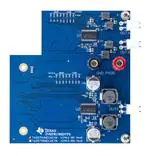
Figure 14 and Figure 15 illustrate the board layouts for the EVM.
Figure 14. TAS5754/6MDCAEVM Top Composite Assembly
SLAU583 – June 2014
Submit Documentation Feedback
TAS5754M and TAS5756M Evaluation Module
Copyright © 2014, Texas Instruments Incorporated
11
�Board Layouts, Bill of Materials, and Schematic
www.ti.com
Figure 15. TAS5754/6MDCAEVM Bottom Composite Assembly
12
TAS5754M and TAS5756M Evaluation Module
Copyright © 2014, Texas Instruments Incorporated
SLAU583 – June 2014
Submit Documentation Feedback
�Board Layouts, Bill of Materials, and Schematic
www.ti.com
4.2
Bill of Materials
Table 1 displays the BOM for this EVM.
Table 1. Bill of Materials
BILL OF MATERIALS for TAS5754MDCAEVM/TAS5756MDCAEVM
May 13, 2014
AIP012-001/AIP012-002
Item
Manu Part Number
Manu
QTY
Ref Designators
Description
1
TAS5754MDCA/
TAS5756MDCA
TEXAS INSTRUMENTS
2
U1, U2
CLASS-D AMP HTSSOP48-DCA ROHS
2
SN74LVC2G157DCUR
TEXAS INSTRUMENTS
2
MUX1, MUX2
MUX/DATA SELECTOR 2 TO 1 VSSOP8-DCU ROHS
3
24LC256-I/MS
MICROCHIP
1
U3
SERIAL EEPROM I2C 256K 400kHz MSOP8-MS ROHS
4
C1005X5R1C105K050BC
TDK CORP
8
C1, C8, C9, C11, C25,
C33, C34, C36
CAP SMD0402 CERM 1.0UFD 16V 10% X5R ROHS
5
C1005X5R1E225K050BC
TDK CORP
6
C2, C3, C12, C13, C26,
C27
CAP SMD0402 CERM 2.2UFD 25V 10% X5R ROHS
6
UMK107AB7105KA-T
TAIYO YUDEN
5
C4, C10, C28, C35, C50
CAP SMD0603 CERM 1.0UFD 50V 10% X7R ROHS
7
C1005X7R1H104M050BB
TDK CORP
4
C5, C14, C29, C37
CAP SMD0402 CERM 0.1ufd 50V 20% X7R ROHS
8
C2012X5R1V226M125AC
TDK
6
C6, C7, C15, C16, C31,
C39
CAP SMD0805 CERM 22UFD 35V 20% X5R ROHS
9
C1608X7R1H224K080AB
TDK
8
C17, C18, C19, C20, C41,
C42, C43, C44
CAP SMD0603 CERM 0.22UFD 50V 10% X7R ROHS
10
C2012X7R1H684M125AB
TDK
6
C21, C22, C23, C24, C45,
C46
CAP SMD0805 CERM 0.68ufd 50V 20% X7R ROHS
11
GRM21BR71H105KA12L
MURATA
2
C30, C38
CAP SMD0805 CERM 1.0UFD 50V 10% X7R ROHS
12
UCL1V391MNL1GS
NICHICON
2
C32, C40
CAP SMD ELECT 390ufd 35V 20% CL ROHS
13
C1005X5R1A105K
TDK CORP
3
C47, C48, C49
CAP SMD0402 CERM 1.0UFD 10V 10% X5R ROHS
14
GRM188R71H103KA01D
MURATA
0
C51, C52, C53, C54, C55,
C56
CAP SMD0603 CERM 0.01UFD 50V 10% X7R ROHS
15
ERJ-2RKF4992X
PANASONIC
7
R1, R2, R19, R21, R22,
R23, R40
RESISTOR SMD0402 THICK FILM 49.9K OHMS 1/16W 1% ROHS
16
ERJ-2RKF1503X
PANASONIC
2
R3, R24
RESISTOR SMD0402 THICK FILM 150K OHMS 1/16W 1% ROHS
17
CRCW04020000Z0ED
VISHAY
16
R4, R6, R8, R10, R12,
R14, R16, R18, R25, R27,
R29, R31, R33, R35, R37,
R39
ZERO OHM JUMPER SMT 0402 0 OHM 1/16W,5% ROHS
18
ERJ-8GEY0R00V
PANASONIC
1
R41
RESISTOR SMD1206 0.0 OHM 5% 1/4W ROHS
19
ERJ-2RKF1003X
PANASONIC
15
R5, R7, R9, R11, R13,
R15, R17, R20, R26, R28,
R30, R32, R34, R36, R38
RESISTOR SMD0402 THICK FILM 100K OHMS 1/16W 1% ROHS
SLAU583 – June 2014
Submit Documentation Feedback
TAS5754M and TAS5756M Evaluation Module
Copyright © 2014, Texas Instruments Incorporated
13
�Board Layouts, Bill of Materials, and Schematic
www.ti.com
Table 1. Bill of Materials (continued)
BILL OF MATERIALS for TAS5754MDCAEVM/TAS5756MDCAEVM
May 13, 2014
AIP012-001/AIP012-002
Item
Manu Part Number
Manu
QTY
Ref Designators
Description
17
CRCW04020000Z0ED
VISHAY
0
R6, R8, R10, R12, R14,
R16, R18, R27, R29, R31,
R33, R35, R37, R39
ZERO OHM JUMPER SMT 0402 0 OHM 1/16W,5% ROHS
20
CRCW040210K0FKED
VISHAY
4
R44, R45, R46, R47
RESISTOR SMD0402 10.0K OHMS 1% 1/16W ROHS
21
ERJ-3GEYJ3R3V
PANASONIC
0
R48, R49, R50, R51, R52,
R53
RESISTOR SMD0603 3.3 OHMS 5% 1/10W ROHS
22
1255AY-4R7M
TOKO JAPAN
4
L1, L2, L3, L4
INDUCTOR SMT 4.7uH 6.0A 23 mOHMS 20% DG6045C ROHS
23
931AS-4R7M
TOKO
2
L5, L6
INDUCTOR 4.7UH 8.7A TYPE D128C ROHS
24
B2PS-VH(LF)(SN)
JST
3
OUTA, OUTB, OUTC
JACK JST-VH RA 2-PIN 3.96mmLS ROHS
25
QTS-050-01-F-D-A
SAMTEC
1
J1
CONNECTOR SMT/THU 100 POS+GND MATE HEIGHT 5mm ROHS
26
7006
KEYSTONE ELECTRONICS
1
PVDD
BINDING POST, RED, 15A ECONO ROHS
27
7007
KEYSTONE ELECTRONICS
1
GND
BINDING POST, BLACK, 15A ECONO ROHS
28
R30-1003002
HARWIN
2
STANDOFFS
STANDOFF M3x30mm 7mm DIA HEX BRASS/NICKEL F-F ROHS
29
MPMS 003 0005 PH
KEYSTONE ELECTRONICS
2
STANDOFF SCREWS
SCREW M3x5 PHILIPS PANHEAD STAINLESS STEEL ROHS
30
3200
KEYSTONE ELECTRONICS
2
SPACING WASHER
WASHER FLAT 3.05mmID 9.53mmOD 1.57mm THICK NYLON ROHS
TOTAL
118
SPECIAL NOTES TO THIS BILL OF MATERIALS
SN1
These assemblies are ESD sensitive, ESD precautions shall be observed.
SN2
These assemblies must be clean and free from flux and all contaminants. Use of no clean flux is not acceptable.
SN3
These assemblies must comply with workmanship standards IPC-A-610 Class 2.
SN4
Ref designators marked with an asterisk ('**') cannot be substituted. All other components can be substituted with equivalent MFG's components.
SN5
See AIP012A_Assembly.pdf for Standoff Hardware placement instructions.
14
TAS5754M and TAS5756M Evaluation Module
SLAU583 – June 2014
Submit Documentation Feedback
Copyright © 2014, Texas Instruments Incorporated
�Board Layouts, Bill of Materials, and Schematic
www.ti.com
4.3
TAS5754/6MDCAEVM Schematic
Figure 16, Figure 17, and Figure 18 illustrate the schematics for TAS5754/6MDCAEVM.
TAS5754MDCA/TAS5756MDCA EVALUATION BOARD
GAIN LADDER
GND
SCL
C5
C6
0.1uF/50V
22ufF35V
GND
GPIO1
0.0
100k
100k
100k
100k
100k
100k
100k
49.9k
14dB/384KHz
R19
150k
14dB/480KHz
R17
14dB/576KHz
R15
14dB/768KHz
R13
20dB/384KHz
R11
GND
C7
22uF/35V
GND
GND
C17
C3
L1
4.7uH/6.0A
2.2uF/25V
0.22uF/50V
MCLK
OUT1A+
SCLK
SPK_OUTA+
C21
0.68uF/50V
OUT1A-
SDIN
GND
C18
24 23 22 21 20 19 18 17 16 15 14 13 12 11 10
9
8
7
6
5
4
3
2
1
0.22uF/50V
GND
L2
4.7uH/6.0A
U1
SPK_OUTAC22
0.68uF/50V
TAS5754MDCA
TAS5756MDCA
U1
PowerPAD
GND
TAS5754MDCA
TAS5756MDCA
GND
L3
4.7uH/6.0A
25
26 27
28 29 30 31 32
33 34
35 36 37 38 39 40 41
42 43
C19
44 45 46 47 48
SPK_OUTBC23
0.68uF/50V
LRCK
LRCK
R18
0.0
GND
GPIO0
SDOUT1
FROM
INPUT
CONNECTOR
DNP
R16
0.0
R9
PVDD
SDA
SDA
SCL
GPIO0
GPIO1
SDOUT1
MCLK
SCLK
SDIN
DNP
R14
0.0
20dB/480KHz
2.2uF/25V
DNP
R12
0.0
20dB/576KHz
C2
1.0uF/16V
DNP
R10
0.0
R7
GND
C1
DNP
R8
0.0
R5
1.0uF/50V
SDOUT1
DNP
R6
0.0
R3
+3.3V
TO MUX1
DNP
R4
20dB/768KHz
C4
(GAIN PRESET TO 20dB/384KHz)
GND
GND
GND
GND
C10
C13
GND
0.22uF/50V
GND
OUT1B-
OUT1B+
2.2uF/25V
C20
1.0uF/16V
L4
+3.3V
4.7uH/6.0A
C11
C8
1.0uF/16V
C9
0.22uF/50V
GND
PVDD
1.0uF/16V
GND
0.68uF/50V
TO
OUTPUT
CONNECTORS
GND
1.0uF/16V
GND
GND
SPK_OUTB+
C24
C12
+3.3V
C14
C15
C16
0.1uF/50V
22uF/35V
22uF/35V
2.2uF/25V
R2
GND
GND
GND
49.9k
TI
TAS5754/TAS5756DCA STEREO
PAGE INFO:
DESIGN LEAD DAMIAN LEWIS
MAY 13, 2014
DATE
FILENAME AIP012_Schematic.sbk
A
SCH REV
A
PCB REV
SHEET 1 OF 6
LDN
DRAWN BY
Figure 16. TAS5754/6MDCAEVM Schematic (Page 1 of 3)
SLAU583 – June 2014
Submit Documentation Feedback
TAS5754M and TAS5756M Evaluation Module
Copyright © 2014, Texas Instruments Incorporated
15
�Board Layouts, Bill of Materials, and Schematic
www.ti.com
TAS5754MDCA/TAS5756MDCA EVALUATION BOARD
GAIN LADDER
C26
DNP
DNP
DNP
R33
R35
R37
R39
0.0
0.0
0.0
0.0
0.0
R34
R36
R38
R40
150k
100k
100k
100k
100k
100k
100k
100k
49.9k
C25
1.0uF/16V
14dB/384KHz
1.0uF/50V
14dB/480KHz
R32
14dB/576KHz
R30
14dB/768KHz
R28
20dB/384KHz
R26
GND
GND
PVDD
GND
SDA
SDA
SCL
GPIO0
GPIO1
SDOUT2
DNP
R31
0.0
R24
C28
2.2uF/25V
+3.3V
DNP
R29
0.0
20dB/480KHz
C27
DNP
R27
0.0
20dB/768KHz
GND
DNP
R25
20dB/576KHz
2.2uF/25V
(GAIN PRESET TO 20dB/384KHz)
SCL
GPIO0
GPIO1
C29
C30
C31
0.1uF/50V
1.0uF/50V
22uF/35V
GND
GND
+
GND
SDOUT2
C32
390uF/35V
GND
C41
MCLK
MCLK
SCLK
SDIN-MUX
0.22uF/50V
SCLK
L5
OUT2A
SDIN-MUX
4.7uH/8.7A
C42
24
23 22
21 20 19 18 17
16 15
14 13 12 11 10
9
8
7
6
5
4
3
2
GND
FROM
INPUT
CONNECTOR
SUB_OUT+
C45
0.68uF/50V
0.22uF/50V
1
GND
U2
TAS5754MDCA
TAS5756MDCA
TO
OUTPUT
CONNECTORS
U2
PowerPAD
TAS5754MDCA
TAS5756MDCA
GND
C43
25 26 27 28 29 30 31 32 33 34 35 36 37 38 39 40 41 42 43 44 45 46 47 48
LRCK
LRCK
GND
+3.3V
GND
R20
GND
GND
L6
OUT2B
C35
100k
0.22uF/50V
4.7uH/8.7A
C44
1.0uF/16V
SUB_OUTC46
0.68uF/50V
+3.3V
0.22uF/50V
PVDD
GND
C33
C34
1.0uF/16V
GND
1.0uF/16V
GND
C36
1.0uF/16V
GND
R23
49.9k
GND
C37
0.1uF/50V
GND
C38
1.0uF/50V
GND
C39
22ufF/35V
GND
+
C40
390uF/35V
GND
+3.3V
R22
49.9k
TI
TAS5754/TAS5756DCA MONO
PAGE INFO:
DESIGN LEAD DAMIAN LEWIS
DATE
MAY 13, 2014
FILENAME AIP012_Schematic.sbk
A
SCH REV
A
PCB REV
SHEET 2 OF 6
LDN
DRAWN BY
Figure 17. TAS5754/6MDCAEVM Schematic (Page 2 of 3)
16
TAS5754M and TAS5756M Evaluation Module
SLAU583 – June 2014
Submit Documentation Feedback
Copyright © 2014, Texas Instruments Incorporated
�Board Layouts, Bill of Materials, and Schematic
www.ti.com
TAS5754MDCA/TAS5756MDCA EVALUATION BOARD
51
SCL
52
53
SDA
54
J1
55
EEPROM
1
56
57
3
58
+3.3V
5
60
6
GND
61
7
62
C47
1.0uF/10V
8
2
7
R44
3
6
SCL
10.0k
4
5
SDA
PVDD
R41
24LC256-I/MS
8
GND
SCL
SDA
R45
GND
0.0
63
U3
1
+3.3V
4
59
+3.3V
2
GND
9
10.0k
64
GND
TAS5754MDCA
TAS5756MDCA
10
65
GND
66
67
68
69
70
CONTROL
CONSOLE
BOARD
11
12
GND
14
R46
15
GND
VCC
17
18
+3.3V
MUX1
10.0k
16
71
72
GND
SDIN
1
SDOUT1
2
C48
SDIN-MUX
1.0uF/10V
2
SPK_OUTA+
SPK_OUTA-
1
OUTA
JST-VH2
7
3
19
SDIN-SEL
74
6
GND
GND
GND
76
4
SN74LVC2G157DCU
22
2
SPK_OUTBSPK_OUTB+
GND
20
21
8
5
73
75
ANALOG
OUTPUTS
+3.3V
13
1
OUTB
JST-VH2
GND
77
23
78
24
GND
GPIO0
(CCB-GPIO1)
1
SUB_OUTSUB_OUT+
79
25
80
2
81
82
SDIN-SEL
(CCB-GPIO7)
27
28
OUTC
JST-VH2
26
GPIO1
(CCB-GPIO2)
R48
R49
R50
R51
R52
R53
3.3
3.3
3.3
3.3
3.3
3.3
GND
(CCB-GPIO3)
C51
C52
C53
C54
C55
0.01uF/50V
0.01uF/50V
0.01uF/50V
0.01uF/50V
0.01uF/50V
83
29
84
30
C56
85
(CCB-GPIO8)
86
31
GPIO0
GPIO1
32
87
33
88
GND
(CCB-GPIO9)
35
36
GND
GND
GND
0.01uF/50V
GND
STUFF OPTION
34
89
90
GND
+3.3V
GND
(DNP)
R1
91
GND
92
37
49.9k
38
R21
93
39
94
40
95
41
49.9k
GND
MCLK
MCLK
96
MAIN POWER IN
42
97
PVDD
43
98
44
99
45
100
46
R-GND
J1
47
GND
49
MUX2
+3.3V
LRCK
8
SDIN-MUX
VCC
1
SDIN
C50
SCLK
SDOUT
48
GND
PVDD
SCLK
SDOUT
SDOUT1
SDOUT2
5
2
7
50
3
6
L-GND
GND
4
GND
GND
SN74LVC2G157DCU
1.0uF/50V
GND
GND
+3.3V
GND
R47
10.0k
GND
C49
1.0uF/10V
GND
LRCK
SDIN
TI
PAGE INFO: OUTPUT AND INPUT CONNECTORS
DESIGN LEAD DAMIAN LEWIS
DATE
MAY 13, 2014
FILENAME AIP012_Schematic.sbk
A
SCH REV
A
PCB REV
SHEET 3 OF 6
DRAWN BY
LDN
Figure 18. TAS5754/6MDCAEVM Schematic (Page 3 of 3)
SLAU583 – June 2014
Submit Documentation Feedback
TAS5754M and TAS5756M Evaluation Module
Copyright © 2014, Texas Instruments Incorporated
17
�IMPORTANT NOTICE
Texas Instruments Incorporated and its subsidiaries (TI) reserve the right to make corrections, enhancements, improvements and other
changes to its semiconductor products and services per JESD46, latest issue, and to discontinue any product or service per JESD48, latest
issue. Buyers should obtain the latest relevant information before placing orders and should verify that such information is current and
complete. All semiconductor products (also referred to herein as “components”) are sold subject to TI’s terms and conditions of sale
supplied at the time of order acknowledgment.
TI warrants performance of its components to the specifications applicable at the time of sale, in accordance with the warranty in TI’s terms
and conditions of sale of semiconductor products. Testing and other quality control techniques are used to the extent TI deems necessary
to support this warranty. Except where mandated by applicable law, testing of all parameters of each component is not necessarily
performed.
TI assumes no liability for applications assistance or the design of Buyers’ products. Buyers are responsible for their products and
applications using TI components. To minimize the risks associated with Buyers’ products and applications, Buyers should provide
adequate design and operating safeguards.
TI does not warrant or represent that any license, either express or implied, is granted under any patent right, copyright, mask work right, or
other intellectual property right relating to any combination, machine, or process in which TI components or services are used. Information
published by TI regarding third-party products or services does not constitute a license to use such products or services or a warranty or
endorsement thereof. Use of such information may require a license from a third party under the patents or other intellectual property of the
third party, or a license from TI under the patents or other intellectual property of TI.
Reproduction of significant portions of TI information in TI data books or data sheets is permissible only if reproduction is without alteration
and is accompanied by all associated warranties, conditions, limitations, and notices. TI is not responsible or liable for such altered
documentation. Information of third parties may be subject to additional restrictions.
Resale of TI components or services with statements different from or beyond the parameters stated by TI for that component or service
voids all express and any implied warranties for the associated TI component or service and is an unfair and deceptive business practice.
TI is not responsible or liable for any such statements.
Buyer acknowledges and agrees that it is solely responsible for compliance with all legal, regulatory and safety-related requirements
concerning its products, and any use of TI components in its applications, notwithstanding any applications-related information or support
that may be provided by TI. Buyer represents and agrees that it has all the necessary expertise to create and implement safeguards which
anticipate dangerous consequences of failures, monitor failures and their consequences, lessen the likelihood of failures that might cause
harm and take appropriate remedial actions. Buyer will fully indemnify TI and its representatives against any damages arising out of the use
of any TI components in safety-critical applications.
In some cases, TI components may be promoted specifically to facilitate safety-related applications. With such components, TI’s goal is to
help enable customers to design and create their own end-product solutions that meet applicable functional safety standards and
requirements. Nonetheless, such components are subject to these terms.
No TI components are authorized for use in FDA Class III (or similar life-critical medical equipment) unless authorized officers of the parties
have executed a special agreement specifically governing such use.
Only those TI components which TI has specifically designated as military grade or “enhanced plastic” are designed and intended for use in
military/aerospace applications or environments. Buyer acknowledges and agrees that any military or aerospace use of TI components
which have not been so designated is solely at the Buyer's risk, and that Buyer is solely responsible for compliance with all legal and
regulatory requirements in connection with such use.
TI has specifically designated certain components as meeting ISO/TS16949 requirements, mainly for automotive use. In any case of use of
non-designated products, TI will not be responsible for any failure to meet ISO/TS16949.
Products
Applications
Audio
www.ti.com/audio
Automotive and Transportation
www.ti.com/automotive
Amplifiers
amplifier.ti.com
Communications and Telecom
www.ti.com/communications
Data Converters
dataconverter.ti.com
Computers and Peripherals
www.ti.com/computers
DLP® Products
www.dlp.com
Consumer Electronics
www.ti.com/consumer-apps
DSP
dsp.ti.com
Energy and Lighting
www.ti.com/energy
Clocks and Timers
www.ti.com/clocks
Industrial
www.ti.com/industrial
Interface
interface.ti.com
Medical
www.ti.com/medical
Logic
logic.ti.com
Security
www.ti.com/security
Power Mgmt
power.ti.com
Space, Avionics and Defense
www.ti.com/space-avionics-defense
Microcontrollers
microcontroller.ti.com
Video and Imaging
www.ti.com/video
RFID
www.ti-rfid.com
OMAP Applications Processors
www.ti.com/omap
TI E2E Community
e2e.ti.com
Wireless Connectivity
www.ti.com/wirelessconnectivity
Mailing Address: Texas Instruments, Post Office Box 655303, Dallas, Texas 75265
Copyright © 2014, Texas Instruments Incorporated
�










 工商网监
湘ICP备2023018690号
工商网监
湘ICP备2023018690号





