User's Guide
SLAU302 – December 2009
ACEV-1A EVM
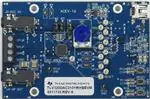
This user’s guide describes the operation of the Texas Instruments Codec Control software and the
DAC3120 EVM. Codec Control provides a graphical user interface for supported TI audio codecs. The
software is compatible with Microsoft Windows XP, Vista and Windows™ 7.
The information in a caution or a warning is provided for your protection. Read each caution and warning
carefully.
1
2
3
4
Contents
Introduction .................................................................................................................. 2
Control Software ............................................................................................................ 2
2.1
Control Software ................................................................................................... 2
2.2
Installation ........................................................................................................... 2
2.3
Concepts ............................................................................................................ 2
2.4
EVM Window ....................................................................................................... 3
2.5
Dialogs and Active Objects ....................................................................................... 4
2.6
EVM Applications .................................................................................................. 9
2.7
Firmware Update ................................................................................................. 10
2.8
Script Syntax ...................................................................................................... 11
DAC3120 EVM ............................................................................................................. 12
3.1
Overview ........................................................................................................... 12
3.2
Getting Started .................................................................................................... 12
3.3
EVM Applications ................................................................................................. 12
3.4
Jumpers, Connectors, Test ..................................................................................... 13
EVM Schematics .......................................................................................................... 14
List of Figures
1
EVM Window ................................................................................................................ 3
2
Initialization Script ........................................................................................................... 5
3
Command Dialog............................................................................................................ 6
4
Register Inspector........................................................................................................... 7
5
DAC Filter .................................................................................................................... 8
6
Filter Coefficients............................................................................................................ 9
7
EVM Applications .......................................................................................................... 10
I2C, I2S are trademarks of Koninklijke Philips Electronics NV.
Windows is a trademark of Microsoft Corporation.
SLAU302 – December 2009
Submit Documentation Feedback
ACEV-1A EVM
Copyright © 2009, Texas Instruments Incorporated
1
�Introduction
1
www.ti.com
Introduction
The Codec Control software is intended to facilitate evaluation of TI audio codecs.
It includes a script interpreter, a block-diagram based graphical user interface, a register inspector and
supplemental features (for example digital filter calculator) depending on codec capabilities.
The DAC3120 EVM works together with the Codec Control software. It connects to a PC via USB and
enumerates as a USB class audio device. Once configured with the Codec Control software, the EVM
acts as a sound card which can play back audio from the PC.
2
Control Software
This chapter explains how to use the Codec Control software together with a TI audio codec EVM.
2.1
Control Software
The Codec Control software exposes most features of a supported TI audio codec EVM through an
intuitive graphical user interface.
NOTE: Before Windows on the PC can use the TI audio converter EVM as a sound card, the EVM
must be configured (sampling rate, audio routing, internal amplifier settings etc.) with the
Codec Control software.
This will happen automatically once an EVM is detected by the Codec Control software
2.2
Installation
Download the Codec Control software (slac366.exe) from the TI audio codec product folder at
http://www.ti.com and launch the program (double click on slac366.exe).
This file is a self-extracting archive. The default target folder is:
C:\Program Files\Texas Instruments\CodecControl
Click the Unzip button to complete the installation.
The Codec Control software is now available in the target folder. The name of the executable is
CodecControl.exe
To launch the CodecControl software, navigate to the target folder with the Windows Explorer and double
click CodecControl.exe.
2.3
Concepts
The CodecControl software presents a block diagram view of a supported TI audio codec EVM.
The block diagram consists of active objects that can react to user input (for example switches or
amplifiers with variable gain that show a volume control on a mouse click event).
NOTE: Active Objects – Each active object will change color to red if the mouse cursor is above
the object. Clicking the object will trigger its function.
Some active objects are linked to control register(s) of the TI audio codec. The Codec Control software will
update the appropriate register(s) whenever an active object is triggered. If a register that is linked to an
active object is changed via other components (for example the script interpreter or the register inspector),
the active object will change its state accordingly.
The Codec Control software will automatically detect a supported TI audio codec EVM once it is
connected to a USB port of the PC.
If no TI audio codec EVM is connected to the PC, the control software also supports an EVM simulation
mode, where it is possible to retrieve script commands based on user input within the block diagram.
2
ACEV-1A EVM
SLAU302 – December 2009
Submit Documentation Feedback
Copyright © 2009, Texas Instruments Incorporated
�Control Software
www.ti.com
Simulation mode is only available, if no TI audio codec EVM is attached to the PC. Choose File→New
EVM simulation… and select an EVM from the list of supported TI audio codec EVMs.
2.4
EVM Window
Figure 1. EVM Window
At the top of the EVM window is a tool bar with buttons to change between different use cases:
•
Full featured evaluation
•
Playback only
•
Record only
•
Touch Screen Only
Availability of each use case depends on the TI audio codec EVM – some buttons may be grayed out,
indicating that the use case is not available (this does not mean that the use case cannot be implemented
for this TI audio codec).
Each use case has its own initialization script, which will run if a use case is selected by clicking on one of
the use case buttons. The initialization script contains register settings for the TI audio codec to configure
the device for a specific use case.
The toolbar contains a control that determines the zoom factor. Change the zoom by selecting the desired
zoom factor.
To move the block diagram, click on a blank area within the block diagram and drag the diagram with the
mouse.
At the bottom of the EVM window is a status bar that provides information about the state of the
communication between the control software and the TI audio codec EVM. It also shows hints about
elements in the block diagram, for example the I2C™ page and register / bit location of a selected switch.
SLAU302 – December 2009
Submit Documentation Feedback
ACEV-1A EVM
Copyright © 2009, Texas Instruments Incorporated
3
�Control Software
www.ti.com
Audio signal paths (both digital and analog) will change color from black once they are activated via
switches. This feature visualizes all audio paths and immediately highlights if a path is enabled.
2.4.1
Using Active Objects
Moving the mouse pointer over an active object will light up the active object (the color of the object turns
red).
For example, the Class-A/B HP Driver left amplifier active object will turn from its inactive state to its active
state when the mouse pointer enters the amplifier symbol:
Clicking the activated object will trigger its function. In the case of the amplifier active object, the function
is a volume control. Moving the volume control slider changes the volume setting of the amplifier (it is also
possible to change the volume by clicking onto the number within the amplifier symbol and typing the new
gain setting).The Codec Control software updates the appropriate register in the TI audio codec and as a
result the volume on the headphone output will change accordingly.
2.5
Dialogs and Active Objects
The Codec Control software contains several dialog windows that give access to additional features.
Most dialogs are linked to active objects and are opened by clicking on the active object.
A few dialogs are not linked to active objects and are opened using the View menu.
2.5.1
Init Script Dialog
Each use case , , ,
owns a unique initialization script which will automatically run when a
supported TI audio codec is detected or if the user selects another use case.
To show or edit the initialization script, choose View->Init Script… from the main window menu bar.
4
ACEV-1A EVM
SLAU302 – December 2009
Submit Documentation Feedback
Copyright © 2009, Texas Instruments Incorporated
�Control Software
www.ti.com
Figure 2. Initialization Script
Click the Run button to run the script again. For further information about the script syntax, see Script
Syntax.
2.5.2
Command Dialog
Open the command dialog (View→Command…) to write, edit, load, save and run command scripts.
Command scripts are text files that contain commands to communicate with the TI audio codec. The
syntax is described in Script Syntax.
SLAU302 – December 2009
Submit Documentation Feedback
ACEV-1A EVM
Copyright © 2009, Texas Instruments Incorporated
5
�Control Software
www.ti.com
Figure 3. Command Dialog
•
•
•
•
The main area of the command dialog is the command buffer (editable text) which contains the
command script. To run the command script, click the Run button.
The smaller read only text area on the right side of the command dialog displays control data read
from the TI audio codec. The Clear button clears the Read Data field.
The one line text edit field on the left bottom allows single command execution.
The Record check box enables recording of commands generated by the control software.
Figure 3 shows a recording of the volume control for the left Class-A/B HP Driver amplifier of a
TLV320AIC3111 (note that the Record checkbox is checked).
A single command to read four bytes starting at address 0x28 was executed and the result is displayed in
the Read Data field.
2.5.3
Register Inspector
The register inspector dialog (View→Register Inspector…) gives access to all registers of the TI audio
codec.
6
ACEV-1A EVM
SLAU302 – December 2009
Submit Documentation Feedback
Copyright © 2009, Texas Instruments Incorporated
�Control Software
www.ti.com
Figure 4. Register Inspector
The register inspector displays the content of the TI audio codec registers. To trigger reading the content
of one page, click the Refresh button.
• The Page edit field selects the page to be displayed.
• The addr column shows the address of the registers within the selected page in decimal notation.
• The description column contains a description for each register. If the register has no function
assigned, it is declared Reserved.
• The data columns show the data of each register (one byte). The first data column uses decimal
notation, the second uses hexadecimal notation. It is possible to change the register value by clicking
into one of the data fields and typing the new value (either decimal or hexadecimal).
• The numbered columns show the register content in binary notation. Read/Write bits are shown solid
black or red; read only bits are gray or dark red. Red numbers represent bits that recently changed. To
change a single writeable bit, click on the bit and it will flip.
2.5.4
DAC Filter
This tool is available for TI audio codecs that include digital biquad filters.
SLAU302 – December 2009
Submit Documentation Feedback
ACEV-1A EVM
Copyright © 2009, Texas Instruments Incorporated
7
�Control Software
www.ti.com
Figure 5. DAC Filter
•
•
•
•
•
•
•
•
This tool displays the combined frequency response, the combined phase response and the individual
frequency response of multiple digital biquad filters (depending on the capabilities of the TI audio
codec).
Solid lines show the frequency response.
The dashed line shows the combined phase response.
Individual frequency response is enabled by checking the right check box in the Enable column.
Zoom is available by holding Ctrl and drawing a zoom window with the left mouse button or
dynamically zooming the gain range with the right mouse button.
To cancel zoom, click the right mouse button while not pressing any key.
Each biquad has its own unique handle with a unique color. To change the frequency and gain of a
biquad, grab and drag its handle.
Each biquad can be configured for parametric EQ, Shelf (Bass and Treble), High Pass, Low Pass,
Phase Shift, Notch.
Some filters (for example High Pass filter) have sub-types that can be selected by the SubType
column.
Due to digital range limitations, the biquads will automatically scale, if the biquad coefficients exceed
the limitations.
The coordinate system will shift accordingly to reflect the resulting attenuation.
Coefficients are automatically sent to the TI audio codec – the filter response can be verified in
real-time.
Some filter parameters may lead to unstable filter
CAUTION
If the filter becomes unstable, loud noise may occur.
•
8
To retrieve the biquad coefficients, click the Coeff button. This will open a window with the biquad
ACEV-1A EVM
SLAU302 – December 2009
Submit Documentation Feedback
Copyright © 2009, Texas Instruments Incorporated
�Control Software
www.ti.com
coefficients:
Figure 6. Filter Coefficients
The coefficients may be used for a customer’s filter implementation. The format is compatible with the TI
audio codec that was detected by the Codec Control software.
2.6
EVM Applications
Some TI audio codec EVMs contain an EEPROM that can store EVM applications, for example:
• miniDSP applications
• Initialization scripts
• Parameter patch scripts
The CodecControl software contains a browser to access the applications stored in the EEPROM. To
access the browser, select File->EVM Applications…
SLAU302 – December 2009
Submit Documentation Feedback
ACEV-1A EVM
Copyright © 2009, Texas Instruments Incorporated
9
�Control Software
www.ti.com
Figure 7. EVM Applications
Applications stored in the EEPROM are listed in a tree view.
To add an application, choose Add Application from the context menu (right mouse click within the tree
view).
To change the name of an application, select the application, single click on the application and type the
new name.
Each application owns one or several scripts. The scripts consist of a sequence of commands that
program the TI audio codec (or EVM components). Examples are initialization scripts or miniDSP
programs.
To add a script to an application, choose Add Script from the context menu. Double click on the script to
open a command window. The command window has an open button to choose a script via a file dialog or
alternatively it is also possible to write the script within the command window.
Some TI audio codecs have on or more push buttons that select an application or a script within an
application. Please refer to the EVM user’s guide for further information about how to select applications
and scripts for a specific EVM.
Click Update EVM to program the EEPROM.
Scripts are stored in a compiled binary format on the EEPROM and cannot be read back. A red lock next
to the application name highlights scripts that reside in the EEPROM but can not be viewed in the
command window.
To change the sequence of scripts or applications, drag a script or application to the new position.
2.7
Firmware Update
TI may publish new firmware for TI audio codec EVMs in the future. To program a new firmware to a TI
audio codec EVM, choose File→Update Firmware… and select the new firmware file.
The update process takes a few seconds (there is no progress bar) and will be finished once the update
firmware dialog disappears.
The EVM must be disconnected and reconnected to complete the firmware update process.
10
ACEV-1A EVM
SLAU302 – December 2009
Submit Documentation Feedback
Copyright © 2009, Texas Instruments Incorporated
�Control Software
www.ti.com
2.8
Script Syntax
A script is a text file that contains data to send to a device.
Each line in a script file is one command. No provision is made for extending lines beyond one line, except
for the > command. A line is terminated by a carriage return.
The first character of a line is the command. Commands are:
r
w
>
#
i
b
d
f
Read from the serial control bus
Write to the serial control bus
Extend repeated write commands
Comment
Set interface bus to use
Break
Delay
Wait for Flag
Command: r
is the device address in hexadecimal format. For example 30 for device address 0x30.
is the register in hexadecimal format that will be read from.
is the number of bytes that will be read from in auto-increment mode.
The result will be displayed in the right-side output window of the command interpreter dialog.
Command: w
is the device address in hexadecimal format. For example 30 for device address 0x30.
is the register in hexadecimal format that will be written to.
is a sequence of bytes that will be written to the in auto-increment mode. Each
byte is in hexadecimal format.
Command: >
This command continues a write sequence in a new line.
is a sequence of bytes that will be written in auto-increment mode. Each byte is in
hexadecimal format.
Command: # [optional comment]
This command indicates a comment.
Command: i
is i2c for I2C or spi for SPI
Command: b[optional comment]
[optional comment] is a string of characters. The command interpreter will show a modal dialog with
the optional comment. Script execution will resume once the dialog is closed.
Command: d
This command suspends script execution by at least milliseconds.
Command: f [optional timeout]
This commands suspends script execution until the value read from matches
is the device address in hexadecimal format. For example 30 for device address 0x30.
is the register in hexadecimal format that will be read from.
is a 8-bit binary format mask that is compared with the data from the device. Each bit can be
0, 1 or X.
For example: = 010XX01X tests, if the data from the device has D7=0, D6=1, D5=0, D4=don’t
care, D3=don’t care, D2=0, D1=1, D0=don’t care.
SLAU302 – December 2009
Submit Documentation Feedback
ACEV-1A EVM
Copyright © 2009, Texas Instruments Incorporated
11
�DAC3120 EVM
www.ti.com
[optional timeout] specifies how long (milliseconds) the command interpreter will poll the device if the
data doesn’t match the
3
DAC3120 EVM
This chapter contains information about the DAC3120 EVM
3.1
Overview
The DAC3120 evaluation module is an easy to use, small form-factor system that allows access to all
features of the DAC3120 via a USB interface and a PC running the CodecControl software.
It
•
•
•
•
•
•
•
consists of:
DAC3120 codec
Headphone output
Class-D speaker terminals
Microphone input
Analog volume control
USB interface
User interface
– LEDs
– Buttons
• Control interface test points
• Digital audio interface test points
3.2
Getting Started
To
•
•
•
•
•
3.3
get started with the DAC3120 EVM:
Install the CodecControl software (see 2.2).
Launch the CodecControl software.
Plug a headphone into J4.
Connect the EVM to the PC via a mini USB-B to USB-A cable. The CodecControl software will
automatically detect the EVM and run an initialization script, which will configure the DAC3120 EVM for
audio playback through the headphone jack.
Play music with any Windows application (e.g. Windows Media Player, YouTube, iTunes…)
EVM Applications
The DAC3120 EVM supports multiple EVM applications that can be stored in the on-board EEPROM.
SW2 cycles through applications. LED D1 indicates, which application is active by blinking N times when
SW1 selects application #N.
SW3 cycles through patches. LED D2 indicates, which patch is applied by blinking N times when SW2
selects patch #N
The first application (if present) is the boot application – the boot application contains a script that is
intended to initialize the DAC3120. It will be skipped by SW1.
The first script of each application contains the application itself. Subsequent scripts of each application
other than the boot application are loaded as patches to the application each time SW2 selects a patch.
It is possible to program complex use cases to the EVM and execute them without having to run the
CodecControl software.
A simple example is to program the DAC3120 initialization script from the CodecControl software to the
boot application. Afterwards, the EVM acts as a USB sound card without requiring the CodecControl
software.
12
ACEV-1A EVM
SLAU302 – December 2009
Submit Documentation Feedback
Copyright © 2009, Texas Instruments Incorporated
�DAC3120 EVM
www.ti.com
3.3.1
miniDSP Programs
miniDSP programs developed in TI PurePath Studio can be programmed as EVM applications using the
CodecControl software. A miniDSP program must be exported from PurePath Studio as a command script
and loaded with CodecControl as described in 2.6
3.4
Jumpers, Connectors, Test
W1:
W2:
W3:
W4:
W5:
W6:
W7:
W8:
1-2: Select analog volume control potentiometer.
2-3: Select microphone detection.
insert to apply right channel mic-bias voltage to microphone connector.
insert to apply left channel mic-bias voltage to microphone connector.
AVDD wire loop. Cut and insert ampere meter to measure AVDD current.
SPVDD wire loop. Cut and insert ampere meter to measure SPVDD current.
HPVDD wire loop. Cut and insert ampere meter to measure HPVDD current.
DVDD wire loop. Cut and insert ampere meter to measure DVDD current.
IOVDD wire loop. Cut and insert ampere meter to measure IOVDD current.
TP1: I2C SCL
TP2: I2C SDA
TP3: MCLK for codec
TP4: I2S™ DIN to codec
TP5: I2S BCLK
TP6: I2S DOUT from codec
TP7: I2S WCLK
TP12: Reset
TP13: GPIO1 from codec
TP14: GND
TP15:
TP8, TP9, TP10, TP11, TP12: Not used by DAC3120
J1:
J2:
J3:
J4:
mini USB-B connector
Microphone input
Class-D speaker terminal
Headphone output
SW1: Reset codec
SW2: Select EVM application
SW3: Select patch script
SLAU302 – December 2009
Submit Documentation Feedback
ACEV-1A EVM
Copyright © 2009, Texas Instruments Incorporated
13
�EVM Schematics
4
EVM Schematics
14
ACEV-1A EVM
www.ti.com
SLAU302 – December 2009
Submit Documentation Feedback
Copyright © 2009, Texas Instruments Incorporated
�ACEV-1B_RHB_USB_EVM_REVB
THIS SCHEMATIC PERTAINS
TO THE FOLLOWING DEVICES
EEPROM
+3.3V
C10
U2
mfg: MICROCHIP
p/n: 24FC512-I/SM
AIC3111 - (STEREO CLASS-D)
EDGE NUMBER: 6511728
AIC3120 - (MONO CLASS-D)
EDGE NUMBER: 6511729
GND
AIC3110 - (STEREO CLASS-D)
EDGE NUMBER: 6511730
1
8
2
7
3
6
4
5
0.1ufd/6.3V
0402
GND
+3.3V
GND
R8
2.7K/5%
0603
SOIC8-SM
512K
R9
TP1
2.7K/5%
0603
White
AIC3100 - (STEREO CLASS-D)
EDGE NUMBER: 6511731
SCL
I2C
SDA
White
+3.3V
DAC3120 - (MONO CLASS-D)
EDGE NUMBER: 6511733
C11
U3
1
DAC3100 - (STEREO CLASS-D)
EDGE NUMBER: 6511734
0.1ufd/6.3V
0402
5
TP2
GND
2
3
+3.3V
DAC3101 - (STEREO CLASS-D)
EDGE NUMBER: 6511732
GND
Y1
1
C1
2
1000pfd/50V
0603
6
7
8
9
10
GND
11
30.9K
0603
100pfd/50V
0805
Case
Case
GND
Case
ID_NC
Case
Data+
NC
Data-
NC
5v
USB MINIB
mfg: HIROSE
p/n: H2959CT
5
GND
GND
+3.3V
C3
0.1ufd/6.3V
0402
GND
1.50K
0603
3
2
27.4
0603
+5V
+3.3V
R4
27.4
0603
C4
C5
C6
47pfd/50v
0603
47pfd/50v
0603
0.1ufd/6.3V
0402
MCKL
TP4
DIN
3
BCLK
White
GND
47
46
45
44
43
42
41
40
39
38
1
36
2
35
3
34
4
33
5
32
6
31
29
9
28
10
27
11
26
12
25
14
15
16 17
18
19
20
White
+3.3V
21 22
23
White
C9
TP7
0.1ufd/6.3V
0402
TP8
GND
White
GND
30
8
13
WCLK
TP6
37
TAS1020BPFB
I2S
DOUT
TP5
7
R3
1
MCLK
White
48
R2
4
GND OUT
SOT23-DBV5
SN74LVC1G126DBVR
4
R1
USB INPUT
J1
Vcc
SMT-8002
6MHz/3.3V
GND
C2
OE
TP3
White
4
MISO
MOSI
White
GND
SPI
SS~
TP9
TP10
SCLK
White
24
White
TP11
I2S_ENABLE
I2S_ENABLE
R13
GND
GND
GND
GND
GND
+3.3V
R5
10K
0603
D1
D2
Yellow
0805
Yellow
0805
+3.3V
100K
0603
+3.3V
R12
+3.3V
10K
0603
GND
C14
+3.3V
R6
R7
649
0603
649
0603
C8
GPIO2
SW3
1
2
mfg: E-SWITCH
p/n: TL1015AF160QG
0.1ufd/50V
0603
GND
0.1ufd/6.3V
0402
GND
C7
GPLED1 GPLED2
+3.3V
GND
1.0ufd/16V
0603
R11
10K
0603
GND
C13
GPIO1
SW2
1
2
mfg: E-SWITCH
p/n: TL1015AF160QG
0.1ufd/50V
0603
TP12
White
GND
GND
RESET~
RESET
+3.3V
R10
10K
0603
C12
0.1ufd/50V
0603
TI
GND
USB CONTROLLER
PAGE INFO:
DESIGN LEAD:
LEAD STEVE LEGGIO
EDGE #:
#
SEE TABLE ON PAGE #1
DATE:
DATE
FILENAME:
FILENAME
SEPT 23, 2009
ACEV-1B_RHB_USB_EVM_REVB
RESET
SW1
1
2
mfg: E-SWITCH
p/n: TL1015AF160QG
GND
SCH REV:
REV A
PCB REV:
REV B
SHEET:
SHEET 1 OF:
OF
DRAWN BY:
BY SL
5
�ACEV-1B_RHB_USB_EVM_REVB
MICBIAS
R16
R17
2.20K
0603
2.20K
0603
MICDET
W2
W3
1
1
2
2
C18
LEFT
R14
W1
48.9K
0603
RIGHT
C19
2
6
MIC1RP
3
5
0.47ufd/16V
0603
1
2
Shield
U4 - OPTIONS
DEVICE UNDER TEST (DUT)
+3.3V
MIC1LP
MIC IN
VR1
50K
3309P
3
0.47ufd/16V
0603
4
AIC3111 - (STEREO CLASS-D)
C17
MIC1LM
1
J2
AIC3120 - (MONO CLASS-D)
mfg: CUI STACK
p/n: SJ-43516-SMT
AIC3110 - (STEREO CLASS-D)
AVDD
GND
R15
0.22ufd/10V
0603
0.0
0603
C20
GND
GND
10ufd/6.3V
0603
AIC3100 - (STEREO CLASS-D)
DAC3120 - (MONO CLASS-D)
SCL
SDA
C21
DAC3100 - (STEREO CLASS-D)
MCLK
0.1ufd/6.3V
0402
DAC3101 - (STEREO CLASS-D)
GND
16
THIS SCHEMATIC PERTAINS
TO ALL ABOVE DEVICES
15
14
13
12
11
10
9
17
GND
SPLM
J3
C22
R18
4
FOR MONO CLASS-D
U4 - OPTIONS
SPLP
SPVDD
0.0
1206
GND
0.1ufd/6.3V
0402
3
U4
BCLK
QFN32-RHB
8
18
7
19
6
20
5
DUT
21
WCLK
DIN
DOUT
DVDD
4
22
3
23
2
24
1
C16
IOVDD
25
2
AIC3120
&
DAC3120
26
27
28
29
30
31
SPVDD
SPRM
1
R19
6A/125V
GRAY
mfg: OST
p/n: ED1516
POPULATE R18 & R19
WITH 0 OHM'S
0.1ufd/6.3V
0402
32
TP13
C15
White
0.1ufd/6.3V
0402
C23
0.0
1206
0.1ufd/6.3V
0402
SPRP
GND
C26
GND
RESET~
0.1ufd/6.3V
0402
C27
10ufd/6.3V
0603
HPVDD
Shield
LEFT
RIGHT
GND
HPL
HEADPHONE
C24
2
5
100ufd/6.3V
1210
6
C25
3
MICDET
4
GND
GND
GND
GND
GND
GND
GND
GND
GND
33
34
35
36
37
38
39
40
41
QFN32-RHB
HPR
GND
100ufd/6.3V
1210
1
J4
mfg: CUI STACK
p/n: SJ-43516-SMT
TI
AUDIO CODEC
PAGE INFO:
DESIGN LEAD
LEAD: STEVE LEGGIO
GND
EDGE #
#: SEE TABLE ON PAGE #1
DATE:
DATE
FILENAME:
FILENAME
SEPT 23, 2009
ACEV-1B_RHB_USB_EVM_REVB
SCH REV
REV: A
PCB REV
REV: B
SHEET: 2 OF
SHEET
OF:
DRAWN BY
BY: SL
5
�ACEV-1B_RHB_USB_EVM_REVB
POWER SUPPLY
+5.0V USB INPUT
+1.8V OUTPUT
+5V
+1.8V
U5
TPS73618DBVT
1
5
2
ANALOG INTERFACE CONNECTOR
3
4
SOT230DBV5
1.8V/400mA
C28
C29
10ufd/16V
0805
0.1ufd/50V
0603
GND
R20
GND
10ufd/16V
0805
GND
V_ENABLE
POWER SUPPLY
+5.0V USB INPUT
+3.3V OUTPUT
+5V
+3.3V
U6
TPS73633DBVT
1
5
2
3
C31
4
SOT230DBV5
3.3V/400mA
C32
10ufd/16V
0805
0.1ufd/50V
0603
C33
+5V
R21
10ufd/16V
0805
10K
0603
GND
GND
GND
GND
V_ENABLE
DEVICE UNDER TEST (DUT)
CURRENT MEASUREMENT
W4
AVDD
1
2
+3.3V
AVDD
W5
SPVDD
1
SPVDD
2
+5V
1210
100ufd/6.3V
W6
HPGND
HPVDD
AV_ENABLE
AGND
VARVA
AGND
+1.8VA
AGND
+3.3VA
AGND
+5VA
HPVDD
1
2
W7
DVDD
1
DVDD
2
+1.8V
W8
IOVDD
1
IOVDD
STANDOFFS
HW1 HW2 HW3 HW4
0.5in
0.5in
0.5in
mfg: JST
p/n: 100P-JMDSS-G-1-TF(LF)(SN)
2
3
4
5
6
7
8
9
10
11
12
13
14
15
16
17
18
19
20
21
22
23
24
25
26
27
28
29
30
31
32
33
34
35
36
SPLP
37
38
SPLP
SPLM
39
40
SPLM
SPRP
41
42
SPRP
SPRM
43
44
SPRM
45
46
47
48
49
50
51
52
53
54
55
56
57
58
59
60
61
62
63
64
HPL
65
66
HPR
67
68
69
70
71
72
73
74
75
76
77
78
79
80
81
82
83
84
85
86
87
88
89
90
91
92
93
94
95
96
97
98
99
100
GND
MIC1RP
GND
GND
GND
GND
GND
GND
GND
MICBIAS
GND
GND
GND
GND
GND
GND
GND
GND
GND
GND
GND
GND
GND
MIC1LM
BREAK-OUT CONNECTIONS
GND
GND
GND
GND
GND
GND
GND
GND
MICDET
GND
GND
GND
GND
IN1AGND
IN2AGND
IN3AGND
IN4AGND
IN5AGND
IN6AGND
IN7AGND
IN8AGND
MICDET
AGND
SPK1+
SPK1SPK2+
SPK2OUT1OUT1GND
OUT2OUT2GND
OUT3OUT3GND
OUT4OUT4GND
AGND
HP1L
HP1R
HP2L
HP2R
+5VD
DGND
+3.3VD
DGND
+1.8VD
DGND
VARVD
DGND
DV_ENABLE
GND
GND
GND
GND
GND
+3.3V
GND
+1.8V
GND
GND
V_ENABLE
RESERVED
DGND
MCKL
GND
GND
MCLK
GND
GND
GND
CLASS-D
SPEAKER
OUTPUT
GND
GND
DGND
GND
GND
GND
GND
GND
LINE
OUTPUTS
GND
GND
HEADSET
OUTPUTS
SPKGND
SPKVDD
GND
+5V
RESERVED
HPGND
HPVDD
RESERVED
AGND
VARVA
AGND
+1.8VA
AGND
+3.3VA
AGND
+5VA
1
2
3
4
5
6
7
8
9
10
11
12
13
14
15
16
17
18
19
20
21
22
23
24
25
26
SCL
27
28
SDA
29
30
MCLK
31
32
DIN
33
34
BCLK
35
36
DOUT
37
38
WCLK
39
40
MISO
41
42
MOSI
43
44
SS~
45
46
SCLK
47
48
I2S_ENABLE
49
50
RESET~
51
52
53
54
55
56
57
58
59
60
61
62
63
64
65
66
67
68
69
70
71
72
73
74
75
76
77
78
79
80
81
82
83
84
85
86
87
88
89
90
91
92
93
94
95
96
97
98
99
100
SMD-0.5mm
SMD-0.5mm
Anchor
Anchor
GND
SMD-0.5mm
GND
SMD-0.5mm
+5V
GND
+3.3V
GND
+1.8V
GND
GND
+5VD
DGND
+3.3VD
DGND
+1.8VD
DGND
VARVD
DGND
RESERVED
GND
GND
I2C
MCKL_1
I2S_1
SPI
I2S_ENABLE
RESET
DGND
MCKL_2
I2S_2
RESERVED
2
+3.3V
BREAK-OUT CONNECTIONS
P2
1
MIC1LP
SPKVDD
GND
HPVDD
IN1+
AGND
IN2+
AGND
IN3+
AGND
IN4+
AGND
IN5+
AGND
IN6+
AGND
IN7+
AGND
IN8+
AGND
MICBIAS
AGND
SPK1+
CLASS-D
SPK1SPEAKER
SPK2+
OUTPUT
SPK2OUT1+
OUT1GND
OUT2+
LINE
OUT2GND
OUTPUTS
OUT3+
OUT3GND
OUT4+
OUT4GND
AGND
HPGND
HEADSET
HPGND
GROUND
HPGND
HPGND
SPKGND
C34
+3.3V
DIGITAL INTERFACE CONNECTOR
BREAK-OUT CONNECTIONS
P1
C30
+5V
10K
0603
GND
mfg: JST
p/n: 100P-JMDSS-G-1-TF(LF)(SN)
BREAK-OUT CONNECTIONS
0.5in
GND GND GND GND
0.5in 0.5in 0.5in 0.5in
TI
AGND=GND=DGND
TP14
TP15
Black
Black
GND
GND
PAGE INFO:
AIC3XXXRHB_USB_EVM
DESIGN LEAD
LEAD: STEVE LEGGIO
EDGE #
#: SEE TABLE ON PAGE #1
DATE
DATE:
FILENAME
FILENAME:
SEPT 23, 2009
ACEV-1B_RHB_USB_EVM_REVB
SCH REV
REV: A
PCB REV
REV: B
SHEET: 3 OF
SHEET
OF:
DRAWN BY
BY: SL
5
�IMPORTANT NOTICE
Texas Instruments Incorporated and its subsidiaries (TI) reserve the right to make corrections, modifications, enhancements, improvements,
and other changes to its products and services at any time and to discontinue any product or service without notice. Customers should
obtain the latest relevant information before placing orders and should verify that such information is current and complete. All products are
sold subject to TI’s terms and conditions of sale supplied at the time of order acknowledgment.
TI warrants performance of its hardware products to the specifications applicable at the time of sale in accordance with TI’s standard
warranty. Testing and other quality control techniques are used to the extent TI deems necessary to support this warranty. Except where
mandated by government requirements, testing of all parameters of each product is not necessarily performed.
TI assumes no liability for applications assistance or customer product design. Customers are responsible for their products and
applications using TI components. To minimize the risks associated with customer products and applications, customers should provide
adequate design and operating safeguards.
TI does not warrant or represent that any license, either express or implied, is granted under any TI patent right, copyright, mask work right,
or other TI intellectual property right relating to any combination, machine, or process in which TI products or services are used. Information
published by TI regarding third-party products or services does not constitute a license from TI to use such products or services or a
warranty or endorsement thereof. Use of such information may require a license from a third party under the patents or other intellectual
property of the third party, or a license from TI under the patents or other intellectual property of TI.
Reproduction of TI information in TI data books or data sheets is permissible only if reproduction is without alteration and is accompanied
by all associated warranties, conditions, limitations, and notices. Reproduction of this information with alteration is an unfair and deceptive
business practice. TI is not responsible or liable for such altered documentation. Information of third parties may be subject to additional
restrictions.
Resale of TI products or services with statements different from or beyond the parameters stated by TI for that product or service voids all
express and any implied warranties for the associated TI product or service and is an unfair and deceptive business practice. TI is not
responsible or liable for any such statements.
TI products are not authorized for use in safety-critical applications (such as life support) where a failure of the TI product would reasonably
be expected to cause severe personal injury or death, unless officers of the parties have executed an agreement specifically governing
such use. Buyers represent that they have all necessary expertise in the safety and regulatory ramifications of their applications, and
acknowledge and agree that they are solely responsible for all legal, regulatory and safety-related requirements concerning their products
and any use of TI products in such safety-critical applications, notwithstanding any applications-related information or support that may be
provided by TI. Further, Buyers must fully indemnify TI and its representatives against any damages arising out of the use of TI products in
such safety-critical applications.
TI products are neither designed nor intended for use in military/aerospace applications or environments unless the TI products are
specifically designated by TI as military-grade or "enhanced plastic." Only products designated by TI as military-grade meet military
specifications. Buyers acknowledge and agree that any such use of TI products which TI has not designated as military-grade is solely at
the Buyer's risk, and that they are solely responsible for compliance with all legal and regulatory requirements in connection with such use.
TI products are neither designed nor intended for use in automotive applications or environments unless the specific TI products are
designated by TI as compliant with ISO/TS 16949 requirements. Buyers acknowledge and agree that, if they use any non-designated
products in automotive applications, TI will not be responsible for any failure to meet such requirements.
Following are URLs where you can obtain information on other Texas Instruments products and application solutions:
Products
Amplifiers
Data Converters
DLP® Products
DSP
Clocks and Timers
Interface
Logic
Power Mgmt
Microcontrollers
RFID
RF/IF and ZigBee® Solutions
amplifier.ti.com
dataconverter.ti.com
www.dlp.com
dsp.ti.com
www.ti.com/clocks
interface.ti.com
logic.ti.com
power.ti.com
microcontroller.ti.com
www.ti-rfid.com
www.ti.com/lprf
Applications
Audio
Automotive
Broadband
Digital Control
Medical
Military
Optical Networking
Security
Telephony
Video & Imaging
Wireless
www.ti.com/audio
www.ti.com/automotive
www.ti.com/broadband
www.ti.com/digitalcontrol
www.ti.com/medical
www.ti.com/military
www.ti.com/opticalnetwork
www.ti.com/security
www.ti.com/telephony
www.ti.com/video
www.ti.com/wireless
Mailing Address: Texas Instruments, Post Office Box 655303, Dallas, Texas 75265
Copyright © 2009, Texas Instruments Incorporated
�