www.ti.com
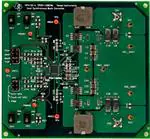
Table of Contents
User’s Guide
TPS51120 Buck Controller Evaluation Module User's
Guide
Table of Contents
1 Description.............................................................................................................................................................................. 2
2 Electrical Performance...........................................................................................................................................................2
3 Schematic................................................................................................................................................................................3
4 Test Setup and Results.......................................................................................................................................................... 4
4.1 Test Setup.......................................................................................................................................................................... 4
4.2 Test Procedure................................................................................................................................................................... 4
4.3 Start-Up Performance........................................................................................................................................................ 5
4.4 Transient Performance.......................................................................................................................................................5
5 Configuration.......................................................................................................................................................................... 6
5.1 Switching Frequency Selection.......................................................................................................................................... 6
5.2 Skip Mode and Faults Disable Selection............................................................................................................................6
5.3 Output Voltage Setting Selection....................................................................................................................................... 6
5.4 Control Scheme Selection..................................................................................................................................................6
6 EVM Assembly Drawing and PCB Layout............................................................................................................................ 8
7 List of Materials.....................................................................................................................................................................11
8 References.............................................................................................................................................................................11
9 Revision History....................................................................................................................................................................11
Trademarks
D-CAP™ is a trademark of Texas Instruments.
All trademarks are the property of their respective owners.
SLUU240B – JANUARY 2006 – REVISED MARCH 2022
TPS51120 Buck Controller Evaluation Module User's Guide
Submit Document Feedback
Copyright © 2022 Texas Instruments Incorporated
1
�Description
www.ti.com
1 Description
The TPS51120 is a highly sophisticated dual current mode synchronous step-down controller. It is a full-featured
controller designed to run directly off three to four-cell Li-ion battery and provide high power and 5-V, 3.3-V, or
both, standby regulation for all the downstream circuitry in a notebook computer system. High current, 100-mA,
5-V, or 3.3-V on-board linear regulators have glitch-free switch over function to SMPS and can be kept alive
independently during standby state. The pseudo-constant frequency adaptive on-time control scheme supports
full range of current mode operation including simplified loop compensation, ceramic output capacitors, and
seamless transition to reduced frequency operation at light-load condition. Optional D-CAP™ mode operation
optimized for SP-CAP or POSCAP output capacitors allows further reduction of external compensation parts.
The TPS51120EVM-001 evaluation module is a high efficiency, dual synchronous buck converter providing 5 V
at 6 A and 3.3 V at 6 A from 8-V to 25-V input. This user’s guide describes the TPS51120EVM-001 performance
in D-CAP mode and RDS(on) current sensing.
2 Electrical Performance
Table 2-1. Electrical Performance
Specifications
Test Conditions
Input voltage range (VBAT)
MIN
TYP
MAX
Unit
8
12
25
V
Output voltage
CH1
5
V
280
kHz
VBAT = 8 V to 25 V
6
A
VBAT = 12 V
10
A
Operating frequency
TONSEL: VREF2, VBAT = 12 V, IOUT1 = 6 A
Output current
Overcurrent limit
Output ripple voltage
VBAT = 12 V, IOUT1 = 6 A
Output voltage
CH2
2
40
mVp-p
3.3
V
430
kHz
Operating frequency
TONSEL: VREF2, VBAT = 12 V, IOUT2 = 6 A
Output current
VBAT = 8 V to 25 V
Overcurrent limit
VBAT = 12 V
10
A
Output ripple voltage
VBAT = 12 V, IOUT2 = 6 A
45
mVp-p
TPS51120 Buck Controller Evaluation Module User's Guide
6
A
SLUU240B – JANUARY 2006 – REVISED MARCH 2022
Submit Document Feedback
Copyright © 2022 Texas Instruments Incorporated
�www.ti.com
Schematic
3 Schematic
Figure 3-1. TPS51120 EVM Schematic Diagram
SLUU240B – JANUARY 2006 – REVISED MARCH 2022
Submit Document Feedback
TPS51120 Buck Controller Evaluation Module User's Guide
Copyright © 2022 Texas Instruments Incorporated
3
�Test Setup and Results
www.ti.com
4 Test Setup and Results
4.1 Test Setup
Connect the test equipment and TPS51120EVM-001 board as shown in Figure 4-1.
4. Test Setup and Results
4.1. Test setup
Connect test equipment and TPS51120EVM-001 board as shown in Figure 2.
Oscilloscope
CH1
DMM4
-
+
+
DMM1
-
CN1
V R EG 5
DMM6
+
HPA153
TPS51120EVM
V O 1_G N D
+
-
Electronic
Load1
V B A T+
V R EF2
+
DMM3
12V/10A
Power supply
V B AT_G N D
-
V O 2_G N D
DMM5
+
VO 1
V R EG 3
VO 2
CN2
+
Electronic
Load2
DMM2
CH2
Oscilloscope
+
Figure 4-1. Equipment Setup for TPS51120EVM-001 Board
4.2 Test Procedure
1. Make sure the switches SW1 (EN1), SW2 (EN2), SW3 (EN5), and SW4 (EN3) are in the “OFF” position.
2. Make sure the shunt jumper for JP1 is set 5-pin to 6-pin (Med2), and shunt jumper for JP2 is set 1-pin to 2pin (auto-skip).
3. Apply appropriate VBAT voltage to VBAT1 and VBAT_GND1 terminals.
4. Turn on SW3 (EN5) and VREG5 (5V-LDO) starts up.
5. Turn on SW4 (EN3) and VREG3 (3.3V-LDO) starts up.
6. When SW3 and SW4 stay on, VREF2 (2V-REF) enables.
7. When SW3 and SW4 stay on and turn on SW1 (EN1), CH1-output will start up.
8. When SW3 and SW4 stay on and turn on SW2 (EN2), CH2-output will start up.
4
TPS51120 Buck Controller Evaluation Module User's Guide
SLUU240B – JANUARY 2006 – REVISED MARCH 2022
Submit Document Feedback
Copyright © 2022 Texas Instruments Incorporated
�www.ti.com
Test Setup and Results
4.3 Start-Up Performance
Figure 4-2. 5-V Start-Up Waveforms
Figure 4-3. 3.3-V Start-Up Waveforms
4.4 Transient Performance
Figure 4-4. 5-V Load Transient Response
Figure 4-5. 3.3-V Load Transient Response
SLUU240B – JANUARY 2006 – REVISED MARCH 2022
TPS51120 Buck Controller Evaluation Module User's Guide
Submit Document Feedback
Copyright © 2022 Texas Instruments Incorporated
5
�Configuration
www.ti.com
5 Configuration
This EVM could be set to the user’s desirable configurations. Please refer to the following specific configuration
setting sections.
5.1 Switching Frequency Selection
The switching frequency can be set by the TONSEL pin using JP1 on the EVM. The default setting is Medium2.
Table 5-1. Switching Frequency Selection
Frequency(1)
Jumper (JP1) Set to
Top (1-2 pin shorted)
TYP
CH1
CH2
Slow
180 kHz
270 kHz
2nd (3-4 pin shorted)
Medium1
220 kHz
330 kHz
3rd (5-6 pin shorted)
Medium2
280 kHz
430 kHz
Fast
380 kHz
580 kHz
Bottom (7-8 pin shorted)
(1)
Frequencies are approximate.
5.2 Skip Mode and Faults Disable Selection
Skip mode can be set by the SKIPSEL pin using JP2 on the EVM. In addition, faults disable mode can be
selected for debugging purpose. The default setting is auto-skip and fault enable.
Table 5-2. Skip Mode Selection
Jumper (JP2) set to
Skip
Top (1-2 pin shorted)
Auto-skip
Enable
2nd (3-4 pin shorted)
Auto-skip
Disable
PWM
Enable
Bottom (5-6 pin shorted)
Faults
5.3 Output Voltage Setting Selection
Output voltage can be set by the VFBx pin using some resistors on the EVM. The default setting is adjustable
output.
Table 5-3. Output Voltage Setting Selection (CH1)
Adjustable output
Fixed output; 5 V
R3
R4
R9
7.5 kW
30 kW
Open
Open
Open
0W
Table 5-4. Output Voltage Setting Selection (CH2)
R28
R29
R25
Adjustable output
7.5 kW
17.2 kW
Open
Fixed output; 3.3 V
Open
Open
0W
5.4 Control Scheme Selection
The control scheme can be set by the COMPx pin using some resistors and capacitors on the EVM. The default
setting is D-CAP mode.
Table 5-5. Control Scheme Selection (CH1)
D-CAP mode
Current mode(1)
(1)
R12
C9
C11
R14
Shorted
Open
Open
Open
Open
Put on
Put on
Put on
When current mode is selected, please add appropriate parts on C9, C11, and R14 and cut the trace between the pads of R12.
Table 5-6. Control Scheme Selection (CH2)
D-CAP mode
6
R24
C15
C14
R20
Shorted
Open
Open
Open
TPS51120 Buck Controller Evaluation Module User's Guide
SLUU240B – JANUARY 2006 – REVISED MARCH 2022
Submit Document Feedback
Copyright © 2022 Texas Instruments Incorporated
�www.ti.com
Configuration
Table 5-6. Control Scheme Selection (CH2) (continued)
Current
(1)
mode(1)
R24
C15
C14
R20
Open
Put on
Put on
Put on
When current mode is selected, please add appropriate parts on C15, C14, and R20 and cut the trace between the pads of R24.
SLUU240B – JANUARY 2006 – REVISED MARCH 2022
TPS51120 Buck Controller Evaluation Module User's Guide
Submit Document Feedback
Copyright © 2022 Texas Instruments Incorporated
7
�EVM Assembly Drawing and PCB Layout
www.ti.com
6 EVM Assembly Drawing and PCB Layout
Figure 6-1. Top Assembly
Figure 6-2. Bottom Assembly
8
TPS51120 Buck Controller Evaluation Module User's Guide
SLUU240B – JANUARY 2006 – REVISED MARCH 2022
Submit Document Feedback
Copyright © 2022 Texas Instruments Incorporated
�www.ti.com
EVM Assembly Drawing and PCB Layout
Figure 6-3. Top Layer
Figure 6-4. Inner Layer 1
SLUU240B – JANUARY 2006 – REVISED MARCH 2022
TPS51120 Buck Controller Evaluation Module User's Guide
Submit Document Feedback
Copyright © 2022 Texas Instruments Incorporated
9
�EVM Assembly Drawing and PCB Layout
www.ti.com
Figure 6-5. Inner Layer 2
Figure 6-6. Bottom Layer
10
TPS51120 Buck Controller Evaluation Module User's Guide
SLUU240B – JANUARY 2006 – REVISED MARCH 2022
Submit Document Feedback
Copyright © 2022 Texas Instruments Incorporated
�www.ti.com
List of Materials
7 List of Materials
Reference Designator
QTY
Description
Size
Mfr
Part Number
—
2
Shunt,100 mil, Black
0.100
3M
929950-00
C1, C24
0
Capacitor,Ceramic
1210
Any
Any
C13
1
Capacitor,Ceramic, 1 mF,6.3 V, BJ, 20%
0805
TDK
C2012X5R0J105K
C16, C17
2
Capacitor,Ceramic, 10 mF,6.3 V, BJ, 20%
0805
TDK
C2012X5R0J106K
C2, C3, C25, C26
4
Capacitor,Ceramic, 10 mF,25 V, BJ , 20%
1210
Taiyo Yuden
TMK325BJ106MM
C4, C7, C9, C11, C12, C14,
C15, C19,C27
0
Capacitor,Ceramic
0805
Any
Any
C5, C18, C22
3
Capacitor,Ceramic, 1 nF, 50 V, BJ, 20%
0805
Std
Std
C6, C23
2
Capacitor,Ceramic, 0.1 mF,50 V, BJ, 20%
0805
Std
Std
C8, C10, C20, C21
4
Capacitor,POSCAP, 150 mF, 6.3 V, 55 mW, 20%
7343
SANYO
6TPB150ML
CN1, CN2
2
Adaptor, 3.5-mm probe clip (or 131-5031-00)
0.2
Tektronix
131-4244-00
D1, D4
0
Diode,Schottky, 0.5 A, 30 V
SOD-123
Any
Any
D2, D3
0
Diode,Schottky, 1 A, 30 V
SMA
Any
Any
JP1
1
Header, 2 × 4 pin,100-mil spacing (36-pin strip)
0.20 × 0.40 inch
Sullins
PTC36DAAN
JP2
1
Header, 2 × 3 pin, 100-mil spacing (36-pin strip)
0.20 × 0.30 inch
Sullins
PTC36DAAN
L1
1
Inductor,4.7 μH, 12.8 A, 8.8 mW
0.496 × 0.532 inch
Toko
FDA1254-4R7M
L2
1
Inductor,2.2 μH, 17.8 A, 4.5 mW
0.496 × 0.532 inch
Toko
FDA1254-2R2M
Q1, Q4
2
MOSFET, N-ch, 30 V, 11 A, 9.1 mW
SO8
IR
IRF7821
Q2, Q3
2
MOSFET, N-ch, 30 V, 16 A, 4.0 mW
SO8
IR
IRF7832
R1, R2, R5, R8, R9, R11–
0
Resistor,Chip
0805
Any
Any
R10, R26
2
Resistor,Chip, 100 kW,1/10W, 1%
0805
Std
Std
R16, R23
0
Resistor,Metal Strip, 1 W, 1%
2512
Std
Std
R17
1
Resistor,Chip, 3.6 kW,1/10W, 1%
0805
Std
Std
R19
1
Resistor,Chip, 3.3 kW,1/10W, 1%
0805
Std
Std
R29
1
Resistor,Chip, 17.2 kW,1/10W, 1%
0805
Std
Std
R3, R6, R28
3
Resistor,Chip, 7.5 kW,1/10W, 1%
0805
Std
Std
R4
1
Resistor,Chip, 30 kW,1/10W, 1%
0805
Std
Std
R7, R18, R30
3
Resistor,Chip, 5.1 W,1/10W, 1%
0805
Std
Std
SW1, SW2, SW3, SW4
4
Switch,ON-ON Mini Toggle
0.28 × 0.18 inch
Nikkai
G12AP
TP1–TP5
5
Pin,Probe monitor
0.12(D) × 0.4 inch
MillMax or MAC8
LC-2-S
U1
1
IC, Dual Current Mode, Sync. Step-down Controller
QFN32
TI
TPS51120RHB
VO1, VO2,VO1_GND1,
VO2_GND1,
VBAT_GND1,VBAT1
6
Pin, Wiring Terminal
0.12(D) × 0.4 inch
MillMax or MAC8
3183-2-00-15-00-00-080 or
WT-3-1
R15, R20–R22, R24, R25,
R27, R31, R32
8 References
Texas Instruments, TPS51120 Dual Current Mode, Synchronous Step-Down Controller data sheet
9 Revision History
NOTE: Page numbers for previous revisions may differ from page numbers in the current version.
Changes from Revision A (February 2006) to Revision B (March 2022)
Page
• Updated the numbering format for tables, figures, and cross-references throughout the document. ................2
• Updated the user's guide title............................................................................................................................. 2
SLUU240B – JANUARY 2006 – REVISED MARCH 2022
TPS51120 Buck Controller Evaluation Module User's Guide
Submit Document Feedback
Copyright © 2022 Texas Instruments Incorporated
11
�IMPORTANT NOTICE AND DISCLAIMER
TI PROVIDES TECHNICAL AND RELIABILITY DATA (INCLUDING DATA SHEETS), DESIGN RESOURCES (INCLUDING REFERENCE
DESIGNS), APPLICATION OR OTHER DESIGN ADVICE, WEB TOOLS, SAFETY INFORMATION, AND OTHER RESOURCES “AS IS”
AND WITH ALL FAULTS, AND DISCLAIMS ALL WARRANTIES, EXPRESS AND IMPLIED, INCLUDING WITHOUT LIMITATION ANY
IMPLIED WARRANTIES OF MERCHANTABILITY, FITNESS FOR A PARTICULAR PURPOSE OR NON-INFRINGEMENT OF THIRD
PARTY INTELLECTUAL PROPERTY RIGHTS.
These resources are intended for skilled developers designing with TI products. You are solely responsible for (1) selecting the appropriate
TI products for your application, (2) designing, validating and testing your application, and (3) ensuring your application meets applicable
standards, and any other safety, security, regulatory or other requirements.
These resources are subject to change without notice. TI grants you permission to use these resources only for development of an
application that uses the TI products described in the resource. Other reproduction and display of these resources is prohibited. No license
is granted to any other TI intellectual property right or to any third party intellectual property right. TI disclaims responsibility for, and you
will fully indemnify TI and its representatives against, any claims, damages, costs, losses, and liabilities arising out of your use of these
resources.
TI’s products are provided subject to TI’s Terms of Sale or other applicable terms available either on ti.com or provided in conjunction with
such TI products. TI’s provision of these resources does not expand or otherwise alter TI’s applicable warranties or warranty disclaimers for
TI products.
TI objects to and rejects any additional or different terms you may have proposed. IMPORTANT NOTICE
Mailing Address: Texas Instruments, Post Office Box 655303, Dallas, Texas 75265
Copyright © 2022, Texas Instruments Incorporated
�










 工商网监
湘ICP备2023018690号
工商网监
湘ICP备2023018690号





