www.ti.com
Table of Contents
User’s Guide
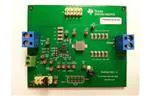
TPS53915 Step-Down Converter Evaluation Module User's
Guide
Table of Contents
1 Introduction.............................................................................................................................................................................2
2 Description.............................................................................................................................................................................. 2
2.1 Typical Applications............................................................................................................................................................2
2.2 Features............................................................................................................................................................................. 2
3 Electrical Performance Specifications................................................................................................................................. 2
4 Schematic................................................................................................................................................................................3
5 Test Setup................................................................................................................................................................................4
5.1 Test Equipment.................................................................................................................................................................. 4
5.2 Recommended Test Setup.................................................................................................................................................5
6 Configurations........................................................................................................................................................................ 6
6.1 PMBus Address Selection..................................................................................................................................................6
6.2 Mode Selection.................................................................................................................................................................. 6
6.3 VDD Pin Supply Selection..................................................................................................................................................6
7 Test Procedure........................................................................................................................................................................ 8
7.1 Line and Load Regulation and Efficiency Measurement Procedure.................................................................................. 8
7.2 PMBUS Setup and Verification.......................................................................................................................................... 8
7.3 Control-Loop Gain and Phase-Measurement Procedure.................................................................................................10
7.4 List of Test Points............................................................................................................................................................. 11
7.5 Equipment Shutdown....................................................................................................................................................... 11
8 EVM Assembly Drawing and PCB Layout.......................................................................................................................... 12
9 Bill of Materials..................................................................................................................................................................... 16
10 Revision History................................................................................................................................................................. 17
List of Figures
Figure 4-1. TPS53915EVM-PWR587 Schematic........................................................................................................................ 3
Figure 5-1. Tip and Barrel Measurement for VOUT Ripple............................................................................................................4
Figure 5-2. TPS53915EVM-587 Top Layer for Test Setup.......................................................................................................... 5
Figure 7-1. Select Device Scanning Mode.................................................................................................................................. 9
Figure 7-2. GUI for the Fusion Digital Power Designer............................................................................................................. 10
Figure 8-1. TPS53915EVM-587 Top-Layer Assembly Drawing.................................................................................................12
Figure 8-2. TPS53915EVM-587 Bottom-Layer Assembly Drawing........................................................................................... 12
Figure 8-3. TPS53915EVM-587 Top Layer, Copper.................................................................................................................. 13
Figure 8-4. TPS53915EVM-587 Layer Two, Copper................................................................................................................. 13
Figure 8-5. TPS53915EVM-587 Layer Three, Copper.............................................................................................................. 14
Figure 8-6. TPS53915EVM-587 Layer Four, Copper................................................................................................................ 14
Figure 8-7. TPS53915EVM-587 Layer Five, Copper.................................................................................................................15
Figure 8-8. TPS53915EVM-587 Bottom Layer, Copper............................................................................................................ 15
List of Tables
Table 3-1. TPS53915EVM-PWR587 Electrical Performance Specifications(1) ........................................................................... 2
Table 6-1. PMBus Address Selection Settings............................................................................................................................ 6
Table 6-2. Mode Selection........................................................................................................................................................... 6
Table 6-3. Enable Selection......................................................................................................................................................... 7
Table 7-1. Test Point Functions.................................................................................................................................................. 11
Table 9-1. EVM Components List (Based on the Schematic, see Figure 4-1)...........................................................................16
Trademarks
D-CAP3™ is a trademark of Texas Instruments.
All trademarks are the property of their respective owners.
SLUUAS2C – OCTOBER 2013 – REVISED NOVEMBER 2021
TPS53915 Step-Down Converter Evaluation Module User's Guide
Submit Document Feedback
Copyright © 2021 Texas Instruments Incorporated
1
�Introduction
www.ti.com
1 Introduction
The TPS53915EVM-PWR587 evaluation module (EVM) uses the TPS53915 device. The TPS53915 device is a
D-CAP3™ mode, 12-A synchronous buck-converter with integrated MOSFETs. The device provides a fixed 1.2-V
output at up to 12 A from a 12-V input bus.
2 Description
The TPS53915EVM-PWR587 is designed for a regulated 12-V bus to produce a regulated 1.2-V output at up to
12 A of load current. The TPS53915EVM-PWR587 is designed to demonstrate the TPS53915 device in a typical
low-voltage application while providing a number of test points to evaluate the performance of the TPS53915
device.
2.1 Typical Applications
•
•
•
Servers and storage
Workstations and desktops
Telecommunication infrastructure
2.2 Features
The TPS53915EVM-PWR587 features include the following:
• 12-A DC steady-state output current
• Support for a prebias-output voltage at start-up
• Jumper, J2, for enable function
• Jumper, J5, for auto-skip and forced-continuous-conduction-mode (FCCM) selection
• Jumper, J7, for extra 5-V input for further power saving purpose
• Convenient test points for probing critical waveforms
3 Electrical Performance Specifications
Table 3-1. TPS53915EVM-PWR587 Electrical Performance Specifications(1)
PARAMETER
TEST CONDITIONS
MIN
TYP
MAX
5
12
18
UNITS
Input Characteristics
Voltage range
VIN
Maximum input current
VIN = 5 V, Io = 8 A
No load input current
VIN = 12 V, IO = 0 A with auto-skip mode
2.5
V
A
1
mA
Output Characteristics
Output voltage VOUT
Output voltage regulation
Output voltage ripple
1.2
V
Line regulation (VIN = 5 V – 14 V) with FCCM
0.2
%
Load regulation (VIN = 12 V, IO = 0 A – 8 A) with FCCM
0.5
%
VIN = 12 V, IO = 8 A with FCCM
Output load current
10
0
Output over current
Soft-start
mVpp
12
A
15
A
1
ms
Systems Characteristics
Switching frequency
VIN = 12 V, 1.2 V / 4 A
1000
kHz
Peak efficiency
VIN = 12 V, 1.2 V / 8 A
88.5
%
86.9
%
25
°C
Full load efficiency
Operating temperature
(1)
2
Jumpers set to default locations, See Section 6.
TPS53915 Step-Down Converter Evaluation Module User's Guide
SLUUAS2C – OCTOBER 2013 – REVISED NOVEMBER 2021
Submit Document Feedback
Copyright © 2021 Texas Instruments Incorporated
�www.ti.com
Schematic
4 Schematic
LabView Connector
PGOOD
1 PGND
2 SW
SW
3
VDD
4
VDD
5
6
7
VIN
8
VIN
9
VOUT
10
VOUT
PGOOD
VREG
1
2
3
4
5
6
7
8
9
10
VREG
R11
20.0k
R12
150k
R13
150k
VREG
C18
1uF
C26
1uF
J6
VDD_19 PEC05DAAN
MODE
TP14
J5
PEC05DAAN
AGND
CHA
TP5
C25
1uF
VDD
PGND
TP13
VREG
MODE
CHB
C20
1uF
MODE
PGND
VDD
FB
TP8
VDD
VOUT
2
R16
1
VOUT
R22
10
R20
10.0k
R21
10.0k
2
1
R19
0
Ext. VDD
1
J7
ED555/2DS
PGND
AGND
VIN
16
15
VIN
TP1
VIN
U1
TPS53915RVE
VIN
VIN
17
18
NC
VIN
19
VDD
21
20
VREG
MODE
23
FB
AGND
22
FB
TRIP
TP11
2
VO
TRIP
1
SW
1
VREG
DNP
R7
VREG
2
VOUT
DNP
C6
22uF
C17
EN
PGOOD
TP7
C9
C8
470pF
R2
100k
AGND
1
L1
1.0 uH
R5
0
C7
0.1uF
VOUT
2
VOUT
TP3
DNP
L1A
DNP
SW
PGOOD
TP2
R4
300k
R15
100k
PGND
2
8
9
6
7
5
3
4
2
1
VREG
R14
100k
TP4
TP6
PGOOD
DATA
J4
PEC05DAAN
Input: 8-14V
1
J1
ED120/2DS
SW
CLK
PMBus Connector
2
SW
PGND
R3
1.00k
AGND
1
2
SW
SW
SW
NC
VBST
TP10
EN
ADDR/RF
VREG
C27
DNP
PGND
PGOOD
VREG
ALERT#
C24
DNP
PWPD
AGND
1
2
3
4
5
6
7
8
9
10
C4
22uF
10
PGND
ADDR/RF
29
C3
22uF
11
PGND
28
C2
22uF
12
PGND
27
C1
22uF
13
PGND
26
R10
57.6k
C5
0.1uF
14
PGND
1
25
1
24
C19
22uF
C21
22uF
C22
22uF
C23
22uF
C15
DNP
C16
1
DNP
DNP
2
TP12
1
Output: 1.2V/0-12A
2
J3
ED120/2DS
VDD
AGND
AGND
VDD
R9
3.01
R6
200k
TP15
R1
100k
NOTES:
1
2
1
J2
VARIANT PIN-OUT FOR U1
FB
1
2
VOUT
TP9
VOUT
ALERT#
NC
NC
PIN 27
SDA
GND1
GND1
PIN 28
SCL
GND2
GND2
AGND
C11
22uF
C12
22uF
C13
22uF
C14
22uF
AGND
TPS53915 TPS53513 TPS53515
PIN 26
PGND
C10
22uF
R8
0
PGND
PEC02SAAN
OPEN= ENABLE
TABLE 1
IC
FB
PGND
Figure 4-1. TPS53915EVM-PWR587 Schematic
SLUUAS2C – OCTOBER 2013 – REVISED NOVEMBER 2021
Submit Document Feedback
TPS53915 Step-Down Converter Evaluation Module User's Guide
Copyright © 2021 Texas Instruments Incorporated
3
�Test Setup
www.ti.com
5 Test Setup
5.1 Test Equipment
Oscilloscope
A digital or analog oscilloscope measures the output ripple. The oscilloscope must be set for
the following:
• 1-MΩ impedance
• 20-MHz bandwidth
• AC coupling
• 1-µs / division horizontal resolution
• 20-mV / division vertical resolution
Test points TP7 and TP9 measure the output ripple voltage by placing the oscilloscope probe
tip through TP7 and holding the ground barrel on TP9 as shown in Figure 5-1. Using a leaded
ground connection can induce additional noise due to the large ground loop.
Voltage Source The input voltage source VIN must be a 0 to 14-V variable-DC source capable of supplying 10
ADC. Connect VIN to J1 as shown in Figure 5-2.
Multimeters
V1: VIN at TP1 (VIN) and TP4 (GND).
V2: VOUT at TP7 (VOUT) and TP9 (GND).
Output Load
The output load must an electronic constant-resistance-mode load capable of 0 to 15 ADC at
1.2 V.
Metal Ground Barrel
Probe Tip
TP7
TP9
Figure 5-1. Tip and Barrel Measurement for VOUT Ripple
Recommended Wire Gauge:
1. VIN to J1 (12-V input)
• The recommended wire size is 1× AWG number 14 per input connection, with the total length of wire less
than four feet (2 feet input, 2 feet return).
2. J3 to LOAD
• The minimum recommended wire size is 2× AWG number 14, with the total length of wire less than four
feet (two feet output, two feet return).
4
TPS53915 Step-Down Converter Evaluation Module User's Guide
SLUUAS2C – OCTOBER 2013 – REVISED NOVEMBER 2021
Submit Document Feedback
Copyright © 2021 Texas Instruments Incorporated
�www.ti.com
Test Setup
5.2 Recommended Test Setup
Figure 5-2. TPS53915EVM-587 Top Layer for Test Setup
Input Connections:
1. Prior to connecting the DC input-source, VIN, TI recommends to limit the source current from VIN to 10-A
maximum. Ensure that VIN is initially set to 0 V and connected as shown in Figure 5-2.
2. Connect the voltmeter V1 at TP1 (VIN) and TP4 (GND) to measure the input voltage.
Output Connections:
1. Connect the load to J3 and set the load to constant-resistance-mode to sink 0-ADC before VIN is applied.
2. Connect the voltmeter V2 at TP7 (VOUT) and TP9 (GND) to measure the output voltage.
SLUUAS2C – OCTOBER 2013 – REVISED NOVEMBER 2021
TPS53915 Step-Down Converter Evaluation Module User's Guide
Submit Document Feedback
Copyright © 2021 Texas Instruments Incorporated
5
�Configurations
www.ti.com
6 Configurations
All jumper selections must be made prior to applying power to the EVM. Configure this EVM using the following
configuration selections.
6.1 PMBus Address Selection
The PMBus address can be changed as shown in Table 6-1.
Table 6-1. PMBus Address Selection Settings
RESISTOR DIVIDER RATIO (Ω)
PMBus ADDRESS
(RLOW/RLOW+RHIGH)
MIN
MAX
> 0.557
0011111
(RHIGH) (kΩ)
HIGH-SIDE
RESISTOR
(RLOW) (kΩ)
LOW-SIDE
RESISTOR
1
300
0011110
0.5100
0.4958
0.5247
160
165
0011101
0.4625
04482
0.4772
180
154
0011100
0.4182
0.4073
0.4294
200
143
0011011
0.3772
0.3662
0.3886
200
120
0011010
0.3361
0.3249
0.3476
220
110
0011001
0.2985
0.2905
0.3067
249
105
0011000
0.2641
0.2560
0.2725
249
88.7
0010111
0.2298
0.2215
0.2385
240
71.5
0010110
0.1955
0.1870
0.2044
249
60.4
0010101
0.1611
0.1524
0.1703
249
47.5
0010100
0.1268
0.1179
0.1363
249
36.0
0010011
0.0960
0.0900
0.1024
255
27.0
0010010
0.0684
0.0622
0.0752
255
18.7
0010001
0.0404
0.0340
0.0480
270
11.5
300
1
< 0.013
0010000
For different switching frequency setting, please change R3 and R4 as shown in Table 6-1.
6.2 Mode Selection
The MODE can be set by J5.
Table 6-2. Mode Selection
JUMPER SET TO:
(1)
(2)
MODE SELECTION
1 to 2 pin shorted
FCCM with 2× RC time constant
3 to 4 pin shorted(1)
FCCM(2) with 1× RC time constant(1)
5 to 6 pin shorted
FCCM(2) with 2× RC time constant
7 to 8 pin shorted
Auto-skip mode with 2× RC time constant
9 to 10 pin shorted
Auto-skip mode with 1× RC time constant
Default setting
The device enters FCCM after PGOOD goes high.
6.3 VDD Pin Supply Selection
The controller can be enabled and disabled by J7.
6
TPS53915 Step-Down Converter Evaluation Module User's Guide
SLUUAS2C – OCTOBER 2013 – REVISED NOVEMBER 2021
Submit Document Feedback
Copyright © 2021 Texas Instruments Incorporated
�www.ti.com
Configurations
Table 6-3. Enable Selection
SET ON CONNECTION
VDD pin connected to VIN pins(1)
R19 = Open
VDD pin disconnected to VIN pins
R19 = 0
(1)
ENABLE SELECTION
Ω(1)
Default setting: the VDD pin connected to the VIN pins through R19.
For power up, input J7 with proper voltage. The VDD pin input voltage range is from 4.5 V to 25 V.
SLUUAS2C – OCTOBER 2013 – REVISED NOVEMBER 2021
TPS53915 Step-Down Converter Evaluation Module User's Guide
Submit Document Feedback
Copyright © 2021 Texas Instruments Incorporated
7
�Test Procedure
www.ti.com
7 Test Procedure
7.1 Line and Load Regulation and Efficiency Measurement Procedure
1.
2.
3.
4.
5.
6.
7.
8.
9.
10.
11.
12.
Set up the EVM as described in Section 5 and Figure 5-2.
Ensure the load is set to constant-resistance mode and to sink at 0 ADC.
Ensure all jumper setting are configured as shown in Section 6.
Ensure the jumper provided in the EVM shorts on J2 before VIN is applied.
Increase VIN from 0 V to 12 V. Use V1 to measure input voltage.
Remove the jumper on J2 to enable the controller.
Use V2 to measure the VOUT voltage.
Vary the load from 0 ADC to 10 ADC, VOUT must remain in load regulation.
Vary VIN from 8 to 14 V, VOUT must remain in line regulation.
To disable the converter, place the jumper on J2.
Decrease the load to 0 A
Decrease VIN to 0 V.
7.2 PMBUS Setup and Verification
The TPS53915EVM-PWR587 contains a 10-Ω series resistor in the feedback loop for loop response analysis.
1. Download the Graphical User Interface (GUI) from www.TI.com.
2. Type fusion in the TI search bar.
3. Select FUSION_DIGITAL_POWER_DESIGNER from the search result.
4. Download and install the latest release version of the software. The most current version to date is version
1.8.325 of the Fusion Digital Power Designer.
5. Connect the USB Interface Adaptor EVM (see www.ti.com for more information) to J4 of the EVM. Ensure
that Pin 1 of the USB interface adaptor (red wire) is connected correctly to Pin 1 of J4 on the EVM.
6. Connect the USB wire of the USB interface adaptor to one of the USB ports on the computer tower.
7. Ensure that the EVM is powered up and connected to the USB interface adaptor before opening the Fusion
Designer GUI.
8. Double click the shortcut icon on the desktop for the Fusion Designer GUI. Use the online version.
9. Double click on the TPS40400, TPS4042x, ect (DEVICE CODE) from the Select Device Scanning Mode
window as shown in Figure 7-1.
10. When the GUI is loaded (see Figure 7-2), verify communication between the GUI and the EVM by changing
the frequency of the EVM.
Note
The TPS53915EVM is pre-set to a 400-KHz switching frequency.
11. Use the oscilloscope to monitor the switching frequency on the EVM on TP6.
12. Select a different frequency by clicking on the drop down box of the FREQUENCY_CONFIG:TPS53819
(TPS5391X).
13. Click on Write to Hardware and monitor the change of the switching frequency on the oscilloscope.
See the TPS53915 1.5 to 18 V (4.5 to 25 V bias) Input, 12-A Single Synchronous Step-Down SWIFT™
Converter Data Sheet for more information regarding PMBUS registers.
8
TPS53915 Step-Down Converter Evaluation Module User's Guide
SLUUAS2C – OCTOBER 2013 – REVISED NOVEMBER 2021
Submit Document Feedback
Copyright © 2021 Texas Instruments Incorporated
�www.ti.com
Test Procedure
Figure 7-1. Select Device Scanning Mode
SLUUAS2C – OCTOBER 2013 – REVISED NOVEMBER 2021
TPS53915 Step-Down Converter Evaluation Module User's Guide
Submit Document Feedback
Copyright © 2021 Texas Instruments Incorporated
9
�Test Procedure
www.ti.com
Figure 7-2. GUI for the Fusion Digital Power Designer
7.3 Control-Loop Gain and Phase-Measurement Procedure
The TPS53915EVM-PWR587 contains a 10-Ω series resistor in the feedback loop for loop response analysis.
1. Set up the EVM as described in Section 5 and Figure 5-2.
2. Connect the isolation transformer to the test points marked TP5 and TP8.
3. Connect the input-signal amplitude-measurement probe (channel A) to TP10. Connect the output-signal
amplitude-measurement probe (channel B) to TP11.
4. Connect the ground lead of channel A and channel B to TP15.
5. Inject around 20 mV or less signal through the isolation transformer.
6. To measure control-loop gain and phase margin, change the frequency from 100 Hz to 1 MHz using a 10-Hz
or less post filter.
7. Disconnect the isolation transformer from the bode-plot test points before making other measurements.
• Signal injection into feedback can interfere with the accuracy of other measurements.
10
TPS53915 Step-Down Converter Evaluation Module User's Guide
SLUUAS2C – OCTOBER 2013 – REVISED NOVEMBER 2021
Submit Document Feedback
Copyright © 2021 Texas Instruments Incorporated
�www.ti.com
Test Procedure
7.4 List of Test Points
Table 7-1. Test Point Functions
TEST POINTS
NAME
TP1
VIN
DESCRIPTION
Converter input supply voltage
TP2
VREG
TP3
PGOOD
TP4
PGND
TP5
CHB
Input B for loop injection
TP6
SW
Switch Node
TP7
VOUT
TP8
CHA
TP9
PGND
TP10
RF
TP11
TRIP
LDO voltage
Power good output
Power ground
VOUT terminal +
Input A for loop injection
Power ground
RF pin
TRIP pin
TP12
EN
TP13
VDD
Enable pin
TP14
MODE
MODE pin
TP15
AGND
Analog ground
VDD pin
7.5 Equipment Shutdown
Follow these steps when shutting down the equipment.
1. Shut down load
2. Shut down VIN
SLUUAS2C – OCTOBER 2013 – REVISED NOVEMBER 2021
TPS53915 Step-Down Converter Evaluation Module User's Guide
Submit Document Feedback
Copyright © 2021 Texas Instruments Incorporated
11
�EVM Assembly Drawing and PCB Layout
www.ti.com
8 EVM Assembly Drawing and PCB Layout
The following figures show the design of the TPS53915EVM-PWR587 printed circuit board (see Figure 8-1
through Figure 8-8). The EVM has been designed using a six-layer 2-oz copper-circuit board.
Figure 8-1. TPS53915EVM-587 Top-Layer Assembly Drawing
Figure 8-2. TPS53915EVM-587 Bottom-Layer Assembly Drawing
12
TPS53915 Step-Down Converter Evaluation Module User's Guide
SLUUAS2C – OCTOBER 2013 – REVISED NOVEMBER 2021
Submit Document Feedback
Copyright © 2021 Texas Instruments Incorporated
�www.ti.com
EVM Assembly Drawing and PCB Layout
Figure 8-3. TPS53915EVM-587 Top Layer, Copper
Figure 8-4. TPS53915EVM-587 Layer Two, Copper
SLUUAS2C – OCTOBER 2013 – REVISED NOVEMBER 2021
TPS53915 Step-Down Converter Evaluation Module User's Guide
Submit Document Feedback
Copyright © 2021 Texas Instruments Incorporated
13
�EVM Assembly Drawing and PCB Layout
www.ti.com
Figure 8-5. TPS53915EVM-587 Layer Three, Copper
Figure 8-6. TPS53915EVM-587 Layer Four, Copper
14
TPS53915 Step-Down Converter Evaluation Module User's Guide
SLUUAS2C – OCTOBER 2013 – REVISED NOVEMBER 2021
Submit Document Feedback
Copyright © 2021 Texas Instruments Incorporated
�www.ti.com
EVM Assembly Drawing and PCB Layout
Figure 8-7. TPS53915EVM-587 Layer Five, Copper
Figure 8-8. TPS53915EVM-587 Bottom Layer, Copper
SLUUAS2C – OCTOBER 2013 – REVISED NOVEMBER 2021
TPS53915 Step-Down Converter Evaluation Module User's Guide
Submit Document Feedback
Copyright © 2021 Texas Instruments Incorporated
15
�Bill of Materials
www.ti.com
9 Bill of Materials
Table 9-1. EVM Components List (Based on the Schematic, see Figure 4-1)
DESIGNATOR
QUANTITY
VALUE
DESCRIPTION
PACKAGE REFERENCE
PART NUMBER
MANUFACTURER
C1, C2, C3, C4
4
22 µF
Capacitor, Ceramic, 25 V, X5R, 10%
1206
GRM31CR61E226KE15L
Murata
C5
1
0.1 µF
CAP CER 0.1 µF 25 V 10% X5R 0402
0402
GRM155R61E104KA87D
Murata
C6, C10, C11, C12,
C13, C14, C19,
C21, C22, C23
10
22 µF
Capacitor, Ceramic, 6.3 V, X5R, 20%
1206
GRM31CR60J226KE19L
Murata
C7
1
0.1 µF
CAP CER 0.1 µF 50 V 10% X7R 0603
0603
GRM188R71H104KA93D
Murata
C8
1
470 pF
CAP CER 470 pF 50 V 10% X7R 0603
0603
GRM188R71H471KA01D
Murata
C9, C17
0
Open
Capacitor, Ceramic, 50 V, X7R, 10%
0603
Standard
Standard
C15, C16, C24, C27 0
Open
Capacitor, POSCAP, SMT, 2.5 V, 330 µF, 8 mΩ
7343(D)
2R5TPE330M9 or 6TPE330MIL
Sanyo
C18, C20, C25, C26 4
1 µF
CAP CER 1 µF 16 V 10% X7R 0603
0603
GRM188R71C105KA12J
Murata
Fiducial mark. There is nothing to buy or mount.
Fiducial
N/A
N/A
FID1, FID2, FID3,
FID4, FID5, FID6
0
J1, J3
2
ED120/2DS
Terminal Block, 2-pin, 15-A, 5,1 mm
0.4 × 0.35 inch
ED120/2DS
OST
J2
1
PEC02SAAN
Header, Male 2-pin, 100-mil spacing,
0.1 × 2 inch
PEC02SAAN
Sullins
J4, J5, J6
3
PEC05DAAN
Header, Male 2×5-pin, 100-mil spacing
0.1 × 2 × 5 inch
PEC05DAAN
Sullins
J7
1
ED555/2DS
Terminal Block, 2-pin, 6-A, 3,5 mm
0.27 × 0.25 inch
ED555/2DS
OST
L1
1
1 µH
Inductor, Power Chokes SMD
6,6 × 7,1 mm
PIMB065T-1R0MS
Cyntec
L1A
0
DNP
Inductor, High Fq Power, ±15%
0.283 × 0.433 inch
69P987xN
Vitec
LBL1
1
Thermal Transfer Printable Labels, 0.650 (W) × 0.2 inch (H) — 10,000 per roll
PCB Label
0.65 (H) × 0.2 inch (W)
THT-14-423-10
Brady
R1, R2, R14, R15
4
100 k
RES, 100 kΩ, 1%, 0.1 W, 0603
0603
CRCW0603100KFKEA
Vishay-Dale
R3
1
1k
RES, 1 kΩ, 1%, 0.1 W, 0603
0603
CRCW06031K00FKEA
Vishay-Dale
R4
1
300 k
RES, 300 kΩ, 1%, 0.1 W, 0603
0603
RC0603FR-07300KL
Yageo America
R5, R8, R19
3
0
RES, 0 Ω, 5%, 0.1 W, 0603
0603
CRCW06030000Z0EA
Vishay-Dale
R6
1
200 k
RES, 200 kΩ, 1%, 0.1 W, 0603
0603
CRCW0603200KFKEA
Vishay-Dale
R7
0
Open
Resistor, Chip, 1/16 W, 1%
0603
Standard
Standard
R9
1
3.01
RES, 3.01 Ω, 1%, 0.125 W, 0805
0805
CRCW08053R01FKEA
Vishay-Dale
R10
1
57.6 k
RES, 57.6 kΩ, 1%, 0.1 W, 0603
0603
RC0603FR-0757K6L
Yageo America
R11
1
20 k
RES, 20.0 kΩ, 1%, 0.1 W, 0603
0603
CRCW060320K0FKEA
Vishay-Dale
R12, R13
2
150 k
RES, 150 kΩ, 1%, 0.1 W, 0603
0603
CRCW0603150KFKEA
Vishay-Dale
R16
1
1
RES, 1 Ω, 1%, 0.1 W, 0603
0603
CRCW06031R00FKEA
Vishay-Dale
R20, R21
2
10k
RES, 10 kΩ, 1%, 0.1 W, 0603
0603
CRCW060310K0FKEA
Vishay-Dale
R22
1
10
RES, 10 Ω, 1%, 0.1 W, 0603
0603
CRCW060310R0FKEA
Vishay-Dale
TP1, TP2, TP3,
TP5, TP6, TP7,
TP8, TP10, TP11,
TP12, TP13, TP14,
TP15
13
5000
Test Point, Red, Thru Hole Color Keyed
0.1 × 0.1 inch
5000
Keystone
TP4, TP9
2
5001
Test Point, Black, Thru Hole Color Keyed
0.1 × 0.1 inch
5001
Keystone
U1
1
TPS53915RVE
IC, High Performance, 12-A Single Sync. Step-Down Converter with PMBus.
TPS53915RVE
TI
16
TPS53915 Step-Down Converter Evaluation Module User's Guide
SLUUAS2C – OCTOBER 2013 – REVISED NOVEMBER 2021
Submit Document Feedback
Copyright © 2021 Texas Instruments Incorporated
�www.ti.com
Revision History
10 Revision History
NOTE: Page numbers for previous revisions may differ from page numbers in the current version.
Changes from Revision B (February 2014) to Revision C (November 2021)
Page
• Updated the numbering format for tables, figures, and cross-references throughout the document. ................2
• Edited user's guide for clarity .............................................................................................................................2
• Changed user's guide title.................................................................................................................................. 2
Changes from Revision A (December 2013) to Revision B (February 2014)
Page
• Changed the test points in the Tip and Barrel Measurement for VOUT Ripple image from TPS5 and TPS7 to
TPS7 and TPS9 (respectively from left to right)................................................................................................. 4
SLUUAS2C – OCTOBER 2013 – REVISED NOVEMBER 2021
TPS53915 Step-Down Converter Evaluation Module User's Guide
Submit Document Feedback
Copyright © 2021 Texas Instruments Incorporated
17
�IMPORTANT NOTICE AND DISCLAIMER
TI PROVIDES TECHNICAL AND RELIABILITY DATA (INCLUDING DATA SHEETS), DESIGN RESOURCES (INCLUDING REFERENCE
DESIGNS), APPLICATION OR OTHER DESIGN ADVICE, WEB TOOLS, SAFETY INFORMATION, AND OTHER RESOURCES “AS IS”
AND WITH ALL FAULTS, AND DISCLAIMS ALL WARRANTIES, EXPRESS AND IMPLIED, INCLUDING WITHOUT LIMITATION ANY
IMPLIED WARRANTIES OF MERCHANTABILITY, FITNESS FOR A PARTICULAR PURPOSE OR NON-INFRINGEMENT OF THIRD
PARTY INTELLECTUAL PROPERTY RIGHTS.
These resources are intended for skilled developers designing with TI products. You are solely responsible for (1) selecting the appropriate
TI products for your application, (2) designing, validating and testing your application, and (3) ensuring your application meets applicable
standards, and any other safety, security, regulatory or other requirements.
These resources are subject to change without notice. TI grants you permission to use these resources only for development of an
application that uses the TI products described in the resource. Other reproduction and display of these resources is prohibited. No license
is granted to any other TI intellectual property right or to any third party intellectual property right. TI disclaims responsibility for, and you
will fully indemnify TI and its representatives against, any claims, damages, costs, losses, and liabilities arising out of your use of these
resources.
TI’s products are provided subject to TI’s Terms of Sale or other applicable terms available either on ti.com or provided in conjunction with
such TI products. TI’s provision of these resources does not expand or otherwise alter TI’s applicable warranties or warranty disclaimers for
TI products.
TI objects to and rejects any additional or different terms you may have proposed. IMPORTANT NOTICE
Mailing Address: Texas Instruments, Post Office Box 655303, Dallas, Texas 75265
Copyright © 2022, Texas Instruments Incorporated
�