User's Guide
SLAU576A – May 2014 – Revised April 2016
TSW14J50 JESD204B High-Speed Data Capture and
Pattern Generator Card User's Guide
This user's guide describes the characteristics, operation, and use of the TSW14J50 JESD204B highspeed data capture and pattern generator card. This document details the TSW14J50 functionality,
hardware configuration, the software start-up instructions, and how to download the firmware.
1
2
3
4
Contents
Introduction ................................................................................................................... 2
Functionality .................................................................................................................. 2
2.1
ADC EVM Data Capture .......................................................................................... 4
2.2
DAC EVM Pattern Generator (currently, function is not available) ........................................... 5
Hardware Configuration ..................................................................................................... 5
3.1
Power Connections ................................................................................................ 5
3.2
Switches, Jumpers, and LEDs .................................................................................... 6
3.3
LEDs ................................................................................................................. 7
3.4
Connectors .......................................................................................................... 7
Software Start-Up .......................................................................................................... 10
4.1
Installation Instructions ........................................................................................... 10
4.2
USB Interface and Drivers ....................................................................................... 10
4.3
Downloading Firmware ........................................................................................... 12
List of Figures
1
2
3
4
5
6
7
8
9
............................................................................................................. 2
TSW14J50 EVM Block Diagram ........................................................................................... 4
GUI Installation ............................................................................................................. 10
TSW14J50EVM Serial Number .......................................................................................... 11
High-Speed Data Converter Pro GUI Top Level ....................................................................... 11
Hardware Device Manager................................................................................................ 12
Select ADC Firmware to be Loaded ..................................................................................... 12
Download Firmware Error Message ..................................................................................... 14
HSDC Pro GUI with ADS42JBxx EVM GUI Tab ....................................................................... 14
TSW14J50EVM
List of Tables
1
Switch Description of the TSW14J50 Device ............................................................................ 6
2
Jumper Description of the TSW14J50 Device ........................................................................... 6
3
Power and Configuration LED Description of the TSW14J50 Device ................................................ 7
4
FPGA FMC connector (J5) description of the TSW14J10.............................................................. 7
SLAU576A – May 2014 – Revised April 2016
Submit Documentation Feedback
TSW14J50 JESD204B High-Speed Data Capture and Pattern Generator
Card User's Guide
Copyright © 2014–2016, Texas Instruments Incorporated
1
�Introduction
1
www.ti.com
Introduction
The TI TSW14J50 evaluation module (EVM) is a low-cost pattern generator and data capture card used to
evaluate performances of the new TI JESD204B device family of high-speed analog-to-digital converters
(ADC) and digital-to-analog converters (DAC). For an ADC, by capturing the sampled data over a
JESD204B interface when using a high-quality, low-jitter clock, and a high-quality input frequency, the
TSW14J50 can be used to demonstrate datasheet performance specifications. Using Altera JESD204B IP
cores, the TSW14J50 can be dynamically configurable to support lane speeds from 600 Mbps to 6.5
Gbps, from 1 to 8 lanes, multiple converters, and multiple octets per frame with one firmware build.
Together with the accompanying High-Speed Data Converter Pro Graphic User Interface (GUI), it is a
complete system that captures and evaluates data samples from ADC EVMs and generates and sends
desired test patterns to DAC EVMs.
2
Functionality
The TSW14J50EVM has a single industry-standard FMC connector that interfaces directly with TI
JESD204B ADC and DAC EVMs. When used with an ADC EVM, high-speed serial data is captured, deserialized and formatted by an Altera Arria V GX FPGA. The data is then stored into an external DDR3
memory bank, enabling the TSW14J50 to store up to 256M 16-bit data samples. To acquire data on a
host PC, the FPGA reads the data from memory and transmits it on a serial peripheral interface (SPI). An
onboard high-speed USB-to-SPI converter bridges the FPGA SPI interface to the host PC and GUI.
In pattern generator mode, the TSW14J50 generates desired test patterns for DAC EVMs under test.
These patterns are sent from the host PC over the USB interface to the TSW14J50. The FPGA stores the
data received into the board DDR3 memory module. The data from memory is then read by the FPGA and
transmitted to a DAC EVM across the JESD204B interface connector. The board contains a 100-MHz
oscillator used to generate the DDR3 reference clock.
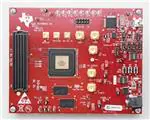
Figure 1 shows the TI TSW14J50EVM.
Figure 1. TSW14J50EVM
Microsoft, Windows are registered trademarks of Microsoft Corporation.
2
TSW14J50 JESD204B High-Speed Data Capture and Pattern Generator
Card User's Guide
Copyright © 2014–2016, Texas Instruments Incorporated
SLAU576A – May 2014 – Revised April 2016
Submit Documentation Feedback
�Functionality
www.ti.com
The major features of the TSW14J50 are:
• Subclasses: 0 (backward compatible), 1
• Support for deterministic latency
• Serial lane speeds up to 6.5 Gbps (4 lanes or less)
• 8 routed transceiver channels
• 4Gb DDR3 SDRA. Quarter-rate DDR3 controllers supporting up to 667-MHz operation
• 256K 16-bit samples of internal FPGA memory
• Supports 1.8-V to 3.3-V CMOS IO standard
• Onboard FT4232HL USB device for JTAG and SPI emulation
• Reference clocking for transceivers available through FMC port or SMAs
• Supported by TI HSDC PRO software
• FPGA firmware developed with Quartus II 13.0 and QSYS
– JESD RX IP core with support for:
• SPI and JTAG reconfigurable JESD core parameters: L, M, K, F, HD, S, and more
• ILA configuration data accessible through SPI and JTAG
• Lane alignment and character replacement enabled or disabled through SPI and JTAG
– JESD TX IP core with support for:
• SPI and JTAG reconfigurable JESD core parameters: L, M, K, F, HD, S, and more
• ILA data configured through SPI and JTAG
• Character replacement enabled or disabled through SPI and JTAG
– Dynamically reconfigurable transceiver data rate. Operating range from 0.600–6.5 Gbps
SLAU576A – May 2014 – Revised April 2016
Submit Documentation Feedback
TSW14J50 JESD204B High-Speed Data Capture and Pattern Generator
Card User's Guide
Copyright © 2014–2016, Texas Instruments Incorporated
3
�Functionality
www.ti.com
Figure 2 shows a block diagram of the TSW14J50 EVM.
Figure 2. TSW14J50 EVM Block Diagram
2.1
ADC EVM Data Capture
New TI high-speed ADCs and DACs now have high-speed serial data that meets the JESD204B standard.
These devices are generally available on an EVM that connects directly to the TSW14J50EVM. The
common connector between the EVMs and the TSW14J50EVM is a Samtec high-speed, high-density
FMC connector (SEAF-40-05.0-S-10-2-A-K) suitable for high-speed differential pairs up to 21 Gbps. A
common pinout for the connector across a family of EVMs has been established. At present, the interface
between the EVMs and the TSW14J50EVM has defined connections for 8 lanes of serial differential data,
two device clock pairs, two SYSREF pairs, two SYNC pairs, four over-range single-ended indicators, and
26 spare general purpose signals that can be used as CMOS I/O pins or differential LVDS signals. There
are also two differential clock input pairs.
The data format for JESD204B ADCs and DACs is a serialized format, where individual bits of the data
are presented on the serial pairs commonly referred to as lanes. Devices designed around the JESD204B
specification can have up to 8 lanes for transmitting or receiving data. The firmware in the FPGA on the
TSW14J50 is designed to accommodate any of TI's ADC or DAC operating with any number of lanes from
1 to 8.
4
TSW14J50 JESD204B High-Speed Data Capture and Pattern Generator
Card User's Guide
Copyright © 2014–2016, Texas Instruments Incorporated
SLAU576A – May 2014 – Revised April 2016
Submit Documentation Feedback
�Functionality
www.ti.com
The GUI loads the FPGA with the appropriate firmware and a specific JESD204B configuration, based on
the ADC device selected in the device drop-down window. Each ADC device that appears in this window
has an initialization file (.ini) associated to it. This .ini file contains JESD information, such as number of
lanes, number of converters, octets per frame, and other parameters. This information is loaded into the
FPGA registers after the capture button is clicked. After the parameters are loaded, synchronization is
established between the data converter and FPGA and valid data is then captured into the on-board
memory. See the High-Speed Data Capture Pro GUI Software User's Guide (SLWU087) and section 2.3
in the guide for more information. Several .ini files are available to allow the user to load pre-determined
ADC JESD204B interfaces. For example, if the ADC called "ADS42JB69_LMF_421" is selected, the
FPGA will be configured to capture data from the ADS42JB69EVM with the ADC JESD interface
configured for 4 lanes, 2 converters, and 1 octet per frame.
The TSW14J50 device can capture up to 256M 16-bit samples at a maximum line rate of 6.5 Gbps that
are stored inside the on-board DDR3 memory. To acquire data on a host PC, the FPGA reads the data
from memory and transmits it on a serial protocol interface (SPI). An on-board high-speed USB-to-SPI
converter bridges the FPGA SPI interface to the host PC and GUI.
2.2
DAC EVM Pattern Generator (currently, function is not available)
In pattern generator mode, the TSW14J50EVM generates desired test patterns for DAC EVMs under test.
These patterns are sent from the host PC over the USB interface to the TSW14J50. The FPGA stores the
data received into the on-board DDR3 memory. The data from the memory is then read by the FPGA,
converted to JESD204B serial format, then transmitted to a DAC EVM. The TSW14J50 can generate
patterns up to 256M 16-bit samples at a line rate up to 6.5 Gbps.
The GUI comes with several existing test patterns that can be download immediately. The GUI also has a
pattern generation tool that allows the user to generate a custom pattern, then download it to the on-board
memory. See the High-Speed Data Capture Pro Software User's Guide (SLWU087) for information. Like
the ADC capture mode, the DAC pattern generator mode uses .ini files to load predetermined JESD204B
interface information to the FPGA.
3
Hardware Configuration
This section describes the various portions of the TSW14J50EVM hardware.
3.1
Power Connections
The TSW14J50EVM hardware is designed to operate from a single supply voltage of +5 V DC. Connect
one end of the provided power cable to a 5-V DC power supply capable of providing a minimum of 2 amps
and the other end to J11 of the EVM. The board can also be powered up by providing +5 V DC to the red
test point, TP34, and the return to any black GND test point. The TSW14J50 draws approximately 0.2 A at
power-up and 0.8 A when capturing 4 lanes of data from an ADS42JB69EVM at a line rate of 2.5 Gpbs.
SLAU576A – May 2014 – Revised April 2016
Submit Documentation Feedback
TSW14J50 JESD204B High-Speed Data Capture and Pattern Generator
Card User's Guide
Copyright © 2014–2016, Texas Instruments Incorporated
5
�Hardware Configuration
3.2
3.2.1
www.ti.com
Switches, Jumpers, and LEDs
Switches and Pushbuttons
The TSW14J50 contains several switches and pushbuttons that enable certain functions on the board.
The description of the switches is found in Table 1.
Table 1. Switch Description of the TSW14J50 Device
Component
Description
SW1
Spare dip switches that are connected to spare FPGA inputs
SW2 and SW3
Spare pushbutton that are connected to spare FPGA inputs
SW4 (CPU RESET)
FPGA hardware reset
SW5
Sets IO voltage of FPGA bank 5. All switches open, IO voltage = 1.4 V . Default
is switch 2 closed only to provide 1.8 V to IO of Bank 5.
SW5 switch 1 closed adds 0.2 V to 1.4 V IO voltage
SW5 switch 2 closed adds 0.4 V to 1.4 V IO voltage
SW5 switch 3 closed adds 0.8 V to 1.4 V IO voltage
SW5 switch 4 closed adds 1.6 V to 1.4 V IO voltage
3.2.2
Jumpers
The TSW14J50 contains several jumpers (JP) and solder jumpers (SJP) that enable certain functions on
the board. The description of the jumpers is found in Table 2.
Table 2. Jumper Description of the TSW14J50 Device
Component
6
Description
Default
JP4, JP5, JP6, and JP7
USB or JTAG control of FPGA programming. Default is USB control.
1 to 2
JP8
USB or internal 5-V power for USB interface. Default is internal power.
1 to 2
JP9
USB 3.3 V regulator enable. Default is enabled.
2 to 3
SJP2
Direction control for PIO_9 signal of buffer U29. Default is B to A.
1 to 2
SJP3
Direction control for PRESENT signal of buffer U29. Default is B to A.
2 to 3
JP10
Selects either external power or Variable power (default) net for FPGA bank 5 IO
supply. This is the IO voltage set by SW5.
1 to 2
TSW14J50 JESD204B High-Speed Data Capture and Pattern Generator
Card User's Guide
Copyright © 2014–2016, Texas Instruments Incorporated
SLAU576A – May 2014 – Revised April 2016
Submit Documentation Feedback
�Hardware Configuration
www.ti.com
3.3
LEDs
3.3.1
Power and Configuration LEDs
LEDs are on the TSW14J50 EVM to indicate the presence of power and the state of the FPGA. The
description of these LEDs is found in Table 3.
Table 3. Power and Configuration LED Description of the TSW14J50 Device
Component
3.3.2
Description
D10
On if +5-V input power is present
D28
On after FPGA completes configuration
Status LEDs
Eight status LEDs on the TSW14J50EVM indicate the status of the FPGA, DDR3, and JESD204B
interface:
D1 – Indicates DAC EVM established SYNC with the TSW14J50 device when on
D2 – Indicates presence of device clock from DAC EVM when blinking
D3 – Indicates ADC EVM established SYNC with the TSW14J50 device when on
D4 – Indicates presence of device clock from ADC EVM when blinking
D5 – Not used
D6 – DDR3 initialization and calibration complete when off
D7 – DDR3 ready when off
D8 – DDR3 pass calibration and initialization if on
3.4
3.4.1
Connectors
FPGA Mezzanine Card (FMC) Connector
The TSW14J50 EVM has one connector to allow for the direct plug in of TI JESD204B serial interface
ADC and DAC EVMs. The specifications for this connector are mostly derived from the ANSI/VITA 57.1
FPGA Mezzanine Card (FMC) Standard. This standard describes the compliance requirements for a lowoverhead protocol bridge between the IO of a mezzanine card and an FPGA processing device on a
carrier card. This specification is being used by FPGA vendors on their development platforms.
The FMC connector, J4, provides the interface between the TSW14J50EVM and the ADC or DAC EVM
under test. This 400-pin Samtec high-speed, high-density connector (part number SEAF-40-05.0-S-10-2A-K) is suitable for high-speed differential pairs up to 21 Gbps.
In addition to the JESD204B standard signals, 26 CMOS single-ended signals are sourced from the FPGA
to the connector. In the future, these signals may allow the HSDC Pro GUI to control the SPI serial
programming of ADC and DAC EVMs that support this feature. The connector pinout description is shown
in Table 4.
Table 4. FPGA FMC connector (J5) description of the TSW14J10
FMC Signal Name
FMC Pin
Standard JESD204
Application Mapping
Description
DP0_M2C_P/N
C6/C7
Lane 0+/- (M->C)
JESD Serial data transmitted from Mezzanine and received by Carrier
DP1_M2C_P/N
A2/A3
Lane 1+/- (M->C)
JESD Serial data transmitted from Mezzanine and received by Carrier
DP2_M2C_P/N
A6/A7
Lane 2+/- (M->C)
JESD Serial data transmitted from Mezzanine and received by Carrier
DP3_M2C_P/N
A10/A11
Lane 3+/- (M->C)
JESD Serial data transmitted from Mezzanine and received by Carrier
DP4_M2C_P/N
A14/A15
Lane 4+/- (M->C)
JESD Serial data transmitted from Mezzanine and received by Carrier
DP5_M2C_P/N
A18/A19
Lane 5+/- (M->C)
JESD Serial data transmitted from Mezzanine and received by Carrier
SLAU576A – May 2014 – Revised April 2016
Submit Documentation Feedback
TSW14J50 JESD204B High-Speed Data Capture and Pattern Generator
Card User's Guide
Copyright © 2014–2016, Texas Instruments Incorporated
7
�Hardware Configuration
www.ti.com
Table 4. FPGA FMC connector (J5) description of the TSW14J10 (continued)
DP6_M2C_P/N
B16/B17
Lane 6+/- (M->C)
JESD Serial data transmitted from Mezzanine and received by Carrier
DP7_M2C_P/N
B12/B13
Lane 7+/- (M->C)
JESD Serial data transmitted from Mezzanine and received by Carrier
DP0_C2M_P/N
C2/C3
Lane 0+/- (C->M)
JESD Serial data transmitted from Carrier and received by Mezzanine
DP1_C2M_P/N
A22/A23
Lane 1+/- (C->M)
JESD Serial data transmitted from Carrier and received by Mezzanine
DP2_C2M_P/N
A26/A27
Lane 2+/- (C->M)
JESD Serial data transmitted from Carrier and received by Mezzanine
DP3_C2M_P/N
A30/A31
Lane 3+/- (C->M)
JESD Serial data transmitted from Carrier and received by Mezzanine
DP4_C2M_P/N
A34/A35
Lane 4+/- (C->M)
JESD Serial data transmitted from Carrier and received by Mezzanine
DP5_C2M_P/N
A38/A39
Lane 5+/- (C->M)
JESD Serial data transmitted from Carrier and received by Mezzanine
DP6_C2M_P/N
B36/B37
Lane 6+/- (C->M)
JESD Serial data transmitted from Carrier and received by Mezzanine
DP7_C2M_P/N
B32/B33
Lane 7+/- (C->M)
JESD Serial data transmitted from Carrier and received by Mezzanine
GBTCLK0_M2C_P/N
D4/D5
DEVCLKA+/- (M->C)
Primary carrier-bound reference clock required for FPGA gigabit transceivers.
Equivalent to device clock.
GBTCLK1_M2C_P/M
B20/B21
Alt DEVCLKA+/- (M->C)
Alternate primary carrier-bound reference clock required for FPGA gigabit
transceivers. Equivalent to device clock.
Device Clock, SYSREF, and SYNC
FMC Signal Name
FMC Pin
Standard JESD204
Application Mapping
Description
CLK_LA0_P/N
G6/G7
DEVCLKB+/- (M->C)
Secondary carrier-bound device clock. Used for special FPGA functions such as
sampling SYSREF.
LA01_P/N_CC_A
D8/D9
DEVCLK+/- (C->M)
Mezzanine-bound device Clock. Used for low noise conversion clock. 2.5V level
SYSREFP/N
G9/G10
SYSREF+/- (M->C)
Carrier-bound SYSREF signal
LA05_P/N_A
D11/D12
SYSREF+/- (C->M)
Mezzanine-bound SYSREF differential signal, 2.5V level
RX_SYNC_P/N
G12/G13
SYNC+/- (C>M)
ADC Mezzanine-bound SYNC signal for use in class 0/1/2 JESD204 systems
TX_SYNC_P/N
F10/F11
DAC SYNC+/- (M>C)
Carrier-bound SYNC signal for use in class 0/1/2 JESD204 systems.
TX_ALT_SYNC_P/N
F19/F20
Alt. DAC SYNC+/- (M>C)
Alternate Carrier-bound SYNC signal for use in class 0/1/2 JESD204B systems.
RX_CMOS_SYNC_P
H31
Alt. SYNC+/- (C>M)
Alternate ADC Mezzanine-bound SYNC signal. For use when SYNC (C->M) is not
available.
RX_ALT_SYNC_N
H32
Alt. SYNC+/- (C>M)
Alternate ADC Mezzanine-bound SYNC signal. For use when SYNC (C->M) is not
available.
TX_TRG
K22
TX trigger input or spare IO, adjustable level*
Special Purpose I/O
FMC Signal Name
FMC Pin
Direction
Description
PG_M2C_A
F1
FMC-to-FPGA
Power good from mezzanine to carrier
PRESENT
H2
FMC-to-FPGA
EVM Present indicator or spare IO signal, adjustable level
PIO_0
C14
FPGA-to-FMC
Spare output signal, adjustable level*
PIO_1
C15
FPGA-to-FMC
Spare output signal, adjustable level*
PIO_2
D14
FPGA-to-FMC
Spare output signal, adjustable level*
PIO_3
D15
FPGA-to-FMC
Spare output signal, adjustable level*
PIO_4
G15
FPGA-to-FMC
Spare output signal, adjustable level*
PIO_5
G16
FPGA-to-FMC
Spare output signal, adjustable level*
PIO_6
H16
FPGA-to-FMC
Spare output signal, adjustable level*
PIO_7
H17
FPGA-to-FMC
Spare output signal, adjustable level*
OVRA
K19
ADC-to-FPGA
ADC over range indicator or spare IO, adjustable level*
OVRB
E18
ADC-to-FPGA
ADC over range indicator or spare IO, adjustable level*
OVRC
J22
ADC-to-FPGA
ADC over range indicator or spare IO, adjustable level*
OVRD
J21
ADC-to-FPGA
ADC over range indicator or spare IO, adjustable level*
FPGA_CLK2P/N
J2/J3
FPGA-to-DAC
Spare IO signal, 2.5V level
FPGA_CLK1P/N
K4/K5
FPGA-to-DAC
Spare IO signal, 2.5V level
PIO_9
C18
FMC-to-FPGA
Spare IO signal, adjustable level*
LA13_P_A
D17
FPGA-to-ADC
Spare IO signal, 2.5V level
LA13_N_A
D18
FPGA-to-ADC
Spare IO signal, 2.5V level
HA20_N_A
E19
FPGA-to-FMC
Spare IO signal, adjustable level*
8
TSW14J50 JESD204B High-Speed Data Capture and Pattern Generator
Card User's Guide
Copyright © 2014–2016, Texas Instruments Incorporated
SLAU576A – May 2014 – Revised April 2016
Submit Documentation Feedback
�Hardware Configuration
www.ti.com
Table 4. FPGA FMC connector (J5) description of the TSW14J10 (continued)
LA17_P/N_CC_A
D20/D21
FPGA-to-FMC
Spare IO signal, 2.5V level
LA23_P/N_A
D23/D24
FPGA-to-FMC
Spare IO signals, 2.5V level
LA16_P_A
G18
FPGA-to-FMC
Spare IO signal, adjustable level*
SP1
K20
FPGA-to-FMC
Spare IO signal, adjustable level*
CLK0_M2C_P/N_A
H4/H5
FPGA-to-FMC
Spare FPGA CLK input connections
CLK1_M2C_P/N_A
G2/G3
FPGA-to-FMC
Spare FPGA CLK input connections
* The level of these signals is controlled by SW5 when JP10 has a shunt installed between pins 1-2. With
the shunt installed between pins 2-3, the external voltage applied to TP40 will determine the level of these
signals.
WARNING
In the external supply mode, make sure the external supply does
not exceed 3.3 VDC to prevent damage occurring to the FPGA.
The ANSI/VITA 57.1 standard assigns voltages to certain pins. These are labeled as 12V, 3P3V, and
VADJ nets on the connector page of the schematic. On the TSW14J50, these pins are connected to test
points allowing user-provided voltages at these pin locations.
3.4.2
SMA Connectors
The TSW14J50 has two SMA connectors, J7 and J8, that can be used as a SYNC outputs. These signals
will be driven by the FPGA. Another SMA, J13, can be used as a trigger input to the FPGA. To
synchronize multiple TSW14J50 boards, the user would connect one of the SYNC outputs from a master
TSW14J50 EVM to the EXT Trigger input SMA of a slave TSW14J50 EVM. This function is currently not
available.
3.4.3
JTAG Connectors
The TSW14J50EVM includes one industry-standard JTAG connector that connects to the JTAG ports of
the FPGA. Jumpers on the TSW14J50EVM allow for the FPGA to be programmed from the JTAG
connector or the USB interface. JTAG connector J2 is used for troubleshooting only. The board default
setup is with the FPGA JTAG pins connected to the USB interface. This allows the FPGA to be
programmed by the HSDC Pro software GUI. Every time the TSW14J50EVM is powered-down, the FPGA
configuration is removed. The user must program the FPGA through the GUI after every time the board is
powered-up.
3.4.4
USB I/O Connection
Control of the TSW14J50EVM is through USB connector J9. This provides the interface between the
HSDC Pro GUI running on a Microsoft® Windows® operating system and the FPGA. For the computer, the
drivers needed to access the USB port are included on the HSDC Pro GUI installation software that can
be downloaded from the web. The drivers are automatically installed during the installation process. On
the TSW14J50EVM, the USB port is used to identify the type and serial number of the EVM under test,
load the desired FPGA configuration file, capture data from ADC EVMs, and send test pattern data to the
DAC EVMs.
SLAU576A – May 2014 – Revised April 2016
Submit Documentation Feedback
TSW14J50 JESD204B High-Speed Data Capture and Pattern Generator
Card User's Guide
Copyright © 2014–2016, Texas Instruments Incorporated
9
�Software Start-Up
www.ti.com
4
Software Start-Up
4.1
Installation Instructions
Download the latest version of the HSDC Pro GUI (slwc107x.zip) to a local location on a host PC. Visit
www.ti.com and find the install link on the TSW14J50EVM page.
Unzipping the software package generates a folder called “High Speed Data Converter Pro - Installer
vx.xx.exe", where x.xx is the version number. Run this program to start the installation.
Follow the on-screen instructions during installation.
NOTE:
If an older version of the GUI has already been installed, make sure to uninstall it before
loading a newer version.
Figure 3. GUI Installation
Make sure to disconnect all USB cables from any TSW14xxx boards before installing the software.
Click the Install button. A new window opens. Click the Next button.
Accept the license agreement. Click the Nextbutton to start the installation. After the installer has finished,
click the Nextbutton.
The installation is now complete. The GUI executable and associated files reside in the following directory:
C:\Program Files (x86)\Texas Instruments\High Speed Data Converter Pro.
4.2
USB Interface and Drivers
•
•
Connect a USB cable between J9 of the TSW14J50EVM and a host PC.
Connect the provided power cable between a +5 VDC power supply and the EVM. Turn on the power
supply.
Click on the High-Speed Data Converter Pro icon that was created on the desktop panel, or go to
C:\Program Files (x86)\Texas Instruments\High Speed Data Converter Pro and double click on the
executable called High Speed Data Converter Pro.exe to start the GUI.
The GUI first attempts to connect to the EVM USB interface. If the GUI identifies a valid board serial
number, a pop-up opens displaying this value, as shown in Figure 4. Several TSW14J50 EVMs can
connect to one host PC, but the GUI can only connect to one at a time. When multiple boards are
connected to the PC, the pop-up displays all of the serial numbers found. The user then selects which
board to associate the GUI with.
10
TSW14J50 JESD204B High-Speed Data Capture and Pattern Generator
Card User's Guide
Copyright © 2014–2016, Texas Instruments Incorporated
SLAU576A – May 2014 – Revised April 2016
Submit Documentation Feedback
�Software Start-Up
www.ti.com
Figure 4. TSW14J50EVM Serial Number
Click the OK button to connect the GUI to the board. The top-level GUI opens and appears as shown in
Figure 5.
Figure 5. High-Speed Data Converter Pro GUI Top Level
If the message No Board Connected opens, double check the USB cable connections and that power
switch SW6 is in the on position. If the cable connections appear fine, try establishing a connection by
clicking the Instrument Option tab at the top left of the GUI and selecting Connect to the Board. If this still
does not correct this issue, check the status of the host USB port.
When the software is installed and the USB cable is connected to the TSW14J50EVM and the PC, the
TSW14J50 USB serial converter should be located in the Hardware Device Manager under the universal
serial bus controllers as shown in Figure 6. This is a quad device, therefore an A, B, C, and D USB serial
converter are shown. When the USB cable is removed, these four are no longer visible in the device
manager. If the drivers are present in the device manager window and the software still does not connect,
cycle power to the board and repeat the prior steps.
SLAU576A – May 2014 – Revised April 2016
Submit Documentation Feedback
TSW14J50 JESD204B High-Speed Data Capture and Pattern Generator
Card User's Guide
Copyright © 2014–2016, Texas Instruments Incorporated
11
�Software Start-Up
www.ti.com
Figure 6. Hardware Device Manager
4.3
Downloading Firmware
The TSW14J50EVM has an Altera Arria V GX device that requires firmware to be downloaded every time
power is cycled to operate. The firmware files needed are special .rbf formatted files that are provided with
the software package. The files used by the GUI currently reside in the directory called C:\Program Files
(x86)\Texas Instruments\High Speed Data Converter Pro\14J50 Details\Firmware.
To load a firmware, after the GUI has established connection, click on the drop down arrow that is next to
the “Select ADC” window in the top left of the GUI and select the device to evaluate, for example,
ADS42JB69_LMF_421, as shown in Figure 7.
The GUI prompts the user to update the firmware for the ADC. Click Yes. The GUI will display the
message Downloading Firmware, Please Wait. The software now loads the firmware from the PC to the
FPGA, a process that takes about 30 seconds. Once completed, the GUI reports an Interface Type in the
lower right corner and the FPGA_CONF_DONE LED (D28) illuminates along with several of the status
LEDs.
Figure 7. Select ADC Firmware to be Loaded
12
TSW14J50 JESD204B High-Speed Data Capture and Pattern Generator
Card User's Guide
Copyright © 2014–2016, Texas Instruments Incorporated
SLAU576A – May 2014 – Revised April 2016
Submit Documentation Feedback
�Software Start-Up
www.ti.com
For information regarding the use of the TSW14J50EVM with a TI ADC or DAC JESD204B serial interface
EVM, consult the High-Speed Data Converter Pro GUI User's Guide (SLWU087) and the individual EVM
User’s Guide, available on www.ti.com.
SLAU576A – May 2014 – Revised April 2016
Submit Documentation Feedback
TSW14J50 JESD204B High-Speed Data Capture and Pattern Generator
Card User's Guide
Copyright © 2014–2016, Texas Instruments Incorporated
13
�Revision History
www.ti.com
If the message in Figure 8 appears, verify that the power status LED is illuminated. If this LED is off, there
may be a problem with the 5VDC power supply or the source for this supply.
Figure 8. Download Firmware Error Message
After the firmware has successfully downloaded, HSDC Pro attempts to load the selected device GUI. If
the EVM under test GUI is available, the message Loading Device GUI appears briefly. After this occurs, a
new tab will show up at the top right of the HSDC Pro GUI main screen. This new tab is seen in Figure 9.
Clicking on the ADS42JBxx EVM GUI tab opens the ADS42JBxx EVM GUI inside of the HSDC Pro GUI.
The user can now configure the ADC EVM then return to HSDC Pro to do data captures.
Figure 9. HSDC Pro GUI with ADS42JBxx EVM GUI Tab
Revision History
NOTE: Page numbers for previous revisions may differ from page numbers in the current version.
Changes from Original (May 2014) to A Revision ........................................................................................................... Page
•
•
14
Changed wording in the Power Connections section. ................................................................................ 5
Changed wording in the USB Interface and Drivers section. ...................................................................... 10
Revision History
SLAU576A – May 2014 – Revised April 2016
Submit Documentation Feedback
Copyright © 2014–2016, Texas Instruments Incorporated
�STANDARD TERMS AND CONDITIONS FOR EVALUATION MODULES
1.
Delivery: TI delivers TI evaluation boards, kits, or modules, including any accompanying demonstration software, components, or
documentation (collectively, an “EVM” or “EVMs”) to the User (“User”) in accordance with the terms and conditions set forth herein.
Acceptance of the EVM is expressly subject to the following terms and conditions.
1.1 EVMs are intended solely for product or software developers for use in a research and development setting to facilitate feasibility
evaluation, experimentation, or scientific analysis of TI semiconductors products. EVMs have no direct function and are not
finished products. EVMs shall not be directly or indirectly assembled as a part or subassembly in any finished product. For
clarification, any software or software tools provided with the EVM (“Software”) shall not be subject to the terms and conditions
set forth herein but rather shall be subject to the applicable terms and conditions that accompany such Software
1.2 EVMs are not intended for consumer or household use. EVMs may not be sold, sublicensed, leased, rented, loaned, assigned,
or otherwise distributed for commercial purposes by Users, in whole or in part, or used in any finished product or production
system.
2
Limited Warranty and Related Remedies/Disclaimers:
2.1 These terms and conditions do not apply to Software. The warranty, if any, for Software is covered in the applicable Software
License Agreement.
2.2 TI warrants that the TI EVM will conform to TI's published specifications for ninety (90) days after the date TI delivers such EVM
to User. Notwithstanding the foregoing, TI shall not be liable for any defects that are caused by neglect, misuse or mistreatment
by an entity other than TI, including improper installation or testing, or for any EVMs that have been altered or modified in any
way by an entity other than TI. Moreover, TI shall not be liable for any defects that result from User's design, specifications or
instructions for such EVMs. Testing and other quality control techniques are used to the extent TI deems necessary or as
mandated by government requirements. TI does not test all parameters of each EVM.
2.3 If any EVM fails to conform to the warranty set forth above, TI's sole liability shall be at its option to repair or replace such EVM,
or credit User's account for such EVM. TI's liability under this warranty shall be limited to EVMs that are returned during the
warranty period to the address designated by TI and that are determined by TI not to conform to such warranty. If TI elects to
repair or replace such EVM, TI shall have a reasonable time to repair such EVM or provide replacements. Repaired EVMs shall
be warranted for the remainder of the original warranty period. Replaced EVMs shall be warranted for a new full ninety (90) day
warranty period.
3
Regulatory Notices:
3.1 United States
3.1.1
Notice applicable to EVMs not FCC-Approved:
This kit is designed to allow product developers to evaluate electronic components, circuitry, or software associated with the kit
to determine whether to incorporate such items in a finished product and software developers to write software applications for
use with the end product. This kit is not a finished product and when assembled may not be resold or otherwise marketed unless
all required FCC equipment authorizations are first obtained. Operation is subject to the condition that this product not cause
harmful interference to licensed radio stations and that this product accept harmful interference. Unless the assembled kit is
designed to operate under part 15, part 18 or part 95 of this chapter, the operator of the kit must operate under the authority of
an FCC license holder or must secure an experimental authorization under part 5 of this chapter.
3.1.2
For EVMs annotated as FCC – FEDERAL COMMUNICATIONS COMMISSION Part 15 Compliant:
CAUTION
This device complies with part 15 of the FCC Rules. Operation is subject to the following two conditions: (1) This device may not
cause harmful interference, and (2) this device must accept any interference received, including interference that may cause
undesired operation.
Changes or modifications not expressly approved by the party responsible for compliance could void the user's authority to
operate the equipment.
FCC Interference Statement for Class A EVM devices
NOTE: This equipment has been tested and found to comply with the limits for a Class A digital device, pursuant to part 15 of
the FCC Rules. These limits are designed to provide reasonable protection against harmful interference when the equipment is
operated in a commercial environment. This equipment generates, uses, and can radiate radio frequency energy and, if not
installed and used in accordance with the instruction manual, may cause harmful interference to radio communications.
Operation of this equipment in a residential area is likely to cause harmful interference in which case the user will be required to
correct the interference at his own expense.
SPACER
SPACER
SPACER
SPACER
SPACER
SPACER
SPACER
SPACER
�FCC Interference Statement for Class B EVM devices
NOTE: This equipment has been tested and found to comply with the limits for a Class B digital device, pursuant to part 15 of
the FCC Rules. These limits are designed to provide reasonable protection against harmful interference in a residential
installation. This equipment generates, uses and can radiate radio frequency energy and, if not installed and used in accordance
with the instructions, may cause harmful interference to radio communications. However, there is no guarantee that interference
will not occur in a particular installation. If this equipment does cause harmful interference to radio or television reception, which
can be determined by turning the equipment off and on, the user is encouraged to try to correct the interference by one or more
of the following measures:
•
•
•
•
Reorient or relocate the receiving antenna.
Increase the separation between the equipment and receiver.
Connect the equipment into an outlet on a circuit different from that to which the receiver is connected.
Consult the dealer or an experienced radio/TV technician for help.
3.2 Canada
3.2.1
For EVMs issued with an Industry Canada Certificate of Conformance to RSS-210
Concerning EVMs Including Radio Transmitters:
This device complies with Industry Canada license-exempt RSS standard(s). Operation is subject to the following two conditions:
(1) this device may not cause interference, and (2) this device must accept any interference, including interference that may
cause undesired operation of the device.
Concernant les EVMs avec appareils radio:
Le présent appareil est conforme aux CNR d'Industrie Canada applicables aux appareils radio exempts de licence. L'exploitation
est autorisée aux deux conditions suivantes: (1) l'appareil ne doit pas produire de brouillage, et (2) l'utilisateur de l'appareil doit
accepter tout brouillage radioélectrique subi, même si le brouillage est susceptible d'en compromettre le fonctionnement.
Concerning EVMs Including Detachable Antennas:
Under Industry Canada regulations, this radio transmitter may only operate using an antenna of a type and maximum (or lesser)
gain approved for the transmitter by Industry Canada. To reduce potential radio interference to other users, the antenna type
and its gain should be so chosen that the equivalent isotropically radiated power (e.i.r.p.) is not more than that necessary for
successful communication. This radio transmitter has been approved by Industry Canada to operate with the antenna types
listed in the user guide with the maximum permissible gain and required antenna impedance for each antenna type indicated.
Antenna types not included in this list, having a gain greater than the maximum gain indicated for that type, are strictly prohibited
for use with this device.
Concernant les EVMs avec antennes détachables
Conformément à la réglementation d'Industrie Canada, le présent émetteur radio peut fonctionner avec une antenne d'un type et
d'un gain maximal (ou inférieur) approuvé pour l'émetteur par Industrie Canada. Dans le but de réduire les risques de brouillage
radioélectrique à l'intention des autres utilisateurs, il faut choisir le type d'antenne et son gain de sorte que la puissance isotrope
rayonnée équivalente (p.i.r.e.) ne dépasse pas l'intensité nécessaire à l'établissement d'une communication satisfaisante. Le
présent émetteur radio a été approuvé par Industrie Canada pour fonctionner avec les types d'antenne énumérés dans le
manuel d’usage et ayant un gain admissible maximal et l'impédance requise pour chaque type d'antenne. Les types d'antenne
non inclus dans cette liste, ou dont le gain est supérieur au gain maximal indiqué, sont strictement interdits pour l'exploitation de
l'émetteur
3.3 Japan
3.3.1
Notice for EVMs delivered in Japan: Please see http://www.tij.co.jp/lsds/ti_ja/general/eStore/notice_01.page 日本国内に
輸入される評価用キット、ボードについては、次のところをご覧ください。
http://www.tij.co.jp/lsds/ti_ja/general/eStore/notice_01.page
3.3.2
Notice for Users of EVMs Considered “Radio Frequency Products” in Japan: EVMs entering Japan may not be certified
by TI as conforming to Technical Regulations of Radio Law of Japan.
If User uses EVMs in Japan, not certified to Technical Regulations of Radio Law of Japan, User is required by Radio Law of
Japan to follow the instructions below with respect to EVMs:
1.
2.
3.
Use EVMs in a shielded room or any other test facility as defined in the notification #173 issued by Ministry of Internal
Affairs and Communications on March 28, 2006, based on Sub-section 1.1 of Article 6 of the Ministry’s Rule for
Enforcement of Radio Law of Japan,
Use EVMs only after User obtains the license of Test Radio Station as provided in Radio Law of Japan with respect to
EVMs, or
Use of EVMs only after User obtains the Technical Regulations Conformity Certification as provided in Radio Law of Japan
with respect to EVMs. Also, do not transfer EVMs, unless User gives the same notice above to the transferee. Please note
that if User does not follow the instructions above, User will be subject to penalties of Radio Law of Japan.
SPACER
SPACER
SPACER
SPACER
SPACER
�【無線電波を送信する製品の開発キットをお使いになる際の注意事項】 開発キットの中には技術基準適合証明を受けて
いないものがあります。 技術適合証明を受けていないもののご使用に際しては、電波法遵守のため、以下のいずれかの
措置を取っていただく必要がありますのでご注意ください。
1.
2.
3.
電波法施行規則第6条第1項第1号に基づく平成18年3月28日総務省告示第173号で定められた電波暗室等の試験設備でご使用
いただく。
実験局の免許を取得後ご使用いただく。
技術基準適合証明を取得後ご使用いただく。
なお、本製品は、上記の「ご使用にあたっての注意」を譲渡先、移転先に通知しない限り、譲渡、移転できないものとします。
上記を遵守頂けない場合は、電波法の罰則が適用される可能性があることをご留意ください。 日本テキサス・イ
ンスツルメンツ株式会社
東京都新宿区西新宿6丁目24番1号
西新宿三井ビル
3.3.3
Notice for EVMs for Power Line Communication: Please see http://www.tij.co.jp/lsds/ti_ja/general/eStore/notice_02.page
電力線搬送波通信についての開発キットをお使いになる際の注意事項については、次のところをご覧くださ
い。http://www.tij.co.jp/lsds/ti_ja/general/eStore/notice_02.page
SPACER
4
EVM Use Restrictions and Warnings:
4.1 EVMS ARE NOT FOR USE IN FUNCTIONAL SAFETY AND/OR SAFETY CRITICAL EVALUATIONS, INCLUDING BUT NOT
LIMITED TO EVALUATIONS OF LIFE SUPPORT APPLICATIONS.
4.2 User must read and apply the user guide and other available documentation provided by TI regarding the EVM prior to handling
or using the EVM, including without limitation any warning or restriction notices. The notices contain important safety information
related to, for example, temperatures and voltages.
4.3 Safety-Related Warnings and Restrictions:
4.3.1
User shall operate the EVM within TI’s recommended specifications and environmental considerations stated in the user
guide, other available documentation provided by TI, and any other applicable requirements and employ reasonable and
customary safeguards. Exceeding the specified performance ratings and specifications (including but not limited to input
and output voltage, current, power, and environmental ranges) for the EVM may cause personal injury or death, or
property damage. If there are questions concerning performance ratings and specifications, User should contact a TI
field representative prior to connecting interface electronics including input power and intended loads. Any loads applied
outside of the specified output range may also result in unintended and/or inaccurate operation and/or possible
permanent damage to the EVM and/or interface electronics. Please consult the EVM user guide prior to connecting any
load to the EVM output. If there is uncertainty as to the load specification, please contact a TI field representative.
During normal operation, even with the inputs and outputs kept within the specified allowable ranges, some circuit
components may have elevated case temperatures. These components include but are not limited to linear regulators,
switching transistors, pass transistors, current sense resistors, and heat sinks, which can be identified using the
information in the associated documentation. When working with the EVM, please be aware that the EVM may become
very warm.
4.3.2
EVMs are intended solely for use by technically qualified, professional electronics experts who are familiar with the
dangers and application risks associated with handling electrical mechanical components, systems, and subsystems.
User assumes all responsibility and liability for proper and safe handling and use of the EVM by User or its employees,
affiliates, contractors or designees. User assumes all responsibility and liability to ensure that any interfaces (electronic
and/or mechanical) between the EVM and any human body are designed with suitable isolation and means to safely
limit accessible leakage currents to minimize the risk of electrical shock hazard. User assumes all responsibility and
liability for any improper or unsafe handling or use of the EVM by User or its employees, affiliates, contractors or
designees.
4.4 User assumes all responsibility and liability to determine whether the EVM is subject to any applicable international, federal,
state, or local laws and regulations related to User’s handling and use of the EVM and, if applicable, User assumes all
responsibility and liability for compliance in all respects with such laws and regulations. User assumes all responsibility and
liability for proper disposal and recycling of the EVM consistent with all applicable international, federal, state, and local
requirements.
5.
Accuracy of Information: To the extent TI provides information on the availability and function of EVMs, TI attempts to be as accurate
as possible. However, TI does not warrant the accuracy of EVM descriptions, EVM availability or other information on its websites as
accurate, complete, reliable, current, or error-free.
SPACER
SPACER
SPACER
SPACER
SPACER
SPACER
�SPACER
6.
Disclaimers:
6.1 EXCEPT AS SET FORTH ABOVE, EVMS AND ANY WRITTEN DESIGN MATERIALS PROVIDED WITH THE EVM (AND THE
DESIGN OF THE EVM ITSELF) ARE PROVIDED "AS IS" AND "WITH ALL FAULTS." TI DISCLAIMS ALL OTHER
WARRANTIES, EXPRESS OR IMPLIED, REGARDING SUCH ITEMS, INCLUDING BUT NOT LIMITED TO ANY IMPLIED
WARRANTIES OF MERCHANTABILITY OR FITNESS FOR A PARTICULAR PURPOSE OR NON-INFRINGEMENT OF ANY
THIRD PARTY PATENTS, COPYRIGHTS, TRADE SECRETS OR OTHER INTELLECTUAL PROPERTY RIGHTS.
6.2 EXCEPT FOR THE LIMITED RIGHT TO USE THE EVM SET FORTH HEREIN, NOTHING IN THESE TERMS AND
CONDITIONS SHALL BE CONSTRUED AS GRANTING OR CONFERRING ANY RIGHTS BY LICENSE, PATENT, OR ANY
OTHER INDUSTRIAL OR INTELLECTUAL PROPERTY RIGHT OF TI, ITS SUPPLIERS/LICENSORS OR ANY OTHER THIRD
PARTY, TO USE THE EVM IN ANY FINISHED END-USER OR READY-TO-USE FINAL PRODUCT, OR FOR ANY
INVENTION, DISCOVERY OR IMPROVEMENT MADE, CONCEIVED OR ACQUIRED PRIOR TO OR AFTER DELIVERY OF
THE EVM.
7.
USER'S INDEMNITY OBLIGATIONS AND REPRESENTATIONS. USER WILL DEFEND, INDEMNIFY AND HOLD TI, ITS
LICENSORS AND THEIR REPRESENTATIVES HARMLESS FROM AND AGAINST ANY AND ALL CLAIMS, DAMAGES, LOSSES,
EXPENSES, COSTS AND LIABILITIES (COLLECTIVELY, "CLAIMS") ARISING OUT OF OR IN CONNECTION WITH ANY
HANDLING OR USE OF THE EVM THAT IS NOT IN ACCORDANCE WITH THESE TERMS AND CONDITIONS. THIS OBLIGATION
SHALL APPLY WHETHER CLAIMS ARISE UNDER STATUTE, REGULATION, OR THE LAW OF TORT, CONTRACT OR ANY
OTHER LEGAL THEORY, AND EVEN IF THE EVM FAILS TO PERFORM AS DESCRIBED OR EXPECTED.
8.
Limitations on Damages and Liability:
8.1 General Limitations. IN NO EVENT SHALL TI BE LIABLE FOR ANY SPECIAL, COLLATERAL, INDIRECT, PUNITIVE,
INCIDENTAL, CONSEQUENTIAL, OR EXEMPLARY DAMAGES IN CONNECTION WITH OR ARISING OUT OF THESE
TERMS ANDCONDITIONS OR THE USE OF THE EVMS PROVIDED HEREUNDER, REGARDLESS OF WHETHER TI HAS
BEEN ADVISED OF THE POSSIBILITY OF SUCH DAMAGES. EXCLUDED DAMAGES INCLUDE, BUT ARE NOT LIMITED
TO, COST OF REMOVAL OR REINSTALLATION, ANCILLARY COSTS TO THE PROCUREMENT OF SUBSTITUTE GOODS
OR SERVICES, RETESTING, OUTSIDE COMPUTER TIME, LABOR COSTS, LOSS OF GOODWILL, LOSS OF PROFITS,
LOSS OF SAVINGS, LOSS OF USE, LOSS OF DATA, OR BUSINESS INTERRUPTION. NO CLAIM, SUIT OR ACTION SHALL
BE BROUGHT AGAINST TI MORE THAN ONE YEAR AFTER THE RELATED CAUSE OF ACTION HAS OCCURRED.
8.2 Specific Limitations. IN NO EVENT SHALL TI'S AGGREGATE LIABILITY FROM ANY WARRANTY OR OTHER OBLIGATION
ARISING OUT OF OR IN CONNECTION WITH THESE TERMS AND CONDITIONS, OR ANY USE OF ANY TI EVM
PROVIDED HEREUNDER, EXCEED THE TOTAL AMOUNT PAID TO TI FOR THE PARTICULAR UNITS SOLD UNDER
THESE TERMS AND CONDITIONS WITH RESPECT TO WHICH LOSSES OR DAMAGES ARE CLAIMED. THE EXISTENCE
OF MORE THAN ONE CLAIM AGAINST THE PARTICULAR UNITS SOLD TO USER UNDER THESE TERMS AND
CONDITIONS SHALL NOT ENLARGE OR EXTEND THIS LIMIT.
9.
Return Policy. Except as otherwise provided, TI does not offer any refunds, returns, or exchanges. Furthermore, no return of EVM(s)
will be accepted if the package has been opened and no return of the EVM(s) will be accepted if they are damaged or otherwise not in
a resalable condition. If User feels it has been incorrectly charged for the EVM(s) it ordered or that delivery violates the applicable
order, User should contact TI. All refunds will be made in full within thirty (30) working days from the return of the components(s),
excluding any postage or packaging costs.
10. Governing Law: These terms and conditions shall be governed by and interpreted in accordance with the laws of the State of Texas,
without reference to conflict-of-laws principles. User agrees that non-exclusive jurisdiction for any dispute arising out of or relating to
these terms and conditions lies within courts located in the State of Texas and consents to venue in Dallas County, Texas.
Notwithstanding the foregoing, any judgment may be enforced in any United States or foreign court, and TI may seek injunctive relief
in any United States or foreign court.
Mailing Address: Texas Instruments, Post Office Box 655303, Dallas, Texas 75265
Copyright © 2015, Texas Instruments Incorporated
spacer
�IMPORTANT NOTICE
Texas Instruments Incorporated and its subsidiaries (TI) reserve the right to make corrections, enhancements, improvements and other
changes to its semiconductor products and services per JESD46, latest issue, and to discontinue any product or service per JESD48, latest
issue. Buyers should obtain the latest relevant information before placing orders and should verify that such information is current and
complete. All semiconductor products (also referred to herein as “components”) are sold subject to TI’s terms and conditions of sale
supplied at the time of order acknowledgment.
TI warrants performance of its components to the specifications applicable at the time of sale, in accordance with the warranty in TI’s terms
and conditions of sale of semiconductor products. Testing and other quality control techniques are used to the extent TI deems necessary
to support this warranty. Except where mandated by applicable law, testing of all parameters of each component is not necessarily
performed.
TI assumes no liability for applications assistance or the design of Buyers’ products. Buyers are responsible for their products and
applications using TI components. To minimize the risks associated with Buyers’ products and applications, Buyers should provide
adequate design and operating safeguards.
TI does not warrant or represent that any license, either express or implied, is granted under any patent right, copyright, mask work right, or
other intellectual property right relating to any combination, machine, or process in which TI components or services are used. Information
published by TI regarding third-party products or services does not constitute a license to use such products or services or a warranty or
endorsement thereof. Use of such information may require a license from a third party under the patents or other intellectual property of the
third party, or a license from TI under the patents or other intellectual property of TI.
Reproduction of significant portions of TI information in TI data books or data sheets is permissible only if reproduction is without alteration
and is accompanied by all associated warranties, conditions, limitations, and notices. TI is not responsible or liable for such altered
documentation. Information of third parties may be subject to additional restrictions.
Resale of TI components or services with statements different from or beyond the parameters stated by TI for that component or service
voids all express and any implied warranties for the associated TI component or service and is an unfair and deceptive business practice.
TI is not responsible or liable for any such statements.
Buyer acknowledges and agrees that it is solely responsible for compliance with all legal, regulatory and safety-related requirements
concerning its products, and any use of TI components in its applications, notwithstanding any applications-related information or support
that may be provided by TI. Buyer represents and agrees that it has all the necessary expertise to create and implement safeguards which
anticipate dangerous consequences of failures, monitor failures and their consequences, lessen the likelihood of failures that might cause
harm and take appropriate remedial actions. Buyer will fully indemnify TI and its representatives against any damages arising out of the use
of any TI components in safety-critical applications.
In some cases, TI components may be promoted specifically to facilitate safety-related applications. With such components, TI’s goal is to
help enable customers to design and create their own end-product solutions that meet applicable functional safety standards and
requirements. Nonetheless, such components are subject to these terms.
No TI components are authorized for use in FDA Class III (or similar life-critical medical equipment) unless authorized officers of the parties
have executed a special agreement specifically governing such use.
Only those TI components which TI has specifically designated as military grade or “enhanced plastic” are designed and intended for use in
military/aerospace applications or environments. Buyer acknowledges and agrees that any military or aerospace use of TI components
which have not been so designated is solely at the Buyer's risk, and that Buyer is solely responsible for compliance with all legal and
regulatory requirements in connection with such use.
TI has specifically designated certain components as meeting ISO/TS16949 requirements, mainly for automotive use. In any case of use of
non-designated products, TI will not be responsible for any failure to meet ISO/TS16949.
Products
Applications
Audio
www.ti.com/audio
Automotive and Transportation
www.ti.com/automotive
Amplifiers
amplifier.ti.com
Communications and Telecom
www.ti.com/communications
Data Converters
dataconverter.ti.com
Computers and Peripherals
www.ti.com/computers
DLP® Products
www.dlp.com
Consumer Electronics
www.ti.com/consumer-apps
DSP
dsp.ti.com
Energy and Lighting
www.ti.com/energy
Clocks and Timers
www.ti.com/clocks
Industrial
www.ti.com/industrial
Interface
interface.ti.com
Medical
www.ti.com/medical
Logic
logic.ti.com
Security
www.ti.com/security
Power Mgmt
power.ti.com
Space, Avionics and Defense
www.ti.com/space-avionics-defense
Microcontrollers
microcontroller.ti.com
Video and Imaging
www.ti.com/video
RFID
www.ti-rfid.com
OMAP Applications Processors
www.ti.com/omap
TI E2E Community
e2e.ti.com
Wireless Connectivity
www.ti.com/wirelessconnectivity
Mailing Address: Texas Instruments, Post Office Box 655303, Dallas, Texas 75265
Copyright © 2016, Texas Instruments Incorporated
�