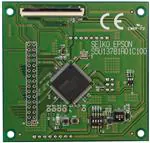
S5U13781R01C100 Shield Graphics
Library Users Guide
Document Number: X94A-B-001-01
SEIKO EPSON CORPORATION
Rev. 1.0
�Page 2
NOTICE
No part of this material may be reproduced or duplicated in any form or by any means without the written permission of Seiko
Epson. Seiko Epson reserves the right to make changes to this material without notice. Seiko Epson does not assume any
liability of any kind arising out of any inaccuracies contained in this material or due to its application or use in any product or
circuit and, further, there is no representation that this material is applicable to products requiring high level reliability, such as,
medical products. Moreover, no license to any intellectual property rights is granted by implication or otherwise, and there is no
representation or warranty that anything made in accordance with this material will be free from any patent or copyright
infringement of a third party. This material or portions thereof may contain technology or the subject relating to strategic
products under the control of the Foreign Exchange and Foreign Trade Law of Japan and may require an export license from the
Ministry of Economy, Trade and Industry or other approval from another government agency.
All brands or product names mentioned herein are trademarks and/or registered trademarks of their respective companies.
©SEIKO EPSON CORPORATION 2015, All rights reserved.
S5U13781R01C100 Shield Graphics Library Users Guide
Revision 1.0
Seiko Epson Corporation
S1D13781
Issue Date: 2015/07/02
�Page 3
Table of Contents
1
Introduction ......................................................................................................................... 6
2
Requirements ..................................................................................................................... 7
3
Installation........................................................................................................................... 8
3.1
3.1.1
Connecting S5U13781R01C100 Shield to Arduino Due ...................................................... 8
3.1.2
Connecting the LCD Panel .................................................................................................. 11
3.1.3
Connecting the Arduino Due to Development Platform ...................................................... 12
3.2
4
5
6
Hardware Installation .................................................................................................................... 8
Software Installation .................................................................................................................... 13
3.2.1
Installing Arduino Sketch IDE .............................................................................................. 13
3.2.2
Installing the Arduino SAM Boards ..................................................................................... 13
3.2.3
Installing the S5U13781R01C100 Shield Graphics Library ................................................ 15
3.2.4
Compiling and Running Example Sketch ............................................................................ 18
Using the S5U13781R01C100 Shield Graphics Library with Sketch ..................................22
4.1.1
Modifying an Existing Sketch .............................................................................................. 22
4.1.2
Creating a New Sketch ....................................................................................................... 22
4.1.3
Using the Serial Monitor ...................................................................................................... 23
4.1.4
Using Fonts with the S5U13781R01C100 Shield Graphics Library.................................... 24
Understanding the Graphics Library ...................................................................................25
5.1.1
Library Structure .................................................................................................................. 25
5.1.2
Modifying the Graphics Library ........................................................................................... 25
5.1.3
Customizing S1D13781 Initialization Values ...................................................................... 26
Library Reference ..............................................................................................................27
6.1
S1d13781 Class .......................................................................................................................... 27
6.1.1
S1d13781() .......................................................................................................................... 27
6.1.2
S1d13781::begin() ............................................................................................................... 27
6.1.3
S1d13781::regWrite() .......................................................................................................... 27
6.1.4
S1d13781::regRead() .......................................................................................................... 27
6.1.5
S1d13781::regModify() ........................................................................................................ 28
6.1.6
S1d13781::regSetBits() ....................................................................................................... 28
6.1.7
S1d13781::regClearBits() .................................................................................................... 28
6.1.8
S1d13781::memWriteByte() ................................................................................................ 29
6.1.9
S1d13781::memReadByte() ................................................................................................ 29
6.1.10
S1d13781::memWriteWord() .............................................................................................. 29
6.1.11
S1d13781::memReadWord() .............................................................................................. 29
6.1.12
S1d13781::memBurstWriteBytes() ...................................................................................... 30
6.1.13
S1d13781::memBurstReadBytes() ..................................................................................... 30
6.1.14
S1d13781::memBurstWriteWords() .................................................................................... 30
6.1.15
S1d13781::memBurstReadWords() .................................................................................... 31
S1D13781
Issue Date: 2015/07/02
S5U13781R01C100 Shield Graphics Library Users Guide
Revision 1.0
Seiko Epson Corporation
�Page 4
6.1.16
S1d13781::lcdSetRotation() ................................................................................................ 31
6.1.17
S1d13781::lcdGetRotation() ................................................................................................ 31
6.1.18
S1d13781::lcdSetColorDepth() ........................................................................................... 32
6.1.19
S1d13781::lcdGetColorDepth() ........................................................................................... 32
6.1.20
S1d13781::lcdGetBytesPerPixel() ....................................................................................... 32
6.1.21
S1d13781::lcdSetStartAddress()......................................................................................... 32
6.1.22
S1d13781::lcdGetStartAddress() ........................................................................................ 33
6.1.23
S1d13781::lcdSetWidth() .................................................................................................... 33
6.1.24
S1d13781::lcdGetWidth() .................................................................................................... 33
6.1.25
S1d13781::lcdSetHeight() ................................................................................................... 33
6.1.26
S1d13781::lcdGetHeight() ................................................................................................... 33
6.1.27
S1d13781::lcdGetStride() .................................................................................................... 34
6.1.28
S1d13781::pipSetDisplayMode() ........................................................................................ 34
6.1.29
S1d13781::pipGetDisplayMode() ........................................................................................ 34
6.1.30
S1d13781::pipSetRotation() ................................................................................................ 35
6.1.31
S1d13781::pipGetRotation() ............................................................................................... 35
6.1.32
S1d13781::pipIsOrthogonal() .............................................................................................. 35
6.1.33
S1d13781::pipSetColorDepth() ........................................................................................... 35
6.1.34
S1d13781::pipGetColorDepth() ........................................................................................... 36
6.1.35
S1d13781::pipGetBytesPerPixel() ...................................................................................... 36
6.1.36
S1d13781::pipSetStartAddress() ........................................................................................ 36
6.1.37
S1d13781::pipGetStartAddress() ........................................................................................ 36
6.1.38
S1d13781::pipSetWidth() .................................................................................................... 37
6.1.39
S1d13781::pipGetWidth() .................................................................................................... 37
6.1.40
S1d13781::pipSetHeight() ................................................................................................... 37
6.1.41
S1d13781::pipGetHeight() .................................................................................................. 37
6.1.42
S1d13781::pipGetStride() ................................................................................................... 37
6.1.43
S1d13781::pipSetPosition() ................................................................................................ 37
6.1.44
S1d13781::pipGetPosition() ................................................................................................ 38
6.1.45
S1d13781::pipSetFadeRate() ............................................................................................. 38
6.1.46
S1d13781::pipGetFadeRate() ............................................................................................. 38
6.1.47
S1d13781::pipWaitForFade() .............................................................................................. 38
6.1.48
S1d13781::pipSetAlphaBlendStep() ................................................................................... 39
6.1.49
S1d13781::pipGetAlphaBlendStep() ................................................................................... 39
6.1.50
S1d13781::pipSetAphaBlendRatio() ................................................................................... 39
6.1.51
S1d13781::pipGetAlphaBlendRatio() .................................................................................. 39
6.1.52
S1d13781::pipEnableTransparency() ................................................................................. 40
6.1.53
S1d13781::pipGetTransparency() ....................................................................................... 40
6.1.54
S1d13781::pipSetTransColor() ........................................................................................... 40
S5U13781R01C100 Shield Graphics Library Users Guide
Revision 1.0
Seiko Epson Corporation
S1D13781
Issue Date: 2015/07/02
�Page 5
6.1.55
S1d13781::pipGetTransColor() ........................................................................................... 40
6.1.56
S1d13781::pipSetupWindow() ............................................................................................ 41
6.1.57
S1d13781::lcdSetLutEntry() ................................................................................................ 41
6.1.58
S1d13781::lcdGetLutEntry() ................................................................................................ 42
6.1.59
S1d13781::lcdSetLutDefault() ............................................................................................. 42
6.2
7
S1d13781_gfx Class ................................................................................................................... 42
6.2.1
S1d13781_gfx() ................................................................................................................... 42
6.2.2
S1d13781_gfx::fillWindow() ................................................................................................ 42
6.2.3
S1d13781_gfx::clearWindow() ............................................................................................ 43
6.2.4
S1d13781_gfx::drawPixel() ................................................................................................. 43
6.2.5
S1d13781_gfx::getPixel() .................................................................................................... 44
6.2.6
S1d13781_gfx::drawLine() .................................................................................................. 45
6.2.7
S1d13781_gfx::drawRect() ................................................................................................. 45
6.2.8
S1d13781_gfx::drawFilledRect() ......................................................................................... 46
6.2.9
S1d13781_gfx::drawPattern() ............................................................................................. 47
6.2.10
S1d13781_gfx::createFont( ................................................................................................. 47
6.2.11
S1d13781_gfx::freeFont() ................................................................................................... 48
6.2.12
S1d13781_gfx::drawText() S1d13781_gfx::drawTextW() ................................................... 48
6.2.13
S1d13781_gfx::drawMultiLineText() S1d13781_gfx::drawMultiLineTextW() ...................... 48
6.2.14
S1d13781_gfx::measureText() S1d13781_gfx::measureTextW() ...................................... 49
6.2.15
S1d13781_gfx::getFontName() ........................................................................................... 49
6.2.16
S1d13781_gfx::getFontHeight( ........................................................................................... 49
6.2.17
S1d13781_gfx::getCharWidth() S1d13781_gfx::getCharWidthW() .................................... 50
6.2.18
S1d13781_gfx::getTextWidth() S1d13781_gfx::getTextWidthW() ...................................... 50
6.2.19
S1d13781_gfx::captureFontIndexFile() ............................................................................... 50
6.2.20
S1d13781_gfx::copyArea() ................................................................................................. 51
Change Record ..................................................................................................................52
S1D13781
Issue Date: 2015/07/02
S5U13781R01C100 Shield Graphics Library Users Guide
Revision 1.0
Seiko Epson Corporation
�Page 6
1
Introduction
This document introduces the user to the S5U13781R01C100 Shield Graphics Library. The
S5U13781R01C100 Shield Graphics Library is a software library designed to simplify the process of
displaying graphics and text to a panel connected to a S5U13781R01C100 Shield.
The S5U13781R01C100 Shield is designed to be used with the Arduino Due microcontroller board. For
details on the Arduino Due, refer to the Arduino website at www.arduino.cc/. For further details on the
S1D13781, or the S5U13781R01C100 Shield, visit the Epson Electronics America Website at
vdc.epson.com.
Note:
The S5U13781R01C100 Shield TFT Board can also be used to evaluate the low cost S1D13L01 LCD
Controller which provides a similar feature set as the S1D13781. The S1D13L01 is designed as a lower
cost option with a streamlined feature set. The following table shows the main differences between the
S1D13781 and S1D13L01. For a complete feature list for each LCD controller, refer to the S1D13781
Hardware Functional Specification and S1D13L01 Hardware Functional Specification available at
vdc.epson.com.
Feature Differences
S1D13L01
S1D13781
Display Interfaces
Active TFT Displays
only
Passive STN and
Active TFT Displays
BitBLT Support
SW BitBLT
Hardware BitBLT Engine with:
- Move BitBLT
- Solid Fill BitBLT
Temperature Range
-40 to 85° C
-40 to 85° C
or
-40 to 105° C
Package
QFP15 128-pin
QFP15 100-pin
We appreciate your comments on our documentation, Please contact us via email at
documentation@eea.epson.com.
S5U13781R01C100 Shield Graphics Library Users Guide
Revision 1.0
Seiko Epson Corporation
S1D13781
Issue Date: 2015/07/02
�Page 7
2
Requirements
The S5U13781R01C100 Shield Graphics Library is designed to simplify the process of displaying
graphics and text to a panel connected to a S5U13781R01C100 Shield TFT board that is connected to a
Arduino Due Controller board.
Before installing the S5U13781R01C100 Shield Graphics Library, ensure that you have the following
available:
S5U13781R01C100 Shield TFT board
Arduino Due Controller board
LCD panel (default configuration is 480x272 @ 24bpp)
Arduino Sketch IDE software v1.6.2 or greater (see Note)
S5U13781R01C100 Graphics Library package
Micro USB cable (to power the Due and optionally use the Serial Monitor)
Note:
The Arduino Sketch IDE software requires a platform running Windows, Mac OS X, or Linux. For
specific requirements and installation instructions, refer to the Arduino website at
www.arduino.cc/en/Main/Software.
Please check the Epson Electronics America Website at vdc.epson.com for the latest revision of the
Graphics Library before beginning any development.
S1D13781
Issue Date: 2015/07/02
S5U13781R01C100 Shield Graphics Library Users Guide
Revision 1.0
Seiko Epson Corporation
�Page 8
3
Installation
Installing the S5U13781R01C100 Shield Graphics Library requires two steps:
connecting the hardware components
installing the software
3.1
Hardware Installation
Before installing the S5U13781R01C100 Shield Graphics Library software package, connect your
hardware components as shown in the following instructions.
3.1.1
Connecting S5U13781R01C100 Shield to Arduino Due
To properly connect the S5U13781R01C100 Shield to the Arduino Due, the following headers from each
board must be connected together.
S5U13781R01C100 Shield
Arduino Due
J1 Header
“Power” Socketr
J2 Header
SPI Socket
J3 Header
“Digital” (PWML) Socket
The headers and sockets for each board are identified in the following image.
Digital
J3
SPI
J2
J1
Power
Arduino Due
S5U13781R01C100 Shield
Hardware Connector Locations
S5U13781R01C100 Shield Graphics Library Users Guide
Revision 1.0
Seiko Epson Corporation
S1D13781
Issue Date: 2015/07/02
�Page 9
To connect the boards, align the boards as shown in the following image, and then gently press the boards
together. If the boards are aligned correctly, they should slide together smoothly until the header pins are
completely in the corresponding socket.
S5U13781R01C100 Shield
Arduino Due
S5U13781R01C100 Shield
Arduino Due
Mounting the S5U13781R01C100 Shield and Arduino Due
S1D13781
Issue Date: 2015/07/02
S5U13781R01C100 Shield Graphics Library Users Guide
Revision 1.0
Seiko Epson Corporation
�Page 10
Once the boards are connected, they should look similar to the image below.
S5U13781R01C100 Shield and Arduino Due Connected
S5U13781R01C100 Shield Graphics Library Users Guide
Revision 1.0
Seiko Epson Corporation
S1D13781
Issue Date: 2015/07/02
�Page 11
3.1.2
Connecting the LCD Panel
Once the two boards are connected, the LCD Panel can be connected to the S5U13781R01C100 Shield
board. The default configuration of the S5U13781R01C100 Shield Graphics Library provides support for
a Newhaven Display 480x272 LCD panel (NHD-4.3-480272EF-ATXL#).
The connector for the LCD panel is located on the side of the S5U13781R01C100 Shield board that
connects to the Arduino Due. The connector is FPC connector CN1.
To connect the LCD panel:
1. Open connector CN1 by gently pulling the dark colored tabs towards the edge of the board.
2. Slide the flat panel cable into connector CN1.
3. Close connector CN1 by pushing the dark colored tabs back into place.
CN1
S5U13781R01C100 Shield LCD Connector
Once the panel cable is secure, carefully turn the board and panel over so that the panel is facing up.
S1D13781
Issue Date: 2015/07/02
S5U13781R01C100 Shield Graphics Library Users Guide
Revision 1.0
Seiko Epson Corporation
�Page 12
3.1.3
Connecting the Arduino Due to Development Platform
Once all the hardware components are connected, plug a Micro USB cable between your development
platform and the Programming Port on the Arduino Due.
This will provide power for the Arduino Due and optionally provide a serial monitor feature for
debugging purposes.
USB
Programming
Port
Finished Hardware Installation
S5U13781R01C100 Shield Graphics Library Users Guide
Revision 1.0
Seiko Epson Corporation
S1D13781
Issue Date: 2015/07/02
�Page 13
3.2
Software Installation
In order to prepare the development platform for use with the S5U13781R01C100 Shield Graphics
Library, the following steps are required.
1.
2.
3.
4.
3.2.1
Install Arduino Sketch IDE
Install the Arduino SAM boards (includes the Due)
Install S5U13781R01C100 Graphics Library and example sketches
Use the Sketch IDE to compile example sketches and upload to the Arduino Due
Installing Arduino Sketch IDE
The S5U13781R01C100 Shield Graphics Library is designed to work with the Arduino Sketch IDE. It
was developed and tested using Sketch v1.6.2.
Sketch requires a platform running Windows, Mac OS X, or Linux. If you do not have Sketch installed on
your development platform, please visit the Arduino website and download the version of Sketch
compatible with your operating system. Once Sketch is installed on your development platform, proceed
to the next step.
For specific requirements and installation instructions, refer to the Arduino website at
www.arduino.cc/en/Main/Software.
3.2.2
Installing the Arduino SAM Boards
The default installation of Arduino Sketch may not include support for the Arduino Due. To confirm
whether Due support is installed click on “Tools->Board->Boards Manager...” on the Sketch menu.
Arduino Sketch: Loading Boards Manager
S1D13781
Issue Date: 2015/07/02
S5U13781R01C100 Shield Graphics Library Users Guide
Revision 1.0
Seiko Epson Corporation
�Page 14
This will display the Boards Manager window as shown below.
Arduino Sketch: Installing SAM Boards Package
Confirm whether the “Arduino SAM Boards (32-bits ARM Cortex-M3)” board package is installed. If the
package is not installed, install the version that matches your version of the Sketch IDE. Once the SAM
Boards package is installed, proceed to the next step.
S5U13781R01C100 Shield Graphics Library Users Guide
Revision 1.0
Seiko Epson Corporation
S1D13781
Issue Date: 2015/07/02
�Page 15
3.2.3
Installing the S5U13781R01C100 Shield Graphics Library
The S5U13781R01C100 Shield Graphics Library is available as a .zip archive that includes the Graphics
Library in another .zip file and a folder of example sketches. Unzip the files to a temporary location on
your development platform.
The Sketch IDE can directly import the S5U13781R01C100 Shield Graphics Library, so click on
“Sketch->Include Library->Add .ZIP Library...” on the Sketch menu.
Arduino Sketch: Add .ZIP Library
S1D13781
Issue Date: 2015/07/02
S5U13781R01C100 Shield Graphics Library Users Guide
Revision 1.0
Seiko Epson Corporation
�Page 16
This will display the section window. Navigate to the location where the “S1d13781.zip” file was
unzipped, select it, and click OK. This will install the Graphics Library into the Sketch IDE.
Note
If re-installing a modified or updated version of an existing library, the folder containing the existing
library files must be removed from the “Arduino/libraries” folder before re-installing the new library.
Arduino Sketch: Loading S5U13781R01C100 Shield Graphics Library
S5U13781R01C100 Shield Graphics Library Users Guide
Revision 1.0
Seiko Epson Corporation
S1D13781
Issue Date: 2015/07/02
�Page 17
To confirm that the S5U13781R01C100 Shield Graphics Library is installed, click on “Sketch->Include
Library” and look for the “S1d13781” entry at the bottom of the list of available libraries.
S1d13781 Shield Graphics
Library is now available
Arduino Sketch: Confirm S1d13781 Shield Graphics Library
S1D13781
Issue Date: 2015/07/02
S5U13781R01C100 Shield Graphics Library Users Guide
Revision 1.0
Seiko Epson Corporation
�Page 18
3.2.4
Compiling and Running Example Sketch
Before we run one of the example sketches, we need to set the Board and Port settings in the Sketch IDE.
The Board and Port settings tell the Sketch IDE which Arduino product is being used and how to
communicate with it.
To set the Board for the Arduino Due, click “Tools->Board->Arduino Due (Programming Port)” as
shown in the following image.
Arduino Sketch: Setting the Board
S5U13781R01C100 Shield Graphics Library Users Guide
Revision 1.0
Seiko Epson Corporation
S1D13781
Issue Date: 2015/07/02
�Page 19
To set the Port for the Arduino Due, click “Tools->Port->Arduino Due (Programming Port)” as shown in
the following image.
Note:
The port that the Arduino Due is located on may differ according to the operating system of the
development system. For issues regarding USB port connections, please refer to the Arduino website at
www.arduino.cc/.
Arduino Sketch: Setting the Port
S1D13781
Issue Date: 2015/07/02
S5U13781R01C100 Shield Graphics Library Users Guide
Revision 1.0
Seiko Epson Corporation
�Page 20
Now that the S5U13781R01C100 Shield Graphics Library is installed, we can run one of the example
sketches. To open the “781_gltest” example sketch, click on “File->Open…”, navigate to the folder
where the example sketches were unzipped, select the “781_gltest.ino” sketch file, and click Open. This
will open an example sketch that demonstrates some of the capabilities of the S1D13781 LCD controller
and the S5U13781R01C100 Shield Graphics Library.
Note:
The default configuration assumes that a Newhaven Display 480x272 LCD panel is connected to the
S5U13781R01C100 Shield.
Arduino Sketch: Loading an Example Sketch
S5U13781R01C100 Shield Graphics Library Users Guide
Revision 1.0
Seiko Epson Corporation
S1D13781
Issue Date: 2015/07/02
�Page 21
Once the example sketch is loaded, it can be compiled and uploaded to the Arduino Due. If you simply
want to check modifications or new code for errors, click the “Verify” button on the Sketch Toolbar. If
you want to upload the application to the Arduino Due and run it, click the “Upload” button. Upload will
verify the application code and then upload the required binary images to the Arduino Due.
Note:
The Upload stage will fail if the Sketch “Board” and “Port” settings are not configured correctly. For
these settings, see the instructions earlier in this section.
The following image identifies the buttons that on the Sketch toolbar.
Upload
Verify
New / Open / Save
Buttons
Serial Monitor
Arduino Sketch: Important Toolbar Functions
For both the “Verify” and “Upload” options, results and errors messages are shown in the message
window of the Sketch IDE. If the upload to the Arduino Due completes successfully, the 781_gltest demo
should start and provide examples of the drawing functions available in the S5U13781R01C100 Shield
Graphics Library.
S1D13781
Issue Date: 2015/07/02
S5U13781R01C100 Shield Graphics Library Users Guide
Revision 1.0
Seiko Epson Corporation
�Page 22
4
Using the S5U13781R01C100 Shield Graphics Library
with Sketch
4.1.1
Modifying an Existing Sketch
There are several example sketches included with the S5U13781R01C100 Shield Graphics Library which
attempt to demonstrate different concepts. For example:
781_gltest.ino – demonstrates some of the graphics functions available in the Graphics Library
781_RegisterAccessExample – demonstrates how to read/write S1D13781 registers directly
781_MemoryAccessExample – demonstrates how to read/write S1D13781 memory directly
In order to modify a sketch and try out a new idea, simply add new line in the Sketch loop() function that
calls one of the Graphics Library functions. For example, if we want to display a green line from position
20,20 to position 100,100 on the LCD panel display, we could add the following line(s).
result = lcdc.drawLine( S1d13781_gfx::window_Main,20,20,100,100,0x0000FF00 );
sleep(2000);
For the above example:
result is the return value from the drawLine() function. Many Graphics Library functions return a
value with either the requested value, or a value that can be tested for errors.
lcdc is the instance of the S1d13781_gfx class that is used in the example sketches.
drawLine is the method to be called.
the parameters passed to drawLine determine the destination window, line end positions, and
color of the line.
sleep(2000) is added so that we will have a chance to see the effect of our function call before
anything else happens
For details on the methods available as part of the S5U13781R01C100 Shield Graphics Library, refer to
the Library Reference section.
4.1.2
Creating a New Sketch
When creating a New sketch certain elements must be added to the basic template. The following code
shows the additions which are explained below.
/*----------------------------------------------------------------* new_sketch.ino
* Example of a new sketch using the S5U13781R01C100 Graphics
* Library Functions.
*---------------------------------------------------------------*/
#include
#include
#include
//create an instance of S1d13781 for us to work with
S1d13781_gfx lcdc;
void setup() {
//start serial for serial monitor
S5U13781R01C100 Shield Graphics Library Users Guide
Revision 1.0
Seiko Epson Corporation
S1D13781
Issue Date: 2015/07/02
�Page 23
Serial.begin(9600);
//start the S1d13781 library
lcdc.begin();
// put your setup code here, to run once:
}
void loop() {
// put your main code here, to run repeatedly:
}
A new sketch requires the following additions to work with the S5U13781R01C100 Shield Graphics
Library.
4.1.3
#include - The SPI header is required because the S5U13781R01C100 Shield relies on
SPI to interface with the Arduino Due.
#include - This header includes the S5U13781R01C100 Shield library
classes.
#include - This header includes the #defines for the S1D13781
registers. When accessing S1D13781 registers it is suggested that the defined constants are used
to avoid unintended access attempts to un-defined registers.
“S1d13781_gfx lcdc;” – This line creates an instance of the S1d13781_gfx class. lcdc is what is
used for the example sketches, but this name can be anything that is appropriate for your
application.
“Serial.begin(9600);” – This line is optional, but provides useful debugging capabilities which
allow messages to be sent from your application to the Serial Monitor (see Using the Serial
Monitor).
“lcdc.begin();” – This line starts the S5U13781R01C100 library and performs the following
functions:
1. Setup the SPI interface using by the S5U13781R01C100 Shield.
2. Initializes the registers according to the settings in S1d13781_init.h.
3. Leaves the S1D13781 in a powered on state (ready to go).
Using the Serial Monitor
When the Arduino Due is connected through the Programming Port, the Serial Monitor function is
available. The Serial Monitor can be started using the “Serial Monitor” button on the Sketch toolbar, or
by clicking “Tools->Serial Monitor” on the Sketch menu.
The Serial Monitor allows information and messages from the application running on the Arduino Due to
be sent to and displayed by the Sketch IDE. This can be a helpful tool when debugging modified
application code or creating new applications. The example sketches included in the S5U13781R01C100
Shield Graphics Library include examples of how to use the Serial class to output information to the
Serial Monitor.
For more information on using the Serial Class and Serial Monitor, refer to the Arduino language
reference at www.arduino.cc/en/Reference/.
S1D13781
Issue Date: 2015/07/02
S5U13781R01C100 Shield Graphics Library Users Guide
Revision 1.0
Seiko Epson Corporation
�Page 24
4.1.4
Using Fonts with the S5U13781R01C100 Shield Graphics Library
The S5U13781R01C100 Shield Graphics Library supports text drawing using a programmable font. The
font relies on two components:
A 1 bpp image file stored as a .pbm graphics file (binary)
A portable font index stored as a .pfi file (binary)
The Graphics Library package provides some sample fonts and includes both the .pbm image file and .pfi
index file as binary files.
Note:
The .pfi files are also stored in a sub-folder as text files for reference. For more information on the font
index files and information useful for creating custom fonts, refer to the Readme.txt in the sample font
folder.
All the sample fonts included in the package are created by Epson and are free to modify and/or use.
Ascii4x6
Ascii4x6p (proportional font)
Ascii6x10
Ascii6x10p (proportional font)
Ascii7x11
Ascii7x11p (proportional font)
Ascii9x13
Ascii9x13p (proportional font)
AsciiCaps4x6
AsciiCaps4x6p (proportional font)
Latin6x10
Latin6x10p (proportional font)
LineDraw6x10 (includes line draw graphics suitable for line art buttons)
When using a font within a Sketch application, a simple method to provide the desired font to the
application is to convert the binary .pbm and binary .pfi files into a simple byte arrays. If the arrays are
stored as “C” source, they can be copied into the Sketch application folder and referenced from the Sketch
application to be passed to the S1d13781_gfx::createFont() method when necessary.
An example is included in the sample sketch “781_gltest.ino” which includes several of the sample fonts.
To make use of the external byte arrays, the following lines could be added to the Sketch application.
//test fonts
extern byte ascii9x13IndexData[];
extern byte ascii9x13ImageData[];
//test font index data
//test font image data
Then to create the font, send the data and the number of bytes for each array.
testfont = lcdc.createFont(ascii9x13ImageData, 1453, ascii9x13IndexData, 498);
Once the font is created it can be used with methods such as drawText() and drawMultiLineText(). When
the font is not required anymore, call the freeFont() method to free the font resources.
For further information on the Font methods, refer to the Library Reference section.
S5U13781R01C100 Shield Graphics Library Users Guide
Revision 1.0
Seiko Epson Corporation
S1D13781
Issue Date: 2015/07/02
�Page 25
5
Understanding the Graphics Library
The S5U13781R01C100 Shield Graphics Library is a collection of C++ methods organized into two
classes: S1d13781 and S1d13781_gfx. When integrated into the Arduino Sketch IDE they provide
hardware access and simple graphics routines which enable users to quickly display graphics and text to a
LCD panel connected to the S5U13781R01C100 Shield.
5.1.1
Library Structure
The S5U13781R01C100 Shield Graphics Library is organized into the following files:
5.1.2
S1d13781.h – The header file for the S1d13781 class. It is a good place to get an overview of
hardware oriented functions of the Graphics Library. This file also includes some constants that
configure the SPI interface used between the S5U13781R01C100 Shield and the Arduino Due.
S1d13781.cpp – The source file for the S1d13781 class. It includes the source for the methods
that allows access to the hardware level functions of the S1D13781 LCD controller. This includes
functions such as direct register and memory access, initialization of the S1D13781, and setup of
SPI used for the interface between the S5U13781R01C100 Shield and the Arduino Due.
S1d13781_gfx.h – The header file for the S1d13781_gfx class. It provides an overview of the
graphics and text methods implemented in the Graphics Library.
S1d13781_gfx.cpp – The source file for the S1d13781_gfx class. It includes the source for the
graphics and text display methods available in the Graphics Library.
S1d13781_init.h – This header file includes a structure that contains the values used to initialize
the S1D13781 hardware registers.
S1d13781_registers.h – This header file includes #defines for the S1D13781 hardware registers.
When accessing S1D13781 registers it is suggested that the defined constants are used to avoid
unintended access attempts to un-defined registers.
keywords.txt - A file required for Library support in the Arduino Sketch IDE. Any new classes
and/or methods should be added to this file. For further information on keywords.txt, refer to the
Library Tutorial at www.arduino.cc/.
Modifying the Graphics Library
Full source code is provided for the S5U13781R01C100 Shield Graphics Library allowing customization
and modification by the user. The Graphics Library source is not intended to be modified from within the
Sketch IDE, so an external code editing tool should be used.
Once the Graphics Library is installed in the Sketch IDE, it can be modified directly in the
“Arduino/libraries/S1d13781” folder. Alternately, it can be modified “off-tree” and re-installed as a .ZIP
Library. However, for the re-installation method, the existing S1d13781 library must be removed from the
“Arduino/libraries” folder before re-installing the updated Graphics Library.
For full Sketch IDE support, if new Classes and/or methods are added to the Graphics Library they should
be added to the keywords.txt file included in the Graphics Library package. For further information on
keywords.txt, refer to the Library Tutorial at www.arduino.cc/.
S1D13781
Issue Date: 2015/07/02
S5U13781R01C100 Shield Graphics Library Users Guide
Revision 1.0
Seiko Epson Corporation
�Page 26
5.1.3
Customizing S1D13781 Initialization Values
If the register initialization values for the S1D13781 LCD controller must be customized, such as in a
situation where a non-default LCD panel is to be used, this is possible by updating the structure found in
the S1d13781_init.h file.
The new values can be generated using the S1d13781windows utility “781cfg.exe” which is available on
the Epson Electronics America Website at vdc.epson.com. Using “781cfg” select the S1D13781
configuration as required and use the “Export…” option to generate a “C Header File for S1D13781
Generic Drivers”. This will generate a file called S1D13781.h which contains the values used to update
the S1d13781_init.h file. Small modification may be required.
S5U13781R01C100 Shield Graphics Library Users Guide
Revision 1.0
Seiko Epson Corporation
S1D13781
Issue Date: 2015/07/02
�Page 27
6
Library Reference
The S5U13781R01C100 Shield Graphics Library is organized into two classes:
S1d13781 – The base class which provides hardware level support for the S5U13781R01C100 Shield
board connected to the SPI interface of the Arduino Due.
S1d13781_gfx – The class that provides the graphics drawing and text display functions.
6.1
S1d13781 Class
The S1d13781 class provides the following public methods. Private methods are not described in this
document, but are documented in the source code.
6.1.1
S1d13781()
This is the constructor for the class.
6.1.2
S1d13781::begin()
This method should be run once to setup the SPI interface used by the S5U13781R01C100 Shield board
and configure the registers.
Params -
none
Return:
6.1.3
none
S1d13781::regWrite()
Method to write a word (16-bit unsigned int) to a S1D13781 register. The regIndex argument should use
the predefined register names found in the S1d13781_registers.h file, so as to prevent reading misaligned
or invalid (non-existent) registers.
Note:
NOT all registers can be written at any given time. Some registers cannot be written if the S1D13781 is in
NMM (see the specification for more details).
Param -
regIndex
Register index to write.
Param -
regValue
Data to write to the register.
Return:
6.1.4
none
S1d13781::regRead()
Method to read a word (16-bit unsigned int) from a S1D13781 register. The regIndex argument should
use the predefined register names found in the S1d13781_registers.h file, so as to prevent reading
misaligned or invalid (non-existent) registers.
Note:
NOT all registers can be read at any given time. Some registers cannot be read if the S1D13781 is in
PSM0 (see specification for more details).
S1D13781
Issue Date: 2015/07/02
S5U13781R01C100 Shield Graphics Library Users Guide
Revision 1.0
Seiko Epson Corporation
�Page 28
Param -
regIndex
Index (offset) of the register to read.
Return:
6.1.5
Returns the contents of the specified S1D13781 register.
S1d13781::regModify()
Method to modify the contents of a S1D13781 register using bitmasks. The basic premise is:
1.
2.
3.
4.
read the current register value
clear the selected bits using the clearBits bitmask
set the selected bits using the setBits bitmask
write the value back to the register
This function should not be used on any register in which any bit in the register has a different effect for
reading vs writing, such as a status register that requires a "1" to be written to clear the status state.
Normally, this function is used to set a new value for a bitfield in a register that contains other bits other
than just the bitfield. If a register contains only one single bitfield, and all other bits are unused, then the
regRead/regWrite() functions should be used as they are more efficient.
Param -
regIndex
Register index to modify.
Param -
clearBits
Bitmask of register bits to be cleared (set to '0'). Any bit positions set to
'1' in this mask will be cleared in the register value.
Param
setBits
Bitmask of register bits to set ( to '1').
Return:
6.1.6
The return value is the value that was written to the register.
S1d13781::regSetBits()
Method to set specific bits in a S1D13781 register using a bitmask. The basic premise is:
1. read the current register value
2. set the selected bits using the setBits bitmask
3. write the value back to the register
Normally, this function is used to set a single bit in a register that contains other unrelated bits. This
function should not be used to set an entire register to one, as regWrite() would be more efficient.
Param -
regIndex
Register index to clear bits in.
Param -
setBits
Bitmask of bits to be set to '1' in the register.
Return:
6.1.7
Returns the updated contents of the register.
S1d13781::regClearBits()
Method to clear specific bits in a S1D13781 register using a bitmask. The basic premise is:
1. read the current register value
2. clear the selected bits using the clearBits bitmask
3. write the value back to the register
S5U13781R01C100 Shield Graphics Library Users Guide
Revision 1.0
Seiko Epson Corporation
S1D13781
Issue Date: 2015/07/02
�Page 29
Normally, this function is used to clear a single bit in a register that contains other unrelated bits. This
function should not be used to clear an entire register to 0, as regWrite() would be more efficient.
Param -
regIndex
Register index to clear bits in.
Param clearBits
Bitmask of bits to be set to '0' in the register. Any bit positions set to '1'
in this mask will be cleared in the register.
Return:
6.1.8
Returns the updated contents of the register.
S1d13781::memWriteByte()
Method to write a byte (8-bit) value to the specified address offset in S1D13781 video memory.
Note:
The memory address offset must be within valid memory space (0x00000000~0x0005FFFF).
Param -
memAddress
Memory offset into video memory starting from address 0x00000000.
Param -
memValue
Byte value (8-bit) to write to video memory.
Return:
6.1.9
none
S1d13781::memReadByte()
Method to read a byte (8-bit) value from the specified address offset in S1D13781 video memory.
Note:
The memory address offset must be within valid memory space (0x00000000~0x0005FFFF).
Param -
memAddress
Memory offset into video memory starting from address 0x00000000.
Return:
Returns the byte (8-bit) value from the specified address.
6.1.10 S1d13781::memWriteWord()
Method to write a word (16-bit) value to the specified address offset in S1D13781 video memory.
Notes:
1. The memory address offset must be within valid memory space (0x00000000~0x0005FFFF).
2. For word writes, the memory address offset must be evenly divisible by 2 to ensure proper memory
alignment.
Param -
memAddress
Memory offset into video memory starting from address 0x00000000.
Param -
memValue
Word value (16-bit) to write to video memory.
Return:
none
6.1.11 S1d13781::memReadWord()
Method to read a word (16-bit) value from the specified address offset in the S1D13781 video memory.
S1D13781
Issue Date: 2015/07/02
S5U13781R01C100 Shield Graphics Library Users Guide
Revision 1.0
Seiko Epson Corporation
�Page 30
Notes:
1. The memory address offset must be within valid memory space (0x00000000~0x0005FFFF).
2. For word reads, the memory address offset must be evenly divisible by 2 to ensure proper memory
alignment.
Param -
memAddress
Memory offset into video memory starting from address 0x00000000.
Return:
Returns the word (16-bit) value from the specified address.
6.1.12 S1d13781::memBurstWriteBytes()
Method to burst write a specified number of byte (8-bit) values to the specified address offset in
S1D13781 video memory.
Notes:
The memory address offset must be within valid memory space (0x00000000~0x0005FFFF).
Param -
memAddress
Memory offset into video memory starting from address 0x00000000.
Param -
memValues
A pointer to a buffer containing the byte values (8-bit) to write to video
memory. If the pointer is NULL, then no write is performed.
Param -
count
The number of bytes to burst write. If count is 0, then no write is
performed.
Return:
none
6.1.13 S1d13781::memBurstReadBytes()
Method to burst read a specified number of bytes (8-bit) values from the specified address offset in
S1D13781 video memory.
Note:
The memory address offset must be within valid memory space (0x00000000~0x0005FFFF).
Param -
memAddress
Memory offset into video memory starting from address 0x00000000.
Param-
memValues
A pointer to a buffer where the byte values (8-bit) read from video
memory will be placed. If the pointer is NULL, then no reads are
performed.
Param -
count
The number of bytes to burst read. If count is 0, then no reads are
performed.
Return:
none
6.1.14 S1d13781::memBurstWriteWords()
Method to burst write a specified number of words (16-bit) values to the specified address offset in
S1D13781 video memory.
Notes:
1. The memory address offset must be within valid memory space (0x00000000~0x0005FFFF).
S5U13781R01C100 Shield Graphics Library Users Guide
Revision 1.0
Seiko Epson Corporation
S1D13781
Issue Date: 2015/07/02
�Page 31
2. For word writes, the memory address offset must be evenly divisible by 2 to ensure proper memory
alignment.
Param -
memAddress
Memory offset into video memory starting from address 0x00000000.
Param -
memValues
A pointer to a buffer containing the word values (16-bit) to write to
video memory. If the pointer is NULL, then no writes are performed.
Param-
count
The number of words to burst write. If count is 0, then no writes are
performed.
Return:
none
6.1.15 S1d13781::memBurstReadWords()
Method to burst read a specified number of words (16-bit) values from the specified address offset in
S1D13781 video memory.
Notes:
1. The memory address offset must be within valid memory space (0x00000000~0x0005FFFF).
2. For word writes, the memory address offset must be evenly divisible by 2 to ensure proper memory
alignment.
Param -
memAddress
Memory offset into video memory starting from address 0x00000000.
Param -
memValues
A pointer to a buffer where the word values (16-bit) read from video
memory will be placed. If the pointer is NULL, then no reads are
performed.
Param -
count
The number of words to burst read. If count is 0, then no reads are
performed.
Return:
none
6.1.16 S1d13781::lcdSetRotation()
Method to set the rotation of the main layer.
Param -
rotationDegrees
Counter-clockwise rotation of the main layer in degrees.
Acceptable values (0, 90, 180, 270)
Return:
none
6.1.17 S1d13781::lcdGetRotation()
Method to return the current rotation of the main layer.
Param -
none
Return:
Current counter-clockwise rotation in degrees (0, 90, 180, 270).
S1D13781
Issue Date: 2015/07/02
S5U13781R01C100 Shield Graphics Library Users Guide
Revision 1.0
Seiko Epson Corporation
�Page 32
6.1.18 S1d13781::lcdSetColorDepth()
Method to set the color depth of the main layer.
Param -
colorDepth
Color depth of the main layer according to enum
S1d13781::imageDataFormat values:
format_RGB_888
format_RGB_565
format_RGB_888LUT
format_RGB_565LUT
format_RGB_332LUT
Return:
none
6.1.19 S1d13781::lcdGetColorDepth()
Method to return the current color depth of the main layer.
Param -
none
Return:
Current color depth (possible values):
o format_RGB_888
o format_RGB_565
o format_RGB_888LUT
o format_RGB_565LUT
o format_RGB_332LUT
6.1.20 S1d13781::lcdGetBytesPerPixel()
Method to return the number of bytes used per pixel based on the main layer color depth.
Param -
none
Return:
Number of bytes per pixel (possible: 1, 2, or 3)
6.1.21 S1d13781::lcdSetStartAddress()
Method to set the memory start address for the Main Layer. The start address is the offset into display
memory where the main layer image starts.
Note:
The start address must be 32-bit aligned (must be divisible by 4).
Param -
lcdStartAddress
Offset, in bytes, into display memory where the main layer
image starts.
Return:
none
S5U13781R01C100 Shield Graphics Library Users Guide
Revision 1.0
Seiko Epson Corporation
S1D13781
Issue Date: 2015/07/02
�Page 33
6.1.22 S1d13781::lcdGetStartAddress()
Method to return the memory start address for the Main Layer. The start address is the offset into display
memory where the main layer image starts.
Note:
The start address must be 32-bit aligned (must be divisible by 4).
Param -
none
Return:
The Main Layer image start address.
6.1.23 S1d13781::lcdSetWidth()
Method to set the width of the physical LCD, in pixels. This value is used to determine the Main Layer
width/height depending on the selected rotation.
Note:
The width of the physical LCD must be a multiple of 8.
Param -
lcdWidth
Width of the physical LCD, in pixels.
Return:
none
6.1.24 S1d13781::lcdGetWidth()
Method to return the width of the Main Layer (based on rotation).
Notes:
1. For 0 and 180 degree rotation, the width of the Main Layer is based on the width of the physical LCD.
2. For 90 and 270 degree rotation, the width of the Main Layer is based on the height of the physical
LCD.
Param -
none
Return:
Width of the Main Layer, in pixels
6.1.25 S1d13781::lcdSetHeight()
Method to set the height of the physical LCD, in pixels. This value is used to determine the Main Layer
width/height depending on the selected rotation.
Param -
lcdHeight
height of the physical LCD, in pixels
Return:
none
6.1.26 S1d13781::lcdGetHeight()
Method to return the height of the Main Layer (based on rotation).
Notes:
1. For 0 and 180 degree rotation, the height of the Main Layer is based on the height of the physical LCD.
S1D13781
Issue Date: 2015/07/02
S5U13781R01C100 Shield Graphics Library Users Guide
Revision 1.0
Seiko Epson Corporation
�Page 34
2. For 90 and 270 degree rotation, the height of the Main Layer is based on the width of the physical
LCD.
Param -
none
Return:
Height of the Main Layer, in pixels
6.1.27 S1d13781::lcdGetStride()
Method to return the stride of the Main Layer, in bytes.
Stride is the number of bytes in one line (or row) of the image. It can be used as the number that must be
added to the address of a pixel in display memory to obtain the address of the pixel directly below it.
Param -
none
Return:
Main Layer stride, in bytes
6.1.28 S1d13781::pipSetDisplayMode()
Method to set the effect (blink/fade) for the PIP window.
Param -
newEffect
Pip effect from one of the following enum S1d13781::pipEffect values:
pipDisabled
pipNormal
pipBlink1
pipBlink2
pipFadeOut
pipFadeIn
pipContinous
Stops the PIP from being displayed immediately
Causes the PIP to be displayed immediately. The
PIP will be displayed with the currently set
alpha blending mode. If the alpha blending ratio
is changed while the PIP is displayed the effect
will take place on the next frame.
PIP layer toggles between the set alpha blend
mode and no PIP.
PIP layer toggles between normal and invert.
Alpha blend ratio remains constant.
Causes the PIP to fade from the current alpha
blend value to 0x0000 (blank)
Causes the PIP layer to fade from 0x0000 to the
set alpha blend ratio
Cycles between alpha blend 0x0000 and the
current set alpha blend value.
Return:
none
6.1.29 S1d13781::pipGetDisplayMode()
Method to return the current effect (blink/fade) for the PIP window.
Param -
none
Return:
S5U13781R01C100 Shield Graphics Library Users Guide
Revision 1.0
Seiko Epson Corporation
S1D13781
Issue Date: 2015/07/02
�Page 35
Current effect from the following S1d13781::pipEffect enum values.
o pipDisabled
Stops the PIP from being displayed immediately
o pipNormal
Causes the PIP to be displayed immediately. The PIP will be displayed
with the currently set alpha blending mode. If the alpha blending ratio is
changed while the PIP is displayed the effect will take place on the next
frame.
o pipBlink1
PIP layer toggles between the set alpha blend mode and no PIP.
o pipBlink2
PIP layer toggles between normal and invert. Alpha blend ratio remains
constant.
o pipFadeOut
Causes the PIP to fade from the current alpha blend value to 0x0000
(blank)
o pipFadeIn
Causes the PIP layer to fade from 0x0000 to the set alpha blend ratio
o pipContinous Cycles between alpha blend 0x0000 and the current set alpha blend
value.
6.1.30 S1d13781::pipSetRotation()
Method to set the rotation of the PIP layer.
Param -
rotationDegrees
Counter-clockwise rotation of the PIP layer in degrees.
Acceptable values (0, 90, 180, 270)
Return:
none
6.1.31 S1d13781::pipGetRotation()
Method to return the current rotation of the PIP layer
Param -
none
Return:
Current counter-clockwise rotation in degrees (0, 90, 180, 270)
6.1.32 S1d13781::pipIsOrthogonal()
Method to determine if the Main and PIP layers have the same rotation.
Param -
none
Return:
True if same rotation
False if different rotation.
6.1.33 S1d13781::pipSetColorDepth()
Method to set the color depth of the PIP layer.
Param -
colorDepth
Color depth of the PIP layer according to enum
S1d13781::imageDataFormat values:
S1D13781
Issue Date: 2015/07/02
format_RGB_888
format_RGB_565
format_RGB_888LUT
S5U13781R01C100 Shield Graphics Library Users Guide
Revision 1.0
Seiko Epson Corporation
�Page 36
format_RGB_565LUT
format_RGB_332LUT
Return:
none
6.1.34 S1d13781::pipGetColorDepth()
Method to return the current color depth of the PIP layer.
Param -
none
Return:
Current color depth (possible values):
o format_RGB_888
o format_RGB_565
o format_RGB_888LUT
o format_RGB_565LUT
o format_RGB_332LUT
6.1.35 S1d13781::pipGetBytesPerPixel()
Method to return the number of bytes used per pixel based on the PIP Layer color depth.
Param -
none
Return:
Number of bytes per pixel (possible: 1, 2, or 3)
6.1.36 S1d13781::pipSetStartAddress()
Method to set the memory start address for the PIP Layer. The start address is the offset into display
memory where the PIP Layer image starts.
Note:
The start address must be 32-bit aligned (must be divisible by 4).
Param -
pipStartAddress
Offset, in bytes, into display memory where the PIP layer image
starts.
Return:
none
6.1.37 S1d13781::pipGetStartAddress()
Method to return the memory start address for the PIP Layer. The start address is the offset into display
memory where the PIP Layer image starts.
Note:
The start address must be 32-bit aligned (must be divisible by 4).
Param -
none
Return:
S5U13781R01C100 Shield Graphics Library Users Guide
Revision 1.0
Seiko Epson Corporation
S1D13781
Issue Date: 2015/07/02
�Page 37
The PIP Layer image start address.
6.1.38 S1d13781::pipSetWidth()
Method to set the width of the PIP window, in pixels.
Param -
pipWidth
Width of the PIP window, in pixels.
Return:
none
6.1.39 S1d13781::pipGetWidth()
Method to return the width of the PIP window, in pixels.
Param -
none
Return:
Width of the PIP window, in pixels
6.1.40 S1d13781::pipSetHeight()
Method to set the height of the PIP window, in pixels.
Param -
pipHeight
Height of the PIP window, in pixels.
Return:
none
6.1.41 S1d13781::pipGetHeight()
Method to return the height of the PIP window, in pixels.
Param -
none
Return:
Height of the PIP window, in pixels
6.1.42 S1d13781::pipGetStride()
Method to return the stride of the PIP window, in bytes.
Stride is the number of bytes in one line (or row) of the image. It can be used as the number that must be
added to the address of a pixel in display memory to obtain the address of the pixel directly below it.
Param -
none
Return:
PIP Layer stride, in bytes
6.1.43 S1d13781::pipSetPosition()
Method to set the position of the top left corner of the PIP window relative to the top left corner of the lcd
panel origin.
S1D13781
Issue Date: 2015/07/02
S5U13781R01C100 Shield Graphics Library Users Guide
Revision 1.0
Seiko Epson Corporation
�Page 38
Note:
1. The PIP x,y coordinates must be set within the panel display area.
2. Main Layer rotation is not checked, so the PIP position is always relative to the top left corner of the
panel.
Param -
xPos
new x PIP window coordinate, in pixels
Param -
yPos
new y PIP window coordinate, in pixels
Return:
none
6.1.44 S1d13781::pipGetPosition()
Method to get the position of the PIP window (x,y in pixels) relative to the top left corner of the lcd panel
(origin).
Param -
xPos
pointer to the x starting position value, in pixels
Param -
yPos
pointer to the y starting position value, in pixels
Return:
none
6.1.45 S1d13781::pipSetFadeRate()
Method to set the Blink/Fade period (in frames) for the PIP window.
When the PIP layer is set to use Fade In, Fade Out, or continuous Fade In/Out, the fadeRate value is used
to determine the number of frames to pause before setting the Alpha blend ratio to the next step.
Param -
fadeRate
number of frames to wait between automatic alpha blend ratio steps.
Range is from 1 to 64.
Return:
none
6.1.46 S1d13781::pipGetFadeRate()
Method to return the current Blink/Fade period (in frames) for the PIP window.
When the PIP layer is set to use Fade In, Fade Out, or continuous Fade In/Out, the fadeRate value is used
to determine the number of frames to pause before setting the Alpha blend ratio to the next step.
Param -
none
Return:
Blink/fade period of PIP window, in frames
6.1.47 S1d13781::pipWaitForFade()
Method to wait for the current PIP Blink/Fade operation to complete.
This method is normally used for one-time Fade Out and Fade In PIP Effects to check when the fade-out
or fade-in has finished. It is also used when transitioning from the Blink1, Blink2, and Fade In/Out
Continuous effects to the Normal or Blank effects to check when the blinking or fading has finished.
S5U13781R01C100 Shield Graphics Library Users Guide
Revision 1.0
Seiko Epson Corporation
S1D13781
Issue Date: 2015/07/02
�Page 39
Param -
maxTime
maximum time to wait (timeout value)
Return:
True for fade has completed, False if maxTime reached
6.1.48 S1d13781::pipSetAlphaBlendStep()
Method to set the Alpha Blend step for the PIP window.
The alpha blend step determines the increment/decrement steps for the alpha blend value during fade in/
fade out effects. If the PIP window Alpha Blend Ratio is not set to "Full PIP" (100%), the blend step
should be set such that the step value is evenly divisible into the Alpha Blending Ratio.
Param -
step
alpha blend step (acceptable values: 1, 2, 4, 8)
Return:
none
6.1.49 S1d13781::pipGetAlphaBlendStep()
Method to return the Alpha Blend step for the PIP window.
The alpha blend step determines the increment/decrement steps for the alpha blend value during fade in/
fade out effects. If the PIP window Alpha Blend Ratio is not set to "Full PIP" (100%), the blend step
should be set such that the step value is evenly divisible into the Alpha Blending Ratio.
Param -
none
Return:
Alpha blend step value (possible values: 1, 2, 4, 8)
6.1.50 S1d13781::pipSetAphaBlendRatio()
Method to set the Alpha Blend ratio (in percent) for the PIP window.
The PIP layer can be alpha blended with the Main layer image. The S1D13781 supports 64 levels of
blending, but this function simplifies by allowing the ratio to be specified as a percentage which is
calculated to the nearest value.
Param -
ratio
percentage for the PIP layer alpha blend, ranging from 0% (PIP not
visible) to 100% (only PIP visible)
Return:
none
6.1.51 S1d13781::pipGetAlphaBlendRatio()
Method to return the Alpha Blend ratio (in percent) for the PIP window.
The PIP layer can be alpha blended with the Main layer image. The S1D13781 supports 64 levels of
blending, but this function simplifies by allowing the ratio to be specified as a percentage which is
calculated to the nearest value.
Param -
none
Return:
S1D13781
Issue Date: 2015/07/02
S5U13781R01C100 Shield Graphics Library Users Guide
Revision 1.0
Seiko Epson Corporation
�Page 40
PIP layer alpha blend ratio to the nearest percent (%)
6.1.52 S1d13781::pipEnableTransparency()
Method to enable/disable the Transparency function for the PIP window.
Param -
enable
Set to True to enable transparency, False to disable transparency
Return:
none
6.1.53 S1d13781::pipGetTransparency()
Method to return the current Transparency state for the PIP window.
Param -
none
Return:
True if transparency is enabled
False if transparency is disabled
6.1.54 S1d13781::pipSetTransColor()
Method to set the Transparency Key Color for the PIP window.
When the PIP layer transparency is enabled, any pixels in the PIP layer that match the transparent color
become transparent and the Main layer pixels are displayed instead.
The transparent color is defined as a 32-bit RGB8888 as follows:
x (bits 31-24) = unused
r (bits 23-16) = 8-bits of Red
g (bits 15-8) = 8-bits of Green
b (bits 7-0) = 8-bits of Blue
Note:
For modes other than RGB888, refer to the specification to see which bits are significant.
Param -
xrgbColor
transparent key color as described above
Return:
none
6.1.55 S1d13781::pipGetTransColor()
Method to return the Transparency Key Color for the PIP window.
When the PIP layer transparency is enabled, any pixels in the PIP layer that match the transparent color
become transparent and the Main layer pixels are displayed instead.
The transparent color is defined as a 32-bit RGB8888 as follows:
x (bits 31-24) = unused
r (bits 23-16) = 8-bits of Red
g (bits 15-8) = 8-bits of Green
b (bits 7-0) = 8-bits of Blue
S5U13781R01C100 Shield Graphics Library Users Guide
Revision 1.0
Seiko Epson Corporation
S1D13781
Issue Date: 2015/07/02
�Page 41
Note:
For modes other than RGB888, refer to the specification to see which bits are significant.
Param -
none
Return:
Transparent key color as described above
6.1.56 S1d13781::pipSetupWindow()
Method to setup a PIP window with a single function call.
This function permits setting PIP x,y coordinates, width, height and stride with one function call. Use this
function to initially setup PIP or any time several parameters need to be simultaneously updated.
Param -
xPos
new X position, in pixels, for the PIP window relative to the top left
corner of the main window.
Param -
yPos
new Y position, in pixels, for the PIP window relative to the top left
corner of the main window.
Param -
pipWidth
new width, in pixels, for the PIP window.
Param -
pipHeight
new height, in pixels, for the PIP window.
Return:
none
6.1.57 S1d13781::lcdSetLutEntry()
Method to set a specific LUT entry. For details, refer to the specification on LUT Architecture.
The LUT xrgbData color is defined as a 32-bit RGB8888 as follows:
x (bits 31-24) = unused
r (bits 23-16) = 8-bits of Red
g (bits 15-8) = 8-bits of Green
b (bits 7-0) = 8-bits of Blue
Note:
For modes other than RGB888, refer to the specification to see which bits are significant.
Param -
index
LUT index to write the LUT data to
Param -
xrgbData
Data to write to the LUT index
Param -
window
LUT to access as determined by the window specified by the enum
S1d13781::windowDestination:
window_Main uses LUT1 at address 0x00060000
window_Pip uses LUT2 at address 0x00060400
Return:
none
S1D13781
Issue Date: 2015/07/02
S5U13781R01C100 Shield Graphics Library Users Guide
Revision 1.0
Seiko Epson Corporation
�Page 42
6.1.58 S1d13781::lcdGetLutEntry()
Method to return a specific LUT entry value. For details, refer to the specification on LUT Architecture.
The LUT xrgbData color is defined as a 32-bit RGB8888 as follows:
x (bits 31-24) = unused
r (bits 23-16) = 8-bits of Red
g (bits 15-8) = 8-bits of Green
b (bits 7-0) = 8-bits of Blue
Note:
For modes other than RGB888, refer to the specification to see which bits are significant.
Param -
index
LUT index to read the LUT data to
Param -
window
LUT to access as determined by the window specified by the enum
S1d13781::windowDestination:
window_Main uses LUT1 at address 0x00060000
window_Pip uses LUT2 at address 0x00060400
Return:
Data from the specified LUT entry as described above.
6.1.59 S1d13781::lcdSetLutDefault()
Method to set the LUTs with default values. For details, refer to the specification on LUT Architecture.
Param -
window
LUT to access as determined by the window specified by the enum
S1d13781::windowDestination:
window_Main uses LUT1 at address 0x00060000
window_Pip uses LUT2 at address 0x00060400
Return:
6.2
none
S1d13781_gfx Class
The S1d13781_gfx class provides the following public methods. Private methods are not described in this
document, but are documented in the source code.
6.2.1
S1d13781_gfx()
Constructor
6.2.2
S1d13781_gfx::fillWindow()
Method to fill the destination window with a specified color.
The color parameter is a 32-bit unsigned int used as follows:
for RGB 8:8:8 modes (24 bpp):
bits 31-24 = unused
S5U13781R01C100 Shield Graphics Library Users Guide
Revision 1.0
Seiko Epson Corporation
S1D13781
Issue Date: 2015/07/02
�Page 43
bits 23-16 = 8-bits of Red
bits 15-8 = 8-bits of Green
bits 7-0 = 8-bits of Blue
for RGB 5:6:5 modes (16 bpp):
bits 31-16 = unused
bits 15-11 = 5-bits of Red
bits 10-5 = 6-bits of Green
bits 4-0 = 5-bits of Blue
for 8 bpp modes:
bits 31-8 = unused
bits 7-0 = 8-bit color value
Note:
For details on the color formats supported by the S1D13781, refer to the Hardware Specification.
Param -
window Destination window to be filled.
Param -
color
Color value as specified above.
Return:
6.2.3
Zero (0) indicates no errors.
1 indicates invalid window error.
2 indicates invalid image format error.
S1d13781_gfx::clearWindow()
Method to clear the destination window to black. This function is essentially the same as fillWindow().
Param -
window
Destination window to be filled.
Return:
6.2.4
Zero (0) indicates no errors.
1 indicates invalid window error.
S1d13781_gfx::drawPixel()
Method to draw a pixel at the specified x,y coordinate using the specified color.
The color parameter is a 32-bit unsigned int used as follows:
for RGB 8:8:8 modes (24 bpp):
bits 31-24 = unused
bits 23-16 = 8-bits of Red
bits 15-8 = 8-bits of Green
bits 7-0 = 8-bits of Blue
for RGB 5:6:5 modes (16 bpp):
bits 31-16 = unused
bits 15-11 = 5-bits of Red
bits 10-5 = 6-bits of Green
bits 4-0 = 5-bits of Blue
for 8 bpp modes:
bits 31-8 = unused
bits 7-0 = 8-bit color value
S1D13781
Issue Date: 2015/07/02
S5U13781R01C100 Shield Graphics Library Users Guide
Revision 1.0
Seiko Epson Corporation
�Page 44
Note:
For details on the color formats supported by the S1D13781, refer to the Hardware Specification.
Param -
window
Destination window for the pixel.
Param -
x
X coordinate of the pixel relative to 0,0 of the window.
Param -
y
Y coordinate of the pixel relative to 0,0 of the window.
Param -
color
Color value as specified above.
Return:
6.2.5
Zero (0) indicates no errors.
1 indicates invalid window error.
2 indicates coordinate out of window error.
S1d13781_gfx::getPixel()
Method to return the color value of a pixel at the specified x,y coordinates.
The color parameter is a 32-bit unsigned int used as follows:
for RGB 8:8:8 modes (24 bpp):
bits 31-24 = unused
bits 23-16 = 8-bits of Red
bits 15-8 = 8-bits of Green
bits 7-0 = 8-bits of Blue
for RGB 5:6:5 modes (16 bpp):
bits 31-16 = unused
bits 15-11 = 5-bits of Red
bits 10-5 = 6-bits of Green
bits 4-0 = 5-bits of Blue
for 8 bpp modes:
bits 31-8 = unused
bits 7-0 = 8-bit color value
Note:
For details on the color formats supported by the S1D13781, refer to the Hardware Specification.
Param -
window
Source window for the pixel.
Param -
x
X coordinate of the pixel relative to 0,0 of the window.
Param -
y
Y coordinate of the pixel relative to 0,0 of the window.
Return:
0x00000000 to 0x00FFFFFF - Color value of the pixel depending on color format.
0xFF000000 - indicates invalid window error.
0xFE000000 - indicates coordinate out of window error.
0xFD000000 - indicates invalid window image format error.
S5U13781R01C100 Shield Graphics Library Users Guide
Revision 1.0
Seiko Epson Corporation
S1D13781
Issue Date: 2015/07/02
�Page 45
6.2.6
S1d13781_gfx::drawLine()
Method to draw a line between 2 specified x,y coordinates using the specified color.
The color parameter is a 32-bit unsigned int used as follows:
for RGB 8:8:8 modes (24 bpp):
bits 31-24 = unused
bits 23-16 = 8-bits of Red
bits 15-8 = 8-bits of Green
bits 7-0 = 8-bits of Blue
for RGB 5:6:5 modes (16 bpp):
bits 31-16 = unused
bits 15-11 = 5-bits of Red
bits 10-5 = 6-bits of Green
bits 4-0 = 5-bits of Blue
for 8 bpp modes:
bits 31-8 = unused
bits 7-0 = 8-bit color value
Note:
For details on the color formats supported by the S1D13781, refer to the Hardware Specification.
Param -
window
Destination window for the line.
Param -
x1
X1 coordinate of the first endpoint for the line relative to 0,0 of the
window.
Param window.
y1
Y1 coordinate of the first endpoint for the line relative to 0,0 of the
Param window.
x2
X2 coordinate of the second endpoint for the line relative to 0,0 of the
Param window.
y2
Y2 coordinate of the second endpoint for the line relative to 0,0 of the
Param-
color
Color value as specified above.
Return:
6.2.7
Zero (0) indicates no errors.
1 indicates invalid window error.
2 indicates coordinate out of window error.
S1d13781_gfx::drawRect()
Method to draw a rectangle of a specified width,height starting at pixel coordinate x,y using the specified
color.
The color parameter is a 32-bit unsigned int used as follows:
for RGB 8:8:8 modes (24 bpp):
bits 31-24 = unused
bits 23-16 = 8-bits of Red
bits 15-8 = 8-bits of Green
S1D13781
Issue Date: 2015/07/02
S5U13781R01C100 Shield Graphics Library Users Guide
Revision 1.0
Seiko Epson Corporation
�Page 46
bits 7-0 = 8-bits of Blue
for RGB 5:6:5 modes (16 bpp):
bits 31-16 = unused
bits 15-11 = 5-bits of Red
bits 10-5 = 6-bits of Green
bits 4-0 = 5-bits of Blue
for 8 bpp modes:
bits 31-8 = unused
bits 7-0 = 8-bit color value
Note:
For details on the color formats supported by the S1D13781, refer to the Hardware Specification.
Param -
window
Destination window for the rectangle.
Param -
xStart
X coordinate of rectangle start point relative to 0,0 of the window.
Param -
yStart
Y coordinate of rectangle start point relative to 0,0 of the window.
Param -
width
Width of the rectangle.
Param -
height
Height of the rectangle.
Param -
color
Color value as specified above.
Return:
6.2.8
Zero (0) indicates no errors.
1 indicates invalid window error.
2 indicates coordinate out of window error.
S1d13781_gfx::drawFilledRect()
Method to draw a filled rectangle of a specified width,height starting at pixel coordinate x,y using the
specified color.
The color parameter is a 32-bit unsigned int used as follows:
for RGB 8:8:8 modes (24 bpp):
bits 31-24 = unused
bits 23-16 = 8-bits of Red
bits 15-8 = 8-bits of Green
bits 7-0 = 8-bits of Blue
for RGB 5:6:5 modes (16 bpp):
bits 31-16 = unused
bits 15-11 = 5-bits of Red
bits 10-5 = 6-bits of Green
bits 4-0 = 5-bits of Blue
for 8 bpp modes:
bits 31-8 = unused
bits 7-0 = 8-bit color value
Note:
For details on the color formats supported by the S1D13781, refer to the Hardware Specification.
S5U13781R01C100 Shield Graphics Library Users Guide
Revision 1.0
Seiko Epson Corporation
S1D13781
Issue Date: 2015/07/02
�Page 47
Param -
window
Destination window for the rectangle.
Param -
xStart
X coordinate of rectangle start point relative to 0,0 of the window.
Param -
yStart
Y coordinate of rectangle start point relative to 0,0 of the window.
Param -
width
Width of the rectangle.
Param -
height
Height of the rectangle.
Param -
color
Color value as specified above.
Return:
6.2.9
Zero (0) indicates no errors.
1 indicates invalid window error.
2 indicates coordinate out of window error.
S1d13781_gfx::drawPattern()
Method to draw useful test patterns to the specified window.
Param -
window
Destination window for the rectangle.
Param -
pattern
Test pattern type:
S1d13781_gfx::patternRgbHorizBars
(solid horizontal RGB bars)
S1d13781_gfx::patternRgbHorizGradient
(gradient horizontal. RGB bars)
S1d13781_gfx::patternVertBars
(vertical TV style color bars)
Param colorStrength Intensity of colors used for patternRgbHorizBars and patternVertBars as
a percentage (0 = black, 100 = full intensity colors) Note: This setting is not used for
patternRgbHorizGradient.
Return:
Zero (0) indicates no errors.
1 indicates invalid window error.
2 indicates invalid image format error.
3 indicates invalid pattern error.
6.2.10 S1d13781_gfx::createFont(
Method to create the structures needed to draw a simple raster font from the contents of an image file and
an index font file.
To reduce memory footprint, font routines will refer to the ImageData buffer when drawing text. This
routine will not allocate and copy this buffer for future use, so do NOT free the buffer you passed in as
ImageData. There is allocation made for the font index information, so be sure to call the freeFont()
routine to free resources when you exit the application. You can free the IndexData buffer after calling
this routine.
Param -
imageData
The contents of a font image file (.pbm). See NOTE below.
Param -
imageDataSize
Size of the contents in the image file.
Param -
indexData
The contents of a font index file (.pfi). See NOTE below.
S1D13781
Issue Date: 2015/07/02
S5U13781R01C100 Shield Graphics Library Users Guide
Revision 1.0
Seiko Epson Corporation
�Page 48
Param -
indexDataSize
Size of the contents in the index file.
Return:
Returns a handle to the font created.
NOTE:
ImageData must point to a Non-ASCII "P4" .pbm image file. It must be the P4 binary format as the font
routine will directly refer to the ImageData buffer that you provided. The IndexData can be either ASCII
(F1) or Binary (F4). For more information about the F1 and F4 formats, please refer to the README.txt
file.
6.2.11 S1d13781_gfx::freeFont()
Method to invalidate the specified font and free the system resources associated with it.
Param -
font
The font to free.
Return:
NULL
6.2.12 S1d13781_gfx::drawText()
S1d13781_gfx::drawTextW()
Method to draw text containing "Chars"or “Wchars” to the specified window using the given font.
Param -
window
Destination window where the text is drawn.
Param font
The font that will be used for the text. The Font information must have
been previously created with createFont().
Param -
text
The text to be drawn.
Param -
X,Y
X and Y position where the text will be drawn.
Paramwidth
window width.
The cropping area width (in pixels). A value of 0 means to crop at
Param -
The color of the text.
fgColor
Param bgColor
The background color behind the text. A NULL value specifies the
background will be unchanged.
Param -
wordCrop
True if cropping should be done on word boundaries.
Param -
cropped
Returns True if text was cropped (can be set to NULL).
Return:
The number of characters drawn (after cropping).
6.2.13 S1d13781_gfx::drawMultiLineText()
S1d13781_gfx::drawMultiLineTextW()
Method to draw multiple lines of text containing "Chars" or “Wchars” to the specified window using the
given font.
Param -
window
Destination window where the text is drawn.
S5U13781R01C100 Shield Graphics Library Users Guide
Revision 1.0
Seiko Epson Corporation
S1D13781
Issue Date: 2015/07/02
�Page 49
Param font
The font that will be used for the text. The Font information must have
been previously created with createFont().
Param -
text
The text to be drawn.
Param -
X,Y
X and Y position where the text will be drawn.
Param width
window width.
The cropping area width (in pixels). A value of 0 means to crop at
Param -
The color of the text.
fgColor
Param bgColor
The background color behind the text. A NULL value specifies the
background will be unchanged.
Param -
wordCrop
True if cropping should be done on word boundaries.
Param -
cropped
Returns True if text was cropped (can be set to NULL).
Param -
linesDrawn
Returns the number of lines it took to draw the text.
Return:
The number of characters drawn (after cropping).
6.2.14 S1d13781_gfx::measureText()
S1d13781_gfx::measureTextW()
Method to measure text containing "Chars" or “Wchars” in pixels, and returns the number of characters
that can be shown in the given width.
Param font
The font that will be used for the text. The Font information must have
been previously created with createFont().
Param -
text
The text to be measured.
Param -
width
The cropping area width (in pixels).
Param -
wordCrop
True if cropping should be done on word boundaries.
Param -
cropped
Returns True if text would be cropped (can be set to NULL).
Return:
The number of characters that would be drawn.
6.2.15 S1d13781_gfx::getFontName()
Method to return the name of a given font.
Param font
The font that will be used for the text. The Font information must have
been previously created with createFont().
Return:
The name of the font.
6.2.16 S1d13781_gfx::getFontHeight(
Method to return the height of a given font, in pixels.
S1D13781
Issue Date: 2015/07/02
S5U13781R01C100 Shield Graphics Library Users Guide
Revision 1.0
Seiko Epson Corporation
�Page 50
Param font
The font that will be used for the text. The Font information must have
been previously created with createFont().
Return:
The height of the font, in pixels.
6.2.17 S1d13781_gfx::getCharWidth()
S1d13781_gfx::getCharWidthW()
Method to return the width of the specified "Char" or “Wchar” character for a given font, in pixels.
Note: For proportional fonts, the character width may not be the same for all characters.
Param font
The font that will be used for the text. The Font information must have
been previously created with createFont().
Param -
character
The "Char" character to measure.
Return:
The width of the character, in pixels.
6.2.18 S1d13781_gfx::getTextWidth()
S1d13781_gfx::getTextWidthW()
Method to return the width of specified text consisting of "Char" or “Wchar” characters for a given font,
in pixels.
Note: For proportional fonts, the character width may not be the same for all characters.
Param font
The font that will be used for the text. The Font information must have
been previously created with createFont().
Param -
text
The text consisting of "Char" characters.
Param -
textLen
The number of characters in the text to be measured.
Return:
The width of the text, in pixels.
6.2.19 S1d13781_gfx::captureFontIndexFile()
Method to generate the contents for a font index file from a given Font. This method is provided as a
convenience to genereate binary versions of the index files (which are smaller than the ASCII versions).
Param font
The font that will be used for the text. The Font information
must have been previously created with createFont().
Param contents.
dFileBuffer
The destination buffer that will receive the font index file
Param -
dFileBufferSize The allocation size of the destination buffer.
Param -
binaryData
Determines if the index data is written in binary or ASCII.
Return:
S5U13781R01C100 Shield Graphics Library Users Guide
Revision 1.0
Seiko Epson Corporation
S1D13781
Issue Date: 2015/07/02
�Page 51
The number of bytes written into dBuffer (will return 0 if operation failed)
6.2.20 S1d13781_gfx::copyArea()
Method to copy a rectangular area to another area.
Param -
srcWindow
Source window area for the copy.
Param -
destWindow
Destination window to copy the area to.
Param -
area
Source rectangle to be copied (x,y,w,h).
Param -
destX
Destination X coordinate.
Param -
destY
Destination Y coordinate.
Return:
Returns 0 if successful.
Returns 1 if invalid window error.
Returns 2 if line buffer memory allocation error.
Returns 3 if drawPixel error.
S1D13781
Issue Date: 2015/07/02
S5U13781R01C100 Shield Graphics Library Users Guide
Revision 1.0
Seiko Epson Corporation
�Page 52
7
Change Record
X94A-B-001-01
Revision 1.0 - Issued: July 02, 2015
Removed Confidential Watermark
Issued as Revision 1.0 document
X94A-B-001-00
Revision 0.1 - Issued: June 26, 2015
Initial revision of document
S5U13781R01C100 Shield Graphics Library Users Guide
Revision 1.0
Seiko Epson Corporation
S1D13781
Issue Date: 2015/07/02
�Page 53
S1D13781
Issue Date: 2015/07/02
S5U13781R01C100 Shield Graphics Library Users Guide
Revision 1.0
Seiko Epson Corporation
�