Instruction Sheet
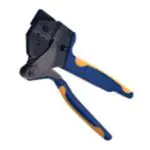
SDE PEW- 12 Hand Tool
Assembly 2063957- 1 with
Die Assembly 2063957- 2
408-- 10324
07 OCT 10 Rev C
PROPER USE GUIDELINES
Cumulative Trauma Disorders can result from the prolonged use of manually powered hand tools. Hand tools are intended for occasional use and low volume
applications. A wide selection of powered application equipment for extended-- use, production operations is available.
Locator
Nut
Handle
Die Set 2063957--2
Wire Crimper
(Upper Die)
Emergency Ratchet
Release
Stationary
Jaw
Die Retention
Screws
Moving
Jaw
Lower
Contact
Support
Insulation
Crimper
(Upper Die)
Nut
Anvil (Lower)
Wire Die
Anvil (Lower)
Insulation Die
DIE ASSEMBLY
PART NUMBER
CONTACT
2063957--22
2063957
Short Retaining
Pins (2)
Required
Ratchet
Adjustment
Wheel
(Pin)
2106124--9, 1--2106124--0,
1--2102164--1, 1--2102164--2
(Socket)
2106123--2, 2106123--4
Long Retaining
Pins (2)
Required
SIZE
WIRE
INSULATION DIA
STRIP LENGTH
0.75--0.50 mm2
[18 20 AWG]
[18--20
1.70--2.10
[[.067--.083]
067 083]
3.2--3.7
[[.126--.146]
126 146]
Figure 1
1. INTRODUCTION
2. DESCRIPTION
SDE PEW--12 Hand Tool Assembly 2063957--1
consists of SDE PEW--12 Frame Assembly
9--1478240--0 and die set assembly 2063957--2. See
Figure 1. The tool is used to crimp Slim Seal SSL
Contacts.
The tool frame features two jaws, a handle, ratchet
adjustment wheel, and an emergency ratchet release.
The die set consists of an indenter (upper die) and an
anvil (lower die). The tool frame holds a die assembly
with two crimping chambers. See Figure 1. Die
retaining pins and die retaining screws are used to
position and secure the dies in the tool frame.
NOTE
i
Dimensions in this instruction sheet are in
millimeters [with inches in brackets]. Figures and
illustrations are for reference only and are not
drawn to scale.
Reason for revision is given in Section 10, REVISION
SUMMARY.
The tool features a ratchet and an adjustment wheel
with a range of settings. The ratchet ensures that the
tool has completed the cycle and will not release until
the handles have been FULLY closed, unless the
emergency ratchet release is rotated to manually
release the ratchet. The adjustment wheel controls
the amount of handle pressure exerted on the dies
during the crimping procedure.
TOOLING ASSISTANCE CENTER 1-- 800-- 722-- 1111
E2009 Tyco Electronics Corporation, Berwyn, PA
PRODUCT INFORMATION 1-- 800-- 522-- 6752
All Rights Reserved
TE logo and Tyco Electronics are trademarks.
*Trademark. Other product names, logos, or company names might be trademarks of their respective owners.
This controlled document is subject to change.
For latest revision and Regional Customer Service,
visit our website at www.tycoelectronics.com
1 of 5
LOC B
�408- 10324
SDE PEW- 12 Hand Tool Assembly 2063957- 1
CAUTION
!
The dies bottom before the ratchet releases. This
feature ensures maximum tensile performance of
the crimp. DO NOT re--adjust the ratchet.
3. INSTALLATION AND REMOVAL OF DIE SET
AND LOCATOR ASSEMBLY (Figure 1)
i
The ratchet has detents with audible “clicks” as
the handles are closed. The ratchet releases on
the sixth “click”.
4. CONTACT SUPPORT ADJUSTMENT (Figure 2)
1. Open the tool handles and remove the two die
retaining screws from the tool jaws.
2. Place the wire anvil and insulation anvil so that
their chamfered sides and their marked surfaces
face outward, when mounted in the moving jaw of
the tool frame.
3. Insert the two die retaining pins.
4. Insert the short die retaining screw through the
jaw and through both anvil dies, and tighten the
screw just enough to hold the dies in place. Do not
tighten the screw completely at this time.
5. Place the wire crimper and insulation crimper so
that their chamfered sides and their marked
surfaces face outward, when mounted in the
stationary jaw of the tool frame.
6. Insert the two die retaining pins.
7. Insert the long die retaining screw through the
jaw and through both crimper dies, and tighten the
screw just enough to hold the dies in place. Do not
tighten the screw completely at this time.
8. Carefully close the tool handles, making sure
that the anvils and crimpers align properly.
Continue closing the tool handles until the ratchet
in the tool frame has engaged sufficiently to hold
the anvils and crimpers in place, then tighten both
die retaining screws.
9. Place the locator assembly over the end of the
long screw, and position the locator assembly
against the side of the tool jaw.
10. Place the nut onto the end of the long screw
and tighten the nut enough to hold the locator
assembly in place, while still allowing the locator to
slide up and down.
11. To disassemble, close the tool handles until the
ratchet releases, remove the nut, the locator
assembly, the two die retaining screws, and the
four die retaining pins, and slide the anvils and
crimpers out of the tool jaws.
2 of 5
NOTE
NOTE
i
The contact support is preset prior to shipment,
but minor adjustment may be necessary.
1. Make a sample crimp and determine if the
contact is straight, bending upward, or bending
downward.
2. If adjustment is required, loosen the screw that
holds the contact support onto the locator
assembly.
3. Place a contact with wire into the proper nest
and close the tool handles until the ratchet reaches
the sixth click, or until the contact support touches
the contact.
4. Slightly loosen the nut that holds the locator
assembly onto the tool frame.
5. Move the contact support as required to
eliminate the bending of the contact.
6. Tighten the nut and close the handles until the
ratchet releases.
7. Remove and inspect the contact.
8. Make another sample crimp. If the contact is
straight, tighten the contact support screw. If the
contact is still being bent during crimping, repeat
the adjustment procedure.
5. CRIMPING PROCEDURE
NOTE
i
This tool is provided with a crimp adjustment
feature. Initially, the crimp height should be
verified as specified in Figure 3. Refer to Section
6, CRIMP HEIGHT INSPECTION, and Section 7,
CRIMP HEIGHT ADJUSTMENT, to verify crimp
height before using the tool to crimp desired
contacts and wire sizes.
Refer to the table in Figure 1 and select wire of the
specified size and insulation diameter. Strip the wire
to the length indicated in Figure 1, taking care not to
nick or cut wire strands. Select an applicable contact
and identify the appropriate crimp section according
to the wire size markings on the tool. Refer to
Figure 2 and proceed as follows:
Tyco Electronics Corporation
Rev C
�408- 10324
SDE PEW- 12 Hand Tool Assembly 2063957- 1
Contact Support
Locator
Adjustment
Screw
for Contact
Support
Contact
(Typ)
Strip Length
Back of Tool
(Wire Side)
Wire
Locator in
Wire Stop
Slot
Lower Support
Wire Inserted
to Stop
Figure 2
1. Hold the tool so that the back (wire side) is
facing you. Squeeze tool handles together and
allow them to open fully.
2. Holding the contact by the mating end, insert the
contact — insulation barrel first — through the front
of the tool and into the appropriate crimp section.
3. Position the contact so that the mating end of
the contact is on the locator side of the tool, and so
that the open “U” of the wire and insulation barrels
must face the top of the tool. Place the contact up
into the nest so that the movable locator drops into
the slot in the contact. Refer to Figure 2. Butt the
front end of the wire barrel against the movable
locator.
CAUTION
!
Make sure that both sides of the insulation barrel
are started evenly into the crimping section. Do
NOT attempt to crimp an improperly positioned
contact.
6. CRIMP HEIGHT INSPECTION
Crimp height inspection is performed through the use
of a micrometer with a modified anvil, commonly
referred to as a crimp--height comparator. Tyco
Electronics does not manufacture or market
crimp--height comparators. Detailed information on
obtaining and using crimp--height comparators can be
found in Instruction Sheet 408--7424.
Proceed as follows:
Rev C
1. Refer to Figure 1 and select a wire (maximum
size) for each crimp section listed.
2. Refer to Section 5, CRIMPING PROCEDURE,
and crimp the contact(s) accordingly.
3. Using a crimp height comparator, measure the
wire barrel crimp height listed in Figure 3. If the
crimp height conforms to that shown in the table,
the tool is considered dimensionally correct. If not,
the tool must be adjusted. Refer to Section 7,
CRIMP HEIGHT ADJUSTMENT.
Position Point on
Center of Wire
Barrel Opposite
Seam
Modified Anvil
“A”
WIRE SIZE
(MAX)
CRIMP SECTION
(WIRE SIZE
MARKINGS)
CRIMP HEIGHT
DIMENSION “A” AND
TOLERANCE (+)
18 AWG
18
1.05 +0.05 [.041 +.002]
20 AWG
20
0.87 +0.05 [.034 +.002]
Figure 3
CAUTION
!
Tyco Electronics Corporation
Damaged product should not be used. If a
damaged contact is evident, it should be
replaced. Contacts must not be re--terminated.
3 of 5
�408- 10324
SDE PEW- 12 Hand Tool Assembly 2063957- 1
7. CRIMP HEIGHT ADJUSTMENT
8. MAINTENANCE AND INSPECTION
Although the ratchet is preset prior to shipment, it is
important to verify the crimp height using a
micrometer or caliper. General use and subsequent
wear may cause the tool to go out of adjustment. It is
recommended that crimp height be inspected, and the
ratchet be adjusted, if necessary, on a regular basis.
Refer to Figure 4, and proceed as follows:
8.1. Daily Maintenance
1. If the crimp height is larger than recommended,
remove the ratchet wheel adjustment screw and
rotate the adjustment wheel counterclockwise (+)
to a higher setting. Reinstall the screw. Repeat as
required.
2. If the crimp height is smaller than
recommended, remove the ratchet wheel
adjustment screw and rotate the adjustment wheel
clockwise (--) to a lower setting. Reinstall the
screw. Repeat as required.
3. If the crimp cannot be made to conform to the
recommended crimp height, the tool or die set
must be replaced. See Section 9,
REPLACEMENT.
1. Remove dust, moisture, and other contaminants
with a clean, soft brush, or a clean, soft, lint--free
cloth. DO NOT use any objects that could damage
the dies or tool.
2. Make sure that the proper die retaining screws
are properly secured.
3. When the tool is not in use, keep the handles
closed to prevent objects from becoming lodged in
the dies. Store the tool in a clean, dry area.
4. Remove all lubrication and accumulated film
from the dies by immersing the dies in a suitable
commercial degreaser.
8.2. Inspection
1. Close the tool handles until the ratchet releases,
and then allow them to quickly open freely. If they
do not open quickly and fully, the spring is
defective. See Section 9, REPLACEMENT.
2. Inspect the crimping surfaces of the dies for
flattened, chipped, worn, or cracked areas. If
damage is evident, the dies must be replaced.
Refer to Section 9, REPLACEMENT.
9. REPLACEMENT
Order replacements through your representative, or
call 1--800--526--5142, or send a facsimile of your
purchase order to 717--986--7605, or write to:
Adjustment
Screw
Ratchet Adjustment Wheel
CUSTOMER SERVICE (038--035)
TYCO ELECTRONICS CORPORATION
P.O. BOX 3608
HARRISBURG, PA 17105--3608
10. REVISION SUMMARY
Figure 4
4 of 5
S Updated document to corporate requirements
S Changed product name in Section 1
Tyco Electronics Corporation
Rev C
�408- 10324
SDE PEW- 12 Hand Tool Assembly 2063957- 1
Die Assembly 2063957- 2 Can Be Used In the Following Tools:
PRO- CRIMPER III Hand Tool 354940- 1
(Instruction Sheet 408- 9930)
SDE PEW- 12 Hand Tool 9- 1478240- 0
(Instruction Sheet 408- 8851)
SDE Bench Terminator 1490076- 2
(Customer Manual 409- 10052)
626 Adapter 679304- 1
(Instruction Sheet 408- 4070)
Battery Tool (Shouldered Die) 1725837- 1, - 2
(Customer Manual 409- 10053)
Rev C
Battery Tool (Pin Die) 1213890- 1, - 2
(Customer Manual 409- 10065)
Tyco Electronics Corporation
5 of 5
�