Instruction Sheet
CHAMP* Portable Hand Operated
Tool Mult-Insertion (MI-1)
No. 231880-1 (64-Position)
408-9412
04 FEB 11 Rev B
PROPER USE GUIDELINES
Cumulative Trauma Disorders can result from the prolonged use of manually powered hand tools. Hand tools are intended for occasional use
and low volume applications. A wide selection of powered application equipment for extended-use, production operations is available.
Rear Combs
Locking Latch Catch
Wire Comb
Support
Handle
Locking
Latch
Inserter Assembly
(Wire Inserter with Wire
Stuffer and Inserter Pin)
Handle Stop
Handle Stop
Baseplate
Shear Plates
Spring Lock
Handle
Thumbscrew
Connector
Support
Note that Tool 231880-1 is shown exploded for clarity.
Figure 1
1. INTRODUCTION
2. DESCRIPTION (FIgure 1)
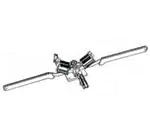
The CHAMP Portable Hand Operated Tool 231880-1
(MI-1) is designed to terminate 64-position CHAMP
connectors using the displacement crimp technique. It
can also terminate 14-, 24-, and 36-position CHAMP
connectors without any modification or conversion. In
its marketed form, tool 231880-1 is not capable of
terminating 50-position CHAMP connectors. It can be
converted to terminate 50-position connectors by
using Inserter Assembly 229694-7; see Paragraph 10.
The MI-1 hand tool 231880-1 contains a fixed wire
comb feature and will produce a 90 degree (rightangle) cable dress. The features of the hand tool are
as follows:
NOTE
i
All dimensions on this sheet are in millimeters [with
inch equivalents in brackets]. Figures and
illustrations are for identification only and are not
drawn to scale.
Reasons for reissue of this sheet are provided in
Section 13, REVISION SUMMARY.
Base Plate - Supports functional components of the
tool. The base plate can be secured to the work
bench.
Handles - Retain wire stuffers/inserters and provide
insertion force. Stops on handles prevent overinsertion during the terminating process.
Connector Support - Holds connector in proper
position and provides surface (shear plates) for cutting
off excess wire.
Spring Lock - Affords positive lock when connector
support is in the UP position.
©2011 Tyco Electronics Corporation, Berwyn, PA
TOOLING ASSISTANCE CENTER 1-800-722-1111
All Rights Reserved
PRODUCT INFORMATION 1-800-522-6752
TE logo and Tyco Electronics are trademarks.
*Trademark. Other products, logos, and company names might be trademarks of their respective owners.
This controlled document is subject to change.
For latest revision and Regional Customer Service,
visit our website at www.tycoelectronics.com
1 of 8
LOC B
�408-9412
Thumbscrew - Secures connector to the connector
support.
Wire Combs - Consist of two rear combs and two
front combs. The combs separate and hold wires that
are laced into the tool.
203.2 [8.000] Approx
Wire Comb Supports - Support wire combs and
locking latch.
Cable Clamp - Holds cable in position on the tool
during lacing procedure.
Locking Latch - Holds wire comb supports together
during termination of wires.
Inserters and Wire Stuffers - Cuts and
simultaneously inserts wires between contact slots.
Preparation of Cable
(Five Color Groups Shown)
3. POSITIONING TOOL FOR USE
Select a sturdy work bench that is a convenient height
for the operator. Position the tool on the work bench:
make sure there is sufficient space at the back of the
tool to permit handling of the cable bundle, and make
sure tool handles can open fully. Secure the base
plate to the work bench. Make certain the work area is
well illuminated, and that the area around the tool is
kept clear for operation of the handles.
4. CABLE PREPARATION (FIgure 2)
The connector contacts are designed to accept No.
26-22 AWG solid conductor wires or 28-22 AWG
stranded (7-strand only) conductor wires. A maximum
insulation diameter of 1.14 [.045] is acceptable for soft
insulation, such as pvc or polyethylene.
NOTE
i
The following procedure has been prepared for
standard color-coded wires. The same method of
operation will apply for nonstandard color-coded
wires - however, the wire groups MUST be defined
in some other way.
Proceed as follows:
1. Remove approximately 203.20 [8.000] of
sheathing from the cable end. Do NOT nick or cut
the insulation of the individual wires.
NOTE
i
If using connector with short tapered cover, slit
cable sheathing back 25.4 [1.000] - then fold
sheathing back over itself before placing cable in
tool.
2. Separate wires into color groups (predominantly
white in one group, predominantly red in one group,
etc.)
3. Wrap a piece of wire around each group to keep
the groups separated
.
Rev B
No standard code exists for 64-position assemblies.
WIRE
WIRE SIZE
mm2 [AWG]
CONDUCTOR
TYPE
0.13-0.3 [26-22]
Solid
0.09-0.3 [28-22]
Stranded (7 Strands)
INSULATION
DIAMETER
(Max.)
1.14 [.045]
Figure 2
5. TERMINATING PROCEDURE
5.1. Placing Wires and Connector in Tool
1. Open tool handles fully. Push on left side of
locking latch until it snaps open, then push on right
side to open latch completely. Refer to Figure 1.
2. Rotate both wire comb supports outward and
move connector support down. The tool is now
ready to receive the connector and wires.
3. Loosen thumbscrew by rotating it
COUNTERCLOCKWISE several turns.
4. Select the appropriate plug or receptacle
connector size for the application. Align connector
with FRONT of connector support - make sure
connector is oriented properly by use of contact
position numbers: LOW number positions are to the
LEFT. Insert connector between shear plates and
into connector support until it bottoms.
5. Turn thumbscrew CLOCKWISE until connector is
securely held.
6. Open the cable clamp and position cable so that
the sheathing extends at least 12.7 [.500] above the
base plate. Hold cable in position and close cable
clamp. See Figure 3.
2 of 8
�408-9412
Place Half of Wire Bundle Over
Each End of Wire Comb Support
Cable Secured
on Baseplate
Typical Lacing of
Wires into Combs
5. Look into sides of both wire comb supports to
check alignment of wires. Each conductor must be
aligned with a single contact.
6. Raise tool handles until the stops on the handles
butt against each other (these are two-handed
tools, and the handle stops must bottom). This
shears all wire ends and fully inserts all wires.
7. Remove sheared wire ends from combs. Lower
the tool handles.
8. Loosen thumbscrew by turning it
COUNTERCLOCKWISE.
Tool
Handle (Typ)
Center
of Tool
9. Open locking latch and rotate wire comb supports
downward.
Typical Connector Inserted and
Fully Bottomed in Connector
Support
Figure 3
7. Pull first group of wires forward and remove piece
of wire installed in preparing the cable (Step 3 of
Paragraph 4). Separate wires by tracer and body
color (ring and tip). Place ring wires to the LEFT and
tip wires to the RIGHT.
8. Lace wires into combs, starting towards the
center. Take wire from one side (LEFT or RIGHT)
and lace wire through rear comb teeth and into
corresponding position in front comb teeth. While
keeping wire taut, bend wire under front comb and,
when lacing on tool, around inside of wire comb
supports. See Figure 3.
10. Open cable clamp. Slide terminated connector
straight out of connector support.
11. Inspect all terminations as described in
Paragraph 6.
Locking
Latch
Wire Comb
Supports
Wires
Retained
in Wire
Combs
Connector
Support
Wire Stuffers
9. Take mating wire from opposite side of tool
(lacing fixture) and lace it through combs in same
manner. Visually check to make sure wires are
properly laced through combs.
10. Repeat Steps 8 and 9 until half of the wire
bundle is laced into the combs. After bending first
half of wire bundle around inside of wire comb
supports toward center of the tool), change direction
and bend second half of wire bundle around outside
of wire comb supports, or towards tool handles.
5.2. Tool Operation (Figure 4)
1. Check to be sure all wires are parallel in the
combs. Make sure connector is bottomed in
connector support.
2. Raise connector support to vertical position.
3. Be careful that the wires remain in the combs.
Raise one wire comb support to a vertical position
and, while holding it in place, raise other wire comb
support to the vertical position.
4. Hook locking latch onto RIGHT wire comb
support. Press on LEFT side of locking latch until it
is secure.
Rev B
Wire
Inserter
Wire Stuffer/
Inserter
(Typ 2
Places)
Typical Tool Closed and Ready to Terminate in Connector.
Figure 4
6. INSPECTION OF TERMINATIONS
Visually inspect the wire terminations in the connector
for the following:
1. Make certain wire is inserted evenly so that the
insulation is below the “V” shaped lead-in on both
the contact slot and the strain relief slot. See
Figure 5.
3 of 8
�408-9412
The quantity-per-tool column indicates the number of
each item required for each tool. The recommended
spares column indicates the quantity of each in the
column required to maintain up to 10 tools for a period
of one year under normal circumstances. A complete
inventory should be stocked and controlled to prevent
lost time when replacement of parts is necessary.
Inspection Features
0.38 [.015] Max Conductor Exposure
All Wires Below
Lead-In
50% Min
Acceptable Deformation Slot Must Remain Parallel
Wire in
Contact
Slot
Wire
Below
Lead-In
Strain
Relief
Slot
2. Check that all wires have been sheared (if
applicable) to the proper length (extends at least
50% of the distance between the contact slot and
the housing), and not more than 0.38 [.015]
maximum conductor exposure.
3. Check that the insulation is NOT cut in any area
other than the slot insertion area.
4. Check to be sure the contacts are NOT deformed
or crushed.
5. Make certain the conductors have NOT been cut
above the strain relief slot in the contacts.
If any of the wires are NOT properly terminated, reinsert them using the T-Handle Insertion Tool
229384-1. Instruction Sheet 408-7558 for use with
the tool is packaged with the tool.
7. TOOL INSPECTION
CHAMP MI-1 Hand Tool 231880-1 should be
inspected with the information provided in Figure 6. It
is recommended that the tool be inspected
immediately upon its arrival at your facility, and at
regularly scheduled intervals, to ensure that the tool
has not been damaged during handling.
The parts listed in Figure 6 are customer replaceable
parts. The item number column has been included to
provide a reference throughout the text; it is not to be
used when ordering parts. To order parts, use the part
number and description.
Rev B
Tools may also be returned for evaluation and repair.
For tool repair service, contact a Tyco Electronics
Representative at 1-800-526-5136.
Each operator of the tool should be made aware of and responsible for - the following steps of daily
maintenance.
Figure 5
i
CUSTOMER SERVICE (038-035)
TYCO ELECTRONICS CORPORATION
PO BOX 3608
HARRISBURG PA 17105-3608
8. DAILY MAINTENANCE
Wire in
Both
Slots
NOTE
Additional tools or replacement parts can be ordered
through your Tyco Electronics Representative, or call
1-800-526-5142, or send a facsimile of your purchase
order to 1-717-986-7605, or write to:
1. Clean the tool with a soft-bristle brush and/or soft,
clean cloth. Do NOT use any type of solvent to
clean the tool.
2. Lubricate pivot points in the center of the tool with
a few drops of light machine oil. Apply a thin coat of
LUBRIPLATE{, material or equivalent, to sides of
the insert. Do NOT lubricate excessively.
3. Frequently inspect tool for wear or other damage.
If required, replace parts in accordance with the
information provided in Paragraph 9, REPLACING
WORN OR DAMAGED PARTS.
4. When NOT in use, store the tool in a clean, dry
area with a connector in the connector support, and
the tool handles in the closed position.
9. REPLACING WORN OR DAMAGED PARTS
This section covers parts replacement of those
recommended spares listed in the parts list which
require detailed procedures for removal, installation,
and alignment. Refer to Figure 6 and other figures
referenced throughout this instruction sheet for
assistance.
NOTE
i
During parts replacement, use SCREWLOCK‡
SEALANT (Part No. 23419-4) or equivalent, on all
screw retention threads.
‡ Trademark of Locktite Corporation, Newington, CT
4 of 8
�408-9412
9.1. Cable Clamp (Using Old Style)
Follow these steps if tool has metal cable clamp:
1. Fully open the tool.
2. .Drive slotted spring pin back far enough to
remove the old cable clamp.
3. Position new cable clamp and drive slotted spring
pin back into place.
9.2. Wire Combs
If misalignment of the wires dictates comb adjustment,
proceed as follows:
1. Loosen the screws securing the rear combs.
Raise the wire comb support to the vertical position.
2. While looking into the side of the tool, align the
comb with the shear plate and tighten the rear comb
screws.
3. Loosen screws securing the front combs and
align front combs with rear combs. Then tighten
screws securing front combs.
9.3. Shear Plates
CAUTION Never attempt to re-face the shear plates. This will
destroy the flatness required for shearing all the
wires.
!
Proceed as follows:
1. With tool handles and wire comb supports fully
opened, remove the two screws attaching the shear
plate to the connector support.
2. Position new shear plate on connector support
against the stop and tighten the two screws.
3. With connector support open, push down and
back on shear plate to seat it on shoulder of
connector support. Hold shear plate in position and
tighten the two screws.
4. If opposite shear plate is to be replaced, repeat
this procedure. Refer to Paragraph 10 for tool
adjustment.
3. Position new wire stuffer (Parts List, Figure 6)
into inserter and align the holes.
4. Again, support inserter on solid, flat surface.
Then, insert two new inserter pins (Parts List,
Figure 6).
5. Unlatch wire comb supports, lower connector
support and insert connector into connector support
until it bottoms. Tighten thumbscrew. Raise
connector support and wire combs support to the
vertical position. Secure with locking latch
6. Operate the respective tool handle several times
to assure proper alignment of wire stuffer with
contacts. If alignment is incorrect, adjust the inserter
as described in Paragraph 9.5.
9.5. Inserters
The wire inserters are part of the Inserter Assembly
and can be ordered separately. See Parts List,
Figure 6; refer to Figure 4 for the location of the wire
inserters. The procedure herein applies to both sides
of the tool. Note that it may NOT be necessary to
replace both inserters. If the replacement of both is
required on a single tool, do NOT remove both at the
same time.
A. Inserter Replacement
1. With tool fully opened, remove the two screws
and two flat washers used to secure the inserter
assembly to handle. Remove the inserter assembly.
2. If inserter is being replaced with a new one (Parts
List, Figure 6), check wire stuffer for damage. If wire
stuffers are not damaged, remove them and place
them in the new inserters, as described in
Paragraph 9.4. The same procedure applies if a
new wire stuffer must be installed. ALWAYS use
new inserter pins.
3. Position inserter on handle against locating block.
Push the inserter down against the locating block
(Figure 7) and back against the handle. Tighten the
two screws. The inserter is now aligned.
9.4. Wire Stuffers
The wire stuffers are part of the Inserter Assembly and
can be ordered separately. See Parts List, Figure 6;
refer to Figure 4 for location of the wire stuffers.
The procedure herein applies to both sides of the tool.
It is NOT necessary to remove inserters from the tool.
Proceed as follows:
1. With tool handles opened and wire comb
supports latched in vertical position, support inserter
on a flat surface and, using a drift punch, remove
the two inserter pins securing the wire stuffer.
2. Remove wire stuffer from inserter.
Rev B
5 of 8
�408-9412
Approximate weight with Carrying Case
3.85 kg [8 lb. 5 oz.]
4.19.10
[16.50]
114.30 [4.500]
1.01.6 [4.000]
REPLACEMENT PARTS
ITEM
PART NUMBER
1
229622-1
2
DESCRIPTION
QTY PER TOOL
RECOMMENDED SPARES
CLAMP, Cable
1
2
231873-1
PLATE, Shear
2
2
3
229399-2
COMB, Front
2
2
4
229406-2
COMB, Rear
2
2
7
231879-1
ASSEMBLY, Inserter
2
2
--
2318678-1•
INSERTER, Standard
2
2
--
230037-1•
STUFFER, Standard
2
2
--
229405-1•
PIN, Inserter
4
4
8
229403-1
SPRING, Lock
1
0
• Part of inserter assembly but can be ordered separately
Figure 6
Rev B
6 of 8
�408-9412
a slight, even drag is apparent - then hold the
backup plate in position and tighten TOP and
BOTTOM setscrews until slight outward pressure is
detected. Release pressure on the backup plate
and secure TOP and BOTTOM screws.
Inserter Assembly
5. Again, check for slight drag on inserter. If drag is
not even, alternately adjust both the TOP and
BOTTOM screws, and setscrews, until proper
adjustment is obtained.
Screw
(2)
6. Repeat this procedure for opposite side, if
necessary.
7. Terminate several connectors and inspect the
terminations.
The tool is ready for use when each termination meets
the requirements specified in Paragraph 6,
INSPECTION OF TERMINATIONS.
Locating Block
(Do NOT Loosen)
Figure 7
Top Screw
Top Setscrew
B. Inserter Alignment (If Locating Block is Loose or
Missing)
1. Raise connector support to vertical position and
insert connector into the connector support until it
bottoms. Tighten thumbscrew. Raise wire comb
supports to the vertical position. Secure with locking
latch.
Screw
(2)
Wire
Comb
(2 Typ)
2. Loosen the screws that secure the back-up plates
approximately one turn (see Figure 8).
3. Using caution, raise tool handle until new inserter
begins to enter the connector. Then, move inserter
up or down to align wire stuffer with contacts. When
certain that the wire stuffers have aligned with the
contacts, close tool handles fully and tighten
screws.
Back-Up
Plate
Bottom
Screw
4. If opposite wire inserter is to be replaced, repeat
replacement and alignment procedures.
10. TOOL ADJUSTMENT FOR PROPER WIRE CUTTING
Proceed as follows:
Bottom
Setscrew
Wire-Comb
Support
1. Raise the connector support and then the wire
comb supports to the vertical position. Secure with
locking latch.
2. Slowly raise the handles - if inserter binds or has
excessive drag - STOP. Re-open handles and
adjust backup plate as stated in Step 3. Do NOT
force handles closed.
3. Lower handles. Grip connector support and wire
comb support with one hand and release locking
latch. Now, loosen TOP screw and setscrew, and
BOTTOM screw and setscrew securing backup
plate to wire comb support. See Figure 8.
Figure 8
11. TROUBLESHOOTING (FIgure 9)
Use Figure 9 to assist in isolating troubles. The figure
lists the troubles, the possible cause, and the remedy
for correcting the situation.
4. Move inserter (handle) in and out of shear plate
and, simultaneously, squeeze the backup plate until
Rev B
7 of 8
�408-9412
TROUBLESHOOTING
TROUBLE
Crushing Contacts
Cutting Improperly
Wires Not Held in Combs
POSSIBLE CAUSE
REMEDY
Inserter Misalignment
Refer to Section 9.5
Combs Misalignment
Refer to Section 9.2
Wire Size Not Within Tolerance
Refer to Section 4 for Specification
Connector Not Properly Seated on Connector Holder
Make Sure Connector is Bottomed Against the Stop;
Be Sure Thumbscrew is Tightened.
Tool Not Properly Adjusted
Refer to Section 9
Inserter Cutting edge Damaged
Replace Inserters (See Section 9.5)
Tool Not Properly Cleaned
Clean the Tool as described in Section 8
Wire Insulation Diameter Too Small
For insulation less than 0.89 [.035 in.] in Diameter,
use (two) small Wire Combs P/N 231619-3. See
Section 9.2.
Figure 9
12. CONVERTING TOOLS
Although tool 231880-1 is designed to terminate 64position connectors and can terminate 14-, 24-, and
36-position connectors without modification or
conversion, it can be converted to terminate 50position connectors by using two inserter assemblies,
no. 229694-7. Once converted, it will terminate 14through 50-position connectors.
To convert the tool for terminating 50-position
connectors, proceed as follows:
1. Remove the two inserter assemblies that have
been previously installed on the tool. Refer to the
Parts List, Figure 6.
2. Replace the inserter assemblies with inserter
assemblies for 50-position connectors, part no.
229694-7. Make sure the inserter assemblies are
butted firmly against the handles and the locating
blocks. See Inserter Replacement procedure,
Subparagraph 9.5).
NOTE
i
Do NOT disturb the setting of the locating blocks.
Their positions are pre-set during the final
assembly of the tool.
Upon completion of the above procedure, the tool is
capable of terminating 14- through 50-position
connectors.
13. REVISION SUMMARY
Since the previous release of this instruction sheet,
the TE logo has been applied.
Rev B
8 of 8
�