®
Technology
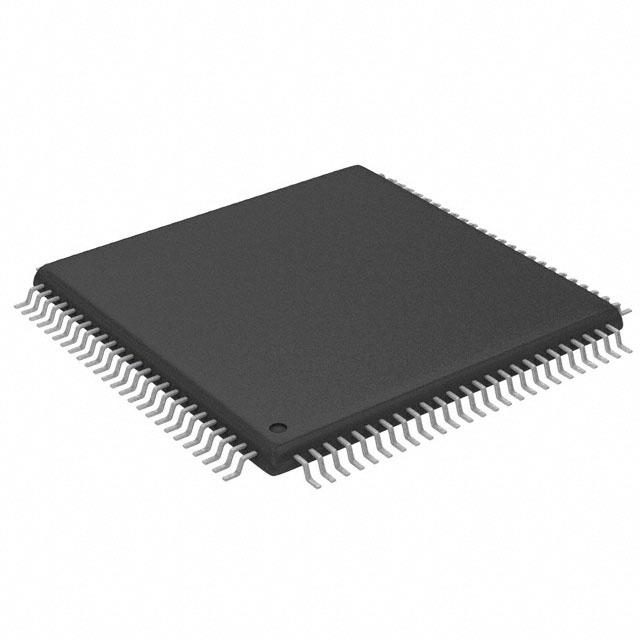
SiI 163B
PanelLink Receiver
Data Sheet
Document # SiI-DS-0055-C
�SiI 163B PanelLink Receiver
Data Sheet
Silicon Image, Inc.
SiI-DS-0055-C
July 2005
Application Information
To obtain the most updated Application Notes and other useful information for your design, please visit the Silicon
Image web site at www.siimage.com, or contact your local Silicon Image sales office.
Copyright Notice
This manual is copyrighted by Silicon Image, Inc. Do not reproduce, transform to any other format, or
send/transmit any part of this documentation without the expressed written permission of Silicon Image, Inc.
Trademark Acknowledgment
Silicon Image, the Silicon Image logo, PanelLink®, TMDS® and the PanelLink® Digital logo are registered
trademarks of Silicon Image, Inc. VESA® is a registered trademark of the Video Electronics Standards
Association. All other trademarks are the property of their respective holders.
Disclaimer
This document provides technical information for the user. Silicon Image, Inc. reserves the right to modify the
information in this document as necessary. The customer should make sure that they have the most recent data
sheet version. Silicon Image, Inc. holds no responsibility for any errors that may appear in this document.
Customers should take appropriate action to ensure their use of the products does not infringe upon any patents.
Silicon Image, Inc. respects valid patent rights of third parties and does not infringe upon or assist others to
infringe upon such rights.
All information contained herein is subject to change without notice.
Revision History
Revision
SiI-DS-0055-A
SiI-DS-0055-B
SiI-DS-0055-C
Date
03/02
08/04
07/05
Comment
Full Release
Added ePad dimensions and Slave SCDT stabilization guideline.
ePad dimensions fix. Part ordering number update.
© 2001-2005 Silicon Image. Inc.
ii
SiI-DS-0055-C
�SiI 163B PanelLink Receiver
Data Sheet
TABLE OF CONTENTS
SiI 163B Pin Diagram ..................................................................................................................................... 1
Functional Description .................................................................................................................................... 2
Electrical Specifications .................................................................................................................................. 3
Absolute Maximum Conditions ................................................................................................................... 3
Normal Operating Conditions ..................................................................................................................... 3
Digital I/O Specifications ............................................................................................................................. 3
DC Specifications........................................................................................................................................ 4
AC Specifications ........................................................................................................................................ 5
Setup and Hold Timings for Data Rates other than 165 MHz ................................................................. 6
Timing Diagrams............................................................................................................................................. 7
Pin Descriptions............................................................................................................................................ 10
Output Pins ............................................................................................................................................... 10
Configuration Pins..................................................................................................................................... 11
Power Management Pins.......................................................................................................................... 11
Differential Signal Data Pins ..................................................................................................................... 12
Reserved Pin............................................................................................................................................. 12
Power and Ground Pins............................................................................................................................ 12
Feature Information ...................................................................................................................................... 13
Dual Link ................................................................................................................................................... 13
Dual Link Configuration Pins ................................................................................................................. 13
Dual Link Power Management .............................................................................................................. 16
Dual Link Mode Selection...................................................................................................................... 16
Dual Link Timing Diagrams ................................................................................................................... 17
Clock Detect Function............................................................................................................................... 19
OCK_INV# Function ................................................................................................................................. 19
TFT Panel Data Mapping .......................................................................................................................... 20
Design Recommendations ........................................................................................................................... 27
Differences Between SiI 161A and SiI 163B ............................................................................................. 27
Voltage Ripple Regulation......................................................................................................................... 28
Decoupling Capacitors.............................................................................................................................. 29
Series Damping Resistors on Outputs...................................................................................................... 30
Receiver Layout ........................................................................................................................................ 30
Stabilized TMDS Inputs............................................................................................................................. 32
Staggered Outputs and Two Pixels per Clock .......................................................................................... 32
Packaging ..................................................................................................................................................... 33
ePad Enhancement .................................................................................................................................. 33
PCB Thermal Land Area ....................................................................................................................... 34
100-pin TQFP Package Dimensions and Marking Specification .............................................................. 35
Marking Specification ................................................................................................................................ 35
Ordering Information..................................................................................................................................... 35
iii
SiI-DS-0055-C
�SiI 163B PanelLink Receiver
Data Sheet
LIST OF TABLES
Table 1. Setup and Hold Times at Various Data Rates .................................................................................. 6
Table 2. SiI 163B Dual Link Pin Definitions.................................................................................................. 13
Table 3. SiI 163B Dual Link Pin Configuration............................................................................................. 15
Table 4. DVI-D Connector to SiI 163B for Dual Link Application Pin Connection........................................ 19
Table 5. One Pixel/Clock Mode Data Mapping............................................................................................. 20
Table 6. Two Pixel/Clock Mode Data Mapping ............................................................................................. 20
Table 7. One Pixel/Clock Input/Output TFT Mode – VESA P&D and FPDI-2TM Compliant.......................... 21
Table 8. Two Pixels/Clock Input/Output TFT Mode ...................................................................................... 22
Table 9. 24-bit One Pixel/Clock Input with 24-bit Two Pixels/Clock Output TFT Mode................................ 23
Table 10. 18-bit One Pixel/Clock Input with 18-bit Two Pixels/Clock Output TFT Mode.............................. 24
Table 11. Two Pixels/Clock Input with One Pixel/Clock Output TFT Mode .................................................. 25
Table 12. Output Clock Configuration by Typical Application ....................................................................... 26
Table 13. SiI 161A vs. SiI 163B Pin Differences ........................................................................................... 27
Table 14. SiI 161B vs. SiI 163B Pin Differences ........................................................................................... 27
Table 15. Recommended Components ........................................................................................................ 29
LIST OF FIGURES
Figure 1. Functional Block Diagram ............................................................................................................... 2
Figure 2. Digital Output Transition Times ....................................................................................................... 7
Figure 3. Receiver Clock Cycle/High/Low Times ........................................................................................... 7
Figure 4. Channel-to-Channel Skew Timing .................................................................................................. 7
Figure 5. Output Setup/Hold Timings ............................................................................................................. 8
Figure 6. Output Signals Disabled Timing from Clock Inactive ...................................................................... 8
Figure 7. Wake-Up on Clock Detect ............................................................................................................... 8
Figure 8. Output Signals Disabled Timing from PD# Active ........................................................................... 8
Figure 9. SCDT Timing from DE Inactive or Active ........................................................................................ 9
Figure 10. Two Pixel per Clock Staggered Output Timing Diagram ............................................................... 9
Figure 11. SiI 163B Dual Link Block Diagram .............................................................................................. 14
Figure 12. Timing Diagram of Master's Output............................................................................................. 17
Figure 13. Timing Diagram of Slave's Output............................................................................................... 18
Figure 14. Single/Dual Link Timing Diagram ................................................................................................ 18
Figure 15. Block Diagram for OCK_INV#..................................................................................................... 19
Figure 16. Voltage Regulation using TL431 ................................................................................................. 28
Figure 17. Voltage Regulation using LM317 ................................................................................................ 28
Figure 18. Decoupling and Bypass Capacitor Placement............................................................................ 29
Figure 19. Decoupling and Bypass Schematic............................................................................................. 29
Figure 20. Receiver Output Series Damping Resistors ............................................................................... 30
Figure 21. DVI Dual Link Rx PCB Routing Example – Top View ................................................................. 30
Figure 22. DVI Dual Link Rx PCB Routing Example – Top Signals Top View.............................................. 31
Figure 23. DVI Dual Link Rx PCB Routing Example - Bottom Signals Top View......................................... 31
Figure 24. Stabilizing SCDT ......................................................................................................................... 32
Figure 25. ePad Diagram ............................................................................................................................. 33
Figure 26. ePad Template Layout................................................................................................................. 34
Figure 27. Package Dimensions and Marking Specification ........................................................................ 35
iv
SiI-DS-0055-C
�SiI 163B PanelLink® Receiver
Data Sheet
July 2005
General Description
Features
The SiI 163B receiver uses PanelLink Digital
technology to support high-resolution (24 bit/pixel, 16M
colors) displays up to UXGA and beyond, with dual-link
DVI for a total bandwidth up to 330 megapixels per
second.
•
•
•
PanelLink Digital technology simplifies PC and display
interface design by resolving many of the system level
issues associated with high-speed mixed signal
design, providing the system designer with a digital
interface solution that is quicker to market and lower in
cost.
•
QE13
24
QE12
QO4
53
23
QE11
QO5
54
22
QE10
QO6
55
21
QE9
QO7
56
20
QE8
OVCC
57
19
OGND
OGND
58
18
OVCC
QO8
59
17
QE7
QO9
60
16
QE6
QO10
61
15
QE5
QO11
62
14
QE4
QO12
63
13
QE3
QO13
64
12
QE2
QO14
65
11
QE1
QO15
66
10
VCC
67
9
PDO#
SiI 163B
100 -Pin TQFP
(Top View)
EVEN 8-bits GREEN
25
52
EVEN 8-bits BLUE
QE14
51
QO3
QE0
PWR
MANAGEMENT
QE15
26
QE17
OGND
QE18
31
27
QE19
32
28
QE20
33
QE16
QE21
34
OVCC
QE22
35
29
QE23
36
CTL1
40
37
CTL2
41
GND
CTL3
42
VCC
OVCC
43
38
ODCK
44
39
DE
OGND
45
VSYNC
47
EVEN 8-bits RED
46
QO0
HSYNC
48
QO1
49
50
GPO
QO2
92
93
94
95
96
97
98
99
100
AGND
RXC+
RXC-
AVCC
EXT_RES
PVCC
PGND
RESERVED
OCK_INV#
SIGNAL
PLL
CONFIG. PINS
91
RX0-
89
AGND
90
88
AVCC
DIFFERENTIAL
RX0+
87
S_D
AGND
1
86
75
RX1-
QO22
85
PD#
84
2
RX1+
74
AVCC
ST
QO21
83
PIXS/M_S
3
82
4
73
AVCC
72
QO20
AGND
QO19
81
GND
RX2-
5
80
71
79
VCC
QO18
RX2+
6
AGND
70
78
STAG_OUT#/SYNC
QO17
OVCC
SCDT
7
77
8
69
76
68
QO23
GND
QO16
OGND
ODD 8-bits RED
ODD 8-bits GREEN
ODD 8-bits BLUE
CONTROLS
•
•
•
30
OUTPUT CLOCK
All PanelLink products are designed on a scaleable
CMOS architecture, ensuring support for future
performance enhancements while maintaining the
same logical interface. System designers can be
assured that the interface will be stable through a
number of technology and performance generations.
SiI 163B Pin Diagram
Low Power Operation: 280mA max. current
consumption at 3.3V core operation
Sync Detect feature for Plug & Display
“Hot Plugging”
Cable Distance Support: over 5m with twistedpair, fiber-optics ready
Compliant with DVI 1.0
Low power standby mode
Automatic entry into standby mode with clock
detect circuitry
Dual-Link DVI support with two devices
configured as master and slave
SiI-DS-0055-C
�SiI 163B PanelLink Receiver
Data Sheet
Functional Description
The SiI 163B is a DVI 1.0 compliant PanelLink receiver in a compact package. It provides 48 bits for data output
to allow for panel support up to UXGA and dual-link applications. Figure 1 shows the functional blocks of the
chip.
PIXS/M_S
S_D
OCK_INV#
EXT_RES
RX2+
Termination
Control
VCR
RX2-
Data Recovery
CH2
QE[23:0]
SYNC2
QO[23:0]
RX1+
VCR
RX1-
Data Recovery
CH1
ODCK
SYNC1
Channel
SYNC
RX0+
VCR
RX0-
Data Recovery
CH0
Decoder
SYNC0
Panel
Interface
Logic
DE
HSYNC
VSYNC
SCDT
CTL[3:1]
RXC+
VCR
PLL
RXCPDO#
STAG_OUT#
/SYNC
ST
Figure 1. Functional Block Diagram
The PanelLink TMDS core accepts as inputs the three TMDS differential data lines and the differential clock. The
core senses the signals on the link and properly decodes them providing accurate pixel data. The core outputs
the necessary sync signals (HSYNC, VSYNC), clock (ODCK), and a DE signal that goes high when the active
region of the video is present.
The SCDT signal is output when there is active video on the DVI link and the PLL in the TMDS has locked on to
the video. SCDT can be used to trigger external circuitry, indicating that an active video signal is present or used
to place the device in power down when no signal is present (by tying it to PD#). The EXT_RES component is
used for impedance matching.
When Single/Dual Link Mode (S_D) is HIGH, the signals M_S and SYNC are used to select and coordinate
operation of two receivers in a dual-link DVI configuration. In this mode, at frequencies up to 165 MHz, the
master receiver outputs two pixels/clock (48 data bits). At frequencies above 165 MHz, the master outputs even
pixels (24 bits) while the slave receiver outputs odd pixels (24 bits) synchronized with one DE output from the
master.
2
SiI-DS-0055-C
�SiI 163B PanelLink Receiver
Data Sheet
Electrical Specifications
Absolute Maximum Conditions
Symbol
Parameter
Min
VCC
VI
VO
TJ
Supply Voltage 3.3V (note 1)
Input Voltage
Output Voltage (note 2)
Junction Temperature
-0.3
-0.3
-0.3
TSTG
Storage Temperature
-65
Typ
Max
Units
4.0
VCC+ 0.3
VCC+ 0.3
125
V
V
V
°C
150
°C
Notes
1. Permanent device damage may occur if absolute maximum conditions are exceeded.
2. Functional operation should be restricted to the conditions described under Normal Operating Conditions.
Normal Operating Conditions
Symbol
VCC
VCCN
TA
θJA
θJAU
Parameter
Supply Voltage
Supply Voltage Noise
Ambient Temperature (with power applied)
Min
Typ
Max
Units
3.0
3.3
V
mVP-P
0
25
3.6
100
70
Thermal Resistance
Junction to Ambient – ePad soldered
Thermal Resistance
Junction to Ambient – ePad unsoldered
°C
21
°C/W
30
°C/W
Silicon Image recommends soldering of ePad to improve thermal performance, especially at highest speeds.
Note
1. θJA value based on 100% soldered down on multi-layer board.
Digital I/O Specifications
Under normal operating conditions unless otherwise specified.
Symbol
VIH
VIL
VOH
VOL
VCINL
VCIPL
VCONL
VCOPL
IOL
Note
1.
Parameter
High-level Input Voltage
Low-level Input Voltage
High-level Output Voltage
Low-level Output Voltage
Input Clamp Voltage1
Input Clamp Voltage1
Output Clamp Voltage1
Output Clamp Voltage1
Output Leakage Current
Conditions
Min
Typ
Max
Units
2
V
V
V
V
V
V
V
V
0.8
2.4
ICL = -18mA
ICL = 18mA
ICL = -18mA
ICL = 18mA
High Impedance
-10
0.4
GND -0.8
IVCC + 0.8
GND -0.8
OVCC + 0.8
10
µA
Guaranteed by design. Voltage undershoot or overshoot cannot exceed absolute maximum conditions
for a pulse of greater than 3 ns or one third of the clock cycle.
3
SiI-DS-0055-C
�SiI 163B PanelLink Receiver
Data Sheet
DC Specifications
Under normal operating conditions unless otherwise specified.
Symbol
IOHD
IOLD
Parameter
Output High Drive Data and
Controls
Output Low Drive Data and
Controls
IOHC
ODCK, DE High Drive
IOLC
ODCK, DE Low Drive
VID
IPD
ICLKI
IPDO
ICCR
Differential Input Voltage
Single Ended Amplitude
Power-down Current
Power-down Current
Receiver Supply Current with
Outputs Powered Down
Receiver Supply Current
Conditions
VOUT = 2.4 V; ST = 1
ST = 0
VOUT = 0.8 V; ST = 1
ST = 0
VOUT = 0.4 V; ST = 1
ST = 0
VOUT = 2.4 V; ST = 1
ST = 0
VOUT = 0.8V;
ST = 1
ST = 0
VOUT = 0.4 V; ST = 1
ST = 0
PD#=LOW, No RXC+ input
PD#=HIGH, No RXC+ input
ODCK=87.5 MHz,
2-pixel/clock mode
CLOAD = 10pF
REXT_SWING = 510 ohm
PDO# = LOW
ODCK=87.5 MHz,
2-pixel/clock mode
CLOAD= 10pF
REXT_SWING = 510 ohm
Typical Pattern1
ODCK=87.5 MHz, 0°C
2-pixel/clock mode
CLOAD = 10pF
REXT_SWING = 510 ohm
Worst Case Pattern2
Min
7.4
3.8
-11.1
-5.5
-6.3
-3.2
14.7
7.5
-21.2
-11.1
-12.3
-6.2
75
Typ
12.6
6.4
-12.6
-6.4
-6.9
-3.5
23.8
11.5
-26.7
-12.5
-13.6
-6.8
Max
18.2
9.2
-13.6
-6.9
-7.6
-3.8
34.3
17.6
-27.5
-13.9
-15.9
-7.6
1000
Units
mA
1
3
133
mA
mA
mA
240
mA
280
mA
mA
mA
mA
mA
mA
mV
Notes
1. The Typical Pattern contains a gray scale area, checkerboard area, and text.
2. The Worst Case Pattern consists of a black and white checkerboard pattern; each checker is two pixels wide.
4
SiI-DS-0055-C
�SiI 163B PanelLink Receiver
Data Sheet
AC Specifications
Under normal operating conditions unless otherwise specified.
Symbol
Parameter
TDPS
TCCS
TIJIT
Intra-Pair (+ to -) Differential Input Skew1
Channel to Channel Differential Input Skew1
Worst Case Differential Input Clock Jitter
tolerance2,3
DLHT
Low-to-High Transition Time: Data and Controls
(70°C, 87.5 MHz, 2-pixel/clock, PIXS=1)
Low-to-High Transition Time: Data and Controls
(70°C, 165 MHz, 1-pixel/clock, PIXS=0)
Low-to-High Transition Time: ODCK
(70°C, 87.5 MHz, 2-pixel/clock, PIXS=1)
Low-to-High Transition Time: ODCK
(70°C, 165 MHz, 1-pixel/clock, PIXS=0)
High-to-Low Transition Time: Data and Controls
(70°C, 87.5 MHz, 2-pixel/clock, PIXS=1)
High-to-Low Transition Time: Data and Controls
(70°C, 165 MHz, 1-pixel/clock, PIXS=0)
High-to-Low Transition Time: ODCK
(70°C, 87.5 MHz, 2-pixel/clock, PIXS=1)
High-to-Low Transition Time: ODCK
(70°C, 165 MHz, 1-pixel/clock, PIXS=0)
Data, DE, VSYNC, HSYNC, and CTL[3:1] Setup
Time to ODCK falling edge (OCK_INV# = 0) or to
ODCK rising edge (OCK_INV# = 1) at 165 MHz
DHLT
TSETUP
THOLD
CL = 5pF; ST = 0
Data, DE, VSYNC, HSYNC, and CTL[3:1] Hold Time
from ODCK falling edge (OCK_INV# = 0) or from
ODCK rising edge (OCK_INV# = 1) at 165 MHz
RCIP
FCIP
RCIP
FCIP
RCIH
ODCK Cycle Time1
ODCK Frequency1
ODCK Cycle Time1
ODCK Frequency1
ODCK High Time4
RCIL
ODCK Low Time4
TPDL
THSC
Delay from PD# / PDO# Low to high impedance outputs
Conditions
165MHz
165MHz
65 MHz
112 MHz
165 MHz
CL = 10pF; ST = 1
CL = 5pF; ST = 0
CL = 10pF; ST = 1
CL = 5pF; ST = 0
CL = 10pF; ST = 1
CL = 5pF; ST = 0
CL = 10pF; ST = 1
CL = 5pF; ST = 0
CL = 10pF; ST = 1
CL = 5pF; ST = 0
CL = 10pF; ST = 1
CL = 5pF; ST = 0
CL = 10pF; ST = 1
CL = 5pF; ST = 0
CL = 10pF; ST = 1
CL = 5pF; ST = 0
CL = 10pF; ST = 1
CL = 10pF; ST = 1
CL = 5pF; ST = 0
(1-pixel/clock)
(1-pixel/clock)
(2-pixels/clock)
(2-pixels/clock)
165 MHz, 1 pixel/clock,
PIXS=0.
CL = 10pF; ST = 1
CL = 5pF; ST = 0
CL = 10pF; ST = 1
CL = 5pF; ST = 0
Min
Typ
Max
Units
245
4
465
270
182
2.6
2.7
2.4
3.0
1.3
1.7
1.4
1.7
2.8
3.4
2.3
3.3
1.1
1.5
1.2
1.5
ps
ns
ps
ps
ps
ns
ns
ns
ns
ns
ns
ns
ns
ns
ns
ns
ns
ns
ns
ns
ns
ns
0.9
(1.4)6
0.7
(0.5)6
2.7
(2.3)6
ns
ns
3.0
(2.6)6
6.06
25
12.1
12.5
1.7
1.3
2.0
1.4
ns
40
165
80
82.5
1
10
TFSC
TCLKPD
Link disabled (DE inactive) to SCDT low1
Link disabled (Tx power down) to SCDT low5
Link enabled (DE active) to SCDT high1
Delay from RXC+ Inactive to high impedance outputs
RXC+ = 25MHz
250
40
10
TCLKPU
Delay from RXC+ active to data active
RXC+ = 25MHz
100
TST
TOSK
100
25
1
ODCK high to even data output
Output Skew from Slave to Master Data buses7
0.25
165 MHz
5
300
300
ns
MHz
ns
MHz
ns
ns
ns
ns
ns
ms
ms
DE edges
µs
µs
RCIP
ps
SiI-DS-0055-C
�SiI 163B PanelLink Receiver
Data Sheet
Notes on previous table:
1. Guaranteed by design.
2. Jitter defined per DVI 1.0 Specification, Section 4.6 – Jitter Specification.
3. Jitter measured with Clock Recovery Unit per DVI 1.0 Specification, Section 4.7 – Electrical Measurement Procedures.
4. Output clock duty cycle is independent of the differential input clock duty cycle and the IDCK duty cycle.
5. Measured with transmitter powered down.
6. Value in parentheses is specified with OCK_INV#=1.
7. Skew between output data buses when two SiI 163B are wired in master-slave configuration for dual-link. See the
Receiver Layout section on page 30. The ‘minimum’ is the limit of Slave leading Master (slave data output earlier than
master data). The ‘maximum’ is the limit of Slave lagging Master (slave data output later than master data). When the
Slave lags the Master, then the setup time available from Slave data to ODCK (from the Master) is reduced.
Setup and Hold Timings for Data Rates other than 165 MHz
The measurements shown above are minimum setup and hold timings based on the maximum data rate of 165
MHz. To estimate the setup and hold times for slower data rates (for either different resolutions or 2 pixel per
clock mode), the following formula can be used:
Time (at new frequency) = Time (165 MHz) + (Clock Period at new frequency – Clock Period at 165 MHz)/2
For the case of high strength output (ST=1) with a 10pf load, and using the standard ODCK (OCK_INV# = 0),
Table 1 shows the minimum set up and hold times for other speeds as follows:
Table 1. Setup and Hold Times at Various Data Rates
Data Rate (MHz)
112
56
135
67.5
82.5
Clock (ns) Setup (ns) Hold (ns)
8.9
17.9
7.4
14.8
12.1
2.3
6.8
1.6
5.3
3.9
4.1
8.6
3.4
7.1
5.7
SXGA 1 pixel/clock
SXGA 2 pixels/clock
SXGA+ 1 pixel/clock
SXGA+ 2 pixels/clock
UXGA 2 pixels/clock
Designers may want to check whether OCK+INV#=0 or OCK_INV#=1 provides better setup and hold time margin
for their dual-link design. If Slave data lags Master data, which is in part determined by the layout, then the setup
time from Slave to clock may be reduced, and the opposite ODCK edge may be more useful.
6
SiI-DS-0055-C
�SiI 163B PanelLink Receiver
Data Sheet
Timing Diagrams
2.0 V
2.0 V
10pF / 5pF
SiI 163B
0.8 V
0.8 V
DLHT
DHLT
Figure 2. Digital Output Transition Times
Note:
1. 10pF loading used at ST=1 and 5pF loading using at ST=0
RCIP
RCIH
2.0 V
2.0 V
2.0 V
0.8 V
0.8 V
RCIL
Figure 3. Receiver Clock Cycle/High/Low Times
RX0
VDIFF=0V
RX1
TCCS
VDIFF=0V
RX2
Figure 4. Channel-to-Channel Skew Timing
7
SiI-DS-0055-C
�SiI 163B PanelLink Receiver
Data Sheet
Output Timing
OCK_INV# = 1
OCK_INV# = 0
TSETUP
THOLD
QE[23:0], QO[23:0],
DE, CTL[3:1],
VSYNC, HSYNC
Figure 5. Output Setup/Hold Timings
Note
1. Output Data, DE and Control Signals Setup/Hold Times – to ODCK Falling Edge when OCK_INV# = 0, or to ODCK
Rising Edge when OCK_INV# = 1.
2. See also the description of layout guidelines which guarantee limited skew between master and slave outputs in the
Receiver Layout section on page 30.
TCLKPD
RXC+
..
...
.
Q[35:0], DE,
VSYNC, HSYNC,
CTL[3:1]
Figure 6. Output Signals Disabled Timing from Clock Inactive
TCLKPU + TFSC
RXC+
SCDT
Figure 7. Wake-Up on Clock Detect
PD#
VIL
TPDL
QE[23:0], QO[23:0],
DE, CTL[3:1],
VSYNC, HSYNC
Figure 8. Output Signals Disabled Timing from PD# Active
8
SiI-DS-0055-C
�SiI 163B PanelLink Receiver
Data Sheet
TTFSC
DE
SCDT
TTHSC
DE
SCDT
Figure 9. SCDT Timing from DE Inactive or Active
Internal
ODCK * 2
ODCK
DE
TST
QE[23:0]]
QO[23:0]
FIRST DATA
SECOND
THIRD DATA
FOURTH DATA
Figure 10. Two Pixel per Clock Staggered Output Timing Diagram
9
SiI-DS-0055-C
�SiI 163B PanelLink Receiver
Data Sheet
Pin Descriptions
Output Pins
Pin
Name
Pin #
Type
See
SiI 163B
Pin
Diagram
Out
See
SiI 163B
Pin
Diagram
Out
ODCK
44
Out
DE
46
Out
HSYNC
VSYNC
CTL1
CTL2
CTL3
48
47
40
41
42
Out
Out
Out
Out
Out
QE23QE0
QO23QO0
Description
Output Even Data[23:0]. Refer to the Dual Link section on page 13 for details.
Output data is synchronized with output data clock (ODCK).
Refer to the TFT Panel Data Mapping section on page 20, which tabulates the
relationship between the input data to the transmitter and output data from the
receiver.
A low level on PD# or PDO# will put the output drivers into a high impedance (tristate) mode. A weak internal pull-down device brings each output to ground.
Output Odd Data[23:0]. Refer to the Dual Link section on page 13 for details.
Output data is synchronized with output data clock (ODCK).
Output data is synchronized with output data clock (ODCK).
Refer to the TFT Panel Data Mapping section on page 20, which tabulates the
relationship between the input data to the transmitter and output data from the
receiver.
A low level on PD# or PDO# will put the output drivers into a high impedance (tristate) mode. A weak internal pull-down device brings each output to ground.
Output Data Clock. This output can be inverted using the OCK_INV# pin. A low level
on PD# or PDO# will put the output driver into a high impedance (tri-state) mode. A
weak internal pull-down device brings the output to ground.
Output Data Enable. This signal qualifies the active data area. A HIGH level signifies
active display time and a LOW level signifies blanking time. This output signal is
synchronized with the output data. A low level on PD# or PDO# will put the output
driver into a high impedance (tri-state) mode. A weak internal pull-down device
brings the output to ground.
Horizontal Sync input control signal.
Vertical Sync input control signal.
General output control signal 1. This output is not powered down by PDO#.
General output control signal 2.
General output control signal 3.
A low level on PD# or PDO# will put the output drivers (except CTL1 by PDO#) into
a high impedance (tri-state) mode. A weak internal pull-down device brings each
output to ground.
10
SiI-DS-0055-C
�SiI 163B PanelLink Receiver
Data Sheet
Configuration Pins
Pin Name
OCK_INV#
Pin #
100
PIXS/M_S
4
STAG_OUT#
/SYNC
7
ST
3
S_D
1
Type Description
In
ODCK Polarity. A LOW level selects normal ODCK output. A HIGH level selects
inverted ODCK output. All other output signals are unaffected by this pin. They will
maintain the same timing no matter the setting of OCK_INV# pin
In
When S_D pin is LOW (Single Link), this pin selects 1-pixel/clock mode (LOW) or 2pixel/clock mode (HIGH). When S_D pin is HIGH (Dual Link), this pin is Master
Slave Mode Select.
In
When S_D pin is LOW (Single Link), this pin selects Staggered Output. A HIGH level
selects normal simultaneous outputs on all odd and even data lines. A LOW level
selects staggered output drive. This function is only available in 2-pixels per clock
mode. When S_D pin is HIGH (Dual Link), this pin is an input pin on the Slave
receiver for the DE signal from the master receiver, used for synchronization.
In
Output Drive. A HIGH level selects HIGH output drive strength. A LOW level selects
LOW output drive strength.
In
Single/Dual Link Mode. A LOW level selects Single Link mode. A HIGH level
selects Dual Link mode. This affects the operation of SYNC, M_S and the two 24-bit
data output buses.
Power Management Pins
Pin
Name
SCDT
Pin #
Type Description
8
Out
PDO#
9
In
PD#
2
In
Sync Detect. A HIGH level is outputted when DE is actively toggling indicating that the
link is alive. A LOW level is outputted when DE is inactive, indicating the link is down.
Can be connected to PDO# to power down the outputs when DE is not detected. The
SCDT output itself, however, remains in the active mode at all times.
Output Driver Power Down (active LOW). A HIGH level indicates normal operation. A
LOW level puts all the output drivers only (except SCDT and CTL1) into a high
impedance (tri-state) mode. A weak internal pull-down device brings each output to
ground. PDO# is a sub-set of the PD# description. The chip is not in power-down mode
with this pin. SCDT and CTL1 are not tri-stated by this pin.
Power Down (active LOW). A HIGH level indicates normal operation. A LOW level
indicates power down mode. During power down mode, all the output drivers are put
into a high impedance (tri-state) mode. A weak internal pull-down device brings each
output to ground. Additionally, all analog logic is powered down, and all inputs are
disabled.
11
SiI-DS-0055-C
�SiI 163B PanelLink Receiver
Data Sheet
Differential Signal Data Pins
Pin Name Pin #
RX0+
90
RX091
RX1+
85
RX186
RX2+
80
RX281
Type Description
Analog TMDS Low Voltage Differential Signal input data pairs.
Analog
Analog
Analog
Analog
Analog
RXC+
RXC-
93
94
Analog TMDS Low Voltage Differential Signal input clock pair.
Analog
EXT_RES
96
Analog Impedance Matching Control. An external 390 ohm resistor must be connected
between AVCC and this pin.
Reserved Pin
Pin Name Pin # Type Description
RESERVED
99
In
Must be tied HIGH for normal operation.
Power and Ground Pins
Pin Name
VCC
GND
OVCC
OGND
AVCC
AGND
PVCC
PGND
Pin #
6,38,67
5,39,68
18,29,43,57,78
19,28,45,58,76
82,84,88,95
79,83,87,89,92
97
98
Type
Power
Ground
Power
Ground
Power
Ground
Power
Ground
12
Description
Digital Core VCC, must be set to 3.3V.
Digital Core GND.
Output VCC, must be set to 3.3V.
Output GND.
Analog VCC must be set to 3.3V.
Analog GND.
PLL Analog VCC must be set to 3.3V.
PLL Analog GND.
SiI-DS-0055-C
�SiI 163B PanelLink Receiver
Data Sheet
Feature Information
The SiI 163B can be configured in two modes: Single Link and Dual Link. When in Single Link (S_D is LOW), the
device operates in either 1-pixel/clock or 2-pixel/clock mode, according to the state of the PIXS pin. There is no
communication with a second receiver. In this mode, the SiI 163B operates in the same way as the other
PanelLink receivers: SiI 143B, SiI 151B, SiI 153B and SiI 161B.
In Dual Link mode, two SiI 163B’s operate together to handle bandwidths up to 330 megapixels per second. The
configuration and management of this mode is detailed in the following sections. Dual Link mode may operate
across a pixel frequency of 25 MHz to 330 MHz. Below 165 MHz, the second TMDS channel is quiescent. All
pixel data is sent across the first TMDS channel, and handled by the Master SiI 163B receiver. Above 165 MHz,
both SiI 163B receivers are active, with the pixels alternating even-and-odd from Master to Slave, driven by the
two TMDS DVI channels.
Dual Link
Two SiI 163B’s are required for a DVI compatible Dual Link application as configured in the block diagram of
Figure 11. At pixel frequencies up to 165 MHz, the system does not send any data over the second link
connected to the Slave receiver. Therefore, the Slave receiver is not active and its outputs are tri-stated. All the
data, both EVEN and ODD pixels, are sent over the TMDS link connected to the Master receiver. Therefore all the
data, both EVEN and ODD pixels, is output by the Master receiver.
At pixel frequencies above 165 MHz, the system sends EVEN data over the link connected to the Master receiver
and the ODD data over the link connected to the Slave receiver. Therefore, the EVEN data is output by the
Master receiver and the ODD data is output by the Slave receiver. The Master receiver’s ODD data bus is tristated to allow the Slave receiver’s EVEN Data bus to output the ODD data.
Dual Link Configuration Pins
Five pins on the SiI 163B need to be considered for Dual Link receiver applications.
Table 2. SiI 163B Dual Link Pin Definitions
Pin Name
S_D
Pin #
1
Type
In
PIXS / M_S
4
In
STAG_OUT /
SYNC
7
In
SCDT
8
Out
DE
46
Out
Description
Single/Dual Link Mode. When HIGH, it is in Dual Link Mode. When LOW it is
in Single Link Mode. The Slave receiver is always in Dual Link mode. The
Master receiver switches between Single and Dual Link mode depending
upon the SCDT output of the Slave receiver that is connected to the S_D
input of the Master receiver.
Master/Slave. When S_D pin is HIGH (Dual Link), this pin becomes M_S.
When HIGH, it is in Master mode. When LOW, it is in Slave mode. The
Master receiver is in one/two-pixels per clock mode depending upon
Single/Dual Link operation. The Slave receiver is always in one-pixel per
clock mode.
When S_D is LOW (Single Link), this pin becomes PIXS.
Synchronization. When S_D pin is HIGH (Dual Link), this pin is used to
synchronize the Slave receiver to the Master receiver. The SYNC input pin of
the Slave receiver is connected to the DE output pin of the Master receiver.
Sync Detect. When HIGH, there are valid sync signals coming from the
transmitter. When LOW, there are no sync signals coming from the
transmitter. The SCDT pin of the Slave receiver is connected to the S_D pin
of the Master receiver.
Data Enable. This signal qualifies the active data area. A HIGH level signifies
active display time and a LOW level signifies blanking time. This output signal
is synchronized with the output data.
The DE output pin of the Master is connected to the SYNC input pin of the
Slave.
13
SiI-DS-0055-C
�SiI 163B PanelLink Receiver
Data Sheet
ODCK
ODCK
VSYNC
VSYNC
HSYNC
HSYNC
QE[23:0]
QE[23:0]
QO[23:0]
QO[23:0]
RX[3:1]
M_S
SYNC
DE
DE
VCC
S_D
163B Master
PDO#
RxC+/-
SCDT
TX1[3:1]
SYNC
SCDT
N/C
SCDT
TX2[3:1]
TXC+/-
RX[3:1]
RxC+/-
163B Slave
ODCK
N/C
VSYNC
N/C
HSYNC
N/C
S_D
M_S
VCC
GND
PDO#
QE[23:0]
QO[23:0]
N/C
DE
N/C
PDO#
Figure 11. SiI 163B Dual Link Block Diagram
14
SiI-DS-0055-C
�SiI 163B PanelLink Receiver
Data Sheet
Master –
The Master receiver will automatically configure to either Single or Dual Link operation (two or one pixel
per clock mode, respectively) depending on the transmitter system output. This is accomplished by
connecting the SCDT output pin of the Slave to the S_D pin on the Master. When the transmitter sends
data on the second link, the SCDT output of the slave (and the S_D pin on the Master) is driven HIGH,
setting to Dual Link (one-pixel per clock) mode. If there is no data on the second link, the SCDT output of
the Slave (and the S_D pin on the Master) is driven LOW, and the Master receiver is in Single Link (twopixels per clock) mode.
The Master receiver is configured by pulling the M_S pin to HIGH. When it is in Dual Link mode, the
Master receiver is in one-pixel per clock mode outputting the EVEN data. The Master receiver’s ODD
data bus is tri-stated to allow the Slave receiver’s EVEN data bus to be used as the ODD data bus. When
it is in Single Link mode, the Master receiver is in two-pixels per clock mode outputting both the EVEN
and ODD data. The Slave receiver’s EVEN data bus is tri-stated to allow the Master receiver’s ODD data
bus to be used as the ODD data.
The DE output pin of the Master receiver is connected to the SYNC input pin of the Slave receiver. This is
used for output synchronization between the Master receiver and Slave receiver. DE, HSYNC, VSYNC,
and ODCK are all connected from the Master receiver.
Slave –
The Slave receiver is always configured for Dual Link (one pixel/clock) operation, by tying the S_D pin to
HIGH. The Slave receiver is never used in Single Link mode since the Master receiver is the primary
receiver for Single Link Operation.
The Slave receiver is configured by tying the M_S pin to LOW. The Slave receiver will always contain the
ODD data bus in Dual Link operation. Therefore, it will never be in two-pixels per clock mode.
The SCDT output pin of the Slave receiver is connected to the S_D input pin of the Master receiver to
automatically configure the Master for either Single or Dual Link mode depending upon whether the Slave
receiver is active or not.
The SYNC input pin of the Slave receiver is connected to the DE output pin of the Master receiver for
synchronization.
Since DE, HSYNC, VSYNC, and ODCK are all taken from the Master receiver, these pins are not
connected from the Slave receiver.
Table 3. SiI 163B Dual Link Pin Configuration
S_D
0
0
1
1
PIXS/M_S Master / Slave Description
0
Not Used
Single Link One Pixel/Clock Mode. Not supported.
1
Master
Single Link Two Pixel/Clock Mode. This is the mode that the Master
receiver will be in when in Single Link mode for pixel clock frequencies
less than or equal to 165MHz.
0
Slave
Dual Link Slave (One Pixel/Clock) Mode. This is the mode that the
Slave receiver will always be in for pixel clock frequencies greater
than 165MHz and less than 330MHz.
1
Master
Dual Link Master (One Pixel/Clock) Mode. This is the mode that the
Master receiver will be in when in Dual Link mode for pixel clock
frequencies greater than 165MHz and less than 330MHz.
15
SiI-DS-0055-C
�SiI 163B PanelLink Receiver
Data Sheet
Dual Link Power Management
Power management with PD# and PDO# is slightly different in a Dual Link design than a Single Link.
When the receivers are in dual-link mode (S_D=1), then the connection from SCDT to PDO# is internal.
A receiver which detects no activity at the TMDS inputs will deassert SCDT, which will then put that chip
into power-down-output mode. This is the process which enables the slave receiver to tri-state its outputs
whenever it stops receiving data.
The outputs may also be directly tri-stated by asserting the PDO# pin.
Receivers will also enter a low-power state when the differential TMDS clock stops. The receiver
awakens when the clock resumes, at which point the receiver begins checking for active data. Active
data will assert SCDT and put the chip back into full-power mode.
Dual Link Mode Selection
Single Link Mode –
In Single Link mode, the Slave receiver is not active. Its outputs are all tri-stated. The Slave receiver will
detect that there is no signal coming from the transmitter and de-assert SCDT to LOW. The SCDT pin
from the Slave receiver is connected to the Master receiver’s S_D pin. This will cause the S_D pin of the
Master receiver to be LOW that will cause the Master receiver to be in Single Link mode. Since the
Master receiver is in Single Link mode, it will output two-pixels per clock. All the Data, both EVEN and
ODD pixels, will be output from the Master receiver. The Slave receiver’s EVEN Data bus is tri-stated to
allow the Master receiver’s ODD Data bus to be used as the ODD Data.
Dual Link Mode –
In Dual Link mode, the Slave receiver is active. The Slave receiver will detect that there are valid signals
coming from the transmitter and assert SCDT to HIGH. This will cause the S_D pin of the Master receiver
to be HIGH that will cause the Master receiver to be in Dual Link mode. This will also cause the Master
receiver to tri-state its Odd Data bus to allow the Slave receiver’s EVEN Data bus to be used as the ODD
Data. The Master receiver will output the EVEN Data. When there are no sync signals coming from the
transmitter, both the Slave and Master receiver’s outputs are tri-stated automatically.
The STAG_OUT pin of the Slave receiver is not used in one-pixel per clock mode, so this takes on a
different meaning in Dual Link mode. It becomes SYNC input pin. This pin is used for synchronization
between the Master and Slave receivers. The DE output pin from the Master receiver is connected to the
SYNC input pin of the Slave receiver.
16
SiI-DS-0055-C
�SiI 163B PanelLink Receiver
Data Sheet
Dual Link Timing Diagrams
Below in Figure 12 is an example of the output timing diagram of the Master receiver. When the Slave receiver’s
SCDT signal is LOW, the Slave receiver is inactive and has tri-stated all its data outputs. This is because the
system is sending data with a pixel clock of less than or equal to 165. The DVI link uses the Master receiver only.
There are no signals being sent to the Slave receiver from the system. The Master receiver is in Single Link 2pixel/clock mode and outputs the pixel data, both EVEN and ODD pixels.
When the Slave receiver’s SCDT signal goes HIGH, the system is sending sata with a pixel clock greater than
165 MHz and less then 330 MHz. The system is sending the EVEN pixel to the Master receiver and the ODD
pixel to the Slave receiver. The Slave receiver is receiving signals from the system and has asserted its SCDT
signal to the Master receiver. This puts the Master receiver in Dual Link 1-pixel/clock mode. The Slave receiver
outputs the ODD pixel data. The Master receiver outputs the EVEN pixel data. The Master receiver has tri-stated
its ODD pixel bus to allow the Slave receiver to send ODD pixel data.
DE[23:0]
DE[23:0]
Master DO[23:0] DO[23:0]
DO[23:0]
Master DE[23:0]
DE[23:0]
DE[23:0]
DE[23:0]
DE[23:0]
DO[23:0] of the Master is Tri-Stated to let the Slave's DE[23:0]
become the ODD pixel data for the Panel.
Master ODCK
2-pixels/clock
1-pixel/clock
Slave SCDT
(Master S_D)
Figure 12. Timing Diagram of Master's Output
17
SiI-DS-0055-C
�SiI 163B PanelLink Receiver
Data Sheet
Figure 13 is an example of the output timing diagram of the Slave receiver. When the Slave receiver’s SCDT
signal is LOW, the Slave receiver is inactive and has tri-stated all its outputs. This is because the system is
sending data with a pixel clock of less than or equal to 165 MHz on the link connected to the Master receiver only.
There are no signals being sent to the Slave receiver from the system.
When the Slave receiver’s SCDT signal goes HIGH, the system is sending data with a pixel clock greater than
165 MHz and less than 330 MHz. The system is sending the EVEN pixel to the Master receiver and the ODD
pixel to the Slave receiver. The Slave receiver is receiving signals from the system and has asserted its SCDT
signal to the Master receiver. This puts the Master receiver in Dual Link 1-pixel/clock mode. The Slave receiver is
outputting the ODD pixel data on its EVEN pixel bus. The Master receiver outputs the EVEN pixels. The Master
receiver has tri-stated its ODD pixel bus to allow the Slave receiver to send ODD pixel data.
DE[23:0]
Slave DE[23:0]
DE[23:0]
DE[23:0]
DE[23:0]
Slave DO[23:0]
Slave is not receiving
Data from the System
and Tri-States its Data
bus and Clock.
Slave is receiving Data from the System and
outputs it on DE[23:0]. DO[23:0] is kept Tri-Stated.
Master ODCK
1-pixel/clock
Slave SCDT
(Master S_D)
Figure 13. Timing Diagram of Slave's Output
Figure 14 is an example of the data that is driven out by the two receivers. All the control signals, including
ODCK, are sent by the Master receiver.
Panel DE[23:0]
Panel DO[23:0]
Master ODCK
(2-pixel/clock
Mode)
DE[23:0]
DE[23:0]
DE[23:0]
DE[23:0]
DE[23:0]
DE[23:0]
Master is in Single Link
Two-Pixels/Clock Mode.
Master is outputting
both Even and Odd
pixels.
Master is in Dual Link One-Pixel/Clock Mode.
Master is outputting Even pixels. Master has TriStated its Odd pixel bus to allow Slave to output
Odd pixel data.
DO[23:0]
DO[23:0]
DO[23:0]
DO[23:0]
DO[23:0]
DO[23:0]
Slave is not Active.
Outputs are Tri-Stated
Slave is in Dual Link One-Pixel/Clock Mode.
Slave is outputing Odd pixels.
System is sending Data
only to the Master. Only
clock is sent to the
Slave.
System is sending the Even pixel data to the
Master and the Odd pixel data to the Slave.
Slave SCDT
(Master S_D)
Figure 14. Single/Dual Link Timing Diagram
18
SiI-DS-0055-C
�SiI 163B PanelLink Receiver
Data Sheet
Table 4. DVI-D Connector to SiI 163B for Dual Link Application Pin Connection
SiI 163B - Master
DVI-D Connector
Pin #
1
2
3
4
5
6
7
8
9
10
11
12
13
14
15
16
17
18
19
20
21
22
23
24
Signal
TMDS Data2TMDS Data2+
TMDS Data2/4 Shield
TMDS Data4TMDS Data4+
DDC Clock
DDC Data
NC
TMDS Data1TMDS Data1+
TMDS Data1/3 Shield
TMDS Data3TMDS Data3+
+5V Power
Ground
Hot Plug Detect
TMDS Data0TMDS Data0+
TMDS Data0/5 Shield
TMDS Data5TMDS Data5+
TMDS Clock Shield
TMDS Clock+
TMDS Clock-
Pin #
Pin Name
81 Rx2- for Master
80 Rx2+ for Master
86
85
91
90
93
94
SiI 163B - Slave
Pin #
Pin Name
86
85
Rx1- for Slave
Rx1+ for Slave
91
90
Rx0- for Slave
Rx0+ for Slave
81
80
Rx2- for Slave
Rx2+ for Slave
93
94
RxC+ for Slave
RxC- for Slave
Rx1- for Master
Rx1+ for Master
Rx0- for Master
Rx0+ for Master
RxC+ for Master
RxC- for Master
Clock Detect Function
The SiI 163B includes a new power saving feature: power down with clock detect circuit. The SiI 163B will go into
a low power mode when there is no video clock coming from the transmitter. In this mode, the entire chip is
powered down except the clock detect circuitry. During this mode, digital I/O are set to a high impedance (tristate) mode. A weak internal pull-down device brings each output to ground. The device power down and wakeup times are shown in Figure 6 and Figure 7.
OCK_INV# Function
OCK_INV# affects only the phase of the clock output as
indicated in Figure 15. OCK_INV# does not change the
timing for the internal data latching. This timing is
shown in Figure 5.
QE[23:0]
QO[23:0]
ODCK
OCK_INV#
Figure 15. Block Diagram for OCK_INV#
19
SiI-DS-0055-C
�SiI 163B PanelLink Receiver
Data Sheet
TFT Panel Data Mapping
Table 5 summarizes the output data mapping in one pixel per clock mode for the SiI 163B. This output data
mapping is dependent upon the PanelLink transmitters having the exact same type of input data mappings.
Table 6 summarizes the output data mapping in two pixel per clock mode. More detailed mapping information is
found on the following pages. Refer to application note SiI-AN-0007 for DSTN applications.
Note that the choice of one pixel/clock versus two pixel/clock on the transmitter side has no effect on the choice of
one pixel/clock versus two pixel/clock on the receiver side. The data is always sent across the link at the pixel
clock rate. Therefore, designers using PanelLink receivers do not need to know how the transmitter has taken in
pixel data on the transmitter input pins.
Table 5. One Pixel/Clock Mode Data Mapping
SiI 163B
DATA
1-Pixel/Clock Output
18bpp
24bpp
QE[7:2]
QE[7:0]
GREEN[7:0]
QE[15:10]
QE[15:8]
RED[7:0]
QE[23:18]
QE[23:16]
BLUE[7:0]
Table 6. Two Pixel/Clock Mode Data Mapping
SiI 163B
DATA
2-Pixel/Clock Output
18bpp
24bpp
QE[7:2]
QE[7:0]
GREEN[7:0] – 0
QE[15:10]
QE[15:8]
RED[7:0] – 0
QE[23:18]
QE[23:16]
BLUE[7:0] – 1
QO[7:2]
QO[7:0]
GREEN[7:0] – 1
QO[15:10]
QO[15:8]
RED[7:0] – 1
QO[23:18]
QO[23:16]
BLUE[7:0] – 0
20
SiI-DS-0055-C
�SiI 163B PanelLink Receiver
Data Sheet
Note: SiI143B, SiI151B, SiI153B and SiI 161B all have the same pinout. The pin assignments shown in the
following tables should also be used for these other receivers.
Table 7. One Pixel/Clock Input/Output TFT Mode – VESA P&D and FPDI-2TM Compliant
TFT VGA Output
24-bpp
18-bpp
B0
B1
B2
B3
B4
B5
B6
B7
G0
G1
G2
G3
G4
G5
G6
G7
R0
R1
R2
R3
R4
R5
R6
R7
Shift
CLK
VSYNC
HSYNC
DE
Tx Input Data
160
164
Rx Output Data
163B
141B
TFT Panel Input
24-bpp 18-bpp
B0
B1
B2
B3
B4
B5
DIE0
DIE1
DIE2
DIE3
DIE4
DIE5
DIE6
DIE7
D0
D1
D2
D3
D4
D5
D6
D7
QE0
QE1
QE2
QE3
QE4
QE5
QE6
QE7
Q0
Q1
Q2
Q3
Q4
Q5
Q6
Q7
B0
B1
B2
B3
B4
B5
B6
B7
B0
B1
B2
B3
B4
B5
G0
G1
G2
G3
G4
G5
DIE8
DIE9
DIE10
DIE11
DIE12
DIE13
DIE14
DIE15
D8
D9
D10
D11
D12
D13
D14
D15
QE8
QE9
QE10
QE11
QE12
QE13
QE14
QE15
Q8
Q9
Q10
Q11
Q12
Q13
Q14
Q15
G0
G1
G2
G3
G4
G5
G6
G7
G0
G1
G2
G3
G4
G5
R0
R1
R2
R3
R4
R5
DIE16
DIE17
DIE18
DIE19
DIE20
DIE21
DIE22
DIE23
D16
D17
D18
D19
D20
D21
D22
D23
QE16
QE17
QE18
QE19
QE20
QE21
QE22
QE23
Q16
Q17
Q18
Q19
Q20
Q21
Q22
Q23
R0
R1
R2
R3
R4
R5
R6
R7
R0
R1
R2
R3
R4
R5
Shift
IDCK
IDCK
ODCK ODCK
Shift
Shift
CLK
CLK
CLK
VSYNC VSYNC VSYNC VSYNC VSYNC VSYNC VSYNC
HSYNC HSYNC HSYNC HSYNC HSYNC HSYNC HSYNC
DE
DE
DE
DE
DE
DE
DE
For 18-bit mode, the Flat Panel Graphics Controller interfaces to the Transmitter exactly the same as in the 24-bit
mode; however, 6 bits per channel (color) are used instead of 8. It is recommended that unused data bits be tied
low. As can be seen from the above table, the data mapping for less than 24-bit per pixel interfaces are MSB
justified. The data is sent during active display time while the control signals are sent during blank time. Note that
the three data channels (CH0, CH1, CH2) are mapped to Blue, Green and Red data respectively.
21
SiI-DS-0055-C
�SiI 163B PanelLink Receiver
Data Sheet
Table 8. Two Pixels/Clock Input/Output TFT Mode
TFT VGA Output
24-bpp
18-bpp
B0 – 0
B1 – 0
B2 – 0
B0 – 0
B3 – 0
B1 – 0
B4 – 0
B2 – 0
B5 – 0
B3 – 0
B6 – 0
B4 – 0
B7 – 0
B5 – 0
G0 – 0
G1 – 0
G2 – 0
G0 – 0
G3 – 0
G1 – 0
G4 – 0
G2 – 0
G5 – 0
G3 – 0
G6 – 0
G4 – 0
G7 – 0
G5 – 0
R0 – 0
R1 – 0
R2 – 0
R0 – 0
R3 – 0
R1 – 0
R4 – 0
R2 – 0
R5 – 0
R3 – 0
R6 – 0
R4 – 0
R7 – 0
R5 – 0
B0 – 1
B1 – 1
B2 – 1
B0 – 1
B3 – 1
B1 – 1
B4 – 1
B2 – 1
B5 – 1
B3 – 1
B6 – 1
B4 – 1
B7 – 1
B5 – 1
G0 – 1
G1 – 1
G2 – 1
G0 – 1
G3 – 1
G1 – 1
G4 – 1
G2 – 1
G5 – 1
G3 – 1
G6 – 1
G4 – 1
G7 – 1
G5 – 1
R0 – 1
R1 – 1
R2 – 1
R0 – 1
R3 – 1
R1 – 1
R4 – 1
R2 – 1
R5 – 1
R3 – 1
R6 – 1
R4 – 1
R7 – 1
R5 – 1
ShiftClk/2 ShiftClk/2
VSYNC
VSYNC
HSYNC
HSYNC
DE
DE
Tx Input Data
160
DIE0
DIE1
DIE2
DIE3
DIE4
DIE5
DIE6
DIE7
DIE8
DIE9
DIE10
DIE11
DIE12
DIE13
DIE14
DIE15
DIE16
DIE17
DIE18
DIE19
DIE20
DIE21
DIE22
DIE23
DIO0
DIO1
DIO2
DIO3
DIO4
DIO5
DIO6
DIO7
DIO8
DIO9
DIO10
DIO11
DIO12
DIO13
DIO14
DIO15
DIO16
DIO17
DIO18
DIO19
DIO20
DIO21
DIO22
DIO23
IDCK
VSYNC
HSYNC
DE
Rx Output Data
163B
QE0
QE1
QE2
QE3
QE4
QE5
QE6
QE7
QE8
QE9
QE10
QE11
QE12
QE13
QE14
QE15
QE16
QE17
QE18
QE19
QE20
QE21
QE22
QE23
QO0
QO1
QO2
QO3
QO4
QO5
QO6
QO7
QO8
QO9
QO10
QO11
QO12
QO13
QO14
QO15
QO16
QO17
QO18
QO19
QO20
QO21
QO22
QO23
ODCK
VSYNC
HSYNC
DE
22
TFT Panel Input
24-bpp
18-bpp
B0 – 0
B1 – 0
B2 – 0
B0 – 0
B3 – 0
B1 – 0
B4 – 0
B2 – 0
B5 – 0
B3 – 0
B6 – 0
B4 – 0
B7 – 0
B5 – 0
G0 – 0
G1 – 0
G2 – 0
G0 – 0
G3 – 0
G1 – 0
G4 – 0
G2 – 0
G5 – 0
G3 – 0
G6 – 0
G4 – 0
G7 – 0
G5 – 0
R0 – 0
R1 – 0
R2 – 0
R0 – 0
R3 – 0
R1 – 0
R4 – 0
R2 – 0
R5 – 0
R3 – 0
R6 – 0
R4 – 0
R7 – 0
R5 – 0
B0 – 1
B1 – 1
B2 – 1
B0 – 1
B3 – 1
B1 – 1
B4 – 1
B2 – 1
B5 – 1
B3 – 1
B6 – 1
B4 – 1
B7 – 1
B5 – 1
G0 – 1
G1 – 1
G2 – 1
G0 – 1
G3 – 1
G1 – 1
G4 – 1
G2 – 1
G5 – 1
G3 – 1
G6 – 1
G4 – 1
G7 – 1
G5 – 1
R0 – 1
R1 – 1
R2 – 1
R0 – 1
R3 – 1
R1 – 1
R4 – 1
R2 – 1
R5 – 1
R3 – 1
R6 – 1
R4 – 1
R7 – 1
R5 – 1
Shift CLK
Shift CLK
VSYNC
VSYNC
HSYNC
HSYNC
DE
DE
SiI-DS-0055-C
�SiI 163B PanelLink Receiver
Data Sheet
Table 9. 24-bit One Pixel/Clock Input with 24-bit Two Pixels/Clock Output TFT Mode
TFT VGA Output
24-bpp
B0
B1
B2
B3
B4
B5
B6
B7
G0
G1
G2
G3
G4
G5
G6
G7
R0
R1
R2
R3
R4
R5
R6
R7
Shift CLK
VSYNC
HSYNC
DE
Tx Input Data
160
164
DIE0
D0
DIE1
D1
DIE2
D2
DIE3
D3
DIE4
D4
DIE5
D5
DIE6
D6
DIE7
D7
DIE8
D8
DIE9
D9
DIE10
D10
DIE11
D11
DIE12
D12
DIE13
D13
DIE14
D14
DIE15
D15
DIE16
D16
DIE17
D17
DIE18
D18
DIE19
D19
DIE20
D20
DIE21
D21
DIE22
D22
DIE23
D23
IDCK
VSYNC
HSYNC
DE
IDCK
VSYNC
HSYNC
DE
23
Rx Output Data TFT Panel Input
163B
24-bpp
QE0
B0 – 0
QE1
B1 – 0
QE2
B2 – 0
QE3
B3 – 0
QE4
B4 – 0
QE5
B5 – 0
QE6
B6 – 0
QE7
B7 – 0
QE8
G0 – 0
QE9
G1 – 0
QE10
G2 – 0
QE11
G3 – 0
QE12
G4 – 0
QE13
G5 – 0
QE14
G6 – 0
QE15
G7 – 0
QE16
R0 – 0
QE17
R1 – 0
QE18
R2 – 0
QE19
R3 – 0
QE20
R4 – 0
QE21
R5 – 0
QE22
R6 – 0
QE23
R7 – 0
QO0
QO1
QO2
QO3
QO4
QO5
QO6
QO7
QO8
QO9
QO10
QO11
QO12
QO13
QO14
QO15
QO16
QO17
QO18
QO19
QO20
QO21
QO22
QO23
ODCK
VSYNC
HSYNC
DE
B0 – 1
B1 – 1
B2 – 1
B3 – 1
B4 – 1
B5 – 1
B6 – 1
B7 – 1
G0 – 1
G1 – 1
G2 – 1
G3 – 1
G4 – 1
G5 – 1
G6 – 1
G7 – 1
R0 – 1
R1 – 1
R2 – 1
R3 – 1
R4 – 1
R5 – 1
R6 – 1
R7 – 1
Shift CLK/2
VSYNC
HSYNC
DE
SiI-DS-0055-C
�SiI 163B PanelLink Receiver
Data Sheet
Table 10. 18-bit One Pixel/Clock Input with 18-bit Two Pixels/Clock Output TFT Mode
TFT VGA Output
18-bpp
B0
B1
B2
B3
B4
B5
G0
G1
G2
G3
G4
G5
R0
R1
R2
R3
R4
R5
Shift CLK
VSYNC
HSYNC
DE
Tx Input Data
160
164
DIE0
D0
DIE1
D1
DIE2
D2
DIE3
D3
DIE4
D4
DIE5
D5
DIE6
D6
DIE7
D7
DIE8
D8
DIE9
D9
DIE10
D10
DIE11
D11
DIE12
D12
DIE13
D13
DIE14
D14
DIE15
D15
DIE16
D16
DIE17
D17
DIE18
D18
DIE19
D19
DIE20
D20
DIE21
D21
DIE22
D22
DIE23
D23
IDCK
VSYNC
HSYNC
DE
Tx Output Data
163B
141B
QE0
QE1
QE2
Q0
QE3
Q1
QE4
Q2
QE5
Q3
QE6
Q4
QE7
Q5
QE8
QE9
QE10
Q6
QE11
Q7
QE12
Q8
QE13
Q9
QE14
Q10
QE15
Q11
QE16
QE17
QE18
Q12
QE19
Q13
QE20
Q14
QE21
Q15
QE22
Q16
QE23
Q17
QO0
QO1
QO2
Q18
QO3
Q19
QO4
Q20
QO5
Q21
QO6
Q22
QO7
Q23
QO8
QO9
QO10
Q24
QO11
Q25
QO12
Q26
QO13
Q27
QO14
Q28
QO15
Q29
QO16
QO17
QO18
Q30
QO19
Q31
QO20
Q32
QO21
Q33
QO22
Q34
QO23
Q35
ODCK
Shift CLK/2
VSYNC
VSYNC
HSYNC
HSYNC
DE
DE
IDCK
VSYNC
HSYNC
DE
24
TFT Panel Input
18-bpp
B0 – 0
B1 – 0
B2 – 0
B3 – 0
B4 – 0
B5 – 0
G0 – 0
G1 – 0
G2 – 0
G3 – 0
G4 – 0
G5 – 0
R0 – 0
R1 – 0
R2 – 0
R3 – 0
R4 – 0
R5 – 0
B0 – 1
B1 – 1
B2 – 1
B3 – 1
B4 – 1
B5 – 1
G0 – 1
G1 – 1
G2 – 1
G3 – 1
G4 – 1
G5 – 1
R0 – 1
R1 – 1
R2 – 1
R3 – 1
R4 – 1
R5 – 1
Shift CLK/2
VSYNC
HSYNC
DE
SiI-DS-0055-C
�SiI 163B PanelLink Receiver
Data Sheet
Table 11. Two Pixels/Clock Input with One Pixel/Clock Output TFT Mode
TFT VGA Output
24-bpp
18-bpp
B0 – 0
B1 – 0
B2 – 0
B0 – 0
B3 – 0
B1 – 0
B4 – 0
B2 – 0
B5 – 0
B3 – 0
B6 – 0
B4 – 0
B7 – 0
B5 – 0
G0 – 0
G1 – 0
G2 – 0
G0 – 0
G3 – 0
G1 – 0
G4 – 0
G2 – 0
G5 – 0
G3 – 0
G6 – 0
G4 – 0
G7 – 0
G5 – 0
R0 – 0
R1 – 0
R2 – 0
R0 – 0
R3 – 0
R1 – 0
R4 – 0
R2 – 0
R5 – 0
R3 – 0
R6 – 0
R4 – 0
R7 – 0
R5 – 0
B0 – 1
B1 – 1
B2 – 1
B0 – 1
B3 – 1
B1 – 1
B4 – 1
B2 – 1
B5 – 1
B3 – 1
B6 – 1
B4 – 1
B7 – 1
B5 – 1
G0 – 1
G1 – 1
G2 – 1
G0 – 1
G3 – 1
G1 – 1
G4 – 1
G2 – 1
G5 – 1
G3 – 1
G6 – 1
G4 – 1
G7 – 1
G5 – 1
R0 – 1
R1 – 1
R2 – 1
R0 – 1
R3 – 1
R1 – 1
R4 – 1
R2 – 1
R5 – 1
R3 – 1
R6 – 1
R4 – 1
R7 – 1
R5 – 1
ShiftClk/2 ShiftClk/2
VSYNC
VSYNC
HSYNC
HSYNC
DE
DE
Tx Input Data
160
DIE0
DIE1
DIE2
DIE3
DIE4
DIE5
DIE6
DIE7
DIE8
DIE9
DIE10
DIE11
DIE12
DIE13
DIE14
DIE15
DIE16
DIE17
DIE18
DIE19
DIE20
DIE21
DIE22
DIE23
DIO0
DIO1
DIO2
DIO3
DIO4
DIO5
DIO6
DIO7
DIO8
DIO9
DIO10
DIO11
DIO12
DIO13
DIO14
DIO15
DIO16
DIO17
DIO18
DIO19
DIO20
DIO21
DIO22
DIO23
IDCK
VSYNC
HSYNC
DE
Rx Output Data
163B
141B
QE0
Q0
QE1
Q1
QE2
Q2
QE3
Q3
QE4
Q4
QE5
Q5
QE6
Q6
QE7
Q7
QE8
Q8
QE9
Q9
QE10
Q10
QE11
Q11
QE12
Q12
QE13
Q13
QE14
Q14
QE15
Q15
QE16
Q16
QE17
Q17
QE18
Q18
QE19
Q19
QE20
Q20
QE21
Q21
QE22
Q22
QE23
Q23
ODCK
VSYNC
HSYNC
DE
25
ODCK
VSYNC
HSYNC
DE
TFT Panel Input
24-bpp
18-bpp
B0
B1
B2
B0
B3
B1
B4
B2
B5
B3
B6
B4
B7
B5
G0
G1
G2
G0
G3
G1
G4
G2
G5
G3
G6
G4
G7
G5
R0
R1
R2
R0
R3
R1
R4
R2
R5
R3
R6
R4
R7
R5
ShiftClk
VSYNC
HSYNC
DE
ShiftClk
VSYNC
HSYNC
DE
SiI-DS-0055-C
�SiI 163B PanelLink Receiver
Data Sheet
Table 12. Output Clock Configuration by Typical Application
DF0
PIX
OCK_INV#
PANEL
ODCK (frequency/data latch edge/mode)
0
0
0
TFT/16-bit DSTN
divide by 1 / negative / free running
0
0
1
TFT/16-bit DSTN
divide by 1 / positive / free running
0
1
0
TFT
divide by 2 / negative / free running
0
1
1
TFT
divide by 2 /positive / free running
1
0
0
24-bit DSTN
divide by 1 / negative / blanked low
1
0
1
NONE
divide by 1 / negative / blanked high
1
1
0
24-bit DSTN
divide by 2 / negative / blanked low
1
1
1
24-bit DSTN
divide by 4 / negative / blanked low
Note: DF0 is a signal available only on the SiI141B receiver. DSTN panels may be supported with the SiI 163B
by running the extra blanked clock through an unused data pin. This works only at one pixel per clock mode, and
only when the 24 data bits are not already used for pixel data. Such a solution also requires that the transmitter
board design input the shift clock (the blanked clock for DSTN) into the same unused data pin. By using the
SiI141B, DSTN panels may be driven without requiring any special connections on the transmitter side.
26
SiI-DS-0055-C
�SiI 163B PanelLink Receiver
Data Sheet
Design Recommendations
The following sections describe recommendations for robust board design with this PanelLink receiver.
Designers should include provision for these circuits in their design, and adjust the specific passive component
values according to the characterization results.
Differences Between SiI 161A and SiI 163B
While the SiI 163B is pin to pin compatible with the SiI 161A, there are minor differences in functions and
suggested external component value. When designing the SiI 163B into an existing design, note that the
recommended external resistor (EXT_RES) value has changed from 560 ohms to 390 ohms to match the
impedance of a 50 ohm cable.
Table 13 lists the differences between SiI 161A and SiI 163B. Table 14 lists SiI 161B to SiI 163B differences.
Table 13. SiI 161A vs. SiI 163B Pin Differences
SiI 161A
SiI 163B
560 ohm
When PDO# is asserted, a pull-up resistor is
needed on SCDT to assure high-level.
Dejitter circuit adds one pixel clock time to
time from DE fall to first edge of these
signals. This affects front-porch time for
HSYNC and VSYNC.
390 ohm
SCDT continues to drive high or low when
PDO# is asserted. No need for pull-up.
Dejitter circuit is always disabled.
Improved Output Drive
Strength
Refer to SiI 161A Data Sheet for specifics.
Clock Detect for Lower
Standby Power.
Receiver powers down when PDO# is
asserted. SCDT asserts only when the chip
detects the lack of DE pulses.
PDO# Low-Power Mode
Improved
PDO# assertion powers down most of the
chip.
Output drive strength improved for these
signals. Refer to DC Specifications on
page 4. This improves output waveforms
when driving multiple loads. Some
designs may be able to change from ST=1
to ST=0.
Receiver detects when the differential
input clock has stopped and powers down
the internals of the chip. Refer to ICLKI in
DC Specifications on page 4.
Improved design powers down more
active circuitry, resulting in lower power
when PDO# is asserted.
Pin/Function
EXT_RES Resistor Value
SCDT
HSYNC, VSYNC, CTL[1..3]
Differential Input Capacitance
Reduced
PD#, PDO#, STAG_OUT#,
OCK_INV#
Pins were named: PD, PDO, STAG_OUT
and OCK_INV.
Improved DVI signal reception from SiI
161A .
No functional change was made. Names
were changed to clarify their “active low”
sense.
Table 14. SiI 161B vs. SiI 163B Pin Differences
Pin/Function
SiI 161B
PDO# Low-Power Mode
Improved
PDO# assertion powers down most of the
chip.
HSYNC, VSYNC, CTL[1:3]
Dejitter circuit improved over SiI 161A. The
DE-low to first-edge time for these signals is
identical to the timing input to the
transmitter. Dejitter circuit may be enabled
or disabled using a pin.
27
SiI 163B
In dual-link mode, the SCDT to PDO#
connection is also internal and automatic.
See Dual Link Power Management on
page 16.
Dejitter circuit is always disabled. There is
no package pin to control this feature.
SiI-DS-0055-C
�SiI 163B PanelLink Receiver
Data Sheet
Voltage Ripple Regulation
The power supply to VCC pins is very important to the proper operation of the receiver chips. Two examples of
regulators are shown in Figure 16 and Figure 17.
Vin=5V
Vout=3.3V
1K ohms
1%
TL431
3K ohms
1%
Figure 16. Voltage Regulation using TL431
Decoupling and bypass capacitors are also involved with power supply connections, as described in detail in
Figure 19.
LM317EMP
Vin
Vin=5V
Vout
Vout=3.3V
ADJ
240 ohms
390 ohms
Figure 17. Voltage Regulation using LM317
28
SiI-DS-0055-C
�SiI 163B PanelLink Receiver
Data Sheet
Decoupling Capacitors
Designers should include decoupling and bypass capacitors at each power pin in the layout. These are shown
schematically in Figure 19. Place these components as closely as possible to the PanelLink device pins, and
avoid routing through vias if possible, as shown in Figure 18, which is representative of the various types of power
pins on the receiver.
VCC
C1
L1
C2
VCC
Ferrite
GND
C3
Via to GND
Preferable
Figure 18. Decoupling and Bypass Capacitor Placement
VCC
L1
VCCPIN
C1
C2
C3
Figure 19. Decoupling and Bypass Schematic
Table 15. Recommended Components
C1
C2
C3
L1
100 – 300 pF
2.2 – 10 uF
10 uF
200+ ohms
The values shown in Table 15 are recommendations that should be adjusted according to the noise
characteristics of the specific board-level design. Pins in one group (such as OVCC) may share L1 and C3, each
pin having C1 placed as closely to the pin as possible.
29
SiI-DS-0055-C
�SiI 163B PanelLink Receiver
Data Sheet
Series Damping Resistors on Outputs
Series resistors are effective in lowering the data-related emissions and reducing reflections. Series resistors
should be placed close to the output pins on the receiver chip, as shown in Figure 20.
RX
Figure 20. Receiver Output Series Damping Resistors
Receiver Layout
Figure 21 to Figure 23 show an example routing of Dual Link for a DVI connector to the two SiI 163B’s. The
differential clock lines must be routed to the Slave receiver first, then to the Master receiver because of the way
the internal impedance matching circuit is configured.
24
17
9
16
8
1
Rx2+
Rx2-
Rx1+
Rx1-
Rx0+
Rx0RxC
+
RxC-
Rx2+
Rx2-
Rx1+
Rx1-
Rx0+
Rx0RxC
+
RxC-
Slave
M aster
Figure 21. DVI Dual Link Rx PCB Routing Example – Top View
When operating as a Dual Link system, the two SiI 163B’s must output their two data buses with synchronous
timing. As described earlier, this is done by connecting DE from the Master to SYNC on the Slave. The length of
the routed net from Master to Slave must be controlled to between 2.5 and 3.5 inches long. (This corresponds to
a flight time of 400ps to 560ps, at a propagation velocity of 160ps per inch, typical of PCB layouts.)
Similarly, the connection to the differential clock, at Slave and Master, must use routed nets which are controlled
in length. The ‘stub’ from the differential pair to the Slave RxC+ and RxC- pins must be less than 1.0 inch long
(160ps). The differential pair from the start of a the Slave’s ‘stub’ to the Master’s RxC+ and RxC- pins must be no
longer than 3 inches long (~500ps). Pull down resistors to stabilize Slave SCDT output(shown on Figure 24) can
be placed further from the Slave TMDS traces.
Differential routing or DE-to-SYNC routing longer than these limits will create a skew between Master and Slave
which may exceed what can be corrected in the receivers’ logic.
30
SiI-DS-0055-C
�SiI 163B PanelLink Receiver
Data Sheet
24
17
9
16
8
1
Rx2+
Rx2-
Rx1+
Rx1-
Rx0+
Rx0RxC
+
RxC-
Rx2+
Rx2-
Rx1+
Rx1-
Rx0+
Rx0RxC
+
RxC-
S lave
M aster
Figure 22. DVI Dual Link Rx PCB Routing Example – Top Signals Top View
24
17
16
9
8
1
Rx2+
Rx2Rx1+
Rx1Rx0+
Rx0RxC
+
RxC-
Rx2+
Rx2Rx1+
Rx1Rx0+
Rx0RxC
+
RxC-
Slave
Master
Figure 23. DVI Dual Link Rx PCB Routing Example - Bottom Signals Top View
The receiver chip should be placed as closely as possible to the input connector which carries the TMDS signals.
For a system using the industry-standard DVI connector (see http://www.ddwg.org), the differential lines should
be routed as directly as possible from connector to receiver. PanelLink devices are tolerant of skews between
differential pairs, so spiral skew compensation for path length differences is not required. Each differential pair
should be routed together, minimizing the number of vias through which the signal lines are routed.
As defined in the DVI 1.0 Specification, the impedance of the traces between the connector and the receiver
should be 100 ohms differentially, and close to 50 ohms single-ended. The 100 ohm requirement is to best match
the differential impedance of the cable and connectors, to prevent reflections. The common mode currents are
very small on the TMDS interface, so differential impedance is more important than single-ended.
31
SiI-DS-0055-C
�SiI 163B PanelLink Receiver
Data Sheet
Stabilized TMDS Inputs
The SCDT output of the slave SiI 163B receiver indicates the presence (or absence) of display data on the TMDS
link. Both incoming TMDS clock and data will output a HIGH via SCDT indicating that the encoded DE signal and
Clock from the TMDS transmitter is being detected and the link is active. In Dual Link mode the input Clock
signal is shared between Master and Slave SiI 163B.
When functioning in Single Link (in a Dual Link application), input TMDS data for Slave SiI 163B is absent, SCDT
output of the Slave SiI 163B will go low. However, system noise or coupled noise (above 20mV) can trigger the
differential input circuits of the receiver falsely indicating that display data is being received. In this condition, the
SiI 163B can assert SCDT High, even though the input data is invalid.
The SCDT output can be stabilized by introducing an offset voltage at the differential inputs. This can be
achieved by adding pull down resistors to the appropriate inputs. A nominal value of 2K ohms provides sufficient
offset between the + and – data differential inputs. In the application circuit, any value between 1.8K ohms and
2.5K ohms can be used with minimal effect on the single ended impedance.
Three pull down resistors should be placed
on either the + or – differential data input
pins. Figure 24 illustrates each + differential
input data pin pulled down by a nominal 2K
ohm resistor. The pull down resistors can be
placed either close to the receiver or the DVI
connector based on layout efficiency. Ensure
that the trace leading to the resistor and
ground is as short as possible to reduce
capacitive loading. The TMDS Clock (RXC+
and RXC–) input pins do not require pull
down resistors since they have internal pull
down resistors.
RX2+
RX2RX1+
RX1-
Slave SiI 163B
RX0+
RX0RXC+
RXC~2K
Figure 24. Stabilizing SCDT
Staggered Outputs and Two Pixels per Clock
PanelLink receivers offer two features that can minimize the switching effects of the high-speed output data bus:
two pixels per clock mode and staggered outputs.
The receiver can output one or two pixels in each output clock cycle. By widening the bus to two pixels per clock
whenever possible, the clock speed is halved and the switching period of the data signals themselves is twice as
long as in one pixel per clock mode. Typically, SXGA-resolution and above LCD panels expect to be connected
with a 36-bit or 48-bit bus, two pixels per clock. Most XGA-resolution and below LCD panels use an 18- to 24-bit
one pixel per clock interface.
When in two pixel per clock mode, the STAG_OUT# pin on receivers provides an additional means of reducing
simultaneous switching activity. When enabled (STAG_OUT# = Low), only half of the output data pins switch
together. The other half are switched one quarter clock cycle later. Note that both pixel buses use the same
clock. Therefore, the staggered bus will have one quarter clock cycle less setup time to the clock, and one
quarter clock cycle more hold time. Board designers driving into another clocked chip should take this into
account in their timing analysis.
Silicon Image recommends the use of STAG_OUT# and the two pixel per clock mode whenever possible.
Note that these features are limited when the SiI 163B is connected in Dual Link configuration.
32
SiI-DS-0055-C
�SiI 163B PanelLink Receiver
Data Sheet
Packaging
ePad Enhancement
The SiI163B is packaged in a 100-pin TQFP package with ePad. The ePad dimensions are shown in Figure 25.
C
Pin #1
th
tw
Pin 2
Drawing is not to scale.
View from bottom of package.
C
T1
T2
typ
T1
T2
tw
th
∆T
ePad Height
max
6.5
ePad Width
6.5
ePad extension Width
0.3
ePad extension Length
0.7
Tolerance
0.4
1.0
+0.1
All dimensions are in millimeters.
ePad is centered on the package center lines with the tolerance shown.
Figure 25. ePad Diagram
The ePad must not be electrically connected to any other voltage level except ground (GND). A clearance of at
least 0.25mm should be designed on the PCB between the edge of the ePad and the inner edges of the lead
pads to avoid any electrical shorts. Dimensions T1 and T2 define the maximum limit of ePad size. Protrusions
from the edges of the ePad may vary slightly from one package assembler to another, but all are confined to
within these maximum dimensions.
33
SiI-DS-0055-C
�SiI 163B PanelLink Receiver
Data Sheet
PCB Thermal Land Area
The thermal land area on the PCB may use thermal vias to improve heat removal from the package. These
thermal vias can double as ground connections, attaching internally in the PCB to the ground plane. An array of
vias should be designed into the PCB beneath the package. For optimum thermal performance, it is
recommended that the via diameter should be 12 to 13 mils (0.30 to 0.33mm) and the via barrel should be plated
with 1 ounce copper to plug the via. This is desirable to avoid any solder wicking inside the via during the
soldering process, which may result in voids in solder between the exposed pad and the thermal land. If the
copper plating does not plug the vias, the thermal vias can be ‘tented’ with solder mask on the top surface of the
PCB to avoid solder wicking inside the via during assembly. The solder mask diameter should be at least 4 mils
(0.1mm) larger than the via diameter.
Package stand-off is also a consideration. For a nominal stand-off of 0.1mm (see Figure 27, dimension ‘A1’), the
stencil thickness of 5 to 8 mils should provide a good solder joint between the ePad and the thermal land. The
aperture opening should be subdivided into an array of smaller openings.
0.2mm
Ø 0.3mm
1.0mm
Thermal
Land
1.0mm
Land pattern according
to IPC-SM-782.
0.2mm
Thermal Via
Figure 26. ePad Template Layout
For improved heat transfer, the exposed ePad should be soldered to the thermal land on the PCB. This requires
solder paste application not only on the pin pad pattern, but also on the thermal land using a stencil. The stencil
thickness is a function of the lead pitch, package coplanarity and stencil dimensions. For a nominal package
standoff of 0.1mm, a stencil with 5 to 8 mil thickness should provide a good solder joint between the ePad and the
thermal land.
The thermal land is covered with a passivation layer, with openings corresponding to each of the metal
rectangles. For improved solder release, the land area should be subdivided into smaller shapes, coordinated
with the pitch and size of the thermal vias. The drawing in Figure 26 is representational. Such a structure should
result in a solder joint area of 80% to 90% of the ePad area. To achieve the specified thermal performance, at
least 70% of the ePad should be soldered to the thermal land.
34
SiI-DS-0055-C
�SiI 163B PanelLink Receiver
Data Sheet
100-pin TQFP Package Dimensions and Marking Specification
JEDEC Package Code MS026AED-HD
L1
typ
Detail
A
E1
F1
SiIxxxxrpppccc
LNNNNN.NLLL
YYWW
X.XX
Device #
Lot #
Date Code
Rev. Code
A
A1
A2
D1
E1
F1
G1
L1
L
b
e
max
Thickness
1.20
Stand-off
0.15
Body Thickness
1.00
1.05
Body Size
14.00
14.00
Body Size
14.00
14.00
Footprint
16.00
16.00
Footprint
16.00
16.00
Lead Count
100
—
Lead Length
1.00
—
Lead Foot
0.60
0.75
Lead Width
0.20
0.27
Lead Pitch
0.50
—
Dimensions in millimeters.
Overall thickness A=A1+A2.
D1
Drawing is not
to scale.
Pin count is
representative.
Refer to
product
specifications.
G1
A2
Cross-sectional representation to show
package thickness.
Detail
B
SiIxxxxrppppccc
A1
Product
Designation
Revision
Pin
Count
Package
Type
0.08/0.20 R
e/2
e
Legend
LNNNNN.NLL
L
YY
WW
Rev Code
0.08 R min
0.20 min
b
L
b
L1
Detail A
Universal Package:
SiI163BCTG100
lead crosssection
Description
Lot Number
Year of Mfr
Week of Mfr
X.XX
Detail B
Figure 27. Package Dimensions and Marking Specification
Marking Specification
Marking drawing is not to scale. Pin counts are representative and may not match the pin count of this product.
Ordering Information
SiI163BCTG100
Production Part Number:
35
SiI-DS-0055-C
�SiI 163B PanelLink Receiver
Data Sheet
Summary of Changes
The following table lists the major changes to this document up to the present revision.
Revision
Date
Pages
A
B
C
03/2002
08/2004
07/2005
—
3, 32, 33-34
33
Changes
Original release.
Added ePad description. Slave SCDT Stablilization guideline.
Fixed ePad dimensions. Part ordering number updated
© 2001-2005 Silicon Image. Inc.
Silicon Image, Inc.
1060 E. Arques Avenue
Sunnyvale, CA 94085
USA
Tel:
Fax:
E-mail:
Web:
36
(408) 616-4000
(408) 830-9530
salessupport@siimage.com
www.siliconimage.com
SiI-DS-0055-C
�