119
FIBER
SENSORS
Digital Fiber Sensor
FX-100 SERIES
Related Information
■■General terms and conditions.............. F-3
■■Fiber selection.................................... P.5~
■■Selection guide.................................. P.3~
■■ Glossary of terms / General precautions........ P.1549~ / P.1552
LASER
SENSORS
PHOTOELECTRIC
SENSORS
MICRO
PHOTOELECTRIC
SENSORS
Listing
AREA
SENSORS
SAFETY LIGHT
CURTAINS /
SAFETY COMPONENTS
PRESSURE /
FLOW
SENSORS
INDUCTIVE
PROXIMITY
SENSORS
PARTICULAR
USE SENSORS
SENSOR
OPTIONS
SIMPLE
WIRE-SAVING
UNITS
WIRE-SAVING
SYSTEMS
MEASUREMENT
SENSORS
* �The FX-100 series has been changed to
Panasonic brand from production in and
after July 2011.
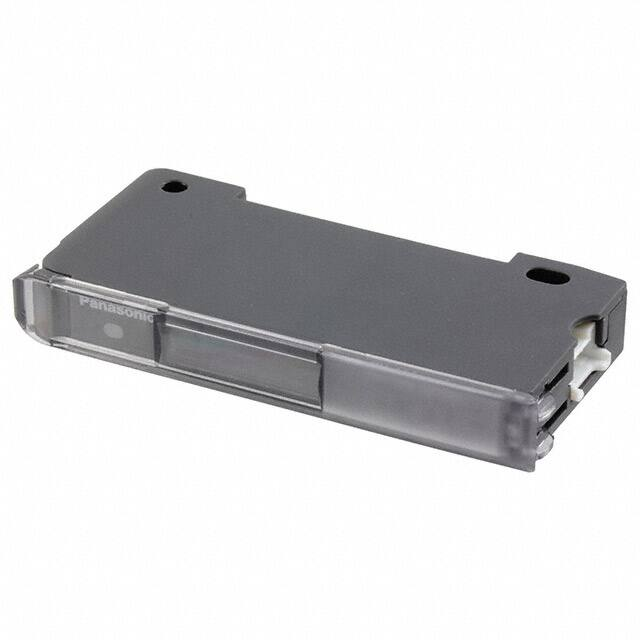
* Cover opened state is shown.
panasonic.net/id/pidsx/global
STATIC
CONTROL
DEVICES
LASER
MARKERS
PLC
HUMAN MACHINE
INTERFACES
ENERGY
MANAGEMENT
SOLUTIONS
FA COMPONENTS
Selection
Guide
Other Products
FX-500
FX-410
Test input
The threshold value and incident light intensity can
be both confirmed at the same time, bringing good
operability when making changes of each setting.
Threshold value
Incident light intensity
Commercially-available connectors reduce lead time and spare part numbers
Compatible with commercially-available connectors, so that
processing costs and lead time required for processing after
purchase can be greatly reduced. The connection parts same
as the DP-100 series digital pressure sensors and the PM-65
series micro photoelectric sensors can be commonly used.
Commercially-available
connector
Commercially-available crimping connectors are used, so that
the processing costs for connection cables can be greatly
reduced.
Conventional (cable type)
Conventional lead time
● Harness processing by outside order is needed after sensor preparation.
FX-550
FX-100
Automatic
sensitivity setting
Interference Light intensity
prevention
monitor
Good dual digital display
Fibers
Fiber
Amplifiers
Timer
Taking fiber sensors to the next level
MACHINE VISION
SYSTEMS
UV CURING
SYSTEMS
PNP output
type available
Customer
Purchase and preqaration of sensor
Harness processing by outside order
Sensor installation
From now on (built-in connector type)
Purchase and preqaration of sensor
Harness processing by outside order
Sensor installation
Sensor preparation
Harness
processor
Sensor installation
Harness processing
Lead time from now on
● Harness processing can be done by outside order at the
same time of sensor preparation. No need junction connector.
Customer
Sensor preparation
Sensor installation
Harness
processor
Using cables with connectors
Harness processing
Lead time further reduced
● Harness processing by outside order is not needed.
Lead time and spare part numbers can be reduced.
Purchase and preqaration of
sensors and cable with connectors
Sensor installation
Customer
Reduced
Sensor preparation
Sensor installation
Reduced
Reduced
lead time
�Digital Fiber Sensor
FX-100 SERIES
Saving-space with a width of 9 mm 0.354 in
Improved stability over long terms
Very slim body at only 9 mm 0.354 in. This is much
thinner than existing fiber sensors. This makes a very
large difference when using many units, even if the
difference of one unit is small.
Utilizes “Four-chemical emitting element” for light
emission. The light emission is guaranteed to be stable
over long periods of time.
FIBER
SENSORS
[Stable sensing comparison]
FX-100
Three-chemical
emitting element
Light-emitting
amount
9 mm
0.354 in
Incident light intensity
Threshold value
Time
Simple operation due to clear configuration system
Continued to use the configuration system of digital pressure sensor DP-100 series, which has received high
popularity since its release. We have separated the settings into three levels: RUN mode, SET mode, and PRO
mode, making operation simpler and easier.
MICRO
PHOTOELECTRIC
SENSORS
AREA
SENSORS
PARTICULAR
USE SENSORS
SENSOR
OPTIONS
SIMPLE
WIRE-SAVING
UNITS
• Changing threshold values • Key lock
• Quick settings • Code settings
WIRE-SAVING
SYSTEMS
Functions used when initializing
the sensor and carrying out maintenance
SET mode
• Teaching • L-ON / D-ON setting
• Timer setting • Emission amount
• Emission frequency setting
Equipped with a full complement
of digital fiber sensor functions
PRO mode
• Shift setting
• Reset
• ECO
• Threshold value margin
• Threshold value follow-up cycle
• External input
• GETA
• Inverting display
• Copy
Quick code input function �
Simply imputing the default setting “code (number)”
will enable sensor settings. Even if the settings are
accidentally changed, imputing the code will restore the
default settings.
Confirmation can be carried out smoothly via telephone
by simply quoting numbers. This can be of great
assistance when dealing with foreign country customers.
PHOTOELECTRIC
SENSORS
Functions used during normal operation
RUN mode
Special and detailed setting
LASER
SENSORS
SAFETY LIGHT
CURTAINS /
SAFETY COMPONENTS
PRESSURE /
FLOW
SENSORS
INDUCTIVE
PROXIMITY
SENSORS
Long-term
stability
Simple setting
120
RUN mode
Quick setting: Press
and
simultaneously for 2 sec.
Code setting: Press
and
simultaneously for 4 sec.
MEASUREMENT
SENSORS
STATIC
CONTROL
DEVICES
LASER
MARKERS
PLC
HUMAN MACHINE
INTERFACES
ENERGY
MANAGEMENT
SOLUTIONS
FA COMPONENTS
MACHINE VISION
SYSTEMS
UV CURING
SYSTEMS
Selection
Guide
Fibers
Fiber
Amplifiers
Other Products
Quick setting numbers (abstract)
No
Output
operation
Timer
Emission amount
setting
Dark-ON
None
OFF
Dark-ON
None
ON
Dark-ON
OFF-delay 10 ms
OFF
Dark-ON
OFF-delay 10 ms
ON
Light-ON
ON-delay 40 ms
ON
Light-ON
ON-delay 40 ms
OFF
Light-ON
ON-delay 10 ms
ON
Light-ON
ON-delay 10 ms
OFF
Refer to “Quick setting function” and “Code setting function”
in “PRECAUTIONS FOR PROPER USE”.
FX-500
FX-550
FX-100
FX-410
�121
FIBER
SENSORS
LASER
SENSORS
PHOTOELECTRIC
SENSORS
MICRO
PHOTOELECTRIC
SENSORS
AREA
SENSORS
SAFETY LIGHT
CURTAINS /
SAFETY COMPONENTS
PRESSURE /
FLOW
SENSORS
INDUCTIVE
PROXIMITY
SENSORS
PARTICULAR
USE SENSORS
SENSOR
OPTIONS
Digital Fiber Sensor
FX-100 SERIES
Teaching with ON/OFF keys �
SET mode
Simply press the ON key when an object is present, and
OFF when it is not, and teaching is completed. There is
no need to consider difference between Light-ON and
Dark-ON.
Thru-beam type / Retroreflective type
Resolves variation in incident light intensity display
PRO mode
GETA function �
Even when performing the same sensing operation,
there may be variances in the digital values of the fiber
amp. There is no problem with the sensor itself, but the
operator may find it troubling.
Given value can be corrected with the GETA function, so
the apparent variation can be eliminated and the creation
of operation manuals can proceed smoothly.
Variations in the amount of light received
Object present ON
Object absent OFF
Reflective type
Unify at 500 using
the GETA function
SIMPLE
WIRE-SAVING
UNITS
WIRE-SAVING
SYSTEMS
MEASUREMENT
SENSORS
Object present ON
Object absent OFF
STATIC
CONTROL
DEVICES
LASER
MARKERS
ENERGY
MANAGEMENT
SOLUTIONS
FA COMPONENTS
4,000
[digits]
Threshold value can be set by performing teaching only
when an object is absent (when the incident light amount
is stable). This is useful when there are other objects in
the background also when defecting a minute objects.
Teaching can also be carried out using external input.
MACHINE VISION
SYSTEMS
4,000
[digits]
500
current value
0
Fiber
Amplifiers
Other Products
FX-500
FX-550
FX-100
FX-410
This function performs automatic setting to threshold
value by checking the incident light intensity at desired
intervals in order to follow the changes in the light
amount resulting from changes in the environment over
long periods (such as dust). Contributes to reduction in
maintenance hours.
* Effective when the output
operation is set to Dark-ON,
and when using thru-beam
type or retroreflective type
fibers.
Current value
Incident light
intensity when an
object is absent.
[Light receiving level saturated]
4000
Actual digit difference: C
Upper display limit
Light emitting
amount decreased
B
Time
SET mode
Emission amount can be reduced in order to achieve
stable detection when the receiving light level is
saturated, such as detection at close range and
detection of transparent or minute objects. Previously,
the emission amount level was only one, but from
production in December 2007, four level setting (three
level + auto setting) has become available. This function
brings easier settings than before.
A
Threshold value
0
Emission amount setting
function �
Incident light
intensity
Fibers
Incident light intensity
Selection
Guide
PRO mode
Because the original
value is 500, sensor
displays 500 for the
lower limit value
and 4,000 for the
upper limit value.
500
Not
displayed
UV CURING
SYSTEMS
Threshold value follow-up cycle
setting function �
’ is
1,000
Incident light
intensity
HUMAN MACHINE
INTERFACES
Teaching even without an object
— Limit teaching function
Incident light intensity
PLC
Example of current incident light intensity display of ‘
’
adjusted to ‘
Saturated digit
difference: D
[Stable sensing]
,
A
,
B
Actual digit difference: C
�Digital Fiber Sensor
Emission frequency setting mode � SET mode
Mutual interference is prevented for max. 3 units for
standard type FX-101□ and max. 4 units in case of long
sensing range type FX-102□.
During setting of interference prevention, emitter and
output indicator both flash, so it is convenient to confirm
which fiber is in the setting process at a glance. Emitter
flashes even when an amplifier is not installed close
together.
* �When the emission frequency is changed, a response time is also
changed.
FX-100 SERIES
Setting copy function to reduce man-hours
PRO mode
and human error �
By connecting a fiber sensor to the master fiber sensor,
the master sensor settings can be copied along with
data communications. When the same settings are
input to several units, trouble from setting errors can be
prevented, also changes to the work order will be small
when equipment design is changed.
Color of lead wire of attached connector cable
Master side
(Brown) +V
(Black) Output
+
–
(White) External input
12 to 24 V DC
±10 %
(Blue) 0 V
The emitter and output indicator flash
at the same frequency.
External input can be selected from emission halt, limit
teaching / full-auto teaching / 2-level teaching, ECO
or emission amount test. Threshold value set at each
teaching is also memorized.
* �2-level teaching, emission amount test and threshold value storing
setting are available in amplifiers manufactured after December 2007.
Color of lead wire of attached connector cable
(Brown) +V
(Black) Output
PLC etc.
(Blue) 0 V
External input lines are
equipped as standard
PHOTOELECTRIC
SENSORS
MICRO
PHOTOELECTRIC
SENSORS
AREA
SENSORS
SAFETY LIGHT
CURTAINS /
SAFETY COMPONENTS
PRESSURE /
FLOW
SENSORS
INDUCTIVE
PROXIMITY
SENSORS
SIMPLE
WIRE-SAVING
UNITS
(Blue) 0 V
These settings can be copied
Threshold value, output operation, timer operation, timer
emission amount, shift, external input, threshold valuestoring, ECO inverting digital display, and threshold value
margin
WIRE-SAVING
SYSTEMS
MEASUREMENT
SENSORS
STATIC
CONTROL
DEVICES
LASER
MARKERS
Without mounting bracket
Selectable either mounting on DIN rail or direct mounting
with through hole.
Direct mounting brings stability even on a movable parts
or installation of a single unit.
Digital display inversion setting � PRO mode
PLC
HUMAN MACHINE
INTERFACES
ENERGY
MANAGEMENT
SOLUTIONS
FA COMPONENTS
The viewing orientation of the digital display can be
inverted in accordance with the setting direction of the
amplifier.
Previous products
(without inversion function)
LASER
SENSORS
SENSOR
OPTIONS
(Black) Output
PRO mode
FIBER
SENSORS
PARTICULAR
USE SENSORS
(Brown) +V
(White) External input
External input setting mode �
(White) External input
Slave side
122
MACHINE VISION
SYSTEMS
UV CURING
SYSTEMS
FX-100 SERIES
ø3.2 mm 0.126 in mounting holes
Can be mounted with M3 screws.
Turn OFF
Available from standard type or long
sensing range type
Turn ON
Alert function �
PRO mode
When the amount light received approaches the
threshold value, the display can be made to blink in
order to alert the operator.
Incident light intensity
The amount of light received ranges from about 900 to 1,100
when the digital indicator flashes.
Range of the digital indicator flashing
(margin: small)
1,100 approx.
900 approx.
The digital indicator flashes.
Threshold value
of 1,000
Fibers
Fiber
Amplifiers
Standard type and long sensing range type are available
which has various response time and sensing range.
The model best meet application needs can be selected.
Model No.
Type
Sensing range
(FT-43)
Response time
FX-101
Standard type
350 mm 13.780 in
Max. 250 μs
FX-102
Long sensing range type 970 mm 38.189 in
Max. 2.5 ms
Power consumption saving with
ECO mode
Selection
Guide
ECO
When there is no key operations in approximately 20
seconds, digital display turns off and power consumption
can be reduced to 600 mW or less (720 mW in normal
mode).
Other Products
FX-500
FX-550
FX-100
FX-410
�123
FIBER
SENSORS
LASER
SENSORS
PHOTOELECTRIC
SENSORS
Digital Fiber Sensor
FX-100 SERIES
ORDER GUIDE
Amplifiers
Type
Appearance
SAFETY LIGHT
CURTAINS /
SAFETY
COMPONENTS
PRESSURE /
FLOW
SENSORS
Standard type
AREA
SENSORS
Cable set
(Note 1)
INDUCTIVE
PROXIMITY
SENSORS
M8 plug-in
connector
type
M8 plug-in
connector
type
MICRO
PHOTOELECTRIC
SENSORS
PARTICULAR
USE
SENSORS
STATIC
CONTROL
DEVICES
LASER
MARKERS
PLC
HUMAN
MACHINE
INTERFACES
ENERGY
MANAGEMENT
SOLUTIONS
M8 plug-in
connector
type
M8 plug-in
connector
type
Cable set
(Note 1)
MEASUREMENT
SENSORS
Long sensing range type
WIRE-SAVING
SYSTEMS
Output
FX-101 (Note 2)
NPN open-collector
transistor
FX-101-Z (Note 3)
NPN open-collector
transistor
FX-101P (Note 2)
PNP open-collector
transistor
FX-101P-Z (Note 3)
PNP open-collector
transistor
FX-101-CC2
NPN open-collector
transistor
FX-101P-CC2
PNP open-collector
collector transistor
Red LED
SENSOR
OPTIONS
SIMPLE
WIRE-SAVING
UNITS
Emitting
element
Model No.
FX-102 (Note 2)
NPN open-collector
transistor
FX-102-Z (Note 3)
NPN open-collector
transistor
FX-102P (Note 2)
PNP open-collector
transistor
FX-102P-Z (Note 3)
PNP open-collector
transistor
FX-102-CC2
NPN open-collector
transistor
FX-102P-CC2
PNP open-collector
transistor
UV
CURING
SYSTEMS
Selection
Guide
Fibers
Fiber
Amplifiers
Designation
Model No.
CN-14A-C1
Connector
attached cable
Description
* It have been attached from the
production at July, 2011.
CN-14A-C3
3 m 9.843 ft
CN-14A-C5
5 m 16.404 ft
CN-14A-R-C1
1 m 3.281 ft
Connector
CN-14A-R-C2
attached cable
(Bending-resistant type) CN-14A-R-C3
2 m 6.562 ft
0.2 mm2 4-core cabtyre cable with connector
on one end
Cable outer diameter: ø3.7 mm ø0.146 in
• CN-24A-C□
ø4
ø0.157
CN-24A-C5
5 m 16.404 ft
FX-500
Connector
CN-14A
Set of 10 housings and 40 contacts
FX-550
Amplifier
MS-DIN-4
mounting bracket
2 pcs. per set
M8 connector
attached cable
CN-24A-C□
Fixing ring
2 m 6.562 ft
MS-DIN-E
ø9
ø0.354
3 m 9.843 ft
5 m 16.404 ft
End plates
M8 connector attached cable
CN-14A-C2 (Note) 2 m 6.562 ft
CN-24A-C2
FX-410
• FC-FX-1 (Protection cover)
31.4
1.236
1 m 3.281 ft
CN-14A-R-C5
FX-100
* Only include cable set type
OPTIONS
M8 connector
attached cable
Other
Products
• CN-14A-C2
Connector attached
cable 2 m 6.562 ft
Notes: 1) The connector attached cable 2 m 6.562 ft CN-14A-C2 is supplied with the amplifier.
2) �Make sure to use the optional connector attached cable CN-14A(-R)-C□ or the connector CN-14A, or a connector manufactured by J.S.T. Mfg. Co., Ltd.
(contact: SPHD-001T-P0.5, housing: PAP-04V-S)
3) Make sure to use the optional M8 connector attached cable CN-24A-C□.
FA
COMPONENTS
MACHINE
VISION
SYSTEMS
Accessory
For M8 plug-in connector type
The connector on one end
Cable outer diameter: ø4 mm ø0.157 in
Amplifier mounting
bracket
• MS-DIN-4
Mounting bracket for amplifier
When an amplifier moves depending on the way it is installed
on a DIN rail, these end plates clamp amplifiers into place on
both sides.
Note: The connector attached cable CN-14A-C2 is supplied with the cable set type FX-10□-CC2.
Recommended connector
Contact: SPHD-001T-P0.5, Housing: PAP-04V-S (Manufactured by J.S.T. Mfg. Co., Ltd.)
Connector
attached cable
• CN-14A(-R)-C□
Note: Contact the manufacturer for details of the recommended products.
Recommended crimping tool
Connector
• CN-14A
Model No.: YC-610R (Manufactured by J.S.T. Mfg. Co., Ltd.)
Contact
Note: Contact the manufacturer for details of the recommended products.
Housing
�Digital Fiber Sensor
FX-100 SERIES
SPECIFICATIONS
Model No.
Item
FIBER
SENSORS
Standard type
Type
Long sensing range type
Cable set
Cable set
NPN output
FX-101(-Z) (Note 5)
FX-101-CC2
FX-102(-Z) (Note 5)
FX-102-CC2
PNP output
FX-101P(-Z) (Note 5)
FX-101P-CC2
FX-102P(-Z) (Note 5)
FX-102P-CC2
CE marking directive compliance
EMC Directive, RoHS Directive
Supply voltage
NPN open-collector transistor
PNP open-collector transistor
• Maximum sink current: 100 mA
• Maximum source current: 100 mA
• Applied voltage: 30 V DC or less (between output and 0 V)
• Applied voltage: 30 V DC or less (between output and +V)
• Residual voltage: 1.5 V or less (at 100 mA sink current)
• Residual voltage: 1.5 V or less (at 100 mA source current)
PRESSURE /
FLOW
SENSORS
Incorporated
NPN non-contact input
• �Signal condition
High: +8 V to +V DC or Open
Low: 0 to +2 V DC
(Source current 0.5 mA or less)
• Input impedance: 10 kΩ approx.
PNP non-contact input
• �Signal condition
High: +4 V to +V DC
(Sink current 0.5 to 3 mA)
Low: 0 to +0.6 V DC or Open
• Input impedance: 10 kΩ approx.
Emission frequency 0: 250 µs or less (factory default setting)
Emission frequency 1: 450 µs or less
Emission frequency 2: 500 µs or less
Emission frequency 3: 600 µs or less
Sensitivity setting
Emission frequency 1: 2.5 ms or less (factory default setting)
Emission frequency 2: 2.8 ms or less
Emission frequency 3: 3.2 ms or less
Emission frequency 4: 5.0 ms or less
2-point teaching / Limit teaching / Full-auto teaching
Operation indicator
4 digits (green) + 4 digits (red) LCD display
Fine sensitivity adjustment function
ENERGY
MANAGEMENT
SOLUTIONS
Ambient humidity
Incorporated
Emission frequency selection method (Note 2)
(Functions at emission frequency 1, 2, 3 or 4)
35 to 85 % RH, Storage: 35 to 85 % RH
Ambient illuminance
Incandescent light: 3,000 ℓx or less at the light-receiving face
1,000 V AC for one min. between all supply terminals connected together and enclosure (Note 3)
Insulation resistance
20 MΩ, or more, with 250 V DC megger between all supply terminals connected together and enclosure (Note 3)
Vibration resistance
10 to 150 Hz frequency, 0.75 mm 0.030 in double amplitude in X, Y and Z directions for two hours each
Shock resistance
98 m/s2 acceleration (10 G approx.) in X, Y and Z directions five times each
Emitting element (modulated)
Red LED (Peak emission wavelength: 643 nm 0.025 mil)
Enclosure: Polycarbonate, Key switch: Polycarbonate, Fiber lock lever: PBT
Connecting method
Total length up to 100 m 328.084 ft is possible with 0.3 mm2, or more, cable.
Net weight: 15 g approx.
Gross weight: 35 g approx.
Weight
Net weight: 15 g approx.
Gross weight: 75 g approx.
Net weight: 15 g approx.
Gross weight: 35 g approx.
FA
COMPONENTS
MACHINE
VISION
SYSTEMS
UV
CURING
SYSTEMS
Selection
Guide
Fibers
Fiber
Amplifiers
Connector (Note 4)
Cable length
STATIC
CONTROL
DEVICES
3-level + Auto setting (from production in December 2007)
−10 to +55 °C +14 to +131 °F (If 4 to 7 units are mounted close together: −10 to +50 °C +14 to +122 °F, if 8 to 16 units are mounted close together:
−10 to +45 °C +14 to +113 °F) (No dew condensation or icing allowed), Storage: −20 to +70 °C −4 to +158 °F
Material
MEASUREMENT
SENSORS
HUMAN
MACHINE
INTERFACES
Incorporated
Emission frequency selection method (Note 2)
(Functions at emission frequency 1, 2 or 3)
Voltage withstandability
WIRE-SAVING
SYSTEMS
ON-delay/OFF-delay timer, switchable either effective or ineffective
[Timer period: 1 ms, 5 ms, 10 ms, 20 ms, 40 ms, 50 ms, 100 ms, 500 ms, 1,000 ms]
Emission amount setting function
Interference prevention
function
SIMPLE
WIRE-SAVING
UNITS
PLC
Incorporated
Timer function
SENSOR
OPTIONS
LASER
MARKERS
Orange LED (lights up when the output is ON)
Digital display
INDUCTIVE
PROXIMITY
SENSORS
PARTICULAR
USE
SENSORS
Selectable either Light-ON or Dark-ON, at SET mode
Response time
Environmental resistance
MICRO
PHOTOELECTRIC
SENSORS
SAFETY LIGHT
CURTAINS /
SAFETY
COMPONENTS
Short-circuit protection
Ambient temperature
PHOTOELECTRIC
SENSORS
Normal operation: 720 mW or less (Current consumption 30 mA or less at 24 V supply voltage)
ECO mode: 600 mW or less (Current consumption 25 mA or less at 24 V supply voltage)
Output operation
External input
LASER
SENSORS
AREA
SENSORS
12 to 24 V DC ±10 % Ripple P-P 10 % or less
Power consumption
Output
124
Net weight: 15 g approx.
Gross weight: 75 g approx.
Other
Products
FC-FX-1
(Protection cover): 1 pc. (Note 6)
CN-14A-C2
(Connector attached cable, 2 m 6.562 ft long): 1 pc.
FX-500
Notes: 1) Where measurement conditions have not been specified precisely, the conditions used were an ambient temperature of +23 °C +73.4 °F.
2) When using the interference prevention function, set the emission frequencies for the amplifiers to be covered by the interference prevention function to
different frequency values.
However, the interference prevention function does not operate at emission frequency 0 (factory default setting) for the FX-101(P)(-Z) / FX-101(P)-CC2.
3) The voltage withstandability and the insulation resistance values given in the above table are for the amplifier only.
4) Connector attached cable CN-14A-C2 is not attached to the models that have no “-CC2” at the end of the model Nos.
Make sure to use the optional connector attached cable CN-14A(-R)-C□ or the connector CN-14A, or a connector manufactured by J.S.T. Mfg., Ltd.
(contact: SPHD-001T-P0.5, housing: PAP-04V-S).
5) Model Nos. having the suffix “-Z” are M8 plug-in connector type. Make sure to use the optional M8 attached connector cable CN-24A-C□.
6) Protection cover FC-FX-1 has been attached from production in July, 2011.
FX-410
Accessory
FC-FX-1
(Protection cover): 1 pc. (Note 6) FC-FX-1
FC-FX-1
(Protection cover): 1 pc. (Note 6) CN-14A-C2
(Protection cover): 1 pc. (Note 6)
(Connector attached cable, 2 m 6.562 ft long): 1 pc.
LIST OF FIBERS
Refer to "Fiber Selection p.5 ~" for details of each fiber.
FX-550
FX-100
�125
Digital Fiber Sensor
I/O CIRCUIT AND WIRING DIAGRAMS
FIBER
SENSORS
LASER
SENSORS
PHOTOELECTRIC
SENSORS
FX-10□(-Z/-CC2)
NPN output type
I/O circuit diagram
Terminal arrangement diagram
MICRO
PHOTOELECTRIC
SENSORS
Terminal No.
INDUCTIVE
PROXIMITY
SENSORS
SIMPLE
WIRE-SAVING
UNITS
WIRE-SAVING
SYSTEMS
+8 V
2
Tr
Terminal No.
(Brown) +V
(Black) Output
Load
+
-
100 mA max.
ZD
3
4
(White) External input
12 to 24 V DC
±10 %
*1
(Blue) 0 V
Internal circuit
PARTICULAR
USE
SENSORS
SENSOR
OPTIONS
1
D
Sensor circuit
PRESSURE /
FLOW
SENSORS
Connector type
Color code of cable with connector
AREA
SENSORS
SAFETY LIGHT
CURTAINS /
SAFETY
COMPONENTS
FX-100 SERIES
Function
1
+V
2
Output
3
External input
4
0V
Users’ circuit
M8 plug-in connector type
Symbols … D : Reverse supply polarity protection diode
ZD: Surge absorption zener diode
Tr : NPN output transistor
Terminal No.
* 1
1
+V
2
Output
Non-voltage contact or NPN open-collector transistor
MEASUREMENT
SENSORS
or
STATIC
CONTROL
DEVICES
High (+8 V to +V DC, or open): Ineffective
Low [0 to +2 V DC (source current 0.5 mA or less)]: Effective
3
Function
External input
4
0V
LASER
MARKERS
PLC
HUMAN
MACHINE
INTERFACES
FX-10□P(-Z/-CC2)
PNP output type
I/O circuit diagram
Terminal arrangement diagram
Terminal No.
ENERGY
MANAGEMENT
SOLUTIONS
MACHINE
VISION
SYSTEMS
UV
CURING
SYSTEMS
Color code of cable with connector
1
Sensor circuit
FA
COMPONENTS
3
D
Fibers
Fiber
Amplifiers
Other
Products
FX-500
FX-550
FX-100
FX-410
*1
(White) External input
ZD
Tr
Terminal No.
(Brown) +V
100 mA max.
2
4
(Black) Output
(Blue) 0 V
Internal circuit
Selection
Guide
Connector type
Load
+V
1
+
-
12 to 24 V DC
±10 %
Function
2
Output
3
External input
4
0V
Users’ circuit
Symbols … D : Reverse supply polarity protection diode
ZD: Surge absorption zener diode
Tr : PNP output transistor
M8 plug-in connector type
Terminal No.
1
* 1
Non-voltage contact or PNP open-collector transistor
or
High [ +4 V to +V DC (sink current 0.5 to 3 mA)]: Effective
Low (0 to +0.6 V DC, or open): Ineffective
3
Function
+V
2
4
Output
External input
0V
�Digital Fiber Sensor
SENSING CHARACTERISTICS (TYPICAL)
FT-31W
250
9.843
Fiber
head
ℓ
100
3.937
200
100
0
100
200
7.874 3.937
3.937 7.874
Left
Center
Right
Operating point ℓ (mm in)
FT-43
Thru-beam type
FTA235
100
3.937
600
23.622
Fiber
head
50
0
50
1.969
1.969
Left
Center
Right
Operating point ℓ (mm in)
600
23.622
Fiber
head
400
15.748
ℓ
L
Fiber
head
200
7.874
500
0
500
19.685
19.685
Left
Center
Right
Operating point ℓ (mm in)
600
400
200
0
200
400
23.622 15.748 7.874
7.874 15.748
Left
Center
Right
Operating point ℓ (mm in)
Setting distance L (mm in)
FX-102
150
5.906
FX-101
100
3.937
Fiber
head
ℓ
50
1.969
L
Fiber
head
50
0
50
1.969
1.969
Left
Center
Right
Operating point ℓ (mm in)
600
23.622
400
15.748
FX-101
Fiber
head
ℓ
L
Fiber
head
500
0
500
19.685
19.685
Left
Center
Right
Operating point ℓ (mm in)
400
15.748
Fiber
head
ℓ
L
Fiber
head
200
0
200
7.874
7.874
Left
Center
Right
Operating point ℓ (mm in)
FX-101
200
0
200
7.874
7.874
Left
Center
Right
Operating point ℓ (mm in)
ℓ
USE
SENSORS
200
0
200
7.874
7.874
Left
Center
Right
Operating point ℓ (mm in)
L
Fiber
head
Left
Right
FX-102
100
3.937
STATIC
CONTROL
DEVICES
Fiber
head
8mm ℓ
0.315in
LASER
MARKERS
L
PLC
Fiber
head
200
0
200
7.874
7.874
Down
Center
Up
Operating point ℓ (mm in)
400
15.748
250
9.843
FX-101
50
1.969
40
20
0
20
40
1.575 0.787
0.787 1.575
Left
Center
Right
Operating point ℓ (mm in)
200mm
ℓ
7.874in
150
5.906
FX-102
100
3.937
FX-101
Left
MACHINE
VISION
SYSTEMS
Right
Selection
Guide
50
1.969
40
1.575
FA
COMPONENTS
UV
CURING
SYSTEMS
L
Fiber
head
200
7.874
0
60
2.362
White non-glossy paper
HUMAN
MACHINE
INTERFACES
ENERGY
MANAGEMENT
SOLUTIONS
Sensing field
White non-glossy paper
200mm 7.874in
SIMPLE
WIRE-SAVING
UNITS
MEASUREMENT
SENSORS
Reflective type
FD-32GX FTA237
Reflective type
FTA237
ℓ
150
5.906
0
400
15.748
400
15.748
SENSOR
OPTIONS
WIRE-SAVING
SYSTEMS
FX-101
1,000
39.370
L
Fiber
head
INDUCTIVE
PROXIMITY
SENSORS
400
15.748 PARTICULAR
FX-102
2,000
78.740
Fiber
head
200
7.874
60
2.362
Fiber
head
3,000
118.110
1,000
39.370
0
PRESSURE /
FLOW
SENSORS
• Vertical direction
FX-102
FD-32G
400
15.748
L
Thru-beam type
FTA229
Sensing field
FX-101
SAFETY LIGHT
CURTAINS /
SAFETY
COMPONENTS
4,000
157.480
2,000
78.740
0
400
15.748
1,000
39.370
FX-102
400
15.748
FTA234
Parallel deviation
• Horizontal direction
250
9.843
200
7.874
0
100
3.937
600
23.622
Fiber
head
ℓ
200
7.874
0
AREA
SENSORS
FX-101
400
15.748
LASER
SENSORS
MICRO
PHOTOELECTRIC
SENSORS
FX-102
600
23.622
FT-A11
800
31.496
200
7.874
L
Fiber
head
0
3,000
118.110
Parallel deviation
250
9.843
ℓ
200
7.874
Thru-beam type
FT-S31W FTA236
Thru-beam type
FTA233
Parallel deviation
FX-102
200
7.874
0
1,000
39.370
Fiber
head
4,000
157.480
400
15.748
1,000
39.370
FX-101
400
15.748
100
3.937
Thru-beam type
FTA230
Parallel deviation
800
31.496
FX-101
FT-S21W
Setting distance L (mm in)
L
600
23.622
FT-45X
Setting distance L (mm in)
Setting distance L (mm in)
FX-102
800
31.496
100
3.937
ℓ
1,000
39.370
1,000
39.370
0
Fiber
head
50
1.969
0
1,200
47.244
1,000
39.370
FX-101
100
3.937
300
11.811
Parallel deviation
0
150
5.906
FX-102
FIBER
SENSORS
PHOTOELECTRIC
SENSORS
800
31.496
800
31.496
Setting distance L (mm in)
300
11.811
L
Fiber
head
FX-102
Setting distance L (mm in)
FX-101
200
7.874
200
7.874
Thru-beam type
Parallel deviation
1,000
39.370
Setting distance L (mm in)
FX-102
300
11.811
Setting distance L (mm in)
Setting distance L (mm in)
400
15.748
0
Parallel deviation
Parallel deviation
FT-42W
Thru-beam type
Setting distance L (mm in)
Parallel deviation
FT-42S
Thru-beam type
Setting distance L (mm in)
Thru-beam type
126
Contact our office for sensing characteristics that are not contained here.
Setting distance L (mm in)
FT-31S
FX-100 SERIES
Fibers
20
0
20
0.787
0.787
Left
Center
Right
Operating point ℓ (mm in)
40
1.575
Fiber
Amplifiers
Other
Products
FX-500
FTA231
Reflective type
FTA232
Sensing field
• Horizontal direction
0
40
1.575
FX-101
L
Fiber
head
Left
20
0
20
0.787
0.787
Left
Center
Right
Operating point ℓ (mm in)
Right
40
1.575
100
3.937
50
1.969
0
40
1.575
FX-102
FX-101
ℓ
White
non-glossy
paper
200mm
7.874in
L
Fiber
head
Up
Down
20
0
20
0.787
0.787
Down
Center
Up
Operating point ℓ (mm in)
FDA269
40
1.575
Setting distance L (mm in)
50
1.969
White
non-glossy
paper
200mm
7.874in
ℓ
Setting distance L (mm in)
Setting distance L (mm in)
100
3.937
150
5.906
FX-102
FDA273
Reflective type
FDA272
250
9.843
200
7.874
200
7.874
100
3.937
FX-102
FX-101
ℓ
60
2.362
White
non-glossy
paper
200mm
7.874in
L
Fiber
head
50
1.969
0
Left
40
20
0
20
40
1.575 0.787
0.787 1.575
Left
Center
Right
Operating point ℓ (mm in)
FDA266
FX-410
• Vertical direction
250
9.843
150
5.906
FX-550
FX-100
Sensing field
• Horizontal direction
• Vertical direction
150
5.906
FD-41W
Right
60
2.362
Setting distance L (mm in)
FD-41S
150
5.906
100
3.937
50
1.969
0
60
2.362
FX-102
FX-101
White
non-glossy
paper
200mm
7.874in
ℓ
L
Fiber
head
Up
Down
40
20
0
20
40
1.575 0.787
0.787 1.575
Down
Center
Up
Operating point ℓ (mm in)
60
2.362
�SENSING CHARACTERISTICS (TYPICAL)
STATIC
CONTROL
DEVICES
LASER
MARKERS
PLC
Setting distance L (mm in)
Fiber
Amplifiers
Other
Products
Right
White
non-glossy
paper
200mm
7.874in
L
Fiber
head
Left
Right
40
20
0
20
40
1.575 0.787
0.787 1.575
Left
Center
Right
Operating point ℓ (mm in)
100
3.937
60
2.362
60
2.362
FX-102
FX-101
FX-101
ℓ
White
non-glossy
paper
200mm
7.874in
L
Fiber
head
100
3.937
Left
80
3.150
Right
40
0
40
1.575
1.575
Left
Center
Right
Operating point ℓ (mm in)
FD-62
80
3.150
Reflective type
FDA270
Sensing field
• Horizontal direction
White
non-glossy
paper
200mm
7.874in
ℓ
Up
Down
• Vertical direction
500
19.685
40
20
0
20
40
1.575 0.787
0.787 1.575
Down
Center
Up
Operating point ℓ (mm in)
400
15.748
FX-101
200
7.874
ℓ
White
non-glossy
paper
200mm
7.874in
L
Fiber
head
100
3.937
60
2.362
FDA265
FX-102
300
11.811
0
150
5.906
Left
300
11.811
200
7.874
150
5.906
150
5.906
250
9.843
200
7.874
200
7.874
200
7.874
200
7.874
FX-101
100
3.937
White non-glossy
paper
200mm 7.874in
ℓ
L
Fiber
head
50
1.969
Left
Right
40
20
0
20
40
1.575 0.787
0.787 1.575
Left
Center
Right
Operating point ℓ (mm in)
FD-S33GW
60
2.362
Reflective type
FDA276
Sensing field
150
5.906
100
3.937
FX-102
FX-101
50
1.969
0
30
1.181
White non-glossy
paper
200mm 7.874in
ℓ
L
Fiber
head
Left
20
10
0
10
20
0.787 0.394
0.394 0.787
Left
Center
Right
Operating point ℓ (mm in)
FDA275
Right
30
1.181
150
5.906
100
3.937
FX-102
FX-101
L
Fiber
head
50
1.969
0
60
2.362
White non-glossy
paper
200mm 7.874in
ℓ
Up
Down
40
20
0
20
40
1.575 0.787
0.787 1.575
Left
Center
Right
Operating point ℓ (mm in)
FDA276
60
2.362
150
5.906
100
3.937
White
non-glossy
paper
200mm
7.874in
ℓ
FX-102
FX-101
L
Fiber
head
50
1.969
0
60
2.362
Left
40
20
0
20
40
1.575 0.787
0.787 1.575
Left
Center
Right
Operating point ℓ (mm in)
FDA267
ℓ
L
Fiber
head
Up
Down
100
50
0
50
100
3.937 1.969
1.969 3.937
Down
Center
Up
Operating point ℓ (mm in)
150
5.906
• Vertical direction
250
9.843
FX-102
FX-101
White
non-glossy
paper
200mm
7.874in
Reflective type
FDA268
FDA268
250
9.843
150
5.906
FX-102
100
3.937
0
Sensing field
• Horizontal direction
• Vertical direction
400
15.748
Right
100
50
0
50
100
3.937 1.969
1.969 3.937
Left
Center
Right
Operating point ℓ (mm in)
FD-S32W
Reflective type
FDA265
200
7.874
0
30
1.181
L
Fiber
head
50
1.969
0
FX-102
500
19.685
200
7.874
150
5.906
300
11.811
250
9.843
60
2.362
Setting distance L (mm in)
FX-410
ℓ
50
1.969
FX-500
FX-100
FX-101
100
3.937
0
FX-550
Left
20
10
0
10
20
0.787 0.394
0.394 0.787
Left
Center
Right
Operating point ℓ (mm in)
• Vertical direction
Sensing field
• Horizontal direction
UV
CURING
SYSTEMS
Fibers
30
1.181
Reflective type
FDA274
FX-102
FD-64X
FA
COMPONENTS
50
1.969
White non-glossy
paper
200mm 7.874in
ℓ
L
Fiber
head
250
9.843
150
5.906
60
2.362
FX-101
FDA271
200
7.874
0
100
3.937
0
60
2.362
250
9.843
ENERGY
MANAGEMENT
SOLUTIONS
Selection
Guide
Right
Sensing field
• Horizontal direction
HUMAN
MACHINE
INTERFACES
MACHINE
VISION
SYSTEMS
Left
40
20
0
20
40
1.575 0.787
0.787 1.575
Left
Center
Right
Operating point ℓ (mm in)
FX-102
Right
60
2.362
Setting distance L (mm in)
MEASUREMENT
SENSORS
L
Fiber
head
FD-61W
Setting distance L (mm in)
WIRE-SAVING
SYSTEMS
ℓ
White
non-glossy
paper
200mm
7.874in
50
1.969
60
2.362
SENSOR
OPTIONS
FX-101
100
3.937
0
PARTICULAR
USE
SENSORS
SIMPLE
WIRE-SAVING
UNITS
150
5.906
400
15.748
Setting distance L (mm in)
INDUCTIVE
PROXIMITY
SENSORS
FX-102
Setting distance L (mm in)
PRESSURE /
FLOW
SENSORS
200
7.874
Reflective type
Sensing field
150
5.906
Setting distance L (mm in)
SAFETY LIGHT
CURTAINS /
SAFETY
COMPONENTS
FD-61G
Reflective type
Sensing field
250
9.843
Setting distance L (mm in)
AREA
SENSORS
FD-42GW
Reflective type
Sensing field
Setting distance L (mm in)
MICRO
PHOTOELECTRIC
SENSORS
FD-42G
Setting distance L (mm in)
LASER
SENSORS
Contact our office for sensing characteristics that are not contained here.
Setting distance L (mm in)
FIBER
SENSORS
PHOTOELECTRIC
SENSORS
FX-100 SERIES
Digital Fiber Sensor
Setting distance L (mm in)
127
150
5.906
100
3.937
White non-glossy paper
200mm
ℓ
FX-102
7.874in
L
Fiber
head
Up
Down
FX-101
50
1.969
0
60
2.362
40
20
0
20
40
1.575 0.787
0.787 1.575
Down
Center
Up
Operating point ℓ (mm in)
FDA267
60
2.362
�Digital Fiber Sensor
• Never use this product as a sensing device
for personnel protection.
• In case of using sensing devices for
personnel protection, use products which
meet laws and standards, such as OSHA,
ANSI or IEC etc., for personnel protection
applicable in each region or country.
Using in combination with the FX-300 / FX-410 series
• The FX-100 series does not use the horizontal
connectors that are used with the FX-300 / FX-410
series. Please note that horizontal connection cannot be
performed using a connector attached cable. In addition,
the optical communication function is not equipped on
the FX-100 series, so it is unable to perform interference
prevention for use with the FX-300 / FX-410 series.
If using the FX-100 series together with the FX-300 /
FX-410 series side-by-side, please set the same models
together in groups.
Mounting
How to mount the amplifier
2
� it the rear part of the mounting
F
section of the amplifier on a 35 mm
1.378 in width DIN rail.
�Press down the rear part of the
mounting section of the unit on the
35 mm 1.378 in width DIN rail and
fit the front part of the mounting
section to the DIN rail.
2
1
2
Push the amplifier forward.
�Lift up the front part of the
amplifier to remove it.
LASER
SENSORS
• Make sure that the power supply is OFF while adding or
removing the amplifiers.
• Note that if a voltage exceeding the reted range is applied,
or if an AC power supply is directly connected, the product
may get burnt or damaged.
• Note that short-circuit of the load or wrong wiring may burn
or damage the product.
• Do not run the wires together with high-voltage lines or
power lines, or put them in the same raceway. This can
cause malfunction due to induction.
• Verify that the supply voltage variation is within the rating.
• If power is supplied from a commercial switching regulator,
ensure that the frame ground (F.G.) terminal of the power
supply is connected to an actual ground.
• In case noise generating equipment (switching regulator,
inverter motor, etc.) is used in the vicinity of this product,
connect the frame ground (F.G.) terminal of the equipment
to an actual ground.
• Make sure to use the quick-connection cable (optional) for
the connection of the controller. �
Extension up to total 100 m 328.084 ft is possible with 0.3
mm2 or more, cable. However, in order to reduce noise,
make the wiring as short as possible.
PHOTOELECTRIC
SENSORS
Part description
PLC
Operation indicator
(Orange)
Digital display (Green)
(Threshold value)
2
ON key /
Setting value UP key
OFF key /
Setting value DOWN key
MODE key
Digital display (Red)
(Incident light intensity)
Setting mode
• Setting mode appears after the MODE key is pressed for
2 sec. in RUN mode.
Setting item Factory setting
Teaching
mode
MICRO
PHOTOELECTRIC
SENSORS
AREA
SENSORS
SAFETY LIGHT
CURTAINS /
SAFETY
COMPONENTS
PRESSURE /
FLOW
SENSORS
INDUCTIVE
PROXIMITY
SENSORS
PARTICULAR
USE
SENSORS
SENSOR
OPTIONS
SIMPLE
WIRE-SAVING
UNITS
WIRE-SAVING
SYSTEMS
MEASUREMENT
SENSORS
STATIC
CONTROL
DEVICES
LASER
MARKERS
HUMAN
MACHINE
INTERFACES
ENERGY
MANAGEMENT
SOLUTIONS
1
Note: Take care that if the front part is lifted without pushing the amplifier
forward, the hook on the rear portion of the mounting section is likely
to break.
FIBER
SENSORS
Wiring
35 mm 1.378 in width DIN rail
How to remove the amplifier
1
128
Refer to p.1552 ~ for general precautions.
Refer to General precautions, and to the “Operation Guide” on our
website for details pertaining to operating instructions for the amplifier.
PRECAUTIONS FOR PROPER USE
1
FX-100 SERIES
FA
COMPONENTS
MACHINE
VISION
SYSTEMS
UV
CURING
SYSTEMS
Description
Threshold value can be set in 2-point teaching,
limit teaching, or full-auto teaching.
Selection
Guide
Fibers
• Use M3 screws with washers
for mounting. The tightening
torque should be 0.5 N·m or
less.
Output
operation
setting
Timer
operation
setting
M3 screw
with washer
Timer
delays
setting
Emission
amount
setting
[Dark-ON]
[Without timer]
Light-ON or Dark-ON can be set.
FX-500
When setting ON delay timer or OFF delay
FX-100
delays can be set.
• �When timer is not set, this mode is not
[OFF-delay timer: 10 ms] displayed.
[Level 3]
In case incident light intensity is saturated,
emission amount can be reduced.
FX-101□
Emission
frequency
setting
0 (Response time:
250 µs or less)
FX-102□
1 (Response time:
2.5 ms or less)
* Indicated as “
Other
Products
Without timer, ON delay timer, or OFF delay
timer can be set.
[ON-delay timer: 10 ms] timer in the timer operation setting mode, timer
*
Fiber
Amplifiers
When using the fiber heads in parallel,
interference can be prevented by setting
different emission frequency. However, when
emission frequency 0 is set, interference
cannot be prevented. Response time
corresponds to emission frequency.
” before production in November 2007.
FX-550
FX-410
�129
FIBER
SENSORS
LASER
SENSORS
PHOTOELECTRIC
SENSORS
MICRO
PHOTOELECTRIC
SENSORS
AREA
SENSORS
Digital Fiber Sensor
INDUCTIVE
PROXIMITY
SENSORS
PRO mode
• PRO mode appears after the MODE key is pressed for 4
sec. in RUN mode.
Setting item Factory setting
Shift
setting
External
input
setting
PARTICULAR
USE
SENSORS
SENSOR
OPTIONS
SIMPLE
WIRE-SAVING
UNITS
WIRE-SAVING
SYSTEMS
MEASUREMENT
SENSORS
STATIC
CONTROL
DEVICES
LASER
MARKERS
PLC
HUMAN
MACHINE
INTERFACES
ENERGY
MANAGEMENT
SOLUTIONS
FA
COMPONENTS
MACHINE
VISION
SYSTEMS
UV
CURING
SYSTEMS
Selection
Guide
Threshold
value-storing
setting mode
(Note 2)
Threshold
value
follow-up
cycle
setting
(Note 3)
GETA
function
setting
(Note 4, 5)
ECO
setting
Digital display
inversion
setting
Threshold
value
margin
setting
When incident light intensity exceeds threshold
value, this mode can change the threshold value
with each set cycle depending on variations of the
[OFF] incident light intensity. The follow-up shift amount
is same as the one set in the shift setting mode.
However, the threshold value is not stored.
Variations can be reduced by correcting the
present incident light intensity in each amplifier
to a target value. Target value to offset incident
light intensity can be selected from 0 to 2,000
by 100 unit each. For example, if the target
[OFF]
value is set to 2,000 when the incident light
intensity is 1,500, the incident light intensity
becomes 2,000.
It is possible to light up / turn off the digital
display. When ECO setting mode is ON, the
display turns off in 20 sec. approx. in RUN
[OFF]
mode. To light up the display again, press any
key for 2 sec. or more.
FX-100
FX-410
Reset
• Be sure to use the setting copy function between the
identical models (Between FX-101□ models or FX-102□
models).
This function cannot be used between different
models.
• Only one sensor can be connected on slave side with a
master side sensor for the setting copy function.
• Threshold value, output operation setting, timer
operation setting, timer setting, light-emitting amount
setting, shift setting, external input setting, threshold
value margin setting, ECO setting, digital display
inversion setting, and threshold value margin setting
can be copied.
1 �Set the setting copy mode of the master side amplifier to
“Copy sending ON”, and press the MODE key so that
“
” is shown on the digital display and the
sensor is in copy ready state. For the setting method,
refer to “Operation guide”.
2 �Turn off the master side amplifier.
3 �Connect the master side amplifier with the slave side
amplifier as shown below.
Color code of cable with connector
Master side amplifier
(Brown) +V
(Black) Input
(White) External input
+
–
12 to 24V DC
±10 %
(Blue) 0 V
Slave side amplifier
(Brown) +V
(Black) Input
(White) External input
(Blue) 0 V
[OFF]
[OFF]
Other
Products
FX-550
Description
Threshold value set at the limit teaching,
full-auto teaching or 2-point teaching by
external input is stored. When selecting Auto
[OFF] in the emission amount setting mode, the set
emission amount level is also stored.
Fiber
Amplifiers
Setting
copy
Setting copy function
• This can copy the settings of the master side amplifier to
the slave side amplifier.
Shift amount can be selected from 0 to 80 % in
the limit teaching. Select 0 % when it is desired
[Shift amount 15 %] to set the present incident light intensity as a
threshold value.
External input can be selected from emission
halt, limit teaching [+], limit teaching [-], full-auto
teaching, ECO (Note 1), 2-point teaching or
emission amount test. When setting the incident
”, output turns ON /
light intensity test “
OFF every 100ms when the rate of incident
[Emission halt]
light intensity and threshold value is less than
half of the set shift amount (for example, when
the rate of incident light intensity and threshold
value is within ±10 % for 20 % of shift amount)
at external input.
Fibers
FX-500
Refer to p.1552 ~ for general precautions.
Refer to General precautions, and to the “Operation Guide” on our
website for details pertaining to operating instructions for the amplifier.
PRECAUTIONS FOR PROPER USE
SAFETY LIGHT
CURTAINS /
SAFETY
COMPONENTS
PRESSURE /
FLOW
SENSORS
FX-100 SERIES
[NO]
[NO]
Digital display can be inverted.
Margin for threshold value to the present
incident light intensity can be checked. When
there is no margin, it is possible to make the
digital display blink.
: Set to “OFF”: does not function.
: Green blinks.
: Red blinks.
: Red and green blink.
: When conducting limit teaching or 2-point
teaching by external input, in case the rate of reference
incident light intensity and threshold value after teaching
is 200% or more, or in case it is less than half of the shift
amount, output turns ON / OFF every 100 ms. (Note 6)
The settings of the master side amplifier can
be copied to the slave side amplifier.
For details, refer to “Setting copy function”.
Returns to default settings (factory settings.)
Notes: 1) When ECO is selected at the external input setting mode, key
operation on the main body is invalid during external input.
2) This mode is not indicated unless any of “
”, “
”,
” or “
” is set at the external input setting mode.
“
(Incorporated from production in December 2007.)
3) If the incident light intensity becomes “300” or less, the follow-up
operation stops. In that condition, threshold value [digital display
(green)] blinks. This function can be used when thru-beam type or
retroreflective type fiber is applied to this product. If reflective type fiber
is applied, the function cannot be used depending on use conditions.
4) If MODE key is pressed in RUN mode when GETA function is
used, the incident light intensity before setting GETA function is
displayed on the red digital display for 2 sec. approx.
5) When GETA function is used in saturation of incident light intensity
” is indicated on the red digital display.
(4,000 or more,) “
Correction value is up to 4,000.
”, “
” or
6) This mode does not operate unless any of “
” is set at the external input setting mode.
“
(Incorporated from production in December 2007.)
� urn on the master side amplifier and the slave side
T
amplifier at the same time. (Note)
5 �“
” is shown on the green digital display of the master
side amplifier and 4-digit code is shown on the red
digital display of it, then the copying starts. During copy
communication, “
” is shown on the green digital
display of the slave side amplifier, and the ongoing copy
communication indicator (“
”→“
”→“
”→
”→“
”→“
”→“
”→“
”) is displayed on
“
the red digital display.
6 �When the copying is completed, “
” is shown on the
green digital display of the slave side amplifier, while the
4-digit code (the same code as the master side amplifier)
is shown on the red digital display of it.
7 �Turn off the power of the master side amplifier and the
slave side amplifier and disconnect the wire.
4
* �If copying the settings to another amplifier repeatedly, follow the steps 3
to 7 .
Note: Take care that if the power is not turned on at the same time, the
setting contents may not be copied.
1
2
�While the slave side amplifier is disconnected, turn on
the power of the master side amplifier.
Press the MODE key for 2 sec. approx.
�Digital Fiber Sensor
FX-100 SERIES
130
Refer to p.1552 ~ for general precautions.
Refer to General precautions, and to the “Operation Guide” on our
website for details pertaining to operating instructions for the amplifier.
PRECAUTIONS FOR PROPER USE
Others
Code setting function
• The code setting function makes it possible to set the
output operation, timer operation, amount of light emitted,
frequency of light emitted, ECO setting, external input,
and amount of shift by selecting a code of one’s choice.
• While in the RUN Mode, pressing and holding both
the ON key ( ) and OFF key ( ) simultaneously for 4
seconds will switch to the code setting function.
1st digit
Output
Timer
operation (Note 1)
Quick setting function
• The quick setting function makes it possible to set
the content of the SET Mode (output operation, timer
operation, amount of light emitted, and frequency of light
emitted) simply by selecting a setting number.
• While in the RUN Mode, pressing and holding both
the ON key ( ) and OFF key ( ) simultaneously for 2
seconds will switch to the quick setting function.
2nd digit
Emission
frequency
4th digit
Emission
External
amount
ECO
input
setting
(Note 2) FX-101□ FX-102□
Shift
(Note 1)
5%
non
0
1
Emission
halt
ond 10 ms
1
2
Limit
teaching [+]
2
3
Level 3
(OFF)
D-ON
3rd digit
Output operation
Timer
Emission amount setting (Note)
D-ON
non
Level 3 (OFF)
D-ON
non
Level 2 (ON)
D-ON
ofd 10 ms
Level 3 (OFF)
D-ON
ofd 10 ms
Level 2 (ON)
D-ON
ofd 40 ms
Level 3 (OFF)
D-ON
ofd 40 ms
Level 2 (ON)
D-ON
ond 10 ms
Level 3 (OFF)
D-ON
ond 10 ms
Level 2 (ON)
D-ON
ond 40 ms
Level 3 (OFF)
D-ON
ond 40 ms
Level 2 (ON)
L-ON
ond 40 ms
Level 2 (ON)
L-ON
ond 40 ms
Level 3 (OFF)
L-ON
ond 10 ms
Level 2 (ON)
L-ON
ond 10 ms
Level 3 (OFF)
L-ON
ofd 40 ms
Level 2 (ON)
L-ON
ofd 40 ms
Level 3 (OFF)
L-ON
ofd 10 ms
Level 2 (ON)
L-ON
ofd 10 ms
Level 3 (OFF)
L-ON
non
Level 2 (ON)
L-ON
non
Level 3 (OFF)
ond 40 ms
OFF Limit
teaching [-]
10 %
15 %
• For upgraded ones (production in and after December
2007), “P” is marked near the beam-emitting inlet.
Previous ones have no marking. Appearance and
functions have been changed.
“P” indication
Beam-emitting inlet
MICRO
PHOTOELECTRIC
SENSORS
AREA
SENSORS
SAFETY LIGHT
CURTAINS /
SAFETY
COMPONENTS
ofd 10 ms
3
4
ofd 40 ms
0
1
ECO
2
Emission
halt
30 %
Limit
teaching [+]
35 %
Limit
teaching [-]
40 %
1
non
Level 2
(ON)
L-ON
20 %
25 %
PARTICULAR
USE
SENSORS
SENSOR
OPTIONS
WIRE-SAVING
SYSTEMS
MEASUREMENT
SENSORS
STATIC
CONTROL
DEVICES
PLC
HUMAN
MACHINE
INTERFACES
ENERGY
MANAGEMENT
SOLUTIONS
FA
COMPONENTS
ond 10 ms
2
3
ond 40 ms
3
4
ofd 10 ms
0
1
Full-auto
teaching
45 %
ofd 40 ms
1
2
ECO
50 %
ON
INDUCTIVE
PROXIMITY
SENSORS
LASER
MARKERS
Full-auto
teaching
MACHINE
VISION
SYSTEMS
UV
CURING
SYSTEMS
Selection
Guide
Fibers
Level 1
2
3
OFF
2-point
teaching
3
4
Incident light
intensity test
0
1
2-point
teaching
ON
Note: �Until production in November 2007, OFF or ON was selectable. The
emission amount of Level 2 (ON) is about 40% of that of Level 3 (OFF).
Difference between previous model and upgraded one
PHOTOELECTRIC
SENSORS
SIMPLE
WIRE-SAVING
UNITS
No.
LASER
SENSORS
PRESSURE /
FLOW
SENSORS
Code
• This product has been developed / produced for industrial
use only.
• Do not use during the initial transient time (0.5 sec.) after
the power supply is switched on.
• Take care that the product is not directly exposed
to fluorescent lamp from a rapid-starter lamp, a high
frequency lighting device or sunlight etc., as it may affect
the sensing performance.
• This product is suitable for indoor use only.
• Avoid dust, dirt, and steam.
• Take care that the product does not come in contact with
oil, grease, organic solvents, such as thinner, etc., strong
acid or alkaline.
• This product cannot be used in an environment
containing inflammable or explosive gases.
• Never disassemble or modify this product.
• EEPROM is adopted to this product. It is not possible to
conduct teaching 100 thousand times or more, because
of the EEPROM’s lifetime.
FIBER
SENSORS
1
2
2
3
3
4
Incident light
intensity test
Auto
Notes: 1) When the present setting is out of the code setting range, “ ” is shown.
When “ ” is selected, the set content of the digit is not changed.
2) Until production in November 2007, OFF or ON was selectable.
The emission amount of Level 2 is about 40% of that of Level 3.
The emission amount of Level 1 is about 20% of that of Level 3.
3) The factory setting is “
”.
Fiber
Amplifiers
Other
Products
FX-500
FX-550
FX-100
FX-410
�131
FIBER
SENSORS
LASER
SENSORS
Digital Fiber Sensor
FX-101□ FX-102□
MICRO
PHOTOELECTRIC
SENSORS
SAFETY LIGHT
CURTAINS /
SAFETY
COMPONENTS
Refer to p.63~ for dimensions of the fibers.
The CAD data can be downloaded from our website.
DIMENSIONS (Unit: mm in)
PHOTOELECTRIC
SENSORS
AREA
SENSORS
FX-100 SERIES
0.8
0.031
Amplifier
48 1.890
30 1.181
20
13.2
0.787
0.520
6 0.236
FX-101(P)-Z FX-102(P)-Z
10.85
6 0.236
2.7
0.106
OFF key / Setting value DOWN key
ON key / Setting value UP key
MODE key
Digital display (Green, Red)
10.85
6 0.236 6 0.236 0.427
6 0.236 6 0.236 0.427
48 1.890
48 1.890
30 1.181
30 1.181 20
13.2
20
0.787
13.2
0.520
0.787
0.520
0.8
0.8
0.031
0.031
0.7
0.028
4.1
Operation indicator (Orange) 0.161
Amplifier
2.7
2.7
0.106
0.106
0.7 0.028
0.7 0.028
OFF key / Setting value DOWN key
OFF key / Setting value DOWN key
ON key / Setting value UP key
ON key / Setting value UP key
MODE key
MODE key
4.1
4.1
Operation indicator (Orange) 0.161
Operation indicator (Orange) 0.161
Digital display (Green, Red)
Digital display (Green, Red)
PRESSURE /
FLOW
SENSORS
PARTICULAR
USE
SENSORS
SENSOR
OPTIONS
66.2
2.606
9
0.354
6 0.236
1.1
0.043
SIMPLE
WIRE-SAVING
UNITS
7
0.276
10
6.5
0.256
MEASUREMENT
SENSORS
2
0.079
10 30
0.394 1.181
3 0.118
50 1.969
35 1.378
65.5 2.579
66.2
66.2
2.606
2.606
6 0.236
6 0.2361.1
1.1
0.043
0.043
7
4 0.157
4 0.157
0.276
7
0.276
10
0.394
10
0.394
8.1
0.319
ø3.2
ø0.126
14.5
0.571
9
9
0.354
0.354
2 0.079
0.8
0.031
4 0.157
0.394
WIRE-SAVING
SYSTEMS
STATIC
CONTROL
DEVICES
0.75 0.030
0.75 0.030
0.75 0.030
INDUCTIVE
PROXIMITY
SENSORS
6.5
6.5
0.256
0.256
3.2
2 0.126
0.079
3 0.118
3 0.118
14.5
14.5
0.571
0.571
ø3.2
ø3.2
ø0.126
ø0.126
50 1.969
50
351.969
1.378
35 1.378
65.5
2.579
65.5 2.579
Suitable for 35 mm 1.378 in width DIN rail
Note: The protection cover has been attached from the production at July, 2011.
1
1
0.039
0.039
0.8
0.8
0.031
0.031
ø6.5
ø6.5
ø0.256
ø0.256
10 30
30
10 1.181
0.394
0.3941.181
3.2
8.1
3.2
0.126
2
8.1
0.126 0.319
2
0.079
0.319
0.079
Suitable for 35 mm 1.378 in width DIN rail
Suitable for 35 mm 1.378 in width DIN rail
Note: The protection cover has been attached from the production at July, 2011.
LASER
MARKERS
PLC
HUMAN
MACHINE
INTERFACES
MS-DIN-4
Amplifier mounting bracket (Optional)
ø7.2 mm ø0.283 in
spot facing, 4 0.157 deep
ø3.2 ø0.126
ENERGY
MANAGEMENT
SOLUTIONS
9.25
0.364
FA
COMPONENTS
MACHINE
VISION
SYSTEMS
ø6.2 mm ø0.244 in
spot facing, 3 0.118 deep
UV
CURING
SYSTEMS
2.75 0.108
3
0.118
15
0.591
1
0.039
15
0.591
5
0.197
Material: PBT
End plate (Optional)
7.2 mm 0.283 in
spot facing, 4 0.157 deep
M3 (Iength 18 mm 0.709 in) pan head screws
60
2.362
3 0.118
6.2 mm 0.244 in
spot facing, 3 0.118 deep
9
0.354
3.2
0.126
ø3.2 ø0.126
1
0.039
24.5
0.965
35
1.378
M3 square nut
5.6
0.220
24.7
0.972
1.6
0.063
11.5
0.453
4
0.157
Selection
Guide
3.2
0.126
MS-DIN-E
32
1.260
4
0.157
Suitable for 35 mm 1.378 in width DIN rail
Material: Polycarbonate
Fibers
Fiber
Amplifiers
Other
Products
FX-500
FX-550
FX-100
FX-410
CN-14A-C□ CN-14A-R-C□
(0.3158 )
(
35
1.378
)
Connector attached cable (Optional)
L
(
)
50
1.969
ø3.7 ø0.146 cable
CN-14A-C2 is attached to FX-101(P)-CC2 / FX-102(P)-CC2
• Length L
(0.3158 )
Model No.
CN-14A(-R)-C1
CN-14A(-R)-C2
CN-14A(-R)-C3
CN-14A(-R)-C5
Length L
1,000 39.370
2,000 78.740
3,000 118.110
5,000 196.850
�132
MEMO
�