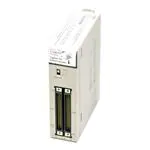
NJ3@, NJ5@
NJ series machine controller
Complete and robust machine automation
The NJ-Series is designed to meet extreme machine
control requirements in terms of motion control speed
and accuracy, communication, security and
robustness.
•
•
•
•
•
•
•
Integration of logic and motion in one Intel CPU
Scalable control: CPUs for 4, 8, 16, 32 and 64 axes
EtherCAT and EtherNet/IP ports embedded
Fully conforms to IEC 61131-3 standards
Certified PLCopen function blocks for motion control
Linear, circular and spiral (helical) interpolation
CPU units with SQL client and robotic functionality
NJ3 CPU
NJ5 CPU
System configuration
NA HMI
Sysmac Studio
SQL database
Remote access
NJ series
Machine automation controller
Accurax G5
servo drive
ADR
ADR
EtherCAT
junction slave
ADR
Input
Fast registration
inputs, home and
limits switches...
NX I/O
MX2 inverter
FH vision
NX I/O
NX safety
Accurax G5
servo motors
NJ series machine controller
Accurax
linear motors
31
�Specifications
General specifications
Item
Enclosure
Grounding
CPU unit dimensions (H × D × W)
Weight
Current consumption
Operation environment Ambient operating temperature
Ambient operating humidity
Atmosphere
Ambient storage temperature
Altitude
Pollution degree
Noise immunity
Overvoltage category
EMC immunity level
Vibration resistance
Shock resistance
Battery
Life
Model
Applicable standards
NJ@ CPU Unit
Mounted in a panel
Less than 100
90 mm × 90 mm × 90 mm
550 g (including end cover)
5 VDC, 1.90 A (including SD Memory card and end cover)
0 to 55°C
10% to 90% (with non condensation)
Must be free from corrosive gases
–20 to 75°C (excluding battery)
2,000 m or less
2 or less: Conforms to JIS B3502 and IEC 61131-2.
2 kV on power supply line (conforms to IEC 61000-4-4.)
Category II: Conforms to JIS B3502 and IEC 61131-2
Zone B
Conforms to IEC60068-2-6
5 to 8.4 Hz with 3.5 mm amplitude, 8.4 to 150 Hz.
Acceleration of 9.8 m/s2 for 100 min in X, Y and Z directions (10 sweeps of 10 min each = 100 min total)
Conforms to IEC60068-2-27
147 m/s2, 3 times in X, Y and Z directions (100 m/s2 for relay output units)
5 years at 25°C
CJ1W-BAT01
Conforms to cULus, NK, LR and EC directives, KC registration*1.
*1. Supported only by the CPUs with unit version 1.01 or higher.
Performance specifications
Common performance specifications
Item
Processing
speed
Execution
time
Programming
Program
capacity*1
Variables
capacity
Ladder diagram instructions
(LD, AND, OR and OUT)
Math instructions (LREAL)
Size
POU definition
POU instance
No retain attribute*2
Retain attribute*3
Unit
configuration
Data type
Number
Memory for
CIO area
CJ-Series
Work area
units (can be Holding area
specified with
DM area
AT specifications for vari- EM area
ables.)
Maximum number of connectable Units
Power OFF
detection time
Number of expansion racks
I/O Capacity
Power supply Model
to CPU rack
AC power supply
and expansion racks
Motion control
DC power supply
Number of controlled axes*4
Number of used real axes*5
Number of axes for single-axis
control*6
Linear interpolation control
Circular interpolation control
Number of axes groups
Position units
Override factors
Motion control period
Cams
Number of cam data points
Number of
controlled
axes
Number of cam tables
32
NJ5@ CPU Unit
NJ501-@5@0
1.9 ns min
NJ501-@4@0
NJ501-@3@0
26 ns min
20 MB
3,000
Sysmac Studio v.1.05 or lower: 6,000
Sysmac Studio v.1.06 or higher: 9,000
Size: 4 MB
Number: 90,000
Size: 2 MB
Number: 10,000
2,000
6,144 words (CIO 0 to CIO 6143)
512 words (W0 to W511)
1,536 words (H0 to H1535)
32,768 words (D0 to D32767)
32,768 words × 25 banks (E0_00000 to E18_32767)
NJ3@ CPU Unit
NJ301-1200
3.0 ns min
NJ301-1100
42 ns min
5 MB
750
Sysmac Studio v.1.04 or lower: 1,500
Sysmac Studio v.1.05 or higher: 3,000
Size: 2 MB
Number: 22,500
Size: 0.5 MB
Number: 2,500 (Sysmac Studio v.1.04
or lower) / 5,000 (Sysmac Studio
v.1.05 or higher)
1,000
32,768 words × 4 banks (E0_00000 to
E3_32767)
Maximum per CPU rack or expansion rack: 10 units
Entire controller: 40 units
3 max.
2,560 points max. plus EtherCAT slave I/O capacity
NJ-P@3001 power supply unit
30 to 45 ms
22 to 25 ms
64 axes max.
64 axes max.
64 axes max.
32 axes max.
32 axes max.
32 axes max.
16 axes max.
16 axes max.
16 axes max.
15 axes max.
8 axes max.
15 axes max.
15 axes max.
4 axes max.
15 axes max.
4 axes max. per axes group
2 axes per axes group
32 groups max.
Pulses, millimeters, micrometers, nanometers, degrees or inches
0.00% or 0.01% to 500.00%
Same as process data communications period of EtherCAT communications
65,535 points max. per cam table
65,535 points max. per cam table
1,048,560 points max. for all cam tables
262,140 points max. for all cam tables
640 tables max.
160 tables max.
Machine automation controller
�Item
Communications Peripheral
USB port
CIP message service:
Explicit messages
CIP service: Tag data links
(cyclic communications)
Built-in
EtherNet/IP
port
Supported services
Physical layer
Transmission distance
Physical layer
Media access method
Modulation
Topology
Baud rate
Transmission media
Transmission distance
Number of cascade
connections
Number of connections
Packet Interval*7
Permissible
communications band
Number of tag sets
Tag types
Number of tags
Link data size per node
Data size per connection
Number of registrable tag
sets
Tag set size
Multi-cast packet filter*11
Class 3
(number of
connections)
UCMM
(non-connection type)
Built-in
Number of TCP socket service
EtherCAT port Communications standard
EtherCAT master
specifications
Physical layer
Modulation
Baud rate
Duplex mode
Topology
Transmission media
Transmission distance
Number of slaves
Process data size
Process data size per slave
Communications period
Sync jitter
Internal clock
NJ5@ CPU Unit
NJ3@ CPU Unit
NJ501-@5@0
NJ501-@4@0
NJ501-@3@0
NJ301-1200
Sysmac Studio connection
USB 2.0-compliant B-type connector
5 m max.
10 Base-T or 100 Base-TX
CSMA/CD
Baseband
Star
100 Mbps (100 Base-TX)
STP (shielded, twisted-pair) cable of Ethernet category 5, 5e or higher
100 m max. (distance between Ethernet switch and node)
There are no restrictions if an EtherNet switch is used
NJ301-1100
32
10 to 10,000 ms in 1.0-ms increments.*8
Can be set for each connection. (Data will be refreshed at the set interval, regardless of the
number of nodes.)
3,000 pps*9 *10 (including heartbeat)
32
Network variables (CIO, Work, Holding, DM and EM Areas.)
8 (7 tags if controller status is included in the tag set.)
19,200 bytes max. (total size for all tags.)
600 bytes max.
32 max. (1 connection = 1 tag set)
600 bytes max. (two bytes are used if controller status is included in the tag set.)
Supported.
32 (clients plus server)
Number of clients that can communicate at one time: 32 max.
Number of servers that can communicate at one time: 32 max.
30 max.*12
IEC 61158, Type 12
Class B (feature pack motion control compliant)
100BASE-TX
Baseband
100 Mbps (100BASE-TX)
Automatic
Line, daisy chain and branching
Twisted-pair cable of category 5 or higher (double-shielded straight cable with aluminum tape
and braiding)
Distance between nodes: 100 m max.
192 max.
Inputs/Outputs: 5,736 bytes max. (However, the maximum number of process data frames is 4)
Inputs/Outputs: 1,434 bytes max.
500/1,000/2,000/4,000 s
1000, 2000 or 4000 s
1 s max.
At ambient temperature of 55°C: –3.5 to +0.5 min error per month
At ambient temperature of 25°C: –1.5 to +1.5 min error per month
At ambient temperature of 0°C: –3 to +1 min error per month
*1. This is the capacity for the execution objects and variable tables (including variable names).
*2. Words for CJ-series units in the holding, DM and EM areas are not included.
*3. Words for CJ-series units in the CIO and work areas are not included.
*4. This is the total for all axis types. The maximum number of TCP socket service of the CPU unit version 1.05 or lower is 8 axes (NJ301-1200), 4 axes (NJ301-1100).
*5. This is the total number of axes that are set as servo axes or encoder axes and are also set as used axes.
*6. The maximum number of axes for single-axis control of the CPU unit version 1.05 or lower is 8 axes (NJ301-1200), 4 axes (NJ301-1100).
*7. Data is updated on the line in the specified interval regardless of the number of nodes.
*8. The packet interval of the CPU unit version 1.02 or lower is 10 to 10,000 ms in 1.0 ms increments.
*9. Means packets per second, i.e., the number of communication packets that can be sent or received in one second.
*10. The permissible communications band of the CPU unit version 1.02 or lower is 1,000 pps.
*11. An IGMP client is mounted for the EtherNet/IP port. If an Ethernet switch that supports IGMP snooping is used, filtering of unnecessary multicast packets is
performed.
*12. The maximum number of TCP socket service of the CPU unit version 1.02 or lower is 16.
NJ series machine controller
33
�Performance specifications for CPU units with robotic functionality
Item
Motion control
Robotics
Delta robot
Number of Delta robots
NJ5@ CPU Unit
NJ501-4500
NJ501-4400
NJ501-4300
NJ501-4310*1
3 + 1 (optional rotational axis) axes per robot
8 Delta robots max. (depending on the number of axes supported by the CPU)
*1. The NJ501-4310 CPU unit only supports one Delta robot.
Note: For robot control by NJ501-4@@0, use the Accurax G5 servo drive with built-in EtherCAT communications, absolute encoder and brake.
Performance specifications for CPU units with database connection
Item
Programming
Memory for CJ-series units
(can be specified with AT
specifications for variables)
EM area
NJ5@ CPU Unit
NJ501-1520
32,768 words x 25 banks*1
(E0_00000 to E18_32767)
NJ501-1420
NJ501-1320
*1. When the spool function is enabled, the DB connection service uses E9_0 to E18_32767.
Function specifications
Common function specifications
Item
Tasks
Function
Function
Periodically executed tasks
Conditionally executed tasks*1
Programming
Setup
System service monitoring
settings
POUs
(program
organization
units)
Programs
Function blocks
Functions
Programming
languages
Namespaces*3
Variables
Types
External access of variables
Data types
Basic data types
Derivative data types
Structures
Function
NJ@ CPU Unit
I/O refreshing and the user program are executed in units that are called tasks.
Tasks are used to specify execution conditions and execution priority.
Maximum number of primary periodic tasks: 1
Maximum number of periodic tasks: 3
Maximum number of even tasks: 32
When active even task instruction is executed or when condition expression for variable is met.
The execution interval and the percentage of the total user program execution time are monitored for the system services (processes that are executed by the CPU Unit separate from task
execution).
POUs that are assigned to tasks.
POUs that are used to create objects with specific conditions.
POUs that are used to create an object that determine unique outputs for the inputs, such as
for data processing.
Ladder diagrams*2 and structured text (ST).
A concept that is used to group identifiers for POU definitions.
Network variables (the function which allows access from the HMI, host computers or other
controllers)
BOOL, BYTE, WORD, DWORD, LWORD, INT, SINT, DINT, LINT, UINT, USINT, UDINT,
ULINT, REAL, LREAL, TIME (durations), DATE, TIME_OF_DAY, DATE_AND_TIME and
STRING (text strings.)
Structures, unions, enumerations
A derivative data type that groups together data with different variable types.
Number of members: 2,048 max.
Nesting levels: 8 max.
Basic data types, structures, unions, enumerations, array variables
Member data
types
Specifying
You can use member offsets to place structure members at any memory locations.*3
member offsets
Unions
Function
A derivative data type that enables access to the same data with different data types.
Number of members: 4 max.
Member data
BOOL, BYTE, WORD, DWORD and LWORD.
types
Enumerations Function
A derivative data type that uses text strings called enumerators to express variable values.
Data type
Array
Function
An array is a group of elements with the same data type. You specify the number (subscript) of
attributes
specifications
the element from the first element to specify the element.
Number of dimensions: 3 max.
Number of elements: 65,535 max.
Array
Supported.
specifications
for FB instances
Range specifications
You can specify a range for a data type in advance. The data type can take only values that
are in the specified range.
Libraries
User libraries.
Motion control Control modes
Position control, velocity control, torque control
Axis types
Servo axes, virtual servo axes, encoder axes and virtual encoder axes
Positions that can be managed
Command positions and actual positions
34
Machine automation controller
�Item
Motion control Single-axis
Single-axis
position
contol
Single-axis
velocity
control
Absolute
positioning
Relative
positioning
Interrupt
feeding
Cyclic synchronous absolute
positioning*1
Velocity control
Cyclic
synchronous
velocity control
Torque control
Single-axis
torque control
Starting cam
Single-axis
synchronized operation
control
Ending cam
operation
Starting gear
operation
Positioning gear
operation
Ending gear
operation
Synchronous
positioning
Master axis
phase shift
Combining
axes
Single-axis
Powering the
manual
servo
operation
Jogging
Auxiliary
Resetting axis
functions for errors
single-axis
Homing
control
Homing with
parameter*1
High-speed
homing
Stopping
Immediately
stopping
Setting override
factors
Changing the
current position
Enabling
external latches
Disabling
external latches
Zone
monitoring
Enabling digital
cam switches*4
Monitoring axis
following error
Resetting the
following error
Torque limit
Axes groups
Multi-axes
coordinated
control
NJ series machine controller
Start velocity*5
Absolute linear
interpolation
Relative linear
interpolation
Circular 2D
interpolation
Axes group
cyclic synchronous absolute
positioning
NJ@ CPU Unit
Positioning is performed for a target position that is specified with an absolute value.
Positioning is performed for a specified position from the command current position.
Positioning is performed for a specified travel distance from the position where an interrupt
input was received from an external input.
The function which output command positions in every control period in the position control
mode.
Velocity control is performed in position control mode.
A velocity command is output each control period in the velocity control mode.
The torque of the motor is controlled.
A cam motion is performed using the specified cam table.
The cam motion for the axis that is specified with the input parameter is ended.
A gear motion with the specified gear ratio is performed between a master axis and slave axis.
A gear motion with the specified gear ratio and sync position is performed between a master
axis and slave axis.
The specified gear motion or positioning gear motion is ended.
Positioning is performed in sync with a specified master axis.
The phase of a master axis in synchronized control is shifted.
The command positions of two axes are added or subtracted and the result is output as the
command position.
The servo in the servo drive is turned ON to enable axis motion.
An axis is jogged at a specified target velocity.
Axes errors are cleared.
A motor is operated and the limit signals, home proximity signal, and home signal are used to
define home.
Specifying the parameter, a motor is operated and the limit signals, home proximity signal and
home signal are used to define home.
Positioning is performed for an absolute target position of 0 to return to home.
An axis is decelerated to a stop.
An axis is stopped immediately.
The target velocity of an axis can be changed.
The command current position or actual current position of an axis can be changed to any
position.
The position of an axis is recorded when a trigger occurs.
The current latch is disabled.
You can monitor the command position or actual position of an axis to see when it is within a
specified range (zone).
You can turn a digital output ON and OFF according to the position of an axis.
You can monitor whether the difference between the command positions or actual positions of
two specified axes exceeds a threshold value.
The error between the command current position and actual current position is set to 0.
The torque control function of the Servo Drive can be enabled or disabled and the torque limits
can be set to control the output torque.
You can set the initial velocity when axis motion starts.
Linear interpolation is performed to a specified absolute position.
Linear interpolation is performed to a specified relative position.
Circular interpolation is performed for two axes.
A positioning command is output each control period in Position control mode.*3
35
�Item
Motion control Axes groups
Auxiliary
functions for
multi-axes
coordinated
control
Common items Cams
Parameters
Auxiliary
functions
Count modes
Unit conversions
Acceleration/ Automatic
deceleration
acceleration/
control
deceleration
control
Changing the
acceleration and
deceleration
rates
In-position check
Stop mode
Unit (I/O)
management
36
Resetting axes
group errors
Enabling axes
groups
Disabling axes
groups
Stopping axes
groups
Immediately
stopping axes
groups
Setting axes
group override
factors
Reading axes
group positions
Changing the
axes in a axes
group
Setting cam
table properties
Saving cam
tables
Generating cam
tables*6
Writing MC
settings
Changing axis
parameters*6
NJ@ CPU Unit
Axes group errors and axis errors are cleared.
Motion of an axes group is enabled.
Motion of an axes group is disabled.
All axes in interpolated motion are decelerated to a stop.
All axes in interpolated motion are stopped immediately.
The blended target velocity is changed during interpolated motion.
The command current positions and actual current positions of an axes group can be read.*3
The composition axes parameter in the axes group parameters can be overwritten temporarily.*3
The end point index of the cam table that is specified in the input parameter is changed.
The cam table that is specified with the input parameter is saved in non-voltage memory in the
CPU unit.
The cam table that is specified with the input parameter is generated from the cam property
and cam mode.
Some of the axis parameters or axes group parameters are overwritten temporarily.
You can access and change the axis parameters from the user program.
You can select either linear mode (finite length) or rotary mode (infinite length).
You can set the display unit for each axis according to the machine.
Jerk is set for the acceleration/deceleration curve for an axis motion or axes group motion.
You can change the acceleration or deceleration rate even during acceleration or deceleration.
You can set an in-position range and in-position check time to confirm when positioning is
completed.
You can set the stop mode to determine when the immediate stop input signal or limit input
signal is valid.
You can change the input variables for a motion control instruction during execution and
execute the instruction again to change the target values during operation.
You can specify when to start execution and how to connect the velocities between operations
when another motion control instruction is executed during operation.
Re-execution of motion control
functions
Multi-execution of motion
control instructions (buffer
mode)
Continuous axes group motions You can specify the transition mode for multi-execution of instructions for axes group operation.
(transition mode)
Monitoring
Software limits The movement range of an axis is monitored.
functions
Following error The error between the command current value and the actual current value is monitored for an
axis.
Velocity, accel- You can set warning values for each axis and each axes group to monitor them.
eration rate,
deceleration
rate, torque,
interpolation
velocity, interpolation acceleration rate, and
interpolation deceleration rate
Absolute encoder support
You can use an OMRON G5-series servomotor with an absolute encoder to eliminate the need
to perform homing at startup.
You can inverse the logic of immediate stop input signal, positive limit input signal, negative
Input signal logic inversion*5
limit input signal or home proximity input signal.
External interface signals
The servo drive input signals listed on below are used.
Home signal, home proximity signal, positive limit signal, negative limit signal, immediate
stop signal and interrupt input signal.
You can use NX units through the communication coupler unit.
NX units*5
CJ-Series units Maximum number of units
40
Basic I/O
Chattering and Input response times are set.
units
noise countermeasures
Load short-cir- Alarm information for basic I/O units is read.
cuit protection
and I/O disconnection detection
EtherCAT
Maximum number of slaves
192
slaves
Basic I/O
Chattering and Input response times are set.
noise countermeasures
Machine automation controller
�Item
Communications
Peripheral USB port
EtherNet/IP
port
Operation
management
System
management
Debugging
Maintenance
NJ@ CPU Unit
A port for communications with various kinds of support software running on a personal
computer.
TCP/IP, UDP/IP
Programless cyclic data exchange is performed with the devices on the EtherNet/IP network.
CIP commands are sent to or received from the devices on the EtherNet/IP network.
Communication protocol
CIP communi- Tag data links
cations service Message
communications
TCP/IP
Socket services Data is sent to and received from any node on EtherNet using the UDP or TCP protocol.
applications
Socket communications instructions are used.
File can be read from or written to computers to other Ethernet nodes from the CPU unit. FTP
FTP client*6
client communications instructions are used.
FTP server
Files can be read from or written to the SD memory card in the CPU unit from computers at
other Ethernet nodes.
Automatic clock Clock information is read from the NTP server at the specified time or at specified interval after
adjustment
the power supply to the CPU unit is turned ON. The internal clock time in the CPU unit is
updated with the read time.
SNMP agent
Built-in EtherNet/IP port internal status information is provided to network management
software that uses an SNMP manager.
EtherCAT port Supported
Process data
Control information is exchanged in cyclic communications between the EtherCAT master and
services
communications slaves.
SDO
Control information is exchanged in noncyclic event communications between the EtherCAT
communications master and slaves. SDO communications that are defined in the CANopen standard are used.
Network scanning
Information is read from connected slave devices and the slave configuration is automatically
generated.
DC (distributed clock)
Time is synchronized by sharing the EtherCAT system time between all EtherCAT devices
(including the master).
Packet monitoring (only NJ5)
The frames that are sent by the master and the frames that are received by the master can be
saved. The data that is saved can be viewed with WireShark or other applications.
Enable/disable settings for
The slaves can be enabled or disabled as communications targets.
slaves
Disconnecting/connecting
Temporarily disconnects a slave from the EtherCAT network for maintenance, such as for
slaves
replacement of the slave and then connects the slave again.
Supported
CoE
SDO messages that conform to the CANopen standard can be sent to slaves via EtherCAT.
application
protocol
Communications instructions
The following instructions are supported:
CIP communications instructions, socket communications instructions, SDO message instructions, no-protocol communications instructions, protocol macro instructions and FTP client instructions*6.
RUN output contacts
The output on the NJ-P@3001 power supply unit turns ON in RUN mode.
Event logs
Categories
Events are recorded in the following logs:
• System event log
• Access event log
• User-defined event log
Number of events per event log NJ5: 1,024 max.
NJ3: 512 max.
Online editing
Programs, function blocks, functions and global variables can be changed online, individual
POUs can be changed by more than worker working across a network.
Forced
Forced refreshing
The user can force specific variables to TRUE or FALSE.
refreshing
Number of
For EtherCAT
64 max.
forced
slaves
variables
For CJ-series
64 max.
units
MC test Run
Motor operation and wiring can be checked from the Sysmac Studio.
Synchronization
The project file in the Sysmac Studio and the data in the CPU unit can be made the same when
online.
Rising/falling edge of contacts can be monitored.
Differentiation Differentiation monitoring*1
monitoring*1
8 max.
Number of contacts*1
Data tracing
Types
Single triggered When the trigger condition is met, the specified number of samples are taken and then tracing
trace
stops automatically.
Continuous
Data tracing is executed continuously and the trace data is collected by the Sysmac Studio.
trace
Number of simultaneous data
NJ5: 4 max*7.
NJ3: 2 max.
trace
Number of records
10,000 max.
Sampling
Number of sam- NJ5: 192 variables max.
pled variables
NJ3: 48 variables max.
Timing of sampling
Sampling is performed for the specified task period, at the specified time or when a sampling
instruction is executed.
Triggered
Triggered traces Trigger conditions are set to record data before and after an event.
traces
Trigger
When BOOL variable changes to TRUE or FALSE.
conditions
Comparison of non-BOOL variable with a constant.
Comparison method: Equals (=), greater than (>), greater than or equals (), less than (