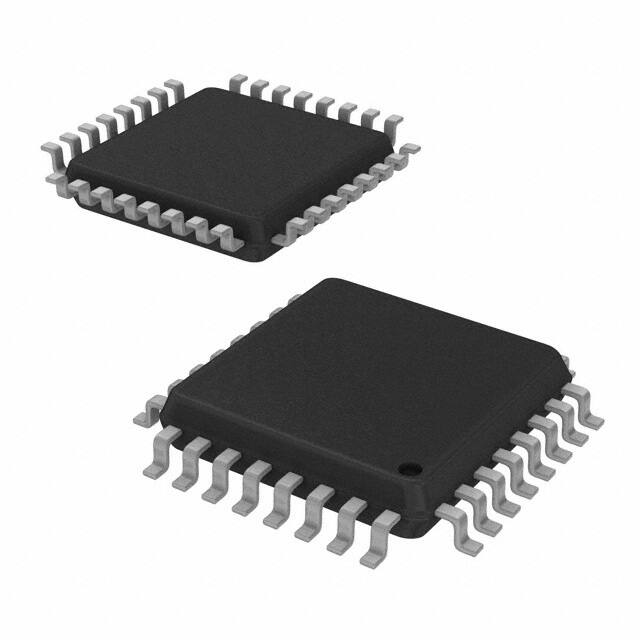
ST72340, ST72344, ST72345
8-BIT MCU WITH UP TO 16K FLASH MEMORY,
10-BIT ADC, TWO 16-BIT TIMERS, TWO I2C, SPI, SCI
Memories
– up to 16 Kbytes Program memory: Single voltage extended Flash (XFlash) with read-out
and write protection, In-Circuit and In-Application Programming (ICP and IAP). 10K write/
erase cycles guaranteed, data retention: 20
years at 55°C.
– up to 1 Kbyte RAM
– 256 bytes data EEPROM with read-out protection. 300K write/erase cycles guaranteed,
data retention: 20 years at 55°C.
■ Clock, Reset and Supply Management
– Power On / Power Off safe reset with 3 programmable threshold levels (LVD)
– Auxiliary Voltage Detector (AVD)
– Clock sources: crystal/ceramic resonator oscillators, high-accuracy internal RC oscillator
or external clock
– PLL for 4x or 8x frequency multiplication
– 5 Power Saving Modes: Slow, Wait, Halt,
Auto-Wakeup from Halt and Active Halt
– Clock output capability (fCPU)
■ Interrupt Management
– Nested interrupt controller
– 10 interrupt vectors plus TRAP and RESET
– 9 external interrupt lines on 4 vectors
■ Up to 34 I/O Ports
– up to 34 multifunctional bidirectional I/O lines
– up to 12 high sink outputs (10 on 32-pin devices)
■ 4 Timers
– Configurable window watchdog timer
– Realtime base
– 16-bit timer A with: 1 input capture, 1 output
compares, external clock input, PWM and
Pulse generator modes
Device Summary
■
Features
Program memory - bytes
RAM (stack) - bytes
EEPROM data - bytes
Common peripherals
Other peripherals
Int high-accuracy 1MHz RC
CPU Frequency
Temperature Range
Package
ST72F340
LQFP44
10 x 10
LQFP48
7x7
LQFP32
7x7
■
■
■
■
– 16-bit timer B with: 2 input captures, 2 output
compares, PWM and Pulse generator modes
3 Communication Interfaces
– I2C Multi Master / Slave
– I2C Slave 3 Addresses No Stretch with DMA
access and Byte Pair Coherency on I²C Read
– SCI asynchronous serial interface (LIN compatible)
– SPI synchronous serial interface
1 Analog peripheral
– 10-bit ADC with 12 input channels (8 on 32pin devices)
Instruction Set
– 8-bit data manipulation
– 63 basic instructions with illegal opcode detection
– 17 main addressing modes
– 8 x 8 unsigned multiply instruction
Development tools
– Full hardware/software development package
– On-Chip Debug Module
ST72F344
ST72F345
8K
512 (256)
256
16K
8K
16K
16K
1K (256)
512 (256)
1K (256)
1K (256)
256
256
256
256
Window Watchdog, 2 16-bit Timers, SCI, SPI, I2CMMS
10-bit ADC
I2C3SNS, 10-bit ADC
Not present
Present
Present
8MHz @ 3.3V to 5.5V, 4MHz @ 2.7V to 5.5V
-40°C to +85 °C
LQFP32 7x7, LQFP44 10x10
LQFP48 7x7
Rev. 2
October 2006
1/191
1
�Table of Contents
1 INTRODUCTION . . . . . . . . . . . . . . . . . . . . . . . . . . . . . . . . . . . . . . . . . . . . . . . . . . . . . . . . . . . . . . 5
2 PIN DESCRIPTION . . . . . . . . . . . . . . . . . . . . . . . . . . . . . . . . . . . . . . . . . . . . . . . . . . . . . . . . . . . . 6
3 REGISTER & MEMORY MAP . . . . . . . . . . . . . . . . . . . . . . . . . . . . . . . . . . . . . . . . . . . . . . . . . . . 11
4 FLASH PROGRAM MEMORY . . . . . . . . . . . . . . . . . . . . . . . . . . . . . . . . . . . . . . . . . . . . . . . . . . 15
4.1 INTRODUCTION . . . . . . . . . . . . . . . . . . . . . . . . . . . . . . . . . . . . . . . . . . . . . . . . . . . . . . . 15
4.2
MAIN FEATURES . . . . . . . . . . . . . . . . . . . . . . . . . . . . . . . . . . . . . . . . . . . . . . . . . . . . . . 15
4.3
PROGRAMMING MODES . . . . . . . . . . . . . . . . . . . . . . . . . . . . . . . . . . . . . . . . . . . . . . . . 15
4.4
ICC INTERFACE . . . . . . . . . . . . . . . . . . . . . . . . . . . . . . . . . . . . . . . . . . . . . . . . . . . . . . . 16
4.5
MEMORY PROTECTION . . . . . . . . . . . . . . . . . . . . . . . . . . . . . . . . . . . . . . . . . . . . . . . . 17
4.6
REGISTER DESCRIPTION . . . . . . . . . . . . . . . . . . . . . . . . . . . . . . . . . . . . . . . . . . . . . . . 17
5 DATA EEPROM . . . . . . . . . . . . . . . . . . . . . . . . . . . . . . . . . . . . . . . . . . . . . . . . . . . . . . . . . . . . . 18
5.1 INTRODUCTION . . . . . . . . . . . . . . . . . . . . . . . . . . . . . . . . . . . . . . . . . . . . . . . . . . . . . . . 18
5.2
MAIN FEATURES . . . . . . . . . . . . . . . . . . . . . . . . . . . . . . . . . . . . . . . . . . . . . . . . . . . . . . 18
5.3
MEMORY ACCESS . . . . . . . . . . . . . . . . . . . . . . . . . . . . . . . . . . . . . . . . . . . . . . . . . . . . . 19
5.4
POWER SAVING MODES . . . . . . . . . . . . . . . . . . . . . . . . . . . . . . . . . . . . . . . . . . . . . . . 21
5.5
ACCESS ERROR HANDLING . . . . . . . . . . . . . . . . . . . . . . . . . . . . . . . . . . . . . . . . . . . . 21
5.6
DATA EEPROM READ-OUT PROTECTION . . . . . . . . . . . . . . . . . . . . . . . . . . . . . . . . . 21
5.7
REGISTER DESCRIPTION . . . . . . . . . . . . . . . . . . . . . . . . . . . . . . . . . . . . . . . . . . . . . . . 22
6 CENTRAL PROCESSING UNIT . . . . . . . . . . . . . . . . . . . . . . . . . . . . . . . . . . . . . . . . . . . . . . . . . 24
6.1 INTRODUCTION . . . . . . . . . . . . . . . . . . . . . . . . . . . . . . . . . . . . . . . . . . . . . . . . . . . . . . . 24
6.2
MAIN FEATURES . . . . . . . . . . . . . . . . . . . . . . . . . . . . . . . . . . . . . . . . . . . . . . . . . . . . . . 24
6.3
CPU REGISTERS . . . . . . . . . . . . . . . . . . . . . . . . . . . . . . . . . . . . . . . . . . . . . . . . . . . . . . 24
7 SUPPLY, RESET AND CLOCK MANAGEMENT . . . . . . . . . . . . . . . . . . . . . . . . . . . . . . . . . . . . 27
7.1 PHASE LOCKED LOOP . . . . . . . . . . . . . . . . . . . . . . . . . . . . . . . . . . . . . . . . . . . . . . . . . 28
7.2
MULTI-OSCILLATOR (MO) . . . . . . . . . . . . . . . . . . . . . . . . . . . . . . . . . . . . . . . . . . . . . . . 29
7.3
REGISTER DESCRIPTION . . . . . . . . . . . . . . . . . . . . . . . . . . . . . . . . . . . . . . . . . . . . . . . 30
7.4
RESET SEQUENCE MANAGER (RSM) . . . . . . . . . . . . . . . . . . . . . . . . . . . . . . . . . . . . . 31
7.5
SYSTEM INTEGRITY MANAGEMENT (SI) . . . . . . . . . . . . . . . . . . . . . . . . . . . . . . . . . . 33
8 INTERRUPTS . . . . . . . . . . . . . . . . . . . . . . . . . . . . . . . . . . . . . . . . . . . . . . . . . . . . . . . . . . . . . . . 36
8.1 INTRODUCTION . . . . . . . . . . . . . . . . . . . . . . . . . . . . . . . . . . . . . . . . . . . . . . . . . . . . . . . 36
8.2
MASKING AND PROCESSING FLOW . . . . . . . . . . . . . . . . . . . . . . . . . . . . . . . . . . . . . . 36
8.3
INTERRUPTS AND LOW POWER MODES . . . . . . . . . . . . . . . . . . . . . . . . . . . . . . . . . . 38
8.4
CONCURRENT & NESTED MANAGEMENT . . . . . . . . . . . . . . . . . . . . . . . . . . . . . . . . . 38
8.5
INTERRUPT REGISTER DESCRIPTION . . . . . . . . . . . . . . . . . . . . . . . . . . . . . . . . . . . . 39
8.6
EXTERNAL INTERRUPTS . . . . . . . . . . . . . . . . . . . . . . . . . . . . . . . . . . . . . . . . . . . . . . . 41
8.7
EXTERNAL INTERRUPT CONTROL REGISTER (EICR) . . . . . . . . . . . . . . . . . . . . . . . 42
9 POWER SAVING MODES . . . . . . . . . . . . . . . . . . . . . . . . . . . . . . . . . . . . . . . . . . . . . . . . . . . . . 44
9.1 INTRODUCTION . . . . . . . . . . . . . . . . . . . . . . . . . . . . . . . . . . . . . . . . . . . . . . . . . . . . . . . 44
9.2
SLOW MODE . . . . . . . . . . . . . . . . . . . . . . . . . . . . . . . . . . . . . . . . . . . . . . . . . . . . . . . . . 44
9.3
9.4
WAIT MODE . . . . . . . . . . . . . . . . . . . . . . . . . . . . . . . . . . . . . . . . . . . . . . . . . . . . . . . . . . 45
191
HALT MODE . . . . . . . . . . . . . . . . . . . . . . . . . . . . . . . . . . . . . . . . . . . . . . . . . . . . . . . . . . 46
9.5
ACTIVE-HALT MODE . . . . . . . . . . . . . . . . . . . . . . . . . . . . . . . . . . . . . . . . . . . . . . . . . . . 47
2/191
1
�Table of Contents
9.6
AUTO WAKE UP FROM HALT MODE . . . . . . . . . . . . . . . . . . . . . . . . . . . . . . . . . . . . . . 49
10 I/O PORTS . . . . . . . . . . . . . . . . . . . . . . . . . . . . . . . . . . . . . . . . . . . . . . . . . . . . . . . . . . . . . . . . . 52
10.1 INTRODUCTION . . . . . . . . . . . . . . . . . . . . . . . . . . . . . . . . . . . . . . . . . . . . . . . . . . . . . . . 52
10.2 FUNCTIONAL DESCRIPTION . . . . . . . . . . . . . . . . . . . . . . . . . . . . . . . . . . . . . . . . . . . . 52
10.3 I/O PORT IMPLEMENTATION . . . . . . . . . . . . . . . . . . . . . . . . . . . . . . . . . . . . . . . . . . . . 55
10.4 LOW POWER MODES . . . . . . . . . . . . . . . . . . . . . . . . . . . . . . . . . . . . . . . . . . . . . . . . . . 55
10.5 INTERRUPTS . . . . . . . . . . . . . . . . . . . . . . . . . . . . . . . . . . . . . . . . . . . . . . . . . . . . . . . . . 55
11 ON-CHIP PERIPHERALS . . . . . . . . . . . . . . . . . . . . . . . . . . . . . . . . . . . . . . . . . . . . . . . . . . . . . 58
11.1 WINDOW WATCHDOG (WWDG) . . . . . . . . . . . . . . . . . . . . . . . . . . . . . . . . . . . . . . . . . . 58
11.2 MAIN CLOCK CONTROLLER WITH REAL TIME CLOCK AND BEEPER (MCC/RTC) . 65
11.3 16-BIT TIMER . . . . . . . . . . . . . . . . . . . . . . . . . . . . . . . . . . . . . . . . . . . . . . . . . . . . . . . . . 68
11.4 SERIAL PERIPHERAL INTERFACE (SPI) . . . . . . . . . . . . . . . . . . . . . . . . . . . . . . . . . . . 87
11.5 SCI SERIAL COMMUNICATION INTERFACE . . . . . . . . . . . . . . . . . . . . . . . . . . . . . . . . 99
11.6 I2C BUS INTERFACE (I2C) . . . . . . . . . . . . . . . . . . . . . . . . . . . . . . . . . . . . . . . . . . . . . 115
11.7 I2C TRIPLE SLAVE INTERFACE WITH DMA (I2C3S) . . . . . . . . . . . . . . . . . . . . . . . . . 128
11.8 10-BIT A/D CONVERTER (ADC) . . . . . . . . . . . . . . . . . . . . . . . . . . . . . . . . . . . . . . . . . 142
12 INSTRUCTION SET . . . . . . . . . . . . . . . . . . . . . . . . . . . . . . . . . . . . . . . . . . . . . . . . . . . . . . . . 146
12.1 ST7 ADDRESSING MODES . . . . . . . . . . . . . . . . . . . . . . . . . . . . . . . . . . . . . . . . . . . . . 146
12.2 INSTRUCTION GROUPS . . . . . . . . . . . . . . . . . . . . . . . . . . . . . . . . . . . . . . . . . . . . . . . 149
13 ELECTRICAL CHARACTERISTICS . . . . . . . . . . . . . . . . . . . . . . . . . . . . . . . . . . . . . . . . . . . . 152
13.1 PARAMETER CONDITIONS . . . . . . . . . . . . . . . . . . . . . . . . . . . . . . . . . . . . . . . . . . . . . 152
13.2 ABSOLUTE MAXIMUM RATINGS . . . . . . . . . . . . . . . . . . . . . . . . . . . . . . . . . . . . . . . . 153
13.3 OPERATING CONDITIONS . . . . . . . . . . . . . . . . . . . . . . . . . . . . . . . . . . . . . . . . . . . . . 154
13.4 PLL CHARACTERISTICS . . . . . . . . . . . . . . . . . . . . . . . . . . . . . . . . . . . . . . . . . . . . . . . 156
13.5 INTERNAL RC OSCILLATOR CHARACTERISTICS . . . . . . . . . . . . . . . . . . . . . . . . . . 156
13.6 SUPPLY CURRENT CHARACTERISTICS . . . . . . . . . . . . . . . . . . . . . . . . . . . . . . . . . . 157
13.7 CLOCK AND TIMING CHARACTERISTICS . . . . . . . . . . . . . . . . . . . . . . . . . . . . . . . . . 160
13.8 MEMORY CHARACTERISTICS . . . . . . . . . . . . . . . . . . . . . . . . . . . . . . . . . . . . . . . . . . 163
13.9 EMC CHARACTERISTICS . . . . . . . . . . . . . . . . . . . . . . . . . . . . . . . . . . . . . . . . . . . . . . 164
13.10 I/O PORT PIN CHARACTERISTICS . . . . . . . . . . . . . . . . . . . . . . . . . . . . . . . . . . . . . . . 166
13.11 CONTROL PIN CHARACTERISTICS . . . . . . . . . . . . . . . . . . . . . . . . . . . . . . . . . . . . . . 172
13.12 COMMUNICATION INTERFACE CHARACTERISTICS . . . . . . . . . . . . . . . . . . . . . . . . 174
13.13 10-BIT ADC CHARACTERISTICS . . . . . . . . . . . . . . . . . . . . . . . . . . . . . . . . . . . . . . . . 175
14 PACKAGE CHARACTERISTICS . . . . . . . . . . . . . . . . . . . . . . . . . . . . . . . . . . . . . . . . . . . . . . 177
14.1 PACKAGE MECHANICAL DATA . . . . . . . . . . . . . . . . . . . . . . . . . . . . . . . . . . . . . . . . . 177
15 DEVICE CONFIGURATION AND ORDERING INFORMATION . . . . . . . . . . . . . . . . . . . . . . . 181
15.1 OPTION BYTES . . . . . . . . . . . . . . . . . . . . . . . . . . . . . . . . . . . . . . . . . . . . . . . . . . . . . . 181
15.2 DEVICE ORDERING INFORMATION . . . . . . . . . . . . . . . . . . . . . . . . . . . . . . . . . . . . . . 184
15.3 DEVELOPMENT TOOLS . . . . . . . . . . . . . . . . . . . . . . . . . . . . . . . . . . . . . . . . . . . . . . . 186
16 KNOWN LIMITATIONS . . . . . . . . . . . . . . . . . . . . . . . . . . . . . . . . . . . . . . . . . . . . . . . . . . . 191
. . . 187
16.1 EXTERNAL INTERRUPT MISSED . . . . . . . . . . . . . . . . . . . . . . . . . . . . . . . . . . . . . . . . 187
16.2 CLEARING ACTIVE INTERRUPTS OUTSIDE INTERRUPT ROUTINE . . . . . . . . . . . . 188
3/191
�Table of Contents
16.3 16-BIT TIMER PWM MODE . . . . . . . . . . . . . . . . . . . . . . . . . . . . . . . . . . . . . . . . . . . . . 189
16.4 SCI WRONG BREAK DURATION . . . . . . . . . . . . . . . . . . . . . . . . . . . . . . . . . . . . . . . . . 189
16.5 IN-APPLICATION PROGRAMMING . . . . . . . . . . . . . . . . . . . . . . . . . . . . . . . . . . . . . . . 189
16.6 PROGRAMMING OF EEPROM DATA . . . . . . . . . . . . . . . . . . . . . . . . . . . . . . . . . . . . . 189
16.7 FLASH WRITE/ERASE PROTECTION . . . . . . . . . . . . . . . . . . . . . . . . . . . . . . . . . . . . . 189
17 REVISION HISTORY . . . . . . . . . . . . . . . . . . . . . . . . . . . . . . . . . . . . . . . . . . . . . . . . . . . . . . . . 190
Please pay special attention to the Section “KNOWN LIMITATIONS” on page 187
191
4/191
�ST72340, ST72344, ST72345
1 INTRODUCTION
The ST7234x devices are members of the ST7 microcontroller family. All devices are based on a
common industry-standard 8-bit core, featuring an
enhanced instruction set.
They feature single-voltage FLASH memory with
byte-by-byte In-Circuit Programming (ICP) and InApplication Programming (IAP) capabilities.
Under software control, all devices can be placed
in WAIT, SLOW, Auto-Wakeup from Halt, ActiveHALT or HALT mode, reducing power consumption when the application is in idle or stand-by
state.
The enhanced instruction set and addressing
modes of the ST7 offer both power and flexibility to
software developers, enabling the design of highly
efficient and compact application code. In addition
to standard 8-bit data management, all ST7 microcontrollers feature true bit manipulation, 8x8 unsigned multiplication and indirect addressing
modes.
The devices feature an on-chip Debug Module
(DM) to support in-circuit debugging (ICD). For a
description of the DM registers, refer to the ST7
ICC Protocol Reference Manual.
Figure 1. General Block Diagram
8-BIT CORE
ALU
RESET
VSS
VDD
OSC1
OSC2
PROGRAM
MEMORY
(16K - 32K Bytes)
CONTROL
RAM
(512- 1024 Bytes)
LVD
AVD
WATCHDOG
CLOCK CONTROL
I2CMMS
MCC/RTC/BEEP
PORT F
PF
(6-bits)
TIMER A
ADDRESS AND DATA BUS
INTERNAL RC
PA
(5-bits)
PORT A
PORT B
PB
(5-bits)
PWM ART
PORT C
BEEP
TIMER B
PC
(8-bits)
I2C3SNS
SPI
PD
(6-bits)
PORT D
10-BIT ADC
VAREF
VSSA
PORT E
PE
(2-bits)
SCI
5/191
�ST72340, ST72344, ST72345
2 PIN DESCRIPTION
PD1 / AIN1
PD0 / AIN0
PB4 (HS)
PB3
PB0
PE1 / RDI
PE0 / TDO
VDD_2
Figure 2. LQFP32 Package Pinout
32 31 30 29 28 27 26 25
24
1
ei3 ei2 ei0
23
2
22
3
ei1
21
4
20
5
19
6
18
7
ei0 17
8
9 10 11 12 13 14 15 16
OSC1
OSC2
VSS_2
RESET
ICCSEL
PA7 (HS) / SCL
PA6 (HS) / SDA
PA4 (HS)
AIN13 / OCMP1_B / PC1
ICAP2_B / (HS) PC2
ICAP1_B / (HS) PC3
ICCDATA / MISO / PC4
AIN14 / MOSI / PC5
ICCCLK / SCK / PC6
AIN15 / SS / PC7
(HS) PA3
)
VDDA
VSSA
AIN8 / PF0
(HS) PF1
OCMP1_A / AIN10 / PF4
ICAP1_A / (HS) PF6
EXTCLK_A / (HS) PF7
AIN12 / OCMP2_B / PC0
(HS) 20mA high sink capability
eix associated external interrupt vector
PE0 / TDO
VDD_2
OSC1
OSC2
VSS_2
RESET
ICCSEL
PA7 (HS) / SCL
PA6 (HS) / SDA
PA5 (HS)
PA4 (HS)
Figure 3. LQFP44 Package Pinout
44 43 42 41 40 39 38 37 36 35 34
ei0
1
33
2
32
3
31
ei0
ei2
4
30
5
29
ei3
6
28
7
27
8
26
9
25
10
24
ei1
11
23
12 13 14 15 16 17 18 19 20 21 22
AIN5 / PD5
VDDA
VSSA
MCO / AIN8 / PF0
BEEP / (HS) PF1
(HS) PF2
OCMP1_A / AIN10 / PF4
ICAP1_A / (HS) PF6
EXTCLK_A / (HS) PF7
VDD_0
VSS_0
RDI / PE1
PB0
PB1
PB2
PB3
(HS) PB4
AIN0 / PD0
AIN1 / PD1
AIN2 / PD2
AIN3 / PD3
AIN4 / PD4
6/191
VSS_1
VDD_1
PA3 (HS)
PC7 / SS / AIN15
PC6 / SCK / ICCCLK
PC5 / MOSI / AIN14
PC4 / MISO / ICCDATA
PC3 (HS) / ICAP1_B
PC2 (HS) / ICAP2_B
PC1 / OCMP1_B / AIN13
PC0 / OCMP2_B / AIN12
�ST72340, ST72344, ST72345
PIN DESCRIPTION (Cont’d)
VDD_2
OSC1
OSC2
VSS_2
RESET
ICCSEL
PA7 (HS)/SCL
PA6 (HS)/SDA
PA5 (HS)
PA4 (HS)
PD6/SDA3SNS
PD7/SCL3SNS
Figure 4. LQFP48 Package Pinout
48 47 46 45 44 43 42 41 40 39 38 37
36
1
2 ei0
35
ei0
3
34
33
4
ei2
32
5
31
6
30
7 ei3
29
8
28
9
27
10
26
11
ei1
25
12
13 14 15 16 17 18 19 20 21 22 23 24
VSS_1
VDD_1
PA3 (HS)
PC7 / SS / AIN15
PC6 / SCK / ICCCLK
PC5 / MOSI / AIN14
PC4 / MISO / ICCDATA
PC3 (HS) / ICAP1_B
PC2 (HS) / ICAP2_B
PC1 / OCMP1_B / AIN13
NC
NC
AIN5 / PD5
VDDA
VSSA
MCO / AIN8 / PF0
BEEP / (HS) PF1
(HS) PF2
OCMP1_A / AIN10 / PF4
ICAP1_A / (HS) PF6
EXTCLK_A / (HS) PF7
VDD_0
VSS_0
PC0 / OCMP2_B / AIN12
PE0/TD0
RDI / PE1
PB0
PB1
PB2
PB3
(HS) PB4
AIN0 / PD0
AIN1 / PD1
AIN2 / PD2
AIN3 / PD3
AIN4 / PD4
7/191
�ST72340, ST72344, ST72345
PIN DESCRIPTION (Cont’d)
For external pin connection guidelines, refer to See “ELECTRICAL CHARACTERISTICS” on page 152.
Legend / Abbreviations for Table 1:
Type:
I = input, O = output, S = supply
Input level:
A = Dedicated analog input
In/Output level: CT= CMOS 0.3VDD/0.7VDD with input trigger
Output level:
HS = 20mA high sink (on N-buffer only)
Port and control configuration:
– Input:
float = floating, wpu = weak pull-up, int = interrupt 1), ana = analog
– Output:
OD = open drain 2), PP = push-pull
The RESET configuration of each pin is shown in bold. This configuration is valid as long as the device is
in reset state.
On the chip, each I/O port may have up to 8 pads. Pads that are not bonded to external pins are set in input pull-up configuration after reset through the option byte Package selection. The configuration of these
pads must be kept at reset state to avoid added current consumption.
Table 1. Device Pin Description
Port
PP
OD
Output
ana
int
wpu
Input
float
Output
Pin Name
Input
Level
Type
LQFP48
LQFP44
LQFP32
Pin n°
Main
function
(after
reset)
Alternate Function
1 13 14
VDDA
S
Analog Supply Voltage
2 14 15
VSSA
S
Analog Ground Voltage
3 15 16
PF0/MCO/
AIN8
I/O CT
4 16 17
PF1 (HS)/
BEEP
I/O CT
17 18
PF2 (HS)
I/O CT
5 18 19
PF4/
OCMP1_A/
AIN10
I/O CT
6 19 20
PF6 (HS)/
ICAP1_A
I/O CT
7 20 21
PF7 (HS)/
EXTCLK_A
I/O CT
- 21 22
VDD_0
S
Digital Main Supply Voltage
- 22 23
VSS_0
S
Digital Ground Voltage
8 23 24
PC0/
OCMP2_B/
AIN12
I/O CT
X
X
X
X
X
Port C0
Timer B Output
Compare 2
ADC Analog
Input 12
9 24 27
PC1/
OCMP1_B/
AIN13
I/O CT
X
X
X
X
X
Port C1
Timer B Output
Compare 1
ADC Analog
Input 13
10 25 28
PC2 (HS)/
ICAP2_B
I/O CT
X
X
X
X
Port C2
Timer B Input Capture 2
8/191
X
ei1
HS
X
ei1
HS
X
X
ei1
X
Port F0
Main clock out
(fOSC/2)
X
X
Port F1
Beep signal output
X
X
Port F2
X
X
Port F4
Timer A Output
Compare 1
ADC Analog
Input 10
X
X
HS
X
X
X
X
Port F6
Timer A Input Capture 1
HS
X
X
X
X
Port F7
Timer A External Clock Source
HS
X
ADC Analog
Input 8
X
�ST72340, ST72344, ST72345
Level
Port
OD
PP
X
X
X
X
Port C3
Timer B Input Capture 1
I/O CT
X
X
X
X
Port C4
SPI Master In /
Slave Out Data
PC5/MOSI/
AIN14
I/O CT
X
X
X
X
Port C5
SPI Master Out / ADC Analog
Slave In Data
Input 14
14 29 32
PC6/SCK/
ICCCLK3)
I/O CT
X
X
X
X
Port C6
SPI Serial Clock
15 30 33
PC7/SS/AIN15 I/O CT
X
X
X
X
Port C7
SPI Slave Select ADC Analog
(active low)
Input 15
16 31 34
PA3 (HS)
X
X
Port A3
Input
11 26 29
PC3 (HS)/
ICAP1_B
I/O CT
12 27 30
PC4/MISO/
ICCDATA3)
13 28 31
I/O CT
HS
X
ana
HS
Pin Name
int
wpu
Output
float
Input
Main
function
(after
reset)
Output
Type
LQFP48
LQFP44
LQFP32
Pin n°
X
X
ei0
Alternate Function
ICC Data Input
ICC Clock
Output
- 32 35
VDD_1
S
Digital Main Supply Voltage
- 33 36
VSS_1
S
Digital Ground Voltage
-
-
37
PD7/
SCL3SNS
I/O CT
HS
X
T
Port D7
I2C3SNS Serial Clock
-
-
38
PD6/
SDA3SNS
I/O CT
HS
X
T
Port D6
I2C3SNS Serial Data
I/O CT
I/O CT
HS
X
X
X
X
Port A4
HS
X
X
X
X
Port A5
HS
X
T
19 37 42
PA6 (HS)/SDA I/O CT
PA7 (HS)/SCL I/O CT
HS
X
T
20 38 43
ICCSEL
17 34 39
35 40
18 36 41
PA4 (HS)
PA5 (HS)
I
Port A6
I2C Serial Data
Port A7
I2C Serial Clock
ICC Mode selection
21 39 44
RESET
22 40 45
VSS_2
S
Digital Ground Voltage
23 41 46
OSC2
O
Resonator oscillator inverter output
24 42 47
OSC1
I
External clock input or Resonator oscillator inverter input
25 43 48
VDD_2
26 44
PE0/TDO
1
27 1
2
PE1/RDI
28 2
3
PB0
-
3
4
PB1
-
4
5
PB2
I/O CT
Top priority non maskable interrupt.
S
Digital Main Supply Voltage
I/O CT
I/O CT
X
I/O CT
I/O CT
X
ei2
X
X
X
X
X
Port E0
SCI Transmit Data Out
X
X
Port E1
SCI Receive Data In
X
X
Port B0
ei2
X
X
Port B1
ei2
X
X
Port B2
X
X
Port B3
X
X
Port B4
X
ei0
29 5
6
PB3
I/O CT
I/O CT
30 6
7
PB4 (HS)
I/O CT
31 7
8
PD0/AIN0
I/O CT
I/O CT
X
X
X
X
X
Port D0
ADC Analog Input 0
X
X
X
X
X
Port D1
ADC Analog Input 1
I/O CT
I/O CT
X
X
X
X
X
Port D2
ADC Analog Input 2
X
X
X
X
X
Port D3
ADC Analog Input 3
I/O CT
I/O CT
X
X
X
X
X
Port D4
ADC Analog Input 4
X
X
X
X
X
Port D5
ADC Analog Input 5
32 8
9
PD1/AIN1
10
PD2/AIN2
- 10 11
PD3/AIN3
- 11 12
PD4/AIN4
12 13
PD5/AIN5
-
9
X
HS
X
ei2
ei3
9/191
�ST72340, ST72344, ST72345
Notes:
1. In the interrupt input column, “eiX” defines the associated external interrupt vector. If the weak pull-up
column (wpu) is merged with the interrupt column (int), then the I/O configuration is pull-up interrupt input,
else the configuration is floating interrupt input.
2. In the open drain output column, “T” defines a true open drain I/O (P-Buffer and protection diode to VDD
are not implemented).
3. On the BGA package, ICCDATA and ICCCLK are bonded on pins E3 and A4 respectively. They are not
implemented as alternate functions on PC4 and PC6.
10/191
�ST72340, ST72344, ST72345
3 REGISTER & MEMORY MAP
As shown in Figure 5, the MCU is capable of addressing 64 Kbytes of memories and I/O registers.
The available memory locations consist of 128
bytes of register locations, up to 1 Kbytes of RAM,
256 bytes of Data EEPROM and up to 16 Kbytes
of user program memory. The RAM space includes up to 256 bytes for the stack from 0100h to
01FFh.
The highest address bytes contain the user reset
and interrupt vectors.
Figure 5. Memory Map
0000h
007Fh
0080h
047Fh
0480h
HW Registers
See Table
RAM
(512 or 1K Bytes)
Reserved
0BFFh
0C00h
0CFFh
0D00h
Data EEPROM
(256 Bytes)
Reserved
0080h
Short Addressing
RAM (zero page)
00FFh
0100h
256 Bytes Stack
01FFh
0200h
16-bit Addressing
RAM
047Fh
SECTOR 2
BFFFh
C000h
Program Memory
(8 or 16 KBytes)
FFDFh
FFE0h
FFFFh
C000h
C000h
16 KBytes
E000h
E000h
8 KBytes
Interrupt & Reset Vectors
See Table 8
F000h (4k)
or FB00h (2k)
or FC00h (1k)
or FE00h (0.5k)
SECTOR 1
SECTOR 0
FFFFh
FFFFh
11/191
�ST72340, ST72344, ST72345
REGISTER AND MEMORY MAP (Cont’d)
Table 2. Hardware Register Map
Address
0000h
0001h
0002h
0003h
0004h
0005h
0006h
0007h
0008h
0009h
000Ah
000Bh
000Ch
000Dh
000Eh
000Fh
0010h
0011h
Block
Register
Label
Reset Status
Remarks
2)
PADR
PADDR
PAOR
Port A Data Register
Port A Data Direction Register
Port A Option Register
00h1)
00h
00h
R/W
R/W
R/W
Port
B2)
PBDR
PBDDR
PBOR
Port B Data Register
Port B Data Direction Register
Port B Option Register
00h 1)
00h
00h
R/W
R/W
R/W
Port
C2)
PCDR
PCDDR
PCOR
Port C Data Register
Port C Data Direction Register
Port C Option Register
00h1)
00h
00h
R/W
R/W
R/W
Port
D2)
PDADR
PDDDR
PDOR
Port D Data Register
Port D Data Direction Register
Port D Option Register
00h1)
00h
00h
R/W
R/W
R/W
Port
E2)
PEDR
PEDDR
PEOR
Port E Data Register
Port E Data Direction Register
Port E Option Register
00h1)
00h
00h
R/W
R/W
R/W
2)
PFDR
PFDDR
PFOR
Port F Data Register
Port F Data Direction Register
Port F Option Register
00h1)
00h
00h
R/W
R/W
R/W
FFh
03h
R/W
R/W
Port A
Port F
0012h to
0016h
0017h
0018h
Register Name
Reserved area (5 bytes)
RC
RCCRH
RCCRL
0019h
RC oscillator Control Register High
RC oscillator Control Register Low
Reserved area (1 byte)
001Ah to
001Fh
DM3)
00020h
EEPROM
EECSR
Data EEPROM Control/Status Register
00h
R/W
0021h
0022h
0023h
SPI
SPIDR
SPICR
SPICSR
SPI Data I/O Register
SPI Control Register
SPI Control Status Register
xxh
0xh
00h
R/W
R/W
R/W
ISPR0
ISPR1
ISPR2
ISPR3
Interrupt Software Priority Register 0
Interrupt Software Priority Register 1
Interrupt Software Priority Register 2
Interrupt Software Priority Register 3
FFh
FFh
FFh
FFh
R/W
R/W
R/W
R/W
EICR
External Interrupt Control Register
00h
R/W
0024h
0025h
0026h
0027h
ITC
0028h
Reserved area (6 bytes)
00029h
FLASH
FCSR
Flash Control/Status Register
00h
R/W
002Ah
WWDG
WDGCR
Watchdog Control Register
7Fh
R/W
002Bh
SI
SICSR
System Integrity Control/Status Register
000x 000xb
R/W
12/191
�ST72340, ST72344, ST72345
Address
Block
Register
Label
002Ch
002Dh
MCC
MCCSR
MCCBCR
Main Clock Control/Status Register
MCC Beep Control Register
00h
00h
R/W
R/W
002Eh
002Fh
AWU
AWUCSR
AWUPR
AWU Control/Status Register
AWU Prescaler Register
00h
FFh
R/W
R/W
0030h
WWDG
WDGWR
Window Watchdog Control Register
7Fh
R/W
TACR2
TACR1
TACSR
TAIC1HR
TAIC1LR
TAOC1HR
TAOC1LR
TACHR
TACLR
TAACHR
TAACLR
TAIC2HR
TAIC2LR
TAOC2HR
TAOC2LR
Timer A Control Register 2
Timer A Control Register 1
Timer A Control/Status Register
Timer A Input Capture 1 High Register
Timer A Input Capture 1 Low Register
Timer A Output Compare 1 High Register
Timer A Output Compare 1 Low Register
Timer A Counter High Register
Timer A Counter Low Register
Timer A Alternate Counter High Register
Timer A Alternate Counter Low Register
Timer A Input Capture 2 High Register
Timer A Input Capture 2 Low Register
Timer A Output Compare 2 High Register
Timer A Output Compare 2 Low Register
00h
00h
xxh
xxh
xxh
80h
00h
FFh
FCh
FFh
FCh
xxh
xxh
80h
00h
R/W
R/W
R/W
Read Only
Read Only
R/W
R/W
Read Only
Read Only
Read Only
Read Only
Read Only
Read Only
R/W
R/W
0031h
0032h
0033h
0034h
0035h
0036h
0037h
0038h
0039h
003Ah
003Bh
003Ch
003Dh
003Eh
003Fh
TIMER A
0040h
0041h
0042h
0043h
0044h
0045h
0046h
0047h
0048h
0049h
004Ah
004Bh
004Ch
004Dh
004Eh
004Fh
0050h
0051h
0052h
0053h
0054h
0055h
0056h
0057h
Register Name
Reset Status
Remarks
Reserved Area (1 Byte)
TIMER B
SCI
TBCR2
TBCR1
TBCSR
TBIC1HR
TBIC1LR
TBOC1HR
TBOC1LR
TBCHR
TBCLR
TBACHR
TBACLR
TBIC2HR
TBIC2LR
TBOC2HR
TBOC2LR
Timer B Control Register 2
Timer B Control Register 1
Timer B Control/Status Register
Timer B Input Capture 1 High Register
Timer B Input Capture 1 Low Register
Timer B Output Compare 1 High Register
Timer B Output Compare 1 Low Register
Timer B Counter High Register
Timer B Counter Low Register
Timer B Alternate Counter High Register
Timer B Alternate Counter Low Register
Timer B Input Capture 2 High Register
Timer B Input Capture 2 Low Register
Timer B Output Compare 2 High Register
Timer B Output Compare 2 Low Register
00h
00h
xxh
xxh
xxh
80h
00h
FFh
FCh
FFh
FCh
xxh
xxh
80h
00h
R/W
R/W
R/W
Read Only
Read Only
R/W
R/W
Read Only
Read Only
Read Only
Read Only
Read Only
Read Only
R/W
R/W
SCISR
SCIDR
SCIBRR
SCICR1
SCICR2
SCI Status Register
SCI Data Register
SCI Baud Rate Register
SCI Control Register 1
SCI Control Register 2
Reserved area
SCI Extended Receive Prescaler Register
SCI Extended Transmit Prescaler Register
C0h
xxh
00h
x000 0000b
00h
-00h
00h
Read Only
R/W
R/W
R/W
R/W
SCIERPR
SCIETPR
R/W
R/W
13/191
�ST72340, ST72344, ST72345
Address
0058h
0059h
005Ah
005Bh
005Ch
005Dh
005Eh
Block
I2C
Register
Label
I2CCR
I2CSR1
I2CSR2
I2CCCR
I2COAR1
I2COAR2
I2CDR
005Fh
I2C Control Register
I2C Status Register 1
I2C Status Register 2
I2C Clock Control Register
I2C Own Address Register 1
I2C Own Address Register2
I2C Data Register
Reset Status
Remarks
00h
00h
00h
00h
00h
40h
00h
R/W
Read Only
Read Only
R/W
R/W
R/W
R/W
00h
00h
00h
00h
00h
00h
00h
00h
00h
00h
R/W
R/W
Read Only
Read Only
R/W
R/W
R/W
R/W
R/W
R/W
00h
xxh
0000 00xxb
R/W
Read Only
Read Only
Reserved area (1 byte)
0060h
0061h
0062h
0063h
0064h
0065h
0066h
0067h
0068h
0069h
I2C3SNS
0070h
0071h
0072h
ADC
0073h to
007Fh
Register Name
I2C3SCR1
I2C3SCR2
I2C3SSR
I2C3SBCR
I2C3SSAR1
I2C3SCAR1
I2C3SSAR2
I2C3SCAR2
I2C3SSAR3
I2C3SCAR3
I2C3SNS Control Register 1
I2C3SNS Control Register 2
I2C3SNS Status Register
I2C3SNS Byte Count Register
I2C3SNS Slave Address 1 Register
I2C3SNS Current Address 1 Register
I2C3SNS Slave Address 2 Register
I2C3SNS Current Address 2 Register
I2C3SNS Slave Address 3 Register
I2C3SNS Current Address 3 Register
ADCCSR
ADCDRH
ADCDRL
A/D Control Status Register
A/D Data Register High
A/D Data Low Register
Reserved area (13 bytes)
Legend: x=undefined, R/W=read/write
Notes:
1. The contents of the I/O port DR registers are readable only in output configuration. In input configuration, the values of the I/O pins are returned instead of the DR register contents.
2. The bits associated with unavailable pins must always keep their reset value.
3. For a description of the Debug Module registers, see ST7 ICC protocol reference manual.
14/191
�ST72340, ST72344, ST72345
4 FLASH PROGRAM MEMORY
4.1 Introduction
The ST7 single voltage extended Flash (XFlash) is
a non-volatile memory that can be electrically
erased and programmed either on a byte-by-byte
basis or up to 32 bytes in parallel.
The XFlash devices can be programmed off-board
(plugged in a programming tool) or on-board using
In-Circuit Programming or In-Application Programming.
The array matrix organisation allows each sector
to be erased and reprogrammed without affecting
other sectors.
4.2 Main Features
■
■
■
■
■
ICP (In-Circuit Programming)
IAP (In-Application Programming)
ICT (In-Circuit Testing) for downloading and
executing user application test patterns in RAM
Sector 0 size configurable by option byte
Read-out and write protection
4.3 PROGRAMMING MODES
The ST7 can be programmed in three different
ways:
– Insertion in a programming tool. In this mode,
FLASH sectors 0 and 1, option byte row and
data EEPROM (if present) can be programmed or erased.
– In-Circuit Programming. In this mode, FLASH
sectors 0 and 1, option byte row and data
EEPROM (if present) can be programmed or
erased without removing the device from the
application board.
– In-Application Programming. In this mode,
sector 1 and data EEPROM (if present) can
be programmed or erased without removing
the device from the application board and
while the application is running.
4.3.1 In-Circuit Programming (ICP)
ICP uses a protocol called ICC (In-Circuit Communication) which allows an ST7 plugged on a printed circuit board (PCB) to communicate with an external programming device connected via cable.
ICP is performed in three steps:
Switch the ST7 to ICC mode (In-Circuit Communications). This is done by driving a specific signal
sequence on the ICCCLK/DATA pins while the
RESET pin is pulled low. When the ST7 enters
ICC mode, it fetches a specific RESET vector
which points to the ST7 System Memory containing the ICC protocol routine. This routine enables
the ST7 to receive bytes from the ICC interface.
– Download ICP Driver code in RAM from the
ICCDATA pin
– Execute ICP Driver code in RAM to program
the FLASH memory
Depending on the ICP Driver code downloaded in
RAM, FLASH memory programming can be fully
customized (number of bytes to program, program
locations, or selection of the serial communication
interface for downloading).
4.3.2 In Application Programming (IAP)
This mode uses an IAP Driver program previously
programmed in Sector 0 by the user (in ICP
mode).
This mode is fully controlled by user software. This
allows it to be adapted to the user application, (user-defined strategy for entering programming
mode, choice of communications protocol used to
fetch the data to be stored etc.)
IAP mode can be used to program any memory areas except Sector 0, which is write/erase protected to allow recovery in case errors occur during
the programming operation.
15/191
�ST72340, ST72344, ST72345
FLASH PROGRAM MEMORY (Cont’d)
4.4 ICC interface
2. During the ICP session, the programming tool
must control the RESET pin. This can lead to conflicts between the programming tool and the application reset circuit if it drives more than 5mA at
high level (push pull output or pull-up resistor1K or a reset management IC with open drain output and pull-up resistor>1K, no additional components are needed.
In all cases the user must ensure that no external
reset is generated by the application during the
ICC session.
3. The use of Pin 7 of the ICC connector depends
on the Programming Tool architecture. This pin
must be connected when using most ST Programming Tools (it is used to monitor the application
power supply). Please refer to the Programming
Tool manual.
4. Pin 9 has to be connected to the OSC1 pin of
the ST7 when the clock is not available in the application or if the selected clock option is not programmed in the option byte. ST7 devices with multi-oscillator capability need to have OSC2 grounded in this case.
ICP needs a minimum of 4 and up to 7 pins to be
connected to the programming tool. These pins
are:
– RESET: device reset
– VSS: device power supply ground
– ICCCLK: ICC output serial clock pin
– ICCDATA: ICC input serial data pin
– ICCSEL: ICC selection
– OSC1: main clock input for external source
(not required on devices without OSC1/OSC2
pins)
– VDD: application board power supply (optional, see Note 3)
Notes:
1. If the ICCCLK or ICCDATA pins are only used
as outputs in the application, no signal isolation is
necessary. As soon as the Programming Tool is
plugged to the board, even if an ICC session is not
in progress, the ICCCLK and ICCDATA pins are
not available for the application. If they are used as
inputs by the application, isolation such as a serial
resistor has to be implemented in case another device forces the signal. Refer to the Programming
Tool documentation for recommended resistor values.
Figure 6. Typical ICC Interface
PROGRAMMING TOOL
ICC CONNECTOR
ICC Cable
ICC CONNECTOR
HE10 CONNECTOR TYPE
(See Note 3)
OPTIONAL
(See Note 4)
9
7
5
3
1
10
8
6
4
2
APPLICATION BOARD
APPLICATION
RESET SOURCE
See Note 2
10kΩ
16/191
ICCDATA
ICCCLK
ST7
RESET
See Note 1
ICCSEL
OSC1
CL1
OSC2
VDD
CL2
VSS
APPLICATION
POWER SUPPLY
APPLICATION
I/O
�ST72340, ST72344, ST72345
FLASH PROGRAM MEMORY (Cont’d)
4.5 Memory Protection
There are two different types of memory protection: Read Out Protection and Write/Erase Protection which can be applied individually.
4.5.1 Read out Protection
Readout protection, when selected provides a protection against program memory content extraction and against write access to Flash memory.
Even if no protection can be considered as totally
unbreakable, the feature provides a very high level
of protection for a general purpose microcontroller.
Both program and data E2 memory are protected.
In flash devices, this protection is removed by reprogramming the option. In this case, both program and data E2 memory are automatically
erased, and the device can be reprogrammed.
Read-out protection selection depends on the device type:
– In Flash devices it is enabled and removed
through the FMP_R bit in the option byte.
– In ROM devices it is enabled by mask option
specified in the Option List.
4.5.2 Flash Write/Erase Protection
Write/erase protection, when set, makes it impossible to both overwrite and erase program memory. It does not apply to E2 data. Its purpose is to
provide advanced security to applications and pre-
vent any change being made to the memory content.
Warning: Once set, Write/erase protection can
never be removed. A write-protected flash device
is no longer reprogrammable.
Write/erase protection is enabled through the
FMP_W bit in the option byte.
4.6 Register Description
FLASH CONTROL/STATUS REGISTER (FCSR)
Read/Write
Reset Value: 000 0000 (00h)
1st RASS Key: 0101 0110 (56h)
2nd RASS Key: 1010 1110 (AEh)
7
0
0
0
0
0
0
OPT
LAT
PGM
Note: This register is reserved for programming
using ICP, IAP or other programming methods. It
controls the XFlash programming and erasing operations. For details on XFlash programming, refer
to the ST7 Flash Programming Reference Manual.
When an EPB or another programming tool is
used (in socket or ICP mode), the RASS keys are
sent automatically.
17/191
�ST72340, ST72344, ST72345
5 DATA EEPROM
5.1 INTRODUCTION
5.2 MAIN FEATURES
The Electrically Erasable Programmable Read
Only Memory can be used as a non-volatile backup for storing data. Using the EEPROM requires a
basic access protocol described in this chapter.
■
■
■
■
■
■
Up to 32 Bytes programmed in the same cycle
EEPROM mono-voltage (charge pump)
Chained erase and programming cycles
Internal control of the global programming cycle
duration
WAIT mode management
Read-out protection
Figure 7. EEPROM Block Diagram
HIGH VOLTAGE
PUMP
EECSR
0
0
0
ADDRESS
DECODER
0
0
4
0
E2LAT E2PGM
EEPROM
ROW
MEMORY MATRIX
DECODER
(1 ROW = 32 x 8 BITS)
128
4
128
DATA
32 x 8 BITS
MULTIPLEXER
DATA LATCHES
4
ADDRESS BUS
18/191
DATA BUS
�ST72340, ST72344, ST72345
DATA EEPROM (Cont’d)
5.3 MEMORY ACCESS
The Data EEPROM memory read/write access
modes are controlled by the E2LAT bit of the EEPROM Control/Status register (EECSR). The flowchart in Figure 8 describes these different memory
access modes.
Read Operation (E2LAT = 0)
The EEPROM can be read as a normal ROM location when the E2LAT bit of the EECSR register is
cleared.
On this device, Data EEPROM can also be used to
execute machine code. Take care not to write to
the Data EEPROM while executing from it. This
would result in an unexpected code being executed.
Write Operation (E2LAT = 1)
To access the write mode, the E2LAT bit has to be
set by software (the E2PGM bit remains cleared).
When a write access to the EEPROM area occurs,
the value is latched inside the 32 data latches according to its address.
When E2PGM bit is set by the software, all the
previous bytes written in the data latches (up to
32) are programmed in the EEPROM cells. The effective high address (row) is determined by the
last EEPROM write sequence. To avoid wrong
programming, the user must take care that all the
bytes written between two programming sequences have the same high address: only the five Least
Significant Bits of the address can change.
The programming cycle is fully completed when
the E2PGM bit is cleared.
Note: Care should be taken during the programming cycle. Writing to the same memory location
will over-program the memory (logical AND between the two write access data result) because
the data latches are only cleared at the end of the
programming cycle and by the falling edge of the
E2LAT bit.
It is not possible to read the latched data.
This note is illustrated by the Figure 10.
Figure 8. Data EEPROM Programming Flowchart
READ MODE
E2LAT = 0
E2PGM = 0
READ BYTES
IN EEPROM AREA
WRITE MODE
E2LAT = 1
E2PGM = 0
WRITE UP TO 32 BYTES
IN EEPROM AREA
(with the same 11 MSB of the address)
START PROGRAMMING CYCLE
E2LAT=1
E2PGM=1 (set by software)
0
E2PGM
1
CLEARED BY HARDWARE
19/191
�ST72340, ST72344, ST72345
DATA EEPROM (Cont’d)
Figure 9. Data E2PROM Write Operation
⇓ Row / Byte ⇒
ROW
DEFINITION
0
1
2
3
...
30 31
Physical Address
0
00h...1Fh
1
20h...3Fh
...
Nx20h...Nx20h+1Fh
N
Read operation impossible
Byte 1
Byte 2
Byte 32
Read operation possible
Programming cycle
PHASE 1
PHASE 2
Writing data latches
Waiting E2PGM and E2LAT to fall
E2LAT bit
Set by USER application
Cleared by hardware
E2PGM bit
Note: If a programming cycle is interrupted (by RESET action), the integrity of the data in memory will not
be guaranteed.
20/191
�ST72340, ST72344, ST72345
DATA EEPROM (Cont’d)
5.4 POWER SAVING MODES
5.5 ACCESS ERROR HANDLING
Wait mode
The DATA EEPROM can enter WAIT mode on execution of the WFI instruction of the microcontroller or when the microcontroller enters Active Halt
mode.The DATA EEPROM will immediately enter
this mode if there is no programming in progress,
otherwise the DATA EEPROM will finish the cycle
and then enter WAIT mode.
If a read access occurs while E2LAT = 1, then the
data bus will not be driven.
If a write access occurs while E2LAT = 0, then the
data on the bus will not be latched.
If a programming cycle is interrupted (by RESET
action), the integrity of the data in memory will not
be guaranteed.
5.6 DATA EEPROM READ-OUT PROTECTION
Active Halt mode
Refer to Wait mode.
Halt mode
The DATA EEPROM immediately enters HALT
mode if the microcontroller executes the HALT instruction. Therefore the EEPROM will stop the
function in progress, and data may be corrupted.
The read-out protection is enabled through an option bit (see option byte section).
When this option is selected, the programs and
data stored in the EEPROM memory are protected
against read-out (including a re-write protection).
In Flash devices, when this protection is removed
by reprogramming the Option Byte, the entire Program memory and EEPROM is first automatically
erased.
Note: Both Program Memory and data EEPROM
are protected using the same option bit.
Figure 10. Data EEPROM Programming Cycle
READ OPERATION NOT POSSIBLE
READ OPERATION POSSIBLE
INTERNAL
PROGRAMMING
VOLTAGE
ERASE CYCLE
WRITE OF
DATA
LATCHES
WRITE CYCLE
tPROG
E2LAT
E2PGM
ALL INTERRUPTS MUST BE MASKED 1)
I bit in CC register
Note 1: refer to “Programming of EEPROM data” on page 189
21/191
�ST72340, ST72344, ST72345
DATA EEPROM (Cont’d)
5.7 REGISTER DESCRIPTION
EEPROM CONTROL/STATUS REGISTER (EECSR)
Read/Write
Reset Value: 0000 0000 (00h)
7
0
0
0
0
0
0
0
E2LAT E2PGM
Bits 7:2 = Reserved, forced by hardware to 0.
Bit 1 = E2LAT Latch Access Transfer
This bit is set by software. It is cleared by hardware at the end of the programming cycle. It can
only be cleared by software if the E2PGM bit is
cleared.
0: Read mode
1: Write mode
Bit 0 = E2PGM Programming control and status
This bit is set by software to begin the programming
cycle. At the end of the programming cycle, this bit
is cleared by hardware.
0: Programming finished or not yet started
1: Programming cycle is in progress
Note: if the E2PGM bit is cleared during the programming cycle, the memory data is not guaranteed
22/191
�ST72340, ST72344, ST72345
DATA EEPROM (Cont’d)
Table 3. DATA EEPROM Register Map and Reset Values
Address
(Hex.)
0020h
Register
Label
7
6
5
4
3
2
1
0
0
0
0
0
0
0
E2LAT
0
E2PGM
0
EECSR
Reset Value
23/191
�ST72340, ST72344, ST72345
6 CENTRAL PROCESSING UNIT
6.1 INTRODUCTION
6.3 CPU REGISTERS
This CPU has a full 8-bit architecture and contains
six internal registers allowing efficient 8-bit data
manipulation.
The six CPU registers shown in Figure 1 are not
present in the memory mapping and are accessed
by specific instructions.
Accumulator (A)
The Accumulator is an 8-bit general purpose register used to hold operands and the results of the
arithmetic and logic calculations and to manipulate
data.
Index Registers (X and Y)
These 8-bit registers are used to create effective
addresses or as temporary storage areas for data
manipulation. (The Cross-Assembler generates a
precede instruction (PRE) to indicate that the following instruction refers to the Y register.)
The Y register is not affected by the interrupt automatic procedures.
Program Counter (PC)
The program counter is a 16-bit register containing
the address of the next instruction to be executed
by the CPU. It is made of two 8-bit registers PCL
(Program Counter Low which is the LSB) and PCH
(Program Counter High which is the MSB).
6.2 MAIN FEATURES
■
■
■
■
■
■
■
■
Enable executing 63 basic instructions
Fast 8-bit by 8-bit multiply
17 main addressing modes (with indirect
addressing mode)
Two 8-bit index registers
16-bit stack pointer
Low power HALT and WAIT modes
Priority maskable hardware interrupts
Non-maskable software/hardware interrupts
Figure 11. CPU Registers
7
0
ACCUMULATOR
RESET VALUE = XXh
7
0
X INDEX REGISTER
RESET VALUE = XXh
7
0
Y INDEX REGISTER
RESET VALUE = XXh
15
PCH
8 7
PCL
0
PROGRAM COUNTER
RESET VALUE = RESET VECTOR @ FFFEh-FFFFh
7
0
1 1 I1 H I0 N Z C
CONDITION CODE REGISTER
RESET VALUE = 1 1 1 X 1 X X X
15
8 7
0
STACK POINTER
RESET VALUE = STACK HIGHER ADDRESS
X = Undefined Value
24/191
�ST72340, ST72344, ST72345
CENTRAL PROCESSING UNIT (Cont’d)
Condition Code Register (CC)
Read/Write
Reset Value: 111x1xxx
7
1
0
1
I1
H
I0
N
Z
C
The 8-bit Condition Code register contains the interrupt masks and four flags representative of the
result of the instruction just executed. This register
can also be handled by the PUSH and POP instructions.
These bits can be individually tested and/or controlled by specific instructions.
Arithmetic Management Bits
Bit 4 = H Half carry.
This bit is set by hardware when a carry occurs between bits 3 and 4 of the ALU during an ADD or
ADC instructions. It is reset by hardware during
the same instructions.
0: No half carry has occurred.
1: A half carry has occurred.
This bit is tested using the JRH or JRNH instruction. The H bit is useful in BCD arithmetic subroutines.
Bit 2 = N Negative.
This bit is set and cleared by hardware. It is representative of the result sign of the last arithmetic,
logical or data manipulation. It’s a copy of the result 7th bit.
0: The result of the last operation is positive or null.
1: The result of the last operation is negative
(that is, the most significant bit is a logic 1).
This bit is accessed by the JRMI and JRPL instructions.
This bit is set and cleared by hardware. This bit indicates that the result of the last arithmetic, logical
or data manipulation is zero.
0: The result of the last operation is different from
zero.
1: The result of the last operation is zero.
This bit is accessed by the JREQ and JRNE test
instructions.
Bit 0 = C Carry/borrow.
This bit is set and cleared by hardware and software. It indicates an overflow or an underflow has
occurred during the last arithmetic operation.
0: No overflow or underflow has occurred.
1: An overflow or underflow has occurred.
This bit is driven by the SCF and RCF instructions
and tested by the JRC and JRNC instructions. It is
also affected by the “bit test and branch”, shift and
rotate instructions.
Interrupt Management Bits
Bit 5,3 = I1, I0 Interrupt
The combination of the I1 and I0 bits gives the current interrupt software priority.
Interrupt Software Priority
Level 0 (main)
Level 1
Level 2
Level 3 (= interrupt disable)
I1
1
0
0
1
I0
0
1
0
1
These two bits are set/cleared by hardware when
entering in interrupt. The loaded value is given by
the corresponding bits in the interrupt software priority registers (IxSPR). They can be also set/
cleared by software with the RIM, SIM, IRET,
HALT, WFI and PUSH/POP instructions.
See the interrupt management chapter for more
details.
Bit 1 = Z Zero.
25/191
�ST72340, ST72344, ST72345
CENTRAL PROCESSING UNIT (Cont’d)
Stack Pointer (SP)
Read/Write
Reset Value: 01 FFh
15
0
8
0
0
0
0
0
0
7
SP7
1
0
SP6
SP5
SP4
SP3
SP2
SP1
SP0
The Stack Pointer is a 16-bit register which is always pointing to the next free location in the stack.
It is then decremented after data has been pushed
onto the stack and incremented before data is
popped from the stack (see Figure 12).
Since the stack is 256 bytes deep, the 8 most significant bits are forced by hardware. Following an
MCU Reset, or after a Reset Stack Pointer instruction (RSP), the Stack Pointer contains its reset value (the SP7 to SP0 bits are set) which is the stack
higher address.
The least significant byte of the Stack Pointer
(called S) can be directly accessed by a LD instruction.
Note: When the lower limit is exceeded, the Stack
Pointer wraps around to the stack upper limit, without indicating the stack overflow. The previously
stored information is then overwritten and therefore lost. The stack also wraps in case of an underflow.
The stack is used to save the return address during a subroutine call and the CPU context during
an interrupt. The user may also directly manipulate
the stack by means of the PUSH and POP instructions. In the case of an interrupt, the PCL is stored
at the first location pointed to by the SP. Then the
other registers are stored in the next locations as
shown in Figure 12.
– When an interrupt is received, the SP is decremented and the context is pushed on the stack.
– On return from interrupt, the SP is incremented
and the context is popped from the stack.
A subroutine call occupies two locations and an interrupt five locations in the stack area.
Figure 12. Stack Manipulation Example
CALL
Subroutine
PUSH Y
Interrupt
Event
POP Y
RET
or RSP
IRET
@ 0100h
SP
SP
CC
A
CC
A
X
X
X
PCH
PCH
PCL
PCL
PCL
PCH
PCH
PCH
PCH
PCH
PCL
PCL
PCL
PCL
PCL
Stack Higher Address = 01FFh
Stack Lower Address = 0100h
26/191
SP
PCH
SP
@ 01FFh
Y
CC
A
SP
SP
�ST72340, ST72344, ST72345
7 SUPPLY, RESET AND CLOCK MANAGEMENT
The device includes a range of utility features for
securing the application in critical situations (for
example in case of a power brown-out), and reducing the number of external components.
– External Clock Input (enabled by option byte)
– PLL for multiplying the frequency by 8 or 4
(enabled by option byte)
Main features
■
■
Reset Sequence Manager (RSM)
■
System Integrity Management (SI)
– Main supply Low voltage detection (LVD) with
reset generation (enabled by option byte)
– Auxiliary Voltage Detector (AVD) with interrupt capability for monitoring the main supply
(enabled by option byte)
Clock Management
– 1 MHz high-accuracy internal RC oscillator
(enabled by option byte)
– 1 to 16 MHz External crystal/ceramic resonator (enabled by option byte)
Figure 13. Clock, Reset and Supply Block Diagram
RCCRH/RCCRL Register
MAIN CLOCK
CONTROLLER
WITH REAL TIME
CLOCK(MCC/RTC)
CR9 CR8 CR7 CR6 CR5 CR4 CR3 CR2 CR1 CR0
Tunable
RC Oscillator
External Clock (0.5-8MHz)
RC Clock (1MHz.)
1MHz
fOSC2
8MHz
PLL 1MHz --> 8MHz
PLL 1MHz --> 4MHz 4MHz
/2
DIVIDER
OSC Option bit
OSC1
OSC
1-16 MHz
OSC2
fCPU
/2
DIVIDER
PLLx4x8
Option bit
/2
DIVIDER*
PLL Clock 8/4MHz
DIV2EN
Option bit*
OSC, PLLOFF
OSCRANGE[2:0]
Option bits
Crystal OSC (0.5-8MHz)
*not available if PLLx4 is enabled
27/191
�ST72340, ST72344, ST72345
7.1 PHASE LOCKED LOOP
The PLL can be used to multiply a 1MHz frequency from the RC oscillator or the external clock by 4
or 8 to obtain fOSC of 4 or 8 MHz. The PLL is enabled and the multiplication factor of 4 or 8 is selected by 3 option bits. Refer to Table 4 for the PLL
configuration depending on the required frequency
and the application voltage. Refer to Section 15.1
for the option byte description.
Table 4. PLL Configurations
Target Ratio
x41)
x4
x8
VDD
2.7V - 3.65V
3.3V - 5.5V
PLL Ratio
x4
x8
x8
DIV2
OFF
ON
OFF
1)
For a target ratio of x4 between 3.3V - 3.65V,
this is the recommended configuration.
Figure 14. PLL Output Frequency Timing
Diagram
LOCKED bit set
4/8 x
input
freq.
Output freq.
tSTAB
tLOCK
tSTARTUP
t
28/191
When the PLL is started, after reset or wakeup
from Halt mode or AWUFH mode, it outputs the
clock after a delay of tSTARTUP.
When the PLL output signal reaches the operating
frequency, the LOCKED bit in the SICSCR register
is set. Full PLL accuracy (ACCPLL) is reached after
a stabilization time of tSTAB (see Figure 14 )
Refer to Section 7.5.4 on page 35 for a description
of the LOCKED bit in the SICSR register.
Caution: The PLL is not recommended for applications where timing accuracy is required.
�ST72340, ST72344, ST72345
7.2 MULTI-OSCILLATOR (MO)
Table 5. ST7 Clock Sources
External Clock
Hardware Configuration
Crystal/Ceramic Resonators
External Clock Source
In this external clock mode, a clock signal (square,
sinus or triangle) with ~50% duty cycle has to drive
the OSC1 pin while the OSC2 pin is tied to ground.
Crystal/Ceramic Oscillators
This family of oscillators has the advantage of producing a very accurate rate on the main clock of
the ST7. The selection within a list of 4 oscillators
with different frequency ranges has to be done by
option byte in order to reduce consumption (refer
to Section 15.1 on page 181 for more details on
the frequency ranges). In this mode of the multioscillator, the resonator and the load capacitors
have to be placed as close as possible to the oscillator pins in order to minimize output distortion and
start-up stabilization time. The loading capaci-
tance values must be adjusted according to the
selected oscillator.
These oscillators are not stopped during the
RESET phase to avoid losing time in the oscillator
start-up phase.
Internal RC Oscillator
The main clock of the ST7 can be generated by
three different source types coming from the multioscillator block:
■ an external source
■ 4 crystal or ceramic resonator oscillators
■ an internal high-accuracy RC oscillator
Each oscillator is optimized for a given frequency
range in terms of consumption and is selectable
through the option byte. The associated hardware
configurations are shown in Table 5. Refer to the
electrical characteristics section for more details.
Caution: The OSC1 and/or OSC2 pins must not
be left unconnected. For the purposes of Failure
Mode and Effect Analysis, it should be noted that if
the OSC1 and/or OSC2 pins are left unconnected,
the ST7 main oscillator may start and, in this configuration, could generate an fOSC clock frequency
in excess of the allowed maximum (>16MHz.),
putting the ST7 in an unsafe/undefined state. The
product behaviour must therefore be considered
undefined when the OSC pins are left unconnected.
ST7
OSC1
OSC2
EXTERNAL
SOURCE
ST7
OSC1
CL1
OSC2
LOAD
CAPACITORS
CL2
ST7
OSC1
OSC2
29/191
�ST72340, ST72344, ST72345
MULTI-OSCILLATOR (Cont’d)
Internal RC Oscillator
The device contains a high-precision internal RC
oscillator. It must be calibrated to obtain the frequency required in the application. This is done by
software writing a calibration value in the RCCRH
and RCCRL Registers.
Whenever the microcontroller is reset, the RCCR
returns to its default value (FF 03h), i.e. each time
the device is reset, the calibration value must be
loaded in the RCCRH and RCCRL registers. Predefined calibration values are stored in XFLASH
for 3 and 5V VDD supply voltages at 25°C, as
shown in the following table.
RCCR
RCCR0
RCCR1
Conditions
VDD=5V
TA=25°C
fRC=1MHz
VDD=3V
TA=25°C
fRC=1MHz
7.3 REGISTER DESCRIPTION
RC CONTROL REGISTER (RCCRH)
Read / Write
Reset Value: 1111 1111 (FFh)
7
CR9
CR8
CR7
CR6
CR5
CR4
CR3
CR2
Bits 7:0 = CR[9:2] RC Oscillator Frequency Adjustment Bits
Address
BEE0, BEE1
BEE4, BEE5
RC CONTROL REGISTER (RCCRL)
Read / Write
Reset Value: 0000 0011 (03h)
7
0
Note:
– To improve clock stability, it is recommended to
place a decoupling capacitor between the VDD
and VSS pins.
– These two 10-bit values are systematically programmed by ST, including on FASTROM devices. Consequently, customers intending to use
FASTROM service must not use these addresses.
– RCCR0 and RCCR1 calibration values will be
erased if the read-out protection bit is reset after
it has been set. See “Memory Protection” on
page 17.
Caution: If the voltage or temperature conditions
change in the application, the frequency may need
to be recalibrated.
Refer to application note AN1324 for information
on how to calibrate the RC frequency using an external reference signal.
30/191
0
0
0
0
0
0
0
CR1
CR0
Bits 7:2 = Reserved, must be kept cleared.
Bits 1:0 = CR[1:0] RC Oscillator Frequency Adjustment Bits
This 10-bit value must be written immediately after
reset to adjust the RC oscillator frequency in order
to obtain the specified accuracy. The application
can store the correct value for each voltage range
in EEPROM and write it to this register at start-up.
0000h = maximum available frequency
03FFh = lowest available frequency
Note: To tune the oscillator, write a series of different values in the register until the correct frequency is reached. The fastest method is to use a dichotomy starting with 200h.
�ST72340, ST72344, ST72345
7.4 RESET SEQUENCE MANAGER (RSM)
7.4.1 Introduction
The reset sequence manager includes three RESET sources as shown in Figure 16:
■ External RESET source pulse
■ Internal LVD RESET (Low Voltage Detection)
■ Internal WATCHDOG RESET
Note: A reset can also be triggered following the
detection of an illegal opcode or prebyte code. Refer to Section 12.2.1 on page 149 for further details.
These sources act on the RESET pin and it is always kept low during the delay phase.
The RESET service routine vector is fixed at addresses FFFEh-FFFFh in the ST7 memory map.
The basic RESET sequence consists of 3 phases
as shown in Figure 15:
■ Active Phase depending on the RESET source
■ 256 or 4096 CPU clock cycle delay (selected by
option byte)
■ RESET vector fetch
The 256 or 4096 CPU clock cycle delay allows the
oscillator to stabilise and ensures that recovery
has taken place from the Reset state. The shorter
or longer clock cycle delay should be selected by
option byte to correspond to the stabilization time
of the external oscillator used in the application
(see Section 15.1 on page 181).
The RESET vector fetch phase duration is 2 clock
cycles.
Figure 15. RESET Sequence Phases
RESET
Active Phase
INTERNAL RESET
256 or 4096 CLOCK CYCLES
FETCH
VECTOR
7.4.2 Asynchronous External RESET pin
The RESET pin is both an input and an open-drain
output with integrated RON weak pull-up resistor.
This pull-up has no fixed value but varies in accordance with the input voltage. It can be pulled
low by external circuitry to reset the device. See
“ELECTRICAL
CHARACTERISTICS”
on
page 152 for more details.
A RESET signal originating from an external
source must have a duration of at least th(RSTL)in in
order to be recognized (see Figure 17). This detection is asynchronous and therefore the MCU
can enter reset state even in HALT mode.
Figure 16. Reset Block Diagram
VDD
RON
RESET
Filter
PULSE
GENERATOR
INTERNAL
RESET
WATCHDOG RESET
ILLEGAL OPCODE RESET 1)
LVD RESET
Note 1: See “Illegal Opcode Reset” on page 149. for more details on illegal opcode reset conditions.
31/191
�ST72340, ST72344, ST72345
RESET SEQUENCE MANAGER (Cont’d)
The RESET pin is an asynchronous signal which
plays a major role in EMS performance. In a noisy
environment, it is recommended to follow the
guidelines mentioned in the electrical characteristics section.
If the external RESET pulse is shorter than
tw(RSTL)out (see short ext. Reset in Figure 17), the
signal on the RESET pin may be stretched. Otherwise the delay will not be applied (see long ext.
Reset in Figure 17). Starting from the external RESET pulse recognition, the device RESET pin acts
as an output that is pulled low during at least
tw(RSTL)out.
7.4.3 External Power-On RESET
If the LVD is disabled by option byte, to start up the
microcontroller correctly, the user must ensure by
means of an external reset circuit that the reset
signal is held low until VDD is over the minimum
level specified for the selected fOSC frequency.
(see “OPERATING CONDITIONS” on page 154)
A proper reset signal for a slow rising VDD supply
can generally be provided by an external RC network connected to the RESET pin.
7.4.4 Internal Low Voltage Detector (LVD)
RESET
Two different RESET sequences caused by the internal LVD circuitry can be distinguished:
■ Power-On RESET
■ Voltage Drop RESET
The device RESET pin acts as an output that is
pulled low when VDD W6:0 CMP
Write WDGCR
WATCHDOG CONTROL REGISTER (WDGCR)
WDGA
T6
T5
T3
T2
DIV 64
WDG PRESCALER
DIV 4
12-BIT MCC
RTC COUNTER
MSB
11
58/191
LSB
6 5
T1
6-BIT DOWNCOUNTER (CNT)
MCC/RTC
fOSC2
T4
0
TB[1:0] bits
(MCCSR
Register)
T0
�ST72340, ST72344, ST72345
WINDOW WATCHDOG (Cont’d)
The application program must write in the
WDGCR register at regular intervals during normal
operation to prevent an MCU reset. This operation
must occur only when the counter value is lower
than the window register value. The value to be
stored in the WDGCR register must be between
FFh and C0h (see Figure 2):
– Enabling the watchdog:
When Software Watchdog is selected (by option
byte), the watchdog is disabled after a reset. It is
enabled by setting the WDGA bit in the WDGCR
register, then it cannot be disabled again except
by a reset.
When Hardware Watchdog is selected (by option
byte), the watchdog is always active and the
WDGA bit is not used.
– Controlling the downcounter:
This downcounter is free-running: It counts down
even if the watchdog is disabled. When the
watchdog is enabled, the T6 bit must be set to
prevent generating an immediate reset.
The T[5:0] bits contain the number of increments
which represents the time delay before the
watchdog produces a reset (see Figure 2. Approximate Timeout Duration). The timing varies
between a minimum and a maximum value due
to the unknown status of the prescaler when writing to the WDGCR register (see Figure 3).
The window register (WDGWR) contains the
high limit of the window: To prevent a reset, the
downcounter must be reloaded when its value is
lower than the window register value and greater
than 3Fh. Figure 4 describes the window watchdog process.
Note: The T6 bit can be used to generate a software reset (the WDGA bit is set and the T6 bit is
cleared).
– Watchdog Reset on Halt option
If the watchdog is activated and the watchdog reset on halt option is selected, then the HALT instruction will generate a Reset.
11.1.4 Using Halt Mode with the WDG
If Halt mode with Watchdog is enabled by option
byte (no watchdog reset on HALT instruction), it is
recommended before executing the HALT instruction to refresh the WDG counter, to avoid an unexpected WDG reset immediately after waking up
the microcontroller.
59/191
�ST72340, ST72344, ST72345
WINDOW WATCHDOG (Cont’d)
11.1.5 How to Program the Watchdog Timeout
Figure 2 shows the linear relationship between the
6-bit value to be loaded in the Watchdog Counter
(CNT) and the resulting timeout duration in milliseconds. This can be used for a quick calculation
without taking the timing variations into account. If
more precision is needed, use the formulae in Figure 3.
Caution: When writing to the WDGCR register, always write 1 in the T6 bit to avoid generating an
immediate reset.
Figure 38. Approximate Timeout Duration
3F
38
CNT Value (hex.)
30
28
20
18
10
08
00
1.5
18
34
50
65
82
Watchdog timeout (ms) @ 8 MHz fOSC2
60/191
98
114
128
�ST72340, ST72344, ST72345
WINDOW WATCHDOG (Cont’d)
Figure 39. Exact Timeout Duration (tmin and tmax)
WHERE:
tmin0 = (LSB + 128) x 64 x tOSC2
tmax0 = 16384 x tOSC2
tOSC2 = 125ns if fOSC2 = 8 MHz
CNT = Value of T[5:0] bits in the WDGCR register (6 bits)
MSB and LSB are values from the table below depending on the timebase selected by the TB[1:0] bits
in the MCCSR register
TB1 Bit
TB0 Bit
(MCCSR Reg.) (MCCSR Reg.)
0
0
0
1
1
0
1
1
Selected MCCSR
Timebase
MSB
LSB
2ms
4ms
10ms
25ms
4
8
20
49
59
53
35
54
To calculate the minimum Watchdog Timeout (tmin):
IF CNT < MSB
------------4
THEN t min = t min0 + 16384 × CNT × tosc2
4CNT
ELSE t min = t min0 + 16384 × ⎛⎝ CNT – 4CNT
----------------- ⎞ + ( 192 + LSB ) × 64 × ----------------MSB
MSB ⎠
× t osc2
To calculate the maximum Watchdog Timeout (tmax):
IF CNT ≤ MSB
------------4
THEN t max = t max0 + 16384 × CNT × t osc2
4CNT
ELSE t max = t max0 + 16384 × ⎛⎝ CNT – 4CNT
----------------- ⎞ + ( 192 + LSB ) × 64 × ----------------MSB ⎠
MSB
× t osc2
Note: In the above formulae, division results must be rounded down to the next integer value.
Example:
With 2ms timeout selected in MCCSR register
Value of T[5:0] Bits in
WDGCR Register (Hex.)
00
3F
Min. Watchdog
Timeout (ms)
tmin
1.496
128
Max. Watchdog
Timeout (ms)
tmax
2.048
128.552
61/191
�ST72340, ST72344, ST72345
WINDOW WATCHDOG (Cont’d)
Figure 40. Window Watchdog Timing Diagram
T[5:0] CNT downcounter
WDGWR
3Fh
Refresh not allowed Refresh Window
time
(step = 16384/fOSC2)
T6 bit
Reset
11.1.6 Low Power Modes
Mode
SLOW
WAIT
Description
No effect on Watchdog: The downcounter continues to decrement at normal speed.
No effect on Watchdog: The downcounter continues to decrement.
OIE bit in
MCCSR
register
WDGHALT bit
in Option
Byte
No Watchdog reset is generated. The MCU enters Halt mode. The Watchdog counter is decremented once and then stops counting and is no longer
able to generate a watchdog reset until the MCU receives an external interrupt or a reset.
HALT
ACTIVE
HALT
0
0
0
1
1
x
If an interrupt is received (refer to interrupt table mapping to see interrupts
which can occur in halt mode), the Watchdog restarts counting after 256 or
4096 CPU clocks. If a reset is generated, the Watchdog is disabled (reset
state) unless Hardware Watchdog is selected by option byte. For application recommendations see Section 0.1.8 below.
A reset is generated instead of entering halt mode.
No reset is generated. The MCU enters Active Halt mode. The Watchdog
counter is not decremented. It stop counting. When the MCU receives an
oscillator interrupt or external interrupt, the Watchdog restarts counting immediately. When the MCU receives a reset the Watchdog restarts counting
after 256 or 4096 CPU clocks.
11.1.7 Hardware Watchdog Option
If Hardware Watchdog is selected by option byte,
the watchdog is always active and the WDGA bit in
the WDGCR is not used. Refer to the Option Byte
description.
62/191
11.1.8 Using Halt Mode with the WDG
(WDGHALT option)
The following recommendation applies if Halt
mode is used when the watchdog is enabled.
– Before executing the HALT instruction, refresh
the WDG counter, to avoid an unexpected WDG
reset immediately after waking up the microcontroller.
�ST72340, ST72344, ST72345
WINDOW WATCHDOG (Cont’d)
11.1.9 Interrupts
None.
WINDOW REGISTER (WDGWR)
Read/Write
Reset Value: 0111 1111 (7Fh)
11.1.10 Register Description
CONTROL REGISTER (WDGCR)
Read/Write
Reset Value: 0111 1111 (7Fh)
7
-
7
WDGA
0
T6
T5
T4
T3
T2
T1
T0
0
W6
W5
W4
W3
W2
W1
W0
Bit 7 = Reserved
Bits 6:0 = W[6:0] 7-bit window value
These bits contain the window value to be compared to the downcounter.
Bit 7 = WDGA Activation bit.
This bit is set by software and only cleared by
hardware after a reset. When WDGA = 1, the
watchdog can generate a reset.
0: Watchdog disabled
1: Watchdog enabled
Note: This bit is not used if the hardware watchdog option is enabled by option byte.
Bits 6:0 = T[6:0] 7-bit counter (MSB to LSB).
These bits contain the value of the watchdog
counter. It is decremented every 16384 fOSC2 cycles (approx.). A reset is produced when it rolls
over from 40h to 3Fh (T6 becomes cleared).
63/191
�ST72340, ST72344, ST72345
WINDOW WATCHDOG(Cont’d)
Table 15. Watchdog Timer Register Map and Reset Values
Address
(Hex.)
2A
30
64/191
Register
Label
7
6
5
4
3
2
1
0
WDGCR
WDGA
T6
T5
T4
T3
T2
T1
T0
Reset Value
0
1
1
1
1
1
1
1
WDGWR
-
W6
W5
W4
W3
W2
W1
W0
Reset Value
0
1
1
1
1
1
1
1
�ST72340, ST72344, ST72345
11.2 MAIN CLOCK CONTROLLER WITH REAL TIME CLOCK AND BEEPER (MCC/RTC)
The Main Clock Controller consists of three different functions:
■ a programmable CPU clock prescaler
■ a clock-out signal to supply external devices
■ a real time clock timer with interrupt capability
Each function can be used independently and simultaneously.
11.2.1 Programmable CPU Clock Prescaler
The programmable CPU clock prescaler supplies
the clock for the ST7 CPU and its internal peripherals. It manages SLOW power saving mode (See
Section 9.2 "SLOW MODE" on page 44 for more
details).
The prescaler selects the fCPU main clock frequency and is controlled by three bits in the MCCSR
register: CP[1:0] and SMS.
11.2.2 Clock-out Capability
The clock-out capability is an alternate function of
an I/O port pin that outputs a fOSC2 clock to drive
external devices. It is controlled by the MCO bit in
the MCCSR register.
CAUTION: When selected, the clock out pin suspends the clock during ACTIVE-HALT mode.
11.2.3 Real Time Clock Timer (RTC)
The counter of the real time clock timer allows an
interrupt to be generated based on an accurate
real time clock. Four different time bases depending directly on fOSC2 are available. The whole
functionality is controlled by four bits of the MCCSR register: TB[1:0], OIE and OIF.
When the RTC interrupt is enabled (OIE bit set),
the ST7 enters ACTIVE-HALT mode when the
HALT instruction is executed. See Section 9.5
"ACTIVE-HALT MODE" on page 47 for more details.
11.2.4 Beeper
The beep function is controlled by the MCCBCR
register. It can output three selectable frequencies
on the BEEP pin (I/O port alternate function).
Figure 41. Main Clock Controller (MCC/RTC) Block Diagram
BC1 BC0
MCCBCR
BEEP
BEEP SIGNAL
SELECTION
MCO
12-BIT MCC RTC
COUNTER
DIV 64
MCO CP1 CP0 SMS TB1 TB0 OIE
MCCSR
fOSC2
DIV 2, 4, 8, 16
TO
WATCHDOG
TIMER
OIF
MCC/RTC INTERRUPT
1
0
fCPU
CPU CLOCK
TO CPU AND
PERIPHERALS
65/191
�ST72340, ST72344, ST72345
MAIN CLOCK CONTROLLER WITH REAL TIME CLOCK (Cont’d)
11.2.5 Low Power Modes
Bits 6:5 = CP[1:0] CPU clock prescaler
Mode
Description
These bits select the CPU clock prescaler which is
No effect on MCC/RTC peripheral.
applied in the different slow modes. Their action is
WAIT
MCC/RTC interrupt cause the device to exit
conditioned by the setting of the SMS bit. These
from WAIT mode.
two bits are set and cleared by software
ACTIVEHALT
HALT
No effect on MCC/RTC counter (OIE bit is
set), the registers are frozen.
MCC/RTC interrupt cause the device to exit
from ACTIVE-HALT mode.
MCC/RTC counter and registers are frozen.
MCC/RTC operation resumes when the
MCU is woken up by an interrupt with “exit
from HALT” capability.
11.2.6 Interrupts
The MCC/RTC interrupt event generates an interrupt if the OIE bit of the MCCSR register is set and
the interrupt mask in the CC register is not active
(RIM instruction).
Interrupt Event
Time base overflow
event
Enable
Event
Control
Flag
Bit
OIF
OIE
Exit
from
Wait
Exit
from
Halt
Yes
No 1)
Note:
The MCC/RTC interrupt wakes up the MCU from
ACTIVE-HALT mode, not from HALT mode.
fCPU in SLOW mode
CP1
CP0
fOSC2 / 2
0
0
fOSC2 / 4
0
1
fOSC2 / 8
1
0
fOSC2 / 16
1
1
Bit 4 = SMS Slow mode select
This bit is set and cleared by software.
0: Normal mode. fCPU = fOSC2
1: Slow mode. fCPU is given by CP1, CP0
See Section 9.2 "SLOW MODE" on page 44 and
Section 11.1 "WINDOW WATCHDOG (WWDG)"
on page 58 for more details.
Bits 3:2 = TB[1:0] Time base control
These bits select the programmable divider time
base. They are set and cleared by software.
Time Base
Counter
Prescaler f
OSC2 =4MHz fOSC2=8MHz
16000
11.2.7 Register Description
MCC CONTROL/STATUS REGISTER (MCCSR)
Read/Write
Reset Value: 0000 0000 (00h)
7
MCO
0
CP1
CP0
SMS
TB1
TB0
OIE
OIF
Bit 7 = MCO Main clock out selection
This bit enables the MCO alternate function on the
PF0 I/O port. It is set and cleared by software.
0: MCO alternate function disabled (I/O pin free for
general-purpose I/O)
1: MCO alternate function enabled (fCPU on I/O
port)
Note: To reduce power consumption, the MCO
function is not active in ACTIVE-HALT mode.
66/191
4ms
TB1
TB0
2ms
0
0
32000
8ms
4ms
0
1
80000
20ms
10ms
1
0
200000
50ms
25ms
1
1
A modification of the time base is taken into account at the end of the current period (previously
set) to avoid an unwanted time shift. This allows to
use this time base as a real time clock.
Bit 1 = OIE Oscillator interrupt enable
This bit set and cleared by software.
0: Oscillator interrupt disabled
1: Oscillator interrupt enabled
This interrupt can be used to exit from ACTIVEHALT mode.
When this bit is set, calling the ST7 software HALT
instruction enters the ACTIVE-HALT power saving
mode.
�ST72340, ST72344, ST72345
MAIN CLOCK CONTROLLER WITH REAL TIME CLOCK (Cont’d)
MCC BEEP CONTROL REGISTER (MCCBCR)
Bit 0 = OIF Oscillator interrupt flag
This bit is set by hardware and cleared by software
Read/Write
reading the MCCSR register. It indicates when set
Reset Value: 0000 0000 (00h)
that the main oscillator has reached the selected
elapsed time (TB1:0).
7
0
0: Timeout not reached
1: Timeout reached
0
0
0
0
0
0
BC1 BC0
CAUTION: The BRES and BSET instructions
must not be used on the MCCSR register to avoid
Bits 7:2 = Reserved, must be kept cleared.
unintentionally clearing the OIF bit.
Bits 1:0 = BC[1:0] Beep control
These 2 bits select the PF1 pin beep capability.
BC1
BC0
Beep mode with fOSC2=8MHz
0
0
Off
0
1
~2-KHz
1
0
~1-KHz
1
1
~500-Hz
Output
Beep signal
~50% duty cycle
The beep output signal is available in ACTIVEHALT mode but has to be disabled to reduce the
consumption.
Table 16. Main Clock Controller Register Map and Reset Values
Address
(Hex.)
002Bh
002Ch
002Dh
Register
Label
SICSR
Reset Value
MCCSR
Reset Value
MCCBCR
Reset Value
7
6
5
4
3
2
1
0
0
MCO
0
AVDIE
0
CP1
0
AVDF
0
CP0
0
LVDRF
x
SMS
0
LOCKED
0
TB1
0
0
TB0
0
0
0
0
0
0
0
0
OIE
0
BC1
0
WDGRF
x
OIF
0
BC0
0
67/191
�ST72340, ST72344, ST72345
11.3 16-BIT TIMER
11.3.1 Introduction
The timer consists of a 16-bit free-running counter
driven by a programmable prescaler.
It may be used for a variety of purposes, including
pulse length measurement of up to two input signals (input capture) or generation of up to two output waveforms (output compare and PWM).
Pulse lengths and waveform periods can be modulated from a few microseconds to several milliseconds using the timer prescaler and the CPU
clock prescaler.
Some devices of the ST7 family have two on-chip
16-bit timers. They are completely independent,
and do not share any resources. They are synchronized after a Device reset as long as the timer
clock frequencies are not modified.
This description covers one or two 16-bit timers. In
the devices with two timers, register names are
prefixed with TA (Timer A) or TB (Timer B).
11.3.2 Main Features
■ Programmable prescaler: fCPU divided by 2, 4 or 8.
■ Overflow status flag and maskable interrupt
■ External clock input (must be at least 4 times
slower than the CPU clock speed) with the choice
of active edge
■ Output compare functions with
– 2 dedicated 16-bit registers
– 2 dedicated programmable signals
– 2 dedicated status flags
– 1 dedicated maskable interrupt
■ Input capture functions with
– 2 dedicated 16-bit registers
– 2 dedicated active edge selection signals
– 2 dedicated status flags
– 1 dedicated maskable interrupt
■ Pulse width modulation mode (PWM)
■ One pulse mode
■ Reduced Power Mode
■ 5 alternate functions on I/O ports (ICAP1, ICAP2,
OCMP1, OCMP2, EXTCLK)*
The Block Diagram is shown in Figure 42.
*Note: Some timer pins may not available (not
bonded) in some devices. Refer to the device pin
out description.
68/191
When reading an input signal on a non-bonded
pin, the value will always be ‘1’.
11.3.3 Functional Description
11.3.3.1 Counter
The main block of the Programmable Timer is a
16-bit free running upcounter and its associated
16-bit registers. The 16-bit registers are made up
of two 8-bit registers called high & low.
Counter Register (CR):
– Counter High Register (CHR) is the most significant byte (MS Byte).
– Counter Low Register (CLR) is the least significant byte (LS Byte).
Alternate Counter Register (ACR)
– Alternate Counter High Register (ACHR) is the
most significant byte (MS Byte).
– Alternate Counter Low Register (ACLR) is the
least significant byte (LS Byte).
These two read-only 16-bit registers contain the
same value but with the difference that reading the
ACLR register does not clear the TOF bit (Timer
overflow flag), located in the Status register, (SR),
(see note at the end of paragraph titled 16-bit read
sequence).
Writing in the CLR register or ACLR register resets
the free running counter to the FFFCh value.
Both counters have a reset value of FFFCh (this is
the only value which is reloaded in the 16-bit timer). The reset value of both counters is also
FFFCh in One Pulse mode and PWM mode.
The timer clock depends on the clock control bits
of the CR2 register, as illustrated in Table 17 Clock
Control Bits. The value in the counter register repeats every 131 072, 262 144 or 524 288 CPU
clock cycles depending on the CC[1:0] bits.
The timer frequency can be fCPU/2, fCPU/4, fCPU/8
or an external frequency.
�ST72340, ST72344, ST72345
16-BIT TIMER (Cont’d)
Figure 42. Timer Block Diagram
INTERNAL BUS
fCPU
16-BIT TIMER PERIPHERAL INTERFACE
8 low
8
8
8
low
8
high
8
low
8
high
EXEDG
8
low
high
8
high
8-bit
buffer
low
8 high
16
1/2
1/4
1/8
OUTPUT
COMPARE
REGISTER
2
OUTPUT
COMPARE
REGISTER
1
COUNTER
REGISTER
ALTERNATE
COUNTER
REGISTER
EXTCLK
pin
INPUT
CAPTURE
REGISTER
1
INPUT
CAPTURE
REGISTER
2
16
16
16
CC[1:0]
TIMER INTERNAL BUS
16 16
OVERFLOW
DETECT
CIRCUIT
OUTPUT COMPARE
CIRCUIT
6
ICF1 OCF1 TOF ICF2 OCF2 TIMD
0
EDGE DETECT
CIRCUIT1
ICAP1
pin
EDGE DETECT
CIRCUIT2
ICAP2
pin
LATCH1
OCMP1
pin
LATCH2
OCMP2
pin
0
(Control/Status Register)
CSR
ICIE OCIE TOIE FOLV2 FOLV1 OLVL2 IEDG1 OLVL1
(Control Register 1) CR1
OC1E OC2E OPM PWM
CC1
CC0 IEDG2 EXEDG
(Control Register 2) CR2
(See note)
TIMER INTERRUPT
Note: If IC, OC and TO interrupt requests have separate vectors
then the last OR is not present (See Device Interrupt Vector Table)
69/191
�ST72340, ST72344, ST72345
16-BIT TIMER (Cont’d)
16-bit read sequence: (from either the Counter
Register or the Alternate Counter Register).
Beginning of the sequence
At t0
Read
MS Byte
LS Byte
is buffered
Other
instructions
Read
At t0 +∆t LS Byte
Returns the buffered
LS Byte value at t0
Sequence completed
The user must read the MS Byte first, then the LS
Byte value is buffered automatically.
This buffered value remains unchanged until the
16-bit read sequence is completed, even if the
user reads the MS Byte several times.
After a complete reading sequence, if only the
CLR register or ACLR register are read, they return the LS Byte of the count value at the time of
the read.
Whatever the timer mode used (input capture, output compare, one pulse mode or PWM mode) an
overflow occurs when the counter rolls over from
FFFFh to 0000h then:
– The TOF bit of the SR register is set.
– A timer interrupt is generated if:
– TOIE bit of the CR1 register is set and
– I bit of the CC register is cleared.
If one of these conditions is false, the interrupt remains pending to be issued as soon as they are
both true.
70/191
Clearing the overflow interrupt request is done in
two steps:
1. Reading the SR register while the TOF bit is set.
2. An access (read or write) to the CLR register.
Notes: The TOF bit is not cleared by accesses to
ACLR register. The advantage of accessing the
ACLR register rather than the CLR register is that
it allows simultaneous use of the overflow function
and reading the free running counter at random
times (for example, to measure elapsed time) without the risk of clearing the TOF bit erroneously.
The timer is not affected by WAIT mode.
In HALT mode, the counter stops counting until the
mode is exited. Counting then resumes from the
previous count (Device awakened by an interrupt)
or from the reset count (Device awakened by a
Reset).
11.3.3.2 External Clock
The external clock (where available) is selected if
CC0=1 and CC1=1 in CR2 register.
The status of the EXEDG bit in the CR2 register
determines the type of level transition on the external clock pin EXTCLK that will trigger the free running counter.
The counter is synchronised with the falling edge
of the internal CPU clock.
A minimum of four falling edges of the CPU clock
must occur between two consecutive active edges
of the external clock; thus the external clock frequency must be less than a quarter of the CPU
clock frequency.
�ST72340, ST72344, ST72345
16-BIT TIMER (Cont’d)
Figure 43. Counter Timing Diagram, internal clock divided by 2
CPU CLOCK
INTERNAL RESET
TIMER CLOCK
FFFD FFFE FFFF 0000
COUNTER REGISTER
0001
0002
0003
TIMER OVERFLOW FLAG (TOF)
Figure 44. Counter Timing Diagram, internal clock divided by 4
CPU CLOCK
INTERNAL RESET
TIMER CLOCK
COUNTER REGISTER
FFFC
FFFD
0000
0001
TIMER OVERFLOW FLAG (TOF)
Figure 45. Counter Timing Diagram, internal clock divided by 8
CPU CLOCK
INTERNAL RESET
TIMER CLOCK
COUNTER REGISTER
FFFC
FFFD
0000
TIMER OVERFLOW FLAG (TOF)
Note: The Device is in reset state when the internal reset signal is high, when it is low the Device is running.
71/191
�ST72340, ST72344, ST72345
16-BIT TIMER (Cont’d)
11.3.3.3 Input Capture
In this section, the index, i, may be 1 or 2 because
there are 2 input capture functions in the 16-bit
timer.
The two input capture 16-bit registers (IC1R and
IC2R) are used to latch the value of the free running counter after a transition detected by the
ICAPi pin (see figure 5).
ICiR
MS Byte
ICiHR
LS Byte
ICiLR
ICiR register is a read-only register.
The active transition is software programmable
through the IEDGi bit of Control Registers (CRi).
Timing resolution is one count of the free running
counter: (fCPU/CC[1:0]).
Procedure:
To use the input capture function select the following in the CR2 register:
– Select the timer clock (CC[1:0]) (see Table 17
Clock Control Bits).
– Select the edge of the active transition on the
ICAP2 pin with the IEDG2 bit (the ICAP2 pin
must be configured as floating input).
And select the following in the CR1 register:
– Set the ICIE bit to generate an interrupt after an
input capture coming from either the ICAP1 pin
or the ICAP2 pin
– Select the edge of the active transition on the
ICAP1 pin with the IEDG1 bit (the ICAP1pin must
be configured as floating input).
72/191
When an input capture occurs:
– ICFi bit is set.
– The ICiR register contains the value of the free
running counter on the active transition on the
ICAPi pin (see Figure 47).
– A timer interrupt is generated if the ICIE bit is set
and the I bit is cleared in the CC register. Otherwise, the interrupt remains pending until both
conditions become true.
Clearing the Input Capture interrupt request (i.e.
clearing the ICFi bit) is done in two steps:
1. Reading the SR register while the ICFi bit is set.
2. An access (read or write) to the ICiLR register.
Notes:
1. After reading the ICiHR register, transfer of
input capture data is inhibited and ICFi will
never be set until the ICiLR register is also
read.
2. The ICiR register contains the free running
counter value which corresponds to the most
recent input capture.
3. The 2 input capture functions can be used
together even if the timer also uses the 2 output
compare functions.
4. In One pulse Mode and PWM mode only the
input capture 2 can be used.
5. The alternate inputs (ICAP1 & ICAP2) are
always directly connected to the timer. So any
transitions on these pins activate the input capture function.
Moreover if one of the ICAPi pin is configured
as an input and the second one as an output,
an interrupt can be generated if the user toggle
the output pin and if the ICIE bit is set.
This can be avoided if the input capture function i is disabled by reading the ICiHR (see note
1).
6. The TOF bit can be used with interrupt in order
to measure event that go beyond the timer
range (FFFFh).
�ST72340, ST72344, ST72345
16-BIT TIMER (Cont’d)
Figure 46. Input Capture Block Diagram
ICAP1
pin
ICAP2
pin
(Control Register 1) CR1
EDGE DETECT
CIRCUIT2
EDGE DETECT
CIRCUIT1
ICIE
IEDG1
(Status Register) SR
IC2R Register
IC1R Register
ICF1
ICF2
0
0
0
(Control Register 2) CR2
16-BIT
16-BIT FREE RUNNING
CC1
CC0
IEDG2
COUNTER
Figure 47. Input Capture Timing Diagram
TIMER CLOCK
COUNTER REGISTER
FF01
FF02
FF03
ICAPi PIN
ICAPi FLAG
ICAPi REGISTER
FF03
Note: The active edge is the rising edge.
Note: The time between an event on the ICAPi pin
and the appearance of the corresponding flag is
from 2 to 3 CPU clock cycles. This depends on the
moment when the ICAP event happens relative to
the timer clock.
73/191
�ST72340, ST72344, ST72345
16-BIT TIMER (Cont’d)
11.3.3.4 Output Compare
In this section, the index, i, may be 1 or 2 because
there are 2 output compare functions in the 16-bit
timer.
This function can be used to control an output
waveform or indicate when a period of time has
elapsed.
When a match is found between the Output Compare register and the free running counter, the output compare function:
– Assigns pins with a programmable value if the
OCIE bit is set
– Sets a flag in the status register
– Generates an interrupt if enabled
Two 16-bit registers Output Compare Register 1
(OC1R) and Output Compare Register 2 (OC2R)
contain the value to be compared to the counter
register each timer clock cycle.
OCiR
MS Byte
OCiHR
LS Byte
OCiLR
These registers are readable and writable and are
not affected by the timer hardware. A reset event
changes the OCiR value to 8000h.
Timing resolution is one count of the free running
counter: (fCPU/CC[1:0]).
Procedure:
To use the output compare function, select the following in the CR2 register:
– Set the OCiE bit if an output is needed then the
OCMPi pin is dedicated to the output compare i
signal.
– Select the timer clock (CC[1:0]) (see Table 17
Clock Control Bits).
And select the following in the CR1 register:
– Select the OLVLi bit to applied to the OCMPi pins
after the match occurs.
– Set the OCIE bit to generate an interrupt if it is
needed.
When a match is found between OCRi register
and CR register:
– OCFi bit is set.
74/191
– The OCMPi pin takes OLVLi bit value (OCMPi
pin latch is forced low during reset).
– A timer interrupt is generated if the OCIE bit is
set in the CR2 register and the I bit is cleared in
the CC register (CC).
The OCiR register value required for a specific timing application can be calculated using the following formula:
∆ OCiR =
∆t * fCPU
PRESC
Where:
∆t
= Output compare period (in seconds)
fCPU
= CPU clock frequency (in hertz)
=
Timer prescaler factor (2, 4 or 8 dePRESC
pending on CC[1:0] bits, see Table 17
Clock Control Bits)
If the timer clock is an external clock, the formula
is:
∆ OCiR = ∆t * fEXT
Where:
∆t
= Output compare period (in seconds)
fEXT
= External timer clock frequency (in hertz)
Clearing the output compare interrupt request (i.e.
clearing the OCFi bit) is done by:
1. Reading the SR register while the OCFi bit is
set.
2. An access (read or write) to the OCiLR register.
The following procedure is recommended to prevent the OCFi bit from being set between the time
it is read and the write to the OCiR register:
– Write to the OCiHR register (further compares
are inhibited).
– Read the SR register (first step of the clearance
of the OCFi bit, which may be already set).
– Write to the OCiLR register (enables the output
compare function and clears the OCFi bit).
�ST72340, ST72344, ST72345
16-BIT TIMER (Cont’d)
Notes:
1. After a processor write cycle to the OCiHR register, the output compare function is inhibited
until the OCiLR register is also written.
2. If the OCiE bit is not set, the OCMPi pin is a
general I/O port and the OLVLi bit will not
appear when a match is found but an interrupt
could be generated if the OCIE bit is set.
3. When the timer clock is fCPU/2, OCFi and
OCMPi are set while the counter value equals
the OCiR register value (see Figure 49 on page
78). This behaviour is the same in OPM or
PWM mode.
When the timer clock is fCPU/4, fCPU/8 or in
external clock mode, OCFi and OCMPi are set
while the counter value equals the OCiR register value plus 1 (see Figure 50 on page 78).
4. The output compare functions can be used both
for generating external events on the OCMPi
pins even if the input capture mode is also
used.
5. The value in the 16-bit OCiR register and the
OLVi bit should be changed after each successful comparison in order to control an output
waveform or establish a new elapsed timeout.
Forced Compare Output capability
When the FOLVi bit is set by software, the OLVLi
bit is copied to the OCMPi pin. The OLVi bit has to
be toggled in order to toggle the OCMPi pin when
it is enabled (OCiE bit=1). The OCFi bit is then not
set by hardware, and thus no interrupt request is
generated.
FOLVLi bits have no effect in both one pulse mode
and PWM mode.
Figure 48. Output Compare Block Diagram
16 BIT FREE RUNNING
COUNTER
OC1E OC2E
CC1
CC0
(Control Register 2) CR2
16-bit
(Control Register 1) CR1
OUTPUT COMPARE
CIRCUIT
16-bit
OCIE
FOLV2 FOLV1 OLVL2
OLVL1
16-bit
Latch
1
Latch
2
OC1R Register
OCF1
OCF2
0
0
OCMP1
Pin
OCMP2
Pin
0
OC2R Register
(Status Register) SR
75/191
�ST72340, ST72344, ST72345
16-BIT TIMER (Cont’d)
Figure 49. Output Compare Timing Diagram, fTIMER =fCPU/2
INTERNAL CPU CLOCK
TIMER CLOCK
COUNTER REGISTER
2ECF 2ED0
2ED1 2ED2 2ED3 2ED4
OUTPUT COMPARE REGISTER i (OCRi)
2ED3
OUTPUT COMPARE FLAG i (OCFi)
OCMPi PIN (OLVLi=1)
Figure 50. Output Compare Timing Diagram, fTIMER =fCPU/4
INTERNAL CPU CLOCK
TIMER CLOCK
COUNTER REGISTER
OUTPUT COMPARE REGISTER i (OCRi)
COMPARE REGISTER i LATCH
OUTPUT COMPARE FLAG i (OCFi)
OCMPi PIN (OLVLi=1)
76/191
2ECF 2ED0
2ED1 2ED2 2ED3 2ED4
2ED3
�ST72340, ST72344, ST72345
16-BIT TIMER (Cont’d)
11.3.3.5 One Pulse Mode
One Pulse mode enables the generation of a
pulse when an external event occurs. This mode is
selected via the OPM bit in the CR2 register.
The one pulse mode uses the Input Capture1
function and the Output Compare1 function.
Procedure:
To use one pulse mode:
1. Load the OC1R register with the value corresponding to the length of the pulse (see the formula in the opposite column).
2. Select the following in the CR1 register:
– Using the OLVL1 bit, select the level to be applied to the OCMP1 pin after the pulse.
– Using the OLVL2 bit, select the level to be applied to the OCMP1 pin during the pulse.
– Select the edge of the active transition on the
ICAP1 pin with the IEDG1 bit (the ICAP1 pin
must be configured as floating input).
3. Select the following in the CR2 register:
– Set the OC1E bit, the OCMP1 pin is then dedicated to the Output Compare 1 function.
– Set the OPM bit.
– Select the timer clock CC[1:0] (see Table 17
Clock Control Bits).
One pulse mode cycle
When
event occurs
on ICAP1
ICR1 = Counter
OCMP1 = OLVL2
Counter is reset
to FFFCh
ICF1 bit is set
When
Counter
= OC1R
OCMP1 = OLVL1
When a valid event occurs on the ICAP1 pin, the
counter value is loaded in the ICR1 register. The
counter is then initialized to FFFCh, the OLVL2 bit
is output on the OCMP1 pin and the ICF1 bit is set.
Because the ICF1 bit is set when an active edge
occurs, an interrupt can be generated if the ICIE
bit is set.
Clearing the Input Capture interrupt request (i.e.
clearing the ICFi bit) is done in two steps:
1. Reading the SR register while the ICFi bit is set.
2. An access (read or write) to the ICiLR register.
The OC1R register value required for a specific
timing application can be calculated using the following formula:
OCiR Value =
t * fCPU
-5
PRESC
Where:
t
= Pulse period (in seconds)
fCPU = CPU clock frequency (in hertz)
PRESC = Timer prescaler factor (2, 4 or 8 depending on the CC[1:0] bits, see Table 17
Clock Control Bits)
If the timer clock is an external clock the formula is:
OCiR = t * fEXT -5
Where:
t
= Pulse period (in seconds)
= External timer clock frequency (in hertz)
fEXT
When the value of the counter is equal to the value
of the contents of the OC1R register, the OLVL1
bit is output on the OCMP1 pin, (See Figure 51).
Notes:
1. The OCF1 bit cannot be set by hardware in one
pulse mode but the OCF2 bit can generate an
Output Compare interrupt.
2. When the Pulse Width Modulation (PWM) and
One Pulse Mode (OPM) bits are both set, the
PWM mode is the only active one.
3. If OLVL1=OLVL2 a continuous signal will be
seen on the OCMP1 pin.
4. The ICAP1 pin can not be used to perform input
capture. The ICAP2 pin can be used to perform
input capture (ICF2 can be set and IC2R can be
loaded) but the user must take care that the
counter is reset each time a valid edge occurs
on the ICAP1 pin and ICF1 can also generates
interrupt if ICIE is set.
5. When one pulse mode is used OC1R is dedicated to this mode. Nevertheless OC2R and
OCF2 can be used to indicate a period of time
has been elapsed but cannot generate an output waveform because the level OLVL2 is dedicated to the one pulse mode.
77/191
�ST72340, ST72344, ST72345
16-BIT TIMER (Cont’d)
Figure 51. One Pulse Mode Timing Example
COUNTER
2ED3
01F8
IC1R
01F8
FFFC FFFD FFFE
2ED0 2ED1 2ED2
FFFC FFFD
2ED3
ICAP1
OLVL2
OCMP1
OLVL1
OLVL2
compare1
Note: IEDG1=1, OC1R=2ED0h, OLVL1=0, OLVL2=1
Figure 52. Pulse Width Modulation Mode Timing Example
COUNTER 34E2 FFFC FFFD FFFE
2ED0 2ED1 2ED2
OLVL2
OCMP1
compare2
OLVL1
compare1
Note: OC1R=2ED0h, OC2R=34E2, OLVL1=0, OLVL2= 1
78/191
34E2
FFFC
OLVL2
compare2
�ST72340, ST72344, ST72345
16-BIT TIMER (Cont’d)
11.3.3.6 Pulse Width Modulation Mode
Pulse Width Modulation (PWM) mode enables the
generation of a signal with a frequency and pulse
length determined by the value of the OC1R and
OC2R registers.
Pulse Width Modulation mode uses the complete
Output Compare 1 function plus the OC2R register, and so this functionality can not be used when
PWM mode is activated.
In PWM mode, double buffering is implemented on
the output compare registers. Any new values written in the OC1R and OC2R registers are loaded in
their respective shadow registers (double buffer)
only at the end of the PWM period (OC2) to avoid
spikes on the PWM output pin (OCMP1). The
shadow registers contain the reference values for
comparison in PWM “double buffering” mode.
Note: There is a locking mechanism for transferring the OCiR value to the buffer. After a write to
the OCiHR register, transfer of the new compare
value to the buffer is inhibited until OCiLR is also
written.
Unlike in Output Compare mode, the compare
function is always enabled in PWM mode.
Procedure
To use pulse width modulation mode:
1. Load the OC2R register with the value corresponding to the period of the signal using the
formula in the opposite column.
2. Load the OC1R register with the value corresponding to the period of the pulse if (OLVL1=0
and OLVL2=1) using the formula in the opposite column.
3. Select the following in the CR1 register:
– Using the OLVL1 bit, select the level to be applied to the OCMP1 pin after a successful
comparison with OC1R register.
– Using the OLVL2 bit, select the level to be applied to the OCMP1 pin after a successful
comparison with OC2R register.
4. Select the following in the CR2 register:
– Set OC1E bit: the OCMP1 pin is then dedicated to the output compare 1 function.
– Set the PWM bit.
– Select the timer clock (CC[1:0]) (see Table 17
Clock Control Bits).
Pulse Width Modulation cycle
When
Counter
= OC1R
When
Counter
= OC2R
OCMP1 = OLVL1
OCMP1 = OLVL2
Counter is reset
to FFFCh
ICF1 bit is set
If OLVL1=1 and OLVL2=0 the length of the positive pulse is the difference between the OC2R and
OC1R registers.
If OLVL1=OLVL2 a continuous signal will be seen
on the OCMP1 pin.
The OCiR register value required for a specific timing application can be calculated using the following formula:
OCiR Value =
t * fCPU
-5
PRESC
Where:
t
= Signal or pulse period (in seconds)
fCPU = CPU clock frequency (in hertz)
PRESC = Timer prescaler factor (2, 4 or 8 depending on CC[1:0] bits, see Table 17 Clock
Control Bits)
If the timer clock is an external clock the formula is:
OCiR = t * fEXT -5
Where:
t
= Signal or pulse period (in seconds)
= External timer clock frequency (in hertz)
fEXT
The Output Compare 2 event causes the counter
to be initialized to FFFCh (See Figure 52)
Notes:
1. The OCF1 and OCF2 bits cannot be set by
hardware in PWM mode therefore the Output
Compare interrupt is inhibited.
2. The ICF1 bit is set by hardware when the counter reaches the OC2R value and can produce a
timer interrupt if the ICIE bit is set and the I bit is
cleared.
79/191
�ST72340, ST72344, ST72345
16-BIT TIMER (Cont’d)
3. In PWM mode the ICAP1 pin can not be used
to perform input capture because it is disconnected to the timer. The ICAP2 pin can be used
to perform input capture (ICF2 can be set and
IC2R can be loaded) but the user must take
care that the counter is reset each period and
11.3.4 Low Power Modes
Mode
WAIT
HALT
ICF1 can also generates interrupt if ICIE is set.
4. When the Pulse Width Modulation (PWM) and
One Pulse Mode (OPM) bits are both set, the
PWM mode is the only active one.
Description
No effect on 16-bit Timer.
Timer interrupts cause the Device to exit from WAIT mode.
16-bit Timer registers are frozen.
In HALT mode, the counter stops counting until Halt mode is exited. Counting resumes from the previous
count when the Device is woken up by an interrupt with “exit from HALT mode” capability or from the counter
reset value when the Device is woken up by a RESET.
If an input capture event occurs on the ICAPi pin, the input capture detection circuitry is armed. Consequently, when the Device is woken up by an interrupt with “exit from HALT mode” capability, the ICFi bit is set, and
the counter value present when exiting from HALT mode is captured into the ICiR register.
11.3.5 Interrupts
Event
Flag
Interrupt Event
Input Capture 1 event/Counter reset in PWM mode
Input Capture 2 event
Output Compare 1 event (not available in PWM mode)
Output Compare 2 event (not available in PWM mode)
Timer Overflow event
ICF1
ICF2
OCF1
OCF2
TOF
Enable
Control
Bit
ICIE
OCIE
TOIE
Exit
from
Wait
Yes
Yes
Yes
Yes
Yes
Exit
from
Halt
No
No
No
No
No
Note: The 16-bit Timer interrupt events are connected to the same interrupt vector (see Interrupts chapter). These events generate an interrupt if the corresponding Enable Control Bit is set and the interrupt
mask in the CC register is reset (RIM instruction).
11.3.6 Summary of Timer modes
MODES
Input Capture (1 and/or 2)
Output Compare (1 and/or 2)
One Pulse Mode
PWM Mode
1)
Input Capture 1
Yes
Yes
No
No
AVAILABLE RESOURCES
Input Capture 2
Output Compare 1 Output Compare 2
Yes
Yes
Yes
Yes
Yes
Yes
No
Partially 2)
Not Recommended1)
3)
Not Recommended
No
No
See note 4 in Section 11.3.3.5 "One Pulse Mode" on page 79
See note 5 in Section 11.3.3.5 "One Pulse Mode" on page 79
3)
See note 4 in Section 11.3.3.6 "Pulse Width Modulation Mode" on page 81
2)
80/191
�ST72340, ST72344, ST72345
16-BIT TIMER (Cont’d)
11.3.7 Register Description
Each Timer is associated with three control and
status registers, and with six pairs of data registers
(16-bit values) relating to the two input captures,
the two output compares, the counter and the alternate counter.
CONTROL REGISTER 1 (CR1)
Read/Write
Reset Value: 0000 0000 (00h)
7
0
Bit 4 = FOLV2 Forced Output Compare 2.
This bit is set and cleared by software.
0: No effect on the OCMP2 pin.
1: Forces the OLVL2 bit to be copied to the
OCMP2 pin, if the OC2E bit is set and even if
there is no successful comparison.
Bit 3 = FOLV1 Forced Output Compare 1.
This bit is set and cleared by software.
0: No effect on the OCMP1 pin.
1: Forces OLVL1 to be copied to the OCMP1 pin, if
the OC1E bit is set and even if there is no successful comparison.
ICIE OCIE TOIE FOLV2 FOLV1 OLVL2 IEDG1 OLVL1
Bit 7 = ICIE Input Capture Interrupt Enable.
0: Interrupt is inhibited.
1: A timer interrupt is generated whenever the
ICF1 or ICF2 bit of the SR register is set.
Bit 6 = OCIE Output Compare Interrupt Enable.
0: Interrupt is inhibited.
1: A timer interrupt is generated whenever the
OCF1 or OCF2 bit of the SR register is set.
Bit 5 = TOIE Timer Overflow Interrupt Enable.
0: Interrupt is inhibited.
1: A timer interrupt is enabled whenever the TOF
bit of the SR register is set.
Bit 2 = OLVL2 Output Level 2.
This bit is copied to the OCMP2 pin whenever a
successful comparison occurs with the OC2R register and OCxE is set in the CR2 register. This value is copied to the OCMP1 pin in One Pulse Mode
and Pulse Width Modulation mode.
Bit 1 = IEDG1 Input Edge 1.
This bit determines which type of level transition
on the ICAP1 pin will trigger the capture.
0: A falling edge triggers the capture.
1: A rising edge triggers the capture.
Bit 0 = OLVL1 Output Level 1.
The OLVL1 bit is copied to the OCMP1 pin whenever a successful comparison occurs with the
OC1R register and the OC1E bit is set in the CR2
register.
81/191
�ST72340, ST72344, ST72345
16-BIT TIMER (Cont’d)
CONTROL REGISTER 2 (CR2)
Read/Write
Reset Value: 0000 0000 (00h)
7
0
OC1E OC2E OPM PWM CC1 CC0 IEDG2 EXEDG
Bit 7 = OC1E Output Compare 1 Pin Enable.
This bit is used only to output the signal from the
timer on the OCMP1 pin (OLV1 in Output Compare mode, both OLV1 and OLV2 in PWM and
one-pulse mode). Whatever the value of the OC1E
bit, the Output Compare 1 function of the timer remains active.
0: OCMP1 pin alternate function disabled (I/O pin
free for general-purpose I/O).
1: OCMP1 pin alternate function enabled.
Bit 6 = OC2E Output Compare 2 Pin Enable.
This bit is used only to output the signal from the
timer on the OCMP2 pin (OLV2 in Output Compare mode). Whatever the value of the OC2E bit,
the Output Compare 2 function of the timer remains active.
0: OCMP2 pin alternate function disabled (I/O pin
free for general-purpose I/O).
1: OCMP2 pin alternate function enabled.
Bit 5 = OPM One Pulse Mode.
0: One Pulse Mode is not active.
1: One Pulse Mode is active, the ICAP1 pin can be
used to trigger one pulse on the OCMP1 pin; the
active transition is given by the IEDG1 bit. The
length of the generated pulse depends on the
contents of the OC1R register.
82/191
Bit 4 = PWM Pulse Width Modulation.
0: PWM mode is not active.
1: PWM mode is active, the OCMP1 pin outputs a
programmable cyclic signal; the length of the
pulse depends on the value of OC1R register;
the period depends on the value of OC2R register.
Bit 3, 2 = CC[1:0] Clock Control.
The timer clock mode depends on these bits:
Table 17. Clock Control Bits
Timer Clock
fCPU / 4
fCPU / 2
fCPU / 8
External Clock (where
available)
CC1
0
0
1
CC0
0
1
0
1
1
Note: If the external clock pin is not available, programming the external clock configuration stops
the counter.
Bit 1 = IEDG2 Input Edge 2.
This bit determines which type of level transition
on the ICAP2 pin will trigger the capture.
0: A falling edge triggers the capture.
1: A rising edge triggers the capture.
Bit 0 = EXEDG External Clock Edge.
This bit determines which type of level transition
on the external clock pin EXTCLK will trigger the
counter register.
0: A falling edge triggers the counter register.
1: A rising edge triggers the counter register.
�ST72340, ST72344, ST72345
16-BIT TIMER (Cont’d)
CONTROL/STATUS REGISTER (CSR)
Read Only
Reset Value: 0000 0000 (00h)
The three least significant bits are not used.
7
ICF1
Note: Reading or writing the ACLR register does
not clear TOF.
0
OCF1
TOF
ICF2
OCF2 TIMD
0
0
Bit 7 = ICF1 Input Capture Flag 1.
0: No input capture (reset value).
1: An input capture has occurred on the ICAP1 pin
or the counter has reached the OC2R value in
PWM mode. To clear this bit, first read the SR
register, then read or write the low byte of the
IC1R (IC1LR) register.
Bit 6 = OCF1 Output Compare Flag 1.
0: No match (reset value).
1: The content of the free running counter has
matched the content of the OC1R register. To
clear this bit, first read the SR register, then read
or write the low byte of the OC1R (OC1LR) register.
Bit 5 = TOF Timer Overflow Flag.
0: No timer overflow (reset value).
1: The free running counter rolled over from FFFFh
to 0000h. To clear this bit, first read the SR register, then read or write the low byte of the CR
(CLR) register.
Bit 4 = ICF2 Input Capture Flag 2.
0: No input capture (reset value).
1: An input capture has occurred on the ICAP2
pin. To clear this bit, first read the SR register,
then read or write the low byte of the IC2R
(IC2LR) register.
Bit 3 = OCF2 Output Compare Flag 2.
0: No match (reset value).
1: The content of the free running counter has
matched the content of the OC2R register. To
clear this bit, first read the SR register, then read
or write the low byte of the OC2R (OC2LR) register.
Bit 2 = TIMD Timer disable.
This bit is set and cleared by software. When set, it
freezes the timer prescaler and counter and disabled the output functions (OCMP1 and OCMP2
pins) to reduce power consumption. Access to the
timer registers is still available, allowing the timer
configuration to be changed while it is disabled.
0: Timer enabled
1: Timer prescaler, counter and outputs disabled
Bits 1:0 = Reserved, must be kept cleared.
83/191
�ST72340, ST72344, ST72345
16-BIT TIMER (Cont’d)
INPUT CAPTURE 1 HIGH REGISTER (IC1HR)
Read Only
Reset Value: Undefined
This is an 8-bit read only register that contains the
high part of the counter value (transferred by the
input capture 1 event).
OUTPUT COMPARE 1 HIGH REGISTER
(OC1HR)
Read/Write
Reset Value: 1000 0000 (80h)
This is an 8-bit register that contains the high part
of the value to be compared to the CHR register.
7
0
7
0
MSB
LSB
MSB
LSB
INPUT CAPTURE 1 LOW REGISTER (IC1LR)
Read Only
Reset Value: Undefined
This is an 8-bit read only register that contains the
low part of the counter value (transferred by the input capture 1 event).
OUTPUT COMPARE 1 LOW REGISTER
(OC1LR)
Read/Write
Reset Value: 0000 0000 (00h)
This is an 8-bit register that contains the low part of
the value to be compared to the CLR register.
7
0
7
0
MSB
LSB
MSB
LSB
84/191
�ST72340, ST72344, ST72345
16-BIT TIMER (Cont’d)
OUTPUT COMPARE 2 HIGH REGISTER
(OC2HR)
Read/Write
Reset Value: 1000 0000 (80h)
This is an 8-bit register that contains the high part
of the value to be compared to the CHR register.
ALTERNATE COUNTER HIGH REGISTER
(ACHR)
Read Only
Reset Value: 1111 1111 (FFh)
This is an 8-bit register that contains the high part
of the counter value.
7
0
7
0
MSB
LSB
MSB
LSB
OUTPUT COMPARE 2 LOW REGISTER
(OC2LR)
Read/Write
Reset Value: 0000 0000 (00h)
This is an 8-bit register that contains the low part of
the value to be compared to the CLR register.
7
0
MSB
LSB
COUNTER HIGH REGISTER (CHR)
Read Only
Reset Value: 1111 1111 (FFh)
This is an 8-bit register that contains the high part
of the counter value.
7
0
MSB
LSB
COUNTER LOW REGISTER (CLR)
Read Only
Reset Value: 1111 1100 (FCh)
This is an 8-bit register that contains the low part of
the counter value. A write to this register resets the
counter. An access to this register after accessing
the CSR register clears the TOF bit.
7
0
MSB
LSB
ALTERNATE COUNTER LOW REGISTER
(ACLR)
Read Only
Reset Value: 1111 1100 (FCh)
This is an 8-bit register that contains the low part of
the counter value. A write to this register resets the
counter. An access to this register after an access
to CSR register does not clear the TOF bit in the
CSR register.
7
0
MSB
LSB
INPUT CAPTURE 2 HIGH REGISTER (IC2HR)
Read Only
Reset Value: Undefined
This is an 8-bit read only register that contains the
high part of the counter value (transferred by the
Input Capture 2 event).
7
0
MSB
LSB
INPUT CAPTURE 2 LOW REGISTER (IC2LR)
Read Only
Reset Value: Undefined
This is an 8-bit read only register that contains the
low part of the counter value (transferred by the Input Capture 2 event).
7
0
MSB
LSB
85/191
�ST72340, ST72344, ST72345
16-BIT TIMER (Cont’d)
Table 18. 16-Bit Timer Register Map and Reset Values
Address
(Hex.)
Register
Label
7
6
5
4
3
2
1
0
Timer A: 32
Timer B: 42
Timer A: 31
Timer B: 41
Timer A: 33
Timer B: 43
Timer A: 34
Timer B: 44
Timer A: 35
Timer B: 45
Timer A: 36
Timer B: 46
Timer A: 37
Timer B: 47
Timer A: 3E
Timer B: 4E
Timer A: 3F
Timer B: 4F
Timer A: 38
Timer B: 48
Timer A: 39
Timer B: 49
Timer A: 3A
Timer B: 4A
Timer A: 3B
Timer B: 4B
Timer A: 3C
Timer B: 4C
Timer A: 3D
Timer B: 4D
CR1
Reset Value
CR2
Reset Value
CSR
Reset Value
IC1HR
Reset Value
IC1LR
Reset Value
OC1HR
Reset Value
OC1LR
Reset Value
OC2HR
Reset Value
OC2LR
Reset Value
CHR
Reset Value
CLR
Reset Value
ACHR
Reset Value
ACLR
Reset Value
IC2HR
Reset Value
IC2LR
Reset Value
ICIE
0
OC1E
0
ICF1
x
MSB
x
MSB
x
MSB
1
MSB
0
MSB
1
MSB
0
MSB
1
MSB
1
MSB
1
MSB
1
MSB
x
MSB
x
OCIE
0
OC2E1
0
OCF1
x
TOIE
0
OPM
0
TOF
x
FOLV2
0
PWM
0
ICF2
x
FOLV1
0
CC1
0
OCF2
x
OLVL2
0
CC0
0
TIMD
0
IEDG1
0
IEDG2
0
x
x
x
x
x
x
x
x
x
x
x
x
x
0
0
0
0
0
0
0
0
0
0
0
0
0
0
0
0
0
0
0
0
0
0
0
0
1
1
1
1
1
1
1
1
1
1
1
0
1
1
1
1
1
1
1
1
1
1
1
0
x
x
x
x
x
x
x
x
x
x
x
x
OLVL1
0
EXEDG
0
x
LSB
x
LSB
x
LSB
0
LSB
0
LSB
0
LSB
0
LSB
1
LSB
0
LSB
1
LSB
0
LSB
x
LSB
x
86/191
�ST72340, ST72344, ST72345
ON-CHIP PERIPHERALS (cont’d)
11.4 SERIAL PERIPHERAL INTERFACE (SPI)
11.4.1 Introduction
The Serial Peripheral Interface (SPI) allows fullduplex, synchronous, serial communication with
external devices. An SPI system may consist of a
master and one or more slaves or a system in
which devices may be either masters or slaves.
11.4.2 Main Features
■ Full duplex synchronous transfers (on three
lines)
■ Simplex synchronous transfers (on two lines)
■ Master or slave operation
■ 6 master mode frequencies (fCPU/4 max.)
■ fCPU/2 max. slave mode frequency (see note)
■ SS Management by software or hardware
■ Programmable clock polarity and phase
■ End of transfer interrupt flag
■ Write collision, Master Mode Fault and Overrun
flags
Note: In slave mode, continuous transmission is
not possible at maximum frequency due to the
software overhead for clearing status flags and to
initiate the next transmission sequence.
11.4.3 General Description
Figure 1 on page 3 shows the serial peripheral interface (SPI) block diagram. There are three registers:
– SPI Control Register (SPICR)
– SPI Control/Status Register (SPICSR)
– SPI Data Register (SPIDR)
The SPI is connected to external devices through
four pins:
– MISO: Master In / Slave Out data
– MOSI: Master Out / Slave In data
– SCK: Serial Clock out by SPI masters and input by SPI slaves
– SS: Slave select:
This input signal acts as a ‘chip select’ to let
the SPI master communicate with slaves individually and to avoid contention on the data
lines. Slave SS inputs can be driven by standard I/O ports on the master Device.
87/191
�ST72340, ST72344, ST72345
SERIAL PERIPHERAL INTERFACE (SPI) (cont’d)
Figure 53. Serial Peripheral Interface Block Diagram
Data/Address Bus
SPIDR
Read
Interrupt
request
Read Buffer
MOSI
MISO
8-Bit Shift Register
SPICSR
7
SPIF WCOL OVR MODF
SOD
bit
SS
SPI
STATE
CONTROL
7
SPIE
MASTER
CONTROL
SERIAL CLOCK
GENERATOR
88/191
SOD SSM
SSI
Write
SCK
SS
0
0
1
0
SPICR
0
SPE SPR2 MSTR CPOL CPHA SPR1 SPR0
�ST72340, ST72344, ST72345
SERIAL PERIPHERAL INTERFACE (Cont’d)
11.4.3.1 Functional Description
A basic example of interconnections between a
single master and a single slave is illustrated in
Figure 2.
The MOSI pins are connected together and the
MISO pins are connected together. In this way
data is transferred serially between master and
slave (most significant bit first).
The communication is always initiated by the master. When the master device transmits data to a
slave device via MOSI pin, the slave device responds by sending data to the master device via
the MISO pin. This implies full duplex communication with both data out and data in synchronized
with the same clock signal (which is provided by
the master device via the SCK pin).
To use a single data line, the MISO and MOSI pins
must be connected at each node (in this case only
simplex communication is possible).
Four possible data/clock timing relationships may
be chosen (see Figure 5 on page 7) but master
and slave must be programmed with the same timing mode.
Figure 54. Single Master/ Single Slave Application
SLAVE
MASTER
MSBit
LSBit
8-BIT SHIFT REGISTER
SPI
CLOCK
GENERATOR
MSBit
MISO
MISO
MOSI
MOSI
SCK
SS
LSBit
8-BIT SHIFT REGISTER
SCK
+5V
SS
Not used if SS is managed
by software
89/191
�ST72340, ST72344, ST72345
SERIAL PERIPHERAL INTERFACE (Cont’d)
11.4.3.2 Slave Select Management
As an alternative to using the SS pin to control the
Slave Select signal, the application can choose to
manage the Slave Select signal by software. This
is configured by the SSM bit in the SPICSR register (see Figure 4).
In software management, the external SS pin is
free for other application uses and the internal SS
signal level is driven by writing to the SSI bit in the
SPICSR register.
In Master mode:
– SS internal must be held high continuously
In Slave Mode:
There are two cases depending on the data/clock
timing relationship (see Figure 3):
If CPHA = 1 (data latched on second clock edge):
– SS internal must be held low during the entire
transmission. This implies that in single slave
applications the SS pin either can be tied to
VSS, or made free for standard I/O by managing the SS function by software (SSM = 1 and
SSI = 0 in the in the SPICSR register)
If CPHA = 0 (data latched on first clock edge):
– SS internal must be held low during byte
transmission and pulled high between each
byte to allow the slave to write to the shift register. If SS is not pulled high, a Write Collision
error will occur when the slave writes to the
shift register (see Section 0.1.5.3).
Figure 55. Generic SS Timing Diagram
MOSI/MISO
Byte 1
Byte 2
Master SS
Slave SS
(if CPHA = 0)
Slave SS
(if CPHA = 1)
Figure 56. Hardware/Software Slave Select Management
SSM bit
90/191
SSI bit
1
SS external pin
0
SS internal
Byte 3
�ST72340, ST72344, ST72345
SERIAL PERIPHERAL INTERFACE (Cont’d)
11.4.3.3 Master Mode Operation
In master mode, the serial clock is output on the
SCK pin. The clock frequency, polarity and phase
are configured by software (refer to the description
of the SPICSR register).
Note: The idle state of SCK must correspond to
the polarity selected in the SPICSR register (by
pulling up SCK if CPOL = 1 or pulling down SCK if
CPOL = 0).
How to operate the SPI in master mode
To operate the SPI in master mode, perform the
following steps in order:
1. Write to the SPICR register:
– Select the clock frequency by configuring the
SPR[2:0] bits.
– Select the clock polarity and clock phase by
configuring the CPOL and CPHA bits. Figure
5 shows the four possible configurations.
Note: The slave must have the same CPOL
and CPHA settings as the master.
2. Write to the SPICSR register:
– Either set the SSM bit and set the SSI bit or
clear the SSM bit and tie the SS pin high for
the complete byte transmit sequence.
3. Write to the SPICR register:
– Set the MSTR and SPE bits
Note: MSTR and SPE bits remain set only if
SS is high).
Important note: if the SPICSR register is not written first, the SPICR register setting (MSTR bit)
may be not taken into account.
The transmit sequence begins when software
writes a byte in the SPIDR register.
11.4.3.4 Master Mode Transmit Sequence
When software writes to the SPIDR register, the
data byte is loaded into the 8-bit shift register and
then shifted out serially to the MOSI pin most significant bit first.
When data transfer is complete:
– The SPIF bit is set by hardware.
– An interrupt request is generated if the SPIE
bit is set and the interrupt mask in the CCR
register is cleared.
Clearing the SPIF bit is performed by the following
software sequence:
1. An access to the SPICSR register while the
SPIF bit is set
2. A read to the SPIDR register
Note: While the SPIF bit is set, all writes to the
SPIDR register are inhibited until the SPICSR register is read.
11.4.3.5 Slave Mode Operation
In slave mode, the serial clock is received on the
SCK pin from the master device.
To operate the SPI in slave mode:
1. Write to the SPICSR register to perform the following actions:
– Select the clock polarity and clock phase by
configuring the CPOL and CPHA bits (see
Figure 5).
Note: The slave must have the same CPOL
and CPHA settings as the master.
– Manage the SS pin as described in Section
0.1.3.2 and Figure 3. If CPHA = 1 SS must be
held low continuously. If CPHA = 0 SS must
be held low during byte transmission and
pulled up between each byte to let the slave
write in the shift register.
2. Write to the SPICR register to clear the MSTR
bit and set the SPE bit to enable the SPI I/O
functions.
11.4.3.6 Slave Mode Transmit Sequence
When software writes to the SPIDR register, the
data byte is loaded into the 8-bit shift register and
then shifted out serially to the MISO pin most significant bit first.
The transmit sequence begins when the slave device receives the clock signal and the most significant bit of the data on its MOSI pin.
When data transfer is complete:
– The SPIF bit is set by hardware.
– An interrupt request is generated if SPIE bit is
set and interrupt mask in the CCR register is
cleared.
Clearing the SPIF bit is performed by the following
software sequence:
1. An access to the SPICSR register while the
SPIF bit is set
2. A write or a read to the SPIDR register
Notes: While the SPIF bit is set, all writes to the
SPIDR register are inhibited until the SPICSR register is read.
The SPIF bit can be cleared during a second
transmission; however, it must be cleared before
the second SPIF bit in order to prevent an Overrun
condition (see Section 0.1.5.2).
91/191
�ST72340, ST72344, ST72345
SERIAL PERIPHERAL INTERFACE (Cont’d)
11.4.4 Clock Phase and Clock Polarity
Four possible timing relationships may be chosen
by software, using the CPOL and CPHA bits (See
Figure 5).
Note: The idle state of SCK must correspond to
the polarity selected in the SPICSR register (by
pulling up SCK if CPOL = 1 or pulling down SCK if
CPOL = 0).
The combination of the CPOL clock polarity and
CPHA (clock phase) bits selects the data capture
clock edge.
Figure 5 shows an SPI transfer with the four combinations of the CPHA and CPOL bits. The diagram may be interpreted as a master or slave timing diagram where the SCK pin, the MISO pin and
the MOSI pin are directly connected between the
master and the slave device.
Note: If CPOL is changed at the communication
byte boundaries, the SPI must be disabled by resetting the SPE bit.
Figure 57. Data Clock Timing Diagram
CPHA = 1
SCK
(CPOL = 1)
SCK
(CPOL = 0)
MISO
(from master)
MOSI
(from slave)
MSBit
Bit 6
Bit 5
Bit 4
Bit3
Bit 2
Bit 1
LSBit
MSBit
Bit 6
Bit 5
Bit 4
Bit3
Bit 2
Bit 1
LSBit
SS
(to slave)
CAPTURE STROBE
CPHA = 0
SCK
(CPOL = 1)
SCK
(CPOL = 0)
MISO
(from master)
MOSI
(from slave)
MSBit
MSBit
Bit 6
Bit 5
Bit 4
Bit3
Bit 2
Bit 1
LSBit
Bit 6
Bit 5
Bit 4
Bit3
Bit 2
Bit 1
LSBit
SS
(to slave)
CAPTURE STROBE
Note: This figure should not be used as a replacement for parametric information.
Refer to the Electrical Characteristics chapter.
92/191
�ST72340, ST72344, ST72345
SERIAL PERIPHERAL INTERFACE (Cont’d)
11.4.5 Error Flags
11.4.5.1 Master Mode Fault (MODF)
Master mode fault occurs when the master device’s SS pin is pulled low.
When a Master mode fault occurs:
– The MODF bit is set and an SPI interrupt request is generated if the SPIE bit is set.
– The SPE bit is reset. This blocks all output
from the device and disables the SPI peripheral.
– The MSTR bit is reset, thus forcing the device
into slave mode.
Clearing the MODF bit is done through a software
sequence:
1. A read access to the SPICSR register while the
MODF bit is set.
2. A write to the SPICR register.
Notes: To avoid any conflicts in an application
with multiple slaves, the SS pin must be pulled
high during the MODF bit clearing sequence. The
SPE and MSTR bits may be restored to their original state during or after this clearing sequence.
Hardware does not allow the user to set the SPE
and MSTR bits while the MODF bit is set except in
the MODF bit clearing sequence.
In a slave device, the MODF bit can not be set, but
in a multimaster configuration the device can be in
slave mode with the MODF bit set.
The MODF bit indicates that there might have
been a multimaster conflict and allows software to
handle this using an interrupt routine and either
perform a reset or return to an application default
state.
11.4.5.2 Overrun Condition (OVR)
An overrun condition occurs when the master device has sent a data byte and the slave device has
not cleared the SPIF bit issued from the previously
transmitted byte.
When an Overrun occurs:
– The OVR bit is set and an interrupt request is
generated if the SPIE bit is set.
In this case, the receiver buffer contains the byte
sent after the SPIF bit was last cleared. A read to
the SPIDR register returns this byte. All other
bytes are lost.
The OVR bit is cleared by reading the SPICSR
register.
11.4.5.3 Write Collision Error (WCOL)
A write collision occurs when the software tries to
write to the SPIDR register while a data transfer is
taking place with an external device. When this
happens, the transfer continues uninterrupted and
the software write will be unsuccessful.
Write collisions can occur both in master and slave
mode. See also Section 0.1.3.2 Slave Select Management.
Note: A "read collision" will never occur since the
received data byte is placed in a buffer in which
access is always synchronous with the CPU operation.
The WCOL bit in the SPICSR register is set if a
write collision occurs.
No SPI interrupt is generated when the WCOL bit
is set (the WCOL bit is a status flag only).
Clearing the WCOL bit is done through a software
sequence (see Figure 6).
Figure 58. Clearing the WCOL Bit (Write Collision Flag) Software Sequence
Clearing sequence after SPIF = 1 (end of a data byte transfer)
1st Step
Read SPICSR
RESULT
2nd Step
Read SPIDR
SPIF = 0
WCOL = 0
Clearing sequence before SPIF = 1 (during a data byte transfer)
1st Step
Read SPICSR
RESULT
2nd Step
Read SPIDR
WCOL = 0
Note: Writing to the SPIDR register instead of reading it does not
reset the WCOL bit
93/191
�ST72340, ST72344, ST72345
SERIAL PERIPHERAL INTERFACE (Cont’d)
11.4.5.4 Single Master and Multimaster
Configurations
There are two types of SPI systems:
– Single Master System
– Multimaster System
Single Master System
A typical single master system may be configured
using a device as the master and four devices as
slaves (see Figure 7).
The master device selects the individual slave devices by using four pins of a parallel port to control
the four SS pins of the slave devices.
The SS pins are pulled high during reset since the
master device ports will be forced to be inputs at
that time, thus disabling the slave devices.
Note: To prevent a bus conflict on the MISO line,
the master allows only one active slave device
during a transmission.
For more security, the slave device may respond
to the master with the received data byte. Then the
master will receive the previous byte back from the
slave device if all MISO and MOSI pins are connected and the slave has not written to its SPIDR
register.
Other transmission security methods can use
ports for handshake lines or data bytes with command fields.
Multimaster System
A multimaster system may also be configured by
the user. Transfer of master control could be implemented using a handshake method through the
I/O ports or by an exchange of code messages
through the serial peripheral interface system.
The multimaster system is principally handled by
the MSTR bit in the SPICR register and the MODF
bit in the SPICSR register.
Figure 59. Single Master / Multiple Slave Configuration
SS
SCK
Slave
Device
SS
SCK
Slave
Device
SS
SCK
Slave
Device
SS
SCK
Slave
Device
MOSI MISO
MOSI MISO
MOSI MISO
MOSI MISO
SCK
Master
Device
5V
94/191
SS
Ports
MOSI MISO
�ST72340, ST72344, ST72345
SERIAL PERIPHERAL INTERFACE (Cont’d)
11.4.6 Low Power Modes
Mode
WAIT
HALT
Description
No effect on SPI.
SPI interrupt events cause the device to exit
from WAIT mode.
SPI registers are frozen.
In HALT mode, the SPI is inactive. SPI operation resumes when the device is woken up
by an interrupt with “exit from HALT mode”
capability. The data received is subsequently
read from the SPIDR register when the software is running (interrupt vector fetching). If
several data are received before the wakeup event, then an overrun error is generated.
This error can be detected after the fetch of
the interrupt routine that woke up the Device.
11.4.6.1 Using the SPI to wake up the device
from Halt mode
In slave configuration, the SPI is able to wake up
the device from HALT mode through a SPIF interrupt. The data received is subsequently read from
the SPIDR register when the software is running
(interrupt vector fetch). If multiple data transfers
have been performed before software clears the
SPIF bit, then the OVR bit is set by hardware.
Note: When waking up from HALT mode, if the
SPI remains in Slave mode, it is recommended to
perform an extra communications cycle to bring
the SPI from HALT mode state to normal state. If
the SPI exits from Slave mode, it returns to normal
state immediately.
Caution: The SPI can wake up the device from
HALT mode only if the Slave Select signal (external SS pin or the SSI bit in the SPICSR register) is
low when the device enters HALT mode. So, if
Slave selection is configured as external (see Section 0.1.3.2), make sure the master drives a low
level on the SS pin when the slave enters HALT
mode.
11.4.7 Interrupts
Interrupt Event
SPI End of
Transfer Event
Master Mode
Fault Event
Overrun Error
Event
Flag
Enable
Control
Bit
Exit
from
Wait
SPIF
MODF
Exit
from
Halt
Yes
SPIE
Yes
No
OVR
Note: The SPI interrupt events are connected to
the same interrupt vector (see Interrupts chapter).
They generate an interrupt if the corresponding
Enable Control Bit is set and the interrupt mask in
the CC register is reset (RIM instruction).
95/191
�ST72340, ST72344, ST72345
11.4.8 Register Description
SPI CONTROL REGISTER (SPICR)
Read/Write
Reset Value: 0000 xxxx (0xh)
7
SPIE
0
SPE
SPR2 MSTR CPOL CPHA SPR1
SPR0
Bit 7 = SPIE Serial Peripheral Interrupt Enable
This bit is set and cleared by software.
0: Interrupt is inhibited
1: An SPI interrupt is generated whenever an End
of Transfer event, Master Mode Fault or Overrun error occurs (SPIF = 1, MODF = 1 or
OVR = 1 in the SPICSR register)
Bit 6 = SPE Serial Peripheral Output Enable
This bit is set and cleared by software. It is also
cleared by hardware when, in master mode,
SS = 0 (see Section 0.1.5.1 Master Mode Fault
(MODF)). The SPE bit is cleared by reset, so the
SPI peripheral is not initially connected to the external pins.
0: I/O pins free for general purpose I/O
1: SPI I/O pin alternate functions enabled
Bit 5 = SPR2 Divider Enable
This bit is set and cleared by software and is
cleared by reset. It is used with the SPR[1:0] bits to
set the baud rate. Refer to Table 1 SPI Master
Mode SCK Frequency.
0: Divider by 2 enabled
1: Divider by 2 disabled
Note: This bit has no effect in slave mode.
Bit 3 = CPOL Clock Polarity
This bit is set and cleared by software. This bit determines the idle state of the serial Clock. The
CPOL bit affects both the master and slave
modes.
0: SCK pin has a low level idle state
1: SCK pin has a high level idle state
Note: If CPOL is changed at the communication
byte boundaries, the SPI must be disabled by resetting the SPE bit.
Bit 2 = CPHA Clock Phase
This bit is set and cleared by software.
0: The first clock transition is the first data capture
edge.
1: The second clock transition is the first capture
edge.
Note: The slave must have the same CPOL and
CPHA settings as the master.
Bits 1:0 = SPR[1:0] Serial Clock Frequency
These bits are set and cleared by software. Used
with the SPR2 bit, they select the baud rate of the
SPI serial clock SCK output by the SPI in master
mode.
Note: These 2 bits have no effect in slave mode.
Table 19. SPI Master Mode SCK Frequency
Serial Clock
SPR2
fCPU/4
1
fCPU/8
fCPU/16
fCPU/32
fCPU/64
Bit 4 = MSTR Master Mode
This bit is set and cleared by software. It is also
cleared by hardware when, in master mode,
SS = 0 (see Section 0.1.5.1 Master Mode Fault
(MODF)).
0: Slave mode
1: Master mode. The function of the SCK pin
changes from an input to an output and the functions of the MISO and MOSI pins are reversed.
96/191
fCPU/128
0
SPR1
0
0
1
1
0
SPR0
1
0
1
�ST72340, ST72344, ST72345
SERIAL PERIPHERAL INTERFACE (Cont’d)
SPI CONTROL/STATUS REGISTER (SPICSR)
Read/Write (some bits Read Only)
Reset Value: 0000 0000 (00h)
7
SPIF
0
WCOL
OVR
MODF
-
SOD
SSM
SSI
Bit 7 = SPIF Serial Peripheral Data Transfer Flag
(Read only)
This bit is set by hardware when a transfer has
been completed. An interrupt is generated if
SPIE = 1 in the SPICR register. It is cleared by
a software sequence (an access to the SPICSR
register followed by a write or a read to the
SPIDR register).
0: Data transfer is in progress or the flag has been
cleared.
1: Data transfer between the device and an external device has been completed.
Note: While the SPIF bit is set, all writes to the
SPIDR register are inhibited until the SPICSR register is read.
Bit 6 = WCOL Write Collision status (Read only)
This bit is set by hardware when a write to the
SPIDR register is done during a transmit sequence. It is cleared by a software sequence (see
Figure 6).
0: No write collision occurred
1: A write collision has been detected
Bit 5 = OVR SPI Overrun error (Read only)
This bit is set by hardware when the byte currently
being received in the shift register is ready to be
transferred into the SPIDR register while SPIF = 1
(See Section 0.1.5.2). An interrupt is generated if
SPIE = 1 in the SPICR register. The OVR bit is
cleared by software reading the SPICSR register.
0: No overrun error
1: Overrun error detected
Bit 4 = MODF Mode Fault flag (Read only)
This bit is set by hardware when the SS pin is
pulled low in master mode (see Section 0.1.5.1
Master Mode Fault (MODF)). An SPI interrupt can
be generated if SPIE = 1 in the SPICR register.
This bit is cleared by a software sequence (An access to the SPICSR register while MODF = 1 followed by a write to the SPICR register).
0: No master mode fault detected
1: A fault in master mode has been detected
Bit 3 = Reserved, must be kept cleared.
Bit 2 = SOD SPI Output Disable
This bit is set and cleared by software. When set, it
disables the alternate function of the SPI output
(MOSI in master mode / MISO in slave mode)
0: SPI output enabled (if SPE = 1)
1: SPI output disabled
Bit 1 = SSM SS Management
This bit is set and cleared by software. When set, it
disables the alternate function of the SPI SS pin
and uses the SSI bit value instead. See Section
0.1.3.2 Slave Select Management.
0: Hardware management (SS managed by external pin)
1: Software management (internal SS signal controlled by SSI bit. External SS pin free for general-purpose I/O)
Bit 0 = SSI SS Internal Mode
This bit is set and cleared by software. It acts as a
‘chip select’ by controlling the level of the SS slave
select signal when the SSM bit is set.
0: Slave selected
1: Slave deselected
SPI DATA I/O REGISTER (SPIDR)
Read/Write
Reset Value: Undefined
7
D7
0
D6
D5
D4
D3
D2
D1
D0
The SPIDR register is used to transmit and receive
data on the serial bus. In a master device, a write
to this register will initiate transmission/reception
of another byte.
Notes: During the last clock cycle the SPIF bit is
set, a copy of the received data byte in the shift
register is moved to a buffer. When the user reads
the serial peripheral data I/O register, the buffer is
actually being read.
While the SPIF bit is set, all writes to the SPIDR
register are inhibited until the SPICSR register is
read.
Warning: A write to the SPIDR register places
data directly into the shift register for transmission.
A read to the SPIDR register returns the value located in the buffer and not the content of the shift
register (see Figure 1).
97/191
�ST72340, ST72344, ST72345
SERIAL PERIPHERAL INTERFACE (Cont’d)
Table 20. SPI Register Map and Reset Values
Address
(Hex.)
0021h
0022h
0023h
98/191
Register
Label
7
6
5
4
3
2
1
0
SPIDR
Reset Value
SPICR
Reset Value
SPICSR
Reset Value
MSB
x
SPIE
0
SPIF
0
x
SPE
0
WCOL
0
x
SPR2
0
OR
0
x
MSTR
0
MODF
0
x
CPOL
x
x
CPHA
x
SOD
0
x
SPR1
x
SSM
0
LSB
x
SPR0
x
SSI
0
0
�ST72340, ST72344, ST72345
11.5 SCI SERIAL COMMUNICATION INTERFACE
11.5.1 Introduction
The Serial Communications Interface (SCI) offers
a flexible means of full-duplex data exchange with
external equipment requiring an industry standard
NRZ asynchronous serial data format. The SCI offers a very wide range of baud rates using two
baud rate generator systems.
11.5.2 Main Features
■ Full duplex, asynchronous communications
■ NRZ standard format (Mark/Space)
■ Dual baud rate generator systems
■ Independently
programmable transmit and
receive baud rates up to 500K baud
■ Programmable data word length (8 or 9 bits)
■ Receive buffer full, Transmit buffer empty and
End of Transmission flags
■ 2 receiver wake-up modes:
– Address bit (MSB)
– Idle line
■ Muting function for multiprocessor configurations
■ Separate enable bits for Transmitter and
Receiver
■ 4 error detection flags:
– Overrun error
– Noise error
– Frame error
– Parity error
■ 5 interrupt sources with flags:
– Transmit data register empty
– Transmission complete
– Receive data register full
– Idle line received
– Overrun error detected
■ Parity control:
– Transmits parity bit
– Checks parity of received data byte
■ Reduced power consumption mode
11.5.3 General Description
The interface is externally connected to another
device by three pins (see Figure 1). Any SCI bidirectional communication requires a minimum of
two pins: Receive Data In (RDI) and Transmit Data
Out (TDO):
– SCLK: Transmitter clock output. This pin outputs
the transmitter data clock for synchronous transmission (no clock pulses on start bit and stop bit,
and a software option to send a clock pulse on
the last data bit). This can be used to control peripherals that have shift registers (e.g. LCD drivers). The clock phase and polarity are software
programmable.
– TDO: Transmit Data Output. When the transmitter is disabled, the output pin returns to its I/O
port configuration. When the transmitter is enabled and nothing is to be transmitted, the TDO
pin is at high level.
– RDI: Receive Data Input is the serial data input.
Oversampling techniques are used for data recovery by discriminating between valid incoming
data and noise.
Through these pins, serial data is transmitted and
received as frames comprising:
– An Idle Line prior to transmission or reception
– A start bit
– A data word (8 or 9 bits) least significant bit first
– A Stop bit indicating that the frame is complete.
This interface uses two types of baud rate generator:
– A conventional type for commonly-used baud
rates,
– An extended type with a prescaler offering a very
wide range of baud rates even with non-standard
oscillator frequencies.
99/191
�ST72340, ST72344, ST72345
SCI SERIAL COMMUNICATION INTERFACE (Cont’d)
Figure 60. SCI Block Diagram
Write
Read
(DATA REGISTER) SCIDR
Receive Data Register (RDR)
Transmit Data Register (TDR)
TDO
Receive Shift Register
Transmit Shift Register
RDI
R8
TRANSMIT
WAKE
UP
CONTROL
UNIT
T8
SCID
M
WAKE PCE
PS
SCICR1
PIE
RECEIVER
CLOCK
RECEIVER
CONTROL
SCISR
SCICR2
TIE TCIE RIE
ILIE
TE
RE RWU SBK
TDRE TC RDRF IDLE OR
NF
FE
SCI
INTERRUPT
CONTROL
TRANSMITTER
CLOCK
TRANSMITTER RATE
fCPU
CONTROL
/16
/PR
SCIBRR
SCP1 SCP0 SCT2 SCT1 SCT0 SCR2 SCR1SCR0
RECEIVER RATE
CONTROL
CONVENTIONAL BAUD RATE GENERATOR
100/191
PE
�ST72340, ST72344, ST72345
SCI SERIAL COMMUNICATION INTERFACE (Cont’d)
11.5.4 Functional Description
11.5.4.1 Serial Data Format
The block diagram of the Serial Control Interface,
Word length may be selected as being either 8 or 9
is shown in Figure 1. It contains six dedicated regbits by programming the M bit in the SCICR1 registers:
ister (see Figure 2).
– 2 control registers (SCICR1 and SCICR2)
The TDO pin is in low state during the start bit.
– A status register (SCISR)
The TDO pin is in high state during the stop bit.
– A baud rate register (SCIBRR)
An Idle character is interpreted as an entire frame
of “1”s followed by the start bit of the next frame
– An extended prescaler receiver register
which contains data.
(SCIERPR)
A Break character is interpreted on receiving “0”s
– An extended prescaler transmitter register
for some multiple of the frame period. At the end of
(SCIETPR)
the last break frame the transmitter inserts an exRefer to the register descriptions in Section 0.1.7
tra “1” bit to acknowledge the start bit.
for the definitions of each bit.
Transmission and reception are driven by their
own baud rate generator.
Figure 61. Word Length Programming
9-bit Word length (M bit is set)
Possible
Parity
Bit
Data Frame
Start
Bit
Bit0
Bit2
Bit1
Bit3
Bit4
Bit5
Bit6
Bit7
Bit8
CLOCK
Next Data Frame
Next
Stop Start
Bit
Bit
**
Idle Frame
Start
Bit
Break Frame
Extra
’1’
Start
Bit
** LBCL bit controls last data clock pulse
8-bit Word length (M bit is reset)
Possible
Parity
Bit
Data Frame
Start
Bit
Bit0
Bit1
Bit2
Bit3
CLOCK
Bit4
Bit5
Bit6
Bit7
Next Data Frame
Stop
Bit
Next
Start
Bit
****
**
Idle Frame
Start
Bit
Break Frame
Extra Start
Bit
’1’
** LBCL bit controls last data clock pulse
101/191
�ST72340, ST72344, ST72345
SCI SERIAL COMMUNICATION INTERFACE (Cont’d)
11.5.4.2 Transmitter
When a transmission is taking place, a write instruction to the SCIDR register stores the data in
The transmitter can send data words of either 8 or
the TDR register and which is copied in the shift
9 bits depending on the M bit status. When the M
register at the end of the current transmission.
bit is set, word length is 9 bits and the 9th bit (the
MSB) has to be stored in the T8 bit in the SCICR1
When no transmission is taking place, a write inregister.
struction to the SCIDR register places the data directly in the shift register, the data transmission
When the transmit enable bit (TE) is set, the data
starts, and the TDRE bit is immediately set.
in the transmit shift register is output on the TDO
pin.
When a frame transmission is complete (after the
stop bit or after the break frame) the TC bit is set
Character Transmission
and an interrupt is generated if the TCIE is set and
During an SCI transmission, data shifts out least
the I bit is cleared in the CCR register.
significant bit first on the TDO pin. In this mode,
Clearing the TC bit is performed by the following
the SCIDR register consists of a buffer (TDR) besoftware sequence:
tween the internal bus and the transmit shift regis1. An access to the SCISR register
ter (see Figure 2).
2. A write to the SCIDR register
Procedure
Note: The TDRE and TC bits are cleared by the
– Select the M bit to define the word length.
same software sequence.
– Select the desired baud rate using the SCIBRR
Break Characters
and the SCIETPR registers.
Setting the SBK bit loads the shift register with a
– Set the TE bit to send an idle frame as first transbreak character. The break frame length depends
mission.
on the M bit (see Figure 2).
– Access the SCISR register and write the data to
As long as the SBK bit is set, the SCI send break
send in the SCIDR register (this sequence clears
frames to the TDO pin. After clearing this bit by
the TDRE bit). Repeat this sequence for each
software the SCI insert a logic 1 bit at the end of
data to be transmitted.
the last break frame to guarantee the recognition
of the start bit of the next frame.
Clearing the TDRE bit is always performed by the
following software sequence:
Idle Characters
1. An access to the SCISR register
Setting the TE bit drives the SCI to send an idle
2. A write to the SCIDR register
frame before the first data frame.
The TDRE bit is set by hardware and it indicates:
Clearing and then setting the TE bit during a trans– The TDR register is empty.
mission sends an idle frame after the current word.
– The data transfer is beginning.
Note: Resetting and setting the TE bit causes the
data in the TDR register to be lost. Therefore the
– The next data can be written in the SCIDR regisbest time to toggle the TE bit is when the TDRE bit
ter without overwriting the previous data.
is set, that is, before writing the next byte in the
This flag generates an interrupt if the TIE bit is set
SCIDR.
and the I bit is cleared in the CCR register.
102/191
�ST72340, ST72344, ST72345
SCI SERIAL COMMUNICATION INTERFACE (Cont’d)
11.5.4.3 Receiver
– The RDR content is not lost.
The SCI can receive data words of either 8 or 9
– The shift register is overwritten.
bits. When the M bit is set, word length is 9 bits
– An interrupt is generated if the RIE bit is set and
and the MSB is stored in the R8 bit in the SCICR1
the I bit is cleared in the CCR register.
register.
The OR bit is reset by an access to the SCISR regCharacter reception
ister followed by a SCIDR register read operation.
During a SCI reception, data shifts in least signifiNoise Error
cant bit first through the RDI pin. In this mode, the
Oversampling techniques are used for data recovSCIDR register consists or a buffer (RDR) beery by discriminating between valid incoming data
tween the internal bus and the received shift regisand noise.
ter (see Figure 1).
Normal data bits are considered valid if three conProcedure
secutive samples (8th, 9th, 10th) have the same
– Select the M bit to define the word length.
bit value, otherwise the NF flag is set. In the case
– Select the desired baud rate using the SCIBRR
of start bit detection, the NF flag is set on the basis
and the SCIERPR registers.
of an algorithm combining both valid edge detection and three samples (8th, 9th, 10th). Therefore,
– Set the RE bit, this enables the receiver which
to prevent the NF flag getting set during start bit rebegins searching for a start bit.
ception, there should be a valid edge detection as
When a character is received:
well as three valid samples.
– The RDRF bit is set. It indicates that the content
When noise is detected in a frame:
of the shift register is transferred to the RDR.
– The NF flag is set at the rising edge of the RDRF
– An interrupt is generated if the RIE bit is set and
bit.
the I bit is cleared in the CCR register.
– Data is transferred from the Shift register to the
– The error flags can be set if a frame error, noise
SCIDR register.
or an overrun error has been detected during re– No interrupt is generated. However this bit rises
ception.
at the same time as the RDRF bit which itself
Clearing the RDRF bit is performed by the following
generates an interrupt.
software sequence done by:
The NF flag is reset by a SCISR register read op1. An access to the SCISR register
eration followed by a SCIDR register read operation.
2. A read to the SCIDR register.
During reception, if a false start bit is detected (e.g.
The RDRF bit must be cleared before the end of the
8th, 9th, 10th samples are 011,101,110), the
reception of the next character to avoid an overrun
frame is discarded and the receiving sequence is
error.
not started for this frame. There is no RDRF bit set
Break Character
for this frame and the NF flag is set internally (not
When a break character is received, the SCI hanaccessible to the user). This NF flag is accessible
dles it as a framing error.
along with the RDRF bit when a next valid frame is
received.
Idle Character
Note: If the application Start Bit is not long enough
When an idle frame is detected, there is the same
to match the above requirements, then the NF
procedure as a data received character plus an inFlag may get set due to the short Start Bit. In this
terrupt if the ILIE bit is set and the I bit is cleared in
case, the NF flag may be ignored by the applicathe CCR register.
tion software when the first valid byte is received.
Overrun Error
See also Section 0.1.4.10 .
An overrun error occurs when a character is reFraming
Error
ceived when RDRF has not been reset. Data cannot be transferred from the shift register to the
A framing error is detected when:
RDR register until the RDRF bit is cleared.
– The stop bit is not recognized on reception at the
When a overrun error occurs:
expected time, following either a de-synchronization or excessive noise.
– The OR bit is set.
– A break is received.
103/191
�ST72340, ST72344, ST72345
When the framing error is detected:
– the FE bit is set by hardware
– Data is transferred from the Shift register to the
SCIDR register.
– No interrupt is generated. However this bit rises
at the same time as the RDRF bit which itself
generates an interrupt.
The FE bit is reset by a SCISR register read operation followed by a SCIDR register read operation.
Figure 62. SCI Baud Rate and Extended Prescaler Block Diagram
TRANSMITTER
CLOCK
EXTENDED PRESCALER TRANSMITTER RATE CONTROL
SCIETPR
EXTENDED TRANSMITTER PRESCALER REGISTER
SCIERPR
EXTENDED RECEIVER PRESCALER REGISTER
RECEIVER
CLOCK
EXTENDED PRESCALER RECEIVER RATE CONTROL
EXTENDED PRESCALER
fCPU
TRANSMITTER RATE
CONTROL
/16
/PR
SCIBRR
SCP1 SCP0 SCT2 SCT1 SCT0 SCR2 SCR1SCR0
RECEIVER RATE
CONTROL
CONVENTIONAL BAUD RATE GENERATOR
104/191
�ST72340, ST72344, ST72345
SCI SERIAL COMMUNICATION INTERFACE (Cont’d)
11.5.4.4 Conventional Baud Rate Generation
other than zero. The baud rates are calculated as
follows:
The baud rates for the receiver and transmitter (Rx
and Tx) are set independently and calculated as
fCPU
fCPU
follows
Rx =
Tx =
:
16*ERPR*(PR*RR)
16 ETPR*(PR*TR)
*
Tx =
fCPU
(16*PR)*TR
Rx =
fCPU
(16*PR)*RR
with:
PR = 1, 3, 4 or 13 (see SCP[1:0] bits)
TR = 1, 2, 4, 8, 16, 32, 64,128
(see SCT[2:0] bits)
RR = 1, 2, 4, 8, 16, 32, 64,128
(see SCR[2:0] bits)
All these bits are in the SCIBRR register.
Example: If fCPU is 8 MHz (normal mode) and if
PR = 13 and TR = RR = 1, the transmit and receive baud rates are 38400 baud.
Note: The baud rate registers MUST NOT be
changed while the transmitter or the receiver is enabled.
11.5.4.5 Extended Baud Rate Generation
The extended prescaler option gives a very fine
tuning on the baud rate, using a 255 value prescaler, whereas the conventional Baud Rate Generator retains industry standard software compatibility.
The extended baud rate generator block diagram
is shown in Figure 3.
The output clock rate sent to the transmitter or to
the receiver is the output from the 16 divider divided by a factor ranging from 1 to 255 set in the SCIERPR or the SCIETPR register.
Note: The extended prescaler is activated by setting the SCIETPR or SCIERPR register to a value
with:
ETPR = 1, ..., 255 (see SCIETPR register)
ERPR = 1, ..., 255 (see SCIERPR register)
11.5.4.6 Receiver Muting and Wake-up Feature
In multiprocessor configurations it is often desirable that only the intended message recipient
should actively receive the full message contents,
thus reducing redundant SCI service overhead for
all non addressed receivers.
The non-addressed devices may be placed in
sleep mode by means of the muting function.
Setting the RWU bit by software puts the SCI in
sleep mode:
None of the reception status bits can be set.
All the receive interrupts are inhibited.
A muted receiver can be woken up in one of the
following two ways:
– by Idle Line detection if the WAKE bit is reset,
– by Address Mark detection if the WAKE bit is set.
A receiver wakes-up by Idle Line detection when
the Receive line has recognized an Idle Frame.
Then the RWU bit is reset by hardware but the
IDLE bit is not set.
A receiver wakes-up by Address Mark detection
when it received a “1” as the most significant bit of
a word, thus indicating that the message is an address. The reception of this particular word wakes
up the receiver, resets the RWU bit and sets the
RDRF bit, which allows the receiver to receive this
word normally and to use it as an address word.
105/191
�ST72340, ST72344, ST72345
SCI SERIAL COMMUNICATION INTERFACE (Cont’d)
11.5.4.7 Parity control
Reception mode: If the PCE bit is set then the interface checks if the received data byte has an
Parity control (generation of parity bit in transmiseven number of “1s” if even parity is selected
sion and parity checking in reception) can be ena(PS = 0) or an odd number of “1s” if odd parity is
bled by setting the PCE bit in the SCICR1 register.
selected (PS = 1). If the parity check fails, the PE
Depending on the frame length defined by the M
flag is set in the SCISR register and an interrupt is
bit, the possible SCI frame formats are as listed in
generated if PIE is set in the SCICR1 register.
Table 1.
11.5.4.8 SCI Clock Tolerance
Table 21. Frame Formats
During reception, each bit is sampled 16 times.
The majority of the 8th, 9th and 10th samples is
M bit
PCE bit
SCI frame
considered as the bit value. For a valid bit detec0
| SB | 8 bit data | STB |
0
tion, all the three samples should have the same
1
| SB | 7-bit data | PB | STB |
value otherwise the noise flag (NF) is set. For ex0
| SB | 9-bit data | STB |
ample: if the 8th, 9th and 10th samples are 0, 1
1
1
| SB | 8-bit data PB | STB |
and 1 respectively, then the bit value is “1”, but the
Legend:
Noise Flag bit is set because the three samples
values are not the same.
SB: Start Bit
STB: Stop Bit
Consequently, the bit length must be long enough
PB: Parity Bit
so that the 8th, 9th and 10th samples have the desired bit value. This means the clock frequency
Note: In case of wake up by an address mark, the
should not vary more than 6/16 (37.5%) within one
MSB bit of the data is taken into account and not
bit. The sampling clock is resynchronized at each
the parity bit
start bit, so that when receiving 10 bits (one start
Even parity: The parity bit is calculated to obtain
bit, 1 data byte, 1 stop bit), the clock deviation
an even number of “1s” inside the frame made of
must not exceed 3.75%.
the 7 or 8 LSB bits (depending on whether M is
Note: The internal sampling clock of the microconequal to 0 or 1) and the parity bit.
troller samples the pin value on every falling edge.
Example: data = 00110101; 4 bits set => parity bit
Therefore, the internal sampling clock and the time
is 0 if even parity is selected (PS bit = 0).
the application expects the sampling to take place
Odd parity: The parity bit is calculated to obtain
may be out of sync. For example: If the baud rate
an odd number of “1s” inside the frame made of
is 15.625 kbaud (bit length is 64µs), then the 8th,
the 7 or 8 LSB bits (depending on whether M is
9th and 10th samples will be at 28µs, 32µs and
equal to 0 or 1) and the parity bit.
36µs respectively (the first sample starting ideally
at 0µs). But if the falling edge of the internal clock
Example: data = 00110101; 4 bits set => parity bit
occurs just before the pin value changes, the samis 1 if odd parity is selected (PS bit = 1).
ples would then be out of sync by ~4us. This
Transmission mode: If the PCE bit is set then the
means the entire bit length must be at least 40µs
MSB bit of the data written in the data register is
(36µs for the 10th sample + 4µs for synchronizanot transmitted but is changed by the parity bit.
tion with the internal sampling clock).
106/191
�ST72340, ST72344, ST72345
SCI SERIAL COMMUNICATION INTERFACE (Cont’d)
11.5.4.9 Clock Deviation Causes
11.5.4.10 Noise Error Causes
The causes which contribute to the total deviation
See also description of Noise error in Section
are:
0.1.4.3 .
– DTRA: Deviation due to transmitter error (Local
Start bit
oscillator error of the transmitter or the transThe noise flag (NF) is set during start bit reception
mitter is transmitting at a different baud rate).
if one of the following conditions occurs:
– DQUANT: Error due to the baud rate quantiza1. A valid falling edge is not detected. A falling
tion of the receiver.
edge is considered to be valid if the three con– DREC: Deviation of the local oscillator of the
secutive samples before the falling edge occurs
receiver: This deviation can occur during the
are detected as '1' and, after the falling edge
reception of one complete SCI message asoccurs, during the sampling of the 16 samples,
suming that the deviation has been compenif one of the samples numbered 3, 5 or 7 is
sated at the beginning of the message.
detected as a “1”.
– DTCL: Deviation due to the transmission line
2. During sampling of the 16 samples, if one of the
(generally due to the transceivers)
samples numbered 8, 9 or 10 is detected as a
“1”.
All the deviations of the system should be added
and compared to the SCI clock tolerance:
Therefore, a valid Start Bit must satisfy both the
above conditions to prevent the Noise Flag getting
DTRA + DQUANT + DREC + DTCL < 3.75%
set.
Data Bits
The noise flag (NF) is set during normal data bit reception if the following condition occurs:
– During the sampling of 16 samples, if all three
samples numbered 8, 9 and 10 are not the same.
The majority of the 8th, 9th and 10th samples is
considered as the bit value.
Therefore, a valid Data Bit must have samples 8, 9
and 10 at the same value to prevent the Noise
Flag getting set.
Figure 63. Bit Sampling in Reception Mode
RDI LINE
sampled values
Sample
clock
1
2
3
4
5
6
7
8
9
10
11
12
13
14
15
16
6/16
7/16
7/16
One bit time
107/191
�ST72340, ST72344, ST72345
SCI SERIAL COMMUNICATION INTERFACE (Cont’d)
11.5.5 Low Power Modes
Mode
WAIT
HALT
Description
No effect on SCI.
SCI interrupts cause the device to exit from
Wait mode.
SCI registers are frozen.
In Halt mode, the SCI stops transmitting/receiving until Halt mode is exited.
11.5.6 Interrupts
The SCI interrupt events are connected to the
same interrupt vector.
These events generate an interrupt if the corresponding Enable Control Bit is set and the inter-
108/191
Interrupt Event
Enable Exit
Event
Control from
Flag
Bit
Wait
Transmit Data Register
TDRE
Empty
Transmission ComTC
plete
Received Data Ready
RDRF
to be Read
Overrun Error DetectOR
ed
Idle Line Detected
IDLE
Parity Error
PE
Exit
from
Halt
TIE
TCIE
Yes
No
RIE
ILIE
PIE
rupt mask in the CC register is reset (RIM instruction).
�ST72340, ST72344, ST72345
SCI SERIAL COMMUNICATION INTERFACE (Cont’d)
11.5.7 Register Description
Note: The IDLE bit is not set again until the RDRF
bit has been set itself (that is, a new idle line ocSTATUS REGISTER (SCISR)
curs).
Read Only
Reset Value: 1100 0000 (C0h)
Bit 3 = OR Overrun error.
7
0
This bit is set by hardware when the word currently
being received in the shift register is ready to be
TDRE
TC
RDRF IDLE
OR
NF
FE
PE
transferred into the RDR register while RDRF = 1.
An interrupt is generated if RIE = 1 in the SCICR2
register. It is cleared by a software sequence (an
Bit 7 = TDRE Transmit data register empty.
access to the SCISR register followed by a read to
This bit is set by hardware when the content of the
the SCIDR register).
TDR register has been transferred into the shift
0: No Overrun error
register. An interrupt is generated if the TIE bit = 1
1: Overrun error is detected
in the SCICR2 register. It is cleared by a software
sequence (an access to the SCISR register folNote: When this bit is set, the RDR register conlowed by a write to the SCIDR register).
tent is not lost but the shift register is overwritten.
0: Data is not transferred to the shift register
1: Data is transferred to the shift register
Bit 2 = NF Noise flag.
Note: Data is not transferred to the shift register
This bit is set by hardware when noise is detected
until the TDRE bit is cleared.
on a received frame. It is cleared by a software sequence (an access to the SCISR register followed
by a read to the SCIDR register).
Bit 6 = TC Transmission complete.
0: No noise is detected
This bit is set by hardware when transmission of a
1: Noise is detected
frame containing Data is complete. An interrupt is
generated if TCIE = 1 in the SCICR2 register. It is
Note: This bit does not generate interrupt as it apcleared by a software sequence (an access to the
pears at the same time as the RDRF bit which itSCISR register followed by a write to the SCIDR
self generates an interrupt.
register).
0: Transmission is not complete
1: Transmission is complete
Bit 1 = FE Framing error.
This bit is set by hardware when a desynchronizaNote: TC is not set after the transmission of a Pretion, excessive noise or a break character is deamble or a Break.
tected. It is cleared by a software sequence (an
access to the SCISR register followed by a read to
Bit 5 = RDRF Received data ready flag.
the SCIDR register).
This bit is set by hardware when the content of the
0: No Framing error is detected
RDR register has been transferred to the SCIDR
1: Framing error or break character is detected
register. An interrupt is generated if RIE = 1 in the
Note: This bit does not generate an interrupt as it
SCICR2 register. It is cleared by a software seappears at the same time as the RDRF bit which itquence (an access to the SCISR register followed
self generates an interrupt. If the word currently
by a read to the SCIDR register).
being transferred causes both frame error and
0: Data is not received
overrun error, it is transferred and only the OR bit
1: Received data is ready to be read
is set.
Bit 4 = IDLE Idle line detect.
This bit is set by hardware when an Idle Line is detected. An interrupt is generated if the ILIE = 1 in
the SCICR2 register. It is cleared by a software sequence (an access to the SCISR register followed
by a read to the SCIDR register).
0: No Idle Line is detected
1: Idle Line is detected
Bit 0 = PE Parity error.
This bit is set by hardware when a parity error occurs in receiver mode. It is cleared by a software
sequence (a read to the status register followed by
an access to the SCIDR data register). An interrupt is generated if PIE = 1 in the SCICR1 register.
0: No parity error
1: Parity error
109/191
�ST72340, ST72344, ST72345
SCI SERIAL COMMUNICATION INTERFACE (Cont’d)
CONTROL REGISTER 1 (SCICR1)
Read/Write
Bit 3 = WAKE Wake-Up method.
This bit determines the SCI Wake-Up method, it is
Reset Value: x000 0000 (x0h)
set or cleared by software.
0: Idle Line
7
0
1: Address Mark
R8
T8
SCID
M
WAKE
PCE
PS
PIE
Bit 7 = R8 Receive data bit 8.
This bit is used to store the 9th bit of the received
word when M = 1.
Bit 6 = T8 Transmit data bit 8.
This bit is used to store the 9th bit of the transmitted word when M = 1.
Bit 5 = SCID Disabled for low power consumption
When this bit is set the SCI prescalers and outputs
are stopped and the end of the current byte transfer in order to reduce power consumption.This bit
is set and cleared by software.
0: SCI enabled
1: SCI prescaler and outputs disabled
Bit 4 = M Word length.
This bit determines the word length. It is set or
cleared by software.
0: 1 Start bit, 8 Data bits, 1 Stop bit
1: 1 Start bit, 9 Data bits, 1 Stop bit
Note: The M bit must not be modified during a data
transfer (both transmission and reception).
110/191
Bit 2 = PCE Parity control enable.
This bit selects the hardware parity control (generation and detection). When the parity control is enabled, the computed parity is inserted at the MSB
position (9th bit if M = 1; 8th bit if M = 0) and parity
is checked on the received data. This bit is set and
cleared by software. Once it is set, PCE is active
after the current byte (in reception and in transmission).
0: Parity control disabled
1: Parity control enabled
Bit 1 = PS Parity selection.
This bit selects the odd or even parity when the
parity generation/detection is enabled (PCE bit
set). It is set and cleared by software. The parity is
selected after the current byte.
0: Even parity
1: Odd parity
Bit 0 = PIE Parity interrupt enable.
This bit enables the interrupt capability of the hardware parity control when a parity error is detected
(PE bit set). It is set and cleared by software.
0: Parity error interrupt disabled
1: Parity error interrupt enabled
�ST72340, ST72344, ST72345
SCI SERIAL COMMUNICATION INTERFACE (Cont’d)
CONTROL REGISTER 2 (SCICR2)
Read/Write
Bit 2 = RE Receiver enable.
This bit enables the receiver. It is set and cleared
Reset Value: 0000 0000 (00h)
by software.
0: Receiver is disabled
7
0
1: Receiver is enabled and begins searching for a
start bit
TIE
TCIE
RIE
ILIE
TE
RE
RWU SBK
Bit 7 = TIE Transmitter interrupt enable.
This bit is set and cleared by software.
0: Interrupt is inhibited
1: An SCI interrupt is generated whenever
TDRE = 1 in the SCISR register
Bit 6 = TCIE Transmission complete interrupt enable
This bit is set and cleared by software.
0: Interrupt is inhibited
1: An SCI interrupt is generated whenever TC = 1
in the SCISR register
Bit 5 = RIE Receiver interrupt enable.
This bit is set and cleared by software.
0: Interrupt is inhibited
1: An SCI interrupt is generated whenever OR = 1
or RDRF = 1 in the SCISR register
Bit 4 = ILIE Idle line interrupt enable.
This bit is set and cleared by software.
0: Interrupt is inhibited
1: An SCI interrupt is generated whenever
IDLE = 1 in the SCISR register.
Bit 3 = TE Transmitter enable.
This bit enables the transmitter. It is set and
cleared by software.
0: Transmitter is disabled
1: Transmitter is enabled
Notes:
– During transmission, a “0” pulse on the TE bit
(“0” followed by “1”) sends a preamble (idle line)
after the current word.
– When TE is set there is a 1 bit-time delay before
the transmission starts.
Bit 1 = RWU Receiver wake-up.
This bit determines if the SCI is in mute mode or
not. It is set and cleared by software and can be
cleared by hardware when a wake-up sequence is
recognized.
0: Receiver in active mode
1: Receiver in mute mode
Notes:
– Before selecting Mute mode (by setting the RWU
bit) the SCI must first receive a data byte, otherwise it cannot function in Mute mode with wakeup by Idle line detection.
– In Address Mark Detection Wake-Up configuration (WAKE bit = 1) the RWU bit cannot be modified by software while the RDRF bit is set.
Bit 0 = SBK Send break.
This bit set is used to send break characters. It is
set and cleared by software.
0: No break character is transmitted
1: Break characters are transmitted
Note: If the SBK bit is set to “1” and then to “0”, the
transmitter sends a BREAK word at the end of the
current word.
111/191
�ST72340, ST72344, ST72345
SCI SERIAL COMMUNICATION INTERFACE (Cont’d)
DATA REGISTER (SCIDR)
Bits 5:3 = SCT[2:0] SCI Transmitter rate divisor
These 3 bits, in conjunction with the SCP1 and
Read/Write
SCP0 bits define the total division applied to the
Reset Value: Undefined
bus clock to yield the transmit rate clock in conventional Baud Rate Generator mode.
Contains the Received or Transmitted data character, depending on whether it is read from or writTR dividing factor
SCT2
SCT1
SCT0
ten to.
1
7
0
DR7
DR6
DR5
DR4
DR3
DR2
DR1
DR0
2
4
0
0
1
8
The Data register performs a double function (read
and write) since it is composed of two registers,
one for transmission (TDR) and one for reception
(RDR).
The TDR register provides the parallel interface
between the internal bus and the output shift register (see Figure 1).
The RDR register provides the parallel interface
between the input shift register and the internal
bus (see Figure 1).
7
0
SCP0
SCT2
SCT1
SCT0
SCR2
SCR1 SCR0
Bits 7:6 = SCP[1:0] First SCI Prescaler
These 2 prescaling bits allow several standard
clock division ranges:
PR Prescaling factor
1
3
4
13
112/191
SCP1
0
1
32
64
0
1
1
128
1
0
1
0
1
0
1
Note: This TR factor is used only when the ETPR
fine tuning factor is equal to 00h; otherwise, TR is
replaced by the (TR*ETPR) dividing factor.
Bits 2:0 = SCR[2:0] SCI Receiver rate divisor.
These 3 bits, in conjunction with the SCP1 and
SCP0 bits define the total division applied to the
bus clock to yield the receive rate clock in conventional Baud Rate Generator mode.
BAUD RATE REGISTER (SCIBRR)
Read/Write
Reset Value: 0000 0000 (00h)
SCP1
16
0
SCP0
RR dividing factor
SCR2
1
2
4
0
0
1
8
16
32
0
64
1
128
SCR1
0
1
1
SCR0
0
1
0
1
0
1
0
1
0
1
Note: This RR factor is used only when the ERPR
fine tuning factor is equal to 00h; otherwise, RR is
replaced by the (RR*ERPR) dividing factor.
�ST72340, ST72344, ST72345
SCI SERIAL COMMUNICATION INTERFACE (Cont’d)
EXTENDED RECEIVE PRESCALER DIVISION
EXTENDED TRANSMIT PRESCALER DIVISION
REGISTER (SCIERPR)
REGISTER (SCIETPR)
Read/Write
Read/Write
Reset Value: 0000 0000 (00h)
Reset Value:0000 0000 (00h)
7
0
ERPR ERPR ERPR ERPR ERPR ERPR ERPR ERPR
7
6
5
4
3
2
1
0
Bits 7:0 = ERPR[7:0] 8-bit Extended Receive
Prescaler Register.
The extended Baud Rate Generator is activated
when a value other than 00h is stored in this register. The clock frequency from the 16 divider (see
Figure 3) is divided by the binary factor set in the
SCIERPR register (in the range 1 to 255).
The extended baud rate generator is not active after a reset.
7
0
ETPR
7
ETPR
6
ETPR
5
ETPR
4
ETPR
3
ETPR
2
ETPR ETPR
1
0
Bits 7:0 = ETPR[7:0] 8-bit Extended Transmit
Prescaler Register.
The extended Baud Rate Generator is activated
when a value other than 00h is stored in this register. The clock frequency from the 16 divider (see
Figure 3) is divided by the binary factor set in the
SCIETPR register (in the range 1 to 255).
The extended baud rate generator is not active after a reset.
Table 22. Baud Rate Selection
Conditions
Symbol
Parameter
fCPU
Accuracy vs.
Standard
~0.16%
fTx
fRx
Communication
frequency
8 MHz
~0.79%
Prescaler
Conventional Mode
TR (or RR) = 128, PR = 13
TR (or RR) = 32, PR = 13
TR (or RR) = 16, PR =13
TR (or RR) = 8, PR = 13
TR (or RR) = 4, PR = 13
TR (or RR) = 16, PR = 3
TR (or RR) = 2, PR = 13
TR (or RR) = 1, PR = 13
Extended Mode
ETPR (or ERPR) = 35,
TR (or RR) = 1, PR = 1
Standard
Baud
Rate
Unit
300
~300.48
1200 ~1201.92
2400 ~2403.84
4800 ~4807.69
9600 ~9615.38
10400 ~10416.67
19200 ~19230.77
38400 ~38461.54
Hz
14400 ~14285.71
113/191
�ST72340, ST72344, ST72345
SERIAL COMMUNICATION INTERFACE (Cont’d)
Table 23. SCI Register Map and Reset Values
Address
(Hex.)
0050h
0051h
0052h
0053h
0054h
0056h
0057h
114/191
Register
Label
7
6
5
4
3
2
1
0
SCISR
Reset Value
SCIDR
Reset Value
SCIBRR
Reset Value
SCICR1
Reset Value
SCICR2
Reset Value
SCIERPR
Reset Value
SCIPETPR
Reset Value
TDRE
1
MSB
x
SCP1
0
R8
x
TIE
0
MSB
0
MSB
0
TC
1
RDRF
0
IDLE
0
OR
0
NF
0
FE
0
x
SCP0
0
T8
0
TCIE
0
x
SCT2
0
SCID
0
RIE
0
x
SCT1
0
M
0
ILIE
0
x
SCT0
0
WAKE
0
TE
0
x
SCR2
0
PCE
0
RE
0
x
SCR1
0
PS
0
RWU
0
0
0
0
0
0
0
0
0
0
0
0
0
PE
0
LSB
x
SCR0
0
PIE
0
SBK
0
LSB
0
LSB
0
�ST72340, ST72344, ST72345
11.6 I2C BUS INTERFACE (I2C)
11.6.1 Introduction
The I2C Bus Interface serves as an interface between the microcontroller and the serial I2C bus. It
provides both multimaster and slave functions,
and controls all I2C bus-specific sequencing, protocol, arbitration and timing. It supports fast I2C
mode (400kHz).
11.6.2 Main Features
2
■ Parallel-bus/I C protocol converter
■ Multi-master capability
■ 7-bit/10-bit Addressing
■ Transmitter/Receiver flag
■ End-of-byte transmission flag
■ Transfer problem detection
I2C Master Features:
■ Clock generation
2
■ I C bus busy flag
■ Arbitration Lost Flag
■ End of byte transmission flag
■ Transmitter/Receiver Flag
■ Start bit detection flag
■ Start and Stop generation
I2C Slave Features:
■ Stop bit detection
2
■ I C bus busy flag
■ Detection of misplaced start or stop condition
2
■ Programmable I C Address detection
■ Transfer problem detection
■ End-of-byte transmission flag
■ Transmitter/Receiver flag
11.6.3 General Description
In addition to receiving and transmitting data, this
interface converts it from serial to parallel format
and vice versa, using either an interrupt or polled
handshake. The interrupts are enabled or disabled
by software. The interface is connected to the I2C
bus by a data pin (SDAI) and by a clock pin (SCLI).
It can be connected both with a standard I2C bus
and a Fast I2C bus. This selection is made by software.
Mode Selection
The interface can operate in the four following
modes:
– Slave transmitter/receiver
– Master transmitter/receiver
By default, it operates in slave mode.
The interface automatically switches from slave to
master after it generates a START condition and
from master to slave in case of arbitration loss or a
STOP generation, allowing then Multi-Master capability.
Communication Flow
In Master mode, it initiates a data transfer and
generates the clock signal. A serial data transfer
always begins with a start condition and ends with
a stop condition. Both start and stop conditions are
generated in master mode by software.
In Slave mode, the interface is capable of recognising its own address (7 or 10-bit), and the General Call address. The General Call address detection may be enabled or disabled by software.
Data and addresses are transferred as 8-bit bytes,
MSB first. The first byte(s) following the start condition contain the address (one in 7-bit mode, two
in 10-bit mode). The address is always transmitted
in Master mode.
A 9th clock pulse follows the 8 clock cycles of a
byte transfer, during which the receiver must send
an acknowledge bit to the transmitter. Refer to Figure 64.
Figure 64. I2C BUS Protocol
SDA
ACK
MSB
SCL
1
START
CONDITION
2
8
9
STOP
CONDITION
VR02119B
115/191
�ST72340, ST72344, ST72345
I2C BUS INTERFACE (Cont’d)
Acknowledge may be enabled and disabled by
software.
The I2C interface address and/or general call address can be selected by software.
The speed of the I2C interface may be selected
between Standard (up to 100KHz) and Fast I2C
(up to 400KHz).
SDA/SCL Line Control
Transmitter mode: the interface holds the clock
line low before transmission to wait for the microcontroller to write the byte in the Data Register.
Receiver mode: the interface holds the clock line
low after reception to wait for the microcontroller to
read the byte in the Data Register.
The SCL frequency (Fscl) is controlled by a programmable clock divider which depends on the
I2C bus mode.
When the I2C cell is enabled, the SDA and SCL
ports must be configured as floating inputs. In this
case, the value of the external pull-up resistor
used depends on the application.
When the I2C cell is disabled, the SDA and SCL
ports revert to being standard I/O port pins.
Figure 65. I2C Interface Block Diagram
DATA REGISTER (DR)
SDA or SDAI
DATA CONTROL
DATA SHIFT REGISTER
COMPARATOR
OWN ADDRESS REGISTER 1 (OAR1)
OWN ADDRESS REGISTER 2 (OAR2)
SCL or SCLI
CLOCK CONTROL
CLOCK CONTROL REGISTER (CCR)
CONTROL REGISTER (CR)
STATUS REGISTER 1 (SR1)
CONTROL LOGIC
STATUS REGISTER 2 (SR2)
INTERRUPT
116/191
�ST72340, ST72344, ST72345
I2C BUS INTERFACE (Cont’d)
11.6.4 Functional Description
Refer to the CR, SR1 and SR2 registers in Section
11.6.7. for the bit definitions.
By default the I2C interface operates in Slave
mode (M/SL bit is cleared) except when it initiates
a transmit or receive sequence.
First the interface frequency must be configured
using the FRi bits in the OAR2 register.
11.6.4.1 Slave Mode
As soon as a start condition is detected, the
address is received from the SDA line and sent to
the shift register; then it is compared with the
address of the interface or the General Call
address (if selected by software).
Note: In 10-bit addressing mode, the comparision
includes the header sequence (11110xx0) and the
two most significant bits of the address.
Header matched (10-bit mode only): the interface
generates an acknowledge pulse if the ACK bit is
set.
Address not matched: the interface ignores it
and waits for another Start condition.
Address matched: the interface generates in sequence:
– Acknowledge pulse if the ACK bit is set.
– EVF and ADSL bits are set with an interrupt if the
ITE bit is set.
Then the interface waits for a read of the SR1 register, holding the SCL line low (see Figure 66
Transfer sequencing EV1).
Next, in 7-bit mode read the DR register to determine from the least significant bit (Data Direction
Bit) if the slave must enter Receiver or Transmitter
mode.
In 10-bit mode, after receiving the address sequence the slave is always in receive mode. It will
enter transmit mode on receiving a repeated Start
condition followed by the header sequence with
matching address bits and the least significant bit
set (11110xx1) .
Slave Receiver
Following the address reception and after SR1
register has been read, the slave receives bytes
from the SDA line into the DR register via the internal shift register. After each byte the interface generates in sequence:
– Acknowledge pulse if the ACK bit is set
– EVF and BTF bits are set with an interrupt if the
ITE bit is set.
Then the interface waits for a read of the SR1 register followed by a read of the DR register, holding
the SCL line low (see Figure 66 Transfer sequencing EV2).
Slave Transmitter
Following the address reception and after SR1
register has been read, the slave sends bytes from
the DR register to the SDA line via the internal shift
register.
The slave waits for a read of the SR1 register followed by a write in the DR register, holding the
SCL line low (see Figure 66 Transfer sequencing
EV3).
When the acknowledge pulse is received:
– The EVF and BTF bits are set by hardware with
an interrupt if the ITE bit is set.
Closing slave communication
After the last data byte is transferred a Stop Condition is generated by the master. The interface
detects this condition and sets:
– EVF and STOPF bits with an interrupt if the ITE
bit is set.
Then the interface waits for a read of the SR2 register (see Figure 66 Transfer sequencing EV4).
Error Cases
– BERR: Detection of a Stop or a Start condition
during a byte transfer. In this case, the EVF and
the BERR bits are set with an interrupt if the ITE
bit is set.
If it is a Stop then the interface discards the data,
released the lines and waits for another Start
condition.
If it is a Start then the interface discards the data
and waits for the next slave address on the bus.
– AF: Detection of a non-acknowledge bit. In this
case, the EVF and AF bits are set with an interrupt if the ITE bit is set.
The AF bit is cleared by reading the I2CSR2 register. However, if read before the completion of
the transmission, the AF flag will be set again,
thus possibly generating a new interrupt. Software must ensure either that the SCL line is back
at 0 before reading the SR2 register, or be able
117/191
�ST72340, ST72344, ST72345
to correctly handle a second interrupt during the
9th pulse of a transmitted byte.
Note: In both cases, SCL line is not held low; however, the SDA line can remain low if the last bits
transmitted are all 0. It is then necessary to release both lines by software. The SCL line is not
held low while AF=1 but by other flags (SB or BTF)
that are set at the same time.
How to release the SDA / SCL lines
Set and subsequently clear the STOP bit while
BTF is set. The SDA/SCL lines are released after
the transfer of the current byte.
SMBus Compatibility
ST7 I2C is compatible with SMBus V1.1 protocol. It
supports all SMBus adressing modes, SMBus bus
protocols and CRC-8 packet error checking. Refer
to AN1713: SMBus Slave Driver For ST7 I2C Peripheral.
11.6.4.2 Master Mode
To switch from default Slave mode to Master
mode a Start condition generation is needed.
Start condition
Setting the START bit while the BUSY bit is
cleared causes the interface to switch to Master
mode (M/SL bit set) and generates a Start condition.
Once the Start condition is sent:
– The EVF and SB bits are set by hardware with
an interrupt if the ITE bit is set.
Then the master waits for a read of the SR1 register followed by a write in the DR register with the
Slave address, holding the SCL line low (see
Figure 66 Transfer sequencing EV5).
Slave address transmission
Then the slave address is sent to the SDA line via
the internal shift register.
In 7-bit addressing mode, one address byte is
sent.
In 10-bit addressing mode, sending the first byte
including the header sequence causes the following event:
– The EVF bit is set by hardware with interrupt
generation if the ITE bit is set.
118/191
Then the master waits for a read of the SR1 register followed by a write in the DR register, holding
the SCL line low (see Figure 66 Transfer sequencing EV9).
Then the second address byte is sent by the interface.
After completion of this transfer (and acknowledge
from the slave if the ACK bit is set):
– The EVF bit is set by hardware with interrupt
generation if the ITE bit is set.
Then the master waits for a read of the SR1 register followed by a write in the CR register (for example set PE bit), holding the SCL line low (see Figure 66 Transfer sequencing EV6).
Next the master must enter Receiver or Transmitter mode.
Note: In 10-bit addressing mode, to switch the
master to Receiver mode, software must generate
a repeated Start condition and resend the header
sequence with the least significant bit set
(11110xx1).
Master Receiver
Following the address transmission and after SR1
and CR registers have been accessed, the master
receives bytes from the SDA line into the DR register via the internal shift register. After each byte
the interface generates in sequence:
– Acknowledge pulse if the ACK bit is set
– EVF and BTF bits are set by hardware with an interrupt if the ITE bit is set.
Then the interface waits for a read of the SR1 register followed by a read of the DR register, holding
the SCL line low (see Figure 66 Transfer sequencing EV7).
To close the communication: before reading the
last byte from the DR register, set the STOP bit to
generate the Stop condition. The interface goes
automatically back to slave mode (M/SL bit
cleared).
Note: In order to generate the non-acknowledge
pulse after the last received data byte, the ACK bit
must be cleared just before reading the second
last data byte.
�ST72340, ST72344, ST72345
I2C BUS INTERFACE (Cont’d)
Master Transmitter
Following the address transmission and after SR1
register has been read, the master sends bytes
from the DR register to the SDA line via the internal shift register.
The master waits for a read of the SR1 register followed by a write in the DR register, holding the
SCL line low (see Figure 66 Transfer sequencing
EV8).
When the acknowledge bit is received, the
interface sets:
– EVF and BTF bits with an interrupt if the ITE bit
is set.
To close the communication: after writing the last
byte to the DR register, set the STOP bit to generate the Stop condition. The interface goes automatically back to slave mode (M/SL bit cleared).
Error Cases
– BERR: Detection of a Stop or a Start condition
during a byte transfer. In this case, the EVF and
BERR bits are set by hardware with an interrupt
if ITE is set.
Note that BERR will not be set if an error is detected during the first pulse of each 9-bit transaction:
Single Master Mode
If a Start or Stop is issued during the first pulse of
a 9-bit transaction, the BERR flag will not be set
and transfer will continue however the BUSY flag
will be reset. To work around this, slave devices
should issue a NACK when they receive a misplaced Start or Stop. The reception of a NACK or
BUSY by the master in the middle of communication gives the possibility to reinitiate transmis-
sion.
Multimaster Mode
Normally the BERR bit would be set whenever
unauthorized transmission takes place while
transfer is already in progress. However, an issue will arise if an external master generates an
unauthorized Start or Stop while the I2C master
is on the first pulse pulse of a 9-bit transaction. It
is possible to work around this by polling the
BUSY bit during I2C master mode transmission.
The resetting of the BUSY bit can then be handled in a similar manner as the BERR flag being
set.
– AF: Detection of a non-acknowledge bit. In this
case, the EVF and AF bits are set by hardware
with an interrupt if the ITE bit is set. To resume,
set the Start or Stop bit.
The AF bit is cleared by reading the I2CSR2 register. However, if read before the completion of
the transmission, the AF flag will be set again,
thus possibly generating a new interrupt. Software must ensure either that the SCL line is back
at 0 before reading the SR2 register, or be able
to correctly handle a second interrupt during the
9th pulse of a transmitted byte.
– ARLO: Detection of an arbitration lost condition.
In this case the ARLO bit is set by hardware (with
an interrupt if the ITE bit is set and the interface
goes automatically back to slave mode (the M/SL
bit is cleared).
Note: In all these cases, the SCL line is not held
low; however,the SDA line can remain low if the
last bits transmitted are all 0. It is then necessary
to release both lines by software. The SCL line is
not held low while AF=1 but by other flags (SB or
BTF) that are set at the same time.
119/191
�ST72340, ST72344, ST72345
I2C BUS INTERFACE (Cont’d)
Figure 66. Transfer Sequencing
7-bit Slave receiver:
S Address
A
Data1
A
Data2
EV1
A
EV2
EV2
.....
DataN
A
P
EV2
EV4
7-bit Slave transmitter:
S Address
A
Data1
A
EV1 EV3
Data2
A
EV3
EV3
.....
DataN
NA
P
EV3-1
EV4
7-bit Master receiver:
S
Address
A
EV5
Data1
A
EV6
Data2
A
EV7
EV7
DataN
.....
NA
P
EV7
7-bit Master transmitter:
S
Address
A
EV5
Data1
A
EV6 EV8
Data2
A
EV8
EV8
DataN
.....
A
P
EV8
10-bit Slave receiver:
S Header
A
Address
A
Data1
A
EV1
.....
EV2
DataN
A
P
EV2
EV4
10-bit Slave transmitter:
Sr Header A
Data1
A
EV1 EV3
.... DataN
EV3 .
A
P
EV3-1
EV4
10-bit Master transmitter
S
Header
EV5
A
Address
EV9
A
Data1
A
EV6 EV8
EV8
DataN
.....
A
P
EV8
10-bit Master receiver:
Sr
Header
EV5
A
Data1
EV6
A
EV7
.....
DataN
A
P
EV7
Legend: S=Start, Sr = Repeated Start, P=Stop, A=Acknowledge, NA=Non-acknowledge,
EVx=Event (with interrupt if ITE=1)
EV1: EVF=1, ADSL=1, cleared by reading SR1 register.
EV2: EVF=1, BTF=1, cleared by reading SR1 register followed by reading DR register.
EV3: EVF=1, BTF=1, cleared by reading SR1 register followed by writing DR register.
EV3-1: EVF=1, AF=1, BTF=1; AF is cleared by reading SR1 register. BTF is cleared by releasing the
lines (STOP=1, STOP=0) or by writing DR register (DR=FFh). Note: If lines are released by
STOP=1, STOP=0, the subsequent EV4 is not seen.
EV4: EVF=1, STOPF=1, cleared by reading SR2 register.
EV5: EVF=1, SB=1, cleared by reading SR1 register followed by writing DR register.
EV6: EVF=1, cleared by reading SR1 register followed by writing CR register (for example PE=1).
EV7: EVF=1, BTF=1, cleared by reading SR1 register followed by reading DR register.
EV8: EVF=1, BTF=1, cleared by reading SR1 register followed by writing DR register.
EV9: EVF=1, ADD10=1, cleared by reading SR1 register followed by writing DR register.
120/191
�ST72340, ST72344, ST72345
I2C BUS INTERFACE (Cont’d)
11.6.5 Low Power Modes
Mode
WAIT
HALT
Description
No effect on I2C interface.
I2C interrupts cause the device to exit from WAIT mode.
I2C registers are frozen.
In HALT mode, the I2C interface is inactive and does not acknowledge data on the bus. The I2C interface
resumes operation when the MCU is woken up by an interrupt with “exit from HALT mode” capability.
11.6.6 Interrupts
Figure 67. Event Flags and Interrupt Generation
ADD10
BTF
ADSL
SB
AF
STOPF
ARLO
BERR
ITE
INTERRUPT
EVF
*
* EVF can also be set by EV6 or an error from the SR2 register.
Interrupt Event
10-bit Address Sent Event (Master mode)
End of Byte Transfer Event
Address Matched Event (Slave mode)
Start Bit Generation Event (Master mode)
Acknowledge Failure Event
Stop Detection Event (Slave mode)
Arbitration Lost Event (Multimaster configuration)
Bus Error Event
Event
Flag
Enable
Control
Bit
ADD10
BTF
ADSL
SB
AF
STOPF
ARLO
BERR
ITE
Exit
from
Wait
Yes
Yes
Yes
Yes
Yes
Yes
Yes
Yes
Exit
from
Halt
No
No
No
No
No
No
No
No
Note: The I2C interrupt events are connected to
the same interrupt vector (see Interrupts chapter).
They generate an interrupt if the corresponding
Enable Control Bit is set and the I-bit in the CC register is reset (RIM instruction).
121/191
�ST72340, ST72344, ST72345
I2C BUS INTERFACE (Cont’d)
11.6.7 Register Description
I2C CONTROL REGISTER (CR)
Read / Write
Reset Value: 0000 0000 (00h)
– In slave mode:
0: No start generation
1: Start generation when the bus is free
7
0
0
0
PE
ENGC START
ACK
STOP
ITE
Bit 2 = ACK Acknowledge enable.
This bit is set and cleared by software. It is also
cleared by hardware when the interface is disabled (PE=0).
0: No acknowledge returned
1: Acknowledge returned after an address byte or
a data byte is received
Bit 7:6 = Reserved. Forced to 0 by hardware.
Bit 5 = PE Peripheral enable.
This bit is set and cleared by software.
0: Peripheral disabled
1: Master/Slave capability
Notes:
– When PE=0, all the bits of the CR register and
the SR register except the Stop bit are reset. All
outputs are released while PE=0
– When PE=1, the corresponding I/O pins are selected by hardware as alternate functions.
– To enable the I2C interface, write the CR register
TWICE with PE=1 as the first write only activates
the interface (only PE is set).
Bit 4 = ENGC Enable General Call.
This bit is set and cleared by software. It is also
cleared by hardware when the interface is disabled (PE=0). The 00h General Call address is acknowledged (01h ignored).
0: General Call disabled
1: General Call enabled
Note: In accordance with the I2C standard, when
GCAL addressing is enabled, an I2C slave can
only receive data. It will not transmit data to the
master.
Bit 3 = START Generation of a Start condition.
This bit is set and cleared by software. It is also
cleared by hardware when the interface is disabled (PE=0) or when the Start condition is sent
(with interrupt generation if ITE=1).
– In master mode:
0: No start generation
1: Repeated start generation
122/191
Bit 1 = STOP Generation of a Stop condition.
This bit is set and cleared by software. It is also
cleared by hardware in master mode. Note: This
bit is not cleared when the interface is disabled
(PE=0).
– In master mode:
0: No stop generation
1: Stop generation after the current byte transfer
or after the current Start condition is sent. The
STOP bit is cleared by hardware when the Stop
condition is sent.
– In slave mode:
0: No stop generation
1: Release the SCL and SDA lines after the current byte transfer (BTF=1). In this mode the
STOP bit has to be cleared by software.
Bit 0 = ITE Interrupt enable.
This bit is set and cleared by software and cleared
by hardware when the interface is disabled
(PE=0).
0: Interrupts disabled
1: Interrupts enabled
Refer to Figure 67 for the relationship between the
events and the interrupt.
SCL is held low when the ADD10, SB, BTF or
ADSL flags or an EV6 event (See Figure 66) is detected.
�ST72340, ST72344, ST72345
I2C BUS INTERFACE (Cont’d)
I2C STATUS REGISTER 1 (SR1)
Read Only
Reset Value: 0000 0000 (00h)
7
EVF
0
ADD10
TRA
BUSY
BTF
ADSL
M/SL
SB
Bit 7 = EVF Event flag.
This bit is set by hardware as soon as an event occurs. It is cleared by software reading SR2 register
in case of error event or as described in Figure 66.
It is also cleared by hardware when the interface is
disabled (PE=0).
0: No event
1: One of the following events has occurred:
– BTF=1 (Byte received or transmitted)
– ADSL=1 (Address matched in Slave mode
while ACK=1)
– SB=1 (Start condition generated in Master
mode)
– AF=1 (No acknowledge received after byte
transmission)
– STOPF=1 (Stop condition detected in Slave
mode)
– ARLO=1 (Arbitration lost in Master mode)
– BERR=1 (Bus error, misplaced Start or Stop
condition detected)
– ADD10=1 (Master has sent header byte)
– Address byte successfully transmitted in Master mode.
Bit 6 = ADD10 10-bit addressing in Master mode.
This bit is set by hardware when the master has
sent the first byte in 10-bit address mode. It is
cleared by software reading SR2 register followed
by a write in the DR register of the second address
byte. It is also cleared by hardware when the peripheral is disabled (PE=0).
0: No ADD10 event occurred.
1: Master has sent first address byte (header)
Bit 5 = TRA Transmitter/Receiver.
When BTF is set, TRA=1 if a data byte has been
transmitted. It is cleared automatically when BTF
is cleared. It is also cleared by hardware after de-
tection of Stop condition (STOPF=1), loss of bus
arbitration (ARLO=1) or when the interface is disabled (PE=0).
0: Data byte received (if BTF=1)
1: Data byte transmitted
Bit 4 = BUSY Bus busy.
This bit is set by hardware on detection of a Start
condition and cleared by hardware on detection of
a Stop condition. It indicates a communication in
progress on the bus. The BUSY flag of the I2CSR1
register is cleared if a Bus Error occurs.
0: No communication on the bus
1: Communication ongoing on the bus
Bit 3 = BTF Byte transfer finished.
This bit is set by hardware as soon as a byte is correctly received or transmitted with interrupt generation if ITE=1. It is cleared by software reading
SR1 register followed by a read or write of DR register. It is also cleared by hardware when the interface is disabled (PE=0).
– Following a byte transmission, this bit is set after
reception of the acknowledge clock pulse. In
case an address byte is sent, this bit is set only
after the EV6 event (See Figure 66). BTF is
cleared by reading SR1 register followed by writing the next byte in DR register.
– Following a byte reception, this bit is set after
transmission of the acknowledge clock pulse if
ACK=1. BTF is cleared by reading SR1 register
followed by reading the byte from DR register.
The SCL line is held low while BTF=1.
0: Byte transfer not done
1: Byte transfer succeeded
Bit 2 = ADSL Address matched (Slave mode).
This bit is set by hardware as soon as the received
slave address matched with the OAR register content or a general call is recognized. An interrupt is
generated if ITE=1. It is cleared by software reading SR1 register or by hardware when the interface is disabled (PE=0).
The SCL line is held low while ADSL=1.
0: Address mismatched or not received
1: Received address matched
123/191
�ST72340, ST72344, ST72345
I2C BUS INTERFACE (Cont’d)
Bit 1 = M/SL Master/Slave.
This bit is set by hardware as soon as the interface
is in Master mode (writing START=1). It is cleared
by hardware after detecting a Stop condition on
the bus or a loss of arbitration (ARLO=1). It is also
cleared when the interface is disabled (PE=0).
0: Slave mode
1: Master mode
Bit 0 = SB Start bit (Master mode).
This bit is set by hardware as soon as the Start
condition is generated (following a write
START=1). An interrupt is generated if ITE=1. It is
cleared by software reading SR1 register followed
by writing the address byte in DR register. It is also
cleared by hardware when the interface is disabled (PE=0).
0: No Start condition
1: Start condition generated
I2C STATUS REGISTER 2 (SR2)
Read Only
Reset Value: 0000 0000 (00h)
7
0
0
0
0
AF
STOPF ARLO BERR GCAL
Bit 7:5 = Reserved. Forced to 0 by hardware.
Bit 4 = AF Acknowledge failure.
This bit is set by hardware when no acknowledge
is returned. An interrupt is generated if ITE=1. It is
cleared by software reading SR2 register or by
hardware when the interface is disabled (PE=0).
The SCL line is not held low while AF=1 but by other flags (SB or BTF) that are set at the same time.
0: No acknowledge failure
1: Acknowledge failure
Bit 3 = STOPF Stop detection (Slave mode).
This bit is set by hardware when a Stop condition
is detected on the bus after an acknowledge (if
ACK=1). An interrupt is generated if ITE=1. It is
cleared by software reading SR2 register or by
hardware when the interface is disabled (PE=0).
The SCL line is not held low while STOPF=1.
0: No Stop condition detected
1: Stop condition detected
124/191
Bit 2 = ARLO Arbitration lost.
This bit is set by hardware when the interface loses the arbitration of the bus to another master. An
interrupt is generated if ITE=1. It is cleared by software reading SR2 register or by hardware when
the interface is disabled (PE=0).
After an ARLO event the interface switches back
automatically to Slave mode (M/SL=0).
The SCL line is not held low while ARLO=1.
0: No arbitration lost detected
1: Arbitration lost detected
Note:
– In a Multimaster environment, when the interface
is configured in Master Receive mode it does not
perform arbitration during the reception of the
Acknowledge Bit. Mishandling of the ARLO bit
from the I2CSR2 register may occur when a second master simultaneously requests the same
data from the same slave and the I2C master
does not acknowledge the data. The ARLO bit is
then left at 0 instead of being set.
Bit 1 = BERR Bus error.
This bit is set by hardware when the interface detects a misplaced Start or Stop condition. An interrupt is generated if ITE=1. It is cleared by software
reading SR2 register or by hardware when the interface is disabled (PE=0).
The SCL line is not held low while BERR=1.
0: No misplaced Start or Stop condition
1: Misplaced Start or Stop condition
Note:
– If a Bus Error occurs, a Stop or a repeated Start
condition should be generated by the Master to
re-synchronize communication, get the transmission acknowledged and the bus released for further communication
Bit 0 = GCAL General Call (Slave mode).
This bit is set by hardware when a general call address is detected on the bus while ENGC=1. It is
cleared by hardware detecting a Stop condition
(STOPF=1) or when the interface is disabled
(PE=0).
0: No general call address detected on bus
1: general call address detected on bus
�ST72340, ST72344, ST72345
I2C BUS INTERFACE (Cont’d)
I2C CLOCK CONTROL REGISTER (CCR)
Read / Write
Reset Value: 0000 0000 (00h)
7
FM/SM
CC6
CC5
CC4
CC3
CC2
CC1
I2C DATA REGISTER (DR)
Read / Write
Reset Value: 0000 0000 (00h)
0
7
CC0
D7
Bit 7 = FM/SM Fast/Standard I2C mode.
This bit is set and cleared by software. It is not
cleared when the interface is disabled (PE=0).
0: Standard I2C mode
1: Fast I2C mode
Bit 6:0 = CC[6:0] 7-bit clock divider.
These bits select the speed of the bus (FSCL) depending on the I2C mode. They are not cleared
when the interface is disabled (PE=0).
Refer to the Electrical Characteristics section for
the table of values.
Note: The programmed FSCL assumes no load on
SCL and SDA lines.
0
D6
D5
D4
D3
D2
D1
D0
Bit 7:0 = D[7:0] 8-bit Data Register.
These bits contain the byte to be received or transmitted on the bus.
– Transmitter mode: Byte transmission start automatically when the software writes in the DR register.
– Receiver mode: the first data byte is received automatically in the DR register using the least significant bit of the address.
Then, the following data bytes are received one
by one after reading the DR register.
125/191
�ST72340, ST72344, ST72345
I2C BUS INTERFACE (Cont’d)
I2C OWN ADDRESS REGISTER (OAR1)
Read / Write
Reset Value: 0000 0000 (00h)
7
ADD7
ADD6
ADD5
ADD4
ADD3
ADD2
ADD1
I2C OWN ADDRESS REGISTER (OAR2)
Read / Write
Reset Value: 0100 0000 (40h)
0
7
ADD0
FR1
7-bit Addressing Mode
Bit 7:1 = ADD[7:1] Interface address.
These bits define the I2C bus address of the interface. They are not cleared when the interface is
disabled (PE=0).
0
FR0
0
0
0
ADD9
ADD8
0
Bit 7:6 = FR[1:0] Frequency bits.
These bits are set by software only when the interface is disabled (PE=0). To configure the interface
to I2C specified delays select the value corresponding to the microcontroller frequency FCPU.
fCPU
< 6 MHz
6 to 8 MHz
FR1
0
0
FR0
0
1
Bit 0 = ADD0 Address direction bit.
This bit is don’t care, the interface acknowledges
either 0 or 1. It is not cleared when the interface is
disabled (PE=0).
Note: Address 01h is always ignored.
Bit 5:3 = Reserved
10-bit Addressing Mode
Bit 7:0 = ADD[7:0] Interface address.
These are the least significant bits of the I2C bus
address of the interface. They are not cleared
when the interface is disabled (PE=0).
Bit 2:1 = ADD[9:8] Interface address.
These are the most significant bits of the I2C bus
address of the interface (10-bit mode only). They
are not cleared when the interface is disabled
(PE=0).
Bit 0 = Reserved.
126/191
�ST72340, ST72344, ST72345
I²C BUS INTERFACE (Cont’d)
Table 24. I2C Register Map and Reset Values
Address
(Hex.)
Register
Label
7
6
5
4
3
2
1
0
0058h
I2CCR
Reset Value
0
0
PE
0
ENGC
0
START
0
ACK
0
STOP
0
ITE
0
0059h
I2CSR1
Reset Value
EVF
0
ADD10
0
TRA
0
BUSY
0
BTF
0
ADSL
0
M/SL
0
SB
0
005Ah
I2CSR2
Reset Value
0
0
0
AF
0
STOPF
0
ARLO
0
BERR
0
GCAL
0
005Bh
I2CCCR
Reset Value
FM/SM
0
CC6
0
CC5
0
CC4
0
CC3
0
CC2
0
CC1
0
CC0
0
005Ch
I2COAR1
Reset Value
ADD7
0
ADD6
0
ADD5
0
ADD4
0
ADD3
0
ADD2
0
ADD1
0
ADD0
0
005Dh
I2COAR2
Reset Value
FR1
0
FR0
1
0
0
0
ADD9
0
ADD8
0
0
005Eh
I2CDR
Reset Value
MSB
0
0
0
0
0
0
0
LSB
0
127/191
�ST72340, ST72344, ST72345
11.7 I2C TRIPLE SLAVE INTERFACE WITH DMA (I2C3S)
11.7.1 Introduction
The I2C3S interface provides three I2C slave functions, supporting both standard (up to 100kHz)
and fast I2C mode (100 to 400 kHz). Special features are provided for:
2
2
■ Full-speed emulation of standard I C E PROMs
■ Receiving commands to perform user-defined
operations such as IAP
11.7.2 Main Features
■ Three user configurable independent slave
addresses can be individually enabled
■ 2x 256 bytes and 1x 128 bytes buffers with fixed
addresses in RAM
■ 7-bit Addressing
2
■ DMA transfer to/from I C bus and RAM
■ Standard (transfers 256 bytes at up to 100 kHz)
■
■
■
■
■
■
Fast Mode (transfers 256 bytes at up to 400
kHz)
Transfer error detection and handling
3 interrupt flags per address for maximum
flexibility
Two interrupt request lines (one for Slaves 1
and 2, the other for Slave 3)
Full emulation of standard I2C EEPROMs:
– Supports 5 read/write commands and combined format
– No I2C clock stretching
– Programmable page size (8/16 bytes) or full
buffer
– Configurable write protection
Data integrity and byte-pair coherency when
reading 16-bit words from I2C bus
Figure 68. I2C3S Interface Block Diagram
I2C SLAVE ADDRESS 1
DATA E2PROM
256 BYTES
I2C SLAVE ADDRESS 3
RAM
SLAVE 1 BUFFER
256 BYTES
COMPARATOR
8-BIT
SHIFT REGISTER
SDA or SDAI
SLAVE 2 BUFFER
256 BYTES
SCL or SCLI
DMA
SLAVE 3 BUFFER
128 BYTES
SHADOW
REGISTER
CONTROL LOGIC
Slave 1 or 2 Interrupt
Slave 3 Interrupt
128/191
CPU
DATA/ADDRESS BUS
I2C SLAVE ADDRESS 2
�ST72340, ST72344, ST72345
I2C3S INTERFACE (Cont’d)
11.7.3 General Description
In addition to receiving and transmitting data,
I2C3S converts it from serial to parallel format and
vice versa. The interrupts are enabled or disabled
by software. The I2C3S is connected to the I2C
bus by a data pin (SDA) and by a clock pin (SCL).
It can be connected both with a standard I2C bus
and a Fast I2C bus. The interface operates only in
Slave mode as transmitter/receiver.
In order to fully emulate standard I2C EEPROM
devices with highest transfer speed, the peripheral
prevents I2C clock signal stretching and performs
data transfer between the shift register and the
RAM buffers using DMA.
11.7.3.1 Communication Flow
A serial data transfer normally begins with a start
condition and ends with a stop condition. Both
start and stop conditions are generated by an external master. Refer to Figure 64 for the standard
protocol. The I2C3S is not a master and is not capable of generating a start/stop condition on the
SDA line. The I2C3S is capable of recognising 3
slave addresses which are user programmable.
The three I2C slave addresses can be individually
enabled/disabled by software.
Since the I2C3S interface always acts as a slave it
does not generate a clock. Data and addresses
are transferred as 8-bit bytes, MSB first. The first
byte following the start condition contains the
slave address. A 9th clock pulse follows the 8
clock cycles of a byte transfer, during which the receiver must send an acknowledge bit to the transmitter.
11.7.3.2 SDA/SCL Line Control
When the I2C3S interface is enabled, the SDA and
SCL ports must be configured as floating inputs. In
this case, the value of the external pull-up resistor
used depends on the application.
When the I2C3S interface is disabled, the SDA
and SCL ports revert to being standard I/O port
pins.
Figure 69. I2C BUS Protocol
SDA
ACK
MSB
SCL
1
START
CONDITION
2
8
9
STOP
CONDITION
VR02119B
129/191
�ST72340, ST72344, ST72345
I2C3S INTERFACE (Cont’d)
11.7.4 Functional Description
The three slave addresses 1, 2 and 3 can be used
as general purpose I2C slaves. They also support
all features of standard I2C EEPROMs like the ST
M24Cxx family and are able to fully emulate them.
Slaves 1 and 2 are mapped on the same interrupt
vector. Slave 3 has a separate interrupt vector with
higher priority.
The three slave addresses are defined by writing
the 7 MSBs of the address in the I2C3SSAR1,
I2C3SSAR2 and I2C3SSAR3 registers. The
slaves are enabled by setting the enable bits in the
same registers.
Each slave has its own RAM buffer at a fixed location in the ST7 RAM area.
– Slaves 1 and 2 have 256-byte buffers which can
be individually protected from I2C master write
accesses.
– Slave 3 has a 128-byte RAM buffer without write
protection feature.
All three slaves have individual read flags (RF)
and write flags (WF) with maskable interrupts.
These flags are set when the I2C master has completed a read or write operation.
11.7.4.1 Paged operation
To allow emulation of Standard I2C EEPROM devices, pages can be defined in the RAM buffer.
The pages are configured using the PL[1:0] bits in
the I2C3SCR1 register. 8/16-Byte page length has
to be selected depending on the EEPROM device
to emulate. The Full Page option is to be used
when no paging of the RAM buffer is required. The
configuration is common to the 3 slave addresses.
The Full Page configuration corresponds to 256
bytes for address 1 and 2 and to 128 bytes for address 3.
Paging affects the handling of rollover when write
operations are performed. In case the bottom of
the page is reached, the write continues from the
first address of the same page. Page length does
not affect read operations: rollover is done on the
whole RAM buffer whatever the configured page
length.
The Byte count register is reset when it reaches
256 bytes, whatever the page length, for all slave
addresses, including slave 3.
11.7.4.2 DMA
The I2C slaves use a DMA controller to write/read
data to/from their RAM buffer.
130/191
A DMA request is issued to the DMA controller on
reception of a byte or just before transmission of a
byte.
When a byte is written by DMA in RAM, the CPU is
stalled for max. 2 cycles. When several bytes are
transferred from the I2C bus to RAM, the DMA releases between each byte and the CPU resumes
processing until the DMA writes the next byte.
11.7.4.3 RAM Buffer Write Protection
By setting the WP1/WP2 bits in the I2C3SCR2
register it is possible to protect the RAM buffer of
Slaves 1/2 respectively against write access from
the master.
If a write operation is attempted, the slave address
is acknowledged, the current address register is
overwritten, data is also acknowledged but it is not
written to the RAM. Both the current address and
byte count registers are incremented as in normal
operation.
In case of write access to a write protected address, no interrupt is generated and the BusyW bit
in the I2C3SCR2 register is not set.
Only write operations are disabled/enabled. Read
operations are not affected.
11.7.4.4 Byte-pair coherency for I2C Read
operations
Byte-pair coherency allows the I2C master to read
a 16-bit word and ensures that it is not corrupted
by a simultaneous CPU update. Two mechanisms
are implemented, covering the two possible cases:
1. CPU updates a word in RAM after the first byte
has been transferred to the I2C shift register
from RAM. In this case, the first byte read from
RAM would be the MSB of the old word and
2nd byte would be the LSB of the new word.
To prevent this corruption, the I2C3S uses
DMA to systematically read a 2-byte word when
it receives a read command from the I2C master. The MSB of the word should be at address
2n. Using DMA, the MSB is moved from RAM
address 2n to the I2C shift register and the LSB
from RAM address 2n+1 moved to a shadow
register in the I2C3S peripheral. The CPU is
stalled for a maximum of 2 cycles during word
transfer.
In case only one byte is read, the unused content of the shadow register will be automatically
overwritten when a new read operation is performed.
In case a second byte is read in the same I2C
message (no Stop or Restart condition) the
content of the shadow register is transferred to
the shift register and transmitted to the master.
�ST72340, ST72344, ST72345
I2C3S INTERFACE (Cont’d)
This process continues until a Stop or Restart
condition occurs.
2. I2C3S attempts to read a word while the CPU is
updating the RAM buffer. To prevent data corruption, the CPU must switch operation to Word
mode prior to updating a word in the RAM
buffer. Word mode is enabled by software using
the B/W bit in the I2C3SCR2 register. In Word
mode, when the CPU writes the MSB of a word
to address 2n, it is stored in a shadow register
rather than being actually written in RAM. When
the CPU writes the second byte (the LSB) at
address 2n+1, it is directly written in RAM. The
next cycle after the write to address 2n+1, the
MSB is automatically written from the shadow
register to RAM address 2n. DMA is disabled
for a 1 cycle while the CPU is writing a word.
Word mode is disabled by hardware after the
word update is performed. It must be enabled
before each word update by CPU.
Use the following procedure when the ST7 writes
a word in RAM:
1. Disable interrupts
2. Enable Word mode by setting the B/W and
BusyW bits in the I2C3SCR2 register. BusyW
bit is set to 1 when modifying any bits in Control
Register 2. Writing a 1 to this bit does not actually modify BusyW but prevents accidental
clearing of the bit.
3. Write Byte 1 in an even address in RAM. The
byte is not actually written in RAM but in a
shadow register. This address must be within
the I2C RAM buffer of slave addresses 1, 2 or
3.
4. Write Byte 2 in the next higher address in RAM.
This byte is actually written in RAM. During the
next cycle, the shadow register content is written in the lower address. The DMA request is
disabled during this cycle.
5. Byte mode resumes automatically after writing
byte 2 and DMA is re-enabled.
6. Enable interrupts
Note: Word mode does not guarantee byte-pair
coherency of words WRITTEN by the I2C master
in RAM and read by the ST7. Byte pair coherency
in this case must be handled by software.
Figure 70. 16-bit Word Write Operation Flowchart
HOST
SENDS ADDRESS
AND WRITE BIT
SENDS WRITE ADDRESS
ST7 I2C3SNS
ST7 CPU
DECODES I2C3SNS ADDRESS
DECODES R/W BIT
SETS WRITE FLAG
NORMAL EXECUTION
UPDATES CURRENT ADDRESSREGISTER
ISSUES DMA REQUEST
WORD MODE?
Y
Repeat
HALTS EXECUTION
N
1 Cycle
Max
DELAYS WHILE CPU
COMPLETES WORD WRITE
SENDS 1 BYTE OF DATA
STOP CONDITION
WRITES ONE BYTE TO RAM
RESUMES EXECUTION
SETS BUSYW IN CONTROL REGISTER + I2C3S DISABLED
ISSUES INTERRUPT
SERVICES I2C3SNS INTERRUPT
RESETS I2C3SNS WRITE FLAG
READS I2C3SNS STATUS REGISTER
ENABLES I2C3SNS
1 Cycle
Max
UPDATES CONTROL REGISTER
Byte-Pair Coherency ensured by setting Word Mode
RAM start address depends on slave address
131/191
�ST72340, ST72344, ST72345
Figure 71. 16-bit Word Read Operation Flowchart
HOST
SENDS ADDRESS
AND READ BIT
SENDS READ ADDRESS
ST7 I2C3SNS
ST7 CPU
DECODES I2C3SNS ADDRESS
DECODES R/W BIT
SETS READ FLAG
NORMAL EXECUTION
UPDATES CURRENT ADDRESSREGISTER
ISSUES DMA REQUEST
HALTS EXECUTION
N
WORD MODE?
Y
DELAYS WHILE CPU
COMPLETES WORD WRITE
3 Cycles
Repeat
RECEIVES BYTE 1
READS 1 WORD FROM RAM
BYTE 1 => SHIFT REG
BYTE 2 => SHADOW REG
RELEASES DMA
RESUMES EXECUTION
Max
Y
STOP?
N
RECEIVES BYTE 2
STOP CONDITION
SHADOW REG => SHIFT REG
UPDATES STATUS + DMA CNTL
SERVICES I2C3SNS INTERRUPT
RESETS READ FLAG
READS I2C3SNS STATUS REGISTER
Byte-Pair Coherency ensured by setting Word Mode + DMA on Words
RAM start address depends on slave address
11.7.4.5 Application Note
Taking full advantage of its higher interrupt priority
Slave 3 can be used to allow the addressing master to send data bytes as commands to the ST7.
These commands can be decoded by the ST7
software to perform various operations such as
programming the Data E2PROM via IAP (In-Application Programming).
Slave 3 writes the command byte and other data in
the RAM and generates an interrupt. The ST7 then
decodes the command and processes the data as
decoded from the command byte. The ST7 also
writes a status byte in the RAM which the addressing master can poll.
11.7.5 Address Handling
As soon as a start condition is detected, the
address is received from the SDA line and sent to
132/191
the shift register. Then it is compared with the
three addresses of the interface to decode which
slave of the interface is being addressed.
Address not matched: the interface ignores it
and waits for another Start condition.
Address matched: the interface generates in sequence the following:
– An Acknowledge pulse
– Depending on the LSB of the slave address sent
by the master, slaves enter transmitter or receiver mode.
– Send an interrupt to the CPU after completion of
the read/write operation after detecting the Stop/
Restart condition on the SDA line.
�ST72340, ST72344, ST72345
Notes:
– The Status Register has to be read to clear the
event flag associated with the interrupt
– An interrupt will be generated only if the interrupt
enable bit is set in the Control Register
– Slaves 1 and 2 have a common interrupt and the
Slave 3 has a separate interrupt.
– At the end of write operation, I2C3S is temporarily disabled by hardware by setting BusyW bit in
CR2. The byte count register, status register and
current address register should be saved before
resetting BusyW bit.
.
11.7.5.1 Slave Reception (Write operations)
Byte Write: The Slave address is followed by an
8-bit byte address. Upon receipt of this address an
acknowledge is generated, address is moved into
the current address register and the 8 bit data is
clocked in. Once the data is shifted in, a DMA
request is generated and the data is written in the
RAM. The addressing device will terminate the
write sequence with a stop condition. Refer to
Figure 73
Page Write: A page write is initiated in similar way
to a byte write, but the addressing device does not
send a stop condition after the first data byte. The
page length is programmed using bits 7:6 (PL[1:0])
in the Control Register1.
The current address register value is incremented
by one every time a byte is written. When this
address reaches the page boundary, the next byte
will be written at the beginning of the same page.
Refer to Figure 74.
11.7.5.2 Slave Transmission (Read Operations)
Current Address Read: The current address
register maintains the last address accessed
during the last read or write operation incremented
by one.
During this operation the I2C slave reads the data
pointed by the current address register. Refer to
Figure 75.
Random Read: Random read requires a dummy
byte write sequence to load in the byte address.
The addressing device then generates restart
condition and resends the device address similar
to current address read with the read/write bit high.
Refer to Figure 76. Some types of I2C masters
perform a dummy write with a stop condition and
then a current address read.
In either case, the slave generates a DMA request,
sends an acknowledge and serially clocks out the
data.
When the memory address limit is reached the
current address will roll over and the random read
will continue till the addressing master sends a
stop condition.
Sequential Read: Sequential reads are initiated
by either a current address read or a random
address read. After the addressing master
receives the data byte it responds with an
acknowledge. As long as the slave receives an
acknowledge it will continue to increment the
current address register and clock out sequential
data bytes.
When the memory address limit is reached the
current address will roll over and the sequential
read will continue till the addressing master sends
a stop condition. Refer to Figure 78
11.7.5.3 Combined Format:
If a master wants to continue communication
either with another slave or by changing the
direction of transfer then the master would
generate a restart and provide a different slave
address or the same slave address with the R/W
bit reversed. Refer to Figure 79.
133/191
�ST72340, ST72344, ST72345
I2C3S INTERFACE (Cont’d)
11.7.5.4 Rollover Handling
The RAM buffer of each slave is divided into pages
whose length is defined according to PL1:0 bits in
I2C3SCR1. Rollover takes place in these pages as
described below.
In the case of Page Write, if the number of data
bytes transmitted is more than the page length, the
current address will roll over to the first byte of the
current page and the previous data will be
overwritten. This page size is configured using
PL[1:0] bit in the I2C3SCR1 register.
In case of Sequential Read, if the current address
register value reaches the memory address limit
the address will roll over to the first address of the
reserved area for the respective slave.
There is no status flag to indicate the roll over.
Note:
The reserved areas for slaves 1 and 2 have a limit
of 256 bytes. The area for slave 3 is 128 bytes.
The MSB of the address is hardwired, the
addressing master therefore needs to send only
an 8 bit address.
The page boundaries are defined based on page
size configuration using PL[1:0] bit in the
I2C3SCR1 register. If an 8-byte page size is
selected, the upper 5 bits of the RAM address are
fixed and the lower 3 bits are incremented. For
example, if the page write starts at register
address 0x0C, the write will follow the sequence
0x0C, 0x0D, 0x0E, 0x0F, 0x08, 0x09, 0x0A, 0x0B.
If a 16-byte page size is selected, the upper 4 bits
of the RAM address are fixed and the lower 4 bits
are incremented. For example if the page write
starts at register address 0x0C, the write will follow
the sequence 0x0C, 0x0D, 0x0E, 0x0F, 0x00,
0x01, etc.
11.7.5.5 Error Conditions
– BERR: Detection of a Stop or a Start condition
during a byte transfer. In this case, the BERR bit
is set by hardware with an interrupt if ITER is set.
During a stop condition, the interface discards
the data, releases the lines and waits for another
Start condition. However, a BERR on a Start
condition will result in the interface discarding the
data and waiting for the next slave address on
the bus.
– NACK: Detection of a non-acknowledge bit not
followed by a Stop condition. In this case, NACK
bit is set by hardware with an interrupt if ITER is
set.
Figure 72. Transfer Sequencing
7-bit Slave receiver:
S Address
A
Data1
A
Data2
A
WF
.....
DataN
A
P
BusyW
7-bit Slave transmitter:
S Address
A
Data1
RF
A
Data2
A
.....
DataN
NA P
Legend: S=Start, P=Stop, A=Acknowledge, NA=Non-acknowledge,
WF = WF event, WFx bit is set (with interrupt if ITWEx=1, after Stop or Restart conditions), cleared by
reading the I2C3SSR register while no communication is ongoing.
RF = RF event, RFx is set (with interrupt if ITREx=1, after Stop or Restart conditions) , cleared by reading
the I2C3SSR register while no communication is ongoing.
BusyW = BusyW flag in the I2C3CR2 register set, cleared by software writing 0.
Note: The I2C3S supports a repeated start (Sr) in place of a stop condition (P).
134/191
�ST72340, ST72344, ST72345
Figure 73. Byte Write
Start
SA
W
Ack
BA
Ack
Data
Ack
Stop
Figure 74. Page Write
Start
SA
W
Ack
BA
Ack
Data
Ack
Data
Ack
Stop
Figure 75. Current Address Read
Start
SA
R
Ack
Data
Nack
Stop
Figure 76. Random Read (Dummy write + restart + current address read)
SA
Start
W Ack
BA
Ack Start
R Ack
SA
Data
Nack
Stop
Figure 77. Random Read (Dummy write + stop + start + current address read)
Start
SA
W Ack
BA
Ack
Ack
Data
Stop Start
SA
R Ack
Data
Nack
Stop
Figure 78. Sequential Read
Start
R
SA
Ack
Ack
Data
Data Nack
Stop
Figure 79. Combined Format for Read
Start
SA
R
Ack
Legend: SA - Slave Address
BA - Byte Address
Data
Nack
Restart
SA
R
Ack
Data
Nack
Stop
W: Write
R: Read
135/191
�ST72340, ST72344, ST72345
0.1.4I2C3S INTERFACE (Cont’d)
11.7.6 Low Power Modes
Mode
WAIT
HALT
ACTIVE
HALT
Description
No effect on I2C interface.
I2C interrupts causes the device to exit from WAIT mode.
I2C registers are frozen.
In HALT mode, the I2C interface is inactive and does not acknowledge data on the bus. The I2C interface
resumes operation when the MCU is woken up by an interrupt with “exit from HALT mode” capability.
I2C registers are frozen.
In ACTIVE HALT mode, the I2C interface is inactive and does not acknowledge data on the bus. The I2C
interface resumes operation when the MCU is woken up by an interrupt with “exit from ACTIVE HALT mode”
capability.
11.7.7 Interrupt Generation
Figure 80. Event Flags and Interrupt Generation
Restart
Stop
Data Status Flag
Dummy Write
Write Protect
Restart: Restart condition on SDA
Stop: Stop condition on SDA
Dummy Write: True if no data is written in RAM
Write Protect: True for Write operation and if slaves
are write protected (since this is applicable for
slaves 1 and 2. For slave 3 and for Read operation
write protect will always be 0)
Data Status Flag: Actual Interrupt is produced when
this condition is true
Data Status Flag
RF1
RF2
ITRE1/2
NACK
INTERRUPT 1
ITER
BERR
(Slave address 1/2)
WF1
WF2
ITWE1/2
Data Status Flag
Data Status Flag
WF3
ITWE3
BERR
INTERRUPT 2
ITER
NACK
(Slave address 3)
RF3
ITRE3
Data Status Flag
136/191
�ST72340, ST72344, ST72345
Note: Read/Write interrupts are generated only after stop or restart conditions. Figure 80 shows the conditions for the generation of the two interrupts.
Enable
Control
Flag
Bit
WF1
ITWE1
WF2
ITWE1
WF3
ITWE2
RF1- RF3 ITREx
BERR,
ITER
NACK
Interrupt Event
Interrupt on write to Slave 1
Interrupt on write to Slave 2
Interrupt on write to Slave 3
Interrupt on Read from Slave 1, Slave 2 or Slave 3.
Errors
11.7.8 Register Description
I2C 3S CONTROL REGISTER 1 (I2C3SCR1)
Read / Write
Reset Value: 0000 0000 (00h)
7
PL1
0
PL0
0
ITER
ITRE3
ITWE
ITRE1/
ITWE3
2
1/2
Bits 7:6 = PL1:0 Page length configuration
This bit is set and cleared by software. It is also
cleared by hardware when the interface is disabled (PE=0).
PL1
0
0
PL0
0
1
1
0
1
1
Page length
8
16
Full Page (256 bytes for slave 1 & 2, 128
bytes for slave 3)
NA
Exit
from
Wait
Yes
Yes
Yes
Yes
Exit
from
Halt
No
No
No
No
Yes
No
Bit 2 = ITRE1/2 Interrupt enable on read from
Slave 1 or 2
This bit is set and cleared by software It is also
cleared by hardware when interface is disabled
(PE =0)
0: Interrupt on Read from Slave 1 or 2 disabled
1: Interrupt on Read from Slave 1 or 2 enabled
Bit 1= ITWE3 Interrupt enable on write to Slave 3
This bit is set and cleared by software. It is also
cleared by hardware when interface is disabled.
0: Interrupt after write to Slave 3 disabled
1: Interrupt after write to Slave 3 enabled
Bit 0 = ITWE1/2 Interrupt enable on write to Slave
1 or 2
This bit is set and cleared by software. It is also
cleared by hardware when interface is disabled
software. It is also cleared by hardware when
when interface is disabled.
0: Interrupt after write to Slave 1 or 2 disabled
1: Interrupt after write to Slave 1 or 2 enabled
Bit 5 = Reserved, must be kept at 0.
Bit 4 = ITER BERR / NACK Interrupt enable
This bit is set and cleared by software. It is also
cleared by hardware when the interface is disabled (PE=0).
0: BERR / NACK interrupt disabled
1: BERR / NACK interrupt enabled
Note: In case of error, if ITER is enabled either interrupt 1 or 2 is generated depending on which
slave flags the error (see Figure 80).
Bit 3= ITRE3 Interrupt enable on read from Slave 3
This bit is set and cleared by software It is also
cleared by hardware when interface is disabled
(PE =0).
0: Interrupt on Read from Slave 3 disabled
1: Interrupt on Read from Slave 3 enabled
I2C CONTROL REGISTER 2 (I2C3SCR2)
Read / Write
Reset Value: 0000 0000 (00h)
7
0
0
0
0
WP2
WP1
PE
BusyW
B/W
Bits 7:5 = Reserved, must be kept at 0.
Bit 4= WP2 Write Protect enable for Slave 2
This bit is set and cleared by software. It is also
cleared by hardware when the interface is disabled (PE=0)
0: Write access to Slave 2 RAM buffer enabled
1: Write access to Slave 2 RAM buffer disabled
137/191
�ST72340, ST72344, ST72345
I2C3S INTERFACE (Cont’d)
Bit 3= WP1 Write Protect enable for Slave 1
This bit is set and cleared by software. It is also
cleared by hardware when the interface is disabled (PE=0).
0: Write access to Slave 1 RAM buffer enabled
1: Write access to Slave 1 RAM buffer disabled
Notes: (Applicable for both WP2/ WP1)
– Only write operations are disabled/enabled.
Read operations are not affected.
– If a write operation is attempted, the slave address is acknowledged, the current address register is overwritten, data is also acknowledged
but it is not written to the RAM.
– Both the current address and byte count registers are incremented as in normal operation.
– No interrupt generated if slave is write protected
– BusyW will not be set if slave is write protected
Bit 2= PE Peripheral enable
This bit is set and cleared by software.
0: Peripheral disabled
1: Slave capability enabled
Note: To enable the I2C interface, write the CR
register TWICE with PE=1 as the first write only
activates the interface (only PE is set)
Bit 1 = BusyW Busy on Write to RAM Buffer
This bit is set by hardware when a STOP/ RESTART is detected after a write operation. The
I2C3S peripheral is temporarily disabled till this bit
is reset. This bit is cleared by software. If this bit is
not cleared before the next slave address reception, further communication will be non-acknowledged. This bit is set to 1 when modifying any bits
in Control Register 2. Writing a 1 to this bit does
not actually modify BusyW but prevents accidentally clearing of the bit.
0: No BusyW event occurred
1: A STOP/ RESTART is detected after a write operation
Bit 0 = B/W Byte / Word Mode
This control bit must be set by software before a
word is updated in the RAM buffer and cleared by
hardware after completion of the word update. In
Word mode the CPU cannot be interrupted when it
is modifying the LSB byte and MSB byte of the
word. This mode is to ensure the coherency of
data stored as words.
0: Byte mode
1: Word mode
138/191
Note: When word mode is enabled, all interrupts
should be masked while the word is being written
in RAM.
I2C3S STATUS REGISTER (I2C3SSR)
Read Only
Reset Value: 0000 0000 (00h)
7
NACK BERR
0
WF3
WF2
WF1
RF3
RF2
RF1
Bit 7= NACK Non Acknowledge not followed by
Stop
This bit is set by hardware when a non acknowledge returned by the master is not followed by a
Stop or Restart condition. It is cleared by software
reading the SR register or by hardware when the
interface is disabled (PE=0).
0: No NACK error occurred
1: Non Acknowledge not followed by Stop
Bit 6 = BERR Bus error
This bit is set by hardware when the interface detects a misplaced Start or Stop condition. It is
cleared by software reading SR register or by
hardware when the interface is disabled (PE=0).
The SCL line is not held low while BERR=1.
0: No misplaced Start or Stop condition
1: Misplaced Start or Stop condition
Bit 5 = WF3 Write operation to Slave 3
This bit is set by hardware on reception of the direction bit in the I2C address byte for Slave 3. This
bit is cleared when the status register is read when
there is no communication ongoing or when the
peripheral is disabled (PE = 0)
0: No write operation to Slave 3
1: Write operation performed to Slave 3
Bit 4 = WF2 Write operation to Slave 2
This bit is set by hardware on reception of the direction bit in the I2C address byte for Slave 2. This
bit is cleared when the status register is read when
there is no communication ongoing or when the
peripheral is disabled (PE = 0)
0: No write operation to Slave 2
1: Write operation performed to Slave 2
Bit 3 = WF1 Write operation to Slave 1
This bit is set by hardware on reception of the direction bit in the I2C address byte for Slave 1. This
bit is cleared by software when the status register
is read when there is no communication ongoing
�ST72340, ST72344, ST72345
or by hardware when the peripheral is disabled
(PE = 0).
0: No write operation to Slave 1
1: Write operation performed to Slave 1
I2C3S INTERFACE (Cont’d)
Bit 2 = RF3 Read operation from Slave 3
This bit is set by hardware on reception of the direction bit in the I2C address byte for Slave 3. It is
cleared by software reading the SR register when
there is no communication ongoing. It is also
cleared by hardware when the interface is disabled (PE=0).
0: No read operation from Slave 3
1: Read operation performed from Slave 3
Bit 1= RF2 Read operation from Slave 2
This bit is set by hardware on reception of the direction bit in the I2C address byte for Slave 2. It is
cleared by software reading the SR register when
there is no communication ongoing. It is also
cleared by hardware when the interface is disabled (PE=0).
0: No read operation from Slave 2
1: Read operation performed from Slave 2
Bit 0= RF1 Read operation from Slave 1
This bit is set by hardware on reception of the direction bit in the I2C address byte for Slave 1. It is
cleared by software reading SR register when
there is no communication ongoing. It is also
cleared by hardware when the interface is disabled (PE=0).
0: No read operation from Slave 1
1: Read operation performed from Slave 1
I2C BYTE COUNT REGISTER (I2C3SBCR)
Read only
Reset Value: 0000 0000 (00h)
7
NB7
0
NB6
NB5
NB4
NB3
NB2
NB1
NB0
Bits 7:0 = NB [7:0] Byte Count Register
This register keeps a count of the number of bytes
received or transmitted through any of the three
addresses. This byte count is reset after reception
by a slave address of a new transfer and is incremented after each byte is transferred. This register
is not limited by the full page length. It is also
cleared by hardware when interface is disabled
(PE =0).
I2C SLAVE 1 ADDRESS REGISTER
(I2C3SSAR1)
Read / Write
Reset Value : 0000 0000 (00h)
7
0
ADDR ADDR ADDR ADDR ADDR ADDR ADDR
7
6
5
4
3
2
1
EN1
Bits 7:1 = ADDR[7:1] Address of Slave 1
This register contains the first 7 bits of Slave 1 address (excluding the LSB) and is user programmable. It is also cleared by hardware when interface is disabled (PE =0).
Bit 0= EN1 Enable bit for Slave Address 1
This bit is used to enable/disable Slave Address 1.
It is also cleared by hardware when interface is
disabled (PE =0).
0: Slave Address 1 disabled
1: Slave Address 1 enabled
I2C SLAVE 2 ADDRESS REGISTER
(I2C3SSAR2)
Read / Write
Reset Value: 0000 0000 (00h)
7
0
ADDR ADDR ADDR ADDR ADDR ADDR ADDR
7
6
5
4
3
2
1
EN2
Bits 7:1 = ADDR[7:1] Address of Slave 2.
This register contains the first 7 bits of Slave 2 address (excluding the LSB) and is user programmable. It is also cleared by hardware when interface
is disabled (PE =0).
Bit 0= EN2 Enable bit for Slave Address 2
This bit is used to enable/disable Slave Address 2.
It is also cleared by hardware when interface is
disabled (PE =0).
0: Slave Address 2 disabled
1: Slave Address 2 enabled
139/191
�ST72340, ST72344, ST72345
I2C3S INTERFACE (Cont’d)
I2C SLAVE 3 ADDRESS REGISTER
(I2C3SSAR3)
Read / Write
Reset Value: 0000 0000 (00h)
I2C SLAVE 2 MEMORY CURRENT ADDRESS
REGISTER (I2C3SCAR2)
Read only
Reset Value: 0000 0000 (00h)
7
ADDR ADDR ADDR ADDR ADDR ADDR ADDR
7
6
5
4
3
2
1
0
7
EN3
CA7
Bit 7:1 = ADDR[7:1] Address of Slave 3
This register contains the first 7 bits of Slave 3 address (excluding the LSB) and is user programmable. It is also cleared by hardware when interface
is disabled (PE =0).
Bit 0= EN3 Enable bit for Slave Address 3
This bit is used to enable/disable Slave Address 3.
It is also cleared by hardware when interface is
disabled (PE =0).
0: Slave Address 3 disabled
1: Slave Address 3 enabled
I2C SLAVE 1 MEMORY CURRENT ADDRESS
REGISTER (I2C3SCAR1)
Read only
Reset Value: 0000 0000 (00h)
7
CA7
0
CA6
CA5
CA4
CA3
CA2
CA1
CA0
Bit 7:0 = CA[7:0] Current address of Slave 1 buffer
This register contains the 8 bit offset of Slave Address 1 reserved area in RAM. It is also cleared by
hardware when interface is disabled (PE =0).
140/191
0
CA6
CA5
CA4
CA3
CA2
CA1
CA0
Bit 7:0 = CA[7:0] Current address of Slave 2 buffer
This register contains the 8-bit offset of Slave Address 2 reserved area in RAM. It is also cleared by
hardware when interface is disabled (PE =0).
I2C SLAVE 3 MEMORY CURRENT ADDRESS
REGISTER (I2C3SCAR3)
Read only
Reset Value: 0000 0000 (00h)
7
CA7
0
CA6
CA5
CA4
CA3
CA2
CA1
CA0
Bit 6:0 = CA[6:0] Current address of Slave 3 buffer
This register contains the 8-bit offset of slave address 3 reserved area in RAM. It is also cleared by
hardware when interface is disabled (PE =0).
Note: Slave address 3 can store only 128 bytes.
For slave address 3, CA7 bit will remain 0. i.e. if
the Byte Address sent is 0x80 then the Current Address register will hold the value 0x00 due to an
overflow.
�ST72340, ST72344, ST72345
Table 25. I2C3S Register Map
Address
(Hex.)
Register
Name
7
6
5
4
3
2
1
0
0060h
I2C3SCR1
PL1
PL0
0
ITER
ITRE3
ITRE1/2
ITWE3
ITWE1/2
0061h
I2C3SCR2
0
0
0
WP2
WP1
PE
BusyW
B/W
0062h
I2C3SSR
NACK
BERR
WF3
WF2
WF1
RF3
RF2
RF1
0063h
I2C3SBCR
NB7
NB6
NB5
NB4
NB3
NB2
NB1
NB1
0064h
I2C3SSAR1
ADDR7
ADDR6
ADDR5
ADDR4
ADDR3
ADDR2
ADDR1
EN1
0065h
I2C3SCAR1
0066h
I2C3SSAR2
ADDR2
ADDR1
EN2
0067h
I2C3SCAR2
0068h
I2C3SSAR3
ADDR2
ADDR1
EN3
0069h
I2C3SCAR3
CA 7 .. CA0
ADDR7
ADDR6
ADDR5
ADDR4
ADDR3
CA 7 .. CA0
ADDR7
ADDR6
ADDR5
ADDR4
ADDR3
CA 7 .. CA0
141/191
�ST72340, ST72344, ST72345
11.8 10-BIT A/D CONVERTER (ADC)
11.8.1 Introduction
The on-chip Analog to Digital Converter (ADC) peripheral is a 10-bit, successive approximation converter with internal sample and hold circuitry. This
peripheral has up to 16 multiplexed analog input
channels (refer to device pin out description) that
allow the peripheral to convert the analog voltage
levels from up to 16 different sources.
The result of the conversion is stored in a 10-bit
Data Register. The A/D converter is controlled
through a Control/Status Register.
11.8.2 Main Features
■ 10-bit conversion
■ Up to 16 channels with multiplexed input
■ Linear successive approximation
■ Data register (DR) which contains the results
■ Conversion complete status flag
■ On/off bit (to reduce consumption)
The block diagram is shown in Figure 81.
Figure 81. ADC Block Diagram
fCPU
DIV 4
0
DIV 2
fADC
1
EOC SPEED ADON
0
CH3
CH2
CH1
CH0
ADCCSR
4
AIN0
AIN1
ANALOG TO DIGITAL
ANALOG
MUX
CONVERTER
AINx
ADCDRH
D9
D8
ADCDRL
142/191
D7
0
D6
0
D5
0
D4
0
D3
0
D2
0
D1
D0
�ST72340, ST72344, ST72345
10-BIT A/D CONVERTER (ADC) (Cont’d)
11.8.3 Functional Description
The conversion is monotonic, meaning that the result never decreases if the analog input does not
and never increases if the analog input does not.
If the input voltage (VAIN) is greater than VAREF
(high-level voltage reference) then the conversion
result is FFh in the ADCDRH register and 03h in
the ADCDRL register (without overflow indication).
If the input voltage (VAIN) is lower than VSSA (lowlevel voltage reference) then the conversion result
in the ADCDRH and ADCDRL registers is 00 00h.
The A/D converter is linear and the digital result of
the conversion is stored in the ADCDRH and ADCDRL registers. The accuracy of the conversion is
described in the Electrical Characteristics Section.
RAIN is the maximum recommended impedance
for an analog input signal. If the impedance is too
high, this will result in a loss of accuracy due to
leakage and sampling not being completed in the
allotted time.
11.8.3.1 A/D Converter Configuration
The analog input ports must be configured as input, no pull-up, no interrupt. Refer to the «I/O
ports» chapter. Using these pins as analog inputs
does not affect the ability of the port to be read as
a logic input.
In the ADCCSR register:
– Select the CS[3:0] bits to assign the analog
channel to convert.
11.8.3.2 Starting the Conversion
In the ADCCSR register:
– Set the ADON bit to enable the A/D converter
and to start the conversion. From this time on,
the ADC performs a continuous conversion of
the selected channel.
When a conversion is complete:
– The EOC bit is set by hardware.
– The result is in the ADCDR registers.
A read to the ADCDRH resets the EOC bit.
To read the 10 bits, perform the following steps:
1. Poll the EOC bit
2. Read the ADCDRL register
3. Read the ADCDRH register. This clears EOC
automatically.
Note: The data is not latched, so both the low and
the high data register must be read before the next
conversion is complete, so it is recommended to
disable interrupts while reading the conversion result.
To read only 8 bits, perform the following steps:
1. Poll the EOC bit
2. Read the ADCDRH register. This clears EOC
automatically.
11.8.3.3 Changing the conversion channel
The application can change channels during conversion. When software modifies the CH[3:0] bits
in the ADCCSR register, the current conversion is
stopped, the EOC bit is cleared, and the A/D converter starts converting the newly selected channel.
11.8.4 Low Power Modes
Note: The A/D converter may be disabled by resetting the ADON bit. This feature allows reduced
power consumption when no conversion is needed.
Mode
WAIT
HALT
Description
No effect on A/D Converter
A/D Converter disabled.
After wakeup from Halt mode, the A/D
Converter requires a stabilization time
tSTAB (see Electrical Characteristics)
before accurate conversions can be
performed.
11.8.5 Interrupts
None.
143/191
�ST72340, ST72344, ST72345
10-BIT A/D CONVERTER (ADC) (Cont’d)
11.8.6 Register Description
CONTROL/STATUS REGISTER (ADCCSR)
Read/Write (Except bit 7 read only)
Reset Value: 0000 0000 (00h)
7
EOC SPEED ADON
Bits 3:0 = CH[3:0] Channel Selection
These bits are set and cleared by software. They
select the analog input to convert.
0
0
CH3
CH2
CH1
CH0
Bit 7 = EOC End of Conversion
This bit is set by hardware. It is cleared by hardware when software reads the ADCDRH register
or writes to any bit of the ADCCSR register.
0: Conversion is not complete
1: Conversion complete
Bit 6 = SPEED ADC clock selection
This bit is set and cleared by software.
0: fADC = fCPU/4
1: fADC = fCPU/2
Bit 5 = ADON A/D Converter on
This bit is set and cleared by software.
0: Disable ADC and stop conversion
1: Enable ADC and start conversion
Bit 4 = Reserved. Must be kept cleared.
Channel Pin*
CH3
CH2
CH1
CH0
AIN0
AIN1
AIN2
AIN3
AIN4
AIN5
Reserved
Reserved
AIN8
Reserved
AIN10
Reserved
AIN12
AIN13
AIN14
AIN15
0
0
0
0
0
0
0
0
1
1
1
1
1
1
1
1
0
0
0
0
1
1
1
1
0
0
0
0
1
1
1
1
0
0
1
1
0
0
1
1
0
0
1
1
0
0
1
1
0
1
0
1
0
1
0
1
0
1
0
1
0
1
0
1
*The number of channels is device dependent. Refer to
the device pinout description.
DATA REGISTER (ADCDRH)
Read Only
Reset Value: 0000 0000 (00h)
7
D9
0
D8
D7
D6
D5
D4
D3
D2
Bits 7:0 = D[9:2] MSB of Converted Analog Value
DATA REGISTER (ADCDRL)
Read Only
Reset Value: 0000 0000 (00h)
7
0
0
0
0
0
0
0
D1
D0
Bits7:2 = Reserved. Forced by hardware to 0.
Bits 1:0 = D[1:0] LSB of Converted Analog Value
144/191
�ST72340, ST72344, ST72345
10-BIT A/D CONVERTER (Cont’d)
Table 26. ADC Register Map and Reset Values
Address
(Hex.)
Register
Label
7
6
5
4
3
2
1
0
0070h
ADCCSR
Reset Value
EOC
0
SPEED
0
ADON
0
0
CH3
0
CH2
0
CH1
0
CH0
0
0071h
ADCDRH
Reset Value
D9
0
D8
0
D7
0
D6
0
D5
0
D4
0
D3
0
D2
0
0072h
ADCDRL
Reset Value
0
0
0
0
0
0
D1
0
D0
0
145/191
�ST72340, ST72344, ST72345
12 INSTRUCTION SET
12.1 ST7 ADDRESSING MODES
The ST7 Core features 17 different addressing
modes which can be classified in seven main
groups:
Addressing Mode
Example
Inherent
nop
Immediate
ld A,#$55
Direct
ld A,$55
Indexed
ld A,($55,X)
Indirect
ld A,([$55],X)
Relative
jrne loop
Bit operation
bset
byte,#5
The ST7 Instruction set is designed to minimize
the number of bytes required per instruction: To do
so, most of the addressing modes may be subdivided in two submodes called long and short:
– Long addressing mode is more powerful because it can use the full 64 Kbyte address space,
however it uses more bytes and more CPU cycles.
– Short addressing mode is less powerful because
it can generally only access page zero (0000h 00FFh range), but the instruction size is more
compact, and faster. All memory to memory instructions use short addressing modes only
(CLR, CPL, NEG, BSET, BRES, BTJT, BTJF,
INC, DEC, RLC, RRC, SLL, SRL, SRA, SWAP)
The ST7 Assembler optimizes the use of long and
short addressing modes.
Table 27. ST7 Addressing Mode Overview
Mode
Syntax
Pointer
Address
(Hex.)
Destination/
Source
Pointer
Size
(Hex.)
Length
(Bytes)
Inherent
nop
+0
Immediate
ld A,#$55
+1
Short
Direct
ld A,$10
00..FF
+1
Long
Direct
ld A,$1000
0000..FFFF
+2
No Offset
Direct
Indexed
ld A,(X)
00..FF
+ 0 (with X register)
+ 1 (with Y register)
Short
Direct
Indexed
ld A,($10,X)
00..1FE
+1
Long
Direct
Indexed
Short
Indirect
ld A,($1000,X)
0000..FFFF
ld A,[$10]
00..FF
+2
00..FF
byte
+2
Long
Indirect
ld A,[$10.w]
0000..FFFF
00..FF
word
+2
Short
Indirect
Indexed
ld A,([$10],X)
00..1FE
00..FF
byte
+2
Long
Indirect
Indexed
ld A,([$10.w],X)
0000..FFFF
00..FF
word
+2
byte
+2
1)
+1
Relative
Direct
jrne loop
PC-128/PC+127
Relative
Indirect
jrne [$10]
PC-128/PC+1271) 00..FF
Bit
Direct
bset $10,#7
00..FF
Bit
Indirect
bset [$10],#7
00..FF
Bit
Direct
btjt $10,#7,skip
00..FF
Relative
+1
00..FF
byte
+2
+2
Bit
Indirect Relative btjt [$10],#7,skip 00..FF
00..FF
byte
+3
Note:
1. At the time the instruction is executed, the Program Counter (PC) points to the instruction following JRxx.
146/191
�ST72340, ST72344, ST72345
ST7 ADDRESSING MODES (Cont’d)
12.1.1 Inherent
All Inherent instructions consist of a single byte.
The opcode fully specifies all the required information for the CPU to process the operation.
Inherent Instruction
Function
NOP
No operation
TRAP
S/W Interrupt
WFI
Wait For Interrupt (Low Power
Mode)
HALT
Halt Oscillator (Lowest Power
Mode)
RET
Subroutine Return
IRET
Interrupt Subroutine Return
SIM
Set Interrupt Mask
RIM
Reset Interrupt Mask
SCF
Set Carry Flag
RCF
Reset Carry Flag
RSP
Reset Stack Pointer
LD
Load
CLR
Clear
PUSH/POP
Push/Pop to/from the stack
INC/DEC
Increment/Decrement
TNZ
Test Negative or Zero
CPL, NEG
1 or 2 Complement
MUL
Byte Multiplication
SLL, SRL, SRA, RLC,
RRC
Shift and Rotate Operations
SWAP
Swap Nibbles
12.1.2 Immediate
Immediate instructions have 2 bytes, the first byte
contains the opcode, the second byte contains the
operand value.
Immediate Instruction
Function
LD
Load
CP
Compare
BCP
Bit Compare
AND, OR, XOR
Logical Operations
ADC, ADD, SUB, SBC
Arithmetic Operations
12.1.3 Direct
In Direct instructions, the operands are referenced
by their memory address.
The direct addressing mode consists of two submodes:
Direct (Short)
The address is a byte, thus requires only 1 byte after the opcode, but only allows 00 - FF addressing
space.
Direct (Long)
The address is a word, thus allowing 64 Kbyte addressing space, but requires 2 bytes after the opcode.
12.1.4 Indexed (No Offset, Short, Long)
In this mode, the operand is referenced by its
memory address, which is defined by the unsigned
addition of an index register (X or Y) with an offset.
The indirect addressing mode consists of three
submodes:
Indexed (No Offset)
There is no offset (no extra byte after the opcode),
and allows 00 - FF addressing space.
Indexed (Short)
The offset is a byte, thus requires only 1 byte after
the opcode and allows 00 - 1FE addressing space.
Indexed (Long)
The offset is a word, thus allowing 64 Kbyte addressing space and requires 2 bytes after the opcode.
12.1.5 Indirect (Short, Long)
The required data byte to do the operation is found
by its memory address, located in memory (pointer).
The pointer address follows the opcode. The indirect addressing mode consists of two submodes:
Indirect (Short)
The pointer address is a byte, the pointer size is a
byte, thus allowing 00 - FF addressing space, and
requires 1 byte after the opcode.
Indirect (Long)
The pointer address is a byte, the pointer size is a
word, thus allowing 64 Kbyte addressing space,
and requires 1 byte after the opcode.
147/191
�ST72340, ST72344, ST72345
ST7 ADDRESSING MODES (Cont’d)
12.1.6 Indirect Indexed (Short, Long)
This is a combination of indirect and short indexed
addressing modes. The operand is referenced by
its memory address, which is defined by the unsigned addition of an index register value (X or Y)
with a pointer value located in memory. The pointer address follows the opcode.
The indirect indexed addressing mode consists of
two submodes:
Indirect Indexed (Short)
The pointer address is a byte, the pointer size is a
byte, thus allowing 00 - 1FE addressing space,
and requires 1 byte after the opcode.
Indirect Indexed (Long)
The pointer address is a byte, the pointer size is a
word, thus allowing 64 Kbyte addressing space,
and requires 1 byte after the opcode.
Table 28. Instructions Supporting Direct,
Indexed, Indirect and Indirect Indexed
Addressing Modes
Long and Short
Instructions
Function
LD
Load
CP
Compare
AND, OR, XOR
Logical Operations
ADC, ADD, SUB, SBC
Arithmetic Addition/subtraction operations
BCP
Bit Compare
Short Instructions Only
Function
CLR
Clear
INC, DEC
Increment/Decrement
TNZ
Test Negative or Zero
CPL, NEG
1 or 2 Complement
BSET, BRES
Bit Operations
BTJT, BTJF
Bit Test and Jump Operations
SLL, SRL, SRA, RLC,
RRC
Shift and Rotate Operations
SWAP
Swap Nibbles
CALL, JP
Call or Jump subroutine
148/191
12.1.7 Relative Mode (Direct, Indirect)
This addressing mode is used to modify the PC
register value by adding an 8-bit signed offset to it.
Available Relative Direct/
Indirect Instructions
Function
JRxx
Conditional Jump
CALLR
Call Relative
The relative addressing mode consists of two submodes:
Relative (Direct)
The offset follows the opcode.
Relative (Indirect)
The offset is defined in memory, of which the address follows the opcode.
�ST72340, ST72344, ST72345
12.2 INSTRUCTION GROUPS
The ST7 family devices use an Instruction Set
consisting of 63 instructions. The instructions may
be subdivided into 13 main groups as illustrated in
the following table:
Load and Transfer
LD
CLR
Stack operation
PUSH
POP
Increment/Decrement
INC
DEC
Compare and Tests
CP
TNZ
BCP
Logical operations
AND
OR
XOR
CPL
NEG
Bit Operation
BSET
BRES
Conditional Bit Test and Branch
BTJT
BTJF
Arithmetic operations
ADC
ADD
SUB
SBC
MUL
Shift and Rotates
SLL
SRL
SRA
RLC
RRC
SWAP
SLA
Unconditional Jump or Call
JRA
JRT
JRF
JP
CALL
CALLR
NOP
Conditional Branch
JRxx
Interruption management
TRAP
WFI
HALT
IRET
Condition Code Flag modification
SIM
RIM
SCF
RCF
Using a prebyte
The instructions are described with 1 to 4 bytes.
In order to extend the number of available opcodes for an 8-bit CPU (256 opcodes), three different prebyte opcodes are defined. These prebytes
modify the meaning of the instruction they precede.
The whole instruction becomes:
PC-2 End of previous instruction
PC-1 Prebyte
PC
Opcode
PC+1 Additional word (0 to 2) according to the
number of bytes required to compute the
effective address
These prebytes enable instruction in Y as well as
indirect addressing modes to be implemented.
They precede the opcode of the instruction in X or
the instruction using direct addressing mode. The
prebytes are:
RSP
RET
PDY 90 Replace an X based instruction using
immediate, direct, indexed, or inherent
addressing mode by a Y one.
PIX 92 Replace an instruction using direct, direct bit or direct relative addressing
mode to an instruction using the corresponding indirect addressing mode.
It also changes an instruction using X
indexed addressing mode to an instruction using indirect X indexed addressing
mode.
PIY 91 Replace an instruction using X indirect
indexed addressing mode by a Y one.
12.2.1 Illegal Opcode Reset
In order to provide enhanced robustness to the device against unexpected behavior, a system of illegal opcode detection is implemented. If a code to
be executed does not correspond to any opcode
or prebyte value, a reset is generated. This, combined with the Watchdog, allows the detection and
recovery from an unexpected fault or interference.
Note: A valid prebyte associated with a valid opcode forming an unauthorized combination does
not generate a reset.
149/191
�ST72340, ST72344, ST72345
INSTRUCTION GROUPS (Cont’d)
Mnemo
Description
Function/Example
Dst
Src
H
I
N
Z
C
ADC
Add with Carry
A=A+M+C
A
M
H
N
Z
C
ADD
Addition
A=A+M
A
M
H
N
Z
C
AND
Logical And
A=A.M
A
M
N
Z
BCP
Bit compare A, Memory
tst (A . M)
A
M
N
Z
BRES
Bit Reset
bres Byte, #3
M
BSET
Bit Set
bset Byte, #3
M
BTJF
Jump if bit is false (0)
btjf Byte, #3, Jmp1
M
C
BTJT
Jump if bit is true (1)
btjt Byte, #3, Jmp1
M
C
CALL
Call subroutine
CALLR
Call subroutine relative
CLR
Clear
CP
Arithmetic Compare
tst(Reg - M)
reg
CPL
One Complement
A = FFH-A
DEC
Decrement
dec Y
reg, M
HALT
Halt
IRET
Interrupt routine return
Pop CC, A, X, PC
INC
Increment
inc X
JP
Absolute Jump
jp [TBL.w]
JRA
Jump relative always
JRT
Jump relative
JRF
Never jump
JRIH
Jump if ext. interrupt = 1
1
Z
C
reg, M
N
Z
1
reg, M
N
Z
N
Z
N
Z
0
jrf *
JRIL
Jump if ext. interrupt = 0
JRH
Jump if H = 1
H=1?
JRNH
Jump if H = 0
H=0?
JRM
Jump if I = 1
I=1?
JRNM
Jump if I = 0
I=0?
JRMI
Jump if N = 1 (minus)
N=1?
JRPL
Jump if N = 0 (plus)
N=0?
JREQ
Jump if Z = 1 (equal)
Z=1?
JRNE
Jump if Z = 0 (not equal)
Z=0?
JRC
Jump if C = 1
C=1?
JRNC
Jump if C = 0
C=0?
JRULT
Jump if C = 1
Unsigned <
JRUGE
Jump if C = 0
Jmp if unsigned >=
JRUGT
Jump if (C + Z = 0)
Unsigned >
150/191
0
N
M
H
reg, M
I
C
�ST72340, ST72344, ST72345
INSTRUCTION GROUPS (Cont’d)
Mnemo
Description
Function/Example
Dst
Src
JRULE
Jump if (C + Z = 1)
Unsigned