ST72561xx-Auto
8-bit MCU for automotive with Flash or ROM,
10-bit ADC, 5 timers, SPI, LINSCI™, active CAN
Features
■
Memories
– 16 K to 60 K High Density Flash (HDFlash)
or ROM with read-out protection capability.
In-application programming and in-circuit
programming for HDFlash devices
– 1 to 2 K RAM
– HDFlash endurance: 100 cycles, data
retention 20 years at 55 °C
■
Clock, reset and supply management
– Low power crystal/ceramic resonator
oscillators and bypass for external clock
– PLL for 2 x frequency multiplication
– 5 power saving modes: halt, auto wake up
from halt, active halt, wait and slow
■
Interrupt management
– Nested interrupt controller
– 14 interrupt vectors plus TRAP and RESET
– TLI top level interrupt (on 64-pin devices)
– Up to 21 ext. interrupt lines (on 4 vectors)
■
Up to 48 I/O ports
– Up to 48 multifunctional bidirectional I/Os
– Up to 36 alternate I/O functions
– Up to 6 high sink outputs
■
5 timers
– 16-bit timer with 2 input captures, 2 output
compares, external clock input, PWM and
pulse generator modes
– 8-bit timer with 1 or 2 input captures, 1 or 2
output compares, PWM and pulse
generator modes
– 8-bit PWM auto-reload timer with 1 or 2
input captures, 2 or 4 independent PWM
output channels, output compare and time
base interrupt, external clock with event
detector
– Main clock controller with real-time base
and clock output
– Window watchdog timer
January 2011
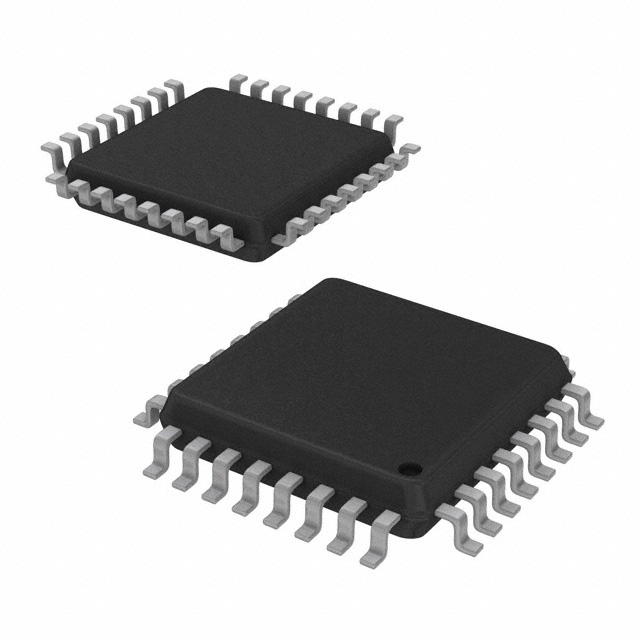
LQFP32 7x7mm
LQFP64 10x10mm
LQFP44 10x10mm
LQFP64 14x14mm
■
Up to 4 communications interfaces
– SPI synchronous serial interface
– Master/ slave LINSCI™ asynchronous
serial interface
– Master only LINSCI™ asynchronous serial
interface
– CAN 2.0B active
■
Analog peripheral (low current coupling)
– 10-bit A/D converter with up to 16 inputs
– Up to 9 robust ports (low current coupling)
■
Instruction set
– 8-bit data manipulation
– 63 basic instructions, 17 main addressing
modes
– 8 x 8 unsigned multiply instruction
■
Development tools
– Full hardware/ software development
package
Table 1.
Reference
Device summary
Part number
ST72561K4-Auto, ST72561K6-Auto,
ST72561K7-Auto, ST72561K9-Auto,
ST72561J4-Auto, ST72561J6-Auto,
ST72561xx- ST72561J7-Auto, ST72561J9-Auto,
Auto
ST72561R4-Auto, ST72561R6-Auto,
ST72561R7-Auto, ST72561R9-Auto,
ST72561AR4-Auto, ST72561AR6-Auto,
ST72561AR7-Auto, ST72561AR9-Auto
Doc ID 12370 Rev 8
1/324
www.st.com
1
�Contents
ST72561-Auto
Contents
1
Description . . . . . . . . . . . . . . . . . . . . . . . . . . . . . . . . . . . . . . . . . . . . . . . . 20
1.1
Pin description . . . . . . . . . . . . . . . . . . . . . . . . . . . . . . . . . . . . . . . . . . . . . 22
2
Register and memory map . . . . . . . . . . . . . . . . . . . . . . . . . . . . . . . . . . . 28
3
Flash program memory . . . . . . . . . . . . . . . . . . . . . . . . . . . . . . . . . . . . . 32
3.1
Introduction . . . . . . . . . . . . . . . . . . . . . . . . . . . . . . . . . . . . . . . . . . . . . . . 32
3.2
Main features . . . . . . . . . . . . . . . . . . . . . . . . . . . . . . . . . . . . . . . . . . . . . . 32
3.3
Structure . . . . . . . . . . . . . . . . . . . . . . . . . . . . . . . . . . . . . . . . . . . . . . . . . . 32
3.3.1
4
5
3.4
ICC interface . . . . . . . . . . . . . . . . . . . . . . . . . . . . . . . . . . . . . . . . . . . . . . 33
3.5
ICP (in-circuit programming) . . . . . . . . . . . . . . . . . . . . . . . . . . . . . . . . . . 34
3.6
IAP (in-application programming) . . . . . . . . . . . . . . . . . . . . . . . . . . . . . . . 35
3.7
Related documentation . . . . . . . . . . . . . . . . . . . . . . . . . . . . . . . . . . . . . . 35
3.8
Register description . . . . . . . . . . . . . . . . . . . . . . . . . . . . . . . . . . . . . . . . . 35
Central processing unit . . . . . . . . . . . . . . . . . . . . . . . . . . . . . . . . . . . . . 36
4.1
Introduction . . . . . . . . . . . . . . . . . . . . . . . . . . . . . . . . . . . . . . . . . . . . . . . 36
4.2
Main features . . . . . . . . . . . . . . . . . . . . . . . . . . . . . . . . . . . . . . . . . . . . . . 36
4.3
CPU registers . . . . . . . . . . . . . . . . . . . . . . . . . . . . . . . . . . . . . . . . . . . . . . 36
4.3.1
Accumulator (A) . . . . . . . . . . . . . . . . . . . . . . . . . . . . . . . . . . . . . . . . . . . 36
4.3.2
Index registers (X and Y) . . . . . . . . . . . . . . . . . . . . . . . . . . . . . . . . . . . . 36
4.3.3
Program counter (PC) . . . . . . . . . . . . . . . . . . . . . . . . . . . . . . . . . . . . . . 36
4.3.4
Condition code register (CC) . . . . . . . . . . . . . . . . . . . . . . . . . . . . . . . . . 37
4.3.5
Stack pointer (SP) . . . . . . . . . . . . . . . . . . . . . . . . . . . . . . . . . . . . . . . . . 39
Supply, reset and clock management . . . . . . . . . . . . . . . . . . . . . . . . . . 41
5.1
Introduction . . . . . . . . . . . . . . . . . . . . . . . . . . . . . . . . . . . . . . . . . . . . . . . 41
5.2
Main features . . . . . . . . . . . . . . . . . . . . . . . . . . . . . . . . . . . . . . . . . . . . . . 41
5.3
Phase locked loop . . . . . . . . . . . . . . . . . . . . . . . . . . . . . . . . . . . . . . . . . . 41
5.4
Multi-oscillator (MO) . . . . . . . . . . . . . . . . . . . . . . . . . . . . . . . . . . . . . . . . . 42
5.5
Reset sequence manager (RSM) . . . . . . . . . . . . . . . . . . . . . . . . . . . . . . . 43
5.5.1
2/324
Read-out protection . . . . . . . . . . . . . . . . . . . . . . . . . . . . . . . . . . . . . . . . 33
Introduction . . . . . . . . . . . . . . . . . . . . . . . . . . . . . . . . . . . . . . . . . . . . . . 43
Doc ID 12370 Rev 8
�ST72561-Auto
5.6
6
5.5.2
Asynchronous external RESET pin . . . . . . . . . . . . . . . . . . . . . . . . . . . . 44
5.5.3
External power-on reset . . . . . . . . . . . . . . . . . . . . . . . . . . . . . . . . . . . . . 44
5.5.4
Internal low voltage detector (LVD) reset . . . . . . . . . . . . . . . . . . . . . . . . 44
5.5.5
Internal watchdog reset . . . . . . . . . . . . . . . . . . . . . . . . . . . . . . . . . . . . . 45
System integrity management (SI) . . . . . . . . . . . . . . . . . . . . . . . . . . . . . . 45
5.6.1
Low voltage detector (LVD) . . . . . . . . . . . . . . . . . . . . . . . . . . . . . . . . . . 45
5.6.2
Auxiliary voltage detector (AVD) . . . . . . . . . . . . . . . . . . . . . . . . . . . . . . 46
5.6.3
Low power modes . . . . . . . . . . . . . . . . . . . . . . . . . . . . . . . . . . . . . . . . . 47
5.6.4
Interrupts . . . . . . . . . . . . . . . . . . . . . . . . . . . . . . . . . . . . . . . . . . . . . . . . 47
5.6.5
Register description . . . . . . . . . . . . . . . . . . . . . . . . . . . . . . . . . . . . . . . . 48
Interrupts . . . . . . . . . . . . . . . . . . . . . . . . . . . . . . . . . . . . . . . . . . . . . . . . . 50
6.1
Introduction . . . . . . . . . . . . . . . . . . . . . . . . . . . . . . . . . . . . . . . . . . . . . . . 50
6.2
Masking and processing flow . . . . . . . . . . . . . . . . . . . . . . . . . . . . . . . . . . 50
6.3
Interrupts and low power modes . . . . . . . . . . . . . . . . . . . . . . . . . . . . . . . 53
6.4
Concurrent & nested management . . . . . . . . . . . . . . . . . . . . . . . . . . . . . 53
6.5
Interrupt register description . . . . . . . . . . . . . . . . . . . . . . . . . . . . . . . . . . 54
6.6
7
Contents
6.5.1
CPU CC register interrupt bits . . . . . . . . . . . . . . . . . . . . . . . . . . . . . . . . 54
6.5.2
Interrupt software priority registers (ISPRX) . . . . . . . . . . . . . . . . . . . . . 55
External interrupts . . . . . . . . . . . . . . . . . . . . . . . . . . . . . . . . . . . . . . . . . . 58
6.6.1
I/O port interrupt sensitivity . . . . . . . . . . . . . . . . . . . . . . . . . . . . . . . . . . 58
6.6.2
Register description . . . . . . . . . . . . . . . . . . . . . . . . . . . . . . . . . . . . . . . . 60
Power saving modes . . . . . . . . . . . . . . . . . . . . . . . . . . . . . . . . . . . . . . . . 63
7.1
Introduction . . . . . . . . . . . . . . . . . . . . . . . . . . . . . . . . . . . . . . . . . . . . . . . 63
7.2
Slow mode . . . . . . . . . . . . . . . . . . . . . . . . . . . . . . . . . . . . . . . . . . . . . . . . 63
7.3
Wait mode . . . . . . . . . . . . . . . . . . . . . . . . . . . . . . . . . . . . . . . . . . . . . . . . 64
7.4
Halt mode . . . . . . . . . . . . . . . . . . . . . . . . . . . . . . . . . . . . . . . . . . . . . . . . . 65
7.5
Active halt mode . . . . . . . . . . . . . . . . . . . . . . . . . . . . . . . . . . . . . . . . . . . . 67
7.6
Auto wake-up from halt mode . . . . . . . . . . . . . . . . . . . . . . . . . . . . . . . . . . 68
7.6.1
8
Register description . . . . . . . . . . . . . . . . . . . . . . . . . . . . . . . . . . . . . . . . 71
I/O ports . . . . . . . . . . . . . . . . . . . . . . . . . . . . . . . . . . . . . . . . . . . . . . . . . . 73
8.1
Introduction . . . . . . . . . . . . . . . . . . . . . . . . . . . . . . . . . . . . . . . . . . . . . . . 73
8.2
Functional description . . . . . . . . . . . . . . . . . . . . . . . . . . . . . . . . . . . . . . . 73
8.2.1
Input modes . . . . . . . . . . . . . . . . . . . . . . . . . . . . . . . . . . . . . . . . . . . . . . 73
Doc ID 12370 Rev 8
3/324
�Contents
9
10
ST72561-Auto
8.2.2
Output modes . . . . . . . . . . . . . . . . . . . . . . . . . . . . . . . . . . . . . . . . . . . . 74
8.2.3
Alternate functions . . . . . . . . . . . . . . . . . . . . . . . . . . . . . . . . . . . . . . . . . 74
8.3
I/O port implementation . . . . . . . . . . . . . . . . . . . . . . . . . . . . . . . . . . . . . . 77
8.4
I/O port register configurations . . . . . . . . . . . . . . . . . . . . . . . . . . . . . . . . . 77
8.4.1
Standard ports . . . . . . . . . . . . . . . . . . . . . . . . . . . . . . . . . . . . . . . . . . . . 77
8.4.2
Interrupt ports . . . . . . . . . . . . . . . . . . . . . . . . . . . . . . . . . . . . . . . . . . . . 78
8.4.3
Pull-up input port (CANTX requirement) . . . . . . . . . . . . . . . . . . . . . . . . 79
8.5
Low power modes . . . . . . . . . . . . . . . . . . . . . . . . . . . . . . . . . . . . . . . . . . 80
8.6
Interrupts . . . . . . . . . . . . . . . . . . . . . . . . . . . . . . . . . . . . . . . . . . . . . . . . . 80
Window watchdog (WWDG) . . . . . . . . . . . . . . . . . . . . . . . . . . . . . . . . . . 82
9.1
Introduction . . . . . . . . . . . . . . . . . . . . . . . . . . . . . . . . . . . . . . . . . . . . . . . 82
9.2
Main features . . . . . . . . . . . . . . . . . . . . . . . . . . . . . . . . . . . . . . . . . . . . . . 82
9.3
Functional description . . . . . . . . . . . . . . . . . . . . . . . . . . . . . . . . . . . . . . . 82
9.4
Using halt mode with the WDG . . . . . . . . . . . . . . . . . . . . . . . . . . . . . . . . 84
9.5
How to program the watchdog timeout . . . . . . . . . . . . . . . . . . . . . . . . . . . 84
9.6
Low power modes . . . . . . . . . . . . . . . . . . . . . . . . . . . . . . . . . . . . . . . . . . 86
9.7
Hardware watchdog option . . . . . . . . . . . . . . . . . . . . . . . . . . . . . . . . . . . . 86
9.8
Using halt mode with the WDG (WDGHALT option) . . . . . . . . . . . . . . . . 87
9.9
Interrupts . . . . . . . . . . . . . . . . . . . . . . . . . . . . . . . . . . . . . . . . . . . . . . . . . 87
9.10
Register description . . . . . . . . . . . . . . . . . . . . . . . . . . . . . . . . . . . . . . . . . 87
9.10.1
Control register (WDGCR) . . . . . . . . . . . . . . . . . . . . . . . . . . . . . . . . . . . 87
9.10.2
Window Register (WDGWR) . . . . . . . . . . . . . . . . . . . . . . . . . . . . . . . . . 87
Main clock controller with real time clock MCC/RTC . . . . . . . . . . . . . . 89
10.1
Programmable CPU clock prescaler . . . . . . . . . . . . . . . . . . . . . . . . . . . . 89
10.2
Clock-out capability . . . . . . . . . . . . . . . . . . . . . . . . . . . . . . . . . . . . . . . . . 89
10.3
Real time clock timer (RTC) . . . . . . . . . . . . . . . . . . . . . . . . . . . . . . . . . . . 89
10.4
Low power modes . . . . . . . . . . . . . . . . . . . . . . . . . . . . . . . . . . . . . . . . . . 90
10.5
Interrupts . . . . . . . . . . . . . . . . . . . . . . . . . . . . . . . . . . . . . . . . . . . . . . . . . 90
10.6
Register description . . . . . . . . . . . . . . . . . . . . . . . . . . . . . . . . . . . . . . . . . 90
10.6.1
11
PWM auto-reload timer (ART) . . . . . . . . . . . . . . . . . . . . . . . . . . . . . . . . 93
11.1
4/324
MCC control/status register (MCCSR) . . . . . . . . . . . . . . . . . . . . . . . . . . 90
Introduction . . . . . . . . . . . . . . . . . . . . . . . . . . . . . . . . . . . . . . . . . . . . . . . 93
Doc ID 12370 Rev 8
�ST72561-Auto
11.2
11.3
12
Contents
Functional description . . . . . . . . . . . . . . . . . . . . . . . . . . . . . . . . . . . . . . . 94
11.2.1
Counter . . . . . . . . . . . . . . . . . . . . . . . . . . . . . . . . . . . . . . . . . . . . . . . . . 94
11.2.2
Counter clock and prescaler . . . . . . . . . . . . . . . . . . . . . . . . . . . . . . . . . 94
11.2.3
Counter and prescaler Initialization . . . . . . . . . . . . . . . . . . . . . . . . . . . . 94
11.2.4
Output compare control . . . . . . . . . . . . . . . . . . . . . . . . . . . . . . . . . . . . . 94
11.2.5
Independent PWM signal generation . . . . . . . . . . . . . . . . . . . . . . . . . . . 95
11.2.6
Output compare and Time base interrupt . . . . . . . . . . . . . . . . . . . . . . . 96
11.2.7
External clock and event detector mode . . . . . . . . . . . . . . . . . . . . . . . . 96
11.2.8
Input capture function . . . . . . . . . . . . . . . . . . . . . . . . . . . . . . . . . . . . . . 96
11.2.9
External interrupt capability . . . . . . . . . . . . . . . . . . . . . . . . . . . . . . . . . . 98
Register description . . . . . . . . . . . . . . . . . . . . . . . . . . . . . . . . . . . . . . . . . 99
16-bit timer . . . . . . . . . . . . . . . . . . . . . . . . . . . . . . . . . . . . . . . . . . . . . . . 104
12.1
Introduction . . . . . . . . . . . . . . . . . . . . . . . . . . . . . . . . . . . . . . . . . . . . . . 104
12.2
Main features . . . . . . . . . . . . . . . . . . . . . . . . . . . . . . . . . . . . . . . . . . . . . 104
12.3
Functional description . . . . . . . . . . . . . . . . . . . . . . . . . . . . . . . . . . . . . . 105
12.3.1
Counter . . . . . . . . . . . . . . . . . . . . . . . . . . . . . . . . . . . . . . . . . . . . . . . . 105
12.3.2
External clock . . . . . . . . . . . . . . . . . . . . . . . . . . . . . . . . . . . . . . . . . . . 107
12.3.3
Input capture . . . . . . . . . . . . . . . . . . . . . . . . . . . . . . . . . . . . . . . . . . . . 108
12.3.4
Procedure . . . . . . . . . . . . . . . . . . . . . . . . . . . . . . . . . . . . . . . . . . . . . . 109
12.3.5
Output compare . . . . . . . . . . . . . . . . . . . . . . . . . . . . . . . . . . . . . . . . . . 110
12.3.6
Procedure . . . . . . . . . . . . . . . . . . . . . . . . . . . . . . . . . . . . . . . . . . . . . . 111
12.3.7
Forced compare output capability . . . . . . . . . . . . . . . . . . . . . . . . . . . . 112
12.3.8
One pulse mode . . . . . . . . . . . . . . . . . . . . . . . . . . . . . . . . . . . . . . . . . 113
12.3.9
Pulse width modulation mode . . . . . . . . . . . . . . . . . . . . . . . . . . . . . . . 115
12.4
Low power modes . . . . . . . . . . . . . . . . . . . . . . . . . . . . . . . . . . . . . . . . . 117
12.5
Interrupts . . . . . . . . . . . . . . . . . . . . . . . . . . . . . . . . . . . . . . . . . . . . . . . . 117
12.6
Summary of timer modes . . . . . . . . . . . . . . . . . . . . . . . . . . . . . . . . . . . . 118
12.7
Register description . . . . . . . . . . . . . . . . . . . . . . . . . . . . . . . . . . . . . . . . 118
12.7.1
Control register 1 (CR1) . . . . . . . . . . . . . . . . . . . . . . . . . . . . . . . . . . . . 118
12.7.2
Control register 2 (CR2) . . . . . . . . . . . . . . . . . . . . . . . . . . . . . . . . . . . . 119
12.7.3
Control/status register (CSR) . . . . . . . . . . . . . . . . . . . . . . . . . . . . . . . . 120
12.7.4
Input capture 1 high register (IC1HR) . . . . . . . . . . . . . . . . . . . . . . . . . 121
12.7.5
Input capture 1 low register (IC1LR) . . . . . . . . . . . . . . . . . . . . . . . . . . 122
12.7.6
Output compare 1 high register (OC1HR) . . . . . . . . . . . . . . . . . . . . . . 122
12.7.7
Output compare 1 low register (OC1LR) . . . . . . . . . . . . . . . . . . . . . . . 122
Doc ID 12370 Rev 8
5/324
�Contents
ST72561-Auto
12.7.8
Output compare 2 high register (OC2HR) . . . . . . . . . . . . . . . . . . . . . . 122
12.7.9
Output compare 2 low register (OC2LR) . . . . . . . . . . . . . . . . . . . . . . . 123
12.7.10 Counter high register (CHR) . . . . . . . . . . . . . . . . . . . . . . . . . . . . . . . . 123
12.7.11 Counter low register (CLR) . . . . . . . . . . . . . . . . . . . . . . . . . . . . . . . . . 123
12.7.12 Alternate counter high register (ACHR) . . . . . . . . . . . . . . . . . . . . . . . . 123
12.7.13 Alternate counter low register (ACLR) . . . . . . . . . . . . . . . . . . . . . . . . . 124
12.7.14 Input capture 2 high register (IC2HR) . . . . . . . . . . . . . . . . . . . . . . . . . 124
12.7.15 Input capture 2 low register (IC2LR) . . . . . . . . . . . . . . . . . . . . . . . . . . 124
13
8-bit timer (TIM8) . . . . . . . . . . . . . . . . . . . . . . . . . . . . . . . . . . . . . . . . . . 126
13.1
Introduction . . . . . . . . . . . . . . . . . . . . . . . . . . . . . . . . . . . . . . . . . . . . . . 126
13.2
Main features . . . . . . . . . . . . . . . . . . . . . . . . . . . . . . . . . . . . . . . . . . . . . 126
13.3
Functional description . . . . . . . . . . . . . . . . . . . . . . . . . . . . . . . . . . . . . . 126
13.3.2
Input capture . . . . . . . . . . . . . . . . . . . . . . . . . . . . . . . . . . . . . . . . . . . . 130
13.3.3
Output compare . . . . . . . . . . . . . . . . . . . . . . . . . . . . . . . . . . . . . . . . . . 131
13.3.4
Forced compare output capability . . . . . . . . . . . . . . . . . . . . . . . . . . . . 133
13.3.5
One pulse mode . . . . . . . . . . . . . . . . . . . . . . . . . . . . . . . . . . . . . . . . . 134
13.3.6
Pulse width modulation mode . . . . . . . . . . . . . . . . . . . . . . . . . . . . . . . 136
Low power modes . . . . . . . . . . . . . . . . . . . . . . . . . . . . . . . . . . . . . . . . . 138
13.5
Interrupts . . . . . . . . . . . . . . . . . . . . . . . . . . . . . . . . . . . . . . . . . . . . . . . . 138
13.6
Summary of timer modes . . . . . . . . . . . . . . . . . . . . . . . . . . . . . . . . . . . . 139
13.7
Register description . . . . . . . . . . . . . . . . . . . . . . . . . . . . . . . . . . . . . . . . 139
13.7.1
Control register 1 (CR1) . . . . . . . . . . . . . . . . . . . . . . . . . . . . . . . . . . . . 139
13.7.2
Control register 2 (CR2) . . . . . . . . . . . . . . . . . . . . . . . . . . . . . . . . . . . . 140
13.7.3
Control/status register (CSR) . . . . . . . . . . . . . . . . . . . . . . . . . . . . . . . . 141
13.7.4
Input capture 1 register (IC1R) . . . . . . . . . . . . . . . . . . . . . . . . . . . . . . 142
13.7.5
Output compare 1 register (OC1R) . . . . . . . . . . . . . . . . . . . . . . . . . . . 142
13.7.6
Output compare 2 register (OC2R) . . . . . . . . . . . . . . . . . . . . . . . . . . . 143
13.7.7
Counter register (CTR) . . . . . . . . . . . . . . . . . . . . . . . . . . . . . . . . . . . . 143
13.7.8
Alternate counter register (ACTR) . . . . . . . . . . . . . . . . . . . . . . . . . . . . 143
13.7.9
Input capture 2 register (IC2R) . . . . . . . . . . . . . . . . . . . . . . . . . . . . . . 143
8-bit timer register map . . . . . . . . . . . . . . . . . . . . . . . . . . . . . . . . . . . . . 144
Serial peripheral interface (SPI) . . . . . . . . . . . . . . . . . . . . . . . . . . . . . . 145
14.1
6/324
Counter . . . . . . . . . . . . . . . . . . . . . . . . . . . . . . . . . . . . . . . . . . . . . . . . 126
13.4
13.8
14
13.3.1
Introduction . . . . . . . . . . . . . . . . . . . . . . . . . . . . . . . . . . . . . . . . . . . . . . 145
Doc ID 12370 Rev 8
�ST72561-Auto
15
Contents
14.2
Main features . . . . . . . . . . . . . . . . . . . . . . . . . . . . . . . . . . . . . . . . . . . . . 145
14.3
General description . . . . . . . . . . . . . . . . . . . . . . . . . . . . . . . . . . . . . . . . 145
14.3.1
Functional description . . . . . . . . . . . . . . . . . . . . . . . . . . . . . . . . . . . . . 146
14.3.2
Slave select management . . . . . . . . . . . . . . . . . . . . . . . . . . . . . . . . . . 147
14.3.3
Master mode operation . . . . . . . . . . . . . . . . . . . . . . . . . . . . . . . . . . . . 148
14.3.4
Master mode transmit sequence . . . . . . . . . . . . . . . . . . . . . . . . . . . . . 148
14.3.5
Slave mode operation . . . . . . . . . . . . . . . . . . . . . . . . . . . . . . . . . . . . . 149
14.3.6
Slave mode transmit sequence . . . . . . . . . . . . . . . . . . . . . . . . . . . . . . 149
14.4
Clock phase and clock polarity . . . . . . . . . . . . . . . . . . . . . . . . . . . . . . . . 149
14.5
Error flags . . . . . . . . . . . . . . . . . . . . . . . . . . . . . . . . . . . . . . . . . . . . . . . . 150
14.5.1
Master mode fault (MODF) . . . . . . . . . . . . . . . . . . . . . . . . . . . . . . . . . 150
14.5.2
Overrun condition (OVR) . . . . . . . . . . . . . . . . . . . . . . . . . . . . . . . . . . . 151
14.5.3
Write collision error (WCOL) . . . . . . . . . . . . . . . . . . . . . . . . . . . . . . . . 151
14.6
Low power modes . . . . . . . . . . . . . . . . . . . . . . . . . . . . . . . . . . . . . . . . . 153
14.7
Interrupts . . . . . . . . . . . . . . . . . . . . . . . . . . . . . . . . . . . . . . . . . . . . . . . . 154
14.8
Register description . . . . . . . . . . . . . . . . . . . . . . . . . . . . . . . . . . . . . . . . 154
14.8.1
Control register (SPICR) . . . . . . . . . . . . . . . . . . . . . . . . . . . . . . . . . . . 154
14.8.2
Control/status register (SPICSR) . . . . . . . . . . . . . . . . . . . . . . . . . . . . . 155
14.8.3
Data I/O register (SPIDR) . . . . . . . . . . . . . . . . . . . . . . . . . . . . . . . . . . 157
LINSCI serial communication interface (LIN master/slave) . . . . . . . . 158
15.1
Introduction . . . . . . . . . . . . . . . . . . . . . . . . . . . . . . . . . . . . . . . . . . . . . . 158
15.2
SCI features . . . . . . . . . . . . . . . . . . . . . . . . . . . . . . . . . . . . . . . . . . . . . . 158
15.3
LIN features . . . . . . . . . . . . . . . . . . . . . . . . . . . . . . . . . . . . . . . . . . . . . . 159
15.4
General description . . . . . . . . . . . . . . . . . . . . . . . . . . . . . . . . . . . . . . . . 159
15.5
SCI mode - functional description . . . . . . . . . . . . . . . . . . . . . . . . . . . . . 160
15.5.1
Conventional baud rate generator mode . . . . . . . . . . . . . . . . . . . . . . . 160
15.5.2
Extended prescaler mode . . . . . . . . . . . . . . . . . . . . . . . . . . . . . . . . . . 161
15.5.3
Serial data format . . . . . . . . . . . . . . . . . . . . . . . . . . . . . . . . . . . . . . . . 161
15.5.4
Transmitter . . . . . . . . . . . . . . . . . . . . . . . . . . . . . . . . . . . . . . . . . . . . . . 161
15.5.5
Receiver . . . . . . . . . . . . . . . . . . . . . . . . . . . . . . . . . . . . . . . . . . . . . . . . 163
15.5.6
Extended baud rate generation . . . . . . . . . . . . . . . . . . . . . . . . . . . . . . 165
15.5.7
Receiver muting and wake-up feature . . . . . . . . . . . . . . . . . . . . . . . . . 166
15.5.8
Parity control . . . . . . . . . . . . . . . . . . . . . . . . . . . . . . . . . . . . . . . . . . . . 167
15.6
Low power modes . . . . . . . . . . . . . . . . . . . . . . . . . . . . . . . . . . . . . . . . . 168
15.7
Interrupts . . . . . . . . . . . . . . . . . . . . . . . . . . . . . . . . . . . . . . . . . . . . . . . . 168
Doc ID 12370 Rev 8
7/324
�Contents
ST72561-Auto
15.8
15.9
SCI mode register description . . . . . . . . . . . . . . . . . . . . . . . . . . . . . . . . 169
15.8.1
Status register (SCISR) . . . . . . . . . . . . . . . . . . . . . . . . . . . . . . . . . . . . 169
15.8.2
Control register 1 (SCICR1) . . . . . . . . . . . . . . . . . . . . . . . . . . . . . . . . . 170
15.8.3
Control register 2 (SCICR2) . . . . . . . . . . . . . . . . . . . . . . . . . . . . . . . . . 171
15.8.4
Data register (SCIDR) . . . . . . . . . . . . . . . . . . . . . . . . . . . . . . . . . . . . . 172
15.8.5
Baud rate register (SCIBRR) . . . . . . . . . . . . . . . . . . . . . . . . . . . . . . . . 173
15.8.6
Extended receive prescaler division register (SCIERPR) . . . . . . . . . . 174
15.8.7
Extended transmit prescaler division register (SCIETPR) . . . . . . . . . . 175
LIN mode - functional description. . . . . . . . . . . . . . . . . . . . . . . . . . . . . . 175
15.9.1
Entering LIN mode . . . . . . . . . . . . . . . . . . . . . . . . . . . . . . . . . . . . . . . . 175
15.9.2
LIN transmission . . . . . . . . . . . . . . . . . . . . . . . . . . . . . . . . . . . . . . . . . 176
15.9.3
LIN reception . . . . . . . . . . . . . . . . . . . . . . . . . . . . . . . . . . . . . . . . . . . . 177
15.9.4
LIN error detection . . . . . . . . . . . . . . . . . . . . . . . . . . . . . . . . . . . . . . . . 179
15.9.5
LIN baud rate . . . . . . . . . . . . . . . . . . . . . . . . . . . . . . . . . . . . . . . . . . . . 182
15.9.6
LIN slave baud rate generation . . . . . . . . . . . . . . . . . . . . . . . . . . . . . . 182
15.9.7
LINSCI clock tolerance . . . . . . . . . . . . . . . . . . . . . . . . . . . . . . . . . . . . 183
15.9.8
Clock deviation causes . . . . . . . . . . . . . . . . . . . . . . . . . . . . . . . . . . . . 184
15.9.9
Error due to LIN synch measurement . . . . . . . . . . . . . . . . . . . . . . . . . 185
15.9.10 Error due to baud rate quantization . . . . . . . . . . . . . . . . . . . . . . . . . . . 185
15.9.11 Impact of clock deviation on maximum baud rate . . . . . . . . . . . . . . . . 185
15.10 LIN mode register description . . . . . . . . . . . . . . . . . . . . . . . . . . . . . . . . 186
15.10.1 Status register (SCISR) . . . . . . . . . . . . . . . . . . . . . . . . . . . . . . . . . . . . 186
15.10.2 Control Register 1 (SCICR1) . . . . . . . . . . . . . . . . . . . . . . . . . . . . . . . . 187
15.10.3 Control Register 2 (SCICR2) . . . . . . . . . . . . . . . . . . . . . . . . . . . . . . . . 187
15.10.4 Control register 3 (SCICR3) . . . . . . . . . . . . . . . . . . . . . . . . . . . . . . . . . 188
15.10.5 LIN divider registers . . . . . . . . . . . . . . . . . . . . . . . . . . . . . . . . . . . . . . . 190
15.10.6 LIN prescaler register (LPR) . . . . . . . . . . . . . . . . . . . . . . . . . . . . . . . . 190
15.10.7 LIN prescaler fraction register (LPFR) . . . . . . . . . . . . . . . . . . . . . . . . . 190
15.10.8 LIN header length register (LHLR) . . . . . . . . . . . . . . . . . . . . . . . . . . . . 192
16
LINSCI serial communication interface (LIN master only) . . . . . . . . 195
16.1
Introduction . . . . . . . . . . . . . . . . . . . . . . . . . . . . . . . . . . . . . . . . . . . . . . 195
16.2
Main features . . . . . . . . . . . . . . . . . . . . . . . . . . . . . . . . . . . . . . . . . . . . . 195
16.3
General description . . . . . . . . . . . . . . . . . . . . . . . . . . . . . . . . . . . . . . . . 196
16.4
Functional description . . . . . . . . . . . . . . . . . . . . . . . . . . . . . . . . . . . . . . 197
16.4.1
8/324
Serial data format . . . . . . . . . . . . . . . . . . . . . . . . . . . . . . . . . . . . . . . . 198
Doc ID 12370 Rev 8
�ST72561-Auto
17
Contents
16.4.2
Transmitter . . . . . . . . . . . . . . . . . . . . . . . . . . . . . . . . . . . . . . . . . . . . . . 198
16.4.3
Receiver . . . . . . . . . . . . . . . . . . . . . . . . . . . . . . . . . . . . . . . . . . . . . . . . 200
16.4.4
Conventional baud rate generation . . . . . . . . . . . . . . . . . . . . . . . . . . . 202
16.4.5
Extended baud rate generation . . . . . . . . . . . . . . . . . . . . . . . . . . . . . . 203
16.4.6
Receiver muting and wake-up feature . . . . . . . . . . . . . . . . . . . . . . . . . 203
16.4.7
Parity control . . . . . . . . . . . . . . . . . . . . . . . . . . . . . . . . . . . . . . . . . . . . 204
16.5
Low power modes . . . . . . . . . . . . . . . . . . . . . . . . . . . . . . . . . . . . . . . . . 205
16.6
Interrupts . . . . . . . . . . . . . . . . . . . . . . . . . . . . . . . . . . . . . . . . . . . . . . . . 205
16.7
SCI synchronous transmission . . . . . . . . . . . . . . . . . . . . . . . . . . . . . . . . 205
16.8
Register description . . . . . . . . . . . . . . . . . . . . . . . . . . . . . . . . . . . . . . . . 207
16.8.1
Status register (SCISR) . . . . . . . . . . . . . . . . . . . . . . . . . . . . . . . . . . . . 207
16.8.2
Control register 1 (SCICR1) . . . . . . . . . . . . . . . . . . . . . . . . . . . . . . . . . 209
16.8.3
Control register 2 (SCICR2) . . . . . . . . . . . . . . . . . . . . . . . . . . . . . . . . . 210
16.8.4
Control Register 3 (SCICR3) . . . . . . . . . . . . . . . . . . . . . . . . . . . . . . . . 211
16.8.5
Data register (SCIDR) . . . . . . . . . . . . . . . . . . . . . . . . . . . . . . . . . . . . . 212
16.8.6
Baud rate register (SCIBRR) . . . . . . . . . . . . . . . . . . . . . . . . . . . . . . . . 213
16.8.7
Extended receive prescaler division register (SCIERPR) . . . . . . . . . . 214
16.8.8
Extended transmit prescaler division register (SCIETPR) . . . . . . . . . . 214
beCAN controller (beCAN) . . . . . . . . . . . . . . . . . . . . . . . . . . . . . . . . . . 216
17.1
Main features . . . . . . . . . . . . . . . . . . . . . . . . . . . . . . . . . . . . . . . . . . . . . 216
17.2
General description . . . . . . . . . . . . . . . . . . . . . . . . . . . . . . . . . . . . . . . . 216
17.3
Operating modes . . . . . . . . . . . . . . . . . . . . . . . . . . . . . . . . . . . . . . . . . . 218
17.4
Functional description . . . . . . . . . . . . . . . . . . . . . . . . . . . . . . . . . . . . . . 221
17.4.1
Transmission handling . . . . . . . . . . . . . . . . . . . . . . . . . . . . . . . . . . . . . 221
17.4.2
Reception handling . . . . . . . . . . . . . . . . . . . . . . . . . . . . . . . . . . . . . . . 222
17.4.3
Identifier filtering . . . . . . . . . . . . . . . . . . . . . . . . . . . . . . . . . . . . . . . . . 224
17.4.4
Message storage . . . . . . . . . . . . . . . . . . . . . . . . . . . . . . . . . . . . . . . . . 227
17.4.5
Error management . . . . . . . . . . . . . . . . . . . . . . . . . . . . . . . . . . . . . . . . 229
17.4.6
Bit timing . . . . . . . . . . . . . . . . . . . . . . . . . . . . . . . . . . . . . . . . . . . . . . . 230
17.5
Interrupts . . . . . . . . . . . . . . . . . . . . . . . . . . . . . . . . . . . . . . . . . . . . . . . . 232
17.6
Register access protection . . . . . . . . . . . . . . . . . . . . . . . . . . . . . . . . . . . 232
17.7
beCAN cell limitations . . . . . . . . . . . . . . . . . . . . . . . . . . . . . . . . . . . . . . 233
17.7.1
17.8
FIFO corruption . . . . . . . . . . . . . . . . . . . . . . . . . . . . . . . . . . . . . . . . . . 233
Register description . . . . . . . . . . . . . . . . . . . . . . . . . . . . . . . . . . . . . . . . 238
17.8.1
Control and status registers . . . . . . . . . . . . . . . . . . . . . . . . . . . . . . . . . 238
Doc ID 12370 Rev 8
9/324
�Contents
18
19
ST72561-Auto
17.8.2
CAN transmit status register (CTSR) . . . . . . . . . . . . . . . . . . . . . . . . . . 240
17.8.3
Mailbox registers . . . . . . . . . . . . . . . . . . . . . . . . . . . . . . . . . . . . . . . . . 248
17.8.4
CAN filter registers . . . . . . . . . . . . . . . . . . . . . . . . . . . . . . . . . . . . . . . . 251
10-bit A/D converter (ADC) . . . . . . . . . . . . . . . . . . . . . . . . . . . . . . . . . . 259
18.1
Introduction . . . . . . . . . . . . . . . . . . . . . . . . . . . . . . . . . . . . . . . . . . . . . . 259
18.2
Main features . . . . . . . . . . . . . . . . . . . . . . . . . . . . . . . . . . . . . . . . . . . . . 259
18.3
Functional description . . . . . . . . . . . . . . . . . . . . . . . . . . . . . . . . . . . . . . 259
18.3.1
Digital A/D conversion result . . . . . . . . . . . . . . . . . . . . . . . . . . . . . . . . 259
18.3.2
A/D conversion . . . . . . . . . . . . . . . . . . . . . . . . . . . . . . . . . . . . . . . . . . . 260
18.3.3
Changing the conversion channel . . . . . . . . . . . . . . . . . . . . . . . . . . . . 261
18.3.4
ADCDR consistency . . . . . . . . . . . . . . . . . . . . . . . . . . . . . . . . . . . . . . 261
18.4
Low power modes . . . . . . . . . . . . . . . . . . . . . . . . . . . . . . . . . . . . . . . . . 261
18.5
Interrupts . . . . . . . . . . . . . . . . . . . . . . . . . . . . . . . . . . . . . . . . . . . . . . . . 261
18.6
Register description . . . . . . . . . . . . . . . . . . . . . . . . . . . . . . . . . . . . . . . . 261
18.6.1
Control/status register (ADCCSR) . . . . . . . . . . . . . . . . . . . . . . . . . . . . 261
18.6.2
Data register (ADCDRH) . . . . . . . . . . . . . . . . . . . . . . . . . . . . . . . . . . . 263
18.6.3
Data register (ADCDRL) . . . . . . . . . . . . . . . . . . . . . . . . . . . . . . . . . . . 263
Instruction set . . . . . . . . . . . . . . . . . . . . . . . . . . . . . . . . . . . . . . . . . . . . 264
19.1
19.2
CPU addressing modes . . . . . . . . . . . . . . . . . . . . . . . . . . . . . . . . . . . . . 264
19.1.1
Inherent . . . . . . . . . . . . . . . . . . . . . . . . . . . . . . . . . . . . . . . . . . . . . . . . 265
19.1.2
Immediate . . . . . . . . . . . . . . . . . . . . . . . . . . . . . . . . . . . . . . . . . . . . . . 266
19.1.3
Direct . . . . . . . . . . . . . . . . . . . . . . . . . . . . . . . . . . . . . . . . . . . . . . . . . . 266
19.1.4
Indexed (no offset, short, long) . . . . . . . . . . . . . . . . . . . . . . . . . . . . . . 266
19.1.5
Indirect (short, long) . . . . . . . . . . . . . . . . . . . . . . . . . . . . . . . . . . . . . . . 266
19.1.6
Indirect indexed (short, long) . . . . . . . . . . . . . . . . . . . . . . . . . . . . . . . . 267
19.1.7
Relative mode (direct, indirect) . . . . . . . . . . . . . . . . . . . . . . . . . . . . . . 268
Instruction groups . . . . . . . . . . . . . . . . . . . . . . . . . . . . . . . . . . . . . . . . . . 268
19.2.1
20
Electrical characteristics . . . . . . . . . . . . . . . . . . . . . . . . . . . . . . . . . . . 272
20.1
10/324
Using a prebyte . . . . . . . . . . . . . . . . . . . . . . . . . . . . . . . . . . . . . . . . . . 269
Parameter conditions . . . . . . . . . . . . . . . . . . . . . . . . . . . . . . . . . . . . . . . 272
20.1.1
Minimum and maximum values . . . . . . . . . . . . . . . . . . . . . . . . . . . . . . 272
20.1.2
Typical values . . . . . . . . . . . . . . . . . . . . . . . . . . . . . . . . . . . . . . . . . . . . 272
20.1.3
Typical curves . . . . . . . . . . . . . . . . . . . . . . . . . . . . . . . . . . . . . . . . . . . 272
Doc ID 12370 Rev 8
�ST72561-Auto
20.2
20.3
20.4
20.5
Contents
20.1.4
Loading capacitor . . . . . . . . . . . . . . . . . . . . . . . . . . . . . . . . . . . . . . . . 272
20.1.5
Pin input voltage . . . . . . . . . . . . . . . . . . . . . . . . . . . . . . . . . . . . . . . . . 272
Absolute maximum ratings . . . . . . . . . . . . . . . . . . . . . . . . . . . . . . . . . . . 273
20.2.1
Voltage characteristics . . . . . . . . . . . . . . . . . . . . . . . . . . . . . . . . . . . . . 273
20.2.2
Current characteristics . . . . . . . . . . . . . . . . . . . . . . . . . . . . . . . . . . . . . 274
20.2.3
Thermal characteristics . . . . . . . . . . . . . . . . . . . . . . . . . . . . . . . . . . . . 274
Operating conditions . . . . . . . . . . . . . . . . . . . . . . . . . . . . . . . . . . . . . . . 275
20.3.1
General operating conditions . . . . . . . . . . . . . . . . . . . . . . . . . . . . . . . . 275
20.3.2
Operating conditions with low voltage detector (LVD) . . . . . . . . . . . . . 275
20.3.3
Auxiliary voltage detector (AVD) thresholds . . . . . . . . . . . . . . . . . . . . . 276
Supply current characteristics . . . . . . . . . . . . . . . . . . . . . . . . . . . . . . . . 276
20.4.1
Supply and clock managers . . . . . . . . . . . . . . . . . . . . . . . . . . . . . . . . . 277
20.4.2
On-chip peripherals . . . . . . . . . . . . . . . . . . . . . . . . . . . . . . . . . . . . . . . 278
Clock and timing characteristics . . . . . . . . . . . . . . . . . . . . . . . . . . . . . . . 279
20.5.1
Crystal and ceramic resonator oscillators . . . . . . . . . . . . . . . . . . . . . . 280
20.5.2
PLL characteristics . . . . . . . . . . . . . . . . . . . . . . . . . . . . . . . . . . . . . . . 281
20.6
Auto wakeup from halt oscillator (AWU) . . . . . . . . . . . . . . . . . . . . . . . . . 282
20.7
Memory characteristics . . . . . . . . . . . . . . . . . . . . . . . . . . . . . . . . . . . . . 282
20.8
20.9
20.7.1
RAM and hardware registers . . . . . . . . . . . . . . . . . . . . . . . . . . . . . . . . 282
20.7.2
Flash memory . . . . . . . . . . . . . . . . . . . . . . . . . . . . . . . . . . . . . . . . . . . 282
EMC characteristics . . . . . . . . . . . . . . . . . . . . . . . . . . . . . . . . . . . . . . . . 283
20.8.1
Functional EMS (electromagnetic susceptibility) . . . . . . . . . . . . . . . . . 283
20.8.2
Electromagnetic interference (EMI) . . . . . . . . . . . . . . . . . . . . . . . . . . . 284
20.8.3
Absolute maximum ratings (electrical sensitivity) . . . . . . . . . . . . . . . . 284
I/O port pin characteristics . . . . . . . . . . . . . . . . . . . . . . . . . . . . . . . . . . . 286
20.9.1
General characteristics . . . . . . . . . . . . . . . . . . . . . . . . . . . . . . . . . . . . 286
20.9.2
Output driving current . . . . . . . . . . . . . . . . . . . . . . . . . . . . . . . . . . . . . 288
20.10 Control pin characteristics . . . . . . . . . . . . . . . . . . . . . . . . . . . . . . . . . . . 290
20.10.1 Asynchronous RESET pin . . . . . . . . . . . . . . . . . . . . . . . . . . . . . . . . . . 290
20.10.2 ICCSEL/ VPP pin . . . . . . . . . . . . . . . . . . . . . . . . . . . . . . . . . . . . . . . . . 292
20.11 Timer peripheral characteristics . . . . . . . . . . . . . . . . . . . . . . . . . . . . . . . 293
20.12 Communication interface characteristics . . . . . . . . . . . . . . . . . . . . . . . . 295
20.12.1 SPI - serial peripheral interface . . . . . . . . . . . . . . . . . . . . . . . . . . . . . . 295
20.12.2 CAN - controller area network interface . . . . . . . . . . . . . . . . . . . . . . . . 297
20.13 10-bit ADC characteristics . . . . . . . . . . . . . . . . . . . . . . . . . . . . . . . . . . . 297
Doc ID 12370 Rev 8
11/324
�Contents
21
22
ST72561-Auto
Package characteristics . . . . . . . . . . . . . . . . . . . . . . . . . . . . . . . . . . . . 302
21.1
ECOPACK®
. . . . . . . . . . . . . . . . . . . . . . . . . . . . . . . . . . . . . . . . . . . . . . . . . . . . . . . . . . . 302
21.2
Package mechanical data . . . . . . . . . . . . . . . . . . . . . . . . . . . . . . . . . . . 302
21.3
Thermal characteristics . . . . . . . . . . . . . . . . . . . . . . . . . . . . . . . . . . . . . 304
21.4
Packaging for automatic handling . . . . . . . . . . . . . . . . . . . . . . . . . . . . . 304
Device configuration and ordering information . . . . . . . . . . . . . . . . . 306
22.1
Introduction . . . . . . . . . . . . . . . . . . . . . . . . . . . . . . . . . . . . . . . . . . . . . . 306
22.2
Flash devices . . . . . . . . . . . . . . . . . . . . . . . . . . . . . . . . . . . . . . . . . . . . . 306
22.3
22.2.1
Flash configuration . . . . . . . . . . . . . . . . . . . . . . . . . . . . . . . . . . . . . . . 306
22.2.2
Flash ordering information . . . . . . . . . . . . . . . . . . . . . . . . . . . . . . . . . . 310
Transfer of customer code . . . . . . . . . . . . . . . . . . . . . . . . . . . . . . . . . . . 311
23
Development tools . . . . . . . . . . . . . . . . . . . . . . . . . . . . . . . . . . . . . . . . 314
24
Important notes . . . . . . . . . . . . . . . . . . . . . . . . . . . . . . . . . . . . . . . . . . . 315
24.1
24.2
24.3
All devices . . . . . . . . . . . . . . . . . . . . . . . . . . . . . . . . . . . . . . . . . . . . . . . 315
24.1.1
RESET pin protection with LVD enabled . . . . . . . . . . . . . . . . . . . . . . . 315
24.1.2
Clearing active interrupts outside interrupt routine . . . . . . . . . . . . . . . 315
24.1.3
External interrupt missed . . . . . . . . . . . . . . . . . . . . . . . . . . . . . . . . . . . 316
24.1.4
Unexpected reset fetch . . . . . . . . . . . . . . . . . . . . . . . . . . . . . . . . . . . . 318
24.1.5
Header time-out does not prevent wake-up from mute mode . . . . . . . 318
24.1.6
CAN FIFO corruption . . . . . . . . . . . . . . . . . . . . . . . . . . . . . . . . . . . . . . 319
Flash/FastROM devices only . . . . . . . . . . . . . . . . . . . . . . . . . . . . . . . . . 320
24.2.1
LINSCI wrong break duration . . . . . . . . . . . . . . . . . . . . . . . . . . . . . . . 320
24.2.2
16-bit and 8-bit timer PWM mode . . . . . . . . . . . . . . . . . . . . . . . . . . . . 321
ROM devices only . . . . . . . . . . . . . . . . . . . . . . . . . . . . . . . . . . . . . . . . . 321
24.3.1
25
12/324
16-bit timer PWM mode buffering feature change . . . . . . . . . . . . . . . . 321
Revision history . . . . . . . . . . . . . . . . . . . . . . . . . . . . . . . . . . . . . . . . . . 322
Doc ID 12370 Rev 8
�ST72561-Auto
List of tables
List of tables
Table 1.
Table 2.
Table 3.
Table 4.
Table 5.
Table 6.
Table 7.
Table 8.
Table 9.
Table 10.
Table 11.
Table 12.
Table 13.
Table 14.
Table 15.
Table 16.
Table 17.
Table 18.
Table 19.
Table 20.
Table 21.
Table 22.
Table 23.
Table 24.
Table 25.
Table 26.
Table 27.
Table 28.
Table 29.
Table 30.
Table 31.
Table 32.
Table 33.
Table 34.
Table 35.
Table 36.
Table 37.
Table 38.
Table 39.
Table 40.
Table 41.
Table 42.
Table 43.
Table 44.
Table 45.
Table 46.
Table 47.
Table 48.
Device summary . . . . . . . . . . . . . . . . . . . . . . . . . . . . . . . . . . . . . . . . . . . . . . . . . . . . . . . . . . 1
Product overview . . . . . . . . . . . . . . . . . . . . . . . . . . . . . . . . . . . . . . . . . . . . . . . . . . . . . . . . 20
Device pin description. . . . . . . . . . . . . . . . . . . . . . . . . . . . . . . . . . . . . . . . . . . . . . . . . . . . . 25
Hardware register map . . . . . . . . . . . . . . . . . . . . . . . . . . . . . . . . . . . . . . . . . . . . . . . . . . . . 28
Sectors available in Flash devices . . . . . . . . . . . . . . . . . . . . . . . . . . . . . . . . . . . . . . . . . . . 32
Flash control/status register address and reset value . . . . . . . . . . . . . . . . . . . . . . . . . . . . 35
Interrupt software priority selection . . . . . . . . . . . . . . . . . . . . . . . . . . . . . . . . . . . . . . . . . . . 38
ST7 clock sources . . . . . . . . . . . . . . . . . . . . . . . . . . . . . . . . . . . . . . . . . . . . . . . . . . . . . . . 43
Effect of low power modes on SI . . . . . . . . . . . . . . . . . . . . . . . . . . . . . . . . . . . . . . . . . . . . 47
Interrupt control/wake-up capability . . . . . . . . . . . . . . . . . . . . . . . . . . . . . . . . . . . . . . . . . . 47
Reset source flags . . . . . . . . . . . . . . . . . . . . . . . . . . . . . . . . . . . . . . . . . . . . . . . . . . . . . . . 49
Interrupt software priority levels . . . . . . . . . . . . . . . . . . . . . . . . . . . . . . . . . . . . . . . . . . . . . 51
Interrupt software priority levels . . . . . . . . . . . . . . . . . . . . . . . . . . . . . . . . . . . . . . . . . . . . . 54
Interrupt priority bits . . . . . . . . . . . . . . . . . . . . . . . . . . . . . . . . . . . . . . . . . . . . . . . . . . . . . . 55
Dedicated interrupt instruction set . . . . . . . . . . . . . . . . . . . . . . . . . . . . . . . . . . . . . . . . . . . 55
Interrupt mapping . . . . . . . . . . . . . . . . . . . . . . . . . . . . . . . . . . . . . . . . . . . . . . . . . . . . . . . . 57
Interrupt sensitivity - ei3 . . . . . . . . . . . . . . . . . . . . . . . . . . . . . . . . . . . . . . . . . . . . . . . . . . . 60
Interrupt sensitivity - ei2 . . . . . . . . . . . . . . . . . . . . . . . . . . . . . . . . . . . . . . . . . . . . . . . . . . . 60
Interrupt sensitivity - ei1 . . . . . . . . . . . . . . . . . . . . . . . . . . . . . . . . . . . . . . . . . . . . . . . . . . . 60
Interrupt sensitivity - ei0 . . . . . . . . . . . . . . . . . . . . . . . . . . . . . . . . . . . . . . . . . . . . . . . . . . . 61
Nested interrupts register map and reset values . . . . . . . . . . . . . . . . . . . . . . . . . . . . . . . . 62
MCC/RTC low power mode selection . . . . . . . . . . . . . . . . . . . . . . . . . . . . . . . . . . . . . . . . . 67
AWUPR prescaler. . . . . . . . . . . . . . . . . . . . . . . . . . . . . . . . . . . . . . . . . . . . . . . . . . . . . . . . 71
AWU register map and reset values . . . . . . . . . . . . . . . . . . . . . . . . . . . . . . . . . . . . . . . . . . 72
DR register value and output pin status . . . . . . . . . . . . . . . . . . . . . . . . . . . . . . . . . . . . . . . 74
I/O port mode options . . . . . . . . . . . . . . . . . . . . . . . . . . . . . . . . . . . . . . . . . . . . . . . . . . . . . 75
I/O port configurations . . . . . . . . . . . . . . . . . . . . . . . . . . . . . . . . . . . . . . . . . . . . . . . . . . . . 76
Configuration of PB7:6, PC0, PC3, PC7:5, PD3:2, PD5, PE7:0, PF7:0 . . . . . . . . . . . . . . . 77
Configuration of PA0, 2, 4, 6; PB0, 2,4; PC1; PD0,6 (with pull-up) . . . . . . . . . . . . . . . . . . 78
Configuration of PA1, 3, 5, 7; PB1,3,5; PC2; PD1, 4, 7 (without pull-up) . . . . . . . . . . . . . . 78
Configuration of PC4 . . . . . . . . . . . . . . . . . . . . . . . . . . . . . . . . . . . . . . . . . . . . . . . . . . . . . 79
Port configuration . . . . . . . . . . . . . . . . . . . . . . . . . . . . . . . . . . . . . . . . . . . . . . . . . . . . . . . . 79
Effect of low power modes on I/O ports . . . . . . . . . . . . . . . . . . . . . . . . . . . . . . . . . . . . . . . 80
I/O port interrupt control/wake-up capability . . . . . . . . . . . . . . . . . . . . . . . . . . . . . . . . . . . . 80
I/O port register map and reset values . . . . . . . . . . . . . . . . . . . . . . . . . . . . . . . . . . . . . . . . 81
Effect of low power modes on WDG . . . . . . . . . . . . . . . . . . . . . . . . . . . . . . . . . . . . . . . . . . 86
Watchdog timer register map and reset values . . . . . . . . . . . . . . . . . . . . . . . . . . . . . . . . . 88
Effect of low power modes on MCC/RTC . . . . . . . . . . . . . . . . . . . . . . . . . . . . . . . . . . . . . . 90
MCC/RTC Interrupt control wake-up capability. . . . . . . . . . . . . . . . . . . . . . . . . . . . . . . . . . 90
CPU clock frequency in SLOW mode . . . . . . . . . . . . . . . . . . . . . . . . . . . . . . . . . . . . . . . . . 91
Time base selection . . . . . . . . . . . . . . . . . . . . . . . . . . . . . . . . . . . . . . . . . . . . . . . . . . . . . . 91
Main clock controller register map and reset values. . . . . . . . . . . . . . . . . . . . . . . . . . . . . . 92
Counter clock control . . . . . . . . . . . . . . . . . . . . . . . . . . . . . . . . . . . . . . . . . . . . . . . . . . . . . 99
PWM frequency vs resolution . . . . . . . . . . . . . . . . . . . . . . . . . . . . . . . . . . . . . . . . . . . . . . 100
PWMx output level and polarity . . . . . . . . . . . . . . . . . . . . . . . . . . . . . . . . . . . . . . . . . . . . 101
PWM auto-reload timer register map and reset values. . . . . . . . . . . . . . . . . . . . . . . . . . . 102
Effect of low power modes on 16-bit timer . . . . . . . . . . . . . . . . . . . . . . . . . . . . . . . . . . . . 117
Timer interrupt control and wake-up capability . . . . . . . . . . . . . . . . . . . . . . . . . . . . . . . . . 117
Doc ID 12370 Rev 8
13/324
�List of tables
Table 49.
Table 50.
Table 51.
Table 52.
Table 53.
Table 54.
Table 55.
Table 56.
Table 57.
Table 58.
Table 59.
Table 60.
Table 61.
Table 62.
Table 63.
Table 64.
Table 65.
Table 66.
Table 67.
Table 68.
Table 69.
Table 70.
Table 71.
Table 72.
Table 73.
Table 74.
Table 75.
Table 76.
Table 77.
Table 78.
Table 79.
Table 80.
Table 81.
Table 82.
Table 83.
Table 84.
Table 85.
Table 86.
Table 87.
Table 88.
Table 89.
Table 90.
Table 91.
Table 92.
Table 93.
Table 94.
Table 95.
Table 96.
Table 97.
Table 98.
Table 99.
Table 100.
14/324
ST72561-Auto
Timer modes . . . . . . . . . . . . . . . . . . . . . . . . . . . . . . . . . . . . . . . . . . . . . . . . . . . . . . . . . . . 118
Clock control bits . . . . . . . . . . . . . . . . . . . . . . . . . . . . . . . . . . . . . . . . . . . . . . . . . . . . . . . 120
16-bit timer register map . . . . . . . . . . . . . . . . . . . . . . . . . . . . . . . . . . . . . . . . . . . . . . . . . . 124
Effect of low power modes on TIM8 . . . . . . . . . . . . . . . . . . . . . . . . . . . . . . . . . . . . . . . . . 138
TIM8 interrupt control and wake-up capability . . . . . . . . . . . . . . . . . . . . . . . . . . . . . . . . . 138
Timer modes . . . . . . . . . . . . . . . . . . . . . . . . . . . . . . . . . . . . . . . . . . . . . . . . . . . . . . . . . . . 139
Clock control bits . . . . . . . . . . . . . . . . . . . . . . . . . . . . . . . . . . . . . . . . . . . . . . . . . . . . . . . 141
Effect of low power modes on SPI . . . . . . . . . . . . . . . . . . . . . . . . . . . . . . . . . . . . . . . . . . 153
SPI interrupt control and wake-up capability . . . . . . . . . . . . . . . . . . . . . . . . . . . . . . . . . . 154
SPI master mode SCK frequency . . . . . . . . . . . . . . . . . . . . . . . . . . . . . . . . . . . . . . . . . . . 155
SPI register map and reset values . . . . . . . . . . . . . . . . . . . . . . . . . . . . . . . . . . . . . . . . . . 157
Character formats . . . . . . . . . . . . . . . . . . . . . . . . . . . . . . . . . . . . . . . . . . . . . . . . . . . . . . . 167
Effect of low power modes on SCI . . . . . . . . . . . . . . . . . . . . . . . . . . . . . . . . . . . . . . . . . . 168
SCI interrupt control and wake-up capability . . . . . . . . . . . . . . . . . . . . . . . . . . . . . . . . . . 168
PR prescaler . . . . . . . . . . . . . . . . . . . . . . . . . . . . . . . . . . . . . . . . . . . . . . . . . . . . . . . . . . . 173
Transmitter rate divider . . . . . . . . . . . . . . . . . . . . . . . . . . . . . . . . . . . . . . . . . . . . . . . . . . . 173
Receiver rate divider . . . . . . . . . . . . . . . . . . . . . . . . . . . . . . . . . . . . . . . . . . . . . . . . . . . . . 174
LIN mode configuration. . . . . . . . . . . . . . . . . . . . . . . . . . . . . . . . . . . . . . . . . . . . . . . . . . . 188
LDIV mantissa . . . . . . . . . . . . . . . . . . . . . . . . . . . . . . . . . . . . . . . . . . . . . . . . . . . . . . . . . 190
LDIV fraction . . . . . . . . . . . . . . . . . . . . . . . . . . . . . . . . . . . . . . . . . . . . . . . . . . . . . . . . . . . 191
LHL mantissa coding . . . . . . . . . . . . . . . . . . . . . . . . . . . . . . . . . . . . . . . . . . . . . . . . . . . . 192
LHL fraction coding . . . . . . . . . . . . . . . . . . . . . . . . . . . . . . . . . . . . . . . . . . . . . . . . . . . . . . 193
LINSCI1 register map and reset values . . . . . . . . . . . . . . . . . . . . . . . . . . . . . . . . . . . . . . 194
Frame formats . . . . . . . . . . . . . . . . . . . . . . . . . . . . . . . . . . . . . . . . . . . . . . . . . . . . . . . . . 204
Effect of low power modes on SCI . . . . . . . . . . . . . . . . . . . . . . . . . . . . . . . . . . . . . . . . . . 205
SCI interrupt control and wake-up capability . . . . . . . . . . . . . . . . . . . . . . . . . . . . . . . . . . 205
LIN sync break duration . . . . . . . . . . . . . . . . . . . . . . . . . . . . . . . . . . . . . . . . . . . . . . . . . . 211
SCI clock on SCLK pin . . . . . . . . . . . . . . . . . . . . . . . . . . . . . . . . . . . . . . . . . . . . . . . . . . . 212
PR prescaler . . . . . . . . . . . . . . . . . . . . . . . . . . . . . . . . . . . . . . . . . . . . . . . . . . . . . . . . . . . 213
Transmitter rate divider . . . . . . . . . . . . . . . . . . . . . . . . . . . . . . . . . . . . . . . . . . . . . . . . . . . 213
Receiver rate divider . . . . . . . . . . . . . . . . . . . . . . . . . . . . . . . . . . . . . . . . . . . . . . . . . . . . . 214
Baud rate selection . . . . . . . . . . . . . . . . . . . . . . . . . . . . . . . . . . . . . . . . . . . . . . . . . . . . . . 215
LINSCI2 register map and reset values . . . . . . . . . . . . . . . . . . . . . . . . . . . . . . . . . . . . . . 215
Transmit mailbox mapping . . . . . . . . . . . . . . . . . . . . . . . . . . . . . . . . . . . . . . . . . . . . . . . . 228
Receive mailbox mapping. . . . . . . . . . . . . . . . . . . . . . . . . . . . . . . . . . . . . . . . . . . . . . . . . 228
While loop timing . . . . . . . . . . . . . . . . . . . . . . . . . . . . . . . . . . . . . . . . . . . . . . . . . . . . . . . 236
LEC error types. . . . . . . . . . . . . . . . . . . . . . . . . . . . . . . . . . . . . . . . . . . . . . . . . . . . . . . . . 243
Filter page selection . . . . . . . . . . . . . . . . . . . . . . . . . . . . . . . . . . . . . . . . . . . . . . . . . . . . . 247
beCAN control and status page - register map and reset values . . . . . . . . . . . . . . . . . . . 257
beCAN mailbox pages - register map and reset values . . . . . . . . . . . . . . . . . . . . . . . . . . 257
beCAN filter configuration page - register map and reset values . . . . . . . . . . . . . . . . . . . 258
Effect of low power modes on ADC . . . . . . . . . . . . . . . . . . . . . . . . . . . . . . . . . . . . . . . . . 261
A/D clock selection . . . . . . . . . . . . . . . . . . . . . . . . . . . . . . . . . . . . . . . . . . . . . . . . . . . . . . 262
ADC channel selection . . . . . . . . . . . . . . . . . . . . . . . . . . . . . . . . . . . . . . . . . . . . . . . . . . . 262
ADC register map and reset values . . . . . . . . . . . . . . . . . . . . . . . . . . . . . . . . . . . . . . . . . 263
Addressing mode groups . . . . . . . . . . . . . . . . . . . . . . . . . . . . . . . . . . . . . . . . . . . . . . . . . 264
CPU addressing mode overview . . . . . . . . . . . . . . . . . . . . . . . . . . . . . . . . . . . . . . . . . . . 264
Instructions supporting direct, indexed, indirect and indirect indexed addressing (part 1) 267
Instructions supporting direct, indexed, indirect and indirect indexed addressing (part 2) 267
Instruction groups . . . . . . . . . . . . . . . . . . . . . . . . . . . . . . . . . . . . . . . . . . . . . . . . . . . . . . . 268
Supply current consumption . . . . . . . . . . . . . . . . . . . . . . . . . . . . . . . . . . . . . . . . . . . . . . . 277
Clock source current consumption . . . . . . . . . . . . . . . . . . . . . . . . . . . . . . . . . . . . . . . . . . 278
Doc ID 12370 Rev 8
�ST72561-Auto
Table 101.
Table 102.
Table 103.
Table 104.
Table 105.
Table 106.
Table 107.
Table 108.
Table 109.
Table 110.
Table 111.
Table 112.
Table 113.
Table 114.
Table 115.
Table 116.
Table 117.
Table 118.
Table 119.
Table 120.
Table 121.
Table 122.
Table 123.
Table 124.
Table 125.
Table 126.
Table 127.
Table 128.
Table 129.
List of tables
Peripheral consumption . . . . . . . . . . . . . . . . . . . . . . . . . . . . . . . . . . . . . . . . . . . . . . . . . . 278
General timings. . . . . . . . . . . . . . . . . . . . . . . . . . . . . . . . . . . . . . . . . . . . . . . . . . . . . . . . . 279
External clock source . . . . . . . . . . . . . . . . . . . . . . . . . . . . . . . . . . . . . . . . . . . . . . . . . . . . 279
Oscillator characteristics . . . . . . . . . . . . . . . . . . . . . . . . . . . . . . . . . . . . . . . . . . . . . . . . . . 280
PLL characteristics . . . . . . . . . . . . . . . . . . . . . . . . . . . . . . . . . . . . . . . . . . . . . . . . . . . . . . 281
AWU oscillator characteristics . . . . . . . . . . . . . . . . . . . . . . . . . . . . . . . . . . . . . . . . . . . . . 282
RAM supply voltage . . . . . . . . . . . . . . . . . . . . . . . . . . . . . . . . . . . . . . . . . . . . . . . . . . . . . 282
Dual voltage HDFlash memory . . . . . . . . . . . . . . . . . . . . . . . . . . . . . . . . . . . . . . . . . . . . . 282
EMS test results . . . . . . . . . . . . . . . . . . . . . . . . . . . . . . . . . . . . . . . . . . . . . . . . . . . . . . . . 284
EMI emissions . . . . . . . . . . . . . . . . . . . . . . . . . . . . . . . . . . . . . . . . . . . . . . . . . . . . . . . . . 284
Absolute maximum ratings . . . . . . . . . . . . . . . . . . . . . . . . . . . . . . . . . . . . . . . . . . . . . . . . 285
Electrical sensitivities . . . . . . . . . . . . . . . . . . . . . . . . . . . . . . . . . . . . . . . . . . . . . . . . . . . . 285
I/O characteristics . . . . . . . . . . . . . . . . . . . . . . . . . . . . . . . . . . . . . . . . . . . . . . . . . . . . . . . 286
Output driving current . . . . . . . . . . . . . . . . . . . . . . . . . . . . . . . . . . . . . . . . . . . . . . . . . . . . 288
RESET pin characteristics . . . . . . . . . . . . . . . . . . . . . . . . . . . . . . . . . . . . . . . . . . . . . . . . 290
ICCSEL/VPP pin characteristics . . . . . . . . . . . . . . . . . . . . . . . . . . . . . . . . . . . . . . . . . . . . 292
8-bit PWM-ART auto reload timer characteristics. . . . . . . . . . . . . . . . . . . . . . . . . . . . . . . 293
8-bit timer characteristics . . . . . . . . . . . . . . . . . . . . . . . . . . . . . . . . . . . . . . . . . . . . . . . . . 293
16-bit timer characteristics . . . . . . . . . . . . . . . . . . . . . . . . . . . . . . . . . . . . . . . . . . . . . . . . 293
SPI characteristics . . . . . . . . . . . . . . . . . . . . . . . . . . . . . . . . . . . . . . . . . . . . . . . . . . . . . . 295
CAN characteristics . . . . . . . . . . . . . . . . . . . . . . . . . . . . . . . . . . . . . . . . . . . . . . . . . . . . . 297
ADC characteristics . . . . . . . . . . . . . . . . . . . . . . . . . . . . . . . . . . . . . . . . . . . . . . . . . . . . . 297
ADC accuracy with fCPU = 8 MHz, fADC = 4 MHz RAIN < 10kW, VDD = 5V. . . . . . . . . . . . 300
Package selection. . . . . . . . . . . . . . . . . . . . . . . . . . . . . . . . . . . . . . . . . . . . . . . . . . . . . . . 307
Alternate function remapping 1 . . . . . . . . . . . . . . . . . . . . . . . . . . . . . . . . . . . . . . . . . . . . . 308
Alternate function remapping 0 . . . . . . . . . . . . . . . . . . . . . . . . . . . . . . . . . . . . . . . . . . . . . 308
OSCTYPE selection . . . . . . . . . . . . . . . . . . . . . . . . . . . . . . . . . . . . . . . . . . . . . . . . . . . . . 308
OSCRANGE selection . . . . . . . . . . . . . . . . . . . . . . . . . . . . . . . . . . . . . . . . . . . . . . . . . . . 308
Document revision history . . . . . . . . . . . . . . . . . . . . . . . . . . . . . . . . . . . . . . . . . . . . . . . . 322
Doc ID 12370 Rev 8
15/324
�List of figures
ST72561-Auto
List of figures
Figure 1.
Figure 2.
Figure 3.
Figure 4.
Figure 5.
Figure 6.
Figure 7.
Figure 8.
Figure 9.
Figure 10.
Figure 11.
Figure 12.
Figure 13.
Figure 14.
Figure 15.
Figure 16.
Figure 17.
Figure 18.
Figure 19.
Figure 20.
Figure 21.
Figure 22.
Figure 23.
Figure 24.
Figure 25.
Figure 26.
Figure 27.
Figure 28.
Figure 29.
Figure 30.
Figure 31.
Figure 32.
Figure 33.
Figure 34.
Figure 35.
Figure 36.
Figure 37.
Figure 38.
Figure 39.
Figure 40.
Figure 41.
Figure 42.
Figure 43.
Figure 44.
Figure 45.
Figure 46.
Figure 47.
Figure 48.
16/324
Device block diagram . . . . . . . . . . . . . . . . . . . . . . . . . . . . . . . . . . . . . . . . . . . . . . . . . . . . . 21
LQFP 64-pin package pinout . . . . . . . . . . . . . . . . . . . . . . . . . . . . . . . . . . . . . . . . . . . . . . . 22
LQFP 44-pin package pinout . . . . . . . . . . . . . . . . . . . . . . . . . . . . . . . . . . . . . . . . . . . . . . . 23
LQFP 32-pin package pinout . . . . . . . . . . . . . . . . . . . . . . . . . . . . . . . . . . . . . . . . . . . . . . . 24
Memory map . . . . . . . . . . . . . . . . . . . . . . . . . . . . . . . . . . . . . . . . . . . . . . . . . . . . . . . . . . . . 28
Memory map and sector address . . . . . . . . . . . . . . . . . . . . . . . . . . . . . . . . . . . . . . . . . . . . 33
Typical ICC interface . . . . . . . . . . . . . . . . . . . . . . . . . . . . . . . . . . . . . . . . . . . . . . . . . . . . . 34
CPU registers . . . . . . . . . . . . . . . . . . . . . . . . . . . . . . . . . . . . . . . . . . . . . . . . . . . . . . . . . . . 37
Stack manipulation example . . . . . . . . . . . . . . . . . . . . . . . . . . . . . . . . . . . . . . . . . . . . . . . . 40
PLL block diagram . . . . . . . . . . . . . . . . . . . . . . . . . . . . . . . . . . . . . . . . . . . . . . . . . . . . . . . 41
Clock, reset and supply block diagram . . . . . . . . . . . . . . . . . . . . . . . . . . . . . . . . . . . . . . . . 42
RESET sequence phases. . . . . . . . . . . . . . . . . . . . . . . . . . . . . . . . . . . . . . . . . . . . . . . . . . 44
Reset block diagram . . . . . . . . . . . . . . . . . . . . . . . . . . . . . . . . . . . . . . . . . . . . . . . . . . . . . 44
Reset sequences . . . . . . . . . . . . . . . . . . . . . . . . . . . . . . . . . . . . . . . . . . . . . . . . . . . . . . . . 45
Low voltage detector vs reset . . . . . . . . . . . . . . . . . . . . . . . . . . . . . . . . . . . . . . . . . . . . . . 46
Using the AVD to monitor VDD . . . . . . . . . . . . . . . . . . . . . . . . . . . . . . . . . . . . . . . . . . . . . 47
Interrupt processing flowchart . . . . . . . . . . . . . . . . . . . . . . . . . . . . . . . . . . . . . . . . . . . . . . 51
Priority decision process . . . . . . . . . . . . . . . . . . . . . . . . . . . . . . . . . . . . . . . . . . . . . . . . . . 51
Concurrent interrupt management . . . . . . . . . . . . . . . . . . . . . . . . . . . . . . . . . . . . . . . . . . . 53
Nested interrupt management . . . . . . . . . . . . . . . . . . . . . . . . . . . . . . . . . . . . . . . . . . . . . . 54
External interrupt control bits . . . . . . . . . . . . . . . . . . . . . . . . . . . . . . . . . . . . . . . . . . . . . . . 59
Power saving mode transitions . . . . . . . . . . . . . . . . . . . . . . . . . . . . . . . . . . . . . . . . . . . . . . 63
SLOW mode clock transitions. . . . . . . . . . . . . . . . . . . . . . . . . . . . . . . . . . . . . . . . . . . . . . . 64
WAIT mode flow-chart . . . . . . . . . . . . . . . . . . . . . . . . . . . . . . . . . . . . . . . . . . . . . . . . . . . . 65
HALT timing overview . . . . . . . . . . . . . . . . . . . . . . . . . . . . . . . . . . . . . . . . . . . . . . . . . . . . . 66
HALT mode flow-chart . . . . . . . . . . . . . . . . . . . . . . . . . . . . . . . . . . . . . . . . . . . . . . . . . . . . 66
ACTIVE HALT timing overview . . . . . . . . . . . . . . . . . . . . . . . . . . . . . . . . . . . . . . . . . . . . . . 68
ACTIVE HALT mode flow-chart . . . . . . . . . . . . . . . . . . . . . . . . . . . . . . . . . . . . . . . . . . . . . 68
AWUFH mode block diagram . . . . . . . . . . . . . . . . . . . . . . . . . . . . . . . . . . . . . . . . . . . . . . . 69
AWUF halt timing diagram . . . . . . . . . . . . . . . . . . . . . . . . . . . . . . . . . . . . . . . . . . . . . . . . . 70
AWUFH mode flow-chart . . . . . . . . . . . . . . . . . . . . . . . . . . . . . . . . . . . . . . . . . . . . . . . . . . 70
I/O port general block diagram . . . . . . . . . . . . . . . . . . . . . . . . . . . . . . . . . . . . . . . . . . . . . . 75
Interrupt I/O port state transitions . . . . . . . . . . . . . . . . . . . . . . . . . . . . . . . . . . . . . . . . . . . 77
Watchdog block diagram . . . . . . . . . . . . . . . . . . . . . . . . . . . . . . . . . . . . . . . . . . . . . . . . . . 83
Approximate timeout duration . . . . . . . . . . . . . . . . . . . . . . . . . . . . . . . . . . . . . . . . . . . . . . . 84
Exact timeout duration (tmin and tmax) . . . . . . . . . . . . . . . . . . . . . . . . . . . . . . . . . . . . . . . 85
Window watchdog timing diagram . . . . . . . . . . . . . . . . . . . . . . . . . . . . . . . . . . . . . . . . . . . 86
Main clock controller (MCC/RTC) block diagram . . . . . . . . . . . . . . . . . . . . . . . . . . . . . . . . 89
PWM auto-reload timer block diagram . . . . . . . . . . . . . . . . . . . . . . . . . . . . . . . . . . . . . . . . 93
Output compare control . . . . . . . . . . . . . . . . . . . . . . . . . . . . . . . . . . . . . . . . . . . . . . . . . . . 95
PWM auto-reload timer function . . . . . . . . . . . . . . . . . . . . . . . . . . . . . . . . . . . . . . . . . . . . . 95
PWM signal from 0% to 100% duty cycle . . . . . . . . . . . . . . . . . . . . . . . . . . . . . . . . . . . . . . 96
External event detector example (3 counts) . . . . . . . . . . . . . . . . . . . . . . . . . . . . . . . . . . . . 96
Input capture timing diagram, fCOUNTER = fCPU. . . . . . . . . . . . . . . . . . . . . . . . . . . . . . . 97
Input capture timing diagram, fCOUNTER = fCPU / 4 . . . . . . . . . . . . . . . . . . . . . . . . . . . . 98
ART external interrupt in halt mode . . . . . . . . . . . . . . . . . . . . . . . . . . . . . . . . . . . . . . . . . . 98
Timer block diagram . . . . . . . . . . . . . . . . . . . . . . . . . . . . . . . . . . . . . . . . . . . . . . . . . . . . . 106
16-bit read sequence: (from counter or alternate counter register) . . . . . . . . . . . . . . . . . 106
Doc ID 12370 Rev 8
�ST72561-Auto
Figure 49.
Figure 50.
Figure 51.
Figure 52.
Figure 53.
Figure 54.
Figure 55.
Figure 56.
Figure 57.
Figure 58.
Figure 59.
Figure 60.
Figure 61.
Figure 62.
Figure 63.
Figure 64.
Figure 65.
Figure 66.
Figure 67.
Figure 68.
Figure 69.
Figure 70.
Figure 71.
Figure 72.
Figure 73.
Figure 74.
Figure 75.
Figure 76.
Figure 77.
Figure 78.
Figure 79.
Figure 80.
Figure 81.
Figure 82.
Figure 83.
Figure 84.
Figure 85.
Figure 86.
Figure 87.
Figure 88.
Figure 89.
Figure 90.
Figure 91.
Figure 92.
Figure 93.
Figure 94.
Figure 95.
Figure 96.
Figure 97.
Figure 98.
Figure 99.
Figure 100.
List of figures
Counter timing diagram, internal clock divided by 2 . . . . . . . . . . . . . . . . . . . . . . . . . . . . . 108
Counter timing diagram, internal clock divided by 4 . . . . . . . . . . . . . . . . . . . . . . . . . . . . . 108
Counter timing diagram, internal clock divided by 8 . . . . . . . . . . . . . . . . . . . . . . . . . . . . . 108
Input capture block diagram . . . . . . . . . . . . . . . . . . . . . . . . . . . . . . . . . . . . . . . . . . . . . . . 110
Input capture timing diagram . . . . . . . . . . . . . . . . . . . . . . . . . . . . . . . . . . . . . . . . . . . . . . 110
Output compare block diagram . . . . . . . . . . . . . . . . . . . . . . . . . . . . . . . . . . . . . . . . . . . . 112
Output compare timing diagram, fTIMER = fCPU/2 . . . . . . . . . . . . . . . . . . . . . . . . . . . . . 113
Output compare timing diagram, fTIMER = fCPU/4 . . . . . . . . . . . . . . . . . . . . . . . . . . . . . 113
One pulse mode timing example . . . . . . . . . . . . . . . . . . . . . . . . . . . . . . . . . . . . . . . . . . . 115
Pulse width modulation mode timing example with 2 output compare functions . . . . . . . 115
Timer block diagram . . . . . . . . . . . . . . . . . . . . . . . . . . . . . . . . . . . . . . . . . . . . . . . . . . . . . 128
Counter timing diagram, internal clock divided by 2 . . . . . . . . . . . . . . . . . . . . . . . . . . . . . 129
Counter timing diagram, internal clock divided by 4 . . . . . . . . . . . . . . . . . . . . . . . . . . . . . 129
Counter timing diagram, internal clock divided by 8 . . . . . . . . . . . . . . . . . . . . . . . . . . . . . 129
Input capture block diagram . . . . . . . . . . . . . . . . . . . . . . . . . . . . . . . . . . . . . . . . . . . . . . . 131
Input capture timing diagram . . . . . . . . . . . . . . . . . . . . . . . . . . . . . . . . . . . . . . . . . . . . . . 131
Output compare block diagram . . . . . . . . . . . . . . . . . . . . . . . . . . . . . . . . . . . . . . . . . . . . 133
Output compare timing diagram, fTIMER = fCPU/2 . . . . . . . . . . . . . . . . . . . . . . . . . . . . . 133
Output compare timing diagram, fTIMER = fCPU/4 . . . . . . . . . . . . . . . . . . . . . . . . . . . . . 134
One pulse mode timing example . . . . . . . . . . . . . . . . . . . . . . . . . . . . . . . . . . . . . . . . . . . 136
Pulse width modulation mode timing example . . . . . . . . . . . . . . . . . . . . . . . . . . . . . . . . . 136
Serial peripheral interface block diagram . . . . . . . . . . . . . . . . . . . . . . . . . . . . . . . . . . . . . 146
Single master/ single slave application . . . . . . . . . . . . . . . . . . . . . . . . . . . . . . . . . . . . . . . 147
Generic SS timing diagram . . . . . . . . . . . . . . . . . . . . . . . . . . . . . . . . . . . . . . . . . . . . . . . . 147
Hardware/software slave select management . . . . . . . . . . . . . . . . . . . . . . . . . . . . . . . . . 148
Data clock timing diagram . . . . . . . . . . . . . . . . . . . . . . . . . . . . . . . . . . . . . . . . . . . . . . . . 150
Clearing the WCOL bit (write collision flag) software sequence . . . . . . . . . . . . . . . . . . . . 152
Single master / multiple slave configuration . . . . . . . . . . . . . . . . . . . . . . . . . . . . . . . . . . . 153
SCI block diagram (in conventional baud rate generator mode). . . . . . . . . . . . . . . . . . . . 160
Word length programming . . . . . . . . . . . . . . . . . . . . . . . . . . . . . . . . . . . . . . . . . . . . . . . . 161
SCI baud rate and extended prescaler block diagram . . . . . . . . . . . . . . . . . . . . . . . . . . . 166
LIN characters . . . . . . . . . . . . . . . . . . . . . . . . . . . . . . . . . . . . . . . . . . . . . . . . . . . . . . . . . 176
SCI block diagram in LIN slave mode. . . . . . . . . . . . . . . . . . . . . . . . . . . . . . . . . . . . . . . . 177
LIN header reception timeout . . . . . . . . . . . . . . . . . . . . . . . . . . . . . . . . . . . . . . . . . . . . . . 180
LIN synch field measurement . . . . . . . . . . . . . . . . . . . . . . . . . . . . . . . . . . . . . . . . . . . . . . 181
LDIV read / write operations when LDUM = 0 . . . . . . . . . . . . . . . . . . . . . . . . . . . . . . . . . 183
LDIV read / write operations when LDUM = 1 . . . . . . . . . . . . . . . . . . . . . . . . . . . . . . . . . 183
Bit sampling in reception mode. . . . . . . . . . . . . . . . . . . . . . . . . . . . . . . . . . . . . . . . . . . . . 184
LSF bit set and clear . . . . . . . . . . . . . . . . . . . . . . . . . . . . . . . . . . . . . . . . . . . . . . . . . . . . . 189
SCI block diagram . . . . . . . . . . . . . . . . . . . . . . . . . . . . . . . . . . . . . . . . . . . . . . . . . . . . . . 197
Word length programming . . . . . . . . . . . . . . . . . . . . . . . . . . . . . . . . . . . . . . . . . . . . . . . . 198
SCI baud rate and extended prescaler block diagram . . . . . . . . . . . . . . . . . . . . . . . . . . . 202
SCI example of synchronous and asynchronous transmission . . . . . . . . . . . . . . . . . . . . 206
SCI data clock timing diagram (M = 0) . . . . . . . . . . . . . . . . . . . . . . . . . . . . . . . . . . . . . . . 206
SCI data clock timing diagram (M = 1) . . . . . . . . . . . . . . . . . . . . . . . . . . . . . . . . . . . . . . . 207
CAN network topology . . . . . . . . . . . . . . . . . . . . . . . . . . . . . . . . . . . . . . . . . . . . . . . . . . . 217
CAN block diagram . . . . . . . . . . . . . . . . . . . . . . . . . . . . . . . . . . . . . . . . . . . . . . . . . . . . . . 218
beCAN operating modes . . . . . . . . . . . . . . . . . . . . . . . . . . . . . . . . . . . . . . . . . . . . . . . . . 218
beCAN in silent mode . . . . . . . . . . . . . . . . . . . . . . . . . . . . . . . . . . . . . . . . . . . . . . . . . . . . 220
beCAN in loop back mode . . . . . . . . . . . . . . . . . . . . . . . . . . . . . . . . . . . . . . . . . . . . . . . . 220
beCAN in combined mode . . . . . . . . . . . . . . . . . . . . . . . . . . . . . . . . . . . . . . . . . . . . . . . . 221
Transmit mailbox states . . . . . . . . . . . . . . . . . . . . . . . . . . . . . . . . . . . . . . . . . . . . . . . . . . 222
Doc ID 12370 Rev 8
17/324
�List of figures
Figure 101.
Figure 102.
Figure 103.
Figure 104.
Figure 105.
Figure 106.
Figure 107.
Figure 108.
Figure 109.
Figure 110.
Figure 111.
Figure 112.
Figure 113.
Figure 114.
Figure 115.
Figure 116.
Figure 117.
Figure 118.
Figure 119.
Figure 120.
Figure 121.
Figure 122.
Figure 123.
Figure 124.
Figure 125.
Figure 126.
Figure 127.
Figure 128.
Figure 129.
Figure 130.
Figure 131.
Figure 132.
Figure 133.
Figure 134.
Figure 135.
Figure 136.
Figure 137.
Figure 138.
Figure 139.
Figure 140.
Figure 141.
Figure 142.
Figure 143.
Figure 144.
Figure 145.
Figure 146.
Figure 147.
Figure 148.
Figure 149.
Figure 150.
Figure 151.
Figure 152.
18/324
ST72561-Auto
Receive FIFO states . . . . . . . . . . . . . . . . . . . . . . . . . . . . . . . . . . . . . . . . . . . . . . . . . . . . . 223
Filter bank scale configuration - register organization . . . . . . . . . . . . . . . . . . . . . . . . . . . 225
Filtering mechanism - example . . . . . . . . . . . . . . . . . . . . . . . . . . . . . . . . . . . . . . . . . . . . . 227
CAN error state diagram . . . . . . . . . . . . . . . . . . . . . . . . . . . . . . . . . . . . . . . . . . . . . . . . . . 229
Bit timing . . . . . . . . . . . . . . . . . . . . . . . . . . . . . . . . . . . . . . . . . . . . . . . . . . . . . . . . . . . . . . 230
CAN frames (part 1/2). . . . . . . . . . . . . . . . . . . . . . . . . . . . . . . . . . . . . . . . . . . . . . . . . . . . 231
CAN frames (part 2/2). . . . . . . . . . . . . . . . . . . . . . . . . . . . . . . . . . . . . . . . . . . . . . . . . . . . 231
Event flags and interrupt generation . . . . . . . . . . . . . . . . . . . . . . . . . . . . . . . . . . . . . . . . . 232
FIFO corruption. . . . . . . . . . . . . . . . . . . . . . . . . . . . . . . . . . . . . . . . . . . . . . . . . . . . . . . . . 234
Workaround 1 . . . . . . . . . . . . . . . . . . . . . . . . . . . . . . . . . . . . . . . . . . . . . . . . . . . . . . . . . . 234
Critical window timing diagram . . . . . . . . . . . . . . . . . . . . . . . . . . . . . . . . . . . . . . . . . . . . . 236
Reception of a sequence of frames . . . . . . . . . . . . . . . . . . . . . . . . . . . . . . . . . . . . . . . . . 236
Reception at maximum CAN baud rate . . . . . . . . . . . . . . . . . . . . . . . . . . . . . . . . . . . . . . 237
Workaround 2 . . . . . . . . . . . . . . . . . . . . . . . . . . . . . . . . . . . . . . . . . . . . . . . . . . . . . . . . . . 237
CAN register mapping . . . . . . . . . . . . . . . . . . . . . . . . . . . . . . . . . . . . . . . . . . . . . . . . . . . 255
Page mapping for CAN . . . . . . . . . . . . . . . . . . . . . . . . . . . . . . . . . . . . . . . . . . . . . . . . . . . 256
ADC block diagram . . . . . . . . . . . . . . . . . . . . . . . . . . . . . . . . . . . . . . . . . . . . . . . . . . . . . . 260
Pin loading conditions . . . . . . . . . . . . . . . . . . . . . . . . . . . . . . . . . . . . . . . . . . . . . . . . . . . . 272
Pin input voltage . . . . . . . . . . . . . . . . . . . . . . . . . . . . . . . . . . . . . . . . . . . . . . . . . . . . . . . . 273
fCPU maximum vs VDD . . . . . . . . . . . . . . . . . . . . . . . . . . . . . . . . . . . . . . . . . . . . . . . . . . 275
LVD startup behavior . . . . . . . . . . . . . . . . . . . . . . . . . . . . . . . . . . . . . . . . . . . . . . . . . . . . 276
Typical application with an external clock source . . . . . . . . . . . . . . . . . . . . . . . . . . . . . . . 279
Typical application with a crystal or ceramic resonator. . . . . . . . . . . . . . . . . . . . . . . . . . . 280
PLL jitter vs signal frequency(1) . . . . . . . . . . . . . . . . . . . . . . . . . . . . . . . . . . . . . . . . . . . . 281
AWU oscillator freq. @ TA 25°C. . . . . . . . . . . . . . . . . . . . . . . . . . . . . . . . . . . . . . . . . . . . 282
Connecting unused I/O pins . . . . . . . . . . . . . . . . . . . . . . . . . . . . . . . . . . . . . . . . . . . . . . . 287
RPU vs VDD with VIN = VSS . . . . . . . . . . . . . . . . . . . . . . . . . . . . . . . . . . . . . . . . . . . . . . 287
IPU vs VDD with VIN = VSS . . . . . . . . . . . . . . . . . . . . . . . . . . . . . . . . . . . . . . . . . . . . . . . 287
Typical VOL at VDD = 5V (standard) . . . . . . . . . . . . . . . . . . . . . . . . . . . . . . . . . . . . . . . . 288
Typical VOL at VDD = 5V (high-sink) . . . . . . . . . . . . . . . . . . . . . . . . . . . . . . . . . . . . . . . . 288
Typical VOH at VDD = 5V. . . . . . . . . . . . . . . . . . . . . . . . . . . . . . . . . . . . . . . . . . . . . . . . . 289
Typical VOL vs VDD (standard I/Os) . . . . . . . . . . . . . . . . . . . . . . . . . . . . . . . . . . . . . . . . 289
Typical VOL vs VDD (high-sink I/Os) . . . . . . . . . . . . . . . . . . . . . . . . . . . . . . . . . . . . . . . . 289
Typical VOH vs VDD . . . . . . . . . . . . . . . . . . . . . . . . . . . . . . . . . . . . . . . . . . . . . . . . . . . . 290
RESET pin protection when LVD is disabled . . . . . . . . . . . . . . . . . . . . . . . . . . . . . . . . . . 291
RESET pin protection when LVD is enabled . . . . . . . . . . . . . . . . . . . . . . . . . . . . . . . . . . 291
RESET RPU vs VDD . . . . . . . . . . . . . . . . . . . . . . . . . . . . . . . . . . . . . . . . . . . . . . . . . . . . 292
Two typical applications with ICCSEL/VPP pin . . . . . . . . . . . . . . . . . . . . . . . . . . . . . . . . 292
SPI slave timing diagram with CPHA = 0 . . . . . . . . . . . . . . . . . . . . . . . . . . . . . . . . . . . . . 296
SPI slave timing diagram with CPHA = 1 . . . . . . . . . . . . . . . . . . . . . . . . . . . . . . . . . . . . . 296
SPI master timing diagram . . . . . . . . . . . . . . . . . . . . . . . . . . . . . . . . . . . . . . . . . . . . . . . . 297
RAIN max vs fADC with CAIN = 0pF . . . . . . . . . . . . . . . . . . . . . . . . . . . . . . . . . . . . . . . . 298
Recommended CAIN/RAIN values . . . . . . . . . . . . . . . . . . . . . . . . . . . . . . . . . . . . . . . . . . 299
Typical application with ADC . . . . . . . . . . . . . . . . . . . . . . . . . . . . . . . . . . . . . . . . . . . . . . 299
Power supply filtering . . . . . . . . . . . . . . . . . . . . . . . . . . . . . . . . . . . . . . . . . . . . . . . . . . . . 300
ADC accuracy . . . . . . . . . . . . . . . . . . . . . . . . . . . . . . . . . . . . . . . . . . . . . . . . . . . . . . . . . 301
64-pin low profile quad flat package (14x14) . . . . . . . . . . . . . . . . . . . . . . . . . . . . . . . . . . 302
32-pin low profile quad flat package (7x7) . . . . . . . . . . . . . . . . . . . . . . . . . . . . . . . . . . . . 303
44-pin low profile quad flat package (10x10) . . . . . . . . . . . . . . . . . . . . . . . . . . . . . . . . . . 303
64-pin low profile quad flat package (10 x10) . . . . . . . . . . . . . . . . . . . . . . . . . . . . . . . . . . 304
pin 1 orientation in tape and reel conditioning . . . . . . . . . . . . . . . . . . . . . . . . . . . . . . . . . 305
ST72F561xx-Auto Flash commercial product structure . . . . . . . . . . . . . . . . . . . . . . . . . . 310
Doc ID 12370 Rev 8
�ST72561-Auto
Figure 153.
Figure 154.
Figure 155.
Figure 156.
List of figures
ST72P561xxx-Auto FastROM commercial product structure . . . . . . . . . . . . . . . . . . . . . . 311
ST72561xx-Auto ROM commercial product structure . . . . . . . . . . . . . . . . . . . . . . . . . . . 312
Header reception event sequence . . . . . . . . . . . . . . . . . . . . . . . . . . . . . . . . . . . . . . . . . . 319
LINSCI interrupt routine . . . . . . . . . . . . . . . . . . . . . . . . . . . . . . . . . . . . . . . . . . . . . . . . . . 319
Doc ID 12370 Rev 8
19/324
�Description
1
ST72561-Auto
Description
The ST72561xx-Auto devices are members of the ST7 microcontroller family designed for
automotive mid-range applications with CAN (Controller Area Network) and LIN (Local
Interconnect Network) interface.
All devices are based on a common industry-standard 8-bit core, featuring an enhanced
instruction set and are available with Flash or ROM program memory.
The enhanced instruction set and addressing modes of the ST7 offer both power and
flexibility to software developers, enabling the design of highly efficient and compact
application code. In addition to standard 8-bit data management, all ST7 microcontrollers
feature true bit manipulation, 8x8 unsigned multiplication and indirect addressing modes.
Table 2.
Product overview
Features
ST72561(AR/R/J/K)9 ST72561(AR/R/J/K)7 ST72561(AR/R/J/K)6 ST72561(AR/R/J/K)4
Program memory bytes
60K
48K
32K
16K
RAM (stack) - bytes
2K (256)
2K (256)
1K (256)
1K (256)
Operating supply
4.5V to 5.5V
CPU frequency
External resonator oscillator w/ PLLx2/8 MHz
Maximum
temperature range
-40°C to +125°C
Packages
LQFP64 10x10mm (AR), LQFP44 10x10mm (J), LQFP32 7x7mm (K) LQFP64 14x14 (R)
20/324
Doc ID 12370 Rev 8
�ST72561-Auto
Description
Figure 1.
Device block diagram
option
OSC1
OSC2
PWM
ART
PLL x 2
OSC
/2
8-Bit
TIMER
16-Bit
TIMER
VDD
VSS
CONTROL
8-BIT CORE
ALU
PORT B
ADDRESS AND DATA BUS
RESET
TLI1
PORT A
POWER
SUPPLY
PROGRAM
MEMORY
(16 - 60 Kbytes)
RAM
(1 - 2 Kbytes)
PORT C
PORT D
PORT E
PORT F
PA7:0
(8 bits)1
PB7:0
(8 bits)1
PC7:0
(8 bits)1
PD7:0
(8 bits)1
PE7:0
(8 bits)1
PF7:0
(8 bits)1
SPI
LINSCI2
(LIN master)
LINSCI1
(LIN master/slave)
WINDOW
MCC
(Clock Control)
WATCHDOG
CAN
(2.0B ACTIVE)
1. On some devices only (see Table 2: Product overview)
Doc ID 12370 Rev 8
21/324
�Description
1.1
ST72561-Auto
Pin description
LQFP 64-pin package pinout
PF7
PF6
PD7 / AIN11
PD6 / AIN10
RESET
PD5 / LINSCI2_TDO
VDD_0
VDDA
VSS_0
VSSA
PD4 / LINSCI2_RDI
PD3 (HS)/ LINSCI2_SCK
PF5
TLI
PF4
PF3 / AIN9
Figure 2.
64
1
2
3
4
5
6
7
8
9
10
11
12
13
14
15
16
17
63 62 61 60 59 58 57 56 55 54 53 52 51 50 49
48
ei3
ei3
ei3 47
46
45
44
ei0
43
ei3 42
41
40
39
ei0
38
37
36
35
ei1
34
ei1
ei2
ei1
33
18 19 20 21 22 23 24 25 26 27 28 29 30 31 32
AIN12 / PE0
AIN13 / PE1
ICCCLK / AIN0 / PB4
AIN14 / PE2
AIN15 / PE3
ICCDATA / AIN1 / PB5
(*)T16_OCMP1 / AIN2 / PB6
VSS_2
VDD_2
(*)T16_OCMP2 / AIN3 / PB7
(*)T16_ICAP1 / AIN4 / PC0
(*)T16_ICAP2 / (HS) PC1
T16_EXTCLK / (HS) PC2
PE4
NC
ICCSEL/VPP
OSC1
OSC2
ARTIC1 / PA0
PWM0 / PA1
PWM1 / (HS) PA2
PWM2 / PA3
PWM3 / PA4
VSS_3
VDD_3
ARTCLK / (HS)PA5
ARTIC2 / (HS) PA6
T8_OCMP2 / PA7
T8_ICAP2 / PB0
T8_OCMP1 / PB1
T8_ICAP1 / PB2
MCO / PB3
22/324
Doc ID 12370 Rev 8
PD2 / LINSCI1_TDO
PD1 / LINSCI1_RDI
PF2 / AIN8
PF1 / AIN7
PF0
PE7
PD0 / SPI_SS / AIN6
VDD_1
VSS_1
PC7 / SPI_SCK
PC6 / SPI_MOSI
PC5 / SPI_MISO
PE6 / AIN5
PE5
PC4 / CAN_TX
PC3 / CAN_RX
(HS) 20mA high sink capability
eix
associated external interrupt vector
(*) : by option bit:
T16_ICAP1 can be moved to PD4
T16_ICAP2 can be moved to PD1
T16_OCMP1 can be moved to PD3
T16_OCMP2 can be moved to PD5
�ST72561-Auto
PD7 / AIN11
PD6 / AIN10
RESET
PD5 / LINSCI2_TDO 1
VDD_0
VDDA
VSS_0
VSSA
PD4 / LINSCI2_RDI
PD3 (HS) / LINSCI2_SCK
PF5
LQFP 44-pin package pinout
OSC1
OSC2
PWM0 / PA1
PWM1 / (HS) PA2
PWM2 / PA3
PWM3 / PA4
ARTCLK / (HS)PA5
ARTIC2 / (HS) PA6
T8_OCMP1 / PB1
T8_ICAP1 / PB2
MCO / PB3
44 43 42 41 40 39 38 37 36 35 34
1
33
ei3
ei3
2
32
ei3
3
31
4
30
5
ei3 29
ei0
6
28
7
27
8
26
9
25
10 ei1
24
ei2
ei1
11
23
12 13 14 15 16 17 18 19 20 21 22
ICCCLK / AIN0 / PB4
ICCDATA / AIN1 / PB5
(*)T16_OCMP1 / AIN2 / PB6
VSS_2
VDD_2
(*)T16_OCMP2 / AIN3 / PB7
(*)T16_ICAP1 / AIN4 / PC0
(*)T16_ICAP2 / (HS) PC1
T16_EXTCLK / (HS) PC2
PE4
ICCSEL/VPP
Figure 3.
Description
PD2 / LINSCI1_TDO
PD1 / LINSCI1_RDI
PF2 / AIN8
PF1 / AIN7
PD0 / SPI_SS / AIN6
PC7 / SPI_SCK
PC6 / SPI_MOSI
PC5 / SPI_MISO
PE6 / AIN5
PC4 / CAN_TX
PC3 / CAN_RX
(HS) 20mA high sink capability
eix
associated external interrupt vector
(*) : by option bit:
T16_ICAP1 can be moved to PD4
T16_ICAP2 can be moved to PD1
T16_OCMP1 can be moved to PD3
T16_OCMP2 can be moved to PD5
Doc ID 12370 Rev 8
23/324
�Description
ST72561-Auto
LQFP 32-pin package pinout
RESET
PD5 / LINSCI2_TDO
VDD_0
VDDA
VSS_0
VSSA
PD4 / LINSCI2_RDI
PD3 (HS) / LINSCI2_SCK1
Figure 4.
1
2
3
4
5
6
7
8
32 31 30 29 28 27 26 25
24
ei3
23
ei3
22
21
ei0
20
19
18
ei1
ei2
ei1
17
9 10 11 12 13 14 15 16
ICCCLK / AIN0 / PB4
ICCDATA / AIN1 / PB5
T16_OCMP1 / AIN2 / PB6
T16_OCMP2 / AIN3 / PB7
T16_ICAP1 / AIN4 / PC0
T16_ICAP2 / (HS) PC1
T16_EXTCLK / (HS) PC2
ICCSEL/VPP
OSC1
OSC2
PWM0 / PA1
PWM1 / (HS) PA2
ARTCLK / (HS) PA5
T8_OCMP1 / PB1
T8_ICAP1 / PB2
MCO / PB3
PD2 / LINSCI1_TDO
PD1 / LINSCI1_RDI
PD0 / SPI_SS / AIN6
PC7 / SPI_SCK
PC6 / SPI_MOSI
PC5 / SPI_MISO
PC4 / CAN_TX
PC3 / CAN_RX
(HS) 20mA high sink capability
eix
associated external interrupt vector
(*) : by option bit:
T16_ICAP1 can be moved to PD4
T16_ICAP2 can be moved to PD1
T16_OCMP1 can be moved to PD3
T16_OCMP2 can be moved to PD5
For external pin connection guidelines, refer to Chapter 20: Electrical characteristics.
24/324
Doc ID 12370 Rev 8
�ST72561-Auto
Description
List of abbreviations used in Table 3
Type:
I = input, O = output, S = supply
In/Output level: CT= CMOS 0.3VDD/0.7VDD with Schmitt trigger
TT= TTL 0.8V / 2V with Schmitt trigger
Output level:
HS = 20mA high sink (on N-buffer only)
Port and control configuration:
Input:
float = floating, wpu = weak pull-up, int = interrupt, ana = analog,
RB = robust
Output:
OD = open drain, PP = push-pull
Refer to Chapter 8: I/O ports for more details on the software configuration of the I/O ports.
The RESET configuration of each pin is shown in bold which is valid as long as the device is
in reset state.
Table 3.
Device pin description
Level
Port
2
2
OSC2(2)
I/O
3
-
-
PA0 / ARTIC1
I/O CT
X
4
3
3
PA1 / PWM0
I/O CT
X
5
4
4
PA2 (HS) / PWM1
I/O CT HS X
6
5
-
PA3 / PWM2
I/O CT
X
7
6
-
PA4 / PWM3
I/O CT
X
8
-
-
VSS_3
S
Digital ground voltage
9
-
-
VDD_3
S
Digital main supply voltage
10
7
5
PA5 (HS) / ARTCLK
I/O CT HS X
11
8
-
PA6 (HS) / ARTIC2
I/O CT HS X
12
-
-
PA7 / T8_OCMP2
I/O CT
X
13
-
-
PB0 /T8_ICAP2
I/O CT
X
14
9
6
PB1 /T8_OCMP1
I/O CT
X
15 10
7
PB2 / T8_ICAP1
I/O CT
X
16 11
8
PB3 / MCO
I/O CT
X
17
-
-
PE0 / AIN12
I/O TT
X
18
-
-
PE1 / AIN13
I/O TT
X
9
PB4 / AIN0 / ICCCLK
I/O CT
X
19 12
Alternate function
PP
OD
2
ana
I
int
OSC1(2)
wpu
1
float
1
Output
1
Pin name
Input
LQFP32
Main
Output function
(after
reset)
LQFP44
Input(1)
LQFP64
Type
Pin n°
External clock input or resonator
oscillator inverter input
Resonator oscillator inverter output
ei0
ei0
ei0
ei0
ei0
ei0
X
X
Port A0
ART input capture 1
X
X
Port A1
ART PWM output 0
X
X
Port A2
ART PWM output 1
X
X
Port A3
ART PWM output 2
X
X
Port A4
ART PWM output 3
X
X
Port A5
ART external clock
X
X
Port A6
ART input capture 2
X
X
Port A7
TIM8 output capture 2
X
X
Port B0
TIM8 input capture 2
X
X
Port B1
TIM8 output capture 1
X
X
Port B2
TIM8 input capture 1
X
X
Port B3
Main clock out (fOSC2)
X
RB X
X
Port E0
ADC analog input 12
X
RB X
X
Port E1
ADC analog input 13
RB X
X
Port B4
ICC clock
input
ei0
ei0
ei1
ei1
ei1
ei1
ei1
Doc ID 12370 Rev 8
ADC
analog
input 0
25/324
�Description
Table 3.
ST72561-Auto
Device pin description (continued)
Level
Port
PE2 / AIN14
I/O TT
X
X
RB X
X
Port E2
ADC analog input 14
21
-
-
PE3 / AIN15
I/O TT
X
X
RB X
X
Port E3
ADC analog input 15
22 13 10 PB5 / AIN1 / ICCDATA I/O CT
X
ei1 RB X
X
Port B5
ICC data
input
RB X
X
Port B6
TIM16
ADC
output
analog
compare 1 input 2
Alternate function
PP
int
OD
wpu
-
Input
ana
float
-
Output
20
Pin name
Input
LQFP32
Main
function
Output
(after
reset)
LQFP44
(1)
LQFP64
Type
Pin n°
ADC
analog
input 1
23 14 11
PB6 / AIN2 /
T16_OCMP1
24 15
-
VSS_2
S
Digital ground voltage
25 16
-
VDD_2
S
Digital main supply voltage
I/O CT
X
X
26 17 12
PB7 /AIN3 /
T16_OCMP2
I/O CT
X
X
RB X
X
Port B7
TIM16
ADC
output
analog
compare 2 input 3
27 18 13
PC0 / AIN4 /
T16_ICAP1
I/O CT
X
X
RB X
X
Port C0
TIM16
input
capture 1
28 19 14
PC1 (HS) /
T16_ICAP2
I/O CT HS X
X
X
Port C1
TIM16 input capture 2
29 20 15
PC2 (HS) /
T16_EXTCLK
I/O CT HS X
X
X
Port C2
TIM16 external clock
input
30 21
-
PE4
I/O TT
X
X
31
-
NC
-
32 22 16 VPP
X
ei2
X
Flash programming voltage.Must
be tied low in user mode
I
I/O CT
X
34 24 18 PC4 / CANTX
I/O CT
X
35
X
-
PE5
I/O TT
X
X
-
PE6 / AIN5
I/O TT
X
X
37 26 19 PC5 /MISO
I/O CT
X
38 27 20 PC6 / MOSI
I/O CT
39 28 21 PC7 /SCK
I/O CT
36 25
Port E4
Not Connected
33 23 17 PC3 / CANRX
-
ei2
ADC
analog
input 4
X
X
Port C3
CAN receive data input
X(3)
Port C4
CAN transmit data
output
X
X
X
X
Port E6
ADC analog input 5
X
X
X
Port C5
SPI master in/slave out
X
X
X
X
Port C6
SPI master out/slave in
X
X
X
X
Port C7
SPI serial clock
X
Port E5
40
-
-
VSS_1
S
Digital ground voltage
41
-
-
VDD_1
S
Digital main supply voltage
42 29 22 PD0 / SS/ AIN6
26/324
I/O CT
X
ei3
X
Doc ID 12370 Rev 8
X
X
Port D0
SPI slave
select
ADC
analog
input 6
�ST72561-Auto
Table 3.
Description
Device pin description (continued)
Level
Port
OD
PP
-
PE7
I/O TT
X
X
X
X
Port E7
44
-
-
PF0
I/O TT
X
X
X
X
Port F0
45 30
-
PF1 / AIN7
I/O TT
X
X
X
X
X
Port F1
ADC analog input 7
46 31
-
PF2 / AIN8
I/O TT
X
X
X
X
X
Port F2
ADC analog input 8
47 32 23 PD1 / SCI1_RDI
I/O CT
X
X
X
Port D1
LINSCI1 receive data
input
48 33 24 PD2 / SCI1_TDO
I/O CT
X
X
X
X
Port D2
LINSCI1 transmit data
output
49
-
-
PF3 / AIN9
I/O TT
X
X
X
X
Port F3
ADC analog input 9
50
-
-
PF4
I/O TT
X
X
X
X
51
-
-
TLI
-
PF5
int
ei3
X
Port F4
CT
X
I/O TT
X
X
X
X
53 35 25 PD3 (HS) / SCI2_SCK I/O CT HS X
X
X
X
Port D3
LINSCI2 serial clock
output
X
X
Port D4
LINSCI2 receive data
input
52 34
54 36 26 PD4 / SCI2_RDI
I
Input
ana
wpu
-
Output
43
Pin name
Input
float
Alternate function
LQFP32
Main
function
Output
(after
reset)
LQFP44
(1)
LQFP64
Type
Pin n°
I/O CT
X
X
Top level interrupt input pin
ei3
Port F5
55 37 27 VSSA
S
Analog ground voltage
56 38 28 VSS_0
S
Digital ground voltage
57 39 29 VDDA
I
Analog reference voltage for ADC
58 40 30 VDD_0
S
Digital main supply voltage
X
59 41 31 PD5 / SCI2_TDO
I/O CT
60 42 32 RESET
I/O CT
61 43
-
PD6 / AIN10
I/O CT
X
62 44
-
PD7 / AIN11
I/O CT
X
63
-
-
PF6
I/O TT
X
64
-
-
PF7
I/O TT
X
X
X
X
Port D5
LINSCI2 transmit data
output
Top priority non maskable
interrupt.
ei3
X
X
X
Port D6
ADC analog input 10
X
X
X
Port D7
ADC analog input 11
X
X
X
Port F6
X
X
X
Port F7
ei3
1. In the interrupt input column, “eiX” defines the associated external interrupt vector. If the weak pull-up column (wpu) is
merged with the interrupt column (int), then the I/O configuration is pull-up interrupt input, else the configuration is floating
interrupt input.
2.
OSC1 and OSC2 pins connect a crystal/ceramic resonator, or an external source to the on-chip oscillator; see Chapter 1: Description and
Section 20.5: Clock and timing characteristics for more details.
3. Input mode can be used for general purpose I/O, output mode only for CANTX.
On the chip, each I/O port has eight pads. Pads that are not bonded to external pins are in input pull-up configuration after
reset. The configuration of these pads must be kept at reset state to avoid added current consumption.
Doc ID 12370 Rev 8
27/324
�Register and memory map
2
ST72561-Auto
Register and memory map
As shown in Figure 5, the MCU is capable of addressing 64 Kbytes of memories and I/O
registers.
The available memory locations consist of 128 bytes of register locations, up to 2 Kbytes of
RAM and up to 60 Kbytes of user program memory.
The RAM space includes up to 256 bytes for the stack from 0100h to 01FFh.The highest
address bytes contain the user reset and interrupt vectors.
Caution:
Memory locations marked as “Reserved” must never be accessed. Accessing a reserved
area can have unpredictable effects on the device.
Figure 5.
0000h
007Fh
0080h
Memory map
0080h
HW Registers
Short Addressing
RAM (zero page)
(see Table 4)
00FFh
0100h
RAM
256 bytes Stack
(2048/1024 bytes)
087Fh
0880h
047Fh
0FFFh
1000h
Table 4.
4000h
48 Kbytes
8000h
32 Kbytes
or 087Fh
Program Memory
(60K, 48K, 32K, 16K)
FFFFh
60 Kbytes
16-bit Addressing
RAM
Reserved
FFDFh
FFE0h
1000h
01FFh
0200h
C000h
16 Kbytes
Interrupt & Reset Vectors
(see Table 16)
FFDFh
Hardware register map
Register name
Reset
status
Remarks(1)
Port A
PADR
PADDR
PAOR
Port A Data Register
Port A Data Direction Register
Port A Option Register
00h(2)
00h
00h
R/W(3)
R/W(3)
R/W(3)
Port B
PBDR
PBDDR
PBOR
Port B Data Register
Port B Data Direction Register
Port B Option Register
00h(2)
00h
00h
R/W(3)
R/W(3)
R/W(3)
0006h
0007h
0008h
Port C
PCDR
PCDDR
PCOR
Port C Data Register
Port C Data Direction Register
Port C Option Register
00h(2)
00h
00h
R/W(3)
R/W(3)
R/W(3)
0009h
000Ah
000Bh
Port D
PDDR
PDDDR
PDOR
Port D Data Register
Port D Data Direction Register
Port D Option Register
00h(2)
00h
00h
R/W(3)
R/W(3)
R/W(3)
Port E
PEDR
PEDDR
PEOR
Port E Data Register
Port E Data Direction Register
Port E Option Register
00h(2)
00h
00h
R/W(3)
R/W(3)
R/W(3)
Address
0000h
0001h
0002h
0003h
0004h
0005h
000Ch
000Dh
000Eh
28/324
Block
Register
label
Doc ID 12370 Rev 8
�ST72561-Auto
Table 4.
Address
000Fh
0010h
0011h
0012h
to
0020h
Register and memory map
Hardware register map (continued)
Block
Port F
Register
label
PFDR
PFDDR
PFOR
Register name
Reset
status
Remarks(1)
Port F Data Register
Port F Data Direction Register
Port F Option Register
00h(2)
00h
00h
R/W(3)
R/W(3)
R/W(3)
Reserved Area (15 bytes)
0021h
0022h
0023h
SPI
SPIDR
SPICR
SPICSR
SPI Data I/O Register
SPI Control Register
SPI Control/Status Register
xxh
0xh
00h
R/W
R/W
R/W
0024h
FLASH
FCSR
Flash Control/Status Register
00h
R/W
0025h
0026h
0027h
0028h
0029h
002Ah
ITC
ISPR0
ISPR1
ISPR2
ISPR3
EICR0
EICR1
Interrupt Software Priority Register 0
Interrupt Software Priority Register 1
Interrupt Software Priority Register 2
Interrupt Software Priority Register 3
External Interrupt Control Register 0
External Interrupt Control Register 1
FFh
FFh
FFh
FFh
00h
00h
R/W
R/W
R/W
R/W
R/W
R/W
002Bh
002Ch
AWU
AWUCSR
AWUPR
Auto Wake up f. Halt Control/Status Register
Auto Wake Up From Halt Prescaler
00h
FFh
R/W
R/W
002Dh
002Eh
CKCTRL
SICSR
MCCSR
System Integrity Control / Status Register
Main Clock Control / Status Register
0xh
00h
R/W
R/W
002Fh
0030h
WWDG
WDGCR
WDGWR
Watchdog Control Register
Watchdog Window Register
7Fh
7Fh
R/W
R/W
PWMDCR3
PWMDCR2
PWMDCR1
PWMDCR0
PWMCR
ARTCSR
ARTCAR
ARTARR
ARTICCSR
ARTICR1
ARTICR2
Pulse Width Modulator Duty Cycle Register
3
PWM Duty Cycle Register 2
PWM Duty Cycle Register 1
PWM Duty Cycle Register 0
PWM Control register
Auto-Reload Timer Control/Status Register
Auto-Reload Timer Counter Access Register
Auto-Reload Timer Auto-Reload Register
ART Input Capture Control/Status Register
ART Input Capture Register 1
ART Input Capture register 2
00h
00h
00h
00h
00h
00h
00h
00h
00h
00h
00h
R/W
R/W
R/W
R/W
R/W
R/W
R/W
R/W
R/W
Read Only
Read Only
Timer Control Register 2
Timer Control Register 1
Timer Control/Status Register
Timer Input Capture 1 Register
Timer Output Compare 1 Register
Timer Counter Register
Timer Alternate Counter Register
Timer Input Capture 2 Register
Timer Output Compare 2 Register
00h
00h
00h
xxh
00h
FCh
FCh
xxh
00h
R/W
R/W
Read Only
Read Only
R/W
Read Only
Read Only
Read Only
R/W
Control/Status Register
Data High Register
Data Low Register
00h
00h
00h
R/W
Read Only
Read Only
0031h
0032h
0033h
0034h
0035h
0036h
0037h
0038h
0039h
003Ah
003Bh
PWM
ART
003Ch
003Dh
003Eh
003Fh
0040h
0041h
0042h
0043h
0044h
8-BIT
TIMER
T8CR2
T8CR1
T8CSR
T8IC1R
T8OC1R
T8CTR
T8ACTR
T8IC2R
T8OC2R
0045h
0046h
0047h
ADC
ADCCSR
ADCDRH
ADCDRL
Doc ID 12370 Rev 8
29/324
�Register and memory map
Table 4.
Address
0048h
0049h
004Ah
004Bh
004Ch
004Dh
004Eh
004Fh
Hardware register map (continued)
Block
Register
label
SCI1ISR
SCI1DR
SCI1BRR
LINSCI1
SCI1CR1
(LIN
SCI1CR2
Master/Slave) SCI1CR3
SCI1ERPR
SCI1ETPR
0050h
0051h
0052h
0053h
0054h
0055h
0056h
0057h
0058h
0059h
005Ah
005Bh
005Ch
005Dh
005Eh
005Fh
0060h
0061h
0062h
0063h
0064h
0065h
0066h
0067h
30/324
ST72561-Auto
Register name
Reset
status
SCI1 Status Register
SCI1 Data Register
SCI1 Baud Rate Register
SCI1 Control Register 1
SCI1 Control Register 2
SCI1Control Register 3
SCI1 Extended Receive Prescaler Register
SCI1 Extended Transmit Prescaler Register
C0h
xxh
00h
xxh
00h
00h
00h
00h
Read Only
R/W
R/W
R/W
R/W
R/W
R/W
R/W
Remarks(1)
Reserved Area (1 byte)
16-BIT
TIMER
T16CR2
T16CR1
T16CSR
T16IC1HR
T16IC1LR
T16OC1HR
T16OC1LR
T16CHR
T16CLR
T16ACHR
T16ACLR
T16IC2HR
T16IC2LR
T16OC2HR
T16OC2LR
Timer Control Register 2
Timer Control Register 1
Timer Control/Status Register
Timer Input Capture 1 High Register
Timer Input Capture 1 Low Register
Timer Output Compare 1 High Register
Timer Output Compare 1 Low Register
Timer Counter High Register
Timer Counter Low Register
Timer Alternate Counter High Register
Timer Alternate Counter Low Register
Timer Input Capture 2 High Register
Timer Input Capture 2 Low Register
Timer Output Compare 2 High Register
Timer Output Compare 2 Low Register
00h
00h
00h
xxh
xxh
80h
00h
FFh
FCh
FFh
FCh
xxh
xxh
80h
00h
R/W
R/W
R/W
Read Only
Read Only
R/W
R/W
Read Only
Read Only
Read Only
Read Only
Read Only
Read Only
R/W
R/W
LINSCI2
(LIN Master)
SCI2SR
SCI2DR
SCI2BRR
SCI2CR1
SCI2CR2
SCI2CR3
SCI2ERPR
SCI2ETPR
SCI2 Status Register
SCI2 Data Register
SCI2 Baud Rate Register
SCI2 Control Register 1
SCI2 Control Register 2
SCI2 Control Register 3
SCI2 Extended Receive Prescaler Register
SCI2 Extended Transmit Prescaler Register
C0h
xxh
00h
xxh
00h
00h
00h
00h
Read Only
R/W
R/W
R/W
R/W
R/W
R/W
R/W
Doc ID 12370 Rev 8
�ST72561-Auto
Table 4.
Address
Hardware register map (continued)
Block
0068h
0069h
006Ah
006Bh
006Ch
006Dh
006Eh
006Fh
0070h
0071h
0072h
0073h
0074h
0075h
0076h
0077h
0078h
0079h
007Ah
007Bh
007Ch
007Dh
007Eh
007Fh
Register and memory map
Register
label
Register name
Reset
status
Remarks(1)
CMCR
CMSR
CTSR
CTPR
CRFR
CIER
CDGR
CPSR
CAN Master Control Register
CAN Master Status Register
CAN Transmit Status Register
CAN Transmit Priority Register
CAN Receive FIFO Register
CAN Interrupt Enable Register
CAN Diagnosis Register
CAN Page Selection Register
R/W
R/W
R/W
R/W
R/W
R/W
R/W
R/W
PAGES
PAGE REGISTER 0
PAGE REGISTER 1
PAGE REGISTER 2
PAGE REGISTER 3
PAGE REGISTER 4
PAGE REGISTER 5
PAGE REGISTER 6
PAGE REGISTER 7
PAGE REGISTER 8
PAGE REGISTER 9
PAGE REGISTER 10
PAGE REGISTER 11
PAGE REGISTER 12
PAGE REGISTER 13
PAGE REGISTER 14
PAGE REGISTER 15
R/W
R/W
R/W
R/W
R/W
R/W
R/W
R/W
R/W
R/W
R/W
R/W
R/W
R/W
R/W
R/W
Active CAN
1. x = undefined, R/W = read/write
2. The contents of the I/O port DR registers are readable only in output configuration. In input configuration, the values of the
I/O pins are returned instead of the DR register contents.
3. The bits associated with unavailable pins must always keep their reset value.
Doc ID 12370 Rev 8
31/324
�Flash program memory
ST72561-Auto
3
Flash program memory
3.1
Introduction
The ST7 dual voltage High Density Flash (HDFlash) is a non-volatile memory that can be
electrically erased as a single block or by individual sectors and programmed on a Byte-byByte basis using an external VPP supply.
The HDFlash devices can be programmed and erased off-board (plugged in a programming
tool) or on-board using ICP (In-Circuit Programming) or IAP (In-Application Programming).
The array matrix organization allows each sector to be erased and reprogrammed without
affecting other sectors.
3.2
Main features
●
3.3
3 Flash programming modes:
–
Insertion in a programming tool. In this mode, all sectors including option bytes
can be programmed or erased.
–
ICP (In-Circuit Programming). In this mode, all sectors including option bytes can
be programmed or erased without removing the device from the application board.
–
IAP (In-Application Programming) In this mode, all sectors except Sector 0, can be
programmed or erased without removing the device from the application board
and while the application is running.
●
ICT (In-Circuit Testing) for downloading and executing user application test patterns in
RAM
●
Read-out protection
●
Register Access Security System (RASS) to prevent accidental programming or
erasing
Structure
The Flash memory is organized in sectors and can be used for both code and data storage.
Depending on the overall Flash memory size in the microcontroller device, there are up to
three user sectors (see Table 5). Each of these sectors can be erased independently to
avoid unnecessary erasing of the whole Flash memory when only a partial erasing is
required.
The first two sectors have a fixed size of 4 Kbytes (see Figure 6). They are mapped in the
upper part of the ST7 addressing space so the reset and interrupt vectors are located in
Sector 0 (F000h-FFFFh).
Table 5.
32/324
Sectors available in Flash devices
Flash size (bytes)
Available sectors
4K
Sector 0
8K
Sectors 0,1
> 8K
Sectors 0,1, 2
Doc ID 12370 Rev 8
�ST72561-Auto
3.3.1
Flash program memory
Read-out protection
Read-out protection, when selected, provides a protection against Program Memory content
extraction and against write access to Flash memory. Even if no protection can be
considered as totally unbreakable, the feature provides a very high level of protection for a
general purpose microcontroller.
In Flash devices, this protection is removed by reprogramming the option. In this case, the
entire program memory is first automatically erased and the device can be reprogrammed.
Read-out protection selection depends on the device type:
●
In Flash devices it is enabled and removed through the FMP_R bit in the option byte.
●
In ROM devices it is enabled by mask option specified in the Option List.
Figure 6.
Memory map and sector address
4K
8K
10K
16K
24K
32K
48K
60K
1000h
FLASH
MEMORY SIZE
3FFFh
7FFFh
9FFFh
SECTOR 2
BFFFh
D7FFh
DFFFh
2 Kbytes
8 Kbytes
FFFFh
3.4
16 Kbytes 24 Kbytes 40 Kbytes 52 Kbytes
4 Kbytes
4 Kbytes
EFFFh
SECTOR 1
SECTOR 0
ICC interface
ICC (In-Circuit Communication) needs a minimum of four and up to six pins to be connected
to the programming tool (see Figure 7). These pins are:
●
RESET: device reset
●
VSS: device power supply ground
●
ICCCLK: ICC output serial clock pin
●
ICCDATA: ICC input/output serial data pin
●
ICCSEL/VPP: programming voltage
●
OSC1(or OSCIN): main clock input for external source (optional)
●
VDD: application board power supply (see Figure 7, Note 3)
Doc ID 12370 Rev 8
33/324
�Flash program memory
Figure 7.
ST72561-Auto
Typical ICC interface
PROGRAMMING TOOL
ICC CONNECTOR
ICC Cable
APPLICATION BOARD
(See Note 3)
ICC CONNECTOR
HE10 CONNECTOR TYPE
OPTIONAL
(See Note 4)
9
7
5
3
1
10
8
6
4
2
APPLICATION
RESET SOURCE
See Note 2
10kΩ
Note:
3.5
ICCDATA
RESET
ST7
ICCCLK
See Note 1
ICCSEL/VPP
OSC1
CL1
OSC2
VDD
CL2
VSS
APPLICATION
POWER SUPPLY
APPLICATION
I/O
1
If the ICCCLK or ICCDATA pins are only used as outputs in the application, no signal
isolation is necessary. As soon as the Programming Tool is plugged to the board, even if an
ICC session is not in progress, the ICCCLK and ICCDATA pins are not available for the
application. If they are used as inputs by the application, isolation such as a serial resistor
has to implemented in case another device forces the signal. Refer to the Programming Tool
documentation for recommended resistor values.
2
During the ICC session, the programming tool must control the RESET pin. This can lead to
conflicts between the programming tool and the application reset circuit if it drives more than
5mA at high level (push pull output or pull-up resistor < 1K). A schottky diode can be used to
isolate the application RESET circuit in this case. When using a classical RC network with
R > 1K or a reset management IC with open drain output and pull-up resistor > 1K, no
additional components are needed. In all cases the user must ensure that no external reset
is generated by the application during the ICC session.
3
The use of Pin 7 of the ICC connector depends on the Programming Tool architecture. This
pin must be connected when using most ST Programming Tools (it is used to monitor the
application power supply). Please refer to the Programming Tool manual.
4
Pin 9 has to be connected to the OSC1 or OSCIN pin of the ST7 when the clock is not
available in the application or if the selected clock option is not programmed in the option
byte. ST7 devices with multi-oscillator capability need to have OSC2 grounded in this case.
ICP (in-circuit programming)
To perform ICP the microcontroller must be switched to ICC (In-Circuit Communication)
mode by an external controller or programming tool.
Depending on the ICP code downloaded in RAM, Flash memory programming can be fully
customized (number of bytes to program, program locations, or selection serial
communication interface for downloading).
When using an STMicroelectronics or third-party programming tool that supports ICP and
the specific microcontroller device, the user needs only to implement the ICP hardware
34/324
Doc ID 12370 Rev 8
�ST72561-Auto
Flash program memory
interface on the application board (see Figure 7). For more details on the pin locations, refer
to the device pinout description.
3.6
IAP (in-application programming)
This mode uses a Bootloader program previously stored in Sector 0 by the user (in ICP
mode or by plugging the device in a programming tool).
This mode is fully controlled by user software. This allows it to be adapted to the user
application, (user-defined strategy for entering programming mode, choice of
communications protocol used to fetch the data to be stored, etc.). For example, it is
possible to download code from the SPI, SCI or other type of serial interface and program it
in the Flash. IAP mode can be used to program any of the Flash sectors except Sector 0,
which is write/erase protected to allow recovery in case errors occur during the
programming operation.
3.7
Related documentation
For details on Flash programming and ICC protocol, refer to the ST7 Flash programming
reference manual and to the ST7 ICC protocol reference manual.
3.8
Register description
Flash Control/Status Register (FCSR)
Read/ write
Reset value: 0000 0000 (00h)
7
0
0
0
0
0
0
0
0
0
This register is reserved for use by Programming Tool software. It controls the Flash
programming and erasing operations.
Table 6.
Flash control/status register address and reset value
Address (Hex.)
0024h
Register label
FCSR
Reset value
7
6
5
4
3
2
1
0
0
0
0
0
0
0
0
0
Doc ID 12370 Rev 8
35/324
�Central processing unit
ST72561-Auto
4
Central processing unit
4.1
Introduction
This CPU has a full 8-bit architecture and contains six internal registers allowing efficient
8-bit data manipulation.
4.2
4.3
Main features
●
Enable executing 63 basic instructions
●
Fast 8-bit by 8-bit multiply
●
17 main addressing modes (with indirect addressing mode)
●
Two 8-bit index registers
●
16-bit stack pointer
●
Low power HALT and WAIT modes
●
Priority maskable hardware interrupts
●
Non-maskable software/hardware interrupts
CPU registers
The six CPU registers shown in Figure 8 are not present in the memory mapping and are
accessed by specific instructions.
4.3.1
Accumulator (A)
The Accumulator is an 8-bit general purpose register used to hold operands and the results
of the arithmetic and logic calculations and to manipulate data.
4.3.2
Index registers (X and Y)
These 8-bit registers are used to create effective addresses or as temporary storage areas
for data manipulation. (The Cross-Assembler generates a precede instruction (PRE) to
indicate that the following instruction refers to the Y register.)
The Y register is not affected by the interrupt automatic procedures.
4.3.3
Program counter (PC)
The program counter is a 16-bit register containing the address of the next instruction to be
executed by the CPU. It is made of two 8-bit registers PCL (Program Counter Low which is
the LSB) and PCH (Program Counter High which is the MSB).
36/324
Doc ID 12370 Rev 8
�ST72561-Auto
Central processing unit
Figure 8.
CPU registers
7
0
ACCUMULATOR
RESET VALUE = XXh
7
0
X INDEX REGISTER
RESET VALUE = XXh
7
0
Y INDEX REGISTER
RESET VALUE = XXh
PCH
15
PCL
8 7
0
PROGRAM COUNTER
RESET VALUE = RESET VECTOR @ FFFEh-FFFFh
7
0
1 1 I1 H I0 N Z C
CONDITION CODE REGISTER
RESET VALUE = 1 1 1 X 1 X X X
15
8 7
0
STACK POINTER
RESET VALUE = STACK HIGHER ADDRESS
X = Undefined Value
4.3.4
Condition code register (CC)
Read/ write
Reset value: 111x1xxx
7
1
0
1
I1
H
I0
N
Z
C
The 8-bit Condition Code register contains the interrupt masks and four flags representative
of the result of the instruction just executed. This register can also be handled by the PUSH
and POP instructions.
These bits can be individually tested and/or controlled by specific instructions.
Arithmetic management bits
Bit 4 = H Half carry.
This bit is set by hardware when a carry occurs between bits 3 and 4 of the ALU during an
ADD or ADC instructions. It is reset by hardware during the same instructions.
0: No half carry has occurred.
1: A half carry has occurred.
This bit is tested using the JRH or JRNH instruction. The H bit is useful in BCD arithmetic
subroutines.
Bit 2 = N Negative.
This bit is set and cleared by hardware. It is representative of the result sign of the last
arithmetic, logical or data manipulation. It’s a copy of the result 7th bit.
0: The result of the last operation is positive or null.
1: The result of the last operation is negative (that is, the most significant bit
is a logic 1).
Doc ID 12370 Rev 8
37/324
�Central processing unit
ST72561-Auto
This bit is accessed by the JRMI and JRPL instructions.
Bit 1 = Z Zero.
This bit is set and cleared by hardware. This bit indicates that the result of the last
arithmetic, logical or data manipulation is zero.
0: The result of the last operation is different from zero.
1: The result of the last operation is zero.
This bit is accessed by the JREQ and JRNE test instructions.
Bit 0 = C Carry/borrow.
This bit is set and cleared by hardware and software. It indicates an overflow or an
underflow has occurred during the last arithmetic operation.
0: No overflow or underflow has occurred.
1: An overflow or underflow has occurred.
This bit is driven by the SCF and RCF instructions and tested by the JRC and JRNC
instructions. It is also affected by the “bit test and branch”, shift and rotate instructions.
Interrupt management bits
Bit 5,3 = I1, I0 Interrupt
The combination of the I1 and I0 bits gives the current interrupt software priority.
Table 7.
Interrupt software priority selection
Interrupt software priority
I1
I0
Level 0 (main)
1
0
Level 1
0
1
Level 2
0
0
Level 3 (= interrupt disable)
1
1
These two bits are set/cleared by hardware when entering in interrupt. The loaded value is
given by the corresponding bits in the interrupt software priority registers (IxSPR). They can
be also set/cleared by software with the RIM, SIM, IRET, HALT, WFI and PUSH/POP
instructions.
See the interrupt management chapter for more details.
38/324
Doc ID 12370 Rev 8
�ST72561-Auto
4.3.5
Central processing unit
Stack pointer (SP)
Read/ write
Reset value: 01 FFh
15
0
8
0
0
0
0
0
0
7
SP7
1
0
SP6
SP5
SP4
SP3
SP2
SP1
SP0
The Stack Pointer is a 16-bit register which is always pointing to the next free location in the
stack. It is then decremented after data has been pushed onto the stack and incremented
before data is popped from the stack (see Figure 9).
Since the stack is 256 bytes deep, the 8 most significant bits are forced by hardware.
Following an MCU Reset, or after a Reset Stack Pointer instruction (RSP), the Stack Pointer
contains its reset value (the SP7 to SP0 bits are set) which is the stack higher address.
The least significant byte of the Stack Pointer (called S) can be directly accessed by a LD
instruction.
Note:
When the lower limit is exceeded, the Stack Pointer wraps around to the stack upper limit,
without indicating the stack overflow. The previously stored information is then overwritten
and therefore lost. The stack also wraps in case of an underflow.
The stack is used to save the return address during a subroutine call and the CPU context
during an interrupt. The user may also directly manipulate the stack by means of the PUSH
and POP instructions. In the case of an interrupt, the PCL is stored at the first location
pointed to by the SP. Then the other registers are stored in the next locations as shown in
Figure 9.
●
When an interrupt is received, the SP is decremented and the context is pushed on the
stack.
●
On return from interrupt, the SP is incremented and the context is popped from the
stack.
A subroutine call occupies two locations and an interrupt five locations in the stack area.
Doc ID 12370 Rev 8
39/324
�Central processing unit
Figure 9.
ST72561-Auto
Stack manipulation example
CALL
Subroutine
PUSH Y
Interrupt
Event
POP Y
RET
or RSP
IRET
@ 0100h
SP
SP
Y
CC
A
CC
A
SP
@ 01FFh
SP
X
X
X
PCH
PCH
PCH
SP
PCL
PCL
PCL
PCH
PCH
PCH
PCH
PCH
PCL
PCL
PCL
PCL
PCL
Stack Higher Address = 01FFh
Stack Lower Address = 0100h
40/324
CC
A
Doc ID 12370 Rev 8
SP
�ST72561-Auto
Supply, reset and clock management
5
Supply, reset and clock management
5.1
Introduction
The device includes a range of utility features for securing the application in critical
situations (for example, in case of a power brown-out), and reducing the number of external
components. An overview is shown in Figure 11.
For more details, refer to dedicated parametric section.
5.2
Main features
●
Optional PLL for multiplying the frequency by 2
●
Reset Sequence Manager (RSM)
●
Multi-Oscillator Clock Management (MO)
–
●
5.3
4 Crystal/Ceramic resonator oscillators
System Integrity Management (SI)
–
Main supply Low voltage detection (LVD)
–
Auxiliary Voltage detector (AVD) with interrupt capability for monitoring the main
supply
Phase locked loop
If the clock frequency input to the PLL is in the range 2 to 4 MHz, the PLL can be used to
multiply the frequency by two to obtain an fOSC2 of 4 to 8 MHz. The PLL is enabled by option
byte. If the PLL is disabled, then fOSC2 = fOSC/2.
Caution:
The PLL is not recommended for applications where timing accuracy is required.
Section 20.5.2: PLL characteristics
Figure 10. PLL block diagram
PLL x 2
0
/2
1
fOSC
fOSC2
PLL OPTION BIT
Doc ID 12370 Rev 8
41/324
�Supply, reset and clock management
ST72561-Auto
Figure 11. Clock, reset and supply block diagram
/ 8000
OSC2
MULTI-
fOSC
PLL
(option)
OSCILLATOR
OSC1
(MO)
8-BIT TIMER
MAIN CLOCK
CONTROLLER
WITH REALTIME
CLOCK (MCC/RTC)
fOSC2
fCPU
SYSTEM INTEGRITY MANAGEMENT
RESET SEQUENCE
RESET
MANAGER
(RSM)
WATCHDOG
AVD Interrupt Request
SICSR
AVD AVD LVD
0
IE
F RF
TIMER (WDG)
0
0
0
WDG
RF
LOW VOLTAGE
VSS
DETECTOR
VDD
(LVD)
AUXILIARY VOLTAGE
DETECTOR
(AVD)
5.4
Multi-oscillator (MO)
The main clock of the ST7 can be generated by two different source types coming from the
multi-oscillator block:
●
an external source
●
a crystal or ceramic resonator oscillator
Each oscillator is optimized for a given frequency range in terms of consumption and is
selectable through the option byte. The associated hardware configuration are shown in
Table 8. Refer to the electrical characteristics section for more details.
Caution:
The OSC1 and/or OSC2 pins must not be left unconnected. For the purposes of Failure
Mode and Effect Analysis, it should be noted that if the OSC1 and/or OSC2 pins are left
unconnected, the ST7 main oscillator may start and, in this configuration, could generate an
fOSC clock frequency in excess of the allowed maximum (> 16 MHz), putting the ST7 in an
unsafe/undefined state. The product behavior must therefore be considered undefined when
the OSC pins are left unconnected.
External clock source
In external clock mode, a clock signal (square, sinus or triangle) with ~50% duty cycle has to
drive the OSC1 pin while the OSC2 pin is tied to ground.
Crystal/ceramic oscillators
This family of oscillators has the advantage of producing a very accurate rate on the main
clock of the ST7. The selection within a list of five oscillators with different frequency ranges
must be done by option byte in order to reduce consumption (refer to Section 22.2.1: Flash
configuration for more details on the frequency ranges). The resonator and the load
capacitors must be placed as close as possible to the oscillator pins in order to minimize
42/324
Doc ID 12370 Rev 8
�ST72561-Auto
Supply, reset and clock management
output distortion and start-up stabilization time. The loading capacitance values must be
adjusted according to the selected oscillator.
These oscillators are not stopped during the RESET phase to avoid losing time in the
oscillator start-up phase.
Table 8.
ST7 clock sources
External clock
Hardware configuration
ST7
OSC1
OSC2
Crystal/Ceramic resonators
EXTERNAL
SOURCE
ST7
OSC1
CL1
OSC2
LOAD
CAPACITORS
5.5
Reset sequence manager (RSM)
5.5.1
Introduction
CL2
The reset sequence manager includes three RESET sources as shown in Figure 13:
●
External RESET source pulse
●
Internal LVD reset (Low Voltage Detection)
●
Internal watchdog reset
These sources act on the RESET pin and it is always kept low during the delay phase.
The reset service routine vector is fixed at addresses FFFEh-FFFFh in the ST7 memory
map.
The basic RESET sequence consists of three phases as shown in Figure 12:
●
Active phase depending on the reset source
●
256 or 4096 CPU clock cycle delay (selected by option byte)
●
RESET vector fetch
The 256 or 4096 CPU clock cycle delay allows the oscillator to stabilize and ensures that
recovery has taken place from the Reset state. The shorter or longer clock cycle delay
should be selected by option byte to correspond to the stabilization time of the external
oscillator used in the application.
Doc ID 12370 Rev 8
43/324
�Supply, reset and clock management
ST72561-Auto
The reset vector fetch phase duration is two clock cycles.
Figure 12. RESET sequence phases
RESET
Active Phase
5.5.2
INTERNAL RESET
256 or 4096 CLOCK CYCLES
FETCH
VECTOR
Asynchronous external RESET pin
The RESET pin is both an input and an open-drain output with integrated RON weak pull-up
resistor. This pull-up has no fixed value but varies in accordance with the input voltage. It
can be pulled low by external circuitry to reset the device. See Chapter 20: Electrical
characteristics for more details.
A reset signal originating from an external source must have a duration of at least th(RSTL)in
in order to be recognized (see Figure 14). This detection is asynchronous and therefore the
MCU can enter reset state even in HALT mode.
Figure 13. Reset block diagram
VDD
RON
INTERNAL
RESET
Filter
RESET
PULSE
GENERATOR
WATCHDOG RESET
LVD RESET
The RESET pin is an asynchronous signal which plays a major role in EMS performance. In
a noisy environment, it is recommended to follow the guidelines mentioned in the electrical
characteristics section.
5.5.3
External power-on reset
If the LVD is disabled by option byte, to start up the microcontroller correctly, the user must
ensure by means of an external reset circuit that the reset signal is held low until VDD is over
the minimum level specified for the selected fOSC frequency.
A proper reset signal for a slow rising VDD supply can generally be provided by an external
RC network connected to the RESET pin.
5.5.4
Internal low voltage detector (LVD) reset
Two different reset sequences caused by the internal LVD circuitry can be distinguished:
44/324
●
Power-on reset
●
Voltage drop reset
Doc ID 12370 Rev 8
�ST72561-Auto
Supply, reset and clock management
The device RESET pin acts as an output that is pulled low when VDD < VIT+ (rising edge) or
VDD < VIT- (falling edge) as shown in Figure 14.
The LVD filters spikes on VDD larger than tg(VDD) to avoid parasitic resets.
5.5.5
Internal watchdog reset
The RESET sequence generated by a internal Watchdog counter overflow is shown in
Figure 14.
Starting from the Watchdog counter underflow, the device RESET pin acts as an output that
is pulled low during at least tw(RSTL)out.
Figure 14. Reset sequences
VDD
VIT+(LVD)
VIT-(LVD)
LVD
RESET
RUN
EXTERNAL
RESET
RUN
ACTIVE PHASE
ACTIVE
PHASE
WATCHDOG
RESET
RUN
ACTIVE
PHASE
RUN
tw(RSTL)out
th(RSTL)in
EXTERNAL
RESET
SOURCE
RESET PIN
WATCHDOG
RESET
WATCHDOG UNDERFLOW
INTERNAL RESET (256 or 4096 TCPU)
VECTOR FETCH
5.6
System integrity management (SI)
The System Integrity Management block contains the Low Voltage Detector (LVD) and
Auxiliary Voltage Detector (AVD) functions. It is managed by the SICSR register.
5.6.1
Low voltage detector (LVD)
The Low Voltage Detector function (LVD) generates a static reset when the VDD supply
voltage is below a VIT-(LVD) reference value. This means that it secures the power-up as well
as the power-down keeping the ST7 in reset.
The VIT-(LVD) reference value for a voltage drop is lower than the VIT+(LVD) reference value
for power-on in order to avoid a parasitic reset when the MCU starts running and sinks
current on the supply (hysteresis).
The LVD reset circuitry generates a reset when VDD is below:
●
VIT+(LVD) when VDD is rising
●
VIT-(LVD) when VDD is falling
Doc ID 12370 Rev 8
45/324
�Supply, reset and clock management
ST72561-Auto
The LVD function is illustrated in Figure 15.
Provided the minimum VDD value (guaranteed for the oscillator frequency) is above VIT-(LVD),
the MCU can only be in two modes:
●
under full software control
●
in static safe reset
In these conditions, secure operation is always ensured for the application without the need
for external reset hardware.
During a Low Voltage Detector Reset, the RESET pin is held low, thus permitting the MCU
to reset other devices.
Note:
The LVD allows the device to be used without any external RESET circuitry.
The LVD is an optional function which can be selected by option byte.
It is recommended to make sure that the VDD supply voltage rises monotonously when the
device is exiting from Reset, to ensure the application functions properly.
Figure 15. Low voltage detector vs reset
VDD
Vhys
VIT+(LVD)
VIT-(LVD)
RESET
5.6.2
Auxiliary voltage detector (AVD)
The Voltage Detector function (AVD) is based on an analog comparison between a VIT-(AVD)
and VIT+(AVD) reference value and the VDD main supply. The VIT-(AVD) reference value for
falling voltage is lower than the VIT+(AVD) reference value for rising voltage in order to avoid
parasitic detection (hysteresis).
The output of the AVD comparator is directly readable by the application software through a
real time status bit (AVDF) in the SICSR register. This bit is read only.
Caution:
The AVD function is active only if the LVD is enabled through the option byte.
Monitoring the VDD main supply
If the AVD interrupt is enabled, an interrupt is generated when the voltage crosses the
VIT+(AVD) or VIT-(AVD) threshold (AVDF bit toggles).
In the case of a drop in voltage, the AVD interrupt acts as an early warning, allowing
software to shut down safely before the LVD resets the microcontroller (see Figure 16).
The interrupt on the rising edge is used to inform the application that the VDD warning state
is over.
If the voltage rise time trv is less than 256 or 4096 CPU cycles (depending on the reset delay
selected by option byte), no AVD interrupt will be generated when VIT+(AVD) is reached.
46/324
Doc ID 12370 Rev 8
�ST72561-Auto
Supply, reset and clock management
If trv is greater than 256 or 4096 cycles then:
●
If the AVD interrupt is enabled before the VIT+(AVD) threshold is reached, then two AVD
interrupts will be received: The first when the AVDIE bit is set and the second when the
threshold is reached.
●
If the AVD interrupt is enabled after the VIT+(AVD) threshold is reached, then only one
AVD interrupt occurs.
Figure 16. Using the AVD to monitor VDD
VDD
Early Warning Interrupt
(Power has dropped, MCU not
not yet in reset)
Vhyst
VIT+(AVD)
VIT-(AVD)
VIT+(LVD)
VIT-(LVD)
AVDF bit
trv VOLTAGE RISE TIME
0
1
1
RESET VALUE
0
AVD INTERRUPT
REQUEST
IF AVDIE bit = 1
INTERRUPT PROCESS
INTERRUPT PROCESS
LVD RESET
5.6.3
Low power modes
Table 9.
Effect of low power modes on SI
Mode
5.6.4
Description
WAIT
No effect on SI. AVD interrupts cause the device to exit from Wait mode.
HALT
The SICSR register is frozen.
Interrupts
The AVD interrupt event generates an interrupt if the AVDIE bit is set and the interrupt mask
in the CC register is reset (RIM instruction).
Table 10.
Interrupt control/wake-up capability
Interrupt event
AVD event
Event
flag
Enable
control
bit
Exit
from
wait
Exit
from
halt
AVDF
AVDIE
Yes
No
Doc ID 12370 Rev 8
47/324
�Supply, reset and clock management
5.6.5
ST72561-Auto
Register description
System integrity (SI) control/status register (SICSR)
Read/Write
Reset value: 000x 000x (00h)
7
0
0
AVDIE
AVDF
LVDRF
0
0
0
WDGRF
Bit 7 = Reserved, must be kept cleared.
Bit 6 = AVDIE Voltage Detector interrupt enable
This bit is set and cleared by software. It enables an interrupt to be generated when the
AVDF flag changes (toggles). The pending interrupt information is automatically cleared
when software enters the AVD interrupt routine.
0: AVD interrupt disabled
1: AVD interrupt enabled
Bit 5 = AVDF Voltage Detector flag
This read-only bit is set and cleared by hardware. If the AVDIE bit is set, an interrupt request
is generated when the AVDF bit changes value. Refer to Figure 16 and to Monitoring the
VDD main supply for additional details.
0: VDD over VIT+(AVD) threshold
1: VDD under VIT-(AVD) threshold
Bit 4 = LVDRF LVD reset flag
This bit indicates that the last Reset was generated by the LVD block. It is set by hardware
(LVD reset) and cleared by software (writing zero). See WDGRF flag description for more
details. When the LVD is disabled by OPTION BYTE, the LVDRF bit value is undefined.
Bits 3:1 = Reserved, must be kept cleared.
Bit 0 = WDGRF Watchdog reset flag
This bit indicates that the last Reset was generated by the Watchdog peripheral. It is set by
hardware (watchdog reset) and cleared by software (writing zero) or an LVD Reset (to
ensure a stable cleared state of the WDGRF flag when CPU starts). Combined with the
LVDRF flag information, the flag description is given by the following table.
48/324
Doc ID 12370 Rev 8
�ST72561-Auto
Table 11.
Supply, reset and clock management
Reset source flags
RESET sources
LVDRF
External RESET pin
WDGRF
0
0
Watchdog
1
LVD
1
X
Application notes
The LVDRF flag is not cleared when another RESET type occurs (external or watchdog), the
LVDRF flag remains set to keep trace of the original failure.
In this case, a watchdog reset can be detected by software while an external reset can not.
Caution:
When the LVD is not activated with the associated option byte, the WDGRF flag cannot be
used in the application.
Doc ID 12370 Rev 8
49/324
�Interrupts
ST72561-Auto
6
Interrupts
6.1
Introduction
The ST7 enhanced interrupt management provides the following features:
●
Hardware interrupts
●
Software interrupt (TRAP)
●
Nested or concurrent interrupt management with flexible interrupt priority and level
management:
–
Up to 4 software programmable nesting levels
–
Up to 16 interrupt vectors fixed by hardware
–
2 non maskable events: RESET, TRAP
–
1 maskable Top Level Event: TLI
This interrupt management is based on:
●
Bit 5 and bit 3 of the CPU CC register (I1:0),
●
Interrupt software priority registers (ISPRx),
●
Fixed interrupt vector addresses located at the high addresses of the memory map
(FFE0h to FFFFh) sorted by hardware priority order.
This enhanced interrupt controller guarantees full upward compatibility with the standard
(not nested) ST7 interrupt controller.
6.2
Masking and processing flow
The interrupt masking is managed by the I1 and I0 bits of the CC register and the ISPRx
registers which give the interrupt software priority level of each interrupt vector (see
Table 12). The processing flow is shown in Figure 17.
When an interrupt request has to be serviced:
●
Normal processing is suspended at the end of the current instruction execution.
●
The PC, X, A and CC registers are saved onto the stack.
●
I1 and I0 bits of CC register are set according to the corresponding values in the ISPRx
registers of the serviced interrupt vector.
●
The PC is then loaded with the interrupt vector of the interrupt to service and the first
instruction of the interrupt service routine is fetched (refer to “Interrupt Mapping” table
for vector addresses).
The interrupt service routine should end with the IRET instruction which causes the
contents of the saved registers to be recovered from the stack.
Note:
50/324
As a consequence of the IRET instruction, the I1 and I0 bits will be restored from the stack
and the program in the previous level will resume.
Doc ID 12370 Rev 8
�ST72561-Auto
Interrupts
Table 12.
Interrupt software priority levels
Interrupt software priority
Level
Level 0 (main)
I1
I0
1
0
Low
Level 1
1
0
Level 2
0
High
Level 3 (= interrupt disable)
1
1
Figure 17. Interrupt processing flowchart
Y
TLI
Interrupt has the same or a
lower software priority
than current one
N
FETCH NEXT
INSTRUCTION
Y
THE INTERRUPT
STAYS PENDING
“IRET”
N
RESTORE PC, X, A, CC
FROM STACK
EXECUTE
INSTRUCTION
Y
N
I1:0
Interrupt has a higher
software priority
than current one
PENDING
INTERRUPT
RESET
STACK PC, X, A, CC
LOAD I1:0 FROM INTERRUPT SW REG.
LOAD PC FROM INTERRUPT VECTOR
Servicing pending interrupts
As several interrupts can be pending at the same time, the interrupt to be taken into account
is determined by the following two-step process:
●
the highest software priority interrupt is serviced,
●
if several interrupts have the same software priority then the interrupt with the highest
hardware priority is serviced first.
Figure 18 describes this decision process.
Figure 18. Priority decision process
PENDING
INTERRUPTS
Same
SOFTWARE
PRIORITY
Different
HIGHEST SOFTWARE
PRIORITY SERVICED
HIGHEST HARDWARE
PRIORITY SERVICED
Doc ID 12370 Rev 8
51/324
�Interrupts
ST72561-Auto
When an interrupt request is not serviced immediately, it is latched and then processed
when its software priority combined with the hardware priority becomes the highest one.
Note:
1
The hardware priority is exclusive while the software one is not. This allows the previous
process to succeed with only one interrupt.
2
RESET, TRAP and TLI can be considered as having the highest software priority in the
decision process.
Different interrupt vector sources
Two interrupt source types are managed by the ST7 interrupt controller: the non-maskable
type (RESET, TRAP) and the maskable type (external or from internal peripherals).
Non-maskable sources
These sources are processed regardless of the state of the I1 and I0 bits of the CC register
(see Figure 17). After stacking the PC, X, A and CC registers (except for RESET), the
corresponding vector is loaded in the PC register and the I1 and I0 bits of the CC are set to
disable interrupts (level 3). These sources allow the processor to exit HALT mode.
●
Caution:
TRAP (Non Maskable Software Interrupt)
This software interrupt is serviced when the TRAP instruction is executed. It will be serviced
according to the flowchart in Figure 17 as a TLI.
TRAP can be interrupted by a TLI.
●
RESET
The RESET source has the highest priority in the ST7. This means that the first current
routine has the highest software priority (level 3) and the highest hardware priority.
See the RESET chapter for more details.
Maskable sources
Maskable interrupt vector sources can be serviced if the corresponding interrupt is enabled
and if its own interrupt software priority (in ISPRx registers) is higher than the one currently
being serviced (I1 and I0 in CC register). If any of these two conditions is false, the interrupt
is latched and thus remains pending.
●
Caution:
TLI (Top Level Hardware Interrupt)
This hardware interrupt occurs when a specific edge is detected on the dedicated TLI pin.
A TRAP instruction must not be used in a TLI service routine.
●
External Interrupts
External interrupts allow the processor to exit from HALT low power mode.
External interrupt sensitivity is software selectable through the External Interrupt Control
register (EICR).
External interrupt triggered on edge will be latched and the interrupt request automatically
cleared upon entering the interrupt service routine.
If several input pins of a group connected to the same interrupt line are selected
simultaneously, these will be logically ORed.
●
Peripheral Interrupts
Usually the peripheral interrupts cause the MCU to exit from HALT mode except those
mentioned in the “Interrupt Mapping” table.
A peripheral interrupt occurs when a specific flag is set in the peripheral status registers and
52/324
Doc ID 12370 Rev 8
�ST72561-Auto
Interrupts
if the corresponding enable bit is set in the peripheral control register.
The general sequence for clearing an interrupt is based on an access to the status register
followed by a read or write to an associated register.
Note:
The clearing sequence resets the internal latch. A pending interrupt (that is, waiting for
being serviced) will therefore be lost if the clear sequence is executed.
6.3
Interrupts and low power modes
All interrupts allow the processor to exit the WAIT low power mode. On the contrary, only
external and other specified interrupts allow the processor to exit from the HALT modes (see
column “Exit from HALT” in “Interrupt Mapping” table). When several pending interrupts are
present while exiting HALT mode, the first one serviced can only be an interrupt with exit
from HALT mode capability and it is selected through the same decision process shown in
Figure 18.
Note:
If an interrupt, that is not able to Exit from HALT mode, is pending with the highest priority
when exiting HALT mode, this interrupt is serviced after the first one serviced.
6.4
Concurrent & nested management
The following Figure 19 and Figure 20 show two different interrupt management modes. The
first is called concurrent mode and does not allow an interrupt to be interrupted, unlike the
nested mode in Figure 20. The interrupt hardware priority is given in this order from the
lowest to the highest: MAIN, IT4, IT3, IT2, IT1, IT0, TLI. The software priority is given for
each interrupt.
Warning:
A stack overflow may occur without notifying the software of
the failure.
IT0
TLI
IT3
IT4
IT1
SOFTWARE
PRIORITY
LEVEL
TLI
IT0
IT1
IT1
IT2
IT3
RIM
IT4
MAIN
MAIN
11 / 10
I1
I0
3
1 1
3
1 1
3
1 1
3
1 1
3
1 1
3
1 1
USED STACK = 10 BYTES
HARDWARE PRIORITY
IT2
Figure 19. Concurrent interrupt management
3/0
10
Doc ID 12370 Rev 8
53/324
�Interrupts
ST72561-Auto
IT0
TLI
IT3
IT4
IT1
SOFTWARE
PRIORITY
LEVEL
TLI
IT0
IT1
IT1
IT2
IT2
IT3
RIM
IT4
IT4
MAIN
MAIN
11 / 10
I1
I0
3
1 1
3
1 1
2
0 0
1
0 1
3
1 1
3
1 1
USED STACK = 20 BYTES
HARDWARE PRIORITY
IT2
Figure 20. Nested interrupt management
3/0
10
6.5
Interrupt register description
6.5.1
CPU CC register interrupt bits
Read/Write
Reset value: 111x 1010 (xAh)
7
0
1
1
I1
H
I0
N
Z
C
Bit 5, 3 = I1, I0 Software Interrupt Priority
These two bits indicate the current interrupt software priority.
Table 13.
Interrupt software priority levels
Interrupt software priority
Level
Level 0 (main)
I1
I0
1
0
Low
Level 1
1
0
Level 2
0
High
(1)
Level 3 (= interrupt disable )
1
1
1. TLI, TRAP and RESET events can interrupt a level 3 program.
These two bits are set/cleared by hardware when entering in interrupt. The loaded value is
given by the corresponding bits in the interrupt software priority registers (ISPRx).
They can be also set/cleared by software with the RIM, SIM, HALT, WFI, IRET and
PUSH/POP instructions (see Table 15: Dedicated interrupt instruction set on page 55).
54/324
Doc ID 12370 Rev 8
�ST72561-Auto
6.5.2
Interrupts
Interrupt software priority registers (ISPRX)
Read/ write (bit 7:4 of ISPR3 are read only)
Reset value: 1111 1111 (FFh)
7
0
ISPR0
I1_3
I0_3
I1_2
I0_2
I1_1
I0_1
I1_0
I0_0
ISPR1
I1_7
I0_7
I1_6
I0_6
I1_5
I0_5
I1_4
I0_4
ISPR2
I1_11
I0_11
I1_10
I0_10
I1_9
I0_9
I1_8
I0_8
ISPR3
1
1
1
1
I1_13
I0_13
I1_12
I0_12
These four registers contain the interrupt software priority of each interrupt vector.
●
Each interrupt vector (except RESET and TRAP) has corresponding bits in these
registers where its own software priority is stored. This correspondence is shown in the
following table.
Table 14.
Interrupt priority bits
Vector address
ISPRx bits
FFFBh-FFFAh
I1_0 and I0_0 bits(1)
FFF9h-FFF8h
I1_1 and I0_1 bits
...
...
FFE1h-FFE0h
I1_13 and I0_13 bits
1. Bits in the ISPRx registers which correspond to the TLI can be read and written but they are not significant
in the interrupt process management.
●
Each I1_x and I0_x bit value in the ISPRx registers has the same meaning as the I1
and I0 bits in the CC register.
●
Level 0 cannot be written (I1_x = 1, I0_x = 0). In this case, the previously stored value
is kept (Example: previous = CFh, write = 64h, result = 44h)
The RESET, TRAP and TLI vectors have no software priorities. When one is serviced, the I1
and I0 bits of the CC register are both set.
Caution:
If the I1_x and I0_x bits are modified while the interrupt x is executed the following behavior
has to be considered: If the interrupt x is still pending (new interrupt or flag not cleared) and
the new software priority is higher than the previous one, the interrupt x is re-entered.
Otherwise, the software priority stays unchanged up to the next interrupt request (after the
IRET of the interrupt x).
Table 15.
Instruction
Dedicated interrupt instruction set
New description
Function/example
HALT
Entering Halt mode
IRET
Interrupt routine return
Pop CC, A, X, PC
JRM
Jump if I1:0 = 11 (level 3)
I1:0 = 11 ?
JRNM
Jump if I1:0 11
I1:0 11?
I1
H
1
Doc ID 12370 Rev 8
I1
I0
N
Z
C
N
Z
C
0
H
I0
55/324
�Interrupts
ST72561-Auto
Table 15.
Instruction
Note:
56/324
Dedicated interrupt instruction set (continued)
New description
Function/example
I1
H
I0
N
Z
C
I1
H
I0
N
Z
C
POP CC
Pop CC from the Stack
Mem => CC
RIM
Enable interrupt (level 0 set)
Load 10 in I1:0 of CC
1
0
SIM
Disable interrupt (level 3 set)
Load 11 in I1:0 of CC
1
1
TRAP
Software trap
Software NMI
1
1
WFI
Wait for interrupt
1
0
During the execution of an interrupt routine, the HALT, POPCC, RIM, SIM and WFI
instructions change the current software priority up to the next IRET instruction or one of the
previously mentioned instruction
Doc ID 12370 Rev 8
�ST72561-Auto
Table 16.
N°
Interrupts
Interrupt mapping
Source
block
RESET
Description
Exit
from
Halt(1)
Address
vector
yes
FFFEhFFFFh
no
FFFChFFFDh
EICR
yes
FFFAhFFFBh
MCCSR
yes
FFF8h-FFF9h
Register
label
Priority
order
Reset
N/A
TRAP
0
TLI
1
MCC/RTC
2
Software interrupt
External top level interrupt
Main clock controller time base interrupt
ei0/AWUFH External interrupt ei0/ Auto wake-up from Halt
External interrupt ei1/Auxiliary Voltage
Detector
EICR/AW
UCSR
EICR/
SICSR
FFF6h-FFF7h
3
ei1/AVD
4
ei2
External interrupt ei2
EICR
5
ei3
External interrupt ei3
EICR
6
CAN
CAN peripheral interrupt - RX
CIER
no
FFEEhFFEFh
7
CAN
CAN peripheral interrupt - TX / ER / SC
CIER
yes(3)
FFEChFFEDh
8
SPI
SPI peripheral interrupts
SPICSR
yes
FFEAhFFEBh
9
TIMER8
8-bit TIMER peripheral interrupts
T8_TCR1
no
FFE8hFFE9h
10
TIMER16
16-bit TIMER peripheral interrupts
TCR1
no
FFE6hFFE7h
11
LINSCI2
LINSCI2 Peripheral interrupts
SCI2CR1
no
FFE4hFFE5h
12
LINSCI1
LINSCI1 Peripheral interrupts (LIN
Master/Slave)
SCI1CR1
no(4)
FFE2hFFE3h
13
PWM ART
8-bit PWM ART interrupts
PWMCR
yes
FFE0hFFE1h
Highest
Priority
yes(2)
FFF4h-FFF5h
FFF2h-FFF3h
FFF0h-FFF1h
Lowest
Priority
1. Valid for HALT and ACTIVE HALT modes except for the MCC/RTC interrupt source which exits from ACTIVE HALT mode
only.
2. Except AVD interrupt.
3. Exit from Halt only when a wake-up condition is detected, generating a Status Change interrupt. See Section 16.6:
Interrupts.
4. t is possible to exit from Halt using the external interrupt which is mapped on the RDI pin.
Doc ID 12370 Rev 8
57/324
�Interrupts
ST72561-Auto
6.6
External interrupts
6.6.1
I/O port interrupt sensitivity
The external interrupt sensitivity is controlled by the ISxx bits in the EICR register
(Figure 21). This control allows up to four fully independent external interrupt source
sensitivities.
Each external interrupt source can be generated on four (or five) different events on the pin:
●
Falling edge
●
Rising edge
●
Falling and rising edge
●
Falling edge and low level
To guarantee correct functionality, the sensitivity bits in the EICR register can be modified
only when the I1 and I0 bits of the CC register are both set to 1 (level 3). This means that
interrupts must be disabled before changing sensitivity.
The pending interrupts are cleared by writing a different value in the ISx[1:0] of the EICR.
58/324
Doc ID 12370 Rev 8
�ST72561-Auto
Interrupts
Figure 21. External interrupt control bits
EICR
PORT A [7:0] INTERRUPTS
IS00
PAOR.0
PADDR.0
IS01
SENSITIVITY
PA0
CONTROL
PA0
PA1
PA2
PA3
ei0 INTERRUPT SOURCE
PA4
PA5
PA6
PA7
EICR
PORT B [5:0] INTERRUPTS
IS10
PBOR.0
PBDDR.0
IS11
PB0
PB1
PB2
PB3
PB4
PB5
CONTROL
ei1 INTERRUPT SOURCE
EICR
PORT C [2:1] INTERRUPTS
IS20
PCOR.7
PCDDR.7
IS21
SENSITIVITY
PC1
CONTROL
PORT D [7:6, 4, 1:0] INTERRUPTS
PDOR.0
PDDDR.0
/ AWUPR
To Timer Input Capture 1
SENSITIVITY
PB0
PD0
AWUFH
Oscillator
PC1
PC2
ei2 INTERRUPT SOURCE
EICR
IS30
IS31
SENSITIVITY
CONTROL
Doc ID 12370 Rev 8
PD0
PD1
PD4
PD6
PD7
ei3 INTERRUPT SOURCE
59/324
�Interrupts
6.6.2
ST72561-Auto
Register description
External interrupt control register 0 (EICR0)
Read/Write
Reset value: 0000 0000 (00h)
7
IS31
0
IS30
IS21
IS20
IS11
IS10
IS01
IS00
Bits 7:6 = IS3[1:0] ei3 sensitivity
The interrupt sensitivity, defined using the IS3[1:0] bits, is applied to the ei3 external
interrupts:
Table 17.
IS31
Interrupt sensitivity - ei3
IS30
External interrupt sensitivity
0
Falling edge and low level
1
Rising edge only
0
Falling edge only
1
Rising and falling edge
0
1
These 2 bits can be written only when I1 and I0 of the CC register are both set to 1 (level 3).
Bits 5:4 = IS2[1:0] ei2 sensitivity
The interrupt sensitivity, defined using the IS2[1:0] bits, is applied to the ei2 external
interrupts:
Table 18.
IS21
Interrupt sensitivity - ei2
IS20
External interrupt sensitivity
0
Falling edge and low level
1
Rising edge only
0
Falling edge only
1
Rising and falling edge
0
1
These 2 bits can be written only when I1 and I0 of the CC register are both set to 1 (level 3).
Bits 3:2 = IS1[1:0] ei1 sensitivity
The interrupt sensitivity, defined using the IS1[1:0] bits, is applied to the ei1 external
interrupts:
Table 19.
IS11
Interrupt sensitivity - ei1
IS10
External interrupt sensitivity
0
Falling edge and low level
1
Rising edge only
0
60/324
Doc ID 12370 Rev 8
�ST72561-Auto
Interrupts
Table 19.
IS11
Interrupt sensitivity - ei1
IS10
External interrupt sensitivity
0
Falling edge only
1
Rising and falling edge
1
These 2 bits can be written only when I1 and I0 of the CC register are both set to 1 (level 3).
Bits 1:0 = IS0[1:0] ei0 sensitivity
The interrupt sensitivity, defined using the IS0[1:0] bits, is applied to the ei0 external
interrupts:
Table 20.
IS01
Interrupt sensitivity - ei0
IS00
External interrupt sensitivity
0
Falling edge and low level
1
Rising edge only
0
Falling edge only
1
Rising and falling edge
0
1
These 2 bits can be written only when I1 and I0 of the CC register are both set to 1 (level 3).
External Interrupt Control Register 1 (EICR1)
Read/Write
Reset value: 0000 0000 (00h)
7
0
0
0
0
0
0
0
TLIS
TLIE
BIts 7:2 = Reserved
Bit 1 = TLIS Top Level Interrupt sensitivity
This bit configures the TLI edge sensitivity. It can be set and cleared by software only when
TLIE bit is cleared.
0: Falling edge
1: Rising edge
Bit 0 = TLIE Top Level Interrupt enable
This bit allows to enable or disable the TLI capability on the dedicated pin. It is set and
cleared by software.
0: TLI disabled
1: TLI enabled
Note:
A parasitic interrupt can be generated when clearing the TLIE bit.
In some packages, the TLI pin is not available. In this case, the TLIE bit must be kept low to
avoid parasitic TLI interrupts.
Doc ID 12370 Rev 8
61/324
�Interrupts
Table 21.
ST72561-Auto
Nested interrupts register map and reset values
Address
(Hex.)
Register
label
0025h
ISPR0
Reset value
7
6
5
4
ei1
I1_3
1
ISPR1
Reset value
I1_7
1
I0_3
1
I0_7
1
LINSCI 2
0027h
ISPR2
Reset value
I1_11
1
2
ei0
I1_2
1
CAN TX/ER/SC
0026h
3
I0_2
1
I1_1
1
I1_10
1
TLI
I0_1
1
1
I0_6
1
I1_5
1
I0_10
1
ei2
I0_5
1
I1_4
1
TIMER 8
I1_9
1
I0_4
1
SPI
I0_9
1
ART
0028h
1
ei3
TIMER 16
I0_11
1
0
CLKM
CAN RX
I1_6
1
1
I1_8
1
I0_8
1
LINSCI 1
ISPR3
Reset value
1
1
1
1
I1_13
1
I0_13
1
I1_12
1
I0_12
1
0029h
EICR0
Reset value
IS31
0
IS30
0
IS21
0
IS20
0
IS11
0
IS10
0
IS01
0
IS00
0
002Ah
EICR1
Reset value
0
0
0
0
0
0
TLIS
0
TLIE
0
62/324
Doc ID 12370 Rev 8
�ST72561-Auto
Power saving modes
7
Power saving modes
7.1
Introduction
To give a large measure of flexibility to the application in terms of power consumption, five
main power saving modes are implemented in the ST7 (see Figure 22):
●
Slow
●
Wait (and Slow-Wait)
●
Active Halt
●
Auto Wake-up From Halt (AWUFH)
●
Halt
After a RESET the normal operating mode is selected by default (RUN mode). This mode
drives the device (CPU and embedded peripherals) by means of a master clock which is
based on the main oscillator frequency divided or multiplied by 2 (fOSC2).
From RUN mode, the different power saving modes may be selected by setting the relevant
register bits or by calling the specific ST7 software instruction whose action depends on the
oscillator status.
Figure 22. Power saving mode transitions
High
RUN
SLOW
WAIT
SLOW WAIT
ACTIVE HALT
AUTO WAKE-UP FROM HALT
HALT
Low
POWER CONSUMPTION
7.2
Slow mode
This mode has two targets:
●
To reduce power consumption by decreasing the internal clock in the device,
●
To adapt the internal clock frequency (fCPU) to the available supply voltage.
SLOW mode is controlled by three bits in the MCCSR register: the SMS bit which enables or
disables Slow mode and two CPx bits which select the internal slow frequency (fCPU).
Doc ID 12370 Rev 8
63/324
�Power saving modes
ST72561-Auto
In this mode, the master clock frequency (fOSC2) can be divided by 2, 4, 8 or 16. The CPU
and peripherals are clocked at this lower frequency (fCPU).
Note:
SLOW-WAIT mode is activated by entering WAIT mode while the device is in SLOW mode.
Figure 23. SLOW mode clock transitions
fOSC2/2
fOSC2/4
fOSC2
fCPU
MCCSR
fOSC2
CP1:0
00
01
SMS
NEW SLOW
FREQUENCY
REQUEST
7.3
NORMAL RUN MODE
REQUEST
Wait mode
WAIT mode places the MCU in a low power consumption mode by stopping the CPU.
This power saving mode is selected by calling the ‘WFI’ instruction.
All peripherals remain active. During WAIT mode, the I[1:0] bits of the CC register are forced
to ‘10’, to enable all interrupts. All other registers and memory remain unchanged. The MCU
remains in WAIT mode until an interrupt or RESET occurs, whereupon the Program Counter
branches to the starting address of the interrupt or Reset service routine.
The MCU will remain in WAIT mode until a Reset or an Interrupt occurs, causing it to wake
up.
Refer to Figure 24
64/324
Doc ID 12370 Rev 8
�ST72561-Auto
Power saving modes
Figure 24. WAIT mode flow-chart
WFI INSTRUCTION
OSCILLATOR
PERIPHERALS
CPU
I[1:0] BITS
ON
ON
OFF
10
N
RESET
Y
N
INTERRUPT
Y
OSCILLATOR
PERIPHERALS
CPU
I[1:0] BITS
ON
OFF
ON
10
256 OR 4096 CPU CLOCK
CYCLE DELAY
OSCILLATOR
ON
PERIPHERALS ON
CPU
ON
I[1:0] BITS
XX 1)
FETCH RESET VECTOR
OR SERVICE INTERRUPT
Note:
Before servicing an interrupt, the CC register is pushed on the stack. The I[1:0] bits of the
CC register are set to the current software priority level of the interrupt routine and
recovered when the CC register is popped.
7.4
Halt mode
The HALT mode is the lowest power consumption mode of the MCU. It is entered by
executing the ‘HALT’ instruction when the OIE bit of the Main Clock Controller Status
register (MCCSR) is cleared (see Section 10: Main clock controller with real time clock
MCC/RTC for more details on the MCCSR register) and when the AWUEN bit in the
AWUCSR register is cleared.
The MCU can exit HALT mode on reception of either a specific interrupt (see Table 16) or a
RESET. When exiting HALT mode by means of a RESET or an interrupt, the oscillator is
immediately turned on and the 256 or 4096 CPU cycle delay is used to stabilize the
oscillator. After the start up delay, the CPU resumes operation by servicing the interrupt or
by fetching the reset vector which woke it up (see Figure 26).
When entering HALT mode, the I[1:0] bits in the CC register are forced to ‘10b’ to enable
interrupts. Therefore, if an interrupt is pending, the MCU wakes up immediately.
In HALT mode, the main oscillator is turned off causing all internal processing to be stopped,
including the operation of the on-chip peripherals. All peripherals are not clocked except the
ones which get their clock supply from another clock generator (such as an external or
auxiliary oscillator).
The compatibility of Watchdog operation with HALT mode is configured by the “WDGHALT”
option bit of the option byte. The HALT instruction when executed while the Watchdog
Doc ID 12370 Rev 8
65/324
�Power saving modes
ST72561-Auto
system is enabled, can generate a Watchdog RESET (see Section 22.1: Introduction for
more details).
Figure 25. HALT timing overview
RUN
HALT
HALT
INSTRUCTION
[MCCSR.OIE=0]
256 OR 4096 CPU
CYCLE DELAY
RUN
RESET
OR
INTERRUPT
FETCH
VECTOR
Figure 26. HALT mode flow-chart
HALT INSTRUCTION
(MCCSR.OIE=0)
(AWUCSR.AWUEN=0)
ENABLE
WDGHALT 1)
WATCHDOG
0
DISABLE
1
WATCHDOG
RESET
OSCILLATOR
OFF
PERIPHERALS 2) OFF
CPU
OFF
I[1:0] BITS
10
N
RESET
N
Y
INTERRUPT 3)
Y
OSCILLATOR
ON
PERIPHERALS OFF
CPU
ON
I[1:0] BITS
XX 4)
256 OR 4096 CPU CLOCK
CYCLE DELAY
OSCILLATOR
ON
PERIPHERALS ON
CPU
ON
I[1:0] BITS
XX 4)
FETCH RESET VECTOR
OR SERVICE INTERRUPT
Note:
66/324
1
WDGHALT is an option bit. See option byte section for more details.
2
Peripheral clocked with an external clock source can still be active.
3
Only some specific interrupts can exit the MCU from HALT mode (such as external
interrupt). Refer to Table 16 for more details.
4
Before servicing an interrupt, the CC register is pushed on the stack. The I[1:0] bits of the
CC register are set to the current software priority level of the interrupt routine and
recovered when the CC register is popped.
Doc ID 12370 Rev 8
�ST72561-Auto
Power saving modes
Halt mode recommendations
7.5
●
Make sure that an external event is available to wake up the microcontroller from Halt
mode.
●
When using an external interrupt to wake up the microcontroller, reinitialize the
corresponding I/O as “Input Pull-up with Interrupt” before executing the HALT
instruction. The main reason for this is that the I/O may be wrongly configured due to
external interference or by an unforeseen logical condition.
●
For the same reason, reinitialize the level sensitiveness of each external interrupt as a
precautionary measure.
●
The opcode for the HALT instruction is 0x8E. To avoid an unexpected HALT instruction
due to a program counter failure, it is advised to clear all occurrences of the data value
0x8E from memory. For example, avoid defining a constant in ROM with the value
0x8E.
●
As the HALT instruction clears the interrupt mask in the CC register to allow interrupts,
the user may choose to clear all pending interrupt bits before executing the HALT
instruction. This avoids entering other peripheral interrupt routines after executing the
external interrupt routine corresponding to the wake-up event (reset or external
interrupt).
Active halt mode
ACTIVE HALT mode is the lowest power consumption mode of the MCU with a real time
clock available. It is entered by executing the ‘HALT’ instruction when MCC/RTC interrupt
enable flag (OIE bit in MCCSR register) is set and when the AWUEN bit in the AWUCSR
register is cleared (Section 7.6.1: Register description)
Table 22.
MCCSR
OIE bit
MCC/RTC low power mode selection
Power saving mode entered when HALT instruction is executed
0
HALT mode
1
ACTIVE HALT mode
The MCU can exit ACTIVE HALT mode on reception of the RTC interrupt and some specific
interrupts (see Table 16) or a RESET. When exiting ACTIVE HALT mode by means of a
RESET a 4096 or 256 CPU cycle delay occurs (depending on the option byte). After the
start up delay, the CPU resumes operation by servicing the interrupt or by fetching the reset
vector which woke it up (see Figure 28).
When entering ACTIVE HALT mode, the I[1:0] bits in the CC register are are forced to ‘10b’
to enable interrupts. Therefore, if an interrupt is pending, the MCU wakes up immediately.
In ACTIVE HALT mode, only the main oscillator and its associated counter (MCC/RTC) are
running to keep a wake-up time base. All other peripherals are not clocked except those
which get their clock supply from another clock generator (such as external or auxiliary
oscillator).
The safeguard against staying locked in ACTIVE HALT mode is provided by the oscillator
interrupt.
Doc ID 12370 Rev 8
67/324
�Power saving modes
Note:
ST72561-Auto
As soon as active halt is enabled, executing a HALT instruction while the Watchdog is active
does not generate a RESET.
This means that the device cannot spend more than a defined delay in this power saving
mode.
Figure 27. ACTIVE HALT timing overview
RUN
ACTIVE
256 OR 4096 CYCLE
HALT DELAY (AFTER RESET) RUN
RESET
OR
HALT
INTERRUPT
INSTRUCTION
(Active Halt enabled)
FETCH
VECTOR
Figure 28. ACTIVE HALT mode flow-chart
HALT INSTRUCTION
(MCCSR.OIE=1)
(AWUCSR.AWUEN=0)
OSCILLATOR
ON
PERIPHERALS 2) OFF
CPU
OFF
I[1:0] BITS
10
N
RESET
N
Y
INTERRUPT 3)
Y
OSCILLATOR
ON
PERIPHERALS OFF
CPU
ON
I[1:0] BITS
XX 4)
256 OR 4096 CPU CLOCK
CYCLE DELAY
OSCILLATOR
ON
PERIPHERALS ON
CPU
ON
I[1:0] BITS
XX 4)
FETCH RESET VECTOR
OR SERVICE INTERRUPT
Note:
7.6
1
This delay occurs only if the MCU exits ACTIVE HALT mode by means of a RESET.
2
Peripheral clocked with an external clock source can still be active.
3
Only the RTC interrupt and some specific interrupts can exit the MCU from ACTIVE HALT
mode (such as external interrupt). Refer to Table 16 for more details.
4
Before servicing an interrupt, the CC register is pushed on the stack. The I[1:0] bits in the
CC register are set to the current software priority level of the interrupt routine and restored
when the CC register is popped.
Auto wake-up from halt mode
Auto Wake-Up From Halt (AWUFH) mode is similar to Halt mode with the addition of an
internal RC oscillator for wake-up. Compared to ACTIVE HALT mode, AWUFH has lower
power consumption because the main clock is not kept running, but there is no accurate
realtime clock available.
68/324
Doc ID 12370 Rev 8
�ST72561-Auto
Power saving modes
It is entered by executing the HALT instruction when the AWUEN bit in the AWUCSR
register has been set and the OIE bit in the MCCSR register is cleared (see Section 10:
Main clock controller with real time clock MCC/RTC for more details).
Figure 29. AWUFH mode block diagram
AWU RC
oscillator
fAWU_RC
/64
divider
to Timer input capture
AWUFH
prescaler
/1 .. 255
AWUFH
interrupt
(ei0 source)
As soon as HALT mode is entered, and if the AWUEN bit has been set in the AWUCSR
register, the AWU RC oscillator provides a clock signal (fAWU_RC). Its frequency is divided by
a fixed divider and a programmable prescaler controlled by the AWUPR register. The output
of this prescaler provides the delay time. When the delay has elapsed the AWUF flag is set
by hardware and an interrupt wakes up the MCU from Halt mode. At the same time the main
oscillator is immediately turned on and a 256 or 4096 cycle delay is used to stabilize it. After
this start-up delay, the CPU resumes operation by servicing the AWUFH interrupt. The AWU
flag and its associated interrupt are cleared by software reading the AWUCSR register.
To compensate for any frequency dispersion of the AWU RC oscillator, it can be calibrated
by measuring the clock frequency fAWU_RC and then calculating the right prescaler value.
Measurement mode is enabled by setting the AWUM bit in the AWUCSR register in Run
mode. This connects fAWU_RC to the ICAP1 input of the 16-bit timer, allowing the fAWU_RC to
be measured using the main oscillator clock as a reference time base.
Similarities with halt mode
The following AWUFH mode behavior is the same as normal Halt mode:
●
The MCU can exit AWUFH mode by means of any interrupt with exit from Halt
capability or a reset (see Section 7.4: Halt mode).
●
When entering AWUFH mode, the I[1:0] bits in the CC register are forced to 10b to
enable interrupts. Therefore, if an interrupt is pending, the MCU wakes up immediately.
●
In AWUFH mode, the main oscillator is turned off causing all internal processing to be
stopped, including the operation of the on-chip peripherals. None of the peripherals are
clocked except those which get their clock supply from another clock generator (such
as an external or auxiliary oscillator like the AWU oscillator).
●
The compatibility of Watchdog operation with AWUFH mode is configured by the
WDGHALT option bit in the option byte. Depending on this setting, the HALT instruction
when executed while the Watchdog system is enabled, can generate a Watchdog
RESET.
Doc ID 12370 Rev 8
69/324
�Power saving modes
ST72561-Auto
Figure 30. AWUF halt timing diagram
tAWU
RUN MODE
HALT MODE
256 or 4096 tCPU
RUN MODE
fCPU
fAWU_RC
Clear
by software
AWUFH interrupt
Figure 31. AWUFH mode flow-chart
HALT INSTRUCTION
(MCCSR.OIE=0)
(AWUCSR.AWUEN=1)
ENABLE
WDGHALT 1)
WATCHDOG
DISABLE
0
1
WATCHDOG
RESET
AWU RC OSC
ON
MAIN OSC
OFF
PERIPHERALS 2) OFF
CPU
OFF
I[1:0] BITS
10
N
RESET
N
Y
INTERRUPT 3)
Y
AWU RC OSC
OFF
MAIN OSC
ON
PERIPHERALS OFF
CPU
ON
I[1:0] BITS
XX 4)
256 OR 4096 CPU CLOCK
CYCLE DELAY
AWU RC OSC
OFF
MAIN OSC
ON
PERIPHERALS ON
CPU
ON
I[1:0] BITS
XX 4)
FETCH RESET VECTOR
OR SERVICE INTERRUPT
Note:
70/324
1
WDGHALT is an option bit. See option byte section for more details.
2
Peripheral clocked with an external clock source can still be active.
3
Only an AWUFH interrupt and some specific interrupts can exit the MCU from HALT mode
(such as external interrupt). Refer to Table 16 for more details.
4
Before servicing an interrupt, the CC register is pushed on the stack. The I[1:0] bits of the
CC register are set to the current software priority level of the interrupt routine and
recovered when the CC register is popped.
Doc ID 12370 Rev 8
�ST72561-Auto
7.6.1
Power saving modes
Register description
AWUFH control/status register (AWUCSR)
Read/Write (except bit 2 read only)
Reset value: 0000 0000 (00h)
7
0
0
0
0
0
0
AWUF
AWUM
AWUEN
Bits 7:3 = Reserved.
Bit 2 = AWUF Auto Wake-Up Flag
This bit is set by hardware when the AWU module generates an interrupt and cleared by
software on reading AWUCSR.
0: No AWU interrupt occurred
1: AWU interrupt occurred
Bit 1 = AWUM Auto Wake-Up Measurement
This bit enables the AWU RC oscillator and connects its output to the ICAP1 input of the 16bit timer. This allows the timer to be used to measure the AWU RC oscillator dispersion and
then compensate this dispersion by providing the right value in the AWUPR register.
0: Measurement disabled
1: Measurement enabled
Bit 0 = AWUEN Auto Wake-Up From Halt Enabled
This bit enables the Auto Wake-Up From Halt feature: once HALT mode is entered, the
AWUFH wakes up the microcontroller after a time delay defined by the AWU prescaler
value. It is set and cleared by software.
0: AWUFH (Auto Wake-Up From Halt) mode disabled
1: AWUFH (Auto Wake-Up From Halt) mode enabled
AWUFH prescaler register (AWUPR)
Read/Write
Reset value: 1111 1111 (FFh)
7
AWUPR7
0
AWUPR6
AWUPR5
AWUPR4
AWUPR3
AWUPR2
AWUPR1
AWUPR0
Bits 7:0 = AWUPR[7:0] Auto Wake-Up Prescaler
These 8 bits define the AWUPR Dividing factor as explained below:
Table 23.
AWUPR prescaler
AWUPR[7:0]
Dividing factor
00h
Forbidden (See note)
01h
1
...
...
Doc ID 12370 Rev 8
71/324
�Power saving modes
Table 23.
ST72561-Auto
AWUPR prescaler (continued)
AWUPR[7:0]
Dividing factor
FEh
254
FFh
255
In AWU mode, the period that the MCU stays in Halt Mode (tAWU in Figure 30) is defined by
1
t AWU = 64 × AWUP × ---------------------- + t RCSTRT
t AWURC
This prescaler register can be programmed to modify the time that the MCU stays in Halt
mode before waking up automatically.
Note:
If 00h is written to AWUPR, depending on the product, an interrupt is generated immediately
after a HALT instruction or the AWUPR remains unchanged.
Table 24.
AWU register map and reset values
Address
(Hex.)
Register
Label
7
6
5
4
3
2
1
0
002Bh
AWUCSR
Reset value
0
0
0
0
0
AWUF
0
AWUM
0
AWUEN
0
002Ch
AWUPR
Reset value
72/324
AWUPR7 AWUPR6 AWUPR5 AWUPR4 AWUPR3 AWUPR2 AWUPR1 AWUPR0
1
1
1
1
1
1
1
1
Doc ID 12370 Rev 8
�ST72561-Auto
I/O ports
8
I/O ports
8.1
Introduction
The I/O ports offer different functional modes:
●
transfer of data through digital inputs and outputs
and for specific pins:
●
external interrupt generation
●
alternate signal input/output for the on-chip peripherals.
An I/O port contains up to 8 pins. Each pin can be programmed independently as digital
input (with or without interrupt generation) or digital output.
8.2
Functional description
Each port has two main registers:
●
Data Register (DR)
●
Data Direction Register (DDR)
and one optional register:
●
Option Register (OR)
Each I/O pin may be programmed using the corresponding register bits in the DDR and OR
registers: Bit X corresponding to pin X of the port. The same correspondence is used for the
DR register.
The following description takes into account the OR register, (for specific ports which do not
provide this register refer to the I/O Port Implementation section). The generic I/O block
diagram is shown in Figure 32
8.2.1
Input modes
The input configuration is selected by clearing the corresponding DDR register bit.
In this case, reading the DR register returns the digital value applied to the external I/O pin.
Different input modes can be selected by software through the OR register.
Note:
1
Writing the DR register modifies the latch value but does not affect the pin status.
2
When switching from input to output mode, the DR register has to be written first to drive the
correct level on the pin as soon as the port is configured as an output.
3
Do not use read/modify/write instructions (BSET or BRES) to modify the DR register as this
might corrupt the DR content for I/Os configured as input.
External interrupt function
When an I/O is configured as Input with Interrupt, an event on this I/O can generate an
external interrupt request to the CPU.
Each pin can independently generate an interrupt request. The interrupt sensitivity is
independently programmable using the sensitivity bits in the EICR register.
Doc ID 12370 Rev 8
73/324
�I/O ports
ST72561-Auto
Each external interrupt vector is linked to a dedicated group of I/O port pins (see pinout
description and interrupt section). If several input pins are selected simultaneously as
interrupt sources, these are first detected according to the sensitivity bits in the EICR
register and then logically ORed.
The external interrupts are hardware interrupts, which means that the request latch (not
accessible directly by the application) is automatically cleared when the corresponding
interrupt vector is fetched. To clear an unwanted pending interrupt by software, the
sensitivity bits in the EICR register must be modified.
8.2.2
Output modes
The output configuration is selected by setting the corresponding DDR register bit. In this
case, writing the DR register applies this digital value to the I/O pin through the latch. Then
reading the DR register returns the previously stored value.
Two different output modes can be selected by software through the OR register: Output
push-pull and open-drain.
Table 25.
8.2.3
DR register value and output pin status
DR
Push-pull
Open-drain
0
VSS
Vss
1
VDD
Floating
Alternate functions
When an on-chip peripheral is configured to use a pin, the alternate function is automatically
selected. This alternate function takes priority over the standard I/O programming.
When the signal is coming from an on-chip peripheral, the I/O pin is automatically
configured in output mode (push-pull or open drain according to the peripheral).
When the signal is going to an on-chip peripheral, the I/O pin must be configured in input
mode. In this case, the pin state is also digitally readable by addressing the DR register.
Note:
74/324
Input pull-up configuration can cause unexpected value at the input of the alternate
peripheral input. When an on-chip peripheral use a pin as input and output, this pin has to
be configured in input floating mode.
Doc ID 12370 Rev 8
�ST72561-Auto
I/O ports
Figure 32. I/O port general block diagram
ALTERNATE
OUTPUT
REGISTER
ACCESS
1
VDD
0
ALTERNATE
ENABLE
P-BUFFER
(see table below)
PULL-UP
(see table below)
DR
VDD
DDR
PULL-UP
CONDITION
DATA BUS
OR
PAD
If implemented
OR SEL
N-BUFFER
DIODES
(see table below)
DDR SEL
DR SEL
ANALOG
INPUT
CMOS
SCHMITT
TRIGGER
1
0
ALTERNATE
INPUT
EXTERNAL
INTERRUPT
SOURCE (eix)
Table 26.
I/O port mode options(1)
Configuration mode
Pull-Up
Floating with/without Interrupt
Off
Pull-up with/without Interrupt
On
Input
Diodes
P-Buffer
Off
On
Push-pull
On
On
Off
Output
Open Drain (logic level)
True Open Drain
Off
NI
NI
NI (see note)
1. NI - not implemented
Off - implemented not activated
On - implemented and activated
Note:
The diode to VDD is not implemented in the true open drain pads. A local protection between
the pad and VSS is implemented to protect the device against positive stress.
Doc ID 12370 Rev 8
75/324
�I/O ports
ST72561-Auto
Table 27.
I/O port configurations
Hardware configuration
NOT IMPLEMENTED IN
TRUE OPEN DRAIN
I/O PORTS
DR REGISTER ACCESS
VDD
PULL-UP
CONDITION
RPU
W
DR
REGISTER
DATA BUS
PAD
Input (1)
R
ALTERNATE INPUT
EXTERNAL INTERRUPT
SOURCE (eix)
INTERRUPT
CONDITION
Push-pull Output 2)
Open-drain Output (2)
ANALOG INPUT
NOT IMPLEMENTED IN
TRUE OPEN DRAIN
I/O PORTS
DR REGISTER ACCESS
VDD
RPU
DR
REGISTER
PAD
ALTERNATE
ENABLE
NOT IMPLEMENTED IN
TRUE OPEN DRAIN
I/O PORTS
R/W
DATA BUS
ALTERNATE
OUTPUT
DR REGISTER ACCESS
VDD
RPU
DR
REGISTER
PAD
ALTERNATE
ENABLE
R/W
DATA BUS
ALTERNATE
OUTPUT
1. When the I/O port is in input configuration and the associated alternate function is enabled as an output,
reading the DR register will read the alternate function output status.
2. When the I/O port is in output configuration and the associated alternate function is enabled as an input,
the alternate function reads the pin status given by the DR register content.
Caution:
The alternate function must not be activated as long as the pin is configured as input with
interrupt, in order to avoid generating spurious interrupts.
Analog alternate function
When the pin is used as an ADC input, the I/O must be configured as floating input. The
analog multiplexer (controlled by the ADC registers) switches the analog voltage present on
the selected pin to the common analog rail which is connected to the ADC input.
It is recommended not to change the voltage level or loading on any port pin while
conversion is in progress. Furthermore it is recommended not to have clocking pins located
close to a selected analog pin.
76/324
Doc ID 12370 Rev 8
�ST72561-Auto
I/O ports
Warning:
8.3
The analog input voltage level must be within the limits
stated in the absolute maximum ratings.
I/O port implementation
The hardware implementation on each I/O port depends on the settings in the DDR and OR
registers and specific feature of the I/O port such as ADC Input or true open drain.
Switching these I/O ports from one state to another should be done in a sequence that
prevents unwanted side effects. Recommended safe transitions are illustrated in Figure 33.
Other transitions are potentially risky and should be avoided, since they are likely to present
unwanted side-effects such as spurious interrupt generation.
Figure 33. Interrupt I/O port state transitions
01
00
10
11
INPUT
floating/pull-up
interrupt
INPUT
floating
(reset state)
OUTPUT
open-drain
OUTPUT
push-pull
XX
8.4
= DDR, OR
I/O port register configurations
The I/O port register configurations are summarized as follows.
8.4.1
Standard ports
Table 28.
Configuration of PB7:6, PC0, PC3, PC7:5, PD3:2, PD5, PE7:0, PF7:0
Mode
DDR
Floating input
OR
0
0
Pull-up input
1
Open drain output
0
1
Push-pull output
1
Doc ID 12370 Rev 8
77/324
�I/O ports
8.4.2
ST72561-Auto
Interrupt ports
Table 29.
Configuration of PA0, 2, 4, 6; PB0, 2,4; PC1; PD0,6 (with pull-up)
Mode
DDR
Floating input
OR
0
0
Pull-up interrupt input
1
Open drain output
0
1
Push-pull output
Table 30.
1
Configuration of PA1, 3, 5, 7; PB1,3,5; PC2; PD1, 4, 7 (without pull-up)
Mode
DDR
Floating input
OR
0
0
Floating interrupt input
1
Open drain output
0
1
Push-pull output
78/324
1
Doc ID 12370 Rev 8
�ST72561-Auto
8.4.3
I/O ports
Pull-up input port (CANTX requirement)
Table 31.
Configuration of PC4
Mode
pull-up input
The PC4 port cannot operate as a general purpose output. The CAN peripheral controls it
directly when enabled. Otherwise, PC4 is a pull-up input.
If DDR = 1 it is still possible to read the port through the DR register.
Table 32.
Port configuration
Input
Port
Output
Pin name
OR = 0
OR = 1
PA0
pull-up interrupt (ei0)
PA1
floating interrupt (ei0)
PA2
pull-up interrupt (ei0)
PA3
Port A
OR = 1
open drain
push-pull
open drain
push-pull
open drain
push-pull
floating interrupt (ei0)
floating
PA4
pull-up interrupt (ei0)
PA5
floating interrupt (ei0)
PA6
pull-up interrupt (ei0)
PA7
floating interrupt (ei0)
PB0
pull-up interrupt (ei1)
PB1
floating interrupt (ei1)
PB2
Port B
OR = 0
pull-up interrupt (ei1)
floating
PB3
floating interrupt (ei1)
PB4
pull-up interrupt (ei1)
PB5
floating interrupt (ei1)
PC0
pull-up
PC1
pull-up interrupt (ei2)
floating
PC2
floating interrupt (ei2)
PC3
pull-up
Port C
PC4
PC7:5
controlled by CANTX(1)
pull-up
floating
Doc ID 12370 Rev 8
pull-up
open drain
push-pull
79/324
�I/O ports
ST72561-Auto
Table 32.
Port configuration (continued)
Input
Port
Output
Pin name
OR = 0
OR = 1
PD0
pull-up interrupt (ei3)
PD1
floating interrupt (ei3)
PD3:2
Port D
OR = 0
OR = 1
open drain
push-pull
pull-up
floating
PD4
floating interrupt (ei3)
PD5
pull-up
PD6
pull-up interrupt (ei3)
PD7
floating interrupt (ei3)
Port E
PE7:0
floating (TTL)
pull-up (TTL)
open drain
push-pull
Port F
PF7:0
floating (TTL)
pull-up (TTL)
open drain
push-pull
1. When the CANTX alternate function is selected, the I/O port operates in output push-pull mode.
8.5
Low power modes
Table 33.
Effect of low power modes on I/O ports
Mode
8.6
Description
WAIT
No effect on I/O ports. External interrupts cause the device to exit from WAIT mode.
HALT
No effect on I/O ports. External interrupts cause the device to exit from HALT mode.
Interrupts
The external interrupt event generates an interrupt if the corresponding configuration is
selected with DDR and OR registers and the interrupt mask in the CC register is not active
(RIM instruction).
Table 34.
I/O port interrupt control/wake-up capability
Interrupt event
External interrupt on selected
external event
80/324
Event
flag
Enable
control
bit
-
DDRx
ORx
Doc ID 12370 Rev 8
Exit
from
wait
Exit
from
halt
Yes
�ST72561-Auto
Table 35.
Address
(Hex.)
I/O ports
I/O port register map and reset values
Register
label
7
Reset value
0
of all IO port registers
0000h
PADR
0001h
PADDR
0002h
PAOR
0003h
PBDR
0004h
PBDDR
0005h
PBOR
0006h
PCDR
0007h
PCDDR
0008h
PCOR
0009h
PDDR
000Ah
PDDDR
000Bh
PDOR
000Ch
PEDR
000Dh
PEDDR
000Eh
PEOR
000Fh
PFDR
0010h
PFDDR
0011h
PFOR
6
0
5
0
4
3
2
1
0
0
0
0
0
0
MSB
LSB
MSB
LSB
MSB
LSB
MSB
LSB
MSB
LSB
MSB
LSB
Doc ID 12370 Rev 8
81/324
�Window watchdog (WWDG)
ST72561-Auto
9
Window watchdog (WWDG)
9.1
Introduction
The Window Watchdog is used to detect the occurrence of a software fault, usually
generated by external interference or by unforeseen logical conditions, which causes the
application program to abandon its normal sequence. The Watchdog circuit generates an
MCU reset on expiry of a programmed time period, unless the program refreshes the
contents of the downcounter before the T6 bit becomes cleared. An MCU reset is also
generated if the 7-bit downcounter value (in the control register) is refreshed before the
downcounter has reached the window register value. This implies that the counter must be
refreshed in a limited window.
9.2
9.3
Main features
●
Programmable free-running down counter
●
Conditional reset
–
Reset (if watchdog activated) when the downcounter value becomes less than 40h
–
Reset (if watchdog activated) if the downcounter is reloaded outside the window
(see Figure 37)
●
Hardware/Software Watchdog activation (selectable by option byte)
●
Optional reset on HALT instruction (configurable by option byte)
Functional description
The counter value stored in the WDGCR register (bits T[6:0]), is decremented every 16384
fOSC2 cycles (approx.), and the length of the timeout period can be programmed by the user
in 64 increments.
If the watchdog is activated (the WDGA bit is set) and when the 7-bit downcounter (T[6:0]
bits) rolls over from 40h to 3Fh (T6 becomes cleared), it initiates a reset cycle pulling low the
reset pin for typically 30µs. If the software reloads the counter while the counter is greater
than the value stored in the window register, then a reset is generated.
82/324
Doc ID 12370 Rev 8
�ST72561-Auto
Window watchdog (WWDG)
Figure 34. Watchdog block diagram
WATCHDOG WINDOW REGISTER (WDGWR)
RESET
-
W6
W5
W4
W3
W2
W1
W0
comparator
= 1 when
T6:0 > W6:0 CMP
Write WDGCR
WATCHDOG CONTROL REGISTER (WDGCR)
WDGA
T6
T5
T3
T2
T1
T0
6-BIT DOWNCOUNTER (CNT)
MCC/RTC
fOSC2
T4
DIV 64
WDG PRESCALER
DIV 4
12-BIT MCC
RTC COUNTER
MSB
11
LSB
6 5
0
TB[1:0] bits
(MCCSR
Register)
The application program must write in the WDGCR register at regular intervals during
normal operation to prevent an MCU reset. This operation must occur only when the counter
value is lower than the window register value. The value to be stored in the WDGCR register
must be between FFh and C0h (see Figure 35):
Note:
●
Enabling the watchdog:
when Software Watchdog is selected (by option byte), the watchdog is disabled after a
reset. It is enabled by setting the WDGA bit in the WDGCR register, then it cannot be
disabled again except by a reset.
When Hardware Watchdog is selected (by option byte), the watchdog is always active
and the WDGA bit is not used.
●
Controlling the downcounter:
this downcounter is free-running: It counts down even if the watchdog is disabled.
When the watchdog is enabled, the T6 bit must be set to prevent generating an
immediate reset.
The T[5:0] bits contain the number of increments which represents the time delay
before the watchdog produces a reset (see Figure 35). The timing varies between a
minimum and a maximum value due to the unknown status of the prescaler when
writing to the WDGCR register (see Figure 36).
The window register (WDGWR) contains the high limit of the window: To prevent a
reset, the downcounter must be reloaded when its value is lower than the window
register value and greater than 3Fh. Figure 37 describes the window watchdog
process.
The T6 bit can be used to generate a software reset (the WDGA bit is set and the T6 bit is
cleared).
●
Watchdog Reset on Halt option:
if the watchdog is activated and the watchdog reset on halt option is selected, then the
HALT instruction will generate a Reset.
Doc ID 12370 Rev 8
83/324
�Window watchdog (WWDG)
9.4
ST72561-Auto
Using halt mode with the WDG
If Halt mode with Watchdog is enabled by option byte (no watchdog reset on HALT
instruction), it is recommended before executing the HALT instruction to refresh the WDG
counter, to avoid an unexpected WDG reset immediately after waking up the microcontroller.
9.5
How to program the watchdog timeout
Figure 35 shows the linear relationship between the 6-bit value to be loaded in the
Watchdog Counter (CNT) and the resulting timeout duration in milliseconds. This can be
used for a quick calculation without taking the timing variations into account. If more
precision is needed, use the formulae in Figure 36.
Caution:
When writing to the WDGCR register, always write 1 in the T6 bit to avoid generating an
immediate reset.
Figure 35. Approximate timeout duration
3F
38
CNT Value (hex.)
30
28
20
18
10
08
00
1.5
18
34
50
65
82
Watchdog timeout (ms) @ 8 MHz fOSC2
84/324
Doc ID 12370 Rev 8
98
114
128
�ST72561-Auto
Window watchdog (WWDG)
Figure 36. Exact timeout duration (tmin and tmax)
WHERE:
tmin0 = (LSB + 128) x 64 x tOSC2
tmax0 = 16384 x tOSC2
tOSC2 = 125ns if fOSC2 = 8 MHz
CNT = Value of T[5:0] bits in the WDGCR register (6 bits)
MSB and LSB are values from the table below depending on the timebase selected by the
TB[1:0] bits in the MCCSR register
TB1 Bit
(MCCSR Reg.)
TB0 Bit
(MCCSR Reg.)
Selected MCCSR timebase
MSB
LSB
0
0
2ms
4
59
0
1
4ms
8
53
1
0
10ms
20
35
1
1
25ms
49
54
To calculate the minimum watchdog timeout (tmin):
IF CNT <
MSB
------------4
ELSE tmin
THEN
t
min
= t
+ 16384 ×
min0
4CNT
= t min0 + 16384 × ⎛⎝ CNT – ----------------- ⎞⎠
MSB
CNT
×
t
osc2
+ ( 192 + LSB ) ×
4CNT
64 × ----------------MSB
×
t osc2
×
t
To calculate the maximum Watchdog Timeout (tmax):
IF
CNT
------------≤ MSB
4
ELSEtmax
= t
Note:
THEN
max0
t max = t max0
+ 16384 ×
4CNT
+ 16384 × ⎛ CNT – ----------------- ⎞
⎝
MSB ⎠
CNT
×
t osc2
+ ( 192 + LSB ) ×
4CNT
64 × ----------------MSB
osc2
In the above formulae, division results must be rounded down to the next
integer value.
Example 1:
With 2ms timeout selected in MCCSR register
Value of T[5:0] bits in WDGCR
register (Hex.)
Min. watchdog timeout (ms)
tmin
Max. watchdog timeout (ms)
tmax
00
1.496
2.048
3F
128
128.552
Doc ID 12370 Rev 8
85/324
�Window watchdog (WWDG)
ST72561-Auto
Figure 37. Window watchdog timing diagram
T[5:0] CNT downcounter
WDGWR
3Fh
Refresh not allowed Refresh Window
time
(step = 16384/fOSC2)
T6 bit
Reset
9.6
Low power modes
Table 36.
Effect of low power modes on WDG
Mode
Description
SLOW
No effect on Watchdog: the downcounter continues to decrement at normal speed.
WAIT
No effect on Watchdog: the downcounter continues to decrement.
OIE bit in
MCCSR
register
WDGHALT
bit in Option
Byte
0
0
No Watchdog reset is generated. The MCU enters Halt mode. The
Watchdog counter is decremented once and then stops counting and is
no longer able to generate a watchdog reset until the MCU receives an
external interrupt or a reset.
If an interrupt is received (refer to interrupt table mapping to see
interrupts which can occur in halt mode), the Watchdog restarts counting
after 256 or 4096 CPU clocks. If a reset is generated, the Watchdog is
disabled (reset state) unless Hardware Watchdog is selected by option
byte. For application recommendations see Section 9.8: Using halt
mode with the WDG (WDGHALT option) below.
0
1
A reset is generated instead of entering halt mode.
x
No reset is generated. The MCU enters Active Halt mode. The
Watchdog counter is not decremented. It stop counting. When the MCU
receives an oscillator interrupt or external interrupt, the Watchdog
restarts counting immediately. When the MCU receives a reset the
Watchdog restarts counting after 256 or 4096 CPU clocks.
HALT
ACTIVE
HALT
9.7
1
Hardware watchdog option
If Hardware Watchdog is selected by option byte, the watchdog is always active and the
WDGA bit in the WDGCR is not used. Refer to the Option Byte description.
86/324
Doc ID 12370 Rev 8
�ST72561-Auto
9.8
Window watchdog (WWDG)
Using halt mode with the WDG (WDGHALT option)
The following recommendation applies if Halt mode is used when the watchdog is enabled.
●
9.9
Before executing the HALT instruction, refresh the WDG counter, to avoid an
unexpected WDG reset immediately after waking up the microcontroller.
Interrupts
None.
9.10
Register description
9.10.1
Control register (WDGCR)
Read/Write
Reset value: 0111 1111 (7Fh)
7
WDGA
0
T6
T5
T4
T3
T2
T1
T0
Bit 7 = WDGA Activation bit.
This bit is set by software and only cleared by hardware after a reset. When WDGA = 1, the
watchdog can generate a reset.
0: Watchdog disabled
1: Watchdog enabled
Note: This bit is not used if the hardware watchdog option is enabled by option byte.
Bits 6:0 = T[6:0] 7-bit counter (MSB to LSB).
These bits contain the value of the watchdog counter. It is decremented every 16384 fOSC2
cycles (approx.). A reset is produced when it rolls over from 40h to 3Fh (T6 becomes
cleared).
9.10.2
Window Register (WDGWR)
Read/ write
Reset value: 0111 1111 (7Fh)
7
-
0
W6
W5
W4
W3
W2
W1
W0
Bit 7 = Reserved
Bits 6:0 = W[6:0] 7-bit window value
These bits contain the window value to be compared to the downcounter.
Doc ID 12370 Rev 8
87/324
�Window watchdog (WWDG)
Table 37.
88/324
ST72561-Auto
Watchdog timer register map and reset values
Address
(Hex.)
Register label
7
6
5
4
3
2
1
0
2F
WDGCR
Reset value
WDGA
0
T6
1
T5
1
T4
1
T3
1
T2
1
T1
1
T0
1
30
WDGWR
Reset value
0
W6
1
W5
1
W4
1
W3
1
W2
1
W1
1
W0
1
Doc ID 12370 Rev 8
�ST72561-Auto
10
Main clock controller with real time clock MCC/RTC
Main clock controller with real time clock MCC/RTC
The Main Clock Controller consists of three different functions:
●
a programmable CPU clock prescaler
●
a clock-out signal to supply external devices
●
a real time clock timer with interrupt capability
Each function can be used independently and simultaneously.
10.1
Programmable CPU clock prescaler
The programmable CPU clock prescaler supplies the clock for the ST7 CPU and its internal
peripherals. It manages SLOW power saving mode (See Section 7.2: Slow mode for more
details).
The prescaler selects the fCPU main clock frequency and is controlled by three bits in the
MCCSR register: CP[1:0] and SMS.
10.2
Clock-out capability
The clock-out capability is an alternate function of an I/O port pin that outputs a fOSC2 clock
to drive external devices. It is controlled by the MCO bit in the MCCSR register.
10.3
Real time clock timer (RTC)
The counter of the real time clock timer allows an interrupt to be generated based on an
accurate real time clock. Four different time bases depending directly on fOSC2 are available.
The whole functionality is controlled by 4 bits of the MCCSR register: TB[1:0], OIE and OIF.
When the RTC interrupt is enabled (OIE bit set), the ST7 enters ACTIVE HALT mode when
the HALT instruction is executed. See Section 7.5: Active halt mode for more details.
Figure 38. Main clock controller (MCC/RTC) block diagram
MCO
fOSC2
TO
WATCHDOG
TIMER
RTC
COUNTER
MCO CP1 CP0 SMS TB1 TB0 OIE
OIF
MCCSR
MCC/RTC INTERRUPT
DIV 2, 4, 8, 16
Doc ID 12370 Rev 8
fCPU
CPU CLOCK
TO CPU AND
PERIPHERALS
89/324
�Main clock controller with real time clock MCC/RTC
10.4
Low power modes
Table 38.
Effect of low power modes on MCC/RTC
Mode
ST72561-Auto
Description
WAIT
No effect on MCC/RTC peripheral.
MCC/RTC interrupt cause the device to exit from WAIT mode.
ACTIVE HALT
No effect on MCC/RTC counter (OIE bit is set), the registers are frozen.
MCC/RTC interrupt cause the device to exit from ACTIVE HALT mode.
HALT
and
AWUF HALT
MCC/RTC counter and registers are frozen.
MCC/RTC operation resumes when the MCU is woken up by an interrupt with “exit from
HALT” capability.
10.5
Interrupts
The MCC/RTC interrupt event generates an interrupt if the OIE bit of the MCCSR register is
set and the interrupt mask in the CC register is not active (RIM instruction).
Table 39.
MCC/RTC Interrupt control wake-up capability
Interrupt event
Time base overflow event
Event
flag
Enable
control
bit
Exit
from
wait
Exit
from
halt
OIF
OIE
Yes
No1)
Note:
The MCC/RTC interrupt wakes up the MCU from ACTIVE HALT mode, not from HALT or
AWUF HALT mode.
10.6
Register description
10.6.1
MCC control/status register (MCCSR)
Read/Write
Reset value: 0000 0000 (00h)
7
MCO
0
CP1
CP0
SMS
TB1
TB0
OIE
OIF
Bit 7 = MCO Main clock out selection
This bit enables the MCO alternate function on the corresponding I/O port. It is set and
cleared by software.
0: MCO alternate function disabled (I/O pin free for general-purpose I/O)
1: MCO alternate function enabled (fOSC2 on I/O port)
Bits 6:5 = CP[1:0] CPU clock prescaler
These bits select the CPU clock prescaler which is applied in the different slow modes. Their
action is conditioned by the setting of the SMS bit. These two bits are set and cleared by
software
90/324
Doc ID 12370 Rev 8
�ST72561-Auto
Main clock controller with real time clock MCC/RTC
Table 40.
CPU clock frequency in SLOW mode
fCPU in SLOW mode
CP1
fOSC2 / 2
CP0
0
0
fOSC2 / 4
1
fOSC2/ 8
0
1
fOSC2 / 16
1
Bit 4 = SMS Slow mode select
This bit is set and cleared by software.
0: Normal mode. fCPU = fOSC2
1: Slow mode. fCPU is given by CP1, CP0
See Section 7.2: Slow mode and Section 10: Main clock controller with real time clock
MCC/RTC for more details.
Bits 3:2 = TB[1:0] Time base control
These bits select the programmable divider time base. They are set and cleared by
software.
Table 41.
Time base selection
Time base
Counter prescaler
TB1
fOSC2 = 4 MHz
16000
4ms
TB0
fOSC2 = 8 MHz
2ms
0
0
32000
8ms
4ms
80000
20ms
10ms
1
0
1
200000
50ms
25ms
1
A modification of the time base is taken into account at the end of the current period
(previously set) to avoid an unwanted time shift. This allows to use this time base as a real
time clock.
Bit 1 = OIE Oscillator interrupt enable
This bit set and cleared by software.
0: Oscillator interrupt disabled
1: Oscillator interrupt enabled
This interrupt can be used to exit from ACTIVE HALT mode.
When this bit is set, calling the ST7 software HALT instruction enters the ACTIVE HALT
power saving mode
.
Bit 0 = OIF Oscillator interrupt flag
This bit is set by hardware and cleared by software reading the CSR register. It indicates
when set that the main oscillator has reached the selected elapsed time (TB1:0).
0: Timeout not reached
1: Timeout reached
Doc ID 12370 Rev 8
91/324
�Main clock controller with real time clock MCC/RTC
Caution:
The BRES and BSET instructions must not be used on the MCCSR register to avoid
unintentionally clearing the OIF bit.
Table 42.
Address
(Hex.)
92/324
ST72561-Auto
Main clock controller register map and reset values
Register
label
7
6
5
4
3
002Dh
SICSR
Reset value
0
AVDIE
AVDF
LVDRF
0
002Eh
MCCSR
Reset value
MCO
0
CP1
0
CP0
0
SMS
0
TB1
0
Doc ID 12370 Rev 8
2
1
0
0
0
WDGRF
x
TB0
0
OIE
0
OIF
0
�ST72561-Auto
PWM auto-reload timer (ART)
11
PWM auto-reload timer (ART)
11.1
Introduction
The Pulse Width Modulated Auto-Reload Timer on-chip peripheral consists of an 8-bit autoreload counter with compare/capture capabilities and of a 7-bit prescaler clock source.
These resources allow five possible operating modes:
●
Generation of up to four independent PWM signals
●
Output compare and Time base interrupt
●
Up to two input capture functions
●
External event detector
●
Up to two external interrupt sources
The three first modes can be used together with a single counter frequency.
The timer can be used to wake up the MCU from WAIT and HALT modes.
Figure 39. PWM auto-reload timer block diagram
OEx
PWMCR
OCRx
REGISTER
OPx
DCRx
REGISTER
LOAD
PWMx
PORT
ALTERNATE
FUNCTION
POLARITY
CONTROL
COMPARE
8-BIT COUNTER
ARR
REGISTER
INPUT CAPTURE
CONTROL
ARTICx
ICSx
ARTCLK
ICIEx
LOAD
(CAR REGISTER)
LOAD
ICFx
ICRx
REGISTER
ICCSR
ICx INTERRUPT
fEXT
fCOUNTER
fCPU
MUX
fINPUT
EXCL
PROGRAMMABLE
PRESCALER
CC2
CC1
CC0
TCE
FCRL
OIE
OVF
ARTCSR
OVF INTERRUPT
Doc ID 12370 Rev 8
93/324
�PWM auto-reload timer (ART)
ST72561-Auto
11.2
Functional description
11.2.1
Counter
The free running 8-bit counter is fed by the output of the prescaler, and is incremented on
every rising edge of the clock signal.
It is possible to read or write the contents of the counter on the fly by reading or writing the
Counter Access register (ARTCAR).
When a counter overflow occurs, the counter is automatically reloaded with the contents of
the ARTARR register (the prescaler is not affected).
11.2.2
Counter clock and prescaler
The counter clock frequency is given by:
fCOUNTER = fINPUT / 2CC[2:0]
The timer counter’s input clock (fINPUT) feeds the 7-bit programmable prescaler, which
selects one of the eight available taps of the prescaler, as defined by CC[2:0] bits in the
Control/Status Register (ARTCSR). Thus the division factor of the prescaler can be set to 2n
(where n = 0, 1...7).
This fINPUT frequency source is selected through the EXCL bit of the ARTCSR register and
can be either the fCPU or an external input frequency fEXT.
The clock input to the counter is enabled by the TCE (Timer Counter Enable) bit in the
ARTCSR register. When TCE is reset, the counter is stopped and the prescaler and counter
contents are frozen. When TCE is set, the counter runs at the rate of the selected clock
source.
11.2.3
Counter and prescaler Initialization
After RESET, the counter and the prescaler are cleared and fINPUT = fCPU.
The counter can be initialized by:
●
Writing to the ARTARR register and then setting the FCRL (Force Counter Re-Load)
and the TCE (Timer Counter Enable) bits in the ARTCSR register.
●
Writing to the ARTCAR counter access register,
In both cases the 7-bit prescaler is also cleared, whereupon counting will start from a known
value.
Direct access to the prescaler is not possible.
11.2.4
Output compare control
The timer compare function is based on four different comparisons with the counter (one for
each PWMx output). Each comparison is made between the counter value and an output
compare register (OCRx) value. This OCRx register can not be accessed directly, it is
loaded from the duty cycle register (PWMDCRx) at each overflow of the counter.
This double buffering method avoids glitch generation when changing the duty cycle on the
fly.
94/324
Doc ID 12370 Rev 8
�ST72561-Auto
PWM auto-reload timer (ART)
Figure 40. Output compare control
fCOUNTER
ARTARR=FDh
COUNTER
FDh
FEh
FFh
OCRx
FDh
FEh
FFh
FDh
FDh
FFh
FEh
FDh
PWMDCRx
FEh
FEh
PWMx
11.2.5
Independent PWM signal generation
This mode allows up to four Pulse Width Modulated signals to be generated on the PWMx
output pins with minimum core processing overhead. This function is stopped during HALT
mode.
Each PWMx output signal can be selected independently using the corresponding OEx bit
in the PWM Control register (PWMCR). When this bit is set, the corresponding I/O pin is
configured as output push-pull alternate function.
The PWM signals all have the same frequency which is controlled by the counter period and
the ARTARR register value.
fPWM = fCOUNTER / (256 - ARTARR)
When a counter overflow occurs, the PWMx pin level is changed depending on the
corresponding OPx (output polarity) bit in the PWMCR register. When the counter reaches
the value contained in one of the output compare register (OCRx) the corresponding PWMx
pin level is restored.
It should be noted that the reload values will also affect the value and the resolution of the
duty cycle of the PWM output signal. To obtain a signal on a PWMx pin, the contents of the
OCRx register must be greater than the contents of the ARTARR register.
The maximum available resolution for the PWMx duty cycle is:
Resolution = 1 / (256 - ARTARR)
To have the maximum resolution (1/256), the ARTARR register must be 0. With this
maximum resolution, 0% and 100% can be obtained by changing the polarity.
Figure 41. PWM auto-reload timer function
COUNTER
255
DUTY CYCLE
REGISTER
(PWMDCRx)
AUTO-RELOAD
REGISTER
(ARTARR)
000
PWMx OUTPUT
Note:
t
WITH OEx=1
AND OPx=0
WITH OEx=1
AND OPx=1
Doc ID 12370 Rev 8
95/324
�PWM auto-reload timer (ART)
ST72561-Auto
Figure 42. PWM signal from 0% to 100% duty cycle
fCOUNTER
ARTARR
= FDh
COUNTER
FDh
FEh
FFh
FDh
FEh
FFh
FDh
FEh
PWMx OUTPUT
WITH OEx=1
AND OPx=0
OCRx=FCh
OCRx=FDh
OCRx=FEh
OCRx=FFh
t
11.2.6
Output compare and Time base interrupt
On overflow, the OVF flag of the ARTCSR register is set and an overflow interrupt request is
generated if the overflow interrupt enable bit, OIE, in the ARTCSR register, is set. The OVF
flag must be reset by the user software. This interrupt can be used as a time base in the
application.
11.2.7
External clock and event detector mode
Using the fEXT external prescaler input clock, the auto-reload timer can be used as an
external clock event detector. In this mode, the ARTARR register is used to select the
nEVENT number of events to be counted before setting the OVF flag.
nEVENT = 256 - ARTARR
Caution:
The external clock function is not available in HALT mode. If HALT mode is used in the
application, prior to executing the HALT instruction, the counter must be disabled by clearing
the TCE bit in the ARTCSR register to avoid spurious counter increments.
Figure 43. External event detector example (3 counts)
fEXT = fCOUNTER
ARTARR
= FDh
COUNTER
FDh
FEh
FFh
FDh
FEh
FFh
FDh
OVF
ARTCSR READ
ARTCSR READ
INTERRUPT
IF OIE = 1
INTERRUPT
IF OIE = 1
t
11.2.8
Input capture function
Input Capture mode allows the measurement of external signal pulse widths through
ARTICRx registers.
96/324
Doc ID 12370 Rev 8
�ST72561-Auto
PWM auto-reload timer (ART)
Each input capture can generate an interrupt independently on a selected input signal
transition. This event is flagged by a set of the corresponding CFx bits of the Input Capture
Control/Status register (ARTICCSR).
These input capture interrupts are enabled through the CIEx bits of the ARTICCSR register.
The active transition (falling or rising edge) is software programmable through the CSx bits
of the ARTICCSR register.
The read only input capture registers (ARTICRx) are used to latch the auto-reload counter
value when a transition is detected on the ARTICx pin (CFx bit set in ARTICCSR register).
After fetching the interrupt vector, the CFx flags can be read to identify the interrupt source.
Note:
After a capture detection, data transfer in the ARTICRx register is inhibited until the next
read (clearing the CFx bit).
The timer interrupt remains pending while the CFx flag is set when the interrupt is enabled
(CIEx bit set). This means, the ARTICRx register has to be read at each capture event to
clear the CFx flag.
The timing resolution is given by auto-reload counter cycle time (1/fCOUNTER).
Note:
During HALT mode, input capture is inhibited (the ARTICRx is never reloaded) and only the
external interrupt capability can be used.
The ARTICx signal is synchronized on CPU clock. It takes two rising edges until ARTICRx is
latched with the counter value. Depending on the prescaler value and the time when the
ICAP event occurs, the value loaded in the ARTICRx register may be different.
If the counter is clocked with the CPU clock, the value latched in ARTICRx is always the next
counter value after the event on ARTICx occurred (Figure 44).
If the counter clock is prescaled, it depends on the position of the ARTICx event within the
counter cycle (Figure 45).
Figure 44. Input capture timing diagram, fCOUNTER = fCPU
fCPU
fCOUNTER
COUNTER
01h
02h
03h
04h
05h
06h
07h
INTERRUPT
ARTICx PIN
ICAP SAMPLED
CFx FLAG
xxh
05h
ICAP SAMPLED
t
Doc ID 12370 Rev 8
97/324
�PWM auto-reload timer (ART)
ST72561-Auto
Figure 45. Input capture timing diagram, fCOUNTER = fCPU / 4
fCPU
fCOUNTER
COUNTER
05h
04h
03h
ARTICx PIN
INTERRUPT
ICAP SAMPLED
CFx FLAG
04h
xxh
ICRx REGISTER
t
fCPU
fCOUNTER
COUNTER
05h
04h
03h
INTERRUPT
ARTICx PIN
ICAP SAMPLED
CFx FLAG
05h
xxh
ICRx REGISTER
t
11.2.9
External interrupt capability
This mode allows the Input capture capabilities to be used as external interrupt sources.
The interrupts are generated on the edge of the ARTICx signal.
The edge sensitivity of the external interrupts is programmable (CSx bit of ARTICCSR
register) and they are independently enabled through CIEx bits of the ARTICCSR register.
After fetching the interrupt vector, the CFx flags can be read to identify the interrupt source.
During HALT mode, the external interrupts can be used to wake up the micro (if the CIEx bit
is set). In this case, the interrupt synchronization is done directly on the ARTICx pin edge
(Figure 46).
Figure 46. ART external interrupt in halt mode
ARTICx PIN
CFx FLAG
INTERRUPT
t
98/324
Doc ID 12370 Rev 8
�ST72561-Auto
11.3
PWM auto-reload timer (ART)
Register description
Control/status register (ARTCSR)
Read/Write
Reset value: 0000 0000 (00h)
7
0
EXCL
CC2
CC1
CC0
TCE
FCRL
OIE
OVF
Bit 7 = EXCL External Clock
This bit is set and cleared by software. It selects the input clock for the 7-bit prescaler.
0: CPU clock.
1: External clock.
Bit 6:4 = CC[2:0] Counter Clock Control
These bits are set and cleared by software. They determine the prescaler division ratio from
fINPUT.
Table 43.
Counter clock control
fCOUNTER
With fINPUT=8 MHz
CC2
CC1
CC0
fINPUT
fINPUT / 2
fINPUT / 4
fINPUT / 8
fINPUT / 16
fINPUT / 32
fINPUT / 64
fINPUT / 128
8 MHz
4 MHz
2 MHz
1 MHz
500 kHz
250 kHz
125 kHz
62.5 kHz
0
0
0
0
1
1
1
1
0
0
1
1
0
0
1
1
0
1
0
1
0
1
0
1
Bit 3 = TCE Timer Counter Enable
This bit is set and cleared by software. It puts the timer in the lowest power consumption
mode.
0: Counter stopped (prescaler and counter frozen).
1: Counter running.
Bit 2 = FCRL Force Counter Re-Load
This bit is write-only and any attempt to read it will yield a logical zero. When set, it causes
the contents of ARTARR register to be loaded into the counter, and the content of the
prescaler register to be cleared in order to initialize the timer before starting to count.
Bit 1 = OIE Overflow Interrupt Enable
This bit is set and cleared by software. It allows to enable/disable the interrupt which is
generated when the OVF bit is set.
0: Overflow Interrupt disable.
1: Overflow Interrupt enable.
Doc ID 12370 Rev 8
99/324
�PWM auto-reload timer (ART)
ST72561-Auto
Bit 0 = OVF Overflow Flag
This bit is set by hardware and cleared by software reading the ARTCSR register. It
indicates the transition of the counter from FFh to the ARTARR value
.
0: New transition not yet reached
1: Transition reached
Counter Access Register (ARTCAR)
Read/Write
Reset value: 0000 0000 (00h)
7
0
CA7
CA6
CA5
CA4
CA3
CA2
CA1
CA0
Bit 7:0 = CA[7:0] Counter Access Data
These bits can be set and cleared either by hardware or by software. The ARTCAR register
is used to read or write the auto-reload counter “on the fly” (while it is counting).
Auto-Reload Register (ARTARR)
Read/Write
Reset value: 0000 0000 (00h)
7
0
AR7
AR6
AR5
AR4
AR3
AR2
AR1
AR0
Bit 7:0 = AR[7:0] Counter Auto-Reload Data
These bits are set and cleared by software. They are used to hold the auto-reload value
which is automatically loaded in the counter when an overflow occurs. At the same time, the
PWM output levels are changed according to the corresponding OPx bit in the PWMCR
register.
This register has two PWM management functions:
●
Adjusting the PWM frequency
●
Setting the PWM duty cycle resolution
Table 44.
PWM frequency vs resolution
fPWM
ARTARR value
100/324
Resolution
Min
Max
0
8-bit
~0.244 kHz
31.25 kHz
[0..127]
> 7-bit
~0.244 kHz
62.5 kHz
[128..191]
> 6-bit
~0.488 kHz
125 kHz
[192..223]
> 5-bit
~0.977 kHz
250 kHz
[224..239]
> 4-bit
~1.953 kHz
500 kHz
Doc ID 12370 Rev 8
�ST72561-Auto
PWM auto-reload timer (ART)
PWM control register (PWMCR)
Read/write
Reset value: 0000 0000 (00h)
7
0
OE3
OE2
OE1
OE0
OP3
OP2
OP1
OP0
Bit 7:4 = OE[3:0] PWM Output Enable
These bits are set and cleared by software. They enable or disable the PWM output
channels independently acting on the corresponding I/O pin.
0: PWM output disabled.
1: PWM output enabled.
Bit 3:0 = OP[3:0] PWM Output Polarity
These bits are set and cleared by software. They independently select the polarity of the
four PWM output signals.
Table 45.
PWMx output level and polarity
PWMx output level
OPx
Counter OCRx
1
0
0
0
1
1
Note: When an OPx bit is modified, the PWMx output signal polarity is immediately
reversed.
Duty cycle registers (PWMDCRx)
Read/write
Reset value: 0000 0000 (00h)
7
DC7
0
DC6
DC5
DC4
DC3
DC2
DC1
DC0
Bit 7:0 = DC[7:0] Duty Cycle Data
These bits are set and cleared by software.
A PWMDCRx register is associated with the OCRx register of each PWM channel to
determine the second edge location of the PWM signal (the first edge location is common to
all channels and given by the ARTARR register). These PWMDCR registers allow the duty
cycle to be set independently for each PWM channel.
Input Capture control / status register (ARTICCSR)
Read/Write
Reset value: 0000 0000 (00h)
Doc ID 12370 Rev 8
101/324
�PWM auto-reload timer (ART)
ST72561-Auto
7
0
0
0
CS2
CS1
CIE2
CIE1
CF2
CF1
Bit 7:6 = Reserved, always read as 0.
Bit 5:4 = CS[2:1] Capture Sensitivity
These bits are set and cleared by software. They determine the trigger event polarity on the
corresponding input capture channel.
0: Falling edge triggers capture on channel x.
1: Rising edge triggers capture on channel x.
Bit 3:2 = CIE[2:1] Capture Interrupt Enable
These bits are set and cleared by software. They enable or disable the Input capture
channel interrupts independently.
0: Input capture channel x interrupt disabled.
1: Input capture channel x interrupt enabled.
Bit 1:0 = CF[2:1] Capture Flag
These bits are set by hardware and cleared by software reading the corresponding
ARTICRx register. Each CFx bit indicates that an input capture x has occurred.
0: No input capture on channel x.
1: An input capture has occurred on channel x.
Input Capture Registers (ARTICRx)
Read only
Reset value: 0000 0000 (00h)
7
IC7
0
IC6
IC5
IC4
IC3
IC2
IC1
IC0
Bit 7:0 = IC[7:0] Input Capture Data
These read only bits are set and cleared by hardware. An ARTICRx register contains the 8bit auto-reload counter value transferred by the input capture channel x event.
Table 46.
Address
(Hex.)
102/324
PWM auto-reload timer register map and reset values
Register label
7
6
5
4
3
2
1
0
0031h
PWMDCR3
Reset value
DC7
0
DC6
0
DC5
0
DC4
0
DC3
0
DC2
0
DC1
0
DC0
0
0032h
PWMDCR2
Reset value
DC7
0
DC6
0
DC5
0
DC4
0
DC3
0
DC2
0
DC1
0
DC0
0
0033h
PWMDCR1
Reset value
DC7
0
DC6
0
DC5
0
DC4
0
DC3
0
DC2
0
DC1
0
DC0
0
0034h
PWMDCR0
Reset value
DC7
0
DC6
0
DC5
0
DC4
0
DC3
0
DC2
0
DC1
0
DC0
0
Doc ID 12370 Rev 8
�ST72561-Auto
PWM auto-reload timer (ART)
Table 46.
Address
(Hex.)
PWM auto-reload timer register map and reset values (continued)
Register label
7
6
5
4
3
2
1
0
0035h
PWMCR
Reset value
OE3
0
OE2
0
OE1
0
OE0
0
OP3
0
OP2
0
OP1
0
OP0
0
0036h
ARTCSR
Reset value
EXCL
0
CC2
0
CC1
0
CC0
0
TCE
0
FCRL
0
RIE
0
OVF
0
0037h
ARTCAR
Reset value
CA7
0
CA6
0
CA5
0
CA4
0
CA3
0
CA2
0
CA1
0
CA0
0
0038h
ARTARR
Reset value
AR7
0
AR6
0
AR5
0
AR4
0
AR3
0
AR2
0
AR1
0
AR0
0
0039h
ARTICCSR
Reset value
0
0
CE2
0
CE1
0
CS2
0
CS1
0
CF2
0
CF1
0
003Ah
ARTICR1
Reset value
IC7
0
IC6
0
IC5
0
IC4
0
IC3
0
IC2
0
IC1
0
IC0
0
003Bh
ARTICR2
Reset value
IC7
0
IC6
0
IC5
0
IC4
0
IC3
0
IC2
0
IC1
0
IC0
0
Doc ID 12370 Rev 8
103/324
�16-bit timer
ST72561-Auto
12
16-bit timer
12.1
Introduction
The timer consists of a 16-bit free-running counter driven by a programmable prescaler.
It may be used for a variety of purposes, including pulse length measurement of up to two
input signals (input capture) or generation of up to two output waveforms (output compare
and PWM).
Pulse lengths and waveform periods can be modulated from a few microseconds to several
milliseconds using the timer prescaler and the CPU clock prescaler.
Some ST7 devices have two on-chip 16-bit timers. They are completely independent, and
do not share any resources. They are synchronized after a MCU reset as long as the timer
clock frequencies are not modified.
This description covers one or two 16-bit timers. In ST7 devices with two timers, register
names are prefixed with TA (Timer A) or TB (Timer B).
12.2
Main features
●
Programmable prescaler: fCPU divided by 2, 4 or 8
●
Overflow status flag and maskable interrupt
●
External clock input (must be at least four times slower than the CPU clock speed) with
the choice of active edge
●
1 or 2 Output Compare functions each with:
●
–
2 dedicated 16-bit registers
–
2 dedicated programmable signals
–
2 dedicated status flags
–
1 dedicated maskable interrupt
1 or 2 Input Capture functions each with:
–
2 dedicated 16-bit registers
–
2 dedicated active edge selection signals
–
2 dedicated status flags
–
1 dedicated maskable interrupt
●
Pulse width modulation mode (PWM)
●
One Pulse mode
●
Reduced Power Mode
●
5 alternate functions on I/O ports (ICAP1, ICAP2, OCMP1, OCMP2, EXTCLK)(a)
The Block Diagram is shown in Figure 47.
a. Some timer pins may not be available (not bonded) in some ST7 devices. Refer to the device pin out
description.
When reading an input signal on a non-bonded pin, the value will always be ‘1’.
104/324
Doc ID 12370 Rev 8
�ST72561-Auto
16-bit timer
12.3
Functional description
12.3.1
Counter
The main block of the Programmable Timer is a 16-bit free running upcounter and its
associated 16-bit registers. The 16-bit registers are made up of two 8-bit registers called
high and low.
Counter Register (CR):
●
Counter High Register (CHR) is the most significant byte (MS Byte).
●
Counter Low Register (CLR) is the least significant byte (LS Byte).
Alternate Counter Register (ACR)
●
Alternate Counter High Register (ACHR) is the most significant byte (MS Byte).
●
Alternate Counter Low Register (ACLR) is the least significant byte (LS Byte).
These two read-only 16-bit registers contain the same value but with the difference that
reading the ACLR register does not clear the TOF bit (Timer overflow flag), located in the
Status register, (SR), (see note at the end of paragraph titled 16-bit read sequence).
Writing in the CLR register or ACLR register resets the free running counter to the FFFCh
value.
Both counters have a reset value of FFFCh (this is the only value which is reloaded in the
16-bit timer). The reset value of both counters is also FFFCh in One Pulse mode and PWM
mode.
The timer clock depends on the clock control bits of the CR2 register, as illustrated in
Table 50. The value in the counter register repeats every 131072, 262144 or 524288 CPU
clock cycles depending on the CC[1:0] bits.
The timer frequency can be fCPU/2, fCPU/4, fCPU/8 or an external frequency.
Doc ID 12370 Rev 8
105/324
�16-bit timer
ST72561-Auto
Figure 47. Timer block diagram
ST7 INTERNAL BUS
fCPU
MCU-PERIPHERAL INTERFACE
8 low
8
8
low
8
low
8
high
8
high
8
low
8
high
8
EXEDG
high
8-bit
buffer
low
8 high
16
1/2
1/4
1/8
OUTPUT
COMPARE
REGISTER
2
OUTPUT
COMPARE
REGISTER
1
COUNTER
REGISTER
ALTERNATE
COUNTER
REGISTER
EXTCLK
pin
INPUT
CAPTURE
REGISTER
1
INPUT
CAPTURE
REGISTER
2
16
16
16
CC[1:0]
TIMER INTERNAL BUS
16 16
OVERFLOW
DETECT
CIRCUIT
OUTPUT COMPARE
CIRCUIT
6
ICF1 OCF1 TOF ICF2 OCF2 TIMD
0
EDGE DETECT
CIRCUIT1
ICAP1
pin
EDGE DETECT
CIRCUIT2
ICAP2
pin
LATCH1
OCMP1
pin
LATCH2
OCMP2
pin
0
(Control/Status Register)
CSR
ICIE OCIE TOIE FOLV2 FOLV1 OLVL2 IEDG1 OLVL1
OC1E OC2E OPM PWM
CC1
(Control Register 1) CR1
CC0 IEDG2 EXEDG
(Control Register 2) CR2
(See note)
Note: If IC, OC and TO interrupt requests have separate vectors
then the last OR is not present (See device Interrupt Vector Table)
TIMER INTERRUPT
Figure 48. 16-bit read sequence: (from counter or alternate counter register)
Beginning of the sequence
At t0
Read
MS Byte
LS Byte
is buffered
Other
instructions
Read
At t0 +Δt LS Byte
Sequence completed
106/324
Doc ID 12370 Rev 8
Returns the buffered
LS Byte value at t0
�ST72561-Auto
16-bit timer
The user must read the MS Byte first, then the LS Byte value is buffered automatically.
This buffered value remains unchanged until the 16-bit read sequence is completed, even if
the user reads the MS Byte several times.
After a complete reading sequence, if only the CLR register or ACLR register are read, they
return the LS Byte of the count value at the time of the read.
Whatever the timer mode used (input capture, output compare, One Pulse mode or PWM
mode) an overflow occurs when the counter rolls over from FFFFh to 0000h then:
●
The TOF bit of the SR register is set.
●
A timer interrupt is generated if:
–
TOIE bit of the CR1 register is set and
–
I bit of the CC register is cleared.
If one of these conditions is false, the interrupt remains pending to be issued as soon as
they are both true.
Clearing the overflow interrupt request is done in two steps:
Note:
1.
Reading the SR register while the TOF bit is set.
2.
An access (read or write) to the CLR register.
The TOF bit is not cleared by accesses to ACLR register. The advantage of accessing the
ACLR register rather than the CLR register is that it allows simultaneous use of the overflow
function and reading the free running counter at random times (for example, to measure
elapsed time) without the risk of clearing the TOF bit erroneously.
The timer is not affected by WAIT mode.
In HALT mode, the counter stops counting until the mode is exited. Counting then resumes
from the previous count (MCU awakened by an interrupt) or from the reset count (MCU
awakened by a Reset).
12.3.2
External clock
The external clock (where available) is selected if CC0 = 1 and CC1 = 1 in the CR2 register.
The status of the EXEDG bit in the CR2 register determines the type of level transition on
the external clock pin EXTCLK that will trigger the free running counter.
The counter is synchronized with the falling edge of the internal CPU clock.
A minimum of four falling edges of the CPU clock must occur between two consecutive
active edges of the external clock; thus the external clock frequency must be less than a
quarter of the CPU clock frequency.
Doc ID 12370 Rev 8
107/324
�16-bit timer
ST72561-Auto
Figure 49. Counter timing diagram, internal clock divided by 2
CPU CLOCK
INTERNAL RESET
TIMER CLOCK
FFFD FFFE FFFF 0000
COUNTER REGISTER
0001
0002
0003
TIMER OVERFLOW FLAG (TOF)
Figure 50. Counter timing diagram, internal clock divided by 4
CPU CLOCK
INTERNAL RESET
TIMER CLOCK
COUNTER REGISTER
FFFC
FFFD
0000
0001
TIMER OVERFLOW FLAG (TOF)
Figure 51. Counter timing diagram, internal clock divided by 8
CPU CLOCK
INTERNAL RESET
TIMER CLOCK
COUNTER REGISTER
FFFC
0000
FFFD
TIMER OVERFLOW FLAG (TOF)
Note:
The MCU is in reset state when the internal reset signal is high, when it is low the MCU is
running.
12.3.3
Input capture
In this section, the index, i, may be 1 or 2 because there are two input capture functions in
the 16-bit timer.
The two 16-bit input capture registers (IC1R and IC2R) are used to latch the value of the
free running counter after a transition is detected on the ICAPi pin (see Figure 5).
ICiR
MS Byte
LS Byte
ICiHR
ICiLR
ICiR register is a read-only register.
108/324
Doc ID 12370 Rev 8
�ST72561-Auto
16-bit timer
The active transition is software programmable through the IEDGi bit in the control register
(CRi).
Timing resolution is one count of the free running counter: (fCPU/CC[1:0]).
12.3.4
Procedure
To use the input capture function select the following in the CR2 register:
●
Select the timer clock (CC[1:0]) (see Table 50).
●
Select the edge of the active transition on the ICAP2 pin with the IEDG2 bit (the ICAP2
pin must be configured as floating input or input with pull-up without interrupt if this
configuration is available).
And select the following in the CR1 register:
●
Set the ICIE bit to generate an interrupt after an input capture coming from either the
ICAP1 pin or the ICAP2 pin
●
Select the edge of the active transition on the ICAP1 pin with the IEDG1 bit (the
ICAP1pin must be configured as floating input or input with pull-up without interrupt if
this configuration is available).
When an input capture occurs:
●
ICFi bit is set.
●
The ICiR register contains the value of the free running counter on the active transition
on the ICAPi pin (see Figure 53).
●
A timer interrupt is generated if the ICIE bit is set and the I bit is cleared in the CC
register. Otherwise, the interrupt remains pending until both conditions become true.
Clearing the Input Capture interrupt request (that is, clearing the ICFi bit) is done in two
steps:
Note:
1.
Reading the SR register while the ICFi bit is set.
2.
An access (read or write) to the ICiLR register.
1
After reading the ICiHR register, transfer of input capture data is inhibited and ICFi will never
be set until the ICiLR register is also read.
2
The ICiR register contains the free running counter value which corresponds to the most
recent input capture.
3
The two input capture functions can be used together even if the timer also uses the two
output compare functions.
4
In One Pulse mode and PWM mode only Input Capture 2 can be used.
5
The alternate inputs (ICAP1 and ICAP2) are always directly connected to the timer. So any
transitions on these pins activates the input capture function.
Moreover if one of the ICAPi pins is configured as an input and the second one as an output,
an interrupt can be generated if the user toggles the output pin and if the ICIE bit is set.
This can be avoided if the input capture function i is disabled by reading the ICiHR
(see note 1).
6
The TOF bit can be used with interrupt generation in order to measure events that go
beyond the timer range (FFFFh).
Doc ID 12370 Rev 8
109/324
�16-bit timer
ST72561-Auto
Figure 52. Input capture block diagram
ICAP1
pin
ICAP2
pin
(Control Register 1) CR1
EDGE DETECT
CIRCUIT2
EDGE DETECT
CIRCUIT1
ICIE
IEDG1
(Status Register) SR
IC2R Register
IC1R Register
ICF1
ICF2
0
0
0
(Control Register 2) CR2
16-BIT
16-BIT FREE RUNNING
COUNTER
CC1
CC0
IEDG2
Figure 53. Input capture timing diagram
TIMER CLOCK
COUNTER REGISTER
FF01
FF02
FF03
ICAPi PIN
ICAPi FLAG
FF03
ICAPi REGISTER
Note: The rising edge is the active edge.
12.3.5
Output compare
In this section, the index, i, may be 1 or 2 because there are two output compare functions in
the 16-bit timer.
This function can be used to control an output waveform or indicate when a period of time
has elapsed.
When a match is found between the Output Compare register and the free running counter,
the output compare function:
●
Assigns pins with a programmable value if the OCiE bit is set
●
Sets a flag in the status register
●
Generates an interrupt if enabled
Two 16-bit registers Output Compare Register 1 (OC1R) and Output Compare Register 2
(OC2R) contain the value to be compared to the counter register each timer clock cycle.
OCiR
110/324
MS Byte
LS Byte
OCiHR
OCiLR
Doc ID 12370 Rev 8
�ST72561-Auto
16-bit timer
These registers are readable and writable and are not affected by the timer hardware. A
reset event changes the OCiR value to 8000h.
Timing resolution is one count of the free running counter: (fCPU/CC[1:0]).
12.3.6
Procedure
To use the output compare function, select the following in the CR2 register:
●
Set the OCiE bit if an output is needed then the OCMPi pin is dedicated to the output
compare i signal.
●
Select the timer clock (CC[1:0]) (see Table 50).
And select the following in the CR1 register:
●
Select the OLVLi bit to applied to the OCMPi pins after the match occurs.
●
Set the OCIE bit to generate an interrupt if it is needed.
When a match is found between OCRi register and CR register:
●
OCFi bit is set.
●
The OCMPi pin takes OLVLi bit value (OCMPi pin latch is forced low during reset).
●
A timer interrupt is generated if the OCIE bit is set in the CR1 register and the I bit is
cleared in the CC register (CC).
The OCiR register value required for a specific timing application can be calculated using
the following formula:
Δ OCiR =
Δt * fCPU
PRESC
Where:
Δt = Output compare period (in seconds)
fCPU = CPU clock frequency (in hertz)
PRESC=
Timer prescaler factor (2, 4 or 8 depending on CC[1:0] bits, see Table 50)
If the timer clock is an external clock, the formula is:
Δ OCiR = Δt * fEXT
Where:
Δt
= output compare period (in seconds)
fEXT = external timer clock frequency (in hertz)
Clearing the output compare interrupt request (that is, clearing the OCFi bit) is done by:
●
Reading the SR register while the OCFi bit is set.
●
An access (read or write) to the OCiLR register.
Doc ID 12370 Rev 8
111/324
�16-bit timer
ST72561-Auto
The following procedure is recommended to prevent the OCFi bit from being set between
the time it is read and the write to the OCiR register:
Note:
12.3.7
●
Write to the OCiHR register (further compares are inhibited).
●
Read the SR register (first step of the clearance of the OCFi bit, which may be already
set).
●
Write to the OCiLR register (enables the output compare function and clears the OCFi
bit).
1
After a processor write cycle to the OCiHR register, the output compare function is inhibited
until the OCiLR register is also written.
2
If the OCiE bit is not set, the OCMPi pin is a general I/O port and the OLVLi bit will not
appear when a match is found but an interrupt could be generated if the OCIE bit is set.
3
When the timer clock is fCPU/2, OCFi and OCMPi are set while the counter value equals the
OCiR register value (see Figure 55). This behavior is the same in OPM or PWM mode.
When the timer clock is fCPU/4, fCPU/8 or in external clock mode, OCFi and OCMPi are set
while the counter value equals the OCiR register value (see Figure 56).
4
The output compare functions can be used both for generating external events on the
OCMPi pins even if the input capture mode is also used.
5
The value in the 16-bit OCiR register and the OLVi bit should be changed after each
successful comparison in order to control an output waveform or establish a new elapsed
timeout.
Forced compare output capability
When the FOLVi bit is set by software, the OLVLi bit is copied to the OCMPi pin. The OLVi bit
has to be toggled in order to toggle the OCMPi pin when it is enabled (OCiE bit = 1). The
OCFi bit is then not set by hardware, and thus no interrupt request is generated.
The FOLVLi bits have no effect in both One Pulse mode and PWM mode.
Figure 54. Output compare block diagram
16 BIT FREE RUNNING
COUNTER
OC1E OC2E
CC1
CC0
(Control Register 2) CR2
16-bit
(Control Register 1) CR1
OUTPUT COMPARE
CIRCUIT
16-bit
OCIE
FOLV2 FOLV1 OLVL2
OLVL1
16-bit
Latch
2
OC1R Register
OCF1
OCF2
0
0
0
OC2R Register
(Status Register) SR
112/324
Latch
1
Doc ID 12370 Rev 8
OCMP1
Pin
OCMP2
Pin
�ST72561-Auto
16-bit timer
Figure 55. Output compare timing diagram, fTIMER = fCPU/2
INTERNAL CPU CLOCK
TIMER CLOCK
COUNTER REGISTER
2ECF 2ED0
OUTPUT COMPARE REGISTER i (OCRi)
2ED1 2ED2 2ED3 2ED4
2ED3
OUTPUT COMPARE FLAG i (OCFi)
OCMPi PIN (OLVLi = 1)
Figure 56. Output compare timing diagram, fTIMER = fCPU/4
INTERNAL CPU CLOCK
TIMER CLOCK
COUNTER REGISTER
2ECF 2ED0
OUTPUT COMPARE REGISTER i (OCRi)
2ED1 2ED2 2ED3 2ED4
2ED3
COMPARE REGISTER i LATCH
OUTPUT COMPARE FLAG i (OCFi)
OCMPi PIN (OLVLi = 1)
12.3.8
One pulse mode
One Pulse mode enables the generation of a pulse when an external event occurs. This
mode is selected via the OPM bit in the CR2 register.
The One Pulse mode uses the Input Capture1 function and the Output Compare1 function.
Procedure
To use One Pulse mode:
1.
Load the OC1R register with the value corresponding to the length of the pulse (see the
formula in the opposite column).
2.
Select the following in the CR1 register:
–
Using the OLVL1 bit, select the level to be applied to the OCMP1 pin after the
pulse.
–
Using the OLVL2 bit, select the level to be applied to the OCMP1 pin during the
pulse.
–
Select the edge of the active transition on the ICAP1 pin with the IEDG1 bit (the
ICAP1 pin must be configured as floating input).
Doc ID 12370 Rev 8
113/324
�16-bit timer
ST72561-Auto
3.
Select the following in the CR2 register:
–
Set the OC1E bit, the OCMP1 pin is then dedicated to the Output Compare 1
function.
–
Set the OPM bit.
–
Select the timer clock CC[1:0] (see Table 50).
One Pulse mode cycle
When
event occurs
on ICAP1
ICR1 = Counter
OCMP1 = OLVL2
Counter is reset
to FFFCh
ICF1 bit is set
When
Counter
= OC1R
OCMP1 = OLVL1
Then, on a valid event on the ICAP1 pin, the counter is initialized to FFFCh and OLVL2 bit is
loaded on the OCMP1 pin, the ICF1 bit is set and the value FFFDh is loaded in the IC1R
register.
Because the ICF1 bit is set when an active edge occurs, an interrupt can be generated if the
ICIE bit is set.
Clearing the Input Capture interrupt request (that is, clearing the ICFi bit) is done in two
steps:
1.
Reading the SR register while the ICFi bit is set.
2.
An access (read or write) to the ICiLR register.
The OC1R register value required for a specific timing application can be calculated using
the following formula:
OCiR Value =
t * fCPU
-5
PRESC
Where:
t
= Pulse period (in seconds)
fCPU
=
CPU clock frequency (in hertz)
PRESC
=
Timer prescaler factor (2, 4 or 8 depending on the CC[1:0] bits, see Table 50)
If the timer clock is an external clock the formula is:
OCiR = t * fEXT -5
Where:
t
=
Pulse period (in seconds)
fEXT
=
External timer clock frequency (in hertz)
When the value of the counter is equal to the value of the contents of the OC1R register, the
OLVL1 bit is output on the OCMP1 pin, (See Figure 57).
114/324
Doc ID 12370 Rev 8
�ST72561-Auto
Note:
16-bit timer
1
The OCF1 bit cannot be set by hardware in One Pulse mode but the OCF2 bit can generate
an Output Compare interrupt.
2
When the Pulse Width Modulation (PWM) and One Pulse mode (OPM) bits are both set, the
PWM mode is the only active one.
3
If OLVL1 = OLVL2 a continuous signal will be seen on the OCMP1 pin.
4
The ICAP1 pin can not be used to perform input capture. The ICAP2 pin can be used to
perform input capture (ICF2 can be set and IC2R can be loaded) but the user must take
care that the counter is reset each time a valid edge occurs on the ICAP1 pin and ICF1 can
also generates interrupt if ICIE is set.
5
When One Pulse mode is used OC1R is dedicated to this mode. Nevertheless OC2R and
OCF2 can be used to indicate a period of time has been elapsed but cannot generate an
output waveform because the level OLVL2 is dedicated to the One Pulse mode.
Figure 57. One pulse mode timing example
COUNTER
2ED3
01F8
IC1R
01F8
FFFC FFFD FFFE
2ED0 2ED1 2ED2
FFFC FFFD
2ED3
ICAP1
OLVL2
OCMP1
OLVL1
OLVL2
compare1
Note: IEDG1 = 1, OC1R = 2ED0h, OLVL1 = 0, OLVL2 = 1
Figure 58. Pulse width modulation mode timing example with 2 output compare
functions
2ED0 2ED1 2ED2
COUNTER 34E2 FFFC FFFD FFFE
OLVL2
OCMP1
compare2
OLVL1
compare1
34E2
FFFC
OLVL2
compare2
Note: OC1R = 2ED0h, OC2R = 34E2, OLVL1 = 0, OLVL2 = 1
Note:
On timers with only one Output Compare register, a fixed frequency PWM signal can be
generated using the output compare and the counter overflow to define the pulse length.
12.3.9
Pulse width modulation mode
Pulse Width Modulation (PWM) mode enables the generation of a signal with a frequency
and pulse length determined by the value of the OC1R and OC2R registers.
Pulse Width Modulation mode uses the complete Output Compare 1 function plus the
OC2R register, and so this functionality can not be used when PWM mode is activated.
In PWM mode, double buffering is implemented on the output compare registers. Any new
values written in the OC1R and OC2R registers are taken into account only at the end of the
PWM period (OC2) to avoid spikes on the PWM output pin (OCMP1).
Doc ID 12370 Rev 8
115/324
�16-bit timer
ST72561-Auto
Procedure
To use Pulse Width Modulation mode:
1.
Load the OC2R register with the value corresponding to the period of the signal using
the formula in the opposite column.
2.
Load the OC1R register with the value corresponding to the period of the pulse if
(OLVL1 = 0 and OLVL2 = 1) using the formula in the opposite column.
3.
Select the following in the CR1 register:
4.
–
Using the OLVL1 bit, select the level to be applied to the OCMP1 pin after a
successful comparison with the OC1R register.
–
Using the OLVL2 bit, select the level to be applied to the OCMP1 pin after a
successful comparison with the OC2R register.
Select the following in the CR2 register:
–
Set OC1E bit: the OCMP1 pin is then dedicated to the output compare 1 function.
–
Set the PWM bit.
–
Select the timer clock (CC[1:0]) (see Table 50).
Pulse Width Modulation cycle
When
Counter
= OC1R
When
Counter
= OC2R
OCMP1 = OLVL1
OCMP1 = OLVL2
Counter is reset
to FFFCh
ICF1 bit is set
If OLVL1 = 1 and OLVL2 = 0 the length of the positive pulse is the difference between the
OC2R and OC1R registers.
If OLVL1 = OLVL2 a continuous signal will be seen on the OCMP1 pin.
The OCiR register value required for a specific timing application can be calculated using
the following formula:
OCiR Value =
t * fCPU
Where:
t
= Signal or pulse period (in seconds)
fCPU
=
CPU clock frequency (in hertz)
PRESC
=
Timer prescaler factor (2, 4 or 8 depending on CC[1:0] bits, see Table 50)
If the timer clock is an external clock the formula is:
OCiR = t * fEXT -5
Where:
t
116/324
-5
PRESC
=
Signal or pulse period (in seconds)
Doc ID 12370 Rev 8
�ST72561-Auto
fEXT
16-bit timer
=
External timer clock frequency (in hertz)
The Output Compare 2 event causes the counter to be initialized to FFFCh (See Figure 58)
Note:
12.4
1
After a write instruction to the OCiHR register, the output compare function is inhibited until
the OCiLR register is also written.
2
The OCF1 and OCF2 bits cannot be set by hardware in PWM mode therefore the Output
Compare interrupt is inhibited.
3
The ICF1 bit is set by hardware when the counter reaches the OC2R value and can produce
a timer interrupt if the ICIE bit is set and the I bit is cleared.
4
In PWM mode the ICAP1 pin can not be used to perform input capture because it is
disconnected to the timer. The ICAP2 pin can be used to perform input capture (ICF2 can be
set and IC2R can be loaded) but the user must take care that the counter is reset each
period and ICF1 can also generates interrupt if ICIE is set.
5
When the Pulse Width Modulation (PWM) and One Pulse mode (OPM) bits are both set, the
PWM mode is the only active one.
Low power modes
Table 47.
Effect of low power modes on 16-bit timer
Mode
12.5
Description
WAIT
No effect on 16-bit Timer.
Timer interrupts cause the device to exit from WAIT mode.
HALT
16-bit Timer registers are frozen.
In HALT mode, the counter stops counting until Halt mode is exited. Counting resumes
from the previous count when the MCU is woken up by an interrupt with “exit from HALT
mode” capability or from the counter reset value when the MCU is woken up by a RESET.
If an input capture event occurs on the ICAPi pin, the input capture detection circuitry is
armed. Consequently, when the MCU is woken up by an interrupt with “exit from HALT
mode” capability, the ICFi bit is set, and the counter value present when exiting from HALT
mode is captured into the ICiR register.
Interrupts
Table 48.
Timer interrupt control and wake-up capability
Interrupt event
Event
flag
Input Capture 1 event/Counter reset in PWM mode
ICF1
Input Capture 2 event
ICF2
Output Compare 1 event (not available in PWM mode)
OCF1
Enable
control
bit
Exit
from
wait
Exit
from
halt
Yes
No
ICIE
OCIE
Output Compare 2 event (not available in PWM mode)
Timer Overflow event
OCF2
TOF
Doc ID 12370 Rev 8
TOIE
117/324
�16-bit timer
ST72561-Auto
Note:
The 16-bit Timer interrupt events are connected to the same interrupt vector (see Interrupts
chapter). These events generate an interrupt if the corresponding Enable Control Bit is set
and the interrupt mask in the CC register is reset (RIM instruction).
12.6
Summary of timer modes
Table 49.
Timer modes
Timer resources
Modes
Input capture 1
Input capture 2
Yes
Yes
Output compare 1 Output compare 2
Input capture
(1 and/or 2)
Yes
Yes
Output compare
(1 and/or 2)
Not
recommended(1)
One pulse mode
No
Partially (2)
No
Not
recommended(3)
PWM Mode
No
1. See note 4 in One pulse mode
2. See note 5 in One pulse mode
3. See note 4 in Pulse width modulation mode
12.7
Register description
Each Timer is associated with three control and status registers, and with six pairs of data
registers (16-bit values) relating to the two input captures, the two output compares, the
counter and the alternate counter.
12.7.1
Control register 1 (CR1)
Read/ write
Reset value: 0000 0000 (00h)
7
0
ICIE
OCIE
TOIE
FOLV2
FOLV1
OLVL2
IEDG1
OLVL1
Bit 7 = ICIE Input Capture Interrupt Enable.
0: Interrupt is inhibited.
1: A timer interrupt is generated whenever the ICF1 or ICF2 bit of the SR register is set.
Bit 6 = OCIE Output Compare Interrupt Enable.
0: Interrupt is inhibited.
1: A timer interrupt is generated whenever the OCF1 or OCF2 bit of the SR register is
set.
118/324
Doc ID 12370 Rev 8
�ST72561-Auto
16-bit timer
Bit 5 = TOIE Timer Overflow Interrupt Enable.
0: Interrupt is inhibited.
1: A timer interrupt is enabled whenever the TOF bit of the SR register is set.
Bit 4 = FOLV2 Forced Output Compare 2.
This bit is set and cleared by software.
0: No effect on the OCMP2 pin.
1:Forces the OLVL2 bit to be copied to the OCMP2 pin, if the OC2E bit is set and even
if there is no successful comparison.
Bit 3 = FOLV1 Forced Output Compare 1.
This bit is set and cleared by software.
0: No effect on the OCMP1 pin.
1: Forces OLVL1 to be copied to the OCMP1 pin, if the OC1E bit is set and even if there
is no successful comparison.
Bit 2 = OLVL2 Output Level 2.
This bit is copied to the OCMP2 pin whenever a successful comparison occurs with the
OC2R register and OCxE is set in the CR2 register. This value is copied to the OCMP1 pin
in One Pulse mode and Pulse Width Modulation mode.
Bit 1 = IEDG1 Input Edge 1.
This bit determines which type of level transition on the ICAP1 pin will trigger the capture.
0: A falling edge triggers the capture.
1: A rising edge triggers the capture.
Bit 0 = OLVL1 Output Level 1.
The OLVL1 bit is copied to the OCMP1 pin whenever a successful comparison occurs with
the OC1R register and the OC1E bit is set in the CR2 register.
12.7.2
Control register 2 (CR2)
Read/ write
Reset value: 0000 0000 (00h)
7
OC1E
0
OC2E
OPM
PWM
CC1
CC0
IEDG2
EXEDG
Bit 7 = OC1E Output Compare 1 Pin Enable.
This bit is used only to output the signal from the timer on the OCMP1 pin (OLV1 in Output
Compare mode, both OLV1 and OLV2 in PWM and one-pulse mode). Whatever the value of
the OC1E bit, the Output Compare 1 function of the timer remains active.
0: OCMP1 pin alternate function disabled (I/O pin free for general-purpose I/O).
1: OCMP1 pin alternate function enabled.
Bit 6 = OC2E Output Compare 2 Pin Enable.
This bit is used only to output the signal from the timer on the OCMP2 pin (OLV2 in Output
Compare mode). Whatever the value of the OC2E bit, the Output Compare 2 function of the
timer remains active.
0: OCMP2 pin alternate function disabled (I/O pin free for general-purpose I/O).
1: OCMP2 pin alternate function enabled.
Doc ID 12370 Rev 8
119/324
�16-bit timer
ST72561-Auto
Bit 5 = OPM One Pulse Mode.
0: One Pulse mode is not active.
1: One Pulse mode is active, the ICAP1 pin can be used to trigger one pulse on the
OCMP1 pin; the active transition is given by the IEDG1 bit. The length of the generated
pulse depends on the contents of the OC1R register.
Bit 4 = PWM Pulse Width Modulation.
0: PWM mode is not active.
1: PWM mode is active, the OCMP1 pin outputs a programmable cyclic signal; the
length of the pulse depends on the value of OC1R register; the period depends on the
value of OC2R register.
Bit 3, 2 = CC[1:0] Clock Control.
The timer clock mode depends on these bits:
Table 50.
Clock control bits
Timer clock
CC1
fCPU / 4
CC0
0
0
fCPU / 2
1
fCPU / 8
0
1
External Clock (where available)
Note:
1
If the external clock pin is not available, programming the external clock configuration stops
the counter.
Bit 1 = IEDG2 Input Edge 2.
This bit determines which type of level transition on the ICAP2 pin will trigger the capture.
0: A falling edge triggers the capture.
1: A rising edge triggers the capture.
Bit 0 = EXEDG External Clock Edge.
This bit determines which type of level transition on the external clock pin EXTCLK will
trigger the counter register.
0: a falling edge triggers the counter register.
1: a rising edge triggers the counter register.
12.7.3
Control/status register (CSR)
Read/ write (bits 7:3 read only)
Reset value: xxxx x0xx (xxh)
7
ICF1
0
OCF1
TOF
ICF2
OCF2
TIMD
0
0
Bit 7 = ICF1 Input Capture Flag 1.
0: no input capture (reset value).
1: an input capture has occurred on the ICAP1 pin or the counter has reached the
OC2R value in PWM mode. To clear this bit, first read the SR register, then read or
write the low byte of the IC1R (IC1LR) register.
120/324
Doc ID 12370 Rev 8
�ST72561-Auto
16-bit timer
Bit 6 = OCF1 Output Compare Flag 1.
0: nomatch (reset value).
1: the content of the free running counter has matched the content of the OC1R
register. To clear this bit, first read the SR register, then read or write the low byte of the
OC1R (OC1LR) register.
Bit 5 = TOF Timer Overflow Flag.
0: No timer overflow (reset value).
1:The free running counter rolled over from FFFFh to 0000h. To clear this bit, first read
the SR register, then read or write the low byte of the CR (CLR) register.
Note: Reading or writing the ACLR register does not clear TOF.
Bit 4 = ICF2 Input Capture Flag 2.
0: No input capture (reset value).
1: An input capture has occurred on the ICAP2 pin. To clear this bit, first read the SR
register, then read or write the low byte of the IC2R (IC2LR) register.
Bit 3 = OCF2 Output Compare Flag 2.
0: No match (reset value).
1: The content of the free running counter has matched the content of the OC2R
register. To clear this bit, first read the SR register, then read or write the low byte of the
OC2R (OC2LR) register.
Bit 2 = TIMD Timer disable.
This bit is set and cleared by software. When set, it freezes the timer prescaler and counter
and disabled the output functions (OCMP1 and OCMP2 pins) to reduce power consumption.
Access to the timer registers is still available, allowing the timer configuration to be changed,
or the counter reset, while it is disabled.
0: Timer enabled
1: Timer prescaler, counter and outputs disabled
Bits 1:0 = Reserved, must be kept cleared.
12.7.4
Input capture 1 high register (IC1HR)
Read Only
Reset value: Undefined
This is an 8-bit read only register that contains the high part of the counter value (transferred
by the input capture 1 event).
7
0
MSB
LSB
Doc ID 12370 Rev 8
121/324
�16-bit timer
12.7.5
ST72561-Auto
Input capture 1 low register (IC1LR)
Read only
Reset value: Undefined
This is an 8-bit read only register that contains the low part of the counter value (transferred
by the input capture 1 event).
12.7.6
7
0
MSB
LSB
Output compare 1 high register (OC1HR)
Read/ write
Reset value: 1000 0000 (80h)
This is an 8-bit register that contains the high part of the value to be compared to the CHR
register.
12.7.7
7
0
MSB
LSB
Output compare 1 low register (OC1LR)
Read/ write
Reset value: 0000 0000 (00h)
This is an 8-bit register that contains the low part of the value to be compared to the CLR
register.
12.7.8
7
0
MSB
LSB
Output compare 2 high register (OC2HR)
Read/ write
Reset value: 1000 0000 (80h)
This is an 8-bit register that contains the high part of the value to be compared to the CHR
register.
122/324
7
0
MSB
LSB
Doc ID 12370 Rev 8
�ST72561-Auto
12.7.9
16-bit timer
Output compare 2 low register (OC2LR)
Read/ write
Reset value: 0000 0000 (00h)
This is an 8-bit register that contains the low part of the value to be compared to the CLR
register.
12.7.10
7
0
MSB
LSB
Counter high register (CHR)
Read only
Reset value: 1111 1111 (FFh)
This is an 8-bit register that contains the high part of the counter value.
12.7.11
7
0
MSB
LSB
Counter low register (CLR)
Read only
Reset value: 1111 1100 (FCh)
This is an 8-bit register that contains the low part of the counter value. A write to this register
resets the counter. An access to this register after accessing the CSR register clears the
TOF bit.
12.7.12
7
0
MSB
LSB
Alternate counter high register (ACHR)
Read Only
Reset value: 1111 1111 (FFh)
This is an 8-bit register that contains the high part of the counter value.
7
0
MSB
LSB
Doc ID 12370 Rev 8
123/324
�16-bit timer
12.7.13
ST72561-Auto
Alternate counter low register (ACLR)
Read only
Reset value: 1111 1100 (FCh)
This is an 8-bit register that contains the low part of the counter value. A write to this register
resets the counter. An access to this register after an access to CSR register does not clear
the TOF bit in the CSR register.
12.7.14
7
0
MSB
LSB
Input capture 2 high register (IC2HR)
Read only
Reset value: Undefined
This is an 8-bit read only register that contains the high part of the counter value (transferred
by the Input Capture 2 event).
12.7.15
7
0
MSB
LSB
Input capture 2 low register (IC2LR)
Read only
Reset value: Undefined
This is an 8-bit read only register that contains the low part of the counter value (transferred
by the Input Capture 2 event).
7
0
MSB
LSB
Table 51.
Address
(Hex.)
124/324
16-bit timer register map
Register
name
7
6
5
4
3
2
1
0
51
CR2
OC1E
OC2E
OPM
PWM
CC1
CC0
IEDG2
EXEDG
52
CR1
ICIE
OCIE
TOIE
FOLV2
FOLV1
OLVL2
IEDG1
OLVL1
53
CSR
ICF1
OCF1
TOF
ICF2
OCF2
TIMD
Doc ID 12370 Rev 8
�ST72561-Auto
16-bit timer
Table 51.
Address
(Hex.)
16-bit timer register map (continued)
Register
name
54
IC1HR
55
IC1LR
56
OC1HR
57
OC1LR
58
CHR
59
CLR
5A
ACHR
5B
ACLR
5C
IC2HR
5D
IC2LR
5E
OC2HR
5F
OC2LR
7
6
5
MSB
4
3
2
1
0
LSB
Doc ID 12370 Rev 8
125/324
�8-bit timer (TIM8)
ST72561-Auto
13
8-bit timer (TIM8)
13.1
Introduction
The timer consists of a 8-bit free-running counter driven by a programmable prescaler.
It may be used for a variety of purposes, including pulse length measurement of up to two
input signals (input capture) or generation of up to two output waveforms (output compare
and PWM).
Pulse lengths and waveform periods can be modulated from a few microseconds to several
milliseconds using the timer prescaler and the clock prescaler.
13.2
Main features
●
Programmable prescaler: fCPU divided by 2, 4, 8 or fOSC2 divided by 8000.
●
Overflow status flag and maskable interrupt
●
Output compare functions with
●
–
2 dedicated 8-bit registers
–
2 dedicated programmable signals
–
2 dedicated status flags
–
1 dedicated maskable interrupt
Input capture functions with
–
2 dedicated 8-bit registers
–
2 dedicated active edge selection signals
–
2 dedicated status flags
–
1 dedicated maskable interrupt
●
Pulse width modulation mode (PWM)
●
One pulse mode
●
Reduced Power Mode
●
4 alternate functions on I/O ports (ICAP1, ICAP2, OCMP1, OCMP2)*
The Block Diagram is shown in Figure 59.
Note:
Some timer pins may not be available (not bonded) in some ST7 devices. Refer to the
device pin out description.
When reading an input signal on a non-bonded pin, the value will always be ‘1’.
13.3
Functional description
13.3.1
Counter
The main block of the Programmable Timer is a 8-bit free running upcounter and its
associated 8-bit registers.
These two read-only 8-bit registers contain the same value but with the difference that
reading the ACTR register does not clear the TOF bit (Timer overflow flag), located in the
Status register, (SR).
126/324
Doc ID 12370 Rev 8
�ST72561-Auto
8-bit timer (TIM8)
Writing in the CTR register or ACTR register resets the free running counter to the FCh
value.
Both counters have a reset value of FCh (this is the only value which is reloaded in the 8-bit
timer). The reset value of both counters is also FCh in One Pulse mode and PWM mode.
The timer clock depends on the clock control bits of the CR2 register, as shown in Table 55.
The value in the counter register repeats every 512, 1024, 2048 or 20480000 fCPU clock
cycles depending on the CC[1:0] bits.
The timer frequency can be fCPU/2, fCPU/4, fCPU/8 or fOSC2 /8000.
For example, if fOSC2/8000 is selected, and fOSC2 = 8 MHz, the timer frequency will be 1 ms.
Refer to Table 55.
Doc ID 12370 Rev 8
127/324
�8-bit timer (TIM8)
ST72561-Auto
Figure 59. Timer block diagram
ST7 INTERNAL BUS
fCPU
MCU-PERIPHERAL INTERFACE
8
8
1/2
1/4
1/8
fOSC2
OUTPUT
COMPARE
REGISTER
2
OUTPUT
COMPARE
REGISTER
1
COUNTER
REGISTER
1/8000
8
ALTERNATE
COUNTER
REGISTER
8
8
INPUT
CAPTURE
REGISTER
1
INPUT
CAPTURE
REGISTER
2
8
8
8
CC[1:0]
TIMER INTERNAL BUS
8
8
OVERFLOW
DETECT
CIRCUIT
OUTPUT COMPARE
CIRCUIT
6
ICF1 OCF1 TOF ICF2 OCF2 TIMD
0
EDGE DETECT
CIRCUIT1
ICAP1
pin
EDGE DETECT
CIRCUIT2
ICAP2
pin
LATCH1
OCMP1
pin
LATCH2
OCMP2
pin
0
(Control/Status Register)
CSR
ICIE OCIE TOIE FOLV2 FOLV1 OLVL2 IEDG1 OLVL1
OC1E OC2E OPM PWM
(Control Register 1) CR1
CC1
CC0 IEDG2
0
(Control Register 2) CR2
(See note)
Note: If IC, OC and TO interrupt requests have separate vectors
then the last OR is not present (See device Interrupt Vector Table)
TIMER INTERRUPT
Whatever the timer mode used (input capture, output compare, one pulse mode or PWM
mode) an overflow occurs when the counter rolls over from FFh to 00h then:
●
The TOF bit of the SR register is set.
●
A timer interrupt is generated if:
–
TOIE bit of the CR1 register is set and
–
I bit of the CC register is cleared.
If one of these conditions is false, the interrupt remains pending to be issued as soon as
they are both true.
Clearing the overflow interrupt request is done in two steps:
128/324
Doc ID 12370 Rev 8
�ST72561-Auto
Note:
8-bit timer (TIM8)
1.
Reading the SR register while the TOF bit is set.
2.
An access (read or write) to the CTR register.
The TOF bit is not cleared by accesses to ACTR register. The advantage of accessing the
ACTR register rather than the CTR register is that it allows simultaneous use of the overflow
function and reading the free running counter at random times (for example, to measure
elapsed time) without the risk of clearing the TOF bit erroneously.
The timer is not affected by WAIT mode.
In HALT mode, the counter stops counting until the mode is exited. Counting then resumes
from the previous count (MCU awakened by an interrupt) or from the reset count (MCU
awakened by a Reset).
Figure 60. Counter timing diagram, internal clock divided by 2
fCPU CLOCK
INTERNAL RESET
TIMER CLOCK
FD
COUNTER REGISTER
FE
FF
00
01
02
03
TIMER OVERFLOW FLAG (TOF)
Figure 61. Counter timing diagram, internal clock divided by 4
fCPU CLOCK
INTERNAL RESET
TIMER CLOCK
COUNTER REGISTER
FC
FD
00
01
TIMER OVERFLOW FLAG (TOF)
Figure 62. Counter timing diagram, internal clock divided by 8
fCPU CLOCK
INTERNAL RESET
TIMER CLOCK
COUNTER REGISTER
FC
FD
00
TIMER OVERFLOW FLAG (TOF)
Note:
The MCU is in reset state when the internal reset signal is high, when it is low the MCU is
running.
Doc ID 12370 Rev 8
129/324
�8-bit timer (TIM8)
13.3.2
ST72561-Auto
Input capture
In this section, the index, i, may be 1 or 2 because there are two input capture functions in
the 8-bit timer.
The two 8-bit input capture registers (IC1R and IC2R) are used to latch the value of the free
running counter after a transition is detected on the ICAPi pin (see Figure 63).
ICiR register is a read-only register.
The active transition is software programmable through the IEDGi bit of Control Registers
(CRi).
Timing resolution is one count of the free running counter (see Table 55).
Procedure
To use the input capture function select the following in the CR2 register:
●
Select the timer clock (CC[1:0]) (see Table 55).
●
Select the edge of the active transition on the ICAP2 pin with the IEDG2 bit (the ICAP2
pin must be configured as floating input or input with pull-up without interrupt if this
configuration is available).
And select the following in the CR1 register:
●
Set the ICIE bit to generate an interrupt after an input capture coming from either the
ICAP1 pin or the ICAP2 pin
●
Select the edge of the active transition on the ICAP1 pin with the IEDG1 bit (the ICAP1
pin must be configured as floating input or input with pull-up without interrupt if this
configuration is available).
When an input capture occurs:
●
ICFi bit is set.
●
The ICiR register contains the value of the free running counter on the active transition
on the ICAPi pin (see Figure 64).
●
A timer interrupt is generated if the ICIE bit is set and the interrupt mask is cleared in
the CC register. Otherwise, the interrupt remains pending until both conditions become
true.
Clearing the Input Capture interrupt request (that is, clearing the ICFi bit) is done in two
steps:
Note:
130/324
1.
Reading the SR register while the ICFi bit is set.
2.
An access (read or write) to the ICiR register.
1
The ICiR register contains the free running counter value which corresponds to the most
recent input capture.
2
The two input capture functions can be used together even if the timer also uses the two
output compare functions.
3
Once the ICIE bit is set both input capture features may trigger interrupt requests. If only
one is needed in the application, the interrupt routine software needs to discard the
unwanted capture interrupt. This can be done by checking the ICF1 and ICF2 flags and
resetting them both.
4
In One pulse Mode and PWM mode only Input Capture 2 can be used.
5
The alternate inputs (ICAP1 and ICAP2) are always directly connected to the timer. So any
transitions on these pins activates the input capture function.
Doc ID 12370 Rev 8
�ST72561-Auto
8-bit timer (TIM8)
Moreover if one of the ICAPi pins is configured as an input and the second one as an output,
an interrupt can be generated if the user toggles the output pin and if the ICIE bit is set.
6
The TOF bit can be used with interrupt generation in order to measure events that go
beyond the timer range (FFh).
Figure 63. Input capture block diagram
ICAP1
pin
ICAP2
pin
(Control Register 1) CR1
EDGE DETECT
CIRCUIT2
EDGE DETECT
CIRCUIT1
ICIE
IEDG1
(Status Register) SR
IC1R Register
IC2R Register
ICF1
ICF2
0
0
(Control Register 2) CR2
8-bit
8-bit
0
FREE RUNNING
COUNTER
CC1
CC0
IEDG2
Figure 64. Input capture timing diagram
TIMER CLOCK
COUNTER REGISTER
01
02
03
ICAPi PIN
ICAPi FLAG
03
ICAPi REGISTER
Note: The rising edge is the active edge.
13.3.3
Output compare
In this section, the index, i, may be 1 or 2 because there are two output compare functions in
the 8-bit timer.
This function can be used to control an output waveform or indicate when a period of time
has elapsed.
When a match is found between the Output Compare register and the free running counter,
the output compare function:
●
Assigns pins with a programmable value if the OCiE bit is set
●
Sets a flag in the status register
●
Generates an interrupt if enabled
Two 8-bit registers Output Compare Register 1 (OC1R) and Output Compare Register 2
(OC2R) contain the value to be compared to the counter register each timer clock cycle.
Doc ID 12370 Rev 8
131/324
�8-bit timer (TIM8)
ST72561-Auto
These registers are readable and writable and are not affected by the timer hardware. A
reset event changes the OCiR value to 00h.
Timing resolution is one count of the free running counter: (fCPU/CC[1:0]).
Procedure
To use the output compare function, select the following in the CR2 register:
●
Set the OCiE bit if an output is needed then the OCMPi pin is dedicated to the output
compare i signal.
●
Select the timer clock (CC[1:0]) (see Table 55).
And select the following in the CR1 register:
●
Select the OLVLi bit to applied to the OCMPi pins after the match occurs.
●
Set the OCIE bit to generate an interrupt if it is needed.
When a match is found between OCRi register and CR register:
●
OCFi bit is set.
●
The OCMPi pin takes OLVLi bit value (OCMPi pin latch is forced low during reset).
●
A timer interrupt is generated if the OCIE bit is set in the CR1 register and the I bit is
cleared in the CC register (CC).
The OCiR register value required for a specific timing application can be calculated using
the following formula:
Δ OCiR =
Δt * fCPU
PRESC
Where:
Δt
=
Output compare period (in seconds)
fCPU
=
PLL output x2 clock frequency in hertz (or fOSC/2 if PLL is not enabled)
=
Table 55)
PRESC
Timer prescaler factor (2, 4, 8 or 8000 depending on CC[1:0] bits, see
Clearing the output compare interrupt request (that is, clearing the OCFi bit) is done by:
Note:
132/324
1.
Reading the SR register while the OCFi bit is set.
2.
An access (read or write) to the OCiR register.
1
Once the OCIE bit is set both output compare features may trigger interrupt requests. If only
one is needed in the application, the interrupt routine software needs to discard the
unwanted compare interrupt. This can be done by checking the OCF1 and OCF2 flags and
resetting them both.
2
If the OCiE bit is not set, the OCMPi pin is a general I/O port and the OLVLi bit will not
appear when a match is found but an interrupt could be generated if the OCIE bit is set.
3
When the timer clock is fCPU/2, OCFi and OCMPi are set while the counter value equals the
OCiR register value (see Figure 66). This behavior is the same in OPM or PWM mode.
Doc ID 12370 Rev 8
�ST72561-Auto
8-bit timer (TIM8)
When the timer clock is fCPU/4, fCPU/8 or fCPU/8000, OCFi and OCMPi are set while the
counter value equals the OCiR register value plus 1 (see Figure 67).
13.3.4
4
The output compare functions can be used both for generating external events on the
OCMPi pins even if the input capture mode is also used.
5
The value in the 8-bit OCiR register and the OLVi bit should be changed after each
successful comparison in order to control an output waveform or establish a new elapsed
timeout.
Forced compare output capability
When the FOLVi bit is set by software, the OLVLi bit is copied to the OCMPi pin. The OLVi bit
has to be toggled in order to toggle the OCMPi pin when it is enabled (OCiE bit = 1). The
OCFi bit is then not set by hardware, and thus no interrupt request is generated.
The FOLVLi bits have no effect in both one pulse mode and PWM mode.
Figure 65. Output compare block diagram
8 BIT
FREE RUNNING
COUNTER
OC1E OC2E
CC1
CC0
(Control Register 2) CR2
8-bit
(Control Register 1) CR1
OUTPUT COMPARE
CIRCUIT
8-bit
OCIE
FOLV2 FOLV1 OLVL2
Latch
1
OLVL1
8-bit
Latch
2
OC1R Register
OCF1
OCF2
0
0
OCMP1
Pin
OCMP2
Pin
0
OC2R Register
(Status Register) SR
Figure 66. Output compare timing diagram, fTIMER = fCPU/2
fCPU CLOCK
TIMER CLOCK
COUNTER REGISTER
CF
OUTPUT COMPARE REGISTER i (OCRi)
D0
D1
D2
D3
D4
D3
OUTPUT COMPARE FLAG i (OCFi)
OCMPi PIN (OLVLi = 1)
Doc ID 12370 Rev 8
133/324
�8-bit timer (TIM8)
ST72561-Auto
Figure 67. Output compare timing diagram, fTIMER = fCPU/4
fCPU CLOCK
TIMER CLOCK
COUNTER REGISTER
CF
D0
OUTPUT COMPARE REGISTER i (OCRi)
D1
D2
D3
D4
D3
COMPARE REGISTER i LATCH
OUTPUT COMPARE FLAG i (OCFi)
OCMPi PIN (OLVLi = 1)
13.3.5
One pulse mode
One Pulse mode enables the generation of a pulse when an external event occurs. This
mode is selected via the OPM bit in the CR2 register.
The one pulse mode uses the Input Capture1 function and the Output Compare1 function.
Procedure
To use one pulse mode:
1.
Load the OC1R register with the value corresponding to the length of the pulse (see the
formula in the opposite column).
2.
Select the following in the CR1 register:
3.
134/324
–
Using the OLVL1 bit, select the level to be applied to the OCMP1 pin after the
pulse.
–
Using the OLVL2 bit, select the level to be applied to the OCMP1 pin during the
pulse.
–
Select the edge of the active transition on the ICAP1 pin with the IEDG1 bit (the
ICAP1 pin must be configured as floating input).
Select the following in the CR2 register:
–
Set the OC1E bit, the OCMP1 pin is then dedicated to the Output Compare 1
function.
–
Set the OPM bit.
–
Select the timer clock CC[1:0] (see Table 55).
Doc ID 12370 Rev 8
�ST72561-Auto
8-bit timer (TIM8)
One pulse mode cycle
When
event occurs
on ICAP1
ICR1 = Counter
OCMP1 = OLVL2
Counter is reset
to FCh
ICF1 bit is set
When
Counter
= OC1R
OCMP1 = OLVL1
Then, on a valid event on the ICAP1 pin, the counter is initialized to FCh and OLVL2 bit is
loaded on the OCMP1 pin, the ICF1 bit is set and the value FFFDh is loaded in the IC1R
register.
Because the ICF1 bit is set when an active edge occurs, an interrupt can be generated if the
ICIE bit is set.
Clearing the Input Capture interrupt request (that is, clearing the ICFi bit) is done in two
steps:
1.
Reading the SR register while the ICFi bit is set.
2.
An access (read or write) to the ICiLR register.
The OC1R register value required for a specific timing application can be calculated using
the following formula:
OCiR Value =
t * fCPU
-5
PRESC
Where:
t
=
Pulse period (in seconds)
fCPU
PLL output x2 clock frequency in hertz (or fOSC/2 if PLL is not enabled)
=
PRESC =
Table 55)
Timer prescaler factor (2, 4, 8 or 8000 depending on the CC[1:0] bits, see
When the value of the counter is equal to the value of the contents of the OC1R register, the
OLVL1 bit is output on the OCMP1 pin, (see Figure 68).
Note:
1
The OCF1 bit cannot be set by hardware in one pulse mode but the OCF2 bit can generate
an Output Compare interrupt.
2
When the Pulse Width Modulation (PWM) and One Pulse Mode (OPM) bits are both set, the
PWM mode is the only active one.
3
If OLVL1=OLVL2 a continuous signal will be seen on the OCMP1 pin.
4
The ICAP1 pin can not be used to perform input capture. The ICAP2 pin can be used to
perform input capture (ICF2 can be set and IC2R can be loaded) but the user must take
care that the counter is reset each time a valid edge occurs on the ICAP1 pin and ICF1 can
also generates interrupt if ICIE is set.
5
When one pulse mode is used OC1R is dedicated to this mode. Nevertheless OC2R and
OCF2 can be used to indicate a period of time has been elapsed but cannot generate an
output waveform because the level OLVL2 is dedicated to the one pulse mode.
Doc ID 12370 Rev 8
135/324
�8-bit timer (TIM8)
ST72561-Auto
Figure 68. One pulse mode timing example
COUNTER
D3
F8
IC1R
F8
FC
FD
FE
D0
D1
D2
FC
FD
D3
ICAP1
OLVL2
OCMP1
OLVL1
OLVL2
compare1
Note: IEDG1 = 1, OC1R = D0h, OLVL1 = 0, OLVL2 = 1
Figure 69. Pulse width modulation mode timing example
COUNTER E2
FC
FD
FE
D0
D1
OLVL2
OCMP1
compare2
D2
OLVL1
compare1
E2
FC
OLVL2
compare2
Note: OC1R = D0h, OC2R = E2, OLVL1 = 0, OLVL2 = 1
13.3.6
Pulse width modulation mode
Pulse Width Modulation (PWM) mode enables the generation of a signal with a frequency
and pulse length determined by the value of the OC1R and OC2R registers.
Pulse Width Modulation mode uses the complete Output Compare 1 function plus the
OC2R register, and so this functionality can not be used when PWM mode is activated.
In PWM mode, double buffering is implemented on the output compare registers. Any new
values written in the OC1R and OC2R registers are taken into account only at the end of the
PWM period (OC2) to avoid spikes on the PWM output pin (OCMP1).
Procedure
To use pulse width modulation mode:
136/324
Doc ID 12370 Rev 8
�ST72561-Auto
8-bit timer (TIM8)
1.
Load the OC2R register with the value corresponding to the period of the signal using
the formula in the opposite column.
2.
Load the OC1R register with the value corresponding to the period of the pulse if
(OLVL1 = 0 and OLVL2 = 1) using the formula in the opposite column.
3.
Select the following in the CR1 register:
4.
–
Using the OLVL1 bit, select the level to be applied to the OCMP1 pin after a
successful comparison with the OC1R register.
–
Using the OLVL2 bit, select the level to be applied to the OCMP1 pin after a
successful comparison with the OC2R register.
Select the following in the CR2 register:
–
Set OC1E bit: the OCMP1 pin is then dedicated to the output compare 1 function.
–
Set the PWM bit.
–
Select the timer clock (CC[1:0]) (see Table 55).
Pulse Width Modulation cycle
When
Counter
= OC1R
When
Counter
= OC2R
OCMP1 = OLVL1
OCMP1 = OLVL2
Counter is reset
to FCh
ICF1 bit is set
If OLVL1 = 1 and OLVL2 = 0 the length of the positive pulse is the difference between the
OC2R and OC1R registers.
If OLVL1 = OLVL2 a continuous signal will be seen on the OCMP1 pin.
The OCiR register value required for a specific timing application can be calculated using
the following formula:
OCiR Value =
t * fCPU
-5
PRESC
Where:
t
=
Signal or pulse period (in seconds)
fCPU
PLL output x2 clock frequency in hertz (or fOSC/2 if PLL is not enabled)
=
=
Table 55)
PRESC
Timer prescaler factor (2, 4, 8 or 8000 depending on CC[1:0] bits, see
The Output Compare 2 event causes the counter to be initialized to FCh (see Figure 69)
Note:
1
The OCF1 and OCF2 bits cannot be set by hardware in PWM mode therefore the Output
Compare interrupt is inhibited.
2
The ICF1 bit is set by hardware when the counter reaches the OC2R value and can produce
a timer interrupt if the ICIE bit is set and the I bit is cleared.
3
In PWM mode the ICAP1 pin can not be used to perform input capture because it is
disconnected to the timer. The ICAP2 pin can be used to perform input capture (ICF2 can be
Doc ID 12370 Rev 8
137/324
�8-bit timer (TIM8)
ST72561-Auto
set and IC2R can be loaded) but the user must take care that the counter is reset each
period and ICF1 can also generates interrupt if ICIE is set.
4
13.4
When the Pulse Width Modulation (PWM) and One Pulse Mode (OPM) bits are both set, the
PWM mode is the only active one.
Low power modes
Table 52.
Effect of low power modes on TIM8
Mode
13.5
Description
WAIT
No effect on 8-bit Timer.
Timer interrupts cause the device to exit from WAIT mode.
HALT
8-bit Timer registers are frozen.
In HALT mode, the counter stops counting until Halt mode is exited. Counting resumes
from the previous count when the MCU is woken up by an interrupt with “exit from HALT
mode” capability or from the counter reset value when the MCU is woken up by a RESET.
If an input capture event occurs on the ICAPi pin, the input capture detection circuitry is
armed. Consequently, when the MCU is woken up by an interrupt with “exit from HALT
mode” capability, the ICFi bit is set, and the counter value present when exiting from HALT
mode is captured into the ICiR register.
Interrupts
Table 53.
TIM8 interrupt control and wake-up capability
Interrupt event
Event
flag
Input Capture 1 event/Counter reset in PWM mode
ICF1
Input Capture 2 event
ICF2
Output Compare 1 event (not available in PWM mode)
OCF1
Enable
control
bit
Exit
from
wait
Exit
from
halt
Yes
No
ICIE
OCIE
Output Compare 2 event (not available in PWM mode)
Timer Overflow event
Note:
138/324
OCF2
TOF
TOIE
The 8-bit Timer interrupt events are connected to the same interrupt vector (see Interrupts
chapter). These events generate an interrupt if the corresponding Enable Control Bit is set
and the interrupt mask in the CC register is reset (RIM instruction).
Doc ID 12370 Rev 8
�ST72561-Auto
13.6
8-bit timer (TIM8)
Summary of timer modes
Table 54.
Timer modes
Available resources
Modes
Input capture 1
Input capture 2
Output compare
1
Output compare 2
Yes
Yes
Yes
Yes
Input Capture
(1 and/or 2)
Output Compare
(1 and/or 2)
Not
Recommended(1)
One Pulse Mode
Partially(2)
No
No
Not
Recommended(3)
PWM Mode
No
1. See note 4 in One pulse mode.
2. See note 5 in One pulse mode.
3. See note 4 in Pulse width modulation mode.
13.7
Register description
Each Timer is associated with three control and status registers, and with six data registers
(8-bit values) relating to the two input captures, the two output compares, the counter and
the alternate counter.
13.7.1
Control register 1 (CR1)
Read/ write
Reset value: 0000 0000 (00h)
7
0
ICIE
OCIE
TOIE
FOLV2
FOLV1
OLVL2
IEDG1
OLVL1
Bit 7 = ICIE Input Capture Interrupt Enable.
0: Interrupt is inhibited.
1: A timer interrupt is generated whenever the ICF1 or ICF2 bit of the SR register is set.
Bit 6 = OCIE Output Compare Interrupt Enable.
0: Interrupt is inhibited.
1: A timer interrupt is generated whenever the OCF1 or OCF2 bit of the SR register is
set.
Bit 5 = TOIE Timer Overflow Interrupt Enable.
0: Interrupt is inhibited.
1: A timer interrupt is enabled whenever the TOF bit of the SR register is set.
Doc ID 12370 Rev 8
139/324
�8-bit timer (TIM8)
ST72561-Auto
Bit 4 = FOLV2 Forced Output Compare 2.
This bit is set and cleared by software.
0: No effect on the OCMP2 pin.
1:Forces the OLVL2 bit to be copied to the OCMP2 pin, if the OC2E bit is set and even
if there is no successful comparison.
Bit 3 = FOLV1 Forced Output Compare 1.
This bit is set and cleared by software.
0: No effect on the OCMP1 pin.
1: Forces OLVL1 to be copied to the OCMP1 pin, if the OC1E bit is set and even if there
is no successful comparison.
Bit 2 = OLVL2 Output Level 2.
This bit is copied to the OCMP2 pin whenever a successful comparison occurs with the
OC2R register and OCxE is set in the CR2 register. This value is copied to the OCMP1 pin
in One Pulse Mode and Pulse Width Modulation mode.
Bit 1 = IEDG1 Input Edge 1.
This bit determines which type of level transition on the ICAP1 pin will trigger the capture.
0: A falling edge triggers the capture.
1: A rising edge triggers the capture.
Bit 0 = OLVL1 Output Level 1.
The OLVL1 bit is copied to the OCMP1 pin whenever a successful comparison occurs with
the OC1R register and the OC1E bit is set in the CR2 register.
13.7.2
Control register 2 (CR2)
Read/ write
Reset value: 0000 0000 (00h)
7
OC1E
0
OC2E
OPM
PWM
CC1
CC0
IEDG2
0
Bit 7 = OC1E Output Compare 1 Pin Enable.
This bit is used only to output the signal from the timer on the OCMP1 pin (OLV1 in Output
Compare mode, both OLV1 and OLV2 in PWM and one-pulse mode). Whatever the value of
the OC1E bit, the Output Compare 1 function of the timer remains active.
0: OCMP1 pin alternate function disabled (I/O pin free for general-purpose I/O).
1: OCMP1 pin alternate function enabled.
Bit 6 = OC2E Output Compare 2 Pin Enable.
This bit is used only to output the signal from the timer on the OCMP2 pin (OLV2 in Output
Compare mode). Whatever the value of the OC2E bit, the Output Compare 2 function of the
timer remains active.
0: OCMP2 pin alternate function disabled (I/O pin free for general-purpose I/O).
1: OCMP2 pin alternate function enabled.
Bit 5 = OPM One Pulse Mode.
0: One Pulse Mode is not active.
1: One Pulse Mode is active, the ICAP1 pin can be used to trigger one pulse on the
OCMP1 pin; the active transition is given by the IEDG1 bit. The length of the generated
pulse depends on the contents of the OC1R register.
140/324
Doc ID 12370 Rev 8
�ST72561-Auto
8-bit timer (TIM8)
Bit 4 = PWM Pulse Width Modulation.
0: PWM mode is not active.
1: PWM mode is active, the OCMP1 pin outputs a programmable cyclic signal; the
length of the pulse depends on the value of OC1R register; the period depends on the
value of OC2R register.
Bit 3, 2 = CC[1:0] Clock Control.
The timer clock mode depends on these bits:
Table 55.
Clock control bits
Timer clock
CC1
CC0
fCPU / 4
0
0
fCPU / 2
0
1
fCPU / 8
1
0
1
1
fOSC2 /
1.
8000(1)
Not available in Slow mode in ST72F561.
Bit 1 = IEDG2 Input Edge 2.
This bit determines which type of level transition on the ICAP2 pin will trigger the capture.
0: A falling edge triggers the capture.
1: A rising edge triggers the capture.
Bit 0 = Reserved, must be kept at 0.
13.7.3
Control/status register (CSR)
Read only (except bit 2 R/W)
Reset value: 0000 0000 (00h)
7
ICF1
0
OCF1
TOF
ICF2
OCF2
TIMD
0
0
Bit 7 = ICF1 Input Capture Flag 1.
0: no input capture (reset value).
1: an input capture has occurred on the ICAP1 pin or the counter has reached the
OC2R value in PWM mode. To clear this bit, first read the SR register, then read or
write the IC1R register.
Bit 6 = OCF1 Output Compare Flag 1.
0: no match (reset value).
1: the content of the free running counter has matched the content of the OC1R
register. To clear this bit, first read the SR register, then read or write the OC1R
register.
Bit 5 = TOF Timer Overflow Flag.
0: no timer overflow (reset value).
1: the free running counter rolled over from FFh to 00h. To clear this bit, first read the
SR register, then read or write the CTR register.
Doc ID 12370 Rev 8
141/324
�8-bit timer (TIM8)
Note:
ST72561-Auto
Reading or writing the ACTR register does not clear TOF.
Bit 4 = ICF2 Input Capture Flag 2.
0: no input capture (reset value).
1: an input capture has occurred on the ICAP2 pin. To clear this bit, first read the SR
register, then read or write the IC2R register.
Bit 3 = OCF2 Output Compare Flag 2.
0: no match (reset value).
1: the content of the free running counter has matched the content of the OC2R
register. To clear this bit, first read the SR register, then read or write the OC2R
register.
Bit 2 = TIMD Timer disable.
This bit is set and cleared by software. When set, it freezes the timer prescaler and counter
and disabled the output functions (OCMP1 and OCMP2 pins) to reduce power consumption.
Access to the timer registers is still available, allowing the timer configuration to be changed,
or the counter reset, while it is disabled.
0: Timer enabled
1: Timer prescaler, counter and outputs disabled
Bits 1:0 = Reserved, must be kept cleared.
13.7.4
Input capture 1 register (IC1R)
Read only
Reset value: Undefined
This is an 8-bit read only register that contains the counter value (transferred by the input
capture 1 event).
13.7.5
7
0
MSB
LSB
Output compare 1 register (OC1R)
Read/write
Reset value: 0000 0000 (00h)
This is an 8-bit register that contains the value to be compared to the CTR register.
142/324
7
0
MSB
LSB
Doc ID 12370 Rev 8
�ST72561-Auto
13.7.6
8-bit timer (TIM8)
Output compare 2 register (OC2R)
Read/ write
Reset value: 0000 0000 (00h)
This is an 8-bit register that contains the value to be compared to the CTR register.
13.7.7
7
0
MSB
LSB
Counter register (CTR)
Read only
Reset value: 1111 1100 (FCh)
This is an 8-bit register that contains the counter value. A write to this register resets the
counter. An access to this register after accessing the CSR register clears the TOF bit.
13.7.8
7
0
MSB
LSB
Alternate counter register (ACTR)
Read only
Reset value: 1111 1100 (FCh)
This is an 8-bit register that contains the counter value. A write to this register resets the
counter. An access to this register after an access to CSR register does not clear the TOF
bit in the CSR register.
13.7.9
7
0
MSB
LSB
Input capture 2 register (IC2R)
Read Only
Reset value: Undefined
This is an 8-bit read only register that contains the counter value (transferred by the Input
Capture 2 event).
7
0
MSB
LSB
Doc ID 12370 Rev 8
143/324
�8-bit timer (TIM8)
13.8
ST72561-Auto
8-bit timer register map
Address
(Hex.)
Register
name
7
6
5
3
2
1
0
3C
CR2
OC1E
OC2E
OPM
PWM
CC1
CC0
IEDG2
0
3D
CR1
ICIE
OCIE
TOIE
FOLV2
FOLV1
OLVL2
IEDG1
OLVL1
3E
CSR
ICF1
OCF1
TOF
ICF2
OCF2
TIMD
3F
IC1R
40
OC1R
41
CTR
42
ACTR
43
IC2R
44
OC2R
MSB
144/324
4
LSB
Doc ID 12370 Rev 8
�ST72561-Auto
Serial peripheral interface (SPI)
14
Serial peripheral interface (SPI)
14.1
Introduction
The Serial Peripheral Interface (SPI) allows full-duplex, synchronous, serial communication
with external devices. An SPI system may consist of a master and one or more slaves or a
system in which devices may be either masters or slaves.
14.2
Main features
●
Full duplex synchronous transfers (on three lines)
●
Simplex synchronous transfers (on two lines)
●
Master or slave operation
●
6 master mode frequencies (fCPU/4 max.)
●
fCPU/2 max. slave mode frequency (see note)
●
SS Management by software or hardware
●
Programmable clock polarity and phase
●
End of transfer interrupt flag
●
Write collision, Master Mode Fault and Overrun flags
Note:
In slave mode, continuous transmission is not possible at maximum frequency due to the
software overhead for clearing status flags and to initiate the next transmission sequence.
14.3
General description
Figure 70 shows the serial peripheral interface (SPI) block diagram. There are three
registers:
●
SPI Control Register (SPICR)
●
SPI Control/Status Register (SPICSR)
●
SPI Data Register (SPIDR)
The SPI is connected to external devices through four pins:
●
MISO: Master In / Slave Out data
●
MOSI: Master Out / Slave In data
●
SCK: Serial Clock out by SPI masters and input by SPI slaves
●
SS: Slave select:
This input signal acts as a ‘chip select’ to let the SPI master communicate with slaves
individually and to avoid contention on the data lines. Slave SS inputs can be driven by
standard I/O ports on the master Device.
Doc ID 12370 Rev 8
145/324
�Serial peripheral interface (SPI)
ST72561-Auto
Figure 70. Serial peripheral interface block diagram
Data/Address Bus
Read
SPIDR
Interrupt
request
Read Buffer
MOSI
MISO
8-Bit Shift Register
SPICSR
7
SPIF WCOL OVR MODF
0
SOD SSM
0
SSI
Write
SOD
bit
SS
SPI
STATE
CONTROL
SCK
7
SPIE
1
0
SPICR
0
SPE SPR2 MSTR CPOL CPHA SPR1 SPR0
MASTER
CONTROL
SERIAL CLOCK
GENERATOR
SS
14.3.1
Functional description
A basic example of interconnections between a single master and a single slave is
illustrated in Figure 71.
The MOSI pins are connected together and the MISO pins are connected together. In this
way data is transferred serially between master and slave (most significant bit first).
The communication is always initiated by the master. When the master device transmits
data to a slave device via MOSI pin, the slave device responds by sending data to the
master device via the MISO pin. This implies full duplex communication with both data out
and data in synchronized with the same clock signal (which is provided by the master device
via the SCK pin).
To use a single data line, the MISO and MOSI pins must be connected at each node (in this
case only simplex communication is possible).
Four possible data/clock timing relationships may be chosen (see Figure 74) but master and
slave must be programmed with the same timing mode.
146/324
Doc ID 12370 Rev 8
�ST72561-Auto
Serial peripheral interface (SPI)
Figure 71. Single master/ single slave application
SLAVE
MASTER
MSBit
LSBit
8-BIT SHIFT REGISTER
SPI
CLOCK
GENERATOR
MSBit
MISO
MISO
MOSI
MOSI
SCK
SS
LSBit
8-BIT SHIFT REGISTER
SCK
+5V
SS
Not used if SS is managed
by software
14.3.2
Slave select management
As an alternative to using the SS pin to control the Slave Select signal, the application can
choose to manage the Slave Select signal by software. This is configured by the SSM bit in
the SPICSR register (see Figure 73).
In software management, the external SS pin is free for other application uses and the
internal SS signal level is driven by writing to the SSI bit in the SPICSR register.
In Master mode:
●
SS internal must be held high continuously
In Slave Mode:
There are two cases depending on the data/clock timing relationship (see Figure 72):
If CPHA = 1 (data latched on second clock edge):
●
SS internal must be held low during the entire transmission. This implies that in single
slave applications the SS pin either can be tied to VSS, or made free for standard I/O by
managing the SS function by software (SSM = 1 and SSI = 0 in the in the SPICSR
register)
If CPHA = 0 (data latched on first clock edge):
●
SS internal must be held low during byte transmission and pulled high between each
byte to allow the slave to write to the shift register. If SS is not pulled high, a Write
Collision error will occur when the slave writes to the shift register (see Write collision
error (WCOL)).
Figure 72. Generic SS timing diagram
MOSI/MISO
Byte 1
Byte 2
Byte 3
Master SS
Slave SS
(if CPHA = 0)
Slave SS
(if CPHA = 1)
Doc ID 12370 Rev 8
147/324
�Serial peripheral interface (SPI)
ST72561-Auto
Figure 73. Hardware/software slave select management
SSM bit
14.3.3
SSI bit
1
SS external pin
0
SS internal
Master mode operation
In master mode, the serial clock is output on the SCK pin. The clock frequency, polarity and
phase are configured by software (refer to the description of the SPICSR register).
Note: The idle state of SCK must correspond to the polarity selected in the SPICSR register
(by pulling up SCK if CPOL = 1 or pulling down SCK if CPOL = 0).
How to operate the SPI in master mode
To operate the SPI in master mode, perform the following steps in order:
1.
Write to the SPICR register:
–
Select the clock frequency by configuring the SPR[2:0] bits.
–
Select the clock polarity and clock phase by configuring the CPOL and CPHA bits.
Figure 74 shows the four possible configurations.
Note: The slave must have the same CPOL and CPHA settings as the master.
2.
Write to the SPICSR register:
–
3.
Either set the SSM bit and set the SSI bit or clear the SSM bit and tie the SS pin
high for the complete byte transmit sequence.
Write to the SPICR register:
–
Set the MSTR and SPE bits
Note: MSTR and SPE bits remain set only if SS is high).
Caution:
If the SPICSR register is not written first, the SPICR register setting (MSTR bit) may be not
taken into account.
The transmit sequence begins when software writes a byte in the SPIDR register.
14.3.4
Master mode transmit sequence
When software writes to the SPIDR register, the data byte is loaded into the 8-bit shift
register and then shifted out serially to the MOSI pin most significant bit first.
When data transfer is complete:
●
The SPIF bit is set by hardware.
●
An interrupt request is generated if the SPIE bit is set and the interrupt mask in the
CCR register is cleared.
Clearing the SPIF bit is performed by the following software sequence:
Note:
148/324
1.
An access to the SPICSR register while the SPIF bit is set
2.
A read to the SPIDR register
While the SPIF bit is set, all writes to the SPIDR register are inhibited until the SPICSR
register is read.
Doc ID 12370 Rev 8
�ST72561-Auto
14.3.5
Serial peripheral interface (SPI)
Slave mode operation
In slave mode, the serial clock is received on the SCK pin from the master device.
To operate the SPI in slave mode:
1.
Write to the SPICSR register to perform the following actions:
–
Select the clock polarity and clock phase by configuring the CPOL and CPHA bits
(see Figure 74).
Note: The slave must have the same CPOL and CPHA settings as the master.
–
2.
14.3.6
Manage the SS pin as described in Slave select management and Figure 72. If
CPHA = 1 SS must be held low continuously. If CPHA = 0 SS must be held low
during byte transmission and pulled up between each byte to let the slave write in
the shift register.
Write to the SPICR register to clear the MSTR bit and set the SPE bit to enable the SPI
I/O functions.
Slave mode transmit sequence
When software writes to the SPIDR register, the data byte is loaded into the 8-bit shift
register and then shifted out serially to the MISO pin most significant bit first.
The transmit sequence begins when the slave device receives the clock signal and the most
significant bit of the data on its MOSI pin.
When data transfer is complete:
●
The SPIF bit is set by hardware.
●
An interrupt request is generated if SPIE bit is set and interrupt mask in the CCR
register is cleared.
Clearing the SPIF bit is performed by the following software sequence:
Note:
1.
An access to the SPICSR register while the SPIF bit is set
2.
A write or a read to the SPIDR register
While the SPIF bit is set, all writes to the SPIDR register are inhibited until the SPICSR
register is read.
The SPIF bit can be cleared during a second transmission; however, it must be cleared
before the second SPIF bit in order to prevent an Overrun condition (see Overrun condition
(OVR)).
14.4
Clock phase and clock polarity
Four possible timing relationships may be chosen by software, using the CPOL and CPHA
bits (See Figure 74).
Note:
The idle state of SCK must correspond to the polarity selected in the SPICSR register (by
pulling up SCK if CPOL = 1 or pulling down SCK if CPOL = 0).
The combination of the CPOL clock polarity and CPHA (clock phase) bits selects the data
capture clock edge.
Figure 74 shows an SPI transfer with the four combinations of the CPHA and CPOL bits.
The diagram may be interpreted as a master or slave timing diagram where the SCK pin, the
Doc ID 12370 Rev 8
149/324
�Serial peripheral interface (SPI)
ST72561-Auto
MISO pin and the MOSI pin are directly connected between the master and the slave
device.
Note:
If CPOL is changed at the communication byte boundaries, the SPI must be disabled by
resetting the SPE bit.
Figure 74. Data clock timing diagram
CPHA = 1
SCK
(CPOL = 1)
SCK
(CPOL = 0)
MISO
(from master)
MOSI
(from slave)
MSBit
Bit 6
Bit 5
Bit 4
Bit3
Bit 2
Bit 1
LSBit
MSBit
Bit 6
Bit 5
Bit 4
Bit3
Bit 2
Bit 1
LSBit
SS
(to slave)
CAPTURE STROBE
CPHA = 0
SCK
(CPOL = 1)
SCK
(CPOL = 0)
MISO
(from master)
MOSI
(from slave)
MSBit
MSBit
Bit 6
Bit 5
Bit 4
Bit3
Bit 2
Bit 1
LSBit
Bit 6
Bit 5
Bit 4
Bit3
Bit 2
Bit 1
LSBit
SS
(to slave)
CAPTURE STROBE
Note: This figure should not be used as a replacement for parametric information.
Refer to the Electrical Characteristics chapter.
14.5
Error flags
14.5.1
Master mode fault (MODF)
Master mode fault occurs when the master device’s SS pin is pulled low.
When a Master mode fault occurs:
150/324
●
The MODF bit is set and an SPI interrupt request is generated if the SPIE bit is set.
●
The SPE bit is reset. This blocks all output from the device and disables the SPI
peripheral.
●
The MSTR bit is reset, thus forcing the device into slave mode.
Doc ID 12370 Rev 8
�ST72561-Auto
Serial peripheral interface (SPI)
Clearing the MODF bit is done through a software sequence:
Note:
1.
A read access to the SPICSR register while the MODF bit is set.
2.
A write to the SPICR register.
To avoid any conflicts in an application with multiple slaves, the SS pin must be pulled high
during the MODF bit clearing sequence. The SPE and MSTR bits may be restored to their
original state during or after this clearing sequence.
Hardware does not allow the user to set the SPE and MSTR bits while the MODF bit is set
except in the MODF bit clearing sequence.
In a slave device, the MODF bit can not be set, but in a multimaster configuration the device
can be in slave mode with the MODF bit set.
The MODF bit indicates that there might have been a multimaster conflict and allows
software to handle this using an interrupt routine and either perform a reset or return to an
application default state.
14.5.2
Overrun condition (OVR)
An overrun condition occurs when the master device has sent a data byte and the slave
device has not cleared the SPIF bit issued from the previously transmitted byte.
When an Overrun occurs:
●
The OVR bit is set and an interrupt request is generated if the SPIE bit is set.
In this case, the receiver buffer contains the byte sent after the SPIF bit was last cleared. A
read to the SPIDR register returns this byte. All other bytes are lost.
The OVR bit is cleared by reading the SPICSR register.
14.5.3
Write collision error (WCOL)
A write collision occurs when the software tries to write to the SPIDR register while a data
transfer is taking place with an external device. When this happens, the transfer continues
uninterrupted and the software write will be unsuccessful.
Write collisions can occur both in master and slave mode. See also Slave select
management.
Note:
A "read collision" will never occur since the received data byte is placed in a buffer in which
access is always synchronous with the CPU operation.
The WCOL bit in the SPICSR register is set if a write collision occurs.
No SPI interrupt is generated when the WCOL bit is set (the WCOL bit is a status flag only).
Clearing the WCOL bit is done through a software sequence (see Figure 75).
Doc ID 12370 Rev 8
151/324
�Serial peripheral interface (SPI)
ST72561-Auto
Figure 75. Clearing the WCOL bit (write collision flag) software sequence
Clearing sequence after SPIF = 1 (end of a data byte transfer)
1st Step
Read SPICSR
RESULT
2nd Step
Read SPIDR
SPIF = 0
WCOL = 0
Clearing sequence before SPIF = 1 (during a data byte transfer)
1st Step
Read SPICSR
RESULT
2nd Step
Read SPIDR
WCOL = 0
Note: Writing to the SPIDR register
instead of reading it does not reset
the WCOL bit
Single master and multimaster configurations
There are two types of SPI systems:
●
Single Master System
●
Multimaster System
Single master system
A typical single master system may be configured using a device as the master and four
devices as slaves (see Figure 76).
The master device selects the individual slave devices by using four pins of a parallel port to
control the four SS pins of the slave devices.
The SS pins are pulled high during reset since the master device ports will be forced to be
inputs at that time, thus disabling the slave devices.
Note: To prevent a bus conflict on the MISO line, the master allows only one active slave
device during a transmission.
For more security, the slave device may respond to the master with the received data byte.
Then the master will receive the previous byte back from the slave device if all MISO and
MOSI pins are connected and the slave has not written to its SPIDR register.
Other transmission security methods can use ports for handshake lines or data bytes with
command fields.
Multimaster system
A multimaster system may also be configured by the user. Transfer of master control could
be implemented using a handshake method through the I/O ports or by an exchange of
code messages through the serial peripheral interface system.
The multimaster system is principally handled by the MSTR bit in the SPICR register and
the MODF bit in the SPICSR register.
152/324
Doc ID 12370 Rev 8
�ST72561-Auto
Serial peripheral interface (SPI)
Figure 76. Single master / multiple slave configuration
SS
SCK
Slave
Device
SS
SCK
Slave
Device
SS
SCK
Slave
Device
SS
SCK
Slave
Device
MOSI MISO
MOSI MISO
MOSI MISO
MOSI MISO
SCK
Master
Device
5V
14.6
Ports
MOSI MISO
SS
Low power modes
Table 56.
Effect of low power modes on SPI
Mode
Description
WAIT
No effect on SPI.
SPI interrupt events cause the device to exit from WAIT mode.
HALT
SPI registers are frozen.
In HALT mode, the SPI is inactive. SPI operation resumes when the device is
woken up by an interrupt with “exit from HALT mode” capability. The data
received is subsequently read from the SPIDR register when the software is
running (interrupt vector fetching). If several data are received before the wakeup event, then an overrun error is generated. This error can be detected after
the fetch of the interrupt routine that woke up the Device.
Using the SPI to wake up the device from halt mode
In slave configuration, the SPI is able to wake up the device from HALT mode through a
SPIF interrupt. The data received is subsequently read from the SPIDR register when the
software is running (interrupt vector fetch). If multiple data transfers have been performed
before software clears the SPIF bit, then the OVR bit is set by hardware.
Note:
When waking up from HALT mode, if the SPI remains in Slave mode, it is recommended to
perform an extra communications cycle to bring the SPI from HALT mode state to normal
state. If the SPI exits from Slave mode, it returns to normal state immediately.
Caution:
The SPI can wake up the device from HALT mode only if the Slave Select signal (external
SS pin or the SSI bit in the SPICSR register) is low when the device enters HALT mode. So,
if Slave selection is configured as external (see Slave select management), make sure the
master drives a low level on the SS pin when the slave enters HALT mode.
Doc ID 12370 Rev 8
153/324
�Serial peripheral interface (SPI)
14.7
ST72561-Auto
Interrupts
Table 57.
SPI interrupt control and wake-up capability
Event
flag
Interrupt event
SPI End of Transfer Event
SPIF
Master Mode Fault Event
MODF
Enable
control
bit
Exit
from
wait
Exit
from
halt
Yes
SPIE
Yes
No
Overrun Error
OVR
Note:
The SPI interrupt events are connected to the same interrupt vector (see Interrupts chapter).
They generate an interrupt if the corresponding Enable Control Bit is set and the interrupt
mask in the CC register is reset (RIM instruction).
14.8
Register description
14.8.1
Control register (SPICR)
Read/ write
Reset value: 0000 xxxx (0xh)
7
SPIE
0
SPE
SPR2
MSTR
CPOL
CPHA
SPR1
SPR0
Bit 7 = SPIE Serial Peripheral Interrupt Enable
This bit is set and cleared by software.
0: Interrupt is inhibited
1: An SPI interrupt is generated whenever an End of Transfer event, Master Mode Fault
or Overrun error occurs (SPIF = 1, MODF = 1 or OVR = 1 in the SPICSR register)
Bit 6 = SPE Serial Peripheral Output Enable
This bit is set and cleared by software. It is also cleared by hardware when, in master mode,
SS = 0 (see Master mode fault (MODF)). The SPE bit is cleared by reset, so the SPI
peripheral is not initially connected to the external pins.
0: I/O pins free for general purpose I/O
1: SPI I/O pin alternate functions enabled
Bit 5 = SPR2 Divider Enable
This bit is set and cleared by software and is cleared by reset. It is used with the SPR[1:0]
bits to set the baud rate. Refer to Table 58.
0: Divider by 2 enabled
1: Divider by 2 disabled
Note:
154/324
This bit has no effect in slave mode.
Doc ID 12370 Rev 8
�ST72561-Auto
Serial peripheral interface (SPI)
Bit 4 = MSTR Master Mode
This bit is set and cleared by software. It is also cleared by hardware when, in master mode,
SS = 0 (see Master mode fault (MODF)).
0: Slave mode
1: Master mode. The function of the SCK pin changes from an input to an output and
the functions of the MISO and MOSI pins are reversed.
Bit 3 = CPOL Clock Polarity
This bit is set and cleared by software. This bit determines the idle state of the serial Clock.
The CPOL bit affects both the master and slave modes.
0: SCK pin has a low level idle state
1: SCK pin has a high level idle state
Note:
If CPOL is changed at the communication byte boundaries, the SPI must be disabled by
resetting the SPE bit.
Bit 2 = CPHA Clock Phase
This bit is set and cleared by software.
0: The first clock transition is the first data capture edge.
1: The second clock transition is the first capture edge.
Note:
The slave must have the same CPOL and CPHA settings as the master.
Bits 1:0 = SPR[1:0] Serial Clock Frequency
These bits are set and cleared by software. Used with the SPR2 bit, they select the baud
rate of the SPI serial clock SCK output by the SPI in master mode.
Note:
These 2 bits have no effect in slave mode.
Table 58.
SPI master mode SCK frequency
Serial clock
SPR2
fCPU/4
1
SPR1
SPR0
0
fCPU/8
0
0
fCPU/16
1
fCPU/32
1
0
fCPU/64
1
0
fCPU/128
14.8.2
1
Control/status register (SPICSR)
Read/ write (some bits Read Only)
Reset value: 0000 0000 (00h)
7
SPIF
0
WCOL
OVR
MODF
-
SOD
SSM
SSI
Bit 7 = SPIF Serial Peripheral Data Transfer Flag (Read only)
This bit is set by hardware when a transfer has been completed. An interrupt is generated if
Doc ID 12370 Rev 8
155/324
�Serial peripheral interface (SPI)
ST72561-Auto
SPIE = 1 in the SPICR register. It is cleared by a software sequence (an access to the
SPICSR register followed by a write or a read to the SPIDR register).
0: Data transfer is in progress or the flag has been cleared.
1: Data transfer between the device and an external device has been completed.
Note:
While the SPIF bit is set, all writes to the SPIDR register are inhibited until the SPICSR
register is read.
Bit 6 = WCOL Write Collision status (Read only)
This bit is set by hardware when a write to the SPIDR register is done during a transmit
sequence. It is cleared by a software sequence (see Figure 75).
0: No write collision occurred
1: A write collision has been detected
Bit 5 = OVR SPI Overrun error (Read only)
This bit is set by hardware when the byte currently being received in the shift register is
ready to be transferred into the SPIDR register while SPIF = 1 (see Overrun condition
(OVR)). An interrupt is generated if SPIE = 1 in the SPICR register. The OVR bit is cleared
by software reading the SPICSR register.
0: No overrun error
1: Overrun error detected
Bit 4 = MODF Mode Fault flag (Read only)
This bit is set by hardware when the SS pin is pulled low in master mode (see Master mode
fault (MODF)). An SPI interrupt can be generated if SPIE = 1 in the SPICR register. This bit
is cleared by a software sequence (An access to the SPICSR register while MODF = 1
followed by a write to the SPICR register).
0: No master mode fault detected
1: A fault in master mode has been detected
Bit 3 = Reserved, must be kept cleared.
Bit 2 = SOD SPI Output Disable
This bit is set and cleared by software. When set, it disables the alternate function of the SPI
output (MOSI in master mode / MISO in slave mode)
0: SPI output enabled (if SPE = 1)
1: SPI output disabled
Bit 1 = SSM SS Management
This bit is set and cleared by software. When set, it disables the alternate function of the SPI
SS pin and uses the SSI bit value instead. See Slave select management.
0: Hardware management (SS managed by external pin)
1: Software management (internal SS signal controlled by SSI bit. External SS pin free
for general-purpose I/O)
Bit 0 = SSI SS Internal Mode
This bit is set and cleared by software. It acts as a ‘chip select’ by controlling the level of the
SS slave select signal when the SSM bit is set.
0: Slave selected
1: Slave deselected
156/324
Doc ID 12370 Rev 8
�ST72561-Auto
14.8.3
Serial peripheral interface (SPI)
Data I/O register (SPIDR)
Read/ write
Reset value: Undefined
7
0
D7
D6
D5
D4
D3
D2
D1
D0
The SPIDR register is used to transmit and receive data on the serial bus. In a master
device, a write to this register will initiate transmission/reception of another byte.
Note:
During the last clock cycle the SPIF bit is set, a copy of the received data byte in the shift
register is moved to a buffer. When the user reads the serial peripheral data I/O register, the
buffer is actually being read.
While the SPIF bit is set, all writes to the SPIDR register are inhibited until the SPICSR
register is read.
Warning:
A write to the SPIDR register places data directly into the
shift register for transmission.
A read to the SPIDR register returns the value located in the buffer and not the content of
the shift register (see Figure 70).
Table 59.
Address
(Hex.)
SPI register map and reset values
Register label
7
6
5
4
3
2
1
0
21
SPIDR
Reset value
MSB
x
x
x
x
x
x
x
LSB
x
22
SPICR
Reset value
SPIE
0
SPE
0
SPR2
0
MSTR
0
CPOL
x
CPHA
x
SPR1
x
SPR0
x
23
SPICSR
Reset value
SPIF
0
WCOL
0
OVR
0
MODF
0
0
SOD
0
SSM
0
SSI
0
Doc ID 12370 Rev 8
157/324
�LINSCI serial communication interface (LIN master/slave)
15
LINSCI serial communication interface (LIN
master/slave)
15.1
Introduction
ST72561-Auto
The Serial Communications Interface (SCI) offers a flexible means of full-duplex data
exchange with external equipment requiring an industry standard NRZ asynchronous serial
data format. The SCI offers a very wide range of baud rates using two baud rate generator
systems.
The LIN-dedicated features support the LIN (Local Interconnect Network) protocol for both
master and slave nodes.
This chapter is divided into SCI Mode and LIN mode sections. For information on general
SCI communications, refer to the SCI mode section. For LIN applications, refer to both the
SCI mode and LIN mode sections.
15.2
SCI features
●
Full duplex, asynchronous communications
●
NRZ standard format (Mark/Space)
●
Independently programmable transmit and receive baud rates up to 500K baud.
●
Programmable data word length (8 or 9 bits)
●
Receive buffer full, Transmit buffer empty and End of Transmission flags
●
2 receiver wake-up modes:
Address bit (MSB)
–
Idle line
●
Muting function for multiprocessor configurations
●
Separate enable bits for Transmitter and Receiver
●
Overrun, Noise and Frame error detection
●
6 interrupt sources
●
●
158/324
–
–
Transmit data register empty
–
Transmission complete
–
Receive data register full
–
Idle line received
–
Overrun error
–
Parity interrupt
Parity control:
–
Transmits parity bit
–
Checks parity of received data byte
Reduced power consumption mode
Doc ID 12370 Rev 8
�ST72561-Auto
15.3
LINSCI serial communication interface (LIN master/slave)
LIN features
●
LIN master
–
●
15.4
13-bit LIN synch break generation
LIN slave
–
Automatic header handling
–
Automatic baud rate resynchronization based on recognition and measurement of
the LIN synch field (for LIN slave nodes)
–
Automatic baud rate adjustment (at CPU frequency precision)
–
11-bit LIN synch break detection capability
–
LIN parity check on the LIN identifier field (only in reception)
–
LIN error management
–
LIN header timeout
–
Hot plugging support
General description
The interface is externally connected to another device by two pins:
●
TDO: Transmit Data Output. When the transmitter is disabled, the output pin returns to
its I/O port configuration. When the transmitter is enabled and nothing is to be
transmitted, the TDO pin is at high level.
●
RDI: Receive Data Input is the serial data input. Oversampling techniques are used for
data recovery by discriminating between valid incoming data and noise.
Through these pins, serial data is transmitted and received as characters comprising:
●
An idle line prior to transmission or reception
●
A start bit
●
A data word (8 or 9 bits) least significant bit first
●
A stop bit indicating that the character is complete
This interface uses three types of baud rate generator:
●
A conventional type for commonly-used baud rates
●
An extended type with a prescaler offering a very wide range of baud rates even with
non-standard oscillator frequencies
●
A LIN baud rate generator with automatic resynchronization
Doc ID 12370 Rev 8
159/324
�LINSCI serial communication interface (LIN master/slave)
ST72561-Auto
Figure 77. SCI block diagram (in conventional baud rate generator mode)
Write
Read
(DATA REGISTER) SCIDR
Received Data Register (RDR)
Transmit Data Register (TDR)
TDO
Receive Shift Register
Transmit Shift Register
RDI
SCICR1
R8
TRANSMIT
WAKE
UP
CONTROL
UNIT
T8
SCID M
WAKE PCE
PS PIE
RECEIVER
CLOCK
RECEIVER
CONTROL
SCISR
SCICR2
TIE TCIE RIE
ILIE
TE
RE RWU SBK
TDRE TC RDRF IDLE
OR/
LHE
NF
FE
PE
SCI
INTERRUPT
CONTROL
TRANSMITTER
CLOCK
TRANSMITTER RATE
fCPU
CONTROL
/16
/PR
SCIBRR
SCP1 SCP0 SCT2 SCT1 SCT0 SCR2 SCR1SCR0
RECEIVER RATE
CONTROL
CONVENTIONAL BAUD RATE GENERATOR
15.5
SCI mode - functional description
15.5.1
Conventional baud rate generator mode
The block diagram of the serial control interface in conventional baud rate generator mode is
shown in Figure 77.
It uses four registers:
160/324
●
2 control registers (SCICR1 and SCICR2)
●
A status register (SCISR)
●
A baud rate register (SCIBRR)
Doc ID 12370 Rev 8
�ST72561-Auto
15.5.2
LINSCI serial communication interface (LIN master/slave)
Extended prescaler mode
Two additional prescalers are available in extended prescaler mode. They are shown in
Figure 79.
15.5.3
●
An extended prescaler receiver register (SCIERPR)
●
An extended prescaler transmitter register (SCIETPR)
Serial data format
Word length may be selected as being either 8 or 9 bits by programming the M bit in the
SCICR1 register (see Figure 78).
The TDO pin is in low state during the start bit.
The TDO pin is in high state during the stop bit.
An idle character is interpreted as a continuous logic high level for 10 (or 11) full bit times.
A break character is a character with a sufficient number of low level bits to break the normal
data format followed by an extra “1” bit to acknowledge the start bit.
Figure 78. Word length programming
9-bit Word length (M bit is set)
Possible
Parity
Bit
Data Character
Start
Bit
Bit0
Bit2
Bit1
Bit3
Bit4
Bit5
Bit6
Start
Bit
Break Character
Extra
’1’
Possible
Parity
Bit
Data Character
15.5.4
Bit0
Bit8
Idle Line
8-bit Word length (M bit is reset)
Start
Bit
Bit7
Next Data Character
Next
Stop Start
Bit
Bit
Bit1
Bit2
Bit3
Bit4
Bit5
Bit6
Bit7
Start
Bit
Next Data Character
Stop
Bit
Next
Start
Bit
Idle Line
Start
Bit
Break Character
Extra Start
Bit
’1’
Transmitter
The transmitter can send data words of either 8 or 9 bits depending on the M bit status.
When the M bit is set, word length is 9 bits and the 9th bit (the MSB) has to be stored in the
T8 bit in the SCICR1 register.
Doc ID 12370 Rev 8
161/324
�LINSCI serial communication interface (LIN master/slave)
ST72561-Auto
Character transmission
During an SCI transmission, data shifts out least significant bit first on the TDO pin. In this
mode, the SCIDR register consists of a buffer (TDR) between the internal bus and the
transmit shift register (see Figure 77).
Procedure
●
Select the M bit to define the word length.
●
Select the desired baud rate using the SCIBRR and the SCIETPR registers.
●
Set the TE bit to send a preamble of 10 (M = 0) or 11 (M = 1) consecutive ones (Idle
Line) as first transmission.
●
Access the SCISR register and write the data to send in the SCIDR register (this
sequence clears the TDRE bit). Repeat this sequence for each data to be transmitted.
Clearing the TDRE bit is always performed by the following software sequence:
1.
An access to the SCISR register
2.
A write to the SCIDR register
The TDRE bit is set by hardware and it indicates:
●
The TDR register is empty.
●
The data transfer is beginning.
●
The next data can be written in the SCIDR register without overwriting the previous
data.
This flag generates an interrupt if the TIE bit is set and the I[|1:0] bits are cleared in the CCR
register.
When a transmission is taking place, a write instruction to the SCIDR register stores the
data in the TDR register and which is copied in the shift register at the end of the current
transmission.
When no transmission is taking place, a write instruction to the SCIDR register places the
data directly in the shift register, the data transmission starts, and the TDRE bit is
immediately set.
When a character transmission is complete (after the stop bit) the TC bit is set and an
interrupt is generated if the TCIE is set and the I[1:0] bits are cleared in the CCR register.
Clearing the TC bit is performed by the following software sequence:
Note:
1.
An access to the SCISR register
2.
A write to the SCIDR register
The TDRE and TC bits are cleared by the same software sequence.
Break characters
Setting the SBK bit loads the shift register with a break character. The break character
length depends on the M bit (see Figure 78)
As long as the SBK bit is set, the SCI sends break characters to the TDO pin. After clearing
this bit by software, the SCI inserts a logic 1 bit at the end of the last break character to
guarantee the recognition of the start bit of the next character.
162/324
Doc ID 12370 Rev 8
�ST72561-Auto
LINSCI serial communication interface (LIN master/slave)
Idle line
Setting the TE bit drives the SCI to send a preamble of 10 (M = 0) or 11 (M = 1) consecutive
‘1’s (idle line) before the first character.
In this case, clearing and then setting the TE bit during a transmission sends a preamble
(idle line) after the current word. Note that the preamble duration (10 or 11 consecutive ‘1’s
depending on the M bit) does not take into account the stop bit of the previous character.
Note:
Resetting and setting the TE bit causes the data in the TDR register to be lost. Therefore the
best time to toggle the TE bit is when the TDRE bit is set, that is, before writing the next byte
in the SCIDR.
15.5.5
Receiver
The SCI can receive data words of either 8 or 9 bits. When the M bit is set, word length is 9
bits and the MSB is stored in the R8 bit in the SCICR1 register.
Character reception
During a SCI reception, data shifts in least significant bit first through the RDI pin. In this
mode, the SCIDR register consists or a buffer (RDR) between the internal bus and the
received shift register (see Figure 77).
Procedure
●
Select the M bit to define the word length.
●
Select the desired baud rate using the SCIBRR and the SCIERPR registers.
●
Set the RE bit, this enables the receiver which begins searching for a start bit.
When a character is received:
●
The RDRF bit is set. It indicates that the content of the shift register is transferred to the
RDR.
●
An interrupt is generated if the RIE bit is set and the I[1:0] bits are cleared in the CCR
register.
●
The error flags can be set if a frame error, noise or an overrun error has been detected
during reception.
Clearing the RDRF bit is performed by the following software sequence done by:
1. An access to the SCISR register
2. A read to the SCIDR register.
The RDRF bit must be cleared before the end of the reception of the next character to avoid
an overrun error.
Idle line
When an idle line is detected, there is the same procedure as a data received character plus
an interrupt if the ILIE bit is set and the I[|1:0] bits are cleared in the CCR register.
Overrun error
An overrun error occurs when a character is received when RDRF has not been reset. Data
can not be transferred from the shift register to the TDR register as long as the RDRF bit is
not cleared.
Doc ID 12370 Rev 8
163/324
�LINSCI serial communication interface (LIN master/slave)
ST72561-Auto
When an overrun error occurs:
●
The OR bit is set.
●
The RDR content will not be lost.
●
The shift register will be overwritten.
●
An interrupt is generated if the RIE bit is set and the I[|1:0] bits are cleared in the CCR
register.
The OR bit is reset by an access to the SCISR register followed by a SCIDR register read
operation.
Noise error
Oversampling techniques are used for data recovery by discriminating between valid
incoming data and noise.
When noise is detected in a character:
●
The NF bit is set at the rising edge of the RDRF bit.
●
Data is transferred from the shift register to the SCIDR register.
●
No interrupt is generated. However this bit rises at the same time as the RDRF bit
which itself generates an interrupt.
The NF bit is reset by a SCISR register read operation followed by a SCIDR register read
operation.
Framing error
A framing error is detected when:
●
The stop bit is not recognized on reception at the expected time, following either a
desynchronization or excessive noise.
●
A break is received.
When the framing error is detected:
●
the FE bit is set by hardware
●
Data is transferred from the shift register to the SCIDR register.
●
No interrupt is generated. However this bit rises at the same time as the RDRF bit
which itself generates an interrupt.
The FE bit is reset by a SCISR register read operation followed by a SCIDR register read
operation.
Break character
●
When a break character is received, the SCI handles it as a framing error. To
differentiate a break character from a framing error, it is necessary to read the SCIDR.
If the received value is 00h, it is a break character. Otherwise it is a framing error.
Conventional baud rate generation
The baud rates for the receiver and transmitter (Rx and Tx) are set independently and
calculated as follows:
Tx =
fCPU
Rx =
(16*PR)*TR
164/324
Doc ID 12370 Rev 8
fCPU
(16*PR)*RR
�ST72561-Auto
LINSCI serial communication interface (LIN master/slave)
with:
PR = 1, 3, 4 or 13 (see SCP[1:0] bits)
TR = 1, 2, 4, 8, 16, 32, 64,128
(see SCT[2:0] bits)
RR = 1, 2, 4, 8, 16, 32, 64,128
(see SCR[2:0] bits)
All these bits are in the SCIBRR register.
Example 1: If fCPU is 8 MHz (normal mode) and if PR = 13 and TR = RR = 1, the transmit
and receive baud rates are 38400 baud.
Note:
The baud rate registers MUST NOT be changed while the transmitter or the receiver is
enabled.
15.5.6
Extended baud rate generation
The extended prescaler option gives a very fine tuning on the baud rate, using a 255 value
prescaler, whereas the conventional baud rate generator retains industry standard software
compatibility.
The extended baud rate generator block diagram is described in Figure 79.
The output clock rate sent to the transmitter or to the receiver will be the output from the 16
divider divided by a factor ranging from 1 to 255 set in the SCIERPR or the SCIETPR
register.
Note:
The extended prescaler is activated by setting the SCIETPR or SCIERPR register to a value
other than zero. The baud rates are calculated as follows:
fCPU
fCPU
Rx =
Tx =
16*ERPR*(PR*RR)
16*ETPR*(PR*TR)
with:
ETPR = 1...255 (see SCIETPR register)
ERPR = 1...255 (see SCIERPR register)
Doc ID 12370 Rev 8
165/324
�LINSCI serial communication interface (LIN master/slave)
ST72561-Auto
Figure 79. SCI baud rate and extended prescaler block diagram
TRANSMITTER
CLOCK
EXTENDED PRESCALER TRANSMITTER RATE CONTROL
SCIETPR
EXTENDED TRANSMITTER PRESCALER REGISTER
SCIERPR
EXTENDED RECEIVER PRESCALER REGISTER
RECEIVER
CLOCK
EXTENDED PRESCALER RECEIVER RATE CONTROL
EXTENDED PRESCALER
fCPU
TRANSMITTER RATE
CONTROL
/16
/PR
SCIBRR
SCP1 SCP0 SCT2 SCT1 SCT0 SCR2 SCR1SCR0
RECEIVER RATE
CONTROL
CONVENTIONAL BAUD RATE GENERATOR
15.5.7
Receiver muting and wake-up feature
In multiprocessor configurations it is often desirable that only the intended message
recipient should actively receive the full message contents, thus reducing redundant SCI
service overhead for all non-addressed receivers.
The non-addressed devices may be placed in sleep mode by means of the muting function.
Setting the RWU bit by software puts the SCI in sleep mode:
All the reception status bits can not be set.
All the receive interrupts are inhibited.
A muted receiver may be woken up in one of the following ways:
166/324
●
by Idle Line detection if the WAKE bit is reset,
●
by Address Mark detection if the WAKE bit is set.
Doc ID 12370 Rev 8
�ST72561-Auto
LINSCI serial communication interface (LIN master/slave)
Idle line detection
Receiver wakes up by idle line detection when the receive line has recognized an Idle Line.
Then the RWU bit is reset by hardware but the IDLE bit is not set.
This feature is useful in a multiprocessor system when the first characters of the message
determine the address and when each message ends by an idle line: As soon as the line
becomes idle, every receivers is waken up and analyze the first characters of the message
which indicates the addressed receiver. The receivers which are not addressed set RWU bit
to enter in mute mode. Consequently, they will not treat the next characters constituting the
next part of the message. At the end of the message, an idle line is sent by the transmitter:
this wakes up every receivers which are ready to analyze the addressing characters of the
new message.
In such a system, the inter-characters space must be smaller than the idle time.
Address mark detection
Receiver wakes up by address mark detection when it received a “1” as the most significant
bit of a word, thus indicating that the message is an address. The reception of this particular
word wakes up the receiver, resets the RWU bit and sets the RDRF bit, which allows the
receiver to receive this word normally and to use it as an address word.
This feature is useful in a multiprocessor system when the most significant bit of each
character (except for the break character) is reserved for Address Detection. As soon as the
receivers received an address character (most significant bit = ’1’), the receivers are waken
up. The receivers which are not addressed set RWU bit to enter in mute mode.
Consequently, they will not treat the next characters constituting the next part of the
message.
15.5.8
Parity control
Hardware byte Parity control (generation of parity bit in transmission and parity checking in
reception) can be enabled by setting the PCE bit in the SCICR1 register. Depending on the
character format defined by the M bit, the possible SCI character formats are as listed in
Table 60.
Note:
In case of wake-up by an address mark, the MSB bit of the data is taken into account and
not the parity bit
Table 60.
Character formats(1)
M bit
PCE bit
Character format
0
|SB| 8 bit data |STB|
1
|SB| 7-bit data |PB|STB|
0
|SB| 9-bit data |STB|
1
|SB| 8-bit data |PB|STB|
0
1
1. SB = Start Bit, STB = Stop Bit, PB = Parity Bit
Even parity
The parity bit is calculated to obtain an even number of “1s” inside the character made of the
7 or 8 LSB bits (depending on whether M is equal to 0 or 1) and the parity bit.
Doc ID 12370 Rev 8
167/324
�LINSCI serial communication interface (LIN master/slave)
ST72561-Auto
Example 2: data = 00110101; 4 bits set => parity bit will be 0 if even parity is selected (PS
bit = 0).
Odd parity
The parity bit is calculated to obtain an odd number of “1s” inside the character made of the
7 or 8 LSB bits (depending on whether M is equal to 0 or 1) and the parity bit.
Example 3: data = 00110101; 4 bits set => parity bit will be 1 if odd parity is selected (PS bit
= 1).
Transmission mode
If the PCE bit is set then the MSB bit of the data written in the data register is not transmitted
but is changed by the parity bit.
Reception mode
If the PCE bit is set then the interface checks if the received data byte has an even number
of “1s” if even parity is selected (PS = 0) or an odd number of “1s” if odd parity is selected
(PS = 1). If the parity check fails, the PE flag is set in the SCISR register and an interrupt is
generated if PCIE is set in the SCICR1 register.
15.6
Low power modes
Table 61.
Effect of low power modes on SCI
Mode
15.7
Description
WAIT
No effect on SCI.
SCI interrupts cause the device to exit from Wait mode.
HALT
SCI registers are frozen.
In Halt mode, the SCI stops transmitting/receiving until Halt mode is exited.
Interrupts
Table 62.
SCI interrupt control and wake-up capability
Interrupt event
Transmit Data Register Empty
Transmission Complete
Enable
control
bit
TDRE
TIE
TC
TCIE
Received Data Ready to be Read
RDRF
Overrun Error or LIN Synch Error
Detected
OR/LHE
Idle Line Detected
Parity Error
LIN Header Detection
168/324
Event
flag
Exit
from
Wait
Exit
from
Halt
Yes
No
RIE
IDLE
ILIE
PE
PIE
LHDF
LHIE
Doc ID 12370 Rev 8
�ST72561-Auto
LINSCI serial communication interface (LIN master/slave)
The SCI interrupt events are connected to the same interrupt vector (see Interrupts
chapter).
These events generate an interrupt if the corresponding Enable Control Bit is set and the
interrupt mask in the CC register is reset (RIM instruction).
15.8
SCI mode register description
15.8.1
Status register (SCISR)
Read only
Reset value: 1100 0000 (C0h)
7
TDRE
0
TC
RDRF
IDLE
OR
NF
FE
PE
Bit 7 = TDRE Transmit data register empty.
This bit is set by hardware when the content of the TDR register has been transferred into
the shift register. An interrupt is generated if the TIE = 1 in the SCICR2 register. It is cleared
by a software sequence (an access to the SCISR register followed by a write to the SCIDR
register).
0: data is not transferred to the shift register
1: data is transferred to the shift register
Bit 6 = TC Transmission complete.
This bit is set by hardware when transmission of a character containing Data is complete.
An interrupt is generated if TCIE = 1 in the SCICR2 register. It is cleared by a software
sequence (an access to the SCISR register followed by a write to the SCIDR register).
0: transmission is not complete
1: transmission is complete
Note:
TC is not set after the transmission of a Preamble or a Break.
Bit 5 = RDRF Received data ready flag.
This bit is set by hardware when the content of the RDR register has been transferred to the
SCIDR register. An interrupt is generated if RIE = 1 in the SCICR2 register. It is cleared by a
software sequence (an access to the SCISR register followed by a read to the SCIDR
register).
0: data is not received
1: received data is ready to be read
Bit 4 = IDLE Idle line detected.
This bit is set by hardware when an Idle Line is detected. An interrupt is generated if the
ILIE = 1 in the SCICR2 register. It is cleared by a software sequence (an access to the
SCISR register followed by a read to the SCIDR register).
0: no Idle Line is detected
1: idle Line is detected
Note:
The IDLE bit will not be set again until the RDRF bit has been set itself (that is, a new idle
line occurs).
Bit 3 = OR Overrun error
Doc ID 12370 Rev 8
169/324
�LINSCI serial communication interface (LIN master/slave)
ST72561-Auto
The OR bit is set by hardware when the word currently being received in the shift register is
ready to be transferred into the RDR register whereas RDRF is still set. An interrupt is
generated if RIE = 1 in the SCICR2 register. It is cleared by a software sequence (an access
to the SCISR register followed by a read to the SCIDR register).
0: no overrun error
1: overrun error detected
Note:
When this bit is set, RDR register contents will not be lost but the shift register will be
overwritten.
Bit 2 = NF Character Noise flag
This bit is set by hardware when noise is detected on a received character. It is cleared by a
software sequence (an access to the SCISR register followed by a read to the SCIDR
register).
0: no noise
1: noise is detected
Note:
This bit does not generate interrupt as it appears at the same time as the RDRF bit which
itself generates an interrupt.
Bit 1 = FE Framing error.
This bit is set by hardware when a desynchronization, excessive noise or a break character
is detected. It is cleared by a software sequence (an access to the SCISR register followed
by a read to the SCIDR register).
0: no Framing error
1: framing error or break character detected
Note:
This bit does not generate an interrupt as it appears at the same time as the RDRF bit which
itself generates an interrupt. If the word currently being transferred causes both a frame
error and an overrun error, it will be transferred and only the OR bit will be set.
Bit 0 = PE Parity error.
This bit is set by hardware when a byte parity error occurs (if the PCE bit is set) in receiver
mode. It is cleared by a software sequence (a read to the status register followed by an
access to the SCIDR data register). An interrupt is generated if PIE = 1 in the SCICR1
register.
0: no parity error
1: parity error detected
15.8.2
Control register 1 (SCICR1)
Read/ write
Reset value: x000 0000 (x0h)
7
R8
0
T8
SCID
M
WAKE
PCE(1)
PS
1. This bit has a different function in LIN mode, please refer to the LIN mode register description.
Bit 7 = R8 Receive data bit 8.
This bit is used to store the 9th bit of the received word when M = 1.
Bit 6 = T8 Transmit data bit 8.
This bit is used to store the 9th bit of the transmitted word when M = 1.
170/324
Doc ID 12370 Rev 8
PIE
�ST72561-Auto
LINSCI serial communication interface (LIN master/slave)
Bit 5 = SCID Disabled for low power consumption
When this bit is set the SCI prescalers and outputs are stopped and the end of the current
byte transfer in order to reduce power consumption.This bit is set and cleared by software.
0: SCI enabled
1: SCI prescaler and outputs disabled
Bit 4 = M Word length.
This bit determines the word length. It is set or cleared by software.
0: 1 start bit, 8 data bits, 1 stop bit
1: 1 start bit, 9 data bits, 1 stop bit
Note:
The M bit must not be modified during a data transfer (both transmission and reception).
Bit 3 = WAKE Wake-Up method.
This bit determines the SCI Wake-Up method, it is set or cleared by software.
0: idle line
1: address mark
Note:
If the LINE bit is set, the WAKE bit is deactivated and replaced by the LHDM bit.
Bit 2 = PCE Parity control enable.
This bit is set and cleared by software. It selects the hardware parity control (generation and
detection for byte parity, detection only for LIN parity).
0: parity control disabled
1: parity control enabled
Bit 1 = PS Parity selection.
This bit selects the odd or even parity when the parity generation/detection is enabled (PCE
bit set). It is set and cleared by software. The parity will be selected after the current byte.
0: even parity
1: odd parity
Bit 0 = PIE Parity interrupt enable.
This bit enables the interrupt capability of the hardware parity control when a parity error is
detected (PE bit set). The parity error involved can be a byte parity error (if bit PCE is set
and bit LPE is reset) or a LIN parity error (if bit PCE is set and bit LPE is set).
0: parity error interrupt disabled
1: parity error interrupt enabled
15.8.3
Control register 2 (SCICR2)
Read/ write
Reset value: 0000 0000 (00h)
7
TIE
0
TCIE
RIE
ILIE
TE
RE
RWU
(1)
SBK(1)
1. This bit has a different function in LIN mode, please refer to the LIN mode register description.
Bit 7 = TIE Transmitter interrupt enable.
This bit is set and cleared by software.
0: interrupt is inhibited
1: in SCI interrupt is generated whenever TDRE = 1 in the SCISR register
Doc ID 12370 Rev 8
171/324
�LINSCI serial communication interface (LIN master/slave)
ST72561-Auto
Bit 6 = TCIE Transmission complete interrupt enable
This bit is set and cleared by software.
0: interrupt is inhibited
1: an SCI interrupt is generated whenever TC = 1 in the SCISR register
Bit 5 = RIE Receiver interrupt enable.
This bit is set and cleared by software.
0: interrupt is inhibited
1: an SCI interrupt is generated whenever OR = 1 or RDRF = 1 in the SCISR register
Bit 4 = ILIE Idle line interrupt enable.
This bit is set and cleared by software.
0: interrupt is inhibited
1: an SCI interrupt is generated whenever IDLE = 1 in the SCISR register.
Bit 3 = TE Transmitter enable.
This bit enables the transmitter. It is set and cleared by software.
0: transmitter is disabled
1: transmitter is enabled
Note:
During transmission, a “0” pulse on the TE bit (“0” followed by “1”) sends a preamble (idle
line) after the current word.
When TE is set there is a 1 bit-time delay before the transmission starts.
Bit 2 = RE Receiver enable.
This bit enables the receiver. It is set and cleared by software.
0: receiver is disabled in the SCISR register
1: receiver is enabled and begins searching for a start bit
Bit 1 = RWU Receiver wake-up.
This bit determines if the SCI is in mute mode or not. It is set and cleared by software and
can be cleared by hardware when a wake-up sequence is recognized.
0: receiver in active mode
1: receiver in mute mode
Note:
Before selecting Mute mode (by setting the RWU bit) the SCI must first receive a data byte,
otherwise it cannot function in Mute mode with wakeup by Idle line detection.
In address mark detection wake-up configuration (WAKE bit = 1) the RWU bit cannot be
modified by software while the RDRF bit is set.
Bit 0 = SBK Send break.
This bit set is used to send break characters. It is set and cleared by software.
0: no break character is transmitted
1: break characters are transmitted
Note:
If the SBK bit is set to “1” and then to “0”, the transmitter will send a BREAK word at the end
of the current word.
15.8.4
Data register (SCIDR)
Read/ write
Reset value: Undefined
172/324
Doc ID 12370 Rev 8
�ST72561-Auto
LINSCI serial communication interface (LIN master/slave)
Contains the received or transmitted data character, depending on whether it is read from or
written to.
7
DR7
0
DR6
DR5
DR4
DR3
DR2
DR1
DR0
The data register performs a double function (read and write) since it is composed of two
registers, one for transmission (TDR) and one for reception (RDR).
The TDR register provides the parallel interface between the internal bus and the output
shift register (see Figure 77).
The RDR register provides the parallel interface between the input shift register and the
internal bus (see Figure 77).
15.8.5
Baud rate register (SCIBRR)
Read/ write
Reset value: 0000 0000 (00h)
7
SCP1
Note:
0
SCP0
SCT2
SCT1
SCT0
SCR2
SCR1
SCR0
When LIN slave mode is disabled, the SCIBRR register controls the conventional baud rate
generator.
Bits 7:6 = SCP[1:0] First SCI Prescaler
These 2 prescaling bits allow several standard clock division ranges
Table 63.
PR prescaler
PR prescaling factor
SCP1
SCP0
1
0
0
3
1
4
0
1
13
1
Bits 5:3 = SCT[2:0] SCI Transmitter rate divisor
These 3 bits, in conjunction with the SCP1 and SCP0 bits define the total division applied to
the bus clock to yield the transmit rate clock in conventional Baud Rate Generator mode.
Table 64.
Transmitter rate divider
TR dividing factor
SCT2
SCT1
SCT0
0
1
0
2
1
0
4
0
1
8
1
Doc ID 12370 Rev 8
173/324
�LINSCI serial communication interface (LIN master/slave)
Table 64.
ST72561-Auto
Transmitter rate divider
TR dividing factor
SCT2
SCT1
SCT0
0
16
0
32
1
1
64
0
1
128
1
Bits 2:0 = SCR[2:0] SCI Receiver rate divider.
These 3 bits, in conjunction with the SCP[1:0] bits define the total division applied to the bus
clock to yield the receive rate clock in conventional Baud Rate Generator mode.
Table 65.
Receiver rate divider
RR dividing factor
SCR2
SCR1
SCR0
1
0
0
2
1
0
4
0
1
8
1
0
16
0
32
1
1
64
0
1
128
15.8.6
1
Extended receive prescaler division register (SCIERPR)
Read/ write
Reset value: 0000 0000 (00h)
7
ERPR7
0
ERPR6
ERPR5
ERPR4
ERPR3
ERPR2
ERPR1
ERPR0
Bits 7:0 = ERPR[7:0] 8-bit Extended Receive Prescaler Register.
The extended baud rate generator is activated when a value other than 00h is stored in this
register. The clock frequency from the 16 divider (see Figure 79) is divided by the binary
factor set in the SCIERPR register (in the range 1 to 255).
The extended baud rate generator is not active after a reset.
174/324
Doc ID 12370 Rev 8
�ST72561-Auto
15.8.7
LINSCI serial communication interface (LIN master/slave)
Extended transmit prescaler division register (SCIETPR)
Read/ write
Reset value: 0000 0000 (00h)
7
ETPR7
0
ETPR6
ETPR5
ETPR4
ETPR3
ETPR2
ETPR1
ETPR0
Bits 7:0 = ETPR[7:0] 8-bit Extended Transmit Prescaler Register.
The extended baud rate generator is activated when a value other than 00h is stored in this
register. The clock frequency from the 16 divider (see Figure 79) is divided by the binary
factor set in the SCIETPR register (in the range 1 to 255).
The extended baud rate generator is not active after a reset.
Note:
In LIN slave mode, the conventional and extended baud rate generators are disabled.
15.9
LIN mode - functional description.
The block diagram of the Serial Control Interface, in LIN slave mode is shown in Figure 81.
It uses six registers:
●
3 control registers: SCICR1, SCICR2 and SCICR3
●
2 status registers: the SCISR register and the LHLR register mapped at the SCIERPR
address
●
A baud rate register: LPR mapped at the SCIBRR address and an associated fraction
register LPFR mapped at the SCIETPR address
The bits dedicated to LIN are located in the SCICR3. Refer to the register descriptions in
Section 15.10: LIN mode register descriptionfor the definitions of each bit.
15.9.1
Entering LIN mode
To use the LINSCI in LIN mode the following configuration must be set in SCICR3 register:
●
Clear the M bit to configure 8-bit word length.
●
Set the LINE bit.
Master
To enter master mode the LSLV bit must be reset In this case, setting the SBK bit will send
13 low bits.
Then the baud rate can programmed using the SCIBRR, SCIERPR and SCIETPR registers.
In LIN master mode, the conventional and/ or extended prescaler define the baud rate (as in
standard SCI mode)
Slave
Set the LSLV bit in the SCICR3 register to enter LIN slave mode. In this case, setting the
SBK bit will have no effect.
Doc ID 12370 Rev 8
175/324
�LINSCI serial communication interface (LIN master/slave)
ST72561-Auto
In LIN Slave mode the LIN baud rate generator is selected instead of the conventional or
extended prescaler. The LIN baud rate generator is common to the transmitter and the
receiver.
Then the baud rate can be programmed using LPR and LPRF registers.
Note:
It is mandatory to set the LIN configuration first before programming LPR and LPRF,
because the LIN configuration uses a different baud rate generator from the standard one.
15.9.2
LIN transmission
In LIN mode the same procedure as in SCI mode has to be applied for a LIN transmission.
To transmit the LIN header the proceed as follows:
●
First set the SBK bit in the SCICR2 register to start transmitting a 13-bit LIN synch
break
●
Reset the SBK bit
●
Load the LIN synch field (0x55) in the SCIDR register to request synch field
transmission
●
Wait until the SCIDR is empty (TDRE bit set in the SCISR register)
●
Load the LIN message identifier in the SCIDR register to request Identifier
transmission.
Figure 80. LIN characters
8-bit Word length (M bit is reset)
Next Data Character
Data Character
Next
Start
Start
Bit
Bit Bit0 Bit1 Bit2 Bit3 Bit4 Bit5 Bit6 Bit7 Stop
Bit
Start
Bit
Idle Line
LIN Synch Field
LIN Synch Break = 13 low bits
LIN Synch Field
Next
Start
Start
Bit2
Bit1
Bit3 Bit4 Bit5 Bit6 Bit7 Stop Bit
Bit0
Bit
Bit
Measurement for baud rate autosynchronization
176/324
Doc ID 12370 Rev 8
Extra Start
‘1’ Bit
�ST72561-Auto
LINSCI serial communication interface (LIN master/slave)
Figure 81. SCI block diagram in LIN slave mode
Write
Read
(DATA REGISTER) SCIDR
Received Data Register (RDR)
Transmit Data Register (TDR)
TDO
Receive Shift Register
Transmit Shift Register
RDI
SCICR1
R8
TRANSMIT
WAKE
UP
CONTROL
UNIT
T8 SCID M
WAKE PCE
PS PIE
RECEIVER
CONTROL
RECEIVER
CLOCK
SCISR
SCICR2
TIE TCIE RIE ILIE
TE
OR/
TDRE TC RDRF IDLE
LHE NF
RE RWU SBK
FE
PE
SCI
INTERRUPT
CONTROL
TRANSMITTER
CLOCK
fCPU
SCICR3
LIN SLAVE BAUD RATE
AUTO SYNCHRONIZATION
UNIT
LDUM LINE LSLV LASE LHDM LHIE LHDF LSF
SCIBRR
LPR7
LPR0
CONVENTIONAL BAUD RATE
GENERATOR
+
EXTENDED PRESCALER
fCPU
/ LDIV
/16
0
1
LIN SLAVE BAUD RATE GENERATOR
15.9.3
LIN reception
In LIN mode the reception of a byte is the same as in SCI mode but the LINSCI has features
for handling the LIN header automatically (identifier detection) or semiautomatically (synch
break detection) depending on the LIN Header detection mode. The detection mode is
selected by the LHDM bit in the SCICR3.
Additionally, an automatic resynchronization feature can be activated to compensate for any
clock deviation, for more details please refer to LIN baud rate.
LIN header handling by a slave
Depending on the LIN header detection method the LINSCI will signal the detection of a LIN
Header after the LIN synch break or after the Identifier has been successfully received.
Doc ID 12370 Rev 8
177/324
�LINSCI serial communication interface (LIN master/slave)
Note:
ST72561-Auto
It is recommended to combine the header detection function with Mute mode. Putting the
LINSCI in mute mode allows the detection of Headers only and prevents the reception of
any other characters.
This mode can be used to wait for the next header without being interrupted by the data
bytes of the current message in case this message is not relevant for the application.
Synch break detection (LHDM = 0)
When a LIN synch break is received:
Note:
●
The RDRF bit in the SCISR register is set. It indicates that the content of the shift
register is transferred to the SCIDR register, a value of 0x00 is expected for a break.
●
The LHDF flag in the SCICR3 register indicates that a LIN synch break field has been
detected.
●
An interrupt is generated if the LHIE bit in the SCICR3 register is set and the I[1:0] bits
are cleared in the CCR register.
●
Then the LIN synch field is received and measured.
–
If automatic resynchronization is enabled (LASE bit = 1), the LIN synch field is not
transferred to the shift register: there is no need to clear the RDRF bit.
–
If automatic resynchronization is disabled (LASE bit = 0), the LIN synch field is
received as a normal character and transferred to the SCIDR register and RDRF is
set.
In LIN slave mode, the FE bit detects all frame error which does not correspond to a break.
Identifier detection (LHDM = 1)
This case is the same as the previous one except that the LHDF and the RDRF flags are set
only after the entire header has been received (this is true whether automatic
resynchronization is enabled or not). This indicates that the LIN Identifier is available in the
SCIDR register.
Note:
During LIN synch field measurement, the SCI state machine is switched off: no characters
are transferred to the data register.
LIN slave parity
In LIN slave mode (LINE and LSLV bits are set) LIN parity checking can be enabled by
setting the PCE bit.
In this case, the parity bits of the LIN identifier field are checked. The identifier character is
recognized as the 3rd received character after a break character (included):
parity bits
LIN Synch
Break
LIN Synch
Field
Identifier
Field
The bits involved are the two MSB positions (7th and 8th bits if M = 0; 8th and 9th bits if
M = 0) of the identifier character. The check is performed as specified by the LIN
specification:
178/324
Doc ID 12370 Rev 8
�ST72561-Auto
LINSCI serial communication interface (LIN master/slave)
parity bits
start bit
stop bit
identifier bits
ID0 ID1 ID2 ID3 ID4 ID5 P0 P1
Identifier Field
P0 = ID0 ⊕ ID1 ⊕ ID2 ⊕ ID4
P1 = ID1 ⊕ ID3 ⊕ ID4 ⊕ ID5
15.9.4
M=0
LIN error detection
LIN header error flag
The LIN header error flag indicates that an invalid LIN header has been detected.
When a LIN header error occurs:
●
The LHE flag is set
●
An interrupt is generated if the RIE bit is set and the I[1:0] bits are cleared in the CCR
register.
If autosynchronization is enabled (LASE bit = 1), this can mean that the LIN synch field is
corrupted, and that the SCI is in a blocked state (LSF bit is set). The only way to recover is to
reset the LSF bit and then to clear the LHE bit.
●
The LHE bit is reset by an access to the SCISR register followed by a read of the
SCIDR register.
LHE/OVR error conditions
When auto resynchronization is disabled (LASE bit = 0), the LHE flag detects:
●
That the received LIN synch field is not equal to 55h.
●
That an overrun occurred (as in standard SCI mode)
●
Furthermore, if LHDM is set it also detects that a LIN header reception timeout
occurred (only if LHDM is set).
When the LIN auto-resynchronization is enabled (LASE bit = 1), the LHE flag detects:
●
That the deviation error on the synch field is outside the LIN specification which allows
up to +/-15.5% of period deviation between the slave and master oscillators.
●
A LIN header reception timeout occurred.
If THEADER > THEADER_MAX then the LHE flag is set. Refer to Figure 82. (only if LHDM
is set to 1)
●
An overflow during the synch field measurement, which leads to an overflow of the
divider registers. If LHE is set due to this error then the SCI goes into a blocked state
(LSF bit is set).
●
That an overrun occurred on fields other than the synch field (as in standard SCI mode)
Deviation error on the synch field
The deviation error is checking by comparing the current baud rate (relative to the slave
oscillator) with the received LIN synch field (relative to the master oscillator). Two checks are
performed in parallel:
●
The first check is based on a measurement between the first falling edge and the last
falling edge of the synch field. Let us refer to this period deviation as D:
Doc ID 12370 Rev 8
179/324
�LINSCI serial communication interface (LIN master/slave)
ST72561-Auto
If the LHE flag is set, it means that:
D > 15.625%
If LHE flag is not set, it means that:
D < 16.40625%
If 15.625% ≤D < 16.40625%, then the flag can be either set or reset depending on the
dephasing between the signal on the RDI line and the CPU clock.
●
The second check is based on the measurement of each bit time between both edges
of the synch field: this checks that each of these bit times is large enough compared to
the bit time of the current baud rate.
When LHE is set due to this error then the SCI goes into a blocked state (LSF bit is set).
LIN header time-out error
When the LIN Identifier field detection method is used (by configuring LHDM to 1) or when
LIN auto-resynchronization is enabled (LASE bit = 1), the LINSCI automatically monitors the
THEADER_MAX condition given by the LIN protocol.
If the entire Header (up to and including the STOP bit of the LIN identifier field) is not
received within the maximum time limit of 57 bit times then a LIN header error is signalled
and the LHE bit is set in the SCISR register.
Figure 82. LIN header reception timeout
LIN Synch
Break
LIN Synch
Field
Identifier
Field
THEADER
The time-out counter is enabled at each break detection. It is stopped in the following
conditions:
●
A LIN identifier field has been received
●
An LHE error occurred (other than a timeout error).
●
A software reset of LSF bit (transition from high to low) occurred during the analysis of
the LIN synch field or
If LHE bit is set due to this error during the LIN synchr field (if LASE bit = 1) then the SCI
goes into a blocked state (LSF bit is set).
If LHE bit is set due to this error during fields other than LIN synch field or if LASE bit is reset
then the current received header is discarded and the SCI searches for a new break field.
Note on LIN header time-out limit
According to the LIN specification, the maximum length of a LIN header which does not
cause a timeout is equal to 1.4 * (34 + 1) = 49 TBIT_MASTER.
TBIT_MASTER refers to the master baud rate.
When checking this timeout, the slave node is desynchronized for the reception of the LIN
break and synch fields. Consequently, a margin must be allowed, taking into account the
180/324
Doc ID 12370 Rev 8
�ST72561-Auto
LINSCI serial communication interface (LIN master/slave)
worst case: This occurs when the LIN identifier lasts exactly 10 TBIT_MASTER periods. In this
case, the LIN break and synch fields last 49 - 10 = 39TBIT_MASTER periods.
Assuming the slave measures these first 39 bits with a desynchronized clock of 15.5%. This
leads to a maximum allowed header length of:
39 x (1/0.845) TBIT_MASTER + 10TBIT_MASTER = 56.15 TBIT_SLAVE
A margin is provided so that the time-out occurs when the header length is greater than 57
TBIT_SLAVE periods. If it is less than or equal to 57 TBIT_SLAVE periods, then no timeout
occurs.
LIN header length
Even if no timeout occurs on the LIN header, it is possible to have access to the effective LIN
header length (THEADER) through the LHL register. This allows monitoring at software level
the TFRAME_MAX condition given by the LIN protocol.
This feature is only available when LHDM bit = 1 or when LASE bit = 1.
Mute mode and errors
In mute mode when LHDM bit = 1, if an LHE error occurs during the analysis of the LIN
synch field or if a LIN header time-out occurs then the LHE bit is set but it does not wake up
from mute mode. In this case, the current header analysis is discarded. If needed, the
software has to reset LSF bit. Then the SCI searches for a new LIN header.
In mute mode, if a framing error occurs on a data (which is not a break), it is discarded and
the FE bit is not set.
When LHDM bit = 1, any LIN header which respects the following conditions causes a wakeup from mute mode:
●
A valid LIN break field (at least 11 dominant bits followed by a recessive bit)
●
A valid LIN synch field (without deviation error)
●
A LIN identifier field without framing error. Note that a LIN parity error on the LIN
identifier field does not prevent wake-up from mute mode.
●
No LIN header time-out should occur during header reception.
Figure 83. LIN synch field measurement
tCPU = CPU period
tBR = 16.LP.tCPU
tBR = Baud Rate period
SM = Synch Measurement Register (15 bits)
tBR
LIN Synch Field
Next
LIN Synch Break
Start
Start
Extra
Stop
Bit2
Bit5
Bit6
Bit1
Bit3
Bit0
Bit4
Bit7
Bit
Bit
’1’
Bit
Measurement = 8.TBR = SM.tCPU
LPR(n+1)
LPR(n)
LPR = tBR / (16.tCPU) = Rounding (SM / 128)
Doc ID 12370 Rev 8
181/324
�LINSCI serial communication interface (LIN master/slave)
15.9.5
ST72561-Auto
LIN baud rate
Baud rate programming is done by writing a value in the LPR prescaler or performing an
automatic resynchronization as described below.
Automatic resynchronization
To automatically adjust the baud rate based on measurement of the LIN synch field:
●
Write the nominal LIN prescaler value (usually depending on the nominal baud rate) in
the LPFR / LPR registers.
●
Set the LASE bit to enable the auto synchronization unit.
When auto synchronization is enabled, after each LIN synch break, the time duration
between five falling edges on RDI is sampled on fCPU and the result of this measurement is
stored in an internal 15-bit register called SM (not user accessible) (see Figure 83). Then
the LDIV value (and its associated LPFR and LPR registers) are automatically updated at
the end of the fifth falling edge. During LIN synch field measurement, the SCI state machine
is stopped and no data is transferred to the data register.
15.9.6
LIN slave baud rate generation
In LIN mode, transmission and reception are driven by the LIN baud rate generator
Note:
LIN master mode uses the extended or conventional prescaler register to generate the baud
rate.
If LINE bit = 1 and LSLV bit = 1 then the conventional and extended baud rate generators
are disabled: the baud rate for the receiver and transmitter are both set to the same value,
depending on the LIN slave baud rate generator:
Tx = Rx =
fCPU
(16*LDIV)
with:
LDIV is an unsigned fixed point number. The mantissa is coded on 8 bits in the LPR register
and the fraction is coded on 4 bits in the LPFR register.
If LASE bit = 1 then LDIV is automatically updated at the end of each LIN synch field.
Three registers are used internally to manage the auto-update of the LIN divider (LDIV):
●
LDIV_NOM (nominal value written by software at LPR/LPFR addresses)
●
LDIV_MEAS (results of the field synch measurement)
●
LDIV (used to generate the local baud rate)
The control and interactions of these registers is explained in Figure 84 and Figure 85. It
depends on the LDUM bit setting (LIN divider update method)
Note:
182/324
As explained in Figure 84 and Figure 85, LDIV can be updated by two concurrent actions: a
transfer from LDIV_MEAS at the end of the LIN sync field and a transfer from LDIV_NOM
due to a software write of LPR. If both operations occur at the same time, the transfer from
LDIV_NOM has priority.
Doc ID 12370 Rev 8
�ST72561-Auto
LINSCI serial communication interface (LIN master/slave)
Figure 84. LDIV read / write operations when LDUM = 0
Write LPR
Write LPFR
MANT(7:0) FRAC(3:0)
LDIV_NOM
LIN Sync Field
Measurement
Write LPR
MANT(7:0) FRAC(3:0) LDIV_MEAS
Update
at end of
Synch Field
Baud Rate
Generation
MANT(7:0) FRAC(3:0) LDIV
Read LPR
Read LPFR
Figure 85. LDIV read / write operations when LDUM = 1
Write LPR
Write LPFR
MANT(7:0) FRAC(3:0)
LDIV_NOM
LIN Sync Field
Measurement
RDRF = 1
MANT(7:0) FRAC(3:0) LDIV_MEAS
Update
at end of
Synch Field
MANT(7:0) FRAC(3:0) LDIV
Read LPR
15.9.7
Baud Rate
Generation
Read LPFR
LINSCI clock tolerance
LINSCI clock tolerance when unsynchronized
When LIN slaves are unsynchronized (meaning no characters have been transmitted for a
relatively long time), the maximum tolerated deviation of the LINSCI clock is +/-15%.
If the deviation is within this range then the LIN synch break is detected properly when a
new reception occurs.
This is made possible by the fact that masters send 13 low bits for the LIN synch break,
which can be interpreted as 11 low bits (13 bits -15% = 11.05) by a “fast” slave and then
considered as a LIN synch break. According to the LIN specification, a LIN synch break is
valid when its duration is greater than tSBRKTS = 10. This means that the LIN synch break
must last at least 11 low bits.
Doc ID 12370 Rev 8
183/324
�LINSCI serial communication interface (LIN master/slave)
Note:
ST72561-Auto
If the period desynchronization of the slave is +15% (slave too slow), the character “00h”
which represents a sequence of 9 low bits must not be interpreted as a break character (9
bits + 15% = 10.35). Consequently, a valid LIN Synch break must last at least 11 low bits.
LINSCI clock tolerance when synchronized
When synchronization has been performed, following reception of a LIN synch break, the
LINSCI, in LIN mode, has the same clock deviation tolerance as in SCI mode, which is
explained below:
During reception, each bit is oversampled 16 times. The mean of the 8th, 9th and 10th
samples is considered as the bit value.
Consequently, the clock frequency should not vary more than 6/16 (37.5%) within one bit.
The sampling clock is resynchronized at each start bit, so that when receiving 10 bits (one
start bit, 1 data byte, 1 stop bit), the clock deviation should not exceed 3.75%.
15.9.8
Clock deviation causes
The causes which contribute to the total deviation are:
●
DTRA: deviation due to transmitter error.
Note: The transmitter can be either a master or a slave (in case of a slave listening to the
response of another slave).
●
DMEAS: error due to the LIN Synch measurement performed by the receiver.
●
DQUANT: error due to the baud rate quantization of the receiver.
●
DREC: deviation of the local oscillator of the receiver: This deviation can occur during
the reception of one complete LIN message assuming that the deviation has been
compensated at the beginning of the message.
●
DTCL: deviation due to the transmission line (generally due to the transceivers)
All the deviations of the system should be added and compared to the LINSCI clock
tolerance:
DTRA + DMEAS +DQUANT + DREC + DTCL < 3.75%
Figure 86. Bit sampling in reception mode
RDI LINE
sampled values
Sample
clock
1
2
3
4
5
6
7
8
9
10
11
12
13
6/16
7/16
7/16
One bit time
184/324
Doc ID 12370 Rev 8
14
15
16
�ST72561-Auto
15.9.9
LINSCI serial communication interface (LIN master/slave)
Error due to LIN synch measurement
The LIN synch field is measured over eight bit times.
This measurement is performed using a counter clocked by the CPU clock. The edge
detections are performed using the CPU clock cycle.
This leads to a precision of 2 CPU clock cycles for the measurement which lasts 16*8*LDIV
clock cycles.
Consequently, this error (DMEAS) is equal to:
2 / (128*LDIVMIN).
LDIVMIN corresponds to the minimum LIN prescaler content, leading to the maximum baud
rate, taking into account the maximum deviation of +/-15%.
15.9.10
Error due to baud rate quantization
The baud rate can be adjusted in steps of 1 / (16 * LDIV). The worst case occurs when the
“real” baud rate is in the middle of the step.
This leads to a quantization error (DQUANT) equal to 1 / (2*16*LDIVMIN).
15.9.11
Impact of clock deviation on maximum baud rate
The choice of the nominal baud rate (LDIVNOM) will influence both the quantization error
(DQUANT) and the measurement error (DMEAS). The worst case occurs for LDIVMIN.
Consequently, at a given CPU frequency, the maximum possible nominal baud rate
(LPRMIN) should be chosen with respect to the maximum tolerated deviation given by the
equation:
DTRA + 2 / (128 * LDIVMIN) + 1 / (2 *16 * LDIVMIN) + DREC + DTCL < 3.75%
Example:
A nominal baud rate of 20Kbits/s at TCPU = 125ns (8 MHz) leads to LDIVNOM = 25d.
LDIVMIN = 25 - 0.15*25 = 21.25
DMEAS = 2 / (128 * LDIVMIN) * 100 = 0.00073%
DQUANT = 1 / (2 * 16 * LDIVMIN) * 100 = 0.0015%
LIN slave systems
For LIN slave systems (the LINE and LSLV bits are set), receivers wake up by LIN synch
break or LIN Identifier detection (depending on the LHDM bit).
Hot plugging feature for LIN slave nodes
In LIN slave mute mode (the LINE, LSLV and RWU bits are set) it is possible to hot plug to a
network during an ongoing communication flow. In this case the SCI monitors the bus on the
RDI line until 11 consecutive dominant bits have been detected and discards all the other
bits received.
Doc ID 12370 Rev 8
185/324
�LINSCI serial communication interface (LIN master/slave)
15.10
LIN mode register description
15.10.1
Status register (SCISR)
ST72561-Auto
Read only
Reset value: 1100 0000 (C0h)
7
TDRE
0
TC
RDRF
IDLE
LHE
NF
FE
PE
Bits 7:4 = same function as in SCI mode, please refer to Section 15.8: SCI mode register
description.
Bit 3 = LHE LIN Header Error.
During LIN header this bit signals three error types:
●
The LIN synch field is corrupted and the SCI is blocked in LIN synch state (LSF bit = 1).
●
A timeout occurred during LIN Header reception
●
An overrun error was detected on one of the header field (see OR bit description in
Section 15.8: SCI mode register description).
An interrupt is generated if RIE = 1 in the SCICR2 register. If blocked in the LIN synch state,
the LSF bit must first be reset (to exit LIN synch field state and then to be able to clear LHE
flag). Then it is cleared by the following software sequence: An access to the SCISR register
followed by a read to the SCIDR register.
0: no LIN header error
1: LIN header error detected
Note:
Apart from the LIN header this bit signals an overrun error as in SCI mode, (see description
in Section 15.8: SCI mode register description)
Bit 2 = NF Noise flag
In LIN master mode (LINE bit = 1 and LSLV bit = 0) this bit has the same function as in SCI
mode, please refer to Section 15.8: SCI mode register description
In LIN slave mode (LINE bit = 1 and LSLV bit = 1) this bit has no meaning.
Bit 1 = FE Framing error.
In LIN slave mode, this bit is set only when a real framing error is detected (if the stop bit is
dominant (0) and at least one of the other bits is recessive (1). It is not set when a break
occurs, the LHDF bit is used instead as a break flag (if the LHDM bit = 0). It is cleared by a
software sequence (an access to the SCISR register followed by a read to the SCIDR
register).
0: no Framing error
1: framing error detected
Bit 0 = PE Parity error.
This bit is set by hardware when a LIN parity error occurs (if the PCE bit is set) in receiver
mode. It is cleared by a software sequence (a read to the status register followed by an
access to the SCIDR data register). An interrupt is generated if PIE = 1 in the SCICR1
register.
0: no LIN parity error
1: LIN parity error detected
186/324
Doc ID 12370 Rev 8
�ST72561-Auto
15.10.2
LINSCI serial communication interface (LIN master/slave)
Control Register 1 (SCICR1)
Read/ write
Reset value: x000 0000 (x0h)
7
0
R8
T8
SCID
M
WAKE
PCE
PS
PIE
Bits 7:3 = Same function as in SCI mode, please refer to Section 15.8: SCI mode register
description.
Bit 2 = PCE Parity control enable.
This bit is set and cleared by software. It selects the hardware parity control for LIN identifier
parity check.
0: parity control disabled
1: parity control enabled
When a parity error occurs, the PE bit in the SCISR register is set.
Bit 1 = reserved
Bit 0 = same function as in SCI mode, please refer to Section 15.8: SCI mode register
description.
15.10.3
Control Register 2 (SCICR2)
Read/ write
Reset value: 0000 0000 (00h)
7
TIE
0
TCIE
RIE
ILIE
TE
RE
RWU
SBK
Bits 7:2 = same function as in SCI mode, please refer to Section 15.8: SCI mode register
description.
Bit 1 = RWU Receiver wake-up.
This bit determines if the SCI is in mute mode or not. It is set and cleared by software and
can be cleared by hardware when a wake-up sequence is recognized.
0: receiver in active mode
1: receiver in mute mode
Note:
Mute mode is recommended for detecting only the header and avoiding the reception of any
other characters. For more details please refer to LIN reception.
In LIN slave mode, when RDRF is set, the software can not set or clear the RWU bit.
Bit 0 = SBK Send break.
This bit set is used to send break characters. It is set and cleared by software.
0: no break character is transmitted
1: break characters are transmitted
Note:
If the SBK bit is set to “1” and then to “0”, the transmitter will send a BREAK word at the end
of the current word.
Doc ID 12370 Rev 8
187/324
�LINSCI serial communication interface (LIN master/slave)
15.10.4
ST72561-Auto
Control register 3 (SCICR3)
Read/ write
Reset value: 0000 0000 (00h)
7
0
LDUM
LINE
LSLV
LASE
LHDM
LHIE
LHDF
LSF
Bit 7 = LDUM LIN Divider Update Method.
This bit is set and cleared by software and is also cleared by hardware (when RDRF = 1). It
is only used in LIN Slave mode. It determines how the LIN Divider can be updated by
software.
0: LDIV is updated as soon as LPR is written (if no auto synchronization update occurs
at the same time).
1: LDIV is updated at the next received character (when RDRF = 1) after a write to the
LPR register
Note:
If no write to LPR is performed between the setting of LDUM bit and the reception of the
next character, LDIV will be updated with the old value.
After LDUM has been set, it is possible to reset the LDUM bit by software. In this case, LDIV
can be modified by writing into LPR / LPFR registers.
Bits 6:5 = LINE, LSLV LIN Mode Enable Bits.
These bits configure the LIN mode:
Table 66.
LIN mode configuration
LINE
LSLV
Meaning
0
x
LIN mode disabled
0
LIN Master Mode
1
LIN Slave Mode
1
The LIN master configuration enables:
The capability to send LIN synch breaks (13 low bits) using the SBK bit in the SCICR2
register.
The LIN slave configuration enables:
188/324
●
The LIN slave baud rate generator. The LIN Divider (LDIV) is then represented by the
LPR and LPFR registers. The LPR and LPFR registers are read/write accessible at the
address of the SCIBRR register and the address of the SCIETPR register
●
Management of LIN headers.
●
LIN synch break detection (11-bit dominant).
●
LIN wake-up method (see LHDM bit) instead of the normal SCI Wake-Up method.
●
Inhibition of break transmission capability (SBK has no effect)
●
LIN parity checking (in conjunction with the PCE bit)
Doc ID 12370 Rev 8
�ST72561-Auto
LINSCI serial communication interface (LIN master/slave)
Bit 4 = LASE LIN Auto Synch Enable.
This bit enables the Auto Synch Unit (ASU). It is set and cleared by software. It is only
usable in LIN Slave mode.
0: auto synch unit disabled
1: auto synch unit enabled.
Bit 3 = LHDM LIN Header Detection Method
This bit is set and cleared by software. It is only usable in LIN Slave mode. It enables the
Header Detection Method. In addition if the RWU bit in the
SCICR2 register is set, the LHDM bit selects the Wake-Up method (replacing the WAKE bit).
0: LIN synch break detection method
1: LIN Identifier field detection method
Bit 2 = LHIE LIN Header Interrupt Enable
This bit is set and cleared by software. It is only usable in LIN Slave mode.
0: LIN header interrupt is inhibited.
1: An SCI interrupt is generated whenever LHDF = 1.
Bit 1 = LHDF LIN Header Detection Flag
This bit is set by hardware when a LIN Header is detected and cleared by a software
sequence (an access to the SCISR register followed by a read of the SCICR3 register). It is
only usable in LIN slave mode.
0: no LIN header detected.
1: LIN header detected.
Note:
The header detection method depends on the LHDM bit:
- If LHDM = 0, a header is detected as a LIN synch break.
- If LHDM = 1, a header is detected as a LIN Identifier, meaning that a LIN synch
break field + a LIN synch field + a LIN identifier field have been consecutively received.
Bit 0 = LSF LIN Synch Field State
This bit indicates that the LIN synch field is being analyzed. It is only used in LIN slave
mode. In auto synchronization mode (LASE bit = 1), when the SCI is in the LIN synch field
State it waits or counts the falling edges on the RDI line.
It is set by hardware as soon as a LIN synch break is detected and cleared by hardware
when the LIN synch field analysis is finished (see Figure 87). This bit can also be cleared by
software to exit LIN synch state and return to idle mode.
0: the current character is not the LIN synch field
1: LIN synch field state (LIN synch field undergoing analysis)
Figure 87. LSF bit set and clear
11 dominant bits
parity bits
LSF bit
LIN Synch
Break
LIN Synch
Field
Doc ID 12370 Rev 8
Identifier
Field
189/324
�LINSCI serial communication interface (LIN master/slave)
15.10.5
ST72561-Auto
LIN divider registers
LDIV is coded using the two registers LPR and LPFR. In LIN slave mode, the LPR register is
accessible at the address of the SCIBRR register and the LPFR register is accessible at the
address of the SCIETPR register.
15.10.6
LIN prescaler register (LPR)
Read/ write
Reset value: 0000 0000 (00h)
7
0
LPR7
LPR6
LPR5
LPR4
LPR3
LPR2
LPR1
LPR0
LPR[7:0] LIN Prescaler (mantissa of LDIV)
These 8 bits define the value of the mantissa of the LIN Divider (LDIV):
Table 67.
LDIV mantissa
LPR[7:0]
Rounded mantissa (LDIV)
00h
SCI clock disabled
01h
1
...
...
FEh
254
FFh
255
Caution:
LPR and LPFR registers have different meanings when reading or writing to them.
Consequently bit manipulation instructions (BRES or BSET) should never be used to modify
the LPR[7:0] bits, or the LPFR[3:0] bits.
15.10.7
LIN prescaler fraction register (LPFR)
Read/ write
Reset value: 0000 0000 (00h)
7
0
0
0
0
0
LPFR3
Bits 7:4 = Reserved.
Bits 3:0 = LPFR[3:0] Fraction of LDIV
These 4 bits define the fraction of the LIN Divider (LDIV):
190/324
Doc ID 12370 Rev 8
LPFR2
LPFR1
LPFR0
�ST72561-Auto
LINSCI serial communication interface (LIN master/slave)
Table 68.
LDIV fraction
LPFR[3:0]
Fraction (LDIV)
0h
0
1h
1/16
...
...
Eh
14/16
Fh
15/16
1.
When initializing LDIV, the LPFR register must be written first. Then, the write to the
LPR register will effectively update LDIV and so the clock generation.
2.
In LIN slave mode, if the LPR[7:0] register is equal to 00h, the transceiver and receiver
input clocks are switched off.
Examples of LDIV coding:
Example 1:
LPR = 27d and LPFR = 12d
This leads to:
Mantissa (LDIV) = 27d
Fraction (LDIV) = 12/16 = 0.75d
Therefore LDIV = 27.75d
Example 2:
LDIV = 25.62d
This leads to:
LPFR = rounded(16*0.62d) = rounded(9.92d) = 10d = Ah
LPR = mantissa (25.620d) = 25d = 1Bh
Example 3:
LDIV = 25.99d
This leads to:
LPFR = rounded(16*0.99d) = rounded(15.84d) = 16d
The carry must be propagated to the mantissa:
LPR = mantissa (25.99) + 1 = 26d = 1Ch
Doc ID 12370 Rev 8
191/324
�LINSCI serial communication interface (LIN master/slave)
15.10.8
ST72561-Auto
LIN header length register (LHLR)
Read only
Reset value: 0000 0000 (00h)
.
7
0
LHL7
Note:
LHL6
LHL5
LHL4
LHL3
LHL2
LHL1
LHL0
In LIN slave mode when LASE = 1 or LHDM = 1, the LHLR register is accessible at the
address of the SCIERPR register.
Otherwise this register is always read as 00h.
Bits 7:0 = LHL[7:0] LIN Header Length.
●
This is a read-only register, which is updated by hardware if one of the following
conditions occurs:
–
After each break detection, it is loaded with “FFh”.
–
If a timeout occurs on THEADER, it is loaded with 00h.
–
After every successful LIN Header reception (at the same time than the setting of
LHDF bit), it is loaded with a value (LHL) which gives access to the number of bit
times of the LIN header length (THEADER). The coding of this value is explained
below:
LHL coding
THEADER_MAX = 57
LHL(7:2) represents the mantissa of (57 - THEADER)
LHL(1:0) represents the fraction (57 - THEADER)
Table 69.
192/324
LHL mantissa coding
LHL[7:2]
Mantissa (57 - THEADER)
Mantissa (THEADER)
0h
0
57
1h
1
56
...
...
...
39h
56
1
3Ah
57
0
3Bh
58
Never Occurs
...
...
...
3Eh
62
Never Occurs
3Fh
63
Initial value
Doc ID 12370 Rev 8
�ST72561-Auto
LINSCI serial communication interface (LIN master/slave)
Table 70.
LHL fraction coding
LHL[1:0]
Fraction (57 - THEADER)
0h
0
1h
1/4
2h
1/2
3h
3/4
Example of LHL coding
Example 1:
LHL = 33h = 001100 11b
LHL(7:3) = 1100b = 12d
LHL(1:0) = 11b = 3d
This leads to:
Mantissa (57 - THEADER) = 12d
Fraction (57 - THEADER) = 3/4 = 0.75
Therefore:
(57 - THEADER) = 12.75d
and THEADER = 44.25d
Example 2:
57 - THEADER = 36.21d
LHL(1:0) = rounded(4*0.21d) = 1d
LHL(7:2) = Mantissa (36.21d) = 36d = 24h
Therefore LHL(7:0) = 10010001 = 91h
Example 3:
57 - THEADER = 36.90d
LHL(1:0) = rounded(4*0.90d) = 4d
The carry must be propagated to the mantissa:
LHL(7:2) = Mantissa (36.90d) + 1 = 37d =
Therefore LHL(7:0) = 10110000 = A0h
Doc ID 12370 Rev 8
193/324
�LINSCI serial communication interface (LIN master/slave)
Table 71.
Addr.
(Hex.)
ST72561-Auto
LINSCI1 register map and reset values
Register name
7
6
5
4
3
2
1
0
48
SCI1SR
Reset value
TDRE
1
TC
1
RDRF
0
IDLE
0
OR/LHE
0
NF
0
FE
0
PE
0
49
SCI1DR
Reset value
DR7
-
DR6
-
DR5
-
DR4
-
DR3
-
DR2
-
DR1
-
DR0
-
4A
SCI1BRR
LPR (LIN Slave Mode)
Reset value
SCP1
LPR7
0
SCP0
LPR6
0
SCT2
LPR5
0
SCT1
LPR4
0
SCT0
LPR3
0
SCR2
LPR2
0
SCR1
LPR1
0
SCR0
LPR0
0
4B
SCI1CR1
Reset value
R8
x
T8
0
SCID
0
M
0
WAKE
0
PCE
0
PS
0
PIE
0
4C
SCI1CR2
Reset value
TIE
0
TCIE
0
RIE
0
ILIE
0
TE
0
RE
0
RWU
0
SBK
0
4D
SCI1CR3
Reset value
LDUM
0
LINE
0
LSLV
0
LASE
0
LHDM
0
LHIE
0
LHDF
0
LSF
0
4E
SCI1ERPR
ERPR7
LHLR (LIN Slave Mode) LHL7
0
Reset value
ERPR6
LHL6
0
ERPR5
LHL5
0
ERPR4
LHL4
0
ERPR3
LHL3
0
ERPR2
LHL2
0
ERPR1
LHL1
0
ERPR0
LHL0
0
4F
SCI1ETPR
LPFR (LIN Slave Mode)
Reset value
ETPR6
0
0
ETPR5
0
0
ETPR4
0
0
ETPR3
LPFR3
0
ETPR2
LPFR2
0
ETPR1
LPFR1
0
ETPR0
LPFR0
0
194/324
ETPR7
0
0
Doc ID 12370 Rev 8
�ST72561-Auto
LINSCI serial communication interface (LIN master only)
16
LINSCI serial communication interface (LIN master
only)
16.1
Introduction
The Serial Communications Interface (SCI) offers a flexible means of full-duplex data
exchange with external equipment requiring an industry standard NRZ asynchronous serial
data format. The SCI offers a very wide range of baud rates using two baud rate generator
systems.
16.2
Main features
●
Full duplex, asynchronous communications
●
NRZ standard format (Mark/Space)
●
Dual baud rate generator systems
●
Independently programmable transmit and receive baud rates up to 500K baud.
●
Programmable data word length (8 or 9 bits)
●
Receive buffer full, transmit buffer empty and end of transmission flags
●
2 receiver wake-up modes:
–
Address bit (MSB)
–
Idle line
●
Muting function for multiprocessor configurations
●
Separate enable bits for transmitter and receiver
●
4 error detection flags:
●
–
Overrun error
–
Noise error
–
Frame error
–
Parity error
5 interrupt sources with flags:
–
Transmit data register empty
–
Transmission complete
–
Receive data register full
–
Idle line received
–
Overrun error detected
●
Transmitter clock output
●
Parity control:
–
Transmits parity bit
–
Checks parity of received data byte
●
Reduced power consumption mode
●
LIN synch break send capability
Doc ID 12370 Rev 8
195/324
�LINSCI serial communication interface (LIN master only)
16.3
ST72561-Auto
General description
The interface is externally connected to another device by three pins (see Figure 88: SCI
block diagram). Any SCI bidirectional communication requires a minimum of two pins:
Receive Data In (RDI) and Transmit Data Out (TDO):
●
SCLK: Transmitter Clock Output. This pin outputs the transmitter data clock for
synchronous transmission (no clock pulses on start bit and stop bit, and a software
option to send a clock pulse on the last data bit). This can be used to control
peripherals that have shift registers (e.g. LCD drivers). The clock phase and polarity
are software programmable.
●
TDO: Transmit Data Output. When the transmitter is disabled, the output pin returns to
its I/O port configuration. When the transmitter is enabled and nothing is to be
transmitted, the TDO pin is at high level.
●
RDI: Receive Data Input is the serial data input. Oversampling techniques are used for
data recovery by discriminating between valid incoming data and noise.
Through these pins, serial data is transmitted and received as frames comprising:
●
An idle line prior to transmission or reception
●
A start bit
●
A data word (8 or 9 bits) least significant bit first
●
A stop bit indicating that the frame is complete.
This interface uses two types of baud rate generator:
196/324
●
A conventional type for commonly-used baud rates,
●
An extended type with a prescaler offering a very wide range of baud rates even with
non-standard oscillator frequencies.
Doc ID 12370 Rev 8
�ST72561-Auto
LINSCI serial communication interface (LIN master only)
Figure 88. SCI block diagram
Write
Read
(DATA REGISTER) SCIDR
Received Data Register (RDR)
Transmit Data Register (TDR)
TDO
Received Shift Register
Transmit Shift Register
RDI
LINE
-
-
T8
SCID
CLKEN CPOL CPHA LBCL
SCICR3
CLOCK EXTRACTION
SCLK
PHASE AND POLARITY
CONTROL
R8
TRANSMIT
WAKE
UP
CONTROL
UNIT
M
WAKE PCE
PS
SCICR1
PIE
RECEIVER
CLOCK
RECEIVER
CONTROL
SCISR
SCICR2
TIE TCIE RIE
ILIE
TE
RE RWU SBK
TDRE TC RDRF IDLE OR
NF
FE
PE
SCI
INTERRUPT
CONTROL
TRANSMITTER
CLOCK
TRANSMITTER RATE
fCPU
CONTROL
/PR
/16
SCIBRR
SCP1 SCP0 SCT2 SCT1 SCT0 SCR2 SCR1SCR0
RECEIVER RATE
CONTROL
CONVENTIONAL BAUD RATE GENERATOR
16.4
Functional description
The block diagram of the serial control interface, is shown in Figure 88. It contains seven
dedicated registers:
●
Three control registers (SCICR1, SCICR2 and SCICR3)
●
A status register (SCISR)
●
A baud rate register (SCIBRR)
●
An extended prescaler receiver register (SCIERPR)
●
An extended prescaler transmitter register (SCIETPR)
Doc ID 12370 Rev 8
197/324
�LINSCI serial communication interface (LIN master only)
ST72561-Auto
Refer to the register descriptions in Section 15.8: SCI mode register descriptionfor the
definitions of each bit.
16.4.1
Serial data format
Word length may be selected as being either 8 or 9 bits by programming the M bit in the
SCICR1 register (see Figure 89).
The TDO pin is in low state during the start bit.
The TDO pin is in high state during the stop bit.
An Idle character is interpreted as an entire frame of “1”s followed by the start bit of the next
frame which contains data.
A break character is interpreted on receiving “0”s for some multiple of the frame period. At
the end of the last break frame the transmitter inserts an extra “1” bit to acknowledge the
start bit.
Transmission and reception are driven by their own baud rate generator.
Figure 89. Word length programming
9-bit Word length (M bit is set)
Possible
Parity
Bit
Data Frame
Start
Bit
Bit0
Bit2
Bit1
Bit3
Bit4
Bit5
Bit6
Bit7
Bit8
CLOCK
Next Data Frame
Next
Stop Start
Bit
Bit
**
Idle Frame
Start
Bit
Break Frame
Extra
’1’
Start
Bit
** LBCL bit controls last data clock pulse
8-bit Word length (M bit is reset)
Possible
Parity
Bit
Data Frame
Start
Bit
Bit0
Bit1
Bit2
Bit3
Bit4
Bit5
CLOCK
Bit6
Bit7
Next Data Frame
Stop
Bit
Next
Start
Bit
****
**
Idle Frame
Start
Bit
Break Frame
Extra Start
Bit
’1’
** LBCL bit controls last data clock pulse
16.4.2
Transmitter
The transmitter can send data words of either 8 or 9 bits depending on the M bit status.
When the M bit is set, word length is 9 bits and the 9th bit (the MSB) has to be stored in the
T8 bit in the SCICR1 register.
When the transmit enable bit (TE) is set, the data in the transmit shift register is output on
the TDO pin and the corresponding clock pulses are output on the SCLK pin.
198/324
Doc ID 12370 Rev 8
�ST72561-Auto
LINSCI serial communication interface (LIN master only)
Character transmission
During an SCI transmission, data shifts out least significant bit first on the TDO pin. In this
mode, the SCIDR register consists of a buffer (TDR) between the internal bus and the
transmit shift register (see Figure 89).
Procedure
●
Select the M bit to define the word length.
●
Select the desired baud rate using the SCIBRR and the SCIETPR registers.
●
Set the TE bit to send an idle frame as first transmission.
●
Access the SCISR register and write the data to send in the SCIDR register (this
sequence clears the TDRE bit). Repeat this sequence for each data to be transmitted.
Clearing the TDRE bit is always performed by the following software sequence:
1.
An access to the SCISR register
2.
A write to the SCIDR register
The TDRE bit is set by hardware and it indicates:
●
The TDR register is empty.
●
The data transfer is beginning.
●
The next data can be written in the SCIDR register without overwriting the previous
data.
This flag generates an interrupt if the TIE bit is set and the I bit is cleared in the CCR
register.
When a transmission is taking place, a write instruction to the SCIDR register stores the
data in the TDR register and which is copied in the shift register at the end of the current
transmission.
When no transmission is taking place, a write instruction to the SCIDR register places the
data directly in the shift register, the data transmission starts, and the TDRE bit is
immediately set.
When a frame transmission is complete (after the stop bit or after the break frame) the TC
bit is set and an interrupt is generated if the TCIE is set and the I bit is cleared in the CCR
register.
Clearing the TC bit is performed by the following software sequence:
Note:
1.
An access to the SCISR register
2.
A write to the SCIDR register
The TDRE and TC bits are cleared by the same software sequence.
Break characters
Setting the SBK bit loads the shift register with a break character. The break frame length
depends on the M bit (see Figure 89).
As long as the SBK bit is set, the SCI send break frames to the TDO pin. After clearing this
bit by software the SCI insert a logic 1 bit at the end of the last break frame to guarantee the
recognition of the start bit of the next frame.
Doc ID 12370 Rev 8
199/324
�LINSCI serial communication interface (LIN master only)
ST72561-Auto
Idle characters
Setting the TE bit drives the SCI to send an idle frame before the first data frame.
Clearing and then setting the TE bit during a transmission sends an idle frame after the
current word.
Note:
Resetting and setting the TE bit causes the data in the TDR register to be lost. Therefore the
best time to toggle the TE bit is when the TDRE bit is set, that is, before writing the next byte
in the SCIDR.
LIN transmission
The same procedure has to be applied for LIN master transmission with the following
differences:
16.4.3
●
Clear the M bit to configure 8-bit word length.
●
Set the LINE bit to enter LIN master mode. In this case, setting the SBK bit sends 13
low bits.
Receiver
The SCI can receive data words of either 8 or 9 bits. When the M bit is set, word length is 9
bits and the MSB is stored in the R8 bit in the SCICR1 register.
Character reception
During a SCI reception, data shifts in least significant bit first through the RDI pin. In this
mode, the SCIDR register consists or a buffer (RDR) between the internal bus and the
received shift register (see Figure 88).
Procedure
●
Select the M bit to define the word length.
●
Select the desired baud rate using the SCIBRR and the SCIERPR registers.
●
Set the RE bit, this enables the receiver which begins searching for a start bit.
When a character is received:
●
The RDRF bit is set. It indicates that the content of the shift register is transferred to the
RDR.
●
An interrupt is generated if the RIE bit is set and the I bit is cleared in the CCR register.
●
The error flags can be set if a frame error, noise or an overrun error has been detected
during reception.
Clearing the RDRF bit is performed by the following software sequence done by:
1.
An access to the SCISR register
2.
A read to the SCIDR register.
The RDRF bit must be cleared before the end of the reception of the next character to avoid
an overrun error.
Break character
When a break character is received, the SCI handles it as a framing error.
200/324
Doc ID 12370 Rev 8
�ST72561-Auto
LINSCI serial communication interface (LIN master only)
Idle character
When an idle frame is detected, there is the same procedure as a data received character
plus an interrupt if the ILIE bit is set and the I bit is cleared in the CCR register.
Overrun error
An overrun error occurs when a character is received when RDRF has not been reset. Data
cannot be transferred from the shift register to the RDR register until the RDRF bit is
cleared.
When a overrun error occurs:
●
The OR bit is set.
●
The RDR content is not lost.
●
The shift register is overwritten.
●
An interrupt is generated if the RIE bit is set and the I bit is cleared in the CCR register.
The OR bit is reset by an access to the SCISR register followed by a SCIDR register read
operation.
Noise error
Oversampling techniques are used for data recovery by discriminating between valid
incoming data and noise.
When noise is detected in a frame:
●
The NF is set at the rising edge of the RDRF bit.
●
Data is transferred from the shift register to the SCIDR register.
●
No interrupt is generated. However this bit rises at the same time as the RDRF bit
which itself generates an interrupt.
The NF bit is reset by a SCISR register read operation followed by a SCIDR register read
operation.
Framing error
A framing error is detected when:
●
The stop bit is not recognized on reception at the expected time, following either a desynchronization or excessive noise.
●
A break is received.
When the framing error is detected:
●
the FE bit is set by hardware
●
Data is transferred from the shift register to the SCIDR register.
●
No interrupt is generated. However this bit rises at the same time as the RDRF bit
which itself generates an interrupt.
The FE bit is reset by a SCISR register read operation followed by a SCIDR register read
operation.
Doc ID 12370 Rev 8
201/324
�LINSCI serial communication interface (LIN master only)
ST72561-Auto
Figure 90. SCI baud rate and extended prescaler block diagram
TRANSMITTER
CLOCK
EXTENDED PRESCALER TRANSMITTER RATE CONTROL
SCIETPR
EXTENDED TRANSMITTER PRESCALER REGISTER
SCIERPR
EXTENDED RECEIVER PRESCALER REGISTER
RECEIVER
CLOCK
EXTENDED PRESCALER RECEIVER RATE CONTROL
EXTENDED PRESCALER
fCPU
TRANSMITTER RATE
CONTROL
/16
/PR
SCIBRR
SCP1 SCP0 SCT2 SCT1 SCT0 SCR2 SCR1SCR0
RECEIVER RATE
CONTROL
CONVENTIONAL BAUD RATE GENERATOR
16.4.4
Conventional baud rate generation
The baud rates for the receiver and transmitter (Rx and Tx) are set independently and
calculated as follows
:
Tx =
fCPU
Rx =
(16*PR)*TR
with:
PR = 1, 3, 4 or 13 (see SCP[1:0] bits)
TR = 1, 2, 4, 8, 16, 32, 64, 128
(see SCT[2:0] bits)
202/324
Doc ID 12370 Rev 8
fCPU
(16*PR)*RR
�ST72561-Auto
LINSCI serial communication interface (LIN master only)
RR = 1, 2, 4, 8, 16, 32, 64, 128
(see SCR[2:0] bits)
All these bits are in the SCIBRR register.
Example 1: If fCPU is 8 MHz (normal mode) and if PR = 13 and TR = RR = 1, the transmit
and receive baud rates are 38400 baud.
Note:
The baud rate registers MUST NOT be changed while the transmitter or the receiver is
enabled.
16.4.5
Extended baud rate generation
The extended prescaler option gives a very fine tuning on the baud rate, using a 255 value
prescaler, whereas the conventional baud rate generator retains industry standard software
compatibility.
The extended baud rate generator block diagram is described in the Figure 90.
The output clock rate sent to the transmitter or to the receiver is the output from the 16
divider divided by a factor ranging from 1 to 255 set in the SCIERPR or the SCIETPR
register.
Note:
The extended prescaler is activated by setting the SCIETPR or SCIERPR register to a value
other than zero. The baud rates are calculated as follows:
fCPU
fCPU
Rx =
Tx =
16*ERPR*(PR*RR)
16*ETPR*(PR*TR)
with:
ETPR = 1...255 (see SCIETPR register)
ERPR = 1...255 (see SCIERPR register)
16.4.6
Receiver muting and wake-up feature
In multiprocessor configurations it is often desirable that only the intended message
recipient should actively receive the full message contents, thus reducing redundant SCI
service overhead for all non addressed receivers.
The non addressed devices may be placed in sleep mode by means of the muting function.
Setting the RWU bit by software puts the SCI in sleep mode:
All the reception status bits cannot be set.
All the receive interrupts are inhibited.
A muted receiver may be awakened by one of the following two ways:
●
By idle line detection if the WAKE bit is reset,
●
By address mark detection if the WAKE bit is set.
Receiver wakes-up by idle line detection when the receive line has recognized an idle frame.
Then the RWU bit is reset by hardware but the IDLE bit is not set.
Doc ID 12370 Rev 8
203/324
�LINSCI serial communication interface (LIN master only)
ST72561-Auto
Receiver wakes-up by address mark detection when it received a “1” as the most significant
bit of a word, thus indicating that the message is an address. The reception of this particular
word wakes up the receiver, resets the RWU bit and sets the RDRF bit, which allows the
receiver to receive this word normally and to use it as an address word.
16.4.7
Parity control
Parity control (generation of parity bit in transmission and parity checking in reception) can
be enabled by setting the PCE bit in the SCICR1 register. Depending on the frame length
defined by the M bit, the possible SCI frame formats are as listed in Table 72.
Table 72.
Frame formats
M bit
SCI frame(1)
PCE bit
0
| SB | 8 bit data | STB |
1
| SB | 7-bit data | PB | STB |
0
| SB | 9-bit data | STB |
1
| SB | 8-bit data PB | STB |
0
1
1. SB: start bit
STB: stop bit
PB: parity bit
Note:
In case of wake up by an address mark, the MSB bit of the data is taken into account and
not the parity bit.
Even parity
The parity bit is calculated to obtain an even number of “1s” inside the frame made of the 7
or 8 LSB bits (depending on whether M is equal to 0 or 1) and the parity bit.
Example 1:
data = 00110101; 4 bits set => parity bit is 0 if even parity is selected (PS bit = 0).
Odd parity
The parity bit is calculated to obtain an odd number of “1s” inside the frame made of the 7 or
8 LSB bits (depending on whether M is equal to 0 or 1) and the parity bit.
Example: data = 00110101; 4 bits set => parity bit is 1 if odd parity is selected (PS bit = 1).
Transmission mode
If the PCE bit is set then the MSB bit of the data written in the data register is not transmitted
but is changed by the parity bit.
Reception mode
If the PCE bit is set then the interface checks if the received data byte has an even number
of “1s” if even parity is selected (PS = 0) or an odd number of “1s” if odd parity is selected
(PS = 1). If the parity check fails, the PE flag is set in the SCISR register and an interrupt is
generated if PIE is set in the SCICR1 register.
204/324
Doc ID 12370 Rev 8
�ST72561-Auto
16.5
LINSCI serial communication interface (LIN master only)
Low power modes
Table 73.
Effect of low power modes on SCI
Mode
16.6
Description
WAIT
No effect on SCI.
SCI interrupts cause the device to exit from Wait mode.
HALT
SCI registers are frozen.
In halt mode, the SCI stops transmitting/receiving until Halt mode is exited.
Interrupts
Table 74.
SCI interrupt control and wake-up capability
Event
flag
Interrupt event
Enable
control
bit
Transmit data register empty
TDRE
TIE
Transmission complete
TC
TCIE
Received data ready to be read
RDRF
Overrun error detected
OR
Idle line detected
IDLE
ILIE
Parity error
PE
PIE
RIE
Exit
from
wait
Yes
Exit
from
halt
No
The SCI interrupt events are connected to the same interrupt vector.
These events generate an interrupt if the corresponding enable control bit is set and the
interrupt mask in the CC register is reset (RIM instruction).
16.7
SCI synchronous transmission
The SCI transmitter allows the user to control a one way synchronous serial transmission.
The SCLK pin is the output of the SCI transmitter clock. No clock pulses are sent to the
SCLK pin during start bit and stop bit. Depending on the state of the LBCL bit in the SCICR3
register, clock pulses are or are not be generated during the last valid data bit (address
mark). The CPOL bit in the SCICR3 register allows the user to select the clock polarity, and
the CPHA bit in the SCICR3 register allows the user to select the phase of the external clock
(see Figure 91, Figure 92 and Figure 93).
During idle, preamble and send break, the external SCLK clock is not activated.
These options allow the user to serially control peripherals which consist of shift registers,
without losing any functions of the SCI transmitter which can still talk to other SCI receivers.
These options do not affect the SCI receiver which is independent from the transmitter.
Doc ID 12370 Rev 8
205/324
�LINSCI serial communication interface (LIN master only)
Note:
ST72561-Auto
The SCLK pin works in conjunction with the TDO pin. When the SCI transmitter is disabled
(TE and RE = 0), the SCLK and TDO pins go into high impedance state.
The LBCL, CPOL and CPHA bits have to be selected before enabling the transmitter to
ensure that the clock pulses function correctly. These bits should not be changed while the
transmitter is enabled.
Figure 91. SCI example of synchronous and asynchronous transmission
RDI
TDO
Data out
Data in
Asynchronous
(e.g. modem)
Data in
Clock
Enable
Synchronous
(e.g. shift register)
SCI
SCLK
Output port
Figure 92. SCI data clock timing diagram (M = 0)
Idle or next
Idle or preceding
Start
transmission
Stop
M = 0 (8 data bits)
Clock (CPOL=0, CPHA=0)
transmission
*
Clock (CPOL=0, CPHA=1)
*
Clock (CPOL=1, CPHA=0)
*
*
Clock (CPOL=1, CPHA=1)
Data
0
Start
1
2
3
LSB
4
5
6
7
MSB Stop
* LBCL bit controls last data clock pulse
206/324
Doc ID 12370 Rev 8
�ST72561-Auto
LINSCI serial communication interface (LIN master only)
Figure 93. SCI data clock timing diagram (M = 1)
Idle or preceding
Start
transmission
M = 1 (9 data bits)
Stop
Clock (CPOL=0, CPHA=0)
Idle or next
transmission
*
Clock (CPOL=0, CPHA=1)
*
Clock (CPOL=1, CPHA=0)
*
*
Clock (CPOL=1, CPHA=1)
Data
0
Start
1
2
3
4
5
6
7
8
MSB Stop
LSB
* LBCL bit controls last data clock pulse
16.8
Register description
16.8.1
Status register (SCISR)
Read only
Reset value: 1100 0000 (C0h)
7
TDRE
0
TC
RDRF
IDLE
OR
NF
FE
PE
Bit 7 = TDRE Transmit data register empty.
This bit is set by hardware when the content of the TDR register has been transferred into
the shift register. An interrupt is generated if the TIE bit = 1 in the SCICR2 register. It is
cleared by a software sequence (an access to the SCISR register followed by a write to the
SCIDR register).
0: data is not transferred to the shift register
1: data is transferred to the shift register
Note:
Data is not be transferred to the shift register until the TDRE bit is cleared.
Bit 6 = TC Transmission complete.
This bit is set by hardware when transmission of a frame containing Data is complete. An
interrupt is generated if TCIE = 1 in the SCICR2 register. It is cleared by a software
sequence (an access to the SCISR register followed by a write to the SCIDR register).
0: transmission is not complete
1: transmission is complete
Note:
TC is not set after the transmission of a Preamble or a Break.
Bit 5 = RDRF Received data ready flag.
This bit is set by hardware when the content of the RDR register has been transferred to the
SCIDR register. An interrupt is generated if RIE = 1 in the SCICR2 register. It is cleared by a
Doc ID 12370 Rev 8
207/324
�LINSCI serial communication interface (LIN master only)
ST72561-Auto
software sequence (an access to the SCISR register followed by a read to the SCIDR
register).
0: data is not received
1: received data is ready to be read
Bit 4 = IDLE Idle line detect.
This bit is set by hardware when an Idle Line is detected. An interrupt is generated if the
ILIE = 1 in the SCICR2 register. It is cleared by a software sequence (an access to the
SCISR register followed by a read to the SCIDR register).
0: no idle line is detected
1: idle line is detected
Note:
The IDLE bit is not be set again until the RDRF bit has been set itself (that is, a new idle line
occurs).
Bit 3 = OR Overrun error.
This bit is set by hardware when the word currently being received in the shift register is
ready to be transferred into the RDR register while RDRF = 1. An interrupt is generated if
RIE = 1 in the SCICR2 register. It is cleared by a software sequence (an access to the
SCISR register followed by a read to the SCIDR register).
0: no overrun error
1: overrun error is detected
Note:
When this bit is set, the RDR register content is not lost but the shift register is overwritten.
Bit 2 = NF Noise flag.
This bit is set by hardware when noise is detected on a received frame. It is cleared by a
software sequence (an access to the SCISR register followed by a read to the SCIDR
register).
0: no noise is detected
1: noise is detected
Note:
This bit does not generate interrupt as it appears at the same time as the RDRF bit which
itself generates an interrupt.
Bit 1 = FE Framing error.
This bit is set by hardware when a de-synchronization, excessive noise or a break character
is detected. It is cleared by a software sequence (an access to the SCISR register followed
by a read to the SCIDR register).
0: no framing error is detected
1: framing error or break character is detected
Note:
This bit does not generate an interrupt as it appears at the same time as the RDRF bit which
itself generates an interrupt. If the word currently being transferred causes both frame error
and overrun error, it is transferred and only the OR bit is set.
Bit 0 = PE Parity error.
This bit is set by hardware when a parity error occurs in receiver mode. It is cleared by a
software sequence (a read to the status register followed by an access to the SCIDR data
register). An interrupt is generated if PIE = 1 in the SCICR1 register.
0: no parity error
1: parity error
208/324
Doc ID 12370 Rev 8
�ST72561-Auto
16.8.2
LINSCI serial communication interface (LIN master only)
Control register 1 (SCICR1)
Read/ write
Reset value: x000 0000 (x0h)
7
R8
0
T8
SCID
M
WAKE
PCE
PS
PIE
Bit 7 = R8 Receive data bit 8.
This bit is used to store the 9th bit of the received word when M = 1.
Bit 6 = T8 Transmit data bit 8.
This bit is used to store the 9th bit of the transmitted word when M = 1.
Bit 5 = SCID Disabled for low power consumption
When this bit is set the SCI prescalers and outputs are stopped and the end of the current
byte transfer in order to reduce power consumption.This bit is set and cleared by software.
0: SCI enabled
1: SCI prescaler and outputs disabled
Bit 4 = M Word length.
This bit determines the word length. It is set or cleared by software.
0: 1 start bit, 8 data bits, 1 stop bit
1: 1 start bit, 9 data bits, 1 stop bit
Note:
The M bit must not be modified during a data transfer (both transmission and reception).
Bit 3 = WAKE Wake-Up method.
This bit determines the SCI Wake-Up method, it is set or cleared by software.
0: idle line
1: address mark
Bit 2 = PCE Parity control enable.
This bit selects the hardware parity control (generation and detection). When the parity
control is enabled, the computed parity is inserted at the MSB position (9th bit if M = 1; 8th
bit if M = 0) and parity is checked on the received data. This bit is set and cleared by
software. Once it is set, PCE is active after the current byte (in reception and in
transmission).
0: parity control disabled
1: parity control enabled
Bit 1 = PS Parity selection.
This bit selects the odd or even parity when the parity generation/detection is enabled (PCE
bit set). It is set and cleared by software. The parity is selected after the current byte.
0: even parity
1: odd parity
Bit 0 = PIE Parity interrupt enable.
This bit enables the interrupt capability of the hardware parity control when a parity error is
detected (PE bit set). It is set and cleared by software.
0: parity error interrupt disabled
1: parity error interrupt enabled
Doc ID 12370 Rev 8
209/324
�LINSCI serial communication interface (LIN master only)
16.8.3
ST72561-Auto
Control register 2 (SCICR2)
Read/ write
Reset value: 0000 0000 (00h)
7
TIE
0
TCIE
RIE
ILIE
TE
RE
RWU
SBK
Bit 7 = TIE Transmitter interrupt enable.
This bit is set and cleared by software.
0: interrupt is inhibited
1: an SCI interrupt is generated whenever TDRE = 1 in the SCISR register
Bit 6 = TCIE Transmission complete interrupt enable
This bit is set and cleared by software.
0: interrupt is inhibited
1: an SCI interrupt is generated whenever TC = 1 in the SCISR register
Bit 5 = RIE Receiver interrupt enable.
This bit is set and cleared by software.
0: interrupt is inhibited
1: an SCI interrupt is generated whenever OR = 1 or RDRF = 1 in the SCISR register
Bit 4 = ILIE Idle line interrupt enable.
This bit is set and cleared by software.
0: interrupt is inhibited
1: an SCI interrupt is generated whenever IDLE = 1 in the SCISR register.
Bit 3 = TE Transmitter enable.
This bit enables the transmitter. It is set and cleared by software.
0: transmitter is disabled
1: transmitter is enabled
Note:
During transmission, a “0” pulse on the TE bit (“0” followed by “1”) sends a preamble (idle
line) after the current word.
When TE is set there is a 1 bit-time delay before the transmission starts.
Bit 2 = RE Receiver enable.
This bit enables the receiver. It is set and cleared by software.
0: receiver is disabled
1: receiver is enabled and begins searching for a start bit
Bit 1 = RWU Receiver wake-up.
This bit determines if the SCI is in mute mode or not. It is set and cleared by software and
can be cleared by hardware when a wake-up sequence is recognized.
0: receiver in active mode
1: receiver in mute mode
Note:
Before selecting Mute mode (by setting the RWU bit) the SCI must first receive a data byte,
otherwise it cannot function in Mute mode with wakeup by Idle line detection.
In Address Mark Detection Wake-Up configuration (WAKE bit = 1) the RWU bit cannot be
modified by software while the RDRF bit is set.
210/324
Doc ID 12370 Rev 8
�ST72561-Auto
LINSCI serial communication interface (LIN master only)
Bit 0 = SBK Send break.
This bit set is used to send break characters. It is set and cleared by software.
0: no break character is transmitted
1: break characters are transmitted
Note:
If the SBK bit is set to “1” and then to “0”, the transmitter sends a BREAK word at the end of
the current word.
16.8.4
Control Register 3 (SCICR3)
Read/ write
Reset value: 0000 0000 (00h)
7
0
-
LINE
-
-
CLKEN
CPOL
CPHA
LBCL
Bit 7 = Reserved, must be kept cleared.
Bit 6 = LINE LIN Mode Enable.
This bit is set and cleared by software.
0: LIN mode disabled
1: LIN master mode enabled
The LIN Master mode enables the capability to send LIN Synch Breaks (13 low bits) using
the SBK bit in the SCICR2 register.
In transmission, the LIN synch break low phase duration is shown as below:
Table 75.
LIN sync break duration
LINE
M
Number of low bits sent during a LIN synch break
0
10
1
11
0
13
1
14
0
1
Bits 5:4 = Reserved, forced by hardware to 0.
These bits are not used.
Bit 3 = CLKEN Clock Enable.
This bit allows the user to enable the SCLK pin.
0: SLK pin disabled
1: SLK pin enabled
Bit 2 = CPOL Clock Polarity.
This bit allows the user to select the polarity of the clock output on the SCLK pin. It works in
conjunction with the CPHA bit to produce the desired clock/data relationship (see Figure 92
and Figure 93).
0: steady low value on SCLK pin outside transmission window.
1: steady high value on SCLK pin outside transmission window.
Doc ID 12370 Rev 8
211/324
�LINSCI serial communication interface (LIN master only)
ST72561-Auto
Bit 1 = CPHA Clock Phase.
This bit allows the user to select the phase of the clock output on the SCLK pin. It works in
conjunction with the CPOL bit to produce the desired clock/data relationship (see Figure 92
and Figure 93)
0: SCLK clock line activated in middle of data bit.
1: SCLK clock line activated at beginning of data bit.
Bit 0 = LBCL Last bit clock pulse.
This bit allows the user to select whether the clock pulse associated with the last data bit
transmitted (MSB) has to be output on the SCLK pin.
0: the clock pulse of the last data bit is not output to the SCLK pin.
1: the clock pulse of the last data bit is output to the SCLK pin.
Note:
The last bit is the 8th or 9th data bit transmitted depending on the 8 or 9 bit format selected
by the M bit in the SCICR1 register.
Table 76.
SCI clock on SCLK pin
Data format
M bit
8 bit
0
9 bit
1
LBCL bit
Number of clock pulses on SCLK
0
7
1
8
0
8
1
9
Note:
These 3 bits (CPOL, CPHA, LBCL) should not be written while the transmitter is enabled.
16.8.5
Data register (SCIDR)
Read/ write
Reset value: Undefined
Contains the received or transmitted data character, depending on whether it is read from or
written to.
7
DR7
0
DR6
DR5
DR4
DR3
DR2
DR1
DR0
The data register performs a double function (read and write) since it is composed of two
registers, one for transmission (TDR) and one for reception (RDR).
The TDR register provides the parallel interface between the internal bus and the output
shift register (see Figure 88).
The RDR register provides the parallel interface between the input shift register and the
internal bus (see Figure 88).
212/324
Doc ID 12370 Rev 8
�ST72561-Auto
16.8.6
LINSCI serial communication interface (LIN master only)
Baud rate register (SCIBRR)
Read/ write
Reset value: 0000 0000 (00h)
7
SCP1
0
SCP0
SCT2
SCT1
SCT0
SCR2
SCR1
SCR0
Bits 7:6 = SCP[1:0] First SCI Prescaler
These 2 prescaling bits allow several standard clock division ranges:
Table 77.
PR prescaler
PR prescaling factor
SCP1
SCP0
1
0
0
3
1
4
0
1
13
1
Bits 5:3 = SCT[2:0] SCI Transmitter rate divisor
These 3 bits, in conjunction with the SCP1 and SCP0 bits define the total division applied to
the bus clock to yield the transmit rate clock in conventional baud rate generator mode.
Table 78.
Transmitter rate divider
TR dividing factor
SCT2
SCT1
SCT0
0
1
0
2
1
0
4
0
1
8
1
16
0
0
32
1
1
64
0
1
128
Note:
1
This TR factor is used only when the ETPR fine tuning factor is equal to 00h; otherwise, TR
is replaced by the (TR*ETPR) dividing factor.
Bits 2:0 = SCR[2:0] SCI Receiver rate divisor.
These 3 bits, in conjunction with the SCP1 and SCP0 bits define the total division applied to
the bus clock to yield the receive rate clock in conventional baud rate generator mode.
Doc ID 12370 Rev 8
213/324
�LINSCI serial communication interface (LIN master only)
Table 79.
ST72561-Auto
Receiver rate divider
RR dividing factor
SCR2
SCR1
SCR0
1
0
0
2
1
0
4
0
1
8
1
0
16
0
32
1
1
64
0
1
128
1
Note:
This RR factor is used only when the ERPR fine tuning factor is equal to 00h; otherwise, RR
is replaced by the (RR*ERPR) dividing factor.
16.8.7
Extended receive prescaler division register (SCIERPR)
Read/ write
Reset value: 0000 0000 (00h)
7
ERPR7
0
ERPR6
ERPR5
ERPR4
ERPR3
ERPR2
ERPR1
ERPR0
Bits 7:0 = ERPR[7:0] 8-bit Extended Receive Prescaler Register.
The extended baud rate generator is activated when a value other than 00h is stored in this
register. The clock frequency from the 16 divider (see Figure 90) is divided by the binary
factor set in the SCIERPR register (in the range 1 to 255).
The extended baud rate generator is not active after a reset.
16.8.8
Extended transmit prescaler division register (SCIETPR)
Read/ write
Reset value: 0000 0000 (00h)
7
ETPR7
0
ETPR6
ETPR5
ETPR4
ETPR3
ETPR2
ETPR1
ETPR0
Bits 7:0 = ETPR[7:0] 8-bit Extended Transmit Prescaler Register.
The extended baud rate generator is activated when a value other than 00h is stored in this
register. The clock frequency from the 16 divider (see Figure 90) is divided by the binary
factor set in the SCIETPR register (in the range 1 to 255).
The extended baud rate generator is not active after a reset.
214/324
Doc ID 12370 Rev 8
�ST72561-Auto
Table 80.
LINSCI serial communication interface (LIN master only)
Baud rate selection
Conditions
Symbol
Parameter
fCPU
fTx
fRx
Communication
frequency
Table 81.
Standard
Accuracy
vs. standard
Prescaler
~0.16%
Conventional Mode
TR (or RR) = 128, PR = 13
TR (or RR) = 32, PR = 13
TR (or RR) = 16, PR =13
TR (or RR) = 8, PR = 13
TR (or RR) = 4, PR = 13
TR (or RR) = 16, PR = 3
TR (or RR) = 2, PR = 13
TR (or RR) = 1, PR =13
~0.79%
Extended Mode
ETPR (or ERPR) = 35,
TR (or RR) = 1, PR = 1
8 MHz
Baud
rate
Unit
300
1200
2400
4800
9600
10400
19200
38400
~300.48
~1201.92
~2403.84
~4807.69
~9615.38
~10416.67 Hz
~19230.77
~38461.54
14400
~14285.71
LINSCI2 register map and reset values
Address
(Hex.)
Register
name
7
6
5
4
3
2
1
0
60
SCI2SR
Reset value
TDRE
1
TC
1
RDRF
0
IDLE
0
OR
0
NF
0
FE
0
PE
0
61
SCI2DR
Reset value
DR7
-
DR6
-
DR5
-
DR4
-
DR3
-
DR2
-
DR1
-
DR0
-
62
SCI2BRR
Reset value
SCP1
0
SCP0
0
SCT2
0
SCT1
0
SCT0
0
SCR2
0
SCR1
0
SCR0
0
63
SCI2CR1
Reset value
R8
-
T8
-
SCID
-
M
-
WAKE
-
PCE
PS
PIE
64
SCI2CR2
Reset value
TIE
0
TCIE
0
RIE
0
ILIE
0
TE
0
RE
0
RWU
0
SBK
0
65
SCI2CR3
Reset value
0
LINE
0
0
0
CLKEN
0
CPOL
0
CPHA
0
LBCL
0
66
SCI2ERPR
Reset value
ERPR7 ERPR6 ERPR5 ERPR4 ERPR3 ERPR2 ERPR1 ERPR0
0
0
0
0
0
0
0
0
67
SCI2ETPR
Reset value
ETPR7 ETPR6 ETPR5 ETPR4 ETPR3 ETPR2 ETPR1 ETPR0
0
0
0
0
0
0
0
0
Doc ID 12370 Rev 8
215/324
�beCAN controller (beCAN)
17
ST72561-Auto
beCAN controller (beCAN)
The beCAN controller (Basic Enhanced CAN), interfaces the CAN network and supports the
CAN protocol version 2.0A and B. It has been designed to manage high number of incoming
messages efficiently with a minimum CPU load. It also meets the priority requirements for
transmit messages.
17.1
Main features
●
Supports CAN protocol version 2.0 A, B Active
●
Bit rates up to 1Mbit/s
Transmission
●
2 transmit mailboxes
●
Configurable transmit priority
Reception
●
1 receive FIFO with three stages
●
6 scalable filter banks
●
Identifier list feature
●
Configurable FIFO overrun
Management
17.2
●
Maskable interrupts
●
Software-efficient mailbox mapping at a unique address space
General description
In today’s CAN applications, the number of nodes in a network is increasing and often
several networks are linked together via gateways. Typically the number of messages in the
system (and thus to be handled by each node) has significantly increased. In addition to the
application messages, network management and diagnostic messages have been
introduced.
●
An enhanced filtering mechanism is required to handle each type of message.
Furthermore, application tasks require more CPU time, therefore real-time constraints
caused by message reception have to be reduced.
●
A receive FIFO scheme allows the CPU to be dedicated to application tasks for a long
time period without losing messages.
The standard HLP (Higher Layer Protocol) based on standard CAN drivers requires an
efficient interface to the CAN controller.
●
216/324
All mailboxes and registers are organized in 16-byte pages mapped at the same
address and selected via a page select register.
Doc ID 12370 Rev 8
�ST72561-Auto
beCAN controller (beCAN)
ST9 MCU
Application
CAN
Controller
CAN
Rx
CAN node n
CAN node 2
CAN node 1
Figure 94. CAN network topology
CAN
Tx
CAN
Transceiver
CAN
High
CAN
Low
CAN Bus
CAN 2.0B active core
The beCAN module handles the transmission and the reception of CAN messages fully
autonomously. Standard identifiers (11-bit) and extended identifiers (29-bit) are fully
supported by hardware.
Control, status and configuration registers
The application uses these registers to:
●
Configure CAN parameters, e.g.baud rate
●
Request transmissions
●
Handle receptions
●
Manage interrupts
●
Get diagnostic information
Tx mailboxes
Two transmit mailboxes are provided to the software for setting up messages. The
Transmission Scheduler decides which mailbox has to be transmitted first.
Acceptance filters
The beCAN provides six scalable/configurable identifier filter banks for selecting the
incoming messages the software needs and discarding the others.
Receive FIFO
The receive FIFO is used by the CAN controller to store the incoming messages. Three
complete messages can be stored in the FIFO. The software always accesses the next
available message at the same address. The FIFO is managed completely by hardware.
Doc ID 12370 Rev 8
217/324
�beCAN controller (beCAN)
ST72561-Auto
Figure 95. CAN block diagram
Receive FIFO
Tx Mailboxes
Master Control
2
Mailbox 1
Master Status
Mailbox 0
1
Transmit Status
Control/Status/Configuration
Transmit Prio
Receive FIFO
Mailbox 0
Interrupt Enable
Page Select
Error Status
Acceptance Filters
Error Int. Enable
Transmission
Scheduler
Tx Error Counter
Rx Error Counter
3 4
21
1
0
Filter
5
Diagnostic
Bit Timing
CAN 2.0B Active Core
Filter Master
Filter Config.
Figure 96. beCAN operating modes
RESET
SLEEP
SLAK= 1
INAK = 0
SLE
EE
P
SLEEP
SL
EP
NORMAL
SLAK= 0
INAK = 0
17.3
SYNC
SLAK= X
INAK = X
SL
IN
P*
EE
RQ
IN R
INR
INRQ
Q
Q
INITIALIZATION
SLAK= 0
INAK = 1
Operating modes
The beCAN has three main operating modes: Initialization, Normal and Sleep. After a
hardware reset, beCAN is in Sleep mode to reduce power consumption. The software
requests beCAN to enter Initialization or Sleep mode by setting the INRQ or SLEEP bits in
the CMCR register. Once the mode has been entered, beCAN confirms it by setting the
INAK or SLAK bits in the CMSR register. When neither INAK nor SLAK are set, beCAN is in
218/324
Doc ID 12370 Rev 8
�ST72561-Auto
beCAN controller (beCAN)
Normal mode. Before entering Normal mode beCAN always has to synchronize on the CAN
bus. To synchronize, beCAN waits until the CAN bus is idle, this means 11 consecutive
recessive bits have been monitored on CANRX.
Initialization mode
The software initialization can be done while the hardware is in Initialization mode. To enter
this mode the software sets the INRQ bit in the CMCR register and waits until the hardware
has confirmed the request by setting the INAK bit in the CMSR register.
To leave initialization mode, the software clears the INQR bit. beCAN has left initialization
mode once the INAK bit has been cleared by hardware.
While in Initialization mode, all message transfers to and from the CAN bus are stopped and
the status of the CAN bus output CANTX is recessive (high).
Entering initialization mode does not change any of the configuration registers.
To initialize the CAN controller, software has to set up the bit timing registers and the filter
banks. If a filter bank is not used, it is recommended to leave it non active (leave the
corresponding FACT bit cleared).
Normal mode
Once the initialization has been done, the software must request the hardware to enter
Normal mode, to synchronize on the CAN bus and start reception and transmission.
Entering normal mode is done by clearing the INRQ bit in the CMCR register and waiting
until the hardware has confirmed the request by clearing the INAK bit in the CMSR register.
Afterwards, the beCAN synchronizes with the data transfer on the CAN bus by waiting for
the occurrence of a sequence of 11 consecutive recessive bits (≡ bus idle) before it can take
part in bus activities and start message transfer.
The initialization of the filter values is independent from Initialization mode but must be done
while the filter bank is not active (corresponding FACTx bit cleared). The filter bank scale
and mode configuration must be configured in initialization mode.
Low power mode (Sleep)
To reduce power consumption, beCAN has a low power mode called Sleep mode. This
mode is entered on software request by setting the SLEEP bit in the CMCR register. In this
mode, the beCAN clock is stopped. Consequently, software can still access the beCAN
registers and mailboxes but the beCAN will not update the status bits.
Example 1: If software requests entry to initialization mode by setting the INRQ bit while
beCAN is in sleep mode, it will not be acknowledged by the hardware, INAK stays cleared.
beCAN can be woken up (exit Sleep mode) either by software clearing the SLEEP bit or on
detection of CAN bus activity.
On CAN bus activity detection, hardware automatically performs the wake-up sequence by
clearing the SLEEP bit if the AWUM bit in the CMCR register is set. If the AWUM bit is
cleared, software has to clear the SLEEP bit when a wake-up interrupt occurs, in order to
exit from sleep mode.
Note:
If the wake-up interrupt is enabled (WKUIE bit set in CIER register) a wake-up interrupt will
be generated on detection of CAN bus activity, even if the beCAN automatically performs
the wake-up sequence.
Doc ID 12370 Rev 8
219/324
�beCAN controller (beCAN)
ST72561-Auto
After the SLEEP bit has been cleared, Sleep mode is exited once beCAN has synchronized
with the CAN bus, refer to Figure 96. The sleep mode is exited once the SLAK bit has been
cleared by hardware.
Test mode
Test mode can be selected by the SILM and LBKM bits in the CDGR register. These bits
must be configured while beCAN is in Initialization mode. Once test mode has been
selected, beCAN is started in Normal mode.
Silent mode
The beCAN can be put in Silent mode by setting the SILM bit in the CDGR register.
In Silent mode, the beCAN is able to receive valid data frames and valid remote frames, but
it sends only recessive bits on the CAN bus and it cannot start a transmission. If the beCAN
has to send a dominant bit (ACK bit, overload flag, active error flag), the bit is rerouted
internally so that the CAN core monitors this dominant bit, although the CAN bus may
remain in recessive state. Silent mode can be used to analyze the traffic on a CAN bus
without affecting it by the transmission of dominant bits (acknowledge bits, error frames).
Figure 97. beCAN in silent mode
beCAN
Tx
Rx
=1
CANTX CANRX
Loop back mode
The beCAN can be set in loop back mode by setting the LBKM bit in the CDGR register. In
loop back mode, the beCAN treats its own transmitted messages as received messages
and stores them (if they pass acceptance filtering) in the FIFO.
Figure 98. beCAN in loop back mode
beCAN
Tx
Rx
CANTX CANRX
This mode is provided for self-test functions. To be independent of external events, the CAN
core ignores acknowledge errors (no dominant bit sampled in the acknowledge slot of a data
220/324
Doc ID 12370 Rev 8
�ST72561-Auto
beCAN controller (beCAN)
/ remote frame) in loop back mode. In this mode, the beCAN performs an internal feedback
from its Tx output to its Rx input. The actual value of the CANRX input pin is disregarded by
the beCAN. The transmitted messages can be monitored on the CANTX pin.
Loop back combined with silent mode
It is also possible to combine loop back mode and silent mode by setting the LBKM and
SILM bits in the CDGR register. This mode can be used for a “Hot Selftest”, meaning the
beCAN can be tested like in loop back mode but without affecting a running CAN system
connected to the CANTX and CANRX pins. In this mode, the CANRX pin is disconnected
from the beCAN and the CANTX pin is held recessive.
Figure 99. beCAN in combined mode
beCAN
Tx
Rx
=1
CANTX CANRX
17.4
Functional description
17.4.1
Transmission handling
In order to transmit a message, the application must select one empty transmit mailbox, set
up the identifier, the data length code (DLC) and the data before requesting the transmission
by setting the corresponding TXRQ bit in the MCSR register. Once the mailbox has left
empty state, the software no longer has write access to the mailbox registers. Immediately
after the TXRQ bit has been set, the mailbox enters pending state and waits to become the
highest priority mailbox, see Transmit Priority. As soon as the mailbox has the highest
priority it will be scheduled for transmission. The transmission of the message of the
scheduled mailbox will start (enter transmit state) when the CAN bus becomes idle. Once
the mailbox has been successfully transmitted, it will become empty again. The hardware
indicates a successful transmission by setting the RQCP and TXOK bits in the MCSR and
CTSR registers.
If the transmission fails, the cause is indicated by the ALST bit in the MCSR register in case
of an Arbitration Lost, and/or the TERR bit, in case of transmission error detection.
Transmit priority
By identifier:
when more than one transmit mailbox is pending, the transmission order is given by the
identifier of the message stored in the mailbox. The message with the lowest identifier value
has the highest priority according to the arbitration of the CAN protocol. If the identifier
values are equal, the lower mailbox number will be scheduled first.
Doc ID 12370 Rev 8
221/324
�beCAN controller (beCAN)
ST72561-Auto
By transmit request order:
the transmit mailboxes can be configured as a transmit FIFO by setting the TXFP bit in the
CMCR register. In this mode the priority order is given by the transmit request order.
This mode is very useful for segmented transmission.
Abort
A transmission request can be aborted by the user setting the ABRQ bit in the MCSR
register. In pending or scheduled state, the mailbox is aborted immediately. An abort
request while the mailbox is in transmit state can have two results. If the mailbox is
transmitted successfully the mailbox becomes empty with the TXOK bit set in the MCSR
and CTSR registers. If the transmission fails, the mailbox becomes scheduled, the
transmission is aborted and becomes empty with TXOK cleared. In all cases the mailbox will
become empty again at least at the end of the current transmission.
Non-automatic retransmission mode
To configure the hardware in this mode the NART bit in the CMCR register must be set.
In this mode, each transmission is started only once. If the first attempt fails, due to an
arbitration loss or an error, the hardware will not automatically restart the message
transmission. At the end of the first transmission attempt, the hardware considers the
request as completed and sets the RQCP bit in the MCSR register. The result of the
transmission is indicated in the MCSR register by the TXOK, ALST and TERR bits.
Figure 100. Transmit mailbox states
EMPTY
RQCP=X
TXOK=X
TME = 1
TXRQ=1
PENDING
ABRQ=1
RQCP=0
TXOK=0
TME = 0
EMPTY
Mailbox does not
have highest priority
ABRQ=1
RQCP=1
TXOK=0
TME = 1
CAN Bus = IDLE
Transmit failed * NART
TRANSMIT
RQCP=0
TXOK=0
TME = 0
EMPTY
RQCP=1
TXOK=1
TME = 1
17.4.2
Mailbox has
highest priority
SCHEDULED
RQCP=0
TXOK=0
TME = 0
Transmit failed * NART
Transmit succeeded
Reception handling
For the reception of CAN messages, three mailboxes organized as a FIFO are provided. In
order to save CPU load, simplify the software and guarantee data consistency, the FIFO is
222/324
Doc ID 12370 Rev 8
�ST72561-Auto
beCAN controller (beCAN)
managed completely by hardware. The application accesses the messages stored in the
FIFO through the FIFO output mailbox.
Valid message
A received message is considered as valid when it has been received correctly according to
the CAN protocol (no error until the last but one bit of the EOF field) and It passed through
the identifier filtering successfully, see Identifier filtering.
Figure 101. Receive FIFO states
EMPTY
FMP=0x00
FOVR=0
Valid Message
Received
Release
Mailbox
PENDING_1
FMP=0x01
FOVR=0
Release
Mailbox
RFOM=1
Valid Message
Received
PENDING_2
FMP=0x10
FOVR=0
Release
Mailbox
RFOM=1
Valid Message
Received
PENDING_3
FMP=0x11
FOVR=0
Valid Message
Received
Release
Mailbox
RFOM=1
OVERRUN
FMP=0x11
FOVR=1
Valid Message
Received
FIFO management
Starting from the empty state, the first valid message received is stored in the FIFO which
becomes pending_1. The hardware signals the event setting the FMP[1:0] bits in the CRFR
register to the value 01b. The message is available in the FIFO output mailbox. The software
reads out the mailbox content and releases it by setting the RFOM bit in the CRFR register.
The FIFO becomes empty again. If a new valid message has been received in the
meantime, the FIFO stays in pending_1 state and the new message is available in the
output mailbox.
If the application does not release the mailbox, the next valid message will be stored in the
FIFO which enters pending_2 state (FMP[1:0] = 10b). The storage process is repeated for
the next valid message putting the FIFO into pending_3 state (FMP[1:0] = 11b). At this point,
Doc ID 12370 Rev 8
223/324
�beCAN controller (beCAN)
ST72561-Auto
the software must release the output mailbox by setting the RFOM bit, so that a mailbox is
free to store the next valid message. Otherwise the next valid message received will cause a
loss of message.
Refer also to Message storage.
Overrun
Once the FIFO is in pending_3 state (that is, the three mailboxes are full) the next valid
message reception will lead to an overrun and a message will be lost. The hardware signals
the overrun condition by setting the FOVR bit in the CRFR register. Which message is lost
depends on the configuration of the FIFO:
●
If the FIFO lock function is disabled (RFLM bit in the CMCR register cleared) the last
message stored in the FIFO will be overwritten by the new incoming message. In this
case the latest messages will be always available to the application.
●
If the FIFO lock function is enabled (RFLM bit in the CMCR register set) the most
recent message will be discarded and the software will have the three oldest messages
in the FIFO available.
Reception related interrupts
On the storage of the first message in the FIFO - FMP[1:0] bits change from 00b to 01b - an
interrupt is generated if the FMPIE bit in the CIER register is set.
When the FIFO becomes full (that is, a third message is stored) the FULL bit in the CRFR
register is set and an interrupt is generated if the FFIE bit in the CIER register is set.
On overrun condition, the FOVR bit is set and an interrupt is generated if the FOVIE bit in
the CIER register is set.
17.4.3
Identifier filtering
In the CAN protocol the identifier of a message is not associated with the address of a node
but related to the content of the message. Consequently a transmitter broadcasts its
message to all receivers. On message reception a receiver node decides - depending on
the identifier value - whether the software needs the message or not. If the message is
needed, it is copied into the RAM. If not, the message must be discarded without
intervention by the software.
To fulfil this requirement, the beCAN controller provides six configurable and scalable filter
banks (0-5) in order to receive only the messages the software needs. This hardware
filtering saves CPU resources which would be otherwise needed to perform filtering by
software. Each filter bank consists of eight 8-bit registers, CFxR[0:7].
Scalable width
To optimize and adapt the filters to the application needs, each filter bank can be scaled
independently. Depending on the filter scale a filter bank provides:
●
One 32-bit filter for the STDID[10:0], IDE, EXTID[17:0] and RTR bits.
●
Two 16-bit filters for the STDID[10:0], RTR and IDE bits.
●
Four 8-bit filters for the STDID[10:3] bits. The other bits are considered as “don’t care”.
●
One 16-bit filter and two 8-bit filters for filtering the same set of bits as the 16 and 8-bit
filters described above.
Refer to Figure 102.
224/324
Doc ID 12370 Rev 8
�ST72561-Auto
beCAN controller (beCAN)
Furthermore, the filters can be configured in mask mode or in identifier list mode.
Mask mode
In mask mode the identifier registers are associated with mask registers specifying which
bits of the identifier are handled as “must match” or as “don’t care”.
Identifier list mode
In identifier list mode, the mask registers are used as identifier registers. Thus instead of
defining an identifier and a mask, two identifiers are specified, doubling the number of single
identifiers. All bits of the incoming identifier must match the bits specified in the filter
registers.
Figure 102. Filter bank scale configuration - register organization
Filter Bank Scale Config. Bits1
Filter Bank Scale Configuration
One 32-Bit Filter
FSCx = 3
Identifier
Mask/Ident.
Bit Mapping
CFxR0
CFxR4
Identifier
Mask/Ident.
CFxR0
CFxR2
CFxR1
CFxR3
Identifier
Mask/Ident.
Bit Mapping
CFxR4
CFxR6
CFxR5
CFxR7
CFxR2
CFxR6
CFxR1
CFxR5
STID10:3
STID2:0 RTR IDE EXID17:15
EXID14:7
CFxR3
CFxR7
EXID6:0
Two 16-Bit Filters
FSCx = 2
STID10:3
STID2:0 RTR IDE EXID17:15
One 16-Bit / Two 8-Bit Filters
Identifier
Mask/Ident.
CFxR0
CFxR2
Identifier
Mask/Ident.
CFxR4
CFxR5
Identifier
Mask/Ident.
CFxR6
CFxR7
CFxR1
CFxR3
FSCx = 1
Four 8-Bit Filters
Identifier
Mask/Ident.
CFxR0
CFxR1
Identifier
Mask/Ident.
CFxR2
CFxR3
Identifier
Mask/Ident.
CFxR4
CFxR5
Identifier
Mask/Ident.
Bit Mapping
CFxR6
CFxR7
FSCx = 0
x = filter bank number
1
STID10:3
These bits are located in the CFCR register
Filter bank scale and mode configuration
The filter banks are configured by means of the corresponding CFCRx register. To configure
a filter bank this must be deactivated by clearing the FACT bit in the CFCR register. The filter
scale is configured by means of the FSC[1:0] bits in the corresponding CFCR register, refer
Doc ID 12370 Rev 8
225/324
�beCAN controller (beCAN)
ST72561-Auto
to Figure 102. The identifier list or identifier mask mode for the corresponding
Mask/Identifier registers is configured by means of the FMCLx and FMCHx bits in the CFMR
register. The FMCLx bit defines the mode for the two least significant bytes, and the FMCHx
bit the mode for the two most significant bytes of filter bank x.
Example 1:
Note:
●
If filter bank 1 is configured as two 16-bit filters, then the FMCL1 bit defines the mode of
the CF1R2 and CF1R3 registers and the FMCH1 bit defines the mode of the CF1R6
and CF1R7 registers.
●
If filter bank 2 is configured as four 8-bit filters, then the FMCL2 bit defines the mode of
the CF2R1 and CF2R3 registers and the FMCH2 bit defines the mode of the CF2R5
and CF2R7 registers.
In 32-bit configuration, the FMCLx and FMCHx bits must have the same value to ensure that
the four Mask/Identifier registers are in the same mode.
To filter a group of identifiers, configure the mask/identifier registers in mask mode.
To select single identifiers, configure the mask/identifier registers in identifier list mode.
Filters not used by the application should be left deactivated.
Filter match index
Once a message has been received in the FIFO it is available to the application. Typically
application data are copied into RAM locations. To copy the data to the right location the
application has to identify the data by means of the identifier. To avoid this and to ease the
access to the RAM locations, the CAN controller provides a filter match index.
This index is stored in the mailbox together with the message according to the filter priority
rules. Thus each received message has its associated Filter Match Index.
The Filter Match Index can be used in two ways:
●
Compare the filter match Index with a list of expected values.
●
Use the filter match index as an index on an array to access the data destination
location.
For non-masked filters, the software no longer has to compare the identifier.
If the filter is masked the software reduces the comparison to the masked bits only.
Filter priority rules
Depending on the filter combination it may occur that an identifier passes successfully
through several filters. In this case the filter match value stored in the receive mailbox is
chosen according to the following rules:
226/324
●
A filter in identifier list mode prevails on an filter in mask mode.
●
A filter with full identifier coverage prevails over filters covering part of the identifier, e.g.
16-bit filters prevail over 8-bit filters.
●
Filters configured in the same mode and with identical coverage are prioritized by filter
number and register number. The lower the number the higher the priority.
Doc ID 12370 Rev 8
�ST72561-Auto
beCAN controller (beCAN)
Figure 103. Filtering mechanism - example
Message Received
Identifier
Ctrl
Data
Identifier & Mask
Identifier List
Receive FIFO
Identifier
Identifier
Identifier
0
1
2
Identifier
n
Identifier
Mask
n+1
n+m
Identifier
Mask
No Match
Found
Message Discarded
Identifier #2 Match
Message
Stored
n: number of single identifiers to receive
m: number of identifier groups to receive
n and m values depend on the configuration of the filters
The example above shows the filtering principle of the beCAN. On reception of a message,
the identifier is compared first with the filters configured in identifier list mode. If there is a
match, the message is stored in the FIFO and the index of the matching filter is stored in the
filter match index. As shown in the example, the identifier matches with identifier #2 thus the
message content and MFMI 2 is stored in the FIFO.
If there is no match, the incoming identifier is then compared with the filters configured in
mask mode.
If the identifier does not match any of the identifiers configured in the filters, the message is
discarded by hardware without software intervention.
17.4.4
Message storage
The interface between the software and the hardware for the CAN messages is
implemented by means of mailboxes. A mailbox contains all information related to a
message; identifier, data, control and status information.
Transmit mailbox
The software sets up the message to be transmitted in an empty transmit mailbox. The
status of the transmission is indicated by hardware in the MCSR register.
Doc ID 12370 Rev 8
227/324
�beCAN controller (beCAN)
Table 82.
ST72561-Auto
Transmit mailbox mapping
Offset to transmit mailbox base
address (bytes)
Register Name
0
MCSR
1
MDLC
2
MIDR0
3
MIDR1
4
MIDR2
5
MIDR3
6
MDAR0
7
MDAR1
8
MDAR2
9
MDAR3
10
MDAR4
11
MDAR5
12
MDAR6
13
MDAR7
14
Reserved
15
Reserved
Receive mailbox
When a message has been received, it is available to the software in the FIFO output
mailbox. Once the software has handled the message (e.g. read it) the software must
release the FIFO output mailbox by means of the RFOM bit in the CRFR register to make
the next incoming message available. The filter match index is stored in the MFMI register.
Table 83.
228/324
Receive mailbox mapping
Offset to receive mailbox base
address (bytes)
Register Name
0
MFMI
1
MDLC
2
MIDR0
3
MIDR1
4
MIDR2
5
MIDR3
6
MDAR0
7
MDAR1
8
MDAR2
9
MDAR3
Doc ID 12370 Rev 8
�ST72561-Auto
beCAN controller (beCAN)
Table 83.
Receive mailbox mapping (continued)
Offset to receive mailbox base
address (bytes)
Register Name
10
MDAR4
11
MDAR5
12
MDAR6
13
MDAR7
14
Reserved
15
Reserved
Figure 104. CAN error state diagram
When TEC or REC > 127
ERROR ACTIVE
ERROR PASSIVE
When TEC and REC < 128,
When 128 * 11 recessive bits occur:
When TEC > 255
BUS OFF
17.4.5
Error management
The error management as described in the CAN protocol is handled entirely by hardware
using a Transmit Error Counter (TECR register) and a Receive Error Counter (RECR
register), which get incremented or decremented according to the error condition. For
detailed information about TEC and REC management, please refer to the CAN standard.
Both of them may be read by software to determine the stability of the network.
Furthermore, the CAN hardware provides detailed information on the current error status in
CESR register. By means of CEIER register and ERRIE bit in CIER register, the software
can configure the interrupt generation on error detection in a very flexible way.
Bus-off recovery
The Bus-Off state is reached when TECR is greater then 255, this state is indicated by
BOFF bit in CESR register. In Bus-Off state, the beCAN acts as disconnected from the CAN
bus, hence it is no longer able to transmit and receive messages.
Depending on the ABOM bit in the CMCR register beCAN will recover from Bus-Off
(become error active again) either automatically or on software request. But in both cases
the beCAN has to wait at least for the recovery sequence specified in the CAN standard
(128 x 11 consecutive recessive bits monitored on CANRX).
Doc ID 12370 Rev 8
229/324
�beCAN controller (beCAN)
ST72561-Auto
If ABOM is set, the beCAN will start the recovering sequence automatically after it has
entered bus-off state.
If ABOM is cleared, the software must initiate the recovering sequence by requesting
beCAN to enter initialization mode. Then beCAN starts monitoring the recovery sequence
when the beCAN is requested to leave the initialization mode.
Note:
In initialization mode, beCAN does not monitor the CANRX signal, therefore it cannot
complete the recovery sequence. To recover, beCAN must be in normal mode.
17.4.6
Bit timing
The bit timing logic monitors the serial bus-line and performs sampling and adjustment of
the sample point by synchronizing on the start-bit edge and resynchronizing on the following
edges.
Its operation may be explained simply by splitting nominal bit time into three segments as
follows:
●
Synchronization segment (SYNC_SEG):
a bit change is expected to occur within this time segment. It has a fixed length of one
time quantum (1 x tCAN).
●
Bit segment 1 (BS1):
defines the location of the sample point. It includes the PROP_SEG and
PHASE_SEG1 of the CAN standard. Its duration is programmable between 1 and 16
time quanta but may be automatically lengthened to compensate for positive phase
drifts due to differences in the frequency of the various nodes of the network.
●
Bit segment 2 (BS2):
defines the location of the transmit point. It represents the PHASE_SEG2 of the CAN
standard. Its duration is programmable between 1 and 8 time quanta but may also be
automatically shortened to compensate for negative phase drifts.
●
Resynchronization Jump Width (RJW):
defines an upper bound to the amount of lengthening or shortening of the bit segments.
It is programmable between 1 and 4 time quanta.
To guarantee the correct behavior of the CAN controller, SYNC_SEG + BS1 + BS2 must be
greater than or equal to 5 time quanta.
For a detailed description of the CAN resynchronization mechanism and other bit timing
configuration constraints, please refer to the Bosch CAN standard 2.0.
As a safeguard against programming errors, the configuration of the Bit Timing Registers
CBTR1 and CBTR0 is only possible while the device is in Initialization mode.
Figure 105. Bit timing
NOMINAL BIT TIME
SYNC_SEG
1 x tCAN
BIT SEGMENT 1 (BS1)
BIT SEGMENT 2 (BS2)
tBS1
tBS2
SAMPLE POINT
230/324
Doc ID 12370 Rev 8
TRANSMIT POINT
�ST72561-Auto
beCAN controller (beCAN)
Figure 106. CAN frames (part 1/2)
Inter-Frame Space
Inter-Frame Space
or Overload Frame
Data Frame (Standard identifier)
44 + 8 * N
Arbitration Field Control Field Data Field
6
12
ID
Ack Field
2
CRC Field
8*N
16
EOF
CRC
ACK
SOF
RTR
IDE
r0
DLC
7
Figure 107. CAN frames (part 2/2)
Inter-Frame Space
Inter-Frame Space
or Overload Frame
Data Frame (Extended Identifier)
64 + 8 * N
Std Arbitr. Field
Ext Arbitr. Field
12
Ctrl Field
6
20
ID
Data Field
8*N
CRC
EOF
Inter-Frame Space
ACK
SRR
IDE
RTR
r1
r0
DLC
SOF
CRC Field Ack Field
2
7
16
Inter-Frame Space
or Overload Frame
Remote Frame
44
Arbitration Field Control Field
CRC Field
6
12
ID
16
End Of Frame
7
CRC
ACK
RTR
IDE
r0
DLC
SOF
Data Frame or
Remote Frame
Ack Field
2
Inter-Frame Space
or Overload Frame
Error Frame
Error Flag Flag Echo Error Delimiter
6
≤6
8
Notes:
0