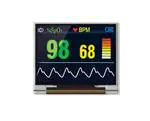
4DOLED-602817
Datasheet
Revision 1.1
Copyright © 2023 4D Systems
Content may change at any time. Please refer to the resource centre for latest documentation.
�Contents
1. Basic Specifications
4
1.1. Display Specifications
4
1.2. Mechanical Specifications
4
1.3. Active Area / Memory Mapping & Pixel Construction
4
1.4. Mechanical Drawing
5
1.5. Pin Definition
6
1.6. Block Diagram
8
2. Absolute Maximum Ratings
10
3. Optics & Electrical Characteristics
11
3.1. Optics Characteristics
11
3.2. DC Characteristics
12
3.3. AC Characteristics
13
3.3.1. 68XX-Series MPU Parallel Interface
13
3.3.2. 80XX-Series MPU Parallel Interface
15
3.3.3. Serial Interface
17
3.3.4. RGB Interface
18
4. Initialisation Codes
19
4.1. Init Code
20
5. Functional Specification
21
5.1. Commands
21
5.2. Power Down and Power Up Sequence
21
5.2.1. Power up Sequence
21
5.2.2. Power down Sequence
21
5.3. Reset Circuit
22
5.4. Actual Application Example
23
6. Reliability
26
6.1. Contents of Reliability Tests
26
6.2. Failure Check Standard
26
4D Systems
DATASHEET
Page 2 of 35
�7. Outgoing Quality Control Specifications
27
7.1. Cosmetic Check (Display Off) in Non-Active Area
28
7.2. Cosmetic Check (Display Off) in Active Area
29
7.3. Pattern Check (Display On) in Active Area
30
8. Package Specifications
31
9. Precautions When Using These OEL Display Modules
32
9.1. Handling Precautions
32
9.2. Storage Precautions
33
9.3. Designing Precautions
33
9.4. Precautions when disposing of the OEL display modules
34
9.5. Other Precautions
34
10. Revision History
4D Systems
35
DATASHEET
Page 3 of 35
�4DOLED-602817
Basic Specifications
1. Basic Specifications
1.1. Display Specifications
1. Display Mode: Passive Matrix
2. Display Color: 262,144 Colors (Maximum)
3. Drive Duty: 1/48 Duty
1.2. Mechanical Specifications
1. Outline Drawing: According to the annexed outline drawing
2. Number of Pixels: 160 (RGB) × 128
3. Module size: 39.90 × 48.50 × 1.60 (mm)
4. Panel Size: 39.9 0× 34.00 × 1.60 (mm) including "Glare Polarizer"
5. Active Area: 33.575× 26.864 (mm)
6. Pixel Pitch: 0.07 × 0.21 (mm)
7. Pixel Size: 0.045 × 0.194 (mm)
8. Weight: 4.55 (g) ±10%
1.3. Active Area / Memory Mapping & Pixel Construction
4D Systems
DATASHEET
Page 4 of 35
�4DOLED-602817
Mechanical Drawing
1.4. Mechanical Drawing
4D Systems
DATASHEET
Page 5 of 35
�4DOLED-602817
Pin Definition
1.5. Pin Definition
Pin Number
Symbol
I/O
Function
VDD
P
Power Supply for Operation
This is a voltage supply pin. It must be connected to external source
& always be equal to or higher than VDDIO.
Power Supply
31
8
VDDIO
P
Power Supply for I/O Pin
This pin is a power supply pin of I/O buffer. It should be connected
to VDD or external source. All I/O signal should have VIH reference
to VDDIO. When I/O signal pins (CPU, PS, D17~D9, control signals)
pull high, they should be connected to VDDIO.
30
VSS
P
Ground of Logic Circuit
This is a ground pin. It also acts as a reference for the logic pins. It
must be connected to external ground.
VDDH
P
Power Supply for OEL Panel
These are the most positive voltage supply pins of the chip. They
must be connected to external source.
P
Ground of OEL Panel
These are the ground pins for analog circuits. They must be
connected to external ground.
VSDH: Segment (Data Driver)
VSSH: Common (Scan Driver)
3, 33
2, 34
4, 32
VSDH
VSSH
Driver
5
IREF
I/O
Current Reference for Brightness Adjustment
This is the current reference pin to generate precharge and driving
current. 68KΩ resistor should be connected between this pin and
VSS.
Clock
OSCA1
OSCA2
I
O
Fine Adjustment for Oscillation
The frequency is controlled by external 5.1kΩ resistor between
OSCA1 and OSCA2.
The oscillator signal is used for system clock generation.
When the external clock mode is selected, OSCA1 is used external
clock input.
9
VSYNCO
O
Vertical Synchronization Triggering Signal
While using MCU interface, it must be floating.
10
VSYNC
I
Vertical Synchronization Input
While using MCU interface, it must be connected to VDD.
11
HSYNC
I
Horizontal Synchronization Input
While using MCU interface, it must be connected to VDD.
12
DOTCLK
I
Dot Clock Input
While using MCU interface, it must be connected to VDD.
7
6
RGB Interface
4D Systems
DATASHEET
Page 6 of 35
�4DOLED-602817
Pin Definition
Pin Number
Symbol
I/O
Function
13
ENABLE
I
Video Enable Input
While using MCU interface, it must be connected to VDD.
14
CPU
I
Select the CPU Type
Low: 80XX-Series MCU
High: 68XX-Series MCU.
15
PS
I
Select Parallel/Serial In
Low: Serial Interface
High: Parallel Interface
Interface
29
RESETB
I
Power Reset for Controller and Driver
This pin is reset signal input. When the pin is low, initialization of
the chip is executed. Keep this pin pull high during normal
operation.
26
CSB
I
Chip Select
Low: SEPS525 is selected and can be accessed.
High: SEPS525 is not selected and cannot be accessed.
25
RS
I
Data/Command Control
Low: Command
High: Parameter/Data
I
Read or Read/Write Enable
68XX Parallel Interface: Bus Enabled Strobe(Active High)
80XX Parallel Interface: Read Strobe Signal(Active Low)
While using serial interface, it must be connected to VDD or VSS.
I
Write or Read/Write Select
68XX Parallel Interface: Read (Low)/Write (High) Select
80XX Parallel Interface: Write Strobe Signal(Active Low)
While using serial interface, it must be connected to VDD or VSS.
27
28
RDB
WRB
Host Data Input/Output Bus
These pins are 9-bit bi-directional data bus to be connected to the
microprocessor’s data bus.
16~24
D17~d9
I/O
While using serial interface, the unused pins must be connected to
VSS.
Reserve
1, 35
4D Systems
N.C. (GND)
-
Reserved Pin (Supporting Pin)
The supporting pins can reduce the influences from stresses on the
function pins.
These pins must be connected to external ground as the ESD
protection circuit.
DATASHEET
Page 7 of 35
�4DOLED-602817
Block Diagram
1.6. Block Diagram
MCU Interface Selection: Base on CPU, PS connection and Register setting (14h &16h).
Pins connected to MCU interface: D17~D9, RS, CSB, RDB, WRB, and RESETB.
Pins connected to RGB interface: D17~D12, VSYNC, HSYNC, DOTCLK, and ENABLE.
4D Systems
DATASHEET
Page 8 of 35
�4DOLED-602817
Block Diagram
EIM=1(default)
Mode
PS
CPU
DFM1
DFM0
D17
D16
D15
D14
D13
D12
D11
D10
D9
RS
CSB
RDB
WRB
RESETB
4-wire
SPI
0
X
X
X
SCL
SDI
NC
0
0
0
0
0
0
RS
CSB
0
0
RESETB
80xx
parallel 9
bit
1
0
1
0
D8
D7
D6
D5
D4
D3
D2
D1
D0
RS
CSB
RDB
WRB
RESETB
80xx
parallel 8
bit
1
0
1
1
D7
D6
D5
D4
D3
D2
D1
D0
0
RS
CSB
RDB
WRB
RESETB
68xx
parallel 9
bit
1
1
1
0
D8
D7
D6
D5
D4
D3
D2
D1
D0
RS
CSB
E
R/W
RESETB
68xx
parallel 8
bit
1
1
1
1
D7
D6
D5
D4
D3
D2
D1
D0
0
RS
CSB
E
R/W
RESETB
EIM=0
Mode
RIM1
RIM0
D17
D16
D15
D14
D13
D12
D11
D10
D9
VSYNC
HSYNC
DOTCLK
ENABLE
6-bit RGB
interface
1
0
D5
D4
D3
D2
D1
D0
0
0
0
VSYNC
HSYNC
DOTCLK
ENABLE
Note
1. DFM1, DFM0 setting by Register 16h
2. EIM, RIM1, RIM0 setting by Register 14h
3. X: Don’t care, NC: Non-connection
1: Connect to VDD or set to High level.
0: Connect to GND or set to Low Level.
4D Systems
DATASHEET
Page 9 of 35
�4DOLED-602817
Absolute Maximum Ratings
2. Absolute Maximum Ratings
Absolute Maximum Ratings
PARAMETER
SYMBOL
MIN
MAX
UNIT
NOTES
VDD
-0.3
4
V
1, 2
Supply Voltage for I/O
Pins
VDDIO
-0.3
4
V
1, 2
Supply Voltage for
Display
VDDH
-0.3
16
V
1, 2
Operating Temperature
TOP
-40
70
°C
3
Storage Temperature
TSG
-40
85
°C
3
Life Time (75 cd/m2)
10,000
-
hour
4
Life Time (60 cd/m2)
15,000
-
hour
4
Life Time (45 cd/m2)
20,000
-
hour
4
Supply Voltage for
Operation
Note
1. All the above voltages are based on "VSS = 0V".
2. When this module is used beyond the above absolute maximum ratings, permanent breakage of the
module may occur. Also, for normal operations, it is desirable to use this module under the conditions
according to the Optics & Electrical Characteristics section. If this module is used beyond these
conditions, malfunctioning of the module can occur and the reliability of the module may deteriorate.
3. The defined temperature ranges do not include the polarizer. The maximum withstood temperature of
the polarizer should be 80°C.
4. VDDH = 14.0V, Ta = 25°C, 50% Checkerboard.
Software configuration follows the Actual Application Example section initialization.
End of a lifetime is specified as 50% of initial brightness reached. The average operating lifetime at room
temperature is estimated by the accelerated operation at high-temperature conditions.
4D Systems
DATASHEET
Page 10 of 35
�4DOLED-602817
Optics & Electrical Characteristics
3. Optics & Electrical Characteristics
3.1. Optics Characteristics
The optical measurement was taken at VDD = 2.8V, and VDDH = 14.0V. Software configuration follows
the Actual Application Example section initialization.
Optical Characteristics
Characteristics
Symbol
Condition
Min
Typ
Max
Unit
Brightness
Lbr
Note 5
60
75
-
cd/m2
C.I.E. (White)
(x)
(y)
C.I.E. 1931
0.26
0.29
0.30
0.33
0.34
0.37
C.I.E. (Red)
(x)
(y)
C.I.E. 1931
0.60
0.30
0.64
0.34
0.68
0.38
C.I.E. (Green)
(x)
(y)
C.I.E. 1931
0.27
0.58
0.31
0.62
0.35
0.66
C.I.E. (Blue)
(x)
(y)
C.I.E. 1931
0.10
0.12
0.14
0.16
0.18
0.20
Dark Room
Contrast
CR
-
> 10,000:1
-
-
Free
-
Viewing Angle
4D Systems
DATASHEET
degree
Page 11 of 35
�4DOLED-602817
DC Characteristics
3.2. DC Characteristics
DC Characteristics
Characteristics
Symbol
Supply Voltage for
Operation
Min
Typ
Max
Unit
VDD
2.6
2.8
3.3
V
Supply Voltage for I/O
Pins
VDDIO
1.6
2.8
VDD
V
Supply Voltage for
Display
VDDH
13.5
14.0
14.5
V
High Level Input
VIH
0.8 x VDDIO
-
VDDIO
V
Low Level Input
VIL
0
-
0.4
V
High Level Output
VOH1
IOH = -0.4mA
VDDIO-0.4
-
VOH2
IOH = -0.4mA
VOL1
IOL = -0.1mA
VOL2
IOL = -0.1mA
Low Level Output
Operating Current for
VDD
IDD
Operating Current for
VDDH
IDDH
Condition
Note 5
V
V
-
0.4
V
V
-
2.5
3.5
mA
Note 6
-
10.5
13.2
mA
Note 7
-
14.9
18.6
mA
Note 8
-
26.2
32.8
mA
Sleep Mode Current
for VDD
IDD, SLEEP
-
3
5
uA
Sleep Mode Current
for VDDH
IDDH,
SLEEP
-
1
5
uA
Note
1. Brightness (Lbr) and Supply Voltage for Display (VDDH) are subject to the change of the panel
characteristics and the customer’s request.
2. VDD = 2.8V, VDDH = 14.0V, 30% Display Area Turn on.
3. VDD = 2.8V, VDDH = 14.0V, 50% Display Area Turn on.
4. VDD = 2.8V, VDDH = 14.0V, 100% Display Area Turn on.
Software configuration follows the Actual Application Example section initialization.
4D Systems
DATASHEET
Page 12 of 35
�4DOLED-602817
AC Characteristics
3.3. AC Characteristics
3.3.1. 68XX-Series MPU Parallel Interface
All the timing reference is 10% and 90% of VDDIO.
Read Timing
Write Timing
4D Systems
DATASHEET
Page 13 of 35
�4DOLED-602817
AC Characteristics
Timing Characteristics
Symbol
Description
tAH6
Address Setup
Timing
tAS6
tCYC6
Address Hold Timing
System Cycle Timing
Min
Max
Unit
Port
(Read)
10
-
ns
CSB
RS
(Write)
5
-
ns
(Read)
10
-
ns
(Write)
5
-
ns
(Read)
200
-
ns
(Write)
100
-
ns
tELR6
Read "L" Pulse Width
90
-
ns
tEHR6
Read "H" Pulse Width
90
-
ns
tELW6
Write "L" Pulse Width
45
-
ns
tEHW6
Write "H" Pulse Width
45
-
ns
tRDD6
Read Data Output
Delay Time
0
70
ns
tRDH6
Data Hold Timing
0
70
ns
tDS6
Data Setup Timing
40
-
ns
tDH6
Data Hold Timing
10
-
ns
4D Systems
* CL = 15pF
DATASHEET
E
D[17:9]
Page 14 of 35
�4DOLED-602817
AC Characteristics
3.3.2. 80XX-Series MPU Parallel Interface
All the timing reference is 10% and 90% of VDDIO.
Read Timing
Write Timing
4D Systems
DATASHEET
Page 15 of 35
�4DOLED-602817
AC Characteristics
Timing Characteristics
Symbol
Description
Min
Max
Unit
Port
tAS8
Address Setup
Timing
5
-
ns
CSB
RS
tAH8
Address Hold Timing
5
-
ns
tCYC8
System Cycle Timing
200
-
ns
tRDLR8
Read "L" Pulse Width
90
-
ns
tRDHR8
Read "H" Pulse Width
90
-
ns
tCYC8
System Cycle Timing
100
-
ns
tWRLW8
Write "L" Pulse Width
45
-
ns
tWRHW8
Write "H" Pulse Width
45
-
ns
tRDD8
Read Data Output
Delay Time
0
60
ns
tRDH8
Data Hold Timing
0
60
ns
tDS8
Write Data Setup
Timing
30
-
ns
tDH8
Write Data Hold
Timing
10
-
ns
4D Systems
(Read)
(Write)
* CL = 15pF
DATASHEET
RDB
D[17:9]
Page 16 of 35
�4DOLED-602817
AC Characteristics
3.3.3. Serial Interface
All the timing reference is 10% and 90% of VDDIO.
Timing Characteristics
Symbol
Description
Min
Max
Unit
Port
tCYCS
Serial Clock Cycle
100
-
ns
SCL
tSLW
SCL "L" Pulse
Width
45
-
ns
tSHW
SCL "H" Pulse
Width
45
-
ns
tDSS
Data Setup Timing
5
-
ns
tDHS
Data Hold Timing
5
-
ns
tCSS
CSB-SCL Timing
5
-
ns
tCSH
CSB-Hold Timing
5
-
ns
tRSS
RS-SCL Timing
5
-
ns
tRSH
RS-Hold Timing
5
-
ns
4D Systems
DATASHEET
SDI
CSB
RS
Page 17 of 35
�4DOLED-602817
AC Characteristics
3.3.4. RGB Interface
All the timing reference is 10% and 90% of VDDIO.
Timing Characteristics
Symbol
Description
Min
Max
Unit
Port
tDCYC
Dot Clock Cycle
100
-
ns
DOTCLK
tDLW
Dot "L" Pulse
Width
50
-
ns
tDHW
Dot "H" Pulse
Width
50
-
ns
tDS
Data Setup
Timing
5
-
ns
tDH
Data Hold Timing
5
-
ns
tVLW
Vsync Pulse Width
1
-
DOTCLK
VSYNC
tCSH
CSB-Hold Timing
1
-
DOTCLK
HSYNC
D[17:12]
• DTST: Setup Time for Data Transmission
• VSYNC, HSYNC, ENABLE, and D[17:12] should be transmitted by 3 clocks for one pixel (RGB).
4D Systems
DATASHEET
Page 18 of 35
�4DOLED-602817
Initialisation Codes
4. Initialisation Codes
Command Definitions
STATUS_RD
0x01
DUTY
0x28
OSC_CTL
0x02
DSL
0x29
CLOCK_DIV
0x03
D1_DDRAM_FAC
0x2E
REDUCE_CURRENT
0x04
D1_DDRAM_FAR
0x2F
SOFT_RESET
0x05
D2_DDRAM_SAC
0x31
DISP_ON_OFF
0x06
D2_DDRAM_SAR
0x32
PRECHARGE_TIME_R
0x08
SCR1_FX1
0x33
PRECHARGE_TIME_G
0x09
SCR1_FX2
0x34
PRECHARGE_TIME_B
0x0A
SCR1_FY1
0x35
PRECHARGE_CURRENT_R
0x0B
SCR1_FY2
0x36
PRECHARGE_CURRENT_G
0x0C
SCR2_SX1
0x37
PRECHARGE_CURRENT_B
0x0D
SCR2_SX2
0x38
DRIVING_CURRENT_R
0x10
SCR2_SY1
0x39
DRIVING_CURRENT_G
0x11
SCR2_SY2
0x3A
DRIVING_CURRENT_B
0x12
SCREEN_SAVER_CONTROL
0x3B
DISPLAY_MODE_SET
0x13
SS_SLEEP_TIMER
0x3C
RGB_IF
0x14
SCREEN_SAVER_MODE
0x3D
RGB_POL
0x15
SS_SCR1_FU
0x3E
MEMORY_WRITE_MODE
0x16
SS_SCR1_MXY
0x3F
MX1_ADDR
0x17
SS_SCR2_FU
0x40
MX2_ADDR
0x18
SS_SCR2_MXY
0x41
MY1_ADDR
0x19
MOVING_DIRECTION
0x42
MY2_ADDR
0x1A
SS_SCR2_SX1
0x47
MEMORY_ACCESS_POINTER_X
0x20
SS_SCR2_SX2
0x48
MEMORY_ACCESS_POINTER_Y
0x21
SS_SCR2_SY1
0x49
DDRAM_DATA
0x22
SS_SCR2_SY2
0x4A
GRAY_SCALE_INDEX
0x50
IREF
0x80
GRAY_SCALE_DATA
0x51
4D Systems
DATASHEET
Page 19 of 35
�4DOLED-602817
Init Code
4.1. Init Code
Format: (Command, Data1, Data2...DataN)
DISP_ON_OFF, 0x00, // display off
SOFT_RESET, 0x00,
REDUCE_CURRENT, 0x01,
REDUCE_CURRENT, 0x00,
OSC_CTL, 0x01,
CLOCK_DIV, 0x30,
PRECHARGE_TIME_R, 0x03,
PRECHARGE_TIME_G, 0x03,
PRECHARGE_TIME_B, 0x02,
PRECHARGE_CURRENT_R, 0x50,
PRECHARGE_CURRENT_G, 0x40,
PRECHARGE_CURRENT_B, 0x40,
DRIVING_CURRENT_R, 0xA0,
DRIVING_CURRENT_G, 0xA0,
DRIVING_CURRENT_B, 0xA0,
DISPLAY_MODE_SET, 0x00,
RGB_IF, 0x11,
RGB_POL, 0x00,
MEMORY_WRITE_MODE, 0x66,
DUTY, 0x7F,
DSL, 0x00,
D1_DDRAM_FAC, 0x00,
D1_DDRAM_FAR, 0x00,
D2_DDRAM_SAC, 0x00,
D2_DDRAM_SAR, 0x00,
SCR1_FX1, 0x00,
SCR1_FX2, 0x9F,
SCR1_FY1, 0x00,
SCR1_FY2, 0x7F,
IREF, 0x00,
DISP_ON_OFF, 0x01, // display on
4D Systems
DATASHEET
Page 20 of 35
�4DOLED-602817
Functional Specification
5. Functional Specification
5.1. Commands
Refer to the Technical Manual for the SEPS525
5.2. Power Down and Power Up Sequence
To protect the OEL panel and extend the panel lifetime, the driver IC power up/down routine should
include a delay period between high voltage and low voltage power sources during turn on/off. It
gives the OEL panel enough time to complete the action of charge and discharge before/after the
operation.
5.2.1. Power up Sequence
1. Power up VDD & VDDIO
2. Send Display off command
3. Initialization
4. Clear Screen
5. Power up VDDH
6. Delay 100ms (When VDDH is stable)
7. Send Display on command
5.2.2. Power down Sequence
1. Send Display off command
2. Power down VDDH
3. Delay 100ms (When VDDH is reach 0 and the
panel is completely discharged)
4. Power down VDD & VDDIO
Note
1. Since an ESD protection circuit is connected between VDD, VDDIO and VDDH inside the driver IC, VDDH
becomes lower than VDD & VDDIO whenever VDD & VDDIO is ON and VDDH is OFF.
2. VDDH should be kept float (disabled) when it is OFF.
3. Power Pins (VDD, VDDIO, VDDH) can never be pulled to the ground under any circumstance.
4. VDD & VDDIO should not be powered down before VDDH is powered down.
4D Systems
DATASHEET
Page 21 of 35
�4DOLED-602817
Reset Circuit
5.3. Reset Circuit
When RESETB input is low, the chip is initialized with the following status:
1. Frame Frequency: 90Hz
2. Oscillation: Internal Oscillator On
3. DDRAM Write Horizontal Address: MX1 = 0x00, MX2 = 0x9F
4. DDRAM Write Vertical Address: MY1 = 0x00, MY2 = 0x7F
5. Display Data RAM Write: HC = 1, VC = 1, HV = 0
6. RGB Data Swap: Off
7. Row Scan Shift Direction: G0, G1, ... , G126, G127
8. Column Data Shift Direction: S0, S1, ... , S478, S479
9. Display On/Off: Off
10. Panel Display Size: FX1 = 0x00, FX2 = 0x9F, FY1 = 0x00, FY1 = 0x7F
11. Display Data RAM Read Column/Row Address: FAC = 0x00, FAR = 0x00
12. Precharge Time (R/G/B): 0 Clock
13. Precharge Current (R/G/B): 0µA
14. Driving Current (R/G/B): 0µA
4D Systems
DATASHEET
Page 22 of 35
�4DOLED-602817
Actual Application Example
5.4. Actual Application Example
Command usage and explanation of an actual example
4D Systems
DATASHEET
Page 23 of 35
�4DOLED-602817
Actual Application Example
Power up Sequence
If the noise accidentally occurs at the displaying window during the operation, please reset the
display to recover the display function.
Power down Sequence
4D Systems
DATASHEET
Page 24 of 35
�4DOLED-602817
Actual Application Example
Entering Sleep Mode
Exiting Sleep Mode
4D Systems
DATASHEET
Page 25 of 35
�4DOLED-602817
Reliability
6. Reliability
6.1. Contents of Reliability Tests
Contents of Reliability Tests
Item
Conditions
Criteria
High Temperature Operation
70°C, 240 hrs
The operational functions work.
Low Temperature Operation
-40°C, 240 hrs
High Temperature Storage
85°C, 240 hrs
Low Temperature Storage
-40°C, 240 hrs
High Temperature/Humidity Operation
60°C, 90% RH, 120 hrs
Thermal Shock
-40°C 85°C, 24 cycles
60 mins dwell
• The samples used for the above tests do not include polarizers.
• No moisture condensation is observed during tests.
6.2. Failure Check Standard
After the completion of the described reliability test, the samples were left at room temperature for 2
hrs before conducting the failure test at 23±5°C; 55±15% RH.
4D Systems
DATASHEET
Page 26 of 35
�4DOLED-602817
Outgoing Quality Control Specifications
7. Outgoing Quality Control Specifications
Environment Required
The customer's test & measurement are required to be conducted under the following conditions:
Temperature: 23 ± 5°C
Humidity: 55 ± 15% RH
Fluorescent Lamp: 30W
Distance between the Panel & Lamp: ≥ 50cm
Distance between the Panel & Eyes of the Inspector: ≥ 30cm
A finger glove (or finger cover) must be worn by the inspector.
The inspection table or jig must be anti-electrostatic.
Sampling Plan
Level II, Normal Inspection, Single Sampling, MIL-STD-105E.
Criteria & Acceptable Quality Level
4D Systems
Partition
AQL
Definition
Major
0.65
Defects in Pattern Check (Display On)
Minor
1.0
Defects in Cosmetic Check (Display Off)
DATASHEET
Page 27 of 35
�4DOLED-602817
Cosmetic Check (Display Off) in Non-Active Area
7.1. Cosmetic Check (Display Off) in Non-Active Area
Check Item
Classification
Criteria
X > 6 mm (Along with Edge)
Y > 1 mm (Perpendicular to edge)
Panel General Chipping
Minor
Any crack is not allowable.
Panel Crack
Minor
Copper Exposed (Even Pin or Film)
Minor
Film or Trace Damage
Minor
Terminal Lead Prober Mark
Glue or Contamination on Pin
(Couldn't Be Removed by Alcohol)
Ink Marking on Back Side of panel (Exclude on Film)
4D Systems
Not Allowable by Naked Eye Inspection
Acceptable
Minor
Acceptable
DATASHEET
Ignore for Any
Page 28 of 35
�4DOLED-602817
Cosmetic Check (Display Off) in Active Area
7.2. Cosmetic Check (Display Off) in Active Area
It is recommended to execute in a clean room environment (class 10k) if necessary.
Check Item
Classification
Any Dirt & Scratch on Polarizer's Protective Film
Acceptable
Criteria
Ignore for not Affect the Polarizer
Scratches, Fiber, Line-Shape Defect (On Polarizer)
Minor
W ≤ 0.1 Ignore
W > 0.1
L≤2 n≤1
L>2 n=0
Dirt, Black Spot, Foreign Material, (On Polarizer)
Minor
Φ ≤ 0.1 Ignore
0.1 < Φ ≤ 0.25 n≤1
0.25 < Φ
n=0
Φ ≤ 0.5
-> Ignore if no Influence on
Display
0.5 < Φ n=0
Dent, Bubbles, White spot (Any Transparent Spot on
Polarizer)
Minor
Fingerprint, Flow Mark (On Polarizer)
Minor
Not Allowable
• Protective film should not be torn off when cosmetic check.
• Definition of W & L & Φ (Unit: mm): Φ = (a + b) / 2
4D Systems
DATASHEET
Page 29 of 35
�4DOLED-602817
Pattern Check (Display On) in Active Area
7.3. Pattern Check (Display On) in Active Area
Check Item
Classification
Bright Line
Major
Missed Line
Major
Pixel Short
Major
Darker Pixel
Major
Wrong Display
Major
Un-Uniform
(Luminance Variation within a Display)
Major
4D Systems
DATASHEET
Criteria
Page 30 of 35
�4DOLED-602817
Package Specifications
8. Package Specifications
Item
Quantity
Module
420 per Primary Box
Holding Trays (A)
15 per Primary Box
Total Trays (B)
16 per Primary Box
Primary Box (C)
1~4 per Carton (4 as Major / Maximum)
4D Systems
DATASHEET
Page 31 of 35
�4DOLED-602817
Precautions When Using These OEL Display Modules
9. Precautions When Using These OEL Display Modules
9.1. Handling Precautions
1. Since the display panel is made of glass, do not apply mechanical impacts such as dropping from
a high position.
2. If the display panel is broken by some accident and the internal organic substance leaks out, be
careful not to inhale or lick the organic substance.
3. If pressure is applied to the display surface or its neighborhood of the OEL display module, the
cell structure may be damaged and be careful not to apply pressure to these sections.
4. The polarizer covering the surface of the OEL display module is soft and easily scratched. Please
be careful when handling the OEL display module.
5. When the surface of the polarizer of the OEL display module has soil, clean the surface. It takes
advantage of by using the following adhesion tape.
6. Scotch Mending Tape No. 810 or an equivalent
Never try to breathe upon the soiled surface nor wipe the surface using a cloth containing
solvent such as ethyl alcohol, since the surface of the polarizer will become cloudy.
Also, pay attention that the following liquid and solvent may spoil the polarizer:
7. Water
8. Ketone
9. Aromatic Solvents
10. Hold the OEL display module very carefully when placing the OEL display module into the
system housing. Do not apply excessive stress or pressure to the OEL display module. And, do not
overbend the film with electrode pattern layouts. These stresses will influence the display
performance. Also, secure sufficient rigidity for the outer cases.
11. Do not apply stress to the driver IC and the surrounding molded sections.
12. Do not disassemble nor modify the OEL display module.
13. Do not apply input signals while the logic power is off.
14. Pay sufficient attention to the working environments when handling OEL display modules to
prevent the occurrence of element breakage accidents by static electricity.
• Be sure to make human body grounding when handling OEL display modules.
• Be sure to ground tools to use or assemble such as soldering irons.
4D Systems
DATASHEET
Page 32 of 35
�4DOLED-602817
Storage Precautions
• To suppress the generation of static electricity, avoid carrying out assembly work under dry
environments.
• The protective film is applied to the surface of the display panel of the OEL display module.
Be careful since static electricity may be generated when exfoliating the protective film.
15. The protection film is applied to the surface of the display panel and removes the protection film
before assembling it. At this time, if the OEL display module has been stored for a long period,
the residue adhesive material of the protection film may remain on the surface of the display
panel after removing the film. In such cases, remove the residue material by the method
introduced in the Reliability section).
16. If electric current is applied when the OEL display module is being dewed or when it is placed
under high humidity environments, the electrodes may be corroded be careful to avoid the
above.
9.2. Storage Precautions
1. When storing OEL display modules, put them in static electricity preventive bags avoiding
exposure to direct sunlight nor to lights of fluorescent lamps. and, also, avoiding high
temperature and high humidity environments or low temperature (less than 0°C) environments.
(We recommend you store these modules in the packaged state when they were shipped from
WiseChip Semiconductor Inc.)
At that time, be careful not to let water drops adhere to the packages or bags nor let dewing
occur with them.
2. If electric current is applied when water drops are adhering to the surface of the OEL display
module, when the OEL display module is being dewed or when it is placed under high humidity
environments, the electrodes may be corroded and be careful about the above.
9.3. Designing Precautions
1. The absolute maximum ratings are the ratings that cannot be exceeded for the OEL display
module, and if these values are exceeded, panel damage may happen.
2. To prevent the occurrence of malfunctioning by noise, pay attention to satisfy the VIL and VIH
specifications and, at the same time, make the signal line cable as short as possible.
3. We recommend you install an excess current preventive unit (fuses, etc.) to the power circuit
(VDD). (Recommend value: 0.5A)
4. Pay sufficient attention to avoid the occurrence of mutual noise interference with the
neighboring devices.
5. As for EMI, take necessary measures on the equipment side.
6. When fastening the OEL display module, fasten the external plastic housing section.
7. If the power supply to the OEL display module is forcibly shut down by such errors as taking out
the main battery while the OEL display panel is in operation, we cannot guarantee the quality of
this OEL display module.
4D Systems
DATASHEET
Page 33 of 35
�4DOLED-602817
Precautions when disposing of the OEL display modules
8. The electric potential to be connected to the rear face of the IC chip should be as follows:
SEPS525
9. Connection (contact) to any other potential than the above may lead to rupture of the IC.
9.4. Precautions when disposing of the OEL display modules
1. Request qualified companies to handle industrial wastes when disposing of the OEL display
modules. Or, when burning them, be sure to observe the environmental and hygienic laws and
regulations.
9.5. Other Precautions
1. When an OEL display module is operated for a length of time a fixed pattern may remain as an
after image or slight contrast deviation may occur. Nonetheless, if the operation is interrupted
and left unused for a while, the normal state can be restored. Also, there will be no problem with
the reliability of the module.
2. To protect OEL display modules from performance drops by static electricity rapture, etc., do not
touch the following sections whenever possible while handling the OEL display modules.
3. Pins and electrodes
4. Pattern layouts such as the FPC
5. With this OEL display module, the OEL driver is exposed. Generally speaking, semiconductor
elements change their characteristics when light is radiated according to the principle of the
solar battery. Consequently, if this OEL driver is exposed to light, malfunctioning may occur.
6. Design the product and installation method so that the OEL driver may be shielded from light in
actual usage.
7. Design the product and installation method so that the OEL driver may be shielded from light
during the inspection processes.
8. Although this OEL display module stores the operation state data by the commands and the
indication data, when excessive external noise, etc. enters into the module, the internal status
may be changed. It, therefore, is necessary to take appropriate measures to suppress noise
generation or to protect from the influences of noise on the system design.
9. We recommend you construct its software to make periodical refreshments of the operation
statuses (re-setting of the commands and re-transference of the display data) to cope with
catastrophic noise.
4D Systems
DATASHEET
Page 34 of 35
�4DOLED-602817
Revision History
10. Revision History
Document Revision
REVISION
DATE
COMMENT
1.0 (A)
21/03/2013
New
1.1
20/01/2023
Modified datasheet for web-based documentation
4D Systems
DATASHEET
Page 35 of 35
�