Page 1 of 14
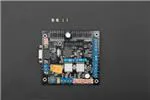
Sensor/Motor Drive Board - Version
2.2 (SKU:DFR0057)
Contents
1 Introduction
2 Specification
3 Pin out diagram
3.1 Applying Power
3.2 Serial hardware configuration
3.3 Command Sets
3.3.1 Configure Servo Control Mode
3.3.2 Set DIO Input/output Mode
3.3.3 Set DIO Output
3.3.4 Read DIO Input
3.3.5 Servo Control
3.3.6 Read Analog Input (12 bits)
3.3.7 Configure RS485 Baud Rate
3.3.8 RS485 Communication
3.3.9 Write Data via I2C
3.3.10 Read Data via I2C
3.3.11 Set Motor Parameters
3.3.12 Set Motor Speed
3.3.13 Read Motor Speed
3.3.14 Read Motor Current
3.3.15 Set PID Parameters
3.3.16 Set Motor Driven Mode
3.3.17 Set Motor Power
3.3.18 Read encoder data
3.3.19 Reset Encoder Reading
3.3.20 Read Board Version
Introduction
A. Please read this manual carefully before power on the device.
B. Do not use this device for military or medical purpose as they are not designed to.
This Sensor/Motor Drive Board (Cortex
M3 CPU) is the integration of multiple
communication interfaces that quickly
build robotic systems. This board (Cortex
M3 CPU) features the SPI Interface and
�Page 2 of 14
works as a bridge between the whole
system. There are many types of sensors
on the board such as I2C bus
communication protocol sensors,
Ultrasonic sensors, SP03 TTS, CMP03
electronic compass, RS485-bus sensors,
analog output sensors, infrared distance
sensors, gyro sensors, acceleration
sensors, and light sensors etc. The RS23
serial port is used to send signals to the
host PC or other embedded systems. At
(/wiki/index.php/File:Sdb_v2.2_1.png)
the same time SDB plates with two-way
Sensor/Motor Drive Board - Version 2.2
DC motor-driven, two-way rotary encoder
interface and a PID motor control
algorithms which can be controlled
through the serial port. The mounting hole structure is compatible with PC104.
Specification
Supply Voltage:6V-12V, 15V maximum
Working Current:150mA @ 12V
Working Temperature :-10~+70℃
CPU: Cortex-M3 (90MIPS),support DMA access
Interface:RS232/TTL at 9600、19200、38400 or115200 bps
8 Analog Input (12 bits)
11 Digital I/O Lines (IO0-IO7 can be configured for servo control)
Up to 8 servo with speed control
Support I2C,RS485,(CAN and SPI interfaces are not supported in V2.2)
Dual 4 Amp H-Bridge: Control 2 DC motors with A/B encoders interface. Integrated PID
speed *control. Support odometer and motor current reading.
Size:96mmx90mmx20mm (compatible with PC104 mounting holes)
Weight:87g
Pin out diagram
�Page 3 of 14
(/wiki/index.php/File:Sdb_v2.2_2.png)
SDB Pin out Diagram
(/wiki/index.php/File:Sdb_v2.2_3.png)
Compatible with PC104
Applying Power
�Page 4 of 14
To power the SDB boards, simply connect the ground wire
from your supply to the screw terminal labeled “GND”, and
then connect the positive wire from your supply to the screw
terminal labeled “+12V”. NOTE: DO NOT apply voltage
over 15V DC.
(/wiki/index.php/File:Sdb_v2.2_
Serial hardware configuration
The SDB board supports RS232/TTL interface. The
RS232/TTL output mode is selected by jumpers.
(/wiki/index.php/File:Sdb_v2.2_5.pn
RS232/TTL Selection Jumpers
Command Sets
All commands are in Hex format.
All response is terminated by a 0x0A (Line Feed) at the end of the data.
Configure Servo Control Mode
Header
0x55 0xaa
Add
0x10
Length
0x01
Cmd
0x01
I/O status
IO7~IO0
SUM
SUM
This command is used to configure the DIO to servo control mode.
The I/O status byte is calculated from Bit0:Bit7 which is mapped on IO0-IO7.
IO7
Bit7
IO6
Bit6
IO5
Bit5
IO4
Bit4
IO3
Bit3
IO2
Bit2
IO1
Bit1
IO0
Bit0
When the IO Bit is set to 1, the servo mode is enabled. When IO bit is set to 0, the servo mode
is disabled.
Examples:
For example, to set IO3 and IO4 as servo mode, the bit table is as the following:
I/O status = 0x18
IO7
IO6
IO5
IO4
IO3
IO2
IO1
IO0
0
0
0
1
1
0
0
0
�Page 5 of 14
And the I/O status byte is 00011000 = 0x18.
Send:
0x55 0xaa 0x10 0x01 0x01 0x00 0x11 (Disable all servo control mode)
0x55 0xaa 0x10 0x01 0x01 0x01 0x12(Configure IO0 to Servo control mode)
0x55 0xaa 0x10 0x01 0x01 0x03 0x14(Configure IO0 and IO1 to Servo control mode)
0x55 0xaa 0x10 0x01 0x01 0x18 0x29(Configure IO3 and IO4 to Servo control mode)
0x55 0xaa 0x10 0x01 0x01 0x7F 0x91(Configure all DIO 0-7 to Servo control mode)
Return:
None
Set DIO Input/output Mode
Header Add Length Cmd I/O status H I/O status L SUM
0x55 0xaa 0x10 0x02 0x02 IO10~IO8
IO7~IO0 SUM
This command is used to set Digital Pin to input or output mode individually.
I/O status L
IO7
Bit7
IO6
Bit6
IO5
Bit5
IO4
Bit4
IO3
Bit3
IO2
Bit2
IO1
Bit1
IO0
Bit0
IO10
Bit2
IO9
Bit1
IO8
Bit0
I/O status H
N/A
N/A
N/A
N/A
N/A
N/A
N/A
N/A
N/A
N/A
NOTE: Before configure this DIO mode; the servo control mode must be disabled first.
Example:
To set IO 1,2,9 as output, the rest IO as input.
I/O status L =0x06
IO7
IO6
IO5
IO4
IO3
IO2
IO1
IO0
0
0
0
0
0
1
1
0
I/O status H =0x02
N/A
N/A
N/A
N/A
N/A
IO10
IO9
IO8
N/A
N/A
N/A
N/A
N/A
0
1
0
�Page 6 of 14
Send:
0x55 0xAA 0x10 0x02 0x02 0x02 0x06 0x1B
Return:
NONE
Set DIO Output
Header Add Length Cmd I/O Value H I/O Value L SUM
0x55 0xaa 0x10 0x02 0x03 IO10~IO8
IO7~IO0 SUM
I/O Value L
IO7
Bit7
IO6
Bit6
IO5
Bit5
IO4
Bit4
IO3
Bit3
IO2
Bit2
IO1
Bit1
IO0
Bit0
IO10
Bit2
IO9
Bit1
IO8
Bit0
I/O Value H
N/A
N/A
N/A
N/A
N/A
N/A
N/A
N/A
N/A
N/A
When the Bit is set to 1, the output is HIGH, When the Bit is set to 0, the output is LOW.
NOTE: If one of the DIO is configured as Digital Input Mode, the command to set its output will
be invalid.
Examples:
Send:
0x55 0xAA 0x10 0x01 0x01 0x00 0x11 (Disable servo control mode)
0x55 0xAA 0x10 0x02 0x02 0x00 0x00 0x13 (Configure IO0-10 as output mode)
0x55 0xAA 0x10 0x02 0x03 0x55 0x55 SUM (Set IO Output 0x55 0x55)
Tips: It is encouraged to disable servo control mode before performing any operations
on DIO
Return:
None
Read DIO Input
Header
Add
Length
Cmd
SUM
�Page 7 of 14
0x55
0xaa
0x10
0x00
0x04
SUM
This command reads the value on DIO when they are configured as Input Mode.
Return Data:
Header
Add Length Cmd High Byte
0x55 0xaa 0x10 0x00 0x04 IO10~IO8
Low Byte SUM
IO7~IO0 SUM
Example:
Send:
0x55 0xAA 0x10 0x01 0x01 0x00 0x11(Disable servo control mode)
0x55 0xAA 0x10 0x02 0x02 0xFF 0xFF 0x11(Configure IO0-10 as input mode)
0x55 0xAA 0x10 0x00 0x04 0x13(Read DIO Input)
Return:
0x55 0xAA 0x10 0x02 0x04 0x07 0xFF 0x1B 0x0A
Servo Control
S0
S0
S10
S10
...
SUM
Pos Speed
Pos Speed
0x55 0xaa 0x10 0x22 0x05 0xD0 0xS0 ... 0xD10 0xS10 SUM
Header Add Length Cmd
This command moves the servo at specific speeds.
After configuring the DIO0-7 to Servo control mode, this command is used to play the Servo
with position and speed control.
"S0 Pos" is the position value of the servo. The value is from 0 to 180, and 90 is corresponding
to the center position. "S0 Speed" is the speed value of the servo. The value is from 0 to 0xFF,
and 0xFF stands for the highest speed.
Examples:
Send:
Enable servo control mode
0x55 0xAA 0x10 0x01 0x01 0xff 0x10
Move Servo 0 and 1 to the center position at maximum speed, move Servo 2-5 with
incremental position at maximum speed
0x55 0xAA 0x10 0x10 0x05 0x5a 0xFF 0x5a 0xFF 0x20 0xFF 0x30 0xFF 0x40 0xFF
0x50 0xFF 0x60 0xFF 0x70 0xFF 0x7E
�Page 8 of 14
Return:
None
Read Analog Input (12 bits)
Header
0x55
0xaa
Add
0x10
Length
0x00
Cmd
0x06
SUM
SUM
This command reads the values on analog pins.
Returns:
Header Add Length Cmd AD0H AD0L ... AD7H AD7L SUM
0x55 0xaa 0x10 0x16 0x06 H
L ... H
L SUM
The returned analog value consists of two bytes HIGH and LOW. 0xFF is mapping to 3.3V and
0x00 is mapping to 0V. NOTE: If the analog input exceeds 3.36V, the returned data may not
be correct.
Example:
Send:
Read Analog Input
0x55 0x AA 0x 10 0x 00 0x 06 0x 15
Return:
0x55 0xAA 0x10 0x10 0x06 0x05 0x1B 0x07 0x78 0x08 0x7F 0x07 0xE0 0x08 0xAF
0x07 0xFA 0x09 0xED 0x0D 0x24 0x11 0x0A
Configure RS485 Baud Rate
Header
0x55 0xaa
Add
0x10
Length
0x01
Cmd
0x07
Baud Rate
Baud
This commands set the baud rate for RS485 Bus.
Baud Rate:
0x00:2400 bps
0x01:9600 bps
0x02:19200 bps
0x03:38400 bps
0x04:115200 bps
Example:
Send:
Set RS485 Baud rate to 115200bps
SUM
SUM
�Page 9 of 14
0x55 0xaa 0x10 0x01 0x07 0x04 0x1B
Return:
None
RS485 Communication
Send:
Header
Add Length Cmd Data 0 ... Data n SUM
0x55 0xaa 0x10
N
0x08 Data 0 ... Data n SUM
This command transmits the data via RS485 BUS from RS232/TTL. The length of data must
not exceed 64.
Response:
Header
Add Length Cmd Data 0 ... Data n SUM
0x55 9xaa 0x10
N
0x08 Data 0 ... Data n SUM
The response data is transmitted to RS232/TTL.
Example:
Send:
Trigger URM04 ultrasonic sensor (Device address 0x11)
0x55 0xaa 0x10 0x06 0x08 0x55 0xaa 0x11 0x00 0x01 0x11 0x3f
Return:
None
Send:
Read URM04 data (For more detail of this command, refer URM04 manual)
0x55 0xaa 0x10 0x06 0x08 0x55 0xaa 0x11 0x00 0x02 0x12 0x41
Return:
0x55 0xAA 0x10 0x08 0x08 0x55 0xAA 0x11 0x02 0x02 0x00 0x09 0x1D 0x59 0x0A
0x00 0x09 is the return distance data which is 9 cm.
Write Data via I2C
0x55 0xaa 0x10
N
Device
Add
Data Data
...
SUM
0
n
Data
0x09 Deviceaddr StartAddr Data0 ...
SUM
n
Header Add Length Cmd
Start Add
This command writes data to device via I2C. The total data length must be less than 64 bytes.
�Page 10 of 14
Read Data via I2C
Data
SUM
Length
0x55 0xaa 0x10 0x03 0x0A Deviceaddr StartAddr
Len
SUM
Header Add Length Cmd Address Start Add
This command reads data from device via I2C. The total data length is less than 4 bytes.
Example:
Read:
Trigger SRF02 Ultrasonic sensor reading (Device Address:0xE0)
0x55 0xaa 0x10 0x03 0x09 0xE0 0x00 0x51 0x4C
Read SRF02 Data (more detail, please refer to SRF02 Manual)
0x55 0xaa 0x10 0x03 0x0A 0xE0 0x02 0x02 0x00
Return:
0x55 0xAA 0x10 0x04 0x0A 0xE0 0x02 0x00 0xAC 0xAB 0x0A
(0x00 0xAC is the return distance which is 172 cm)
Read:
Read CMPS03Compass data (Device Address:0xc0)
0x55 0xaa 0x10 0x03 0x0a 0xc0 0x01 0x01 0xde
Read HMC6343 Compass data (Device Address:0x32)
0x55 0xaa 0x10 0x03 0x0a 0x32 0x50 0x06 0xa4
Return:
0x55 0xAA 0x10 0x08 0x0A 0x32 0x50 0x00 0x08 0xFF 0xF0 0xFF 0xFB 0x94 0x0A
Set Motor Parameters
Header Add Length Cmd ENCODER_PPR GearRatio WheelPerimeter SUM
0x55 0xaa 0x10 0x06 0x0B
H
L
H
L
H
L SUM
This commands set the parameters for DC motor speed control.
ENCODER_PPR: The pulse per rotation of encoder. (Default value 12) GearRatio: Gear ratio.
For a 64:0 gear ratio, the value should be 640(0x02 0x80). (Default value 640)
WheelPerimeter : The perimeter and the wheel (Default value 502 mm)
Set Motor Speed
Header Add Length Cmd M1_SPEED M2_SPEED MOTO_DIR SUM
0x55 0xaa 0x10 0x05 0x0C H
L
H
L DIR SUM
This commands set the speed of motor.
�Page 11 of 14
M1_SPEED/M2_SPEED consists of two bytes (HIGH and LOW). For a 132 cm/s speed,
the M1_SPEED will be 0x00 0x84.
MOTO_DIR is direction control. The low 4 bits of the byte is for the direction of Motor 1.
The high 4 bits of the byte is for the direction of Motor 2.
Motor 2
Bit6
Bit5
0
0
Bit7
0
Bit4
0
Bit3
0
Motor 1
Bit2
Bit1
0
0
Bit0
0
0 is forward, F is backward. For example, to set Motor 1 move forward while set Motor 2 move
backward. The MOTO_DIR will be look like:
Motor 2
Bit6
Bit5
1
1
Bit7
1
Bit4
1
Bit3
0
Motor 1
Bit2
Bit1
0
0
Bit0
0
The actual value of the MOTO_DIR will be 0xF0.
Example:
Send:
Set motor speed at 4cm/s (Forward)
0x55 0xaa 0x10 0x05 0x0C 0x00 0x04 0x00 0x04 0x00 0x28
Set motor speed at 4cm/s (Backward)
0x55 0xaa 0x10 0x05 0x0C 0x00 0x04 0x00 0x04 0xFF 0x27
Return:
None
Read Motor Speed
Header
0x55
0xaa
Add
0x10
Length
0x00
Cmd
0x0D
SUM
0x1C
Return:
Header Add Length Cmd M1_PV_CPS M2_PV_CPS SUM
0x55 0xaa 0x10 0x04 0x0D
H
L
H
L SUM
Read Motor Current
Header
0x55
0xaa
Add
0x10
Length
0x00
Cmd
0x0E
SUM
0x1D
�Page 12 of 14
This command reads the motor current.
Return:
Header Add Length Cmd M1_Curent M2_Curent SUM
0x55 0xaa 0x10 0x04 0x0E H
L
H
L SUM
The current value is 16 bit which consists of two bytes (HIGH and LOW). The current unit is
mA.
Set PID Parameters
Header
Add Length Cmd
P
I
D SUM
0x55 0xaa 0x10 0x03 0x0F Kprop Krate Kint SUM
Kprop: Proportional gain Krate: Derivative gain Kint : Integral gain
NOTE: The gain value must multiple by 10. For example, if the actual K is 0.1, then the Kprop
must be 0.1x10 which 1(0x01).
Set Motor Driven Mode
Header
0x55 0xaa
Add
0x10
Length
0x01
Cmd
0x10
Drive Mode
Mode
SUM
SUM
This command sets the motor driven mode. Mode:
Value: 0X00
PID speed control. This is a close loop control method. The parameters for the motors
must be :set for proper speed control.
Value: 0X11
Direct power control. This is an open loop control method; the parameters do not affect the
motors.
Example:
Send:
Set the motor driven mode to direct power control mode
0x55 0xAA 0x10 0x01 0x10 0x11 0x31
Set the motors move forward at 4% power
0x55 0xaa 0x10 0x05 0x0C 0x00 0x04 0x00 0x04 0x00 0x28
�Page 13 of 14
Return:
None
Set Motor Power
Motor 1 Power Motor 2 Power
SUM
Ratio
Ratio
0x55 0xaa 0x10 0x02 0x11
S1
S2
SUM
Header Add Length Cmd
This commands set the power of the motors.
The value of power ratio S1/S2 is from 0-200. 100(0x64) stands for a full stop. 200(0xC8)
stands for the maximum forward power. 0(0x00) stands for the maximum backward power.
Read encoder data
Header
0x55
0xaa
Add
0x10
Length
0x00
Cmd
0x12
SUM
0x21
Return:
Header Add Length Cmd M1_ENCODE M2_ENCODE SUM
0x55 0xaa 0x10 0x04 0x12
H
L
H
L SUM
M1_ENCODE、M2_ENCODE:Two bytes 16 bit value。Represent the rotation counter of the
motors.
When change the direction of the motor, the encoder needs to be reset.
Example:
Send:
Read encoders
0x55 0xaa 0x10 0x00 0x12 0x21
Return:
0x55 0xAA 0x10 0x04 0x12 0x00 0x3C 0x03 0x53 0xB7 0x0A
Reset Encoder Reading
Header
0x55
0xaa
Add
0x10
Length
0x00
This commands reset the encoder’s counters.
Example
Cmd
0x13
SUM
0x22
�Page 14 of 14
Send:
Reset the encoder’s counters
0x55 0xAA 0x10 0x00 0x13 0x22
Return:
None
Read Board Version
Header
0x55
0xaa
Add
0x10
Length
0x00
Cmd
0xFF
SUM
0x0E
This command reads the board version.
Return Data:
Header Add Length Cmd Board Code Version Revision SUM
0x55 0xaa 0x10 0x03 0xFF
0x01
V1
V2
SUM
Board Code: 0x01 (SDB Board) Version: Board main version Revision: Board revision
Example
Send:
0x55 0xaa 0x10 0x00 0xff 0x0e
Return:
0x55 0xAA 0x10 0x03 0xFF 0x010x02 0x02 0x16 0x0A
Version
0.1
1.0
Date
Author
2010/4/25
Chen
2010/6/1
Chen
Content
Create Document
First Version Released
https://www.dfrobot.com/wiki/index.php/Sensor/Motor_Drive_Board_-_Version_2.2_(SK... 1/18/2017
�
很抱歉,暂时无法提供与“DFR0057”相匹配的价格&库存,您可以联系我们找货
免费人工找货