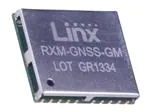
GM Series
GNSS Receiver Module
Data Guide
�! Warning: Some customers may want Linx radio frequency (“RF”)
products to control machinery or devices remotely, including machinery
or devices that can cause death, bodily injuries, and/or property
damage if improperly or inadvertently triggered, particularly in industrial
settings or other applications implicating life-safety concerns (“Life and
Property Safety Situations”).
Table of Contents
1 Description
1 Features
1
NO OEM LINX REMOTE CONTROL OR FUNCTION MODULE
SHOULD EVER BE USED IN LIFE AND PROPERTY SAFETY
SITUATIONS. No OEM Linx Remote Control or Function Module
should be modified for Life and Property Safety Situations. Such
modification cannot provide sufficient safety and will void the product’s
regulatory certification and warranty.
2
Customers may use our (non-Function) Modules, Antenna and
Connectors as part of other systems in Life Safety Situations, but
only with necessary and industry appropriate redundancies and
in compliance with applicable safety standards, including without
limitation, ANSI and NFPA standards. It is solely the responsibility
of any Linx customer who uses one or more of these products to
incorporate appropriate redundancies and safety standards for the Life
and Property Safety Situation application.
5
Do not use this or any Linx product to trigger an action directly
from the data line or RSSI lines without a protocol or encoder/
decoder to validate the data. Without validation, any signal from
another unrelated transmitter in the environment received by the module
could inadvertently trigger the action.
All RF products are susceptible to RF interference that can prevent
communication. RF products without frequency agility or hopping
implemented are more subject to interference. This module does not
have a frequency hopping protocol built in.
Do not use any Linx product over the limits in this data guide.
Excessive voltage or extended operation at the maximum voltage could
cause product failure. Exceeding the reflow temperature profile could
cause product failure which is not immediately evident.
Do not make any physical or electrical modifications to any Linx
product. This will void the warranty and regulatory and UL certifications
and may cause product failure which is not immediately evident.
2
2
4
4
6
6
7
7
7
7
8
9
10
11
12
19
40
41
42
43
44
44
44
46
Applications Include
Ordering Information
Absolute Maximum Ratings
Electrical Specifications
Pin Assignments
Pin Descriptions
A Brief Overview of GNSS
Time To First Fix (TTFF)
Module Description
Backup Battery
Power Supply Requirements
The 1PPS Output
Hybrid Ephemeris Prediction (AGPS)
Antenna Considerations
Power Control
Slow Start Time
Interfacing with NMEA Messages
NMEA Output Messages
Input Messages
Typical Applications
Microstrip Details
Board Layout Guidelines
Pad Layout
Production Guidelines
Hand Assembly
Automated Assembly
Master Development System
� 47
Appendix A
54 Notes
GM Series GNSS Receiver
Data Guide
Description
0.591 in
(15.00 mm)
The GM Series GNSS receiver module is
a self-contained high-performance Global
Satellite Navigation System receiver. Based on
the MediaTek chipset, it can simultaneously
acquire and track multiple satellite
constellations. These include the United States
GPS system, Europe’s GALILEO, Russia’s
GLONASS and Japan’s QZSS.
0.512 in
(13.00 mm)
GNSS MODULE
RXM-GNSS-GM
LOT GRxxxx
0.087 in
(2.20 mm)
The module provides exceptional sensitivity,
Figure 1: Package Dimensions
even in dense foliage and urban canyons. It’s
very low power consumption helps maximize runtimes in battery powered
applications. Hybrid ephemeris prediction can be used to achieve cold start
times of less than 15 seconds. The module outputs standard NMEA data
through a UART interface.
Housed in a compact reflow-compatible SMD package, the receiver
requires no programming or additional RF components (except an antenna)
to form a complete GNSS solution. This makes the GM Series easy to
integrate, even by engineers without previous RF or GNSS experience.
Features
Warning: This product incorporates numerous static-sensitive
components. Always wear an ESD wrist strap and observe proper ESD
handling procedures when working with this device. Failure to observe
this precaution may result in module damage or failure.
•
•
•
•
•
•
MediaTek chipset
High sensitivity (–161dBm)
Fast TTFF at low signal levels
Battery-backed SRAM
3-day ephemeris prediction
No programming necessary
•
•
•
•
•
No external RF components
needed (except an antenna)
No production tuning
UART serial interface
Power control features
Compact SMD package
•
•
•
Surveying
Logistics
Fleet Management
Applications Include
•
•
•
Positioning and Navigation
Location and Tracking
Security/Loss-Prevention
– 1 –
Revised 10/20/2017
�Ordering Information
GM Series GNSS Receiver Specifications
Ordering Information
Symbol
Min.
Typ.
Max.
Units
Part Number
Description
Parameter
VOUT Output Voltage
VOUT
2.7
2.8
2.9
VDC
RXM-GNSS-GM-x
GM Series GNSS Receiver Module
VOUT Output Current
IOUT
30
mA
MDEV-GNSS-GM
GM Series GNSS Receiver Master Development System
Output Low Voltage
VOL
0.4
VDC
EVM-GNSS-GM
GM Series Evaluation Module
Output High Voltage
VOH
2.4
Notes
2
3.3
x = “T” for Tape and Reel, “B” for Bulk
Output Low Current
IOL
2.0
mA
Reels are 1,000 pieces. Quantities less than 1,000 pieces are supplied in bulk
Output High Current
IOH
2.0
mA
Input Low Voltage
VIL
–0.3
0.8
VDC
Figure 2: Ordering Information
Input High Voltage
VIH
2.0
3.6
VDC
Absolute Maximum Ratings
Input Low Current
IIL
–1
1
µA
4
IIH
–1
1
µA
4
TRST
1
Input High Current
Absolute Maximum Ratings
Minimum RESET Pulse
ms
Supply Voltage VCC
+4.3
VDC
Receiver Section
Input Battery Backup Voltage
+4.3
VDC
Receiver Sensitivity
VOUT Output Current
50
mA
Tracking
–161
dBm
Operating Temperature
–40 to +85
ºC
Cold Start
–143
dBm
Storage Temperature
–40 to +85
ºC
Acquisition Time
Hot Start (Open Sky)
1
s
Hot Start (Indoor)
30
s
Cold Start
33
s
Cold Start, AGPS
15
s
3
m
2.5
m
Exceeding any of the limits of this section may lead to permanent damage to the device.
Furthermore, extended operation at these maximum ratings may reduce the life of this
device.
Figure 3: Absolute Maximum Ratings
Position Accuracy
Electrical Specifications
Autonomous
SBAS
GM Series GNSS Receiver Specifications
Parameter
Symbol
Min.
Typ.
Max.
Units
Notes
Supply Current
VCC
3.0
3.3
4.3
Velocity
VDC
Chipset
lCC
Peak
150
mA
1, 2
Acquisition
24
mA
2
Tracking
16
mA
2
Standby
0.365
mA
2
Backup Battery Voltage
VBAT
Backup Battery Current
IBAT
7
µA
2.0
4.3
VDC
RIN
50
Ω
Antenna Port
RF Impedance
–11
Altitude
Power Supply
Operating Voltage
1PPS Accuracy
– 2 –
3
11
ns
18,000
m
515
m/s
5
MediaTek MT3333
Frequency
GPS, GALILEO, QZSS: L1 1575.42MHz, C/A code
GLONASS: L1 1598.0625MHz ~ 1605.375MHz, C/A code
Channels
99
Update Rate
1Hz default, up to 10Hz
Protocol Support
1.
2.
3.
4.
5.
NMEA 0183 ver 4.10
This is the current when dowloading AGPS data to the module
VCC = 3.3V, without active antenna, ephemeris prediction is off
VCC = 0V
No pull-up or pull-down on the lines
Relative to other GM Series modules, not to UTC time
Figure 4: Electrical Specifications
– 3 –
�Pin Assignments
1
2
3
4
5
21
6
7
8
9
10
A Brief Overview of GNSS
NC
NC
1PPS
TX
RX
GND
NC
LCKIND
RESET
NC
NC
GND
RFIN
GND
VOUT
NC
GND
NC
NC
NC
VCC
VBACKUP
20
19
18
17
16
22
15
14
13
12
11
Global Navigation Satellite System is a generic term that covers any system
of satellites that are used to determine location on Earth and have global
coverage. As of 2013 there are two fully operational GNSS systems;
NAVSTAR GPS operated by the United States and GLONASS operated
by Russia. The European Union is building its satellite constellation for their
Galileo system and China has started to expand their Beidou system into a
global system called Compass.
The United States has the original GNSS system consisting of a nominal
constellation of 24 satellites orbiting the earth at about 12,000 nautical
miles in height. The pattern and spacing of the satellites allow at least
four to be visible above the horizon from any point on the Earth. Russia’s
GLONASS system fell into disrepair after the collapse of the Soviet Union,
but was recovered and fully restored in 2011.
Figure 5: GM Series GNSS Receiver Pinout (Top View)
The systems were originally intended for military applications such as
ordinance delivery and troop movement. In 1994 when the NAVSTAR
constellation was completed, the GPS signals were made available for
civilian applications, primarily aircraft navigation.
Pin Descriptions
Pin Descriptions
Pin Number
Name
I/O
Description
1, 2, 6, 9, 10,
13, 14, 15, 16
NC
−
No electrical connection
3
1PPS
O
1 Pulse Per Second (11nS accuracy)
4
TX
O
Serial output (default NMEA)
5
RX
I
Serial input (default NMEA)
7
LCKIND
O
Lock Indicator. Outputs a 50ms pulse every
second when a GPS fix is available.
8
RESET
I
Active low module reset. This line is pulled high
internally. Leave it unconnected if it is not used.
11
VBACKUP
P
Backup battery supply voltage. This line must be
powered to enable the module.
12
VCC
P
Supply Voltage
17
VOUT
O
2.8V output for an active antenna
18, 20, 21, 22
GND
P
Ground
19
RFIN
I
GNSS RF signal input
Figure 6: GM Series GNSS Receiver Pin Descriptions
– 4 –
Each satellite transmits low power radio signals which contain three
different bits of information; a pseudorandom code identifying the satellite,
ephemeris data which contains the current date and time as well as the
satellite’s precise orbit information, and the almanac data which tells where
each satellite should be at any time throughout the day and its status.
A receiver times the signals sent by multiple satellites and calculates the
distance to each satellite. If the position of each satellite is known, the
receiver can use triangulation to determine its position anywhere on the
earth. The receiver uses four satellites to solve for four unknowns; latitude,
longitude, altitude, and time. If any of these factors is already known to the
system, an accurate position (fix) can be obtained with fewer satellites in
view. Tracking more satellites improves calculation accuracy.
A faster Time To First Fix (TTFF) is possible if satellite information is stored
in the receiver. If the receiver knows some of this information, then it can
accurately predict satellite positions before acquiring an updated position
fix. For example, aircraft or marine navigation equipment may have other
means of determining altitude, so the GPS receiver would only have to
lock on to three satellites and calculate three equations to provide the first
position fix after power-up.
– 5 –
�Time To First Fix (TTFF)
Backup Battery
TTFF is often broken down into three parts:
The module is designed to work with a backup battery that keeps the
SRAM memory and the RTC powered when the RF section and the main
GPS core are powered down. This enables the module to have a faster
Time To First Fix (TTFF) when it is powered back on. The memory and
clock pull about 7µA. This means that a small lithium battery is sufficient to
power these sections. This significantly reduces the power consumption
and extends the main battery life while allowing for fast position fixes when
the module is powered back on.
Cold: A cold start is when the receiver has no accurate knowledge of its
position or time. This happens when the receiver’s internal Real Time Clock
(RTC) has not been running or it has no valid ephemeris or almanac data.
In a cold start, the receiver takes up to 30 seconds to acquire its position.
Warm: A typical warm start is when the receiver has valid almanac and time
data and has not significantly moved since its last valid position calculation.
This happens when the receiver has been shut down for more than 2
hours, but still has its last position, time, and almanac saved in memory,
and its RTC has been running. The receiver can predict the location of the
current visible satellites and its location; however, it needs to wait for an
ephemeris broadcast (every 30 seconds) before it can accurately calculate
its position.
The backup battery must be installed for the module to be enabled.
Power Supply Requirements
Hot: A hot start is when the receiver has valid ephemeris, time, and
almanac data. In a hot start, the receiver takes 1 second to acquire its
position. The time to calculate a fix in this state is sometimes referred to as
Time to Subsequent Fix or TTSF.
The module requires a clean, well-regulated power source. While it is
preferable to power the unit from a battery, it can operate from a power
supply as long as noise is less than 20mV. Power supply noise can
significantly affect the receiver’s sensitivity, therefore providing clean power
to the module should be a high priority during design. Bypass capacitors
should be placed as close as possible to the module. The values should be
adjusted depending on the amount and type of noise present on the supply
line.
Module Description
The 1PPS Output
The GM Series GNSS Receiver module is based on the MediaTek MT3333
chipset, which consumes less power than competitive products while
providing exceptional performance even in dense foliage and urban
canyons. No external RF components are needed other than an antenna.
The simple serial interface and industry standard NMEA protocol make
integration of the GM Series into an end product extremely straightforward.
The module’s high-performance RF architecture allows it to receive GNSS
signals that are as low as –161dBm. The GM Series can track up to 33
satellites at the same time. Once locked onto the visible satellites, the
receiver calculates the range to the satellites and determines its position
and the precise time. It then outputs the data through a standard serial port
using several standard NMEA protocol formats.
The GNSS core handles all of the necessary initialization, tracking, and
calculations autonomously, so no programming is required. The RF section
is optimized for low level signals, and requires no production tuning.
– 6 –
The 1PPS line outputs 1 pulse per second on the rising edge of the GNSS
second when the receiver has an over-solved navigation solution from five
or more satellites. The pulse has a duration of 100ms by default with the
rising edge on the GNSS second. This line is low until the receiver acquires
a 3D fix. The pulse width can be adjusted with a serial command.
The GNSS second is based on the atomic clocks in the satellites, which
are monitored and set to Universal Time master clocks. This output and
the time calculated from the satellite transmissions can be used as a clock
feature in an end product with ±11ns accuracy.
Hybrid Ephemeris Prediction (AGPS)
AGPS is where the receiver uses the ephemeris data broadcast by the
satellites to calculate models of each visible satellite’s future location. This
allows the receiver to store up to 3 days’ worth of ephemeris data and
results in faster TTFF. Having this data reduces the cold start time to less
than 15 seconds. Contact Linx for details on this.
– 7 –
�Antenna Considerations
Power Control
The GM Series module is designed to utilize a wide variety of external
antennas. The module has a regulated power output which simplifies the
use of GNSS antenna styles which require external power. This allows
the designer great flexibility, but care must be taken in antenna selection
to ensure optimum performance. For example, a handheld device may
be used in many varying orientations so an antenna element with a wide
and uniform pattern may yield better overall performance than an antenna
element with high gain and a correspondingly narrower beam. Conversely,
an antenna mounted in a fixed and predictable manner may benefit from
pattern and gain characteristics suited to that application. Evaluating
multiple antenna solutions in real-world situations is a good way to rapidly
assess which will best meet the needs of your application.
The GM Series GPS Receiver module offers several ways to control the
module’s power. A serial command puts the module into a low-power
standby mode that consumes only 365µA of current. An external processor
can be used to power the module on and off to conserve battery power.
For GNSS, the antenna should have good right hand circular polarization
characteristics (RHCP) to match the polarization of the GNSS signals.
Ceramic patches are the most commonly used style of antenna, but
there are many different shapes, sizes and styles of antennas available.
Regardless of the construction, they will generally be either passive or
active types. Passive antennas are simply an antenna tuned to the correct
frequency. Active antennas add a Low Noise Amplifier (LNA) after the
antenna and before the module to amplify the weak GPS satellite signals.
For active antennas, a 300 ohm ferrite bead can be used to connect the
VOUT line to the RFIN line. This bead prevents the RF from getting into the
power supply, but allows the DC voltage onto the RF trace to feed into the
antenna. A series capacitor inside the module prevents this DC voltage
from affecting the bias on the module’s internal LNA.
Maintaining a 50 ohm path between the module and antenna is critical.
Errors in layout can significantly impact the module’s performance. Please
review the layout guidelines section carefully to become more familiar with
these considerations.
In addition, the module includes a duty cycle mode where the module will
power on for a configurable amount of time to obtain a position fix then
power off for a configurable amount of time. In this way the module can
handle all of the timing without any intervention from the external processor.
There are four times that are configured with duty cycle mode. The on
time and standby times are the amount of times that the module is on and
in standby in normal operation. There are also cold start on and standby
times. These are used to keep the module on longer in the event of a cold
start so that it can gather the required satellite data for a position fix. After
this, the module uses the normal operation times.
In the event that the module’s stored ephemeris data becomes invalid the
module supports and extended receive time to gather the required data
from the satellites. Figure 7 shows the power control times.
Cold Start On Time
Cold Start
Standby Time
On Time
Standby Time
On Time
Extended RX Time
ON
Standby
Figure 7: GM Series GNSS Receiver Power Control
The module supports MediaTek’s proprietary AlwaysLocateTM mode. In
this mode, the module automatically adapts the on and standby times to
the current environmental conditions to balance position accuracy and
power consumption. In this mode, any byte sent to the module triggers it to
output the current position data.
Standby mode is configured by command 161. Extended receive time is
configured by command 223. Command 225 configures which duty cycle
mode is used.
Only enter standby mode after the module acquires a position fix.
– 8 –
– 9 –
�Slow Start Time
Interfacing with NMEA Messages
The most critical factors in start time are current ephemeris data, signal
strength and sky view. The ephemeris data describes the path of each
satellite as they orbit the earth. This is used to calculate the position of
a satellite at a particular time. This data is only usable for a short period
of time, so if it has been more than a few hours since the last fix or if the
location has significantly changed (a few hundred miles), then the receiver
may need to wait for a new ephemeris transmission before a position can
be calculated. The GNSS satellites transmit the ephemeris data every 30
seconds. Transmissions with a low signal strength may not be received
correctly or be corrupted by ambient noise. The view of the sky is important
because the more satellites the receiver can see, the faster the fix and the
more accurate the position will be when the fix is obtained.
Linx modules default to the NMEA protocol. Output messages are sent
from the receiver on the TX line and input messages are sent to the receiver
on the RX line. By default, output messages are sent once every second.
Details of each message are described in the following sections.
If the receiver is in a very poor location, such as inside a building, urban
canyon, or dense foliage, then the time to first fix can be slowed. In very
poor locations with poor signal strength and a limited view of the sky with
outdated ephemeris data, this could be on the order of several minutes.
In the worst cases, the receiver may need to receive almanac data, which
describes the health and course data for every satellite in the constellation.
This data is transmitted every 15 minutes. If a lock is taking a long time, try
to find a location with a better view of the sky and fewer obstructions. Once
locked, it is easier for the receiver to maintain the position fix.
The NMEA message format is as follows: . The serial data structure defaults to
9,600bps, 8 data bits, 1 start bit, 1 stop bit, and no parity. Each message
starts with a $ character and ends with a . All fields within
each message are separated by a comma. The checksum follows the *
character and is the last two characters, not including the .
It consists of two hex digits representing the exclusive OR (XOR) of all
characters between, but not including, the $ and * characters. When
reading NMEA output messages, if a field has no value assigned to it, the
comma will still be placed following the previous comma. For example,
{,04,,,,,2.0,} shows four empty fields between values 04 and 2.0. When
writing NMEA input messages, all fields are required, none are optional. An
empty field will invalidate the message and it will be ignored.
Reading NMEA output messages:
• Initialize a serial interface to match the serial data structure of the GPS
receiver.
• Read the NMEA data from the TX pin into a receive buffer.
• Separate it into six buffers, one for each message type. Use the
characters ($) and as end points for each message.
• For each message, calculate the checksum as mentioned above to
compare with the received checksum.
• Parse the data from each message using commas as field separators.
• Update the application with the parsed field values.
• Clear the receive buffer and be ready for the next set of messages.
Writing NMEA input messages:
• Initialize a serial interface to match the serial data structure of the GPS
receiver.
• Assemble the message to be sent with the calculated checksum.
• Transmit the message to the receiver on the RX line.
– 10 –
– 11 –
�NMEA Output Messages
The following sections outline the data structures of the various NMEA
messages that are supported by the module. By default, the NMEA
commands are output at 9,600bps, 8 data bits, 1 start bit, 1 stop bit, and
no parity.
Six messages are output at a 1Hz rate by default. The ZDA message is
supported, but disabled by default. These messages are shown in Figure 8.
NMEA Output Messages
Name
Description
GGA
Contains the essential fix data which provide location and accuracy
GLL
Contains just position and time
GSA
Contains data on the Dilution of Precision (DOP) and which satellites are used
GSV
Contains the satellite location relative to the receiver and its signal to noise
ratio. Each message can describe 4 satellites so multiple messages may be
output depending on the number of satellites being tracked.
RMC
Contains the minimum data of time, position, speed and course
VTG
Contains the course and speed over the ground
ZDA
Contains the date and time
GGA – Global Positioning System Fix Data
Figure 10 contains the values for the following example:
$GPGGA,053740.000,2503.6319,N,12136.0099,E,1,08,1.1,63.8,M,15.2,M,,0000*64
Global Positioning System Fix Data Example
Name
Example
Message ID
$GPGGA
UTC Time
053740.000
hhmmss.sss
Latitude
2503.6319
ddmm.mmmm
N/S Indicator
N
Longitude
12136.0099
E/W Indicator
E
E=east or W=west
Position Fix Indicator
1
See Figure 11
Satellites Used
08
Range 0 to 33
HDOP
1.1
Horizontal Dilution of Precision
MSL Altitude
63.8
meters
Units
M
meters
Geoid Separation
15.2
meters
Units
M
meters
Age of Diff. Corr.
Figure 8: NMEA Output Messages
Some of the message IDs can change based on which system is used for
the position fix. Figure 9 shows the different message identifiers based on
the system that is used.
Units
GGA protocol header
N=north or S=south
dddmm.mmmm
second
Diff. Ref. Station
0000
Checksum
*64
Description
Null fields when DGPS is not used
End of message termination
Figure 10: Global Positioning System Fix Data Example
NMEA Output Message Identifiers
System
GGA
GLL
GSA
GSV
GPS
GPGGA
GPGLL
GPGSA
GNGSA
GPS &
GLONASS
1.
GPGGA
GNGLL
RMC
VTG
GPGSV
GPRMC
GPVTG
GPGSV
GLGSV
GPRMC or
GNRMC1
GPVTG
The RMC output is GPRMC before a 3D fix, then changes to GNRMC after a fix is
locked.
Position Indicator Values
Value
Fix not available or invalid
1
GPS SPS Mode, fix valid
2
Differential GPS, SPS Mode, fix valid
3–5
6
Figure 9: NMEA Output Message Identifiers
Details of each message and examples are given in the following sections.
– 12 –
Description
0
Not supported
Dead Reckoning Mode, fix valid (requires external hardware)
Figure 11: Position Indicator Values
– 13 –
�GLL – Geographic Position – Latitude / Longitude
Figure 12 contains the values for the following example:
$GPGLL,2503.6319,N,12136.0099,E,053740.000,A,A*52
Geographic Position – Latitude / Longitude Example
Name
Message ID
Example
Units
Description
GLL protocol header (GNGLL or
GPGLL)
$GPGLL
Figure 14: Mode 1 Values
$GPGSV,3,2,12,17,41,328,45,07,32,315,45,04,31,250,40,11,25,046,41*75
12136.0099
E/W Indicator
E
UTC Time
053740.000
Status
A
A=data valid or V=data not valid
Mode
A
A=autonomous, D=DGPS, N=Data not
valid, R=Coarse Position, S=Simulator
Checksum
*52
hhmmss.sss
End of message termination
Figure 12: Geographic Position – Latitude / Longitude Example
GSA – GNSS DOP and Active Satellites
Figure 13 contains the values for the following example:
$GPGSA,A,3,24,07,17,11,28,08,20,04,,,,,2.0,1.1,1.7*35
GNSS DOP and Active Satellites Example
Mode 1
Automatic – allowed to automatically switch 2D/3D
E=east or W=west
Longitude
Message ID
A
$GPGSV,3,1,12,28,81,285,42,24,67,302,46,31,54,354,,20,51,077,46*73
ddmm.mmmm
Units
Manual – forced to operate in 2D or 3D mode
dddmm.mmmm
N
Example
Description
M
GSV – GNSS Satellites in View
Figure 15 contains the values for the following example:
2503.6319
Name
Value
N=north or S=south
Latitude
N/S Indicator
Mode 1 Values
Description
$GPGSV,3,3,12,08,22,214,38,27,08,190,16,19,05,092,33,23,04,127,*7B
$GLGSV,2,1,07,76,71,201,44,65,57,041,40,75,48,028,39,72,27,108,39*68
$GLGSV,2,2,07,66,25,333,43,77,17,207,37,81,02,280,29*5C
GNSS Satellites in View Example
Name
Message ID
Example
Units
Description
$GPGSV
GSV protocol header (GPGSV for GPS and
GLGSV for GLONASS)
Total number of
messages1
3
Range 1 to 6 (GPS) and 1 to 3 (GLONASS)
Message number1
1
Range 1 to 6 (GPS) and 1 to 3 (GLONASS)
Satellites in view
12
Satellite ID
28
Elevation
81
degrees
Channel 1 (Range 00 to 90)
Channel 1 (Range 01 to 196)
Azimuth
285
degrees
Channel 1 (Range 000 to 359)
GSA protocol header (GPGSA for GPS
or GNGSA for GLONASS)
SNR (C/No)
42
dB–Hz
Channel 1 (Range 00 to 99, null when not
tracking)
A
See Figure 14
Satellite ID
20
$GPGSA
Channel 2 (Range 01 to 196)
Mode 2
3
1=No fix, 2=2D, 3=3D
Elevation
51
degrees
Channel 2 (Range 00 to 90)
ID of satellite used
24
Sv on Channel 1
Azimuth
077
degrees
Channel 2 (Range 000 to 359)
ID of satellite used
07
Sv on Channel 2
SNR (C/No)
46
dB-Hz
Checksum
*73
...
...
ID of satellite used
Sv on Channel N
PDOP
2.0
Position Dilution of Precision
HDOP
1.1
Horizontal Dilution of Precision
VDOP
1.7
Vertical Dilution of Precision
Checksum
*35
Channel 2 (Range 00 to 99, null when not
tracking.
End of message termination
1. Depending on the number of satellites tracked, multiple messages of GSV data
may be required.
Figure 15: GNSS Satellites in View Example
End of message termination
Figure 13: GNSS DOP and Active Satellites Example
– 14 –
– 15 –
�RMC – Recommended Minimum Specific GNSS Data
Figure 16 contains the values for the following example:
VTG – Course Over Ground and Ground Speed
Figure 17 contains the values for the following example:
$GPRMC,053740.000,A,2503.6319,N,12136.0099,E,2.69,79.65,100106,,,A*53
$GPVTG,79.65,T,,M,2.69,N,5.0,K,A*38
Recommended Minimum Specific GNSS Data Example
Name
Message ID
Example
Units
RMC protocol header (GNRMC or
GPRMC)
$GPRMC
UTC Time
053740.000
Status
A
Latitude
2503.6319
N/S Indicator
N
Longitude
12136.0099
E/W Indicator
E
Speed over ground
2.69
knots
Course over ground
79.65
degrees
Date
100106
Magnetic Variation
hhmmss.sss
A=data valid or V=data not valid
ddmm.mmmm
A
Checksum
*53
Message ID
$GPVTG
Course over ground
79.65
Reference
T
Course over ground
Units
VTG protocol header
degrees
Measured heading
TRUE
degrees
Measured heading (N/A, null field)
M
Units
N
Speed over ground
5.0
Units
K
Kilometer per hour
Mode
A
A=autonomous, D=DGPS, N=
Data not valid, R=Coarse Position,
S=Simulator
E=east or W=west (not shown)
Checksum
*38
A=autonomous, D=DGPS, E=DR, N=
Data not valid, R=Coarse Position,
S=Simulator
TRUE
ddmmyy
Magnetic
knots
Measured speed
Knots
km/hr
Not available, null field
Measured speed
End of message termination
Figure 17: Course Over Ground and Ground Speed Example
End of message termination
Figure 16: Recommended Minimum Specific GNSS Data Example
– 16 –
Description
2.69
E=east or W=west
Example
Reference
dddmm.mmmm
degrees
Name
Speed over ground
N=north or S=south
Variation Sense
Mode
Description
Course Over Ground and Ground Speed Example
– 17 –
�ZDA – Universal Time and Date
Figure 18 contains the values for the following example:
PMTKLSC - Leap Second Change
Figure 10 contains the values for the following example:
$GPZDA,183746.000,22,08,2014,,*56
$PMTKLSC,17,0,17*42
Universal Time and Date Example
Leap Second Change Example
Name
Example
Units
Description
Message ID
$GPZDA
UTC Time
183746.000
Day
22
01 to 31
Month
08
01 to 12
Year
2014
ZDA protocol header
hhmmss.sss
Name
Example
Message ID
$PMTKLSC
Current
17
Current leap second
Indicator
0
Leap indicator, 1 = updated from
broadcast data
Next leap second
Next
17
Local Zone Hour
Offset from UTC; set to null
Checksum
*42
Local Zone Minutes
Offset from UTC; set to null
Checksum
1980 to 2079
Units
Description
Leap Second Change protocol header
End of message termination
*56
End of message termination
Figure 20: Leap Second Change Example
Figure 18: Universal Time and Date Example
Once the leap second has been updated from the satellite transmissions,
the indicator field changes to 1. At this point, the indicator is accurate.
Start-up Response
The module outputs a message when it starts up to indicate its state. The
normal start-up message is shown below and the message formatting is
shown in Figure 19.
$PMTKLSC,17,1,17*43
$PMTK010,001*2E
Start-up Response Example
Name
Example
Message ID
$PMTK010
Message
MSG
Checksum
CKSUM
End Sequence
Description
Message header
System Message
0 = Unknown
1 = Start-up
2 = Notification for the host supporting EPO
3 = Transition to Normal operation is successful
End of message termination
Figure 19: Start-up Response Example
– 18 –
– 19 –
�Input Messages
The following outlines the serial commands input into the module for
configuration. There are 3 types of input messages: commands, writes and
reads. The module outputs a response for each input message.
The commands are used to change the operating state of the module.
The writes are used to change the module’s configuration and the reads
are used to read out the current configuration. Messages are formatted as
shown in Figure 21. All fields in each message are separated by a comma.
Serial Data Structure
Name
Description
101
Hot Re-start
102
Warm Re-start
103
Cold Re-start
104
Restore Default Configuration
161
Standby Mode
220
Position Fix Interval
223
Extended Receive Time
225
Receiver Duty Cycle
251
Serial Port Baud Rate
255
Sync 1PPS and NMEA Messages
256
Set Timing Product
Name
Example
Start Sequence
$PMTK
Message ID
Message Identifier consisting of three numeric
characters.
Payload
DATA
Message specific data.
257
Set Tunnel Scenario
1PPS Configuration
CKSUM
CKSUM is a two-hex character checksum as
defined in the NMEA specification, NMEA-0183
Standard for Interfacing Marine Electronic Devices.
Checksums are required on all input messages.
285
286
Enable Active Interference Cancellation
875
Enable Leap Second Change Message
Each message must be terminated using Carriage
Return (CR) Line Feed (LF) (\r\n, 0x0D0A) to cause
the receiver to process the input message. They
are not printable ASCII characters, so are omitted
from the examples.
Checksum
End Sequence
Description
Input Commands
Figure 21: Serial Data Structure
Figure 22 shows the input commands.
Figure 22: Input Commands
The write and read messages are shown in Figure 23. A write message
triggers an acknowledgement from the module. A read message triggers a
response message containing the requested information.
Input Write and Read Messages
Description
Write ID
Read ID
Response ID
DGPS Source
301
401
501
SBAS Enable
313
413
513
NMEA Output Messages
314
414
514
Set Datum
330
430
530
GNSS Search System
353
—
—
Static Navigation Threshold
386
447
527
Enable Ephemeris Prediction
869
869
869
Figure 23: Input Write and Read Messages
– 20 –
– 21 –
�The module responds to commands with response messages. The
acknowledge message is formatted as shown in Figure 24.
Acknowledge Message
Name
Example
Start Sequence
$PMTK
Message ID
001
Acknowledge Identifier
Command
CMD
The command that triggered the acknowledge
Flag
Flg
Flag indicating the outcome of the command
0 = Invalid Command
1 = Unsupported Command
2 = Valid command, but action failed
3 = Valid command and action succeeded
CKSUM
CKSUM is a two-hex character checksum as
defined in the NMEA specification, NMEA-0183
Standard for Interfacing Marine Electronic Devices.
Checksums are required on all input messages.
Each message must be terminated using Carriage
Return (CR) Line Feed (LF) (\r\n, 0x0D0A) to cause
the receiver to process the input message. They
are not printable ASCII characters, so are omitted
from the examples.
Checksum
End Sequence
Description
104 – Restore Default Configuration
This command instructs the module to conduct a cold re-start and return
all configurations to the factory default settings.
$PMTK104*37
161 – Standby Mode
This command instructs the module to enter a low power standby mode.
Any activity on the RX line wakes the module. Only enter standby mode
after the module acquires a position fix.
$PMTK161,0*28
The module outputs the startup message when it wakes up.
$PMTK010,001*2E
220 – Position Fix Interval
This command sets the position fix interval. This is the time between when
the module calculates its position.
Position Fix Interval Command and Response
Command
Figure 24: Acknowledge Message
101 – Hot Re-start
This command instructs the module to conduct a hot re-start using all of
the data stored in memory. Periodic mode and static navigation settings are
returned to default when this command is executed.
Start
Msg ID
Interval
Checksum
End
$PMTK
220
,Ival
*Cksum
Start
Msg ID
CMD
Flag
Checksum
End
$PMTK
001
,220
,Flg
*Cksum
Response
Figure 25: Position Fix Interval Command and Response
$PMTK101*32
102 – Warm Re-start
This command instructs the module to conduct a warm re-start that does
not use the saved ephemeris data. Periodic mode and static navigation
settings are returned to default when this command is executed.
$PMTK102*31
103 – Cold Re-start
This command instructs the module to conduct a cold re-start that does
not use any of the data from memory. Periodic mode and static navigation
settings are returned to default when this command is executed.
$PMTK103*30
– 22 –
Ival = the interval time in milliseconds.
The interval must be larger than 100ms. Faster rates require that the baud
rate be increased, the number of messages that are output be decreased
or both. The module automatically calculates the required data bandwidth
and returns an action failed response (Flg = 2) if the interval is faster than
the module can output all of the required messages at the current baud
rate. The following example sets the interval to 1 second.
$PMTK220,1000*1F
It is recommended to use interval rates of 100ms, 200ms, 500ms,
1,000ms and 2,000ms. Although permissible, non-standard intervals are
not guaranteed or recommended.
– 23 –
�223 – Extended Receive Time
This command extends the amount of time that the receiver is on when in
duty cycle mode. This allows the module to refresh its stored ephemeris
data by staying awake until it received the data from the satellites.
Extended Receive Time Command and Response
225 – Receiver Duty Cycle
This command places the module into a duty cycle where it stays on for
a period of time and calculates it position then goes to sleep for a period
of time. This conserves battery power without the need for an external
microcontroller to manage the timing.
Receiver Duty Cycle Command and Response
Command
Start
Msg ID
SV
On
Time
Extend
Time
Extend
Gap
Checksum
End
$PMTK
223
,SV
,SNR
,EXT
,EXG
*Cksum
Response
Start
Msg ID
CMD
Flag
Checksum
End
$PMTK
001
,223
,Flg
*Cksum
Command
Start
Msg ID
Mode
On
Time
Standby
Time
Cold On
Cold
Sleep
Checksum
End
$PMTK
225
,Mde
,TO
,TS
,CO
,CS
*Cksum
Start
Msg ID
CMD
Flag
Checksum
End
$PMTK
001
,225
,Flg
*Cksum
Response
Figure 26: Extended Receive Time Command and Response
Figure 28: Receiver Duty Cycle Command and Response
Extended Receive Time Fields
Field
Description
Receiver Duty Cycle Fields
The minimum number of satellites required to have valid ephemeris data. The
extend time triggers when the number of satellites with valid ephemeris data
falls below this number. The value is 1 to 4.
Field
Description
SV
The minimum SNR of the satellites used for a position fix. The module will not
wait for ephemeris data from any satellites whose SNR is below this value.
Mde
SNR
Operation Mode
0 = Normal Mode
2 = Duty Cycle Mode
8 = AlwaysLocateTM
EXT
The extended time in ms to stay on to receive ephemeris data. This value can
range from 40000 to 180000.
TO
Receiver on time (ms)
TS
Receiver standby time (ms)
EXG
The minimum time in ms between a subsequent extended receive period. This
value can range from 0 to 3600000.
CO
Receiver on time in the event of a cold start (ms). Allows more time for
the module to receive ephemeris data in the event of a cold start.
CS
Receiver off time in the event of a cold start (ms). Allows more time for
the module to receive ephemeris data in the event of a cold start.
Figure 27: Extended Receive Time Fields
CO and CS can be null values. In this case the module uses the TO and TS values.
The following example configures an extended on time to trigger if less
than 1 satellite has valid ephemeris data. The satellite must have a signal to
noise ratio higher than 30dB–Hz in order to be used. The module will stay
on for 180,000ms and will have a gap time of 60,000ms.
Figure 29: Receiver Duty Cycle Fields
$PMTK223,1,30,180000,60000*16
$PMTK225,2,3000,12000,18000,72000*15
This example sets the mode to duty cycle with an on time of 3s, and off
time of 12s, a cold start on time of 18s and a cold start off time of 72s.
The following example sets the mode to normal operation.
$PMTK225,0*2B
The following example sets the module into AlwaysLocateTM mode.
$PMTK225,8*23
– 24 –
– 25 –
�251 – Serial Port Baud Rate
This command sets the serial port baud rate.
255 – Sync 1PPS and NMEA Messages
This command enables or disables synchronization between the 1PPS
pulse and the NMEA messages. When enabled, the beginning of the
NMEA message on the UART is fixed to between 465 and 485ms after the
rising edge of the 1PPS pulse. The NMEA message describes the position
and time as of the rising edge of the 1PPS pulse.
Serial Port Baud Rate Command and Response
Command
Start
Msg ID
Rate
Checksum
End
$PMTK
251
,Rate
*Cksum
Start
Msg ID
CMD
Flag
Checksum
End
$PMTK
001
,251
,Flg
*Cksum
Sync 1PPS and NMEA Messages Command and Response
Response
Command
Msg ID
Enable
Checksum
End
255
,Enable
*Cksum
Start
Msg ID
CMD
Flag
Checksum
End
$PMTK
001
,255
,Flg
*Cksum
Response
Figure 30: Serial Port Baud Rate Command and Response
Rate = serial port baud rate
0 = default setting
4800
9600
14400
19200
38400
57600
115200
Start
$PMTK
Figure 31: Sync 1PPS and NMEA Messages Command and Response
UTC 12:00:00
UTC 12:00:01
1PPS
TX
The following example sets the serial port baud rate to 57,600bps.
UTC 12:00:00
UTC 12:00:01
465ms ~ 485ms
Figure 32: 1PPS and NMEA Message Synchronization
$PMTK251,57600*2C
This is only supported at a 1Hz NMEA message rate. It is disabled
by default. If all six NMEA messages are output, the serial port baud
rate should be between 19,200 and 115,200bps to ensure stable
synchronization.
The following examples show the use of this command.
Enable Sync: $PMTK255,1*2D
Disable Sync: $PMTK255,0*2C
– 26 –
– 27 –
�256 – Set Timing Product
This command enables or disables the timing product. The timing product
improves the accuracy of the 1PPS pulse relative to other modules.
257 – Set Tunnel Scenario
This command enables a fast time to first fix or high position accuracy
when emerging from a tunnel.
Set Timing Product Command and Response
Set Tunnel Scenario Command and Response
Command
Command
Start
Msg ID
Enable
Checksum
End
$PMTK
256
,Enable
*Cksum
Response
Start
Msg ID
Type
Checksum
End
$PMTK
257
,Type
*Cksum
Response
Start
Msg ID
CMD
Flag
Checksum
End
Start
Msg ID
CMD
Flag
Checksum
End
$PMTK
001
,256
,Flg
*Cksum
$PMTK
001
,257
,Flg
*Cksum
Figure 33: Set Timing Product Command and Response
Figure 34: Set Tunnel Scenario Command and Response
This command needs to be sent again after hot, warm or cold starts or
after waking from standby mode.
Type = Type of position fix
0 = Fast TTFF
1 = High Accuracy (default)
The following examples show the use of this command.
The following examples show the use of this command.
Enable Timing Product: $PMTK256,1*2E
Disable Timing Product: $PMTK256,0*2F
Enable fast TTFF: $PMTK257,0*2E
Enable high accuracy: $PMTK257,1*2F
The set timing protocol configuration returns to the default values after a
reset or restart.
– 28 –
– 29 –
�285 – 1PPS Configuration
This command configures the 1PPS output.
286 – Enable Active Interference Cancellation
This command enables or disables active interference cancellation. This
feature helps remove jamming and narrow-band interference to enable a
position fix.
1PPS Configuration Command and Response
Command
Start
Msg ID
Type
Pulse Width
Checksum
End
$PMTK
285
,Type
,Width
*Cksum
Response
Start
$PMTK
Msg ID
001
CMD
Flag
,285
Checksum
,Flg
*Cksum
End
Figure 35: 1PPS Configuration Messages Command and Response
Figure 36 shows the Type values.
Disable
1
After the first fix
2
3D fix only (default)
3
2D/3D fix only
4
Always
Start
Msg ID
Enable
Checksum
End
$PMTK
286
,Enable
*Cksum
Start
Msg ID
CMD
Flag
Checksum
End
$PMTK
001
,286
,Flg
*Cksum
Response
By default, this is enabled after the first fix is acquired.
Description
0
Command
Figure 37: Enable Active Interference Cancellation Messages Command and Response
1PPS Configuration Type Values
Value
Enable Active Interference Cancellation Command and Response
The following examples show the use of this command.
Enable: $PMTK286,1*23
Disable: $PMTK286,0*22
Figure 36: 1PPS Configuration Type Values
The Width field is the width of the 1PPS pulse in milliseconds. The max
width is 900ms at a 1Hz NMEA message rate. The default is 100ms.
These configurations are maintained during hot and warm starts, but are
lost on cold starts and restore to factory defaults.
Set the 1PPS to activate after a 3D fix and have a 10ms pulse width.
$PMTK285,2,10*0E
Set the 1PPS to activate after a 3D fix and have a 900ms pulse width.
$PMTK285,2,900*36
– 30 –
– 31 –
�875 – Enable PMTKLSC Message
This command enables or disables the Leap Second Change message.
DGPS Source
This enables or disables DGPS mode and configures its source.
Enable PMTKLSC Message Command and Response
DGPS Souce Command and Response
Command
Write Message
Start
$PMTK
Msg ID
875
CmdType
,CmdType
Enable
Checksum
,Enable
*Cksum
End
Start
Msg ID
Mode
Checksum
End
$PMTK
301
,Mode
*Cksum
Acknowledge Response Message
Set Response
Start
Msg ID
CMD
Flag
Checksum
End
$PMTK
001
,875
,Flg
*Cksum
$PMTK
Msg ID
875
Msg ID
CMD
Flag
Checksum
End
$PMTK
001
,301
,Flg
*Cksum
Read Message
Query Response
Start
Start
CmdType
,2
Enable
Checksum
,Enable
*Cksum
End
Start
Msg ID
Checksum
End
$PMTK
401
*37
Response Message
Figure 38: Sync 1PPS and NMEA Messages Command and Response
CmdType Values
Value
Query
1
Set
2
Result of the Query Operation
Figure 39: CmdType Values
Description
Message Disabled
1
Message Enabled
Mode
Checksum
End
$PMTK
501
,Mode
*Cksum
Mode = DGPS source mode
0 = No DGPS source
1 = RTCM
2 = WAAS
Differential Global Positioning System (DGPS) enhances GPS by using
fixed, ground-based reference stations that broadcast the difference
between the positions indicated by the satellite systems and the known
fixed positions. The Radio Technical Commission for Maritime Services
(RTCM) is an international standards organization that has a standard for
DGPS. Wide Area Augmentation System (WAAS) is maintained by the FAA
to improve aircraft navigation. This setting automatically switches among
WAAS, EGNOS, MSAS and GAGAN when detected in covered regions
Enable Values
0
Msg ID
Figure 41: DGPS Source Command and Response
Description
0
Value
Start
Figure 40: CmdType Values
The following example sets the DGPS source to RTCM.
The following examples show the use of this command.
$PMTK301,1*2D
Enable PMTKLSC: $PMTK875,1,1*38
Disable PMTKLSC: $PMTK875,1,0*39
Query PMTKLSC: $PMTK875,0*24
Query Response: $PMTK875,2,0*3A (Message disabled)
The following example reads the current DGPS source and the module
responds with the DGPS source as RTCM.
$PMTK401*37
$PMTK501,1*2B
– 32 –
– 33 –
�SBAS Enable
This enables and disables SBAS.
NMEA Output Messages
This configures how often each NMEA output message is output.
SBAS Enable Command and Response
NMEA Output Messages Command and Response
Write Message
Write Message
Start
Msg ID
Mode
Checksum
End
$PMTK
313
,Mode
*Cksum
Start
Msg
GLL RMC VTG GGA GSA GSV
ID
DATA
ZDA 0 CK
End
$PMTK 314 ,GLL ,RMC ,VTG ,GGA ,GSA ,GSV ,0,0,0,0,0,0,0,0,0,0,0 ,ZDA ,0 *CK
Acknowledge Response Message
Start
Msg ID
CMD
Flag
Checksum
End
$PMTK
001
,313
,Flg
*Cksum
Read Message
Acknowledge Response Message
Start
Msg
CMD Flag
ID
CK
End
$PMTK 001 ,314 ,Flg *CK
Start
Msg ID
Checksum
End
$PMTK
413
*34
Read Message
Start
Response Message
Start
Msg ID
Mode
Checksum
End
$PMTK
513
,Mode
*Cksum
End
$PMTK 414 *33
Response Message
Start
Figure 42: SBAS Enable Command and Response
Msg
CK
ID
Msg
GLL RMC VTG GGA GSA GSV
ID
DATA
ZDA 0 CK
End
$PMTK 514 ,GLL ,RMC ,VTG ,GGA ,GSA ,GSV ,0,0,0,0,0,0,0,0,0,0,0 ,ZDA ,0 *CK
Mode = SBAS Mode
0 = disabled
1 = enabled
Figure 43: NMEA Output Messages Command and Response
A satellite-based augmentation system (SBAS) sends additional information
in the satellite transmissions to improve accuracy and reliability. Ground
stations at accurately surveyed locations measure the satellite signals or
other environmental factors that may impact the signal received by users.
Correction information is then sent to the satellites and broadcast to the
users. Disabling this feature also disables automatic DGPS.
Each field has a value of 1 through 5 which indicates how many position
fixes should be between each time the message is output. A 1 configures
the message to be output every position fix. A value of 2 configures the
message to be output every other position fix and a value of 5 configures
it to be output every 5th position fix. This along with message 220 sets the
time between message outputs.
A value of 0 disables the message.
The following example enables SBAS.
The example below sets all of the messages to be output every fix.
$PMTK313,1*2E
$PMTK314,1,1,1,1,1,1,0,0,0,0,0,0,0,0,0,0,0,1,0*29
The following example reads the current SBAS configuration and the
module responds with SBAS is enabled.
The following example reads the current message configuration and the
module responds that all supported messages are configured to be output
on every position fix.
$PMTK413*34
$PMTK513,1*28
$PMTK414*33
$PMTK514,1,1,1,1,1,1,0,0,0,0,0,0,0,0,0,0,0,1,0*2F
– 34 –
– 35 –
�Set Datum
This configures the current datum that is used.
GNSS Search System
This configures the GNSS systems used to calculate position fixes.
Set Datum Command and Response
GNSS Search System Command and Response
Write Message
Write Message
Start
$PMTK
Msg ID
Datum
330
Checksum
,Datum
*Cksum
Start Msg ID GPS GLNS GAL GALF
End
$PMTK
353
BEI Checksum
,GPS ,GLNS ,GAL ,GALF ,BEI
End
*Cksum
Acknowledge Response Message
Acknowledge Response Message
Start
Msg ID
CMD
Flag
Checksum
End
$PMTK
001
,330
,Flg
*Cksum
Start Msg ID CMD
$PMTK
001
,353
Flag
GPS GLNS GAL
GALF
BEI
Checksum
End
,Flg
,GPS ,GLNS ,GAL
,GALF
,BEI
*Cksum
Read Message
Start
Msg ID
Checksum
End
$PMTK
430
*35
Figure 45: GNSS Search System Command and Response
Response Message
Start
Msg ID
Datum
Checksum
End
$PMTK
530
,Datum
*Cksum
Figure 44: Set Datum Command and Response
Datum = the datum number to be used.
Reference datums are data sets that describe the shape of the Earth
based on a reference point. There are many regional datums based on a
convenient local reference point. Different datums use different reference
points, so a map used with the receiver output must be based on the same
datum. WGS84 is the default world referencing datum.
GPS = Search GPS satellites
0 = disabled, do not search GPS satellites
1 = enabled
GLNS = Search GLONASS satellites
0 = disabled, do not search GLONASS satellites
1 = enabled
GAL = Search GALILEO satellites (not supported, set to 0)
GALF = Search GALILEO full mode satellites (not supported, set to 0)
BEI = Search Beidou satellites (not supported, set to 0)
The following example configures the module to only use GLONASS
satellites.
The module supports 223 different datums. These are listed in Appendix A.
$PMTK353,0,1,0,0,0*2A
The following example sets the datum to WGS84.
The following example configures the module to only use GPS satellites.
$PMTK330,0*2E
$PMTK353,1,0,0,0,0*2A
The following example reads the current datum and the module replies with
datum 0, which is WGS84.
The following example configures the module to use GPS and GLONASS
satellites.
$PMTK430*35
$PMTK530,0*28
$PMTK353,1,1,0,0,0*2B
Note: The Galileo and Beidou fields are added to modules with date
code 1605 and later.
– 36 –
– 37 –
�Static Navigation Threshold
This configures the speed threshold to trigger static navigation. If the
measured speed is below the threshold then the module holds the current
position and sets the speed to zero.
Write Message
Start
Msg ID
Thold
Checksum
End
386
,Thold
*Cksum
Start
Msg ID
CMD
Flag
Checksum
End
$PMTK
001
,386
,Flg
*Cksum
Read Message
Start
Msg ID
Checksum
End
447
*35
Start
Msg ID
CMD
Enable
Checksum
End
$PMTK
869
,1
,Enable
*Cksum
Acknowledge Response Message
Acknowledge Response Message
$PMTK
Enable Ephemeris Prediction Command and Response
Write Message
Static Navigation Threshold Command and Response
$PMTK
Enable Ephemeris Prediction
This enables or disables the module’s built-in ephemeris prediction.
Start
Msg ID
CMD
Flag
Checksum
End
$PMTK
001
,869
,Flg
*Cksum
Read Message
Start
Msg ID
CMD
Enable
Checksum
End
$PMTK
869
,0
,Enable
*Cksum
Response Message
Response Message
Start
Msg ID
Thold
Checksum
End
$PMTK
527
,Thold
*Cksum
Figure 46: Static Navigation Threshold Command and Response
Thold = speed threshold, from 0 to 2.0m/s. 0 = disabled.
The following example sets the threshold to 1.2m/s.
$PMTK386,1.2*3E
The following example reads the static navigation threshold and the module
responds with 1.2m/s
Start
Msg ID
CMD
Enable
Checksum
End
$PMTK
869
,2
,Enable
*Cksum
Figure 47: Enable Ephemeris Prediction Command and Response
This message is formatted slightly differently from the other messages. The
same Message ID is used for the read, write and response and the first
payload field (CMD) indicates which type of message it is. A 0 is a read, a 1
is a write and a 2 is a response to a read.
Enable = enable ephemeris prediction
0 = disabled
1 = enabled
The following example enables prediction.
$PMTK447*35
$PMTK527,1.20*03
$PMTK869,1,1*35
The static navigation threshold configuration returns to the default values
after a reset or restart.
The following example reads the configuration.
$PMTK869,0*29
The module responds with the first example if prediction is disabled and the
second if it is enabled.
$PMTK869,2,0*37
$PMTK869,2,1*36
– 38 –
– 39 –
�Typical Applications
Microstrip Details
Figure 48 shows the GM Series GNSS receiver in a typical application using
a passive antenna.
A transmission line is a medium whereby RF energy is transferred from
one place to another with minimal loss. This is a critical factor, especially in
high-frequency products like Linx RF modules, because the trace leading
to the module’s antenna can effectively contribute to the length of the
antenna, changing its resonant bandwidth. In order to minimize loss and
detuning, some form of transmission line between the antenna and the
module should be used unless the antenna can be placed very close (