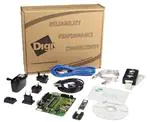
JTAG-Booster for
IBM PPC405xxx
P.O: Box 1103
Kueferstrasse 8
Tel. +49 (7667) 908-0
sales@fsforth.de
•
•
•
•
D-79200 Breisach, Germany
D-79206 Breisach, Germany
Fax +49 (7667) 908-200
http://www.fsforth.de
�JTAG-Booster for IBM PPC405
Copyright 1995..2003:
FS FORTH-SYSTEME GmbH
Postfach 1103, D-79200 Breisach, Germany
Release of Document:
Author:
Filename:
Program Version:
September 10, 2003
Dieter Fögele
JTAG_PPC405a.doc
4.xx
All rights reserved. No part of this document may be copied or reproduced in any
form or by any means without the prior written consent of FS FORTH-SYSTEME
GmbH.
2
JTAG_PPC405a.doc
�JTAG-Booster for IBM PPC405
Table of Contents
1. General ..........................................................................................................4
1.1. Ordering Information ............................................................................5
1.2. System Requirements ..........................................................................5
1.3. Contents of Distribution Disk ................................................................6
1.4. Connecting your PC to the target system .............................................7
1.5. First Example with IBM PPC405EP ......................................................9
1.6. First Example with IBM PPC405GPr................................................... 11
1.7. Trouble Shooting ................................................................................ 13
1.8. Error Messages .................................................................................. 14
1.9. Initialization file JT405xxx.INI.............................................................. 19
1.10.Supported flash devices..................................................................... 29
2. JT405xxx Parameter Description.................................................................. 30
2.1. Program a Flash Device ..................................................................... 34
2.2. Read a Flash Device to file................................................................. 38
2.3. Verify a Flash Device with file ............................................................. 40
2.4. Dump target memory.......................................................................... 42
2.5. Program an I²C-Device....................................................................... 44
2.6. Read an I²C-Device to file................................................................... 46
2.7. Verify an I²C-Device with file............................................................... 48
2.8. Dump an I²C-Device ........................................................................... 50
2.9. Toggle CPU pins ................................................................................ 52
2.10.Polling CPU pins ................................................................................ 53
2.11.Polling CPU pins while the CPU is running ........................................ 54
2.12.Show status of all CPU pins while the CPU is running ....................... 55
3. Implementation Information .......................................................................... 58
4. Converter Program HEX2BIN.EXE............................................................... 59
5. Support for Windows NT, Windows 2000 and Windows XP ......................... 61
5.1. Installation on a clean system............................................................. 61
5.2. Installation with already installed version 5.x/6.x of Kithara................. 61
5.3. Installation with already installed version 4.x of Kithara ...................... 61
5.4. De-Installation version 5.x/6.x:............................................................ 62
JTAG_PPC405a.doc
3
�JTAG-Booster for IBM PPC405
1. General
The programs JT405EP.EXE and JT405GPr.EXE use the JTAG port of the IBM
PPC405xxx mircocontrollers in conjunction with the small JTAG-Booster:
•
•
•
•
•
to program data into flash memory
to verify and read the contents of a flash memory
to make a memory dump
to access an I²C Device
to test CPU signals
All functions are done without any piece of software running in the target. No
firmware or BIOS must be written. Bootstrap software may be downloaded to
initially unprogrammed memories.
The JTAG-BOOSTER' s software is highly optimized to the JTAG chain of a
specific target CPU. To give support for all processors of the IBM PPC405xxx
family, there are two different programs on the distribution disk:
•
JT405EP.EXE
: Tool for IBM PPC405EP
•
JT405GPr.EXE
: Tool for IBM PPC405GPr
Please contact us, if you need support for other members of the IBM PPC405xxx
family.
For latest documentation please refer to the file README.TXT on the
distribution disk.
4
JTAG_PPC405a.doc
�JTAG-Booster for IBM PPC405
1.1.
Ordering Information
The following related products are available
•
9017 JTAG-Booster IBM PPC405xxx, 3.3V,
PPC405EP and PPC405GPr
DOS/Win9x/WinNT/Win2000/WinXP,
delivered with adapter type 285
1.2.
System Requirements
To successfully run this tool the following requirements must be met:
•
MSDOS, WIN3.x, WIN9x, WinNT, Win2000 or WindowsXP
(WinNT/Win2000/WindowsXP is supported with an additional tool, see
chapter 5 “Support for Windows NT, Windows 2000 and Windows XP”)
•
Intel 80386 or higher
•
205 kByte of free DOS memory
•
Parallel Port
JTAG_PPC405a.doc
5
�JTAG-Booster for IBM PPC405
1.3.
Contents of Distribution Disk
•
JT405EP.EXE
JT405EP.OVL
Tool for IBM PPC405EP
•
JT405EP.INI
Template configuration file for IBM PPC405EP. See
chapter 1.9 "Initialization file JT405xxx.INI"
•
JT405GPr.EXE
JT405GPr.OVL
Tool for IBM PPC405GPr
•
JT405GPr.INI
Template configuration file for IBM PPC405GPr. See
chapter 1.9 "Initialization file JT405xxx.INI"
•
WinNT.zip
Support for Windows NT, Windows 2000 and Windows
XP. See chapter 5 "Support for Windows NT, Windows
2000 and Windows XP"
•
JTAG_V4xx_FLAS
HES.pdf
List of all supported Flash devices
•
README.txt
Release notes, new features, known problems
6
JTAG_PPC405a.doc
�JTAG-Booster for IBM PPC405
1.4.
Connecting your PC to the target system
The JTAG-Booster can be plugged into standard parallel ports (LPT1-3) with a
DB25-Connector.
1
LPT1-3
1
Élan
SC400
Module Élan486
The target end of the cable has the following reference:
1
TCK
2*
GND
3
TMS
4
TRST#
5
NC
6
TDI
7
TDO
8
+3.3V
*PIN 2 can be detected by the thick cable.
To connect your design to the JTAG-BOOSTER you need a single row berg
connector with a spacing of 2.54mm on your PCB. The names refer to the
target: Pin 7 is the target’s TDO pin and is connected to the JTAG-Booster’s TDI
pin.
The 3.3V version of the JTAG-Booster (FS part number 285) is delivered
together with this package. Don’t use the 5V version of the JTAG-Booster (FS
part number 227) with a 3.3V target. Don’t apply 5V to the 3.3V version of the
JTAG-Booster!
Your target must be able to power the JTAG-Booster, it draws about 100mA.
Before you start the program, the JTAG-BOOSTER must be plugged to a
parallel interface of your PC and to the 8 pin JTAG connector on the target.
JTAG_PPC405a.doc
7
�JTAG-Booster for IBM PPC405
The utility is started with the general command line format: JTAGxxx
JT405xxx /function [filename] [/option_1] ... [/option_n].
Note that the function must be the first argument followed (if needed) by the
filename.
If you want to cancel execution of JT405xxx, press CTRL-Break-Key.
On any error the program aborts with an MSDOS error level of one.
8
JTAG_PPC405a.doc
�JTAG-Booster for IBM PPC405
1.5.
First Example with IBM PPC405EP
In the following simple example it is assumed that the JTAG-Booster is
connected to LPT1 of your PC and target power is on.
Typing
JT405EP /P MYAPP.BIN
at the DOS prompt results in the following output:
JT405EP --- JTAG utility for IBM PPC405EP
Copyright FS FORTH-SYSTEME GmbH, Breisach
Version 4.xx of mm/dd/yyyy
(1)
(2)
(3)
(4)
Configuration loaded from file JT405EP.INI
Target: Generic Target
Using LPT at I/O-address 0378h
JTAG Adapter detected
(5)
1 Device detected in JTAG chain
Device 0: IDCODE=00267049 IBM PPC405EP, Revision 0
Sum of instruction register bits : 7
CPU position
:0
Instruction register offset
:0
Length of boundary scan reg
: 300
(6)
(7)
(8)
(9)
(10)
(11)
(12)
Looking for a known flash device. Please wait..
STM 29W320B, 3,3V, Boot Block Bottom detected
Bus size is 16 Bit
Erasing Flash-EPROM Block #:0 1 2 3
Programming File MYAPP.BIN
65536 Bytes programmed successfully
Erase Time
Programming Time
JTAG_PPC405a.doc
:
:
0.8 sec
33.8 sec
9
�JTAG-Booster for IBM PPC405
(1)
The initialization file JT405EP.INI was found in the current directory.
(2)
The target identification line of the initialization file is printed here.
(3)
The resulting I/O-address of the parallel port is printed here. With
WinNT/Win2000/WinXP you must specify the option /LPT2 to access to
the standard address 378h.
(4)
A JTAG-Booster is found on the parallel port
(5)
The JTAG chain is analyzed. There may be several parts in the JTAG
chain. The chain is analyzed and all parts except the IBM PPC405EP are
switched to bypass mode.
(6)
The length of all instruction registers in the JTAG chain are added.
(7)
The position of the IBM PPC405EP in the JTAG chain is assumed to be
zero, if not specified in the command line (see option /CPUPOS=).
(8)
The position of the JTAG instruction register of the IBM PPC405EP is
assumed to be zero, if not specified in the command line (see option
/IROFFS=).
(9)
The real length of the boundary scan register is displayed here and
compared with the boundary scan register length of a IBM PPC405EP.
(10) A Flash STM 29W320B selected with PER_CS0# was found.
(11) The resulting data bus size is printed here.
(12) In this example 4 blocks must be erased.
10
JTAG_PPC405a.doc
�JTAG-Booster for IBM PPC405
1.6.
First Example with IBM PPC405GPr
In the following simple example it is assumed that the JTAG-Booster is
connected to LPT1 of your PC and target power is on.
Typing
JT405GPr /P MYAPP.BIN
at the DOS prompt results in the following output:
JT405GPr --- JTAG utility for IBM PPC405GPr
Copyright FS FORTH-SYSTEME GmbH, Breisach
Version 4.xx of mm/dd/yyyy
(1)
(2)
(3)
(4)
Configuration loaded from file JT405GPr.INI
Target: Generic Target
Using LPT at I/O-address 0378h
JTAG Adapter detected
(5)
1 Device detected in JTAG chain
Device 0: IDCODE=04088049 IBM PPC405GPr, Revision 0
Sum of instruction register bits : 7
CPU position
:0
Instruction register offset
:0
Length of boundary scan reg
: 360
(6)
(7)
(8)
(9)
(10)
(11)
(12)
Looking for a known flash device. Please wait..
STM 29W320B, 3.3V, Boot Block Bottom detected
Bus size is 16 Bit
Erasing Flash-EPROM Block #:0 1 2 3
Programming File MYAPP.BIN
65536 Bytes programmed successfully
Erase Time
Programming Time
JTAG_PPC405a.doc
:
:
0.8 sec
xx.0 sec
11
�JTAG-Booster for IBM PPC405
(1)
The initialization file JT405GPr.INI was found in the current directory.
(2)
The target identification line of the initialization file is printed here.
(3)
The resulting I/O-address of the parallel port is printed here.
(4)
A JTAG-Booster is found on the parallel port
(5)
The JTAG chain is analyzed. There may be several parts in the JTAG
chain. The chain is analyzed and all parts except the IBM PPC405GPr are
switched to bypass mode.
(6)
The length of all instruction registers in the JTAG chain are added.
(7)
The position of the IBM PPC405GPrin the JTAG chain is assumed to be
zero, if not specified in the command line (see option /CPUPOS=).
(8)
The position of the JTAG instruction register of the IBM PPC405GPris
assumed to be zero, if not specified in the command line (see option
/IROFFS=).
(9)
The real length of the boundary scan register is displayed here and
compared with the boundary scan register length of a IBM PPC405GPr.
(10) A Flash STM 29W320B selected with EX_CS0# was found.
(11) The resulting data bus size is printed here.
(12) In this example four blocks must be erased.
12
JTAG_PPC405a.doc
�JTAG-Booster for IBM PPC405
1.7.
Trouble Shooting
Avoid long distances between your Host-PC and the target. If you are using
standard parallel extension cable, the JTAG-BOOSTER may not work. Don't use
Dongles between the parallel port and the JTAG-BOOSTER.
Switch off all special modes of your printer port (EPP, ECP, ...) in the BIOS
setup. Only standard parallel port (SPP) mode is allowed.
If there are problems with autodetection of the flash devices use the /DEVICE=
option. To speed up autodetection specify one of the options /8BIT /16BIT or
/32BIT.
Don't use hardware protected flash memories.
The used chip selects must be defined as output and inactive in the initialization
file (see chapter 1.9 “Initialization file JT405xxx.INI”). Also the address bits must
be defined as output.
Use the option /NOWRSETUP to speed up flash programming.
JTAG_PPC405a.doc
13
�JTAG-Booster for IBM PPC405
1.8.
Error Messages
•
80386 or greater required
The JTAG-BOOSTER does not work on a 8088/8086 or a 80286 platform.
•
Cable not connected or target power fail
The JTAG-Booster (or one of the simple Parallel Port JTAG adapters
selected with the options /LATTICE /WIGGLER /PLS) wasn't found. Please
check connection to parallel port and connection to target. Check target
power. Check the command line options. Check your BIOS-Setup. If you are
using this program with WinNT, Win2000 or WinXP you must specify /LPT2
or /LPT-BASE=378 to get access to the standard printer port.
•
Can't open x:\yyy\zzz\JT405xxx.OVL
The overlay file JT405xxx.OVL must be in the same directory as
JT405xxx.EXE.
•
Configuration file XYZ not found.
The file specified with the option /INI= wasn't found.
•
Device offset out of range
The value specified with the option /OFFSET= is greater than the size of
the detected flash device.
•
Disk full
Writing a output file was aborted as a result of missing disk space.
•
Do not specify option /NOCS with any other chip select
There is a conflict in the command line.
•
Do not specify option /BYTE-MODE. Flash device does not have a byte
mode pin.
The flash device specified with the option /DEVICE= does not support
switching between 16 (or 32) bit mode and 8 bit mode. In practice it does not
have a pin with the name BYTE#
•
Error creating file:
The output file could not be opened. Please check free disk space or write
protection.
14
JTAG_PPC405a.doc
�JTAG-Booster for IBM PPC405
•
Error: Pin-Name is an output only pin
The specified pin cannot be sampled. Check the command line. Check the
initialization file.
•
Error: Pin-Name is an input only pin
The specified pin cannot be activated. Check the command line. Check the
initialization file.
•
Error: Pin-Name may not be read back
The specified pin can be switched to tristate, but cannot be read back. Check
the command line.
•
illegal function:
The first parameter of the command line must be a valid function. See
chapter 2 “JT405xxx Parameter Description” for a list of supported functions.
•
illegal number:
The specified number couldn’t be interpret as a valid number. Check the
relevant number base.
•
illegal option:
See chapter 2 “JT405xxx Parameter Description” for a list of supported
options.
•
illegal Pin Type:
The name specified with the option /PIN= must be one of the list of chapter
1.9 ”Initialization file JT405xxx.INI”
•
illegal Flash Type:
The name specified with the option /DEVICE= must be one of the list of
chapter 1.10 ”Supported flash devices”.
•
Input file not found:
The specified file cannot be found
•
Input file is empty:
Files with zero length are not accepted
JTAG_PPC405a.doc
15
�JTAG-Booster for IBM PPC405
•
" " is undefined
Please check the syntax in your configuration file. (See chapter 1.9
“Initialization file JT405xxx.INI”).
•
LPTx not installed
The LPT port specified with /LPTx cannot be found. Please check the LPT
port or specify a installed LPT port. Check your BIOS setup. If you are using
this program with WinNT, Win2000 or WinXP you 1st must install the WinNT
support package as described in chapter 5 "Support for Windows NT,
Windows 2000 and Windows XP"
•
missing filename
Most functions need a filename as second parameter.
•
missing option /I2CCLK=
Some functions need the option /I2CCLK= to be defined.
•
missing option /I2CDAT=
Some functions need the option /I2CDAT= or the options /I2CDATO= and
/I2CDATI= to be defined.
•
missing option /LENGTH=
Some functions need the option /LENGTH= to be defined.
•
missing option /PIN=
Some functions need the option /PIN= to be defined.
•
More than 9 devices in the JTAG chain or TDO pin stuck at low level
The JTAG chain is limited to 9 parts. Check target power. Check the target’s
TDO pin.
•
No devices found in JTAG chain or TDO pin stuck at high level
A stream of 32 high bits was detected on the pin TDO. TDO may stuck at
high level. Check the connection to your target. Check the target power.
Check the target’s TDO pin.
•
Option /CPUPOS= out of range
The number specified with the option /CPUPOS= must be less or equal to
the number of parts minus 1.
16
JTAG_PPC405a.doc
�JTAG-Booster for IBM PPC405
•
Option /IROFFS= out of range
Please specify a smaller value
•
Part at specified position is not a IBM PPC405xxx
The option /CPUPOS= points to a part not a IBM PPC405xxx
•
Pins specified with /I2CCLK= and /I2CDAT= must have different
control cells
The pin specified with the option /I2CDAT= must be able to be switched to
high impedance while the pin specified with option /I2CCLK= is an active
output. See chapter 1.9 “Initialization file JT405xxx.INI”.
•
Pins specified with /I2CCLK= and /I2CDATI= must have different
control cells
The pin specified with the option /I2CDATI= must be able to be switched to
high impedance while the pin specified with option /I2CCLK= is an active
output. See chapter 1.9 “Initialization file JT405xxx.INI”.
•
Pins specified with /I2CDATO= and /I2CDATI= must have different
control cells
The pin specified with the option /I2CDATI= must be able to be switched to
high impedance while the pin specified with option /I2CDATO= is an active
output. See chapter 1.9 “Initialization file JT405xxx.INI”.
•
Specify only one of these options:
Some options are exclusive (i.e. /8BIT and /16BIT). Don't mix them.
•
Sum of instruction register bits to low. Should be at least 7 bits for a
IBM PPC405xxx
The sum of all instruction register bits in the JTAG chain does not fit to the
IBM PPC405xxx. Check the target connection. Check the target CPU type.
Check the settings for /IROFFS= and /CPUPOS= , if there are several
parts in the JTAG chain.
•
Target no longer connected
There is a cyclic check of the JTAG chain. Check target power. Check target
connection.
JTAG_PPC405a.doc
17
�JTAG-Booster for IBM PPC405
•
There are unknown parts in the JTAG chain. Please use the option
/IROFFS= to specify the instr. reg. offset of the CPU.
If there are unknown parts in the JTAG chain, the program isn’t able to
determine the logical position of the CPU’s instruction register.
•
There is no IBM PPC405xxx in the JTAG chain
No IBM PPC405xxx was found in the JTAG chain. Check the target power.
Try with option /DRIVER=4 again.
•
Value of option /FILE-OFFSET out of range
The value of the option /FILE-OFFSET= points behind end of file.
•
wrong driver #
The value specified with the option /DRIVER= is out of range.
•
Wrong Flash Identifier (xxxx)
No valid identifier found. Check the specified chip select signal and the bus
width. Try with the option /DEVICE= . Use the option /8BIT or /16BIT or
/32BIT to specify the correct data bus size.
•
Wrong length of boundary scan register. Should be 300 for a IBM
PPC405EP. (Should be 360 for a IBM PPC405GPr.)
The length of the boundary scan register of the selected part (if there are
more than one in the chain) does not fit to the IBM PPC405xxx. Check the
target connection. Check the target CPU type. Check the settings for
/IROFFS= and /CPUPOS= , if there are several parts in the JTAG chain.
18
JTAG_PPC405a.doc
�JTAG-Booster for IBM PPC405
1.9.
Initialization file JT405xxx.INI
This file is used to define the default direction and level of all CPU signals. This
file must be carefully adapted to your design with the IBM PPC405xxx. The
Target-Entry is used to identify your design which is displayed with most
commands.
When the program JT405xxx.EXE is started it scans the current directory for an
existing initialization file named JT405xxx.INI. If no entry is found the default
values are used. You may also specify the initialization file with the option /INI= .
If the specified file isn't found, the program aborts with an error message.
The CPU pins can also be used with the functions /BLINK (chapter 2.9), /PIN?
(chapter 2.10) and /SAMPLE (chapter 2.11) to test the signals on your design.
The sample file below represents the values which are used for default
initialization when no initialization file could be found in the current directory and
no initialization file is specified with the option /INI=.
Changes to the structure of the file could result in errors. Remarks can be added
by using //.
JTAG_PPC405a.doc
19
�JTAG-Booster for IBM PPC405
Sample File JT405EP.INI:
// Description file for IBM PPC405EP
Target: Generic Target, 2003/08/26
// Adapt this file carefully to your design!!
// All chip select signals are set to output and inactive.
// All signals should be defined. Undefined signals are set to their defaults.
// Pin names are defined in upper case.
// Low active signals are signed with a trailing #.
// Group 25:
//
//
//
//
//
PER_DATA0
PER_DATA1
PER_DATA2
PER_DATA3
PER_DATA4
PER_DATA5
PER_DATA6
PER_DATA7
All pins in this group must be set to the same direction
These pins are bidirectional
During flash programming these pins are switched between
input/inactive and output/active.
For Flash programming and other memory accesses
these pins should be set to Input
Inp
//
Inp
//
Inp
//
Inp
//
Inp
//
Inp
//
Inp
//
Inp
//
// Group 43: All pins in this group must be set to the same direction
//
These pins are bidirectional
//
During flash programming these pins are switched between
//
input/inactive and output/active.
//
For Flash programming and other memory accesses
//
these pins should be set to Input
PER_DATA8
Inp
//
PER_DATA9
Inp
//
PER_DATA10
Inp
//
PER_DATA11
Inp
//
PER_DATA12
Inp
//
PER_DATA13
Inp
//
PER_DATA14
Inp
//
PER_DATA15
Inp
//
20
JTAG_PPC405a.doc
�JTAG-Booster for IBM PPC405
// The following pins are output only pins.
// Setting to input (tristate) one of these pins results in an error.
// These are used for Flash programming
PER_ADDR6
Out,Lo //
PER_ADDR7
Out,Lo //
PER_ADDR8
Out,Lo //
PER_ADDR9
Out,Lo //
PER_ADDR10
Out,Lo //
PER_ADDR11
Out,Lo //
PER_ADDR12
Out,Lo //
PER_ADDR13
Out,Lo //
PER_ADDR14
Out,Lo //
PER_ADDR15
Out,Lo //
PER_ADDR16
Out,Lo //
PER_ADDR17
Out,Lo //
PER_ADDR18
Out,Lo //
PER_ADDR19
Out,Lo //
PER_ADDR20
Out,Lo //
PER_ADDR21
Out,Lo //
PER_ADDR22
Out,Lo //
PER_ADDR23
Out,Lo //
PER_ADDR24
Out,Lo //
PER_ADDR25
Out,Lo //
PER_ADDR26
Out,Lo //
PER_ADDR27
Out,Lo //
PER_ADDR28
Out,Lo //
PER_ADDR29
Out,Lo //
PER_ADDR30
Out,Lo //
PER_ADDR31
Out,Lo //
// Group 264: All pins in this group must be set to the same direction
//
These pins are bidirectional
MEM_DATA0
Inp
//
MEM_DATA1
Inp
//
MEM_DATA2
Inp
//
MEM_DATA3
Inp
//
MEM_DATA4
Inp
//
MEM_DATA5
Inp
//
MEM_DATA6
Inp
//
MEM_DATA7
Inp
//
JTAG_PPC405a.doc
21
�JTAG-Booster for IBM PPC405
// Group 278: All pins in this group must be set to the same direction
//
These pins are bidirectional
MEM_DATA8
Inp
//
MEM_DATA9
Inp
//
MEM_DATA10
Inp
//
MEM_DATA11
Inp
//
MEM_DATA12
Inp
//
MEM_DATA12
Inp
//
MEM_DATA14
Inp
//
MEM_DATA15
Inp
//
// Group 290: All pins in this group must be set to the same direction
//
These pins are bidirectional
MEM_DATA16
Inp
//
MEM_DATA17
Inp
//
MEM_DATA18
Inp
//
MEM_DATA19
Inp
//
MEM_DATA20
Inp
//
MEM_DATA21
Inp
//
MEM_DATA22
Inp
//
MEM_DATA23
Inp
//
// Group 7:
All pins in this group must be set to the same direction
//
These pins are bidirectional
MEM_DATA24
Inp
//
MEM_DATA25
Inp
//
MEM_DATA26
Inp
//
MEM_DATA27
Inp
//
MEM_DATA28
Inp
//
MEM_DATA29
Inp
//
MEM_DATA30
Inp
//
MEM_DATA31
Inp
//
// Group 229: All pins in this group must be set to the same direction
//
These pins are bidirectional
UART0_TX
Inp
//
UART0_RTS#
Inp
//
SYS_ERR
Inp
//
22
JTAG_PPC405a.doc
�JTAG-Booster for IBM PPC405
// Group 125: All pins in this group must be set to the same direction
//
These pins are bidirectional
PCI_AD0
Inp
//
PCI_AD1
Inp
//
PCI_AD2
Inp
//
PCI_AD3
Inp
//
// Group 132: All pins in this group must be set to the same direction
//
These pins are bidirectional
PCI_AD4
Inp
//
PCI_AD5
Inp
//
PCI_AD6
Inp
//
PCI_AD7
Inp
//
// Group 137: All pins in this group must be set to the same direction
//
These pins are bidirectional
PCI_AD8
Inp
//
PCI_AD9
Inp
//
PCI_AD10
Inp
//
PCI_AD11
Inp
//
// Group 142: All pins in this group must be set to the same direction
//
These pins are bidirectional
PCI_AD12
Inp
//
PCI_AD13
Inp
//
PCI_AD14
Inp
//
PCI_AD15
Inp
//
// Group 173: All pins in this group must be set to the same direction
//
These pins are bidirectional
PCI_AD16
Inp
//
PCI_AD17
Inp
//
PCI_AD18
Inp
//
PCI_AD19
Inp
//
// Group 179: All pins in this group must be set to the same direction
//
These pins are bidirectional
PCI_AD20
Inp
//
PCI_AD21
Inp
//
PCI_AD22
Inp
//
PCI_AD23
Inp
//
JTAG_PPC405a.doc
23
�JTAG-Booster for IBM PPC405
// Group 184: All pins in this group must be set to the same direction
//
These pins are bidirectional
PCI_AD24
Inp
//
PCI_AD25
Inp
//
PCI_AD26
Inp
//
PCI_AD27
Inp
//
// Group 190: All pins in this group must be set to the same direction
//
These pins are bidirectional
PCI_AD28
Inp
//
PCI_AD29
Inp
//
PCI_AD30
Inp
//
PCI_AD31
Inp
//
// Group 130: All pins in this group must be set to the same direction
//
These pins are bidirectional
PCI_C/BE0#
Inp
//
PCI_C/BE1#
Inp
//
PCI_C/BE2#
Inp
//
PCI_C/BE3#
Inp
//
// Group 163: All pins in this group must be set to the same direction
//
These pins are bidirectional
PCI_TRDY#
Inp
//
PCI_STOP#
Inp
//
PCI_DEVSEL#
Inp
//
// The following pins are complete bidirectional pins.
// The direction of each pin can be set independent of the other pins.
// Each pin can be used as an input.
// For Flash programming
PER_ADDR3
Out,Lo // GPIO14
PER_ADDR4
Out,Lo // GPIO15
PER_ADDR5
Out,Lo // GPIO16
// Group 152: All pins in this group must be set to the same direction
//
These pins are tristateable, but can not be read back
PCI_GNT0#
Out,Lo // REQ#
PCI_GNT1#
Out,Lo //
PCI_GNT2#
Out,Lo //
24
JTAG_PPC405a.doc
�JTAG-Booster for IBM PPC405
// The following pins are complete bidirectional pins.
// The direction of each pin can be set independent of the other pins.
// Each pin can be used as an input.
IIC_SDA
Inp
//
IIC_SCL
Inp
//
UART0_DCD#
Inp
// GPIO24
UART0_DSR#
Inp
// GPIO25
UART0_RI#
Inp
// GPIO26
UART0_DTR#
Inp
// GPIO27
UART1_RX
Inp
// GPIO28
UART1_TX
Inp
// GPIO29
PER_CS1#
Out,Lo // GPIO10
PER_CS2#
Out,Lo // GPIO11
PER_CS3#
Out,Lo // GPIO12
PER_CS4#
Out,Lo // GPIO13
PER_BLAST#
Inp
// GPIO0
PCI_INT#
Inp
// PER_WE#
PCI_FRAME#
Inp
//
PCI_IRDY#
Inp
//
PCI_TRDY#
Inp
//
PCI_SERR#
Inp
//
PCI_PERR#
Inp
//
PCI_PARITY
Inp
//
IRQ6
Inp
// GPIO23
IRQ5
Inp
// GPIO22
IRQ4
Inp
// GPIO21
IRQ3
Inp
// GPIO20
IRQ2
Inp
// GPIO19
IRQ1
Inp
// GPIO18
IRQ0
Inp
// GPIO17
GPIO9
Inp
// TRC_CLK
GPIO8
Inp
// TS6
GPIO7
Inp
// TS5
GPIO6
Inp
// TS4
GPIO5
Inp
// TS3
GPIO4
Inp
// TS2O
GPIO3
Inp
// TS1O
GPIO2
Inp
// TS2E
GPIO1
Inp
// TS1E
REJECT_PKT1
Inp
// GPIO31
REJECT_PKT0
Inp
// GPIO30
SYS_RESET#
Inp
//
EMC0_MDIO
Inp
//
JTAG_PPC405a.doc
25
�JTAG-Booster for IBM PPC405
// The following pins are output only pins.
// Setting to input (tristate) one of these pins results in an error.
DQM0
Out,Lo //
DQM1
Out,Lo //
DQM2
Out,Lo //
DQM3
Out,Lo //
EMC0_TX0EN
Out,Lo //
EMC0_TX0ERR Out,Lo //
EMC0_TX0D0
Out,Lo //
EMC0_TX0D1
Out,Lo //
EMC0_TX0D2
Out,Lo //
EMC0_TX0D3
Out,Lo //
EMC0_TX1EN
Out,Lo //
EMC0_TX1ERR Out,Lo //
EMC0_TX1D0
Out,Lo //
EMC0_TX1D1
Out,Lo //
EMC0_TX1D2
Out,Lo //
EMC0_TX1D3
Out,Lo //
EMC0_MDCLK
Out,Lo //
PER_WBE0#
Out,Lo //
PER_WBE1#
Out,Lo //
PER_OE#
Out,Lo //
PER_R/W#
Out,Lo //
PER_CS0#
Out,Lo //
PER_CLK
Out,Lo //
EXT_RESET#
Out,Lo //
PCI_RESET#
Out,Lo //
MEM_ADDR12
Out,Lo //
MEM_ADDR11
Out,Lo //
MEM_ADDR10
Out,Lo //
MEM_ADDR9
Out,Lo //
MEM_ADDR8
Out,Lo //
MEM_ADDR7
Out,Lo //
MEM_ADDR6
Out,Lo //
MEM_ADDR5
Out,Lo //
MEM_ADDR4
Out,Lo //
MEM_ADDR3
Out,Lo //
MEM_ADDR2
Out,Lo //
MEM_ADDR1
Out,Lo //
MEM_ADDR0
Out,Lo //
MEM_BA0
Out,Lo //
MEM_BA1
Out,Lo //
26
JTAG_PPC405a.doc
�JTAG-Booster for IBM PPC405
MEM_RAS#
MEM_CAS#
MEM_WE#
MEM_CLKOUT0
MEM_CLKOUT1
MEM_CLKEN0
MEM_CLKEN1
BANKSEL0#
BANKSEL1#
Out,Lo
Out,Lo
Out,Lo
Out,Lo
Out,Lo
Out,Lo
Out,Lo
Out,Lo
Out,Lo
//
//
//
//
//
//
//
//
//
// The following pins are input only.
// Setting to output of one of these pins results in an error.
// Declaration of the direction of these pins is optional.
UART0_CTS#
Inp
//
UART0_RX
Inp
//
PHY0_RX1D0
Inp
//
PHY0_RX1D1
Inp
//
PHY0_RX1D2
Inp
//
PHY0_RX1D3
Inp
//
PHY0_RX1CLK
Inp
//
PHY0_RX1ERR Inp
//
PHY0_RX1DV
Inp
//
PHY0_TX1CLK
Inp
//
PHY0_COL1
Inp
//
PHY0_CRS1
Inp
//
PHY0_RX0D0
Inp
//
PHY0_RX0D1
Inp
//
PHY0_RX0D2
Inp
//
PHY0_RX0D3
Inp
//
PHY0_RX0CLK
Inp
//
PHY0_RX0ERR Inp
//
PHY0_RX0DV
Inp
//
PHY0_TX0CLK
Inp
//
PHY0_COL0
Inp
//
PHY0_CRS0
Inp
//
PER_READY
Inp
//
PCI_CLK
Inp
//
PCI_IDSEL
Inp
//
HALT#
Inp
//
PCI_REQ0#
Inp
// GNT#
PCI_REQ1#
Inp
//
PCI_REQ2#
Inp
//
SYS_CLK
Inp
//
JTAG_PPC405a.doc
27
�JTAG-Booster for IBM PPC405
Sample File JT405GPr.INI:
In preparation
28
JTAG_PPC405a.doc
�JTAG-Booster for IBM PPC405
1.10. Supported flash devices
Type JT405xxx /LIST [optionlist]
to get a online list of all flash types which could be used with the /DEVICE=
option.
See separate file JTAG_V4xx_FLASHES.pdf to get a complete list of supported
flash types.
JTAG_PPC405a.doc
29
�JTAG-Booster for IBM PPC405
2. JT405xxx Parameter Description
When you start JT405xxx.EXE without any parameters the following help screen
with all possible functions and options is displayed:
JT405xxx --- JTAG utility for IBM PPC405xxx
Copyright © FS FORTH-SYSTEME GmbH, Breisach
Version 4.xx of mm/dd/yyyy
Programming of Flash-EPROMs and hardware tests on targets with the
IBM PPC405xxx.
The JTAG-Booster is needed to connect the parallel port of the PC
to the JTAG port of the IBM PPC405xxx.
Usage: JT405xxx /function [filename] [/option_1] ... [/option_n]
Supported functions:
/P
: Program a Flash Device
/R
: Read a Flash Device to file
/V
: Verify a Flash Device with file
/DUMP
: Make a target dump
/PI2C
: Program an I2C Device with file
/RI2C
: Read an I2C Device to file
/VI2C
: Verify an I2C Device with file
/DUMPI2C : Make a dump of an I2C Device
/BLINK
: Toggle a CPU pin
/PIN?
: Test a CPU pin
/SAMPLE : Test a CPU pin while the CPU is running
/SNAP
: Test all CPU pins while CPU is running
/LIST
: Print a list of supported Flash devices
30
JTAG_PPC405a.doc
�JTAG-Booster for IBM PPC405
Supported Options:
/CS0
/CS1
/BIG
/NOCS
/BM
/PAUSE
/ERASEALL /LATTICE
/LPT-BASE= /16BIT
L=
/FILE-OFFSET=
/DELAY=
/DEVICE-BASE=
/CPUPOS= /DEVICE=
/I2CDATI=
/I2CDATO=
/INI=
/REP
/CS2
/NOWRSETUP
/P
/LPT1
/8BIT
/FO=
/DB=
/PIN=
I2CBIG
/CS3
/TOP
/NODUMP
/LPT2
/NOMAN
/OFFSET=
/DRIVER=
/I2CCLK=
/WATCH=
/CS4
/BYTE-MODE
/NOERASE
/LPT3
/LENGTH=
/O=
/IROFFS=
/I2CDAT=
/OUT=
The following options are valid for most functions:
/BIG
This option switches the byte ordering to big endian mode. This option must fit to
the target's endianess. Normally the target is configured to the right endianess
after reset. In some cases, the endianess can be changed within the
configuration file.
Default:
Little Endian
/DRIVER=x with x = 1,2,3,4
A driver for the interface to the JTAG-BOOSTER on the parallel port may be
specified. /DRIVER=1 selects the fastest available driver, /DRIVER=4 selects
the slowest one. Use a slower driver if there are problems with JTAGBOOSTER.
Default:
/DRIVER=3
/INI=file
An initialization file may be specified. By default the current directory is searched
for the file JT405xxx.INI. If this file is not found and no initialization file is
specified in the command line, default initialization values are used (see also
chapter 1.9 “Initialization file JT405xxx.INI”).
Note: The initialization file is not loaded for the functions /SAMPLE (chapter
2.11) and /SNAP (chapter 2.12).
Default:
/INI=JT405xxx.INI
JTAG_PPC405a.doc
31
�JTAG-Booster for IBM PPC405
/LATTICE
Besides the standard JTAG-Booster interface there may be several simple
"Parallel-Port-JTAG" interfaces supported. With this interfaces the programming
performance, of course, is reduced.
/LPT1 /LPT2 /LPT3
A printer port may be specified where the JTAG-Booster resides. If you are
using this program with WinNT, Win2000 or WinXP you must specify /LPT2 or
/LPT-BASE=378 to get access to the standard printer port.
Default:
/LPT1
/LPT-BASE
The physical I/O-Address of printer port may be specified instead of the logical
printer name. Useful option, if you work with WinNT or Win2000, because the
standard printer port is mapped as LPT2 here. Use the option /LPT-BASE=378
to get a command line which works independent of the operation system.
/OUT=file_or_device
All screen outputs are redirected to the specified file or device. Note that you
can't redirect to the same parallel port where the JTAG-Booster resides.
Default:
/OUT=CON
/PAUSE
With the option /PAUSE you can force the program to stop after each screen.
Please do not use this option if you redirect the output to a file.
Abbreviation:
/P
/WATCH=
With the option /WATCH= a pin can be specified, which is toggled twice per
second, while the program is active. This pin may be the trigger of a watchdog.
This pin must be specified as output in the initialization file.
/IROFFS=
Specifies the position of the IBM PPC405xxx instruction register within the JTAG
chain. In most cases this option is not needed.
Default:
/IROFFS=0
32
JTAG_PPC405a.doc
�JTAG-Booster for IBM PPC405
/CPUPOS=
Specifies the position of the IBM PPC405xxx within the JTAG chain.
Default:
/CPUPOS=0
JTAG_PPC405a.doc
33
�JTAG-Booster for IBM PPC405
2.1.
Program a Flash Device
Usage:
JT405xxx /P filename [optionlist]
The specified file is programmed into the flash memory. The flash status is
polled after programming of each cell (cell=8, 16 or 32 bit, depending on current
data bus width). In case of a programming error, the contents of the flash
memory is written to a file with the extension DMP.
If you want a complete verify after programming, please use an additional
command line with the verify function. See chapter 2.3 “Verify a Flash Device
with file”. In most cases this additional verify step is not needed.
The type of the flash device is normally detected by the software. When
autodetection fails you should use the /DEVICE= option together with /8BIT or
/16BIT or /32BIT to set the right flash device and configuration. The known flash
devices are shown in chapter 1.10 “Supported flash devices”.
Options:
/DEVICE=devicename
The flash device is detected automatically by switching to autoselect mode. In
case of trouble you should select the flash device by using this parameter to
avoid autodetection. Combine this option with one of the following options which
specify the data bus width and the option /BYTE-MODE if applicable.
/8BIT /16BIT /32BIT
Specifies the data bus width to the target flash device. You can speed up
autodetection, if you specify the correct data bus size. You need this option
together with the option /DEVICE= to explicit specify a specific flash
configuration.
/BYTE-MODE
If there is a flash device connected to the CPU which does have a byte mode pin
(8 bit and 16/32 bit bus mode), you can force it to be used as 8 bit mode with the
option /BYTE-MODE. In most cases this option will not be needed.
34
JTAG_PPC405a.doc
�JTAG-Booster for IBM PPC405
/NOMAN
If you use a flash device which is identical to one of the supported parts, but is
from a different manufacturer, with this option you can suppress the comparison
of the manufacturer identification code. We recommend to use this option
together with the /DEVICE= option to avoid failures in autodetection.
/DEVICE-BASE=hhhhhh1
Here you can specify a flash device starting address. In most cases, where the
flash device is selected with one of the CPUs chip select pins, this parameter is
not needed. But if there is any decoding logic in your hardware, this option will
be needed. Especially, if there are several flash banks connected to one chip
select and a sub decoding logic generates chip selects for these flash banks,
this option can be used to select a specific flash bank.
Default:
/DEVICE-BASE=0
Abbreviation:
/DB=
/OFFSET=hhhhhh
The programming starts at an offset of hhhhhh relative to the start address of
the flash device. If the offset is negative, the offset specifies an address relative
to the end of the flash device. See also option /TOP
Default:
/OFFSET=0
Abbreviation:
/O=
/TOP
If the option /TOP is used the option /OFFSET= specifies the address where the
programming ends (plus one) instead of the starting address. This option is very
important for Intel CPU architectures, because target execution always starts at
the top of the address space.
/FILE-OFFSET=hhhhhh
If FILE-OFFSET is specified, the first hhhhhh bytes of the file are skipped and
not programmed to target.
Default:
/FILE-OFFSET=0
Abbreviation:
/FO=
1
hhhhhh=number base is hex
JTAG_PPC405a.doc
35
�JTAG-Booster for IBM PPC405
/LENGTH=hhhhhh
The number of programmed bytes may be limited to LENGTH. If no LENGTH is
specified the whole file is programmed.
Default:
/LENGTH=4000000 (64 MByte)
Abbreviation:
/L=
/NODUMP
In case of a verify error the contents of the flash memory is written to a file with
the extension .DMP. With /NODUMP you can suppress this feature.
/ERASEALL
Erase the whole flash device. If this option isn't set, only those blocks are erased
where new data should be written to.
/NOERASE
This option prevents the flash device from being erased.
/CS0 /CS1 /CS2 /CS3 /CS4
This options may be used to specify one or more chip select signals to the flash
memory. The used chip selects must be defined as output and inactive in the
initialization file. (See chapter 1.9 “Initialization file JT405xxx.INI”.)
Default:
/CS0
/NOCS
Use this option to switch off all chip select signals. This may be necessary if the
device's chip select is generated via a normal decoder instead of using the IBM
PPC405xxx chip select unit.
/NOWRSETUP
By default write cycles to the Flash EPROM are realized with three steps: 1. set
address/data 2. write strobe active 3. write strobe inactive. In most cases it is
possible to set the write strobe coincident with setting of address and data by
specifying the option /NOWRSETUP. This increases the programming speed
by 50%.
36
JTAG_PPC405a.doc
�JTAG-Booster for IBM PPC405
Examples:
JT405xxx /P ROMDOS.ROM /L=20000 /TOP
This example programs up to 128 Kbytes of the file ROMDOS.ROM (with i.e.
512 Kbytes) to the top of the boot flash memory.
JT405xxx /P CE.ROM /32BIT /CS1
This example programs the file CE.ROM to the 32 Bit Flash-EPROM connected
to CS1#.
JTAG_PPC405a.doc
37
�JTAG-Booster for IBM PPC405
2.2.
Read a Flash Device to file
Usage:
JT405xxx /R filename [optionlist]
The contents of a flash device is read and written to a file.
The type of the flash device is normally detected by the software. When
autodetection fails you should use the /DEVICE= option together with /8BIT or
/16BIT or /32BIT to set the right flash device and configuration. The known
devices are shown in chapter 1.10 “Supported flash devices”.
Options:
/DEVICE=devicename
See function /P (Chapter 2.1)
/8BIT /16BIT /32BIT
See function /P (Chapter 2.1)
/BYTE-MODE
See function /P (Chapter 2.1)
/NOMAN
See function /P (Chapter 2.1)
/DEVICE-BASE=hhhhhh2
See function /P (Chapter 2.1)
/OFFSET=hhhhhh
Reading of the flash memory starts at an offset of hhhhhh relative to the start
address of the flash device. If the offset is negative, the offset specifies a
address relative to the end of the flash device.
See also option /TOP.
Default:
/OFFSET=0
Abbreviation:
/O=
2
hhhhhh=number base is hex
38
JTAG_PPC405a.doc
�JTAG-Booster for IBM PPC405
/TOP
If the option /TOP is used the option /OFFSET= specifies the address where
reading ends (plus one) instead of the starting address.
/LENGTH=hhhhhh
The number of read bytes may be limited to LENGTH. If no LENGTH is specified
the whole flash device is read (if no offset is specified).
/CS0 /CS1 /CS2 /CS3 /CS4
See function /P (Chapter 2.1)
/NOWRSETUP
See function /P (Chapter 2.1)
Please note: In the function /R write cycles are needed to detect the type of the
flash memory.
Example:
JT405xxx /R BIOS.ABS /L=10000 /TOP
This example may be used to read the upper most 64 Kbyte of the flash memory
to the file BIOS.ABS.
JTAG_PPC405a.doc
39
�JTAG-Booster for IBM PPC405
2.3.
Verify a Flash Device with file
Usage:
JT405xxx /V filename [optionlist]
The contents of a flash device is compared with the specified file. If there are
differences the memory is dumped to a file with the extension DMP.
The type of flash device is normally detected by the software. When autodetect
fails you should use the /DEVICE= option together with /8BIT or /16BIT or
/32BIT to set the right flash device and configuration. The known devices are
shown in chapter 1.10 “Supported flash devices”.
Options:
/DEVICE=devicename
See function /P (Chapter 2.1)
/8BIT /16BIT /32BIT
See function /P (Chapter 2.1)
/BYTE-MODE
See function /P (Chapter 2.1)
/NOMAN
See function /P (Chapter 2.1)
/DEVICE-BASE=hhhhhh
See function /P (Chapter 2.1)
/OFFSET=hhhhhh
See function /P (Chapter 2.1)
/TOP
See function /P (Chapter 2.1)
/FILE-OFFSET=hhhhhh
See function /P (Chapter 2.1)
40
JTAG_PPC405a.doc
�JTAG-Booster for IBM PPC405
/LENGTH=hhhhhh
See function /P (Chapter 2.1)
/NODUMP
See function /P (Chapter 2.1)
/CS0 /CS1 /CS2 /CS3 /CS4
See function /P (Chapter 2.1)
/NOWRSETUP
See function /P (Chapter 2.1)
Please note: In the function /V write cycles are needed to detect the type of the
flash memory.
Example:
JT405xxx /V ROMDOS.ROM /L=20000 /TOP
This example may be used to verify the upper most 128 Kbytes of the flash
memory with the file ROMDOS.ROM (with i.e. 512 Kbytes).
JTAG_PPC405a.doc
41
�JTAG-Booster for IBM PPC405
2.4.
Dump target memory
Usage:
JT405xxx /DUMP [optionlist]
A Hex-Dump of the target memory is printed on the screen, if not redirected to
file or device.
Options:
/8BIT /16BIT /32BIT
Default:
/32BIT
/OFFSET=hhhhhh
The memory dump starts at an offset of hhhhhh plus the device start address
(see option /DEVICE-BASE=).
Default:
/OFFSET=0
Abbreviation:
/O=
/DEVICE-BASE=hhhhhh3
The device start address is used as an additional offset. This gives the function
/DUMP the same behavior as function /P /V and /R.
Default:
/DEVICE-BASE=0
Abbreviation:
/DB=
/TOP
If the option /TOP is used the option /OFFSET= specifies the address where
the dump ends (plus one) instead of the starting address
/LENGTH=hhhhhh
Default:
/LENGTH=100
Abbreviation:
/L=
/CS0 /CS1 /CS2 /CS3 /CS4
See function /P (Chapter 2.1)
Default:
/CS0
3
hhhhhh=number base is hex
42
JTAG_PPC405a.doc
�JTAG-Booster for IBM PPC405
Example:
JT405xxx /DUMP
This example makes a memory dump of the first 256 bytes of the Boot-EPROM.
JTAG_PPC405a.doc
43
�JTAG-Booster for IBM PPC405
2.5.
Program an I²C-Device
Usage:
JT405xxx /PI2C filename [/I2CBIG] [optionlist]
The specified file is programmed to an I²C-Device (i.e. a serial EEPROM)
connected to pins of the CPU. Finally a complete verify is done. If the verify fails,
the contents of the I²C-Device is written to a file with the extension DMP.
Two methods to connect the I²C-Device to the CPU are supported. The first
method is to use two CPU pins, one pin for clock output (I2CCLK) and one pin
for serial data input and output (I2CDAT). The second method is to use one pin
for clock output (I2CCLK), one for serial data input (I2CDATI) and one for serial
data output (I2CDATO).
Options:
/I2CBIG
Specify this option if there is a device which needs a three byte address instead
of a two byte address.
This option must be the first option after the filename.
/DEVICE-BASE=hhhhhh
This option specifies an I²C device starting address. The default values are
chosen to access an serial EEPROM.
Default:
/DEVICE-BASE=5000
(if option /I2CBIG omitted)
Default:
/DEVICE-BASE=500000
(if option /I2CBIG specified)
/OFFSET=hhhhhh
The programming starts at an offset of hhhhhh relative to the start address of
the I²C-Device.
Default:
/OFFSET=0
Abbreviation:
/O=
/FILE-OFFSET=hhhhhh
If FILE-OFFSET is specified, the first hhhhhh bytes of the file are skipped and
not programmed to target.
Default:
/FILE-OFFSET=0
Abbreviation:
/FO=
44
JTAG_PPC405a.doc
�JTAG-Booster for IBM PPC405
/LENGTH=hhhhhh
The number of programmed bytes may be limited to LENGTH. If no LENGTH is
specified the whole file is programmed.
Abbreviation:
/L=
/NODUMP
In case of a verify error the contents of the I²C-Device is written to a file with the
extension .DMP. With option /NODUMP you can suppress this feature.
/I2CCLK=pin_name
Specifies the CPU pin used for serial clock output.
/I2CDAT=pin_name
Specifies the CPU pin used for serial data input and output. Pin_name must
specify a bidirectional pin otherwise an error message occurs. Instead of one
bidirectional pin one pin for serial data input and one for serial data output may
be used. See option /I2CDATO= and /I2CDATI= .
/I2CDATO=pin_name
Specifies the CPU pin used for serial data output. Pin_name must specify a
output pin otherwise an error message occurs.
/I2CDATI=pin_name
Specifies the CPU pin used for serial data input. Pin_name must specify a input
pin otherwise an error message occurs.
Example:
JT405xxx /PI2C EEPROM.CFG /I2CCLK=FLAG0 /I2CDAT=FLAG1
This example loads the file EEPROM.CFG to a serial EEPROM connected to the
pins FLAG0 and FLAG1 of the IBM PPC405xxx
JTAG_PPC405a.doc
45
�JTAG-Booster for IBM PPC405
2.6.
Read an I²C-Device to file
Usage:
JT405xxx /RI2C filename [/I2CBIG] /L=hhhhhh [optionlist]
The contents of an I²C-Device (i.e. a serial EEPROM) is read and written to a
file. The option /LENGTH= must be specified.
Options:
/I2CBIG
This option must be the first option after the filename.
See function /PI2C (Chapter 2.5)
/DEVICE-BASE=hhhhhh
See function /PI2C (Chapter 2.5)
/OFFSET=hhhhhh
Reading of the I²C-Device starts at an offset of hhhhhh relative to the start
address of the I²C-Device.
Default:
/OFFSET=0
Abbreviation:
/O=
/LENGTH=hhhhhh
The number of read bytes must be specified otherwise an error message occurs.
Abbreviation:
/L=
/I2CCLK=pin_name
See function /PI2C (Chapter 2.5)
/I2CDAT=pin_name
See function /PI2C (Chapter 2.5)
/I2CDATO=pin_name
See function /PI2C (Chapter 2.5)
/I2CDATI=pin_name
See function /PI2C (Chapter 2.5)
46
JTAG_PPC405a.doc
�JTAG-Booster for IBM PPC405
Example:
JT405xxx /RI2C EEPROM.CFG /I2CCLK=GP26 /I2CDAT=GP27 /L=100
This example reads 256 bytes from a serial EEPROM to the file EEPROM.CFG.
The serial EEPROM is connected to the pins CP26 and GP27 of the IBM
PPC405xxx.
JTAG_PPC405a.doc
47
�JTAG-Booster for IBM PPC405
2.7.
Verify an I²C-Device with file
Usage:
JT405xxx /VI2C filename [/I2CBIG] [optionlist]
The contents of an I²C-Device (i.e. a serial EEPROM) is compared with the
specified file. If there are differences the contents of the I²C -Device is written to
a file with the extension DMP.
Options:
/I2CBIG
This option must be the first option after the filename.
See function /PI2C (Chapter 2.5)
/DEVICE-BASE=hhhhhh
See function /PI2C (Chapter 2.5)
/OFFSET=hhhhhh
See function /PI2C (Chapter 2.5)
/FILE-OFFSET=hhhhhh
See function /PI2C (Chapter 2.5)
/LENGTH=hhhhhh
See function /PI2C (Chapter 2.5)
/NODUMP
See function /PI2C (Chapter 2.5)
/I2CCLK=pin_name
See function /PI2C (Chapter 2.5)
/I2CDAT=pin_name
See function /PI2C (Chapter 2.5)
/I2CDATO=pin_name
See function /PI2C (Chapter 2.5)
48
JTAG_PPC405a.doc
�JTAG-Booster for IBM PPC405
/I2CDATI=pin_name
See function /PI2C (Chapter 2.5)
Example:
JT405xxx /VI2C EEPROM.CFG /I2CCLK=GP26 /I2CDAT=GP27
This example verifies 256 bytes from a serial EEPROM with the file
EEPROM.CFG. The serial EEPROM is connected to the pins CP26 and GP27 of
the IBM PPC405xxx.
JTAG_PPC405a.doc
49
�JTAG-Booster for IBM PPC405
2.8.
Dump an I²C-Device
Usage:
JT405xxx /DUMPI2C [/I2CBIG] [optionlist]
A Hex-Dump of an I²C-Device is printed on the screen, if not redirected to file or
device.
Options:
/I2CBIG
This option must be the first option.
See function /PI2C (Chapter 2.5)
/DEVICE-BASE=hhhhhh
See function /PI2C (Chapter 2.5)
/OFFSET=hhhhhh4
The memory dump starts at an offset of hhhhhh.
Default:
/OFFSET=0
Abbreviation:
/O=
/LENGTH=hhhhhh
Default:
/LENGTH=100
Abbreviation:
/L=
/I2CCLK=pin_name
Specifies the CPU pin used for serial clock output.
/I2CDAT=pin_name
Specifies the CPU pin used for serial data input and output. Pin_name must
specify a bidirectional pin otherwise an error message occurs. Instead of one
bidirectional pin one pin for serial data input and one for serial data output may
be used. See option /I2CDATO= and /I2CDATI= .
/I2CDATO=pin_name
Specifies the CPU pin used for serial data output. Pin_name must specify a
output pin otherwise an error message occurs.
4
hhhhhh=number base is hex
50
JTAG_PPC405a.doc
�JTAG-Booster for IBM PPC405
/I2CDATI=pin_name
Specifies the CPU pin used for serial data input. Pin_name must specify a input
pin otherwise an error message occurs.
Example:
JT405xxx /DUMPI2C /I2CCLK=FLAG0 /I2CDAT=FLAG1
This example makes a memory dump of the first 100h bytes of a serial
EEPROM connected to the CPU.
JTAG_PPC405a.doc
51
�JTAG-Booster for IBM PPC405
2.9.
Toggle CPU pins
Usage:
JT405xxx /BLINK /PIN=pinname [optionlist]
This command allows to test the hardware by blinking with LEDs or toggling
CPU signals. Faster signals can be generated by setting the delay option to
zero. This can be a very helpful feature to watch signals on an oscilloscope.
The signal on the defined pin has an duty cycle of 1/2: The level is 67% high and
33% low.
Please Note: Not every pin of the IBM PPC405xxx may be specified as an output
pin.
Options:
/PIN=pin_name
CPU pin to toggle. If the option /PIN= is not specified an error message occurs.
Most pins of the list in chapter 1.9 “Initialization file JT405xxx.INI” can be used. If
you type /PIN= without any pin declaration a list of the CPU pins is displayed.
/DELAY=dddddd5
Time to wait to next change of signal. This option can be adjusted to get
optimum signals for measures with the oscilloscope.
Default:
/DELAY=10000
Example:
JT405xxx /BLINK /PIN=FLAG3 /DELAY=0
This example toggles the FLAG3 pin very fast which can be followed by the use
of an oscilloscope.
5
dddddd=number base is decimal
52
JTAG_PPC405a.doc
�JTAG-Booster for IBM PPC405
2.10. Polling CPU pins
Usage:
JT405xxx /PIN? /PIN=pinname [optionlist]
This command allows to test the hardware by polling CPU signals.
Please Note: Not every pin of the IBM PPC405xxx may be specified as an input
pin.
Options:
/PIN=pin_name
CPU pin to poll. If the option /PIN= is not specified an error message occurs.
Most pins of the list in chapter 1.9 “Initialization file JT405xxx.INI” can be used. If
you type /PIN= without any pin declaration a list of the CPU pins is displayed.
Example:
JT405xxx /PIN? /PIN=RESET#
This example samples the reset pin of the IBM PPC405xxx.
JTAG_PPC405a.doc
53
�JTAG-Booster for IBM PPC405
2.11.
Polling CPU pins while the CPU is running
Usage:
JT405xxx /SAMPLE /PIN=pinname [optionlist]
This command is similar to the function /PIN?. But with this function any pin can
be observed, independent of the pin direction. Furthermore the CPU remains in
normal operation.
Options:
/PIN=pin_name
CPU pin to poll. If the option /PIN= is not specified an error message occurs.
All pins of the list in chapter 1.9 “Initialization file JT405xxx.INI” can be used. If
you type /PIN= without any pin declaration a list of the CPU pins is displayed.
Example:
JT405xxx /SAMPLE /PIN=FLAG3
This example samples the state of the port pin FLAG3 while the IBM PPC405xxx
is running.
54
JTAG_PPC405a.doc
�JTAG-Booster for IBM PPC405
2.12. Show status of all CPU pins while the CPU is running
Usage:
JT405xxx /SNAP [optionlist]
This function is similar to the function /SAMPLE, but displays the status of all
CPU pins on the screen. The CPU remains in normal operation.
The behavior of the function /SNAP depends on the option /REP: With this
option specified, the JTAG-Booster samples and displays the state of the CPU
pins repetitive. Without this option the status of the pins is displayed only once.
Options:
/PAUSE
Use this option to stop the output after each displayed screen. Don't use this
option together with the option /REP or if the output is redirected to a file.
Abbreviation
/P
/REP
If this option is specified the status of the pins is sampled and displayed
repetitive. In case of many signals the display is separated into several screens.
Therefor we recommend to use a video mode with 43 or 50 lines. Use the '+' and
the '-' key to switch between different screens. Any other key terminates the
program.
JTAG_PPC405a.doc
55
�JTAG-Booster for IBM PPC405
Sample output:
This is a sample output for a IBM PPC405EP
|
|
|
|
|
|
|
|
|
|
|
|
|
|
|
|
|
|
|
|
|
|
|
|
|
|
|
|
|
|
|
|
|
|
|
|
|
|
|
|
0 DQM2
1 MEM_DATA23
1 MEM_DATA25
1 DQM3
0 UART0_RX
1 PHY0_RX1D0
1 PER_DATA2
1 PER_DATA3
1 PER_DATA6
1 PER_DATA8
0 PER_DATA9
0 PHY0_RX1D2
0 PER_DATA12
0 PER_OE#
0 PER_CS3#
0 EXT_RESET#
0 PER_ADDR3
0 PHY0_CRS1
1 PER_ADDR7
1 PER_ADDR11
1 PER_ADDR15
0 PER_ADDR18
0 PER_ADDR22
0 PER_ADDR26
0 PER_ADDR30
0 EMC0_TX1D3
0 PCI_INT#
0 PCI_AD3
1 PCI_AD6
0 PCI_AD10
1 PCI_CLK
1 PCI_REQ0#
0 PCI_REQ1#
0 PCI_RESET#
1 PCI_STOP#
1 PCI_PARITY
1 PCI_AD19
0 PCI_AD22
1 PCI_AD26
1 PCI_AD29
56
|
|
|
|
|
|
|
|
|
|
|
|
|
|
|
|
|
|
|
|
|
|
|
|
|
|
|
|
|
|
|
|
|
|
|
|
|
|
|
|
1 MEM_DATA21
0 MEM_DATA24
1 MEM_DATA26
1 UART0_CTS#
1 MEM_DATA30
1 EMC0_TX0D3
1 EMC0_TX0D1
0 PER_DATA4
0 UART0_DSR#
1 UART0_DTR#
1 PER_DATA10
1 PER_DATA13
0 PER_WBE0#
0 PER_CS2#
0 PER_CS0#
1 PER_READY
1 PER_ADDR4
1 PER_ADDR5
0 PER_ADDR8
0 PER_ADDR12
0 PER_ADDR16
0 PER_ADDR19
0 PER_ADDR23
0 PER_ADDR27
0 PER_ADDR31
0 EMC0_TX1D0
0 PCI_AD0
1 PCI_C/BE0#
0 PCI_AD7
0 PCI_AD11
1 PCI_IDSEL
0 PCI_AD14
1 PCI_REQ2#
1 PCI_FRAME#
1 PCI_DEVSEL#
1 PCI_AD16
1 PCI_C/BE2#
1 PCI_AD23
0 PCI_C/BE3#
1 PCI_AD30
|
|
|
|
|
|
|
|
|
|
|
|
|
|
|
|
|
|
|
|
|
|
|
|
|
|
|
|
|
|
|
|
|
|
|
|
|
|
|
|
1 IIC_SDA
1 EMC0_TX0EN
1 MEM_DATA27
1 MEM_DATA28
1 MEM_DATA31
1 PER_DATA0
1 UART0_RTS#
1 EMC0_TX0D2
0 UART0_RI#
1 UART1_RX
0 PHY0_RX1D1
0 PER_DATA14
0 PER_WBE1#
0 PER_DATA15
0 PER_CS1#
0 PER_CS4#
1 PHY0_COL1
1 PHY0_TX1CLK
1 PER_ADDR9
1 PER_ADDR13
1 PER_ADDR17
0 PER_ADDR20
0 PER_ADDR24
0 PER_ADDR28
0 EMC0_TX1D1
0 EMC0_TX1ERR
0 PCI_AD1
0 PCI_AD4
0 PCI_AD8
1 PCI_AD12
1 PCI_AD13
0 PCI_AD15
0 PCI_GNT1#
1 PCI_IRDY#
0 PCI_SERR#
1 PCI_AD17
0 PCI_AD20
1 PCI_AD24
1 PCI_AD27
0 PCI_AD31
|
|
|
|
|
|
|
|
|
|
|
|
|
|
|
|
|
|
|
|
|
|
|
|
|
|
|
|
|
|
|
|
|
|
|
|
|
|
|
|
1 MEM_DATA22
1 EMC0_TX0ERR
1 EMC0_TX0D0
0 MEM_DATA29
1 UART0_TX
1 PER_DATA1
1 UART0_DCD#
0 PER_DATA5
0 PER_DATA7
1 UART1_TX
1 PER_DATA11
0 PHY0_RX1D3
0 PHY0_RX1CLK
0 PER_R/W#
0 PHY0_RX1ERR
0 PER_CLK
0 PHY0_RX1DV
0 PER_ADDR6
0 PER_ADDR10
0 PER_ADDR14
1 PER_BLAST#
0 PER_ADDR21
0 PER_ADDR25
0 PER_ADDR29
0 EMC0_TX1D2
0 EMC0_TX1EN
0 PCI_AD2
1 PCI_AD5
0 PCI_AD9
1 PCI_C/BE1#
0 HALT#
1 PCI_GNT0#
1 PCI_GNT2#
1 PCI_TRDY#
0 PCI_PERR#
1 PCI_AD18
1 PCI_AD21
1 PCI_AD25
1 PCI_AD28
1 IRQ6
JTAG_PPC405a.doc
�JTAG-Booster for IBM PPC405
|
|
|
|
|
|
|
|
|
|
|
|
|
|
|
|
|
|
|
|
0 IRQ5
1 GPIO7
1 IRQ2
0 GPIO3
1 PHY0_RX0D1
0 MEM_ADDR11
1 MEM_ADDR7
1 SYS_CLK
1 MEM_ADDR2
1 MEM_BA1
0 MEM_WE#
1 MEM_CLKEN1
1 MEM_DATA0
1 MEM_DATA3
1 MEM_DATA5
0 PHY0_CRS0
1 MEM_DATA10
1 MEM_DATA12
0 MEM_DATA16
0 IIC_SCL
|
|
|
|
|
|
|
|
|
|
|
|
|
|
|
|
|
|
|
|
JTAG_PPC405a.doc
1 IRQ4
1 GPIO6
0 IRQ1
1 GPIO2
1 GPIO1
1 SYS_RESET#
0 MEM_ADDR6
1 MEM_ADDR4
1 PHY0_RX0D2
0 MEM_RAS#
1 MEM_CLKOUT0
1 PHY0_RX0D3
1 MEM_DATA1
1 DQM0
0 MEM_DATA6
1 MEM_DATA8
0 MEM_DATA11
1 MEM_DATA13
1 EMC0_MDCLK
1 MEM_DATA19
|
|
|
|
|
|
|
|
|
|
|
|
|
|
|
|
|
|
|
|
1 GPIO9
0 IRQ3
1 IRQ0
1 REJECT_PKT1
1 MEM_ADDR12
1 MEM_ADDR9
1 MEM_ADDR5
1 PHY0_RX0D0
0 MEM_ADDR1
1 MEM_ADDR0
1 MEM_CLKEN0
0 BANKSEL0#
1 MEM_DATA2
0 MEM_DATA4
1 PHY0_RX0DV
0 MEM_DATA9
1 DQM1
1 MEM_DATA14
0 EMC0_MDIO
0 MEM_DATA18
|
|
|
|
|
|
|
|
|
|
|
|
|
|
|
|
|
|
|
|
0 GPIO8
1 GPIO5
1 GPIO4
0 REJECT_PKT0
1 MEM_ADDR10
1 MEM_ADDR8
1 SYS_ERR
0 MEM_ADDR3
1 MEM_BA0
1 MEM_CAS#
0 MEM_CLKOUT1
0 BANKSEL1#
1 PHY0_RX0ERR
1 PHY0_RX0CLK
1 MEM_DATA7
1 PHY0_COL0
1 PHY0_TX0CLK
1 MEM_DATA15
1 MEM_DATA17
1 MEM_DATA20
57
�JTAG-Booster for IBM PPC405
3. Implementation Information
This chapter summarizes some information about the implementation of the
JTAG-Booster and describes some restrictions.
•
The JTAG-Booster currently uses Boundary Scan to perform Flash
programming. The Debug Interface of the PPC405 is not used.
•
The software assumes the following scheme for connecting the FlashEPROM to the IBM PPC405xxx. Please contact us, if you have used a
different method.
PPC405EP signal
PER_CS0#
PER_CS1#
PER_CS2#
PER_CS3#
PER_CS4#
PER_OE#
PER_WBE1#
PER_ADDR0
PER_ADDR1
PER_ADDR2..26
PER_DATA0..7
PER_DATA0..15
PER_DATA0..31
8 Bit Flash
CS#
16 Bit Flash
CS#
32 Bit Flash
CS#
OE#
WE#
A0
A1
A2..26
D0..7
-
OE#
WE#
A1
A2..26
D0..15
-
OE#
WE#
A2..26
D0..31
1.) PER_R/W# is set to output with high level during read cycles and is
set to output with low level during write cycles.
2.) Only PER_WBE1# is switched as write strobe.
3.) All other signals are hold static during flash programming. The state
of these signals is defined in the Initialization file.
58
JTAG_PPC405a.doc
�JTAG-Booster for IBM PPC405
4. Converter Program HEX2BIN.EXE
Since the JTAG-Booster software is not able to handle Intel-HEX or Motorola SRecord files, an separate converter tool is delivered with this product package.
Five types of HEX formats can be converted to BIN file:
•
I
•
D : Digital Research
•
M : MOTOROLA S HEX format (BYTE oriented)
•
T : TEKTRONICS HEX format (BYTE oriented)
•
H : Intel HEX-32
: INTEL HEX format (BYTE oriented)
th
Maximum conversion size is 256 kBytes. A 4 parameter for starting address
can be specified to skip out the leading garbage and you will maintain a small
size of output binary file.
If you start the HEX2BIN without any additional parameter all necessary
parameters will be asked for in a prompt mode:
HEX2BIN
Input HEX file name: MYAPP.H86
Output BIN file name[MYAPP.BIN]:
HEX file format
ntel /otorola /igital Research /ektronics /[H] Intel HEX-32[I] : H
Input CODE segment start address[0000000]: 10000
Input CODE segment end address[FFFFFFF]:
Unused bytes will be 00 FF [1] : 2
Instead of using the prompt mode, you can directly specify all necessary
parameters in the command line. This is essential for making batch files:
HEX2BIN MYAPP.H86 MYAPP.BIN H 0010000 FFFFFFF 2
It is very important to fill unused bytes with 0xFF, because this are simply
skipped by the JTAG-Boosters software and so it speeds up the programming
performance.
JTAG_PPC405a.doc
59
�JTAG-Booster for IBM PPC405
Please Note: "CODE segment start address" is interpreted as a Intel x86
architecture segment address: You have to specify a start address of 10000 to
start the conversion at 1 MByte.
This converter is a relatively old DOS tool and therefor it has problems with non
DOS compliant file and directory names. Avoid names with spaces, limit names
to eight characters. Otherwise the converter does not convert the input file,
without any error message!!
60
JTAG_PPC405a.doc
�JTAG-Booster for IBM PPC405
5. Support for Windows NT, Windows 2000 and Windows XP
A configured run time version of the "Kithara DOS Enabler, Version 6.x" is used
to give support for some of our DOS based tools (like the JTAG-Booster) for
Windows NT, Windows 2000 and Windows XP. After installation of the "DOS
Enabler" the accesses to the LPT ports are allowed for the all programs listed in
file Readme_WinNT.txt
Note: Accesses to the ports are only allowed for the programs listed in file
Readme_WinNT.txt. If you rename one of our tools, the DOS Enabler does not
work.
Important: You need administrator rights to install or de-install this program.
5.1.
Installation on a clean system
If you have a clean system without having installed a previous version of the
"Kithara Tool Center", this tool is really simple to install. Extract the ZIP file to a
new folder and start KSETUP.EXE. Everything is done within a few seconds. No
additional input is needed. Now reboot your PC.
5.2.
Installation with already installed version 5.x/6.x of Kithara
If you have already installed an older WinNT support (Kithara Version 5.x or 6.x),
st
you have to de-install it 1 as described in chapter 5.4.
After rebooting your PC you can install the Kithara 6.x as described above.
5.3.
Installation with already installed version 4.x of Kithara
Important!! If you have already installed an older WinNT support, you have to
deinstall it completely!!!
•
Start kcenter
•
Select Register "Einstellungen" (=Settings)
and deactivate "VDD benutzen"
and "speziellen seriellen Treiber benutzen".
•
Stop Kernel
JTAG_PPC405a.doc
61
�JTAG-Booster for IBM PPC405
•
exit the kcenter program
•
Now you can deinstall the Kithara Package with:
Settings - Control Panel.
All unused parts must be removed.
•
Reboot your PC
•
Now you can install the Kithara 6.x as described above.
5.4.
De-Installation version 5.x/6.x:
For deinstallation of the runtime version of the "Kithara DOS-Enabler Version
5.x/6.x":
•
use: Settings - Control-Panel - Add/Remove Programs
and remove the
“FS FORTH-SYSTEME WinNT Support”
and/or
“WinNT Support for JTAG-Booster and FLASH166”
•
Reboot your PC
62
JTAG_PPC405a.doc
�