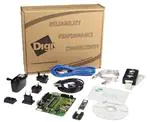
JTAG-Booster for
AMD ÉlanSC520
P.O. Box 1103
Kueferstrasse 8
(+49 (7667) 908-0
sales@fsforth.de
l
l
l
l
D-79200 Breisach, Germany
D-79206 Breisach, Germany
Fax +49 (7667) 908-200
http://www.fsforth.de
�JTAG-Booster for AMD ÉlanSC520
Copyright 1995..2002:
FS FORTH-SYSTEME GmbH
Postfach 1103, D-79200 Breisach, Germany
Release of Document:
Author:
Filename:
Program Version:
March 12, 2002
Dieter Fögele
JTAGEL5d.doc
3.xx
All rights reserved. No part of this document may be copied or reproduced in any
form or by any means without the prior written consent of FS FORTH-SYSTEME
GmbH.
2
JTAGEL5d.doc
�JTAG-Booster for AMD ÉlanSC520
Table of Contents
1. General ...............................................................................................................4
1.1. System Requirements .............................................................................4
1.2. Connecting your PC to the target system................................................5
1.3. First Example ...........................................................................................7
1.4. Trouble Shooting ......................................................................................9
1.5. Error Messages......................................................................................10
1.6. Initialization file JTAGEL5.INI ..................................................................14
1.7. Supported flash devices.........................................................................22
2. JTAGEL5 Parameter Description.....................................................................27
2.1. Programming a Flash Device................................................................30
2.2. Read a Flash Device to file ....................................................................34
2.3. Verify a Flash Device with file ................................................................36
2.4. Dump target memory.............................................................................38
2.5. Program an I²C-Device..........................................................................39
2.6. Read an I²C-Device to file ......................................................................41
2.7. Verify an I²C-Device with file ..................................................................43
2.8. Dump an I²C-Device ..............................................................................45
2.9. Toggle CPU pins ....................................................................................46
2.10. Polling CPU pins ....................................................................................47
2.11. Polling CPU pins while the CPU is running ...........................................48
2.12. List of supported Flash Devices ............................................................49
3. Implementation Information ..............................................................................50
JTAGEL5d.doc
3
�JTAG-Booster for AMD ÉlanSC520
1. General
The program JTAGEL5 uses the JTAG port of the AMD ÉlanSC520 embedded
microprocessor in conjunction with the small JTAG-BOOSTER:
•
•
•
•
•
to program data into flash memory
to verify and read the contents of a flash memory
to make a memory dump
to access a I2C Device
to test CPU signals
All functions are done without any piece of software running in the target. No
firmware or BIOS must be written. Bootstrap software may be downloaded to
initially unprogrammed memories.
For latest documentation please refer to the file README.TXT on the distribution
disk.
1.1.System Requirements
To successfully run this tool the following requirements must be met:
•
MSDOS, WIN3.x, WIN9x or WinNT
(WinNT is supported with an additional support-kit)
•
Intel 80386 or higher
•
205 kByte of free DOS memory
•
no extended memory
•
Parallel Port
4
JTAGEL5d.doc
�JTAG-Booster for AMD ÉlanSC520
1.2.Connecting your PC to the target system
The JTAG-Booster can be plugged into standard parallel ports (LPT1-3) with a
DB25-Connector.
1
LPT1-3
1
Élan
SC400
Module Élan486
The target end of the cable has the following reference:
1
TCK
2*
GND
3
TMS
4
TRST#
5
NC
6
TDI
7
TDO
8
+3.3V
*PIN 2 can be detected by the white thick cable.
To connect your design to the JTAG-BOOSTER you need a single row berg
connector with a spacing of 2.54mm on your PCB. The names refer to the target:
Pin 7 is the target’s TDO pin and is connected to the JTAG-Booster’s TDI pin.
A 3.3V version of the JTAG-Booster is delivered for the AMD ElanSC520.
Do not connect the 3.3V JTAG-Booster to a 5V power supply. The JTAGBooster may be damaged.
Before you start the program, the JTAG-BOOSTER must be plugged to a parallel
interface of your PC and to the 8 pin JTAG connector on the target.
JTAGEL5d.doc
5
�JTAG-Booster for AMD ÉlanSC520
The utility is started with the general command line format:
JTAGEL5 /function [filename] [/option_1] ... [/option_n].
Note that the function must be the first argument followed (if needed) by the
filename.
If you want to cancel execution of JTAGEL5, press CTRL-Break-Key.
On any error the program aborts with an MSDOS error level of one.
6
JTAGEL5d.doc
�JTAG-Booster for AMD ÉlanSC520
1.3.First Example
In the following simple example it is assumed that the JTAG-Booster is connected
to LPT1 of your PC and target power is on.
Typing
JTAGEL5 /P MYAPP.BIN /VERIFY
at the DOS prompt results in the following output:
JTAGEL5 --- JTAG utility for AMD ÉlanSC520
Copyright FS FORTH-SYSTEME GmbH, Breisach
Version 3.0 of mm/dd/yyyy
(1)
(2)
(3)
(4)
Configuration loaded from file JTAGEL5.INI
Target: FS FORTH-SYSTEME, EVA520
Using LPT at I/O-address 0378h
JTAG Adapter detected
(5)
More than 9 devices detected in JTAG chain or TDI pin stuck at low level
Device 0: IDCODE=10EFF003 AMD ÉlanSC520, Revision 1
Device 1: IDCODE=10EFF003 AMD ÉlanSC520, Revision 1
Device 2: IDCODE=10EFF003 AMD ÉlanSC520, Revision 1
Device 3: IDCODE=10EFF003 AMD ÉlanSC520, Revision 1
Device 4: IDCODE=10EFF003 AMD ÉlanSC520, Revision 1
Device 5: IDCODE=10EFF003 AMD ÉlanSC520, Revision 1
Device 6: IDCODE=10EFF003 AMD ÉlanSC520, Revision 1
Device 7: IDCODE=10EFF003 AMD ÉlanSC520, Revision 1
Device 8: IDCODE=10EFF003 AMD ÉlanSC520, Revision 1
Sum of instruction register bits : 4
CPU position
:0
Instruction register offset
:0
(6)
(7)
(8)
(9)
(10)
AMD 29F040 detected
Erasing Flash-EPROM Block #:6 7
Programming File MYAPP.BIN
131072 Bytes programmed
Programming ok
JTAGEL5d.doc
7
�JTAG-Booster for AMD ÉlanSC520
Erase Time
Programming Time
:
:
1.1 sec
121.2 sec
(1)
The initialization file JTAGEL5.INI was found in the current directory.
(2)
The target identification line of the initialization file is printed here.
(3)
The resulting I/O-address of the parallel port is printed here.
(4)
A JTAG-Booster is found on the parallel port
(5)
The JTAG chain is analyzed. There may be several parts in the JTAG chain.
The chain is analyzed and all parts except the AMD ÉlanSC520 are
switched to bypass mode.
Please note: The current revision of the AMD ÉlanSC520 has a silicon bug
with the JTAG identification register. As a result of that bug, the contents of
the identification register is shifted out infinitely. If there are other devices in
the JTAG chain, the AMD ÉlanSC520 must be the first part in the chain
(nearest to TDI). Otherwise the JTAG-Booster does not work.
(6)
The length of all instruction registers in the JTAG chain are added.
(7)
The position of the AMD ÉlanSC520 in the JTAG chain is checked.
(8)
The position of the JTAG instruction register of the AMD ÉlanSC520 is
checked
(9)
One Flash-EPROM AMD 29F040 selected with chip select BOOTCS# is
found.
(10) In this example two blocks must be erased.
8
JTAGEL5d.doc
�JTAG-Booster for AMD ÉlanSC520
1.4.Trouble Shooting
Avoid long distances between your Host-PC and the target. If you are using
standard parallel extension cable, the JTAG-BOOSTER may not work. Don't use
Dongles between the parallel port and the JTAG-BOOSTER.
Switch off all special modes of your printer port (EPP, ECP, ...) in the BIOS
setup. Only standard parallel port (SPP) mode is allowed.
On very fast PCs there could be verify errors. To avoid this, watch for the
´IO recovery time´-switch in the BIOS Setup which must be turned on. Otherwise
try to slow down your PC by setting the turbo switch off.
When using older flash devices (nearly maximum erase cycles reached), we
propose to use the /VERIFY option. This is also true for the relatively slow 3 Volt
only flash devices.
Some newer fast flash devices need a setup time between address/data and the
write strobe signal. If programming of this devices fails, try with the option
/WRSETUP again.
If there are problems with autodetection of the flash devices use the /DEVICE=
option. To speed up autodetection specify the option /16BIT or /8BIT.
Don't use hardware protected flash memories.
The used chip selects must be defined as output and inactive in the initialization
file (see chapter 1.6 “Initialization file JTAGEL5.INI”). Also the address bits must
be defined as output.
JTAGEL5d.doc
9
�JTAG-Booster for AMD ÉlanSC520
1.5.Error Messages
•
80386 or greater required
The JTAG-BOOSTER does not work on a 8088/8086 or a 80286 platform.
•
Adapter not connected or target power fail
The JTAG-Booster wasn't found. Please check connection to parallel port and
connection to target. Check target power. Check your BIOS-Setup.
•
Can't open x:\yyy\zzz\JTAGEL5.OVL
The overlay file JTAGEL5.OVL must be in the same directory as
JTAGEL5.EXE.
•
Configuration file XYZ not found.
The file specified with the option /INI= wasn't found.
•
Device offset out of range
The value specified with the option /OFFSET= is greater than the size of the
detected flash device.
•
Disk full
Writing a output file was aborted as a result of missing disk space.
•
Error creating file:
The output file could not be opened. Please check free disk space or write
protection.
•
Error: Pin-Name is an output only pin
The specified pin cannot be sampled. Check the command line. Check the
initialization file.
•
Error: Pin-Name is an input only pin
The specified pin cannot be activated. Check the command line. Check the
initialization file.
•
Error: Pin-Name may not be read back
The specified pin can be switched to tristate, but cannot be read back. Check
the command line.
10
JTAGEL5d.doc
�JTAG-Booster for AMD ÉlanSC520
•
illegal function:
The first parameter of the command line must be a valid function. See
chapter 2 “JTAGEL5 Parameter Description” for a list of supported functions.
•
illegal number:
The specified number couldn’t be interpret as a valid number. Check the
relevant number base.
•
illegal option:
See chapter 2 “JTAGEL5 Parameter Description” for a list of supported
options.
•
illegal Pin Type:
The name specified with the option /PIN= must be one of the list of chapter
1.6 ”Initialization file JTAGEL5.INI”
•
illegal Flash Type:
The name specified with the option /DEVICE= must be one of the list of
chapter 1.7 ”Supported flash devices”.
•
Input file not found:
The specified file cannot be found
•
Input file is empty:
Files with zero length are not accepted
•
" " is undefined
Please check the syntax in your configuration file. (See chapter 1.6
“Initialization file JTAGEL5.INI”).
•
LPTx not installed
The LPT port specified with /LPTx cannot be found. Please check the LPT
port or specify a installed LPT port. Check your BIOS setup.
•
missing filename
Most functions need a filename as second parameter.
JTAGEL5d.doc
11
�JTAG-Booster for AMD ÉlanSC520
•
missing option /I2CCLK=
Some functions need the option /I2CCLK= to be defined.
•
missing option /I2CDAT=
Some functions need the option /I2CDAT= or the options /I2CDATO= and
/I2CDATI= to be defined.
•
missing option /LENGTH=
Some functions need the option /LENGTH= to be defined.
•
missing option /PIN=
Some functions need the option /PIN= to be defined.
•
More than 9 devices in the JTAG chain or TDI pin stuck at low level
The JTAG chain is limited to 9 parts. Check target power. Check the target’s
TDO pin.
•
No devices found in JTAG chain or TDI pin stuck at high level
A stream of 32 high bits was detected on the pin TDI. TDI may stuck at high
level. Check the connection to your target. Check the target power. Check the
target’s TDO pin.
•
Option /CPUPOS= out of range
The number specified with the option /CPUPOS= must be less or equal to
the number of parts minus 1.
•
Option /IROFFS= out of range
Please specify a smaller value
•
Part at specified position is not a AMD ÉlanSC520
The option /CPUPOS= points to a part not a AMD ÉlanSC520
•
Pins specified with /I2CCLK= and /I2CDAT= must have different
control cells
The pin specified with the option /I2CDAT= must be able to be switched to
high impedance while the pin specified with option /I2CCLK= is an active
output. See chapter 1.6 “Initialization file JTAGEL5.INI”.
12
JTAGEL5d.doc
�JTAG-Booster for AMD ÉlanSC520
•
Pins specified with /I2CCLK= and /I2CDATI= must have different
control cells
The pin specified with the option /I2CDATI= must be able to be switched to
high impedance while the pin specified with option /I2CCLK= is an active
output. See chapter 1.6 “Initialization file JTAGEL5.INI”.
•
Pins specified with /I2CDATO= and /I2CDATI= must have different
control cells
The pin specified with the option /I2CDATI= must be able to be switched to
high impedance while the pin specified with option /I2CDATO= is an active
output. See chapter 1.6 “Initialization file JTAGEL5.INI”.
•
Specify only one of that options:
Some options are exclusive (i.e. /8BIT and /16BIT). Don't mix them.
•
There are unknown parts in the JTAG chain. Please use the option
/IROFFS= to specify the instr. reg. offset of the CPU.
If there are unknown parts in the JTAG chain, the program isn’t able to
determine the logical position of the CPU’s instruction register.
•
There is no AMD ÉlanSC520 in the JTAG chain
No AMD ÉlanSC520 was found in the JTAG chain. Check the target power.
Try with option /DRIVER=4 again.
•
Value of option /FILE-OFFSET out of range
The value of the option /FILE-OFFSET= points behind end of file.
•
wrong driver #
The value specified with the option /DRIVER= is out of range.
•
wrong Identifier (xxxx)
No valid identifier found. Check the specified chip select signal and the bus
width. Try with the option /DEVICE= .
JTAGEL5d.doc
13
�JTAG-Booster for AMD ÉlanSC520
1.6.Initialization file JTAGEL5.INI
This file is used to set the CPU signals for input/output. In case of output signal an
additional parameter is used to set the default level to high or low. This file can be
used to adapt your own AMD ÉlanSC520 design to the JTAG-BOOSTER. The
Target-Entry is used to identify your design which is displayed with most
commands.
When the JTAGEL5 software is started it scans the current directory for an
existing initialization file named JTAGEL5.INI. If no entry is found the default values
are used. You may also specify the initialization file with the option
/INI= . If the specified file isn't found, the program aborts with an error message.
The CPU pins can also be used with the functions /BLINK (chapter 2.9), /PIN?
(chapter 2.10) and /SAMPLE (chapter 2.11) to test the signals on your design.
Example of JTAGEL5.INI:
// Description file for AMD ÉlanSC520
Target: FS FORTH-SYSTEME, EVA520
// All chip select signals are set to output and inactive.
// All signals should be defined. Undefined signals are set to their defaults.
// Pin names are defined in upper case.
// Low active signals are signed with a trailing #.
// Group A: All pins in this group must be set to the same direction
//
This pins are tristateable outputs and may not be read back
BA1
Out,Lo // SDRAM, bank address
BA0
Out,Lo // SDRAM, kank address
MA12
Out,Lo // SDRAM, address
MA11
Out,Lo //
MA10
Out,Lo //
MA9
Out,Lo //
MA8
Out,Lo //
MA7
Out,Lo //
MA6
Out,Lo //
MA5
Out,Lo //
MA4
Out,Lo //
MA3
Out,Lo //
MA2
Out,Lo //
14
JTAGEL5d.doc
�JTAG-Booster for AMD ÉlanSC520
MA1
MA0
Out,Lo
Out,Lo
//
//
// Group B: All pins in this group must be set to the same direction
//
This pins are bidirectional
MD31
Inp
// SDRAM data bus
MD30
Inp
//
MD29
Inp
//
MD28
Inp
//
MD27
Inp
//
MD26
Inp
//
MD25
Inp
//
MD24
Inp
//
MD23
Inp
//
MD22
Inp
//
MD21
Inp
//
MD20
Inp
//
MD19
Inp
//
MD18
Inp
//
MD17
Inp
//
MD16
Inp
//
MD15
Inp
//
MD14
Inp
//
MD13
Inp
//
MD12
Inp
//
MD11
Inp
//
MD10
Inp
//
MD9
Inp
//
MD8
Inp
//
MD7
Inp
//
MD6
Inp
//
MD5
Inp
//
MD4
Inp
//
MD3
Inp
//
MD2
Inp
//
MD1
Inp
//
MD0
Inp
//
MECC6
Inp
// SDRAM, memory error correction code
MECC5
Inp
//
MECC4
Inp
//
MECC3
Inp
//
JTAGEL5d.doc
15
�JTAG-Booster for AMD ÉlanSC520
MECC2
MECC1
MECC0
Inp
Inp
Inp
//
//
//
// Group C: All pins in this group must be set to the same direction
//
This pins are tristateable outputs but may not be read back
SCS3#
Out,Hi // SDRAM, chip select
SCS2#
Out,Hi //
SCS1#
Out,Hi //
SCS0#
Out,Hi //
// Group D: All pins in this group must be set to the same direction
//
This pins are tristateable outputs but may not be read back
SRASB#
Out,Hi // SDRAM, row address strobe
SRASA#
Out,Hi //
// Group E: All pins in this group must be set to the same direction
//
This pins are tristateable outputs but may not be read back
SCASB#
Out,Hi // SDRAM, column address strobe
SCASA#
Out,Hi //
// Group F: All pins in this group must be set to the same direction
//
This pins are tristateable outputs but may not be read back
SWEB#
Out,Hi // SDRAM, memory write enables
SWEA#
Out,Hi //
// Group G: All pins in this group must be set to the same direction
//
This pins are tristateable outputs but may not be read back
SDQM3
Out,Lo // SDRAM, data ubput/output mask
SDQM2
Out,Lo //
SDQM1
Out,Lo //
SDQM0
Out,Lo //
// Group H: All pins in this group must be set to the same direction
//
This pins are bidirectional
AD31
Inp
// PCI, address/data bus
AD30
Inp
//
AD29
Inp
//
AD28
Inp
//
AD27
Inp
//
AD26
Inp
//
16
JTAGEL5d.doc
�JTAG-Booster for AMD ÉlanSC520
AD25
AD24
AD23
AD22
AD21
AD20
AD19
AD18
AD17
AD16
AD15
AD14
AD13
AD12
AD11
AD10
AD9
AD8
AD7
AD6
AD5
AD4
AD3
AD2
AD1
AD0
Inp
Inp
Inp
Inp
Inp
Inp
Inp
Inp
Inp
Inp
Inp
Inp
Inp
Inp
Inp
Inp
Inp
Inp
Inp
Inp
Inp
Inp
Inp
Inp
Inp
Inp
//
//
//
//
//
//
//
//
//
//
//
//
//
//
//
//
//
//
//
//
//
//
//
//
//
//
// Group I: All pins in this group must be set to the same direction
//
This pins are bidirectional
CBE3#
Out,Hi // PCI, command or byte enable
CBE2#
Out,Hi //
CBE1#
Out,Hi //
CBE0#
Out,Hi //
// Group J: All pins in this group must be set to the same direction
//
Pins GPA14..0 are tristateable outputs but may not be read back
//
Pins GPA25..15 are bidirectional
//
For Flash programming this pins must be set to output
GPA25
Out,Lo // = DEBUG_ENTER config switch
GPA24
Out,Lo // = INST_TRCE config switch
GPA23
Out,Lo // = AMDEBUG_DIS config switch
JTAGEL5d.doc
17
�JTAG-Booster for AMD ÉlanSC520
GPA22
GPA21
GPA20
GPA19
GPA18
GPA17
GPA16
GPA15
GPA14
GPA13
GPA12
GPA11
GPA10
GPA9
GPA8
GPA7
GPA6
GPA5
GPA4
GPA3
GPA2
GPA1
GPA0
Out,Lo
Out,Lo
Out,Lo
Out,Lo
Out,Lo
Out,Lo
Out,Lo
Out,Lo
Out,Lo
Out,Lo
Out,Lo
Out,Lo
Out,Lo
Out,Lo
Out,Lo
Out,Lo
Out,Lo
Out,Lo
Out,Lo
Out,Lo
Out,Lo
Out,Lo
Out,Lo
// = RSTLD7 config switch
// = RSTLD6 config switch
// = RSTLD5 config switch
// = RSTLD4 config switch
// = RSTLD3 config switch
// = RSTLD2 config switch
// = RSTLD1 config switch
// = RSTLD0 config switch
//
//
//
//
//
//
//
//
//
//
//
//
//
//
//
// Group K: All pins in this group must be set to the same direction
//
This pins are bidirectional
GPD15
Inp
//
GPD14
Inp
//
GPD13
Inp
//
GPD12
Inp
//
GPD11
Inp
//
GPD10
Inp
//
GPD9
Inp
//
GPD8
Inp
//
// Group L: All pins in this group must be set to the same direction
//
This pins are bidirectional
GPD7
Inp
//
GPD6
Inp
//
GPD5
Inp
//
GPD4
Inp
//
18
JTAGEL5d.doc
�JTAG-Booster for AMD ÉlanSC520
GPD3
GPD2
GPD1
GPD0
Inp
Inp
Inp
Inp
//
//
//
//
// The direction of each following pin can be set independent of the others,
// but this pins can not be read back.
CLKMEMOUT Out,Lo// SDRAM, clock output
BOOTCS#
Out,Hi//
ROMRD#
Out,Hi//
FLASHWR#
Out,Hi//
ROMBUFOE# Out,Hi//
ROMCS1#
Out,Hi//
ROMCS2#
Out,Hi //
CLKPCIOUT
Out,Lo // PCI, clock input
RST#
Out,Hi // PCI, reset
GNT4#
Out,Hi //
GNT3#
Out,Hi //
GNT2#
Out,H
i//
GNT1#
Out,Hi //
GNT0#
Out,Hi //
GPRESET
Out,Lo // some people connect GPRESET to the Boot-Flash!!
GPIORD#
Out,Hi //
GPIOWR#
Out,Hi //
GPMEMRD#
Out,Hi //
GPMEMWR# Out,Hi //
SOUT1
Out,Lo //
RTS1#
Out,Lo //
DTR1#
Out,Lo //
SOUT2
Out,Lo //
RTS2#
Out,Lo //
DTR2#
Out,Lo //
SSI_CLK
Out,Hi //
SSI_DO
Out,Hi //
CMDACK
Out,Lo //
STOP/TX
Out,Lo //
TRIG/TRACE
Out,Lo //
// The following pins are complete bidirectional pins.
// The direction of each pin can be set independent of the other pins.
// Each pin can be used as input.
JTAGEL5d.doc
19
�JTAG-Booster for AMD ÉlanSC520
PAR
PERR#
FRAME#
TRDY#
IRDY#
STOP#
DEVSEL#
PIO27
PIO26
PIO25
PIO24
PIO23
PIO22
PIO21
PIO20
PIO19
PIO18
PIO17
PIO16
PIO15
PIO14
PIO13
PIO12
PIO11
PIO10
PIO9
PIO8
PIO7
PIO6
PIO5
PIO4
PIO3
PIO2
PIO1
PIO0
PIO28
PIO29
PIO30
PIO31
CLKTIMER
DC
20
Inp
Inp
Inp
Inp
Inp
Inp
Inp
Inp
Inp
Inp
Out,Hi
Inp
Inp
Inp
Inp
Inp
Inp
Inp
Inp
Inp
Inp
Inp
Out,Hi
Out,Hi
Out,Hi
Out,Hi
Inp
Inp
Inp
Inp
Out,Lo
Out,Lo
Inp
Out,Hi
Out,Lo
Inp
Inp
Inp
Inp
Inp
Out,Lo
//
//
//
//
//
//
//
// = GPCS0#
// = PMEMCS16#
// = GPIOCS16#
// = GPDBUFOE#
// = GPIRQ0
// = GPIRQ1
// = GPIRQ2
// = GPIRQ3
// = GPIRQ4
// = GPIRQ5
// = GPIRQ6
// = GPIRQ7
// = GPIRQ8
// = GPIRQ9
// = GPIRQ10
// = GPDACK0#
// = GPDACK1#
// = GPDACK2#
// = GPDACK3#
// = GPDRQ0
// = GPDRQ1
// = GPDRQ2
// = GPDRQ3
// = GPTC
// = GPAEN
// = GPRDY
// = GPBHE#
// = CPALE
// = CTS2#
// = DSR2#
// = DCD2
// = RIN2#
//
//
JTAGEL5d.doc
�JTAG-Booster for AMD ÉlanSC520
DATASTRB
CPUACT
PITOUT2
PITGATE2
TMRIN1
TMRIN0
TMROUT1
TMROUT0
Out,Lo
Out,Lo
Out,Lo
Inp
Inp
Inp
Out,Lo
Out,Lo
//
//
//
//
//
//
//
//
// The following pins are input only.
// Setting to output of one of these pins results in an error.
// Declaration of the direction of these pins is optional.
CLKMEMIN
Inp
//
SERR#
Inp
//
CLKPCIIN
Inp
//
INTD#
Inp
//
INTC#
Inp
//
INTB#
Inp
//
INTA#
Inp
//
REQ4#
Inp
//
REQ3#
Inp
//
REQ2#
Inp
//
REQ1#
Inp
//
REQ0#
Inp
//
SIN1
Inp
//
CTS1#
Inp
//
DSR1#
Inp
//
DCD1#
Inp
//
RIN1#
Inp
//
SIN2
Inp
//
SSI_DI
Inp
//
PWRGOOD
Inp
//
PRGRESET
Inp
//
BR/TC
Inp
//
This example is equal to the default initialization which is used when no
initialization file could be found in the current directory and no initialization file is
specified with the option /INI=.
Changes to the structure of the file could result in errors. Remarks can be added
by using //.
JTAGEL5d.doc
21
�JTAG-Booster for AMD ÉlanSC520
1.7.Supported flash devices
The following types could be used with the /DEVICE= option:
*
*
*
*
*
*
*
*
*
*
*
*
*
*
*
*
*
*
*
*
*
*
*
*
*
*
*
*
*
AM29F010
AM29F010*2
AM29LV010
AM29LV010*2
AM29F100BW
AM29F100BB
AM29F100TW
AM29F100TB
AM29F200BW
AM29F200BB
AM29F200TW
AM29F200TB
AM29LV200BW
AM29LV200BB
AM29LV200TW
AM29LV200TB
AM29F040
AM29F040*2
AM29F400BW
AM29F400BB
AM29F400TW
AM29F400TB
AM29LV400BW
AM29LV400BB
AM29LV400TW
AM29LV400TB
AM29LV004B
AM29LV004T
AM29F080
AM29F080*2
AM29LV081
AM29LV081*2
AM29F800BW
AM29F800BB
AM29F800TW
AM29F800TB
AM29LV800BW
22
: AMD 29F010
: Dual AMD 29F010
: AMD 29LV010
: Dual AMD 29LV010
: AMD 29F100B
: AMD 29F100B
: AMD 29F100T
: AMD 29F100T
: AMD 29F200B
: AMD 29F200B
: AMD 29F200T
: AMD 29F200T
: AMD 29F200B
: AMD 29F200B
: AMD 29F200T
: AMD 29F200T
: AMD 29F040
: Dual AMD 29F040
: AMD 29F400B
: AMD 29F400B
: AMD 29F400T
: AMD 29F400T
: AMD 29LV400B
: AMD 29LV400B
: AMD 29LV400T
: AMD 29LV400T
: AMD 29LV004B
: AMD 29LV004T
: AMD 29F080
: Dual AMD 29F080
: AMD 29LV081
: Dual 29LV081
: AMD 29F800B
: AMD 29F800B
: AMD 29F800T
: AMD 29F800T
: AMD 29LV800B
(3.3V)
(3.3V)
(word mode)
(byte mode)
(word mode)
(byte mode)
(word mode)
(byte mode)
(word mode)
(byte mode)
(3.3V, word mode)
(3.3V, byte mode)
(3.3V, word mode)
(3.3V, byte mode)
(word mode)
(byte mode)
(word mode)
(byte mode)
(3.3V, word mode)
(3.3V, byte mode)
(3.3V, word mode)
(3.3V, byte mode)
(3.3V)
(3.3V)
(3.3V)
(3.3V)
(word mode)
(byte mode)
(word mode)
(byte mode)
(3.3V, word mode)
JTAGEL5d.doc
�JTAG-Booster for AMD ÉlanSC520
* AM29LV800BB
AM29LV800TW
* AM29LV800TB
* AM29LV008T
* AM29LV008B
AM29F016
AM29F016*2
* AM29F017
AM29F017*2
AM29LV017*2
* AM29F160BW
* AM29F160BB
* AM29F160TW
* AM29F160TB
* AM29F160BB*2
* AM29F160TB*2
AM29LV160BW
* AM29LV160BB
* AM29LV160TW
* AM29LV160TB
AM29LV160BB*2
* AM29LV160TB*2
AM29F032
AM29F032*2
* AM29LV033
* AM29LV033*2
* AM29LV640
: AMD 29LV800B
: AMD 29LV800T
: AMD 29LV800T
: AMD 29LV008T
: AMD 29LV008B
: AMD 29F016
: Dual AMD 29F016
: AMD 29F017
: Dual AMD 29F017
: Dual AMD 29LV017
: AMD 29F160B
: AMD 29F160B
: AMD 29F160T
: AMD 29F160T
: Dual AMD 29F160B
: Dual AMD 29F160T
: AMD 29LV160B
: AMD 29LV160B
: AMD 29LV160T
: AMD 29LV160T
: Dual AMD 29LV160B
: Dual AMD 29LV160T
: AMD 29F032
: Dual AMD 29F032
: AMD 29LV033
: Dual AMD 29F033
: AMD 29LV160
*
*
*
*
*
*
*
*
*
*
*
: Intel 28F001T
: Dual Intel 28F001T
: Intel 28F001B
: Intel 28F200B
: Intel 28F200B
: Intel 28F200T
: Intel 28F200T
: Intel 28F002B
: Intel 28F002T
: Intel 28F400B
: Intel 28F400B
: Intel 28F400T
: Intel 28F400T
I28F001T
I28F001T*2
I28F001B
I28F200BW
I28F200BB
I28F200TW
I28F200TB
I28F002B
I28F002T
I28F400BW
I28F400BB
I28F400TW
I28F400TB
JTAGEL5d.doc
(3.3V, byte mode)
(3.3V, word mode)
(3.3V, byte mode)
(3.3V)
(3.3V)
(3.3V)
(word mode)
(byte mode)
(word mode)
(byte mode)
(byte mode)
(byte mode)
(3.3V, word mode)
(3.3V, byte mode)
(3.3V, word mode)
(3.3V, byte mode)
(3.3V, byte mode)
(3.3V, byte mode)
(3.3V)
(3.3V)
(3.3V, word mode)
(word mode)
(byte mode)
(word mode)
(byte mode)
(word mode)
(byte mode)
(word mode)
(byte mode)
23
�JTAG-Booster for AMD ÉlanSC520
*
*
*
*
*
*
*
*
*
*
*
*
*
*
*
*
*
*
I28F004B
I28F004T
I28F400B3B
I28F400B3T
I28F004S5
I28F800BW
I28F800BB
I28F800TW
I28F800TB
I28F800B3B
I28F800B3T
I28F008B
I28F008T
I28F008SA
I28F008SA*2
I28F008S5
I28F008S5*2
I28F016W
I28F016B
I28F016S5
I28F160B3B
I28F160B3T
I28F160S5W
I28F160S5B
I28F320S5W
I28F320S5B
I28F320J5W
I28F320J5B
I28F320J3W
I28F320J3B
I28F640J5W
I28F640J5B
I28F640J3W
I28F640J3B
I28F128J3W
I28F128J3B
: Intel 28F004B
: Intel 28F004T
: Intel 28F400B3B
: Intel 28F400B3T
: Intel 28F004
: Intel 28F800B
: Intel 28F800B
: Intel 28F800T
: Intel 28F800T
: Intel 28F800B3B
: Intel 28F800B3T
: Intel 28F008B
: Intel 28F008T
: Intel 28F008
: Dual Intel 28F008
: Intel 28F008
: Dual Intel 28F008
: Intel 28F016
: Intel 28F016
: Intel 28F016
: Intel 28F160
: Intel 28F160
: Intel 28F160
: Intel 28F160
: Intel 28F320
: Intel 28F320
: Intel 28F320
: Intel 28F320
: Intel 28F320
: Intel 28F320
: Intel 28F640
: Intel 28F640
: Intel 28F640
: Intel 28F640
: Intel 28F128
: Intel 28F128
*
*
*
*
MBM29F200BW
MBM29F200BB
MBM29F200TW
MBM29F200TB
:
:
:
:
*
*
*
*
*
*
*
*
*
*
*
24
Fujitsu 29F200B
Fujitsu 29F200B
Fujitsu 29F200T
Fujitsu 29F200T
Boot Block Smart3 Bottom
Boot Block Smart3 Top
FlashFile Smart3/5
(word mode)
(byte mode)
(word mode)
(byte mode)
Boot Block Smart3 Bottom
Boot Block Smart3 Top
FlashFile 12V
FlashFile 12V
FlashFile Smart3/5
FlashFile Smart3/5
FlashFile (word mode)
FlashFile (byte mode)
FlashFile Smart3/5
Boot Block Smart3 Bottom
Boot Block Smart3 Top
FlashFile Smart5 (word mode)
FlashFile Smart5 (byte mode)
FlashFile Smart3/5 (word mode)
FlashFile Smart3/5 (byte mode)
StrataFlash (word mode)
StrataFlash (byte mode)
StrataFlash (3.3V, word mode)
StrataFlash (3.3V, byte mode)
StrataFlash (word mode)
StrataFlash (byte mode)
StrataFlash (3.3V, word mode)
StrataFlash (3.3V, byte mode)
StrataFlash (3.3V, word mode)
StrataFlash (3.3V, byte mode)
(word mode)
(byte mode)
(word mode)
(byte mode)
JTAGEL5d.doc
�JTAG-Booster for AMD ÉlanSC520
*
*
*
*
*
*
*
*
*
*
*
*
*
*
*
*
*
*
*
*
*
*
*
*
*
*
*
*
*
*
*
*
*
*
*
*
*
*
*
*
*
MBM29LV200BW
MBM29LV200BB
MBM29LV200TW
MBM29LV200TB
MBM29F002B
MBM29F002SB
MBM29LV002B
MBM29F002T
MBM29F002ST
MBM29LV002T
MBM29F040
MBM29F400BW
MBM29F400BB
MBM29F400TW
MBM29F400TB
MBM29LV400BW
MBM29LV400BB
MBM29LV400TW
MBM29LV400TB
MBM29LV004B
MBM29LV004T
MBM29F080
MBM29LV080
MBM29F800BW
MBM29F800BB
MBM29F800TW
MBM29F800TB
MBM29LV800BW
MBM29LV800BB
MBM29LV800TW
MBM29LV800TB
MBM29LV008B
MBM29LV008T
MBM29F016
MBM29F016*2
MBM29F017
MBM29F017*2
MBM29F160BW
MBM29F160BB
MBM29F160TW
MBM29F160TB
JTAGEL5d.doc
: Fujitsu 29LV200B
: Fujitsu 29LV200B
: Fujitsu 29LV200T
: Fujitsu 29LV200T
: Fujitsu 29F002B
: Fujitsu 29F002SB
: Fujitsu 29LV002B
: Fujitsu 29F002T
: Fujitsu 29F002ST
: Fujitsu 29LV002T
: Fujitsu 29F040
: Fujitsu 29F400B
: Fujitsu 29F400B
: Fujitsu 29F400T
: Fujitsu 29F400T
: Fujitsu 29LV400B
: Fujitsu 29LV400B
: Fujitsu 29LV400T
: Fujitsu 29LV400T
: Fujitsu 29LV004B
: Fujitsu 29LV004T
: Fujitsu 29F080
: Fujitsu 29LV080
: Fujitsu 29F800B
: Fujitsu 29F800B
: Fujitsu 29F800T
: Fujitsu 29F800T
: Fujitsu 29LV800B
: Fujitsu 29LV800B
: Fujitsu 29LV800T
: Fujitsu 29LV800T
: Fujitsu 29LV008B
: Fujitsu 29LV008T
: Fujitsu 29F016
: Dual Fujitsu 29F016
: Fujitsu 29F017
: Dual Fujitsu 29F017
: Fujitsu 29LV160B
: Fujitsu 29LV160B
: Fujitsu 29LV160T
: Fujitsu 29LV160T
(3.3V, word mode)
(3.3V, byte mode)
(3.3V, word mode)
(3.3V, byte mode)
(TSOP40)
(3.3V)
(TSOP40)
(3.3V)
(word mode)
(byte mode)
(word mode)
(byte mode)
(3.3V, word mode)
(3.3V, byte mode)
(3.3V, word mode)
(3.3V, byte mode)
(3.3V)
(3.3V)
(3.3V)
(word mode)
(byte mode)
(word mode)
(byte mode)
(3.3V, word mode)
(3.3V, byte mode)
(3.3V, word mode)
(3.3V, byte mode)
(3.3V)
(3.3V)
(word mode)
(byte mode)
(word mode)
(byte mode)
25
�JTAG-Booster for AMD ÉlanSC520
*
*
*
*
*
*
MBM29F160BB*2
MBM29F160TB*2
MBM29LV160BW
MBM29LV160BB
MBM29LV160TW
MBM29LV160TB
MBM29LV160BB*2
* MBM29LV160TB*2
MBM29F032
MBM29F032*2
:
:
:
:
:
:
:
:
:
:
*
*
*
*
: ST 29F100B
: ST 29F100B
: ST 29F100T
: ST 29F100T
: ST 29F200B
: ST 29F200B
: ST 29F200T
: ST 29F200T
: ST 29F040
: Dual ST 29F040
: ST 29W040
: Dual ST 29W040
: ST 29F400B
: ST 29F400B
: ST 29F400T
: ST 29F400T
: ST 29W400B
: ST 29W400B
: ST 29W400T
: ST 29W400T
: ST 29W004B
: ST 29W004T
: ST 29F800B
: ST 29F800B
: ST 29F800T
: ST 29F800T
*
*
*
*
*
*
*
*
*
*
*
*
*
*
*
*
*
*
*
*
*
M29F100BW
M29F100BB
M29F100TW
M29F100TB
M29F200BW
M29F200BB
M29F200TW
M29F200TB
M29F040
M29F040*2
M29W040
M29W040*2
M29F400BW
M29F400BB
M29F400TW
M29F400TB
M29W400BW
M29W400BB
M29W400TW
M29W400TB
M29W004B
M29W004T
M29F800BW
M29F800BB
M29F800TW
M29F800TB
Dual Fujitsu 29LV160B
Dual Fujitsu 29LV160T
Fujitsu 29LV160B
Fujitsu 29LV160B
Fujitsu 29LV160T
Fujitsu 29LV160T
Dual Fujitsu 29LV160B
Dual Fujitsu 29LV160T
Fujitsu 29F032
Dual Fujitsu 29F032*2
(byte mode)
(byte mode)
(3.3V, word mode)
(3.3V, byte mode)
(3.3V, word mode)
(3.3V, byte mode)
(3.3V, byte mode)
(3.3V, byte mode)
(word mode)
(byte mode)
(word mode)
(byte mode)
(word mode)
(byte mode)
(word mode)
(byte mode)
(3.3V)
(3.3V)
(word mode)
(byte mode)
(word mode)
(byte mode)
(3.3V, word mode)
(3.3V, byte mode)
(3.3V, word mode)
(3.3V, byte mode)
(3.3V)
(3.3V)
(word mode)
(byte mode)
(word mode)
(byte mode)
The flash devices signed with ´*´ are not yet tested.
26
JTAGEL5d.doc
�JTAG-Booster for AMD ÉlanSC520
2. JTAGEL5 Parameter Description
When you start JTAGEL5.EXE without any parameters the following help screen
with all possible functions and options is displayed:
JTAGEL5 --- JTAG utility for the AMD ÉlanSC520
Copyright © FS FORTH-SYSTEME GmbH, Breisach
Version 3.0 of mm/dd/yyyy
Programming of Flash-EPROMs and Debugging on targets with the
AMD ÉlanSC520.
The JTAG-Booster is needed to connect the parallel port of the PC
to the JTAG port of the AMD ÉlanSC520.
Usage: JTAGEL5 /function [filename] [/option_1] ... [/option_n]
Supported functions:
/P
: Programming a Flash Device
/R
: Read a Flash Device to file
/V
: Verify a Flash Device with file
/DUMP
: Make a target dump
/PI2C
: Program an I2C Device with file
/RI2C
: Read an I2C Device to file
/VI2C
: Verify an I2C Device with file
/DUMPI2C : Make a dump of an I2C Device
/BLINK
: Toggle a CPU pin
/PIN?
: Test a CPU pin
/SAMPLE : Test a CPU pin while CPU is running
/LIST
: Print a list of supported Flash devices
Supported Options:
/BOOTCS
/ROMCS1
/ROMCS2
/VERIFY
/TOP
/PAUSE
/NOERASE
/LATTICE
/ERASEALL
/LPT3
/LPT-BASE=
/16BIT
/32H
/32L
/MBUS
/FILE-OFFSET=
/FO=
/DELAY=
/DEVICE-BASE=
/DATA-MASK= /DM=
/IROFFS=
/PIN=
/I2CCLK=
/I2CDAT=
/WATCH=
/OUT=
/INI=
JTAGEL5d.doc
/NOCS
/P
/LPT1
/8BIT
/LENGTH=
/OFFSET=
/DB=
/CPUPOS=
/I2CDATI=
/WRSETUP
/NODUMP
/LPT2
/NOMAN
/L=
/O=
/DRIVER=
/DEVICE=
/I2CDATO=
27
�JTAG-Booster for AMD ÉlanSC520
The following options are valid for most functions:
/DRIVER=x with x = 1,2,3,4
A driver for the interface to the JTAG-BOOSTER on the parallel port may be
specified. /DRIVER=1 selects the fastest available driver, /DRIVER=4 selects the
slowest one. Use a slower driver if there are problems with JTAG-BOOSTER.
Default:
/DRIVER=3
/INI=file
An initialization file may be specified. By default the current directory is searched
for the file JTAGEL5.INI. If this file is not found and no initialization file is specified
in the command line, default initialization values are used (see also chapter 1.6
“Initialization file JTAGEL5.INI”).
Default:
/INI=JTAGEL5.INI
/LATTICE
For demonstration purposes this software works with the Lattice ispLSI-Adapter,
too. With the option /LATTICE you can simulate the speed achievable with the
simple ispLSI-Adapter.
/LPT1 /LPT2 /LPT3
A printer port may be specified where the JTAG-Booster resides.
Default:
/LPT1
/LPT-BASE
The physical I/O-Address of printer port may be specified instead of the logical
printer name.
/OUT=file_or_device
All screen outputs are redirected to the specified file or device. Note that you can't
redirect to the same parallel port where the JTAG-Booster resides.
Default:
/OUT=CON
/PAUSE
With the option /PAUSE you can force the program to stop after each screen.
Please do not use this option if you redirect the output to a file.
Abbreviation:
/P
28
JTAGEL5d.doc
�JTAG-Booster for AMD ÉlanSC520
/WATCH=
With the option /WATCH= a pin can be specified, which is toggled twice per
second, while the program is active. This pin may be the trigger of a watchdog.
This pin must be specified as output in the initialization file.
JTAGEL5d.doc
29
�JTAG-Booster for AMD ÉlanSC520
2.1.Programming a Flash Device
Usage:
JTAGEL5 /P filename [optionlist]
The specified file is programmed into the flash memory. Finally a complete verify
is done, if the option /VERIFY is omitted. If the verify fails, the contents of the flash
memory is written to a file with the extension DMP.
The type of the flash device is normally detected by the software. When
autodetect fails you should use the /DEVICE= option to set the right flash device.
The known devices are shown in chapter 1.7 “Supported flash devices”.
Options:
/DEVICE=devicename
The device is detected automatically by switching to autoselect mode. In case of
trouble you should select the device by using this parameter to avoid
autodetection.
/NOMAN
If you use a flash device which is identical to one of the supported parts, but is
from a different manufacturer, with this option you can suppress the comparison
of the manufacturer identification code. We recommend to use this option
together with the /DEVICE= option to avoid failures in autodetection.
/DEVICE-BASE=hhhhhh1
By default a device start address of 3000000h (=48MByte) is used for accesses
to the flash device.
Default:
/DEVICE-BASE=3000000
Abbreviation:
/DB=
/OFFSET=hhhhhh
The programming starts at an offset of hhhhhh relative to the start address of the
flash device. If the offset is negative, the offset specifies an address relative to the
end of the flash device. See also option /TOP
Default:
/OFFSET=0
Abbreviation:
/O=
1
hhhhhh=number base is hex
30
JTAGEL5d.doc
�JTAG-Booster for AMD ÉlanSC520
/TOP
If the option /TOP is used the option /OFFSET= specifies the address where the
programming ends (plus one) instead of the starting address. This option is very
important for Intel CPU architectures, because target execution always starts at
the top of the address space.
/FILE-OFFSET=hhhhhh
If FILE-OFFSET is specified, the first hhhhhh bytes of the file are skipped and not
programmed to target.
Default:
/FILE-OFFSET=0
Abbreviation:
/FO=
/LENGTH=hhhhhh
The number of programmed bytes may be limited to LENGTH. If no LENGTH is
specified the whole file is programmed.
Default:
/LENGTH=4000000 (64 MByte)
Abbreviation:
/L=
/VERIFY
If this option is specified, the result is verified on a cell by cell (cell=8bit or 16bit)
basis instead of a complete verify after programming. If you want both a cell by
cell verify and a complete verify after programming, please use a additional
command line with the verify function. See chapter 2.3 “Verify a Flash Device with
file”.
/NODUMP
In case of a verify error the contents of the flash memory is written to a file with
the extension .DMP. With /NODUMP you can suppress this feature.
/ERASEALL
Erase the whole flash device. If this option isn't set, only those blocks are erased
where new data should be written to.
/NOERASE
This option prevents the flash device from being erased.
JTAGEL5d.doc
31
�JTAG-Booster for AMD ÉlanSC520
/BOOTCS /ROMCS1 /ROMCS2
This options may be used to specify one or more chip select signals to the flash
memory. The used chip selects must be defined as output and inactive in the
initialization file. (See chapter 1.6 “Initialization file JTAGEL5.INI”.)
Default:
/BOOTCS
/NOCS
Use this option to switch off all chip select signals. This may be necessary if the
device's chip select is generated via a normal decoder instead of using the AMD
ÉlanSC520 chip select unit.
/8BIT /16BIT
Specifies the bus interface to the target device. You can speed up autodetection,
if you specify the correct bus interface width.
/32L /32H
The JTAG-Booster is not able to handle the interface to a dual 16bit ROM (32bitROM). With this two options you can select one 16 bit half of a 32bit-ROM. The
option /32L selects the low word and /32H selects the high word. 32 bit flash
eproms are always connected to the SDRAM data bus. It is not necessary to
specify the option /MBUS if the option /32L or /32H is used. Do not specify the
option /8BIT together with /32L or /32H.
/MBUS
With this option the SDRAM data bus (MDx bus) is used instead of the general
purpose data bus (GPDx bus) for accesses to flash eproms.
/WRSETUP
By default write cycles to the Flash EPROM start with address, data and write
strobe set at the same time. With the option /WRSETUP you can force the
program to generate a setup time for address and data with respect to the write
strobe.
32
JTAGEL5d.doc
�JTAG-Booster for AMD ÉlanSC520
Examples:
JTAGEL5 /P ROMDOS.ROM /VERIFY /L=20000 /TOP
This example programs up to 128 Kbytes of the file ROMDOS.ROM (with i.e. 512
Kbytes) to the top of the flash memory.
JTAGEL5 /P CE.EVN /VERIFY /32L /ROMCS1
This example programs the file CE.EVN to the lower word of a 32bit-ROM
connected to ROMCS1#.
JTAGEL5d.doc
33
�JTAG-Booster for AMD ÉlanSC520
2.2.Read a Flash Device to file
Usage:
JTAGEL5 /R filename [optionlist]
The contents of a flash device is read and written to a file.
The type of flash device is normally detected by the software. When autodetect
fails you should use the /DEVICE= option to set the right flash device. The known
devices are shown in chapter 1.7 “Supported flash devices”.
Options:
/DEVICE=devicename
See function /P (Chapter 2.1)
/NOMAN
See function /P (Chapter 2.1)
/DEVICE-BASE=hhhhhh2
See function /P (Chapter 2.1)
/OFFSET=hhhhhh
Reading of the flash memory starts at an offset of hhhhhh relative to the start
address of the flash device. If the offset is negative, the offset specifies a address
relative to the end of the flash device.
See also option /TOP.
Default:
/OFFSET=0
Abbreviation:
/O=
/TOP
If the option /TOP is used the option /OFFSET= specifies the address where
reading ends (plus one) instead of the starting address.
/LENGTH=hhhhhh
The number of read bytes may be limited to LENGTH. If no LENGTH is specified
the whole flash device is read (if no offset is specified).
2
hhhhhh=number base is hex
34
JTAGEL5d.doc
�JTAG-Booster for AMD ÉlanSC520
/BOOTCS /ROMCS1 /ROMCS2 /NOCS
See function /P (Chapter 2.1)
/8BIT /16BIT
See function /P (Chapter 2.1)
/32L /32H
See function /P (Chapter 2.1)
/MBUS
See function /P (Chapter 2.1)
/WRSETUP
See function /P (Chapter 2.1)
Please note: In the function /R write cycles are needed to detect the type of the
flash memory.
Example:
JTAGEL5 /R BIOS.ABS /L=10000 /TOP
This example may be used to read the upper most 64 Kbyte of the flash memory
to the file BIOS.ABS.
JTAGEL5d.doc
35
�JTAG-Booster for AMD ÉlanSC520
2.3.Verify a Flash Device with file
Usage:
JTAGEL5 /V filename [optionlist]
The contents of a flash device is compared with the specified file. If there are
differences the memory is dumped to a file with the extension DMP.
The type of flash device is normally detected by the software. When autodetect
fails you should use the /DEVICE= option to set the right flash device. The known
devices are shown in chapter 1.7 “Supported flash devices”.
Options:
/DEVICE=devicename
See function /P (Chapter 2.1)
/NOMAN
See function /P (Chapter 2.1)
/DEVICE-BASE=hhhhhh
See function /P (Chapter 2.1)
/OFFSET=hhhhhh
See function /P (Chapter 2.1)
/TOP
See function /P (Chapter 2.1)
/FILE-OFFSET=hhhhhh
See function /P (Chapter 2.1)
/LENGTH=hhhhhh
See function /P (Chapter 2.1)
/NODUMP
See function /P (Chapter 2.1)
/BOOTCS /ROMCS1 /ROMCS2 /NOCS
See function /P (Chapter 2.1)
36
JTAGEL5d.doc
�JTAG-Booster for AMD ÉlanSC520
/8BIT /16BIT
See function /P (Chapter 2.1)
/32L /32H
See function /P (Chapter 2.1)
/MBUS
See function /P (Chapter 2.1)
/WRSETUP
See function /P (Chapter 2.1)
Please note: In the function /V write cycles are needed to detect the type of the
flash memory.
Example:
JTAGEL5 /V ROMDOS.ROM /L=20000 /TOP
This example may be used to verify the upper most 128 Kbytes of the flash
memory with the file ROMDOS.ROM (with i.e. 512 Kbytes).
JTAGEL5d.doc
37
�JTAG-Booster for AMD ÉlanSC520
2.4.Dump target memory
Usage:
JTAGEL5 /DUMP [optionlist]
A Hex-Dump of the target memory is printed on the screen, if not redirected to file
or device.
Options:
/OFFSET=hhhhhh
The memory dump starts at an offset of hhhhhh.
Default:
/OFFSET=0
Abbreviation:
/O=
/TOP
If the option /TOP is used the option /OFFSET= specifies the address where the
dump ends (plus one) instead of the starting address
/LENGTH=hhhhhh
Default:
/LENGTH=100
Abbreviation:
/L=
/BOOTCS /ROMCS1 /ROMCS2 /NOCS
See function /P (Chapter 2.1)
Default:
/BOOTCS
/8BIT /16BIT
Default:
/16BIT
/32L /32H
See function /P (Chapter 2.1)
/MBUS
See function /P (Chapter 2.1)
Example:
JTAGEL5 /DUMP /BOOTCS
This example makes a memory dump of the first 256 bytes of the Boot-EPROM.
38
JTAGEL5d.doc
�JTAG-Booster for AMD ÉlanSC520
2.5.Program an I²C-Device
Usage:
JTAGEL5 /PI2C filename [optionlist]
The specified file is programmed to a I²C-Device (i.e. a serial EEPROM)
connected to pins of the CPU. Finally a complete verify is done. If the verify fails,
the contents of the I²C-Device is written to a file with the extension DMP.
Two methods to connect the I²C-Device to the CPU are supported. The first
method is to use two CPU pins, one pin for clock output (I2CCLK) and one pin for
serial data input and output (I2CDAT). The second method is to use one pin for
clock output (I2CCLK), one for serial data input (I2CDATI) and one for serial data
output (I2CDATO).
Options:
/DEVICE-BASE=hhhhhh3
By default a device start address of 3000000h (=48MByte) is used for accesses
to the flash device.
Default:
/DEVICE-BASE=3000000
Abbreviation:
/DB=
/OFFSET=hhhhhh
The programming starts at an offset of hhhhhh relative to the start address of the
I²C-Device.
Default:
/OFFSET=0
Abbreviation:
/O=
/FILE-OFFSET=hhhhhh
If FILE-OFFSET is specified, the first hhhhhh bytes of the file are skipped and not
programmed to target.
Default:
/FILE-OFFSET=0
Abbreviation:
/FO=
3
hhhhhh=number base is hex
JTAGEL5d.doc
39
�JTAG-Booster for AMD ÉlanSC520
/LENGTH=hhhhhh
The number of programmed bytes may be limited to LENGTH. If no LENGTH is
specified the whole file is programmed.
Abbreviation:
/L=
/NODUMP
In case of a verify error the contents of the I²C-Device is written to a file with the
extension .DMP. With option /NODUMP you can suppress this feature.
/I2CCLK=pin_name
Specifies the CPU pin used for serial clock output.
/I2CDAT=pin_name
Specifies the CPU pin used for serial data input and output. Pin_name must
specify a bidirectional pin otherwise an error message occurs. Instead of one
bidirectional pin one pin for serial data input and one for serial data output may be
used. See option /I2CDATO= and /I2CDATI= .
/I2CDATO=pin_name
Specifies the CPU pin used for serial data output. Pin_name must specify a
output pin otherwise an error message occurs.
/I2CDATI=pin_name
Specifies the CPU pin used for serial data input. Pin_name must specify a input
pin otherwise an error message occurs.
Example: JTAGEL5 /PI2C EEPROM.CFG /I2CCLK=PIO31 /I2CDAT=PIO30
This example loads the file EEPROM.CFG to a serial EEPROM connected to the
pins PIO31 and PIO30 of the AMD ÉlanSC520
40
JTAGEL5d.doc
�JTAG-Booster for AMD ÉlanSC520
2.6.Read an I²C-Device to file
Usage:
JTAGEL5 /RI2C filename /L=hhhhhh [optionlist]
The contents of a I²C-Device (i.e. a serial EEPROM) is read and written to a file.
The option /LENGTH= must be specified.
Options:
/DEVICE-BASE=hhhhhh4
See function /PI2C (Chapter 2.5)
/OFFSET=hhhhhh
Reading of the I²C-Device starts at an offset of hhhhhh relative to the start
address of the I²C-Device.
Default:
/OFFSET=0
Abbreviation:
/O=
/LENGTH=hhhhhh
The number of read bytes must be specified otherwise an error message occurs.
Abbreviation:
/L=
/I2CCLK=pin_name
See function /PI2C (Chapter 2.5)
/I2CDAT=pin_name
See function /PI2C (Chapter 2.5)
/I2CDATO=pin_name
See function /PI2C (Chapter 2.5)
/I2CDATI=pin_name
See function /PI2C (Chapter 2.5)
4
hhhhhh=number base is hex
JTAGEL5d.doc
41
�JTAG-Booster for AMD ÉlanSC520
Example: JTAGEL5 /RI2C EEPROM.CFG /I2CCLK=PIO31 /I2CDAT=PIO30
/L=100
This example reads 256 bytes from a serial EEPROM to the file EEPROM.CFG.
The serial EEPROM is connected to the pins PIO31 and PIO30 of the AMD
ÉlanSC520.
42
JTAGEL5d.doc
�JTAG-Booster for AMD ÉlanSC520
2.7.Verify an I²C-Device with file
Usage:
JTAGEL5 /VI2C filename [optionlist]
The contents of a I²C-Device (i.e. a serial EEPROM) is compared with the
specified file. If there are differences the contents of the I2C-Device is written to a
file with the extension DMP.
Options:
/DEVICE-BASE= hhhhhh5
See function /PI2C (Chapter 2.5)
/OFFSET=hhhhhh
See function /PI2C (Chapter 2.5)
/FILE-OFFSET=hhhhhh
See function /PI2C (Chapter 2.5)
/LENGTH=hhhhhh
See function /PI2C (Chapter 2.5)
/NODUMP
See function /PI2C (Chapter 2.5)
/I2CCLK=pin_name
See function /PI2C (Chapter 2.5)
/I2CDAT=pin_name
See function /PI2C (Chapter 2.5)
/I2CDATO=pin_name
See function /PI2C (Chapter 2.5)
/I2CDATI=pin_name
See function /PI2C (Chapter 2.5)
5
hhhhhh=number base is hex
JTAGEL5d.doc
43
�JTAG-Booster for AMD ÉlanSC520
Example: JTAGEL5 /VI2C EEPROM.CFG /I2CCLK=PIO31 /I2CDAT=PIO30
This example verifies 256 bytes from a serial EEPROM with the file
EEPROM.CFG. The serial EEPROM is connected to the pins PIO31 and PIO30
of the AMD ÉlanSC520.
44
JTAGEL5d.doc
�JTAG-Booster for AMD ÉlanSC520
2.8.Dump an I²C-Device
Usage:
JTAGEL5 /DUMPI2C [optionlist]
A Hex-Dump of a I²C-Device is printed on the screen, if not redirected to file or
device.
Options:
/OFFSET=hhhhhh6
The memory dump starts at an offset of hhhhhh.
Default:
/OFFSET=0
Abbreviation:
/O=
/LENGTH=hhhhhh
Default:
/LENGTH=100
Abbreviation:
/L=
/I2CCLK=pin_name
See function /PI2C (Chapter 2.5)
/I2CDAT=pin_name
See function /PI2C (Chapter 2.5)
/I2CDATO=pin_name
See function /PI2C (Chapter 2.5)
/I2CDATI=pin_name
See function /PI2C (Chapter 2.5)
Example:
JTAGEL5 /DUMPI2C /I2CCLK=PIO31 /I2CDAT=PIO30
This example makes a memory dump of the first 100h bytes of a serial EEPROM
connected to the CPU.
6
hhhhhh=number base is hex
JTAGEL5d.doc
45
�JTAG-Booster for AMD ÉlanSC520
2.9.Toggle CPU pins
Usage:
JTAGEL5 /BLINK /PIN=pinname [optionlist]
This command allows to test the hardware by blinking with LEDs or toggling CPU
signals. Faster signals can be generated by setting the delay option to zero. This
can be a very helpful feature to watch signals on an oscilloscope.
Please Note: Not every pin of the AMD ÉlanSC520 may be specified as an output
pin.
Options:
/PIN=pin_name
CPU pin to toggle. If the option /PIN= is not specified an error message occurs.
Most pins of the list in chapter 1.6 “Initialization file JTAGEL5.INI” can be used. If
you type /PIN= without any pin declaration a list of the CPU pins is displayed.
/DELAY=dddddd7
Time to wait to next change of signal. This option can be adjusted to get optimum
signals for measures with the oscilloscope.
Default:
/DELAY=10000
Example:
JTAGEL5 /BLINK /PIN=CS0# /DELAY=0
This example toggles the CS0# pin very fast which can be followed by the use of
an oscilloscope.
7
dddddd=number base is decimal
46
JTAGEL5d.doc
�JTAG-Booster for AMD ÉlanSC520
2.10. Polling CPU pins
Usage:
JTAGEL5 /PIN? /PIN=pinname [optionlist]
This command allows to test the hardware by polling CPU signals.
Please Note: Not every pin of the AMD ÉlanSC520 may be specified as an input
pin.
Options:
/PIN=pin_name
CPU pin to poll. If the option /PIN= is not specified an error message occurs.
Most pins of the list in chapter 1.6 “Initialization file JTAGEL5.INI” can be used. If
you type /PIN= without any pin declaration a list of the CPU pins is displayed.
Example:
JTAGEL5 /PIN? /PIN=PWRGOOD
This example samples the reset pin of the AMD ÉlanSC520.
JTAGEL5d.doc
47
�JTAG-Booster for AMD ÉlanSC520
2.11. Polling CPU pins while the CPU is running
Usage:
JTAGEL5 /SAMPLE /PIN=pinname [optionlist]
This command is similar to the function /PIN?. But with this function any pin can
be observed, independent of the pin direction. Furthermore the CPU remains in
normal operation.
Options:
/PIN=pin_name
CPU pin to poll. If the option /PIN= is not specified an error message occurs. All
pins of the list in chapter 1.6 “Initialization file JTAGEL5.INI” can be used. If you
type /PIN= without any pin declaration a list of the CPU pins is displayed.
Example:
JTAGEL5 /SAMPLE /PIN=PITOUT2
This example samples the state of the port pin PITOUT2 (=signal for the speaker)
while the AMD ÉlanSC520 is running.
48
JTAGEL5d.doc
�JTAG-Booster for AMD ÉlanSC520
2.12. List of supported Flash Devices
Usage:
JTAGEL5 /LIST [optionlist]
This command lists all supported flash devices to screen if not redirected to file
or device. Flash devices signed with ´*´ are not yet tested.
JTAGEL5d.doc
49
�JTAG-Booster for AMD ÉlanSC520
3. Implementation Information
This chapter summarizes some information about the implementation of the
JTAG-Booster and describes some restrictions.
•
The JTAG-Booster currently uses the EXTEST function of the JTAG-Interface
to perform Flash programming. The new debug interface of the AMD
ÉlanSC520 is not used.
•
The revision A0 and A1 of the AMD ÉlanSC520 have a silicon bug with the
JTAG identification register. As a result of that bug, the contents of the
identification register is shifted out infinitely. If there are other devices in the
JTAG chain, the AMD ÉlanSC520 must be the first part in the chain (nearest
to targets TDI). Otherwise the JTAG-Booster does not work.
50
JTAGEL5d.doc
�