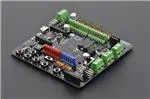
Romeo V2‐All in one Controller (R3) (SKU:DFR0225)
Contents
1 Introduction
2 Specification
3 RoMeo V2 Pinout
3.1 Power solution design
3.2 Example use of Button S1-S5
3.3 Pin Allocation
3.4 PWM Control Mode
3.5 PLL Control Mode
4 Trouble shooting
Introduction
RoMeo V2[R3]is an All-in-One Arduino compatible microcontroller especially designed for robotics
applications from DFRobot. The Romeo benefits from the Arduino open source platform, it is
supported by thousands of open source codes, and can easily be expanded with Arduino Shields.
The integrated 2 way DC motor driver and Xbee socket allows you to start your project immediatly
without the need for an additional motor driver or wirless shield.
The analog sensor port pin mapping on RoMeo v2 is different from the version
before. Be careful to wire your sensor or other devices correctly or the wrong power
connection would destroy your device.
�Please Turn OFF the Motor Power Switch when debugging Romeo through USB
cable. Or the external power supply(>12V) will destroy your Romeo.
NOTE:
Please select Leonardo board when uploading a sketch by Arduino IDE.
Serial port 0 or 1 Read more from Arduino.cc: Please use Serial1.***() instead of
Serial.***() in code to communicate with devices connected to serial interface, i.e. Pin
0/1. e.g. Bluetooth, WiFi module, Xbee etc. Serial.***() is for USB debugging on pc
serial monitor.
Analog 0: If you are going to use the Analog port 0, you have to pay attention to the
switch(s1-s5), turn it OFF please. There are five buttons connected to A0, if you
turn ON the button switch,then the A0 read value would be not the one you want.
Specification
Basic
Feature
DC Supply:USB Powered or
External 6V~23V DC
DC Output:5V(200mA) /
3.3V(100mA)
Motor driver Continuous Output
Current:2A
Microcontroller:ATmega32u4
Bootloader: Arduino Leonardo
Serial Interface
TTL Level(Serial1.***();)
USB(Serial.***())
Size:89x84x14mm
Compatible with the Arduino R3 pin
mapping
Analog Inputs: A0-A5, A6 - A11 (on
digital pins 4, 6, 8, 9, 10, and 12)
PWM: 3, 5, 6, 9, 10, 11, and 13.
Provide 8-bit PWM output
5 key inputs for testing
Auto sensing/switching external
power input
Support Male and Female Pin
Header
Built-in Xbee socket
Integrated sockets for APC220 RF
Module and DF-Bluetooth Module
Three I2C/TWI Interface Pin
Sets(two 90°pin headers)
Two way Motor Driver with 2A
maximum current
Improvement compared with
Romeo v1.1
Wide operating input voltage
Directly support Xbee and XBee
form factor wifi,bluetooth and RF
modules
ON/OFF switch to control the
system power from extermal motor
power
3 Digital I/O extension(D14-D16)
S1-S5 switch replace jump cap
Micro USB instead of A-B USB
connector
Analog sensor extension port:
Orange for Signal,Red for
Vcc,Black for GND
�RoMeo V2 Pinout
Fig1: Romeo V2 Pin Out
Power solution design
This motor controller power solution is specially designed for the robotics application.
Servo Power terminal
It integrated an external servo power terminal. The range of this power input is about 5~12v.
We recommend you to use 5v. So the servo power supply extension won't break the digital
sensors connected to the 3p digital sensor interface. However,for driving 6~12v servos with
the voltage input higher than 5v, it's not available to extend 5v sensor on all the digital
sensor interface anymore.
The servo power terminal won't supply system working voltage.
Motor Power terminal
The setting for the system & motor power switch:
On: supply power to the motor driver and system power regulator. The input range is from
5~23 volts. It's suitable for most of robot platform.
Off: Isolate the system power supply from the motor power. In this case, it requires to supply
system voltage from Micro USB port,5v power source to 5v & GND pins directly or 5~23v
power source to VIN & GND pins.
�Example use of Button S1‐S5
char msgs[5][15] = {
"Right Key OK ",
"Up Key OK
",
"Down Key OK
",
"Left Key OK
",
"Select Key OK" };
char start_msg[15] = {
"Start loop "};
int
adc_key_val[5] ={
30, 150, 360, 535, 760 };
int NUM_KEYS = 5;
int adc_key_in;
int key=-1;
int oldkey=-1;
void setup() {
pinMode(13, OUTPUT);
//we'll use the debug LED to output a heartbeat
Serial.begin(9600);
/* Print that we made it here */
Serial.println(start_msg);
}
void loop()
{
adc_key_in = analogRead(0);
// read the value from the sensor
digitalWrite(13, HIGH);
/* get the key */
key = get_key(adc_key_in);
if (key != oldkey) {
delay(50);
// convert into key press
// if keypress is detected
// wait for debounce time
adc_key_in = analogRead(0);
key = get_key(adc_key_in);
if (key != oldkey) {
// read the value from the sensor
// convert into key press
�oldkey = key;
if (key >=0){
Serial.println(adc_key_in, DEC);
Serial.println(msgs[key]);
}
}
}
digitalWrite(13, LOW);
}
// Convert ADC value to key number
int get_key(unsigned int input)
{
int k;
for (k = 0; k < NUM_KEYS; k++)
{
if (input < adc_key_val[k])
{
return k;
}
}
if (k >= NUM_KEYS)
k = -1;
// No valid key pressed
return k;
}
Pin Allocation
"PWM Mode"
Pin
Function
Digital 4
Motor 1 Direction control
Digital 5
Motor 1 PWM control
Digital 6
Motor 2 PWM control
Digital 7
Motor 2 Direction control
�"PLL Mode"
Pin
Function
Digital 4
Motor 1 Enable control
Digital 5
Motor 1 Direction control
Digital 6
Motor 2 Direction control
Digital 7
Motor 2 Enable control
PWM Control Mode
Fig4: PWM Motor Control Pin Allocation
The PWM DC motor control is implemented by manipulating two digital IO pins and two
PWM pins. As illustrated in the diagram above (Figure 5), Pin 4,7 (7,8 for old Romeo
version) are motor direction control pins, Pin 5,6 (6,9 for old Romeo version) are motor
speed control pins.
Sample Code:
//Standard PWM DC control
int E1 = 5;
//M1 Speed Control
int E2 = 6;
//M2 Speed Control
int M1 = 4;
//M1 Direction Control
int M2 = 7;
//M1 Direction Control
///For previous Romeo, please use these pins.
�//int E1 = 6;
//M1 Speed Control
//int E2 = 9;
//M2 Speed Control
//int M1 = 7;
//M1 Direction Control
//int M2 = 8;
//M1 Direction Control
void stop(void)
//Stop
{
digitalWrite(E1,LOW);
digitalWrite(E2,LOW);
}
void advance(char a,char b)
//Move forward
{
analogWrite (E1,a);
//PWM Speed Control
digitalWrite(M1,HIGH);
analogWrite (E2,b);
digitalWrite(M2,HIGH);
}
void back_off (char a,char b)
//Move backward
{
analogWrite (E1,a);
digitalWrite(M1,LOW);
analogWrite (E2,b);
digitalWrite(M2,LOW);
}
void turn_L (char a,char b)
//Turn Left
{
analogWrite (E1,a);
digitalWrite(M1,LOW);
analogWrite (E2,b);
digitalWrite(M2,HIGH);
}
void turn_R (char a,char b)
{
//Turn Right
�analogWrite (E1,a);
digitalWrite(M1,HIGH);
analogWrite (E2,b);
digitalWrite(M2,LOW);
}
void setup(void)
{
int i;
for(i=4;i