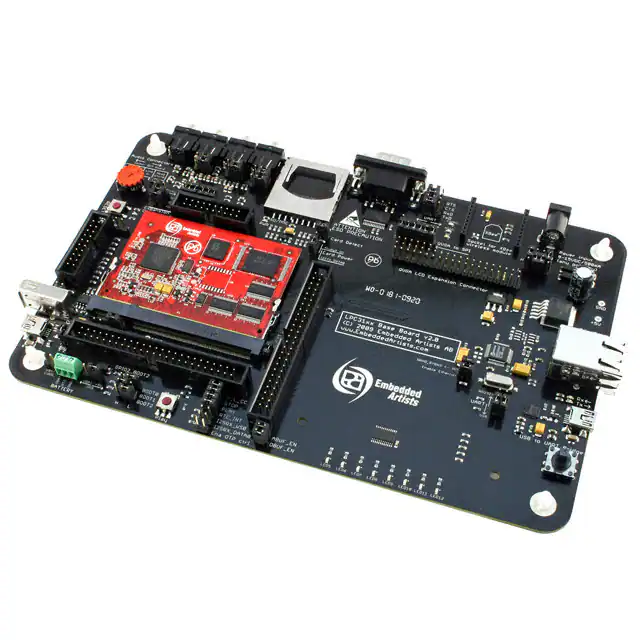
LPC3152 Developer’s Kit - User’s Guide
Copyright 2012 © Embedded Artists AB
LPC3152 Developer’s Kit
User’s Guide
Get Up-and-Running Quickly and
Start Developing Your Applications On Day 1!
EA2-USG-0902 Rev H
�LPC3152 Developers Kit - User’s Guide
Page 2
Embedded Artists AB
Davidshallsgatan 16
SE-211 45 Malmö
Sweden
info@EmbeddedArtists.com
http://www.EmbeddedArtists.com
Copyright 2005-2012 © Embedded Artists AB. All rights reserved.
No part of this publication may be reproduced, transmitted, transcribed, stored in a retrieval system, or
translated into any language or computer language, in any form or by any means, electronic,
mechanical, magnetic, optical, chemical, manual or otherwise, without the prior written permission of
Embedded Artists AB.
Disclaimer
Embedded Artists AB makes no representation or warranties with respect to the contents hereof and
specifically disclaim any implied warranties or merchantability or fitness for any particular purpose.
Information in this publication is subject to change without notice and does not represent a
commitment on the part of Embedded Artists AB.
Feedback
We appreciate any feedback you may have for improvements on this document. Please send your
comments to support@EmbeddedArtists.com.
Trademarks
InfraBed and ESIC are trademarks of Embedded Artists AB. All other brand and product names
mentioned herein are trademarks, services marks, registered trademarks, or registered service marks
of their respective owners and should be treated as such.
Copyright 2012 © Embedded Artists AB
�LPC3152 Developers Kit - User’s Guide
Page 3
Table of Contents
1 Document Revision History
5
2 Introduction
6
2.1
Features
6
2.2
ESD and Handling Precaution
7
2.3
CE Assessment
8
2.4
Other Products from Embedded Artists
8
2.4.1
Design and Production Services
8
2.4.2
OEM / Education / QuickStart Boards and Kits
8
3 LPC3152 OEM Board Design
9
3.1
Schematic Page 2: Powering
9
3.2
Schematic Page 3: LPC3152 CPU
11
3.3
Schematic Page 4: Analog and Audio Interfaces
12
3.4
Schematic Page 5: External Memories
12
3.5
Schematic Page 6: Expansion Connector
13
3.6
Usage of CPU Pins
14
3.7
LPC3152 OEM Board Mechanical Dimensions and Connector
16
3.8
Things to note about the LPC3152 OEM Board
16
3.8.1
NAND FLASH Bad Block
16
3.8.2
Brand of Memory Chips
17
4 LPC31xx Base Board Design
4.1
Usage of CPU Pins
18
4.2
Known Limitation of LPC31xx Base Board
20
4.2.1
MMC/SD Memory Card Detect Signal (J13)
20
4.2.2
H_L_CC Jumper
21
4.2.3
NAND Booting
21
4.2.4
USB Host applications – power supply
21
4.2.5
USB Host applications – over current sense
21
4.3
Jumpers
22
4.3.1
Default Jumper Positions
23
4.3.2
Illegal Jumper Combinations
23
4.4
Connectors
24
4.5
Important Components
25
4.6
NAND Boot Problem Fix
26
5 Getting Started
28
5.1
Initial Setup and Powering
28
5.2
FTDI USB Driver
28
5.2.1
5.3
5.3.1
Copyright 2012 © Embedded Artists AB
18
USB Driver Behavior
Booting
Jumper Settings
31
31
32
�LPC3152 Developers Kit - User’s Guide
Copyright 2012 © Embedded Artists AB
Page 4
5.3.2
Creating a Boot Image
33
5.3.3
Booting via UART
35
5.3.4
Booting via SPI NOR flash
36
5.3.5
Booting via USB DFU class
36
5.3.6
LED on GPIO2
38
5.3.7
Booting via NAND Flash
38
6 Further Information
39
�LPC3152 Developers Kit - User’s Guide
Page 5
1 Document Revision History
Revision
Date
Description
A
2009-05-25
Original version
B
2009-09-09
Added ‘known issues’ section 4.2.2 and 4.2.3 (information about
H_L_CC jumper and information about NAND boot and
LCD/Ethernet problem).
Added section 5.3.6.
C
2009-11-27
Changed title of manual to ‘Developer’s Kit” manual.
Replaced earlier section 5.3.6 with new section about NAND boot
and LCD/Ethernet problem (section 4.6 ).
D
2010-07-05
Added information in section 4.2 about things to note about the
LPC31xx Base Board (SD card detect logic, USB Host powering).
E
2010-11-15
Updated information about NAND boot problem.
F
2011-08-24
Added information about VBUS over-current sense for USB Host
applications (section 4.2.5 ).
G
2011-12-19
Added note about CE marking.
Removed schematics from document.
H
Copyright 2012 © Embedded Artists AB
2012-05-10
Updated section 5.3.4 about SPI NOR boot. Added section 5.3.7
about booting from NAND flash.
�LPC3152 Developers Kit - User’s Guide
Page 6
2 Introduction
Thank you for buying Embedded Artists’ LPC3152 Developer’s Kit based on NXP’s ARM926EJ-S
LPC3152 microcontroller.
This document is a User’s Guide that describes the LPC3152 OEM Board and the LPC31xx Base
Board hardware design. It is the User’s Manual for both the LPC3152 Developer’s Kit as well as for just
the LPC3152 OEM Board.
2.1
Features
Embedded Artists’ LPC3152 Developer’s Kit with NXP’s ARM926EJ-S LPC3152 microcontroller lets
you get up-and-running quickly. The small sized OEM board offers many unique features that ease
your learning curve and speed up your program development. The board has also been designed for
OEM applications with volume discount available. The features of the LPC3152 OEM board are:
NXP's ARM926EJ-S LPC3152 microcontroller in BGA package, with 192 KByte internal RAM
External data memory: 64 MB SDRAM (16-bit databus width)
External FLASH memories: 256 MB (2Gbit) NAND FLASH and 4 MB (32Mbit) SPI-NOR
FLASH
12.0000 MHz crystal for maximum execution speed and standard serial bit rates, including
CAN and USB requirements
256 Kbit I2C E2PROM for storing non-volatile parameters
Buffered 16-bit data bus for external expansion
200 pos expansion connector (SODIMM-200 format, 0.6mm pitch)
All LPC3152 pins available (except dedicated pins for on-board memories and internal
powering)
Li-ion battery or +5V powering
Onboard reset generation
Compact SODIMM size: 66 x 48 mm
Six layer PCB design for best noise immunity
There is an accompanying LPC31xx Base Board that can be used for initial prototyping work. The
features of the board are:
Copyright 2012 © Embedded Artists AB
Connectors
200 pos, 0.6mm pitch SODIMM connector for LPC3152 OEM Board
RJ45 Ethernet connector
Expansion connector to 3.2 inch QVGA TFT color LCD with touch panel
Three expansion connectors with all SODIMM signals
MMC/SD interface and connector
USB OTG or Host connectors
Four 3.5mm audio connectors
Internal codec; mic in, 2x line in, headphone out
External codec; mic in, line in, line out, headphone out
�LPC3152 Developers Kit - User’s Guide
JTAG connector
2.1mm power input
Connector for external Li-ion battery
Power
2.2
Page 7
Power supply, either via USB or external 9-15V DC
(LPC3152 OEM Board is powered by Li-ion battery or +5V)
Current monitors on input voltages
Other
100/10Mbps Ethernet interface base on DM9000A chip (available on base board from
v2.0)
UDA1380 I2S codec with mic in, line in, line out, and headphone out
5-key joystick (via I2C)
3-axis accelerometer
8 LEDs (via I2C)
Trimming potentiometer analog input
USB-to-serial bridge on UART (FT232R)
RS232 alternative interface on UART
XBee™ RF-module alternative interface on UART
(note that XBee module is not included in bundle)
Reset push-button and LED
205x135 mm in size
ESD and Handling Precaution
Please note that the LPC3152 OEM Board and LPC31xx Base Board come without any case/box and
all components are exposed for finger touches – and therefore extra attention must be paid to ESD
(Electro-Static Discharge) precaution.
Make it a habit to always first touch the metal surface of one of the USB or SC/MMC connectors
for a few seconds with both hands before touching any other parts of the boards. That way, you
will have the same electrical potential as the board and therefore minimize the risk for ESD.
Never touch directly on the LPC3152 OEM Board and in general as little as possible on the LPC31xx
Base Board. The keys on the LPC31xx Base Board have grounded shields to minimize the effect of
ESD.
Note that Embedded Artists does not replace boards that have been damaged by ESD.
In case you have also connected the QVGA Display Module to the LPC31xx Base Board, do not
exercise excessive pressure on the LCD glass area. That will damage the display. Also, do not apply
pressure on the two flex cables connecting the LCD. These are relatively sensitive and can be
damaged if too much pressure is applied to them.
Note that Embedded Artists do not replace QVGA Display Modules where the LCD has been
improperly handled.
Copyright 2012 © Embedded Artists AB
�LPC3152 Developers Kit - User’s Guide
2.3
Page 8
CE Assessment
The LPC3152 Developers Kit (consisting of the LPC3152 OEM Board and LPC31xx Base Board) is CE
marked. See separate CE Declaration of Conformity document.
The LPC3152 Developers Kit is a class A product. In a domestic environment this product may cause
radio interference in which case the user may be required to take adequate measures.
EMC emission test has been performed on the LPC3152 Developers Kit. Standard interfaces like
Ethernet, USB, serial have been in use. General expansion connectors where internal signals are
made available (for example processor pins) have been left unconnected. Connecting other devices to
the product via the general expansion connectors may alter EMC emission. It is the user’s
responsibility to make sure EMC emission limits are not exceeded when connecting other devices to
the general expansion connectors of the LPC3152 Developers Kit.
Due to the nature of the LPC3152 Developers Kit – an evaluation board not for integration into an endproduct – fast transient immunity tests and conducted radio-frequency immunity tests have not been
executed. Externally connected cables are assumed to be less than 3 meters. The general expansion
connectors where internal signals are made available do not have any other ESD protection than from
the chip themselves. Observe ESD precaution.
Note that the LPC3152 OEM board is classified as a component and is hence not CE marked
separately. It can perform different functions in different integrations and it does not have a direct
function. It is therefore not in the scope of the CE Directive. An end product, where an OEM Board is
integration into, is however very likely to need CE marking.
2.4
Other Products from Embedded Artists
Embedded Artists have a broad range of LPC1xxx/LPC2xxx/LPC3xxx/LPC4xxx based boards that are
very low cost and developed for prototyping / development as well as for OEM applications.
Modifications for OEM applications can be done easily, even for modest production volumes. Contact
Embedded Artists for further information about design and production services.
2.4.1
Design and Production Services
Embedded Artists provide design services for custom designs, either completely new or modification to
existing boards. Specific peripherals and I/O can be added easily to different designs, for example,
communication interfaces, specific analog or digital I/O, and power supplies. Embedded Artists has a
broad, and long, experience in designing industrial electronics in general and with NXP’s
LPC1xxx/LPC2xxx/LPC3xxx microcontroller family in specific. Our competence also includes wireless
and wired communication for embedded systems. For example IEEE802.11b/g (WLAN), Bluetooth™,
ZigBee™, ISM RF, Ethernet, CAN, RS485, and Fieldbuses.
2.4.2
OEM / Education / QuickStart Boards and Kits
Visit Embedded Artists’ home page, www.EmbeddedArtists.com, for information about other OEM /
Education / QuickStart boards / kits or contact your local distributor.
Copyright 2012 © Embedded Artists AB
�LPC3152 Developers Kit - User’s Guide
Page 9
3 LPC3152 OEM Board Design
This chapter contains detailed information about the electrical and mechanical design of the LPC3152
OEM Board. Note that it is version 1.1 of the board that is presented. Differences from version 1.0 are
small and can be found in the schematic (see schematic page 1). The schematic can be downloaded
in pdf format from the support page, and is recommended to have printed out while reading this
chapter.
The following subsections describe in more detail each part of the design.
3.1 Schematic Page 2: Powering
Page 2 of the schematic contains the power supplies of the LPC3152 OEM Board. The LPC3152
contains internal voltage converters that create the three main voltages; 1.2V for internal digital part,
1.8V for external powering of memories and 3.2V for external interfaces like JTAG and GPIO:s. It also
contains Li-Ion battery charging functionality and USB OTG +5V generation.
3.1.1.1
Powering
The input voltage to the LPC3152 OEM Board is given by the requirements of the LPC3152 internal
power converters. There are multiple options how to power the LPC3152:
Li-Ion battery 2.7V – 4.2V
USB, which is nominally 5V.
VIN, which is an external source nominally 5V, just like USB.
Normally powering comes from a Li-Ion battery, but USB powering is also supported. USB powering is
under software control. Signal PWR_CTRL controls Q1 power switch to enable powering from a USB
source.
An external +5V power source can power the board via VIN.
3.1.1.2
Internal Voltage Converters
The LPC3152 contains internal voltage converters, both switched and linear, designed to operate on
battery power. See the LPC3152 user’s manual for details. The generated voltages can be monitored
via test points. The current consumption can also be measured if needed. Just replace the R1-R3 zero
ohm resistors with low ohm current measuring resistors (typically less than 0.1 ohm).
The voltage converters can be controlled via software. Normally control is not needed but in certain
cases it can be needed.
A high input on signal PSU_PLAY will start the voltage converters. A high input on signal PSU_STOP
will place the chip in power off state.
Note that it is the user’s responsibility not to program the internal LPC3152 converters so that
the external memory chips (1.8V powering) are damaged by too high voltage (which is
possible).
3.1.1.3
Li-Ion Battery Charging
Note that this description is just an overview of the Li-Ion battery charger functionality. Read the
LPC3152 User’s Manual for details.
The charger is suitable for charging Li-Ion batteries from the USB supply. Main functions implemented
in the charger are as follows:
Trickle charging, with 10% of the nominal current.
Fast charging or constant current charging with the nominal current adjusted by an external
resistance value.
Copyright 2012 © Embedded Artists AB
�LPC3152 Developers Kit - User’s Guide
Page 10
Constant voltage charging, to charge the battery on maximum capacity. Normally the current
reduces in time from 100% to 10%.
When charging batteries, safety as well as charge capacity and lifetime are important factors. The
charge process has to be monitored and controlled carefully for maximum battery charge and to
protect the battery from damage. There are several safety functions implemented:
Current limiting in constant voltage charging
Current limiting by chip temperature
Current blocking by battery temperature sensing (via an NTC resistor)
Battery current setting
The nominal charge current is set with a resistor between pin CHARGE_CC_REF and ground. The
selected resistor on the LPC3152 OEM Board (R8, 1 kohm) gives a nominal charge current of 100 mA.
A resistance value of 400 ohm gives a nominal charge current of 250 mA. This is the maximum current
setting. The circuit involving R5 and R8 allows setting the resistance to 400 ohm by pulling the signal
HIGH_LOW_CC low. This signal is controlled from the PCA9532 I2C port expander. Pulling the signal
low will place R5 in parallel with R8, resulting in a resistance of 404 ohm. Note that the signal
HIGH_LOW_CC should only be low or high-impedance. It should never be driven high.
Battery voltage sensing
The battery voltage is accurately sensed via the CHARGE_BAT_SENSE pin (signal called
VBAT_SENSE in the schematic). The sense point should be as close as possible to the battery, in
order to remove the effect of voltage drops.
VNTC sensing for guarding the battery temperature
An NTC resistor can be used to monitor the battery temperature. A cold temperature limit is set to
about 25% of VBUS voltage and a high temperature limit is set to about 6%. There is a small
hysteresis implemented also. The table below lists the temperature thresholds resulting when R4 = 56
kohm and R7 = 82 kohm. A 10k NTC from Vishay Dale is place in parallel over R7. The NTC should be
placed on the battery and connected to signal CHARGE_VNTC and GND.
Low off
Low on
High on
High off
NTC curve1
4° C
7° C
49° C
51° C
NTC curve2
1° C
5° C
52° C
56° C
3.1.1.4
Real-time Clock
The LPC3152 contains an internal real-time clock (RTC) block that can be used to provide actual time
and alarm function. The 32.768 kHz crystal gives the base frequency for the RTC. The output
RTC_INT can be used to wake up the chip at regular points of time. This output is normally connected
to the PSU_PLAY input.
3.1.1.5
OTP VPP Voltage
The VPP power to the LPC3152 can be controlled by the OTP signal. The on-chip OTP (One-Time
Programmable) fuses on the LPC3152 can be programmed. 3.3V must be applied to VPP during
programming, or else 1.2V should be applied. Note that programming the fuses should be done with
great care. R69 is not mounted in order to remove the risk of programming by mistakes. R69 can
easily be ‘mounted’ by placing a solder bump between the two pads, i.e., R69 is a zero ohm resistor.
Note that a jumper (J14, pin 13/14) on the LPC31xx Base Board must also be inserted in order to
control the OTP signal from the PCA9532 I2C port expander.
Copyright 2012 © Embedded Artists AB
�LPC3152 Developers Kit - User’s Guide
Page 11
3.2 Schematic Page 3: LPC3152 CPU
Page 3 of the schematic contains the core part of the design, which of course is the LPC3152
microcontroller. It is an ARM926EJ-S cpu core with a lot of different peripheral units and on-chip
memory (192 KByte SRAM).
3.2.1.1
12MHz Crystal and PLLs
The microcontroller crystal frequency is 12.0000 MHz. This frequency is the recommended from NXP.
There is dual on-chip PLLs on the LPC3152 in order to generate different needed frequencies for the
chip. Note that the clocking structure is very different from the LPC2xxx family. It is a more
complex structure but also much more versatile and flexible. There is no shortcut but to read
the LPC3152 User’s Manual in detail and understand the options and settings.
3.2.1.2
Booting
The LPC3152 starts executing from an on-chip ROM, containing the bootloader. Note that the
LPC3152 does not contain any on-chip FLASH memory. Program code must be loaded from an
external source into the on-chip SRAM.
There are multiple boot options, as indicated in the schematic. The default is set to UART mode
booting. Normally the default boot option can be controlled/changed from the LPC31xx Base Board,
but the default resistors can also be changed for special orders of the board. The LPC3152 OEM
Board contains both SPI NOR flash and NAND flash in order to support stand alone booting.
Section 4.6 contains important information if NAND boot is used.
3.2.1.3
JTAG interface
The JTAG interface is a standard ARM-compatible JTAG interface. There is a special feature on the
LPC3152 that can bypass the ARM core scan chain (i.e. the debug access), by pulling JTAGSEL low.
In that case, the JTAG interface is used for boundary scan access.
3.2.1.4
SPI NOR FLASH
There is a 32Mbit (4 MByte) NOR flash connected to the SPI bus. There is an option to mount one of
two different manufacturers; either S25FL032 from Spansion or AT45DB321 from Atmel. Embedded
Artists can choose to mount any one of these chips on the board and it depends in component
availability at the time of production. Both are compatible for the relevant commands. In case special
commands are used, it is possible to read out chip id and determine type.
3.2.1.5
Reset Generation
The reset generation is handled by a standard voltage supervisor chip, CAT811R from Catalyst
Semiconductor. The reset signal will be held active (i.e., low) until the supply voltages, +3.3V, is within
margins (above 2.63V). The reset duration is typically 200 mS (consult the CAT811R datasheet for
exact details). The output reset signal is push/pull output that is converted to an open-collector / opendrain output via the 74LVC1G125 buffer. An external reset source can pull the reset signal low (with an
open-collector/open-drain output).
3.2.1.6
I2C E2PROM
There is a 256 kbit E2PROM accessible via the I2C interface. The LPC3152 has two on-chip I2C
communication channels. Channel #0 is available externally and is used for communicating with the
E2PROM. More peripheral units are easily connected to the two-wire I2C bus, just as long as the
addresses do not collide. The address of the 256kbit E2PROM is 0xA0, which is also indicated in the
schematic.
There are 1.5 kohm pull-up resistors (pull-ups are always needed on I2C busses) included on the board
on I2C channel #0.
Copyright 2012 © Embedded Artists AB
�LPC3152 Developers Kit - User’s Guide
Page 12
I2C channel #1 is internal for communicating with the analog part of the chip. It is not available
externally.
3.2.1.7
USB Interface
There is a high-speed USB 2.0 (OTG, Host, Device) interface with on-chip PHY on the LPC3152. Note
that special care must be taken for layout of the USB signals. This also applies for the external
connector, connected to the expansion interface of the LPC3152 OEM Board.
3.3 Schematic Page 4: Analog and Audio Interfaces
Page 4 of the schematic contains the analog and audio interfaces.
3.3.1.1
Audio Interface
The LPC3152 contains an on-chip audio codec with a microphone input, two line inputs and
headphone outputs. Power supplies to the analog functions are carefully filtered in order to minimize
power supply noise.
3.3.1.2
Analog Inputs
The LPC3152 contains a 10-bit ADC (Analog to Digital Converter). The positive reference voltage is
ADC_VREFP. It is a filtered version of the 3.2V voltage. The voltage ADC_VREFP is available on the
expansion connector. There is also an associated analog ground reference available on the expansion
connector (connected to pin ADC10B_GNDA on the LPC3152).
3.4 Schematic Page 5: External Memories
Page 5 of the schematic contains the external memory interface and the external memories. There are
two memory components connected to the external 16-bit memory bus interface. Note that the LCD
interface and external memory bus interface are multiplexed over the same pins. It is the memory bus
interface that is used in the LPC3152 OEM Board. The LCD interface cannot be used and shall not be
enabled in the cpu.
Also note that three different types of memories share the same bus interface:
Dynamic memories (SDRAM)
Using signals RAS/CAS/DQM0/DQM1/ CLOCKOUT/CKE, etc.
Static memories or general peripherals
Using signals OE/WE/BLOUT0/BLOUT1, etc.
NAND Flash memories
Using signals CLE/ALE, etc.
Many of the signals are multiplexed on the same pins. The memory interface operates at 1.8V level,
which minimizes power consumption.
3.4.1.1
Memory Layout
The external memory controller on the LPC3152 defines a number of memory regions, as listed below:
External SDRAM bank 0 (0x3000 0000 – 0x33FF FFFF)
16-bit databus width and 64MByte in size.
External SRAM bank 0 (0x2000 0000 – 0x2000 FFFF / 0x2001 FFFF)
128 kByte in size for 16-bit databus width and 64 kByte in size for 8-bit databus.
External SRAM bank 1 (0x2002 0000 – 0x2002 FFFF / 0x2003 FFFF)
128 kByte in size for 16-bit databus width and 64 kByte in size for 8-bit databus.
NAND band 0-3 (accessible via NAND flash controller, not directly via memory address)
Copyright 2012 © Embedded Artists AB
�LPC3152 Developers Kit - User’s Guide
Page 13
The LPC3152 OEM Board uses the external SDRAM bank 0 as well as NAND bank 0. It is mainly the
two external SRAM banks that are available for the off-board external memory interface of the
LPC3152 OEM Board. Chip select signals N_STCS0 and N_STCS1 are free for external use via the
buffered memory interface. Both the address and the data busses are buffered.
3.4.1.2
SDRAM
A 512 MBit (64 MByte) Mobile SDRAM is used, MT48H32M16LF from Micron. The chip is powered by
1.8V and is organized as 32Mbit x16, i.e. it has 16-bit databus width. The chip occupies the only
available memory bank for dynamic RAM at address range 0x3000 0000 – 0x33FF FFFF.
3.4.1.3
NAND Flash
A 2 Gbit (256) NAND flash is used, MT29F2G08ABDHC from Micron. The chip is powered by 1.8V and
has 8-bit databus width. The NAND flash builds on a single-level cell (SLC) technology and has a page
size of 2112 bytes (2,048 + 64 bytes). The chip is connected to NAND bank 0. Note that the chip is not
directly accessible via the memory bus. Instead, all accesses must be done via the on-chip NAND
flash controller of the LPC3152.
Embedded Artists can choose to mount a different brand of NAND flash dependent on component
availability at the time of production. The application program should always read out the NAND flash
chip id and determine type and features.
3.4.1.4
Buffers to External Interface
The LPC3152 memory interface is available on the expansion connector. The data bus width is 16-bits
on the external interface. The relevant signals are buffered. The buffers are disabled by default unless
enabled by external signals.
By pulling signal N_ABUF_EN low, the two buffers for address and control signals are enabled and act
as outputs (from the LPC3152 OEM Board).
The data bus buffer is controlled by the signal N_DBUF_EN. By pulling this signal low, the data bus
buffer is enabled. The buffered version of the LPC3152 signal OE controls the direction of the data bus
buffer. During read operations the buffer acts as an input and during write operations it acts as an
output.
Note that N_DBUF_EN must not be pulled low constantly. In that case the buffer will collide with the
board’s internal data bus. N_DBUF_EN must only be pulled low when an external memory/IO device is
accessed. If only one of the static chip selects is used externally, just connect that signal to
N_DBUF_EN. If more than one chip select signal is used, (logically) AND all chip select signal together
before driving the N_DBUF_EN signal, in this case, just AND the two signals B_N_STCS0 and
B_N_STCS1.
There is an additional important note when booting from NAND flash, read section 4.6 for details about
the N_DBUF_EN signal.
If the external memory interface is not used, leave ABUS_EN and DBUS_EN unconnected.
The buffers are dual voltage buffers and act as level translators between the internal 1.8V signal levels
and the external levels. Connect the external bus voltage to VDD_EXT. See the datasheet of
74AVCA164245 for exact details about voltage range. Normally 3.3V powering is used.
3.5 Schematic Page 6: Expansion Connector
The LPC3152 OEM Board integrates the core part of a typical LPC3152 board design with a
reasonable large amount of external memories. All relevant signals of LPC3152 are available on the
200 pos, 0.6mm pitch expansion connector (SODIMM-200 format). See the next section for a detailed
list of available pins.
Copyright 2012 © Embedded Artists AB
�LPC3152 Developers Kit - User’s Guide
Page 14
3.6 Usage of CPU Pins
Almost all pins of the LPC3152 are directly available on the expansion connectors. Only in a few cases
pins are used for dedicated functionality like (dynamic) memory control signals, chip select signals and
power supply. Such pins are not available on the expansion connector. The table below lists all pins
and their possible restrictions.
Pin
Available on expansion connector
USB_VBUS
USB_DM
USB_DP
USB_ID
Yes
I2C_SDA0
I2C_SCL0
Yes, but I2C E2PROM connected to these pins.
SPI_CS_OUT0
No, signal used for chip select of SPI NOR flash (U7 or
U10).
SPI_SCK
SPI_MISO
SPI_MOSI
SPI_CS_IN
Yes, but note that SPI NOR flash is connected to SPI_SCK,
SPI_MISO, SPI_MOSI.
UART_RXD
UART_TXD
UART_CTS/SPI_CS_OUT1
UART_RTS/SPI_CS_OUT2
Yes
I2SRX_DATA0
I2SRX_WS0
I2SRX_BCK0
I2STX_DATA0
I2STX_WS0
I2STX_BCK0
I2STX_CLK0
Yes
GPIO0
GPIO1
GPIO2
Yes, but pull-ups/pull-downs are used to set default boot
mode to booting from the UART.
GPIO3-GPIO10
Yes
PWM_DATA
Yes
ADC10B_GPA0-ADC10B_GPA2
Yes
ADC_MIC
ADC_TINL
ADC_TINR
ADC_VINL
ADC_VINR
HP_OUTR
HP_OUTL
Yes
Copyright 2012 © Embedded Artists AB
�LPC3152 Developers Kit - User’s Guide
Page 15
CLOCK_OUT
Yes
EBI_D0-EBI_D15
Yes, but only available via the data bus buffer
MLCD_A0/ALE
MLCD_A1/CLK
MLCD_DB2/EBI_A2
MLCD_DB3/EBI_A3
MLCD_DB4/EBI_A4
MLCD_DB5/EBI_A5
MLCD_DB6/EBI_A6
MLCD_DB7/EBI_A7
MLCD_DB8/EBI_A8
MLCD_DB9/EBI_A9
MLCD_DB10/EBI_A10
MLCD_DB11/EBI_A11
MLCD_DB12/EBI_A12
MLCD_DB13/EBI_A13
MLCD_DB14/EBI_A14
MLCD_DB15/EBI_A15
Yes, but only available via the address bus buffer
EBI_DQM0/NOE
EBI_NWE
EBI_NCAS/BLOUT0
EBI_NRAS/BLOUT1
MLCD_CSB/EBI_NSTCS0
MLCD_DB1/EBI_NSTCS1
Yes, but only available via the buffer
NAND_NCS0
MNAND_RYBN0/MCI_DATA4
No, used for internal NAND flash memory.
NAND_NCS1
NAND_NCS2
NAND_NCS3
MNAND_RYBN1/MCI_DATA5
MNAND_RYBN2/MCI_DATA6
MNAND_RYBN3/MCI_DATA7
Yes
MLCD_DB0/EBI_CLKOUT
MLCD_RS/EBI_NDYCS
MLCD_RW_WR/EBI_DQM1
MLCD_E_RD/EBI_CKE
No, used for internal SDRAM.
ADC_VREFP
ADC_VREFN
Yes. Note that VDDA is connected to +3.2V power supply
FFAST_IN
FFAST_OUT
No, directly connected to on-board crystals
FSLOW_IN
FSLOW_OUT
No, directly connected to on-board crystals
RTC_INT
RTC_CLK
PSU_PLAY
PSU_STOP
CHARGE_VNTC
Yes
Copyright 2012 © Embedded Artists AB
�LPC3152 Developers Kit - User’s Guide
Page 16
CHARGE_BAT_SENSE
JTAG signals
Yes
VPP
Can be indirectly controlled by OTP signal
RESET_IN
Yes
The LPC31xx Base Board illustrates how to typically connect external interfaces (like USB, external
memory devices, etc) to the LPC3152 OEM Board. Study this schematic for details.
3.7
LPC3152 OEM Board Mechanical Dimensions and Connector
Figure 1 below contains a drawing of the board that includes mechanical measures. See SODIMM-200
standard for exact measures. 1.8V keying is used (SODIMM-200 boards are either 1.8V or 2.5V
keyed).
66 mm
48 mm
1.8V keying of SODIMM board
Figure 1 – LPC3152 OEM Board Mechanical Dimensions
The SODIMM-200 format is a standard and there are many connectors that are suitable from many
different manufactures. The many sources also keep the connector cost very low. Note that the
connector should be 1.8V keyed.
One suitable connector is 0-1473005-4 from Tyco/AMP. Basically any SODIMM, DDR2, 200pos, 1.8V,
right-angled connector will do.
3.8
Things to note about the LPC3152 OEM Board
3.8.1
NAND FLASH Bad Block
The NAND Flash is the MT29F2G08ABDHC from Micron and contains 2 GBit capacity. The chip may
include invalid blocks when shipped from factory. A maximum of 40 invalid blocks may exist initially,
i.e., 2008-2048 valid blocks. Additional invalid blocks may develop while being used. Invalid blocks are
defined as blocks that contain one or more bad bits. Do not erase or program factory-marked bad
Copyright 2012 © Embedded Artists AB
�LPC3152 Developers Kit - User’s Guide
Page 17
blocks. More information about appropriate management of invalid blocks can be found in technical
notes and datasheet from Micron.
3.8.2
Brand of Memory Chips
Note that there is no guarantee for a certain brand or version of memory chips; SPI-NOR flash, parallel
NAND flash and SDRAM. The lifetime of memory chips is limited and availability can also be limited
from time to time. Embedded Artists make every effort to mount the original design chip on the board.
In case that is impossible a compatible chip will instead be mounted without any prior notice. There
can be small programming differences between mounted brands. The application program shall always
read the chip id of flash devices to make certain which chip is actually mounted on the board.
The support page contains datasheets to the different memory devices and information about mounted
devices on different board versions.
Copyright 2011 © Embedded Artists AB
�LPC3152 Developers Kit - User’s Guide
Page 18
4 LPC31xx Base Board Design
This chapter contains detailed information about the electrical and mechanical design of the LPC31xx
Base Board, version 2.0. The difference between v1.1 and v2.0 is that a 100/10Mbps Ethernet
interface was added in v2.0. This new functionality is found on page 8 of the schematic. The
differences between version 1.0 and v1.1 are very small and can be seen on revision comments on the
first page of the schematic. The schematic can be downloaded in pdf format from the support page,
and is recommended to have printed out while reading this chapter.
The LPC31xx Base Board contains a number of interfaces and connectors to the LPC3152 OEM
Board. The design can be viewed as a reference schematic for custom designs around the LPC3152
OEM Board.
Note that the LPC31xx Base Board supports different members of the LPC31xx family. All
functionalities on the board do not directly apply for the LPC3152 OEM Board, for example the I2S
codec (since the LPC3152 has an internal codec).
Note that the codec on the LPC31xx Base Board cannot be accessed by the LPC3152. The used I2C
and I2S channels are not available on the LPC3152 chip.
4.1
Usage of CPU Pins
Almost all pins of the LPC3152 are directly available on the expansion connectors. Only in a few cases
pins are used for dedicated functionality like (dynamic) memory control signals and chip select signals.
Such pins are not available on the expansion connector. The table below lists all pins and their
possible restrictions.
Pin
Usage on LPC31xx Base Board
USB_VBUS
USB_DM
USB_DP
USB_ID
Connected to USB connectors; mini-AB and A.
I2C_SDA0
I2C_SCL0
Connected to PCA9532 port expander.
SPI_SCK
SPI_MISO
SPI_MOSI
Can be connected to QVGA display for touch screen
controller SPI interface.
SPI_CS_IN
No usage.
UART_RXD
UART_TXD
Can be connected to the USB-to-serial bridge, RS232
interface or XBee module.
UART_CTS/SPI_CS_OUT1
Can be connected to QVGA display for touch screen
controller SPI interface (chip select).
Can be connected to RS232 interface or XBee module.
UART_RTS/SPI_CS_OUT2
Can be connected to RS232 interface or XBee module.
I2SRX_DATA0
Can be used to detect presence of +5V.
I2SRX_WS0
Can be used to detect USB power switch over-current
status
Copyright 2011 © Embedded Artists AB
�LPC3152 Developers Kit - User’s Guide
Page 19
I2SRX_BCK0
I2STX_WS0
I2STX_CLK0
No usage.
I2STX_DATA0
Can be used to control powering of MMC/SD memory card
interface.
I2STX_BCK0
Can be used to detect MMC/SD memory card presence.
GPIO0
GPIO1
GPIO2
Can be connected to jumpers for controlling boot mode.
GPIO3
No usage.
GPIO4
Can be used as QVGA display touch screen controller
interrupt pin.
GPIO5
Can be used as MCI_CLK (MMC/SD interface)
GPIO6
Can be used as MCI_CMD (MMC/SD interface)
GPIO7
Can be used as MCI_DAT0 (MMC/SD interface)
GPIO8
Can be used as MCI_DAT1 (MMC/SD interface)
GPIO9
Can be used as MCI_DAT2 (MMC/SD interface)
GPIO10
Can be used as MCI_DAT3 (MMC/SD interface)
PWM_DATA
Can be used to control backlight intensity on QVGA display
ADC10B_GPA0
X-output from accelerometer.
ADC10B_GPA1
Y-output from accelerometer.
ADC10B_GPA2
Either z-output from accelerometer or trim pot.
CLOCK_OUT
No usage.
EBI_D0-EBI_D15
Connect to QVGA display module connector and DM9000
Ethernet interface.
MLCD_A0/ALE
MLCD_A1/CLK
MLCD_DB2/EBI_A2
MLCD_DB3/EBI_A3
MLCD_DB4/EBI_A4
MLCD_DB5/EBI_A5
MLCD_DB6/EBI_A6
MLCD_DB7/EBI_A7
MLCD_DB8/EBI_A8
MLCD_DB9/EBI_A9
MLCD_DB10/EBI_A10
MLCD_DB11/EBI_A11
MLCD_DB12/EBI_A12
MLCD_DB13/EBI_A13
MLCD_DB14/EBI_A14
No usage.
MLCD_DB15/EBI_A15
Connect to QVGA display module connector and DM9000
Ethernet interface.
Copyright 2011 © Embedded Artists AB
�LPC3152 Developers Kit - User’s Guide
Page 20
EBI_DQM0/NOE
EBI_NWE
Connect to QVGA display module connector and DM9000
Ethernet interface.
MLCD_CSB/EBI_NSTCS0
Connect to QVGA display module connector.
MLCD_DB1/EBI_NSTCS1
Connect to DM9000 Ethernet interface.
EBI_NCAS/BLOUT0
EBI_NRAS/BLOUT1
No usage.
NAND_NCS1
NAND_NCS2
NAND_NCS3
MNAND_RYBN1/MCI_DATA5
MNAND_RYBN2/MCI_DATA6
MNAND_RYBN3/MCI_DATA7
No usage.
ADC_MIC
ADC_TINL
ADC_TINR
ADC_VINL
ADC_VINR
HP_OUTR
HP_OUTL
Connect to 3.5mm audio connectors
RTC_INT
RTC_CLK
PSU_PLAY
PSU_STOP
CHARGE_VNTC
CHARGE_BAT_SENSE
RTC_INT can be connected to PSU_PLAY via jumper.
ADC_REFP
ADC_REFN
Used as references to generate analog signal from trip pot.
JTAG signals
Connected to standard ARM 2x10 pos JTAG connector.
RESET_IN
Connected to Reset push-button and LED.
4.2
PSU_PLAY can be connected to push-button.
CHARGE_BAT_SENSE available on battery connector.
Known Limitation of LPC31xx Base Board
4.2.1
MMC/SD Memory Card Detect Signal (J13)
J13 is not assembled on LPC31xx Base Boards version 1.1. Instead a 3K resistor is soldered between
the pins. The reason is that the signal I2STX_BCK0 acts as an output during booting in most boot
modes. Since the MMC/SD connector will drive the signal to GND if a memory card is inserted the
signal will be shorted to ground resulting in excessive current flowing. The 3K resistor limits the current
to a reasonable level. Figure 2 below illustrates the rework needed.
Note that a few boards of version 1.1 have been shipped without the 3K resistor. In this case, a
jumper shall never be inserted in J13, or a 3K resistor shall be soldered between the pins.
Note that the problem is fixed on v2.0 of the LPC31xx Base Board.
Also note that the pull-up on the SD card detect pin is after the power switch. Due to this there is a
need to enable power to the SD/MMC slot to even detect the card insertion.
Note that this problem is fixed on v2.2 of the LPC31xx Base Board.
Copyright 2011 © Embedded Artists AB
�LPC3152 Developers Kit - User’s Guide
Page 21
Component side
Cut/remove J13
pins
Back side
Added 3K resistor
between J13 pins
Figure 2 – MMC/SD Card Detect Fix
4.2.2
H_L_CC Jumper
When the H_L_CC jumper is inserted, it will pull signal GPIO1_BOOT1 low despite boot jumper
settings. Do not insert H_L_CC jumper (pin 1-2 on J14 on the LPC31xx Base Board) in case a boot
mode where GPIO1_BOOT1 is high (specifically UART boot and two test boot modes).
Previously the H_L_CC jumper was inserted by default. The factory/default setting has now been
changed to ‘not inserted’.
4.2.3
NAND Booting
Read section 4.6 for details about N_DBUF_EN signal during NAND boot.
4.2.4
USB Host applications – power supply
When running USB Host applications where the external USB Device draw a considerable amount of
current (>100mA), the LPC31xx Base Board must be powered with an external power supply (as
opposed to being powered via the USB-to-UART mini-B USB connector). See section 5.1 for details
about the external power supply.
4.2.5
USB Host applications – over current sense
U3 is an over-current protected distribution switch for VBUS (+5V) – for feeding external USB devices.
There is a status flag feedback signal from U3. If this is used (for example by the latest Linux
distribution), a jumper must be inserted in J14, pin 9-10. This will bridge the status signal to pin
I2SRX_WS0. This jumper is not inserted by default.
If the over-current flag on VBUS circuit is not getting set (in case of an over-current situation) it is a
sign of too weak external power supply. The problem is typically that when the external load is
increasing (on VBUS) the power supply circuit is reducing the output voltage rather than keeping
voltage constant and increase the current draw. Due to this the over-current flag is not getting set and
eventually the complete board can go “down”, i.e., it resets since the supply voltage is out of range. A
possible workaround (if the external power supply cannot keep the voltage at correct level) is to
monitor the VBUS voltage to detect an over-current condition and switch VBUS off when it goes below
a certain level.
Copyright 2012 © Embedded Artists AB
�LPC3152 Developers Kit - User’s Guide
4.3
Page 22
Jumpers
The LPC31xx Base Board has a number of jumpers in order to be able to connect/disconnect and fully
utilize all functionality of the LPC3152 and the LPC31xx Base Board. Figure 3 below illustrates all
jumpers and explains to what part of the design they belong.
USB device connect
J22/J21
Connect analog signals
to analog inputs
Audio jumpers
J41, J43/45, J47/49,
J50/51/52
Left pos: connect to codec
Right pos: connect directly
to LPC3152 (default)
I2S interface
J46
Connect I2S
channel#1 to
codec
MMC/SD interface
Top J13: enable card
detect (note that J13 is
removed due to fix on
v1.1 boards)
Lower J10: select
always enabled or
controlled
UART select
J28,J30,J31,J32
Left pos: to RS232
Right pos: to XBee
module
QVGA interface config
From left to right:
J36, J33, J35, J34
QVGA interface
J39/J38
Connect QVGA display
to memory bus and SPI
bus (for touch panel)
Current monitor
J1
Insert to power sodimm
board with VBAT
Current monitor
J3
Insert to power
sodimm board with 5V
Buffer powering
J4
Insert to power
buffers on sodimm
board with 3.3V
USB Host always
J16
insert to always
force USB Host
UOS_VBAT
J23
Select source for
UOS_VBAT
Boot select
J20/J19/J18
Left pos: pull high
Right pos: pull low
Figure 3 – LPC31xx Base Board Jumper Positions
Copyright 2012 © Embedded Artists AB
Optional
Connections
J14
Ethernet
enable
J55
Enable buffers
J40
Insert to enable
external memory bus
UART select
J27/J29
Upper pos: UART to RS232/XBee
Lower pos: UART to USB-to-serial
bridge
�LPC3152 Developers Kit - User’s Guide
4.3.1
Page 23
Default Jumper Positions
Figure 4 below illustrates the default jumper positions as mounted when the board is delivered from
Embedded Artists.
Figure 4 – LPC31xx Base Board Default Jumper Positions
4.3.2
Illegal Jumper Combinations
Note that some jumpers are mutual exclusive and should not be inserted simultaneously.
Copyright 2012 © Embedded Artists AB
Note that the spi chip select on the QVGA display touch controller use the signal
UART_CTS_SPI_CS_OUT1. Hence, a jumper between pin 1-2 on J38 should not be inserted
while a jumper on J31 is inserted since RTS from the RS232 interface or CTS# from the XBee
module will also drive this signal.
�LPC3152 Developers Kit - User’s Guide
4.4
Page 24
Connectors
Figure 5 below illustrate the position of all external connectors on the LPC31xx Base Board.
Mic in
J42
Line in 2/
Line out
J48
Line in 1
J44
Headphone
J52
MMC/SD
J12
RS232 DSUB
J26
XBee
module
U10
Power in
J24
RJ45Ethernet
J56
USB-serial
J25
Expansion
J6
JTAG
J9
USB Host
J15
USB OTG
J17
Battery connector
X2
SODIMM
connector
X1
Expansion
J7
Figure 5 – LPC31xx Base Board External Connectors
Copyright 2012 © Embedded Artists AB
Expansion
J8
QVGA display
J37
�LPC3152 Developers Kit - User’s Guide
4.5
Page 25
Important Components
Figure 6 below illustrates the position on the LPC31xx Base Board for some important components in
the design.
Reset push-button
and Reset LED
Trimming
potentiometer
for analog
input
Accelerometer
SD/MMC
Power
LED
Voltage
measurement
pads and
Power LED
(LED13)
USB VBUS
LED
LED4
Current monitor
outputs, J2 & J5
GPIO2-LED
LED2
Play-button
SW1
Figure 6 – LPC31xx Base Board Important Components
Copyright 2012 © Embedded Artists AB
LED5-12
USB-to-serial
activity LEDs
Joystick
(SW3)
�LPC3152 Developers Kit - User’s Guide
4.6
Page 26
NAND Boot Problem Fix
This note does NOT affect boards marked with WO-0246-1033. See picture below where to find
production marking. The picture illustrates a board that is not affected. The last four numbers represent
a year-week marking. ‘1033’ means produced: 2010, week 33. Boards marked with production dates
earlier than 1033 are affected.
Production
marking
Figure 7 – LPC31xx Base Board Production Marking
Note that there is a conflict on the databus when booting via NAND flash. The problem is that signals
N_STCS0 and N_STCS1 are low during NAND boot. The signal DBUF_EN on the LPC31xx Base
Board is formed by AND:ing N_STCS0 and N_STCS1. This, in turn, enables the databus buffer (U11
on LPC3152 OEM Board) when the DBUF_EN jumper (pin 1-2 on J40) is inserted on the LPC31xx
Base Board. See Figure 8 to locate DBUF_EN jumper on the LPC31xx Base Board.
After NAND flash boot is completed the active level changes for the signals N_STCS0 and N_STCS1.
Their inactive state is then high and their active state is low, just as expected for memory bus chip
select signals. There is unfortunately no way to detect when the NAND boot process is complete.
There are however two workarounds for this problem:
1. Remove the DBUF_EN jumper during the boot process and then insert the jumper again in
order to use the QVGA and Ethernet functionality on the LPC31xx Base Board.
DBUF_EN jumper,
pin 1-2 on J40
Figure 8 – DBUF_EN jumper location on LPC31xx Base Board
Copyright 2012 © Embedded Artists AB
�LPC3152 Developers Kit - User’s Guide
Page 27
2. Replace U11 (74LVC1G08), the AND gate found on page 6 of the LPC31xx Base Board
schematic. Replace it with a XNOR-gate. The AND and XNOR gates have the same truth
table except when both input signals are low. For the XNOR gate the output is high when both
inputs are low. This will also solve the problem, since the databus buffer (U11 on LPC3152
OEM Board) will not be enabled during NAND boot when both N_STCS0 and N_STCS1 are
low.
Embedded Artists has created a small board with a XNOR gate that can be soldered to the
LPC31xx Base Board. This board can be ordered free of charge from the support page. The
board is delivered with a detailed instruction how to solder the
board (5 wires needs to be soldered on the back side of the
LPC31xx Base Board).
The picture to the right shows the small board with the XNOR
gate.
After the small board has been soldered to the back side of the
LPC31xx Base Board, the DBUF-EN jumper (pin 1-2 on J40)
shall NOT be inserted.
Copyright 2012 © Embedded Artists AB
�LPC3152 Developers Kit - User’s Guide
Page 28
5 Getting Started
This chapter contains information about how to get acquainted with the LPC3152 OEM Board and
LPC31xx Base Board Bundle. Please read this section first before you start using the board - it
will be worthwhile!
5.1
Initial Setup and Powering
The board can be powered from a PC via the included USB cable (mini-B to A cable). A separate
power supply is however needed in stand-alone situations or when running USB Host application
(when powering heavy load external USB devices). The power supply should be 9-15V DC. When
powering heady external load on USB devices a 2 Amp supply is needed. Else a 0.5A supply is
enough. A 2.1mm standard power plug is used to interface the board. Any polarity is accepted.
It is possible to have both the USB cable and external powering connected to the board at the same
time.
The LPC31xx Base Board contains a USB-to-Serial bridge chip (FT232R from FTDI) that connects the
UART channel on the LPC3152 to a virtual COM port on the PC (via USB). It is this serial channel that
is the console interface to the system.
Special USB drivers must be installed on the PC in order for the virtual COM port to be created. See
Section 5.2 for a description of how to install the FTDI USB driver.
5.2
FTDI USB Driver
A USB driver must be installed on your PC computer in order to get the USB-to-UART chip (FT232R)
to function. Make sure to download the latest version of the driver, which can be found at the following
URL: http://www.ftdichip.com/Drivers/VCP.htm (search for a FT232R driver for your operating system).
When the LPC31xx Base Board is connected to the PC (via an USB cable) the PC will ask for a driver.
Unpack/unzip the downloaded driver file and browse to the position of the driver files. After successful
driver installation, a COM port will be created. Before any communication with the Board can take
place the UART settings must be correctly set. The following description is valid for Windows™ XP, but
other operating systems have similar dialog windows. See the USB driver documentation for details, if
needed.
To change the UART settings, first open the System Properties dialog, as illustrated in the figure
below.
Copyright 2012 © Embedded Artists AB
�LPC3152 Developers Kit - User’s Guide
Page 29
Device
Manager
Figure 9 – System Settings Dialog
Then select the Device Manager and open the Ports list, as illustrated in Figure 10 below.
Ports
Figure 10 – Device Manager Dialog
Copyright 2012 © Embedded Artists AB
�LPC3152 Developers Kit - User’s Guide
Page 30
The new COM port (USB Serial Port) will be listed under the Ports list. Right-click on the new USB
Serial Port and select Properties, as illustrated in Figure 11 below.
USB Serial Port
Properties
Figure 11 – Device Manager Port Dialog
Select 115200 bits per second, 8 data bits, none parity, 1 stop bit, and none flow control, as illustrated
in Figure 12 below. Then select Advanced settings. Please note that different application programs can
use different baudrate settings for the serial channel. Other baudrates can also be used, depending on
your specific application.
Also note that it is normally not needed to set the used baudrate at all. The driver and FT232R chip will
automatically handle different baudrates. The setting is only shown here for completeness.
UART settings
Advanced
settings
Figure 12 – USB Serial Port Properties Dialog
Copyright 2012 © Embedded Artists AB
�LPC3152 Developers Kit - User’s Guide
Page 31
Select the desired COM port number under the Advanced settings dialog. NXP’s FLASH Utility
program (for ISP program download) needs, for example, a COM port number between 1 and 5. Very
often the COM port number is selected but the USB Serial Port is higher than this, therefore this need
to be changed manually.
It is common that all COM ports with low numbers are listed as occupied, but test to change to a low
number anyway. Very often it is no problem at all to do so.
COM Port
Number Setting
Figure 13 – Advanced USB Serial Port Properties Dialog
Finally it is time to test if you have successfully installed and configured the USB Serial Port. Start a
terminal program, for example TeraTerm. Connect to the correct COM port, with 115200 bits per
second, 8N1, no flow control.
5.2.1
USB Driver Behavior
Sometimes the USB COM port does not enumerate properly when the board in connected to the PC.
This is a known “feature” of the USB driver. If you experience this problem, just unplug the board
shortly and then plug in again. A new COM port that can be accessed properly should be created the
second time.
This problem may occur after every time you start (i.e., power cycle) your PC.
5.3
Booting
The processor will start its code execution from an internal ROM, containing the boot code. This code
determines the boot mode by sampling the reset state of the pins GPIO0, GPIO1 and GPIO2. Multiple
boot options are supported:
Booting from different sources; SPI flash, NAND flash, SD/SDHC/MMC cards, UART and
USB (DFU class) interfaces
Option to perform CRC32 checking on the boot image
The boot code copies/downloads the boot image to internal SRAM at location 0x1102 9000 and jumps
to that location (sets ARM’s program counter register to 0x1102 9000) after image verification. Hence
the boot images should be compiled with entry point at 0x1102 9000. The boot code can handle boot
images up to 128 kByte in size on the LPC3152. For larger applications, the booting has to be done in
more steps, i.e., a second stage boot loader has to be added.
Note that the boot code initializes the MMU (Memory Management Unit) with a pre-defined MMU table.
This table is 16 kByte in size, so systems with RAM constraints (or small and simple systems) can
Copyright 2012 © Embedded Artists AB
�LPC3152 Developers Kit - User’s Guide
Page 32
utilize this pre-defined MMU table. If this is not sufficient, the MMU must be further initialized in the
beginning of the user code (i.e., the boot image).
The LPC3152 User’s Manual from NXP contains all details about booting including the pre-defined
MMU table. The rest of this section gives an overview of what is supported by the LPC3152 OEM
Board and LPC31xx Base Board, and how to quickly get started with the download process.
5.3.1
Jumper Settings
The table below lists the boot sources supported by the LPC3152 OEM Board and how to set the
jumpers on the LPC31xx Base Board.
Way of booting
(source for boot
image)
UART
(default mode)
Jumper settings
(on LPC31xx Base Board)
Description
The boot image is downloaded via the
UART. The download format is 115.2
kbps, 8 data bits, no parity and one
stop bit (8N1).
It is recommended to download a CRC
check boot image since there is no flow
control or handshake mechanism
implemented in the UART protocol.
Note that no jumpers need to be set for
this boot mode since this is the default.
However, it is good practice to set the
jumpers anyways, since future
revisions or special versions of the
LPC3152 OEM Board might change
default boot mode.
SPI NOR flash
The boot image is stored on the SPI
NOR flash.
A CRC check boot image should be
used.
The boot image is downloaded into SPI
NOR flash with the help of a special
loader application. For a description of
how this could be done, see further
down in this section.
MMC/SD
Copyright 2012 © Embedded Artists AB
The boot image is stored on a MMC/SD
memory card. See the LPC3152 User’s
Manual from NXP for details about how
to format and prepare the memory
card.
�LPC3152 Developers Kit - User’s Guide
USB – DFU class
Page 33
The boot image is downloaded via the
USB by utilizing the DFU class (Device
Firmware Upgrade).
A Windows application exists that
connect to the DFU device (that the
LPC3152 implement in boot mode).
This application is used to download
the boot image.
Note that a special format of the boot
image must be used. For a description
of how this could be done, see further
down in this section.
NAND flash
The boot image is stored on the NAND
flash.
The boot image is downloaded into
NAND flash with the help of a special
loader application. At the time of
writing, no such application has been
created.
Read section 4.6 about NAND boot
issue when using QVGA display and
Ethernet controller on LPC31xx
Base Board.
5.3.2
Creating a Boot Image
Note that this section describes how to create a boot image for the LPC313x family. The principles are
exactly the same for the LPC315x family and the exact same conversion program is used (even
though the somewhat bad naming of the program).
The first step is to create a pure binary file. This is normally done from the build output file (often an elf
or elf-compatible file).
Under a GCC environment, the command to create a binary file, named lpc313x.bin is:
arm-elf-objcopy -I elf32-little -O binary --strip-debug
--strip-unneeded --verbose lpc313x.bin
Under uVision (Keil’s IDE), the command to create a binary file, named lpc313x.bin is as shown below.
The input file is in this case typically the output file with axf-ending.
fromelf.exe –output lpc313x.bin -bin
The second step is to create a CRC attached boot image for the LPC3131. There is a command line
tool from NXP, bundled in the CDL package named: lpc313xImgCreator. See program output
explaining the command line options below.
Copyright 2012 © Embedded Artists AB
�LPC3152 Developers Kit - User’s Guide
Page 34
Figure 14 – lpc3131xImgCreator Command Line Options
To add a CRC header to the binary file, i.e., to create a CRC attached boot image, the command is:
lpc313xImgCreator -o ./ -pc -i lpc313x.bin
The -o option specifies the output directory (the current directory in this case). The -pc option specifies
that a CRC header should be appended. The -i option specifies the input file. An output file called
lpc313x.rom will be generated in the command line example above.
To create a boot image for USB DFU booting, the command is:
lpc313xImgCreator -o ./ -pd -i lpc313x.bin
The -o option specifies the output directory (the current directory in this case). The -pd option specifies
that a file for USB boot mode should be generated. The -i option specifies the input file. An output file
called lpc313x.rom will be generated in the command line example above.
It is possible to automatically create the boot image when compiling/building. The example below
illustrates how to configure a project in uVision (the Keil IDE). In the Options for Target window, select
the User tab. Then configure the Run #1 and Run #2 options according to the picture below. These
commands lines are run after the application is built. Run #1 creates a binary file named lpc313x.bin.
Run #2 creates a CRC attached rom-file. The –pc command line option can be changed to –pd if USB
DFU booting method is used.
Copyright 2012 © Embedded Artists AB
�LPC3152 Developers Kit - User’s Guide
Page 35
User tab
Programs to
run after build
Figure 15 – uVision Options for Target
Note that similar settings can be done in IDE’s from other vendors. It could also just as well be added
to a makefile, for example when developing in a GCC environment.
5.3.3
Booting via UART
When booting via UART, a terminal program (on a PC) that can send binary images must be
connected to the LPC3152 UART channel. The USB-to-serial bridge can be used to connect to the
LPC3152 UART channel. Alternatively the RS232 interface can be used directly. Make sure the
jumpers on the LPC31xx Base Board are correctly set for the interface option selected. Terminal
setting is: 115.2kbps, 8N1.
The boot code will output the following string over the UART channel:
LPC31xx READY FOR PLAIN IMAGE>
The download of the binary file should start within 2 minutes from this message. When the boot image
is downloaded the following string will be sent from the boot code:
Download finished
Execution of the downloaded boot image will begin immediately after this. The picture below illustrates
how it typically looks in the terminal program.
Figure 16 – Terminal Output for UART Boot
Note that the boot image must be 128kByte, or less, for LPC3152.
Copyright 2012 © Embedded Artists AB
�LPC3152 Developers Kit - User’s Guide
5.3.4
Page 36
Booting via SPI NOR flash
When booting via SPI the boot image is downloaded from the SPI NOR flash into LPC3152 internal
RAM immediately after reset. Execution is also started immediately after download. No message is
sent to the UART channel.
Downloading a boot image into the SPI NOR flash is a two step process, as explained below:
1. First set the system to UART boot, and download a ‘SPI NOR flash program’ program. This is
done via normal UART booting, just like described in the previous section.
The ‘SPI NOR flash program’ is one of the sample applications found in the CDL package
from NXP.
2. The ‘SPI NOR flash program’ will output the following string over the UART channel:
SPI programer is ready for download>
Now, download the actual boot image to be used for SPI booting. Please note that you need
to download a CRC attached boot image. Section 5.3.2 describes how to create such an
image.
The download process should start within 2 minutes after this message has appeared. When
the boot image is downloaded the following string will be sent from the ‘SPI NOR flash
program’:
Download finished
Programing flash
##### #####
Verifying flash
##### #####
Done!!!
3. Set the boot jumpers to NOR flash boot as described in section 5.3.1
4. Click the reset button to restart the board and load the application from NOR flash
Step1: UART boot
of ‘SPI NOR flash
program’
Step 2:
Download of the
actual boot image
Figure 17 – Terminal Output for download of an image to SPI flash
Note that the SPI boot image must be 128kByte, or less, for LPC3152.
5.3.5
Booting via USB DFU class
When booting via USB, a special (PC) program must be used to connect to the DFU device that the
boot code implements in the LPC3152. Follow the list below to download a boot image.
Copyright 2012 © Embedded Artists AB
�LPC3152 Developers Kit - User’s Guide
Page 37
1. Connect a USB cable (mini-B to A) from your computer to the LPC31xx Base Board. Note
that it is the LPC3152 USB connection that should be connected to, not the UART-to-serial
bridge on the LPC31xx Base Board. See Figure 19 for an illustration where the correct USB
connector can be found.
2. Install DFU drivers (available on the Embedded Artists support site).
3. Start the DFU application (DFUAPP.exe). The connected LPC3152 can be seen in the list of
devices.
4. Select a file to download (named *_usb.rom in the pre-compiled applications available on the
Embedded Artists support site).
5. Warning about the file not containing a suffix can sometimes be generated. Just ignore such
messages and click ‘Yes’ to continue.
6. Select Start Download.
Step 3: select
connected device
Step 4: select
boot image
Step 6:
download
Figure 18 – Device Firmware Upgrade Application Screenshot
USB
connector
(J17) for
USB Boot
Figure 19 – LPC31xx Base Board USB Connector to LPC31xx OEM Board
Copyright 2012 © Embedded Artists AB
�LPC3152 Developers Kit - User’s Guide
5.3.6
Page 38
LED on GPIO2
The boot code will signal any error during boot process by toggling GPIO2 pin. There is a LED
connected to this pin for direct visual feedback. The picture below illustrates the position of the LED in
relation to the boot jumpers.
Typical errors could be that booting has timed out (must be done within 2 minutes after reset), wrong
boot image format or CRC error detected in the downloaded boot image.
GPIO2-LED
Figure 20 – GPIO2-LED Position
5.3.7
Booting via NAND Flash
NXP has written detailed instructions of how to use the u-boot or Apex bootloaders to program the
NAND flash on the LPC31xx OEM Boards with a bootable image. Please follow the links below for
more information.
Program NAND flash using u-boot
http://www.lpclinux.com/LPC313x/LPC313xUbootNand#Programming_NAND_flash_using_Uboot
Program NAND flash using Apex
http://www.lpclinux.com/LPC313x/LPC313xApexNand#Programming_NAND_flash_using_Apex
Copyright 2012 © Embedded Artists AB
�LPC3152 Developers Kit - User’s Guide
Page 39
6 Further Information
The LPC3152 microcontroller is a complex circuit and there are a number of other documents with
more information. The following documents are recommended as a complement to this document.
[1] NXP LPC3152 Datasheet
http://ics.nxp.com/products/lpc3000/datasheet/lpc3152.lpc3154.pdf
[2] NXP LPC3152 User’s Manual
http://ics.nxp.com/support/documents/microcontrollers/pdf/user.manual.lpc315x.pdf
[3] ARM926EJ-S Technical Reference Manual. Document identity: DDI0198E
http://infocenter.arm.com/help/topic/com.arm.doc.ddi0198e/
DDI0198E_arm926ejs_r0p5_trm.pdf
[4] ARM Architecture Reference Manual. Document identity: DDI0100E
Book, Second Edition, edited by David Seal, Addison-Wesley: ISBN 0-201-73719-1
Also available in PDF form on the ARM Technical Publications CD
[5] ARM System Developer’s Guide – Designing and Optimizing System Software, by A.N. Sloss,
D Symes, C. Wright. Elsevier: ISBN 1-55860-874-5
[6] ARM9 vs ARM7 core comparison
This document from ARM gives a good overview of the ARM9 core, compared to the ARM7
core that for example is found in the LPC2xxx family.
http://www.arm.com/pdfs/comparison-arm7-arm9-v1.pdf
[7] Embedded System Design on a Shoestring, by Lewin Edwards.
Newnes: ISBN 0750676094.
[8] GNU Manuals
http://www.gnu.org/manual/
[9] GNU ARM tool chain for Cygwin
http://www.gnuarm.com
[10] An Introduction to the GNU Compiler and Linker, by Bill Gatliff
http://www.billgatliff.com
[11] LPC3000 Yahoo Group. A discussion forum dedicated entirely to the NXP LPC3xxx series of
microcontrollers.
http://groups.yahoo.com/group/lpc3000/
[12] LPC2000 Yahoo Group. A discussion forum dedicated entirely to the NXP LPC2xxx series of
microcontrollers.
http://groups.yahoo.com/group/lpc2000/
[13] AN10901: Programming and booting from NAND flash on the EA3100
http://www.nxp.com/documents/application_note/AN10901.pdf
[14] AN10811: EA3131 SPI Flash Programming Sample Code
http://www.lpcware.com/content/nxpfile/an10811-ea3131-spi-flash-programming-sample-code
Note that there can be newer versions of the documents than the ones linked to here. Always check for
the latest information / version.
Copyright 2012 © Embedded Artists AB
�