SAML TOUCH CLICK
PID: MIKROE-3414
Weight: 32 g
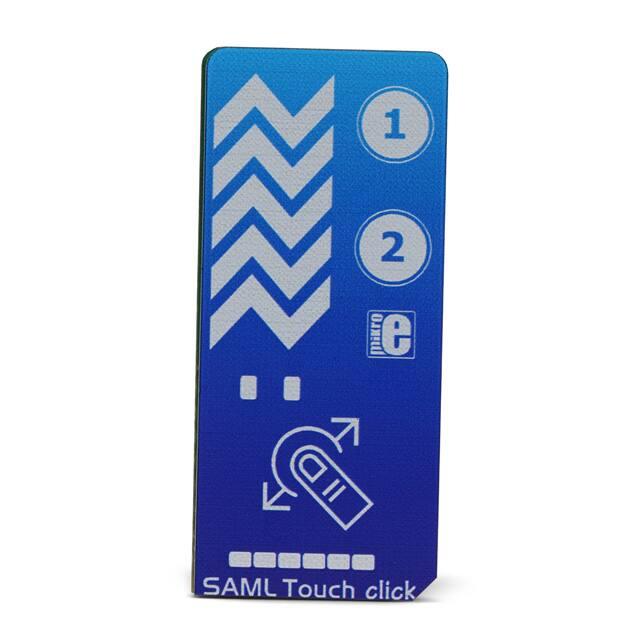
SAML Touch Click is a Click board™ equipped with two capacitive touch pads and one
capacitive slider. There are also LED indicators, which are used to indicate touch evens
for each of the available touch components: two LEDs (one for each touchpad), and one
six-segment bargraph, used to indicate touch position across the slider. SAML click is
based on the ATSAML10 MCU, an ultra-low power 32-bit ARM® Cortex® MCU,
equipped with the Peripheral Touch Controller (PTC), perfectly suited for realization of
various types of touch applications with superior water tolerance, excellent noise
immunity & responsiveness. Supported by a cleverly designed firmware, it provides the
complete touch controller on a Click board™.
�SAML click is supported by a mikroSDK compliant library, which includes functions that
simplify software development. This Click board™ comes as a fully tested product,
ready to be used on a system equipped with the mikroBUS™ socket.
SAML click is a perfect example of how simple the implementation of the QTouch® technology from Microchip can be. Besides the ATSAML10 MCU itself, the Click
board™ contains a few additional hardware components. Thanks to the highly
integrated PTC module supported by the Q-Touch®, development of complex touch
applications becomes extremely simple and fast. Featuring many inherited benefits
compared to mechanical buttons and sliders, this Click board™ can be used for the
development of various HMI interfaces, touch-operated control panels, interfaces used
in very harsh and humid environment, etc.
HOW DOES IT WORK?
The main component of SAML click is the ATSAML10, an ultra-low power 32-bit
ARM® Cortex® MicroController Unit (MCU) from Microchip. Among many other features,
this MCU is contains the enhanced Peripheral Touch Controller (PTC) module, making
it a perfect solution for various capacitive touch-based applications that require superior
noise immunity. One of the key features of the PTC module is its ability to reliably sense
touch events, even when covered with water. SAML click demonstrates the overall
hardware simplicity of one such application: capacitive pads are directly connected to
the MCU pins, with no additional components required. Everything is already integrated
within the PTC module of the ATSAML10 MCU itself, allowing very fast development.
The only passive components on this click are the resistors that limit the current through
the LEDs, and accompanying filtering capacitors.
�As mentioned before, the enhanced PTC module provides many benefits over similar
solutions. The most distinctive it its parallel acquisition capability, allowing it to process
all the inputs in parallel and simultaneous detection of multiple touch events. This
increases the responsiveness of the touch interface, compared to traditional sequential
acquisition circuits. It also provides better noise immunity and more robustness when
used in harsh and humid environment. This allows the Click board™ to use an acrylic
overlay, and still detects touch events with perfect accuracy.
Another feature of the enhanced PTC module is the Driven Shield Plus capability. This
capability adds another layer of noise protection to the application. It allows touch
sensors to work while exposed to moisture, sweat, rain, and even running water. Any of
the capacitive touch channels can be used as a driven shield channel, offering IP-68
compliant protection.
A cleverly designed firmware is responsible for events detection, visual feedback over
LED indicators, and for the communication with the host MCU. The MCU firmware is
written using Q-Touch® libraries from Microchip, which offer full support for PTC
modules. The communication with the ATSAML10 is realized over the UART interface.
A set of UART command strings are available for the touch detection, as well as for the
touch slider position. However, the Click board™ is supported by a mikroSDK
compatible library, offering simple functions, saving the developer to write UART
command parsers. These functions allow faster development and simplified software
design.
The Click board™ is designed to work with 3.3V only. If interfacing with systems that
use 5V for their operation, an appropriate level translating circuitry has to be used.
SPECIFICATIONS
Type
Capacitive
Applications
Featuring many inherited benefits compared to mechanical buttons and
sliders, this Click board™ can be used for the development of various HMI
interfaces, touch-operated control panels, interfaces used in very harsh and
humid environment, etc.
On-board
modules
ATSAML10, a powerful, low-power, 32-bit ARM® Cortex® Micro Controller
Unit (MCU) by Microchip.
Key Features
ATSAML10 onboard, a powerful MCU with the Integrated PTC capacitive
touch peripheral module, parallel acquisition greatly improves
responsiveness, Driven Shield Plus feature offers immunity to using the
�Click board™ in humid conditions, clean and visually appealing indication of
the touch over LEDs, two buttons plus one slider, etc.
Interface
UART
Input Voltage
3.3V
Click board
size
L (57.15 x 25.4 mm)
PINOUT DIAGRAM
This table shows how the pinout on SAML Touch Click corresponds to the pinout on the
mikroBUS™ socket (the latter shown in the two middle columns).
Notes
Pin
Pin
Notes
NC
1
AN
PWM
16
NC
NC
2
RST
INT
15
NC
NC
3
CS
RX
14
TX
UART Transmit
NC
4
SCK
TX
13
RX
UART Receive
NC
5
MISO
SCL
12
NC
NC
6
MOSI
SDA
11
NC
Power Supply
3V3
7
3.3V
5V
10
NC
Ground
GND
8
GND
GND
9
GND
Ground
�ONBOARD SETTINGS AND INDICATORS
Label
Name
Default
Description
LD1 - LD6
-
-
Capacitive slide bargraph indicator
LD7
-
-
Touch button 1 LED indicator
LD8
-
-
Touch button 2 LED indicator
SOFTWARE SUPPORT
We provide a library for the SAML Touch Click on our LibStock page, as well as a demo
application (example), developed using MikroElektronika compilers. The demo can run
on all the main MikroElektronika development boards.
Library Description
The library contains the function which parses the response received by the module,
and checks the buttons and slider.
Key functions:
void samltouch_parser(char *dataIn, samltouch_state_T *state) - The function parses the
response it receives
Examples description
The application is composed of the three sections :
System Initialization - Initializes UART used for the communcation with SAML Touch module and
UART used for infromation logging.
Application Initialization - Initializes driver init and timer init.
Application Task - running in parallel core state machine. Check that the button 1 or button 2 or the
active slider is pressed. If it detects that the buttons 1 or 2 are pressed, it logs a button detection
message. If it detects that the slider is active, it logs a message that the slider is active and its
current position is 0-255.
void applicationTask()
{
// CORE STATE MACHINE
samltouch_process();
�
if(timerCounter > 100)
{
if(SAML_Touch.button2 == 1)
{
mikrobus_logWrite( "Button 2 is pressed.", _LOG_LINE );
}
else if(SAML_Touch.button1 == 1)
{
mikrobus_logWrite( "Button 1 is pressed.", _LOG_LINE );
}
timerCounter = 0;
}
if(SAML_Touch.sw_state == 1)
{
mikrobus_logWrite( "Slider is active.", _LOG_LINE );
if(SAML_Touch.sw_pos != 0)
{
mikrobus_logWrite( "Slider position is ", _LOG_TEXT );
IntToStr(SAML_Touch.sw_pos, demoText);
mikrobus_logWrite( demoText, _LOG_LINE );
}
}
}
Additional Functions :
All additional functions such as timer initialization and default handler.
The full application code, and ready to use projects can be found on our LibStock page.
Other mikroE Libraries used in the example:
String
UART
Conversions
�Additional notes and informations
Depending on the development board you are using, you may need USB UART
click, USB UART 2 click or RS232 click to connect to your PC, for development systems
with no UART to USB interface available on the board. The terminal available in all
MikroElektronika compilers, or any other terminal application of your choice, can be
used to read the message.
MIKROSDK
This click board is supported with mikroSDK - MikroElektronika Software Development
Kit. To ensure proper operation of mikroSDK compliant click board demo applications,
mikroSDK should be downloaded from the LibStock and installed for the compiler you
are using.
For more information about mikroSDK, visit the official page.
https://www.mikroe.com/saml‐touch‐click/3‐5‐19
�








 工商网监
湘ICP备2023018690号
工商网监
湘ICP备2023018690号